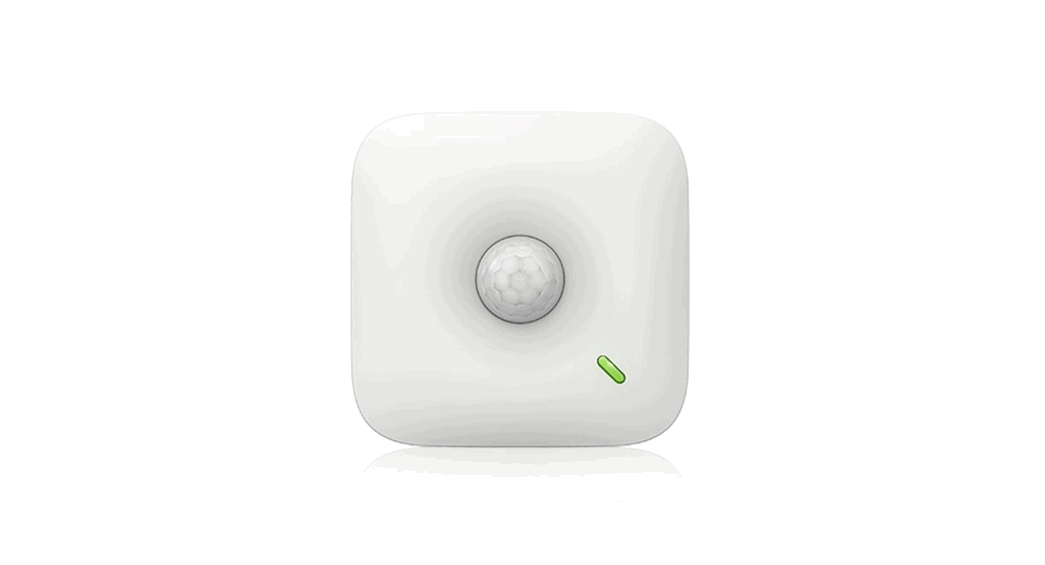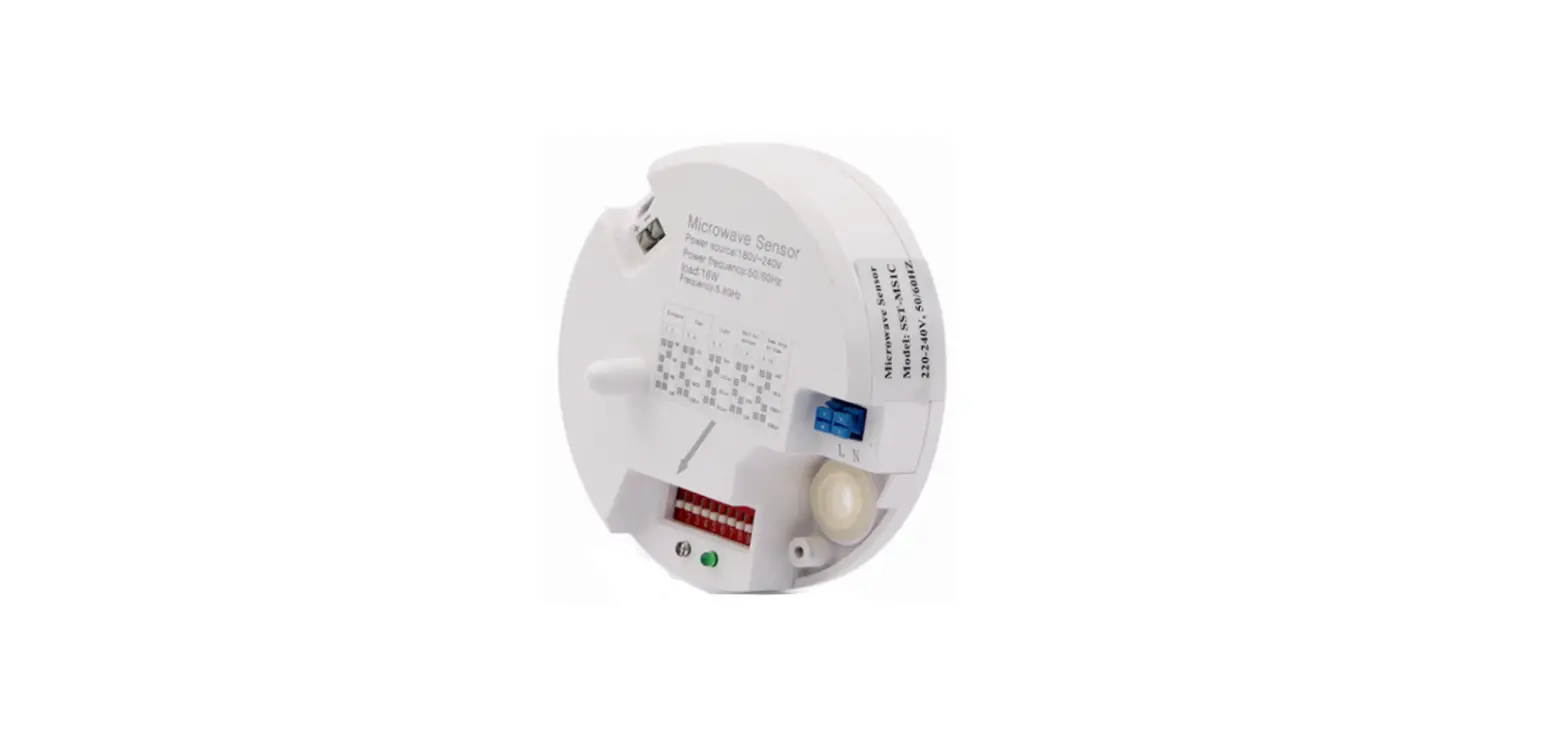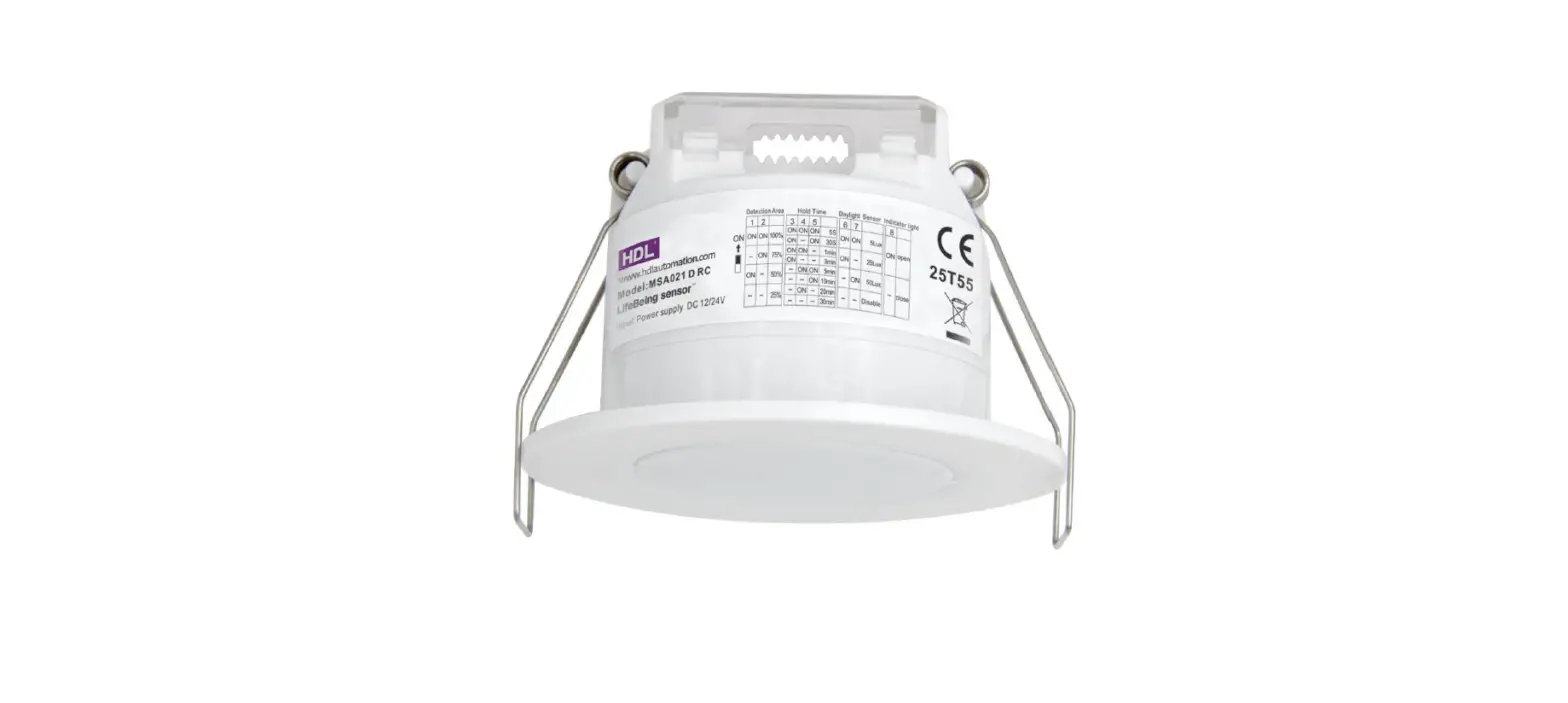

HDL MSA021D RC LifeBeing sensor
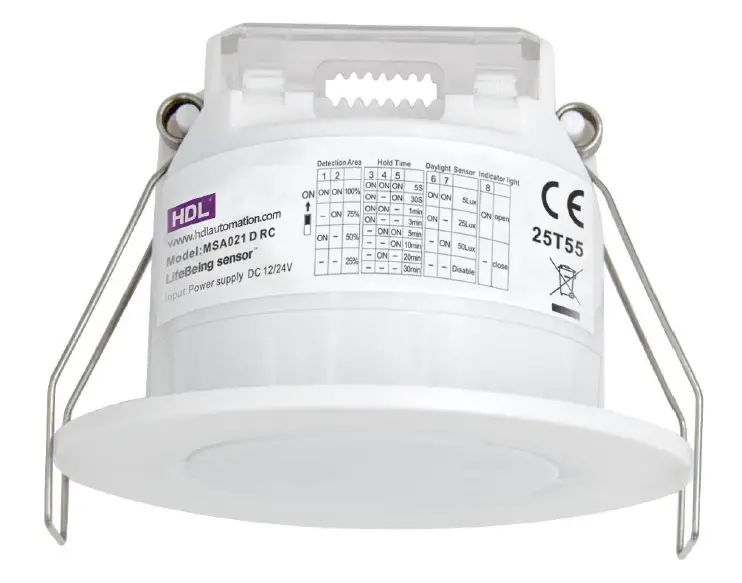
INSTRUCTION
- Product Name: LifeBeing sensor
- Model No.: MSA021D RC (5.0)
- Issue Date: July 5, 2021
Attention
- The product shall be installed by a professional electrician. Please disconnect the power before installation, wiring or changing the setting of by DIP switch
- Please read the relevant contents of this manual carefully before using the product.
- This product is only suitable for indoor environment.
- Ensure that the product is installed in a relatively dry and ventilated environment.
- Before the product is powered on, please confirm that the input voltage range meets the requirements of the manual.
- Keep out of reach of children.
Feature
- Adopt LifeBeing detected technology, which can detect movement, slight motion and breathing signal.
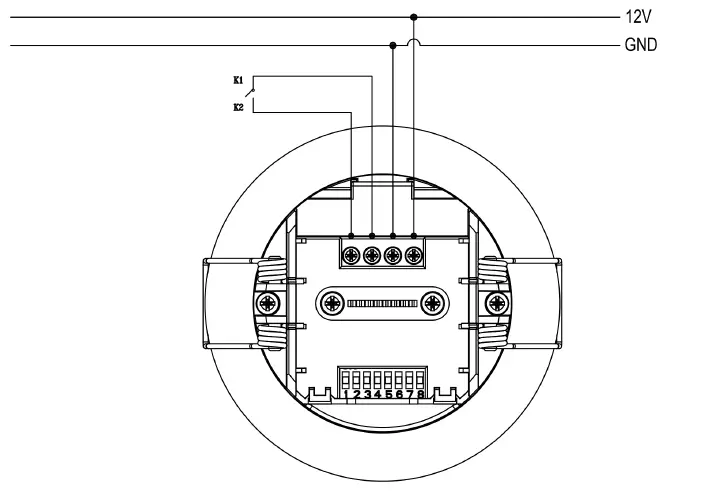
- 12/24Vdc input, and dry contact output.
- Built-in daylight sensor for energy saving.
- Support flush mounting installation.
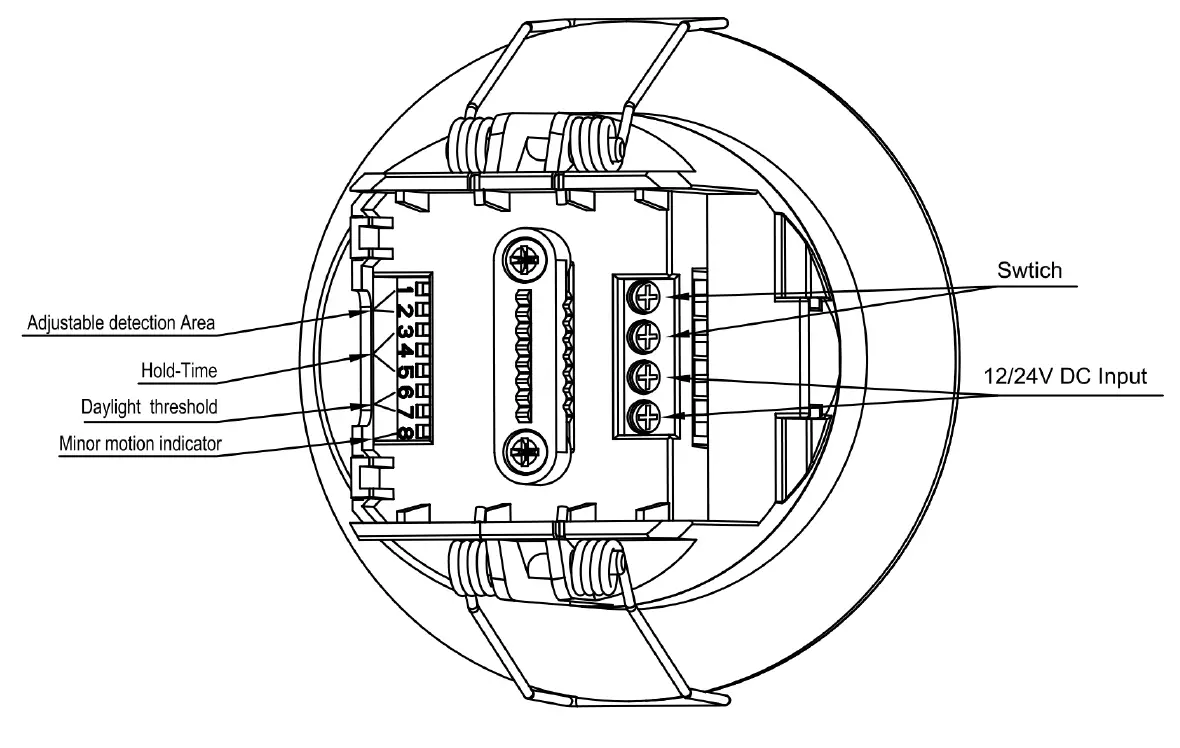
- All parameters can be set via DIP switch & remote control.
- Low impedance antenna for environmental adaptation
- 5 years warranty.
Parameters
| Input | Rated voltage | 12V-24V DC±0.5V | |||
| Stand-by power | 0.5W | ||||
| Output | Working Mode | dry contact, normal open | |||
| Load Capacity | Resistive (36V | DC | ,50mA | Max) | |
|
Sensor parameters | Operating frequency | 5.8 GHz ±75 MHz, ISM band. | |||
| Transmitting power | 0.3mW Max. | ||||
| Hold time | 5S/30S/1Min/3Min/5Min/10Min/20Min/30Min | ||||
| Detection Area | 100%/75%/50%/25% | ||||
| Daylight Sensor | 5lux/25lux/50lux/Disable | ||||
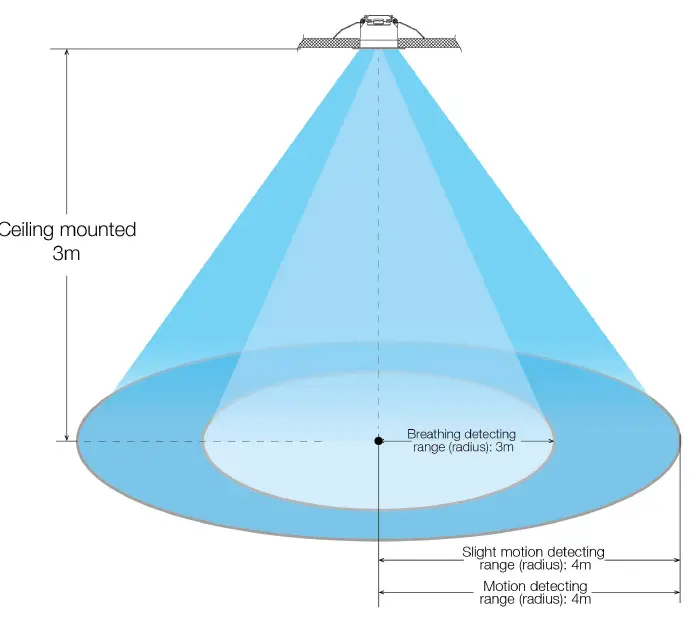
| Detection range (radius) | Movement: 3-4m (Speed: 0.3m/s) Slight motion: 3-4m Breathing: 2-3m | ||||
| Mounting height | 2.5-4m | ||||
| Detecting Angle | 120° | ||||
| Operating environment | Operating Temperature | -25℃…+50℃ /Humidity:85% (Non condensing) | |||
| Storage Temperature/humidity | -40℃…+80℃ /Humidity:85% (Non condensing) | ||||
|
Certificate Standards | LVD standards | EN61058-1, EN61058-1-2 | |||
| EMC standards | EN300440; EN301489-1; EN55015; EN61547; EN62479 | ||||
| Environmental Requirement | Compliant to RoHS | ||||
| Certificate | CE RED | ||||
|
Others | Wiring | Screw terminal, diameter: 0.75-1.5mm2 | |||
| IP Rating | IP20 | ||||
| Protection Class | Class II | ||||
| Installation | Flush mounted | ||||
| Cut size | Ø65-Ø75mm | ||||
| Net Weight | 84.9g | ||||
| Life time | 5 years warranty@Ta | ||||
Function
Instructions of signal detection:the sensor detects human walking, slight motion(such as body movement, turn up head and others minor movements) and breathing to realize the detection of human existence in non-sleep state.
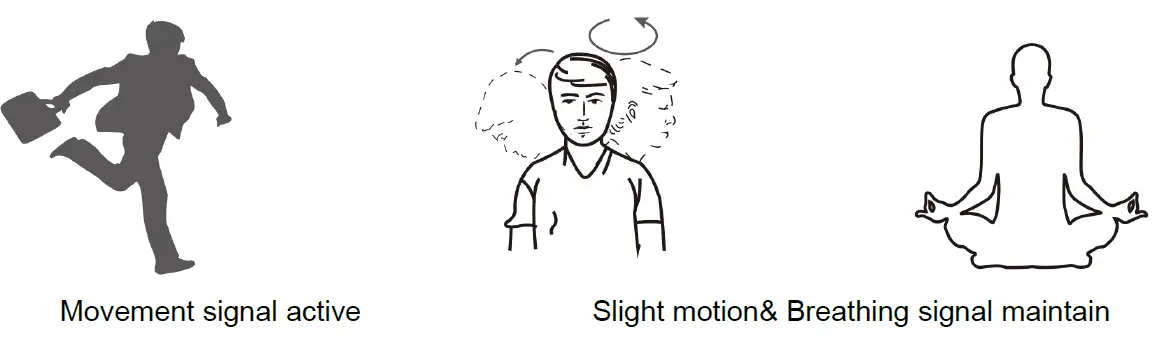
- Movement signal:Big movement for sensor triggering
- Slight motion signal:very small movement even only body motion can be collected , the indicator flashes once.
- Breathing signal:when no slight motion signal, only breathing signal can be collected ,the indicator flashes for 3 times by detecting 3 effective breathing signals.
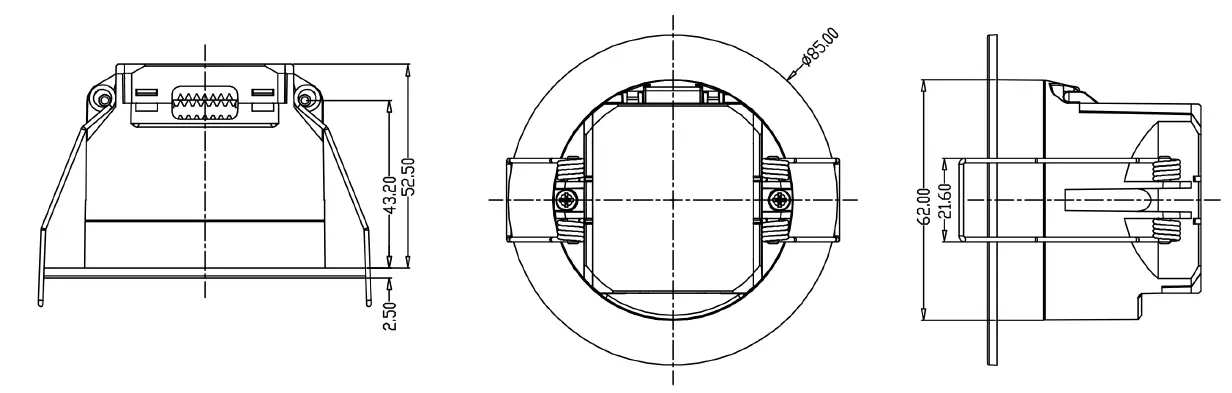
Dimension (mm)
Wiring
Structure
Installation Instruction
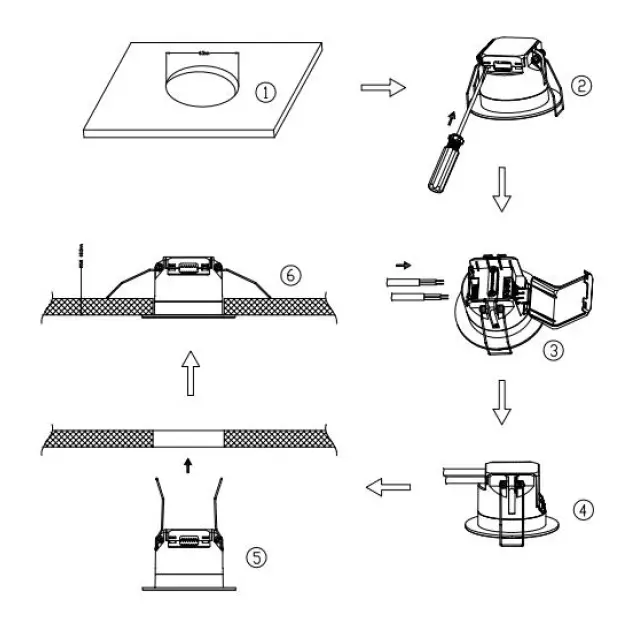
- Cut a hole of 65-70mm on the ceiling
- Open the button of the rotating protective coverto the maximum state
- Wiring (input & output)
- Install the screw of the line clasp and rotate the protective cover on the cover
- Bend the spring clamp backward to push the pre-opened hole in the ceiling
- Ensure smooth and reliable installation
Detection pattern
Dip switch settings
Detection Area
| 1 | 2 | ||
| Ⅰ | ON | ON | 100% |
| Ⅱ | – | ON | 75% |
| Ⅲ | ON | – | 50% |
| Ⅳ | – | – | 25% |
Hold Time
| 3 | 4 | 5 | ||
| Ⅰ | ON | ON | ON | 5S |
| Ⅱ | ON | – | ON | 30S |
| Ⅲ | ON | ON | – | 1min |
| Ⅳ | ON | – | – | 3min |
| Ⅴ | – | ON | ON | 5min |
| Ⅵ | – | – | ON | 10min |
| Ⅶ | – | ON | – | 20min |
| Ⅷ | – | – | – | 30min |
Daylight Sensor
| 6 | 7 | ||
| Ⅰ | ON | ON | 5Lux |
| Ⅱ | ON | – | 25Lux |
| Ⅲ | – | ON | 50Lux |
| Ⅳ | – | – | Disable |
Indicator light
| 8 | ||
| Ⅰ | ON | open |
| Ⅱ | – | close |
Remote Settings
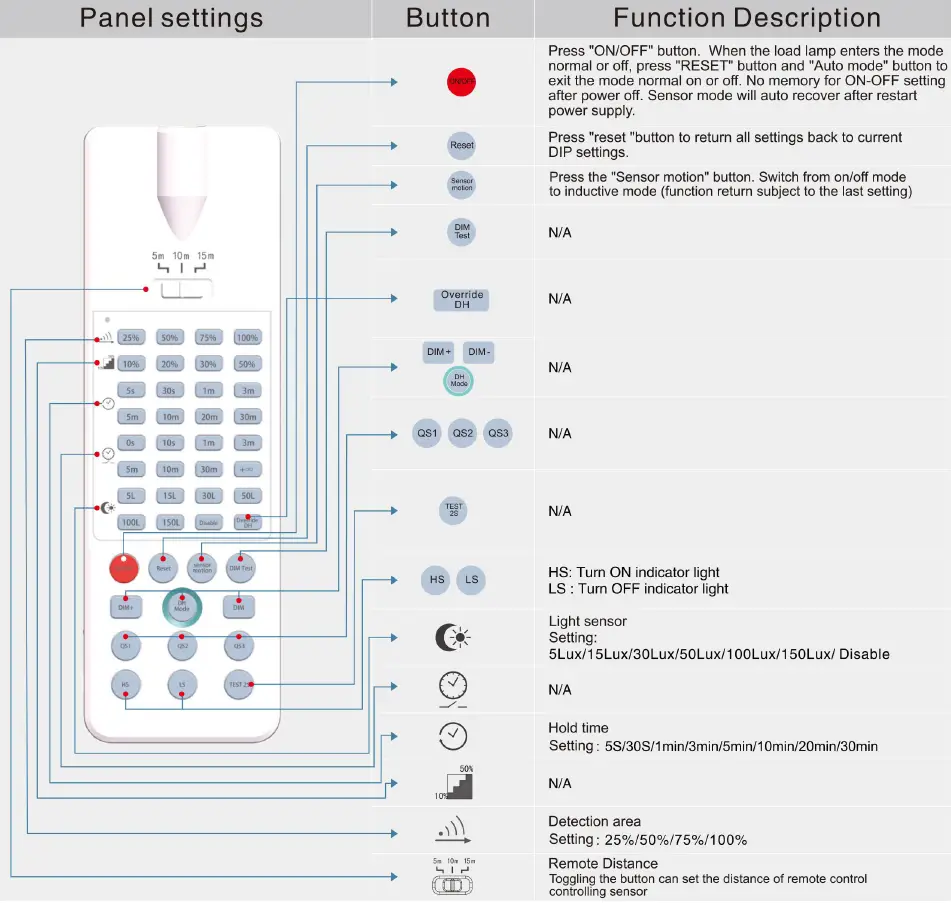
Initialization
The first power on, sensor enter self-test mode, and the self-test will be completed after 20 seconds to enter the normal working state. During the initialization, the external motion signal will not be detected, remote control signal not be received.
Factory Settings
Indicator light: Open Detection Area: 100% Hold Time: 30S Daylight Sensor: Disable
Application notice
- The sensor should be installed by a professional electrician. Please disconnect the power before installing, wiring or changing the setting of the DIP switch.
- Put the sensor as far as possible from large areas of metal plate, glass and other materials with high medium density to avoid triggering by mistake.
- Avoid using objects that have been vibrating for a long time around the sensor, such as shaking fans, etc. The vibration signal will be regarded as the motion signal to trigger the sensor.
- Each time the product is set by remote control, the indicator light flashes 3 times quickly, which means the setting is successful.
- During the initialization period, the sensing function is not activated, and the sensing parameters cannot be set remotely.
- It is recommended to turn off the indicator light during normal use.
- Used in an open office with a large number of people, 30s Hold time is OK, but in the independent office the Hold time needs to be 1min or more than 3min.
- The microwave sensor has the ability to penetrate the wall of the building, and the microwave penetrating outside the wall may cause false triggering when it detects moving objects outside. In order to avoid false triggering, please don’t install the sensor close to glass door/window, plaster wall and wood wall. And, select appropriate detection area during installation, for example:
- When the product is used in a room of 2m *2m or smaller, the detection area should be set to 25%(use the remote control),
- When used in a room of about 3m *3m, the detection area should be set to 50%;
- When applied in a room of about 4m *4m, the detection area should be set to 75%(use the remote control);
- When used in a room of about 5m *5m or bigger, the detection area should be set to 100%;
Note: the suitable detection range of the actual application needs to be based on the actual environment. The sensitivity selection of the above application scenarios is only for reference.