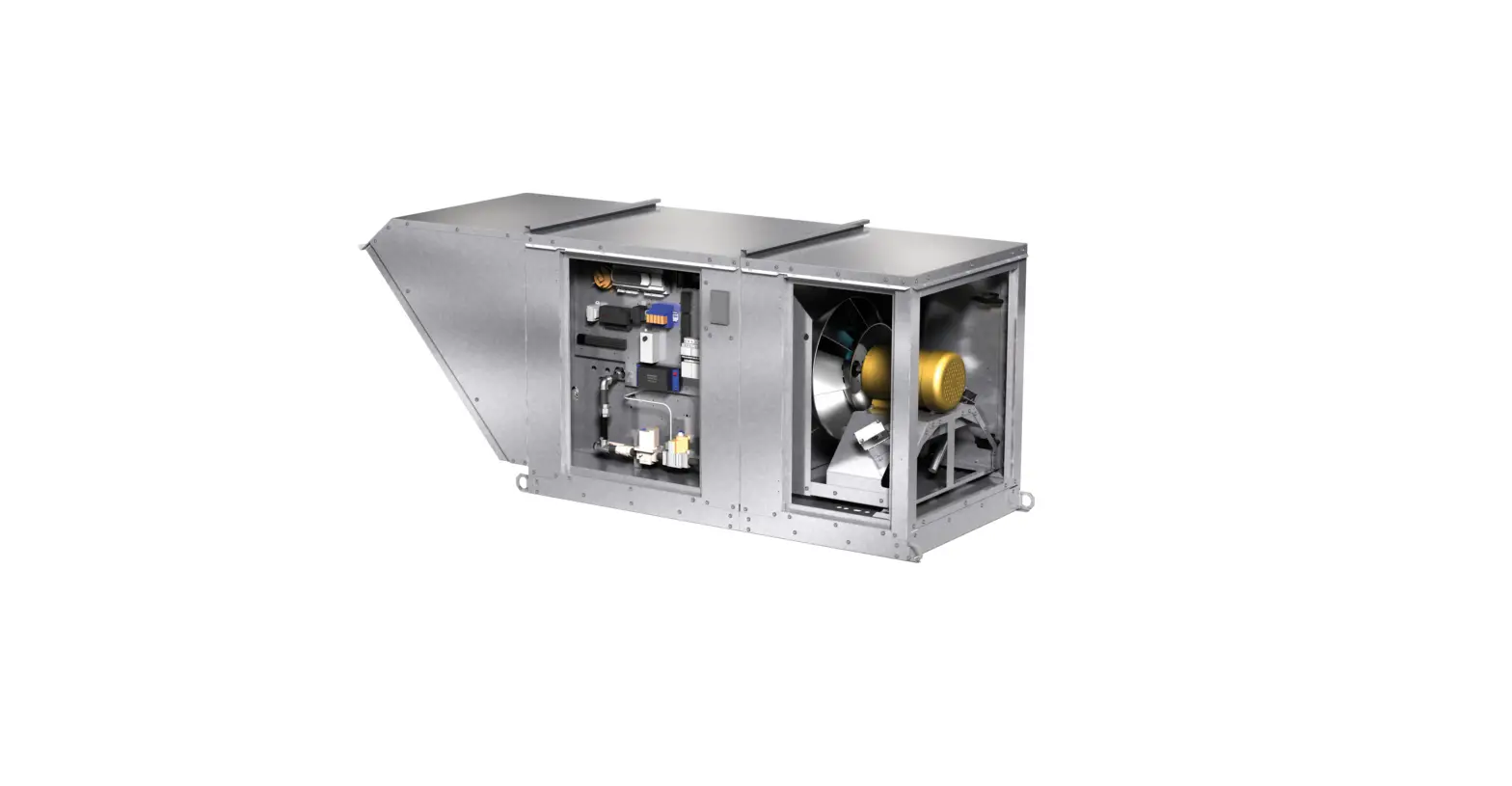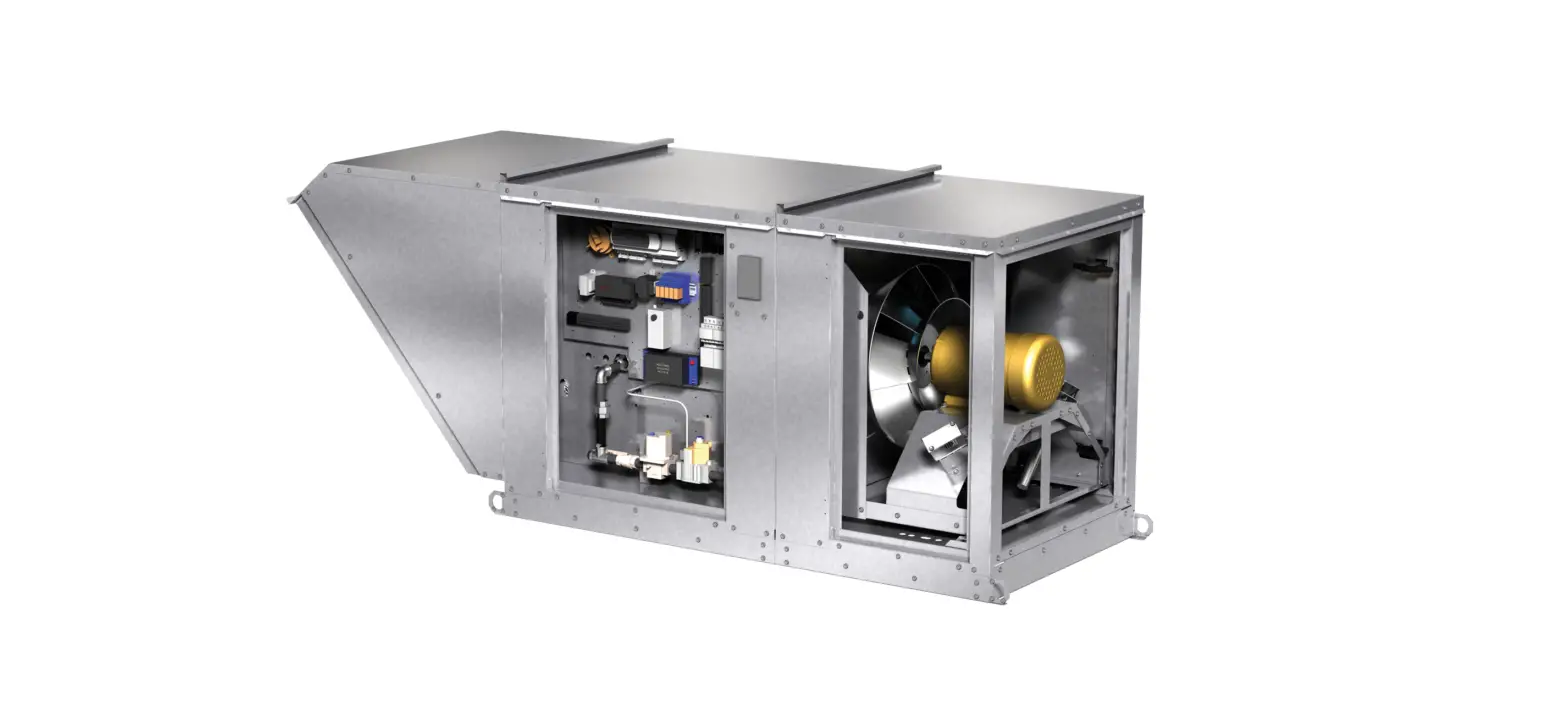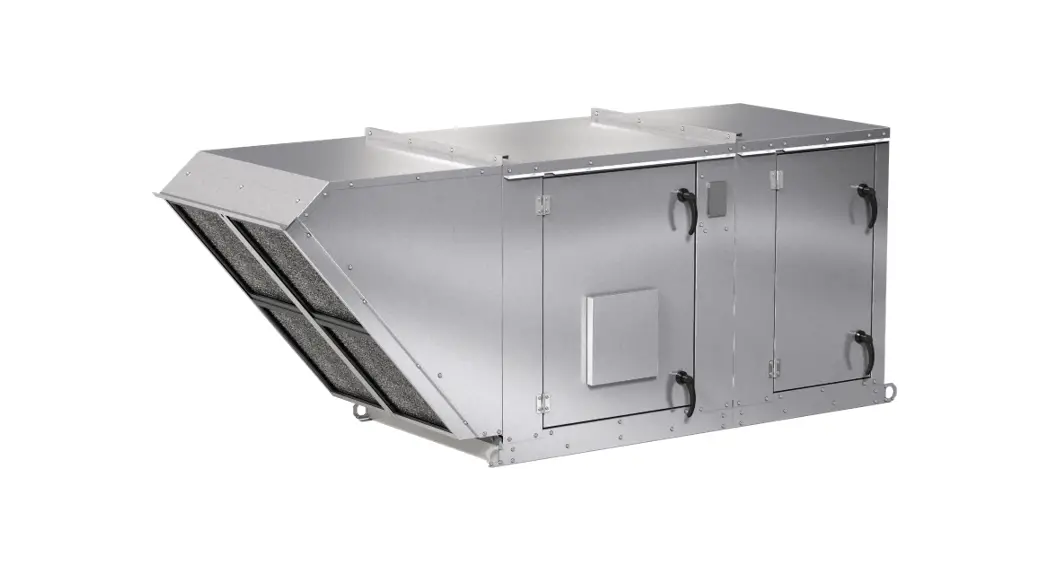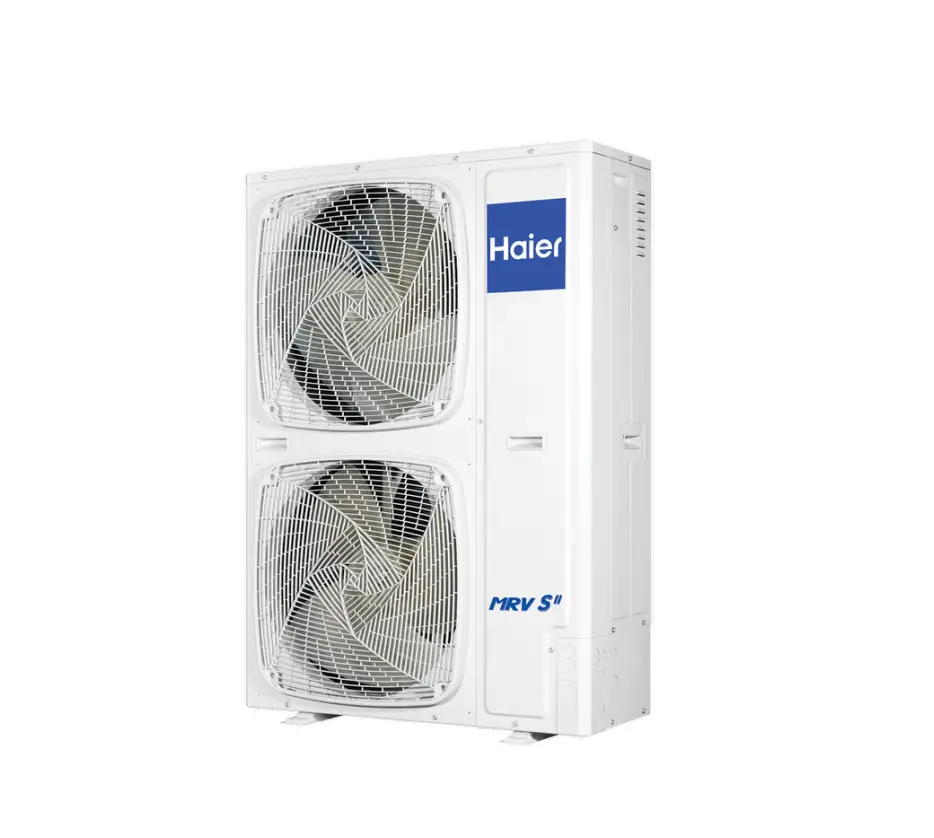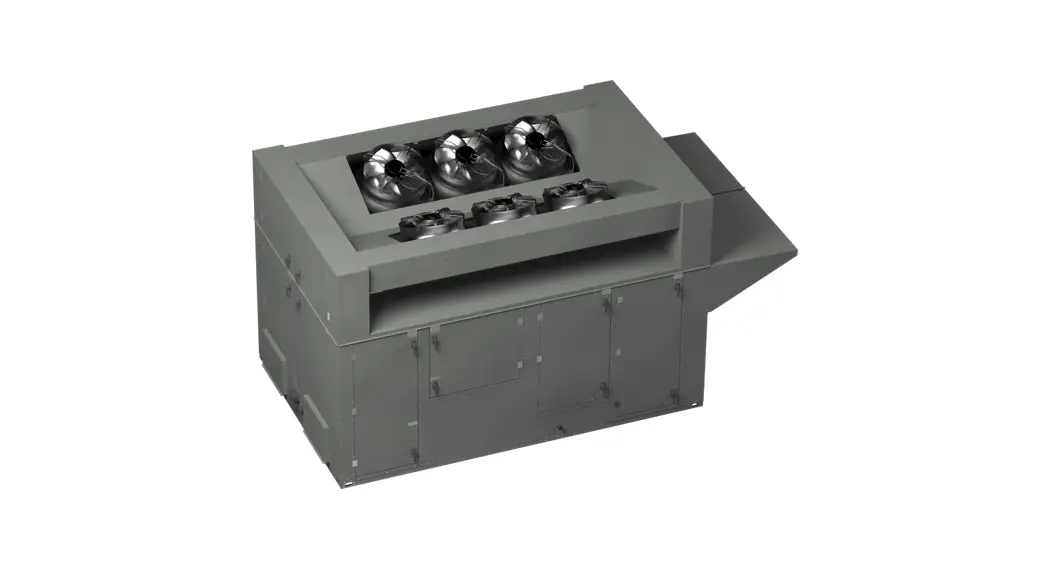

Model XRV Dedicated Outdoor Air Systems
User Guide
BACnet Quick Start Guide
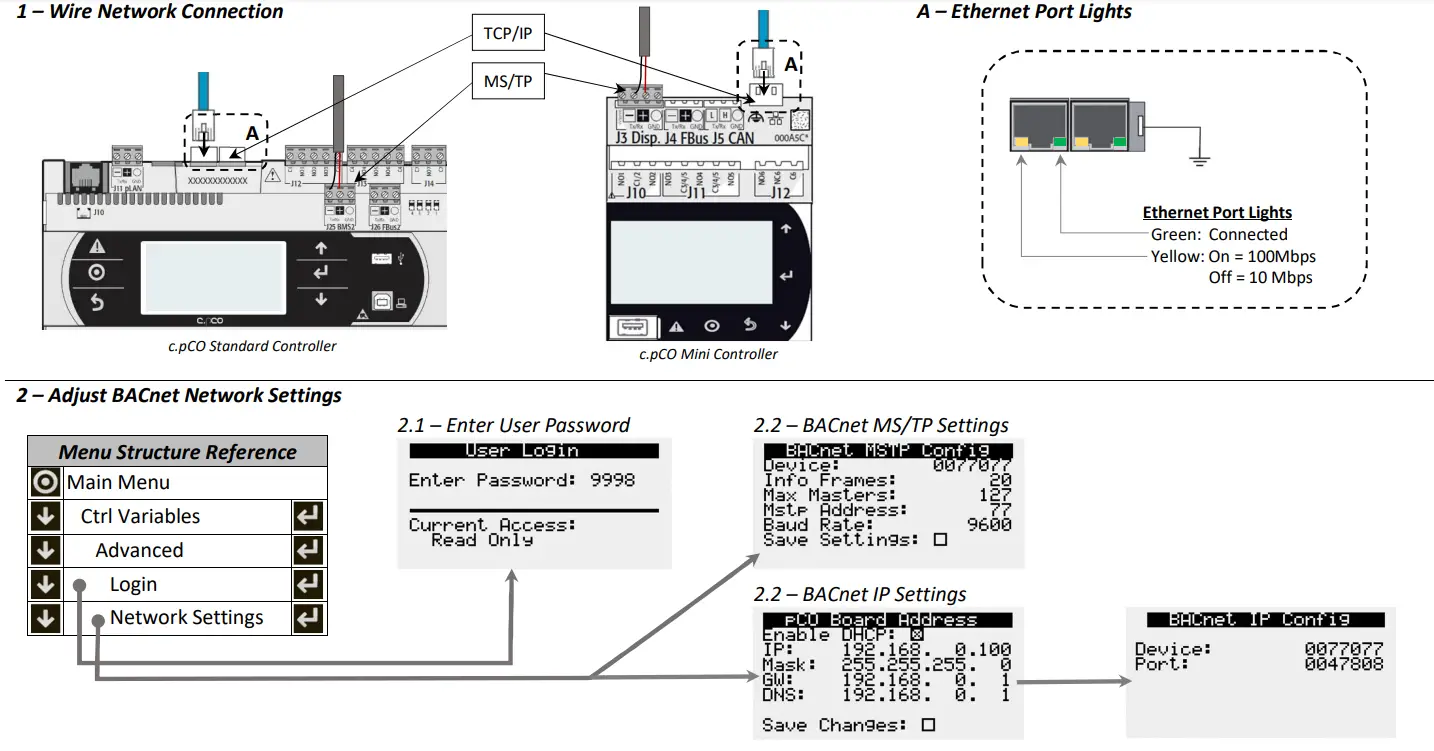
3 – Command Unit Operation
- Enable Unit
- Control Occupancy
- Reset Alarms
- Global Alarm Notification
- Control Temperature Setpoint (optional)
| Object | Object Name | Object Description | Active Text | Inactive Text |
| Variable Type | ||||
| BV-2 | System_Enable | Master system enable/disable point. | Enabled | Disabled |
| BV-3 | BMS_Occupancy_Command | Occupancy Command | Unoccupied | Occupied |
| BV-4 | Reset_All_Alarms | Alarm Reset Command | Reset | Normal |
| BV-23 | Global_Alarm | Alarm Notification (any alarm by default) | Alarm | Normal |
| AV-1 | Temperature_Setpoint | Sets the active temperature set-point based on mode of operation (space setpoint, return setpoint or supply setpoint). Not applicable for outside reset. | Default = 72°F Min = 50°F; Max = 100°F | |
Document 485940
BACnet Integration Guide for
Dedicated Outdoor Air Systems
Reference Guide for BACnet Integration
Please read and save these instructions for future reference. The information in this guide assumes the controller was already configured with BACnet based on the original sales configuration. If the controller does not have BACnet enabled, please contact the equipment representative to get the necessary licensing and configuration files to allow BACnet communication to be used.
DOAS_08.000 Rev 2
Document Date: 01/2023
Basic Unit Integration
Below are the basic integration functions available on all equipment regardless of control mode. Some features are unit configuration dependent (heating type, cooling type, etc.). The controller’s BMS points list is static regardless of configuration to accommodate field configuration changes, however, not all points are applicable to every unit. Once the required sensors are installed in the equipment, the only mandatory requirements to make the unit operational are to enable the unit, if it hasn’t been enabled manually at the controller, and to command occupancy as desired.
| Object | Variable | Description | Active Text | Inactive Text |
| Unit Enable/Disable Operation | ||||
| If desired, the unit can be enabled and disabled by the BMS system. In disabled mode, certain safety sequences may operate to protect the building and/or equipment but general heating, cooling and ventilation operation will not function. | ||||
| BV-2 | System_Enable | Master system enable/disable command | Enabled | Disabled |
| Unit Occupancy Control | ||||
| By default, the unit occupancy is expected to be commanded by the BMS occupancy point. Alternatively, the unit occupancy can be controlled by an internal schedule, set to always unoccupied, always occupied or controlled by a digital input by changing the occupancy mode selection at the controller. If the controller is configured for warm-up/cool-down mode, after the occupancy command is received the unit will run in unoccupied recirculation mode until reaching the occupied temperature setpoint or the warm-up/cool down time expires (default 30 minutes) at which point the controller will enter normal occupied mode operation. | ||||
| BV-3 | BMS_Occupancy_Command | Building Occupancy Command | Unoccupied | Occupied |
| Alarms | ||||
| The following points allow the notification of any alarm and the last alarm triggered to be read, as well as active alarms that to be manually reset remotely. See the unit’s full BMS points list if specific alarm monitoring or trending is desired. | ||||
| BV-4 | Reset_All_Alarms | Alarm Reset Command | Reset | Normal |
| BV-23 | Global_Alarm | Global Alarm | Alarm | Normal |
| IV-5 | LatestAlm | Most recent active alarm | See Alarm Table (0 = No Active Alarm) | |
| Monitoring Unit Operation | ||||
| Unit status | ||||
| AV-40 | Unit_Status_Mode | Unit Operation Mode/State | See Status Mode Table | |
| Fans and Dampers | ||||
| BI-1 | Exhaust_Fan_1_Status_Digital_Input | Exhaust Fan 1 Status | Active | Inactive |
| BI-2 | Supply_Fan_1_Status_Digital_Input | Supply Fan 1 Status | Active | Inactive |
| AV-73 | Exhaust_Fan_Speed_Analog_Output | Exhaust Fan Speed Analog Output | Real (%) | |
| AV-78 | Outside_Air_Damper_Analog_Output | Outside Air Damper Analog Output | Real (%) | |
| AV-79 | Supply_Fan_Speed_Analog_Output | Supply Fan Speed Analog Output | Real (%) | |
| Cooling | ||||
| IV-11* (Bit 20) | Cooling_is_On | Indicates that the unit is cooling | Active | Inactive |
| AV-42 | Cooling_1_Ramp_Capacity | Cooling Ramp 1 Status Value | Real (%) | |
| Heating | ||||
| IV-11* (Bit 21) | Heating_is_On | Indicates that the unit is heating | Active | Inactive |
| AV-51 | Heating_Capacity | Heating Ramp | Real (%) | |
| Filters | ||||
| IV-10* (Bit 13) | Filter_Alarm_Digital_Input | Filter Alarm Digital Input Status | Alarm | Normal |
| Object | Variable | Description | Active Text | Inactive Text |
| Energy Recovery | ||||
| IV-10* (Bit 0) | Heat_Wheel_Enable_Digital_Output | Heat Wheel Enable Digital Output | Active | Inactive |
| IV-10* (Bit 18) | Wheel_Rotation_Alarm | Heat Wheel Rotation Alarm | Alarm | Normal |
| AV-72 | Energy_Recovery_Analog_Output | Energy Recovery Analog Output | Real (%) | |
| Refrigeration Systems | ||||
| IV-6* (Bit 0) | Compressor_1_Enable_Digital_Output | Compressor 1 Enable Digital Output | Active | Inactive |
| IV-6* (Bit 1) | Compressor_2_Enable_Digital_Output | Compressor 2 Enable Digital Output | Active | Inactive |
| IV-6* (Bit 2) | Compressor_3_Enable_Digital_Output | Compressor 3 Enable Digital Output | Active | Inactive |
| IV-6* (Bit 3) | Compressor_4_Enable_Digital_Output | Compressor 4 Enable Digital Output | Active | Inactive |
| AV-50 | HP_Ramp_Capacity | Heat Pump Heating Ramp | Real (%) | |
| AV-53 | Hot_Gas_Reheat_Ramp | Hot Gas Reheat Ramp | Real (%) | |
| AV-80 | Modulating_Compressor_Analog_Output_BMS | Modulating Compressor Analog Output | Real (%) | |
| Chilled Water Systems | ||||
| AV-68 | Chilled_Water_1_Valve_Analog_Output | Chilled Water 1 Valve Analog Output | Real (%) | |
| Hot Water Systems | ||||
| AV-74 | Hot_Water_Valve_1_Analog_Output | Hot Water Valve 1 Analog Output | Real (%) | |
| IG Furnaces | ||||
| IV-6* (Bit 16) | Furnace_1_Stage_1_Digital_Output | Furnace 1 Stage 1 Digital Output | Active | Inactive |
| IV-6* (Bit 17) | Furnace_2_Stage_1_Digital_Output | Furnace 2 Stage 1 Digital Output | Active | Inactive |
| AV-76 | Mod_Gas_Furnace_1_Analog_Output | Mod Gas Furnace 1 Analog Output | Real (%) | |
| Electric Post-Heat | ||||
| AV-70 | Electric_Heater_1_Analog_Output | Electric Heater 1 Analog Output | Real (%) | |
| Electric Pre-Heat | ||||
| IV-10* (Bit 1) | PreHeat_Enable_Digital_Output | PreHeat Enable Digital Output | Active | Inactive |
| Sensor Values (when equipped) | ||||
| AI-1 | Space_Temp_Analog_Input | Space Air Temperature | Real (°F) | |
| AI-2 | Supply_Temp_Analog_Input | Supply(discharge) Air Temperature | Real (°F) | |
| AI-3 | Outside_Air_Temp_Analog_Input | Outside Air Temperature | Real (°F) | |
| AI-4 | Mixed_Temp_Analog_Input | Mixed Air Temperature | Real (°F) | |
| AI-5 | Cold_Coil_1_Temp_Analog_Input | Cold Coil 1 Leaving Air Temperature | Real (°F) | |
| AI-7 | Return_Temp_Analog_Input | Return Air Temperature | Real (°F) | |
| AI-8 | Exhaust_Temp_Analog_Input | Exhaust Air Temperature | Real (°F) | |
| AI-9 | Space_RH_Analog_Input | Space Air Relative Humidity | Real (% RH) | |
| AI-10 | Outside_RH_Analog_Input | Outside Air Relative Humidity | Real (% RH) | |
| AI-11 | Return_RH_Analog_Input | Return Air Relative Humidity | Real (% RH) | |
| AI-12 | Return_Duct_Static_Pressure_Analog_Input | Return Duct Static Pressure | Real (“wc) | |
| AI-13 | Space_Static_Pressure_Analog_Input | Space Static Pressure | Real (“wc) | |
| AI-14 | Supply_Duct_Static_Pressure_Analog_Input | Supply Duct Static Pressure | Real (“wc) | |
| AI-15 | Space_CO2_1_Analog_Input | Space 1 CO2 ppm | Real (ppm) | |
| AI-17 | Return_CO2_Analog_Input | Return CO2 ppm | Real (ppm) | |
| AV-64 | Total_Exhaust_Fan_CFM_BMS | Total Exhaust Fan CFM | Real (cfm) | |
| AV-65 | Total_Supply_Fan_CFM_BMS | Total Supply Fan CFM | Real (cfm) | |
| AV-66 | OAD_CFM_BMS | Outdoor Air Damper CFM | Real (cfm) | |
| Active Setpoints | ||||
| AV-41 | Supply_Temperature_Calculated_Setpoint | Active Supply Temperature Setpoint | Real (°F) | |
| AV-90 | Coil_Temperature_Calculated_Setpoint | Calculated Coil Leaving Set point | Real (°F) | |
Unpacking Integer Words to Binary Values
Binary values can be combined to create an integer word. By doing this, more information is available to the BMS in a smaller number of points and less network traffic. These integer words need to be “unpacked” once the BMS receives the value.
To unpack the integer word into the binary values, the integer needs to be converted to a binary number. The integers in the program are 32-bit, meaning up to 32 binary values are packed into the integer. Each bit can either be a 0 (Inactive) or a 1 (Active).
The BMS front end may have a solution already intact to pull individual bits from an integer. A “read bit” function looks to return what value a certain bit is in an integer. Bit number are 0-31 in a 32-bit integer with 0 being the lowest bit and the furthest to the right in the binary notation of the number. Bit 31 would be the largest bit and the furthest to the left in binary notation.
If the front end does not have a “read bit” or “bit extract” function, the binary value of individual bits can be determined by continually dividing the quotient of the integer by 2, the remainder of the division is the value of the bit (0 or 1). A function called Modulo or “mod” is commonly used to return the remainder of integer division.
Equation: x = (round down(a/2b ) )mod 2
- x is Boolean value for bit b, where 0 is inactive and 1 is active.
- a is the integer word value
- b is the bit of the binary number used as an exponent
- The result of a/2b should round down to a whole number, truncating the decimal. For example, 5/21 is 2.5, however, only the 2 is used.
Example:
If the Device_Offline_Word (IV-8) is a decimal value of 11, the binary value would be 1011. This binary value would mean that Space Thermostats 1, 2, and 4 are offline. The rest of the bits in the binary number would be a Boolean value of 0. (Please see Binary Tables.)
- Bit 0 = 11/2° mod 2… this results in a Boolean of 1 or Active for bit 0.
- Bit 1 = 11/2¹ mod 2… this results in a Boolean of 1 or Active for bit 1.
- Bit 2 = 11/2² mod 2… this results in a Boolean of 0 or Inactive for bit 2.
- Bit 3 = 11/2³ mod 2… this results in a Boolean of 1 or Active for bit 3.

Modifying Equipment Operation
In addition to commanding unit occupancy, some system level sequences may require feedback from the BMS.
Common BMS adjusted sequences include items like supply air temperature reset control, demand control ventilation for multiple zones, and duct static pressure reset.
HEATING AND COOLING OPERATION SETPOINTS
| Object | Variable | Description | Active Text | Inactive Text |
| Controller Provided Sequences – Unoccupied Mode | ||||
| When the unoccupied mode of operation is set to night setback temperature, normal operation with unoccupied setpoints, or recirculation with unoccupied setpoints, the following setpoints control unoccupied heating and cooling operation. If night setback is selected as the Unoccupied Mode of operation, the reset mode will not be available to change at the controller and should be set to Space Reset(2). | ||||
| IV-2 | Temperature_Reset_Mode_Unoccupied | Commands the reset mode during occupied operation. | 1 = No Reset, 2 = Space Reset 3 = Return Reset, 4 = Outside Reset | |
| AV-3 | Temperature_Setpoint_Unoccupied | Sets the temperature setpoint based on mode of operation (space setpoint, return setpoint or supply setpoint). Not applicable for outside reset. | Real, Default = 70°F *Min = 50°F; Max = 100°F | |
| AV-4 | Temperature_Heat_Cool_Deadband_Unoccupied | Heat/Cool Setpt Deadband when Space or Return reset control is active. Unooc Clg Setpt = Temp Setpt Unocc + (Deadband Unocc)/2 Unocc Htg Setpt = Temp Setpt Unocc + (Deadband Unocc)/2 | Real, Default = 20°F | |
| BMS Controlled Sequences | ||||
| BMS control over reset write to temp setpoint and have mode in No reset. | ||||
* Typical range for standard configuration unit, please verify at point min and max properties.
DEHUMIDIFICATION OPERATION SETPOINTS
| Object | Variable | Description | Active Text | Inactive Text |
| Dehumidification Setpoints | ||||
| The unit controller will enter occupied dehumidification mode when the dehumidification trigger(s) is met. During dehumidification mode, the cooling system is controlled to maintain the cooling coil leaving air temperature setpoint while the hot gas reheat system (if installed) reheats the air to maintain the active supply air temperature setpoint. For units with space or return humidity sensors, the controller may also actively reset the cooling coil temperature setpoint between minimum and maximum values to maintain the target space/return dehumidification setpoint (% RH). Note: By default, unoccupied dehumidification mode is not active unless a trigger to enter the mode is selected at the unit controller since most spaces do not have an unoccupied dehumidification load. | ||||
| AV-5 | Cooling_Coil_Setpoint_Min | Primary Cooling Coil Leaving Air Setpoint | Default = 50°F *Min = 46°F; Max = 80°F | |
| AV-6 | Cooling_Coil_Setpoint_Max | Maximum Coil Leaving Setpoint if cooling coil rest strategy is used. | Default = 55°F *Min = 46°F; Max = 80°F | |
| AV-7 | Dehumidification_Setpoint | Dehumidification Setpoint. %RH for Space or Return control | Default = 55% RH Min = 0%; Max = 100% | |
| AV-11 | Unoccupied_Dehumidification_Setpoint | Unoccupied Dehumidification %RH Setpoint | Default =60% RH Min = 0%; Max = 100% | |
* Typical range for standard configuration unit, please verify at point min and max properties.
AIRFLOW OPERATION SETPOINTS
| Object | Variable | Description | Active Text | Inactive Text |
| Airflow Setpoints | ||||
| Airflow operation of supply fan, exhaust fan, and mixing dampers may use setpoints from duct pressure, space pressure, CO2 sensors, or airflow measuring stations to properly control airflow in an application. The Outside Air Damper Minimum Setpoint Occupied applies to all units with modulating outside air dampers. The setpoint is used to establish an absolute minimum position for ventilating the space while allowing other control modes to open the damper further as necessary. Outdoor and recirculating air dampers operate inversely using the same signal. | ||||
| AV-14 | Supply_Fan_CFM_Setpoint | Supply Fan CFM Setpoint | Default = Job Specified CFM Min = 0 cfm; Max = 999,999 cfm | |
| AV-15 | Exhaust_Fan_CFM_Setpoint | Exhaust Fan CFM Setpoint | Default = Job Specified CFM Min = 0 cfm; Max = 999,999 cfm | |
| AV-16 | OAD_CFM_Setpoint | OAD CFM Setpoint | Default = Job Specified CFM Min = 0 cfm; Max = 999,999 cfm | |
| AV-21 | Return_Duct_Static_Pressure_Setpoint | Return Duct Static Pressure Setpoint | Default = -2.0”wc Min = 0.0”wc; Max = -5.0”wc | |
| AV-22 | Space_Static_Pressure_Setpoint | Space Static Pressure Setpoint | Default = 0.05”wc Min = -0.5”wc; Max = 0.5”wc | |
| AV-23 | Supply_Duct_Static_Pressure_Setpoint | Supply Duct Static Pressure Setpoint | Default = 1.0”wc Min = 0.0”wc; Max = 5.0”wc | |
| AV-24 | Space_CO2_Setpoint | Space CO2 Setpoint | Default = 1,000 ppm Min = 0 ppm; Max = 5,000 ppm | |
| AV-25 | Outside_Air_Damper_Minimum_Setpoint_Occ | Outside Air Damper Minimum Setpoint Occupied | Default = 35% Min = 0%; Max = 100% | |
BMS Watchdog Enabled Control
BMS WATCHDOG
When directly commanding fans speeds, damper positions, or sending sensor values, the unit controller requires the BMS Watchdog point to be written to on a recurring basis. This tells the unit controller that the BMS is still actively communicating.
| Object | Variable | Description | Active Text | Inactive Text |
| BMS Watchdog | ||||
| The BMS Watchdog must be written to True (1) regularly to verify communication is established between the unit controller and the BMS headend system. If the BMS Watchdog value remains False(0) for longer than the Timeout Delay (15 minutes, adjustable), an alarm is generated and the controller falls back to local control and sensor values, as applicable, instead of using BMS commanded values. | ||||
| BV-1 | BMS_Watchdog | BMS Watchdog command | Active | Inactive |
| BV-24 | BMS_Watchdog_Active | Status of the BMS watchdog ping. | Active | Inactive |
CONTROLLING AIRFLOW DEVICES
If desired, the speeds and positions of airflow devices can be controlled directly using BACnet commandable points. To control the devices via the BMS, the BMS Watchdog requirements must be satisfied.
| Object | Variable | Description | Active Text | Inactive Text | |||
| Fan Controls | |||||||
| Fan speeds can be controlled directly though BMS points. The binary points enable the BMS to take control and the analog values command the speeds as a percentage between the allowed minimum and maximum values set in the controller. | |||||||
| Supply Fan | |||||||
| BV-17 | SF_Control_Source_BMS | Allows the BMS to control supply fan speed | BMS | Local | |||
| AV-36 | SF_Control_Signal_BMS | Supply Fan Command Speed | Real (%) *Min=50%; Max=100% | ||||
| Exhaust Fan | |||||||
| BV-18 | EF_Control_Source_BMS | Allows the BMS to control exhaust fan speed | BMS | Local | |||
| AV-37 | EF_Control_Signal_BMS | Exhaust Fan Command Speed | Real (%) Min=25%; Max=100% | ||||
| Outdoor Air/Recirculation Air Damper Control | |||||||
| The outdoor air damper position can be controlled directly by the BMS to adjust the mixture of outdoor air and recirculation air on units configured for recirculation. Minimum and maximum values for occupied and unoccupied mode set at the unit controller are enforced. | |||||||
| BV-19 | OAD_Control_Source_BMS | Allows the BMS to control OAD position | BMS | Local | |||
| AV-38 | OAD_Control_Signal_BMS | Outside Air Damper Control Signal via BMS | Real (%) Min=0%; Max=100% | ||||
* Typical range for standard configuration unit, please verify at point min and max properties.
SENDING SENSOR VALUES
Sensor values required for sequence operation can be sent to the controller over dedicated BMS points in place of a sensor wired to the controller (local sensor). When values are communicated to the controller over BMS, the BMS Watchdog must be satisfied. If the watchdog isn’t satisfied, the controller reverts to the local sensor (if installed and
valid) to control the unit or falls back to local control until the BMS watchdog is satisfied.
| Object | Variable | Description | Active Text | Inactive Text |
| BMS Writeable Sensor Values | ||||
| To write the sensor values over BMS, first command the controller to use the BMS value using the corresponding binary value and then use the corresponding analog value to send the sensor value. | ||||
| Sensor Sources | ||||
| BV-7 | Outside_RH_Source_BMS | Outside RH Source Selection | BMS | Local |
| BV-8 | Outside_Temp_Source_BMS | Outside Temp Source Selection | BMS | Local |
| BV-9 | Return_RH_Source_BMS | Return RH Source Selection | BMS | Local |
| BV-10 | Return_Temp_Source_BMS | Return Temp Source Selection | BMS | Local |
| BV-11 | Space_1_CO2_Source_BMS | Space 1 CO2 Source Selection | BMS | Local |
| BV-12 | Space_2_CO2_Source_BMS | Space 2 CO2 Source Selection | BMS | Local |
| BV-13 | Return_CO2_Source_BMS | Return CO2 Source Selection | BMS | Local |
| BV-14 | Space_RH_Source_BMS | Space RH Source Selection | BMS | Local |
| BV-15 | Space_Static_Source_BMS | Space Static Source Selection | BMS | Local |
| BV-16 | Space_Temp_Source_BMS | Space Temp Source Selection | BMS | Local |
| Object | Variable | Description | Active Text Inactive Text |
| Sensor Values | |||
| AV-26 | Outside_RH_from_BMS | Outside RH from BMS. | Real (% RH) |
| AV-27 | Outside_Temp_from_BMS | Outside Temp from BMS | Real (°F) |
| AV-28 | Return_RH_from_BMS | Return RH from BMS | Real (% RH) |
| AV-29 | Return_Temp_from_BMS | Return Temp from BMS | Real (°F) |
| AV-30 | Space_1_CO2_from_BMS | Space 1 CO2 from BMS | Real (ppm) |
| AV-31 | Space_2_CO2_from_BMS | Space 2 CO2 from BMS | Real (ppm) |
| AV-32 | Return_CO2_from_BMS | Return CO2 from BMS | Real (ppm) |
| AV-33 | Space_RH_from_BMS | Space RH from BMS | Real (% RH) |
| AV-34 | Space_Static_from_BMS | Space Static from BMS | Real (“wc) |
| AV-35 | Space_Temp_from_BMS | Space Temp from BMS | Real (°F) |
Advanced BACnet Settings
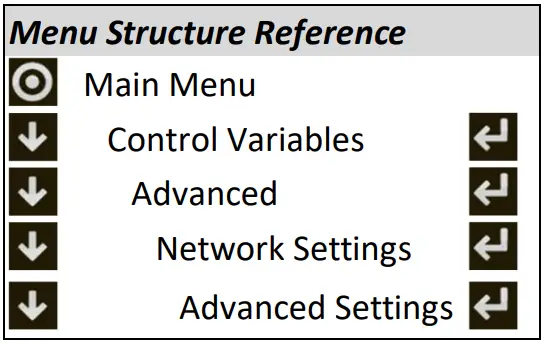
Additional settings can be accessed in the BACnet Advanced Settings menu including BACnet Broadcast Management Device (BBMD) configuration, relinquish default settings, Change of Value (COV) increments and restoring binary text values.
BBMD CONFIGURATION
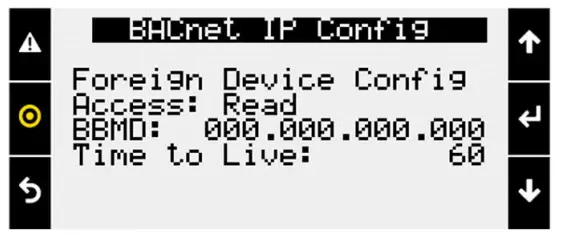
To configure the controller to operate with a BACnet Broadcast Management Device (BBMD) on IP networks, go to the advanced BACnet settings menu and enter the IP address of the BBMD, foreign device configuration, and time to live settings.
COV INCREMENTS
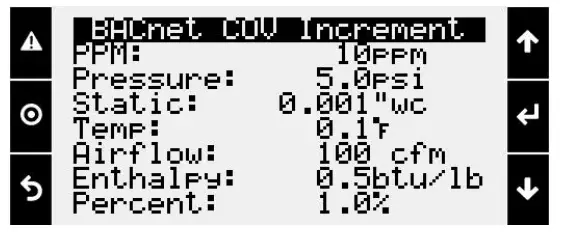
BACnet COV is an optional portion of BACnet that supports providing new values/information only after an increase or decrease of the value is at least the listed COV increment. The controller’s COV increments are based on the unit of measure. All variables with the same unit of measure share the same COV increment value. Values can be adjusted on this screen, or by writing to the COV increment property of any BACnet object.
RELINQUISH DEFAULT SETTINGS
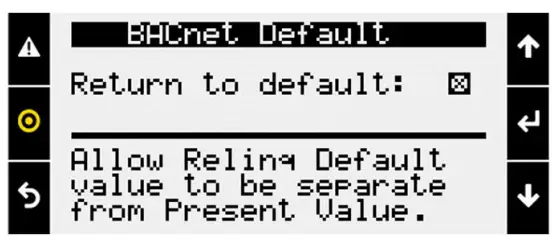
When the Return to Default function is enabled, the present value will not overwrite the relinquish default value and on a loss of power the controller will boot with last saved default values instead of last written values. This must also be enabled for the BACnet Comm Loss relinquish default to work.
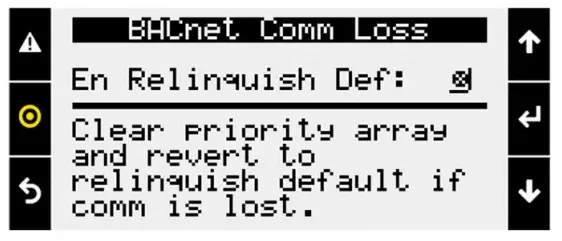
When the Enable Relinquish Default function is enabled any value in the priority array for binary values or analog values will be cleared if a communication loss is detected.
All commandable points will revert to the relinquish default value.
Communication loss is determined based on the BMS Watchdog. The watchdog function must be enabled. The function will execute 5 minutes after the watchdog status goes inactive.
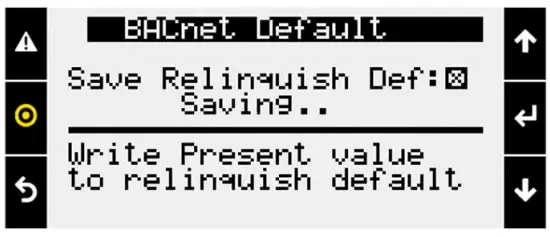
This may be desired if the BMS is running a reset routine on the setpoints and would like to revert to a default state if communication is lost. It is recommended to be used with return to default enabled, and a known relinquish default is saved.
When this box is checked by a user, the controller will write the present value of variables to the relinquish default for all binary and analog value BACnet objects that are commandable. The function operates in the background and takes approximately 30 seconds to complete.
This is desired to save any Test and Balance settings adjusted locally on the controller to be the BACnet relinquish default values. Alternatively, these values could be read and written to the relinquish default variables by the BMS system.
BINARY TEXT
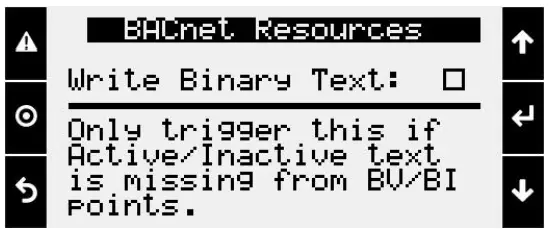
If for any reason, the state text is missing from binary objects, checking this box will cause the controller to re-write the active and inactive text values.
DOAS Reference Tables
STATUS MODE TABLE
The following analog values can appear in the point to tell the building automation the current mode of operation of the unit. Values may rotate every three seconds.
| Status Mode Table (AV-40) | |||||
| Analog Value | Mode | Analog Value | Mode | Analog Value | Mode |
| 0 | Off/Standby | 12 | System Disabled | 23 | Dehumidifying |
| 1 | Unoccupied Start | 13 | Remote Off | 25 | Hot Gas Reheat Purging |
| 2 | Occupied Start | 14 | System Shutdown Alarm | 26 | Energy Recovery Defrost Active |
| 3 | Opening Dampers | 15 | Pressurization Only | 29 | Dehumidifying with Heat |
| 5 | Dampers Open | 16 | Exhaust Only | 30 | Manual Overrides Active |
| 6 | Fan Start Delay | 17 | Fan Only Purge | 31 | Expansion Board Offline |
| 7 | Exhaust Fan Start | 18 | Case Heat Active | 33 | Energy Recovery Active |
| 8 | Supply Fan Start | 19 | Fans Only | 34 | Hot Gas Reheat Active |
| 9 | Heat/Cool Startup Delay | 20 | Economizing | 35 | Morning Occupancy Sequence |
| 10 | System On | 21 | Cooling | 36 | Heat Pump Defrost Active |
| 11 | Soft Shutdown | 22 | Heating | ||
ALARM TABLE
This table displays the latest alarm that is active in the unit controller.
| Alarm Table – Latest Alarm (IV-5) | |||
| 0 | No Active Alarms | 94 | Sens S1 EVD 1 – Sensor Value Not Valid |
| 1 | Supply Fan 1 Run – Status Not Proven | 95 | Sens S2 EVD 1 – Sensor Value Not Valid |
| 2 | Freeze Protection – Thermostat Tripped | 96 | Sens S3 EVD 1 – Sensor Value Not Valid |
| 3 | High Supply Duct – Static Pressure | 97 | Sens S4 EVD 1 – Sensor Value Not Valid |
| 4 | Low Return Duct – Static Pressure | 98 | EVD 1 EEPROM Damaged – Call Tech Support |
| 5 | Outside Air Temp – Sensor Value Not Valid | 99 | Incomplete Closing – EVD 1 |
| 6 | Supply Air Temperature – Sensor Value Not Valid | 100 | Emergency Closing – EVD 1 |
| 7 | Cold Coil 1 Temp – Sensor Value Not Valid | 101 | EVD 1 Battery – |
| 9 | Exhaust Air Temp – Sensor Value Not Valid | 102 | FW Incompatibility – EVD 1 |
| 10 | Mixed Air Temperature – Sensor Value Not Valid | 103 | EVD 1 Config Error – |
| 11 | Return Air Temperature – Sensor Value Not Valid | 104 | EVD 1 Comm – EVD 1 is Offline |
| 12 | Space Temperature – Sensor Value Not Valid | 105 | High Discharge Temp – First Inverter |
| 13 | Return Air RH – Sensor Value Not Valid | 106 | Low Discharge Pressure – First Inverter |
| 14 | Space RH – Sensor Value Not Valid | 107 | High Suction Pressure – First Inverter |
| 15 | Outside RH – Sensor Value Not Valid | 108 | Low Suction Pressure – First Inverter |
| 16 | Low Pressure Switch – Circuit A | 109 | High Current – First Inverter |
| 17 | Low Pressure Switch – Circuit B | 110 | High Pressure Ratio – First Inverter |
| 20 | High Pressure Switch – Circuit A | 111 | Low Pressure Ratio – First Inverter |
| 21 | High Pressure Switch – Circuit B | 112 | Low Delta P – First Inverter |
| 24 | Damper End Switch Fail – Dampers are not open | 113 | High Discharge Press – First Inverter |
| 25 | Exhaust Fan 1 Run – Status Not Proven | 114 | Compressor Staging – Order Skipped |
| 26 | Filters are Dirty – Replace Filters | 115 | Heat Pump Heating – Locked Out |
| 27 | Cond Drain Pan Full – Check Drain | 116 | EVD 1 Error – Unexpected Position |
| 28 | Exp Board 1 Status – Board is Offline | 117 | High SDT Lockout – Circuit A |
| 29 | Exp Board 2 Status – Board is Offline | 118 | High SDT Lockout – Circuit B |
| 31 | Exp Board 4 Status – Board is Offline | 121 | Inverter 1 Alarm – |
| 32 | Non-Volatile Memory Er – Contact Tech Support | 123 | Inverter 1 Lockout – Cycle Power to Unit |
| 33 | Space 1 CO2 – Sensor Value Not Valid | 125 | Inverter 1 Foldback – Output Current |
| 34 | Space Static Pressure – Sensor Value Not Valid | 126 | Inverter 1 Foldback – Input Current |
| 35 | Supply Duct Stat Press – Sensor Value Not Valid | 127 | Inverter 1 Foldback – Inverter Temp |
| 36 | Return Duct Stat Press – Sensor Value Not Valid | 131 | Inverter 1 Comms Lost – Compressor Offline |
| 37 | Supply Fan AFMS – Sensor Value Not Valid | 133 | Space Thermostat 1 – Sensor Offline |
| 38 | Exhaust Fan AFMS – Sensor Value Not Valid | 134 | Space Thermostat 2 – Sensor Offline |
| 39 | Outside Damper AFMS – Sensor Value Not Valid | 135 | Space Thermostat 3 – Sensor Offline |
| 40 | Space Setpt Adj Slider – Sensor Value Not Valid | 136 | Space Thermostat 4 – Sensor Offline |
| 41 | Space 2 CO2 – Sensor Value Not Valid | 137 | IG Furnace 1. No flame – after 3 tries |
| 42 | Return CO2 – Sensor Value Not Valid | 138 | IG Furnace 1 Large – no flame after 3 tries |
| 43 | Discharge Press Ckt A – Sensor Value Not Valid | 139 | IG Furnace 1 combust – fan high pressure switch |
| 44 | Discharge Press Ckt B – Sensor Value Not Valid | 140 | IG Furnace 1 Ignition – controller alarm |
| 47 | Suction Press Ckt A – Sensor Value Not Valid | 141 | IG Furnace 1 pressure – switch fault alarm |
| 48 | Suction Press Ckt B – Sensor Value Not Valid | 142 | IG Furnace 1 combust – fan proving alarm |
| 51 | Discharge Temp Ckt A – Sensor Value Not Valid | 143 | IG Furnace 1 – Max Retries |
| 52 | Discharge Temp Ckt B – Sensor Value Not Valid | 144 | IG Furnace 1 – High Limit Trip |
| 55 | Suction Temp Ckt A – Sensor Value Not Valid | 145 | IG Furnace – pCOe 1 Offline |
| 56 | Suction Temp Ckt B – Sensor Value Not Valid | 146 | IG Furnace 1 IC fault – Check Furnace Wiring |
| 59 | Ckt A High Saturated – Discharge Temperature | 147 | IG Furnace 2 No flame – after 3 tries |
| 60 | Ckt B High Saturated – Discharge Temperature | 148 | IG Furnace 2 Large – no flame after 3 tries |
| 63 | Supply Air Temperature – Low Limit Shutdown | 149 | IG Furnace 2 combust – fan high pressure switch |
| 64 | Heat Wheel Rotation – Not Detected | 150 | IG Furnace 2 Ignition – controller alarm |
| 65 | Slave Unit 1 Offline – | 151 | IG Furnace 2 pressure – switch fault alarm |
| 66 | Slave Unit 2 Offline – | 152 | IG Furnace 2 combust – fan proving alarm |
| 67 | Slave Unit 3 Offline – | 153 | IG Furnace 2 – Max retries |
| 68 | Slave Unit 4 Offline – | 154 | IG Furnace 2 – High Limit Trip |
| 69 | Master Unit Offline – | 155 | IG Furnace – pCOe 2 Offline |
| 70 | Heat Pump Defrost – Mode is Active | 156 | IG Furnace 2 IC fault – Check Furnace Wiring |
| 71 | Multi Devices per Ch – Contact Tech Support | 157 | Outside Air GreenTrol – Offline or Flow Error |
| 74 | Shutdown Contact – In Alarm Position | 158 | Exhaust Air GreenTrol – Offline or Flow Error |
| 75 | Comp Maintenance Alarm – Run Hours Setpt Reached | 159 | Supply Air GreenTrol – Offline or Flow Error |
| 76 | Supply Air Temperature – High Limit Shutdown | 169 | ER Wheel High – Differential Pressure |
| 77 | Space High Static Pres – Shutdown | 170 | OA Damper Fault – Not Econ and should be |
| 78 | Internal Board Temp – Exceeds -40F or 158F | 171 | OA Damper Fault – Econ and shouldn’t be |
| 79 | BMS Offline – Watchdog is FALSE | 172 | OAD Fault – Damper not Modulating |
| 80 | Cooling Coil Setpt Input – Value is not valid | 173 | OAD Fault – Excess Outdoor Air |
| 81 | Sup Air Setpt Input – Value is not valid | 174 | IG Furnace 1 – Combustion Fan Alarm |
| 82 | BACnet License – Not Installed | 175 | IG Furnace 2 – Combustion Fan Alarm |
| 83 | Low Suction SH ExV A – EVD 1 Alarm | 176 | Supply Fan – VFD Offline |
| 84 | Low Suction SH ExV B – EVD 1 Alarm | 177 | Exhaust Fan – VFD Offline |
| 85 | LOP A EVD 1 – Low Operating Pressure | 178 | Return Fan – VFD Offline |
| 87 | MOP A EVD 1 – Max Operating Pressure | 179 | Energy Recovery – VFD Offline |
| 89 | EEV A EVD 1 – Motor Alarm | 180 | Embedded EVD Error |
| 91 | Low Suction A EVD 1 – Refrigerant Temp | 181 | SF VFD Alarm – Check VFD |
| 93 | High Condensing Temp – EVD 1 |
BIT-PACKED INTEGER WORD TABLES
The following tables are used to unpack integer words into Boolean values.
| Device Enable DO Word Table (IV-6) | |||||
| Bit | Device_Enable_DO_Word | Bit | Device_Enable_DO_Word | Bit | Device_Enable_DO_Word |
| 0 | Compressor 1 Start | 11 | 22 | ||
| 1 | Compressor 2 Start | 12 | Condenser Fan Ramp 2 Stage 1 Start | 23 | |
| 2 | Compressor 3 Start | 13 | Condenser Fan Ramp 2 Stage 2 Start | 24 | |
| 3 | Compressor 4 Start | 14 | Condenser Fan Ramp 2 Stage 3 Start | 25 | |
| 4 | 15 | 26 | |||
| 5 | 16 | Furnace 1 Start | 27 | ||
| 6 | 17 | Furnace 2 Start | 28 | ||
| 7 | 18 | 29 | |||
| 8 | Condenser Fan Ramp 1 Stage 1 Start | 19 | 30 | ||
| 9 | Condenser Fan Ramp 1 Stage 2 Start | 20 | Supply Fan Start | 31 | |
| 10 | Condenser Fan Ramp 1 Stage 3 Start | 21 | Exhaust Fan Start | ||
| Refrigeration Circuit Word Table (IV-7) | |||||
| Bit | Ref_Ckt_PressTemp_Alarm_Word | Bit | Ref_Ckt_PressTemp_Alarm_Word | Bit | Ref_Ckt_PressTemp_Alarm_Word |
| 0 | Circuit A Discharge Pressure Sensor Alarm | 11 | Circuit B Low-Pressure Switch Alarm | 22 | |
| 1 | Circuit A Discharge Temp Sensor Alarm | 12 | Circuit A High Sat Discharge Temp Alarm | 23 | |
| 2 | Circuit A Suction Pressure Sensor Alarm | 13 | Circuit B High Sat Discharge Temp Alarm | 24 | |
| 3 | Circuit A Suction Temp Sensor Alarm | 14 | 25 | ||
| 4 | Circuit B Discharge Pressure Sensor Alarm | 15 | 26 | ||
| 5 | Circuit B Discharge Temp Sensor Alarm | 16 | 27 | ||
| 6 | Circuit B Suction Pressure Sensor Alarm | 17 | 28 | ||
| 7 | Circuit B Suction Temp Sensor Alarm | 18 | 29 | ||
| 8 | Circuit A High-Pressure Switch Alarm | 19 | 30 | ||
| 9 | Circuit A Low-Pressure Switch Alarm | 20 | 31 | ||
| 10 | Circuit B High-Pressure Switch Alarm | 21 | |||
| Device Offline Word Table (IV-8) | |||||
| Bit | Device_Offline_Word | Bit | Device_Offline_Word | Bit | Device_Offline_Word |
| 0 | Space T-Stat 1 Offline | 11 | Expansion Board 4 Alarm | 22 | |
| 1 | Space T-Stat 2 Offline | 12 | 23 | ||
| 2 | Space T-Stat 3 Offline | 13 | 24 | ||
| 3 | Space T-Stat 4 Offline | 14 | 25 | ||
| 4 | VFD Offline Supply Fan | 15 | 26 | ||
| 5 | 16 | 27 | Master Unit Offline Alarm | ||
| 6 | 17 | 28 | Slave Unit 1 Offline Alarm | ||
| 7 | 18 | 29 | Slave Unit 2 Offline Alarm | ||
| 8 | Expansion Board 1 Alarm | 19 | 30 | Slave Unit 3 Offline Alarm | |
| 9 | Expansion Board 2 Alarm | 20 | 31 | Slave Unit 4 Offline Alarm | |
| 10 | Expansion Board 3 Alarm | 21 | |||
| Device Alarm Word Table (IV-9) | |||||
| Bit | Device_Alarm_Word | Bit | Device_Alarm_Word | Bit | Device_Alarm_Word |
| 0 | Cold Coil Temperature Sensor Alarm | 11 | GreenTrol OAD AFMS Alarm | 22 | Inverter Scroll 1 Alarm |
| 1 | 12 | Return CO2 Sensor Alarm | 23 | ||
| 2 | Mixed Temperature Sensor Alarm | 13 | Return Duct Static Pressure Sensor Alarm | 24 | EVD Valve A Alarm |
| 3 | Supply Duct Static Pressure Sensor Alarm | 14 | Return Temperature Sensor Alarm | 25 | |
| 4 | Supply Fan AFMS Alarm | 15 | Return RH Sensor Alarm | 26 | SF VFD Alarm |
| 5 | Supply Air Temp Sensor Alarm | 16 | Space CO2 Sensor Alarm | 27 | |
| 6 | Exhaust Fan AFMS Alarm | 17 | Space RH Sensor Alarm | 28 | |
| 7 | Exhaust Temperature Sensor Alarm | 18 | Space Static Pressure Sensor Alarm | 29 | |
| 8 | Outside Air Temp Sensor Alarm | 19 | Space Temperature Sensor Alarm | 30 | |
| 9 | Outside RH Sensor Alarm | 20 | IG Furnace Alarm | 31 | |
| 10 | OAD AMD Alarm | 21 | |||
| System Word Table (IV-10) | |||||
| Bit | System_Word | Bit | System_Word | Bit | System_Word |
| 0 | Heat Wheel Enable | 11 | Drain Pan Alarm | 22 | BMS Offline Alarm |
| 1 | Preheat Enable | 12 | Freeze Stat Alarm | 23 | |
| 2 | Reversing Valve (Cooling (0)/Heating(1)) | 13 | Filter Alarm | 24 | |
| 3 | 14 | Space High Static Alarm | 25 | ||
| 4 | 15 | Return Low Static Alarm | 26 | ||
| 5 | 16 | Shutdown Input Alarm | 27 | ||
| 6 | Supply Temp Low Limit Alarm | 17 | Energy Recovery Wheel High Diff Pressure | 28 | Heat-Cool Only – Dehumidification Request Active |
| 7 | Supply Temp High Limit Alarm | 18 | Energy Recovery Wheel Rotation Alarm | 29 | Heat-Cool Only – Heating Request Active |
| 8 | Supply High Duct Static Alarm | 19 | 30 | Heat-Cool Only – Coil Setpoint Alarm Active | |
| 9 | Supply Fan 1 Alarm | 20 | Heat Pump Heating Lock Out Alarm | 31 | Heat-Cool Only – Supply Setpoint Alarm Active |
| 10 | Exhaust Fan 1 Alarm | 21 | Permanent Memory – Too Many Writes | ||
| Unit Status Word Table (IV-11) | |||||
| Bit | Unit_Status_Word | Bit | Unit_Status_Word | Bit | Unit_Status_Word |
| 0 | Off/Standby | 11 | Remote Off | 22 | Dehumidifying |
| 1 | Unoccupied Start | 12 | System Shutdown Alarm | 23 | Hot Gas Reheat Active |
| 2 | Occupied Start | 13 | Supply Fan Only | 24 | HGRH Purging |
| 3 | Opening Dampers | 14 | Exhaust Fan Only | 25 | Dehum w/Heat |
| 4 | Dampers Open | 15 | Purge Mode (Supply and Exhaust Only) | 26 | Energy Recovery Defrost Active |
| 5 | Fan Start Delay | 16 | Case Heat Active | 27 | Heat Pump Defrost Active |
| 6 | Exhaust Fan On | 17 | Fans Only | 28 | Morning Warm Up/Cool Down Active |
| 7 | Supply Fan On | 18 | Economizing | 29 | Winter Ramp Active |
| 8 | System On | 19 | Energy Recovery Active | 30 | |
| 9 | Soft Shutdown | 20 | Cooling | 31 | Overrides Active |
| 10 | System Disabled | 21 | Heating | ||