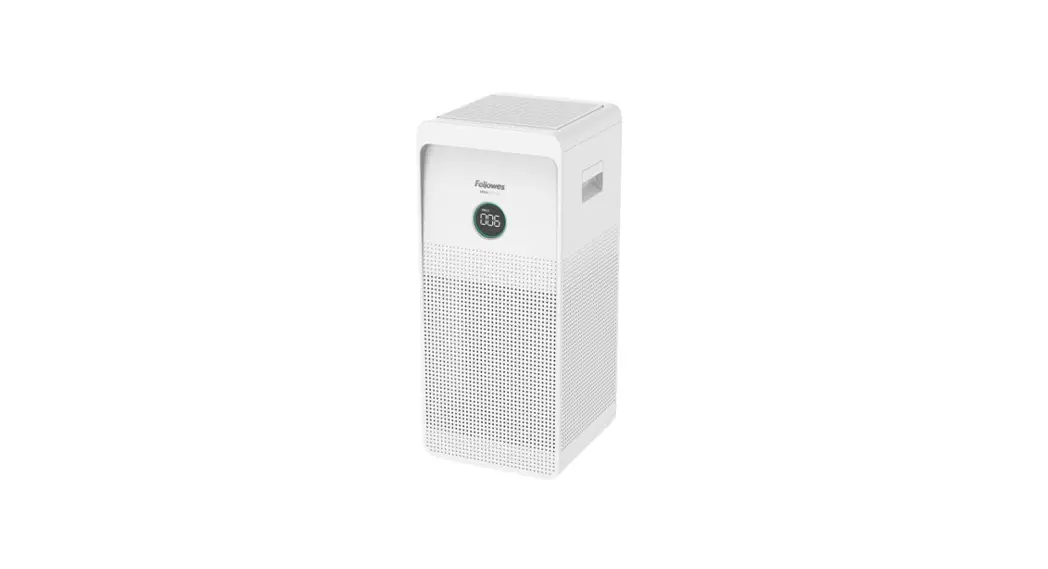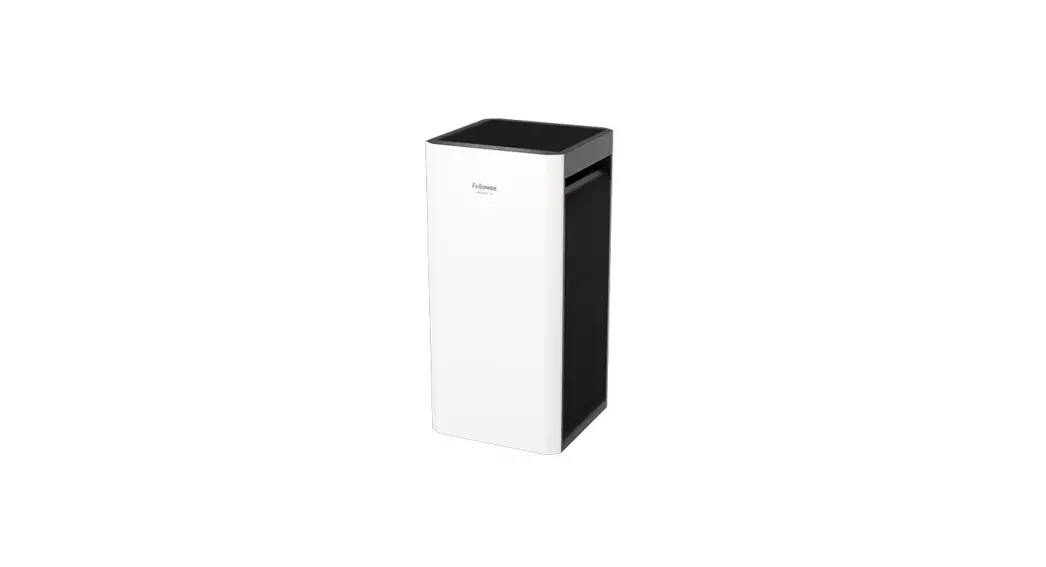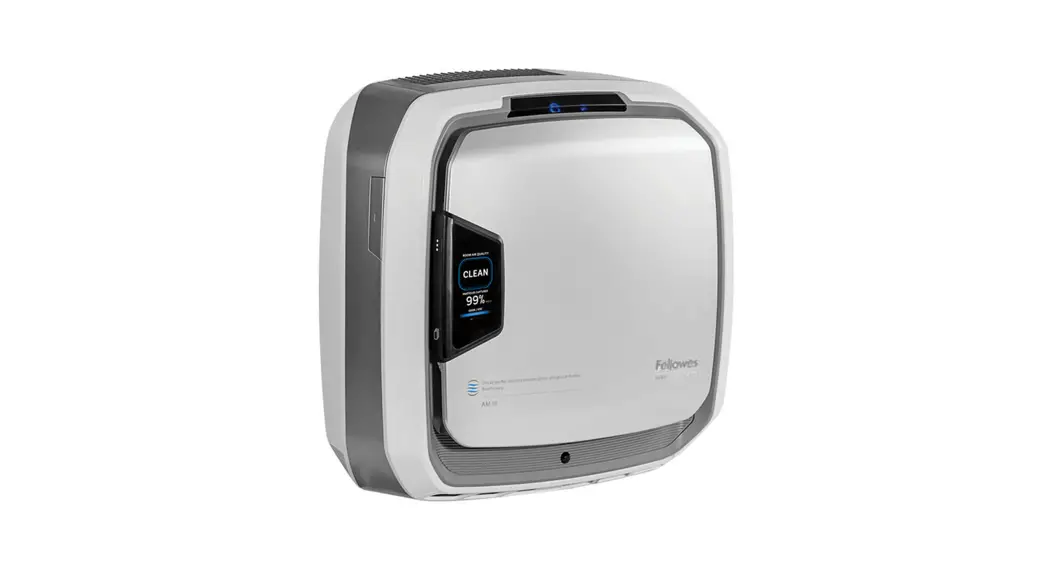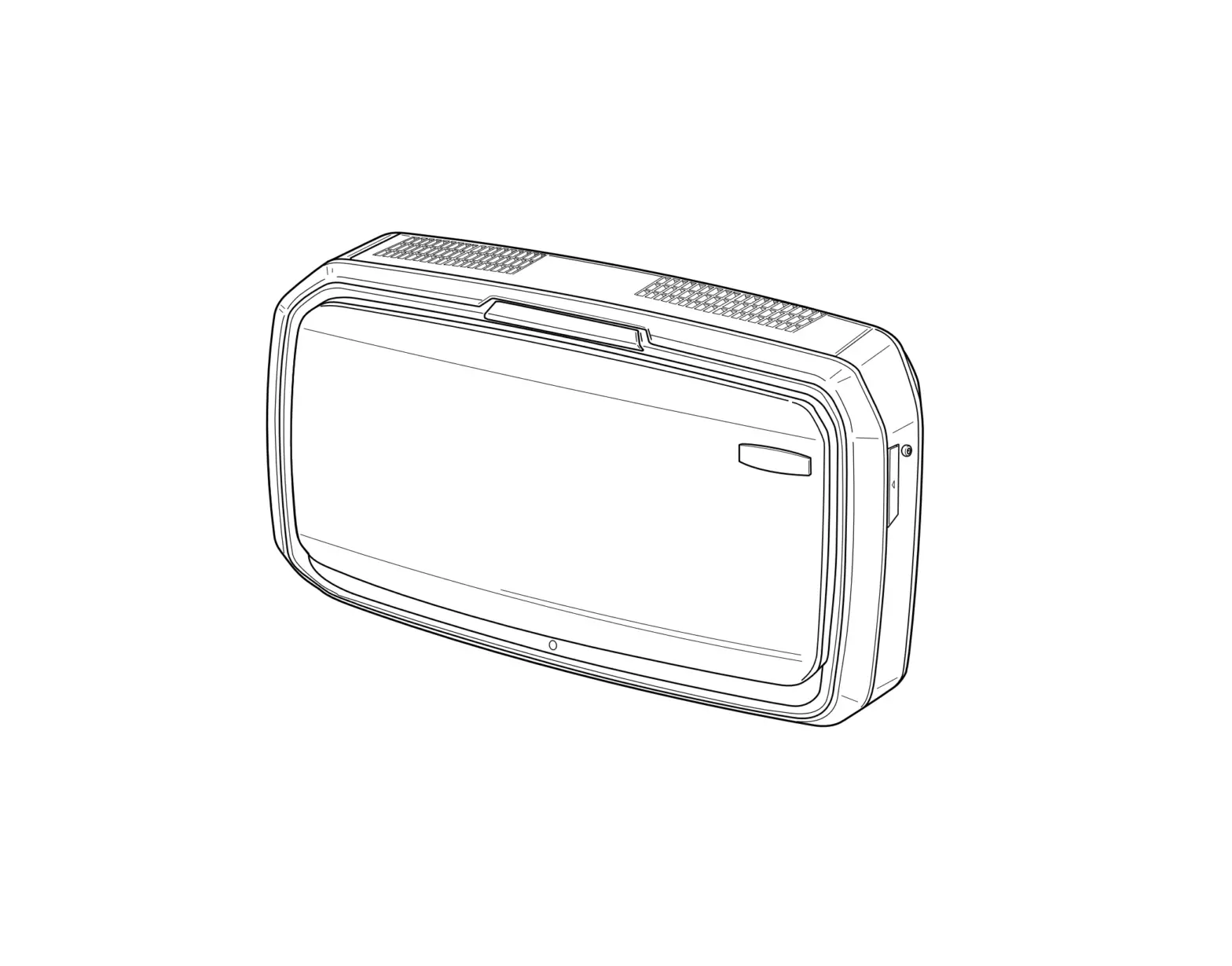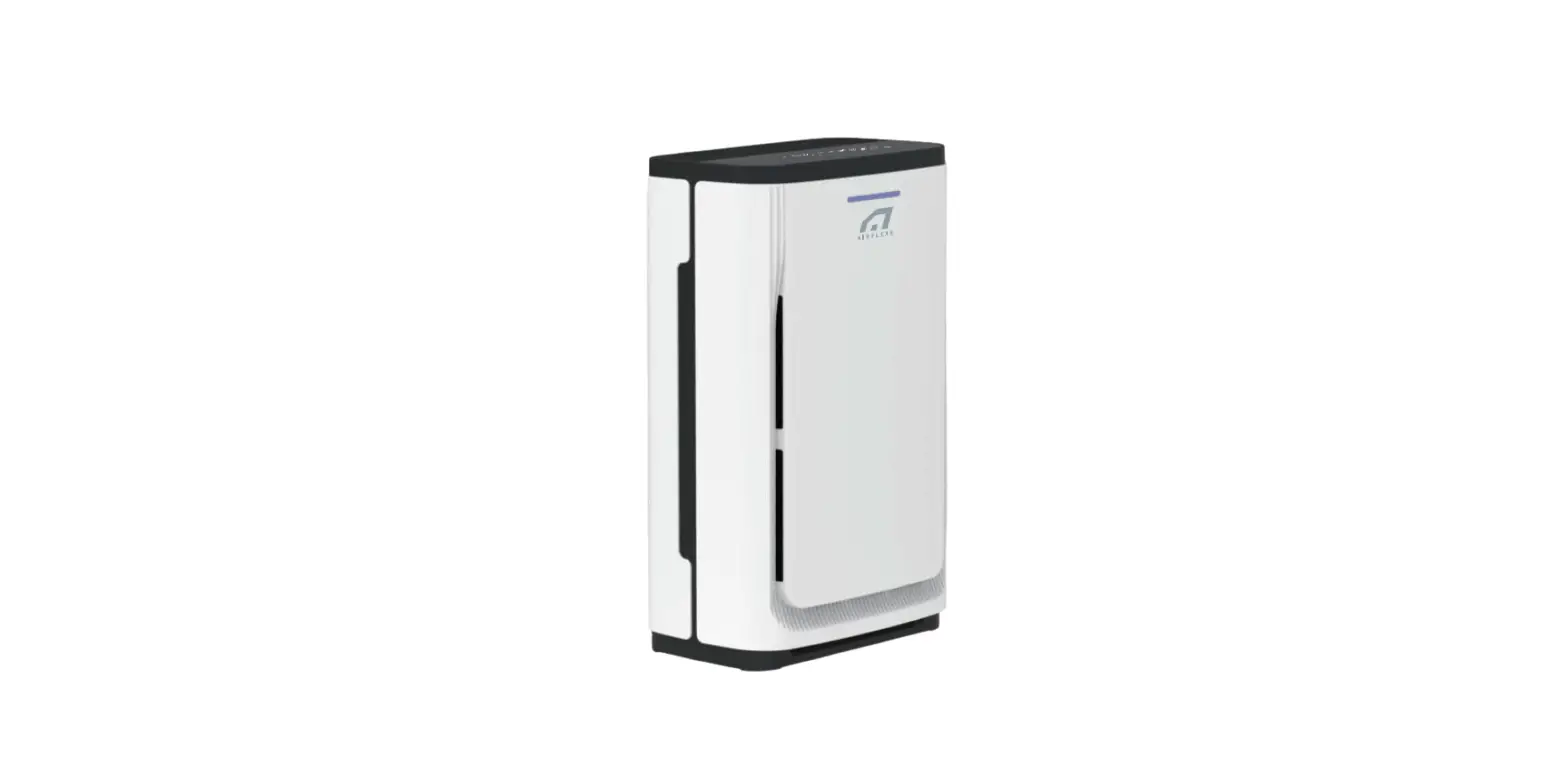
 Fellowes 9320301 AeraMax 100 Air Purifier
 Fellowes 9320301 AeraMax 100 Air Purifier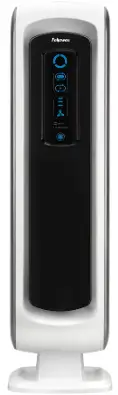
SAFETY INSTRUCTIONS
Thank you for purchasing a Fellowes® Air Purifier. Please read this manual carefully before using. This product is for indoor use only.
IMPORTANT CAUTIONS AND INSTRUCTIONS FOR USING YOUR AIR PURIFIER
WARNING: Follow the instructions in this manual to reduce the risk of electric shock, short circuit, and/or fire:
- Do not repair or modify the unit unless specifically recommended in this manual. All repairs should be completed by a qualified technician.
- The plug for this unit is polarized with one blade wider than the other. Do not force the plug into an electrical outlet.
- Do not alter the plug in any way. If the plug does not fit into the outlet, reverse the plug. If it still does not fit, contact a qualified technician to install a proper outlet.
- Do not use if the power cord or plug is damaged or the connection to the wall outlet is loose.
- Use AC 120V only.
- Do not damage, break, forcefully bend, pull, twist, bundle, coat, pinch, or place heavy objects on the power cord.
- Periodically remove dust from the power plug. This will reduce the chance that humidity will accumulate, which increases the risk of electric shock.
- If the power plug is damaged, it must be replaced by the manufacturer or a qualified technician.
- Remove the power plug from the outlet before cleaning the unit. When removing the power plug, grasp by holding the plug itself, never hold by the cord.
- Remove the power plug from the outlet when the unit is not in use.
- Do not handle the power plug with wet hands.
- Do not operate the unit when using indoor smoke-generating insecticides.
- Do not clean unit with benzene or paint thinner. Do not spray insecticides on the unit.
- Do not use the unit where it is humid or where the unit may get wet, such as in a bathroom.
- Do not insert fingers or foreign objects into the air intake or outlet.
- Do not use the unit near flammable gases. Do not use near cigarettes, incense, or other spark-creating items.
- Unit will not remove carbon monoxide emitted from heating appliances or other sources.
- Do not block the intake or outlet vents.
- Do not use near hot objects, such as a stove. Do not use where the unit may come into contact with steam.
- Do not use the unit on its side.
- Keep away from products that generate oily residue, such as a deep fryer.
- Do not use detergent to clean the unit.
- Do not operate without a filter.
- Do not wash and reuse the True HEPA Filter.
- Do not run power cord under carpets or cover with throw rugs.
- When moving the machine, always lift using the handle.
PACKAGE CONTENTS
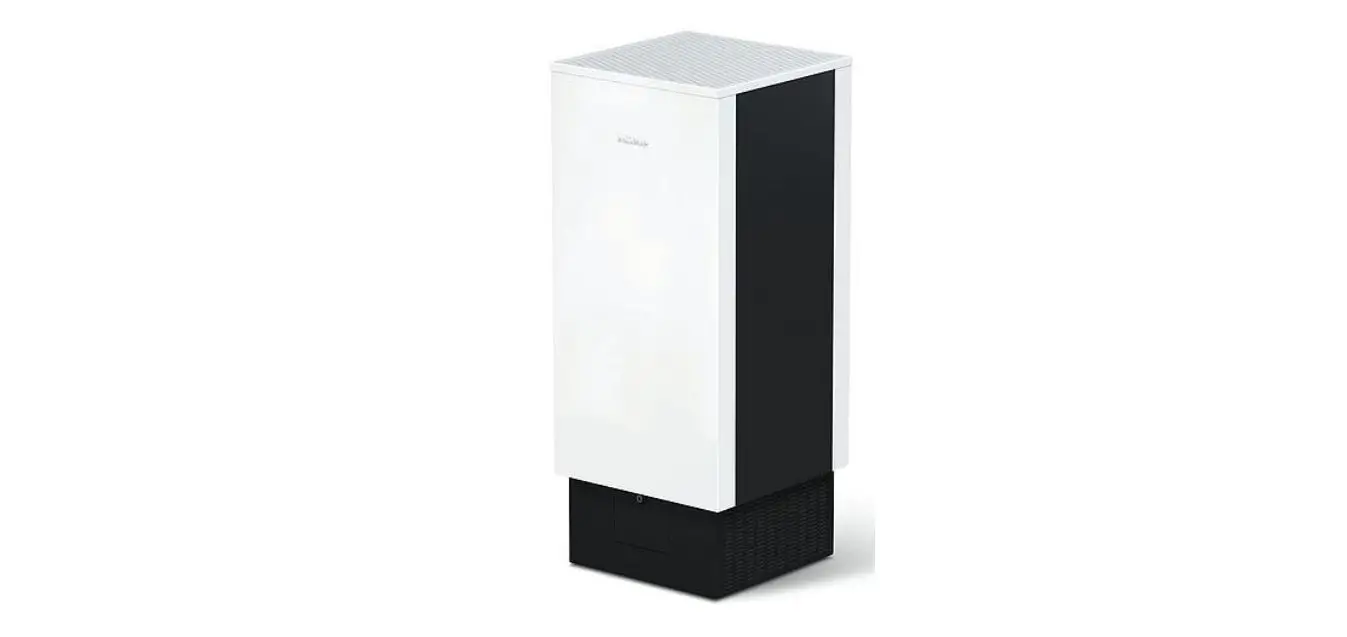
- Fellowes® AeraMax™ Air Purifier
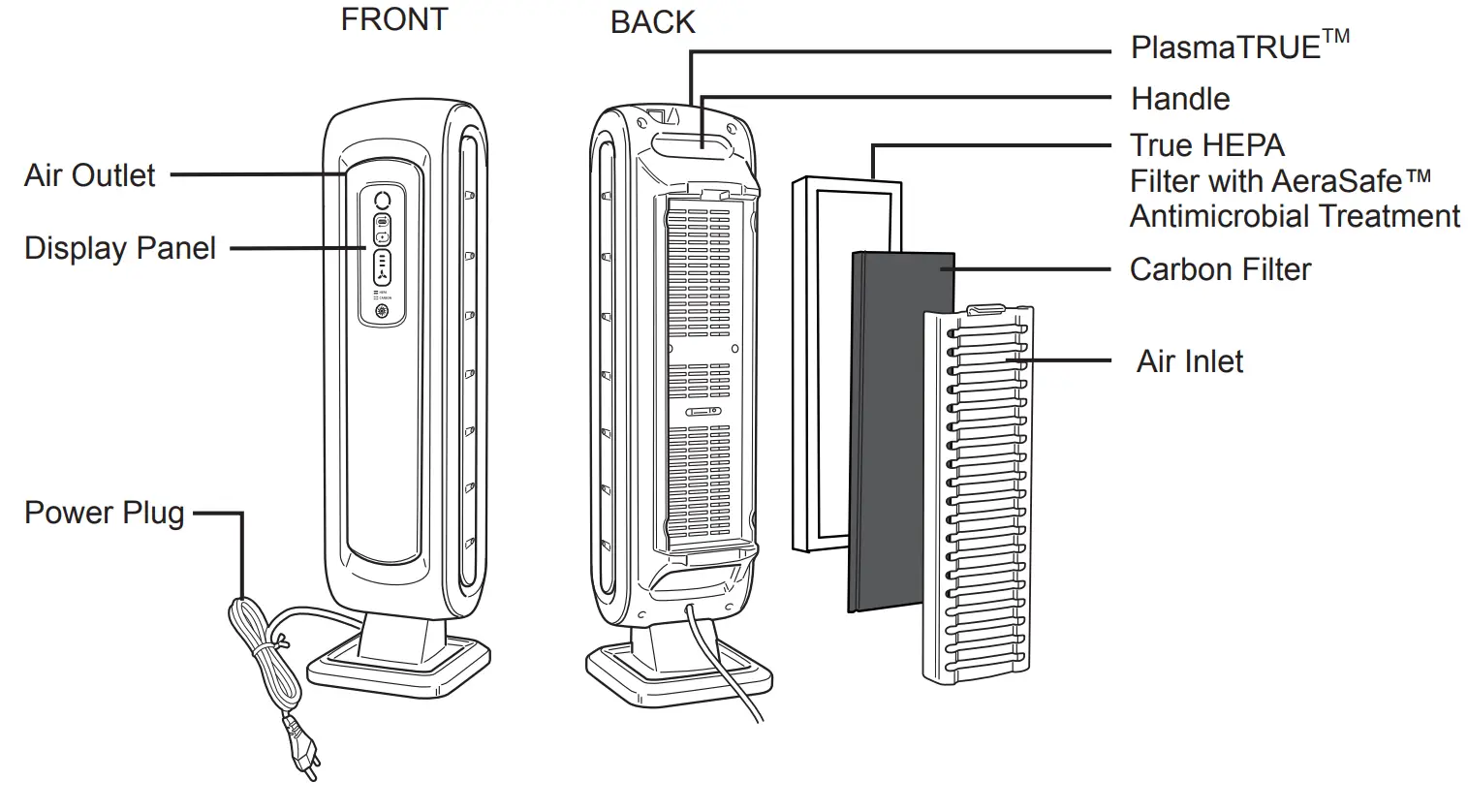
- True HEPA Filter with AeraSafe™ Antimicrobial Treatment (1 filter)
- Carbon Filter (1 filter)
- instruction Sheet
- Survey Card
PRODUCT SPECIFICATIONS
| PRODUCT SPECIFICATIONS | |
| AeraMax™ 100 Air Purifier | |
| Room Area Served | 100 sq. ft./8 sq. m. |
| Power Supply | AC 120V/60Hz |
| Power Rate | Low 37W, High 51W |
| Fan Speed | 3 Speeds |
| Display | Touch Screen |
| Control Type | Auto/Manual/Aera+™ |
| Air Quality Sensor | Yes |
| Filters | 1 True HEPA Filter with AeraSafe™ Antimicrobial Treatment 1 Carbon Filter |
|
Cleaning System | Carbon Filter
True HEPA Filter with AeraSafe™ Antimicrobial Treatment PlasmaTRUE™ |
| CADR | 68 Smoke/ 65 Dust/ 75 Pollen |
| Color | White |
FILTER SPECIFICATIONS
| FILTER SPECIFICATIONS | |
| True HEPA Filter Replacement with AeraSafe™ Antimicrobial Treatment |
9287001 |
| Carbon Filter Replacement | 9324001 |
For replacement filters please visit: www.fellowes.com
INFORMATION TO THE USER
This equipment has been tested and found to comply with the limits for Class B digital devices, pursuant to part 15 of the FCC Rules. These limits are designed to provide reasonable protection against harmful interference in a residential installation. This equipment generates, uses, and can radiate radio frequency energy and, if not installed and used in accordance with the instructions, may cause harmful interference to radio communications. However, there is no guarantee that interference will not occur in a particular installation. If this equipment does cause harmful interference to radio or television reception, which can be determined by turning the equipment off and on, the user is encouraged to try to correct the interference by one more of the following measures:
- Reorient or relocate the receiving antenna
- Increase the separation between the equipment and receiver.
- Connect the equipment into an outlet on a circuit different from that to which the receiver is connected.
- Consult the dealer or an experienced radio/TV technician for help.
Warning
Any changes or modifications not expressly approved by the manufacturer could void the user’s authority to operate the equipment.
AIR PURIFIER FEATURES
- Ultra-Quiet Operation
This Fellowes AeraMax™ Air Purifier has a three-speed fan with an ultra-quiet operation that is ideal for 24-hour use. - Easy Maintenance
For optimum performance, replace the True HEPA Filter when the HEPA Filter indicator has changed to red or approximately every 12 months under normal usage conditions. Change the Carbon Filter when the Carbon Filter indicator has changed to red or approximately every 3 months under normal usage conditions. - AeraSmart™ Sensor
This air purifier is equipped with an air quality sensor that automatically adjusts the fan speed to keep your air purified. Blue, amber, and red lights indicate the purity of your air. - Three-Speed Setting
From LOW for the quiet, energy-efficient operation to HIGH for the most effective cleaning. - Aera+™ Mode
Designed for peak allergy season conditions. Increases air turnover rate by 35% versus low fan setting mode to remove even more allergens from
your air. - Replacement Filter Indicator Lights Indicate when to replace the True HEPA Filter and Carbon Filter, depending on usage.
FOUR-STAGE PURIFICATION SYSTEM
Removes 99.97% of airborne pollutants.
- Carbon Filter
Removes odors and captures large airborne particulates. - True HEPA Filter
Captures 99.97% of particles as small as 0.3 microns, including ragweed and other allergens, viruses, germs, dust mites, mold spores, pet dander and cigarette smoke. - AeraSafe™ Antimicrobial Treatment
Built-in protection from the growth of odor-causing bacteria, mildew and fungi on the True HEPA Filter. - PlasmaTRUE™ Technology
In the final stage of purification, Fellowes® PlasmaTRUE™ Technology creates an ionized field to help safely remove airborne pollutants.
AIR PURIFIER SET-UP
NOTE: Follow these instructions for best results.
- Place the unit at least 2 feet (½ meter) from the wall.
- Keep the unit away from drafty areas.
- Keep curtains away from the unit, as they may interfere with air intake/outlet.
- Place unit on a stable surface with plenty of air circulation.
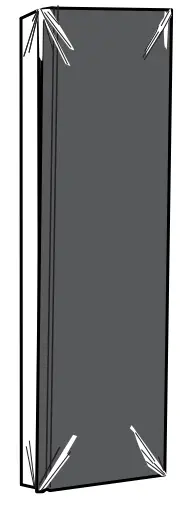
- Remove protective film from the control panel.
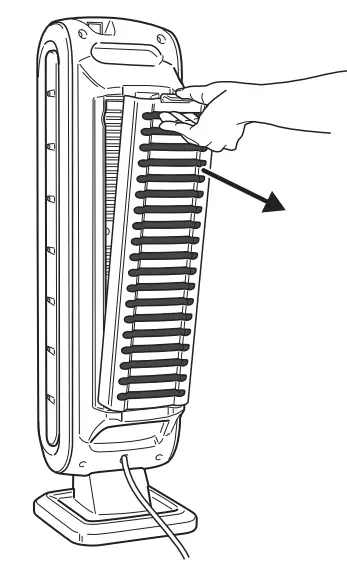
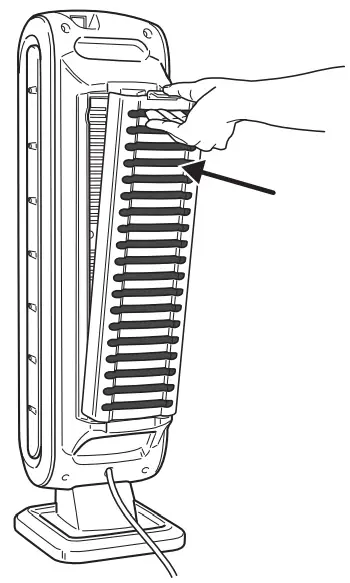
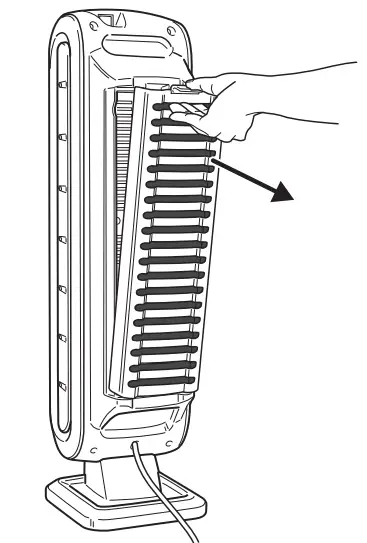
- Compress tab and pull out the back panel.

- Remove the bag from the filters. Place filters back in the unit.

- Insert Carbon Filter first and then True HEPA Filter.
- Fully insert filter panel bottom tabs first, then insert top tab until a click is heard.

- Plug in the power cord to a wall outlet.
- Turn the unit on. The unit will beep.

For approximately the first 4 minutes after turning the unit on, the auto-icon will flash while the unit measures air quality.
DISPLAY PANEL
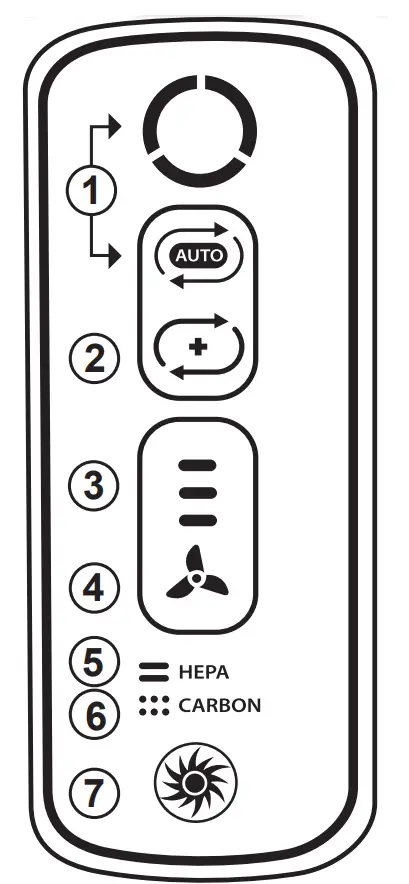
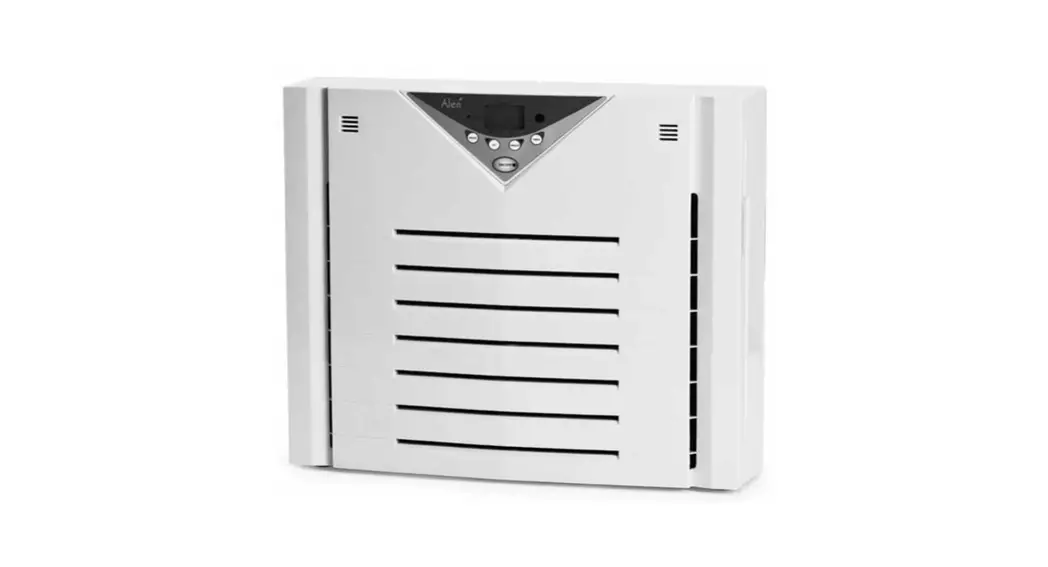
- AeraSmart™ SENSOR – Monitors the air quality and automatically adjusts the fan speed to keep your air purified. Blue, amber and red lights indicate the purity of your air. The unit is set to default to automatic operation when it is first turned on. If in manual operation, go back to auto at any time by pressing the auto-icon.
- Aera+™ MODE – Designed for peak allergy season conditions. Increases air turnover rate by 35% versus low fan setting mode to remove even more allergens from your air. Switch to Aera+™ mode by pressing the icon. To return to auto operation, press the icon once more to turn off.
- FAN SPEED INDICATOR – Shows current fan speed setting: low, medium or high speed.
- MANUAL FAN SPEED ADJUSTMENT – Tap the fan icon to manually select fan speed.
- TRUE HEPA FILTER CHANGE INDICATOR – Amber and red lights indicate when to replace the filter. The red indicator light will signal when to replace the filter. (Recommended to replace the filter every twelve months under normal usage conditions.) For replacement filters, see page 4.
- CARBON FILTER CHANGE INDICATOR – Amber and red lights indicate when to replace the filter. The red indicator light will signal when to replace the filter.
(Recommended to replace filter every three months under normal usage conditions.) For replacement filters, see page 4. - PlasmaTRUE™ TECHNOLOGY – Creates an ionized field to help safely remove airborne pollutants.
OPERATION
AUTOMATIC OPERATION
The unit is set to default to automatic operation when it is first turned on. The air purifier will automatically sense the number of impurities in the air, and adjust the fan speed to keep your air purified.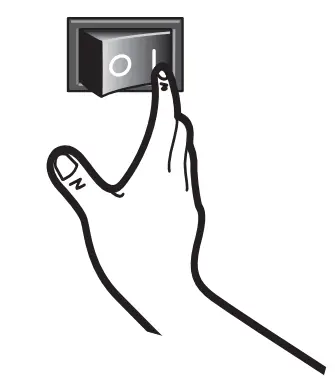
Manual Operation
After you turn on the unit, you can switch to manual operation by tapping the fan icon to manually select the fan speed.
Low, Medium , OR Hig h SETtings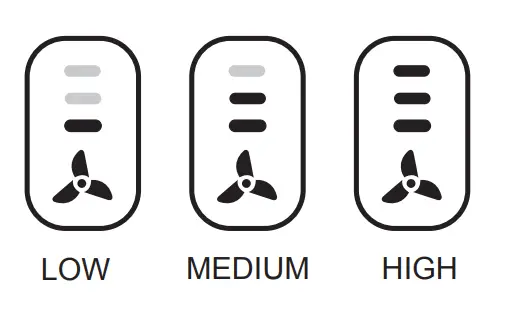
AeraSmart™ Sensor
The air quality indicator shows levels of air quality.
The blue level indicates the air is clean.
Amber level indicates air quality is poor.
A red level indicates a high level of pollutants in the air.
Aera+™ MODE
After you turn on the unit, you can switch to Aera+™ mode by pressing the Aera+™ mode icon  . To go back to auto operation, press Aera+™ mode icon to turn off.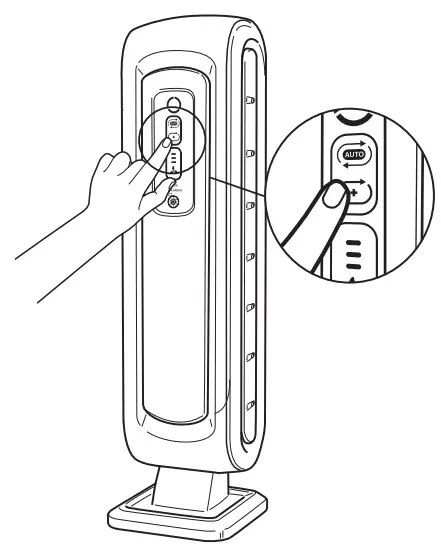
CARE AND MAINTENANCE
CLEANING
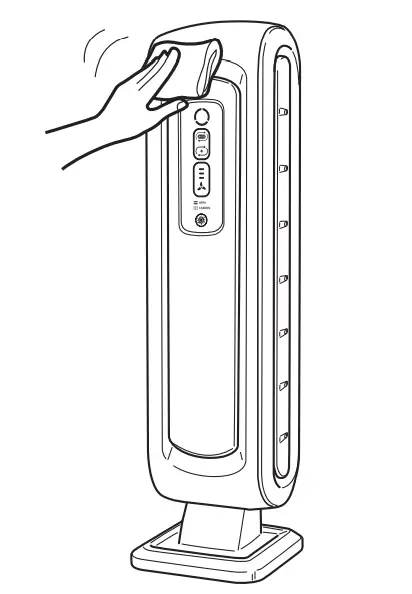
- Clean unit as necessary by wiping with a dry, soft cloth; for stubborn stains, use a warm, damp cloth.
- do not use volatile fluids such as benzene, paint thinner, or scouring powder, as they may damage the unit surface.
- Keep the unit dry.
Filter Replacement
The replacement filter indicators will signal when to replace the True HEPA Filter and/ or Carbon Filter. The replacement period will vary depending on the hours of use and air quality. However, under normal usage, most True HEPA Filters need to be replaced annually, and Carbon Filters every three months.
Do not wash and reuse the True HEPA or Carbon Filters—they will not work effectively. Only use Fellowes brand AeraMax™ replacement filters.
WARNING: Before replacing any filters, make sure to remove the power plug from the wall outlet.
Replacement Procedure
- Compress tab and pull out the back panel.

- Pull out the filters that need to be changed.

- Remove any packaging wrap from the new filter(s).
For replacement filter part numbers, see page 4. - Place the new filters in the main unit. (True HEPA Filter should always be inserted first, then the Carbon Filter)
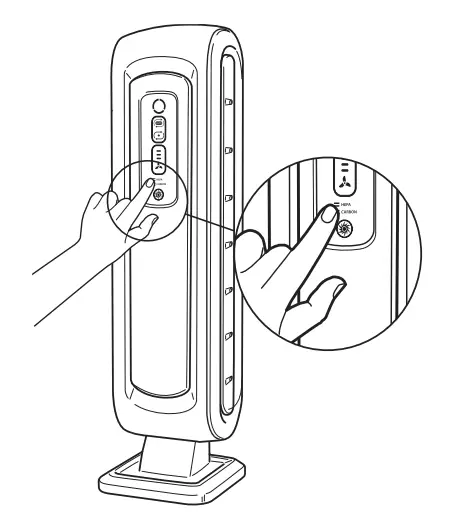
- To reset the filter light once a new True HEPA and/or Carbon Filter is installed:
- Be sure that back panel is snapped in place.
- Turn on the unit.
- Locate the filter replacement icon on the display panel.
- Press and hold the filter replacement icon for 3 seconds until unit beeps.
HEPA Filter icon will flash amber.
Press filter icon area to alternate between HEPA and Carbon. - Once desired filter is illuminated, press and hold for 3-5 seconds. A short beep will be heard and the light should turn off. Repeat the process for each filter as needed.

TROUBLESHOOTING
Before you call
Solutions to Common Problems
Review this list before you call for service. This list covers problems that are not the result of defective materials or workmanship.
| PROBLEM | POSSIBLE SOLUTION |
| The unit leaves smoke and odors in the air. | • Make sure the sensor is not blocked or clogged.
• Move the unit closer to the offending odors. • Replace the filters as needed. |
| The unit seems to produce odors. | • Replace the filters as needed. |
| The unit makes a faint ticking sound. | • This indicates that the PlasmaTRUETM function is working. |
| The unit interferes with radio or television reception. | • Because this unit radiates radio frequency energy, we suggest you try one or more of the following:
– For better reception, adjust the television/radio antenna. – Move the unit away from the affected television/radio. – Plug the unit power cord into an outlet different from the television/radio power cord. |
| The True HEPA and Carbon Filter indicators remain lit
after replacing the True HEPA and/or Carbon Filter. | • Repeat filter light reset instructions from page 10. |
| The PlasmaTRUE™ icon is not illuminated. | • Touch and hold the PlasmaTRUE™ icon for five seconds until unit beeps. |
| The wrong filter replacement light was reset. | • In the case of unintended filter reset, repeat the filter reset procedure on page 10 within 5 minutes of unintended reset.
• The filter counter and indicator will return to the status previous to the reset. |
LIMITED PRODUCT WARRANTY
Limited Warranty: Fellowes, Inc. (“Fellowes”) warrants the parts of the machine to be free of defects in material and workmanship and provides service and support for 3 years from the date of purchase by the original consumer. If any part is found to be defective during the warranty period, your sole and exclusive remedy will be repair or replacement, at Fellowes’ option and expense, of the defective part. This warranty does not cover damage caused by use of non-Fellowes approved filters or failure to follow the recommended replacement schedule. This warranty does not apply in cases of abuse, mishandling, failure to comply with product usage standards, operation using an improper power supply (other than listed on the label), or unauthorized repair. Fellowes reserves the right to charge the consumers for any additional costs incurred by Fellowes to provide parts or services outside of the country where the air purifier is initially sold by an authorized reseller. This warranty does not include the air cleaner’s replaceable filters, this is an expendable part that can wear out from normal use before three years expire. ANY IMPLIED WARRANTY, INCLUDING THAT OF MERCHANTABILITY OR FITNESS FOR A PARTICULAR PURPOSE, IS HEREBY LIMITED IN DURATION TO THE APPROPRIATE WARRANTY PERIOD SET FORTH ABOVE. In no event shall Fellowes be liable for any consequential or incidental damages attributable to this product. This warranty gives you specific legal rights. The duration, terms, and conditions of this warranty are valid worldwide, except where different limitations, restrictions, or conditions may be required by local law. For more details or to obtain service under this warranty, please contact us or your dealer.
FAQS
27.25Hx7.25Wx8.5D
The carbon filter should be replaced every 3 months, and the HEPA filter needs to be replaced once per year.
Only the air passing through the filtration system will be affected.
Yes. Just press & hold the ionizer button for a few seconds and it will shut off. We leave the ionizer off all the time.
Not sure. I don’t smoke or allow smoking in my house.
This is directly from there website:
In July 2013, Underwriter Laboratories conducted UL 867 testing procedures to determine the level of ozone byproduct generation by the PlasmaTRUE™ bipolar ionizer used in AeraMax Professional purifiers. The highest level of ozone generation observed during testing was 4.0 ppb (the acceptable level for ozone is up to 50.0 ppb).
How well does this collect allergens like pollen?
The CADR (Clean Air Delivery Rate) is a measure of the appliance’s ability to reduce smoke, dust, and pollen particles from the air. The higher the CADR rating, the more efficient your air purifier is at removing pollutants. The CADR for this model is: smoke-68, dust-65, and pollen-75. Fellowes AeraMax Air Purifiers with a True HEPA Filter safely capture 99.97% of airborne particles as small as 0.3 microns, including pollen, ragweed and other allergens, viruses, germs, dust mites and mold spores.
The AM100 weighs 9.94 lbs.
There is no way to reduce the brightness of the display, but it doesn’t disturb me when I am trying to sleep.
Carbon filter is every three months. A red light went on one night, indicating the carbon filter needed to be changed. I changed it the next day. Boy, was it dirty!
I’m told the HEPA filter is changed once a year.
It’s very handy having the light come in, indicating what is needed.
Thank you for asking. Unfortunately, there is no way to disable this.
AeraMax will capture up to 99.97% of airborne particles down to the size 0.3 microns. Typically, particulate matter linked to vehicle-related pollution is tracked at PM2.5 which our true HEPA filter would be effective at capturing!
In order to turn the ionizer off on your machine, press and hold the PlasmaTRUE button (should be towards the bottom of the button panel and somewhat looks like a sunburst with a circle around it) for approximately 5 seconds.
The purifier is manufactured in China.
It depends on when you started up what color it starts off at. There’s three different colors. blue which means the air is clean, yellow which means medium clean air, and red means is power clean in the air so pretty much when I first started my it took about less than an hour. After that just leave it on low and it contains to clean the air. And if there’s anything bad in the air you will see the color change and you will hear the air cleaner crank up from 1 to 3. Great air cleaner have three in my house.