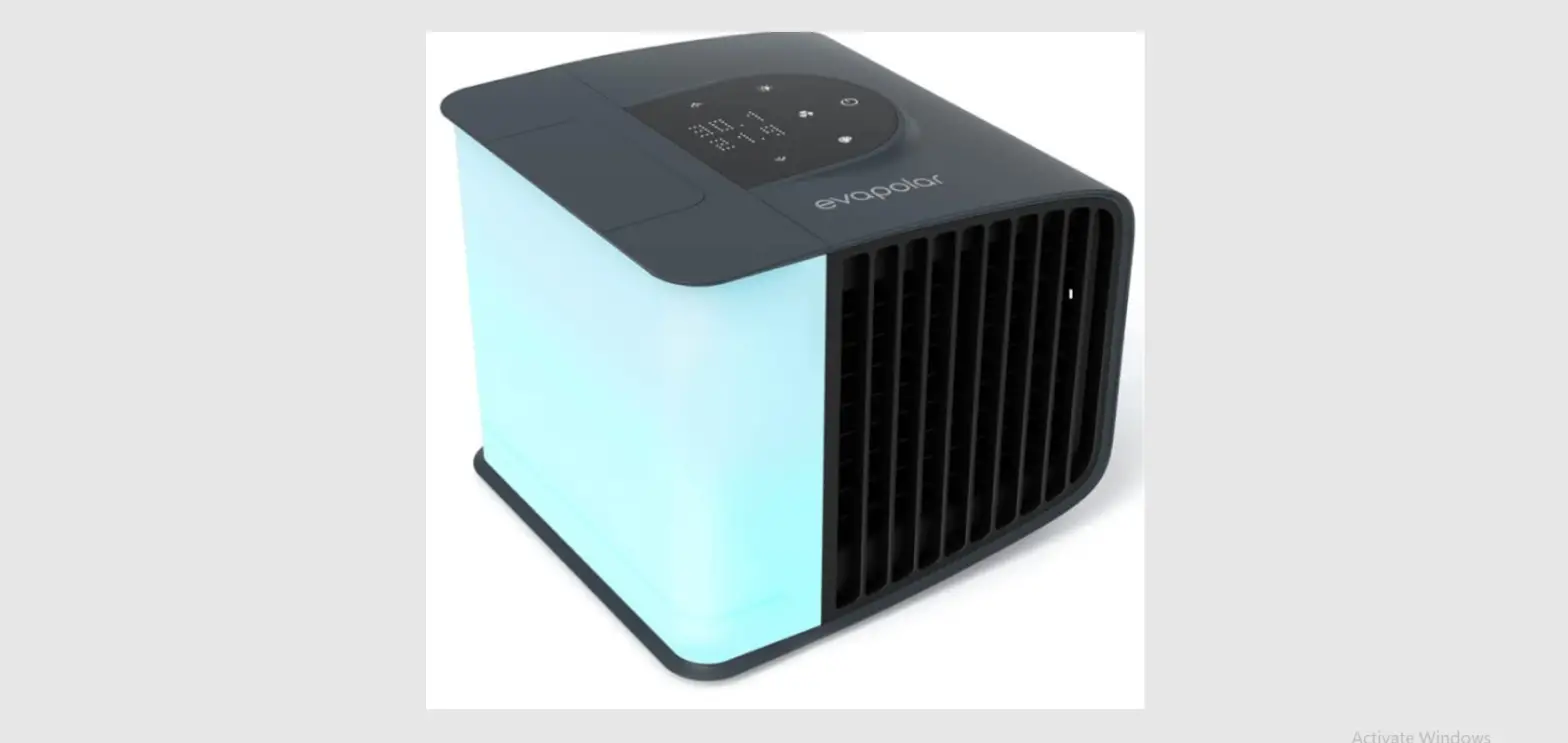
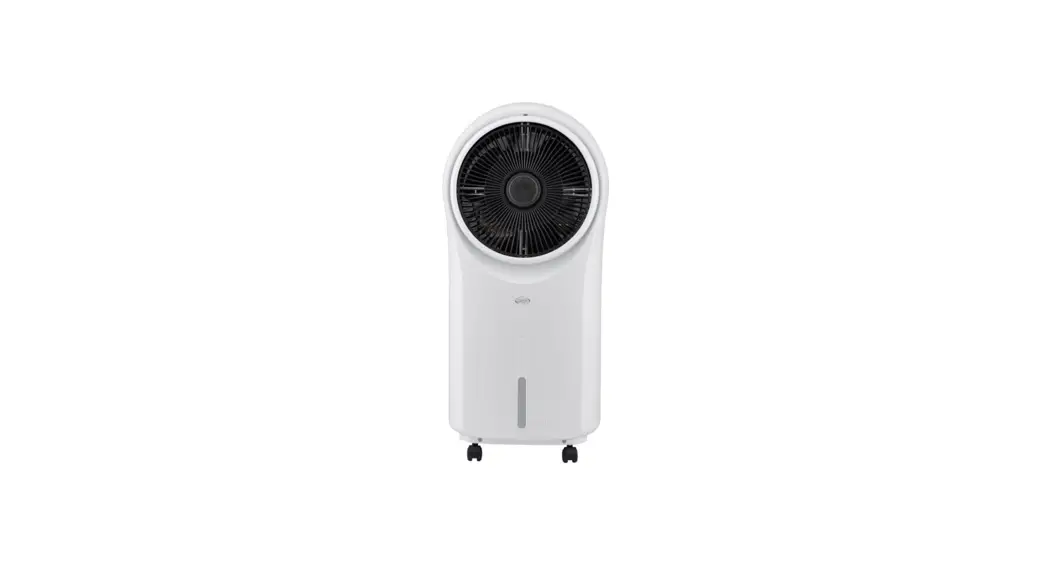
evaSMART EV-3000 Personal Air Cooler
Product Information: evaSMART EV-3000 Personal Air Cooler
Product Guide
- Safety Regulations
- Basic Principles of Work
- To Start the Device
- Control Panel & Menu
- Replacing the Cartridge
- Maintenance: Cleaning, Storage,
Transportation - Troubleshooting
- Specifications
- Recycling
- Legal Information
Safety Regulations
When using electrical appliances, basic safety precautions
should always be followed, including the following:
WARNING!
- Use this device according to its intended purpose as described
in this booklet. - Do not install a water tank with water without a cartridge
inside. - Remove the water tank and set the device to run at the
maximum. - This device contains a built-in Wi-Fi module. The RF signals
may interfere with the functionality of sensitive devices. Keep the
device at least 20 cm (8 inches) away from pacemakers.
DANGER!
- Do not open the upper cover of the device and/or remove any
replaceable parts of the device while it’s in operation. - Do not try to touch the fan or block it with any foreign
objects while it’s in operation. - Do not touch the power supply or power cord with wet
hands. - Do not place the device next to a heating electrical equipment
and other heat sources, including naked flames. - Do not place the device upon or next to any other electronic
devices (in case of leakage, there is a danger of a short
circuit). - Do not use the device while bathing or in the shower.
- Do not operate the device with a damaged cord or plug, if you
noticed it is not working properly, if it has been dropped or
damaged.
Failure to heed the warnings above may result in damage to the
device or injury. The manufacturer does not take any responsibility
for any damage arising from failure to comply with this product
guide. If you have not found a solution to your problem, please
contact our support team (see page 22), do not try to fix the
problem yourself. All repairs must be carried out by qualified
service personnel. In case you notice any malfunction, please check
out our troubleshooting guide.
Basic Principles of Work
The evaSMART EV-3000 Personal Air Cooler operates at 2.5A and
5V. It helps to control humidity levels.
To Start the Device
- Make sure the water tank is filled with water and the cartridge
is properly installed. - Connect the power supply to the device.
- Press the power button to turn on the device.
- Adjust the settings on the control panel as desired.
The control panel allows you to adjust various settings on the
device. Refer to the product manual for detailed instructions on
using the control panel and navigating the menu.
Replacing the Cartridge
To replace the cartridge, follow these steps:
- Ensure the device is turned off and unplugged.
- Open the upper cover of the device.
- Remove the old cartridge from its slot.
- Insert the new cartridge into the slot.
- Close the upper cover of the device.
Maintenance: Cleaning, Storage,
Transportation
Proper maintenance is important to ensure optimal performance
and longevity of the device. Refer to the product manual for
detailed instructions on cleaning, storage, and transportation of
the evaSMART EV-3000 Personal Air Cooler.
Troubleshooting
If you encounter any issues with the device, refer to the
troubleshooting section of the product manual for possible
solutions. If the problem persists, contact our support team for
assistance.
Specifications
Refer to the product manual for detailed specifications of the
evaSMART EV-3000 Personal Air Cooler.
Recycling
At the end of its service life period, the product should be
recycled according to the recycling procedures in your region. For
more information, visit www.evapolar.com.
Legal Information
This product guide is the fourth edition and all rights are
reserved. For legal information, refer to page 24 of the product
manual.
RECYCLING
At the end of its service life period the product should be recycled according to the recycling procedures in your region.
www.evapolar.com
©2020 EVAPOLAR LTD.
Fourth edition. All rights reserved.
Personal Air Cooler
evaSMART EV-3000
PRODUCT GUIDE
CONTENTS
Safety regulations
3
Basic principles of work
7
To start the device follow the steps
8
Control panel & menu
11
Replacing the cartridge
17
Maintenance: cleaning, storage, transportation
19
Troubleshooting
21
Specifications
23
EEE Waste
24
Legal Information
24
SAFETY REGULATIONS
When using electrical appliances, basic safety precautions should always be followed, including the listed below:
WARNING!
Use this device according to its intended purpose as described in this booklet. — This device is not intended for use by persons (including chil-
dren) with reduced physical, sensory or mental capabilities, or lack of experience and knowledge, unless they have been given supervision or instruction concerning use of the device by a person responsible for their safety. — The device must be placed onto a smooth horizontal surface. Tilting/turning upside down may cause a water leak and damage the device. — Use only pure water without any additives to fill the device. Usage of other liquids is prohibited. Do not add any aromatic oils or any other odorous substances into the water. — Disconnect the device before the following actions: cleaning, technical maintenance, removing/replacing elements, and moving the device. — To fill the water tank with water, always remove it from the device first. 3
— Do not install a water tank with water without a cartridge inside. — Remove the water tank and set the device to run at the maxi-
mum fan speed for at least one hour to dry the water out from the internal reservoir before taking out the cartridge. Do not take the cartridge out of the device unless it is done. — Do not clean the device with gasoline, window-washing liquid, corrosive substances, or any organic solvent. The warranty does not cover damages caused by improper cleaning. — In case of a leak or if water spills onto the surface of the device, immediately disconnect the power cord and let the device dry for at least 24 hours. — We strongly recommend using the original power supply from the package. — Disconnect all cords by holding the plugs and never pull on the cords themselves. — To avoid possible damage to the device, · do not let any foreign objects enter the device. · do not place heavy items on top of the device. · do not submerge the device in water or any other liquid (see
cleaning guide below). · do not subject the device to excessive shocks and vibrations. · do not cover the operating device. · do not leave the operating device unattended. — Stop using the device if you notice an unusual sound or smell.
4
— This device contains a built-in Wi-Fi module. The RF signals may interfere with the functionality of sensitive devices. Keep the device at least 20 cm (8 inches) away from pacemakers.
DANGER!
— Do not open the upper cover of the device and/or remove any replaceable parts of the device while it’s in operation.
— Do not try to touch the fan or block it with any foreign objects while it’s in operation.
— Do not touch the power supply or power cord with wet hands. — Do not place the device next to a heating electrical equipment
and other heat sources, including naked flames. — Do not place the device upon or next to any other electronic
devices (in case of leakage, there is a danger of a short circuit). — Do not use the device while bathing or in the shower. — Do not operate the device with a damaged cord or plug, if you
noticed it is not working properly, if it has been dropped or damaged.
Failure to heed the warnings above may result in damage to the device or injury. The manufacturer does not take any responsibility for any damage arising from failure to comply with this product guide. If you have not found a solution to your problem, please contact our support team (see page 22), do not try to fix the problem yourself. 5
All repairs must be carried out by qualified service personnel. In case you notice any malfunction, please check out our troubleshooting guide.
6
BASIC PRINCIPLES OF WORK
2.5A 5V
Humidity <70%
To enjoy a nice cool breeze on a hot day, you need:
1. Well-ventilated room 2. Relative humidity <70% 7
3. 1300 ml (44 oz) of pure water 4. Power supply 2.5A 5V
TO START THE DEVICE FOLLOW THE STEPS
Ensure the device is placed on the flat horizontal surface first.
FILLING WITH WATER
1. Slide the water reservoir up. 2. Open the lid and fill the reservoir with water. 3. Place the reservoir back onto the base. Make sure it is installed
properly. The water will start flowing automatically. Depending on the air temperature and humidity, the full reservoir should provide from 3 to 8 hours of uninterrupted cooling.
TIP: To extend the time period before the next refill, you need to fill up the reservoir, wait until the cartridge is full of water (max.10 minutes) and then refill the reservoir once again.
OPERATING
4. Use a laptop or PC/power bank/adaptor plugged into the socket as a power source. 2.5A 5V is a minimum requirement.
5. The Power button on the top of the device will light up. Press this button. The device will switch on with a short vibration. 8
6. Use the top panel of the device to adjust device parameters. 7. Move the slider on the sidewall of the device to adjust the airflow
direction. 8. Install the Evapolar Mobile App to control
the evaSMART via your smartphone. 9. Connect evaSMART to Smart Home and
use the full voice experience for managing the device.
The temperature of the outgoing air will start to decrease in a few minutes. Enjoy your personal microclimate!
TIP: If you would like to feel a light pleasant aroma in your room, we have come up with an aroma clip especially for you. Visit evapolar.com/en/shop to make a purchase.
TIP: If for any reason you are unable to connect your device to a direct power source (eg, while camping), you can use a power bank. Visit evapolar.com/en/shop to make a purchase.
9
1.
2.
3.
2.5A 5V
4.
5.
6.
7.
8.
10
CONTROL PANEL & MENU
MAIN SCREEN
Up button (increase air flow)
Temperature of incoming air Power button (press for switch on/off) OK button (press to enter the evaSMART Menu) Temperature of outgoing air
Down button (decrease air flow)
During the first use, evaSMART runs with preset default parameters. After being used and inputting your preferred settings, the device should run with those settings automatically.
Increase or decrease the fan speed by pressing the Up/Down buttons, the values can be changed between 1% and 100%. Press and hold the Up/Down buttons for quick setup. 11
MENU SCREEN
Night mode Brightness
settings Color settings Colour playlists
mode Sleep mode
Wi-Fi settings
Cartridge life
Up button
Back to main screen
OKbutton
Down button
Use the Up/Down buttons to navigate (the selected option blinks), press the OK button to confirm your choice.
To go to the main screen press the Power button.
In case the item/mode is unavailable, please, ensure your evaSMART
has the latest firmware version. The firmware version can be checked in the Settings section of the mobile application. If you see the warning
sign, the firmware needs updating (see the WI-FI settings section below). 12
MENU ITEMS AND MODES
NIGHT MODE In the night mode, LED-lighting turns off and the display dims. To enable: press OK, the device will automatically go into night mode. To disable: press the OK button.
BRIGHTNESS SETTINGS Select the item, use the Up/Down buttons to change the values between 1% and 100%. To decrease or increase the brightness quickly, press and hold the Up/Down buttons; to turn off the water reservoir lighting, set the brightness to 0%. Confirm your choice by pressing OK.
LED LIGHTENING COLOR You can choose your preferred lighting color for the water reservoir and adjust its hue. Select the item, press and hold the Up/Down buttons to go through the colors quickly. Confirm your choice by pressing OK.
COLOR PLAYLISTS MODE In this mode, the water reservoir lighting gradually changes colors. Select the item, press and hold the Up/Down buttons to go through the available color playlists (each has its unique number). Confirm your choice by pressing OK. 13
SLEEP MODE You can set your evaSMART to turn off the fan after a specific period of time. Select the item, press the Up/ Down buttons to change the values. Confirm your choice by pressing OK. To disable it set the value to 0.
WI-FI SETTINGS A built-in Wi-Fi module allows you to control your evaSMART remotely. To pair up your phone with evaSMART, you will need to first install the Evapolar application on your smartphone. After that, you will need to register a new user account and choose “evaSMART Model 3” when prompted. Finally, follow the animated instruction on your phone screen to onnect your phone to evaSMART. You can also turn Wi-Fi on/off. Select the item from the list (the selected item will blink), confirm your choice by pressing OK. To exit the settings, press the Power button.
Download Evapolar app here
14
In order to connect, select the “Con” option. To disable Wi-Fi, select the “OFF” option (if “ON” is written on the screen, this means that Wi-Fi is turned off). To enable Wi-Fi, select the “ON” option (if “OFF” is written on the screen, this means that Wi-Fi is turned on).
CONNECTION STATUS ICONS
Wi-Fi icon OFF Blink
ON
OFF 15
Cloud icon OFF OFF
Blink
ON
Status
Wi-Fi is off. Wi-Fi is on. Trying to connect to a WiFi access point.
Wi-Fi is connected to the access point. Trying to connect to the cloud server.
Connection to the cloud server is established.
CARTRIDGE LIFESPAN INDICATOR This mode lets you know when it’s time to replace the cartridge with the new one. A new cartridge has 100%; when the value is close to 0%, the cartridge needs to be replaced.
MEASUREMENT UNITS Temperature can be displayed either in Celsius or Fahrenheit. To change the measurement units, press and hold a combination of the Up/Down buttons on the menu screen, then choose your option, Confirm your choice by pressing OK. This settings option is also available in the mobile application (Settings section).
LOW POWER ICON If you see this icon, it means that the device receives insufficient power and may malfunction. To avoid this, use the power adapter and the power cord that comes with the device, or make sure that your power supply is 2.5A 5V.
16
SETTINGS RESTORE
To restore the settings, turn the device off (with the only Power button visible on the screen) press a combination of the Up and Down buttons
(you can press with fingers or with your palm edge) and Power button all at once. Then press the Up button, you will see the “Ur” (User set-
tings restore) letters blinking. Confirm your choice by pressing OK. You will see the entire display turn on and off again. Done, settings restored.
Make sure the device has no water and is dry before installing a new cartridge to prevent any water damage. 1. Disconnect the device from the power source. 2. Remove the reservoir by sliding it up. 3. Pull out the safety panel to reach the cartridge. 4. Take out the old cartridge by sliding it out. 5. Place a new cartridge in place of the old one. 6. Put the safety panel back to hide the cartridge. 7. Put the reservoir back in place. 8. The device is ready to use. · Depending on usage and storage, the cartridge can last 3-6 months. · Poor water quality reduces the lifespan of the cartridge.
REPLACING THE CARTRIDGE
! Remove the water tank and set the device to run at the maximum fan speed for at least one hour to dry the water out from the internal reservoir before taking out the cartridge. Do not take the cartridge out of the device unless it is done. 17
1.
2.
3.
4.
5.
6.
18
CHANGE EVERY 3-6 MONTHS
7.
8.
MAINTENANCE: CLEANING, STORAGE, TRANSPORTATION
We strongly recommend drying the device totally before cleaning, storage, and long-distance transportation. To do this, you need to empty the water tank and set the device to run on the maximum fan speed for at least 4-5 hours to dry the water out from the internal reservoir section.
CLEANING
The cleaning period depends on the level of dust in the area you use your air cooler in. The front grill and the internal area can be wiped with a soft cloth. A cleaning procedure can be carried out, when — The device is totally dry 19
— The device is disconnected from the power source — The cartridge is extracted
! Do not wipe the inside of the cartridge, just its outer plastic body.
STORAGE DURING LONG PERIODS OF NO USAGE
If you’re not intending to use the device for more than 5 days, we strongly recommend the following: · Dry the device and clean it (as described above). · Place the device into an appropriately sized package for storage (original package is recommended). Store the device in a dry space at room temperature.
TRANSPORTATION
Before any kind of transportation, the device should be disconnected from the power source. Do not transport the device long distances with a wet cartridge; please see “Storage during long periods of no usage” section. For shorter distances, make sure that the device with a wet cartridge is not isolated in a box or bag with no airflow.
20
TROUBLESHOOTING
PROBLEM: Cold air does not come out of the device despite the fact the cartridge is wet POSSIBLE CAUSE 1: Humidity level over 70% SOLUTION: Ventilate the room POSSIBLE CAUSE 2: The cartridge has expired SOLUTION: Replace the cartridge
PROBLEM: Cold air does not come out of the device and the cartridge seems to be dry despite the fact the water tank is full SOLUTION: Tilt the device slightly towards the water tank for a few seconds or shake gently to get rid of the airlock. Please, contact our support team if that didn’t help
PROBLEM: Device shows Low power icon or reboots at irregular intervals. POSSIBLE CAUSE: The device does not receive enough power SOLUTION: Ensure the power source for your evaSMART is 2.5A 5V. Please, contact our support team if that didn’t help
PROBLEM: The device suddenly started emitting an unpleasant odor POSSIBLE CAUSE: Impurities in water or air absorbed by the filter 21
SOLUTION: Pour a full tank of clean, distilled water and let the device completely dry out (this may take several times to remove the smell completely) PROBLEM: The device cannot connect to Wi-Fi POSSIBLE CAUSE: Ensure the Connection mode (see pages 14-15) is enabled and the Wi-Fi icon is blinking. Please, contact our support team if you followed the steps carefully but that didn’t help
TECHNICAL SUPPORT
22
SPECIFICATIONS
Input voltage / current
5 V / 2.5 A
Power consumption
12.5 W
Cooling power
100 W – 400 W / 340 – 1360 BTU/hr
Coverage area (in the direction of the airflow)
Volumetric Flow Rate
Up to 3.5 m2 (37 ft2) 55.1 cfm
Energy Efficiency Ratio (EER) Water tank capacity
21-37 1300 ml (44 oz)
Water refill cycle Size
every 4 – 9 hours
207 x 217 x 184 mm / (8.14 x 7.24 x 8.54 inch)
Weight (without water)
1820 g (4 lb)
Working conditions
Relative humidity <70% Temperature >18°C (64F)
Working noise level
25-40 dB
Package set
Replaceable cartridge, Power cable (USB-C), Power adapter
23
EEE WASTE
Please, dispose of the cartridge and the device according to the state law.
LEGAL INFORMATION
The device complies with the requirements of EU Directives 2014/ 35/EU Low Voltage Directive and 2014/30/EU EMC Directive, as well as the following European harmonised standards:
— EN 55014-1:2006/ A1:2009/ A2:2011 – Electromagnetic compatibility. Requirements for household appliances, electric tools and similar apparatus Part 1: Emission
— EN 55014-2:2015 – Electromagnetic compatibility. Requirements for household appliances, electric tools and similar apparatus. Part 2: Immunity. Product family standard
— EN 61000-3-2:2014 Electromagnetic compatibility (EMC). Part 3-2: Limits. Limits for harmonic current emissions (equipment input current 16 A per phase)
— EN 61000-3-3:2013 Electromagnetic compatibility (EMC). Part 3-3: Limits. Limitation of voltage changes, voltage fluctuations and flicker in public low-voltage supply systems, for equipment 24
with rated current 16A per phase and not subject to conditional connection — EN 60335-1:2012/AC:2014/A11:2014 – Household and similar electrical appliances. Safety. Part 1: General requirements — EN 60335 -2-40:2003/ A11:2004/ A12:2005/ C1:2006/ A1:2006/ A2:2009/ C2:2010/ A13:2012/ A13/AC:2013 – Household and similar electrical appliances. Safety. Part 2-40: Particular requirements for electrical heat pumps, air-conditioners and dehumidifiers. The device is marked by the sticker on the bottom of the case and contains the following data: manufacturers name product name serial number year of manufacture power settings (voltage, frequency, maximum power consumption, weight) CE marking.
25
 Evapolar Coolers - Shop
 Evapolar - Cool Yourself With Portable Evaporative Air Coolers