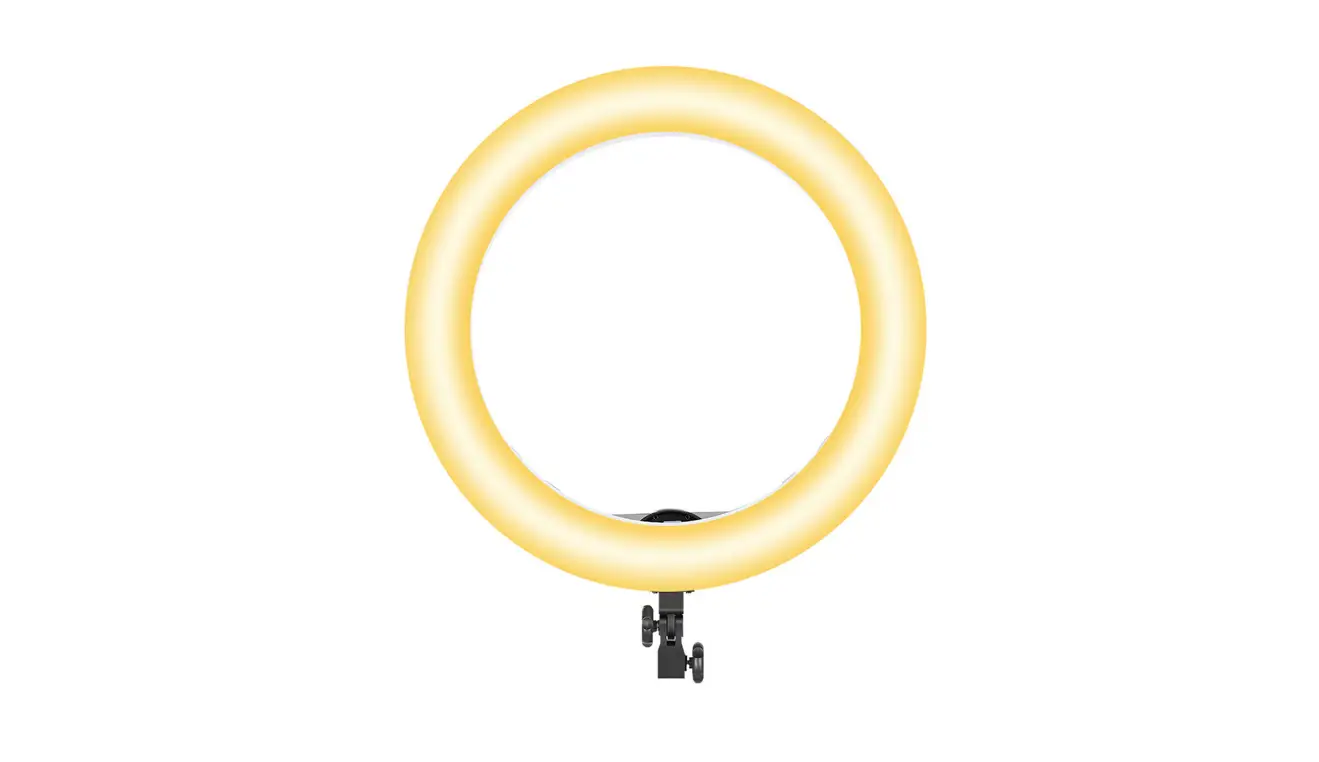
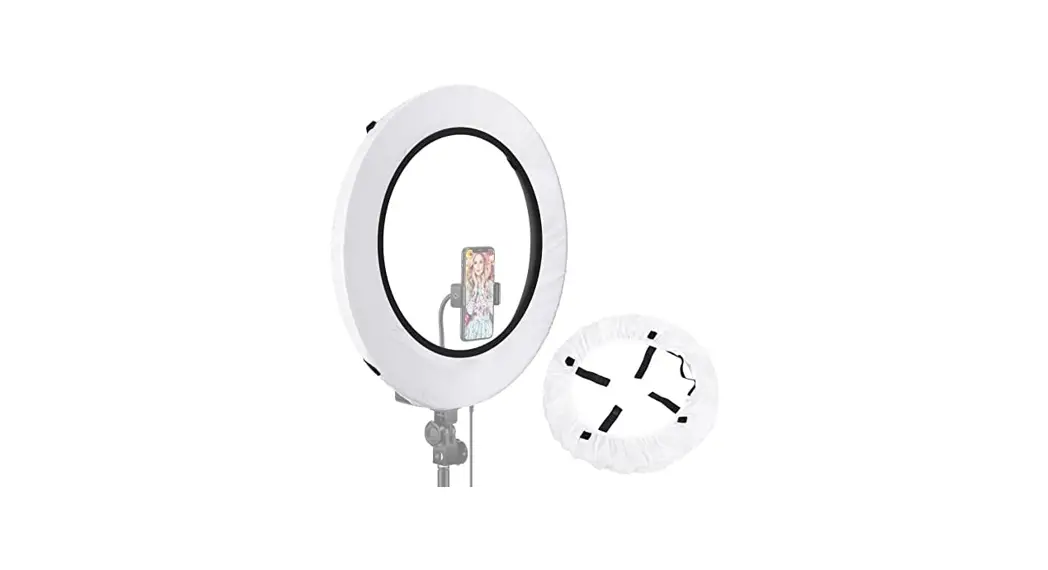
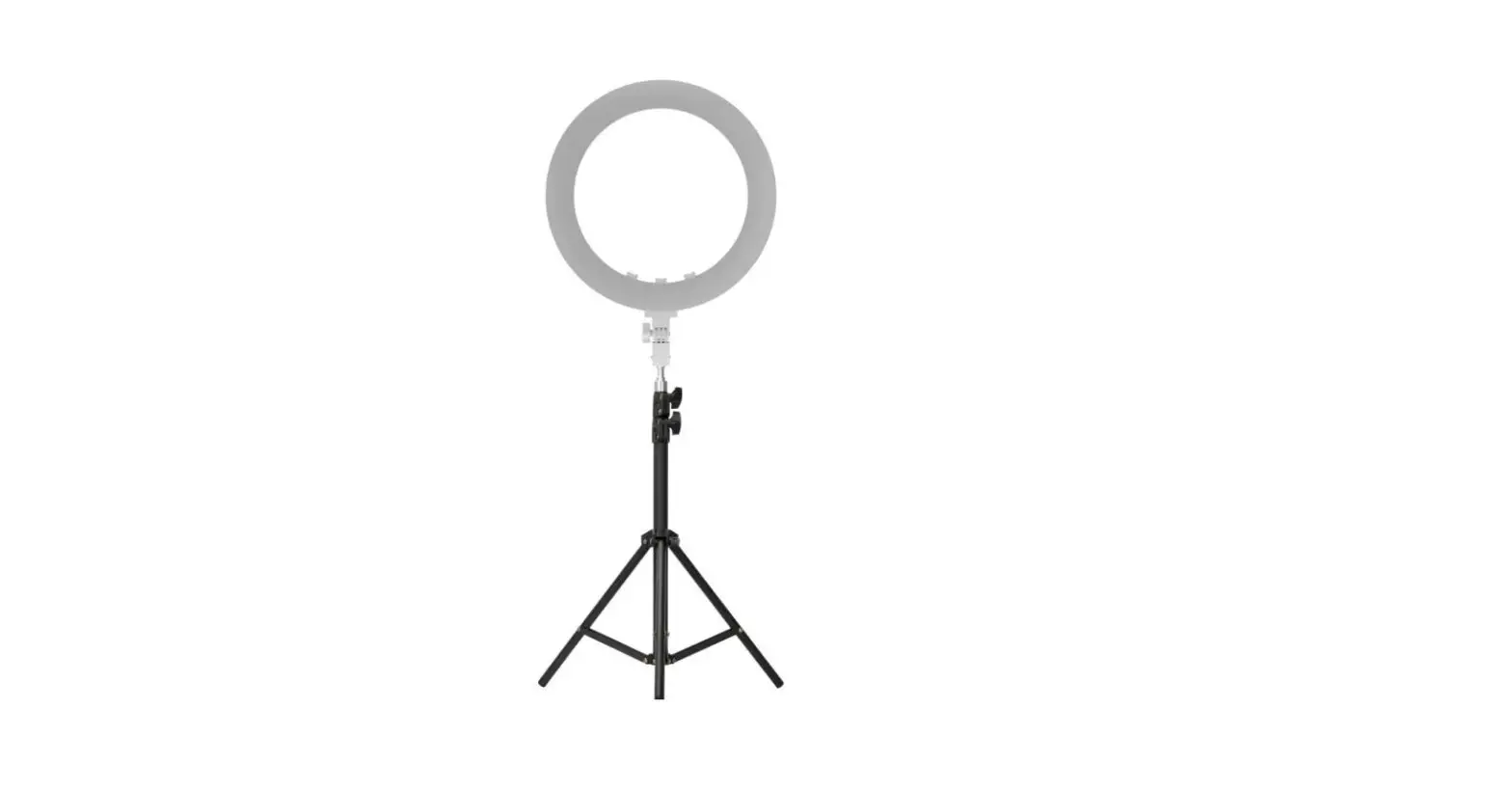
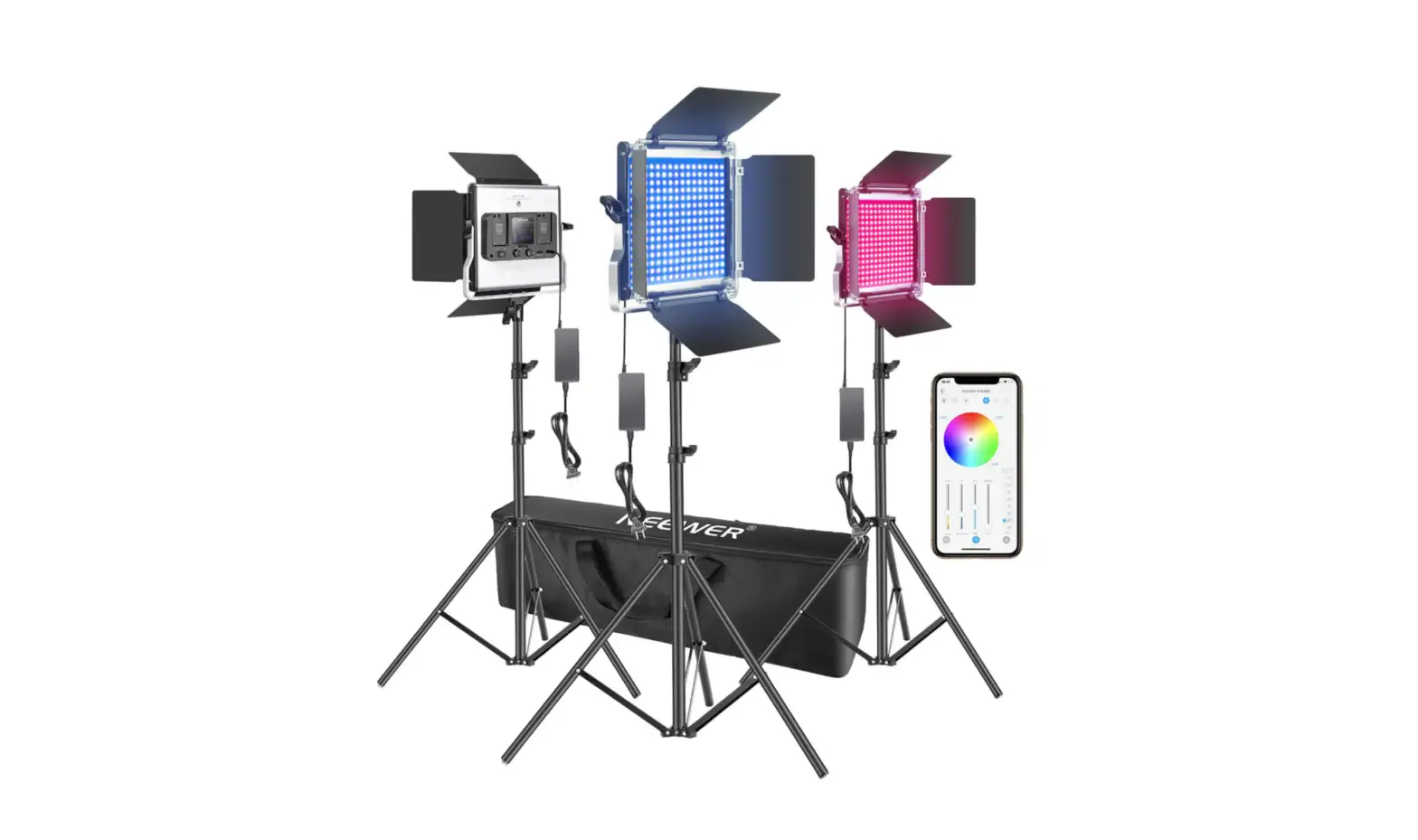
RGB18-APP Smart Ring Light
Instruction Manual
Applications

CAUTION
Functions

Long press the “ power button for 1 second to power OFF/ON. Short press “Right Knob” to switch between scenes and rotate to adjust settings.
Display

NEEWER App

Mode Function
Color temperature/Brightness
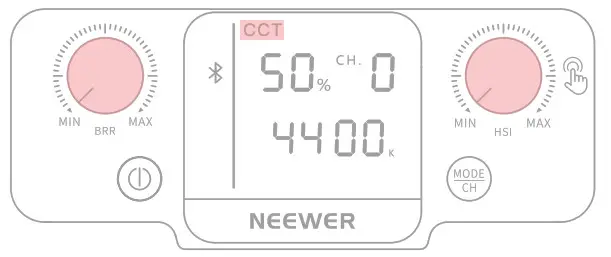
Long press the power button for 2 seconds to turn on, short press the “MODE/CH” button until the display screen shows the “CCT” mode; then rotate the knob to adjust the color temperature or brightness.
Channel

Long press the “MODE/CH” button for 2 seconds until “CH.O” on the display screen starts to flash, turn knobs to adjust the channel from 0 to 8.
Note: Channel number “0” on the fight serves as a backup channel and will only work when the ‘Air button is clicked in the App.
Hue
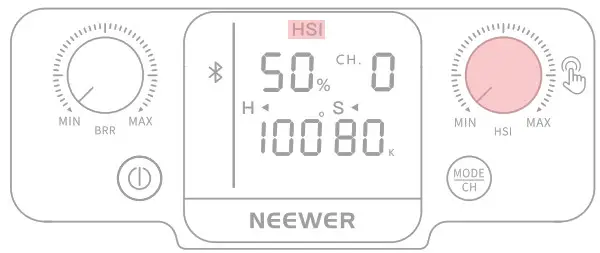
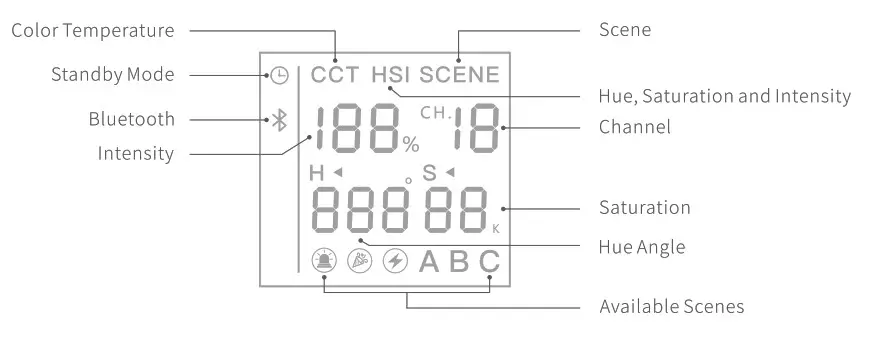
Short press the “MODE/CH” button until the display screen shows shows “HSI” mode and turn the “HSI” knob to adjust the hue from 0° to 360°.
Scenes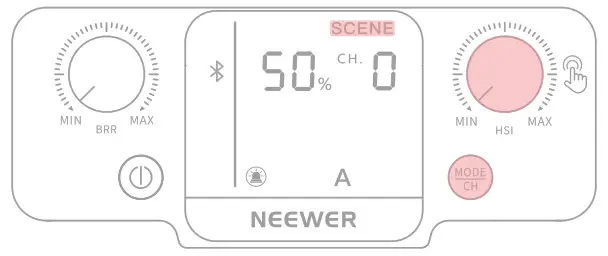
Short press the “MODE/CH” button until the display screen shows the “SCENE” mode, short pressor rotates the left knob to achieve other scene effects; the right knob can adjust the brightness from 0%-100%.
In HST mode, short press the Left Knob to switch between the hue and saturation settings. The hue and saturation level can be adjusted by long pressing the Knob.
The saturation value ranges from 0 to 100 (100 for Fl() ).
Quick-start Guidance

https://play.google.com/store/apps/details?id=neewer.nginx.annularlight
https://itunes.apple.com/cn/app/neewer/id1455948340?mt=8
1. Download and install the Neewer App on your phone. Then register and/or log in.
 For Android smartphones, please activate the GPS setting before using light.
Please scan the QR code on the left to download and install the NEEWER app on your smartphone with the Android or iOS system.

2. Turn on the light and wait until the Bluetooth symbol ”  ” appears on the screen.
3. Click the “+” symbol on the App to connect your device. When the device is connected, the Bluetooth icon “will constantly light up, which suggests that the ring light can be controlled on the app.

If the Bluetooth connection fails, the Bluetooth icon will constantly blink to suggest the need to recheck if the device is on.
Control the ring light with the App
Demo: control a single ring light
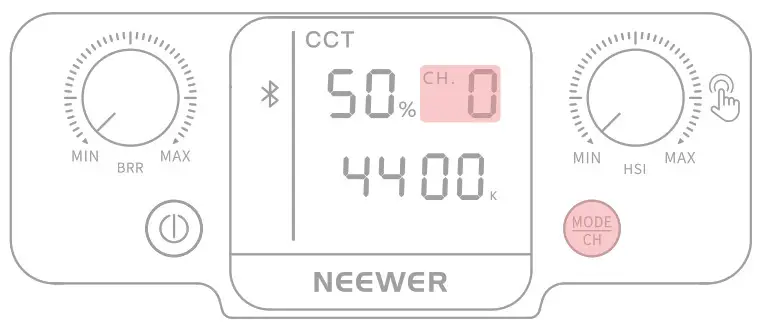
Power on the light, then press the “MODE/CH.” button for 2 seconds until the symbol “CH.O” flashes on the display.
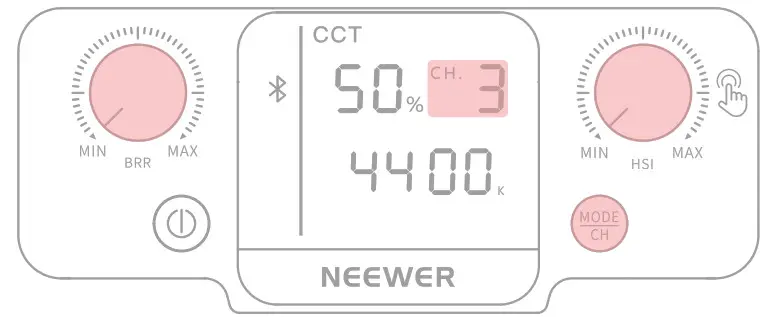
When “CH.O” symbol flashes turn the Left or Right knob on the light to switch channels from 0 to 8 (demo: Channel 3).

Choose the channel number (demo:3) on the App to control the corresponding ring light set on the same channel. To control multiple groups of RGB lights, it is necessary to tap on the APP above to add every light control first.
Demo: control multiple ring light respectively

Set the channel of light as any corresponding ring light set in the number from 1 to 8 (demo: “3”).
Set the channel of light as any number from 1 to 8 (demo: “6”).
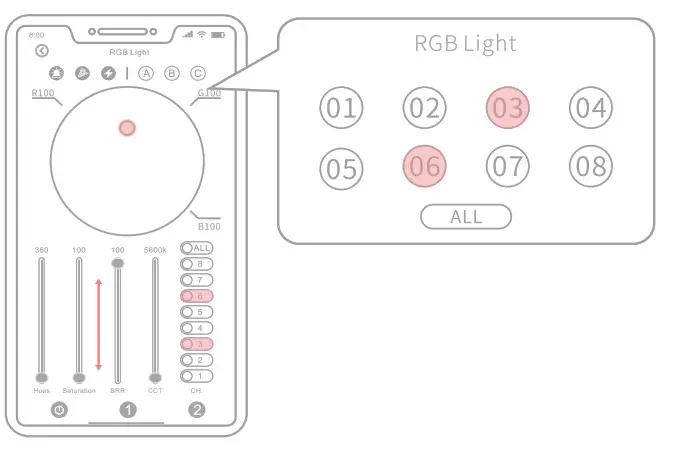
Choose the channel number (demo: 3/6) on the App to control the corresponding ring light set in the same channel.
Demo: control multiple ring lights altogether
Set the channel of light as any number from 1 to 8 (demo: “2”).
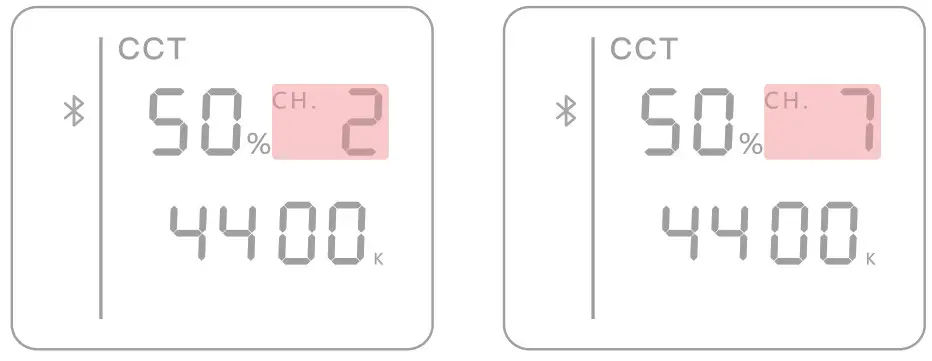
Set the channel of light as any number from 1 to 8 (demo: “7”).
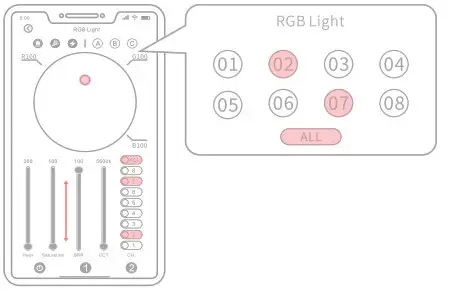
Choose the channel number (demo:ALL ) on the App to control the corresponding ring light set in the same channel
Delete or disconnect a device
Disconnect a device
Delete a device

Enter the “NEEWER” App.
Press the light icon for one second until the confirmation window pops up. Click the “OK” button to disconnect the device.
Enter the “Personal Center” and select the device to be deleted click “Delete Device”.
Select the device to be deleted and click “Delete”.
Install the Ring Light
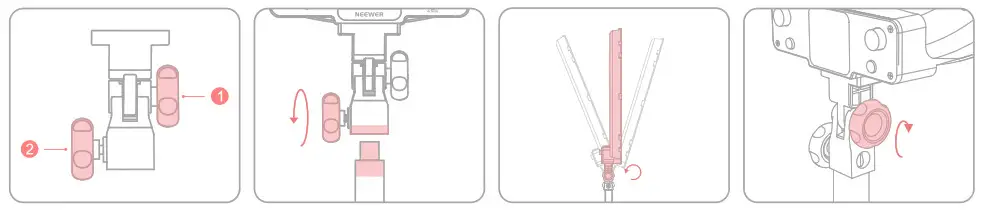
1. Lamp Body Retention Knob
2. Bracket Secure Knob
Insert the adapter base into the bracket and turn it clockwise using the © bracket secure knob until it locks.
Turn the lamp retention knob “1” anticlockwise until the lamp body is loose, and then adjust the angle.
Turn the lamp retention knob “1” clockwise until the lamp body is locked.
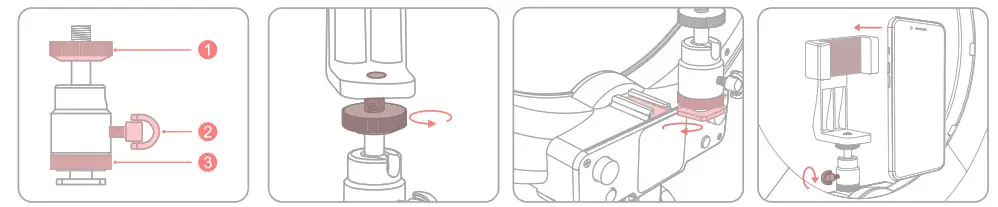
Install Adapter Base

1. Screw Adapter base
2. Angle Adjustment Knob
3. Base Locking Ring
Align the threaded screw of the adapter and insert threaded screw “0” into the camera base, then rotate it clockwise until the camera is secured.
Insert the adapter base into the cold shoe of the lamp body, and turn the base fixing knob “3” clockwise until it is secure.
Turn the angle adjustment knob “0” clockwise until it is locked, and place the phone in the phone holder.
Mount the mobile phone holder
1. ScrewAdapter base
2. Angle Adjustment Knob
3. Base Locking Ring
Align the threaded screw of the adapter and insert screw thread 1″ into the mobile phone holder, and then turn it clockwise until secure.
Insert the adapter base into the cold shoe of the lamp body, and urn the base fixing knob “3” clockwise until it is secure.
Turn the angle adjustment knob “2” clockwise until it is locked, and place the phone in the phone holder.
Bluetooth Remote Control

Power on the Bluetooth Remote Control.
Turn on your phone’s Bluetooth, find “AB Shutter3” , and pair it with your phone.
Open the camera app on phone.
Press to take a photo. If the indicator on the remote control does not light up, check whether the battery cover is loose or replace it with a new battery.
Safety Notes
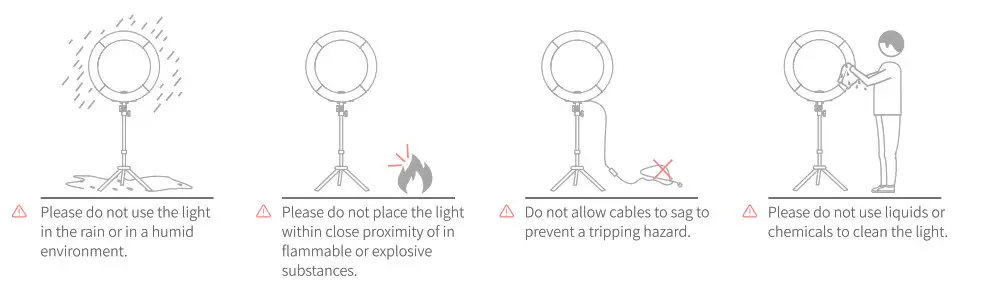
- Please do not stare directly at the light when in use to avoid the risk of visual impairment.
- Please do not modify cables to avoid injury.
- Please do not dismantle or modify the circuit of the item (unless a certified professional).
- Please use the power adapter in the package contents or a compatible power adapter.
- Please do not use alcohol or liquid to clean the light to prevent product damage
- Please do not subject the product to any form of physical shock.
- Please do not expose the item to direct sunlight for long periods of time.
- Please unplug the light when not in use.
- Please use a soft cloth to wipe the product.
- Failure to follow operating procedures and warnings listed in the manual will void the warranty.
Product Parameters
| Model | RGB18-APP |
| LED Quantity | 288 |
| CRI | 97+ |
| Brightness 100%(4400K) | [email protected] 900LUX@1M |
| Brightness Dimming Range | 0-100 |
| Saturation | 0-100 |
| Hue | 0-360 |
| Color Temperature | 3200-5600K |
| Input Voltage | DC12-15V |
| Power | 42W |
| Dimensions | 485*487*69mm |
This device has been tested and found to comply with the limits for a Class B digital device, pursuant to Part 15 of the FCC Rules. These limits are designed to provide reasonable protection against harmful interference in a residential installation. This device generates, uses, and can radiate radio frequency energy and, if not installed and used in accordance with the instructions, may cause harmful interference to radio communications. However, there is no guarantee that interference will not occur in a particular installation. If this device does cause harmful interference to radio or television reception, which can be determined by turning the device off and on, the user is encouraged to try to correct the interference by one or more of the following measures: –Reorient or relocate the receiving antenna.
–Increase the separation between the device and receiver.
–Connect the device into an outlet on a circuit different from that to which the receiver is connected.
–Consult the dealer or an experienced radio/TV technician for help
Changes or modifications not expressly approved by the party responsible for compliance could void the user’s authority to operate the equipment