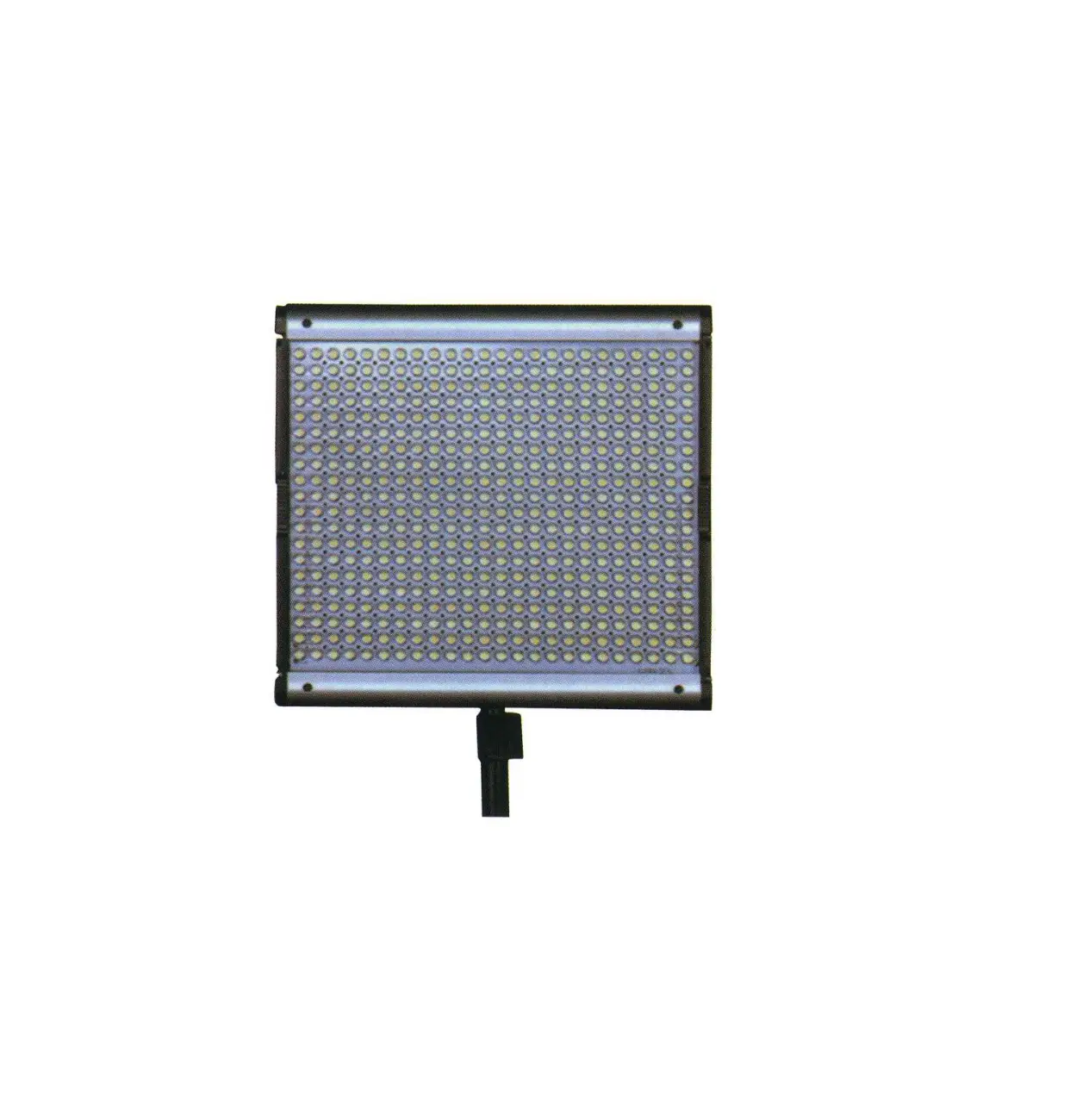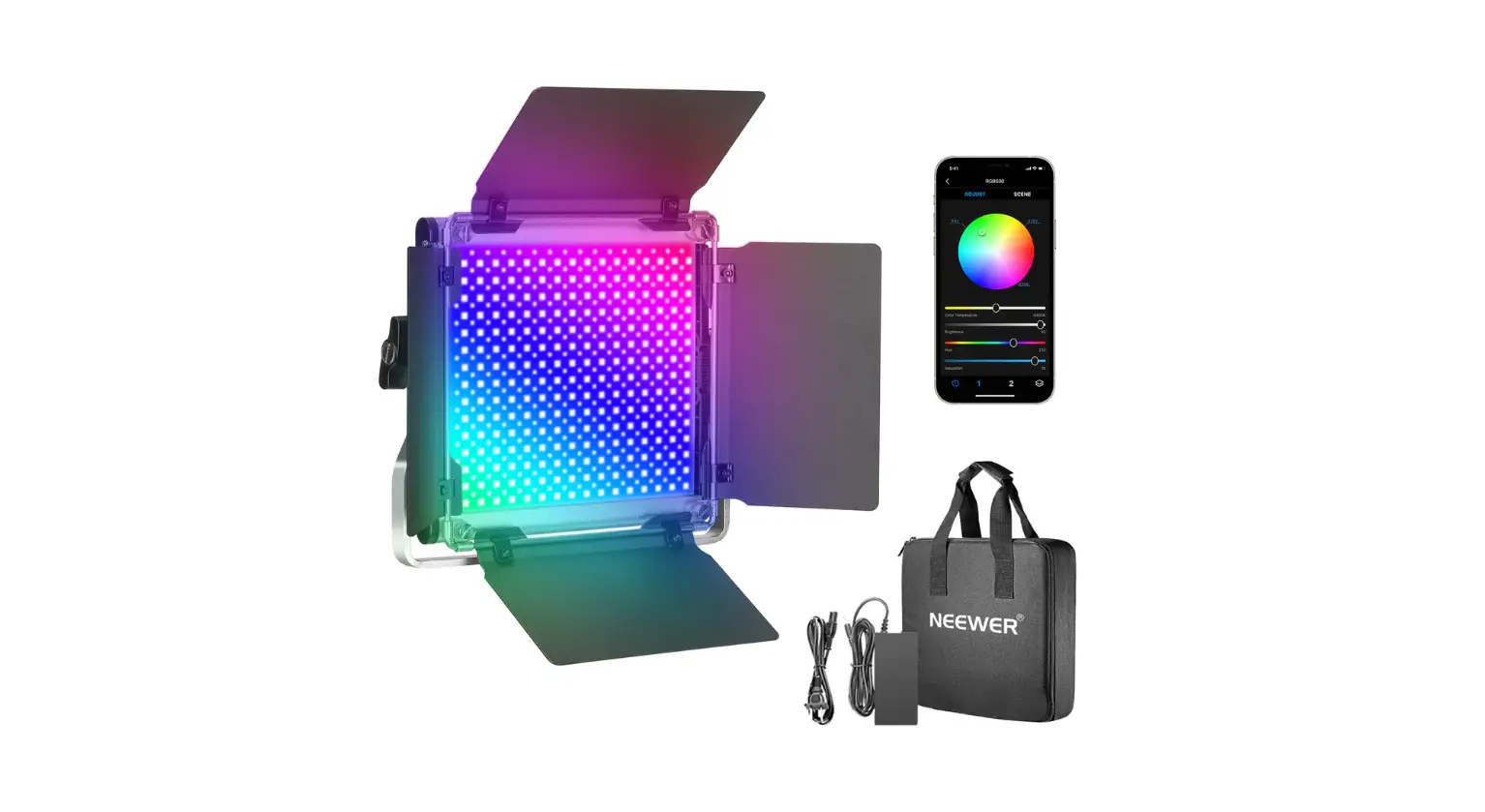
NEEWER RGB530 Smart metal led light Instruction Manual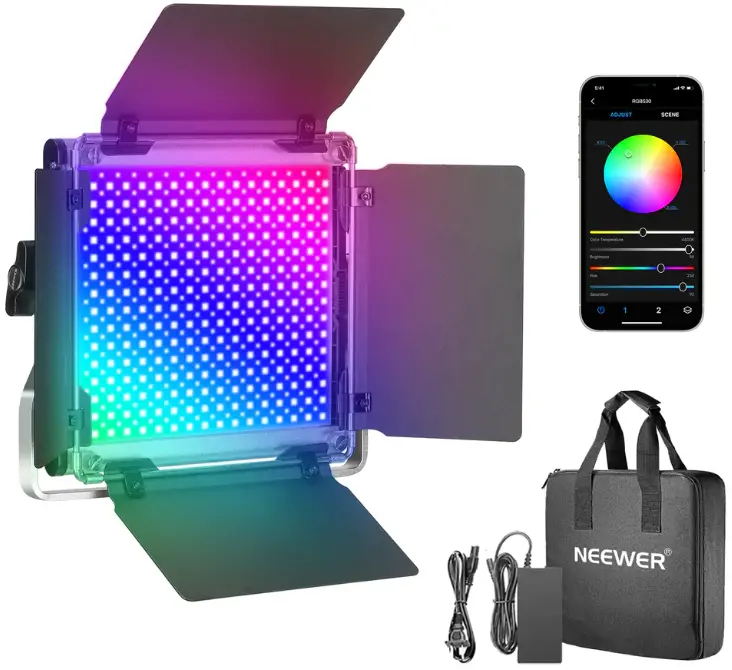
Function
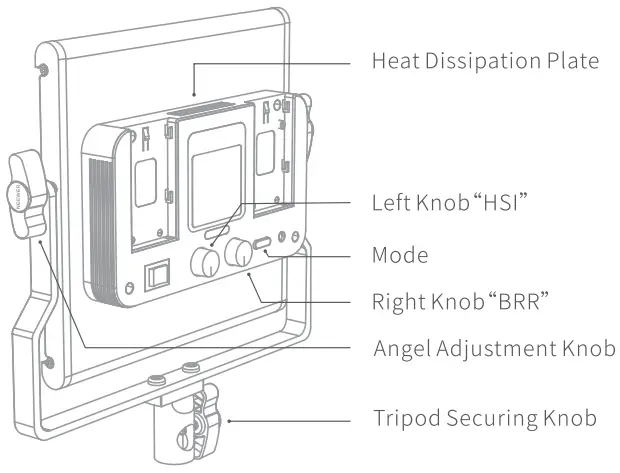
Mode
Short press the mode / channel button to switch from CCT, HSI, to Scene mode.
Left knob”HSI”
Short press the Left Knob”HSI” to switch scenes, then rotate the knob to adjust parameters.
Control Panel
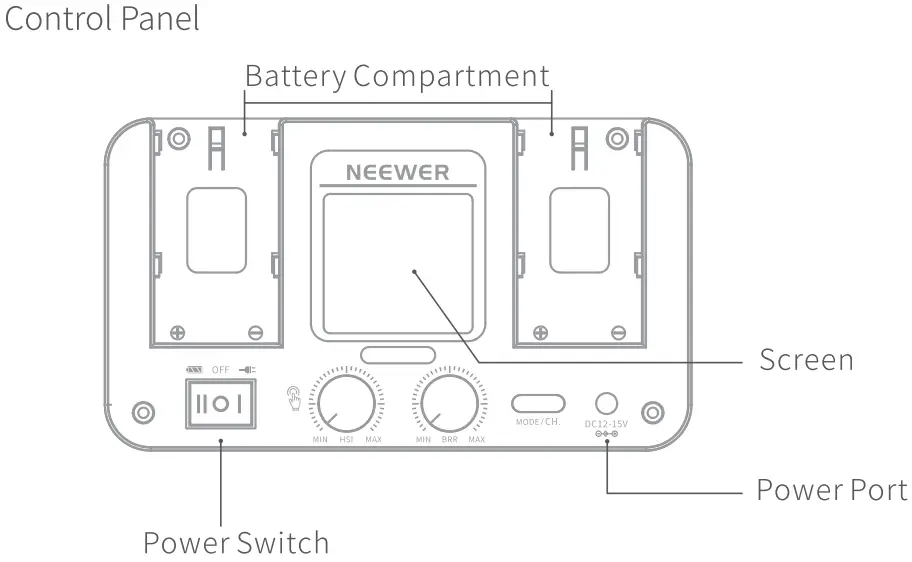
Display
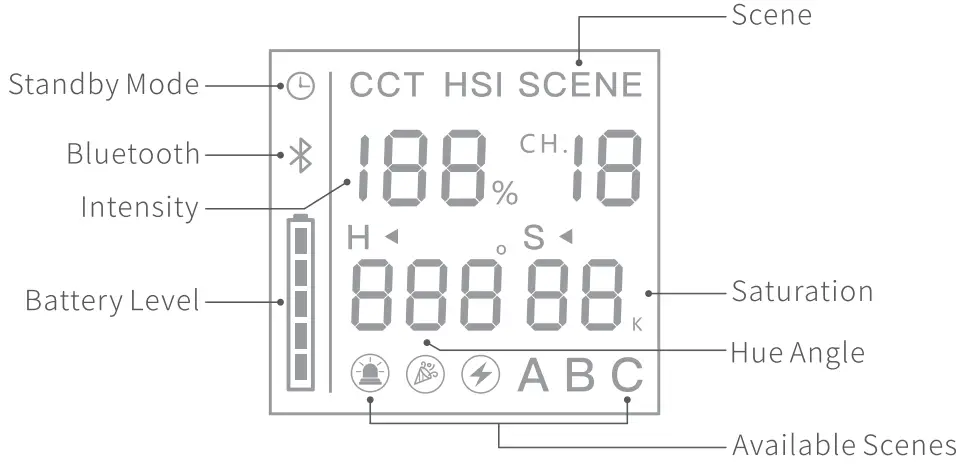
Modes
CCT
Short press the “MODE/CH.” button until the symbol “CCT” shows on the display. Next, you can rotate the Left Knob “HSI” to change color temperature from 3200K to 5600K. Turn the Right Knob “BRR” to adjust light intensity from 0% to 100%.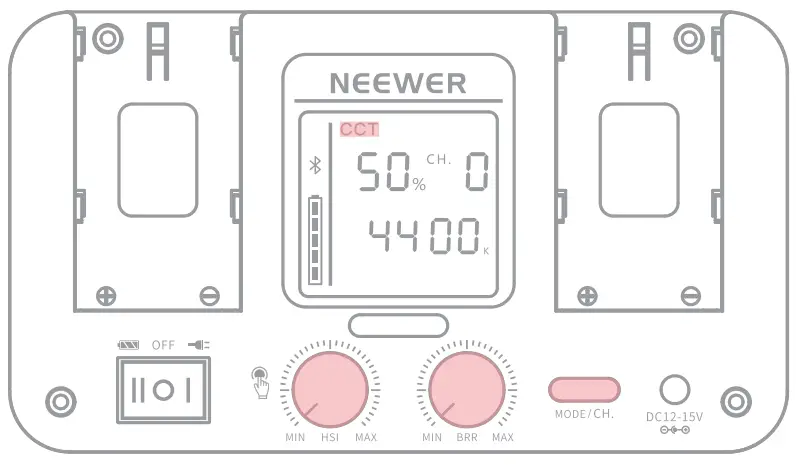
HSI
Short press the “MODE/CH.” button until the symbol “HSI” shows on the display. Next, rotate the Left Knob “HSI” to adjust the hue angle of the light(0°-360°). In HSI mode, short press the Left Knob “HSI” to switch between the hue and saturation settings. The hue and saturation level can be adjusted by long pressing the Knob. The saturation value ranges from 0 to 100 (100 for Flu )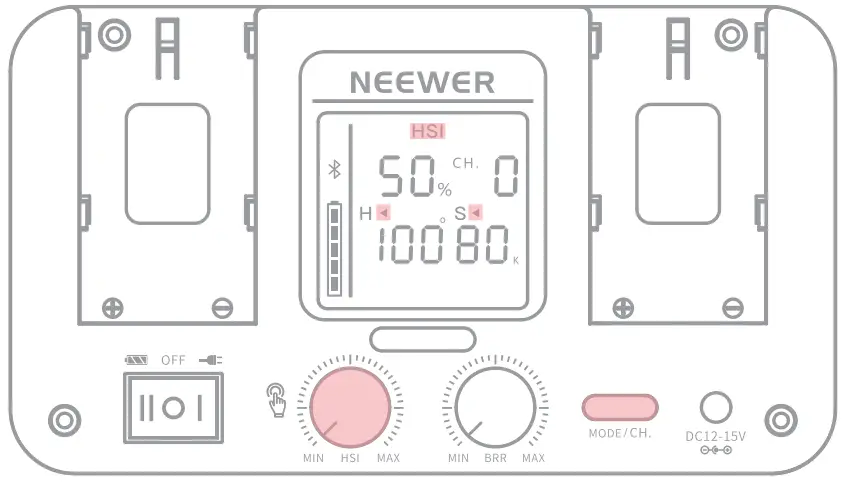
SCENE
Short press the “MODE/CH.” button until the word “SCENE” appears on the display. Next, you can press or rotate Left Knob “HSI” to switch scenes. Turn the Right Knob “BRR” to adjust light intensity from 0% to 100%.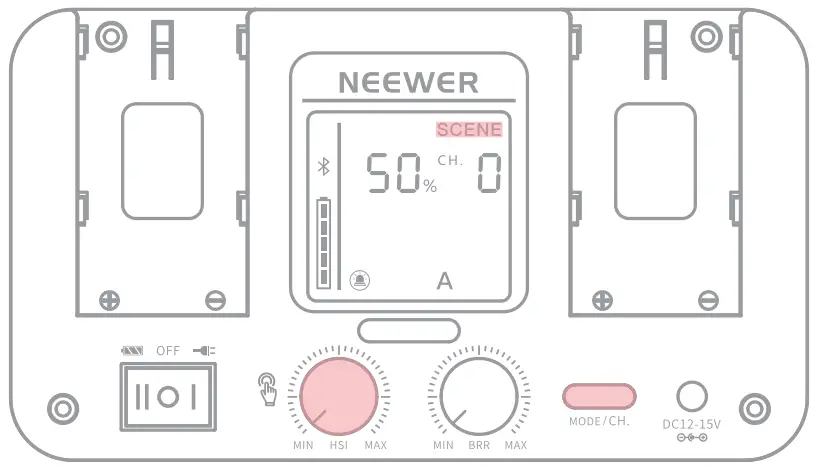
Available Scenes are as follows:
 Police car
 Ambulance
 Fire truck
 Fireworks
 Party
Party
 Candlelight
 Lightning
 Paparazzi
 Screen
Control The LED light Via APP
The “NEEWER” APP can be used to control the light through the Bluetooth feature of your mobile. Scan the <APP Guide> QR code on the APP cue card for more details.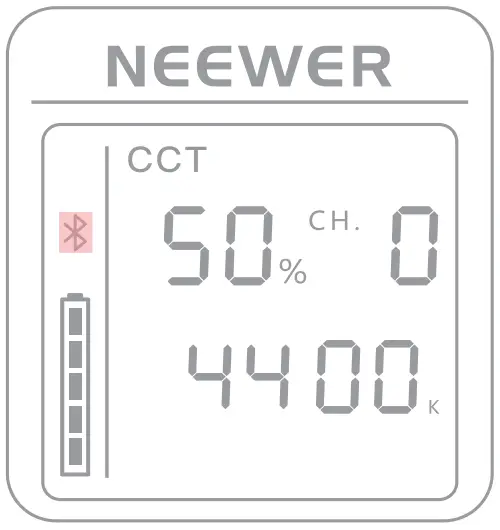
When ”  ” stops flashing, it indicates that the Bluetooth connection has been established.
Installation Procedures
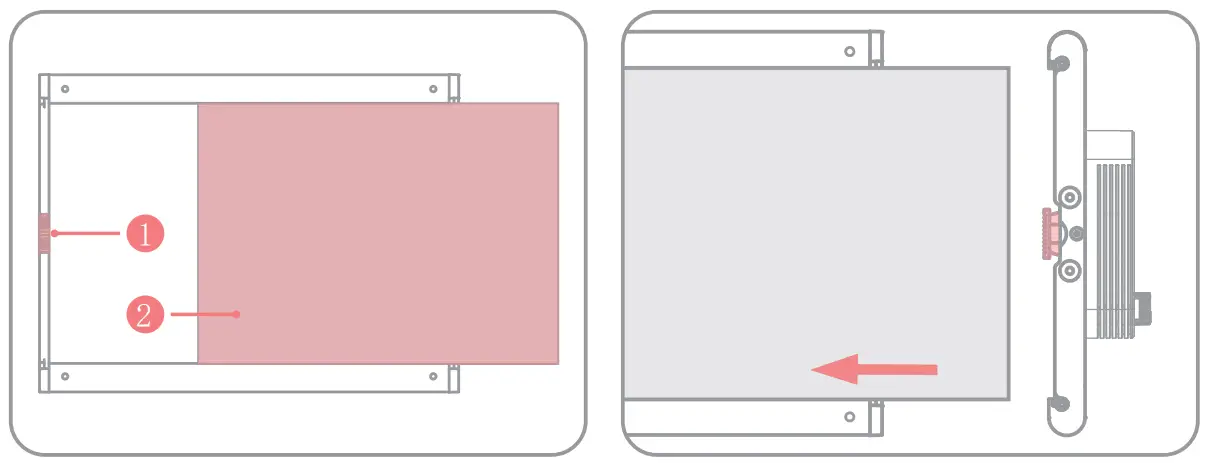
Install the diffuser
- Diffuser Clasp
- Diffuser
With the light facing toward you, insert the 2 diffuser into light body from its right side until it reaches the metal slot on the left. Then, pull up the 1 diffuser clasps on both sides to hold it in place.
Attach the U-shaped Bracket
Install the barn door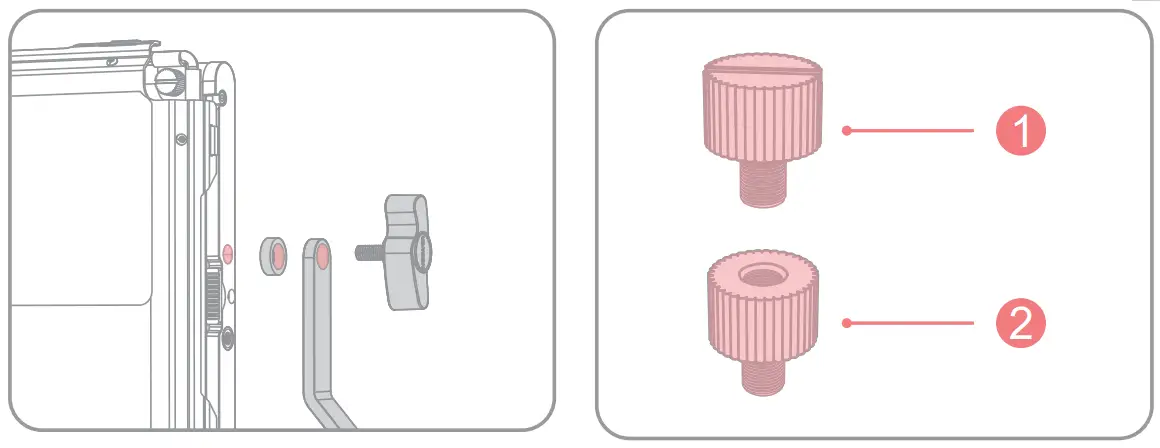
Attach the U-shaped Bracket on the 0 Screw LED light using the securing knobs e Screw Nut and washers supplied.
- Screw
- Screw Nut
Place the four screw nuts into the screw holes of the light body and turn them clockwise one by one until they are tight.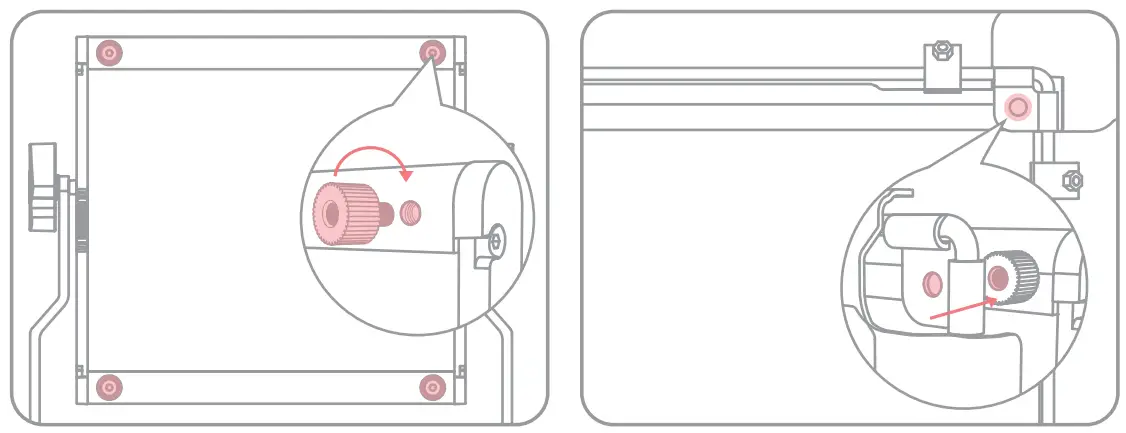
Put the barn door on top of the light and make sure the screw holes at its four corners are aligned to the 0 screw nuts.
Insert the four 2 screws into the 1 screw nuts and twist clockwise to sides. tighten them one by one.
Close up the barn doors on the four side.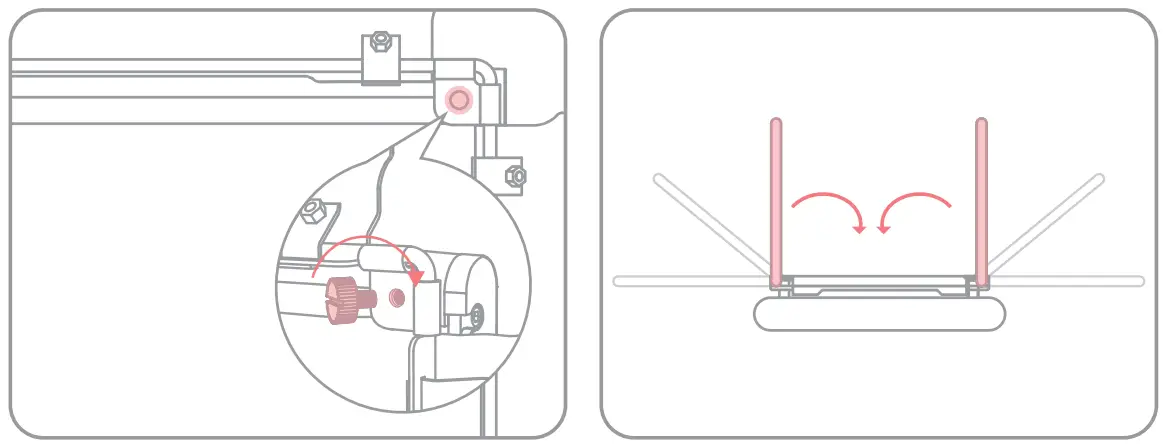
Mounting the light on stand and adjusting barn doors
Turn the securing knob of the stand counterclockwise until it is loosened.
Insert the stand into the connector of the light and turn the securing knob clockwise until it is tight.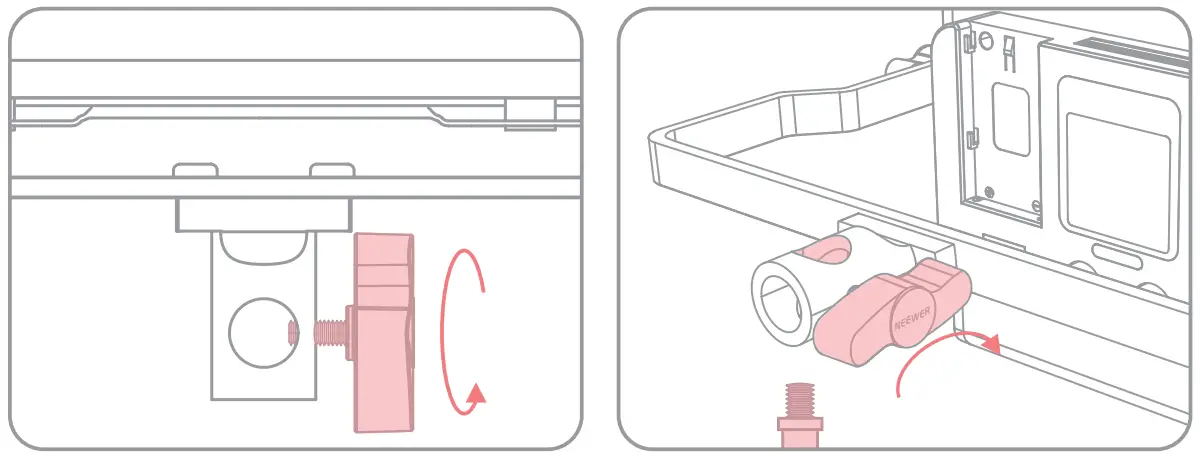
Turn the securing knob on the both sides of the light until the light body is loosened.
Adjust the light body to your desired position.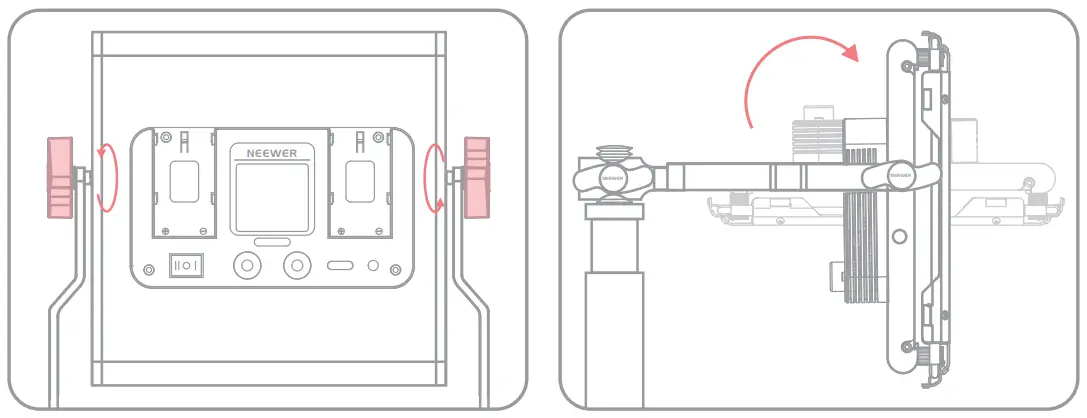
Caution
- Please do not stare at the light directly while it is in use, or there might be risk of visual impairment.
- Please do not cover the heat dissipation holes on the product with cloth or other items, to reduce the risk of product damage.
- Please do not touch the light with wet hands as this poses a safety hazard.
- Please do not dismantle or modify the circuit of the item (unless professionally certified).
- Please do not expose the item to the sun for a long time.
- Please turn the product off when it’s not in use.
- Failure to comply with the operation procedures and warnings listed in this manual will void the warranty.
Product Parameter
| Model | RGB530 PRO | RGB660 PRO |
| LED quantity | 528PCS | 660PCS |
| CRI | 97+ | 97+ |
| Brightness range | 0-100 | 0-100 |
| Saturation | 0-100 | 0-100 |
| Hue | 0-360 | 0-360 |
| Color Temperature | 3200-5600K | 3200-5600K |
| Brightness 100%(4400K) Without diffuser | [email protected] 1800LUX@1M | [email protected] 2200LUX@1M |
| Input Voltage | IN DC12-15V | IN DC12-15V |
| Power | 45W | 50W |
| Size | 232*200*50mm | 232*200*50m m |
FCC Statements
This device complies with Part 15 of the FCC Rules. Operation is subject to the following two conditions:
- This device may not cause harmful interference, and
- This device must accept any interference received, including interference that may cause undesired operation.
CAUTION: The user is cautioned that changes or modifications not expressly approved by the party responsible for compliance could void the user’s authority to operate the equipment.
NOTE: This equipment has been tested and found to comply with the limits for a Class B digital device, pursuant to part 15 of the FCC Rules. These limits are designed to provide reasonable protection against harmful interference in a residential installation. This equipment generates, uses and can radiate radio frequency energy and, if not installed and used in accordance with the instructions, may cause harmful interference to radio communications.
However, there is no guarantee that interference will not occur in a particular installation. If this equipment does cause harmful interference to radio or television reception, which can be determined by turning the equipment off and on, the user is encouraged to try to correct the interference by one or more of the following measures:
- Reorient or relocate the receiving antenna.
- Increase the separation between the equipment and receiver.
- Connect the equipment into an outlet on a circuit different from that to which the receiver is connected.
- Consult the dealer or an experienced radio/TV technician for help.
This equipment complies with FCC’s RF radiation exposure limits set forth for an uncontrolled environment. The antenna(s) used for this transmitter must be installed and operated to provide a separation distance of at least 20 cm from all persons and must not be collocated or operating in conjunction with any other antenna or transmitter. Installers must ensure that 20cm separation distance will be maintained between the device (excluding its handset) and users.
Support
Shenzhen Neewer Technology Co.,Ltd.
Room 1903, Block A, Lu Shan Building No. 3023
Chunfeng Rd Luo Hu District, Shenzhen
Guangdong 518001, China

Lingfeng Electronic (UK) Ltd International House, 10 Churchill Way, Cardiff, CF10 2HE, United Kingdom
NW Formations GmbH(for authorities only) Hoferstrasse 9B, 71636 Ludwigsburg, Germany