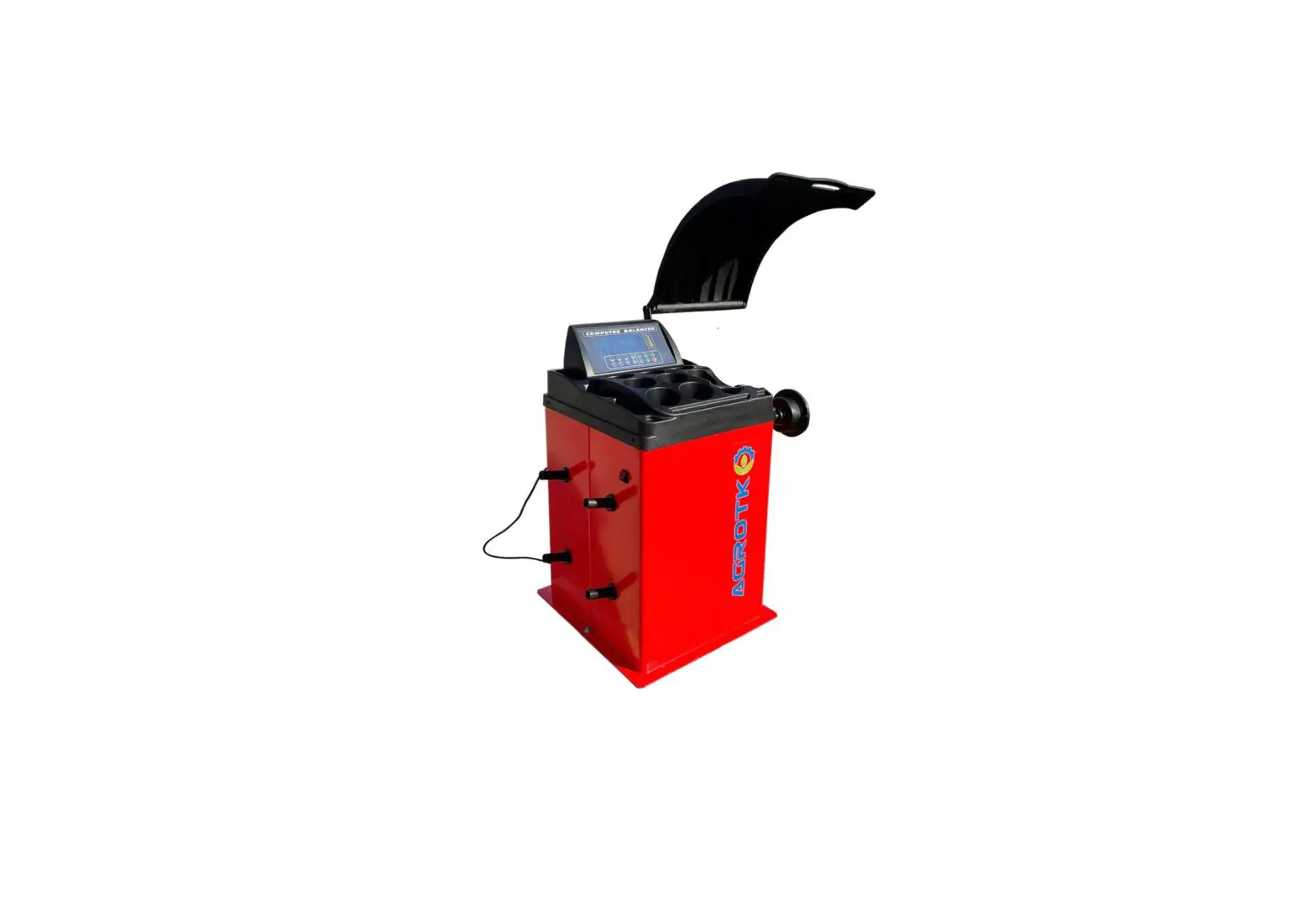
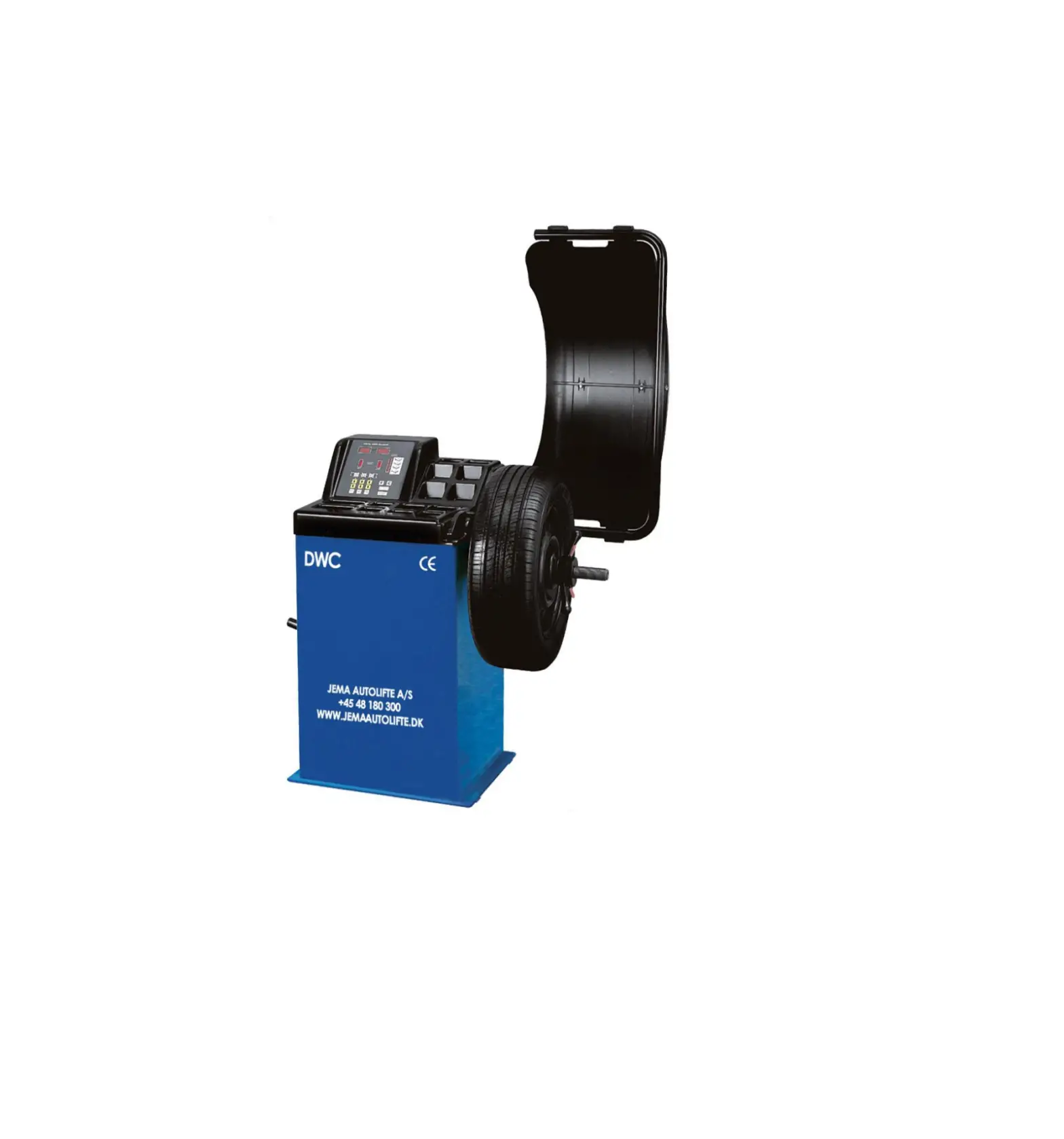
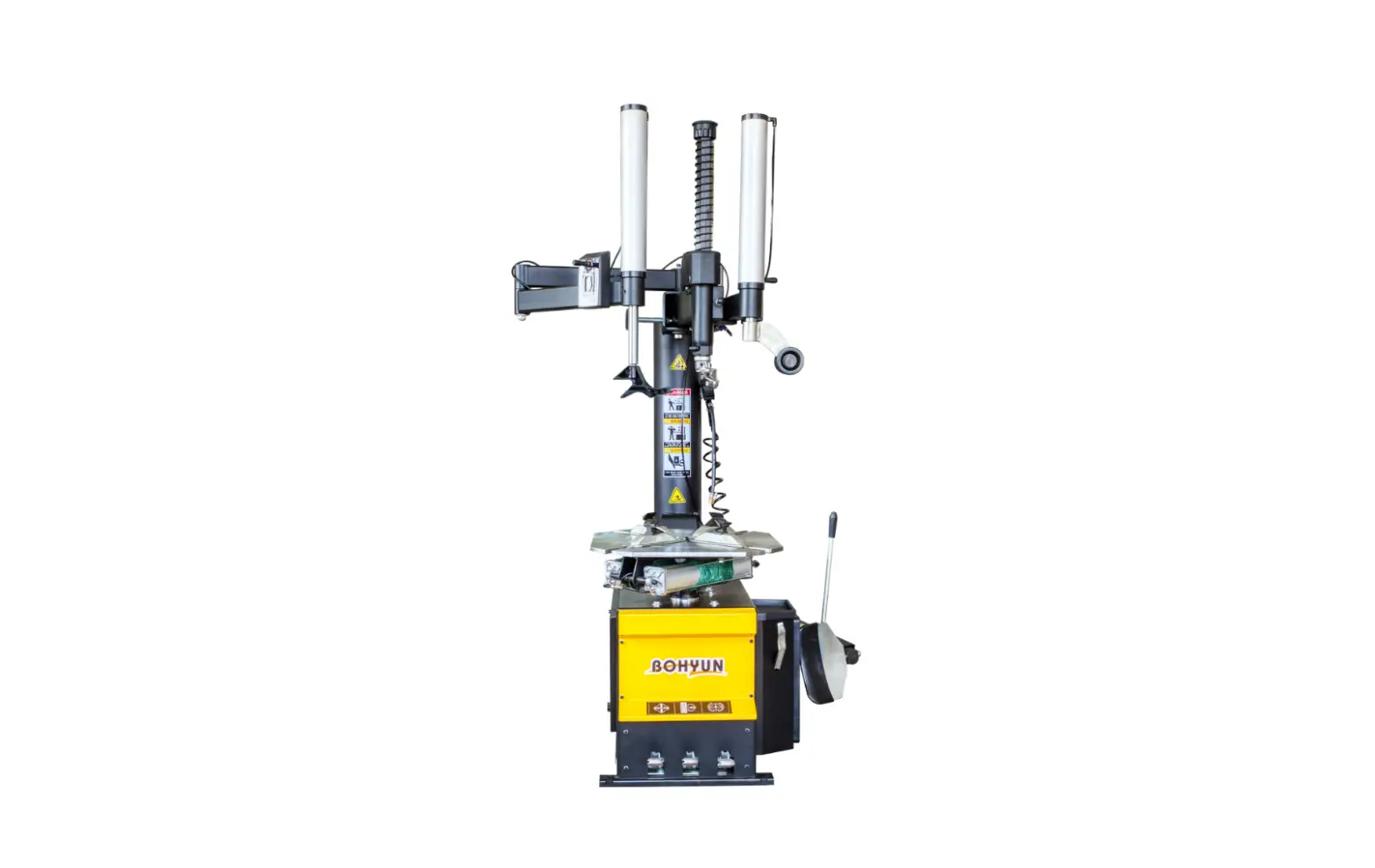
P510 Two Window Monitor Wheel Balancer
Product Information:
The Two-Window Monitor wheel balancer is designed to eliminate
vibration and minimize tire damage caused by out-of-balance wheels.
It has a maximum wheel weight capacity of 132.27 lbs and a motor
power of 0.335 HP. The voltage requirement for this product is
110V/1PH. The balancing cycle takes between 8-10 seconds, and the
noise level is not mentioned in the manual.
Other important parameter details are:
- Tolerate: 0.035oz.
- Rotation rate: 210 rpm
- Rim diameter: 1024 or 254610mm
- Rim width: 1.520 or 38508mm
Product Usage Instructions:
Before using the Two-Window Monitor wheel balancer, make sure
that the power supply is connected and the machine is properly
grounded.
- Place the wheel on the balancer’s spindle and secure it with
the quick-release nut. - Enter the wheel dimensions into the machine’s computer
system. - The machine will then rotate the wheel and display any
imbalances on the screen. - Use the machine’s weight placement guide to determine where to
place the balancing weights. - Attach the balancing weights to the designated locations on the
rim. - Recheck the balance to ensure that it is within the acceptable
tolerance range of 0.035oz. - If necessary, repeat steps 4-6 until the wheel is properly
balanced. - Remove the wheel from the spindle and repeat the process for
any additional wheels.
Always follow the manufacturer’s instructions and safety
guidelines when operating the Two-Window Monitor wheel balancer.
Failure to do so may result in injury or damage to the machine.
USE MANUAL
TWO-WINDOW MONITOR
1.WHEEL BALANCER INSTRUCITON
1.1 Summary
Out-of-balance of wheel will result in vibration, adhesion, run-out, vibration absorber broken, etc. To
balance the wheel will eliminate vibration and minimum allowed toleration of the tire for the sake of
disadvantage or damage.
1.2 Parameter
Max. Wheel weight
132.27 lbs
Motor power
0.335 HP
Voltage
110V/1PH
Tolerate
0.035oz.
Rotation rate
210 rpm
Rim diameter
1024or 254610mm
Rim width
1.520or 38508mm
Balancing cycle
8-10s
Noise
<70dB(A)
Net weight
143.3lbs
Overall size
3.61×2.17×3.1(feet)
Working temperature
050
1.3 Warning
1.Read the Use Manual carefully before run the machine.
2.Keep the manual for future reading.
3.Avoid take apart or replace the spare parts of the machine. Otherwise, it can not be operated
properly. Please contact us if you need the technical service.
4.High pressure air compressor is prohibited using for machine cleaning.
5.Clean the plastic plate or key board by pure alcohol.
6.Make sure the wheel locks firmly and safety on the main axle before balancing operation.
7. Wear tight suit when run the machine to avoid accident during the operation. Untrained personnel
mustn’t operate the machine.
8. Leave enough free space the for the machine to make it work properly.
2.Installation
2.1 Installation of Wheel Balancer 2.1.1 Unpack and check if any spare parts is damaged or lost. Don’t use it if you find the problem and contact the supplier. 2.1.2The machine must be placed on the firmed cement ground or similar. If not, it brings measurement error. 2.1.3 Leave 1.64″ space around the machine for operation. 2.1.4 Fix the machine by installing screw hole at the bottom. 2.2 Installation of axis 2.2.1 Use M10*160 threaded bolt (supplied kits) to fix the axis to main axis. Tight it up. Refer to photo.
1
2.2 Installation of wheel Clean the wheel out of dust , remove the attached gram weight. Check tire pressure meet the specified value. Check rim contacts and installation hole is in normal condition. By the different shape of wheel, you can use the two installation method as followings:
Main axis-wheel(rim contacts inside)-
Main axis-Spring(spring-pressure capt-jump
fit cone(small surface inside)-Quick nut
spring fixed at manufacturer)-fit cone(big surface
inside)-wheel -Quick nut
Waring: Don’t slide the tire wheel on the axis to avoid scratch when mount or demount it.
2.3 Electrical Connection
2.2.1 Choose the volts based on technical parameters, but to install a Auto Air Switch as well.
2.2.2 Use the switch with ground protection. The color of ground wire color is yellow and green. Wires
must be firm grounded.
3.Instruction of monitor and mode
3.1.1 Function of monitor
2
1.Number display of inside unbalanced 2.Location display of inside unbalanced 3.Number display of outside unbalanced 4.Number display of outside unbalanced 5. Correction mod
3.2.1 Function of key button
Distance set
A+ a
Rim width
b+ b
Static mode Select `ALU’
Start 3.3.1 Balanced mode
Reset
Optimization of unbalance
Stop/Cancel
Rim diameter d+ d
Unbalance display pitch and threshold
3
4.Indication and use of Wheel Balancer
4.1 DYNStandard mode/default mode 4.1.1. Clean the wheel. Take off balance weight . Check tire pressure. Select installation mode in accordance with rim specification. Waring: Put the cone in the place,Make sure quick nut clean and complete. Lock the quick nut. 4.1.2.Start the machine, select the model according to the rim. 4.1.3.Enter the correct a,b,c. 1. Pull out out the measurement, measurement head is against the rim edge. Refer to F 4.1. Distance unit is millimeter. 2. PressA+orA- to modify the distance value. If there is no operation by A+orA- within 2 seconds, the device records the current setting value and returns to the interface before modification. 3.Use tire calipers to measure tire width B (refer to F4.2), or read the tire width marked on the rim. The unit of tire width value, in inches or millimeters, depending on the unit system selection. 4. Press B+orB- to modify the width value. If there is no operation by B+orB-within 2 seconds, the device records the current setting value and returns to the interface before modification. 5.Read the diameter value marked on the rim or tire. The unit of tire diameter value, in inches or millimeters, depending on the unit system selection. 6. Press D+orD- to modify the diameter value. If there is no operation by D+orD-within 2 seconds, the device records the current setting value and returns to the interface before modification.
F4.1(data a)
F4.2( data b)
4.1.4.The wheel rim starts rotation by button START
4.1.5. It goes up to the operation speed after several seconds and measure the unbalanced data. When the wheel stops, unbalanced data will display at window 1 and 3. Button FINE will
display accurate unbalanced data.
4.1.6. Keep rotating the wheel slowly until all lights turn on of LED at right. Fix balance weight right
above(12 o’clock direction), refer to F 4.3.
4
F4.3 4.1.7.Keep rotating the wheel slowly until all lights turn on of LED at left. Fix balance weight right above(12 o’clock direction), refer to F 4.4.
F4.4 4.1.8. Button START again after finish the wheel weight. Once again to balance the wheel . You have done the work if the window display 00 00, refer to F4.5.
F4.5
4.2 ALU Mode ALU-1 ALU-2 ALU-3 they are same but the position of wheel weight is different
4.2.1.Enter the correct a,b,c. 4.2.2. Select the mode by button ALUuntil its corresponding light of LED turn on. 4.2.3. Starts rotation by button START. 4.2.4.It goes up to the operation speed after several seconds and measure the unbalanced data. When the wheel stops, unbalanced data will display at window 1 and 3. Button FINEwill display accurate unbalanced data. 4.2.5 Keep rotating the wheel slowly until all lights turn on of LED at right. Fix balance weight right
5
blow (6 o’clock direction), refer to F 4.6.
F4.6 4.2.6 Keep rotating the wheel slowly until all lights turn on of LED at left. Fix balance weight (12 o’clock direction), refer to F 4.7.
right above
F4.7 4.2.7. ButtonSTART again after finish the wheel weight. Once again to balance the wheel . You have done the work if the window display 00 00, refer to F4.8.
F4.8 4.3 ALS ModeSmart Mode for Aluminum Alloy Rim Smart ALS mode is set up for the aluminum alloy rim with the machine. In contrast with mode for aluminum ally rim(ALU1-ALU3), ALS can locate wheel gram wight as desired. It is a good option for special aluminum alloy rim. ALS user-defined position of balance weight both inside and outside. ALS catch the data by distance or diameter. Caliper is not available. ALS catch the data of distance and diameter in two times. di1 (distance 1)and da1 (diameter 1) is regard as interior, di2(distance 2) and da2(diameter 2 ) is regard as outside. When finish it, please check or modify by hand. Please follow the steps:
6
4.3.1 Input di1da1di2da2(automatic input if equip automatic measurement , refer to 4.3.14.) 4.3.2.Pull the measurement to the inside of rim where is to attach the wheel gram weight, refer to
F4.9. 4.3.3. Read the length , distance unit is millimeter. 4.3.4. Adjust A+ or A-display di1 (inside distance of rim), input measured length. It will retain
the di1 value and go back if none data input in 2 seconds. 4.3.5. Adjust D+ or D-display da1 (inside diameter of rim), input measured length(refer to
note for catch its data).It will retain the current value and go back if none data input in 2 seconds. 4.3.6. Pull the measurement to the outside of rim where is to attach the wheel gram weight, refer to
F4.10. Read the length , distance unit is millimeter. 4.3.7. Adjust F+A+orF+A-display di2outside distance of riminput current data.It will retain the current value and go back if none data input in 2 seconds. 4.3.8.Adjust F+D+orF+D-display da2outside diameter of riminput current data(refer to note for catch its data).It will retain the current value and go back if none data input in 2 seconds. Note: There are two methods to catch the data for outside diameter of rim. Method 1Measure the rim diameter for both inside(da1)and outside(da2) by hand with a ruler. Method 2Read the data on the rim, use the data to reduces 1 inch (25mm) for inside and 2 inches (50mm) for outside.
F4.9 Measure inside rim distance by ALS mode
F4.10 Measure outside rim distance by ALS mode 4.3.9. Wheel starts rotate by button START 4.3.10.It goes up to the operation speed after several seconds and measure the unbalanced data. When
7
the wheel stops, unbalanced data will display at window 1 and 3. ButtonFINEwill display accurate unbalanced data. 4.3.11.Keep rotating the wheel slowly until all lights turn on of LED. Fix balance weight blow (6 o’clock direction), refer to F 4.11.
F4.11 4.3.12 Keep rotating the wheel slowly until all lights turn on of LED. Fix balance weight right blow(6 o’clock direction), refer to F 4.12.
F4.8 4.3.13.ButtonSTART again after finish the wheel weight. Once again to balance the wheel . You have done the work if the window display 00 00, refer to F4.13.
F4.13 4.4 OPT
The purpose of OPT is to offset the problem of unbalanced tire and unbalanced rim so as to less
8
quantity balance weight used. It is suitable for wheel has serious unbalanced problem. 4.4.1. Open OPT by button F+OPT. 4.4.2 If the static unbalance of the tire is less than 1.06 oz., the machine screen will display the information shown in figure F4.21 for 2 seconds, and the buzzer will sound 3 short beeps. Then exit OPT mode automatically. If the static unbalance of the tire is greater than or equal to 1.06 oz, the machine screen will display the information shown in figure F4.22.
F4.21 OPT is not available
F4.22 Adjust the air nozzle to 12 o’clock 4.4.3. Turn the rim air nozzle to 12 o’clock and mark the tire at the air nozzle. Press the OPT to
confirm the position,refer to F4.16.
F4.16 4.4.4.Start to measure by button START or close the protector. 4.4.5. Remove the tire from the balance shaft and separate the tire from the rim. Reinstall the tire so that the position marked on the tire is rotated and installed at the relative position of the rim air nozzle, refer to F4.17.
9
F4.17Rotate wheel 180°to make it the the opposite position with air valve
4.4.6.Reinstall the tire on the balance shaft, erase the mark on the tire, rotate the rim air nozzle to the 12 o’clock position, and press the OPT to confirm the position. At this time, the screen is displayed as shown in F4.23. 4.4.7Start the measurement by buttonSTARTor close the protector. 4.4.8 Rotate the tire until all the outer phase indicators are on, and then mark the tire again at 12 o’clock. 4.4.9.Remove the tire from the balance shaft, separate the tire from the rim, and rotate the tire until the air nozzle position of the rim coincides with the marked position on the tire. 4.4.10.After optimization, button F+OPT to exit the OPT mode. 4.4.11.Reinstall the tire on the balance shaft and balance the tire in normal mode. 4.5 Wheel Weight Split Divide the outside balance weight W into two smaller balance weights W1 and W2, and attach them at any two points selected by the operator. The positions of the two balance weights W1 and W2 must be located on both sides of the balance weight W and the angle must not exceed 120 degrees. Refer to F4.18.
CORRECT Angle between W1 and W2 Is less than 120 °, W is in the middle.
WRONG Angle between W1 and W2 is over 120 °, W is in the middle.
F4.18 Split diagram
10
WRONG W is not between W1 and W2
The balance weight hiding function is used for aluminum alloy rims, and the balance weight on the outside can be hidden behind the two spokes. When the position of the balance block on the outside is consistent with the spokes, the weight split mode should not be used. The balance weight hiding function can be used in the static balance mode, which can separate one static balance weight into two (especially suitable for motorcycle tires). Follow the steps
4.5.1.For the balance measurement of the tire, do not carry out the balance weight on the outside first. 4.5.2.Button F+ALU, and if the external imbalance value is not 0, the machine enters the balance block division hidden mode. The information displayed by the machine is shown in F4.26. If the outside imbalance value is 0, the machine will display the information as shown in F4.27 for 2 seconds, and the buzzer will sound 3 short beeps, indicating that the operation is not available.
F4.19 Input the position of W1
F4.20The balance block split hidden function is not available 4.5.3.Turn the wheel manually until all the outside unbalance position indicators are on. 4.5.4. Manually rotate the tire to the selected W1 position, and then button Cto confirm. The angle between W1 and W must be less than 120 degrees. 4.5.5 If the angle is greater than 120 degrees, the buzzer of the machine will sound three short beeps, indicating that the position selection is wrong. If the angle is less than 120 degrees, the machine will display the information as shown in F4.28 and enter the selected page W2.
F4.21 Input the position of W2 4.5.6. Manually rotate the tire to the selected W2 position, and then buttonC to confirm. The
11
angle between W1 and W2 must be less than 120 degrees and the balance weight W position must be clamped in the middle. 4.5.7.If the angle between W1 and W2 is greater than 120 degrees, the machine buzzer will sound three short beeps, indicating that the position selection is wrong, and the machine is still in the position W2 selection state. If the angle between W1 and W2 is less than 120 degrees, the machine screen will immediately display the value of balance weight W2. 4.5.8.Lock the tire and attach the balance weight W2 according to the grams prompted on the screen. 4.5.9. Manually turn the tire to the previously selected W1 position, and then all the unbalance position indicators will be on. Lock the tire and attach the balance weight W1 according to the grams prompted on the screen. 4.5.10. After attaching the weights at W1 and W2 positions, button F+ALU to exit the balance weight splitting hidden mode. 4.5.11.Restart the measurement to verify the balance effect of balance block segmentation.
5. Calibration Method of Wheel Balancer
The machine must be calibrated before to use. An uncalibrated machine cannot guarantee the accuracy of its measurement. The machine must be calibrated again when replacing the main control board, replacing or adjusting the measuring sensor. When the machine is not measured correctly, it should be calibrated. 5.1 Calibration for common wheel To calibrate the machine, you need to prepare a wheel with a balanced iron rim with a diameter of about 15 inches and a width of about 6 inches and a balance weight of 3.53oz.. The steps are as follows: 5.1.1.Turn on the machine. 5.1.2. Install the tire on the balance shaft and input the tire size parameters correctly. 5.1.3. Button F+C, the machine enters the calibration mode, and the screen displays CAL-CAL. 5.1.4.Button START or put down the protective cover to start the machine measurement. 5.1.5.After the measurement is completed, the screen displays 100-ADD. 5.1.6.Push the tire to rotate by hand until all the inner phase indicators are on. Install a 3.53oz balance weight at the 12 o’clock position on the inside of the tire. 5.1.7.Button START or put down the protective cover to start the machine measurement. After the measurement is completed, the screen displays ADD-100. Remove the 3.53oz balance weight installed on the inside. 5.1.8.Push the tire to rotate by hand until all the outer phase indicators are on. Install a 3.53oz balance weight at the 12o’clock position on the outside of the tire. 5.1.9.Button START or put down the protective cover to start the machine measurement 5.1.10. Machine calibration is complete. After self calibration, the screen displays END CAL, and the machine automatically exits the calibration program after 3 seconds. If the self calibration is unsuccessful, the screen displays Err 008. At this time, button CorSTOP to exit the calibration procedure.
5.2 Calibration of Balance Shaft The steps are as follows:
12
5.2.1.Turn on the machine and do not install the wheel and its accessories on the balance shaft. 5.2.2.Button F+C, the machine enters the calibration mode, and the screen displays CAL-CAL. 5.2.3.ButtonA-, the machine enters the sensor self-test program, and the screen displays enc-****, in which “* * *” is the position information of the current sensor. Turn the rotating shaft of the machine until the position information of the sensor is displayed as 0, press the START key to confirm, the machine enters the balancing shaft calibration procedure, and the screen displays AIS-CALl. 5.2.4.Button STARTor put down the protective cover to start the machine measurement After the measurement, the machine balance shaft calibration is completed. The screen displays CLR-END, and the machine will automatically exit the calibration program after 3 seconds. Attention: When AIS- CAL is displayed on the screen, button C to clear the calibration data of the balance shaft, and CLR-Err is displayed on the screen. The machine will automatically exit the calibration program after 3 seconds.
6.Service Program
6.1 Sensor self-calibration Button F+C , the machine enters the calibration mode, and the screen displays CAL-CAL.Button A-, the machine enters the sensor self-test program, and the screen displays ENC-***, in which “****” is the position information of the sensor. Refer to F6.1.
F6.1 Result of sensor test
6.2 Precision display After the machine enters the sensor self-test procedure, rotate the measuring axis until the screen displays ENC-005, button [START] to confirm. The screen displays the current hidden grams HId 5, press B+orB-to modify 5, 10, 15, the three minimum grams hidden, press C to save and return, press STOP to exit the setting menu.
6.3 Millimeter/Inch Shift After the machine enters the sensor self-test procedure, rotate the measuring axis until the screen displays ENC-017, and buttonSTARTto confirm. The machine enters the setting mode of length unit. There are two options of length unit, which can be selected by pressing B+orB-. One is in millimeters, expressed in mm, as shown in F6.2. Another unit in inches is represented by CH, as shown in Figure F6.3. Press C key to save and return, and button STOP to exit the setting menu.
13
F6.2 Millimeter setting
F6.3 Inch setting 6.4 Shift for the motor test and motor moment of inertia test After the machine enters the sensor self-test procedure, rotate the measuring axis until the screen displays ENC-022, and press START to confirm. When the machine enters the measurement, the motor working state is set. The screen displays Er2 On/OFF, which can be selected by pressing B+ orB-. Button C to save and return, and press STOP to exit the setting menu. Attention: After this function is enabled, the motor keeps power supply during measurement. 6.5 Grams and Ounce Shift After the machine enters the sensor self-test procedure, rotate the measuring axis until the screen displays ENC-029, button STARTto confirm. The machine enters the setting mode of weight unit. There are two weight unit options, which can be selected by B+orB-. One is in grams and is represented by Gr, as shown in F6.4. Another unit is an ounce and is represented by Ou, as shown in F6.5. PressC to save and return, and pressSTOP to exit the setting menu.
F6.4 Gram setting
F6.5 Ounce setting 6.6 Rotation rate test After the machine enters the sensor self-test procedure, rotate the measuring axis until the screen displays ENC-062, and press START to confirm. Machine entry speed measurement. Press the START to START the test. During the rotation of the balance axis, the speed of the current balance axis will be displayed on the right side of the screen, as shown in F6.5. In this case, the speed of the
14
balance axis is 173 RPM. Press STOP to exit the menu.
F6.5 Result of axis rotation 6.7 Balance weight material setting After the machine enters the sensor self-test procedure, rotate the measuring axis until the screen displays ENC-090, and STARTto confirm. Machine enter balance block material setting setting. There are two options for the balance block material. One is made of iron, represented by FE, as shown in F6.7. Another is made of leaden, represented by Pb, as shown in F6.7. Press Cto save and return, and button STOP to exit the setting menu.
6.6 Iron setting
6.7 Leaden setting
6.8 Adjust b After the machine enters the sensor self-test program, rotate the measuring axis until the screen displays ENC-114, press START to confirm, and the machine enters the adjustment state of machine structure parameter B. The value of structural parameter B can be modified by pressing B+ orB- (adjustment range: 150-350). Press C to save and return, and STOP to exit the setting menu. 6.9 U/F Conversion unit test PressF+C, the machine enters the calibration mode, the screen displays CAL-CAL, pressA+, the machine enters the U/F conversion unit test. While, the measurement result of U/F conversion unit is displayed on the screen, and the normal value of the result should be between 45.0 and 55.0, as shown in F6.8. Press STOP to exit the menu.
15
F6.8 U/F Result of Conversion unit test
6.10 Unit display test PressF+FINE, and the machine enters the display unit test state. The on-screen indicator lights up and the digital tube lights up for five seconds. This feature is used to test condition of the display unit.
6.11 Machine aging function setting After the machine enters the sensor self-test program, rotate the measuring axis until the screen displays ENC-100, press START to confirm, and the machine enters the aging function test selection, as shown in F6.9. Press the START again to confirm that the machine starts aging operation. Press the CorSTOP during aging operation to exit the aging. Aging After starting 100 times, the machine exits the aging state
F6.9 Aging setting
7. Trouble code and trouble-shooting
7.1Trouble code
Code
Trouble
Err01
No work in main axis
Err02 Err03 Err04
Lack of inertia in measurement Out of range error during measurement Reverse fault
Err05 Err06 Err07
The protective cover is not closed U/F conversion unit problem FLASH trouble
Reason and solution Check the installation of electric motor and Phase measuring plate. Check installation of wheel or bearing of balance axis
Check for tires that are deformed or improperly installed Check whether the connection between the phase measuring board and the main board is normal. The measurement was started when the shield was not closed. Check whether the output voltage of the power supply board is normal. Start the machine again
16
Err08
During the machine
Place the standard balance and re-calibrate the
calibration phase, there machine
is no gram or sensor
failure
Err09
Machine calibration
Re-calibrate the machine
failure
Err10
The device is not
Perform CAR tire mode calibration or MOTO tire mode
calibrated
calibration
Err11
Length ruler failure
When the length ruler is not at zero, check whether the
connection between the length ruler sensor and the
main control board is normal.
Err12
Diameter scale failure When the diameter ruler is not at zero, check whether
the connection between the diameter ruler sensor and
the main control board is normal.
Err13
Width ruler fault
When the width ruler is not at zero, check whether the
connection between the sensor and the main control
board is normal.
Err14
Undefined
Err15
Undefined
Err16
Undefined
Err17
Undefined
Err18
Undefined
Err19
Undefined
Err20
Machine is not
Service is not connected with the machine
available
Err21
Undefined
AttentionIf a fault code occurs, the fault cannot be rectified according to the preceding table.
Contact technical support.
7.2Trouble-shooting 7.2.1 Can not open. 1. Check whether the main power supply is normal and whether the plug-in connection is loose. 2. Check whether the fuse is blown. 3. Check whether the power board in the machine is normal and the working indicator is normal. If an exception occurs, replace the power board.
7.2.2 The balance result is unstable 1. There is vibration in the machine during the rotation measurement. Remove the vibration and measure again. 2. The installation of the machine is unstable, and the machine should be firmly installed on the flat ground. 3. If the tire lock nut is not tightened, check and tighten the nut again and measure again.
17
7.2.3 The balance result is incorrect 1. Machine is not calibrated. 2. The input tire parameters are incorrect. 3. The tire is improperly installed and the tire lock nut is not tightened.
18