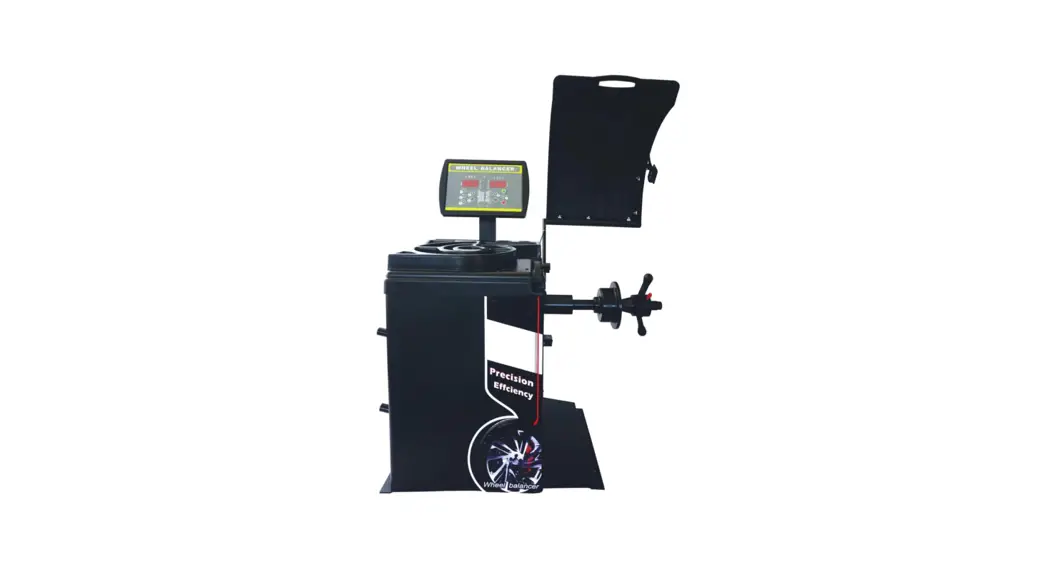
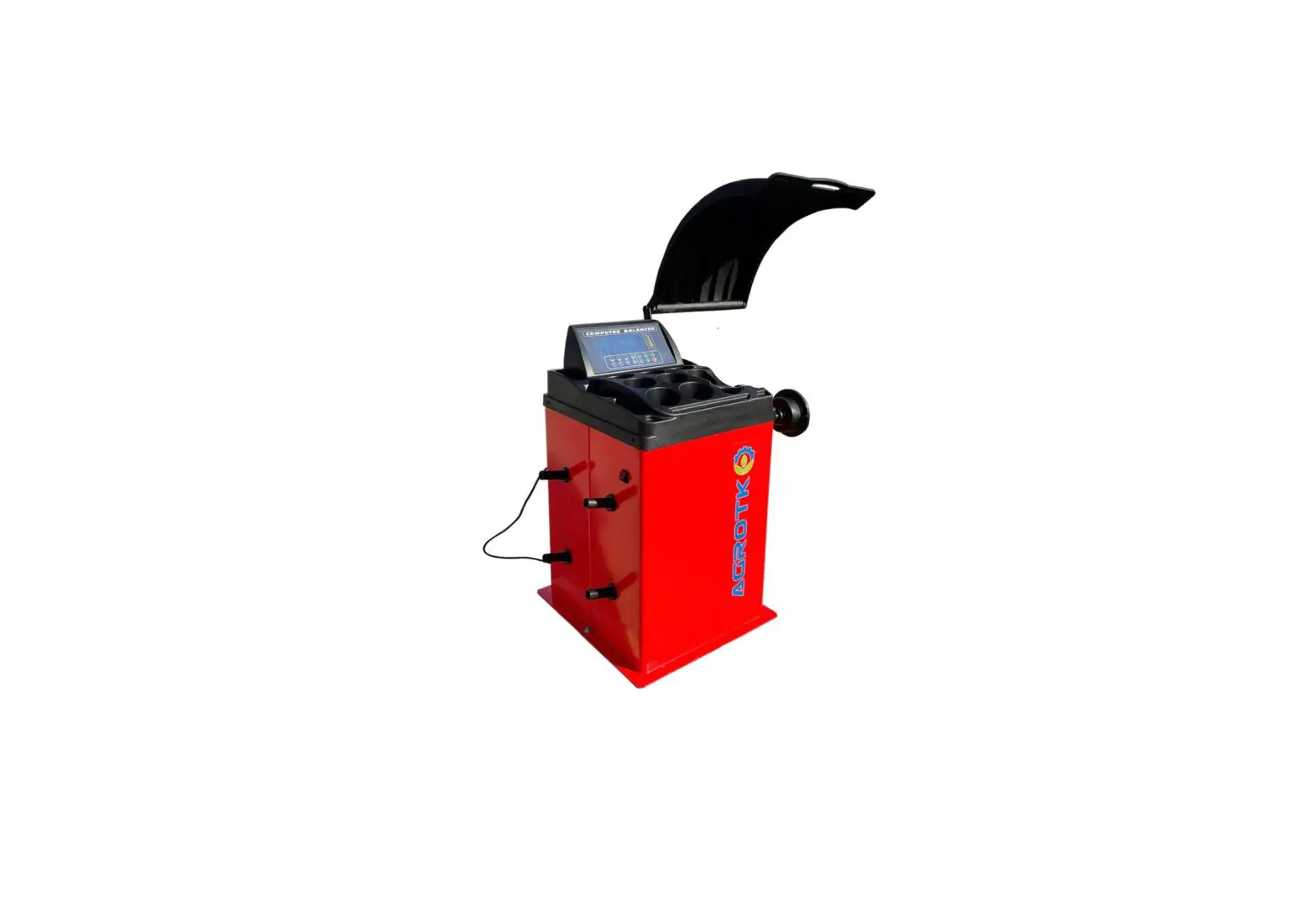
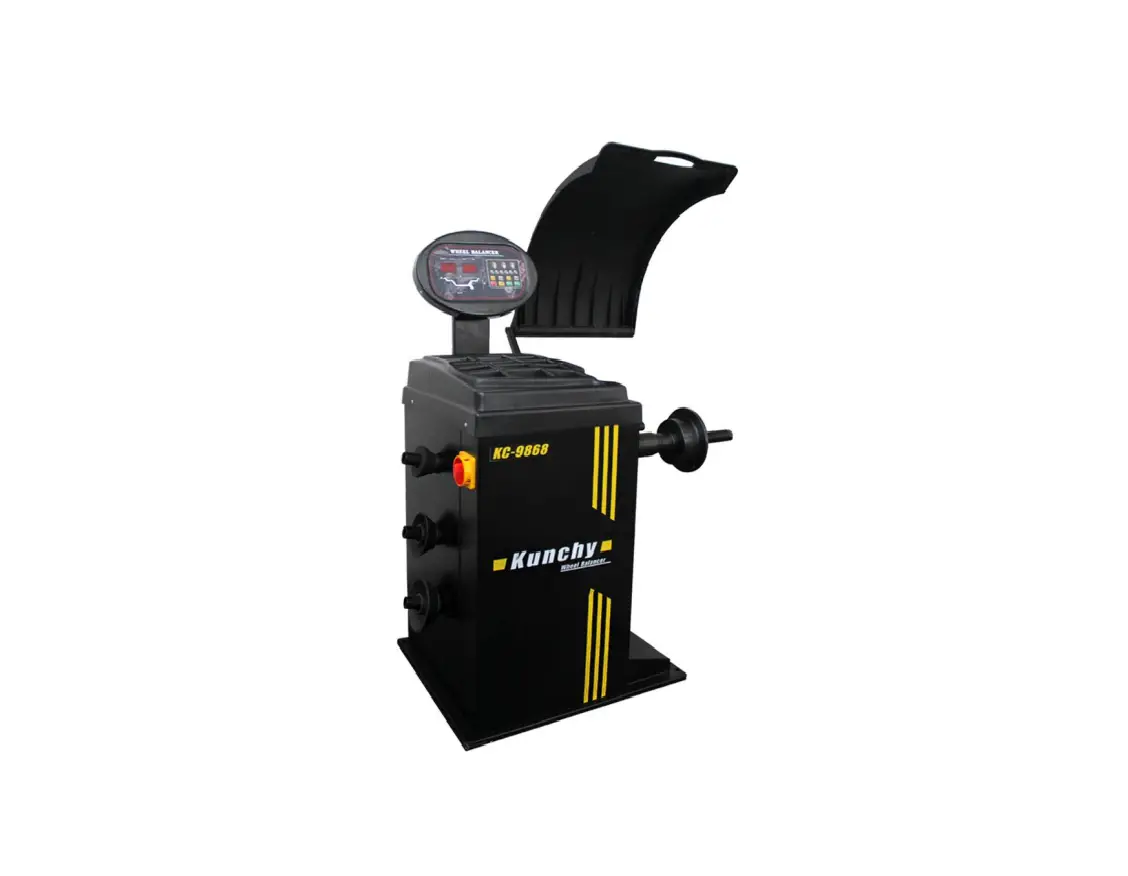
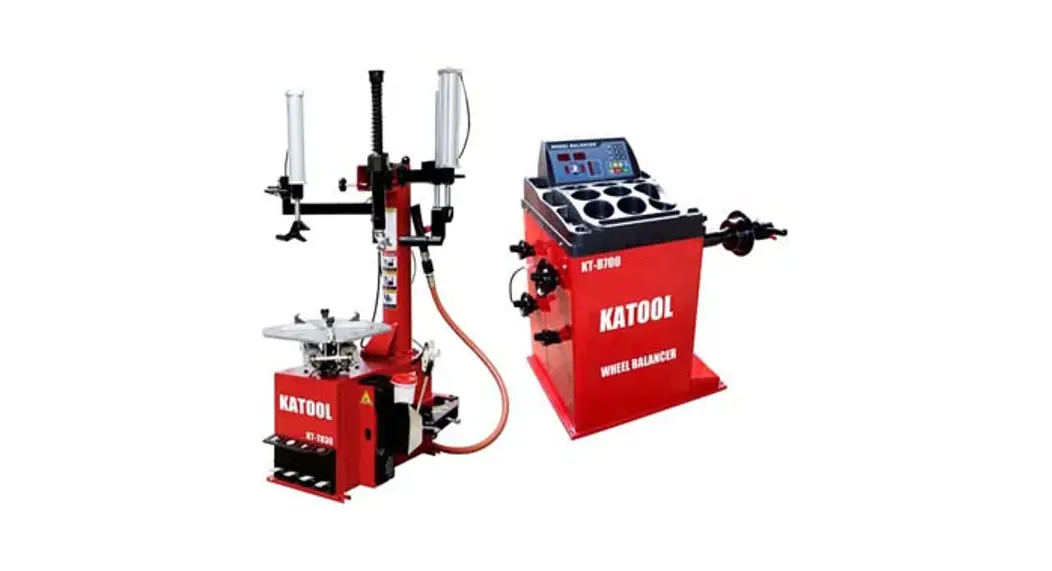
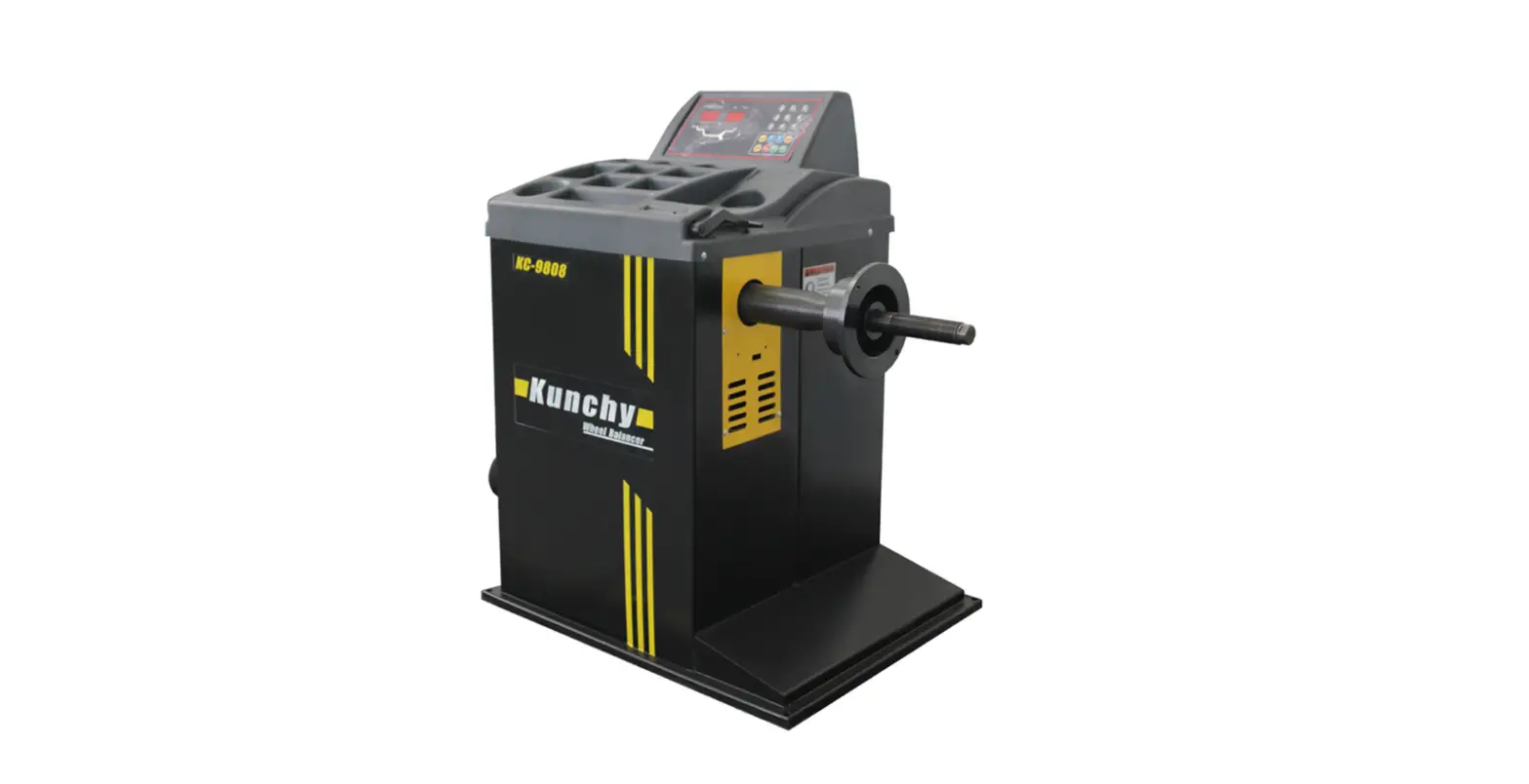
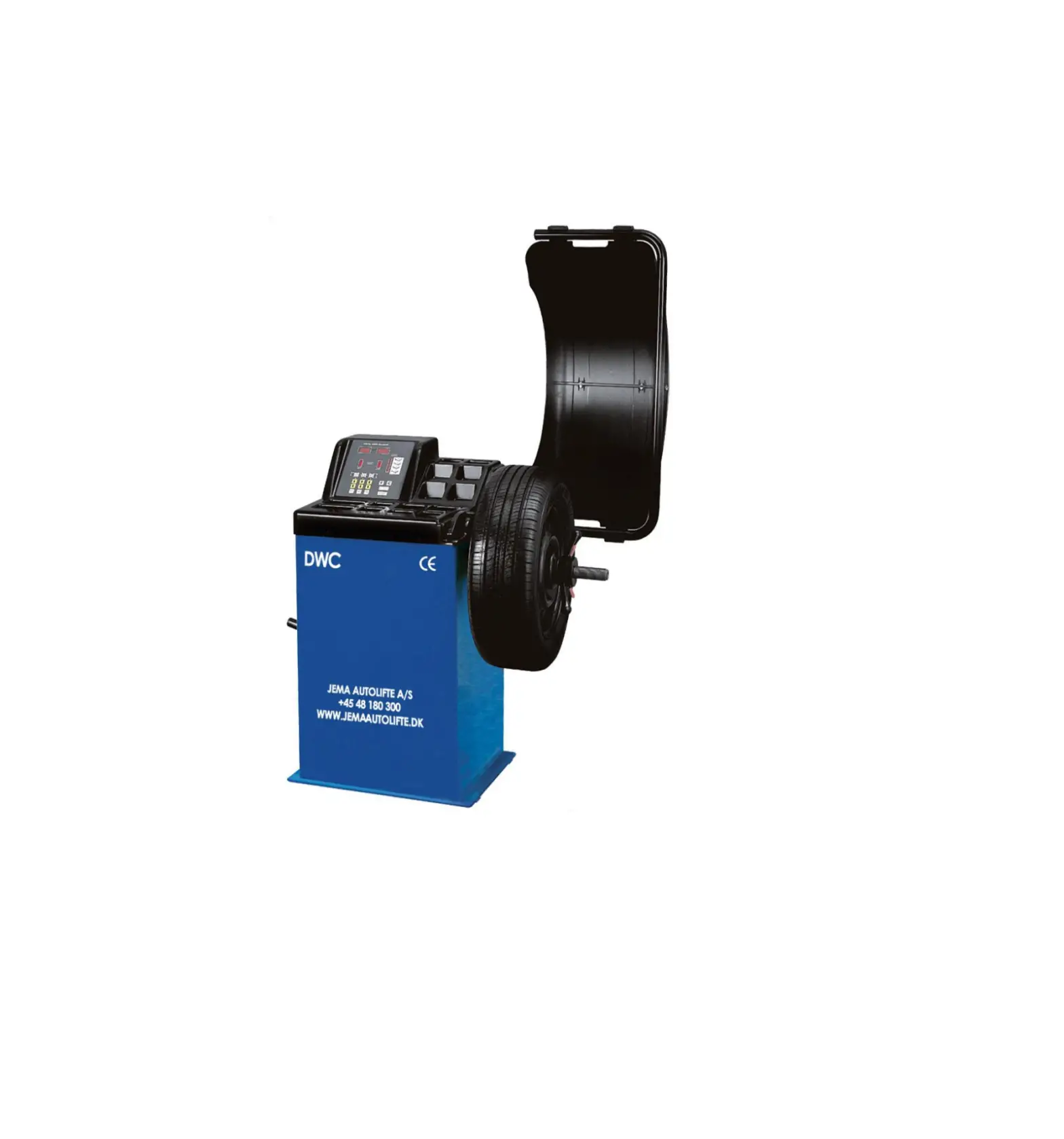
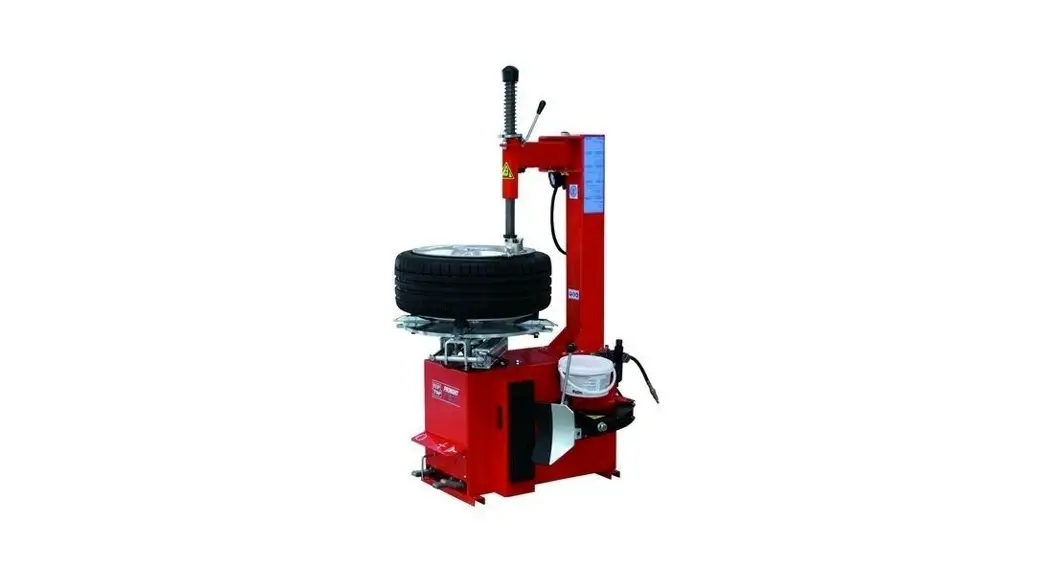
932A Wheel Balancer
WheelBalancer Instruction Manual
Balancing Machine Operation Manual
1. Introduction
1.1 Overview
The WheelBalancer is designed to balance wheels to prevent
negative effects and damages caused by wheel imbalance such as
steering wheel wobble, reduced vehicle adhesion on the ground,
wheel bouncing, damage to the wheel, shock absorbers, and steering
parts. This can also affect the comfort level and handling
stability of the vehicle, increase fuel consumption and directly
affect the vehicle’s economic index.
1.2 Technical Parameters
| Max. wheel weight | Motor power | Voltage | Balance precision | Balancer rpm | Wheel diameter | Tire width | Spin time | Noise | Gross weight |
|---|---|---|---|---|---|---|---|---|---|
| 60kg (132.3lbs) | 250w | 110V/1PH | 1g | 210rpm | 102-610mm (40-24in) | 1.5-20 or 38-508mm (0.06-0.79 or 1.5-20in) | 8-10s | N/A | N/A |
2. Product Usage Instructions
- Ensure that the WheelBalancer is placed on a flat and stable
surface. - Connect the WheelBalancer to a power outlet with the provided
power cord. - Place the wheel to be balanced onto the balancer shaft and
secure it in place. - Enter the wheel diameter and tire width into the machine using
the control panel. - Activate the machine and allow it to spin the wheel for 8-10
seconds. - The machine will display the balance precision and any
adjustments that need to be made to the wheel weights. - Add or remove weights from the appropriate locations on the
wheel until it is balanced within the specified precision. - Repeat the process for any additional wheels that need to be
balanced. - Once all wheels are balanced, disconnect the WheelBalancer from
the power outlet and store it in a safe and dry location.
WheelBalancer Instruction Manual
Balancing Machine Operation Manual
1. Introduction
1.1 Overview
The imbalance of wheels can cause steering wheel wobble, reduce the vehicle’s
adhesion on ground, wheel bouncing, it can damage the wheel, shock absorbers and
steering parts. Consequently affect comfort level and handling stability, increase fuel
consumption and directly affect the vehicle’s economic index. Balancing the wheel
can avoid the negative effects and damages they may cause.
1.2 technical parameters
Max. wheel weight Motor power Voltage Balance precision Balancer rpm Wheel diameter Tire width Spin time Noise Gross weight
60kg132.3lbs 250w 110V/1PH 1g 210rpm 1024or 254610mm 1.520 or 38508mm 8-10s <70dB(A) 105kg231lbs
Working temperature
05032122
1.3 Precautions for operators
1. Before starting to use the balancing machine, please read this operation manual carefully. 2. Please keep this manual for reference. 3. Avoid dismantling and changing the machine parts, otherwise it will affect the normal operation. When you need to repair, please contact the technical maintenance service department. 4. Do not use compressed air with too high pressure when cleaning the machine. 5. Clean the plastic plate and keyboard base with alcohol (to avoid impurities in alcohol). 6. Before beginning tire balancing, confirm that the tire is securely locked on the spindle. 7. Operators should wear tight overalls to prevent them from being caught, and non-operators should not start the machine. 8. Avoid placing sundries around the balancing machine, so as not to affect the normal operation
2. Balancing machine installation
2.1 installation
2.1.1 Remove the package and check for damage and missing parts. If in doubt, do not use the machine and contact the supplier. 2.1.2 The balancing machine must be installed on a solid concrete floor or a similar surface. If the floor is not solid, it will cause measurement errors. 2.1.3 A space of at least 500mm should be reserved around the balancing machine for easy operation. 2.1.4 Drill the anchor screws according to the position of the installation holes of the machine base to fix the machine.
2.2 Electrical connection
2.2.1 Select the corresponding power supply according to the technical parameters, and install an automatic air switch. 2.2.2 Select a plug with grounding protection, note that the yellow and green wires are ground wires, and must be grounded reliably.
3.Balancer operate
3.1 Balanced tire types This machine has two tire types to choose from: one is a car or off-road vehicle tire type, and
the other is a motorcycle tire type.
3.2 Balancer mode
This machine has several measurement modes, such as STA static balance mode, STD standard dynamic balance mode, ALU1-ALU3 aluminum alloy default dynamic balance mode,
ALS aluminum alloy custom dynamic balance mode, etc. Static balance mode and dynamic balance mode can be switched by pressing [F]. When in static balance mode, the information displayed on the screen is shown in F 3.1.
Figure F3.1 Static unbalance display information The aluminum alloy dynamic balance mode can be switched by the button [ALU]. When the machine is in the non-static measurement mode, press the button [ALU] to select different aluminum alloy dynamic balance modes. Note 1: After the machine is turned on, the default measurement mode is STD standard dynamic balancing mode. Note 2: When the machine is in the ALU aluminum alloy dynamic balance mode, press [F] to return to the STD standard dynamic balance mode. According to the rim structure, the position of the balance weight in different balance modes is shown in Figure F3.2.
Figure F3.2 The position of the balance block in different balance modes
3.3 Enter tire parameters
The parameters of the tire can be entered manually or automatically (only applicable to models equipped with automatic measuring ruler). 3.3.1 Manual input of tire parameter values in 1, 2, and 3 modes for STD and ALU
Proceed as follows 1. Clamp the tire on the balancer main shaft 2. Pull out the distance ruler, the measuring end of the ruler needs to against the edge of the
rimRead length valueAs shown in F3.3unit as millimeter 3. Press the [A+] or [A-] key to modify the distance value, if the key [A+] or [A-] is not
pressed within 2 seconds, the device records the current set value and returns to the interface before modification 4. Use a tire width caliper to measure the tire width or read the width value marked on the rim. The unit of the tire width value can be inches or millimeters depending on the unit system selected 5. Press the [B+] or [B-] key to modify the width value. If the [B+] or [B-] key is not pressed within 2 seconds, the device records the current set value and return to the interface before modification. 6. Read the diameter value marked on the rim or tire. The unit of the tire diameter value can
be inches or millimeters depending on the unit system selected 7. Press the [D+] or [D-] key to modify the diameter value. If the key [D+] or [D-] is not
pressed within 2 seconds, the device records the current set value and returns to the interface before modification.
Figure F3.3 Manually obtain tire distance parameters 3.3.2 Manual input of tire parameter values in ALS mode Proceed as follows: 1. Install the tire clamps on the balancer main shaft. 2. Pull out the distance ruler against the inner side of the rim where you want to attach the balance weight, as shown in F3.4. 3. Read the length of the scale, the unit of distance is millimeters. 4. Press the [A+] or [A-] key to display the modified di1 parameter (the inner distance of the rim), and input the current inner distance parameter. If no button is pressed within 2 seconds, the device records the current di1 setting value and returns to the interface before modification. 5. Press the button [D+] or [D-] to display the modified da1 parameter (inner diameter of the rim), and input the current inner diameter value (see the remarks for the rim diameter value). If no button is pressed within 2 seconds, the device records the current set value and returns to the interface before modification. 6. Pull out the distance ruler against the position on the outside of the rim where you want to attach the balance weight, as shown in F3.5. Read the length of the scale in millimeters. 7. Press the key [F]+[A+] or [F]+[A-] to display the modified di2 parameter (outside distance of the rim), and input the current outside distance parameter. If no button is pressed within 2 seconds, the device records the current set value and returns to the interface before modification. 8. Press the keys [F]+[D+] or [F]+[D-] to display the modified da2 parameter (outside diameter of the rim), and input the current outside diameter value (see the remarks for the rim diameter value). If no button is pressed within 2 seconds, the device records the current set value and returns to the interface before modification. Note: The inner and outer diameters of the rim can be obtained in two ways. Method 1: Manually, measure the inner da1 and outer da2 diameters of the rim with a soft ruler. Method 2: According to the diameter marked on the rim, subtract 1 inch (25mm) from the inside diameter and 2 inches (50mm) from the outside diameter to obtain the inside and outside diameter of the rim.
Figure F3.4 ALS mode to measure the inside distance of the rim.
Figure F3.5 ALS mode to measure the distance outside the rim 3.3.3 STD and ALU1, 2, 3 modes automatic input of tire parameter values Proceed as follows: 3.3.3.1 Machines with Width Rulers 1. Install the tire clamps on the balancer shaft. 2. Pull out both measuring rulers at the same time and leave them at the positions shown in F3.6. 3. After hearing the long beep, put the two measuring rulers back into place. During measurement, the screen displays distance and diameter values. Notice: 1. The width value is not displayed during measurement. When the two measuring rulers are put back in their original positions, the screen will display the width value for 2 seconds. 2. Pull out the width ruler alone, the screen will display the current width value, but the width value will not be automatically acquired by the machine.
Figure F3.6 Automatic input of tire parameters in STD and ALU1, 2, 3 modes
3.3.3.2 Machine without width ruler 1. Install the tire clamps on the balancer shaft. 2. Pull out the distance/diameter ruler against the edge of the rim. 3. After hearing the long beep, put the distance/diameter ruler back in place. During measurement, the screen displays distance and diameter values. 4. Use a tire width caliper to measure the tire width or read the width value marked on the rim and enter the width value manually. 3.3.4 Automatically input tire parameter values in ALS mode Proceed as follows: 1. Install the tire clamps on the balancer shaft. 2. Pull out the distance/diameter ruler against the inside of the rim, as shown in Figure F3.7. During measurement, the screen displays distance and diameter values. 3. After hearing one long and one short beep, put the distance/diameter ruler back to its original position to complete the acquisition of the inner distance and diameter parameters. 4. Pull out the distance/diameter ruler again against the outside of the rim, as shown in Figure F3.8. During measurement, the screen displays distance and diameter values. 5. After hearing one long and two short beeps, put the distance/diameter ruler back to its original position to complete the collection of outer distance and diameter parameters. 6. After the tire parameter collection is completed, the di1/di2 value (inner/outer distance) and da1/da2 value (inner/outer diameter) can be displayed or modified by manually pressing the button.
F3.7 Get the parameter value of the inner side of the rim in ALS mode
F3.8 Get the parameter value of the outer side of the rim in ALS mode
3.4 The use of ALS intelligent aluminum alloy balance mode
This machine has an intelligent aluminum alloy balance mode, which is defined as ALS mode. This mode is different from the ordinary aluminum alloy balance mode (ALU1-ALU3), the
ALS type can customize the position of the sticker. These two balance modes are suitable for special structure aluminum alloy rims that require precise balance.
ALS mode can customize the position of the block inside and outside. In ALS mode, only the distance/diameter ruler is used to obtain parameters, and the width ruler is not available. The steps to use ALS mode are as follows: 3.4.1 Get tire parameter value ALS mode requires two sets of distance and diameter values. di1 and da1 (distance 1 and diameter 1) are medial parameters, and di2 and da2 (distance 2 and diameter 2) are lateral parameters. After the parameter acquisition is completed, you can view or modify it by pressing the manual button. The steps to obtain parameters are as follows: 1. Press the [ALU] key to select the ALS mode. 2. Set the automatic acquisition function by pressing [C] until the screen displays Acq on, as shown in F3.9.
Figure F3.9 Get function on 3. Pull out the distance/diameter ruler against the inside of the rim, as shown in Figure F3.7. Distance and diameter values are displayed on the screen during measurement. 4. After hearing one long and one short beep, immediately put the distance/diameter ruler back to its original position (if the ruler continues to be stored for a long time, the machine will reacquire new measurement parameters), and complete the collection of inner distance and diameter parameters . 5. Pull out the distance/diameter ruler again against the outside of the rim, as shown in Figure F3.8. During measurement, the screen displays distance and diameter values. 6. After hearing one long and two short beeps, immediately put the distance/diameter ruler back in its original position (if the ruler continues to be stored for a long time, the machine will reacquire new measurement parameters), and complete the collection of outer distance and diameter parameters. . 7. After the tire parameter collection is completed, the di1/di2 value (inner/outer distance) and da1/da2 value (inner/outer diameter) can be displayed or modified by manually pressing the button. 3.4.2 ALS mode balancing process After pressing the button [START] or putting down the protective cover, the machine starts to start the balance measurement process. The unbalance data of the corresponding position will be displayed on the screen after the machine stops rotating.
3.4.3 Searching for unbalanced points The purpose of this step is to locate the patch position previously defined by the operator for placing the counterweight. The operation is as follows: 1. Set the search mode on, by pressing the button [C] until the screen displays Src on. As
shown in Figure F3.10.
Figure F3.10 Search function on 2. Change the unbalance gram displayed in the left window (inside unbalance) the corresponding balance weight is placed on the ruler head, as shown in F3.11.
Figure F3.11 Using the distance ruler to install the sticky weight 3. Turn the wheel until the inner unbalance point position indicator lights are all on, and use the foot brake or electromagnetic locking device (models equipped with electromagnetic brake) to keep the tire stationary at this position. 4. Slowly pull out the distance ruler until you hear the intermittent long beep of the buzzer, indicating that the position of the unbalance point has been found. During the pull-out process, the window displays directional aids for operator positioning. As shown in Figure F3.12, F3.13, F3.14. 5. Keep the distance ruler in this position, then rotate the ruler until the glued balance weight is attached to the rim. The contact point of the distance puller on the rim will be between the 12 o’clock and 6 o’clock positions. 6. Return the distance ruler to the zero position and continue to start the outer unbalance search. 7. Loosen the tire and repeat steps 2 through 6 for outboard imbalance trim. 8. Perform tire rotation to test balance results.
Figure F3.12 Pull right to the distance ruler
Figure F3.13 Pull the distance ruler to the left
Figure F3.14 The distance ruler has been positioned to the target position Note:
a. Carry out the balance test on the tire again, you can skip the parameter acquisition process and directly carry out the balance test.
b. Perform balance measurement in any mode other than ALS mode, and then select ALS mode, the machine will obtain the default two sets of di1/da1 and di2/da2 data based on the
previously measured rim data, and recalculate the unbalance result.
3.5 Balance optimization function
The purpose of the balance optimization function is to reduce the balance weight on the rim by offsetting the unbalance of the tire and the rim. Therefore, this function is suitable for reducing the balance weight of the counterweight when the tire has a large unbalanced amount. 1. Press the keyF+OPTto enter the OPT mode. 2. If the tire static imbalance is less than 30 grams, the machine screen will display the message shown in Figure F3.15 for 2 seconds, and the buzzer will emit 3 short beeps. Then automatically exit OPT mode. If the tire static imbalance is greater than or equal to 30 grams, the machine screen will display the message shown in Figure F3.16.
Figure F3.15 Optimizer not available
Figure F3.16 Adjust the tire valve to the 12 o’clock position 3. Turn the rim valve to the 12 o’clock position and mark the tire at the valve. Press the [OPT] key to confirm the position, as shown in F3.17
Figure F3.17 Turn the rim valve to the 12 o’clock position and mark the tire at the valve
4. Press the [START] key or close the cover to start the measurement. 5. Remove the tire from the balance shaft and separate the tire and rim. Reinstall the tire so that the position marked on the tire is rotated and installed relative to the rim valve. As shown in Figure F3.18.
Figure 3.18 Rotate the tire 180 degrees to the relative position of the rim valve
6. Reinstall the tire on the balance shaft, wipe off the mark on the tire, rotate the rim valve to the 12 o’clock position, and press the [OPT] button to confirm the position. At this time, the screen display is as shown in Figure F3.16. 7. Press the [START] key to confirm or close the cover to start the measurement. 8. Rotate the tire until the outboard phase indicators are fully illuminated, then re-mark the tire at 12 o’clock. 9. Remove the tire from the balance shaft, separate the tire and the rim, and rotate the tire until the valve position of the rim coincides with the marked position on the tire. 10. When the optimization is over, press the [F]+[OPT] key to exit the OPT mode. 11. Reinstall the tire on the balance shaft and balance the tire in normal mode.
3.6 Balance block segmentation hidden function
This function can divide the outer balance weight W into two smaller balance weights W1 and W2, and paste them on the operator selected any two points. The positions of the two balance weights W1 and W2 must be located on both sides of the balance weight W and the angle should not exceed 120 degrees. The location selection diagram is shown in Figure F3.19.
Figure F3.19 Schematic diagram of the hidden position of the balance sticker The counterweight concealment feature is used on aluminum rims to hide the outer counterweight behind the two spokes. When the outer balancer sticks are positioned in line with the spokes, the balancer split hidden feature should not be used. The balance weight hidden function can be used in static balance mode, which can separate a static balance weight into two (especially suitable for motorcycle tires). Proceed as follows: 1. Measure the balance of the tires, and do not apply the balance weight to the outer side first. 2. Press the [F]+[ALU] key, if the outer unbalance value is not 0, the machine will enter the balance block split hidden mode. The information displayed by the machine is shown in Figure F3.20. If the outer unbalance value is 0, the machine will display the message shown in Figure F3.21 for 2 seconds, and the buzzer will emit 3 short beeps, indicating that the operation is not available.
Figure F3.20 Input balance weight W1 position
Figure F3.21 Balance weight segmentation hidden function unavailable 3. Manually turn the wheel until the outboard unbalance position indicators are all illuminated. 4. Manually turn the tire to the selected W1 position, and then press the [C] key to confirm. The angle between W1 and W must be less than 120 degrees. 5. If the angle is greater than 120 degrees, the buzzer of the machine will emit 3 short beeps, indicating that the position selection is wrong. If the angle is less than 120 degrees, the machine will display the information shown in Figure F3.23 and enter the position W2 selection state.
Figure F3.23 Input balance weight W2 position 6. Manually turn the tire to the selected W2 position, and then press the [C] key to confirm. The angle between W1 and W2 must be less than 120 degrees and sandwich the weight W position. 7. If the angle between W1 and W2 is greater than 120 degrees, the machine buzzer will emit 3 short beeps, indicating that the position selection is wrong, and the machine is still in the position W2 selection state. If the angle between W1 and W2 is less than 120 degrees, the machine screen will immediately display the value of the balance weight W2. 8. Lock the tires, and paste the balance weight W2 according to the grams indicated on the screen. 9. Manually turn the tire to the previously selected W1 position, at this time the unbalance position indicator lights are all lit. Lock the tires, and paste the balance weight W1 according to the grams indicated on the screen. 10. After pasting the stickers at the two positions W1 and W2, press the [F]+[ALU] keys to exit the balance block split hidden mode. 11. Restart a measurement to verify the balance effect of the balance block division.
4. Machine calibration method:
The machine must be calibrated for proper use. An uncalibrated machine cannot guarantee the accuracy of its measurements. Calibration must be performed when the machine is replacing
the main control board, replacing or adjusting the measuring sensor. Calibration should also be performed when the machine is not measuring inaccurately 4.1 Calibration for normal tire types:
To calibrate the machine, you need to prepare a balanced iron rim wheel with a diameter of about 15 inches and a width of about 6 inches and a balance weight of 100 grams. Proceed as
follows: 1. Turn on the machine. 2. Install the tire on the balance shaft, and input the parameters according to the tire size correctly. 3. Press the keys [F]+[C], the machine enters the calibration mode, and the screen displays CAL-CAL. 4. Press the [START] key or put down the protective cover to start the machine measurement. 5. The screen displays 100-ADD when the measurement is complete. 6. Rotate the tire by hand until the inside phase indicators are fully illuminated. Install a 100-gram counterweight on the inside of the tire at 12 o’clock. 7. Press the button [START] or put down the protective cover to start the machine measurement. After the measurement is completed, the screen displays ADD-100, and remove the 100g balance weight installed on the inside. 8. Rotate the tire by hand until the outboard phase indicators are fully illuminated. Install a
100-gram counterweight on the outside of the tire at 12 o’clock. 9. Press the [START] key or put down the protective cover to start the machine measurement. 10. Machine calibration is complete. After the self-calibration is over, the screen displays
END CAL, and the machine automatically exits the calibration procedure after 3 seconds. If the self-calibration is unsuccessful, Err 008 will be displayed on the screen. At this time, press
the [C] key or [STOP] to exit the calibration procedure. 4.2 Calibration of motorcycle tire
For motorcycle tire measurement and calibration, a motorcycle jig needs to be prepared. Proceed as follows: 1. Turn on the machine. 2. Install the motorcycle clamp on the balance shaft, and input the parameters according to the tire size correctly. . 3. Press the keys [F]+[C], the machine enters the calibration mode, and the screen displays CAL-CAL. 4. Press the button and press [A-], the machine enters the photoelectric disc self-checking program, and the screen displays ENC-***, where “***” is the current position information of the photoelectric disc. Rotate the machine shaft until the position information of the photoelectric disc is displayed as 33, press the [START] key to confirm, the machine enters the motorcycle tire measurement and calibration procedure, and the screen displays noT -CAL. 5. Press the [START] key or put down the protective cover to start the machine measurement. 6. When the self-calibration is over, the screen displays END CAL. After 3 seconds, the machine returns to the photoelectric disc self-checking program. Note: The motorcycle mode measurement calibration needs to be performed after the car mode measurement calibration is completed, otherwise the motorcycle mode calibration cannot be completed. The machine will prompt Err20 failure.
4.3 Calibration of the diameter ruler Proceed as follows: 1. Turn on the machine. 2. Install a tire of known diameter on the balance shaft, and manually input the diameter of the tire rim. 3. Press the keys [F]+[C], the machine enters the calibration mode, and the screen displays CAL-CAL. 4. Press the button and press [A-], the machine enters the photoelectric disc self-checking program, and the screen displays ENC-***, in which “***” is the current position information of the photoelectric disc. Turn the machine shaft until the position information of the photoelectric disc is displayed as 36, press the [START] key to confirm, the machine enters the diameter ruler calibration procedure, the screen displays Di1-***, and “***” is the current measurement value of the diameter ruler. 5. Put the diameter ruler on the balance shaft at the initial position (that is, the measurement zero point), and press STARTkey to confirm. 6. Hold the measuring head of the diameter ruler against the inner side of the rim of the tire to be tested, as shown in Figure F4.1 (the screen displays Di2-*** at this time, and “***” is the
current measurement value of the diameter ruler). Press the [START] key to confirm. 7. After the calibration of the diameter ruler is completed, the machine returns to the photoelectric disc self-checking procedure.
Figure F4.1 Schematic diagram of calibration diameter 4.5 Calibration of width ruler
Proceed as follows: 1. Turn on the machine. 2. Install a tire of known diameter and width on the balance shaft, and input the distance (A value), tire width (B value) and tire diameter (D value) from the inside of the tire to the length measuring ruler correctly. 3. Press the keys [F]+[C], the machine enters the calibration mode, and the screen displays CAL-CAL. 4. Press the button and press [A-], the machine enters the photoelectric disc self-checking program, and the screen displays ENC-***, in which “***” is the current position information of the photoelectric disc. Rotate the machine shaft until the position information of the photoelectric disc is displayed as 37, press the [START] key to confirm, the machine enters the width ruler calibration procedure, the screen displays Br1-***, and “***” is the current measurement of the width ruler. 5. Place the width ruler at the measurement zero position (the width ruler is in the vertical state), and press STARTkey to confirm. 6. Move the width ruler, hold the measuring head of the width ruler against the outer side of the tire rim to be tested (the screen displays Br2-***, “***” is the current measurement of the width ruler), press the [START] key confirm. 7. After the calibration of the width ruler is completed, the machine returns to the self-checking procedure of the optical disc. 4.6 Calibration of the balance shaft Proceed as follows: 1. Turn on the machine and do not install the wheel and its accessories on the balance shaft. 2. Press the keys [F]+[C], the machine enters the calibration mode, and the screen displays CAL-CAL. 3. Press the button and press [A-], the machine enters the photoelectric disc self-checking program, and the screen displays ENC-***, in which “***” is the current position information of the photoelectric disc. Rotate the machine shaft until the position information of the photoelectric disc is displayed as 0, press the [START] key to confirm, the machine enters the
balance shaft calibration procedure, and the screen displays AIS-CAL. 4. Press the [START] key or put down the protective cover to start the machine measurement. 5. The measurement is over, and the calibration of the machine balance shaft is completed. The screen displays CLR-END, and the machine automatically exits the calibration program after 3 seconds Note: When the screen displays AiS-CAL, press the [C] key to clear the calibration data of the balance shaft, the screen displays CLR-Err, and the machine automatically exits the calibration program after 3 seconds.
5. Machine service program
5.1 Optical disc self-check Press the button [F]+[C], the machine enters the calibration mode, the screen displays CAL-CAL, press the button and press [A-], the machine enters the photoelectric disk self-test program, the screen displays ENC-***, among which “* **” the position information of the current optical disc.
Figure F5.1 Phase photoelectric panel test results 5.2 Hidden grams setting
After the machine enters the photoelectric disc self-checking procedure, turn the measuring shaft until the screen displays ENC-005, and press the [START] key to confirm.
The screen displays the current hidden grams HId 5, pressB+orB-to modify 5,10,15, the three minimum grams are hidden, pressCkey to save and return, pressSTOPkey to exit the setting menu. 5.2mm/inch toggle
After the machine enters the photoelectric disc self-checking procedure, turn the measuring shaft until the screen displays ENC-017, and press the [START] key to confirm. The machine
enters the length unit setting mode. There are two length unit options, which can be selected by pressing the [B+] or [B-] key. One is in millimeters, expressed in mm, as shown in Figure
F5.2. A unit is inches and is expressed in CH, as shown in Figure F5.3. PressCkey to save and return, pressSTOPkey to exit the setting menu.
Figure F5.2 The unit is set to mm
Figure F5.3 Units are set to inches 5.3 Switching between motor constant rotation measurement/inertial measurement
After the machine enters the photoelectric disc self-checking procedure, turn the measuring shaft until the screen displays ENC-022, and press the [START] key to confirm. When the
machine enters the setting of the working state of the motor during measurement, the screen displays Er2 On/OFF, which can be selected by pressing the [B+] or [B-] key. Press C key
to save and return, pressSTOPkey to exit the setting menu. Note: After this function is turned on, the motor will remain powered during the measurement process. 5.4 g/oz toggle After the machine enters the photoelectric disc self-checking procedure, turn the measuring shaft until the screen displays ENC-029, and press the [START] key to confirm. The machine enters the weight unit setting mode. There are two weight unit options, which can be selected by pressing the [B+] or [B-] key. One is in grams, expressed in Gr, as shown in Figure F5.4. A unit is the ounce expressed in Ou, as shown in Figure F5.5. PressCkey to save and return, press STOPkey to exit the setting menu.
Figure F5.4 Weight unit is set to grams
Figure F5.5 Weight unit is set to ounces 5.5 Electromagnetic positioning function settings
After the machine enters the photoelectric disc self-checking procedure, turn the measuring shaft until the screen displays ENC-050, and press the [START] key to confirm. The machine
enters the setting of the electromagnetic positioning function, the screen displays LOC On/OFF, and the selection is made by pressing the [B+] or [B-] key. PressCkey to save and
return, pressSTOPkey to exit the setting menu. Electromagnetic lock function: Press STOP if the electromagnetic lock function is turned on, after long pressing for 3 seconds, the braking signal will be output, hold for 60 seconds, and press C or STOP to turn off
Note: 1. After this function is turned on, the electromagnetic brake signal is output
at the balance point position.
2. This function is only available for models with electromagnetic positioning. 3. After this function is turned on, press and hold the [STOP] key for 3 seconds, and the electromagnetic braking signal will be output for 60 seconds. 5.6 The protective cover closed setting (applicable to models equipped with protective cover) After the machine enters the photoelectric disc self-checking procedure, turn the measuring shaft until the screen displays ENC-057, and press the [START] key to confirm. The machine enters the protective cover closed to start the measurement setting, and the screen displays AUt On/OFF, which can be selected by pressing the [B+] or [B-] key. PressCkey to save and return, pressSTOPkey to exit the setting menu. 5.7 Speed measurement After the machine enters the photoelectric disc self-checking procedure, turn the measuring shaft until the screen displays ENC-062, and press the [START] key to confirm. The machine goes into RPM measurement. Press the [START] button to start the test. During the rotation of the balance shaft, the current rotation speed of the balance shaft will be displayed on the right side of the screen, as shown in Figure F5.6. In this example, the rotation speed of the balance shaft is 173 rpm. PressSTOPkey to exit this menu.
Figure F5.6 Balance shaft speed results 5.8 Laser and Lighting Function Settings
After the machine enters the photoelectric disc self-checking procedure, turn the measuring shaft until the screen displays ENC-074, and press the [START] key to confirm. The machine
enters the laser and lighting settings and the screen displays LED On/OFF. Select by pressing [B+] or [B-]. PressCkey to save and return, pressSTOPkey to exit the setting menu.
Note: After the laser and lighting functions are turned on, if the machine is not
operated within 60 seconds, the laser and lighting will be automatically turned off. After the machine is re-operated, the laser and lighting functions
will be restored. 5.9 Balance sticker material settings
After the machine enters the photoelectric disc self-checking procedure, turn the measuring shaft until the screen displays ENC-090, and press the [START] key to confirm. The machine
enters the balance weight material setting setting. There are two options for the material of the balance block, one is iron, which is represented by FE, as shown in Figure F5.7. One is that
the material is lead, which is represented by Pb, as shown in Figure F5.8. PressCkey to save and return, pressSTOPkey to exit the setting menu.
Pic 5.9 The balance weight material is set to iron
Figure F5.10 The material of the balance weight is set to lead 5.10 Machine aging function settings
After the machine enters the photoelectric disc self-checking program, turn the measuring shaft until the screen displays ENC-100, press the [START] key to confirm, the machine enters
the aging function test selection state, and the screen displays as shown in Figure F5.11. Press the [START] key again to confirm, the machine starts to run in aging, press the [C] key or the [STOP] key during the aging operation to exit the aging state. After the aging is started 100 times, the machine exits the aging state.
Figure F5.11 Aging function selection 5.11 Adjust the machine structure parameters b
After the machine enters the photoelectric disc self-checking program, turn the measuring shaft until the screen displays ENC-114, press the [START] key to confirm, and the machine
enters the adjustment state of machine structure parameter b. The value of the structure parameter b can be modified by pressing the keys [B+] or [B-] (the adjustment range is 150-350).
PressCkey to save and return, pressSTOPkey to exit the setting menu. 5.12 U/F Conversion Unit Test
Press the button [F]+[C], the machine enters the calibration mode, the screen displays CAL-CAL, press the button [A+], the machine enters the U/F conversion unit test. At this time, the U/F conversion unit measurement result is displayed on the screen, and the normal value of the result should be between 45.0-55.0, as shown in Figure F5.12. PressSTOPkey to exit this menu.
Figure F5.12 U/F conversion unit measurement results 5.13 Display unit tests
Press the keyF+FINEkey, the machine enters the display unit test state. At this time, the indicator lights and digital tubes on the screen are all lit for 5 seconds. This function is used to test the condition of the display unit 5.14 Sensor Signal Test
After the machine enters the photoelectric disc self-checking procedure, turn the measuring
shaft until the screen displays ENC-042, press the [START] key to confirm, and the machine enters the sensor signal test. To carry out this test, you need to prepare a balanced iron rim
wheel with a diameter of about 15 inches and a width of about 6 inches and a 100-gram counterweight, and install the 100-gram counterweight on the inner side of the rim according
to the indicated phase. Press the [START] key to start the test measurement. After the measurement is completed, the measurement results of the two sensors will be displayed on
the screen. Press the key [A+] or [A-] to display the peak information and phase information of the sensor respectively. PressSTOPkey to exit this menu
6. Fault Codes and Troubleshooting
6.1 Fault code
The fault codes are shown in Table T6.1:
error code Err01 Err02 Err03 Err04 Err05 Err06 Err07 Err08
Err09 Err10 Err11
Err12
Err13
Fault description Spindle does not turn fault
Insufficient inertia fault during measurement Out of range error during measurement reverse failure
The protective cover is not closed fault U/F conversion unit failure
FLASH failure No grams or sensor failures during the machine calibration phase machine calibration failure Device not calibrated fault
length gauge failure
Diameter gauge failure
Width ruler failure
Troubleshooting and troubleshooting Check the mounting position of the motor and phase measurement board. Check for correct tire installation or balance shaft bearing failure. Check for deformed or improperly installed tires
Check whether the connection between the phase measurement board and the main board is normal. The measurement was started when the protective cover was not closed. Check whether the voltage output of the power board is normal. Reboot the machine. Place the standard balance weight and re-calibrate the machine
Re-calibrate the machine Carry out CAR tire mode calibration or MOTO tire mode calibration. The length gauge is not at the zero position when the machine is turned on, and the connection between the length gauge sensor and the main control board is normal. . The diameter gauge is not at the zero position when the machine is turned on, and whether the connection between the diameter gauge sensor and the main control board is normal. The width gauge is not at the zero position when the machine is turned on, and the connection between the sensor and the main control board is
normal.
Err14
reserve
Err15
reserve
Err16
reserve
Err17
reserve
Err18
reserve
Err19
reserve
Err20
Device unavailable fault
The device is not configured on the machine.
Err21
reserve
Note: If there is a fault code, check according to the table above and the fault cannot be
eliminated, please contact technical support.
6.2 Troubleshooting
6.2.1 The machine cannot be turned on 1. Check whether the main power supply is normal and whether the cartridge connection is
loose. 2. Check for a blown fuse. 3. Check whether the power board in the machine is normal and whether the working
indicator is normal. If abnormal, replace the power board. 6.2.2 The equilibrium result is unstable
1. The machine vibrates during the rotation measurement, remove the vibration and then re-measure.
2. The installation of the machine is unstable, and the machine should be firmly installed on a flat ground.
3. The tire lock nut is not tightened, check and re-tighten the nut and re-measure. 6.2.3 Incorrect balance result
1. The machine is not calibrated. 2. The entered tire parameters are incorrect. 3. The tire is not installed correctly, and the tire locking nut is not tightened. 6.2.4 The parameters obtained by the automatic measuring ruler are incorrect 1. The ruler is not positioned correctly during measurement. 2. The measuring ruler is not calibrated.