UNEEKOR Launcher Monitor and Golf Simulator Installation Guide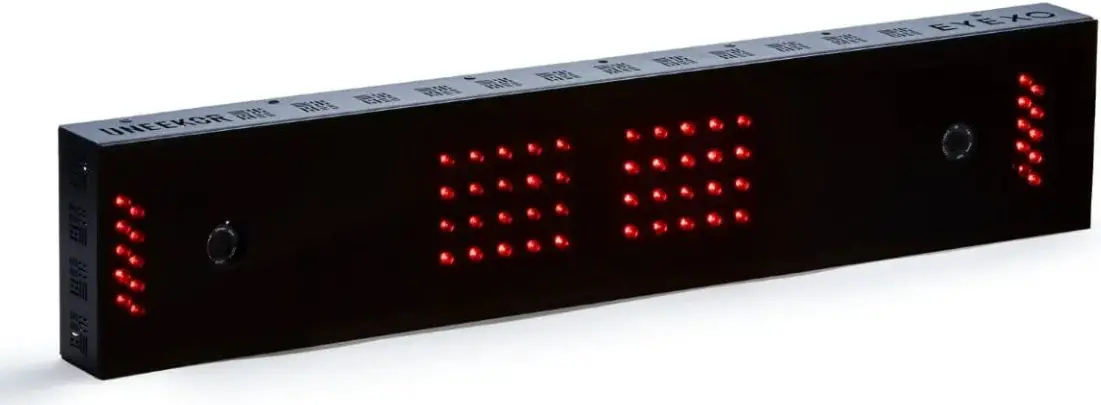
Launcher Download
Please go to our website under resources and click on “Launcher Download” or use the link below.
Resources Link
Step 1:
Click on Launcher Download under downloads on the top right
Step 2:
On the Setup – Uneekor Launcher 0.8.1.0 pop up window, click on “Next >.”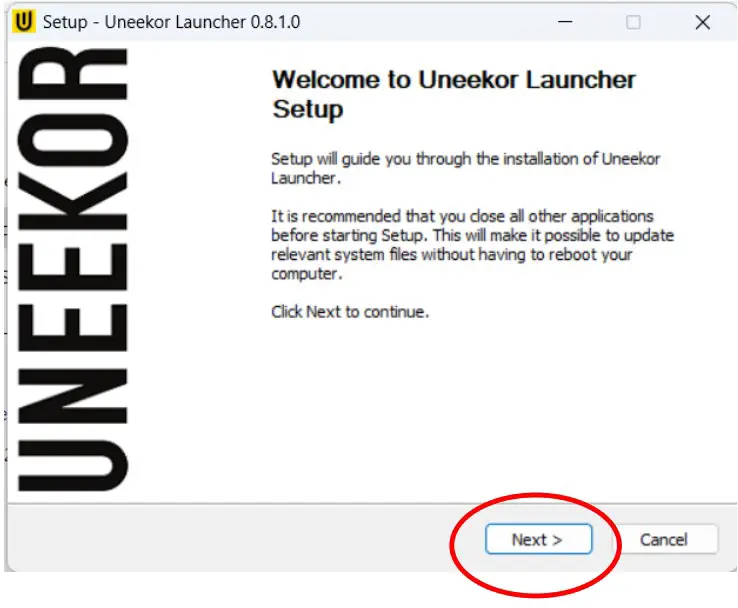
Step 3:
Make sure to select “I accept the terms of the License Agreement,” and click “Next >.”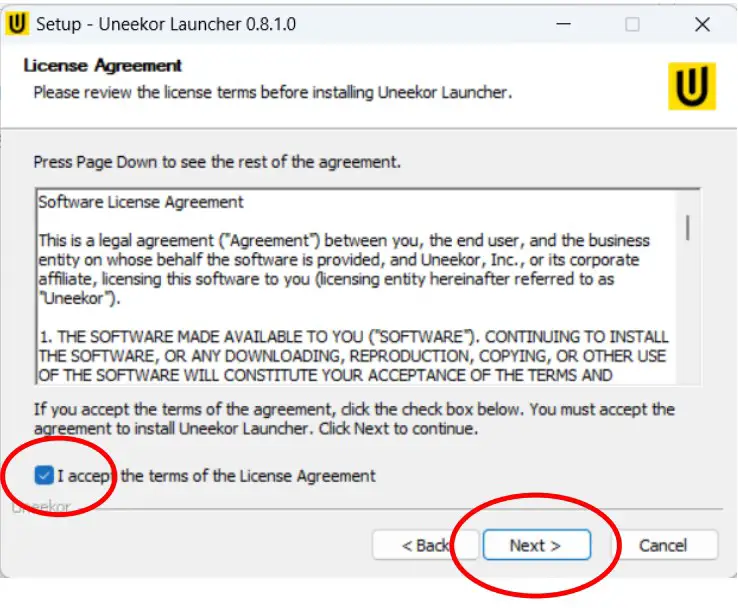
Step 4:
You can leave the destination folder as “C:\Uneekor\Launcher” or move it to your preferred destination folder. Then click “Install.”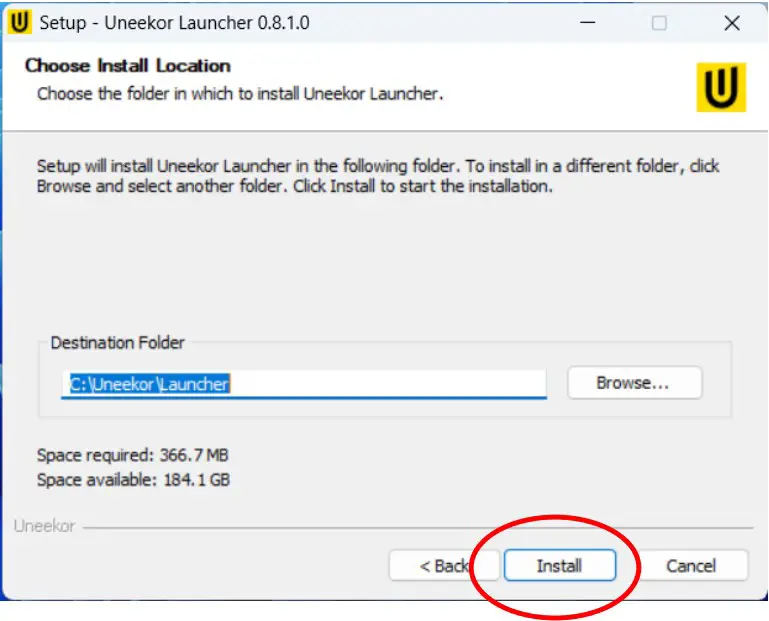
Step 5:
Please wait while the installation is complete and click “Next >.”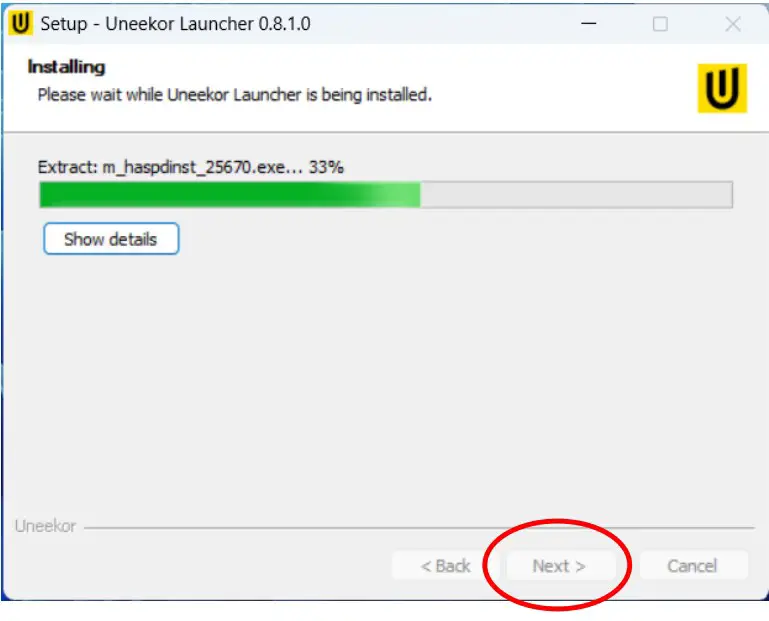
Step 6:
Make sure the “Run Uneekor Launcher” box is checked, and click “Finished” The launcher download is now complete. For any questions or issues, please email support at [email protected] or schedule an appointment on our website here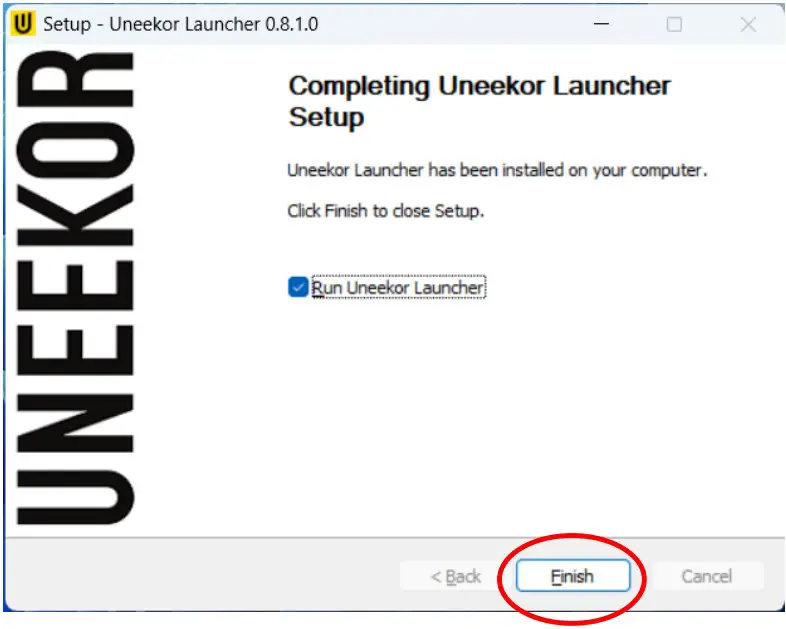
Specifications
Minimum PC Requirements
- Intel i5 8400
- 8 GB RAM (16 GB RAM for Swing Optix)
- GeForce GTX 1060**
- Windows 10 (64 bit) Version 1803 or higher***
- Integrated ethernet port required
- Internet connection required*
- PC Sold Separately
- * Uneekor Launcher requires a consistent internet connection to function
- ** AMD: 3rd gen Ryzen or higher and AMD Ryzen 3600X or higher (AMD 2700 is not compatible)
- *** Not compatible with MacOS
MASTER YOUR PASSION
Uneekor, Inc.
15770 Laguna Canyon Rd
Suite 100 Irvine, Ca
92618
Tel: 1-949-328-7790
[email protected]
[email protected]
 Support | Uneekor
 Support | Uneekor