
Quick Setup Guide
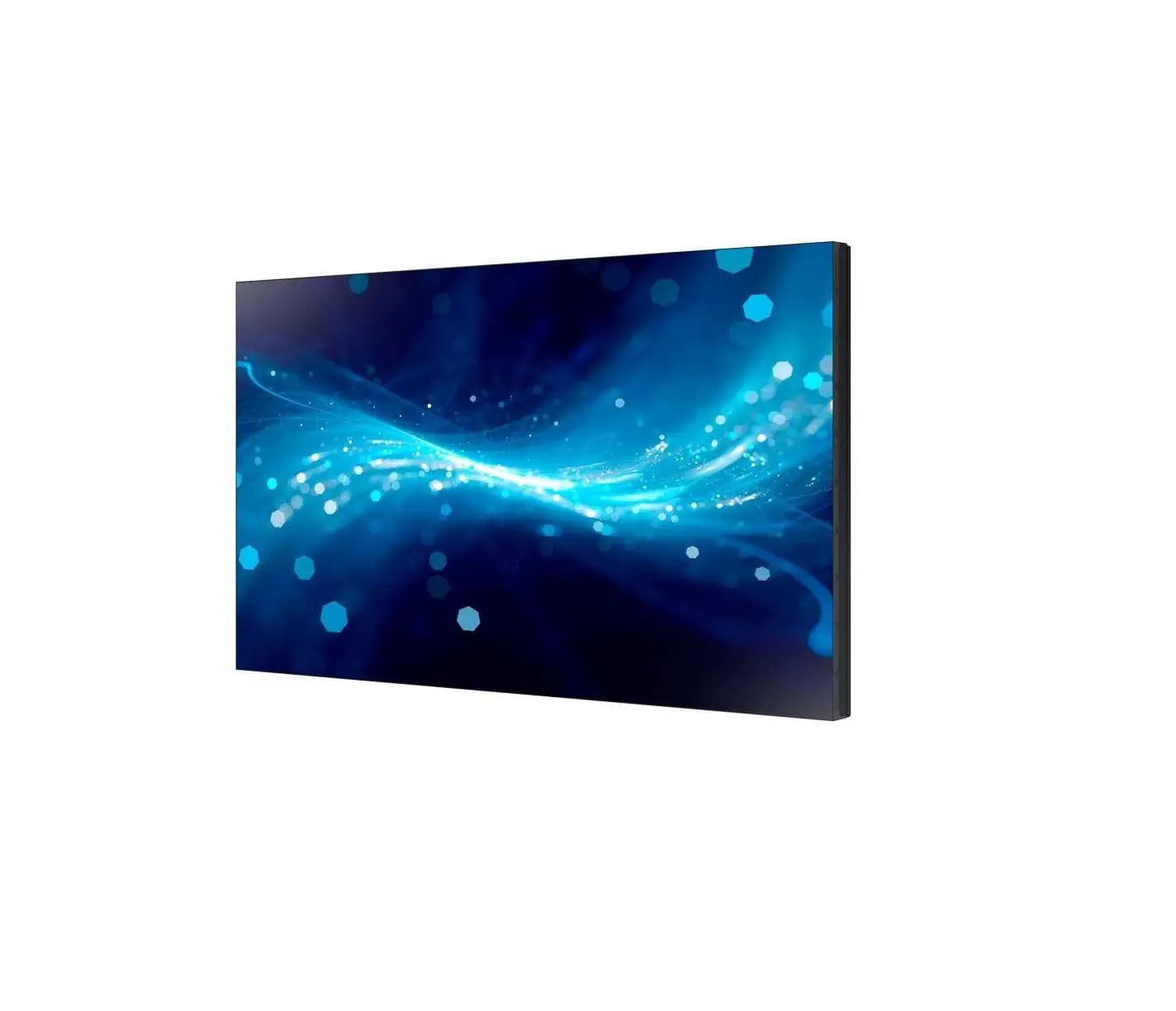
OM46B OM55B
* The color and appearance may differ depending on the product, and the content in the manual is subject to change without prior notice to improve the performance.
* Download the user manual from the following Samsung Website for further details.
http://www.samsung.com/displaysolutions
Checking the Components
- Quick Setup Guide
- Warranty card (Not available in some locations)
- Regulatory guide
- Power cord
- Batteries (AAA x 2) (Not available in some locations)
- Remote Control
- External ambient light sensor
- External IR cable
Contact the vendor where you purchased the product if any components are missing. Components may differ in different locations.
* Use either the back-side magnet or the double-sided tape depending on where you want to attach the external ambient light sensor. The warranty for adhesiveness of the double-sided tape applies to first-time use only.
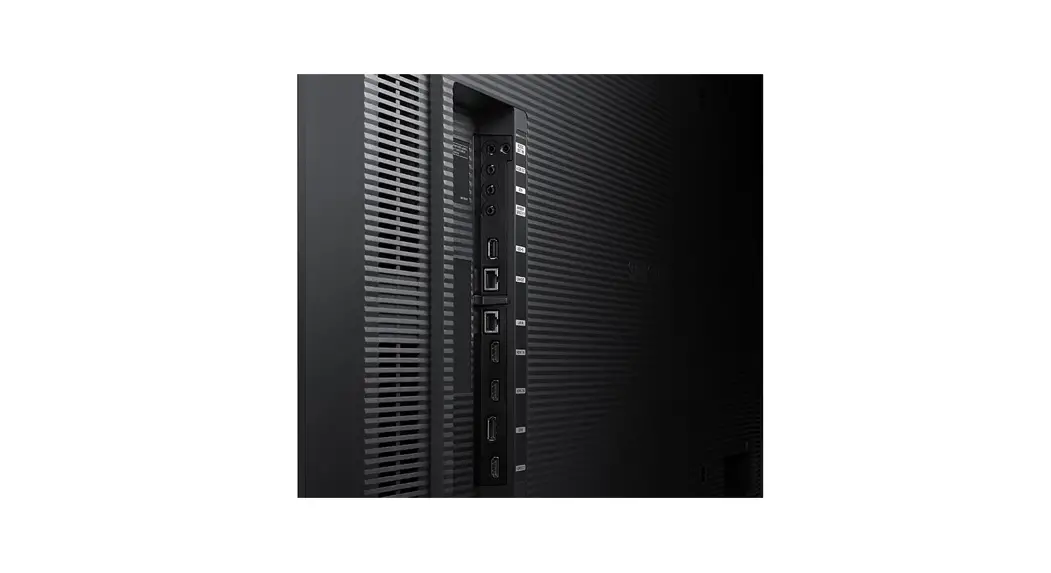
Ports
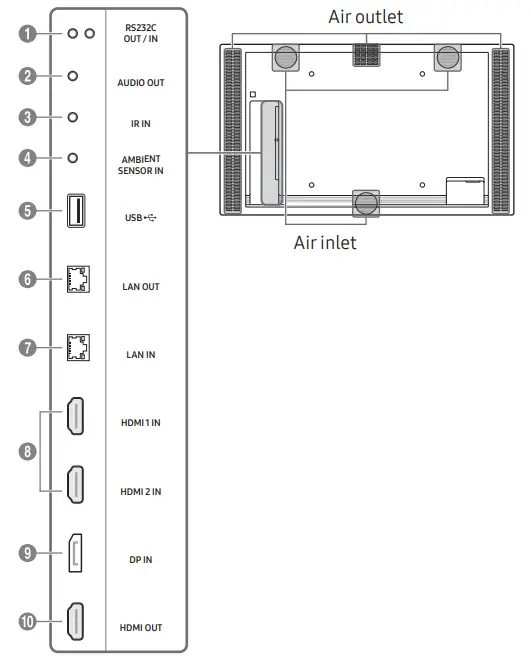
- Connects to MDC using an RS232C adapter.
- Outputs sound to an audio device via an audio cable.
- Connects to an external IR cable that receives signals from the remote control.
- Used to supply power to the external sensor board and to receive signals from the ambient light sensor.
- Connect to a USB memory device.
- A wired LAN connection port is used to connect an external device such as a laptop to connect to the Internet. Connects to MDC using a LAN cable.
- Connects to MDC using a LAN cable.
- Connects to a source device using an HDMI cable or HDMI-DVI cable.
- Connects to a PC using a DP cable.
- Connects to another product using an HDMI cable.
Troubleshooting Guide
| Issues | Solutions |
| The screen keeps switching on and off. | Check that the cable between the product and the PC is connected correctly. |
| No Signal is displayed on the screen. | Check that the product is connected correctly with a cable. |
| Check that the device connected to the product is powered on. |

Specifications
| Model Name | OM46B | OM55B | |
| Panel | Size | 46 CLASS (45.9 inches / 116.8 cm) | 55 CLASS (54.6 inches / 138.7 cm) |
| Display area | 1018.08 mm (H) x 572.67 mm (V) | 1209.6 mm (H) x 680.4 mm (V) | |
| Power Supply | AC100-240V~ 50/60Hz Refer to the label at the back of the product as the standard voltage can vary in different countries. | ||
| Environmental considerations | Operating | Temperature: 0 °C – 40 °C (32 °F – 104 °F) Humidity: 10% – 80%, non-condensing | |
| Storage | Temperature: -20 ℃ – 50 ℃ (-4 ℉ – 122 ℉) Humidity: 5% – 95%, non-condensing | ||
* This is a class A product. In a domestic environment, this product may cause radio interference in which case the user may be required to take adequate measures.
* For detailed device specifications, visit the Samsung website.
 | The terms HDMI and HDMI High-Definition Multimedia Interface, and the HDMI Logo are trademarks or registered trademarks of HDMI Licensing Administrator, Inc. in the United States and other countries. |
Wall Mount Kit Specifications
| 1 Model Name | 2 Inches | 3 VESA screw hole specs (A * B) in millimeters | 4 Standard Screw | 5 Quantity | 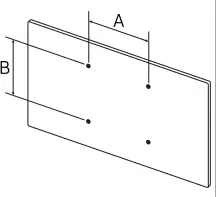 |
| OM46B | 46 | 400 x 400 | M8 | 4 | |
| OM55B | 55 |
Connecting and Using a Source Device
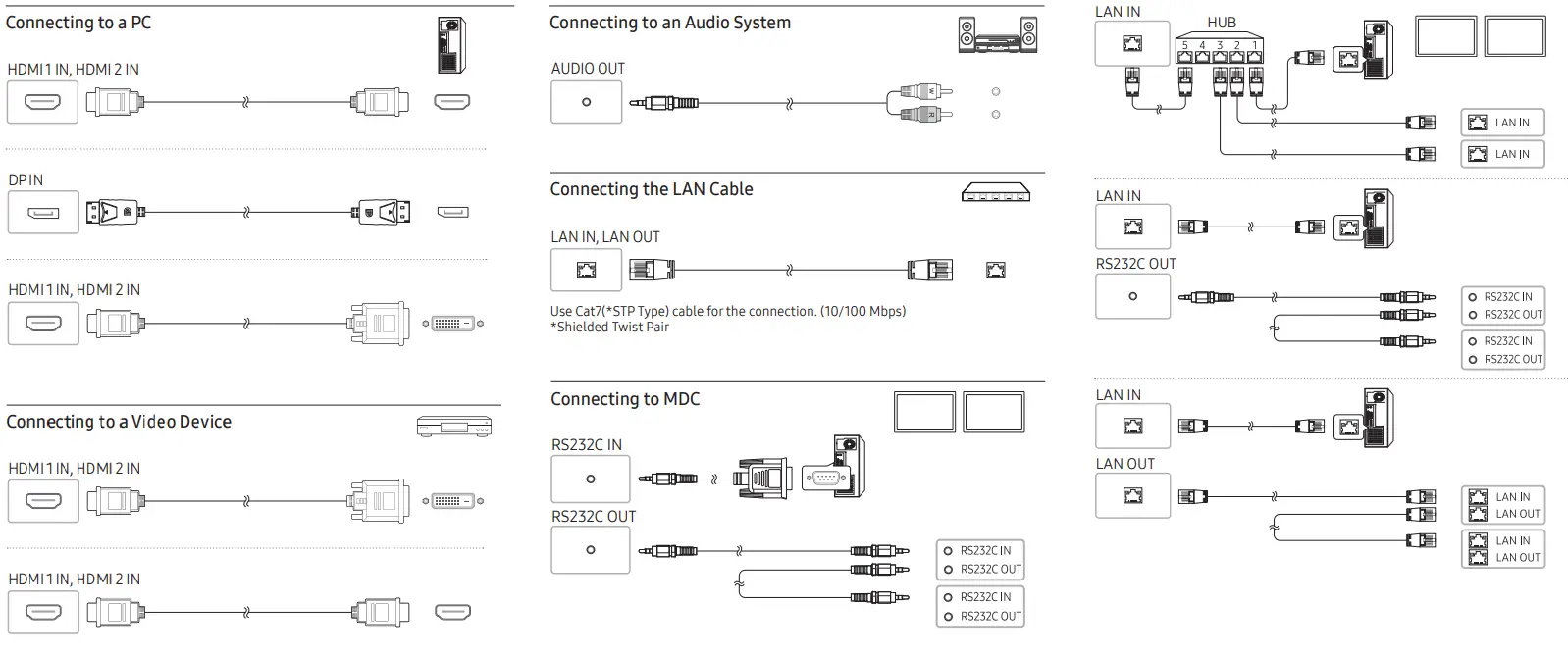 For details on how to use the MDC program, refer to Help after installing the program. The MDC program is available on the website.
http://www.samsung.com/displaysolutions
Contact SAMSUNG WORLDWIDE
Web site: http://www.samsung.com
| Country/Area | Customer Care Centre |
| ALBANIA | 045 620 202 |
| AUSTRIA | 0800 72 67 864 (0800-SAMSUNG) |
| BELGIUM | 02-201-24-18 |
| BOSNIA | 055 233 999 |
| BULGARIA | 0800 111 31 – Безплатен за всички оператори *3000 – Цена на един градски разговор или според тарифата на мобилният оператор 09:00 до 18:00 – Понеделник до Петък |
| CROATIA | 072 726 786 |
| CYPRUS | 8009 4000 only from landline, toll free |
| CZECH | 800 – SAMSUNG (800-726786) |
| Samsung Electronics Czech and Slovak, s.r.o. V Parku 2323/14, 148 00 – Praha 4 | |
| DENMARK | 707 019 70 |
| ESTONIA | 800-7267 |
| FINLAND | 030-6227 515 |
| Country/Area | Customer Care Centre |
| FRANCE | 01 48 63 00 00 |
| GERMANY | 06196 77 555 77 |
| GREECE | 80111-SAMSUNG (80111 726 7864) only from land line (+30) 210 6897691 from mobile and land line |
| HUNGARY | 0680SAMSUNG (0680-726-7864) |
| IRELAND (EIRE) | 0818 717100 |
| ITALIA | 800-SAMSUNG (800.7267864) |
| KOSOVO | 038 40 30 90 |
| LATVIA | 8000-7267 |
| LITHUANIA | 8-800-77777 |
| LUXEMBURG | 261 03 710 |
| MONTENEGRO | 020 405 888 |
| NETHERLANDS | 088 90 90 100 |
| NORTH MACEDONIA | 023 207 777 |
| Country/Area | Customer Care Centre |
| NORWAY | 21629099 |
| POLAND | 801-172-678* lub +48 22 607-93-33* * (opłata według taryfy operatora) |
| PORTUGAL | 210 608 098 Chamada para a rede fixa nacional Dias úteis das 9h às 20h |
| ROMANIA | 0800872678 – Apel gratuit *8000 – Apel tarifat în reţea |
| SERBIA | 011 321 6899 |
| SLOVAKIA | 0800 – SAMSUNG (0800-726 786) |
| SLOVENIA | 080 697 267 (brezplačna številka) |
| SPAIN | 91 175 00 15 |
| SWEDEN | 0771-400 300 |
| SWITZERLAND | 0800 726 786 |
| TURKEY | 444 77 11 |
| UK | 0333 000 0333 |
 Samsung US | Mobile | TV | Home Electronics | Home Appliances | Samsung US