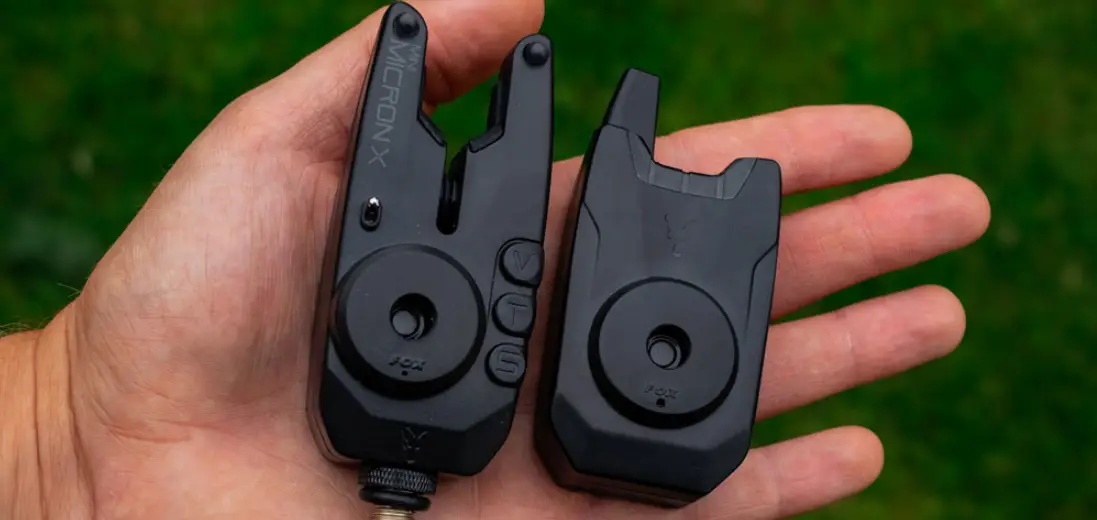
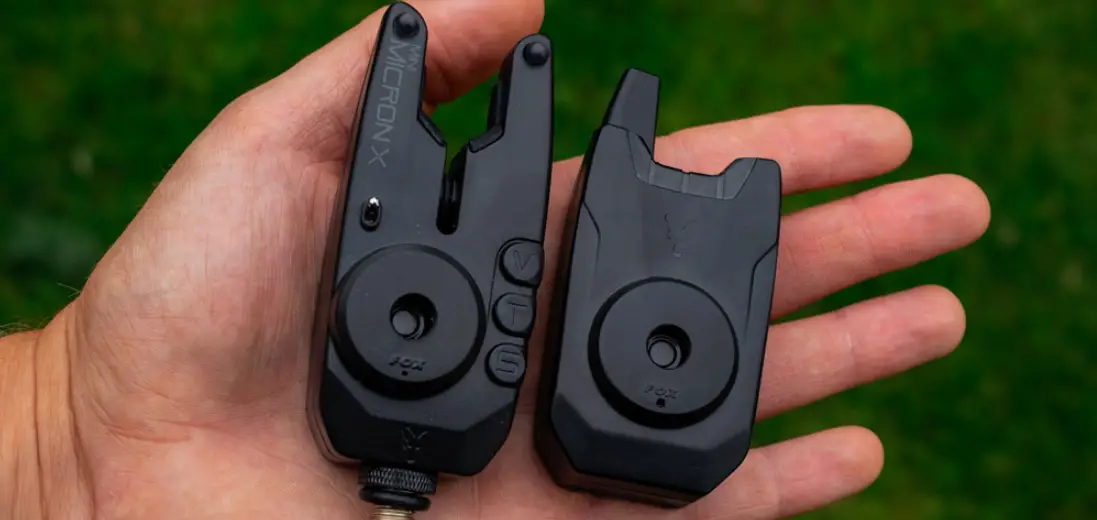
MICRON MX Receiver
Micron User Guide
Visit www.foxint.com for
more information about the product.
Features
- Lanyard Connection
- Power and Volume Control
- LED Light Pipes
- High Quality Cone Speaker
- Micron Registration Button
- Battery Cover
Fitting the Batteries
To replace batteries, follow the steps below:
- Using a cross head screwdriver, unscrew the two battery cover
screws. - Lift the up the battery cover from the bottom corners to
remove. - Take care removing the batteries. Insert new batteries and
ensure correct polarity. - Ensure battery cover has a good seal by firmly pushing lip into
the top edge of the case and pivoting it into position. - DO NOT over tighten the battery compartment screws, excessive
force will damage the screw threads.
ON/OFF & VOLUME CONTROL
To turn on the Micron, use the power and volume control button.
Adjust the volume as needed using the same button.
Registration Mode
To register the Micron with the receiver:
- Switch MX Receiver ON.
- Using a small pointed object, press the registration button on
the back of the receiver until the leftmost LED starts
(blue-green). - Now simply switch on each Micron in the order you would like
them to appear on the receiver. - When complete, press the registration button.
If you would like to change the order of the Microns or add more
to your setup, please repeat the above sequence.
Low Battery Warning
The Micron will indicate if its battery is low. When the alarm
low battery warning changes the microns LED color to cyan
(blue-green), the receiver will do the same for that alarm.
Warnings
- To reduce the risk of battery leakage, replace batteries at the
earliest opportunity when the low battery warning changes the
microns LED color to cyan (blue-green). - The MX Receiver has been designed to be weatherproof. However,
if exposed to heavy rain, it is important to allow the unit to dry
out properly by bringing the unit indoors and allowing to dry
fully. - Never place batteries in a hot environment (e.g. on a
radiator).
Battery Requirements
The MX Receiver requires 3 x LR6 AA 1.5V Alkaline batteries. The
use of good quality batteries is essential for maximum battery
life.
Please ensure the batteries are removed from the Micron during
long periods without use.
Product Information
FOX, I-Com and Micron are Registered Trade Marks. We reserve the
right to alter or modify the contents of this manual.
Hereby, Fox International Group Ltd declares that the radio
equipment type Micron MX Receiver CEI190 is in compliance with the
UK Radio Equipment Regulations 2017. The full text of the UK
declaration of conformity is available at the following internet
address: www.foxint.com/home/support/declarations-of-conformity/
Patents: EP1668983 Designed and Developed in UK.
Operating frequency = 433.92MHz.
Czech
Ocko na poutko = Lanyard Connection
Hlasitosti = Power and Volume Control
ENGLISH
MICRON USER GUIDE
www.foxint.com
Lanyard Connection
Power and Volume Control
LED Light Pipes
High Quality Cone Speaker
FEATURES
· Low Battery Drain · I-Com® · Digital Circuitry · Weatherproof Sealed Case · Easy Micron Registration · Multicoulour LED’s
Micron Registration Button
Battery Cover
FITTING THE BATTERIES
STEP 1. replacing batteries.
STEP 3. Lift the up the battery cover from the bottom corners to remove.
STEP 2. Using a cross head screwdriver unscrew the two battery cover screws.
STEP 4. Take care removing the batteries. Insert new batteries and ensure correct polarity.
STEP 5.
battery cover has a good seal by rmly pushing lip into the top edge of the case and pivoting it into position.
STEP 6.
DO NOT over tighten the battery compartment screws, excessive force will damage the screw threads.
ON/OFF & VOLUME CONTROL
· To activate the unit rotate dial clockwise until you hear a click.
Min. Volume
REGISTRATION MODE
“register” the bite alarms that it will be used with, so that the receiver
· Rotate the dial clockwise to increase the speaker volume.
· To deactivate the unit rotate fully counter clockwise to the `OFF’ position.
BEST PERFORMANCE
Max. Volume
Before starting this procedure, ensure all your bite alarms are switched OFF, then proceed as follows:
1. Switch MX Receiver “ON.”
2. Using a small pointed object press the registration button on the back of the receiver until the leftmost LED starts
The operating range of the MX receiver, like all low power radio systems, is
the position of both transmitter and receiver, the terrain over which it is being used, the prevailing atmospheric conditions and the presence of any interfering signals.
To obtain best performance, it is recommended that you
3. Now simply switch on each Micron in the order you would like them to appear on the receiver.
4. When complete press the registration button
· Keep the MX receiver as high above ground as possible if worn on the body, it should be worn as high as possible and on the outside of your clothing.
· Try to keep a direct “line-of-sight” between the receiver and transmitter obstructions such as trees, buildings, etc may cause loss of signal, or
· Do not keep the MX receiver in the same pocket as a mobile phone, or other electronic device. · Ensure both your receiver and your alarms have good batteries.
All the above hints become progressively less important, as the working range is reduced. Remember to use the system responsibly the MX receiver has been designed to give a long operating range in order to maximise reliability at close range and NOT to encourage users to leave their rods in the water unattended.
LOW BATTERY WARNING
If you would like to change the order of the Microns, or add more to your setup please repeat the above sequence.
Note: The registration process can be disrupted if attempted in close proximity to other radio signals such as wireless routers.
BATTERY REQUIREMENTS
The MX Receiver requires 3 x LR6 AA 1.5V Alkaline batteries. The use of good quality batteries is essential for maximum battery life. To reduce the risk of battery leakage:
· DO NOT mix old and new batteries · DO NOT mix different battery types · The use of rechargeable batteries is NOT recommended
(blue-green) periodically. When this occurs, batteries should be
replaced at the earliest opportunity.
The MX Receiver will also indicate if any your MX Alarms
batteries are low. When the alarm low battery warning changes
the microns LED colour to cyan (blue-green) the receiver will do
the same for that alarm.
WARNINGS
· DO NOT trigger LED or speaker in close proximity to human or animal eyes and ears.
· Store this equipment out of reach of children and infants. · Avoid dropping or subjecting the Micron to severe impacts.
DRYING OUT AFTER USE IN HEAVY RAIN
The MX Receiver has been designed to be weatherproof. However, if exposed to heavy rain, it is important to allow the unit to dry out properly by bringing the unit indoors and allowing to dry fully.
Please ensure the batteries are removed from the Micron during long periods without use.
PRODUCT INFORMATION
FOX, I-Com and Micron are Registered Trade Marks We reserve the right to alter or modify the contents of this manual.
Hereby, Fox International Group Ltd declares that the radio equipment type Micron MX Receiver CEI190 is in compliance with the UK Radio Equipment Regulations 2017. The full text of the UK declaration of conformity is available at the following internet address: www.foxint.com/home/support/declarations-of-conformity/
Patents: EP1668983 Designed and Developed in UK.
Operating frequency = 433.92MHz
NEVER place batteries in a hot environment (e.g. on a radiator).
CZECH
UZIVATELSKÁ PÍRUCKA MICRON
www.foxint.com
Ocko na poutko
hlasitosti
LED svtla signalizace
Vysoce kvalitní kuzelovitý reproduktor
VLASTNOSTI
· Nízká spoteba baterií · I-Com® · Digitální obvody · Pouzdro odolné proti vlivm pocasí · Jednoduché spárování s hlásici · Vícebarevné LED diody
Párovací tlacítko Kryt baterií
VLOZENÍ BATERIÍ
STEP 1. Pi vkládání nových baterií mjte pístroj vypnutý.
STEP 2. Pomocí kízového sroubováku odsroubujte dva srouby krytu baterií.
STEP 3. Zvednte kryt baterií. Zacnte zvedat od spodních roh krytu baterie.
STEP 4. Opatrn vyjmte baterie. Vlozte nové baterie, a ujistte se, ze mají správnou polaritu.
STEP 5. Pro nejlepsí odolnost proti povtrnostním vlivm, se ujistte, ze kryt baterií, je dobe utsnn a pevn tlací svou vrchní cást do horního okraje pouzdra.
STEP 6. Znovu upevnte kryt pomocí sroubk.
NIKDY neutahujte srouby nadmrnou silou. Mze to vést k poskození závitu sroubu.
ON / OFF & OVLADAC HLASITOSTI
· Chcete-li pístroj zapnout, otocte koleckem uslysíte cvaknutí.
Min. Hlasitost
· Vsechny LED diody krátce probliknou
· Otácením kolecka ve smru hodinových rucicek zvysujete hlasitost reproduktoru.
Max. Hlasitost
· Pro vypnutí pístroje otocte ovladacem úpln proti smru hodinových rucicek az na pozici OFF.
JAK DOCÍLIT CO NEJLEPSÍHO VÝKONU MX
Provozní dosah MX píposlechu, stejn jako jiných rádiových systém, je znacn závislý na zpsobu pouzití a mze být negativn ovlivnn polohou jak pijímace, tak i vysílace. Okolní terén, pevládající atmosférické podmínky a pítomnost rusivých signál, toto vse ovlivují.
Chcete-li získat co nejlepsí výkon, doporucujeme
· Drzet MX co nejvýse nad zemí, jak jen to jde pokud jej máte umístn na sob, dbejte prosím na to, aby byl umístn co nejvýse a z vnjsí strany oblecení.
· Snazte se drzet volný prostor mezi píposlechem a hlásici pekázky jako stromy, budovy apod. mohou zpsobit ztrátu signálu, nebo odraz signálu, coz vytvoí “hluchá místa”.
· Nevkládejte MX do kapes spolecn s mobilním telefonem, ci jiným elektronickým výrobkem.
· Ujistte se, ze jak v píposlechu, tak i v hlásicích jsou dobré baterie
Vsechny výse uvedené rady se stávají mén dlezité, pokud je dosah signálu omezen. Systém pouzívejte odpovdn MX píposlech je vybaven velkým dosahem z dvodu maximální spolehlivosti na kratsí vzdálenosti, a NE kvli tomu, aby uzivatelé odcházeli na velkou vzdálenost od prut a nechávali je bez dozoru. Prosíme, chovejte se pi lovu zodpovdn.
UPOZORNNÍ NA SLABÉ BATERIE
Kdyz jsou baterie v píposlechu MX slabé, potom se automaticky zmní barva LED diod na azurovou barvu (zeleno modrá). Tato barva zstane do té doby, dokud nevymníme baterie. Po vlození nových baterií se LED diody automaticky vrátí zpt na poslední zvolenou barvu. Píposlech MX taky indukuje, zda nabití nkterých baterií v signalizátorech není pílis nízké. Kdyz budou baterie v signalizátorech slabé a zmní se barva LED diod na azurovou (zeleno modrá), píposlech provede stejnou zmnu.
VAROVÁNÍ
· NEZAPÍNEJTE LED diody ci reproduktor v blízkosti lidí ci zvíat a jejich ocí a usí. · Ukládejte mimo dosah dtí a zvíat. · Zabrate pádm a tvrdým nárazm do Micron pístroje.
VYSUSENÍ PO POUZITÍ V SILNÉM DESTI
MX píposlech je vyroben jako vododolný. Nicmén pokud je vystaven opravdu silnému desti, je dlezité umoznit píposlechu osusení.
MÓD REGISTRACE (SPÁROVÁNÍ)
Pi prvním pouzití píposlechu je poteba “registrovat” hlásice, které
kód. Ped zahájením tohoto párování se ujistte, ze jsou hlásice vypnuty (poloha OFF). Pak mzete pokracovat v následujících krocích:
1. Zapnte MX na polohu “ON”.
2. Za pomocí dodávané pomcky zmácknte registracní tlacítko umístné na zadní stran píposlechu.
3. Nyní jednoduse zapnte kazdý signalizátor v poadí, v jakém byste chtli, aby se objevovaly na píposlechu.
4. Jakmile dokoncíte spárování, zmácknte registracní tlacítko jest jednou nebo píposlech jednoduse vypnte.
Poznámka: Registracní proces mze být narusen, kdyz jej provádíte v blízkosti jiných vysílac, jako
POZADOVANÉ BATERIE
Píposlech MX pozaduje 3ks LR6 AA 1.5 V Alkalických baterií. Pouzití velmi kvalitních baterií je základ pro to, aby vydrzely co nejdéle. Pro snízení rizika vytecení baterií:
· NEMÍCHEJTE nové baterie se starými · NEMÍCHEJTE rzné druhy baterií · Pouzívání dobíjecích baterií se NEDOPORUCUJE.
Prosím vyjmte baterie z pístroje, pokud jej nepouzíváte delsí dobu.
ZÁRUKA & REGISTRACE PRODUKTU
FOX, I-Com a Micron jsou Registrované známky. Vyhrazujeme si právo na zmnu obsahu tohoto manuálu.
Spolecnost Fox International Group Ltd tímto prohlasuje, ze rádiové zaízení typu Micron MX Receiver CEI190 je ve shod se smrnicí 2014/53/EU. Úplné znní EU prohlásení o shod je k dispozici na následující internetové adrese: www.foxint.com/cz/podpora/support/zákonné-dokumenty/
Patenty: EP1668983 Navrzeno a vytvoeno v UK.
ERP (efektivní radiová síla) = 8dBm max Provozní frekvence 433.92MHz
NIKDY nepokládejte baterie na horké pedmty (nap. na radiátory).
NEDERLANDS
MICRON GEBRUIKSAANWIJZING
www.foxint.com
Bevestigingspunt voor Keycord
Aan/Uit en Volume Controle
LED Verlichting
Hoogwaardige Cone Speaker
KENMERKEN
·Laag Batterijverbruik ·I-Com® ·Digitale Circuits ·Waterdichte Gesealde Behuizing ·Eenvoudige Micron Registratie ·Meerkleurige LED’s
Micron Registratie Knop Batterijklep
PLAATSEN VAN DE BATTERIJEN
STAP 1: Schakel het apparaat uit voor het plaatsen of vervangen van batterijen.
STAP 3: Trek de batterijklep aan de hoeken omhoog.
STAP 2: Gebruik een kruiskopschroevendraaier en draai de twee schroeven van de batterijklep los.
STAP 4: Verwijder de batterijen voorzichtig. Plaats de nieuwe batterijen en let op de juiste polariteit.
STAP 5: Voor optimale bescherming tegen het weer, zorg dat de batterijklep aan de bovenkant stevig tegen de behuizing wordt geduwd en scharnier hem op zijn plek.
STAP 6: Zet de cover vast met de schroeven.
Draai de schroeven NIET te vast, teveel kracht zal de schroefdraad beschadigen.
AAN/UIT EN VOLUME INSTELLING
· Om de unit te activeren draai de knop met de klok mee tot je een klik hoort.
Min. Volume
· Alle LED’s zullen kort oplichten.
· Draai de knop verder met de klok mee
voor hoger volume.
Max. Volume
· Om de unit uit te schakelen draai volledig tegen de klok in naar de `OFF’ positie.
OPTIMALE PRESTATIES
Net als bij alle andere zendsystemen met laag vermogen is het bereik van de MX receiver sterk afhankelijk van de omstandigheden waarin deze wordt gebruikt. Dit kan zeer worden beïnvloed door de posities van de zender als ontvanger, het terrein waarin ze worden gebruikt, de atmosferische condities en de aanwezigheid van eventuele verstorende signalen.
Om optimale prestaties te behalen is het aan te raden dat je
· De MX receiver zo hoog mogelijk boven de grond houdt indien op het lichaam gedragen moet deze zich ook zo hoog mogelijk bevinden en aan de buitenzijde van de kleding.
· Probeer zoveel mogelijk `direct zicht’ te houden tussen zender en ontvanger obstakels zoals bomen, gebouwen, etc. kunnen tot signaalverlies of weerkaatsing van het signaal leiden, wat tot `blinde vlekken’ leidt.
· Steek de MX receiver niet in dezelfde zak als een mobiele telefoon of ander elektronisch apparaat.
· Zorg dat zowel je beetmelder als ontvanger over goede batterijen beschikken.
Alle bovenstaande adviezen worden minder relevant naarmate de afstand tussen de apparaten kleiner is. Gebruik het systeem ook verantwoord de MX receiver is ontworpen voor een groot bereik om betrouwbaarheid op korte afstand te maximaliseren, NIET om mensen aan te moedigen ver bij hun hengels weg te lopen. Vis alstublieft verantwoord!
LEGE BATTERIJ WAARSCHUWING
Wanneer de batterijen van de MX Receiver leegraken zullen de LED’s automatisch de kleur cyaan (groen-blauw) aannemen. Wanneer dit gebeurt moeten de batterijen zo snel mogelijk worden vervangen. De MX Receiver zal het ook aangeven als de batterijen van je MX beetmelders leegraken. Wanneer het lege batterijsignaal de Micron LED’s zal wijzigen naar cyaan, zal de receiver hetzelfde doen met de LED voor die Micron.
WAARSCHUWINGEN
·LAAT DE LED of speaker niet afgaan dichtbij menselijke of dierlijke ogen en oren. ·Berg deze materialen op buiten bereik van kinderen en baby’s. ·Voorkomen dat de Receiver valt, of ergens hard tegenaan stoot.
DROGEN NA GEBRUIK IN ZWARE REGENVAL
Deze MX Receiver is waterdicht ontworpen. Echter na gebruik in zware regenval is het belangrijk de beetmelder goed binnenshuis te laten drogen.
Plaats batterijen NOOIT in een hete omgeving (zoals bijvoorbeeld op een radiator).
REGISTRATIE MODUS
Wanneer de receiver voor de eerste keer wordt gebruikt, is het belangrijk de beetmelders waarmee hij gaat worden gebruikt te
Voordat je begint, zorg dat alle beetmelders UIT staan, ga dan als volgt te werk: –
1. Schakel de MX Receiver `ON.’
2. Duw met een klein puntig voorwerp de registratieknop op de achterzijde van de receiver in tot de meest linkse LED gaat knipperen. Laat de knop los.
3. Zet nu iedere Micron aan in de volgorde waarin je ze op de receiver wilt terugzien.
4. Wanneer je klaar bent duw je nogmaals de registratieknop op de receiver in, of schakel de receiver uit. Als je de volgorde van de Microns wilt wijzigen, of meer wilt toevoegen, herhaal dan bovenstaande stappen.
Let op: Het registratieproces kan worden verstoord als het te dicht bij andere radiosignalen wordt uitgevoerd, zoals wireless routers.
BATTERIJ EISEN
De MX Receiver heeft 3 x LR6 AAA 1,5V Alkaline batterijen nodig. Het gebruik van kwalitatief goede batterijen is essentieel voor maximale levensduur van de batterijen. Om batterij lekkage te voorkomen:
· Gebruik GEEN oude en nieuwe batterijen naast elkaar. · Gebruik GEEN verschillende typen batterijen. · Het gebruik van oplaadbare batterijen wordt NIET aangeraden.
Verwijder de batterijen als de Receiver langere tijd niet wordt gebruikt.
GARANTIE & PRODUCT REGISTRATIE
FOX, I-COM en Micron zijn geregistreerde handelsmerken. We behouden ons het recht voor de inhoud van deze handleiding te wijzigen.
Hierbij verklaart Fox International Group Ltd. dat deze Micron compliant is met de belangrijke regelgeving en andere richtlijnen van Directive 2014/53/EU. De EU Verklaring van Overeenstemming kan worden geraadpleegd op: www.foxint.com/nl/ondersteuning/keurmerken/
Patenten: EP1668983 Ontworpen en Ontwikkeld in de UK.
Operationele frequentie: 433,92Mhz
FRANÇAIS
MODE D’EMPLOI DU MICRON
www.foxint.com
Lanière de sécurité
Contrôle du volume et de l’alimentation
DEL “tunnel de lumière”
·Haut-parleur conique haut de gamme
PLACER LES PILES
1. Eteindre le micron avant de remplacer les piles.
2. Utiliser un tournevis cruciforme pour dévisser le couvercle.
3. Tirer le rebord du couvercle vers le haut en partant des angles du bas.
4. Retirer les piles avec précaution. Insérer les nouvelles piles en prenant soin de respecter la polarité
CARACTERISTIQUES
· Faible consommation d’énergie · I-Com® · Circuiterie digitale · Boitier scellé résistant à l’eau
· Diodes DEL multicolores Bouton de des microns Couvercle de batteries
5. Pour une meilleure étanchéité, bien plaquer le couvercle dans les rebords du boitier.
6. Fixer le couvercle en revissant les vis
NE PAS forcer le serrage des vis, cela pourrait endommager les têtes de vis.
MISE EN ROUTE/EXTINCTION
· Pour mettre en marche l’unité, tourner dans le sens des aiguilles d’une montre jusqu’à entendre un click
Volume mini
MODE CONFIGURATION
Lorsque le récepteur est utilisé pour la première fois, il est nécessaire
couleurs complet
· Tourner dans le sens des aiguilles d’une montre pour augmenter le volume
Volume maxi
· Pour éteindre l’unité, tourner à fond dans le sens contraire des aiguilles d’une montre jusqu’à la position « OFF »
MEILLEURE PERFORMANCE
La portée opérationnelle du récepteur MX, comme tout dispositif radio, est hautement dépendante des conditions d’utilisation et peut être grandement
il est utilisé et les conditions atmosphériques du moment, ou encore la présence de signaux parasites.
Pour obtenir les meilleures performances, assurez-vous:
· De garder le MX le plus haut possible du sol si porté sur soi, le récepteur doit être porté le plus haut possible et en-dehors des habits.
· De toujours garder une ligne directe entre récepteur et émetteur, en évitant les obstructions telles arbres, bâtiments, etc. qui peuvent entrainer une perte de signal
enregistre leur code unique.
Avant de démarrer cette procédure, assurez-vous que les détecteurs soient éteints, puis :
1. Allumer le récepteur MX
2. A l’aide d’un petit objet pointu appuyer sur le bouton de
récepteur jusqu’à ce que la diode de gauche se mette à clignoter. Lâcher le bouton.
3. Allumer ensuite les microns l’un après l’autre dans l’ordre dans lequel vous souhaitez qu’ils apparaissent
4. Lorsque l’opération est complétée, appuyer sur
Pour changer l’ordre des Microns ou en ajouter, répéter la séquence.
Remarque : le procédé de registration peut être
· De ne pas garder le récepteur dans la même poche que votre smartphone ou autre équipement électronique · Que les piles du récepteur et des émetteurs soient de bonne qualité et en bon état de charge
Toutes ces consignes deviennent de moins en moins importantes plus le récepteur et les émetteurs sont proches. Assurez-vous d’utiliser le système de manière responsable, le récepteur MX a été conçu avec une longue portée pour pouvoir
s’éloigner des cannes et à les laisser sans surveillance. Pensez aux poissons, pêchez de manière responsable.
ALERTE DE NIVEAU DE PILES FAIBLE
Lorsque les piles du récepteur MX sont faibles les DEL se mettent à clignoter de la couleur cyan (bleu-vert) de manière périodique. Lorsque ceci apparait, il convient de changer les piles au plus vite. Le récepteur MX vous indiquera aussi si les piles d’un de vos microns sont faibles, en reproduisant le clignotement de couleur cyan sur la diode correspondant au micron en question.
WARNINGS
· NE PAS ENCLENCHER la diode ni le haut-parleur à proximité des yeux ou des oreilles d’une personne ni d’un animal. · Stocker cet équipement hors de portée des enfants · Evitez de faire subir des impacts sévères ou de faire tomber votre récepteur.
SÉCHAGE APRÈS UTILISATION SOUS LA PLUIE
Cet émetteur a été conçu pour être résistant aux intempéries. Toutefois, après une utilisation sous de fortes pluies, il est important de permettre au récepteur de sécher correctement en le rentrant chez soi.
TYPE DE PILES
Les Microns nécessitent deux piles alcalines 2 X LR03 AAA 1,5V. L’utilisation de piles de qualité est essentielle pour obtenir une bonne autonomie. Pour réduire tout risque de fuite :
· NE PAS mélanger piles neuves et anciennes
· L’utilisation de piles rechargeables n’est PAS recommandée
Toujours s’assurer que les piles ont été ôtées pour de longues périodes de non utilisation.
GARANTIE ET ENREGISTREMENT DU PRODUIT
Fox International Group Ltd déclare par la présente la conformité de l’équipement radio type Micron Receiver référence CEI190 avec la directive européenne 2014/53/EU. Le texte intégral de la déclaration de conformité européenne est disponible à l’adresse internet suivante: www.foxint.com/fr/services/documents-contractuels/
Brevets EP1668983 Conçu et développé au Royaume-Uni
Fréquence opérationnelle : 433.92 MHz
NE JAMAIS placer les piles dans un environnement chaud (sur un radiateur par exemple).
DEUTSCH
MICRON GEBRAUCHSANLEITUNG
www.foxint.com
Befestigungsöse für Trageband
Einschalter und Lautstärkenregelung
LED Licht
Hochwertiger Kegellautsprecher
EIGENSCHAFTEN
· Niedriger Batterieverbrauch · I-Com · Digitaler Schaltkreis · wasserabweisend abgedichtetes Gehäuse · Einfache Micron-Registrierung · Multicolour LEDs
Knopf zur Registrierung der Microns
Batterieabdeckung
EINSETZEN DER BATTERIEN
Schritt 1. Vor dem Einlegen oder Auswechseln der Batterien zuerst das Gerät ausschalten.
Schritt 2. Mit einem Kreuzschlitzschraubenzieher die beiden Schrauben der Batterieabdeckung lösen.
Schritt 3. Den Deckel des Batteriefaches aus den unteren Ecken ziehen und damit vom Gerät abnehmen.
Schritt 4. Vorsichtig die Batterien herausnehmen. Setzen Sie neue Batterien unter Beachtung der Polarität ein.
Schritt 5. Für den bestmöglichen Feuchtigkeitsschutz muss ein gutes Abdichten gewährleistet sein, dies geschieht durch Einsetzen der Deckellasche in das obere Eck des Batteriefaches mit kräftigem Druck, danach in die richtige Position schieben.
Schritt 6. Den Deckel und die Schrauben wieder montieren.
Die Schrauben des Batteriefaches NICHT zu kräftig anziehen, zu starke Krafteinwirkung beschädigt die Gewinde.
EIN- UND AUSSCHALTEN
· Den Drehschalter im Uhrzeigersinn drehen bis ein Klick hörbar wird, um das Gerät zu aktivieren.
· Alle LEDS durchlaufen dabei kurz alle Farben.
· Drehen Sie weiter im Uhrzeigersinn, um die Lautstärke zu erhöhen.
· Um das Gerät zu deaktivieren, einmal komplett gegen den Uhrzeigersinn in die
Minimale Lautstärke
Maximale Lautstärke
ERREICHEN DER OPTIMALEN LEISTUNG
Der Betriebsbereich des MX Receivers ist wie bei allen Funksystemen niedriger Leistung in hohem Maße abhängig von den Einsatzbedingungen und kann durch die Position von Sender und Empfänger, dem Gelände, in dem er eingesetzt wird, durch die vorherrschenden
Um die beste Leistung zu erzielen, sollte folgendes beachtet werden:
· Nehmen Sie den MX Receiver möglichst hoch über den Boden – wenn er am Körper getragen wird, sollte er so hoch wie möglich und auf der Außenseite Ihrer Kleidung getragen werden.
· Versuchen Sie, eine direkte “Sichtlinie” zwischen dem Empfänger und dem Sender zu halten
Signals führen, was zu “toten Stellen” führt.
· Nehmen Sie den MX Receiver nicht in die gleichen Tasche wie ein Mobiltelefon oder ein anderes elektronisches Gerät.
· Vergewissern Sie sich, dass Ihr Receiver und Ihre Bissanzeiger gute Batterien haben.
Alle obigen Hinweise werden zunehmend unwichtig, wenn der Arbeitsbereich reduziert wird. Denken Sie daran, das System verantwortungsvoll zu nutzen der MX Receiver wurde so konzipiert, dass er einen weiten Arbeitsbereich bietet, um die Zuverlässigkeit aus nächster Nähe zu maximieren und NICHT um die Benutzer dazu zu ermutigen, ihre Ruten im Wasser unbeaufsichtigt zu lassen, während sie hunderte Meter entfernt sind.
WARNUNG BEI NIEDRIGEM BATTERIESTAND
Wenn die MX Receiver Batterien schwach sind, blinken die LEDs regelmäßig in der Farbe Cyan (blau-grün). In diesem Fall sollten die Batterien so schnell wie möglich ausgetauscht werden. Der MX Receiver zeigt auch an, ob eine der MX Bissanzeigerbatterien niedrig ist. Wenn die Warnmeldung des Microns dessen LED-Farbe auf Cyan (blau-grün) ändert, wird der Receiver das gleiche für diesen Alarm ausführen.
WARNUNG
· AKTIVIEREN SIE DIE LEDs oder den Lautsprecher nie in unmittelbarer Nähe von menschlichen oder tierischen Augen und Ohren. · Lagern Sie dieses Gerät außerhalb der Reichweite von Kindern und Kleinkindern. · Vermeiden Sie das Fallenlassen des Microns oder zu starke Stöße.
TROCKNEN NACH VERWENDUNG BEI STARKEM REGEN
Dieser MX Receiver wurde wetterfest entwickelt. Aber bei starkem Regen ist es trotzdem wichtig, ein gründliches Trocknen der Anlage zu ermöglichen, indem man sie mit ins Haus nimmt und die Schutzkappe abnimmt.
NIEMALS Batterien in eine heiße Umgebung bringen (z.B. auf einem Heizstrahler)
REGISTRIERUNGSMODUS
Wenn der Receiver zum ersten Mal benutzt wird, ist es notwendig, die Bissanzeiger, mit denen er verwendet wird, zu ,,registrieren”, damit der
Bevor Sie diesen Vorgang starten, stellen Sie sicher, dass alle Bissanzeiger ausgeschaltet sind, und gehen Sie dann wie folgt vor:
1. Schalten Sie den MX Empfänger “EIN”.
2. Drücken Sie mit einem kleinen spitzen Gegenstand die
Rückseite des Empfängers, bis die ganz linke LED rot blinkt. Dann das Drücken wieder beenden.
3. Schalten Sie nun einfach jeden Micron in der Reihenfolge ein, in der diese auf dem Receiver erscheinen sollen.
4. Wenn Sie fertig sind, den Registrierungsknopf wieder auf der Rückseite des Receivers drücken, oder schalten Sie die Einheit aus. Wenn Sie die Reihenfolge der Microns ändern möchten oder mehr hinzufügen, wiederholen Sie bitte die obige Sequenz.
Achtung: Der Registrierungsprozess kann gestört werden, wenn er in unmittelbarer Nähe zu anderen Funkeinheiten wie einem WLAN-Router durchgeführt wird.
ERFORDERLICHE BATTERIEN
Der MX Receiver benötigt 3 x LR6 AA 1.5V Alkaline Batterien. Für eine maximale Laufdauer sind Batterien hoher Qualität erforderlich. Um das Risiko auslaufender Batterien zu senken gilt:
· Mischen Sie KEINE alten und neuen Batterien · Verwenden Sie KEINE verschiedene Batterietypen
empfohlen. Wenn der Micron längere Zeit nicht benutzt wird, stellen Sie bitte sicher, dass die Batterien entfernt sind.
GARANTIE & PRODUKTREGISTRIERUNG
Fox, I-Com und Micron sind eingetragene Warenzeichen Wir behalten uns das Recht vor, den Inhalt dieser Gebrauchsanleitung abzuändern.
Hiermit erklärt Fox International Group Ltd, dass die Funkeinheit Micron MX Receiver CEI190 der Richtlinie 2014/53/EU entspricht. Der vollständige Text der EU-Konformitätserklärung ist unter folgender www.foxint.com/de/unterstuetzen/declarations-of-conformity/
Patent: EP1668983 Entworfen und entwickelt in Großbritannien
Funkfrequenz: 433,92 MHz
MAGYAR
MICRON HASZNÁLATI ÚTMUTATÓ
www.foxint.com
Karpánt csatlakozó
Bekapcsoló és hanger állító
LED ablakok
Csúcsminség tölcsér hangszóró
JELLEMZK
· Alacsony áramfelvétel · I-Com® · Digitális áramkör · Vízmentesen zárt ház · Egyszer Micron párosítás · Többszín LED
Micron párosító gomb Elem fedél
ELEMEK BEHELYEZÉSE
1. Az elemek behelyezéséhez vagy cseréjéhez elsként kapcsoljuk ki az eszközt.
2. Egy csillagfej csavarhúzó segítségével távolítsuk el a két csavart, melyek az elemfedelet rögzítik.
3. Emelje fel a fedelet a sarkoktól.
4. Óvatosan távolítsa el az elemeket, majd helyezze be az újakat, ügyelve a polaritásra.
5. A vízállóság érdekében ellenrizze le a tömítést a fedélen, óvatosan nyomja a helyére, ha szükséges.
6. Helyezze vissza a fedelet és a csavarokat.
NE húzza túl a csavarokat, túl nagy er hatására a menet megszakadhat.
BE/KI KAPCSOLÁSL
· Az egység bekapcsolásához tekerjük a hanger állítót az óramutató járásával megegyez irányba kattanásig.
Min. hanger
· Az összes LED villogni kezd majd
· A hangert a szabályzó óramutató járásával megegyez irányba történ tekerésével növelhetjük.
Max. hanger
· A kikapcsoláshoz tekerjük az óramutató járásának ellenkez irányba az `OFF’pozícióig.
LEGJOBB TELJESÍTMÉNY
A mködési távolság az MX vevegységnél, mint az összes többi kisteljesítmény rádiós rendszernél, nagyban függ a befolyásoló tényezktl, az adó és a vevegység elhelyezkedésétl és a tereptárgyaktól, illetve az interferenciát okozó zavaró tényezktl.
A legjobb teljesítmény érdekében azt javasoljuk, hogy · Tartsa az MX vevegységet a lehet legmagasabban a földtl amennyiben a testén viseli, tegye azt a lehet leg magasabban, a ruhán kívül.
· Próbáljon direkt kapcsolatban maradni “egyenesen lásson rá” a jeladó a vevegységre a tereptárgyak, mint a fák, házak jelgyengülést okozhatnak, vagy akár “vak pontokat” is.
· Ne tartsa MX vevegységet egy zsebben a mobiltelefonjával, vagy más elektromos eszközzel.
· Gyzdjön meg róla, hogy az adó és a vevegység is jó elemekkel legyen ellátva. A fenti tanácsok kisebb távolság esetén kevésbé lényegesek. Ne feledje felelsségteljesen használni a rendszert az MX vevegységet a lehet legnagyobb távolságról történ használatra tervezték, mégse bátorítunk senkit arra, hogy rizetlenül hagyja a botjait nagy távolságban.
Kérjük, horgásszon felelsséggel!
ALACSONY FESZÜLTSÉG FIGYELMEZTETÉS
Amikor az MX vevegység elemei merülben vannak, akkor a LED automatikusan cyan (zöld-kék) színre vált. Amikor ez megtörténik, a lehet leghamarabb cseréljük ki az elemeket. Az MX vevegység ezen kívül jelzi azt is, ha az egyik MX jelz elemei merülnek. Ilyenkor az adott jelz LED-je cyan-ra (kék-zöld) színre vált és ugyanígy tesz maga a jelz is.
FIGYELMEZTETÉSEK
· NE HASZNÁLJA A LED-et és a hangszórót ember vagy állat fülének és szemének közelében. · A készüléket gyermekektl és csecsemktl elzárva tárolja · Kerülje a Micron esését és ütdését.
NAGY ESZÉS UTÁNI KISZÁRÍTÁS
Az MX vevegység vízálló. Habár nagy eszés után fontos, hogy hagyjuk megfelelen kiszárítani bel téren és levegyük a kemény tokot.
SOHA ne helyezzük az elemeket meleg felületre (pl. radiátorra).
PÁROSÍTÁS
A vevegységet az els használatkor “párosítani” szükséges a jelzkhöz, így a vev “megtanulja” az adott jelz azonosítóját
A folyamat megkezdése eltt gyzdjünk meg arról, hogy az összes jelz kikapcsolt állapotban legyen, a folyamat a következ:
1. Kapcsoljuk az MX vevegységet “ON” állásba.
2. Egy kisméret hegyes tárggyal nyomjuk meg a “registration” gombot a vevegység hátulján, amíg a baloldali LED el nem kezd villogni. Ezután engedjük el a gombot
3. Majd egyszeren kapcsoljuk be a Micron jelzket abban a sorrendben, hogy szeretnénk, hogy a vevegységen megjelenjenek.
4. Amikor készen vagyunk a párosítással nyomjuk meg még egyszer a gombot a hátulján, vagy kapcsoljuk ki az egységet. Ha változtatni szeretnénk a sorrenden vagy még egy adót szeretnénk párosítani, akkor ismételjük meg az elz lépést.
Megjegyzés: A párosítási folyamat megszakadhat, más rádiójelek közelében, mint például router.
ELEM KÖVETELMÉNY
Az MX vevegység 3 x LR6 AA 1.5V Alkáli elemmel mködtethet. A jó minség elemek használata alapfeltétel a maximális használhatóság érdekében. A túl gyors elemmerülést megelzend:
· NE keverjük a régi és új elemeket · NE használjunk különböz típusú elemeket · Az újratölthet elemek használata NEM javasolt
Kérjük, távolítsa el az elemeket, amennyiben sokáig nem használja a Micron jelzt.
GARANCIA ÉS TERMÉKREGISZTRÁCIÓ
A FOX, I-Com és a Micron bejegyzett védjegyek. Fenntartjuk a jogot a kézikönyv módosítására.
A Fox International Group Ltd kijelenti, hogy a Micron MX CEI190 rádiós vevegység megfelel a 2014/53/EU irányelveknek. Az EU-megfelelségi nyilatkozat teljes szövege a következ internetes címen érhet el: www.foxint.com/hu/támogatás/declarations-of-conformity/
Szabadalom: EP1668983 Tervezve és Fejlesztve az Egyesült Királyságban.
· Mködési frekvencia: 433.92MHz
ITALIANO
GUIDA UTILIZZO MICRON
www.foxint.com
Connessione per laccetto
Controllo accensione/ volume con manopola
Canali con luci a LED
Altoparlante conico di elevata qualità
CARATTERISTICHE
· Basso consumo batterie · I-Com® · Circuiteria digitale · Case sigillato resistente agli agenti
atmosferici · Registrazione agevole dei Micron · LED multicolore Pulsante di registrazione Micron
Cover vano batterie
INSTALLAZIONE BATTERIE
1. Spegnete l’unità prima di inserire/sostituire le batterie.
3. Sollevate la linguetta del cover delle batterie verso l’alto.
2. Utilizzando un cacciavite a croce, svitate le due viti del cover delle batterie.
4. Prestate attenzione rimuovendo le batterie. Inserite le nuove batterie assicurandovi che la polarità sia corretta.
5. Per una migliore resistenza agli agenti atmosferici, assicuratevi che la guarnizione del cover sia in buone condizioni, posizionando il labbro nella parte superiore del case.
6. Riposizionate il cover e avvitate le due viti.
ACCENSIONE/SPEGNIMENTO & REGOLAZIONE VOLUME
· Per accendere la ricevente ruotate la
Volume Min.
non avvertirete un “click”.
· Tutti i LED si illumineranno in modo ciclico mostrando i vari colori disponibili.
· Ruotate la manopola in senso orario per aumentare il volume dell’altoparlante.
Volume Max
· Per disattivare la ricevente ruotate completamente la manopola in senso antiorario in posizione “OFF”.
COME OTTENERE LE MIGLIORI PRESTAZIONI DELLA RICEVENTE
Il range operativo della ricevente MX, come tutti i sistemi radio a bassa potenza,
posizione del trasmettitore e del ricevitore, dal terreno sul quale vengono impiegati, dalle condizioni meteo e dalla presenza di segnali che interferiscono.
Per ottenere le migliori prestazioni, vi raccomandiamo di: · Tenere la ricevente MX il più in alto possibile rispetto al suolo; se portata all’interno di un vostro indumento, dovrà trovarsi il più possibile verso l’esterno dello stesso.
· Cercate di tenere una “linea di vista” diretta tra il trasmettitore e la ricevente; ostacoli quali alberi, costruzioni, avvallamenti del terreno, ecc… possono causare
comunicazione.
· Non tenete la ricevente MX nella stessa tasca assieme allo smartphone oppure ad altri dispositivi elettronici. · Assicuratevi che sia la vostra ricevente che i vostri segnalatori installino batterie cariche.
Tutte le raccomandazioni elencate sopra diventano progressivamente meno importanti quanto più la distanza di trasmissione viene ridotta. Ricordate di utilizzare il sistema in modo responsabile: la ricevente MX è stata disegnata per
distanze ridotte e NON per incoraggiare gli utilizzatori ad abbandonare le proprie canne in una postazione non presidiata, mentre gli stessi si trovano a centinaia di metri di distanza. Pescate in modo responsabile !
ALLARME BATTERIA SCARICA
Quando le batterie della ricevente MX sono scariche, i LED lampeggeranno con
situazione, le batterie dovranno essere rimpiazzate non appena possibile. La ricevente MX segnalerà inoltre se anche uno dei segnalatori Micron MX ha le batterie scariche. Quando l’allarme di batteria scarica commuta il colore dei LED del Micron MX in ciano (blu-verde) la ricevente farà la stessa cosa per quel segnalatore.
AVVERTENZE
· NON ATTIVATE I LED o l’altoparlante in prossimità di occhi e orecchi di persone o animali.
· Conservate questo dispositivo lontano da bambini. · Evitate urti o impatti alla ricevente.
ASCIUGATURA DOPO UN UTILIZZO SOTTO PIOGGIA INTENSA
I Micron sono stati progettati per resistere agli agenti atmosferici. Ad ogni modo, dopo un utilizzo sotto pioggia intensa, è importante consentire all’unità di asciugarsi correttamente in un ambiente interno asciutto, dopo avere rimosso il guscio rigido protettivo.
MAI posizionare le batterie in un ambiente caldo (ad esempio su un termosifone
MODALITA’ REGISTRAZIONE
Quando l’unità ricevente RX+ viene utilizzata per la prima volta, è necessario “registrare” i segnalatori acustici Micron MX che verranno utilizzati in abbinamento alla stessa, in modo che la ricevente possa
Prima di attivare questa procedura, assicuratevi che i vostri segnalatori siano spenti, quindi procedete come segue:
1 Accendete l’unità ricevente MX
2. Utilizzando un piccolo oggetto appuntito, premete il pulsante di “registrazione” sulla parte
quando il LED posto più a sinistra inizia a lampeggiare. Rilasciate il pulsante.
3. Ora semplicemente accendete ogni Micron seguendo la sequenza che volete venga visualizzata sulla ricevente.
4. Una volta completata la procedura di associazione dei Micron alla ricevente, premete nuovamente il pulsante di registrazione sulla parte posteriore della
sequenza di associazione dei Micron alla ricevente oppure aggiungerne altri, dovrete ripetere la procedura sopra illustrata.
in prossimità di altri segnali radio come ad esempio quelli dei router wireless.
REQUISITI BATTERIE
La ricevente MX necessita di 3 batterie alcaline LR06 AA 1.5V. L’utilizzo di batterie di buona qualità è essenziale per massimizzare l’autonomia dell’avvisatore. Per ridurre il rischio di perdita di liquido dalle batterie:
· NON mescolate batterie nuove e vecchie · NON mescolate batterie di tipo diverso · L’utilizzo di batterie ricaricabili NON è raccomandato
Assicuratevi di rimuovere le batterie dalla ricevente MX se la stessa non viene utilizzata per lunghi periodi.
GARANZIA & REGISTRAZIONE PRODOTTO
FOX, I-Com e Micron sono marchi registrati.
Con la presente, Fox International Group Ltd dichiara che il tipo di apparecchiatura radio Micron MX Receiver CEI190 è conforme alla Direttiva 2014/53 /EU. Il testo completo della dichiarazione di conformità EU è disponibile al seguente indirizzo Internet: www.foxint.com/it/supporto/documenti-regolamento/
Brevetti: EP1668983 Progettato e sviluppato in UK.
Frequenza operativa: 433,92 MHz
POLSKI
MICRON INSTRUKCJA UYTKOWNIKA
www.foxint.com
Mocowanie smyczy
Wlcznik i pokrtlo glonoci
Diody LED
Wysokiej jakoci glonik stokowy
CECHY
· Niski pobór prdu · I-Com® · Uklady cyfrowe · Szczelna obudowa · Latwa synchronizacja sygnalizatorów · Wielokolorowe diody LED
Przycisk synchronizacji Pokrywa baterii
WKLADANIE BATERII
KROK 1. Przed wloeniem lub wymian baterii naley wylczy urzdzenie.
KROK 3. Aby zdj pokryw baterii naley j pocign.
KROK 2. Za pomoc wkrtaka krzyakowego odkr dwie rubki przytrzymujce pokryw baterii.
KROK 4. Uwaaj podczas wyjmowania baterii. Wló nowe baterie i upewnij si, czy wloyle je poprawnie.
KROK 5. Aby zachowa szczelno obudowy, upewnij si, czy pokrywa baterii dobrze przylega. Mocno docinij j do górnej krawdzi obudowy i odpowiednio j dopasuj.
KROK 6. Przykr pokryw rubami.
NIE dokrcaj zbyt mocno rub do pojemnika na baterie, gdy nadmierna sila moe uszkodzi gwinty rub.
WLCZNIK I REGULACJA GLONOCI
· Aby wlczy urzdzenie naley przekrci pokrtlo zgodnie z ruchem wskazówek zegara a do uslyszenia kliknicia.
Min. glono
· Na krótko zapal si wszystkie diody LED.
· Aby zwikszy glono, naley przekrci pokrtlo w kierunku ruchu wskazówek zegara.
· Aby wylczy urzdzenie, naley przekrci pokrtlo do koca w kierunku przeciwnym do ruchu wskazówek zegara a do pozycji ‘OFF’
Maks. glono
NAJLEPSZA WYDAJNO
Zasig pracy centralki MX, podobnie jak innych systemów radiowych o malej mocy jest w wysokim stopniu uzaleniony od warunków, w jakich korzystamy z urzdzenia. Na jej prac ma wplyw poloenie centralki wzgldem sygnalizatorów, uksztaltowanie terenu, warunki atmosferyczne oraz obecno innych sygnalów radiowych.
Aby uzyska najlepsz wydajno urzdzenia, zalecamy:
· Trzyma centralk MX jak najwyej od podloa. Jeli nosimy j przy sobie, to naley j nosi jak najwyej i na wierzchu ubra.
· Naley utrzymywa centralk w linii prostej z sygnalizatorami. Jakiekolwiek przeszkody w rodzaju drzew, zabudowa itp. mog powodowa utrat sygnalu lub te jego odbicie, co w efekcie prowadzi do tzw. “martwych pól”.
· Nie naley trzyma centralki w tej samej kieszeni co telefony komórkowe lub inne urzdzenia elektroniczne.
· Naley sprawdza, czy centralka i sygnalizatory maj wloone dobre baterie.
Wszystkie powysze uwagi maj odpowiednio mniejsze znaczenie, kiedy obniony jest zasig pracy urzdzenia. Warto uytkowa caly system odpowiedzialnie. Centralka MX zostala zaprojektowana dla zapewnienia dlugiego zasigu dzialania w celu uzyskania jak najlepszej niezawodnoci na bliskiej odlegloci, a NIE do pozostawiania wdzisk bez opieki. Prosimy o odpowiedzialne lowienie ryb!
OSTRZEENIE O NISKIM STANIE BATERII
Kiedy baterie w centralce MX bd bliskie wyczerpania, diody LED zaczn mruga w kolorze zielono-niebieskim. Gdy to nastpi, naley przy najbliszej sposobnoci wymieni baterie. Centralka MX sygnalizuje take niski poziom baterii w innych sygnalizatorach MX. Kiedy ostrzeenie o niskim poziomie baterii zmieni kolor diody LED w sygnalizatorze na niebiesko-zielony, centralka równie to zasygnalizuje.
OSTRZEENIA
· NIE PRZYKLADAJ DIOD LED lub glonika do oczu lub uszu ludzi lub zwierzt. · Przechowuj to urzdzenie z dala od dzieci i niemowlt. · Unikaj upuszczania i uderzania urzdzenia.
SUSZENIE PO UYWANIU W INTENSYWNYM DESZCZU
Centralka MX zostala zaprojektowana jako urzdzenie odporne na dzialania czynników atmosferycznych. Jednake po wystawieniu jej na dzialanie intensywnego deszczu, wan rzecz jest wlaciwe wysuszenie urzdzenia. W tym celu naley przenie urzdzenie do zadaszonego pomieszczenia i pozostawi je do calkowitego wysuszenia.
NIGDY nie naley umieszcza baterii w rodowisku o wysokiej temperaturze (np. przy grzejnikach).
TRYB SYNCHRONIZACJI
Po uruchomieniu centralki po raz pierwszy, konieczn rzecz jest zsynchronizowanie z ni sygnalizatorów, aby mogla ona rozpoznawa ich indywidualne kody. Przed przystpieniem do synchronizacji naley wylczy wszystkie sygnalizatory, a nastpnie:
1. Wlczy centralk MX.
2. Za pomoc malego, spiczastego przedmiotu nacisn przycisk synchronizacji znajdujcy si z tylu centralki a zacznie mruga dioda LED po skrajnej lewej stronie. Zwolnij przycisk.
3. Teraz naley wlczy poszczególne sygnalizatory w takiej kolejnoci, w jakiej chcemy, aby pojawialy si na centralce.
4. Po zakoczeniu synchronizacji ponownie wcinij przycisk synchronizacji lub te wylcz urzdzenie.
Jeli zamierzamy zmieni kolejno sygnalizatorów lub te doda ich wicej, naley powtórzy powysze kroki.
Uwaga: Proces synchronizacji moe zosta przerwany, gdy zbliymy si do innego sygnalu radiowego, np. routera bezprzewodowego.
WYMAGANIA DOTYCZCE BATERII
Centralka MX dziala na 3 baterie alkaliczne LR06 AA 1.5 V. Stosowanie dobrych jakociowo baterii jest istotne dla zachowania ich dlugiej pracy. Aby zapobiec ryzyku wycieku baterii:
· NIE mieszaj starych baterii z nowymi · NIE mieszaj rónych typów baterii · NIE jest zalecane uycie akumulatorów
Podczas nieuywania urzdzenia przez dluszy okres czasu, naley wyj baterie z centralki.
REJESTRACJA GWARANCJI I PRODUKTU
FOX, I-Com i Micron s zastrzeonymi znakami handlowymi.
Fox International Group Ltd deklaruje niniejszym, e urzdzenie radiowe Micron MX Receiver CEI190 jest zgodne z dyrektyw 2014/53/EU. Pelny tekst deklaracji zgodnoci Unii Europejskiej jest dostpny pod nastpujcym adresem internetowym: www.foxint.com/pl/wsparcie/dokumenty-regulaminowe/
Patenty: EP1668983 Zaprojektowano i opracowano w Wielkiej Brytanii.
ERP (efektywna moc wypromieniowana) = -8 dBm max Czstotliwo pracy: 433.92MHz
ROMÂN
MANUAL UTILIZARE MICRON
www.foxint.com
Cordon de prindere
Buton oprire / pornire si volum
LED-uri de mare vizibilitate
Difuzor conic de înalt calitate
CARACTERISTICI
· Consum redus de baterie · Tehnologie I-Com® · Circuite digitale · Carcas impermeabil · Înregistrare rapid a avertizorilor · LED-uri multicolore
Buton înregistrare Carcas baterii
MONTAREA BATERIILOR
PASUL 1: Oprii staia înaintea montrii iniiale sau a schimbrii bateriilor.
PASUL 3: Ridicai capacul dinspre ocaul inferior i tragei uor în sus pentru a detaa complet capacul bateriilor.
PASUL 2: Folosind o urubelni cu cap în cruce, deurubai atent uruburile capacului bateriilor.
PASUL 4: Scoatei bateriile cu grij. Introducei baterii noi, asigurându-v c ai fixat corect bornele.
PASUL 5: Pentru impermeabilizare perfect, asigurai-v c ai fixat ireproabil capacul bateriilor prin poziionarea muchiei superioare în canalul dedicat i apsare uoar.
PASUL 6: Fixai la loc capacul i uruburile aferente
NU FORAI uruburile de pe capacul bateriilor întrucât excesul de for poate distruge filetul de prindere.
PORNIRE / OPRIRE I CONTROLUL VOLUMULUI
· Pentru a porni staia rotii comutatorul în sensul acelor de ceasornic pân auzii un clic distinctiv.
Volum Minim
· LED-urile vor trece gradual i rapid prin toate culorile disponibile.
· Rotii comutatorul în sensul acelor de ceasornic pentru a mri volumul.
· Pentru a opri staia, rotii comutatorul contrar acelor de ceasornic pân în poziia “OFF”.
Volum Maxim
OBINEREA CELEI MAI BUNE FUNCIONALITI
Asemeni tuturor sistemelor radio de putere mic, funcionalitatea staiei Micron MX Receiver este foarte dependent de condiiile de folosire i poate fi influenat în mod negativ de poziionarea emitorului i a staiei, de topografia zonei, de condiiile atmosferice i de prezena oricror semnale interferente.
Pentru a obine cea mai bun funcionalitate, v recomandm s:
· Folosii staia de la o înlime cât mai mare deasupra solului în cazul în care inei staia pe corp, v recomandm s o inei cât mai sus posibil i pe exteriorul hainelor
· Încercai întotdeauna s avei o linie cât mai direct între staie i avertizori în timpul folosirii orice obstrucie (copaci, cldiri etc.). poate reduce sau chiar bloca total semnalul.
· Nu inei staia în acelai buzunar cu telefonul mobil sau alte dispozitive electronice.
· Asigurai-v c atât staia cât i avertizorii folosesc baterii de calitate.
Toate aceste recomandri devin proporional mai puin importante, pe msur ce distana de operare crete. Staia Micron MX Receiver a fost proiectat pentru a oferi funcionalitate de lung durat i operare perfect la distane mici i NU pentru a încuraja prsirea lansetelor în timp ce monturile sunt înc în ap.
V rugm s pescuii responsabil!
AVERTIZARE BATERIE DESCRCAT
În momentul în care bateriile din staia Micron MX Receiver sunt descrcate, LED-urile vor licri intermitent în culoarea cyan (albastru-verzui). Din acest moment, bateriile trebuie schimbate cât mai rapid. De asemenea, staia va oferi i avertizare de baterie descrcat pentru fiecare avertizor Micron MX înregistrat pe ea. În momentul în care oricare avertizor va afia avertizare baterie descrcat (LED colorat cyan), staia va prelua i ea avertizarea i culoarea pe canalul aferent acelui avertizor.
AVERTISMENTE
· NU DECLANAI LED-urile sau difuzorul în apropierea ochilor sau a urechilor oamenilor sau animalelor. · NU lsai la îndemna copiilor. · Evitai loviturile directe la nivelul staiei
USCAREA ÎN URMA UTILIZRII PE TIMP DE PLOAIE PUTERNIC
Am proiectat staia Micron MX pentru a fi perfect impermeabil. Totui, în condiii de expunere prelungit la intemperii devine important s aducei statia la interior, scoând-o din husa de protecie, pentru a permite uscare perfect i complet.
NU INEI niciodat bateriile la temperaturi înalte (ex. pe radiator).
ÎNREGISTRAREA AVERTIZORILOR PE STATIE
În momentul în care vei folosi staia pentru prima dat, este necesar s înregistrai avertizorii individuali pentru ca staia s recepioneze codurile lor unice de identificare. Înainte de a începe aceast procedur, asigurai-v c toi avertizorii sunt OPRII i urmai paii listai mai jos:
1. PORNII staia Micron MX Receiver
2. Folosind un obiect mic prevzut cu vârf apsai butonul de înregistrare de pe spatele staiei pân când LED-ul cel mai din stânga începe s licreasc. Eliberai butonul.
3. Pornii avertizorii individuali în ordinea în care dorii s îi înregistrai pe staie.
4. Dup finalizarea înregistrrii, apsai din nou pe butonul de pe spatele staiei sau închidei staia.
În cazul în care dorii s schimbai ordinea în care ai înregistrat avertizorii pe staie sau s adugai avertizori adiionali, v rugm s repetai procedura descris mai sus.
Observaie: Procedura de înregistrare poate fi perturbat dac este desfurat în apropierea unor emitori radio precum routerele wireless.
SPECIFICAII BATERII
Staia Micron MX Receiver necesit 3 x baterii alcaline LR6 AA 1.5V. Folosirea unor baterii de calitate este esenial pentru funcionalitate optim. Pentru a reduce riscul scurgerii bateriilor la interiorul staiei:
· NU folosii simultan baterii vechi i noi. · NU folosii simultan diferite tipuri de baterii. · NU recomandm folosirea acumulatorilor reîncrcabili.
Scoatei mereu bateriile din staie în cazul în care nu o folosii pentru o perioad îndelungat.
INFORMAII DESPRE PRODUS
Fox, I-Com i Micron sunt Mrci Înregistrate. Ne rezervm dreptul de a modifica termenii acestui manual de utilizare.
Prin prezenta, Fox International Group LTD., declar c aceasta staie Micron este conform cu prevederile eseniale, precum i cu celelalte prevederi relevante din cadrul Directivei 2014 / 53 / UE. Declaraia de conformitate cu normele UE poate fi consultat integral la adresa: www.foxint.com/ro/suport/documente-reglementare/
Nr. Înregistrare patent: EP1059029 Proiectat i dezvoltat în Marea Britanie
ERP (efektívny vysielaný výkon) = -8 dBm max Frekvencia prevádzky: 433.92MHz
MICRON
www.foxint.com
· · I-Com® · · · ·
1. .
2. , .
3. .
4. . , .
5. , , , .
6.
! .
/
· .
Min.
· , .
· .
.
, «» , , «» . , , :
· `OFF’.
MX, , , , : , , .
· MX ,
, .
· ” ” , .. , , . ., ” “.
· MX .
· , .
1. MX.
2. , , . .
3. , Micron , .
4. , . , .
: , , .
. MX , , , . , !
MX , – . , . MX MX. -, MX – .
· . · . · Micron .
Micron MX Receiver . , , .
MX LR6 AA 1.5V Alkaline. . :
· · ·
Micron.
FOX, I-Com Micron . . Fox International Group Ltd , Micron MX Receiver CEI190 2014/53/EU. : www.foxint.com/ru//declarations-of-conformity/
: EP1668983
: 433,92 ERP ( ) = -8 .
(, ).
 Fox: Carp Fishing Tackle, Rods, Reels, Clothing And More