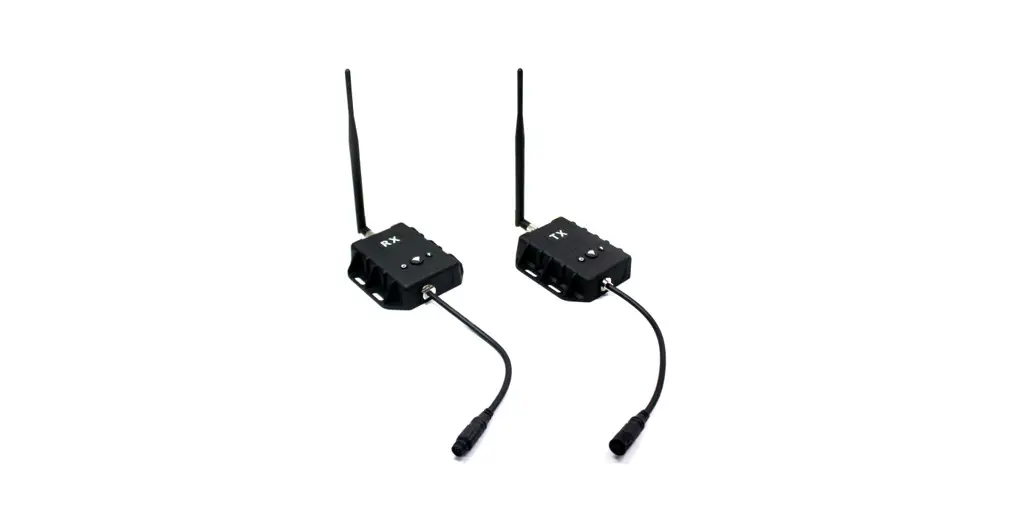
 DXS200 Digital Wireless System
Instruction Manual
DXS200 Digital Wireless System
Features
- Wireless Digital Transmission of Video and Audio
- Wireless Range Max. 120 meters (in the open space)
- Secured wireless link
- Free Input Voltage (DC 10V ~ 32V)
- Re-pairing function to enable interchanging trailers and trucks each other
- Adaptive Frequency Hopping (smart modulation)
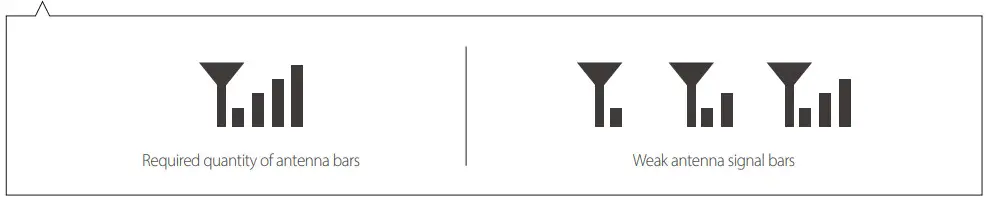
- Display signal strength indicator (at the monitor)
- Status LEDs (power & pairing)
- IP69K waterproof (transmitter & receiver)
- Anodized aluminum housing (corrosion-proof)
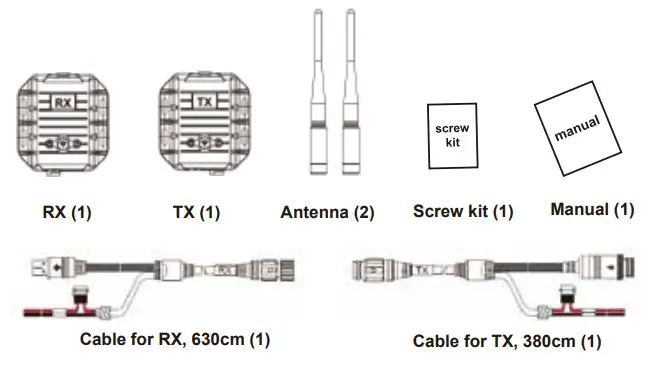
Contents
Technical Specifications
| Operating frequency | 2370MHZ ~ 2510MHZ Digital Wireless Rx/Tx |
| Modulation system | Adaptive Frequency Hopping |
| Wireless range | Max. 120 meters (at the open space) |
| Latency | Under 150 msec communication (in the open space) |
| TV system | PAL |
| Image Encoding | MPEG4 |
| Video Input/Output | CVBS 1.0VP-P, 75Ω |
| Audio Input/Output | AUDIO Max. 2VP-P, 50Ω |
| High Resolution | 720 x 576 (PAL) |
| Power supply | DC 10 ~ 32V |
| Power consumption | 2.4 Watt Max. |
| Current consumption | 200 mA Max. (at 12V DC) |
| Operating temperature | -30C ~ 70C |
| IP Rating | IP69K |
| Dimensions | Transmitter (TX): 100mm x 93mm x 25mm Receiver (RX): 100mm x 93mm x 25mm |
| Weight | Transmitter (TX): approx. 0,75 Kgs incl. cables Receiver (RX): approx. 0,75 Kgs incl. cables |
Installation
Connection Wiring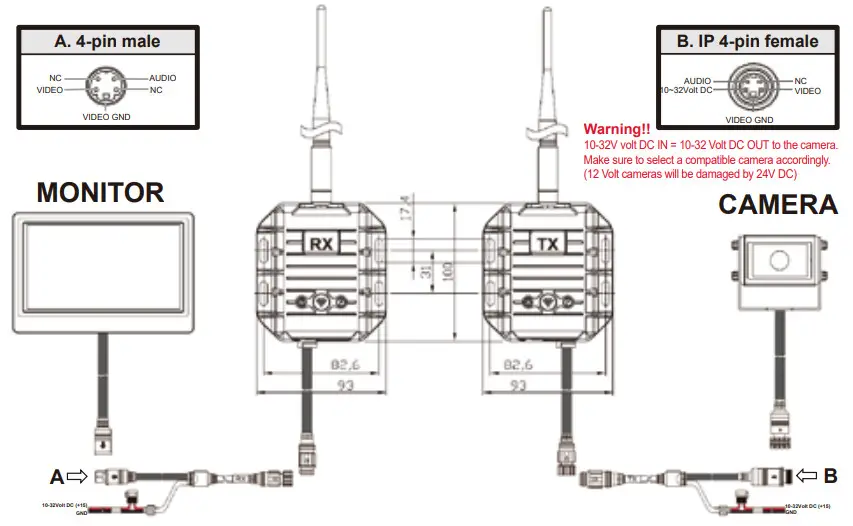
How to do “Pairing”
- Connect the receiver to the monitor and connect the transmitter to the camera.
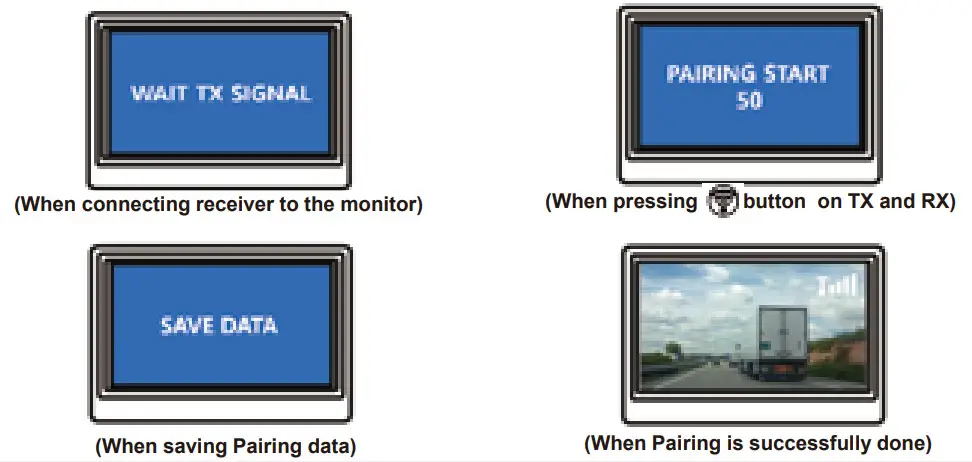
- Press both
 buttons on the TX unit and RX unit for over 3 seconds at the same time.
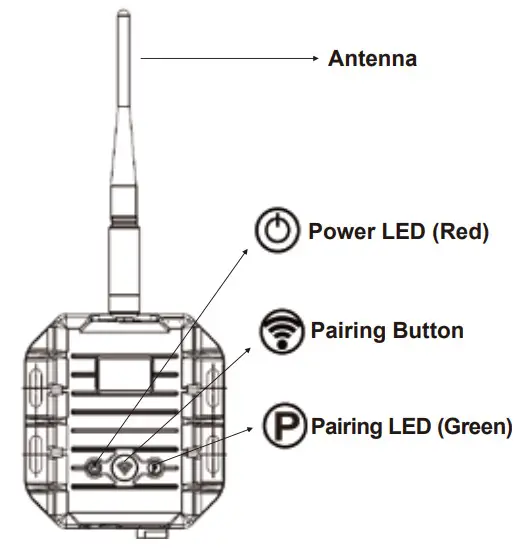
  The red color LED indicator will start blinking.
When the pairing is finished, the red color LED indicator turns on permanently.- When the power is ON, the green color LED indicator turns on.
 buttons on the TX unit and RX unit for over 3 seconds at the same time.
 The red color LED indicator will start blinking.
Button & LED Indicators RX & TX
OSD function
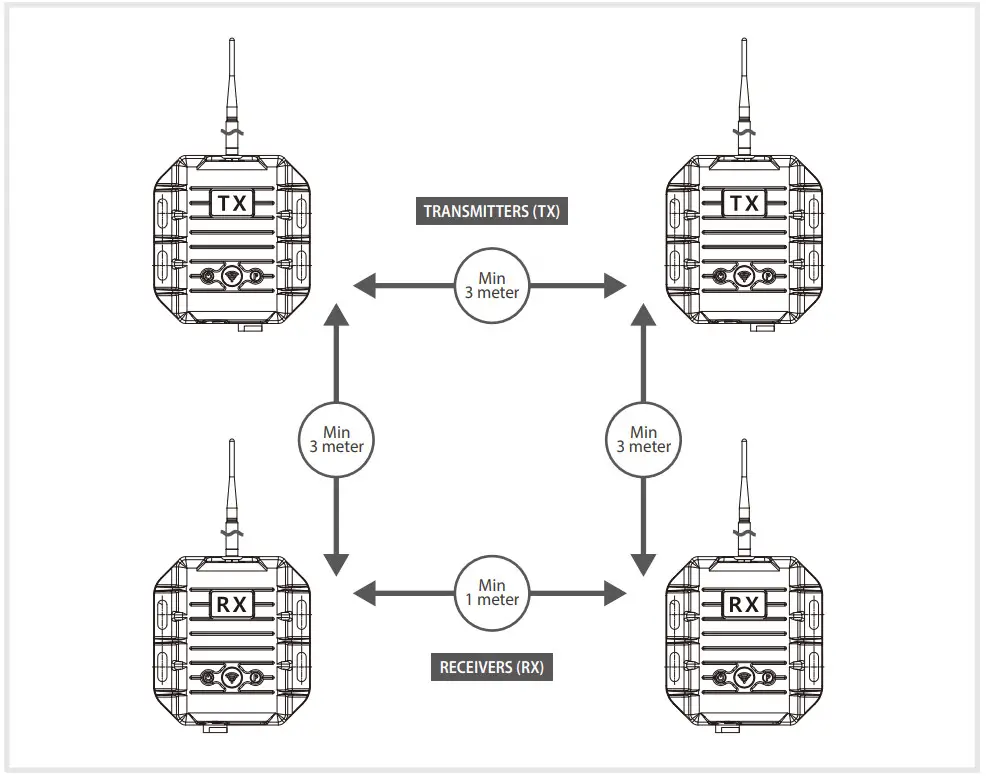
Important Notice!!
- In order to experience the best reception results, keep the distance between the (transmitter) and RX (receiver) at least 3 meters.
- In case multiple DXS200 systems are installed in one vehicle, then the distance between each TX (transmitter) must be at least 3 meters, and the distance between each RX (receiver) must be at least 1 meter.
- When installed indoors, WIFI interference may affect communication between the TX (transmitter) and RX (receiver).
- Please do not install the TX (transmitter) or RX (receiver) around magnetic fields, which can cause interference & noise.
* Required quantity of antenna bars (displayed at the monitor): a) For optimal performance, adjust the receiver antenna’s direction until the required quantity of antenna bars is visible. b) For optimal performance, adjust the transmitter antenna’s direction until the required quantity of antenna bars is visible. c) You can also vary the transmitters’/receivers’ positions to achieve optimal performance. d) Make sure to find proper installation positions until a total of 4 antenna bars for each TX-RX set are displayed at the monitor. When the number of antenna bars is 3 or less 3, then interference & noise may affect the stability of the wireless video signals.