
E800 GNSS Receiver
User Manual
V2.0_202011
Introduction
This is the user manual for the survey E800 GNSS receiver. It gives a basic description and operation guide which may help users to operate the device properly.
Appearance
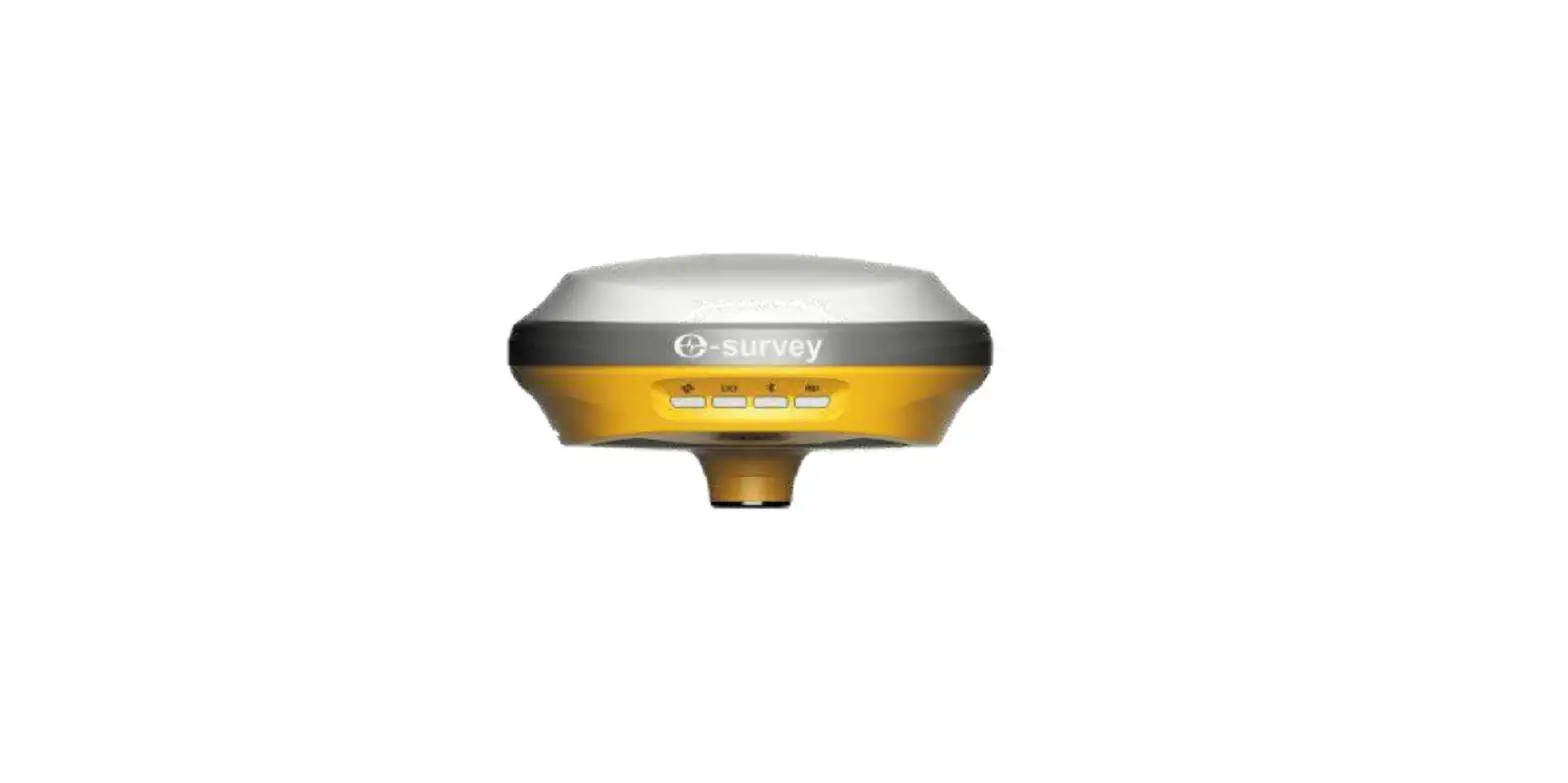
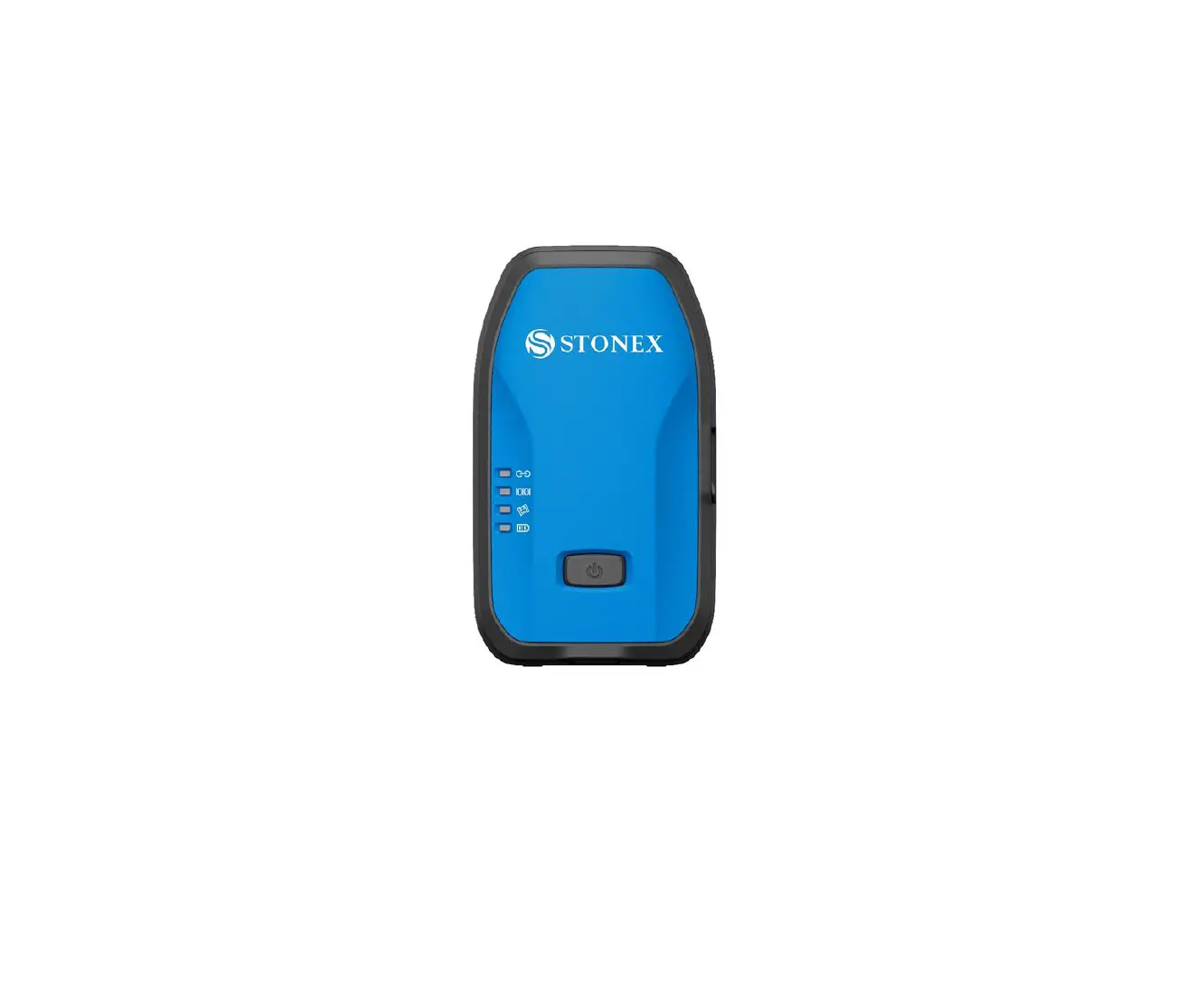
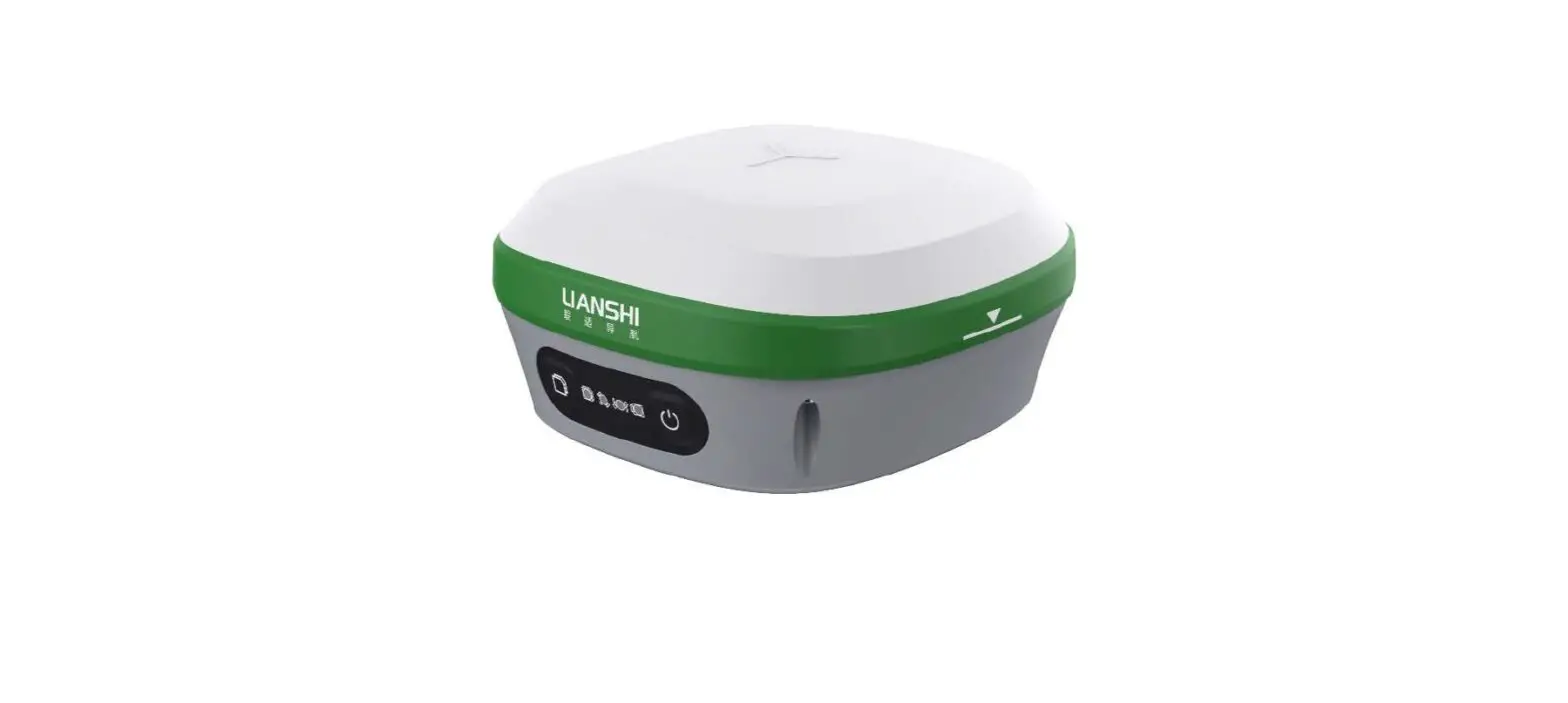
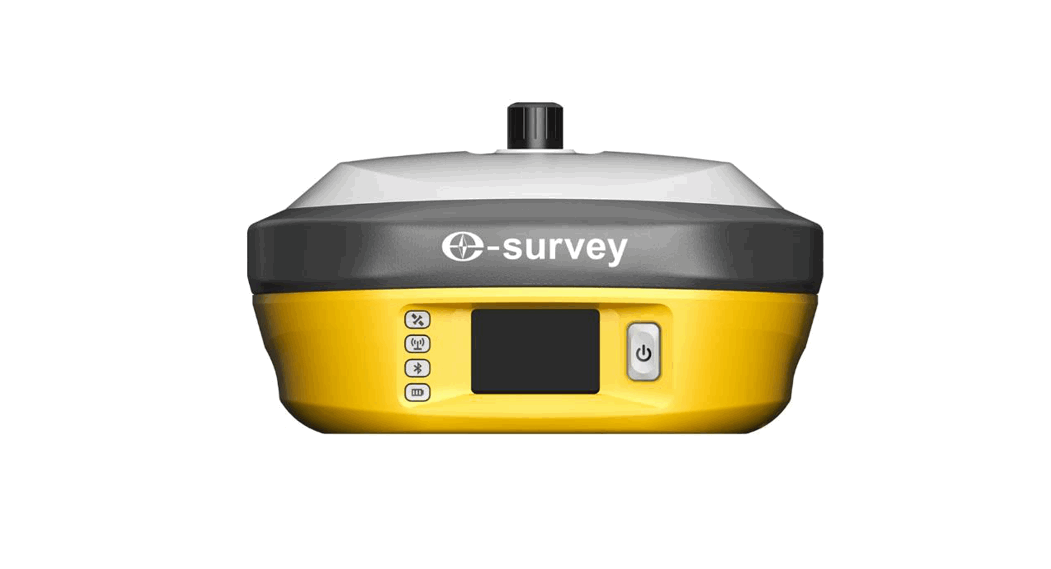
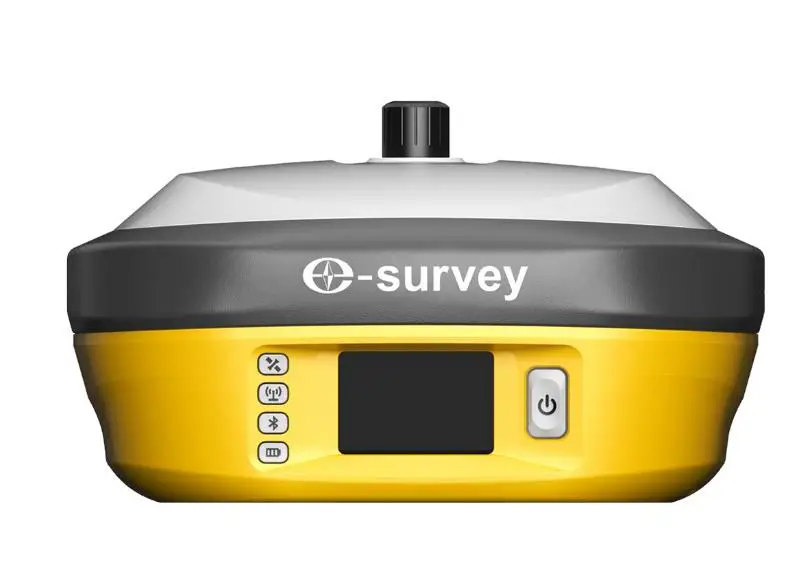
The E800 main body is designed with magnesium alloy material to provide durable usage and better heat dispersion. The receiver is also equipped with a 1.45” touch screen and a 5watt internal radio to meet different kinds of working environments.
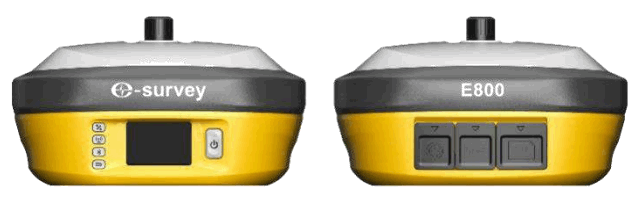
Indicator
Working status is viewable through the indicators. The meaning of each indicator:
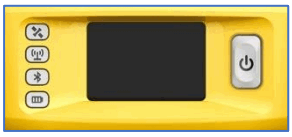
| Indicator | Color | Meaning |
Satellite
| Red and Green | Off: no receiving satellites Flash red: receiving satellites but no solution status Flash green: have a solution but not fixed Solid green: fixed solution Flash red and green alternately: mainboard abnormal |
Datalink
| Green and Blue | Solid green: datalink is ready to start Flash green: datalink is transmitting data normally Flash Blue: when raw data recording is enabled, the LED will flash according to the interval |
Bluetooth | Blue | Off: no Bluetooth connection Solid blue: has Bluetooth connection |
Battery
| Green and Red | Solid green: battery level between 30%~100% Flash green: battery level between 10%~30%, the speaker will beep Flash red: battery level below 10% |


Interface
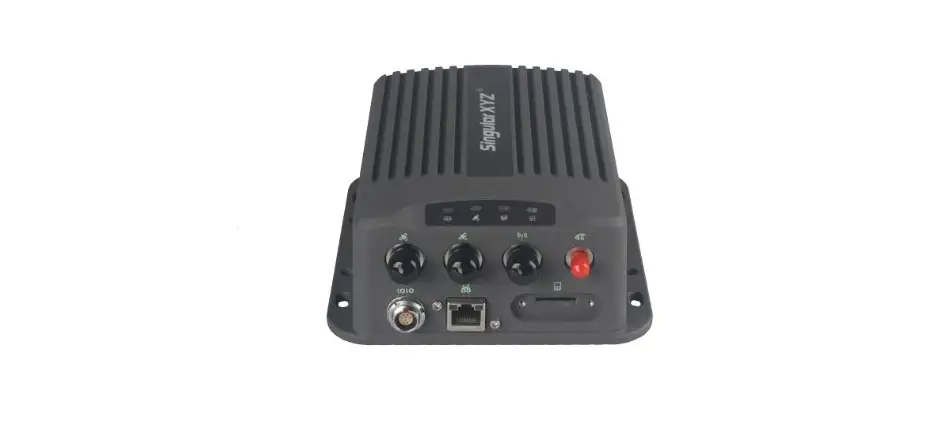
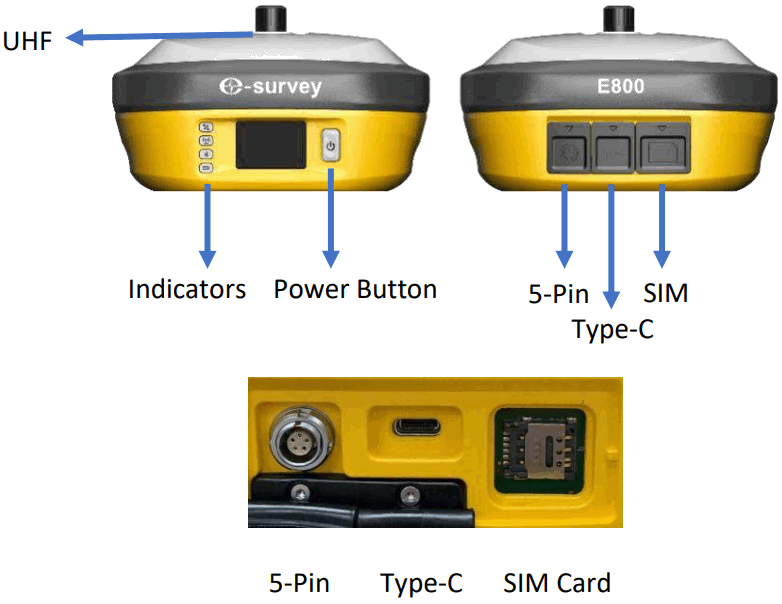
E800 GNSS receive bottom interface is shown as below. The 5-pin port is used to connect external radio and external power, or output NMEA messages. Type-C port can be used for data download (internal storage access) or charging.
Pin definition
The 5-pin port is defined as below:
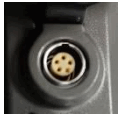
| 5 Pin | 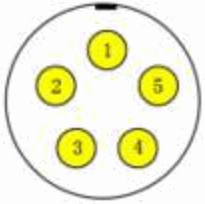 Front View | 1 | +12V | Power |
| 2 | GND | Power ground | ||
| 3 | TXD | Device out | ||
| 4 | SGD | Signal ground | ||
| 5 | RXD | Device in |
There is a power button on the E800 control panel, the main function is as below:
| Power On | Long press button for three seconds to power on receiver, all the indicators will on. |
| Power Off | Long press button for two seconds then release, will hear the voice “Power off?” Then press the button again to confirm. |
| Broadcast Current Working Mode | The receiver will broadcast the current working mode when pressing the power button. |
| Self-check | Long press button for two seconds then release, will hear the voice “Power off?” Then long press button for three seconds will hear the voice “self-check”. |
Touch Screen
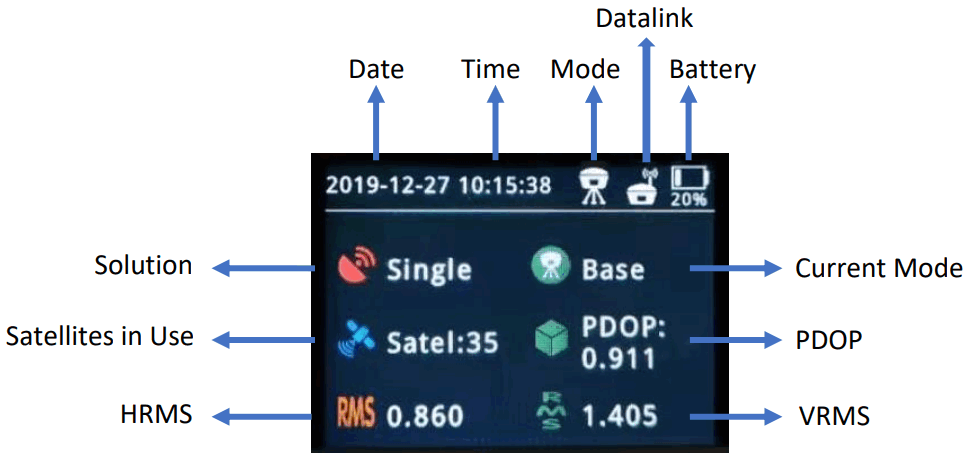
E800 1.45” colorful screen supports touch operation. Users can view device status or operate the device by simply touching the screen. The screen includes three parts: the main page, device information, and work mode setting.
1.6.1 Main Screen
Press the power button to weak the screen, the user will see the main page.
1.6.2 Device Information
Slide the screen to the right, the device information can be found. There are four pages as below pictures. Users can view basic position information, firmware version and device expiration date.

1.6.3 Work Mode Setting
| Start | Start/Stop | Start/Stop current working mode |
| Mode | Static | Sample Interval Cut-off Angle Auto Record: Yes/No |
| Base | Auto Record: Yes/No PDOP Limit Base ID: Change from software | |
| Rover | Change to rover setting | |
| Datalink | Radio | Channel: Channel frequency Power: Low(2W)/High(5W) Protocol: Radio Protocol |
| GPRS | Auto APN: Yes/No | |
| External Radio | Baud Rate | |
| Diff | Diff Mode | Available in base mode |
| Setting | Setting | Backlight Time Language: wait for 3 seconds to apply the setting |
Web User Interface
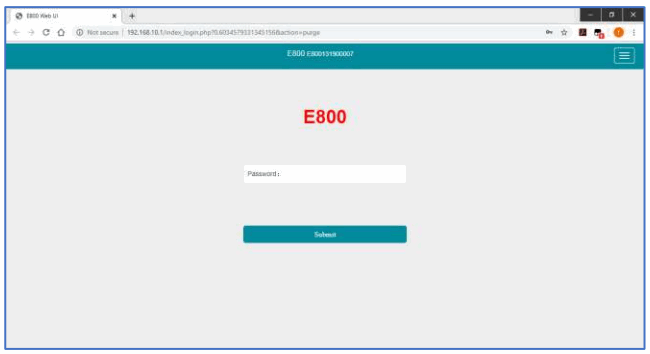
Users can connect to a receiver WIFI hotspot with a PC, smartphone, or tablet. The hotspot name is the device serial number, which can be found under the bottom of the device label. Open a web browser and input the IP address “192.168.10.1”. The default password is “password”. From the website, users can manage working status, change working mode, configure basic settings, download raw data, update firmware, and register the device.
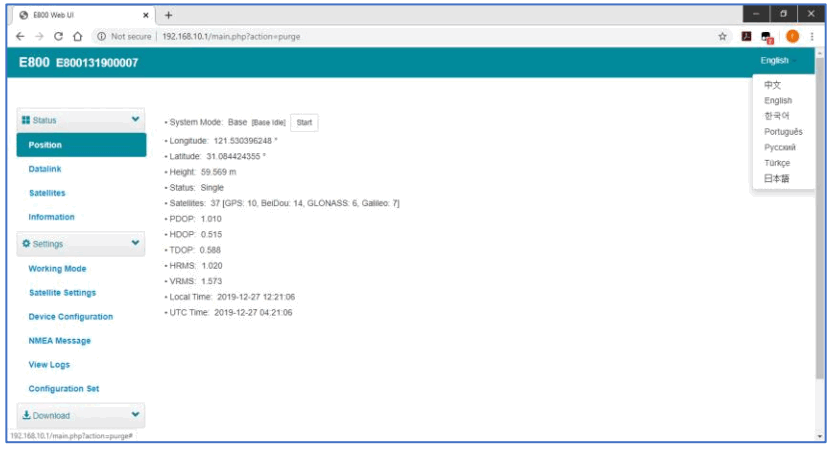
Position
View basic position information, satellite number, PDOP, and time. In static mode, can start and stop recording here.
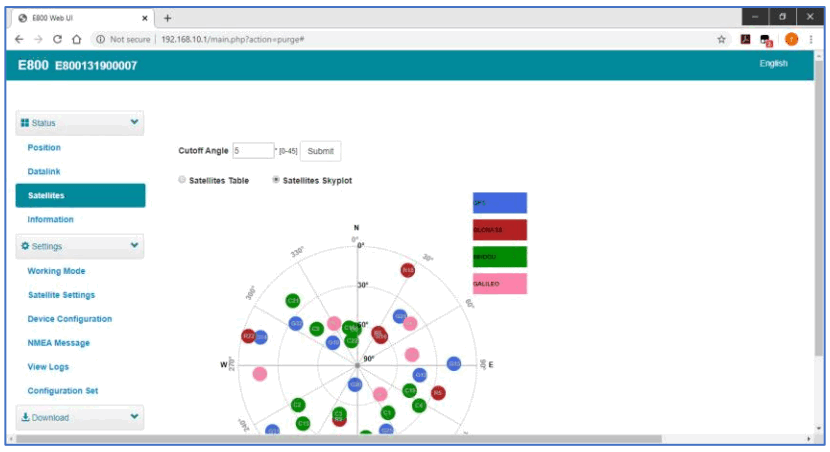
Satellites
View satellite list and satellite map, set cut-off angle.
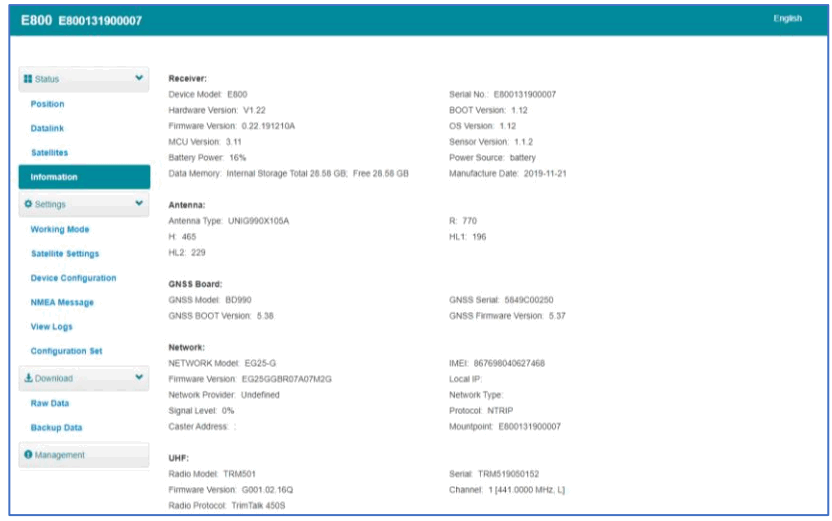
Information
View receiver information: firmware version, GNSS board, and network module.
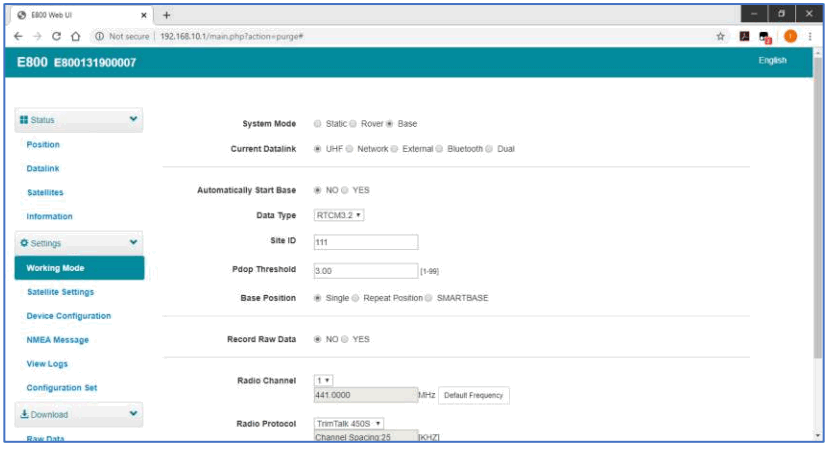
Working Mode
Configurate working mode: base, rover, or static.
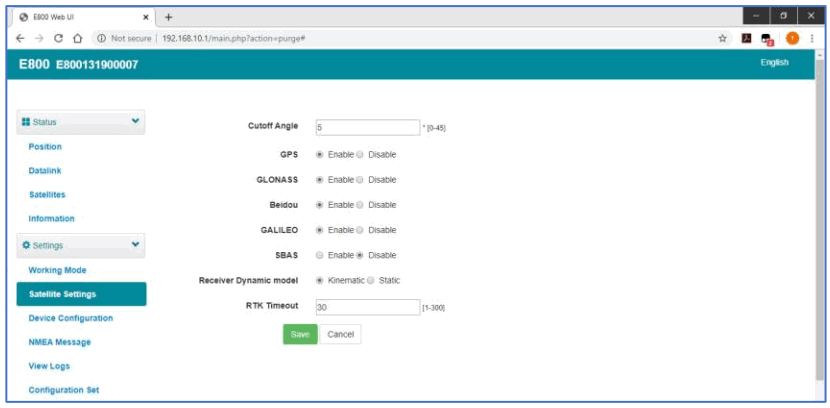
Satellite Setting
Configurate the satellites to be used.
Device Configuration
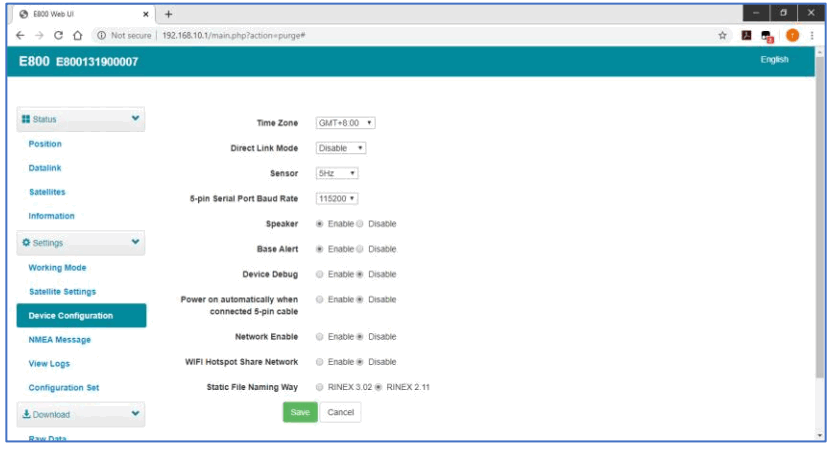
Configurate receiver settings: The user can set a time zone. Sensor means MEMS sensor data output. Also, the 5-pin port baud rate is changeable. Speaker “Smart voice broadcast” can be disabled. Base Alert is enabled, the rover will receive a message when the base is moved. When a SIM card is inserted and a “WIFI share network” is enabled, the PC can surf the internet when connected to a device hotspot by using SIM data.
NMEA Message
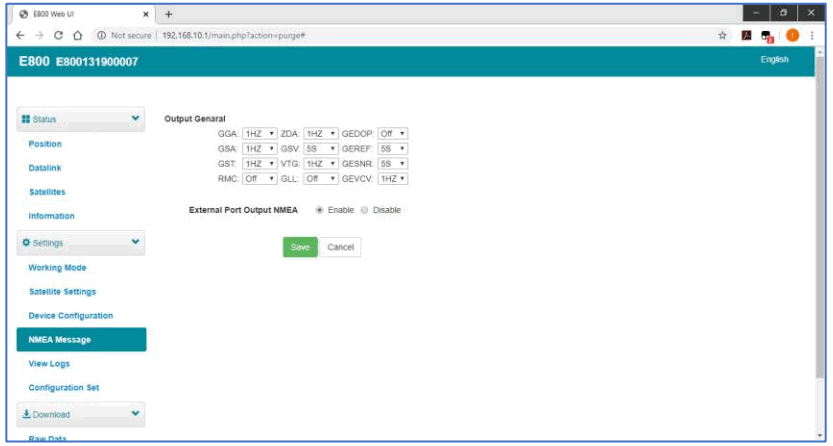
Configurate NMEA data output through Bluetooth or 5-pin port.
View Logs
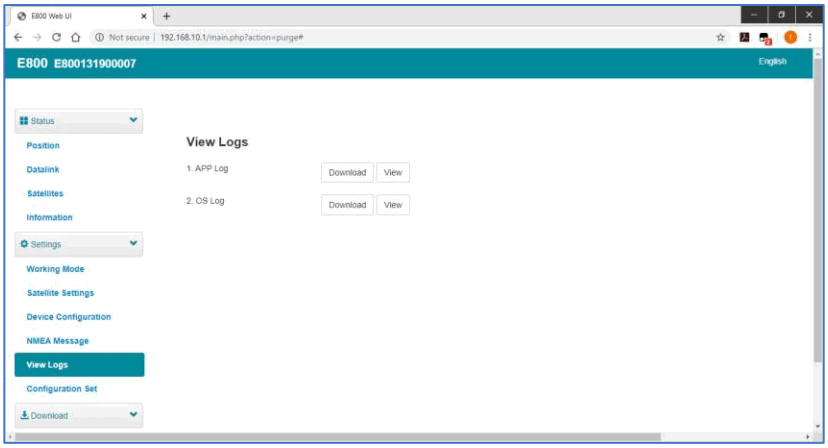
The log files can be used to diagnose issues. Click “download” to download the files..
Raw Data
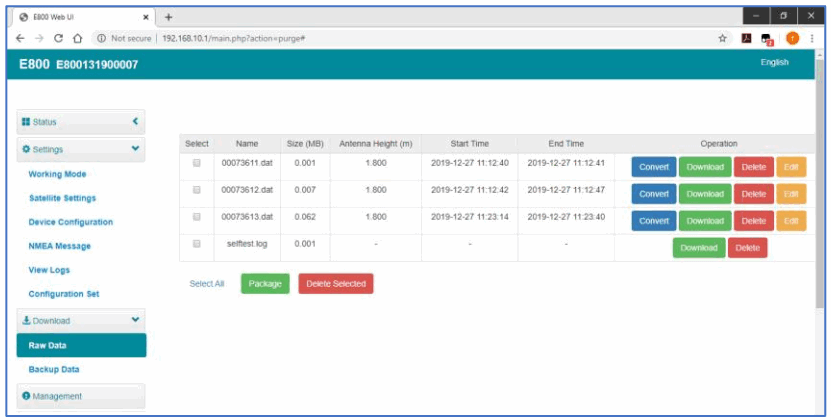
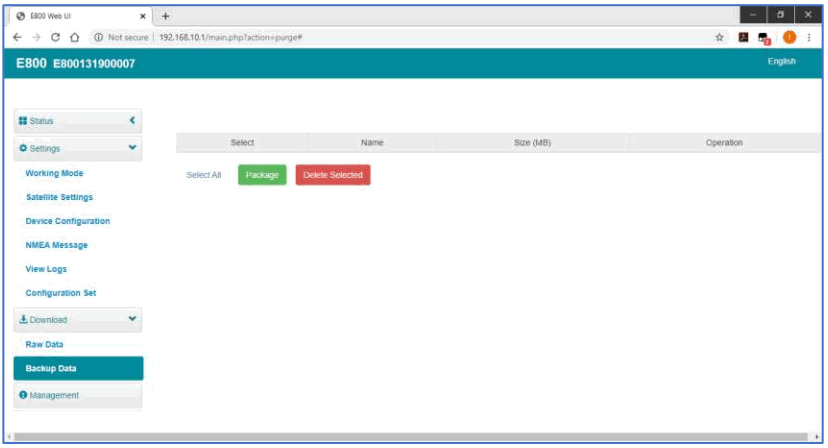
Download raw data or convert data to RINEX format. User can use the check box, then click “Package” to download multiple files.
Backup Data
The points collected in SurPad4.0 will be backup in receiver storage automatically to avoid data loss. Can restore the data to SurPad software.
Management
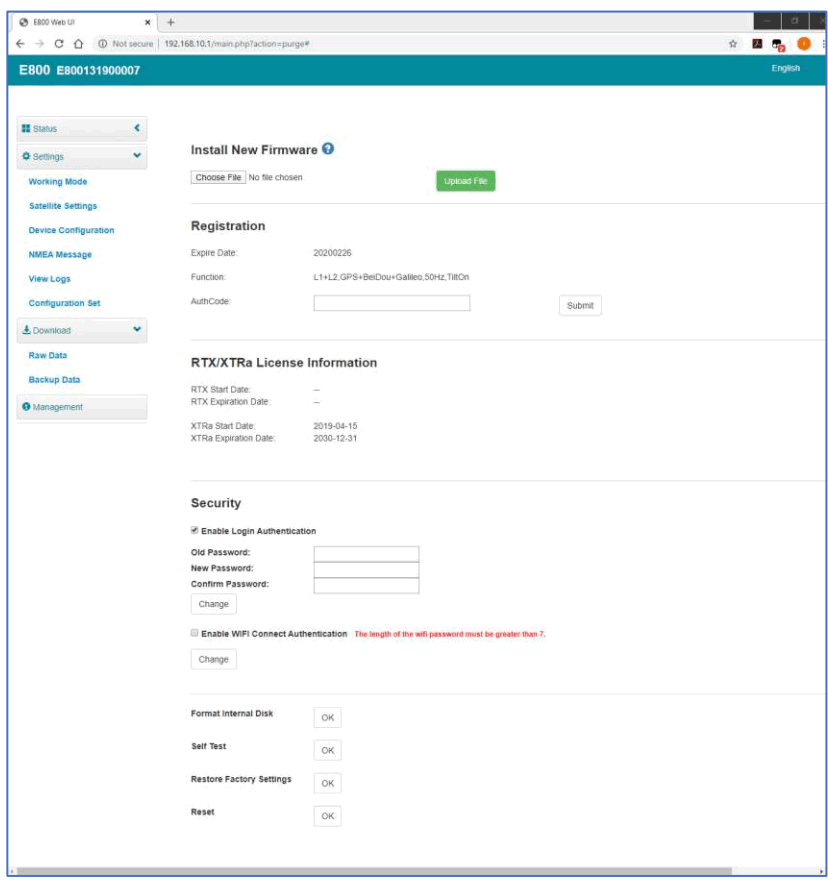
Users can update receiver and GNSS firmware as well as register devices, format internal disk, restore factory settings, restart device. To update the firmware, click “Chose File” to import the firmware, then click “Upload File” to start updating.
Basic Operation
This part shows the user some basic operations to start working with E800.
Insert SIM card
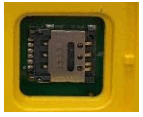
E800 supports network working mode. Open the cover and insert a Micro SIM card.
Charge the battery
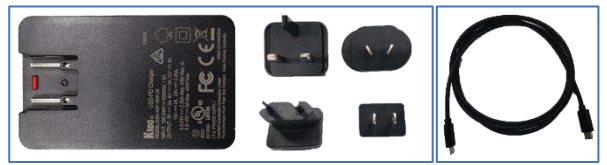
E800 is equipped with a Type-C charger which supports a maximum of 45w PD quick charge.
The capacity is 13600mAh, fully charging the battery will take 8 hours typically. The battery indicator is red when charging, will turn green when fully charged.
Insert radio antenna
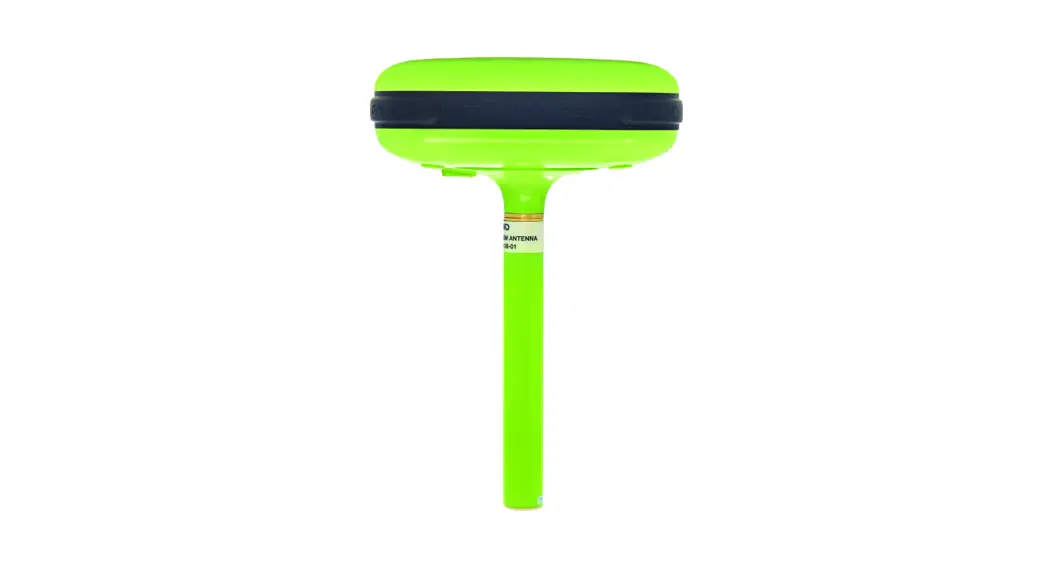
The antenna is required in radio working mode.
Measure antenna height
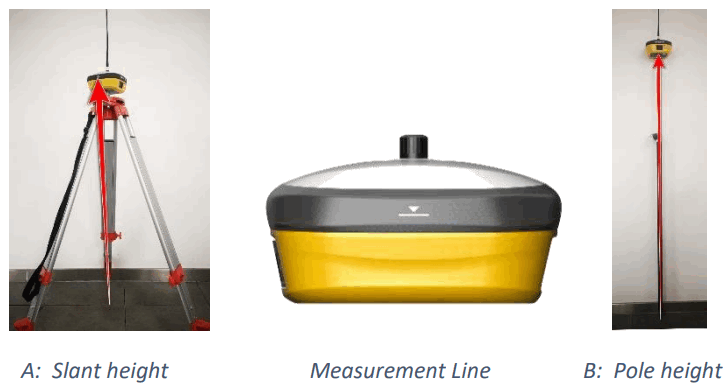
In order to get the correct elevation value, we need to know the correct phase center height of the receiver. However, it is almost not possible to measure the phase center directly. Normally, the software will read the receiver antenna offset parameters. Once the user input the measurement height, the software will calculate the phase center height automatically. Typically, there are two ways to measure the height:
A: Slant height (to measurement line)
- Centering and leveling the tripod on a known point, then measuring slant height from the ground point to the arrow at the side of the receiver.
B: Pole height (straight height to device bottom)
- Read the straight pole height
Sensor
The new E100 supports E-bubble and MEMS. It is determined by the activation code for which the sensor is activated. Please note only one of the sensors can be activated. If you purchase an E-bubble code, you can update to MEMS later by contacting a salesman.
3.5.1 E-bubble Calibration
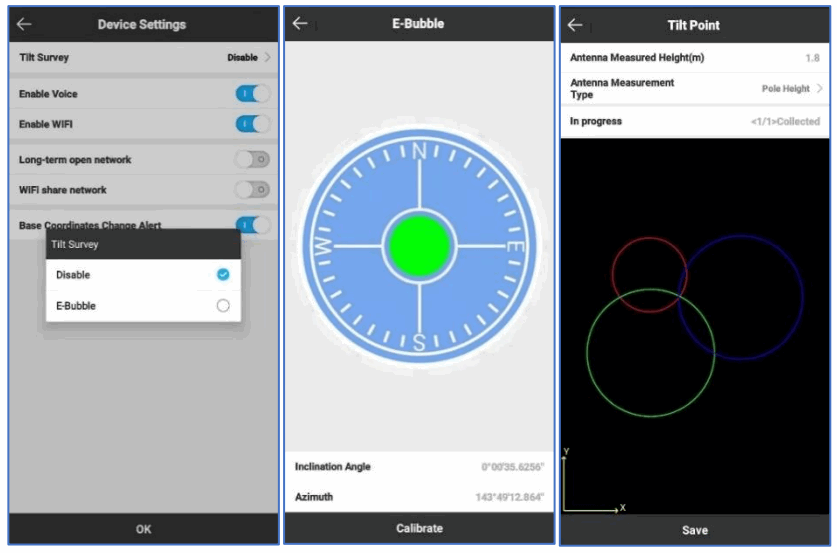
When e-bubble is activated on E100. To calibrate the e-bubble, put the device on a flat table or pole (ensure the bubble on the pole is normal before calibration, then centering the pole bubble). In SurPad4.0 software, connect the device and click “Device” -> “Device Settings”, open the “E-Bubble” function. Then, go to “Device” -> “Calibrate Sensor”, click “Calibrate” to calibrate the e-bubble.
To use the tilt survey function, go to the “Survey” -> “Point Survey” page, select “Tilt Point”.
Then click the survey button to start data collection. After collecting three points in the same location, the software will calculate the final result.
3.5.2 MEMS Tilt Survey
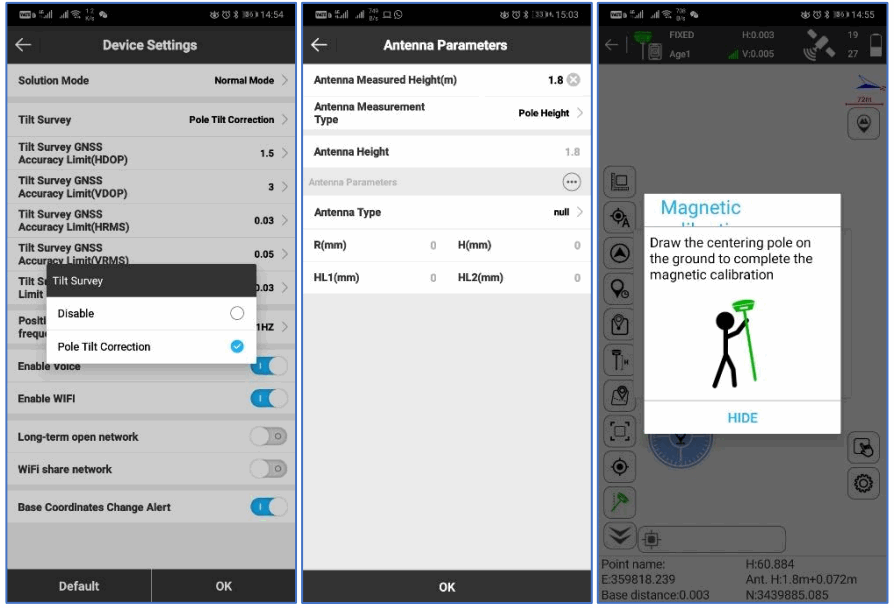
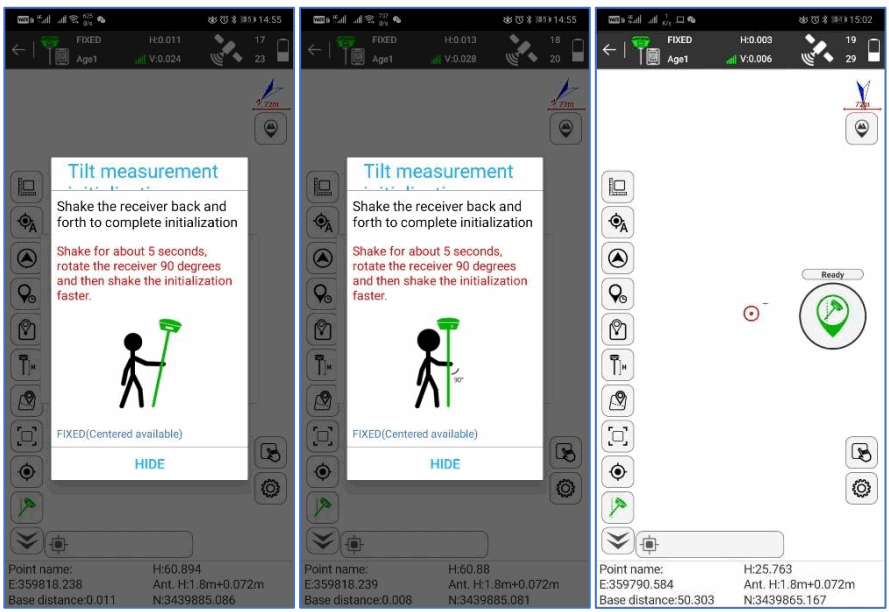
When the MEMS sensor is activated on E100. To calibrate the MEMS sensor, the receiver must be in a Fixed solution. In SurPad4.0 software, connect the device and click “Device” -> “Device Settings”, enable the “Pole Tilt Correction” function. Then, go to “Survey” -> “Point Survey” page. The software will guide the user to calibrate the sensor.
- Input the correct pole height
- Draw a circle on the ground using the pole
- Follow the guide and shake the pole back and forth for around 5-10 seconds or walk in a straight line around 10 meters until it shows “Ready”
Internal Radio
E800 is equipped with 5-watt internal radio. Users can select the transmission power 2 watts (Low) or 5 watts (High). There is 8 default channel frequencies and the frequency of channel “8” is changeable. With a new firmware update, lots of mainly used protocols in the survey industry are supported.
Default channel frequency
| Channel | Frequency/MHz |
| 1 | 431 |
| 2 | 432 |
| 3 | 433 |
| 4 | 434 |
| 5 | 435 |
| 6 | 436 |
| 7 | 437 |
| 8 | 438, Changeable |
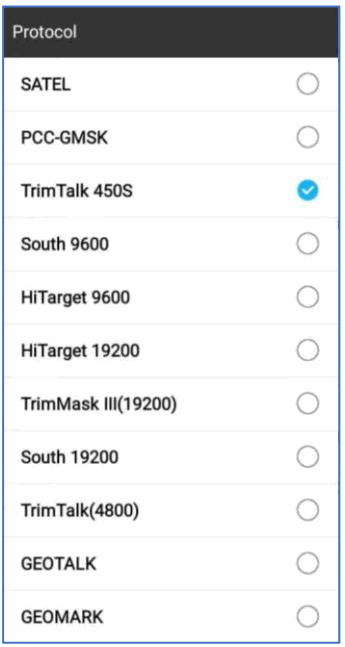
Supported radio protocol
Some of the protocols may require firmware updates.
Standard Accessories
E800 base and rover are using the same hard carrying case.
Base:
E800 Base | |||||
| NO. | Items | Quantity | Model | Description | Picture |
| 1 | Base Carrying Case | 1 | — | Carry case for BOO |  |
| 2 | E800 GNSS Receiver | 1 | — | — | |
| 3 | Charger | 1 | KSA-45P-45W D5 | Type-C port |  |
| 4 | Power Cable | 1 | — | Type-C to Type-C |  |
| 5 | Charger Plug | 4 | — | — |  |
| 6 | Measure Tape | — | 3m/10ft-16mm |  | |
| 7 | UHF Antenna | 1 | QT440A | Internal UHF Antenna, 430-450MHz, 4dBi, TNCJ |  |
| 8 | Screw Connector | 1 | — | — |  |
| 9 | Tray | 1 | — | — |  |
| 10 | Warranty Card | I | — | — |  |
Rover:
E800 Rover | |||||
| NO. | Items | Quantity | Model | Description | Picture |
| 1 | Base Carrying Case | 1 | — | Carry case for BOO | |
| 2 | E800 GNSS Receiver | 1 | — | — | |
| 3 | Charger | 1 | KSA-45P-45W D5 | Type-C port | |
| 4 | Power Cable | 1 | — | Type-C to Type-C | |
| 5 | Charger Plug | 4 | — | — | |
| 6 | Measure Tape | — | 3m/10ft-16mm | | |
| 7 | UHF Antenna | 1 | QT440A | Internal UHF Antenna, 430-450MHz, 4dBi, TNCJ | |
| 8 | Screw Connector | 1 | — | — | |
| 9 | Warranty Card | 1 | — | — | |
Technical Specifications
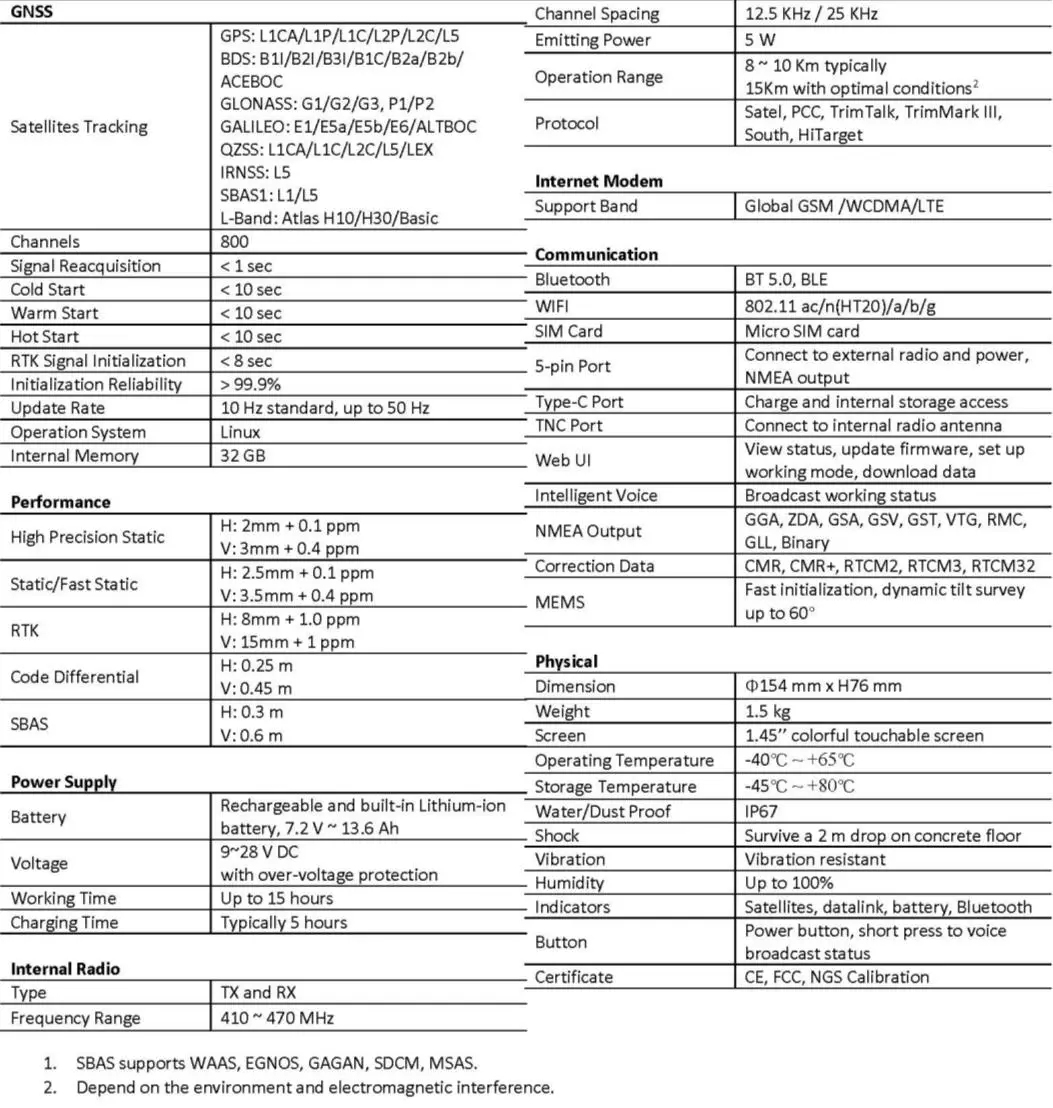
E800 (P40 Version)
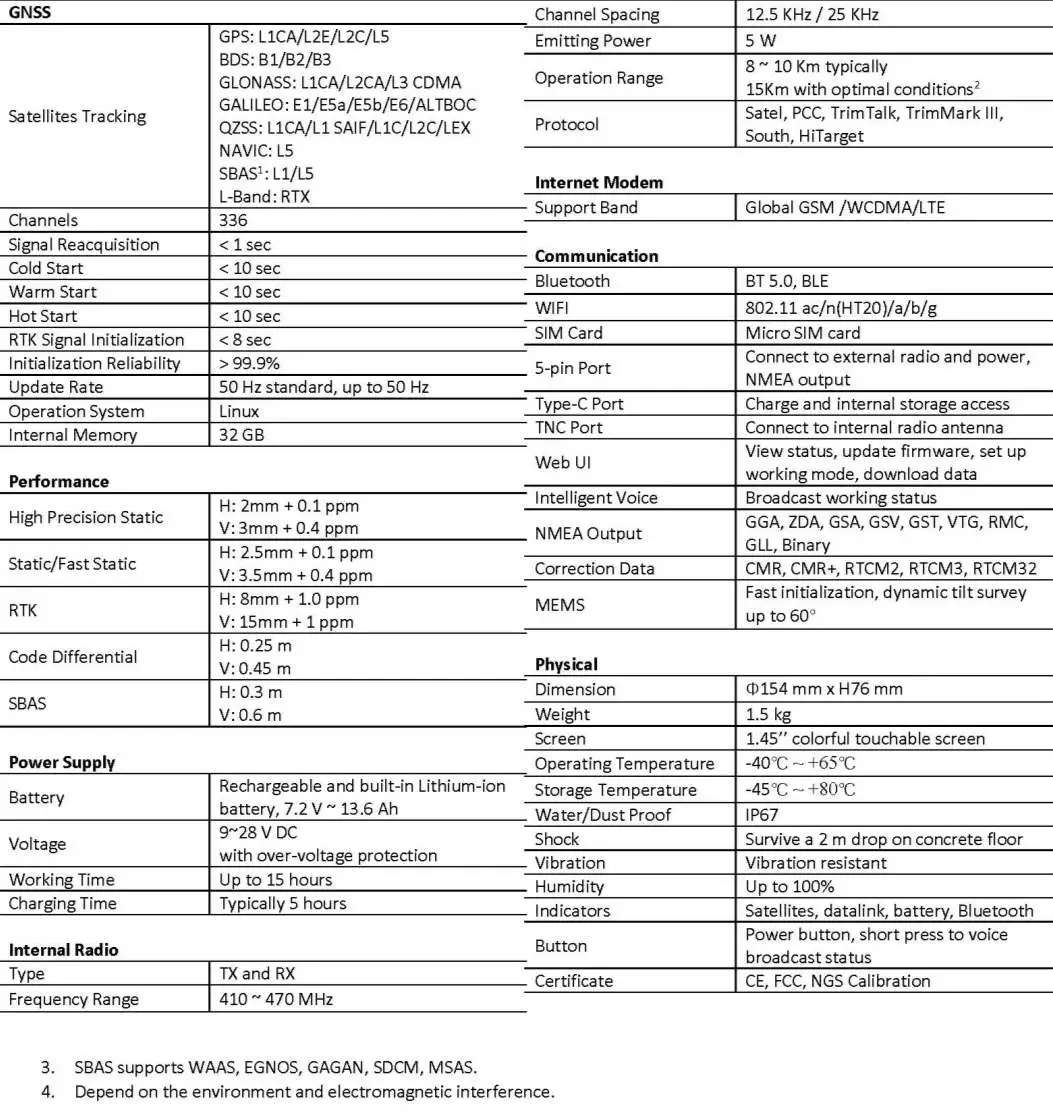
E800 (BD990 Version)
Warranty Policy
The Guarantees Rights
- e-survey supports free exchange or refund within 7 days from the day when you have received the products, where the device appears “performance failure”, which is confirmed by the e-survey repair center.
- e-survey supports free maintenance or exchange within 15 days from the day when you have received the products, where the device appears “performance failure”, which is confirmed by the e-survey repair center.
- e-survey supports free maintenance or exchange of the same type of device within one year from the day when you have received the products, where the device appears “performance failure”, which is still not in working conditions after two repairs.
- e-survey supports a 24-month warranty service for the device host and a 3-month free warranty service for the accessory from the day when you have received the products.
Warranty service
- If the device host meets the warranty conditions, the warranty service can be obtained according to the warranty card and the purchasing invoice. If the proof of purchase and the warranty card cannot be provided, an e-survey will use the delivery time as the standard for the warranty period.
- If it is a non-warranty product, the repair center will handle the maintenance of the extra fee.
- After the device is repaired, the same fault is confirmed by the repair center and an e-survey will provide a 3-month free warranty service.
- The transportation, delivery, and disposal costs incurred during the delivery or inspection of the product to e-survey shall be borne by the user. The freight generated by the repair or inspection equipment returned to the user shall be borne by an e-survey.
- Equipment that needs to be repaired or sent for inspection, please back up the data in the machine in time.
- During the warranty period, the parts normally used for maintenance are free.
- The parts that have been replaced during the repair are owned by an e-survey.
- e-survey is not responsible for non-product standards and software or applications that are not certified by the company.
Following conditions are not within the scope of the warranty and service
The device host and accessories have been subjected to: abnormal or improper use, improper storage of abnormal conditions, unauthorized disassembly or alteration, accidents, damage caused by improper installation.
- Damage caused by improper use of the user, such as liquid injection, damage due to external force, etc.
- Failure to use, repair, or transport caused by the equipment’s instruction manual.
- Damage to the product is caused by external, including but not limited to, abnormal and unpredictable factors such as satellite systems, geomagnetism, static electricity, physical pressure, etc.
- Damage caused by force majeure such as earthquakes, floods, wars, etc.
- Other conditions that cannot comply with the relevant provisions of the Guarantees Rights.
Web: www.esurvey-gnss.com
Email: [email protected]