
GeoVision GV-PA903BT Gigabit BT PoE Adapter
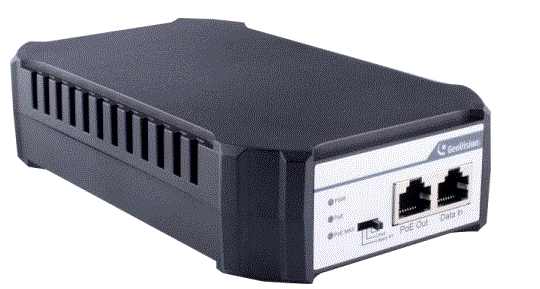
GV-PA903BT Gigabit BT PoE++ Adapter
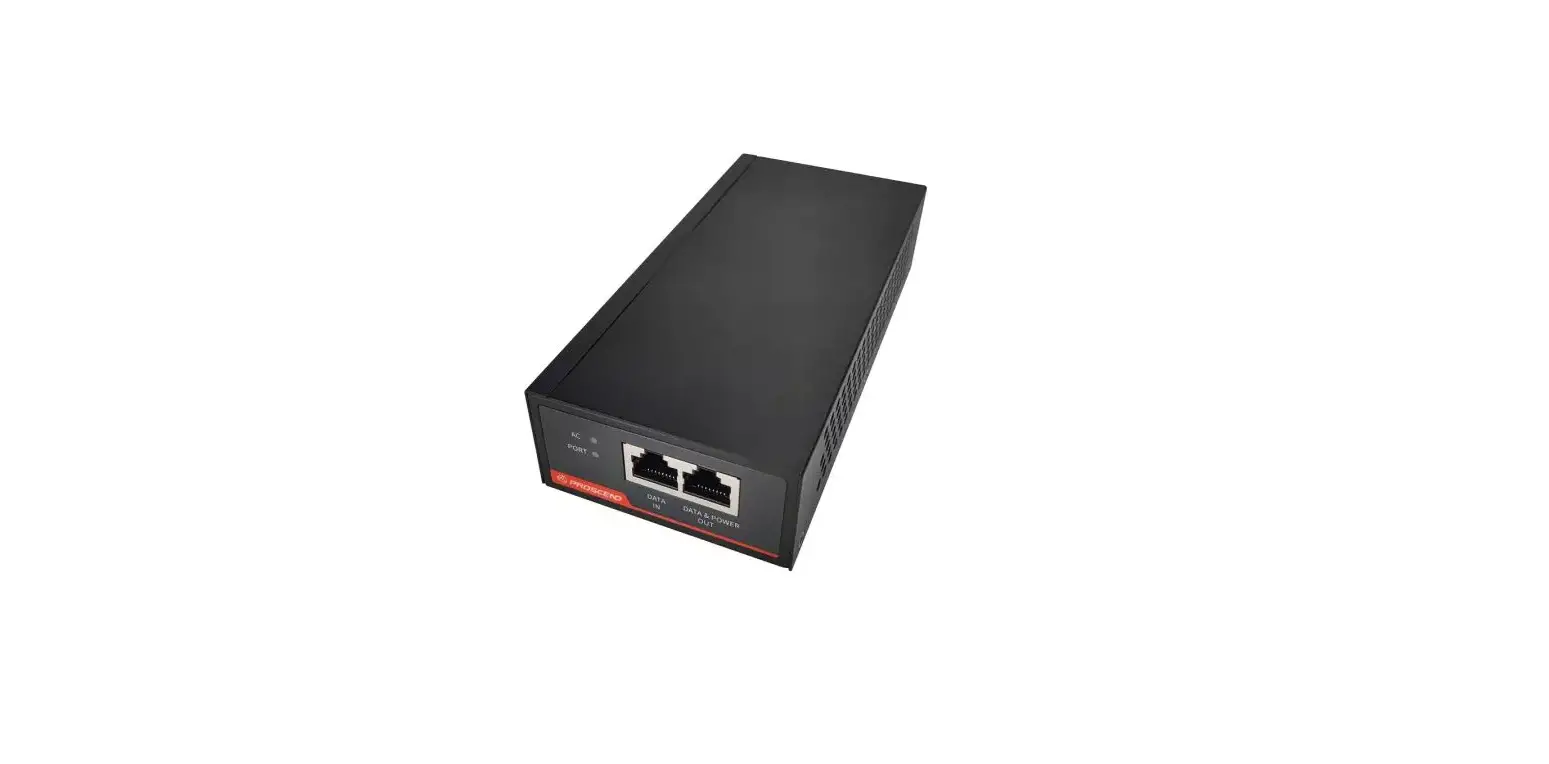
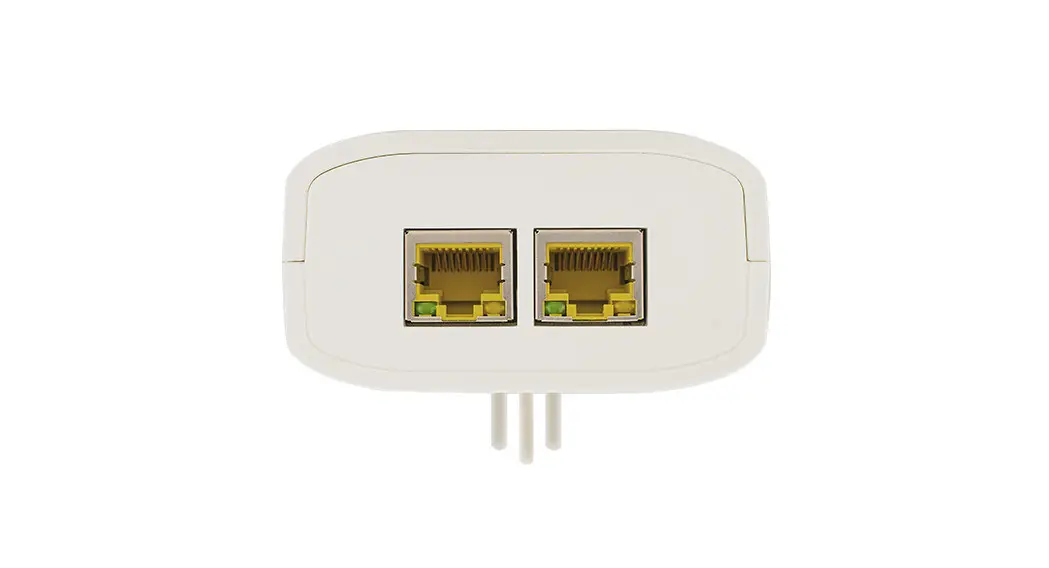
The GV-PA903BT is a Gigabit PoE (Power over Ethernet) adapter that supports the IEEE802.3af/at/bt Power over Ethernet standard. It has a maximum power output of 95W over a single Ethernet cable, allowing you to mount an IP camera anywhere in a building with limited access to power outlets by using the PoE adaptor.
Packing List
- GV-PA903BT x 1
- Power Cord x 1
- Rubber Feet x 4
Hardware Description
Front Panel
- Intelligent display of PoE power supply
- LED indicator:
- Green On: Power on
- Off: Power off
- Green On: Power is supplied to connected devices
- Green On: Power is supplied to connected devices when the
suitable power output mode is switched on. Three modes are
available: BT (default), UPoE, and Legacy BT.
Rear Panel
The GV-PA903BT has two Ethernet ports: Data in and PoE Out.
Connections
Two Ethernet cables are required for the connection:
- Connect one end of the first Ethernet cable into the Data in port on the GV-PA903BT, and the other end to the LAN port on a Hub/Router.
- Connect one end of the second Ethernet cable into the PoE Out port on the GV-PA903BT, and the other end to the IP camera.
- Connect the GV-PA903BT to power using the supplied power cord.
Mount Installation
The GV-PA903BT can be installed on a desktop or wall-mounted. For desktop installation, attach the four supplied rubber feet at the bottom of the adapter and place it on a leveled surface. For wall-mounting, insert two self-prepared screws into the desired wall that align with the base of the GV-PA903BT. Tighten the screws leaving about 1.5mm hanging out and hang the GV-PA903BT onto the screws.
Specifications
For detailed specifications, please refer to the Datasheet.
To use the GV-PA903BT Gigabit BT PoE++ Adapter:
- Connect one end of an Ethernet cable into the Data in port on the GV-PA903BT and the other end to a LAN port on a Hub/Router.
- Connect one end of another Ethernet cable into the PoE Out port on the GV-PA903BT and the other end to an IP camera.
- Connect the GV-PA903BT to power using the supplied power cord.
- If installing on a desktop, attach the four supplied rubber feet at the bottom of the adapter and place it on a leveled surface. If wall-mounting, insert two self-prepared screws into the desired wall that align with the base of the GV-PA903BT, leaving about 1.5mm hanging out, and hang the GV-PA903BT onto the screws.
GV,PA903BT is a Gigabit PoE (Power over Ethernet) adapter. The adapter supports the IEEE802.3af/at/bt Power over Ethernet standard, with a maximum power output of 95 W over a single Ethernet cable. You can mount an IP camera anywhere in a building where power outlets are scarce by using the PoE adaptor. 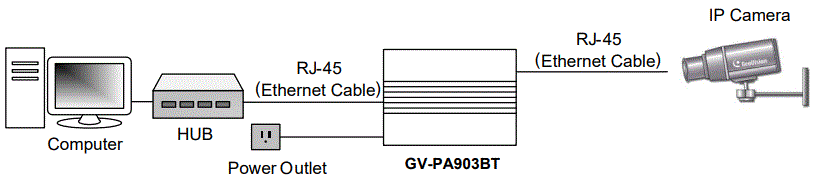
Packing List
- GV-PA903BT x 1
- Power Cord x 1
- Rubber Feet x 4
Connections
Two Ethernet cables are required for the connection.
- Connect one end of the first Ethernet cable into the “Data in” port on the GV-PA903BT, and the other end to the LAN port on a Hub / Router.
- Connect one end of the second Ethernet cable into the “PoE Out” port on the GV-PA903BT, and the other end to the IP camera.
- Connect the GV-PA903BT to power using the supplied power cord.
Hardware Description
Front Panel 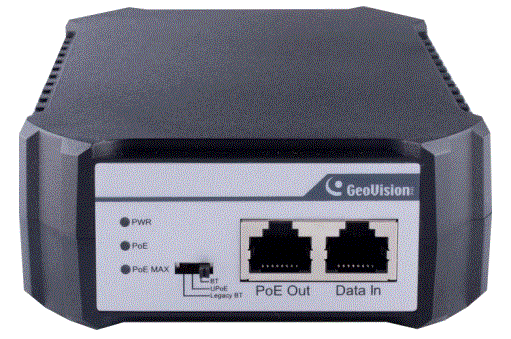
Intelligent display of PoE power supply
When using the PoE power supply to connect the PD equipment, wait patiently for about 10 seconds while connecting.
LED indicator
| LED | Color/Status | Description |
| PWR | Green On | Power on |
| Off | Power off | |
| PoE | Green On | Power is supplied to connected devices |
|
PoE MAX | Green On (Power output reaches 80%) | Power is supplied to connected devices when the suitable mode is switched on. 3 modes are available: BT (default), UPoE, and Legacy BT. |
Rear Panel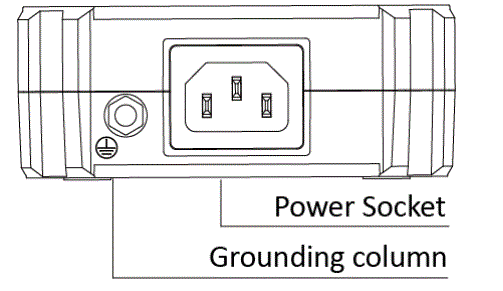
Mount Installation
Desktop
To install GV-PA903BT on a leveled surface, attach the four supplied rubber feet at the bottom of the adapter as illustrated and place it on a leveled surface.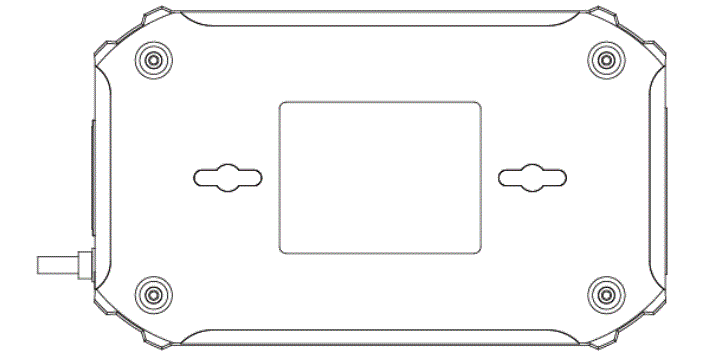
Wall
For wall mount, insert on the desired wall two self-prepared screws that align to the base of the GV-PA903BT. Tighten the screws to the point where there are about 1.5 mm left hanging out and hang the GV-PA903BT onto the screws.
Specifications
For detailed specifications, see Datasheet