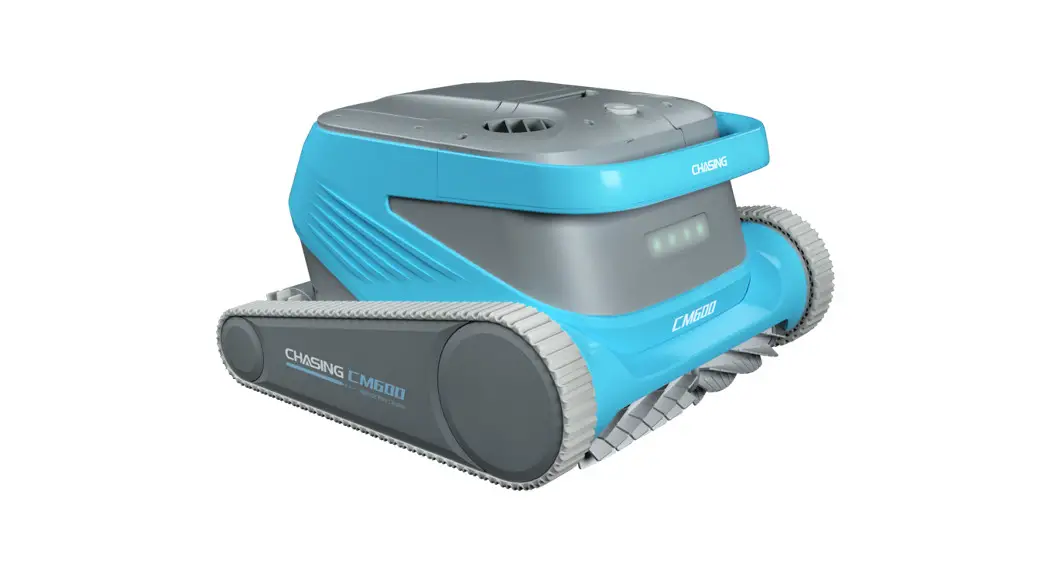
 CHASING CM600
User Manual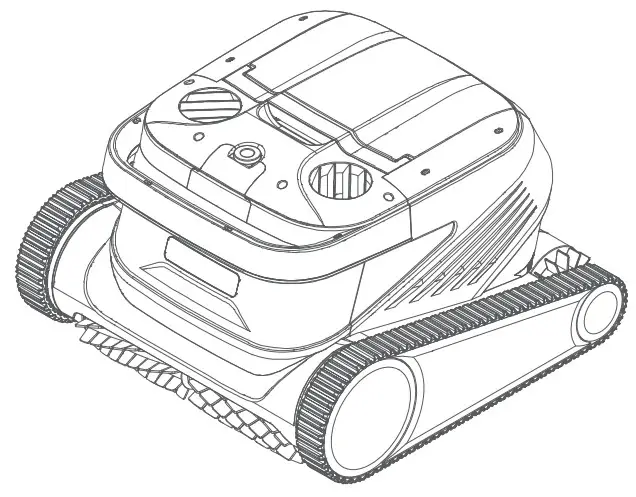
 Disclaimer
 Disclaimer
Before using Chasing CM600, please all users read this disclaimer carefully. Once this product is used, it shall be deemed that the user recognizes and accepts all contents of this disclaimer.
For personal injury, property loss, etc. (including direct or indirect loss) from using this product due to the following reasons, Chasing Innovation shall assume no compensation liability:
- Damage from use by the operator in poor physical or mental condition.
- Personal injury, property loss, etc. caused by subject intent of the operator.
- Compensation for any related damage caused by accidents.
- This product is not properly assembled or operated as instructed in this manual.
- Other damages caused by poor running of the whole cleaner due to arbitrary modification or replacement of non-Chasing Innovation accessories or parts.
- Damages caused by use of products not produced by Chasing Innovation or simulating products of Chasing Innovation.
- Compensation for damages caused by operation error or false subjective judgement of the operator.
- Poor running of the cleaner due to its natural wear and tear, corrosion, line aging, etc.
- Other losses beyond liability scope of Chasing Innovation.
Main Components
Cleaner
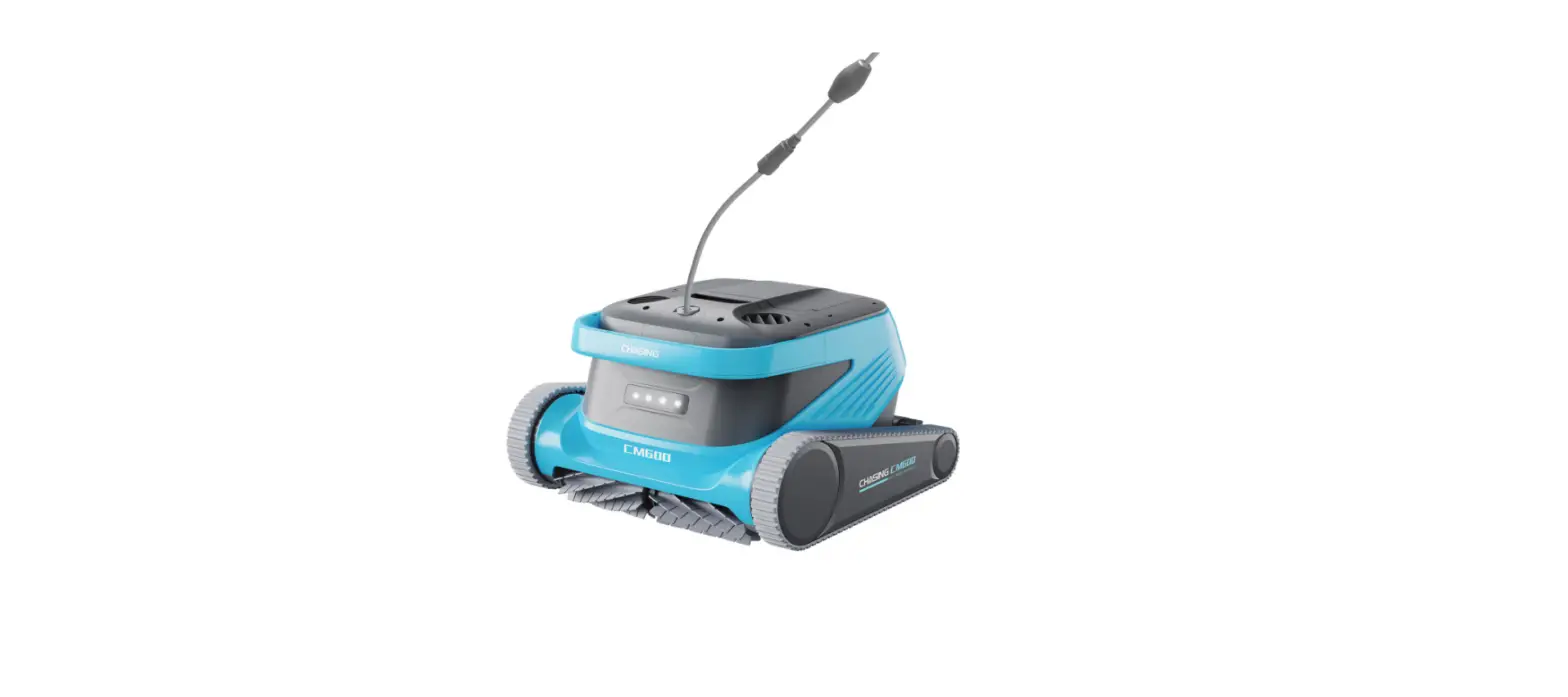
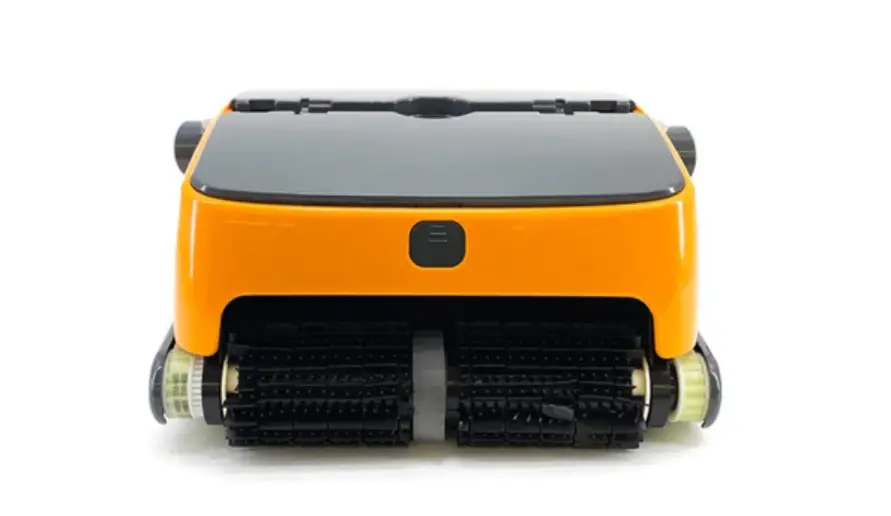
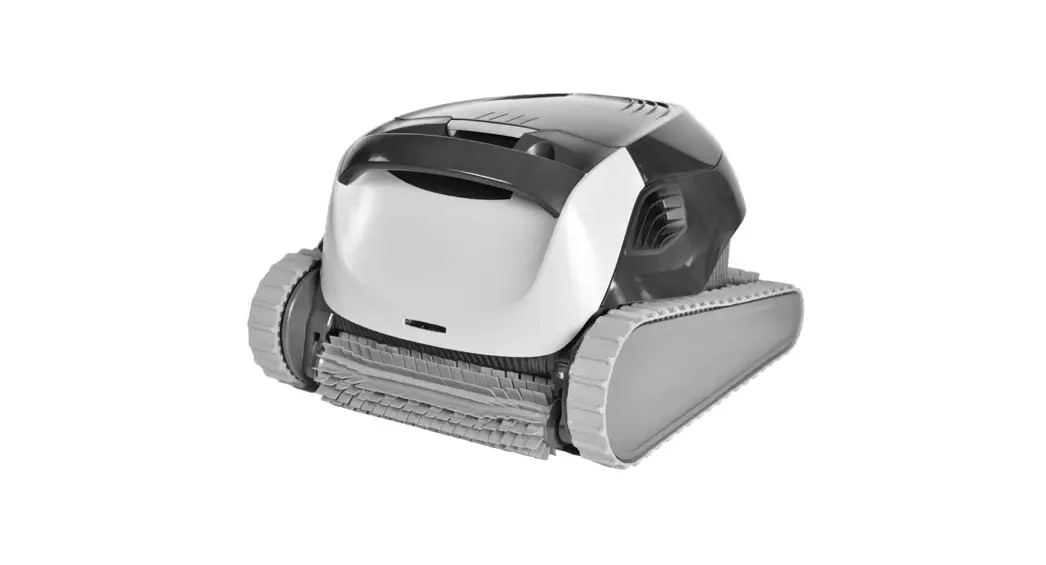
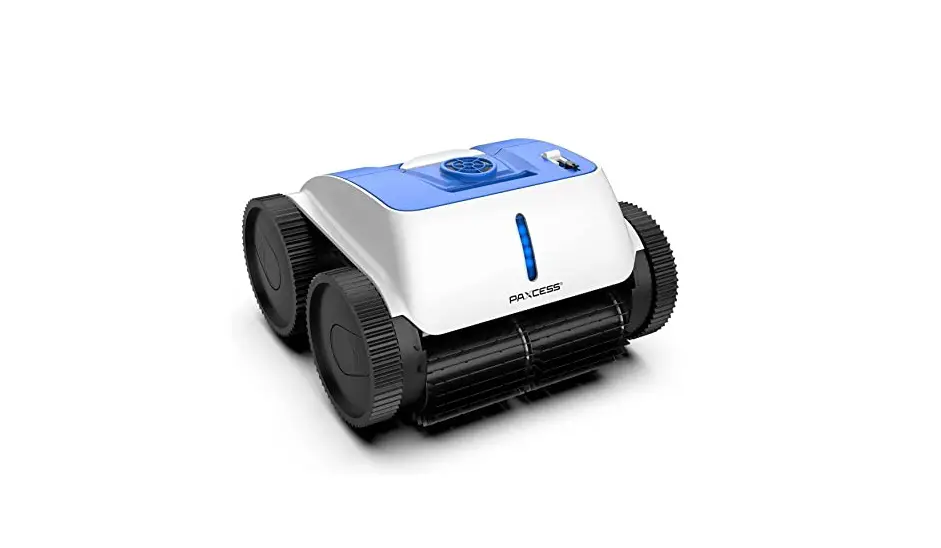
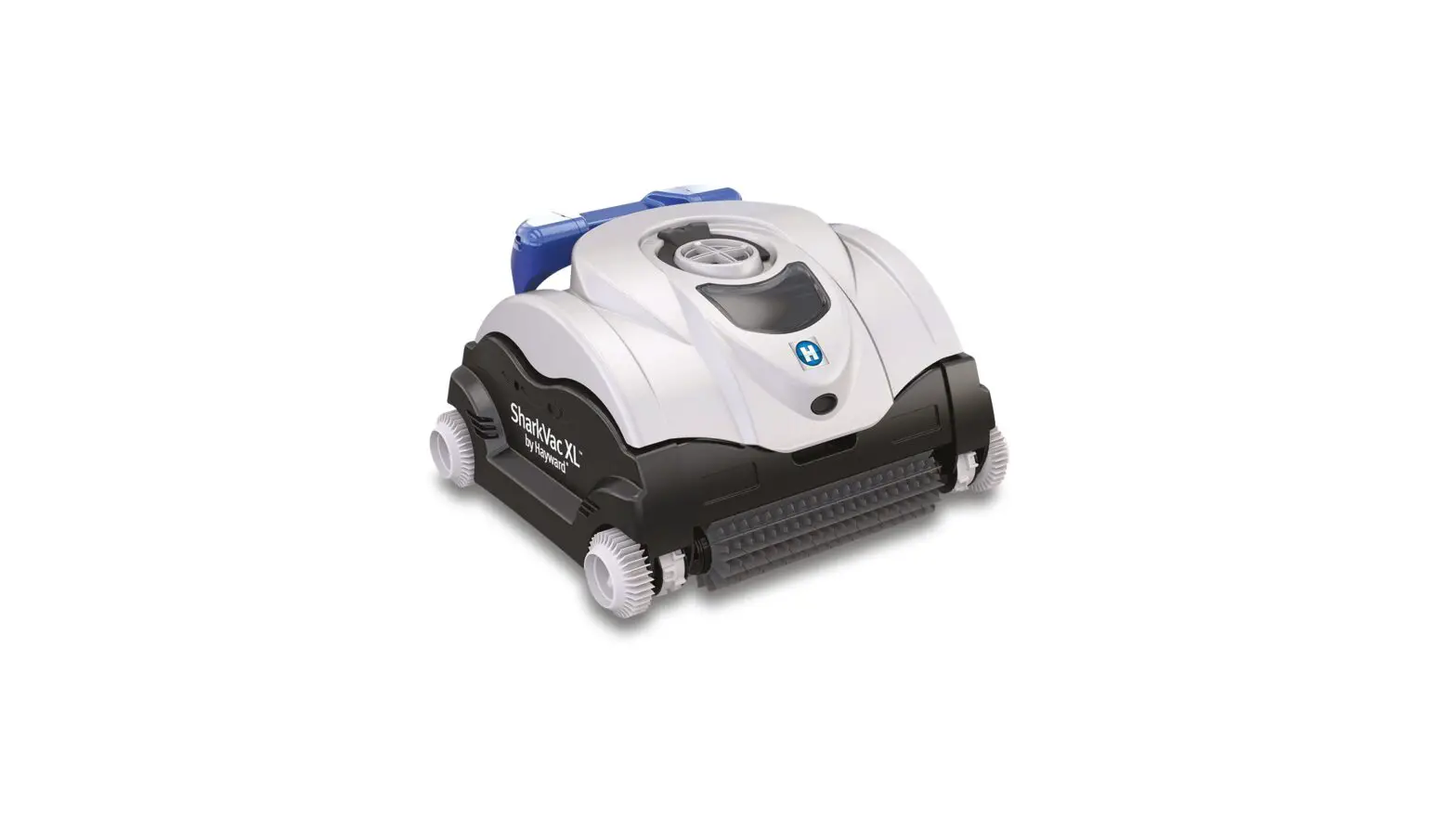
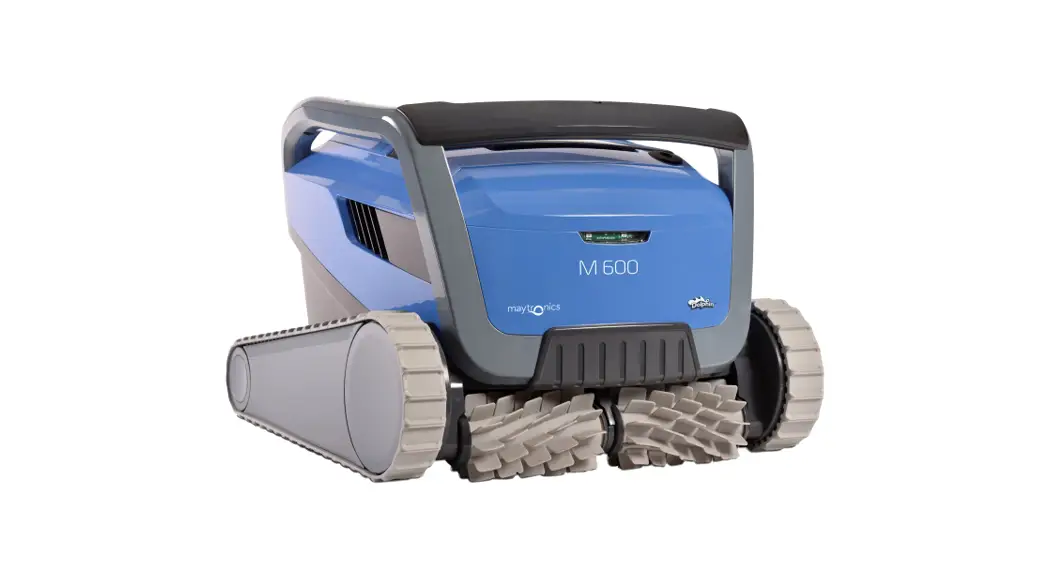
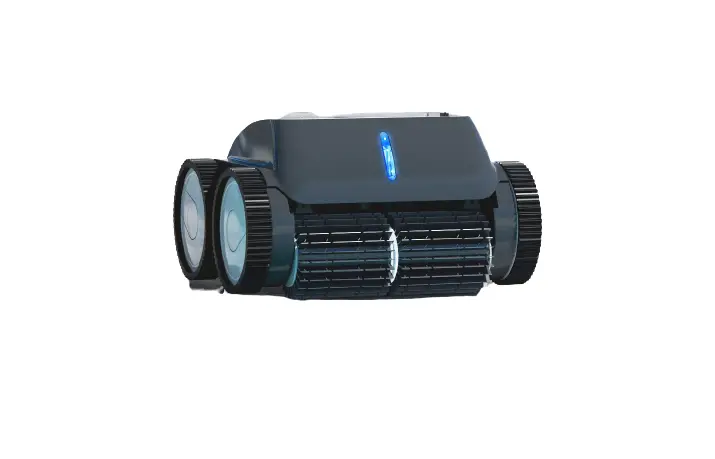
Chasing CM600 is an automatic swimming pool cleaning cleaner specially created for cleaning of swimming pools, it substitutes the traditional cleaning method, liberate the hands, and can clean the swimming pool bottom, wall and waterline automatically.
Equipped with CHASING S-Clean technology, Chasing CM600 is applicable to swimming pools of multiple shapes, and guarantee high cleaning area coverage rate and time efficiency, and its dual-precision filter screen can filter various pool water dirt and pollutants precisely. It is also equipped with brand-new CHASING GO3 App, thus providing the users with a more intelligent, more convenient and more economic cleaning method of swimming pools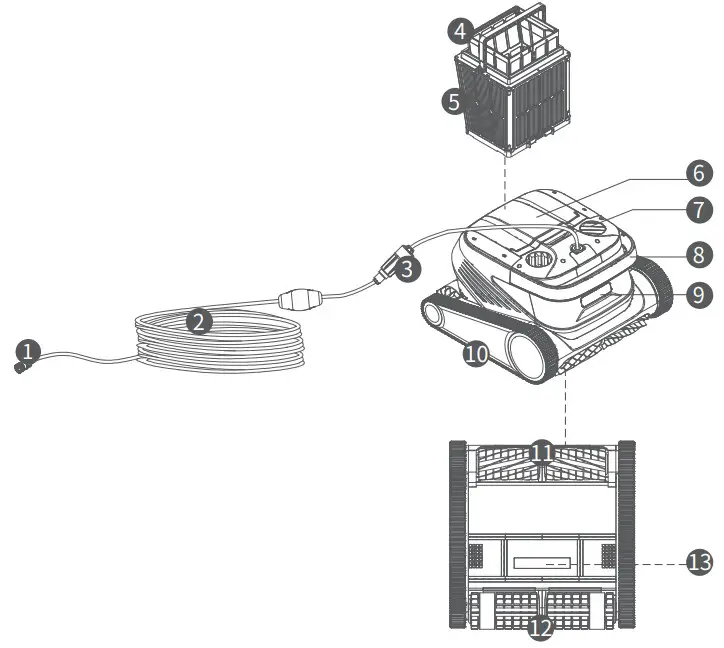
- Connector assembly of the buoyancy cable
- The buoyancy cable
- Slip ring
- Net bag
- Filter basket (including 4 pieces of superfine paper-element filter boards)
- Top cover
- Water outlet
- Handle
- Indicator light
- Drive wheel
- Active brush
- Driven brush
- Water inlet
Control Box
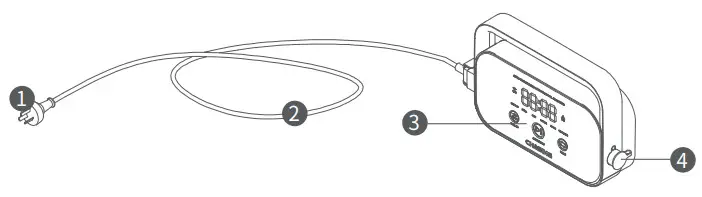
- Power plug
- Power cord
- Display & operation panel
- Interface of the buoyancy cable
Nylon Net Filter Board (1F&2B)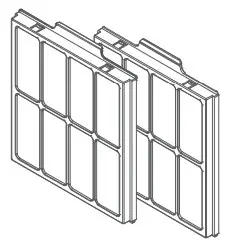 Notices
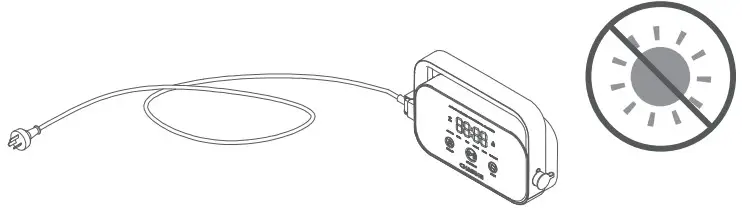
 Warning: Please read the Instruction for Use carefully, and use this product according to the Instruction for Use. Our company is free of liability for any loss or injury from improper use. Warning: Unless supervised by parents on site, children are forbidden from getting close to and using this product. Warning: Protection grade of the control box is IP54, and the control box shall be used in dry and shade place more than 3m away from the pool edge and more than 0.1m above the ground, away from direct sunshine. In addition, the control box shall be reliably grounded, and must be connected to circuit with Ground Fault Circuit Interrupter for use, and before use, GFCI shall be tested for normal work. Warning: Only professional personnel of distributors with authorization and training is allowed to disassemble, replace and repair parts of this product, otherwise, this product may loss warrant right, and may cause personal injury.
 Notice: The cleaner can be used in swimming pool water only, not in other working environment; when the cleaner is working, personnel is forbidden from entering the swimming pool. Notice: When the cleaner is working, please do not touch the rotating components with hands directly.
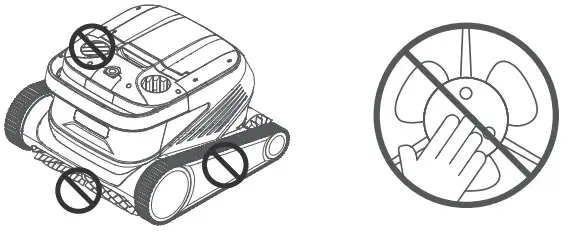 Notice: Hold the handle when placing the cleaner into water or taking it out of water, and it is forbidden from pulling the buoyancy cable directly. Notice: Do not use this product in the swimming pool water added with liquid flocculating agent or other clarifying agents, otherwise, it may block or damage filter components of the cleaner. Notice: Please use the cleaner in the following specified environment:
| Working Depth | 0.8-5m |
| pH | 7-7.8 |
| Chloride | Maximum 2 ppm |
| Working temperature | 10-35℃ |
| Salt | Maximum 5000 ppm |
Notice: The cleaner and the control box may power off automatically due to triggering of high-temperature protection if used in working temperature beyond stipulation or subject to high-strength and long-time sunshine, which may cause damage to the product in severe condition.
Connection and Operation
- Preparation before cleaning
1.1 Place the control box is a shadow and dry place at least 3m away from the pool edge, to avoid direct sunshine. 1.2 Lay out the cleaner’s buoyancy cable in order, and then insert one end of the buoyancy cable into right interface of the control box, and tighten the nuts.
 Note: The control box shall be placed on a table or other platform.
1.3 Hold handle of the cleaner and place it in water slowly, wait until the cleaner is fully immersed in water and discharges no air, and confirm that the buoyancy cable is neither knotted nor wound by any obstacle. Note: It needs to place the buoyancy cable in water appropriately, to guarantee that the cleaner can clean various regions of the swimming pool, and the cleaner will tilt its head or fail to perform cleaning if the buoyancy cable is not long enough.
1.4. ①Insert power line on the left of the control box into the power supply (AC 100-240 V / 50-60 Hz). ②At this time, START/STOP button of the control box will be always yellow, and the cleaner enters standby status.
- Control box
2.1 Some basic functional operations of the cleaner can be performed via the control box (more functions can be experienced using App), after selecting corresponding mode, the cleaner can start automatic cleaning of the swimming pool immediately by clicking START/STOP. 2.2 Interface function and indicator light
IdentificatinDescription Description Light status Button 
START/STOP Short Press:
Start/Suspend;
Long Press: StopThe yellow light is on when stopping cleaning;
The green light is on when starting to clean;
The green light flickers when suspending the cleaning;
The red light is on in case of abnormality with the control box;
The red light flickers in case of abnormality with the cleaner.
Recycling Shot Press: enter the one-button recycling mode The light is on when entering Recycling Mode 
Mode Switching Shot Press: switch the cleaning mode (custom mode shall be set in APP) The light is on upon energization Indica-tor light 
WiFi Connection status of the control box and WiFi The light flickers when the mobile phone/tablet WiFi has access to the control box; and the light is on after the APP detects the cleaner 
Error The cleaner and the control box prompt error The light flickers in case of abnormalities REGULAR Standard Mode 2h; pool bottom, pool wall and waterline ULTRA Enhance- ment Mode 3h; pool bottom, pool wall and waterline If selecting this mode, light of corresponding mode will be on FAST Rapid Mode lh; pool bottom, pool wall and waterline CUSTOM Custom Mode Set in APP FLOOR Pool Bottom Mode 2h; pool bottom WATERLINE Waterline Mode 2h; pool wall and waterline Count-
down
display
Cleaning Count- down Display the remaining cleaning time / - Indicator Light of the Cleaner
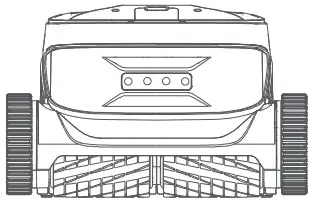
Light status Description White light on Self-inspecting Yellow light on Standby in water Purple light on Not placed in water Green light flickers Cleaning Suspended Green light on in a circular way Cleaning Yellow light is on in a circular way The filter basket is blocked Red light flickers Abnormal errors of the cleaner 
- After Cleaning
 1.2 Lay out the cleaner’s buoyancy cable in order, and then insert one end of the buoyancy cable into right interface of the control box, and tighten the nuts.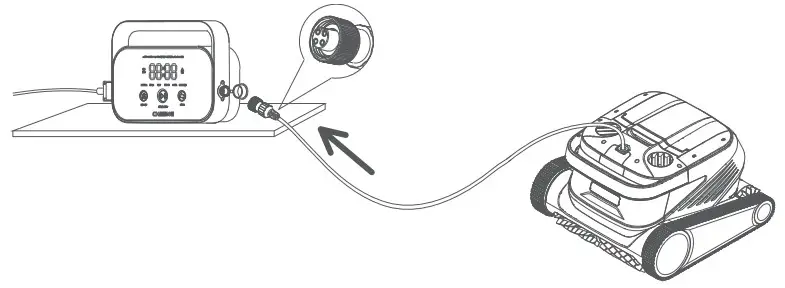
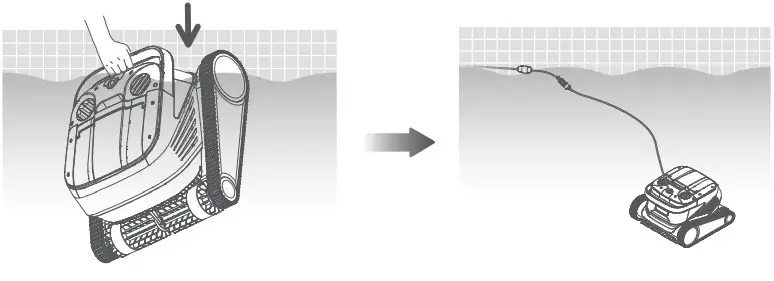 Note: It needs to place the buoyancy cable in water appropriately, to guarantee that the cleaner can clean various regions of the swimming pool, and the cleaner will tilt its head or fail to perform cleaning if the buoyancy cable is not long enough.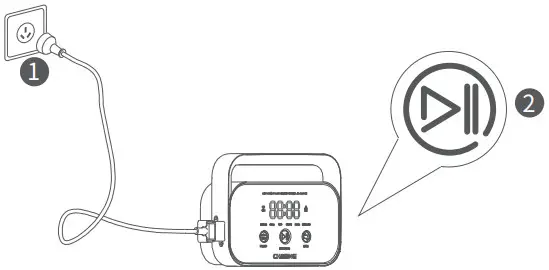
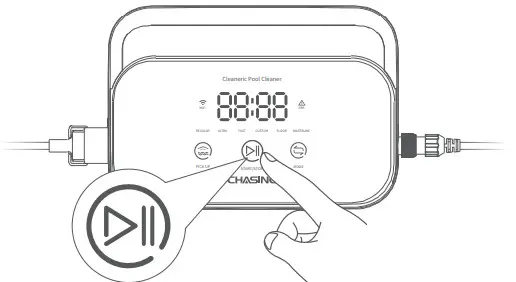 2.2 Interface function and indicator light


Method 1:
- Click “One-button Recycling” button in the control box or App.

- Wait for the cleaner to get close to waterline position of the swimming pool automatically.
- Hold the handle of the cleaner to pull it out of the water surface, and hang it above the water surface for 10-20s to empty the water inside it.

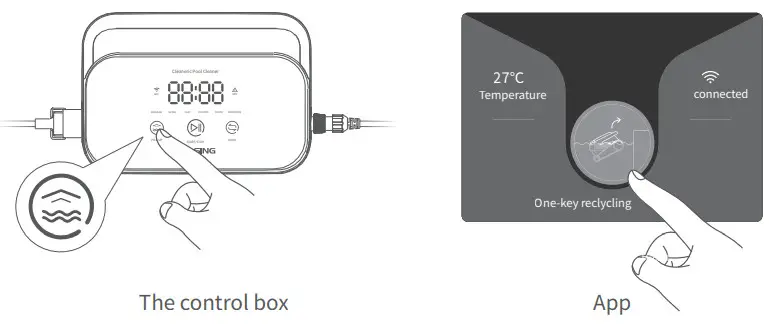
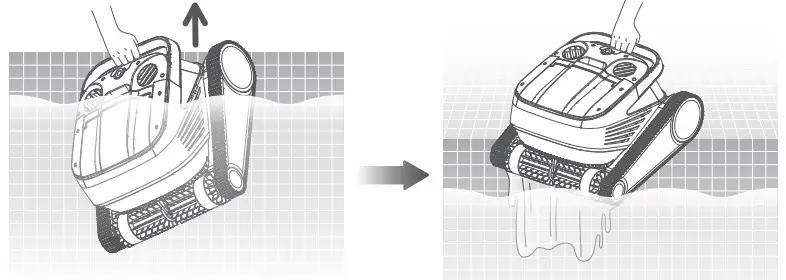
Method 2:
- Stop the cleaner.
- Pull the buoyancy cable slightly to enable the cleaner in water to move to water side slowly.
- Hold the handle of the cleaner to pull it out of the water surface, and hang it above the water surface for 10-20s to empty the water inside it.

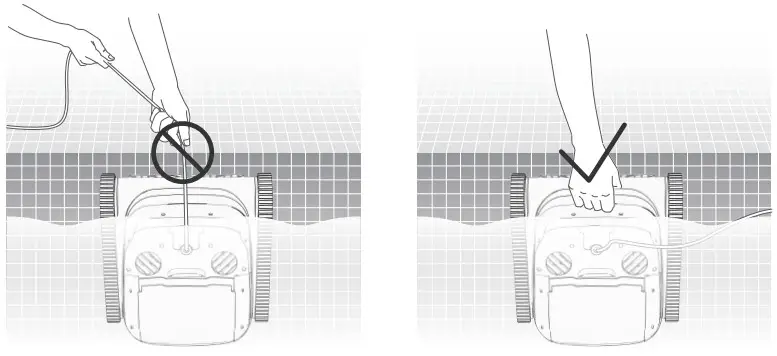
Note: It is forbidden from pulling the buoyancy cable directly on water surface, so as to avoid fracture and damage.
APP
1. Download CHASING GO3 APP
CHASING GO3 App: (applicable to iOS 9.0/Android 4.4 and above versions) Scan the QR to download or visit iOS App Store/ Google Play/Official Website of Chasing for downloading.
 https://www.chasing.com/site/download-app?name=go3
2. Wi-Fi Connection
Connect the cleaner and the control box property according to the “Instruction for Use, and energize the control box.
Then enter Wi-Fi Connection interface in Mobile Phone/Tablet Setting, and wait for 10-15s, to connect to Chasing_XXXX, Wi-Fi password: 12345678. 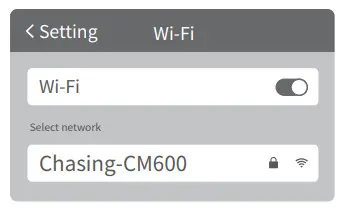 3. Homepage
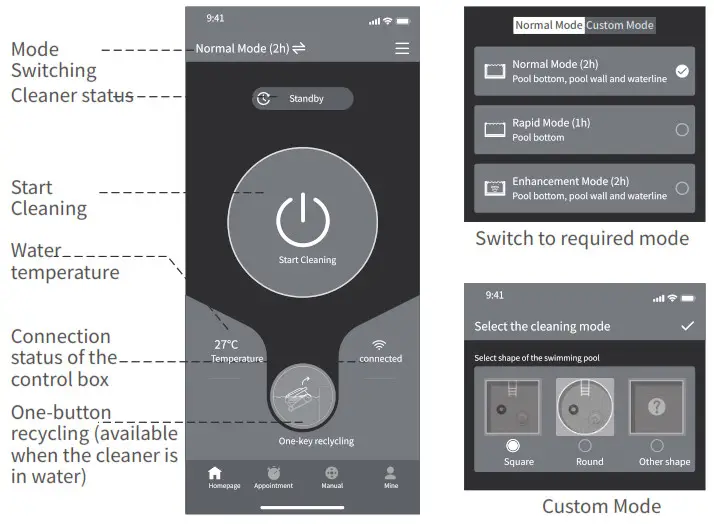 4. Appointment
When the cleaner is in standby state and is placed in water of the swimming pool, Create Appoint Cleaning can be performed to complete unattended operation.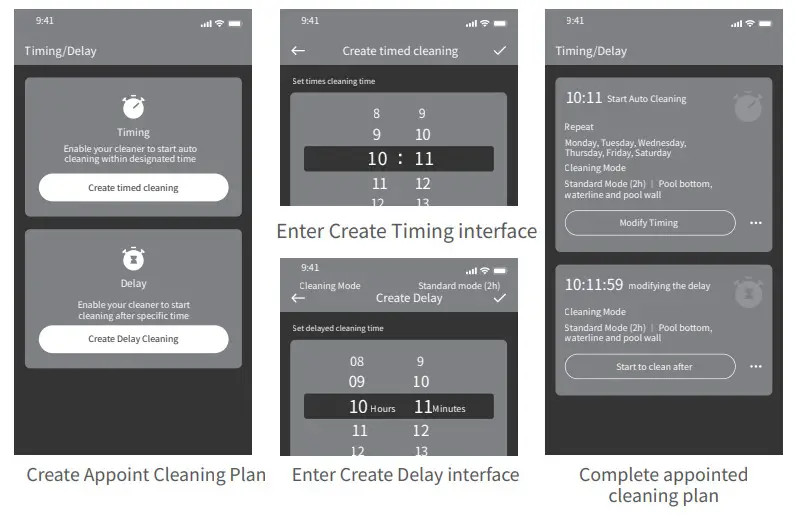
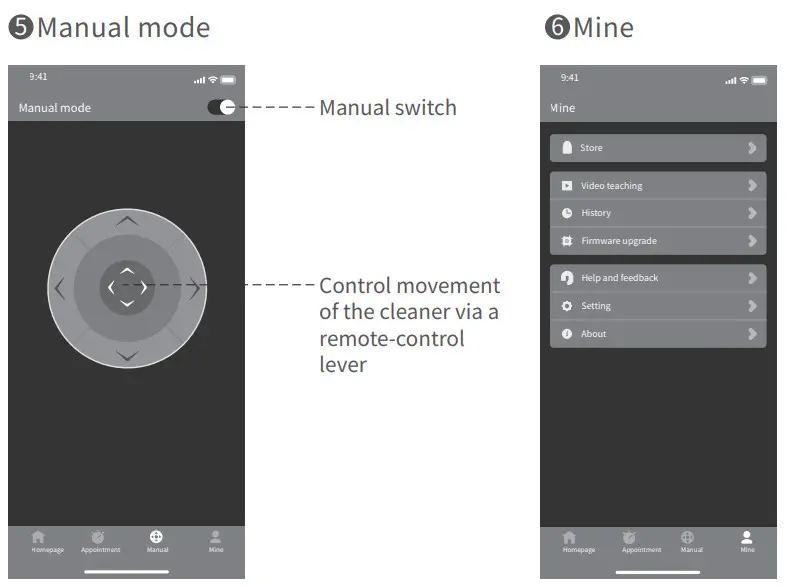
Daily Maintenance
1. Clean the filter basket
1.1 Open top cover of the rober, and take out the filter basket.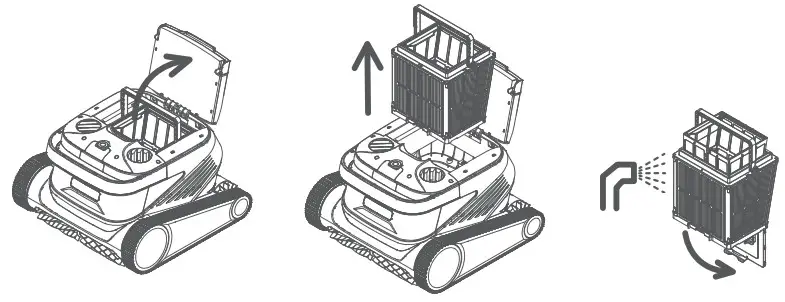 1.2 Flush inside and outside of the filter basket with a water gun.
1.3 Place the filter basket back to the cleaner upon cleaning. Note: Before cleaning, the cleaner shall be disconnected from the power supply first, and the filter basket shall be cleaned timely every time after use, so as to avoid impact on the cleaning property.
2. Disasseble and replace the filter board
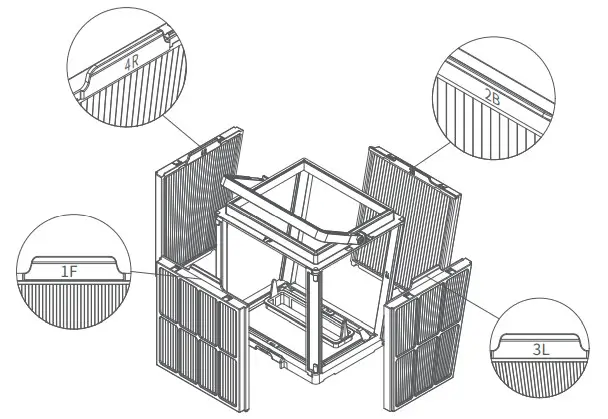
2.1 Take net bag out of the filter basket first.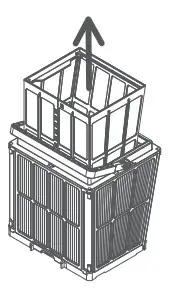 2.2 Disassembly: Press the filter basket with hands, and then pull out the filter boards surrounding the filter basket in the sequence of 1F→2B→3L→4R upward.
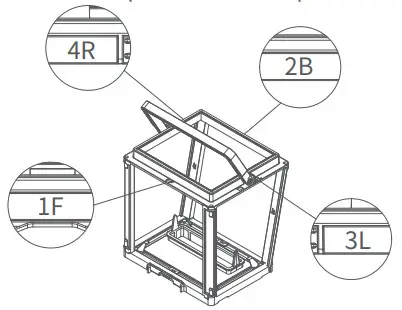
 2.3 Instalation: Install the new filter board in the filter basket in the sequence of 4R→3L→2B→1F, and then the replacement is completed.
 Note: Superfine paper-element filter board is a fragile product, and can filter smaller particular contaminants, therefore, in order to guarantee cleaning property of the cleaner, it is suggested replacing the superfine paper-element filter board at least once every three months if using the cleaner.
3. Storage
If the cleaner is not used for a long time, please operate according to the following steps:
- Clean the filter basket and the filter board thoroughly, and then place them in the cleaner.
- Guarantee no water residue in the cleaner.
- Roll up the buoyancy cable without knots.
- Store in interior shade and dry place at 5-45℃.
Fault Information
| Fault phenomena | Possible causes | Exclusion method |
| The buoyancy cable is knotted | The buoyance cable fails to be fully stretched | Unplug power line of the control box, and re-arrange the buoyancy cable |
| There are obstacles in the swimming pool | Remove the obstacles | |
| The cleaner runs for a long time | Arrange the buoyancy cable manually | |
| The cleaner is not started up | There is no voltage output from the wall socket | Inspect whether there is voltage with the socket on the wall |
| The power line fails to be properly inserted | Insert the power line firmly | |
| The buoyancy cable fails to be properly connected | Inspect whether both ends of the buoyance cable are normally connected | |
| The track is stuck by foreign matters | Check whether the track is stuck and remove the foreign matters | |
| The track falls off | Re-install the track on the drive wheels | |
| The cleaner is not placed in water | Put the cleaner into water | |
| The cleaner or the control box is of electrical damage | Check the error code and contact the after-sales distributor | |
| The cleaner moves but fails to clean the swimming pool effectively | The filter basket is blocked | Clean the filter basket |
| The impellers are blocked by foreign matters | Inspect whether the impellers are stuck and remove the foreign matters | |
| The cleaner can’t climb the wall | The filter basket is blocked | Clean the filter basket |
| The impellers are blocked by foreign matters | Inspect whether the impellers are stuck and remove the foreign matters | |
| The temperature or pH value is improper | Use in swimming pool conforming to required temperature and PH | |
| There are algae on the wall | Inspect chemical substance content in water and scrub the wall | |
| The cleaner only cleans a part of the swimming pool | The control box is unreasonably positioned | Place the control box in appropriate position, enabling it to reach various regions of the swimming pool |
| The buoyancy cable is not long enough | Unplug power line of the control box, and re-arrange the buoyancy cable | |
| The filter basket is blocked | Clean the filter basket | |
| There are obstacles in the swimming pool | Remove the obstacles |
Product Parameters
| Dimension of cleaner | 484 x 475 x 300 mm |
| Weight of cleaner | 12 kg |
| Dimension of control box | 352 x 82 x 211 mm |
| Weight of control box | 1.6 kg |
| Filter precision | 25 / 75 pm |
| Cable length | 18m/25m (Subject to products actually purchased) |
| Rated input voltage | AC 100-120V / 200-240V , 50-60Hz (For available voltage, please refer to product label.) |
| Rated working voltage | DC 24 V |
| Power | Maximum 220W |
| Use depth | 0.8-5 m |
| Dimension of swimming pool | Up to 15m |
| Cleaning area | Pool bottom, pool wall and waterline |
| Filtration flow | 2*280 L/min |
| Movement speed | 15 m/min |
| Protection grade of cleaner | IP68 |
| Protection grade of control box | IP54 |
| Anti-winding cable | Support |
| Quantity of active brushes | 2 |
| APP | Support |
| Appointment enabled | Support |
| Manual mode | Support |
| Water temperature display | Support |
| Working temperature | 5-35°C |
| Storage temperature | 5-45°C |
After-sales
- In case of any doubt or technical problem, please send e-mail to Chasing after-sales personnel or contact E-chat customer service personnel on the official website.
After-sales e-mail address:
[email protected] –Europe
[email protected] ‒Asia & Oceania
[email protected] — North and South Americas & Africa - You can view video teaching in App menu, official website support and official WeChat account, to obtain a better use experience.
- You can search the official account Chasing Innovation in WeChat, and follow official account of Chasing, to obtain more official information.
This guide may be updated without notice.
Visit the official Chasing website for the latest version: https://www.chasing.com
www.chasing.com
[email protected]
 Website Under Construction
 CHASING | The World's Most Innovative Underwater Drones