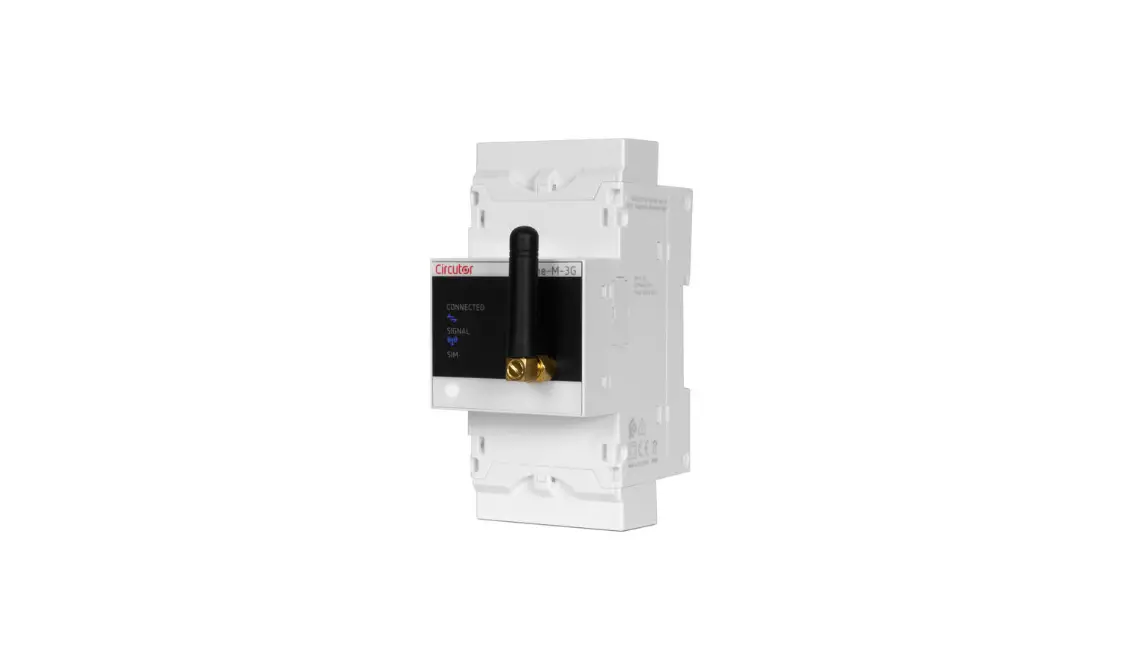

Circutor line-M-3G Modem Module for Communication
IMPORTANT
- The device must be disconnected from its power supply sources (power supply and measurement) before undertaking any installation, repair or handling operations on the unit’s connections. Contact the after-sales service if you suspect that there is an operational fault in the device. The device has been designed for easy replacement in case of malfunction.
- The manufacturer of the device is not responsible for any damage resulting from failure by the user or installer to heed the warnings and/or recommendations set out in this manual, nor for damage resulting from the use of non-original products or accessories or those made by other manufacturers.
This manual is a line-M-3G installation guide. For further information, please download the full manual from the CIRCUTOR web site: www.circutor.com
DESCRIPTION
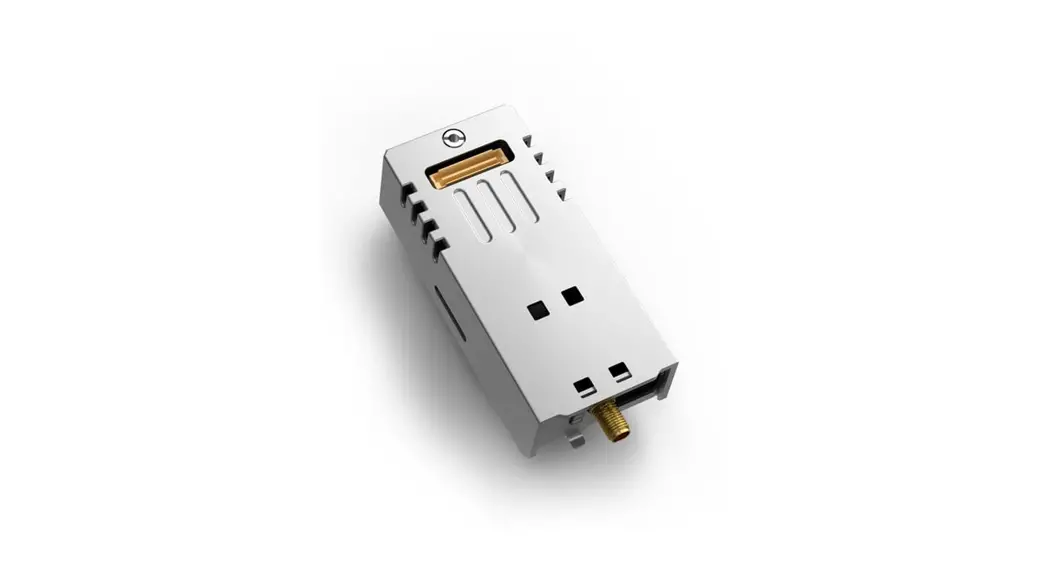
Line-M-3G is an expansion module for the line-EDS device. The line-M-3G module adds 3G connectivity to the line-EDS device to which it is connected.
INSTALLATION OF THE SIM CARD
IMPORTANT! Before installing the SIM card, the module must be disconnected from any power source.
The slot for inserting the SIM card is at the back of the device (Figure 1).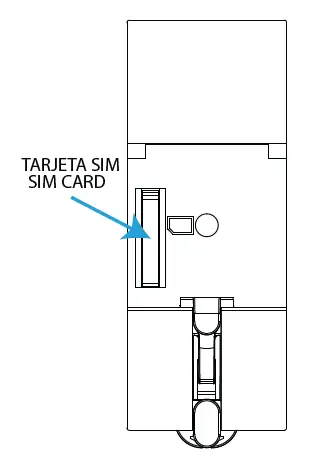
INSTALLATION
The device must be installed on an electric panel or enclosure, attached to a DIN rail (IEC 60715).
IMPORTANT!
- Before installing the expansion module, the device must be disconnected from all power supplies, both the power supply itself and the measurement.
- Only 1 line-M-3G expansion module may be connected to the line-EDS device on the left-hand side.
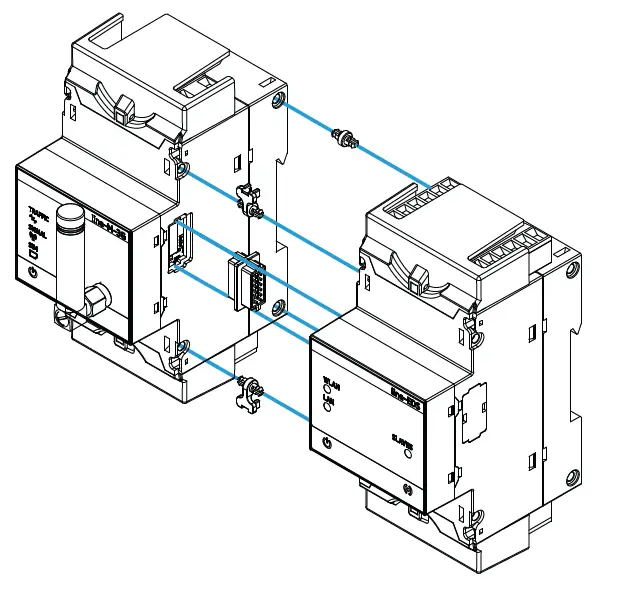
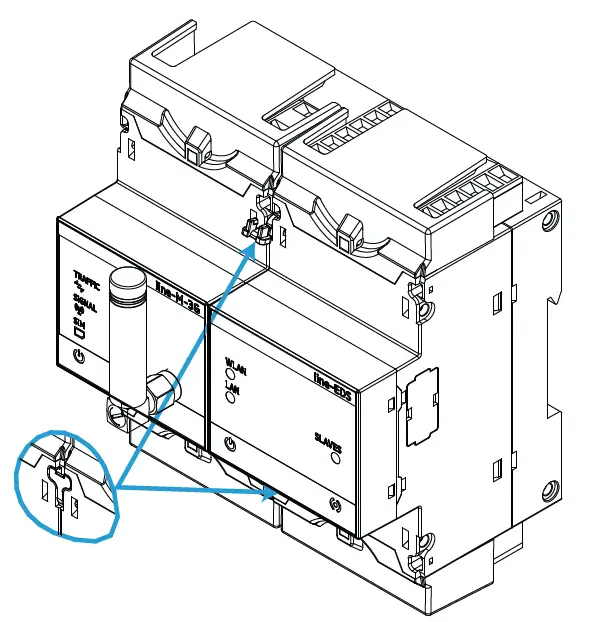
The steps to take to connect the devices are:
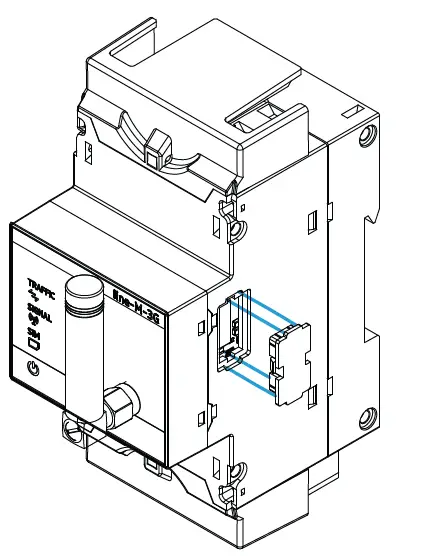
- Remove the protective covers of the expansion connector, which are located on the side of the devices, using a flat-tip screwdriver (Figure 2).

Note: The line-M-3G module must be connected to the left of the line-EDS. - Insert the expansion connector and fastening clips into one of the devices (Figure 3).

- Connect the two devices and fasten them by pushing the front clips down (Figure 4).

Technical features
| Power supply | ||||
| Mode | A través del equipo line-EDS Through the line-EDS device | |||
| AC Consumption | 2.8… 4.1 VA | |||
| DC Consumption | 1.9… 2.2 W | |||
| Installation category | CAT III 300 V | |||
| 3G Communications | ||||
| Networks | UMTS/HSPA+: 800/850/900/1900/2100 MHz GSM/GPRS/EDGE: 850/900/1800/1900 MHz | |||
| Protocols | PPP/TCP/UDP/FTP/HTTP/MMS/SMTP/SSL | |||
| Max. output power | UTMS (Clase 3/ Class 3): 24 dBm +1dB /- 3dB EDGE 850/900 (Clase E2 / Class E2) : 27 dBm ± 3dB EDGE 1800/1900 (Clase E2 / Class E2) : 26 dBm +3dB /- 4dB GSM 850/900 (Clase 4 / Class 4) : 33 dBm ± 2dB GSM 1800/1900 (Clase 1 / Class 1) : 30 dBm ± 2dB | |||
| Antenna | ||||
| Band | 850 / 900 MHz | 1700 / 1800 / 1900 / 2100 MHz | ||
| Frequency | 824 … 960 MHz | 1710 … 2170 MHz | ||
| Return loss | ~ -8.6 dB | ~ -89.4 dB | ||
| VSWR | ~ 2.2:1 | ~ 2.4:1 | ||
| Efficiency | ~ 70.6 % | ~ 56.4 % | ||
| Peak gain | ~ 2.9 dBi | ~ 1.8 dBi | ||
| Average gain | ~ -1.5 dB | ~ -2.5 dB | ||
| Impedance | 50 Ω | |||
| Polarisation | Lineal / Linear | |||
| Radiation pattern | Omnidireccional / Omni-Directional | |||
| Maximum input power | 25 W | |||
| Connector type | SMA – Estándar macho (Ángulo recto) SMA – Male Standard (Right – Angle) | |||
| SIM Card | ||||
| Type | Micro SIM | |||
| User interface | ||||
| LED | 4 LEDs | |||
| Environmental features | ||||
| Operating temperature | -10 ºC… +50 ºC | |||
| Storage temperature | -20 ºC … +70 ºC | |||
| Relative humidity (non-condensing) | 5 … 95% | |||
| Maximum altitude | 2000 m | |||
| Protection degree | IP30, Frontal / Front: IP40 | |||
| Mechanical features | ||||
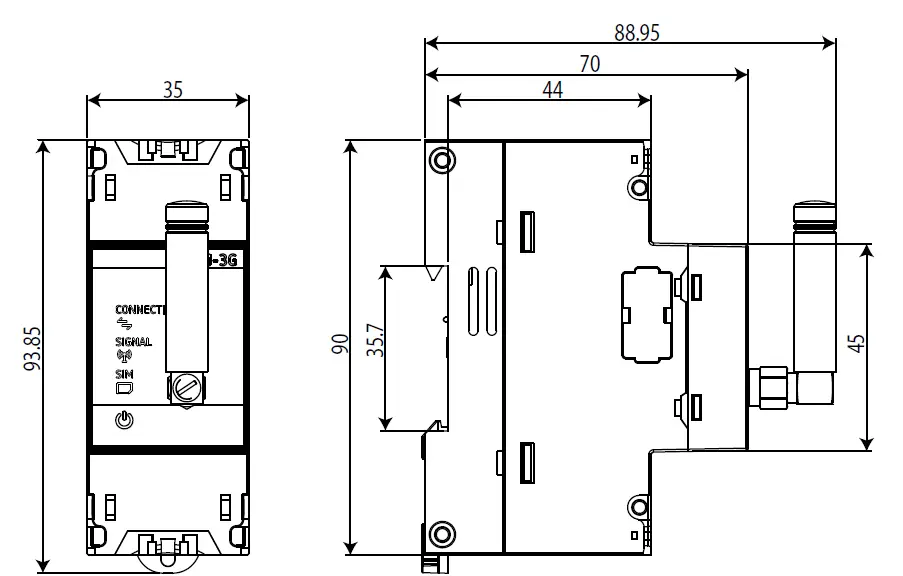
| Dimensions | 35 x 93.85 x 88.95 mm | |||
| Weight | 130 g. | |||
| Enclosure | Self-extinguishing V0 plastic | |||
| Attachment | Carril DIN / DIN rail (1) | |||
| Normas | ||||
| EN 61010-1, EN 61000-6-2, EN 61000-6-4 | ||||
Dimensions
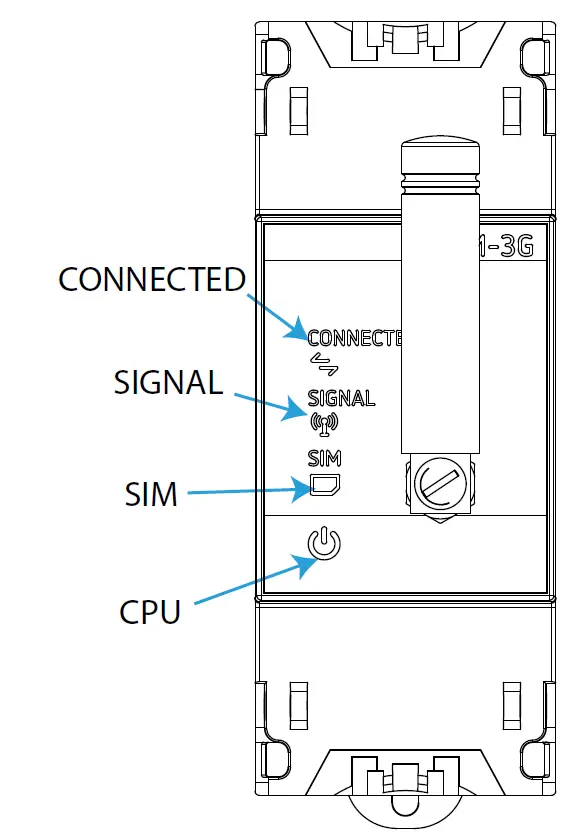
LEDs
| LEDs | |
| CONNECTED | E Connection status |
| Flashing (Blue color): | |
| Connection – registration to the Network | |
| SIGNAL | 3G coverage |
| ON (Blue color): | |
| 3G coverage is ≥ 25% | |
| SIM | SIM card |
| ON (Red color): | |
| The device does not have the SIM card inserted | |
| CPU | Device status |
| Flashing (White color): | |
| Device powered | |
Technical service
CIRCUTOR SAT: 902 449 459 (SPAIN) / (+34) 937 452 919 (out of Spain)
Vial Sant Jordi, s/n
08232 – Viladecavalls (Barcelona)
Tel: (+34) 937 452 900 – Fax: (+34) 937 452 914
e-mail: [email protected]
 Productos y soluciones integrales para la eficiencia energética eléctrica