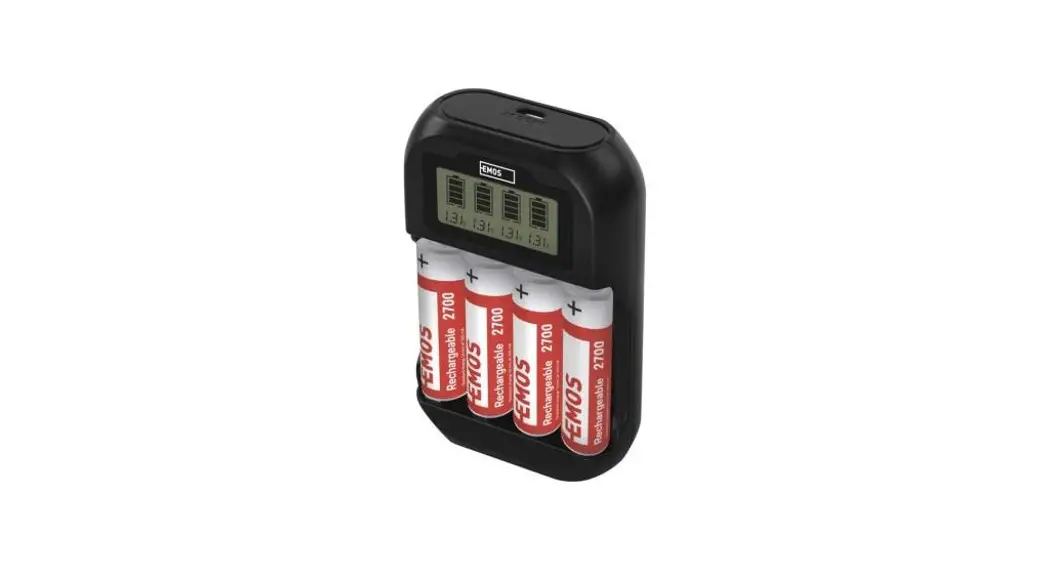
 BCN-41D Battery Charger
Instruction Manual
BCN-41D Battery Charger
 |  |
 | |
Safety Instructions and Warnings
 Read the user manual before using the device.
 Follow the safety instructions provided in this manual.
- Never charge batteries other than NiCd or NiMH of sizes AA or AAA.
- Never recharge alkaline, zinc-carbon, lithium batteries, etc.
- To clean the product, use a slightly moistened soft cloth. Do not use solvents or cleaning agents – they could erode the plastic parts and cause corrosion of the electric circuits.
- This device is not intended for use by persons (including children) whose physical, sensory or mental disability or lack of experience and expertise prevents safe use, unless they are supervised or instructed regarding the use of the appliance by a person responsible for their safety.
Package Contents
| BCN-41D battery charger | 1× |
| USB-A – 60 cm micro USB cable | 1× |
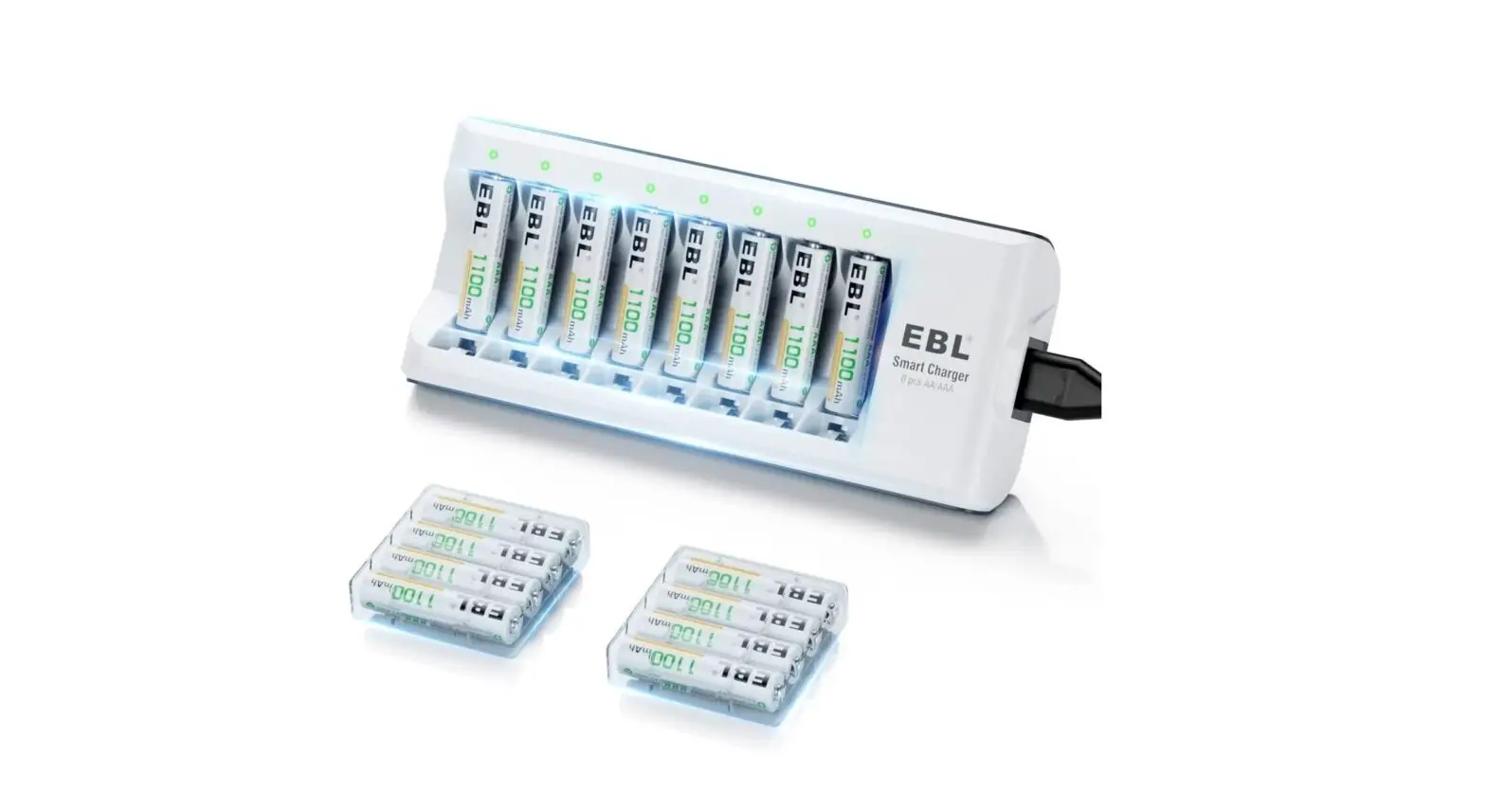
| EMOS AA 2700 battery | 4× |
| Instruction manual | 1× |
Device Description
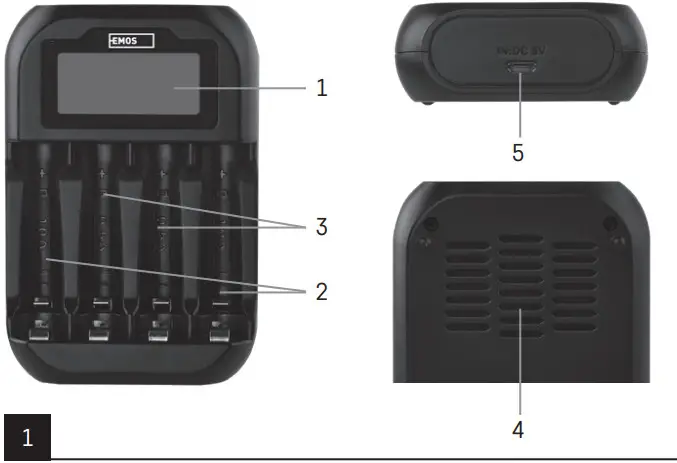
Basic Elements (See Fig. 1)
- – LCD screen
- – Charging slots for faster charging (1 A)
- – Charging slots for slower charging (0.5 A)
- – Cooling grille
- – Micro USB port
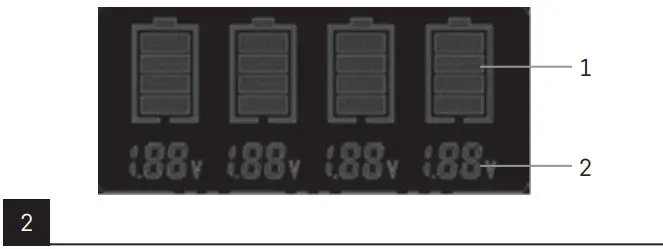
LCD Screen (See Fig. 2)
- – LCD indicator of battery charge level
- – Battery voltage
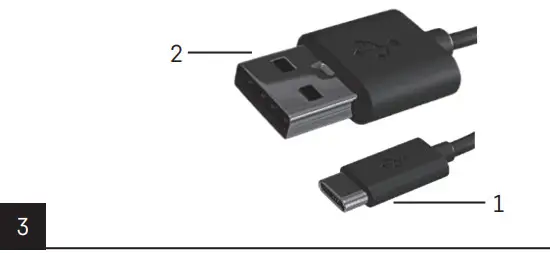
Power Cable (See Fig. 3)
- – Micro USB connector
- – USB-A connector
Charger Features
User-Friendly Display
The charger features a clear, user-friendly display with a wide viewing angle and high contrast.
The display provides information about the voltage of the recharging batteries (V) and their state of charge in real time.
Battery Charge Level Indicator
The state of charge for each recharging battery is indicated by a column divided into 4 segments, see the overview table below.
| LCD indication | 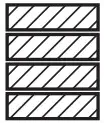 | 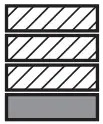 | 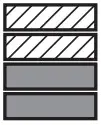 | 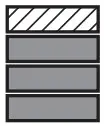 | 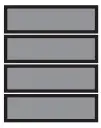 |
| Description | 4 segments flashing | 1 segment lit 3 segments flashing | 2 segments tit 2 segments flashing | 3 segments lit 1 segment flashing | 4 segments lit |
| State of charge | 0-24 % | 25-49 % | 50-74 % | 75-99 % | 100% |
Detection of Faulty Batteries
The charger is equipped with detection of faulty or non-rechargeable batteries and protection against reversed polarity. If a faulty/damaged/incorrect battery is placed in a slot, all LCD segments in the column will be flashing. The battery indicator will remain empty if polarity is reversed.
Independent Charging
All 4 slots (see Fig. 1) can charge independently without mutual interference. You can charge any combination of suitable rechargeable batteries, namely: 1.2 V Ni-MH/CD: AAA, AA.
Safety Features
- Smart identification of faulty/damaged batteries and non-rechargeable batteries.
- Charging is controlled by a smart dV function, which protects batteries against overcharging and features a safety timer, which will switch charging to maintenance mode.
- Temperature protection function: If the protective temperature switch detects that the interior temperature of the charger has reached 60 °C ±5 °C, it stops the charging process.
- The charger also features protection against short circuit, reversed polarity, overvoltage and undervoltage, which protects the batteries and the charger from damage.
Power Supply
The charger is fitted with a micro USB connector (see Fig. 3). Power the charger preferably from a power source with power of at least 10 W (5 V/2 A). This ensures the charger runs optimally.
Charge Anywhere
The package includes a USB-A => micro USB cable (see Fig. 3), which allows charging anywhere from any device equipped with a USB-A power delivery port.
Specifications
Input: max. DC 5 V/2.0 A
Output: DC 1.48 V/1.0 A ±10 %
DC 1.48 V/0.5 A ±10 %
Operating temperature: +0 °C/40 °C
Storage temperature: -20 °C/80 °C
Operating Instructions
Getting Started
- Plug the micro USB connector (see Fig. 3) of the enclosed cable into the micro USB socket in the charger (see Fig. 1).
- Plug the USB-A connector (see Fig. 3) of the enclosed cable into an adapter or another device that will power the charger.
- Make sure the adapter is connected to the mains or that the device (e.g. notebook, power bank, etc.) is sufficiently powered or charged.
- Once properly plugged in, the charger runs a check and performs autodetection. Once the display lights up, the charger is ready to charge.
- Insert suitable rechargeable batteries in accordance with the polarity indicated on each slot, i.e. with the positive pole (+) pointing up (see Fig. 1).
- The charger starts charging once the batteries are in place.
- After a battery is fully charged, the LCD charging indicators stay lit up (see Fig. 2).
 Do not dispose with domestic waste. Use special collection points for sorted waste. Contact local authorities for information about collection points. If the electronic devices would be disposed on landfill, dangerous substances may reach groundwater and subsequently food chain, where it could affect human health.
Servis: EMOS SI, d.o.o., Rimska cesta 92, 3311
tel: +386 8 205 17 21;
e-mail: [email protected] www.emos.eu
 EMOS | Elektro eshop a velkoobchodEMOS | Elektro eshop a velkoobchod