WSL8072 DMX Controlled Relay Electronic Kit
Product Information: – Product Name: DMX
CONTROLLED RELAY – Model Number: K8072 – Total Solder Points: 167 –
Difficulty Level: Beginner 1 2 3 4 5 Advanced
Features: – Allows control of a relay using the
DMX512 protocol – Developed by USITT in 1986 for controlling
lighting devices – Provides simple ON/OFF selection –
Bus-controlled power driver – Relay activates when DMX value equals
or exceeds 140, and turns off when value is 120 or less – Can be
used with K8062/VM116 for computer-controlled automation – System
addresses: 512 unique addresses, DIP switch settable – LED
indication for power supply, relay output status, and error
situation – Safe DMX data stream mode to reduce interference –
Relay hold function in case of DMX signal loss – Control: DMX-512,
3-pin XLR plug (included) – Switching Capacity: 8A – Supply
Voltage: 12VDC non-regulated – Power Consumption: max. 100mA –
Dimensions: 105 x 60 x 30mm / 4.1 x 2.4 x 1.2 Assembly
Hints: 1. Make sure you have the right tools: – Good
quality soldering iron (25-40W) with a small tip – Thin raisin-core
solder – Diagonal cutter – Needle nose pliers – Small blade and
Phillips screwdrivers – Basic multi-meter (required for some
projects) 2. Soldering Hints: – Mount the component against the PCB
surface and carefully solder the leads – Ensure the solder joints
are cone-shaped and shiny – Trim excess leads as close as possible
to the solder joint 3. Follow the instructions carefully and refer
to any last-minute manual updates indicated as “NOTE” on a separate
leaflet. Product Usage Instructions: 1. Connect
the DMX-512 control source to the 3-pin XLR plug of the DMX
CONTROLLED RELAY (K8072). 2. Set the system address using the DIP
switch to one of the 512 unique addresses. 3. Ensure the power
supply is connected and the LED indication for power supply is
active. 4. Verify that the relay output status LED is off. 5. Send
DMX signals with a value of 140 or more to activate the relay. The
relay will turn off when the DMX value is 120 or less. 6. In case
of DMX signal loss, the relay hold function will keep the relay
activated. 7. To test the DMX CONTROLLED RELAY in stand-alone mode,
activate the stand-alone test mode. 8. Follow proper safety
precautions and refer to the user manual for any further
instructions or troubleshooting tips. Please note that
modifications are reserved and it is important to follow the
instructions and check the parts list for correct component values.
Total solder points: 167 Difficulty level: beginner 1 2 3 4 5 advanced
DMX CONTROLLED RELAY
K8072
ILLUSTRATED ASSEMBLY MANUAL
ControklnaowrenlaDyMbyXm51e2apnrsootofcthoel. well-
H8072IP-1
Features & specifications
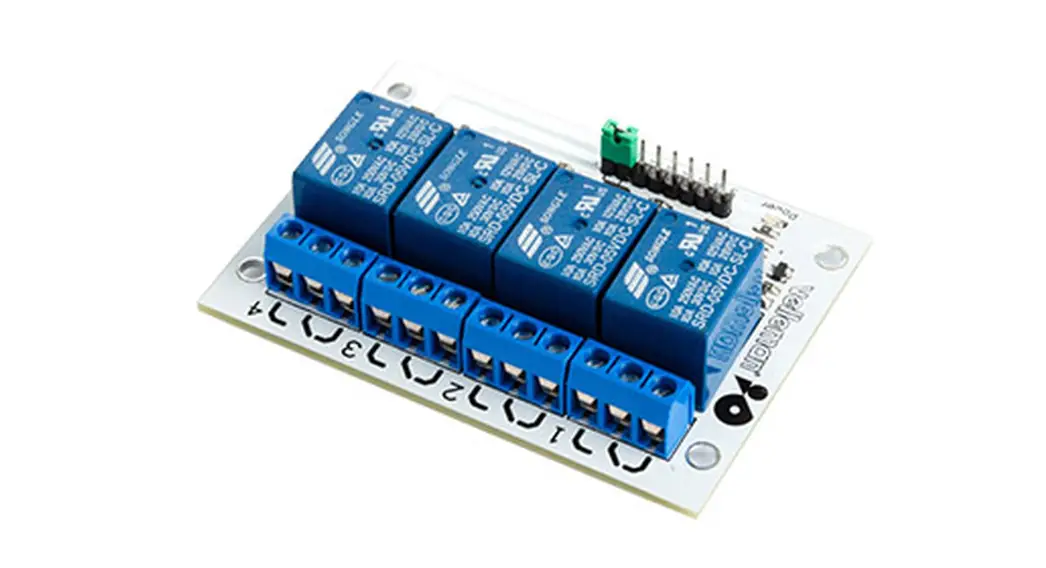
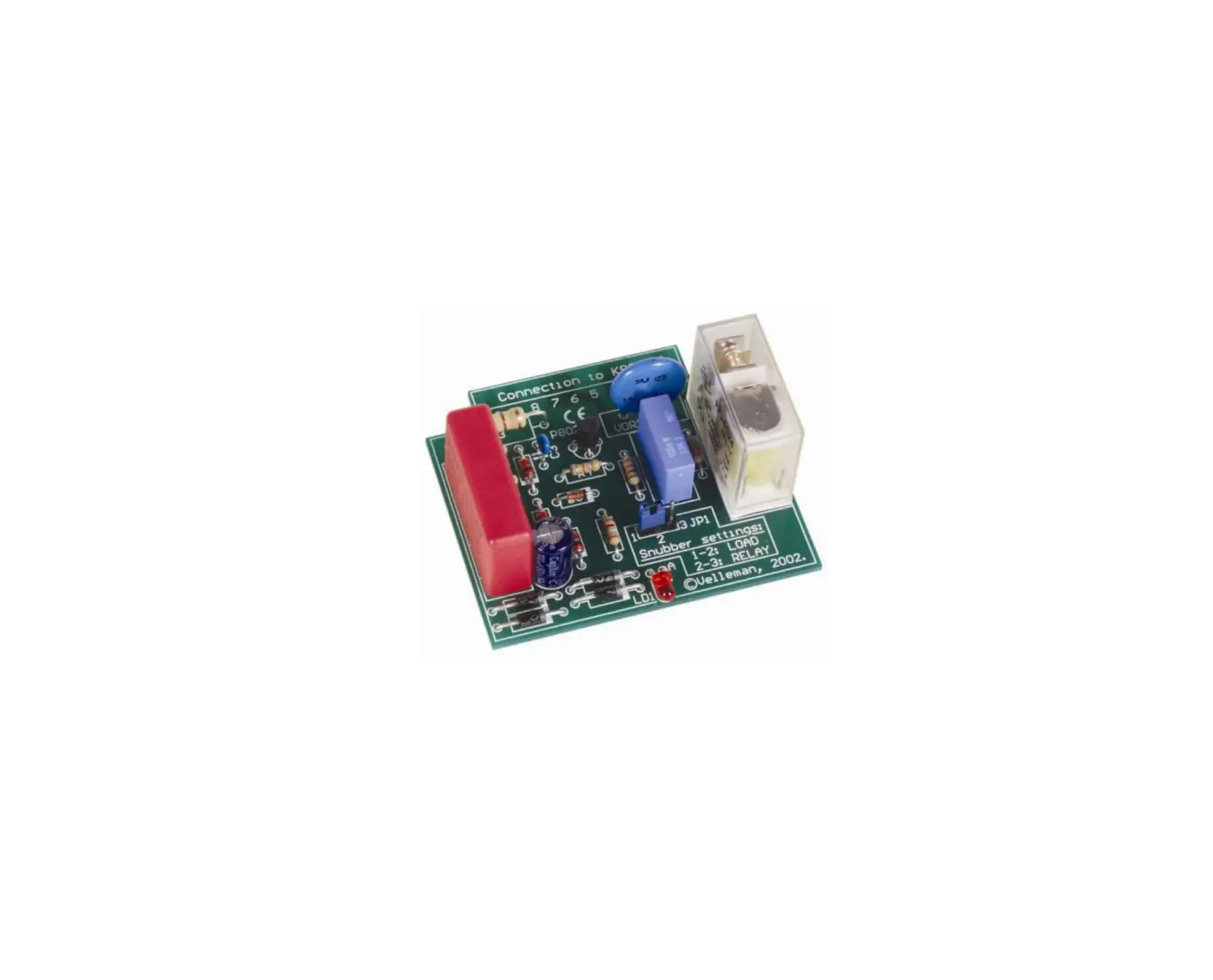
This Kit allows you to control a relay by means of the well-known DMX512 protocol. This protocol was developed by USITT in 1986 to control dimmers, scanners, moving-head spots and other lighting devices with a simple wiring. In some cases, a simple ON/OFF selection is desired. This is where this K8072 comes in. It is actually a bus-controlled power driver. The relay will be activated when the DMX value of the set channel equals 140 or more and turns off when the value is 120 or less.
Together with our K8062/VM116, a computer-controlled automation will be very easy to build.
FEATURES: System addresses: 512 unique addresses, DIP switch settable. LED indication for power supply, relay output status and error situation. “Safe DMX data stream” mode reducing interference to a minimum. “Relay hold” function in case of DMX signal loss. Stand-alone “test” mode Control: DMX-512, 3-pin XLR plug (incl.)
SPECIFICATIONS: Switching Capacity: 8A Supply Voltage: 12VDC non-regulated Power Consumption: max. 100mA Dimensions: 105 x 60 x 30mm / 4,1 x 2,4 x 1,2″
modifications reserved
2
Assembly hints
1. Assembly (Skipping this can lead to troubles ! ) Ok, so we have your attention. These hints will help you to make this project successful. Read them carefully.
1.1 Make sure you have the right tools:
A good quality soldering iron (25-40W) with a small tip. Wipe it often on a wet sponge or cloth, to keep it clean; then apply solder to the tip, to give it a wet look. This is called `thinning’ and will
protect the tip, and enables you to make good connections. When solder rolls off the tip, it needs cleaning.
Thin raisin-core solder. Do not use any flux or grease. A diagonal cutter to trim excess wires. To avoid injury when cutting excess leads, hold the lead so they
cannot fly towards the eyes.
Needle nose pliers, for bending leads, or to hold components in place. Small blade and Phillips screwdrivers. A basic range is fine.
0.000
For some projects, a basic multi-meter is required, or might be handy
1.2 Assembly Hints :
Make sure the skill level matches your experience, to avoid disappointments. Follow the instructions carefully. Read and understand the entire step before you perform each operation. Perform the assembly in the correct order as stated in this manual Position all parts on the PCB (Printed Circuit Board) as shown on the drawings. Values on the circuit diagram are subject to changes. Values in this assembly guide are correct* Use the check-boxes to mark your progress. Please read the included information on safety and customer service
* Typographical inaccuracies excluded. Always look for possible last minute manual updates, indicated as `NOTE’ on a separate leaflet.
3
Assembly hints
1.3 Soldering Hints : 1- Mount the component against the PCB surface and carefully solder the leads
2- Make sure the solder joints are cone-shaped and shiny 3- Trim excess leads as close as possible to the solder joint
REMOVE THEM FROM THE TAPE ONE AT A TIME !
DO NOT BLINDLY FOLLOW THE ORDER OF THE COMPONENTS ONTO THE TAPE. ALWAYS CHECK
THEIR VALUE ON THE PARTS LIST!
4
1. Jumper wires
J : 3x
2. Diodes. Watch the polarity !
D…
CATHODE
D1 : 1N4007 D2 : 1N4148
3. Resistors
R…
R1 : 10K (1 – 0 – 3 – B) R2 : 10K (1 – 0 – 3 – B) R3 : 10K (1 – 0 – 3 – B) R4 : 10K (1 – 0 – 3 – B) R5 : 10K (1 – 0 – 3 – B) R6 : 10K (1 – 0 – 3 – B) R7 : 10K (1 – 0 – 3 – B) R8 : 10K (1 – 0 – 3 – B) R9 : 10K (1 – 0 – 3 – B) R10 : 10K (1 – 0 – 3 – B) R11 : 10K (1 – 0 – 3 – B) R12 : 100K (1 – 0 – 4 – B) R13 : 1K5 (1 – 5 – 2 – B) R14 : 1K5 (1 – 5 – 2 – B) R15 : 1K5 (1 – 5 – 2 – B) R16 : 1K5 (1 – 5 – 2 – B) R17 : 1K5 (1 – 5 – 2 – B) R18 : 1K5 (1 – 5 – 2 – B) R19 : 1M (1 – 0 – 5 – B)
Construction
R20 R21 R22 R23 R24 R25
: 1M : 4K7 : 4K7 : 100K : 100K : 10
(1 – 0 – 5 – B) (4 – 7 – 2 – B) (4 – 7 – 2 – B) (1 – 0 – 4 – B) (1 – 0 – 4 – B) (1 – 0 – 0 – B)
4. Metal film resistor
R…
R26 : 120 (1 – 2 – 1 – B – 9)
5. IC sockets, Watch the position of the notch!
IC1 : 8p IC2 : 18p
5
Construction
6. Capacitors.
c…
8. DIP switch
C…
11. Pin header
JP1 : 2p (DMX mode selection) JP2 : 2p (Hold status)
C1 : 15pF (15) C2 : 15pF (15) C3 : 10nF (103)
C4 : 100nF (104) C5 : 100nF (104) C6 : 100nF (104)
C7 : 100nF (104)
SW…
1
SW1 : DMX address selection
9. Voltage regulator
12. Board to wire connector
VR1 : UA78L05
VR…
SK2 : 3p DMX input
7. LED’s. Watch the polarity !
COLOR= 2…5
LD…
LD1 : 3mm Green LD2 : 3mm Red LD3 : 3mm Yellow
CATHODE
LD1 Power LD2 Error LD3 Out
10. Transistor
T1 : BC557
T2 : BC547
13. Quartz crystal
X…
X1 : 20MHz
6
14. Terminal blocks
16. VDR
Construction
18. IC’s. Watch the position of the notch
notch !
SK1 : 2p
SK3 : 3p
AC input Relay contacts
15. Electrolytic capacitors
VDR1 : VDR300 (300VAC / 385VDC)
17. Relay
IC1 : SN75176 IC2 : VK8072
(programmed PIC16F627A-I/P)
C…
C8 : 10µF / 35V C9 : 470µF / 25V
RY1 : VR10V121C/16
CHECK THOROUGHLY ALL THE COMPONENTS FOR MISS
MOUNTING, INCLUDING SOLDERING ERRORS.
7
XLR plug
19. Wiring the 3P XLR plug
Solder the 3-pole male print connector to the XLR connector using the figure below to check the accuracy of the connections (see figure 1.0)
1
(Brown)
2
(Red)
3
(Orange)
Legend : 1 Ground 2 Data 3 Data +
Fig. 1.0
2 Red 3 Orange
1 Brown
8
Connection
20. Connection and Use of the DMX Switch
Connect the load (motor, light bulb or bulb group) to the relay output (SK3). Mind the max. switching power of 8A (at 230V = 1900W) for a resistive load. Connect the DMX signal to the DMX IN input (SK2). See figure.
NC
SK3
COM
NO
Fig. 2.0
N L
Remark: Some DMX controllers have a reversed DMX polarity. Swap DATA+ and DATA-.
.
9
Set-up
21. Setting the DMX Channel:
Set up the DMX channel or “DMX address” by means of the DIPSWITCH, SW1. You can set up the DMX channel between 1 and 511, channel 0 is not used. The switches from 1 to 9 generate a binary digit representing the DMX channel. Switch 1 is the LSB, switch 9 is the MSB. Only modify the DMX channel when the K8072 is not plugged in. Make sure to restart the kit after every modification.
Examples :
Value 1
Value 8
Value 64
2
16
128
4
32
256
Channel 1 : dip / on : #1
(=1)
Channel 5 : dip / on : #1 + #3
(=1+4= 5)
Channel 9 : dip / on : #1 + #4
(=1+8=9)
Channel 69 : dip / on : #1 + #3 + #7 (=1+4+64=69)
Please go to our website (www.velleman.be) and consult the handy graphical help program showing the position of the switches. Setting up will become easy!
10
Set-up Terminator: The DMX protocol implies that the last device in a series must be fitted with a 120 ohms terminator. The kit has already been fitted with the terminator. Activate it as follows: position DIP switch nr 10 to ON. The terminator must be deactivated in all other devices which means it must be positioned to OFF.
ON
1. Position switch 10 of SW1 to ON when using the K8072 as sole connected DMX device or when this K8072 is the last device in a series (see “Terminator”).
2. Connect a 12V regulated power supply to input 12VDC (SK1) and switch on. 3. The green power LED LD1 will light when the kit is turned on. 4. When increasing the DMX value of the channel over 140, the relay will activate and LD3 “OUT” will light.
LD3 will turn off and the relay will deactivate when decreasing the DMX value under 120. Values between 120 and 140 serve as hysteresis and keep the relay from cycling.
11
Set-up
LED LD2 “Error” Functions:
LD2, the “Error” LED has following functions:
Flashes once at turn-ON of the K8072. Allows you to check if the CPU is functioning. Flashes slowly when there is no DMX signal reception, no connection between the DMX controller and
the K8072, a DMX signal error or no signal compatibility. Flashes rapidly when the DMX address is positioned on 0 and/or the manual override function has been
activated.
JP1: DMX Mode:
In normal mode (JP1 not mounted) the K8072 will react every time to the DMX value. When the error correction mode is activated (JP1 mounted), you will obtain a higher degree of stability
which is useful when using some brands of DMX devices; This mode will check the DMX value twice before modifying the relay status. The drawback is that the relay will react slower when modifying the DMX value rapidly.
JP2: Relay HOLD Status: Mounted : the relay will deactivate when the DMX connection is disrupted. Not mounted : the relay will keep its status when the DMX connection is disrupted.
12
Set-up Manual Override Function: Exceptionally, the relay must be activated, even when there is no DMX signal (e.g. when testing a light bulb). Proceed as follows: Position the DMX address to 0 Mount jumper JP1 Switch on the 12V power; the relay will activate regardless of the DMX value.
13
PCB
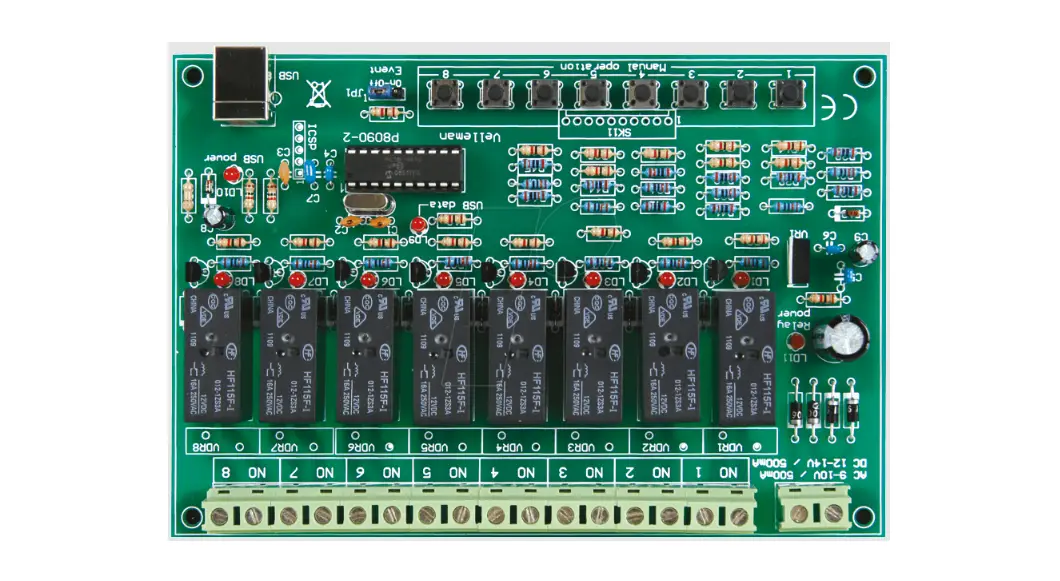
22. PCB
14
23. Schematic diagram
diagram 15
VELLEMAN NV Legen Heirweg 33, B-9890 GAVERE
Belgium (Europe)
Modifications and typographical errors reserved © Velleman nv. – H8072IP’1 – 2014 (rev.2)
5 410329 365295
 Velleman – Wholesaler and developer of electronics