K6200 0 to 60 Hour Start/Stop Timer
Product Information
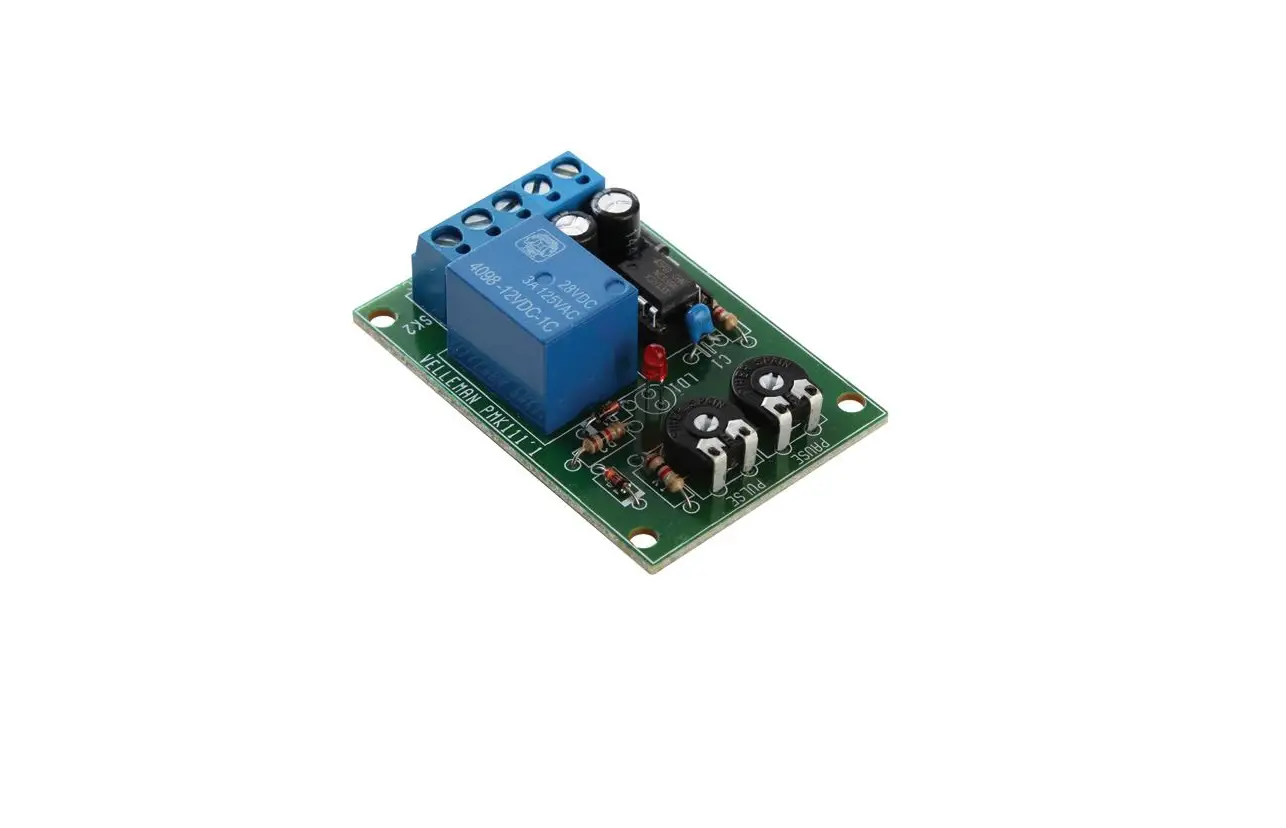
The product is the K6200 Start/Stop Timer assembly kit
manufactured by Velleman NV. It is an electronic timer that can be
used to control the start and stop times of various devices. The
kit includes all the necessary components and a detailed assembly
manual.
Features:
- Relay output: 5A at 220V
- LED indication
- Setting range: from +/- 3 secs to +/- 60 hours
- Starts promptly when the start push button is pressed
- Can be operated from an external push button or relay
- Can be operated from an open collector output (*)
- Power supply: 24VAC/50mA, 220VAC
- Fits in an adapter housing (ex. Ordernr. B6713 or G4)
(*) Only in case the circuit is fed from a 24V transformer.
Specifications:
- Total solder points: 96 + 43
- Difficulty level: beginner 1 2 3 4 5 advanced
Product Usage Instructions
Assembly Hints:
1. Make sure you have the right tools, including a basic
multi-meter if required.
2. Always look for possible last minute manual updates indicated
as ‘NOTE’ on a separate leaflet.
3. Mount the components against the PCB surface and carefully
solder the leads.
4. Ensure that the solder joints are cone-shaped and shiny.
5. Trim excess leads as close as possible to the solder
joint.
6. Remove the components from the tape one at a time and always
check their value on the parts list.
Construction:
Follow the steps below to assemble the relay module P6200R:
- Mount the diodes, ensuring correct polarity.
- Mount the zener diodes, ensuring correct polarity.
- Mount the resistors and LED, paying attention to polarity.
- Choose your operating voltage and mount the corresponding
component. - Mount the electrolytic capacitor, ensuring correct
polarity. - Mount the relay and suppressor network components as
instructed.
Tips:
In case of noise caused by relays, consider suppressing them
using additional components. Refer to the manual for more
information.
Total solder points: 96 + 43 Difficulty level: beginner 1 2 3 4 5 advanced
0 TO 60 HOUR START / STOP TIMER
K6200
ILLUSTRATED ASSEMBLY MANUAL
Broad sratanrgt e/ smtoapintsimoepre. rated
H6200IP-1
VELLEMAN NV Legen Heirweg 33
9890 Gavere Belgium Europe www.velleman.be www.velleman-kit.com
Features & Specifications
If you want to have a device switched off after a given time, then this timer is the device you are looking for. Thanks to its big range this timer can be installed just about everywhere, for switching off your TV and HI-FI, the lights in the stairwell, as a security timer for your automatic coffee-maker, as a dark room timer, for making a short chime signal… etc. For the latter application you can control the start/stop timer from a switching clock such as the K6000 for example. The rough setting (from a couple of seconds up to about 20 hours) is done using dip switches, while the fine tuning is achieved by turning a trimming potentiometer. The timer has push buttons for starting and untimely stopping and it further allows to control the circuit by relay or open collector (e.g. our 15 channel remote controlled receiver K8050). The circuit can be fed directly from the mains and is so compact that it fits in a standard adapter housing.
Features: Relay output: 5A at 220V LED indication Setting range: from +/- 3 secs to +/- 60 hours Starts promptly when the start push button is pressed Can be operated from an external push button or relay Can be operated from an open collector output (*) Power supply: 24VAC/50mA, 220VAC. Fits in an adapter housing (ex. Ordernr. B6713 or G4)
(*) only in case the circuit is fed from a 24V transformer.
3
Assembly hints
1. Assembly (Skipping this can lead to troubles ! ) Ok, so we have your attention. These hints will help you to make this project successful. Read them carefully.
1.1 Make sure you have the right tools:
· A good quality soldering iron (25-40W) with a small tip.
· Wipe it often on a wet sponge or cloth, to keep it clean; then apply solder to the tip, to give it a wet look. This is called `thinning’ and will protect the tip, and enables you to make good connections. When solder rolls off the tip, it needs cleaning.
· Thin raisin-core solder. Do not use any flux or grease.
· A diagonal cutter to trim excess wires. To avoid injury when cutting excess leads, hold the lead so they cannot fly towards the eyes.
· Needle nose pliers, for bending leads, or to hold components in place.
· Small blade and Phillips screwdrivers. A basic range is fine.
0.000
For some projects, a basic multi-meter is required, or might be handy
1.2 Assembly Hints :
Make sure the skill level matches your experience, to avoid disappointments. Follow the instructions carefully. Read and understand the entire step before you perform each operation. Perform the assembly in the correct order as stated in this manual Position all parts on the PCB (Printed Circuit Board) as shown on the drawings. Values on the circuit diagram are subject to changes. Values in this assembly guide are correct* Use the check-boxes to mark your progress. Please read the included information on safety and customer service
* Typographical inaccuracies excluded. Always look for possible last minute manual updates, indicated as `NOTE’ on a separate leaflet.
4
1.3 Soldering Hints : 1- Mount the component against the PCB surface and carefully solder the leads
2- Make sure the solder joints are cone-shaped and shiny 3- Trim excess leads as close as possible to the solder joint
REMOVE THEM FROM THE TAPE ONE AT A TIME !
DO NOT BLINDLY FOLLOW THE ORDER OF THE COMPONENTS ONTO THE TAPE. ALWAYS CHECK
THEIR VALUE ON THE PARTS LIST!
Assembly hints 5
Construction
ASSEMBLY OF THE RELAY MODULE P6200R
1. Diodes. Watch the polarity ! 3. Resistor
D1 : 1N4148
R…
D2 : 1N4007
D…
D3 : 1N4007 CATHODE
D4 : 1N4007
D5 : 1N4007
2. Zenerdiodes. Watch the polarity !
CATHODE
ZD1 : 15V0 ZD3 : 24V0
ZD…
R18: 1K (1 – 0 – 2 – B) 4. LED. Watch the polarity!
COLOR= 2…5
CATHODE
LD…
Min. 30mm
LD1 : 5mm RED
6
5. PCB tabs Mains (2x) NO COM NC
6. Vertical resistor
R…
R19 : 220 (2 – 2 – 1 – B – 9) R20 : 100K (1 – 0 – 4 – B) Pay attention : R19 is a metal film resistor and R20 is a 1W resistor.
7. Choose your operating voltage
For a 24VAC transformer :
C7 : Jumper wire (see fig 1.0)
Required if you are going to control starting and stopping via an open collector output, e.g. the 15 channel IR receiver K8050
For 220 – 240VAC :
C7 : 470nF/400V
Construction & connection
8. Electrolytic Capacitor. Watch the polarity !
C5 : 100µF
Fig. 1.0
C7
C…
C7
9. Relay
RY1 : VR15M241C 7
Suppressor network 10. Assembly of the suppressor network :
C6 : 0,1µF / 400V Fit capacitor C6 vertically, with only one lead soldered. In case you want to suppress the NO contact :
Fig. 2.0
Fit R21 (220 ohm 1/2W) also vertically and with only one lead soldered, where after you connect the free ends of the resistor and the capacitor together (see fig. 2.0).
In case you want to suppress the NC contact :
DON’T fit R21, but R22 (220 ohm 1/2W), in the same way.
REMARK: with small loads it may be necessary to fit a lower value for C6 (e.g. 22nF/400V), because otherwise the voltage across the load may not drop to zero when the relay is switched off.
8
Tips 11. Tips in the case of noise caused by relays: In case the relays are used to switch alternate current, it may be necessary to suppress them.
Suppress resistive loads (bulb, resistor, …) :
Fig. 3.1
Suppress inductive loads (transformer, motor, …)
Fig. 3.2
In case all the preceding solutions fail :
Fig. 3.3
9
Construction
ASSEMBLY OF THE BASIC MODULE P6200B
1. Zenerdiode. Watch the polarity !
CATHODE
ZD2 : 15V0
ZD…
2. IC socket, watch the position of the notch !
4. Capacitors.
C…
C2 : 100nF (104) C3 : 100nF (104) 5. DIP switch
IC1 : 16P
SW3
3. Resistor
R…
6. Capacitor. C1 : 22nF (223)
1 SW …
R16 : 10K (1 – 0 – 4 – B) 10
7. Transistors.
T1 : BC557B T2 : BC557B T3 : BC557B
8. Vertical resistors
R…
R1 : 1K
R2 : 1K R3 : 1K R4 : 10K R5 : 10K R6 : 10K R7 : 10K
(1 – 0 – 2 – B)
(1 – 0 – 2 – B) (1 – 0 – 2 – B) (1 – 0 – 3 – B) (1 – 0 – 3 – B) (1 – 0 – 3 – B) (1 – 0 – 3 – B)
R8 : 1K R9 : 10K
R10 : 10K R11 : 10K R12 : 10K R13 : 10K R14 : 1K R15 : 10K
R17 : 180K
(1 – 0 – 2 – B) (1 – 0 – 3 – B)
(1 – 0 – 3 – B) (1 – 0 – 3 – B) (1 – 0 – 3 – B) (1 – 0 – 3 – B) (1 – 0 – 2 – B) (1 – 0 – 3 – B)
(1 – 8 – 4 – B)
9. Electrolytic Capacitor. Watch the polarity !
C4 : 10µF
C…
10. Trimmer
RV…
Construction
12. IC, Check the position of the notch!
RV1 : 220K 11. Push button
IC1 : CD4536
13. Assembly of the 2 PCB’s
Connect the points RY, – , V and + of both PCB’s to each other.
SW1 SW2
Solder side !
Mount them on the solder side and carefully solder their connections.
Solder side !
11
Test 14. Test
Turn RV1 to its centre position Check that all the switches of the DIP switch are in the OFF state In case the timer was built for connection to the mains, connect the mains voltage to the points marked MAINS, otherwise a transformer must be connected to these points, which can supply 24 to 28VAC at 50mA.
BEWARE: when using mains power, certain points in the circuit will carry this voltage. Be careful what you touch!
Press the start button. Now the relay must be activated (also the LED must come up), and released after a couple of seconds. Press the start button and immediately press the stop button. Now the relay must be released immediately.
12
Other connections 16. Other connections Connecting separate push buttons (fig. 6.0):
Connect two push buttons with a normal open contact to the points “+” and “-“, marked SW1 and SW2 respectively. SW2 allows to start the timer while SW1 allows to stop it. Driving through open collector outputs, e.g. the 15 channel IR receiver K6711 (fig. 7.0): Use a 24 to 28VAC 50mA transformer to feed the timer (attention: C7 must be short-circuited). Connect the “-” of one of the two push buttons to the “-” of the driving circuit. Connect the open collector outputs of the driving circuits to the “+” of SW1 and the “+” of SW2.
13
Assembly
15. Assembly
After the test has been performed successfully you can possibly fit the modules into an adapter housing. First make the holes in the cover as shown in figure 4.0
Fig. 4.0
Connect the mains plug to the MAINS connections Mount the modules into the housing as shown in figure 5.0 After having fitted the cover, check that the LED and the push buttons are in the right positions. 14
Fig. 5.0
STOP
START
-+ SW1
-+ SW2
P6200B
P6200R
Fig. 6.0
MAINS MAINS
Other connections
-+ SW 1
-+ SW 2
P6200B
P6200R
C7 MAINS
Fig. 7.0
18…24VAC 50mA
15
Settings
17. Setting the desired time
See the table for setting the desired time.
SW3 settings
1
2
3
4
Time range
OFF OFF OFF OFF
2 – 8 sec
OFF OFF OFF ON
5 – 15 sec
OFF OFF ON OFF
10 – 30 sec
OFF OFF ON ON
25 – 60 sec
OFF ON OFF OFF
50 – 110 sec
OFF ON OFF ON
1,5 – 3,5 min
OFF ON ON OFF
3 – 7,5 min
OFF ON ON ON
6,5 – 15 min
SW3 settings
1
2
3
4
ON OFF OFF OFF
ON OFF OFF ON
ON OFF ON OFF
ON OFF ON ON
ON ON OFF OFF
ON ON OFF ON
ON ON ON OFF
ON ON ON ON
Time range
13 – 30 min 25 – 60 min 50 – 120 min 100 – 240 min 3,5 – 8 hrs 7 – 16 hrs 14 – 32 hrs 24 – 64 hrs
Example: with all switches OFF the range is 2 to 8 seconds, and the right time must be adjusted by turning trimmer RV1.
With every next setting of the switches the adjusted time is doubled. If, for example the time has been adjusted to 4 seconds, then, with the next setting (1 off, 2 off, 3 off and 4 on) the time will be set to 8 seconds. The higher you select the start time to be adjusted, the more accurate the time finally set will be.
16
PCB 18. PCB layout (RELAY MODULE P6200R)
17
PCB PCB layout (BASIC MODULE P6200B)
18
19. Diagram
C7
R20
R19
+V1
D4
D3
MAINS
R18 +V
+V
+V
R14
T3
R13 SW1
16 1
STOP
R1
+V R8
T2 IC1
R9
D2
D5
C5 ZD3
ZD1 R10 C4
C2
R11 3
R17 RV1
+V1
5
C1
4
R15
ZD2 R16
T1
NC
13
14
+V
NO
LD1
SW2 START
C3
D1
2 R2
1 2 3 4 SW3
RY1
D
12
C
R3
11
B
10
A
9
15 6 8 7
R21 R22
C6 COM
R4 R5 R6 R7 R12
Diagram 19
Modifications and typographical errors reserved © Velleman nv. H6200IP – 2004 – ED1
VELLEMAN NV Legen Heirweg 33, 9890 Gavere
Belgium – Europe
5 410329 335144
 Velleman – Wholesaler and developer of electronics