Aposun Chds8a Series Process Panel Meter Instruction Manual

Aposun Chds8a Series Process Panel Meter Instruction Manual

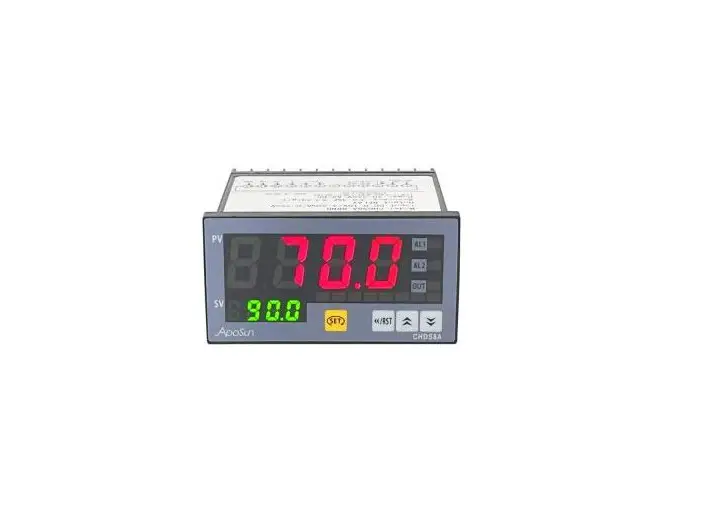
ApoSun CHDS8A Series Process Panel Meter 
Instruction Manual

ApoSun CHDS8A Series Process Panel Meter Instruction Manual

1. Model number and ordering info.
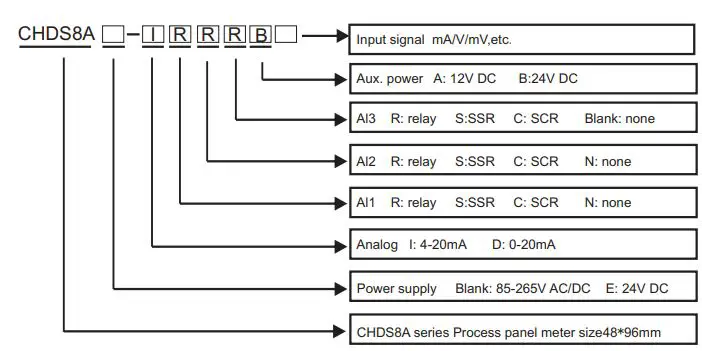
ApoSun CHDS8A Series Process Panel Meter Instruction Manual - Model number and ordering info

2. Technical specifications

The instrument accepts many types of signals input as 4-20mA, 0-10V, 0-75mV, TC/RTD, load cell, etc.. This makes it applicated in different applications , such as temperature, pressure, weighting, resistance, current and voltage measurement. We also provide 20-stage programmable setting for no-linear input. The input, output and power supply are isolated from each other.
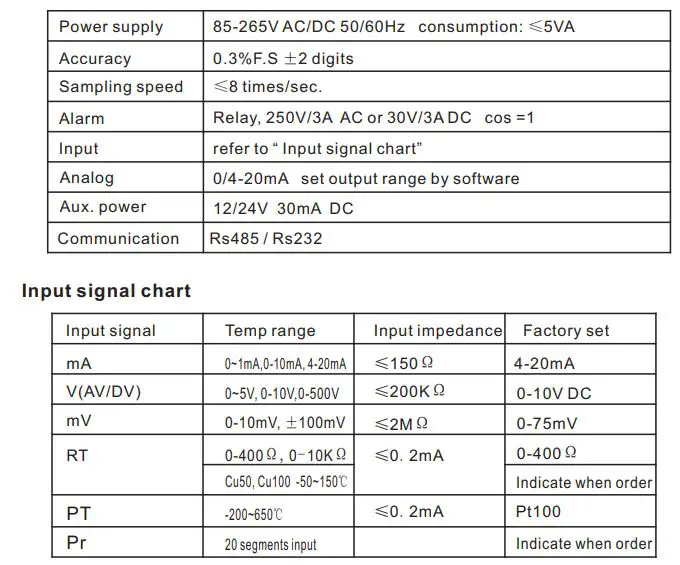
ApoSun CHDS8A Series Process Panel Meter Instruction Manual - Technical specifications

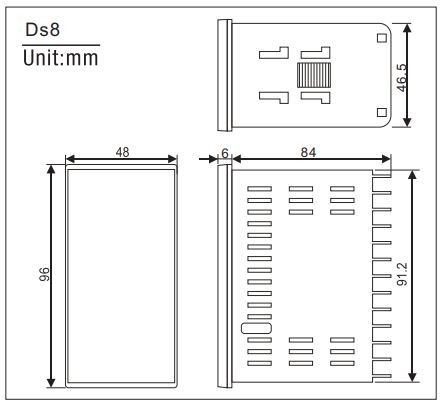
3.Size and mounting

ApoSun CHDS8A Series Process Panel Meter Instruction Manual - Size and mounting

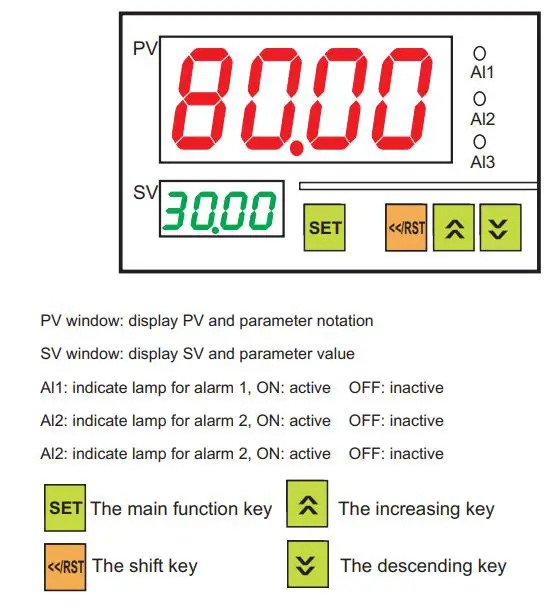
4.Panel description

ApoSun CHDS8A Series Process Panel Meter Instruction Manual - Panel description

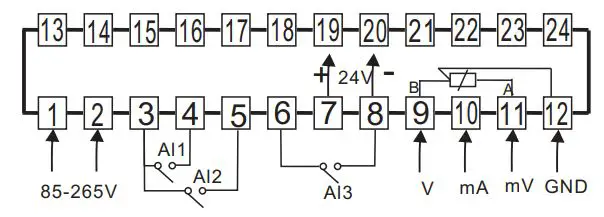
5.Wiring diagram

ApoSun CHDS8A Series Process Panel Meter Instruction Manual - Wiring diagram

Remark Above is a general wiring diagram. Please always refer to the connection diagram on the side of the controller.

6.Setting and programming

6.1 Power on initialization

Power on for self-checking and showing input type & display value range.
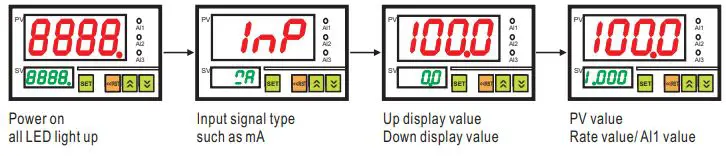
ApoSun CHDS8A Series Process Panel Meter Instruction Manual - Power on initialization

6.2 Input signal selection(How to change the signal InP=mA setting value)
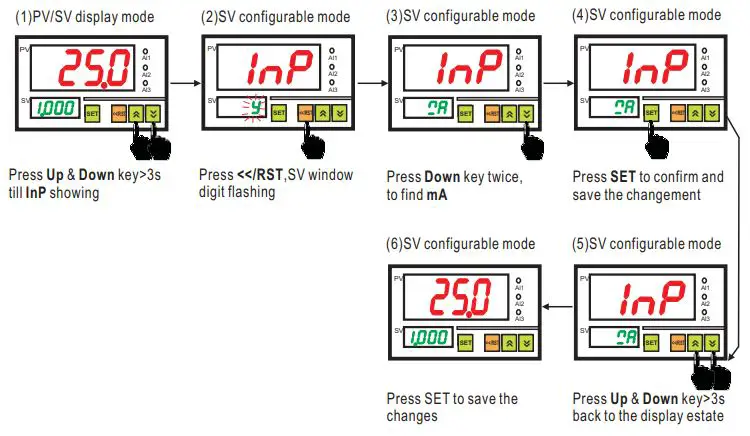
ApoSun CHDS8A Series Process Panel Meter Instruction Manual - Input signal selection

6.3 Alarm setting (How to change alarm AL1=50.0, AM1=L)
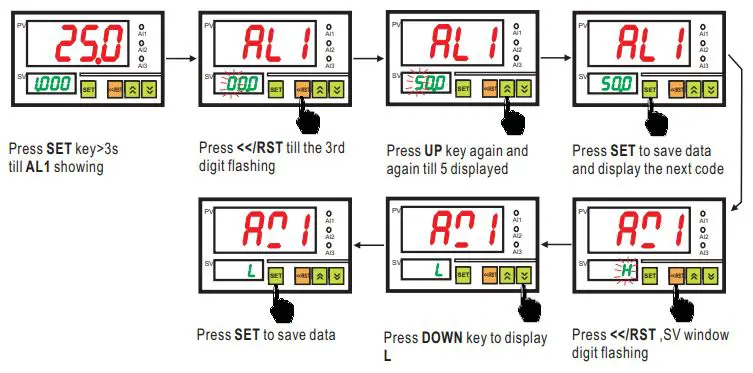
ApoSun CHDS8A Series Process Panel Meter Instruction Manual - Alarm setting

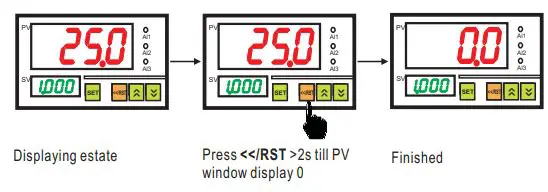
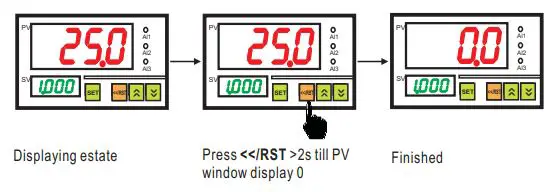
6.4 Reset zero

ApoSun CHDS8A Series Process Panel Meter Instruction Manual - Reset zero

6.5 Rate configuration

ApoSun CHDS8A Series Process Panel Meter Instruction Manual - Reset zero

◆ PV value=Rate×(UPS-LSP)+PVF (USP, LSP refer to the parameter menu)
◆ The decimal point moves automatically once the value increases. For example, the present SV is 9.000, when press increase, the display changes to 10.00.

6.6 How to configure all configurable parameters
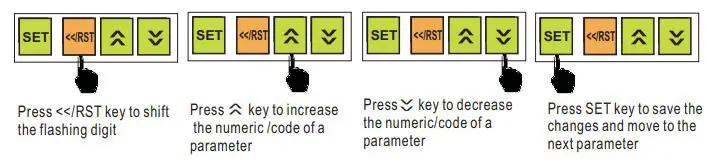
ApoSun CHDS8A Series Process Panel Meter Instruction Manual - How to configure all configurable parameters

Remark The instrument will return to the measuring estate if no any operation for 25 seconds
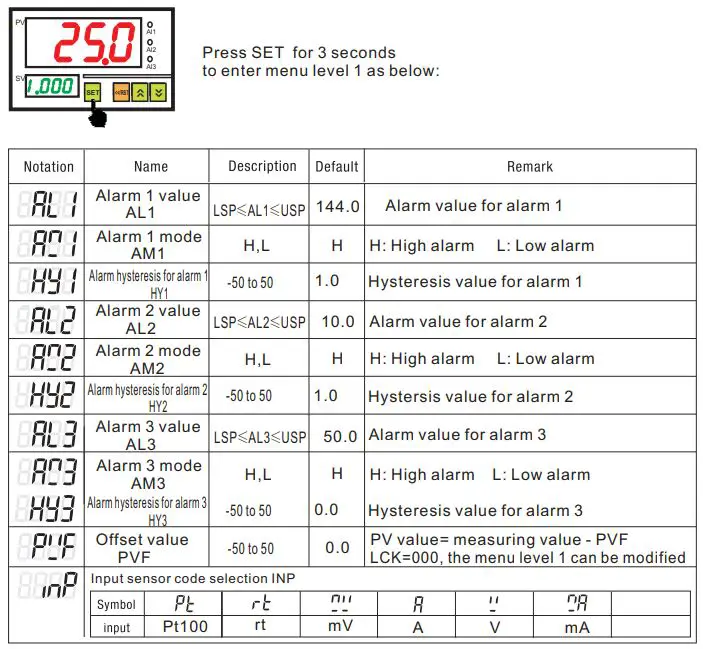
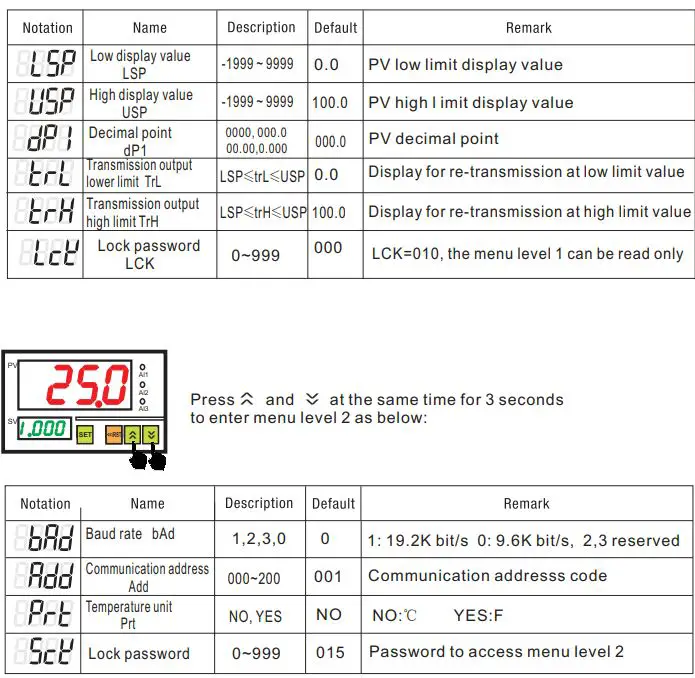
7. Parameter menu

ApoSun CHDS8A Series Process Panel Meter Instruction Manual - Parameter menuApoSun CHDS8A Series Process Panel Meter Instruction Manual - Parameter menu

Remark Depends on the specific functions, some of parameter may or may not be available.
Documents / Resouces

Download manual
Here you can download full pdf version of manual, it may contain additional safety instructions, warranty information, FCC rules, etc.


Related Manuals