
GL502MG User Manual
EGPRS/LTE Cat-M1/LTE Cat-NB2/GNSS Tracker
QSZTRACGL502MGUM0100
Version: 1.00
| Document Title | GL502MG User Manual |
| Version | 1.00 |
| Date | 2020-11-25 |
| Status | Released |
| Document Control ID | QSZTRACGL502MGUM0100 |
General Notes
Queclink offers this information as a service to its customers, to support application and engineering efforts that use the products designed by Queclink. The information provided is based upon requirements specifically provided to Queclink by the customers. Queclink has not undertaken any independent search for additional relevant information, including any information that may be in the customer’s possession. Furthermore, system validation of this product designed by Queclink within a larger electronic system remains the responsibility of the customer or the customer’s system integrator. All specifications supplied herein are subject to change.
Copyright
This document contains proprietary technical information which is the property of Queclink. e tia Copying of this document, distribution to others or using or communication of the contents thereof is forbidden without express authority. Offenders are liable to the payment of damages. All rights are reserved in the event of a patent grant or the registration of a utility model or design. All specifications supplied herein are subject to change without notice at any time.
Copyright © Queclink Wireless Solutions Co., Ltd. 2021
Revision History
| Revision | Date | Author | Description of Change |
| 1.00 | 2020-11-25 | Heymi Lin | Initial |
Introduction
GL502MG is an IP68 waterproof GNSS tracker that features up to 3 years standby time powered by internal batteries and supports Wi-Fi. The device is ideal for lot management and other tracking applications that require real-time monitoring. GL502MG supports LTE Cat M1/NB2 network on multiple bands for operation in America, Europe, and Oceania with a fallback to GPRS.
GL502MG Product
Table 1. GL502MG Product
| Model No. | Region | Technology | Operating Band (MHz) |
| GL502MG | Worldwide | eMTC/NB-IoT | GSM:GSM850/GSM900/ DCS1800/PCS1900 LTE-TDD: B39 (for Cat.M1 only) LTE-FDD: B1/82/83/84/85/88/812/813/B 18/B19/820/B825/B28 |
Reference
Table 2. GL502MG Protocol Reference
| SN | Document Name | Remark |
| [1] | GL502MG @Track Air Interface Protocol | The air interface protocol between GL502MG and backend server |
Terms and Abbreviations
Table 3. GL502MG Terms and Abbreviations
| Abbreviation | Description |
| RXD | Receive Data |
| TXD | Transmit Data |
| GND | Ground |
Product Overview
Product Appearance
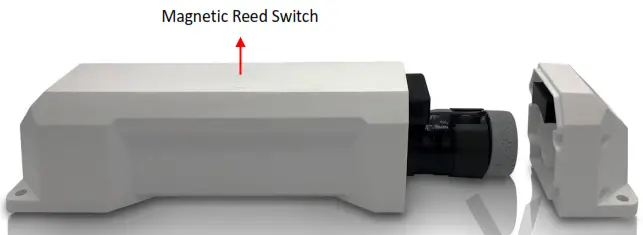
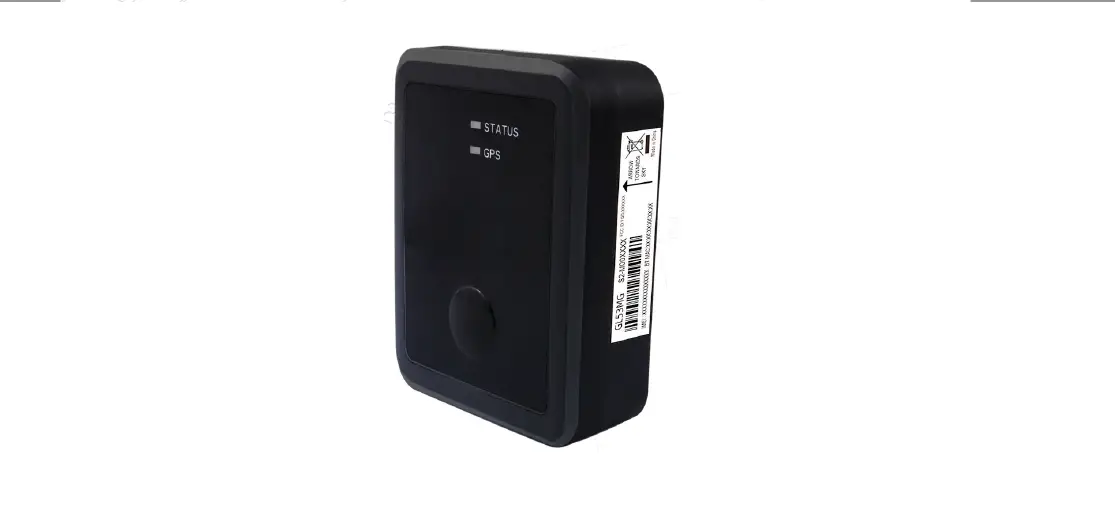
Figure 1. GL502MG Product View
Magnetic Reed Switch Description
Table 4. Magnetic Reed Switch Description
| MagneticReed Switch Function | To power on the device: Use a magnet (1.2 mT minimum) to approach magnetic reed switch. Then the switch will be triggered and the device will be powered on. |
| Note: 1, To power on the device, set the battery switch on the PCB to ON position first; 2, Once powered on, to cut off the power, set the battery switch on the PCB to OFF position. | |
LED Description
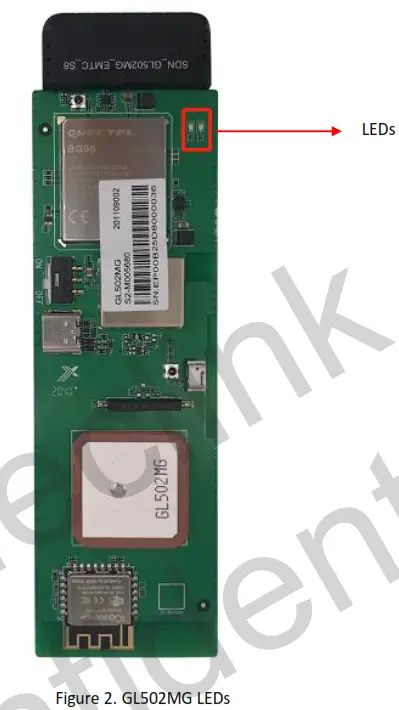
There are two LEDs on GL502MG. They can work separately and in combination to indicate the status of the device. For the details when they work separately, please see the table below:
Table 5. GL502MG LED Description (work separately)
| LED | Event | State |
| CELL LED (Green) | Searching network | Fast flash |
| The device has been registered on network | Slow flash | |
| SIM is locked by PIN | Solid on | |
| Modem off | Solid off | |
| GPS LED (Blue) | GPS is in the process of fixing | Fast flash |
| GPS is on and GPS gets fix | Slow flash | |
| GPS off | Solid off |
Fast flash: 100ms on/200ms off
Slow flash: 200ms on/1000ms off
Note:
1, The LEDs will be on about 5 minutes after power on. After that, they will always be off.
2, The LEDs will not be visible because the PCB is inside opaque plastic housing.
Parts List
Table 6. GL502MG Parts List
| Name | Picture | Description |
| GL502MG Locater | 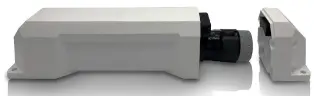 | EGPRS/LTE Cat-M1/LTE Cat-NB2/GNSS Tracker |
| Magnetic Buckle Kit (Optional) | 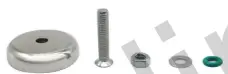 | Used to install GL502MG |
| Steel Cable & Steel Plates (Optional) | 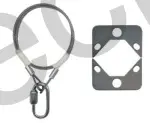 | Used to provide extra protection from falling in case the magnetic buckle loosens |
| GL502MG Data Cable (Optional) | 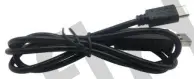 | USB data cable which can be used for firmware upgrade and configuration |
Interface Definition
GL502MG has a 12-pin (two sides) Type-C interface. The sequence and definition of the 24-pin connector are shown in the following figure:
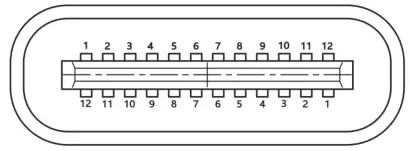 Figure 3. 12-pin (two sides) Type-C Interface of GL502MG
Table 7. Description of 24-pin Connections
| Pin No. | Pin Name | Function Description |
| 1 | GND | GND |
| 2 | GND | GND |
| 3 | VBUS | USB PWR |
| 4 | VBUS | USB PWR |
| S | N/A | N/A |
| 6 | N/A | N/A |
| 7 | N/A | N/A |
| 8 | USB DP | USB DP |
| 9 | USB DM | USB DM |
| 10 | N/A | N/A |
| 11 | UART RXD | Debug Receive Data |
| 12 | UART_TXD | Debug Transmit Data |
Getting Started
Opening and Closing the Case
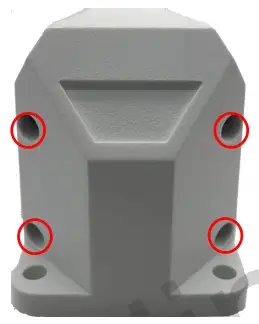
Figure 4. GL502MG Screw Position
To open/close the case: Unfasten or tighten the 4 screws at side.
Turning on/off the Device
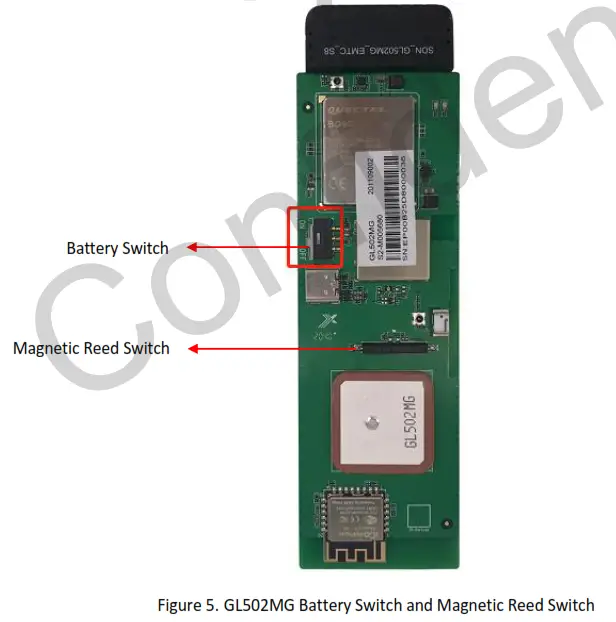
To turn on: Set the battery switch on the PCB to ON position first. And use a magnet to approach magnetic reed switch. Then the switch will be triggered and the device will be powered on.
To turn off: Set the battery switch on the PCB to OFF position.
Note: When leaving factory, the internal battery switch is at “ON” position by default if SIM card is pre-inserted so the user only needs to use a magnet to make the device working and at “OFF” position if the SIM card will be installed by the users themselves.
Installing a SIM Card
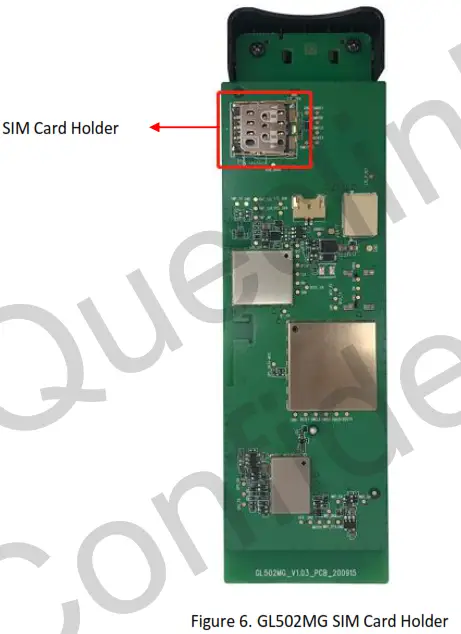
Power off the device first and then install the SIM card.
Installation Precautions
- Firmly install the device to a reliable surface to prevent falling off.
- Make the side with antenna face sky to have better signal reception.
- Do not install the device under metal surface or in enclosed environments having difficulty in getting GPS and network signal.
Troubleshooting and Safety Info
Troubleshooting
Table 8. GL502MG Troubleshooting List
| Trouble | Possible Reason | Solution |
| After the device is turned on, the Status LED always flashes quickly. | The signal is too weak. The device isn’t registered to the network. | Please move the device to a place with good network coverage. |
| Messages can’t be reported to the backend server by network. | APN is not right. | Ask the network operator for the right APN. |
| The IP address or port of the backend server is wrong. | Make sure the IP address for the backend server is an identified address in the internet. | |
| There is no response from Type-C when the device is configured by using Type-C. | The port is not ready or the device is not powered on. | Please check the port and the device to ensure they are working properly. |
| The device can’t get GPS fix. | The GPS signal is weak. | Move the device to a place under open sky. |
| It is better to make the side with antenna face the sky. |
Safety Info
- Do not disassemble the device by yourself.
- Do not put the device in the overheated or too humid place, and avoid exposure to direct sunlight. Too high temperature will damage the device or even cause battery explosion.
- Do not use the device on the airplane or near medical equipment.
Appendix: Supported Accessories
- Magnetic Buckle Kit (Optional)
- Steel Cable & Steel Plates (Optional)
- GL502MG Data Cable (optional)
FCC Statement
This equipment complies with FCC radiation exposure limits set forth for an uncontrolled environment. This equipment should be installed and operated with minimum distance of 20 cm between the radiator and your body. This transmitter must not be co-located or operating in conjunction with any other antenna or transmitter.
This device complies with part 15 of the FCC rules. Operation is subject to the following two conditions: (1) this device may not cause harmful interference, and (2) this device must accept any interference received, including interference that may cause undesired operation.
NOTE: The manufacturer is not responsible for any radio or TV interference caused by unauthorized modifications to this equipment. Such modifications could void the user’s authority to operate the equipment.
NOTE: This equipment has been tested and found to comply with the limits for a Class B digital device, pursuant to part 15 of the FCC Rules. These limits are designed to provide reasonable protection against harmful interference in a residential installation. This equipment generates l uses and can radiate radio frequency energy and, if not installed and used in accordance with the instructions, may cause harmful interference to radio communications. However, there is no guarantee that interference will not occur in a particular installation. If this equipment does cause harmful interference to radio or television reception, which can be determined by turning the equipment off and on, the user is encouraged to try to correct the interference by one or more of the following measures:
- Reorient or relocate the receiving antenna.
- Increase the separation between the equipment and receiver.
- Connect the equipment into an outlet on a circuit different from that to which the receiver is connected.
- Consult the dealer or an experienced radio/TV technician for help
- This device and its antenna(s) must not be co-located or operating in conjunction with any other antenna or transmitter.