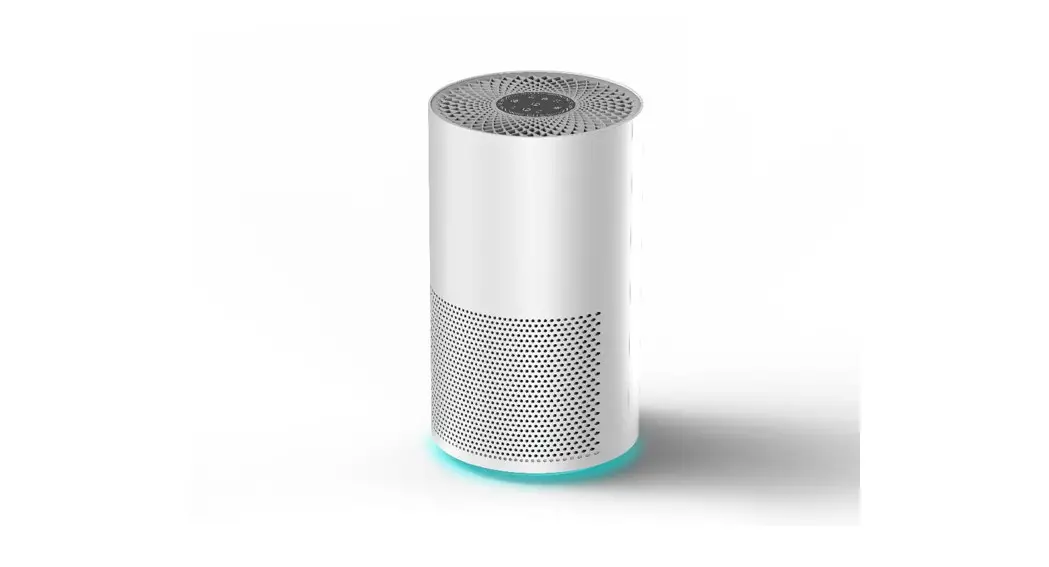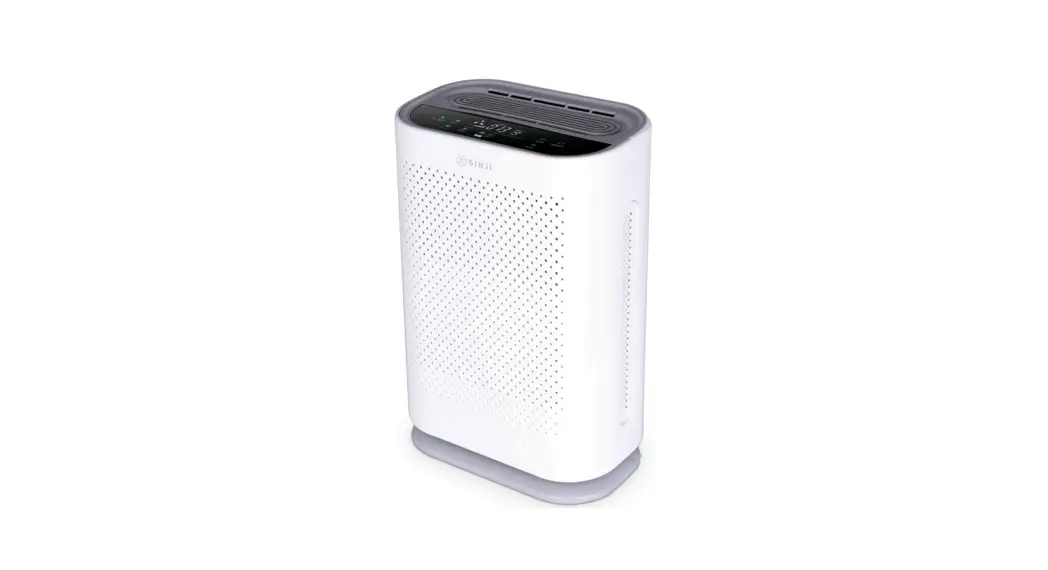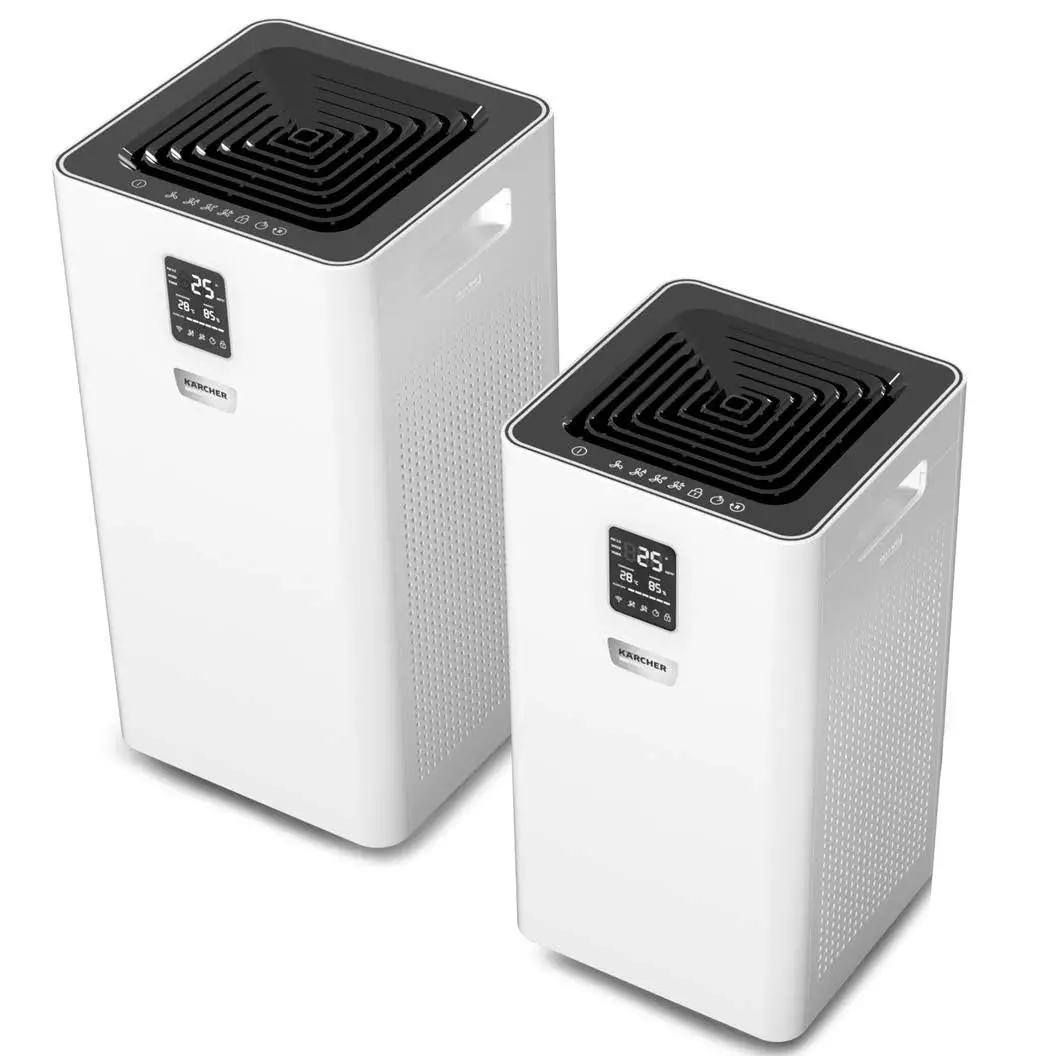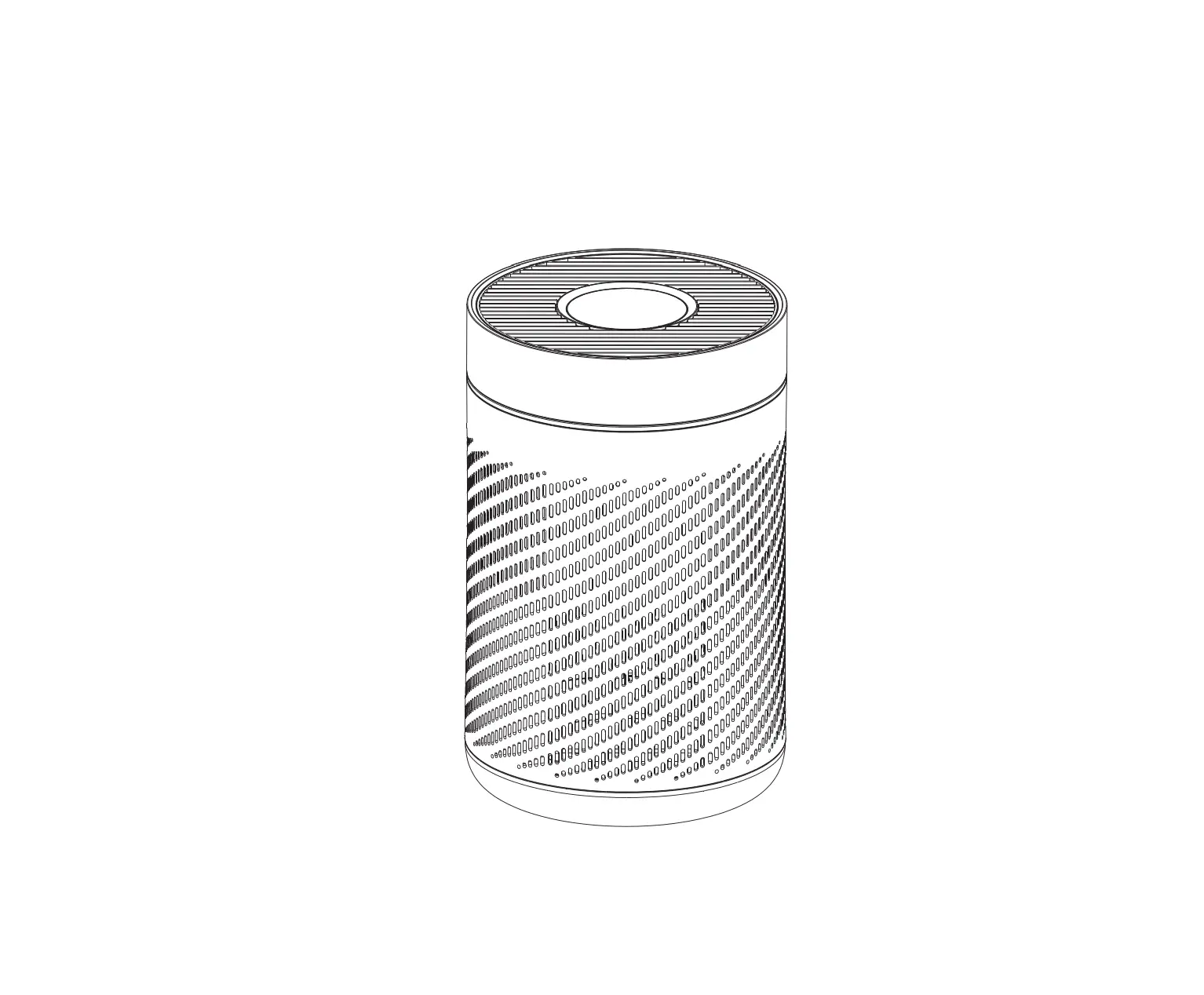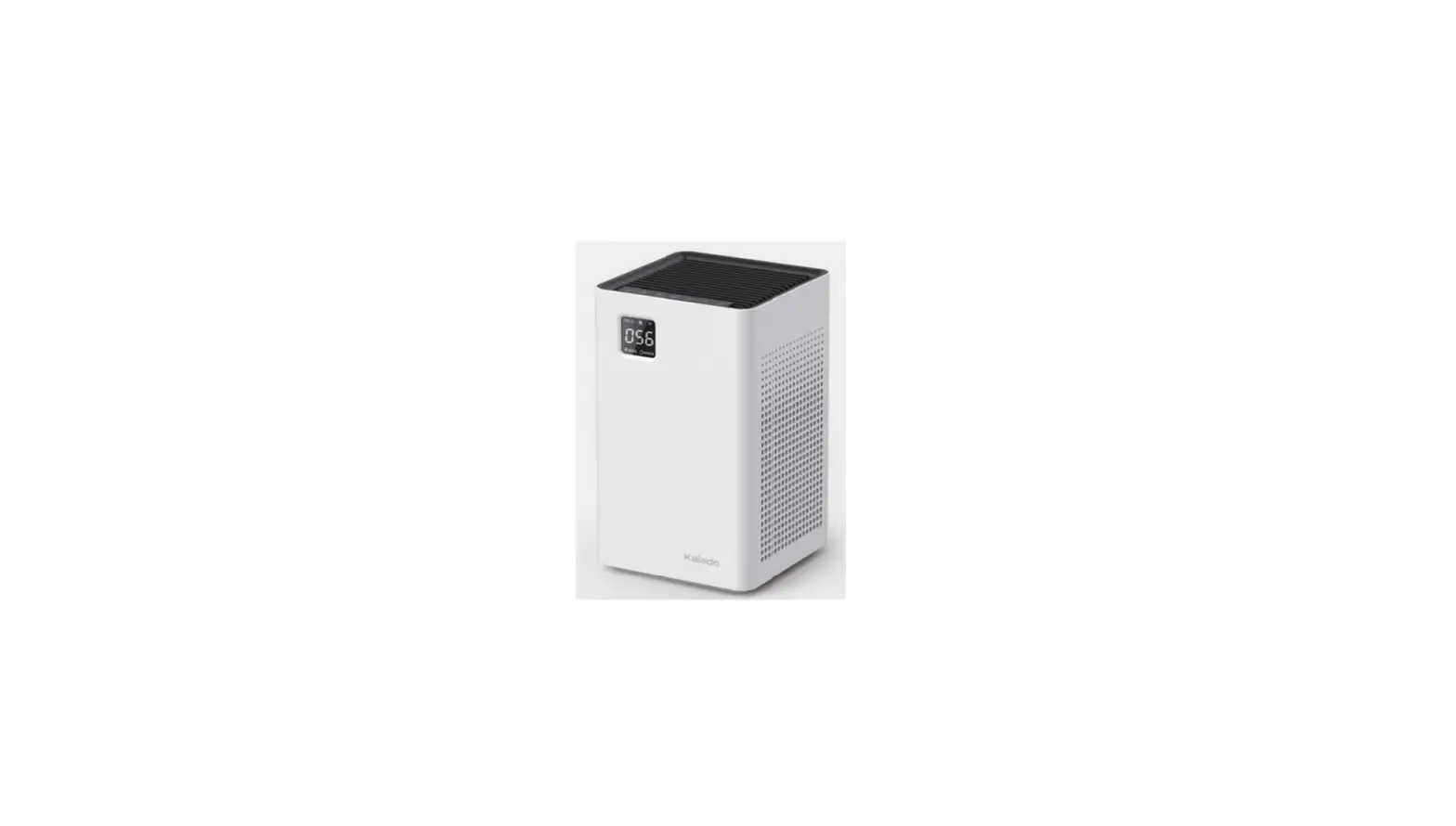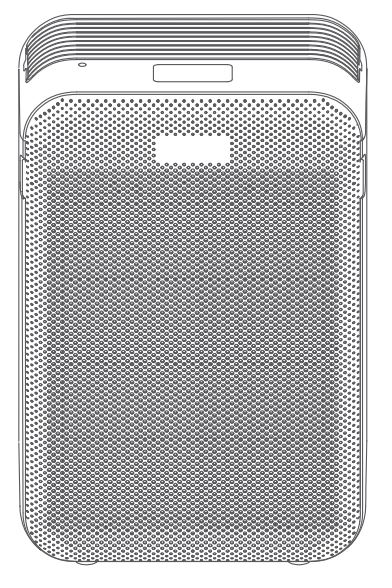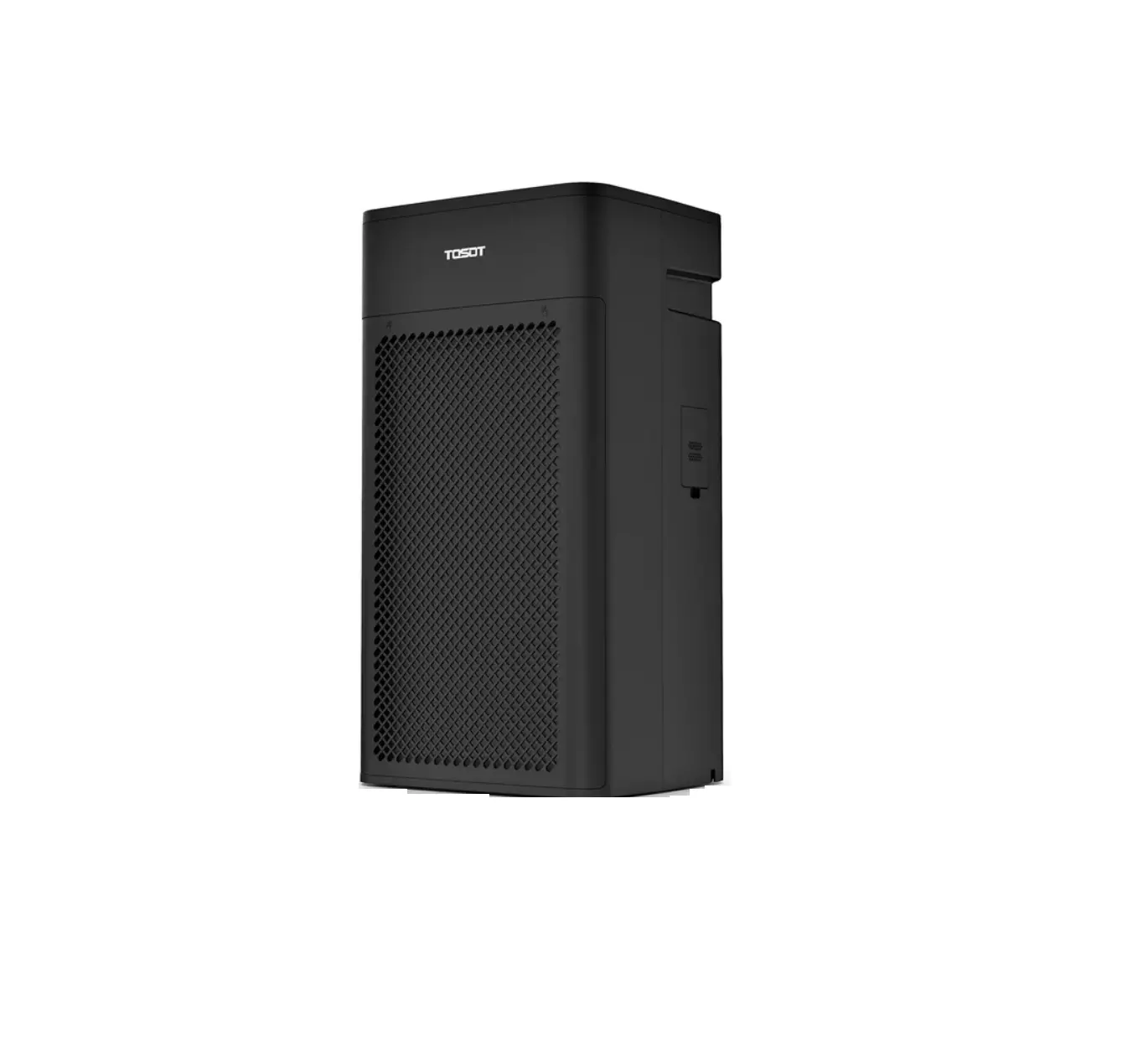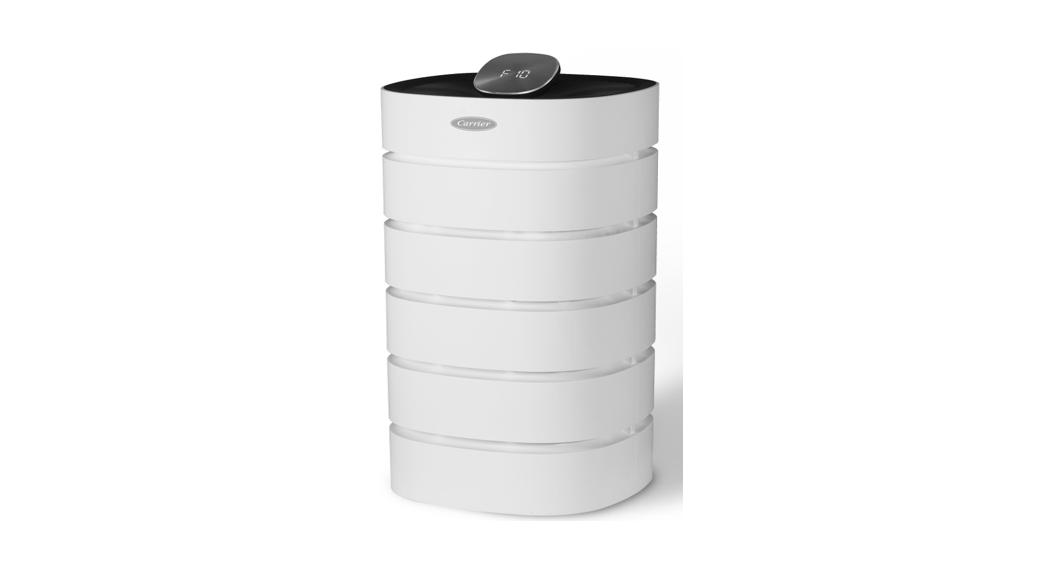

Klarwind 23S Room Air Purifier
User Manual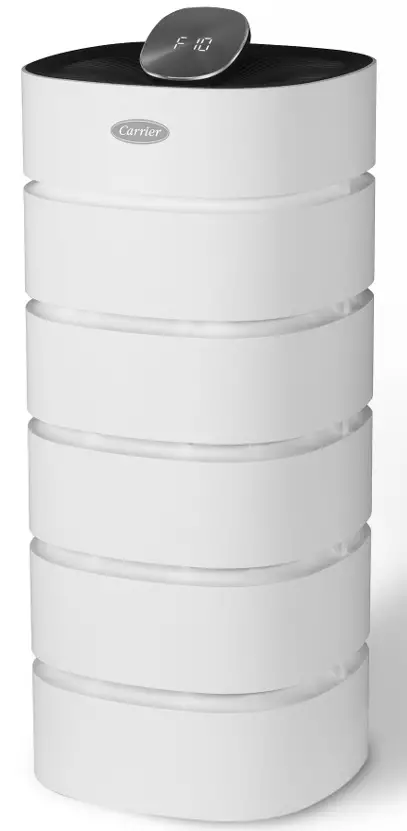
Features of the Carrier Air Purifier
18-Stage Fan Speeds
Control speed of airflow through the filter by utilizing 18 different fan speeds.
Three Stage Filtration
Pre-filter removes larger pollutants; high-efficiency filter removes fine particles; and the Activated Carbon filter removes odors, gases, and VOCs not removed by the high-efficiency filter.
Auto Mode
The air purifier automatically adjusts the fan speed based on the current air quality, as detected by its onboard sensor.
Safety Lock Function
You can set the safety lock function so that children cannot operate the unit. Note
Note
Functions and specifications may differ depending on the model.
Read these instructions thoroughly for the safety of users and to prevent property damage.
Indication Description
 WARNING
This indicates that there is a possibility of death or serious injury in case of violation of the instructions. CAUTION
This indicates that there is a possibility of injury or material damage in case of violation of the instructions
Power Supply
This appliance has a polarized plug (one blade is wider than the other). To reduce the risk of electric shock, this plug is intended to fit in a polarized outlet only one way. If the plug does not fit fully in the outlet, reverse the plug. If it still does not fit in the outlet, contact a qualified electrician. Do not attempt to defeat this safety feature. Be sure to plug your machine into a 120 V outlet.
- Do not turn off the product by unplugging the power plug while in use.
- Contact customer service if the power plug or the power cord is damaged.
- Connect the power plug firmly to the wall outlet and do not use a damaged power plug, a damaged power cord, or a loose outlet.
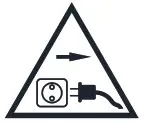 Unplug the unit during thunder and lightning. The product can be damaged due to electric shock. If the product is not used for a long period of time, unplug the unit to prevent
unnecessary overheating and to save electricity consumption. Note This air purifier is for 120 V only.
Initial Setup
WARNING
After plugging the unit into the outlet, do not press the unit against the wall plug.
- Do not extend the power cord at will.
- Do not use a power strip as it may cause electric shock or fire.
- Leave at least 12 inches (30 cm) between wall and product.
- If the air inlet and outlet space is crowded, the air-purifying ability may be limited.
- Place on a flat surface.
 PROHIBITED
- Do not use the product near flammable substances or if there is a gas leak.
- Do not use the product in places exposed to high humidity, oil, grease, or water.
- Do not install the product in direct sunlight or near a heating vent.
When Using
CAUTION
Avoid installing the product within 3 feet (1 meter) of TV or electronic appliances.
Turn off the power immediately if water or other foreign matter enters the product. Dry unit completely before turning on.
Using a dirty pre-filter or no filter will degrade product performance.
If there is a strange sound, burning smell or smoke coming from the product, unplug it immediately and contact customer service.
PROHIBITED
Do not replace the filter while the product is in use or plugged in.
Do not use filters that are not recommended by the manufacturer.
Do not move the product while in use.
When Cleaning CAUTION Use a soft, dry cloth and gentle cleansers to clean the unit.
PROHIBITED
Do not clean when power is on as it may cause electric shock or malfunction.
CAUTION
- Remove the plastic packaging from the filter before use.
- Keep plastic packaging away from children as it may cause suffocation.
How to Remove the Plastic Packaging From the Filter
- An integrated filter is included in a new product.
- Be sure to unplug the unit before removing the filter packaging.
Note You can not return the filter once the plastic packaging is removed.
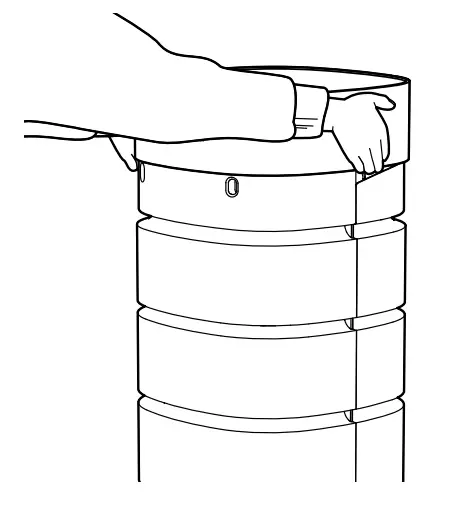
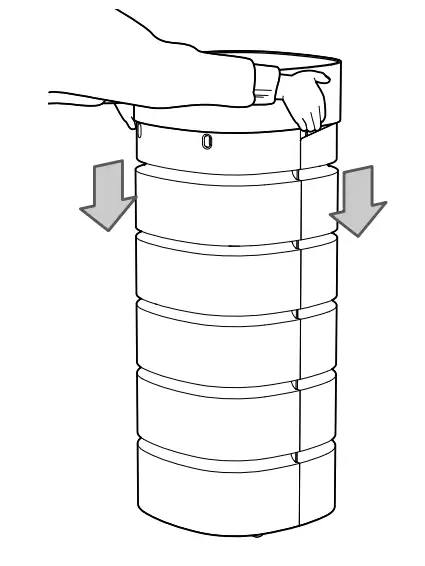
- Hold the top cover of the product with both hands and pull upwards.

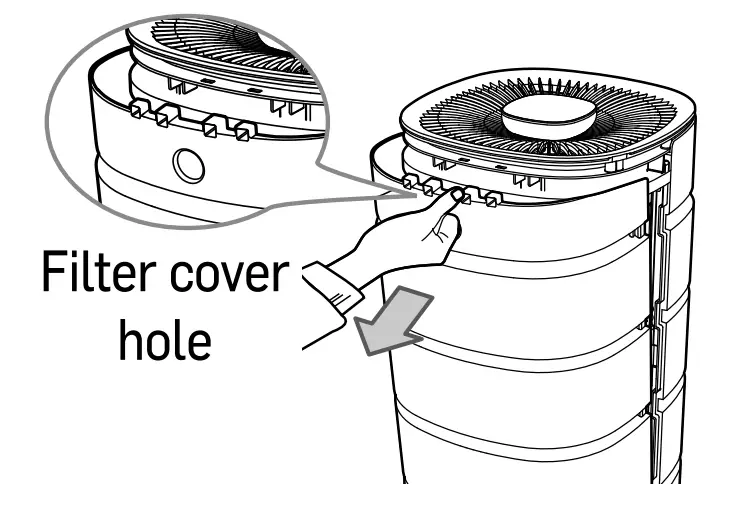
- Grasp the filter cover hole on the rear and pull it forward

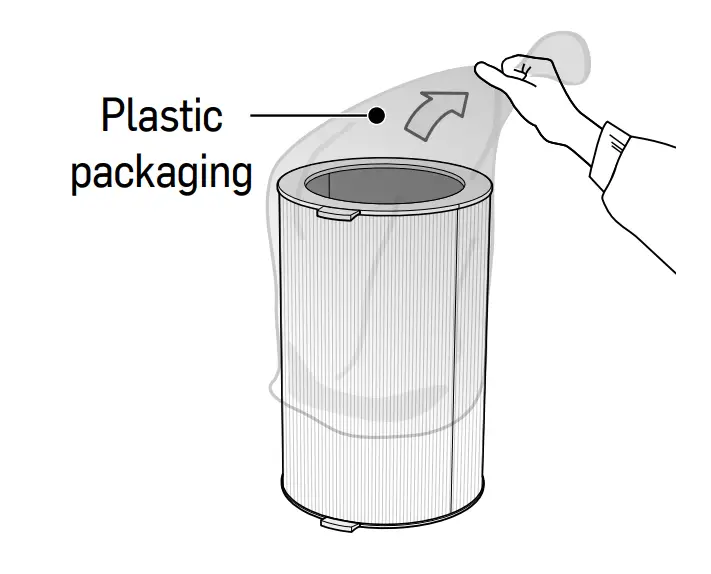
- Remove the plastic packaging from the filter. By failing to remove packaging, abnormal sounds will occur and the filter will not work properly; and it may cause a fire or other damage to the product.

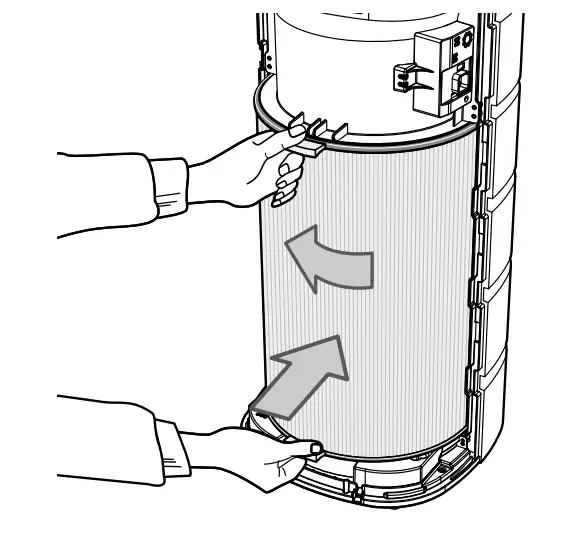
- Push the filter into the top and bottom part of the product with the filter in close contact.

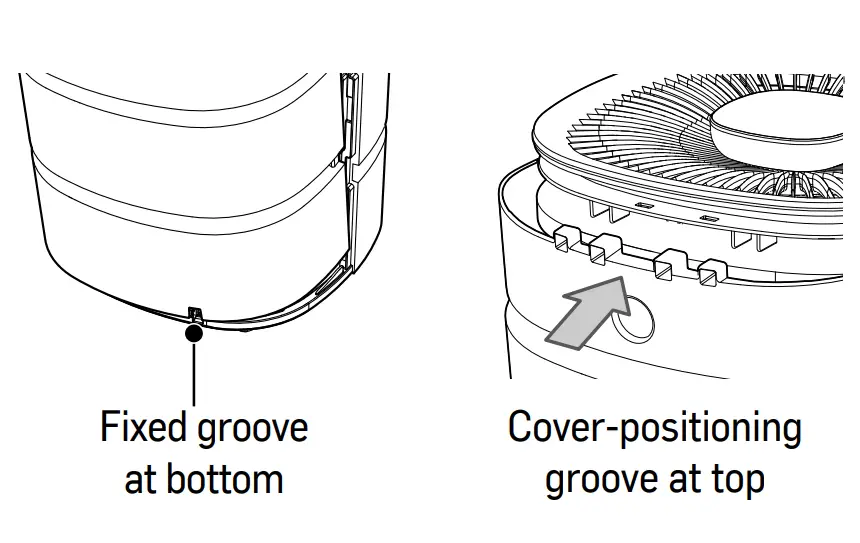
- Replace filter cover. Insert the cover into the fixed groove at the bottom of the product first. Slide the cover forward so that the cover fits into the top grooves.

- Hold the top cover of the product with both hands and slide it back in place, making sure the logo appears in the front.

- When the filter installation is complete, press the
 +”Auto” button on the control panel for 5 seconds or more to initialize it. The red filter light will go off when product is reset.
How to Install Casters (Optional)
- Inside the air filter package, there is a small box containing 4 casters and 8 screws.
- Remove the four bottom bases from the air purifier with a screwdriver.
- Replace each base with a caster, utilizing two screws per caster.
- Retain the removed bottom bases and screws for future use.
Note If there is no caster box inside the filter box, please contact customer service.
CARRIER ROOM AIR PURIFIER
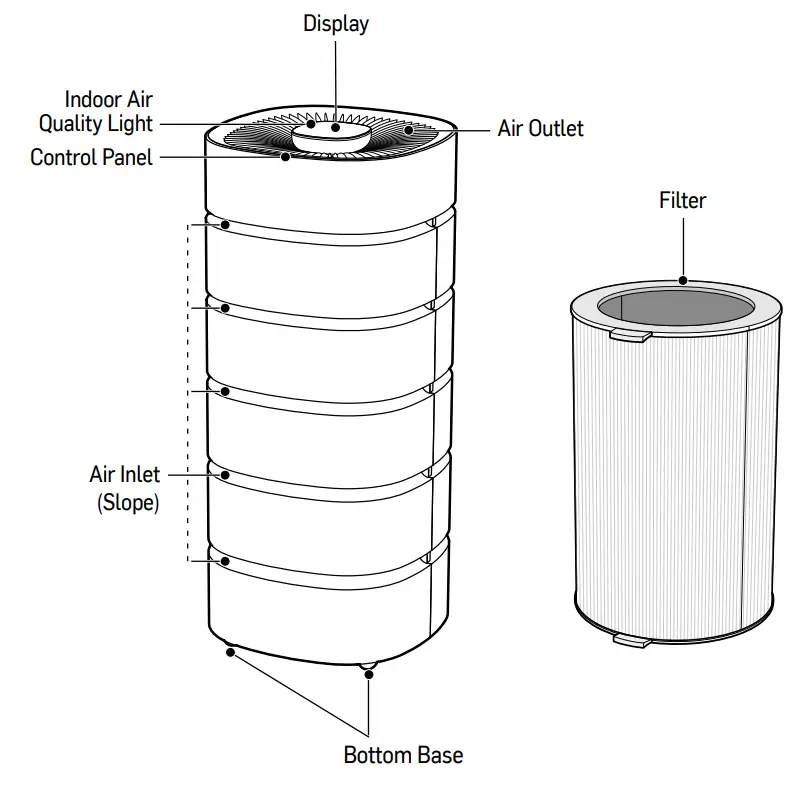 Note Product features and specifications may vary depending on the model.
Product Specifications
| Model | Carrier Room Air Purifier | Carrier Room Air Purifier XL | |
| Power | 120V, 60Hz, 1 phase | ||
| Wifi | n/a | n/a | |
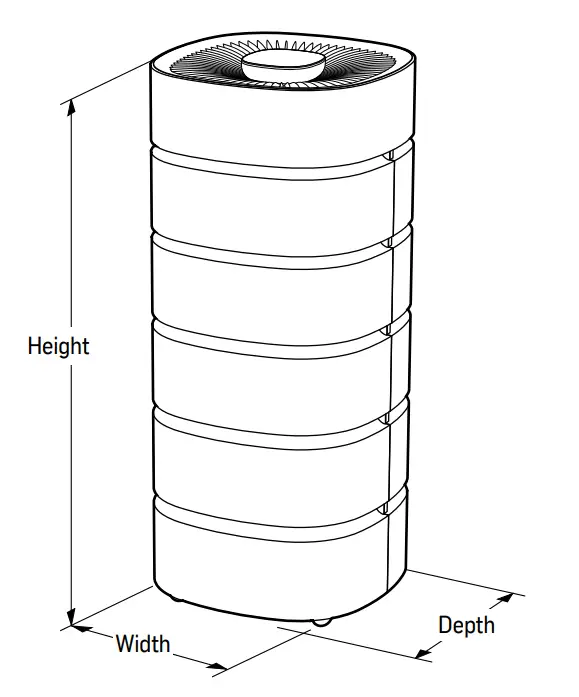
| Dimension | WxDxH | 13.7 x 13.7 x 26.5 (inch) 350 x 350 x 675 (mm) | 13.7 x 13.7 x 31.5 (inch) 350 x 350 x 800 (mm) |
Filter Detail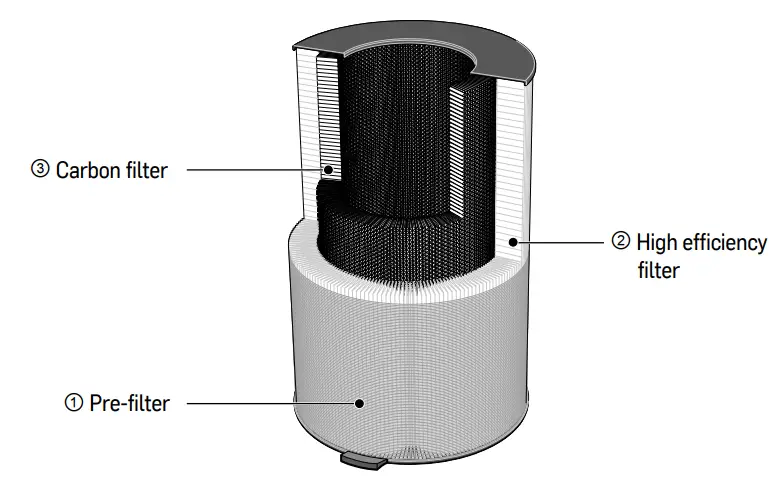
| Filter Type | Function |
| 0 Pre-filter (microfiber net) | Removes large dust particles and pollutants. |
| 0 High efficiency filter | Removes 99.95% of particles that are 0.3 microns in size. |
| C) Carbon filter | Removes odors, gases, and VOCs not removed from the H13 filter. |
It is recommended that you replace the filter every 6-12 months. Note · Replacement period may vary depending on the product usage.
Display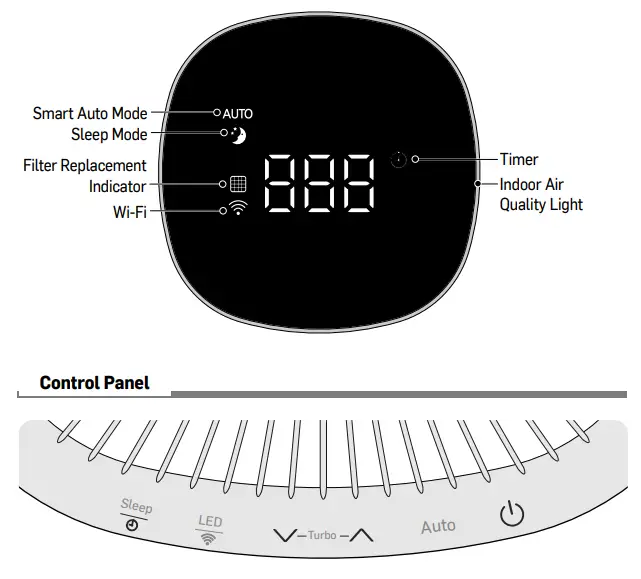
Control Panel Descriptions
 Sleep mode / Timer
Turn up the fan speed and time (by 1 hour)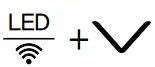 LED LED ON/OFF & Wi-Fi connection* Auto Smart automatic operation
∨ Turn down the fan speed and time (by 1 hour) Power ON/OFF
Note *Wi-Fi not available on Carrier Room Air Purifier or Carrier Room Air Purifier XL
Normal Operation
- Press the button to turn it on.
The previously selected operation mode will be displayed.
- Press∧∨ the button on the control panel to select your desired fan speed.
You can adjust the fan speed from level 1 (F1) to level 18 (F18).
Note
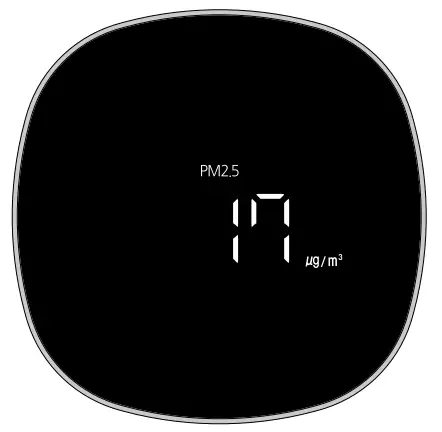
When the air purifier turns on, the sensor is initialized and the display shows during initialization.
Auto Operation
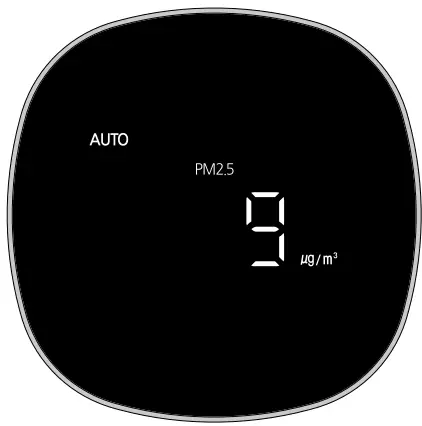
- Auto Mode allows the system to determine the fan speed depending on the air quality of the room. Press button to turn on. The previously selected operation mode will be displayed.

- Press the Auto button to select Auto mode. Each time the button is pressed, it switches between Auto Operation and Normal Operation.
Note
- The fan speed can not be adjusted during Smart Auto Operation.
- The VOC sensor detects indoor air quality and the device
automatically adjusts the fan speed to provide cleaner air.
Turbo Fan Operation
- Turbo mode allows the rooms’ air to be filtered faster. Press button to turn on and select Normal Operation.
 Set Turbo Fan Operation by pressing the buttons on the control panel simultaneously for 3 seconds.
 - If you press the button on the control panel, the fan speed will change to level 18, and Turbo Fan Operation will stop. Even if you change to another operation mode or stop the current operation, you can run Turbo Fan Operation again when returning to normal operation.
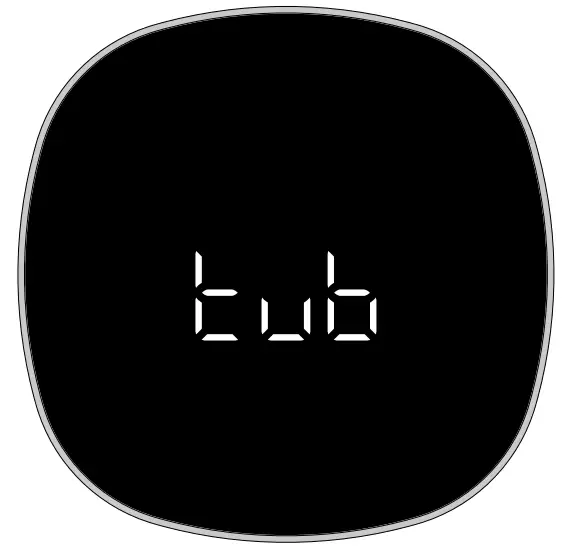 Set Turbo Fan Operation by pressing the buttons on the control panel simultaneously for 3 seconds.
Sleep Operation
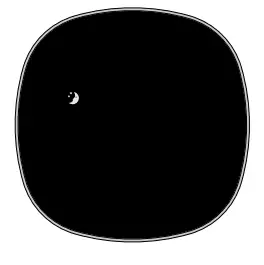
- Sleep mode allows the system to run normally but the display panel is dark, so as not to disturb your sleep. Press button to turn on.
- Press the Sleep button on the control panel to select the Sleep mode.

- Press ∧∨ the button on the control panel to select fan speed. You can adjust the fan speed from level 1 (F1) to level 18 (F18).
- If you press the sleep button again during sleep mode, it will operate in the previously selected mode. Sleep mode will be canceled if the unit is turned off.
Note
- During sleep mode, the entire display except for is turned off.
- The fan speed is set to level 1 by default.
Safety Lock Function
- You can set the safety lock function so that children cannot operate the unit. If you press the LED + button for more than 3 seconds while the product is on, the display shows, and the Safety Lock function is set. If you press a button on the control panel while this function is on, will flash on the display 5 times at 1-second intervals.
- To cancel this function, press the LED + button simultaneously for more than 3 seconds.
Mute Function
Mute: Press and hold the button and the “Auto ” button simultaneously for 3 seconds to turn on and off the beep sound.
Auto-Off Function
- While the unit is on, press the Sleep button for more than 3 seconds.
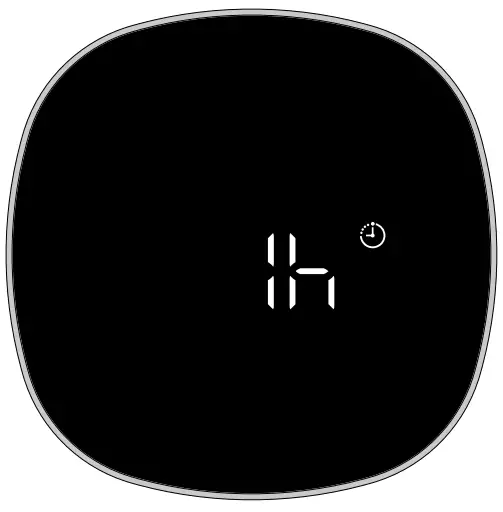
Initially, 1h is displayed.- Press button on the control panel to select the desired time.
- You can select from 1 hour to 12 hours. (If you do not press the button for 5 seconds, it returns to the previous display).
- After selecting desired run time, press Sleep button on the control panel for 3 seconds or longer.
You will hear the beep sound and the timer symbol will be shown on the isplay.
Note
- When in Auto-Off mode the room air purifier will automatically turn off.
- If the power is disconnected the scheduled auto-off time will be canceled, and a new auto-off time will need to be set.
Indoor Air Quality(IAQ) Indicator
- You can check the indoor air quality in real-time by using the indoor air quality indicator. This indicator appears as a light around the outer edge of the display monitor.
- The indoor air quality is displayed based on the density of fine particles being sensed by the unit.
- The sensor measures the indoor air quality and the product displays the air quality status by using four different colors.
Air Quality Status
| IAQ | Color | Air Qualit | Dust Density | VOCs |
| Level 1 | Blue | Good | 0-12 | Good |
| Level 2 | Green | Normal | 13-35 | Normal |
| Level 3 | Yellow | Bad | 36-55 | Bad |
| Level 4 | Red | Very bad | Equal or above 56 | Very bad |
Note
- In environments where outdoor air can enter the unit (ex, entrances, vents, windows, etc.), IAQ may be displayed at a higher, cleaner level.
· - IAQ indicator may not react to some particles and its readings may be different from that of other air quality measuring products and instruments.
How to Clean the Exterior and Interior
Note
- Be sure to unplug the power plug before cleaning. · Clean the air purifier once or twice a month for optimal function.
- In areas with high levels of dust, it is recommended to clean the air purifier more frequently.
- Using a cloth soaked in warm water or a gentle cleaning agent, clean the exterior of the room air purifier and wipe dry with a soft cloth.
- Open the filter cover on the back and remove the filter. Clean the inside of the filter cabinet with a vacuum cleaner and damp towel.
- Clean the product and the pre-filter once or twice a month.
Cleaning the Filter
- If the filter is very dirty, replace it. Filter contamination may vary depending on your environment and the number of hours you have run the air purifier. The timing of filter cleaning may vary accordingly.
- In between filter replacements, clean the pre-filter with a vacuum cleaner or a soft brush. Never wash the filter with water.
Replacing the Filter
- The filter replacement indicator light will turn red when it is time to replace the filter. Replace the filter every 6-12 months. (See page 4 for details on installing filter).

- After replacing the filter, reset the indicator light. Press the Sleep + “Auto” button on the control panel for 5 seconds or longer to reset the indicator light. Filter replacement indicator light)
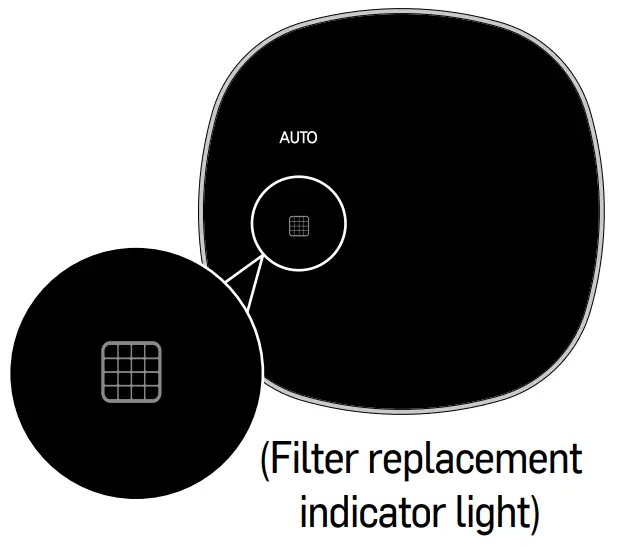
Note The life of the filter depends on your environment.
Cleaning the Dust Sensor
- Hold the top cover of the product with both hands and pull it up.

- Grasp the filter cover hole on the rear and pull it forward
- Remove the cover of the dust sensor located on the right side of the product.

- Wipe the lens and inlet of the dust sensor with a little water on a cotton swab. Thoroughly dry with a clean,dry cotton swab.

- Replace the cover of the dust sensor. Replace the filter cover. Replace the top cover of the product with the logo facing the front.
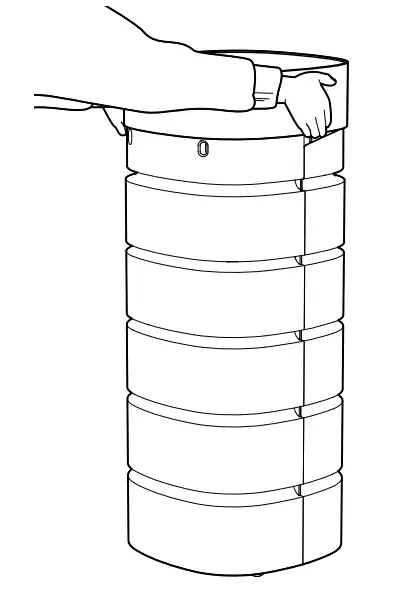
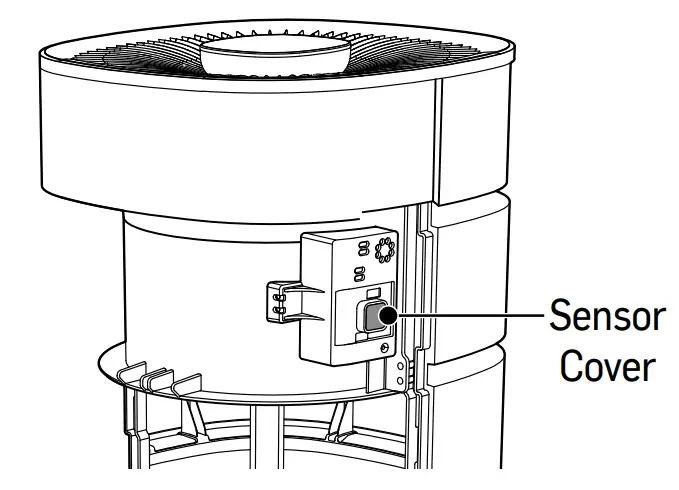
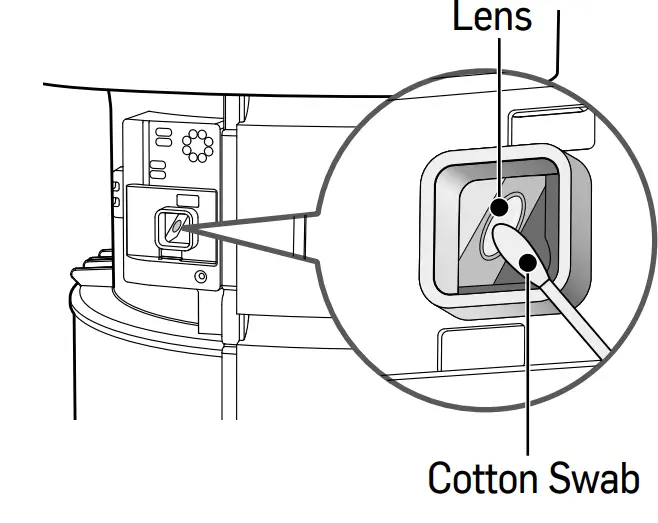
CAUTION Do not wipe sensor parts with harsh cleaning chemicals, such as acetone, alcohol, etc. It may cause damage to the lens.
Long Term Storage
- Run the product for 1 hour on a clear day, disconnect the power plug from the outlet, and dry the inside of the product.
- Cover the product and store in a dry space out of direct sunlight.
Troubleshooting
| Symptom | Check | Solution |
| The product does not turn on when pressing the Power button. | Is there a power outage? | Make sure that the electricity supply is on and try again. |
| Is the power plug connected? | Plugin the power plug and try operating again. | |
| Is the power outlet working? | Attempt to plug the product into a different power outlet and turn it on. | |
| Filter replacement indicator is still on. | si9eD „ | When replacing the filter, be sure to press the saa + “Auto’ button At least 5 seconds until the ‘ti ng’ sound is heard. |
| Did you press 0 + Auto” button at the same time for more than 5 seconds after replacing the filter? | ||
| The product is producing a strange smell | Check if the dust filter or deodorizing filter smells strange or not | Replace the filter. |
| “FAN” flashes on the screen. | Is the “FAN” indicator flashing after unplugging the power plug and plugging it in again after about 10 seconds? | Unplug the power cord and contact customer service. |
Customer Support
For customer assistance please call 1-888-320-0909, or go to Carrierathome.com for a complete list of Frequently Asked Questions.
For filter replacement, go to carrierathome.com for details
Warranty
FOR WARRANTY SERVICE OR REPLACEMENT: Contact Carrier at 1-888-320-0909.
Retain this document for your records. Model Number______________
Serial Number ___________
Date Received ___________
The Carrier Room Air Purifier carries a one-year warranty from the date of purchase. See the warranty card for additional details.
Legal Notice
FCC Radiation Exposure Statement
This equipment complies with FCC radiation exposure limits set forth for an uncontrolled environment. This equipment should be installed and operated with a minimum distance of 8 inches (20cm) between yourself and the radiator.
Any changes or modifications not expressly approved by the manufacturer could void the user’s authority to operate this equipment.
This equipment complies with IC RSS-102 radiation exposure limits set forth for an uncontrolled environment. This equipment should be installed and operated with a minimum distance of 8 inches (20cm) between yourself and the radiator. Any changes or modifications not expressly approved by the manufacturer could void the user’s authority to operate this equipment.
This device complies with Industry Canada licence-exempt RSS standard(s). Operation is subject to the following two conditions : (1) This device may not cause harmful interference and (2) this device must accept any interference received, including interference that may cause undesired operation.
This Class B digital apparatus complies with Canada ICES-003.
20 CARRIER ROOM AIR PURIFIER
carrierathome.com 1-888-320-0909 01-811-20534-01
©2020 Carrier. All rights reserved.
The manufacturer reserves the right to discontinue or change at any time, specifications, or designs without notice or without incurring obligations. Third-party trademarks and logos are the property of their respective owners.
 Carrier @ Home