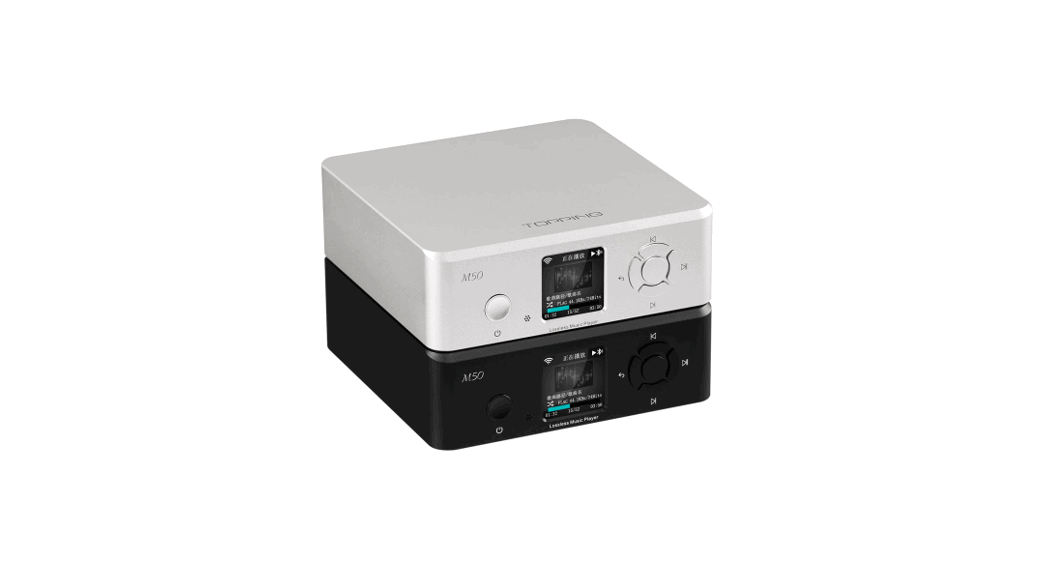
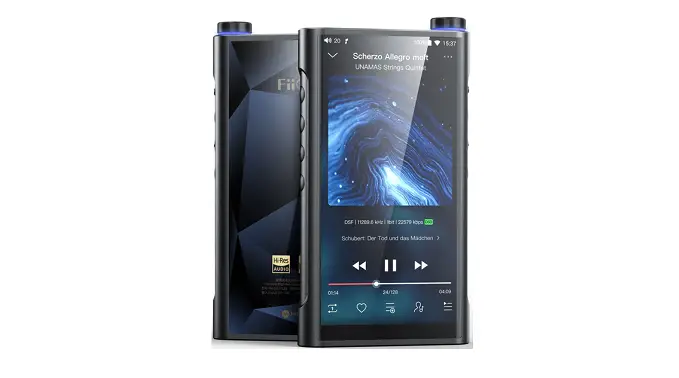
Shmci C5S Lossless Music Player
Product Information
Product Name:
Shmci C5S
Features:
- A new generation of high-fidelity digital lossless music
players - High-precision CNC aluminum alloy shell manufacturing
process - High-definition 2.0-inch true color TFT color display, lyric
display function - Professional DSP audio decoding IC+ imported DAC dual decoding,
effectively restore the real scene - Professional low-noise pre-stage voltage amplification +
post-precision current amplification amp, thrust shock - The disc encoder can quickly find the track function,
convenient and quick - Intelligent song classification function, which can search by
album, artist, and style - Album cover function, breakpoint memory function, can remember
the boot volume or custom volume - Support MP3, WMA, WAV, FLAC, APE, ACC, OGG, AIFF, DSD64 and
other music formats, outstanding performance - Support CUE track decoding function
- Equalizer function, including rock, pop, soft, jazz, classical,
electronic music sound effects - Multi-task operating system, energy-saving settings, custom
shutdown time - Multiple play modes: single repeat, all repeat, random play; My
favorite, join the playlist feature - Line output function, output level can be synchronized with the
volume, -6DB, 0DB optional - Music files can be deleted on this device, key lock
function - Upgradable to multiple languages, support for local firmware
upgrades - Built-in lithium battery
Accessories:
- Player – 1
- Certificate of Conformity – 1
- User Manual – 1
- Warranty card – 1
- USB cable – 1
Product Safety Information:
WARNING: Failure to comply with these safety instructions could
result in injury and danger!
- Do not drop or hit the player violently. Doing so may result in
serious damage or malfunction. - Do not open or disassemble the player. There are no parts to be
maintained. - This product should not be used in humid and hot environments.
Do not put this product into water or any liquid. - Do not expose the product to sunlight or place the product in a
fire. The battery may explode and catch fire. - If you do not use it for a long time, please charge the product
every two months and discharge it once.
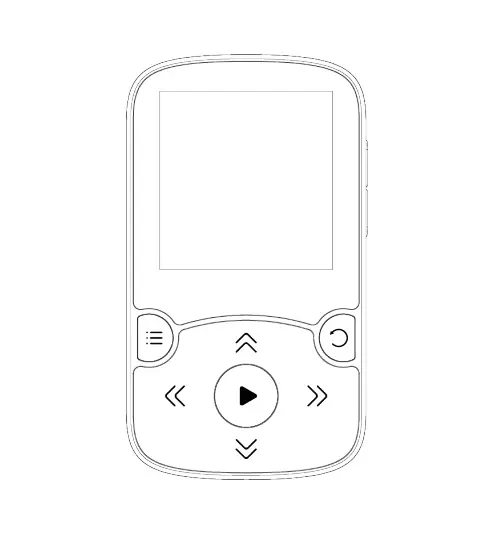
Product icon and function:
- Screen
- Previous, FW
- Next, FF
- Move the cursor
- Menu
- OK
- Back
- Play/pause
- Volume
- Earphone output
- Line output
- Power on/Off, Lock
- USB port
- TF slot
Product Usage Instructions
Power On:
Press and hold the power button for 3 seconds.
Power Off:
Press and hold the power button for 3 seconds.
Lock/Unlock:
In the standby or play state, short press the power switch to
lock the key. Short press again in the locked state to unlock.
Reset:
If the player crashes, press the RESET button to reset the
system to forced shutdown. If it still does not turn on, please
check if the battery is dead.
Pause/Play:
In the music playing state, short press the PLAY/PAUSE key to
pause the current music. Press PLAY/PAUSE again to continue playing
the current music.
User ‘s manual
Shmci C5S
·1·
Foreword Thanks for chose the Shmci lossless music player. In order to familiarize you with the operation of the machine as soon as possible, we have provided a detailed user manual, from which you can learn about product introduction, usage, system settings, and safety precautions. Before you use this product, be sure to carefully read all the information provided with the machine, which will help you to better use this product. At the time of writing this manual, we were very careful and rigorous, and we believe that the information provided in this manual is correct and reliable. If there are any omissions, please do not hesitate to extend your support and eagerly welcome your correction. If you find any problems during the use of the product, please contact us in time, thank you for your cooperation!
·2·
Chapter 1 Before Use 1. Features A new generation of high-fidelity digital lossless music players; High-precision CNC aluminum alloy shell manufacturing process; High-definition 2.0-inch true color TFT color display, lyric display
function; Professional DSP audio decoding IC+ imported DAC dual decoding,
effectively restore the real scene; Professional low-noise pre-stage voltage amplification +
post-precision current amplification amp, thrust shock; The disc encoder can quickly find the track function, convenient and
quick; Intelligent song classification function, which can search by album,
artist and style; Album cover function, breakpoint memory function, can remember
the boot volume or custom volume;
·3·
Support MP3, WMA, WAV, FLAC, APE, ACC, OGG, AIFF, DSD64 and other music formats, outstanding performance;
Support CUE track decoding function; Equalizer function, including rock, pop, soft, jazz, classical, electronic
music sound effects; Multi-task operating system, energy-saving settings, custom
shutdown time; Multiple play modes: single repeat, all repeat, random play;
My favorite, join the playlist feature; Line output function, output level can be synchronized with the
volume, -6DB, 0DB optional; Music files can be deleted on this device, key lock function; Upgradable to multiple languages, support for local firmware
upgrades; Built-in lithium battery
·4·
2. Accessories 1. Player 1 2. Certificate of Conformity 1 3. User Manual 1 4. Warranty card 1 5.USB cable 1 Note: If any of the above accessories are changed, please refer to the actual contents in the box.
3. Product Safety Information WARNING: Failure to comply with these safety instructions could result in injury and danger! Do not drop or hit the player violently. Doing so may result in serious
damage or malfunction. Do not open or disassemble the player. There are no parts to be
maintained. This product should not be used in humid and hot environments. Do
not put this product into water or any liquid. Do not expose the product to sunlight or place the product in a fire.
The battery may explode and catch fire. If you do not use it for a long time, please charge the product every
·5·
two months and discharge it once. 4. Product icon and function
Screen
Previous, FW Next, FF Move the cursor
Menu OK Back
Play/pause
Volume
·6·
·7·
Earphone output Line output Power on/Off, Lock
·8· Reset
USB port
TF slot
Chapter 2 Quick Operation Attention: Short press in below means short press the button and then to release immediately. Long press means to hold the button for 2 to 3 seconds and then release. 1.Power on
Press and hold the power button for 3 seconds.
2. Power off
Press and hold the power for 3 seconds.
SEE YOU
3.Lock
·9·
In the standby or play state, short press the power switch to lock the key, short press again in the locked state to unlock.
4.Reset If the player crashes, press the “RESET” button to reset the system to forced shutdown. If it still does not turn on, Please check if the battery is dead.
5.Pause PLAY/PAUSE
In the music playing state, short press “PLAY/PAUSE” key to pause the current music, press “PLAY/PAUSE” again to continue playing the current music.
6.Select
In the music playing interface state, rotate the circular scroll wheel to display the music file list, or press the “BACK” key to return to the main interface. Select the “file browse” menu to enter the list of all music files, press the ” ” key or ” ”
·10·
key to select and Press the “PLAY/PAUSE” button to play the desired song.
Decode the CUE Tracking File: Press MENU to confirm entering the CUE file list in playback mode. The system will display all the song files and press the “PLAY/PAUSE” button to play. (The file name of the track file must match the file name of the song) 7.Previous, FW/Next, FF
1) Previous, FW In the playback interface state, short press ” ” to switch the previous track, long press ” ” to fast rewind.
2) Next, FF
·11·
In the playback interface state, short press ” ” to switch the Next track, long press ” ” to fast forward.
8.Volume VOLUME
In the play or stop state, press the “VOLUME” key to enter the volume adjustment mode interface, and then turn the round scroll wheel or up and down song button to adjust the volume level, press “BACK” key to return.
9.Back
BACK
In the play or stop state, short press “BACK” to return to the previous menu.
·12·
Chapter III Document Management and Playback 1. File deletion
In the main menu state, press “MENU” to enter the file browsing menu, find the file you want to delete, press “MENU” key to select the delete menu option, and then press “MENU” key to select OK to delete. If you exit to delete, press “BACK”. “Exit delete option (Note: It cannot be restored after deletion, please note backup)
2.Song classification
In the main menu state, press the ” ” or ” ” button to select the song category menu, short press the “MENU” button to enter, respectively: all songs, singers, albums, styles, four categories, in the playlist state Press the “PLAY/PAUSE” button to play directly
3.File browsing
In the main menu state, press the ”
” or ”
” button to
·13·
select the file browsing menu, short press the “MENU” button to enter all song lists, rotate the circular wheel encoder switch to select the desired music file, press the “PLAY/PAUSE” button. You can play it.
4. Equalizer
In the main menu state, press the ” ” or ” ” button to select the equalizer menu, press the “MENU” button to enter, respectively, turn off, rock, pop, soft, jazz, classical, electronic music, select the desired sound. Press the “MENU” button to confirm the selection. Note: Music with a sampling rate above 48KHz does not support sound adjustment for lossless audio! This device only supports the sound adjustment of the sampling rate below 48KHz!
5. My favourite
·14·
In the main menu state, press the ” ” or ” ” button to select my favorite menu, short press the “MENU” button to enter, respectively: my favorite [1], my favorite [2], my Favorite [3] list, the list is all like the classification.
1. Add to my favorite: In the main menu state, press the ” ” or ” ” button to select the song category menu, press the “MENU” button to enter all music lists, press the ” ” button or ” ” button to select the ones that need to add to favorite list, press “MENU” button to confirm to add it to favorite playlist
2. Delete my favorite mark: In the main menu state, press ” ” or ” ” to select my favorite menu, select the song you want to delete, press “MENU” to confirm, select “remove from playlist” the system will clear my favorite tag, if you select “Delete Playlist” the system will clear all the tags in my favorite list
6. Playback settings
In the main menu state, press the ” ” or ” ” button to select the playback settings menu, press the “MENU” button to enter, There are: random play, repeat play, boot volume, line level menu selection. 1. Random play: When the random play is set to on, the system
·15·
will not play in the copy order of the song, and will be selected for random playback. 2. Repeat play: When you enter the repeat play menu, there are: repeat play off, single repeat, all repeat for you to choose, press “MENU” to confirm the play mode. 3. Boot volume: There are 2 modes, memory and custom mode. Memory mode: Memorize the volume value set when the last shutdown. Custom mode: Memorize the volume value set by yourself. 4. Line level: Line output audio amplitude selection, respectively: volume synchronization, -6DB, 0DB output optional. Volume sync: The audio amplitude of the line output is controlled by the volume adjustment -6DB: The audio amplitude of the line output is not controlled by the volume adjustment, and the output is fixed to the amplitude of -6DB. 0DB: The audio amplitude of the line output is not controlled by the volume adjustment, and the output is fixed to the amplitude of 0DB. Note: The line output is the LINE OUT output.
·16·
Chapter IV System Settings In the main menu state, press the ” ” or ” ” button to select the setting menu, press the “MENU” button to enter, There are : language, update song library, backlight timer, timed shutdown, information, automatic upgrade, format device , factory setting menu selection.
1.Language
This machine has multi-language settings, Simplified Chinese, English and other multi-language options.
2. Update song library
The playlist will be re-updated when you select the Update Library menu.
3. Backlight timer
The backlight timers are available for 10 seconds, 20 seconds, and 30 seconds, respectively. When the desired time is selected, the machine will save power according to the set time.
4. Timed shutdown
Timed shutdown is mandatory for the playback state. Press
·17·
” ” or ” ” to select the off or set the time to shut down. The shutdown time is 1-99 minutes. Press “MENU” to confirm the selection. (Note: Timed shutdown is only valid once)
5. Information
Information: Player software version information and disk space respectively.
6. Auto update
This machine supports the local upgrade function. When the official firmware is released, it can be copied to the disk system for automatic upgrade.
7. Formatting device
Format the device: press the “MENU” button to enter, then press the ” ” button or ” ” button to select Yes or No, press the “MENU” button to confirm and exit. (Note: all data cannot be recovered after formatting)
8. Factory settings
·18·
Factory setting: It can be restored to the factory settings.
Chapter 5 Connecting to a Computer
1 Connect to a computer
In order to download and upload files from your computer, connect the USB port of the PC to the unit with the supplied USB cable, and it will automatically turn on when connected. The first time you connect, the computer will promptly create a driver information base, find new hardware and other information, you can automatically detect the machine. The display shows as shown on the right, indicating that the connection was successful.
2 Upload download file
·19·
The drive icon appears on the PC like right pictures under Windows system.
3 Disconnect from the computer
After the file transfer is complete, please close my computer or explorer and then unplug the cable as follows. For users of WINDOW 2000 or higher operating systems, follow the steps below: Click the green arrow in the lower right corner of your computer. Click to stop USB Disk – drive
After the Safely Remove Hardware dialog box appears, click OK to remove the USB cable.
·20·
Reference: Different operating system picture tips are slightly different, the above picture is for reference only.
4 Battery and charging
This unit has a built-in lithium battery. You can charge the unit by connecting the computer with the supplied USB cable. When charging, the battery icon will cycle. When the battery is full, the battery full icon ( ) will be displayed. The built-in lithium battery can be fully charged in about 2.5 hours. Note: If charging with an adapter, please use the maximum output is 5V, 1A charger for charging.
Troubleshooting
The player does not display when the power button is pressed. The cause of the fault and its troubleshooting method: The
lithium battery has no power, so please charge the lithium battery in time. If the player freezes, press the “RESET” button to reset the system and restart it. If it still does not turn on, check if the battery is dead. No sound when playing a file. The cause of the fault and its troubleshooting: the volume is too small, adjust the volume; or there is no music file in the player,
·21·
please download. Cannot download music files after connection. Causes and troubleshooting: Your motherboard may not support
the USB interface and you need to upgrade your motherboard driver. Why is there sometimes a computer-side exception when plugging and unplugging the player? The cause of the fault and its troubleshooting method: mainly due to the USB plugging and unplugging during file transfer, it is recommended that the user do not disconnect during the transmission process to avoid causing the computer to be abnormal. Why is the total memory display in the player inconsistent with the actual nominal? Reason: Mainly because you need some memory space to store programs and display fonts, so the total memory you see is smaller than the actual nominal. Why are some MP3 songs not playing properly in the player? The cause of the fault and its elimination: In the strict sense, MP3 refers to the music file compressed by the MPEG I Layer 3 standard. Most MP3 songs are currently in this format. When you encounter an MP3 song format that the player cannot match, you can choose one of the following two measures: l)
·22·
Remove the incompatible song from the player to ensure the normal operation of the player. 2) When using the software to compress itself, please select the encoding method of MPEG I Layer 3. Why can’t I delete a file in the player through the
management software? Or when I delete a file in the player, I am prompted “Delete failed or delete error”? Use “My Computer” to check if the files in the player are read-only. If so, modify the read-only attribute to the archive attribute to delete it. As a mobile hard disk, do I need to install a driver in WINDOWS XP/VISTA/WINDOWS 7? No need to install the driver. Currently does not support WINDOWS98 operating system
·23·
Technical specifications
Name Capacity Screen Battery SNR Resume play Playback format
Streaming rate
Play time Charging time
VOL
16G/32G/64G/128G () 2.0 TFT 320*240 LCD 3.7V 1500mAh 100dB Yes
MP3 WMA WAV APE FLAC ACC OGG AIFF DSD64 WAV 64BIT 192KHz, APE/ FLAC 24BIT 192KHzAIFF 32BIT 192KHzDSD 1BIT DSD64 3072KHz Around 30H Vol 50 Around 2.5H5V1000mA adapter 100
Headphone Power 80mW
Temperature Earphone out Line out
-540 -6DB0DB
·24·
Interface Supports Dimension(L×W×H) Languages
N.W
MICRO 5PIN USB2.0 WINDOWS XP/VISTA/WINDOWS 10 98mm*56mm*16mm Chinese, English etc, 100 gWith battery
The contents of this manual are subject to change without prior notice.
Toxic and hazardous substance or element name and content identification format
Pb Hg Cd Cr( PB
VI)
B PBD
E
X
PCB
·25·
USB
O
SJ/T11363-2006
X
SJ/T11363-2006
“X”
The environmental protection period marked in the product identification will not leak or mutate in the normal use within the corresponding period. Users of electronic information products will not cause
·26·
serious pollution to the environment or serious damage to their person or property. damage.
·27·