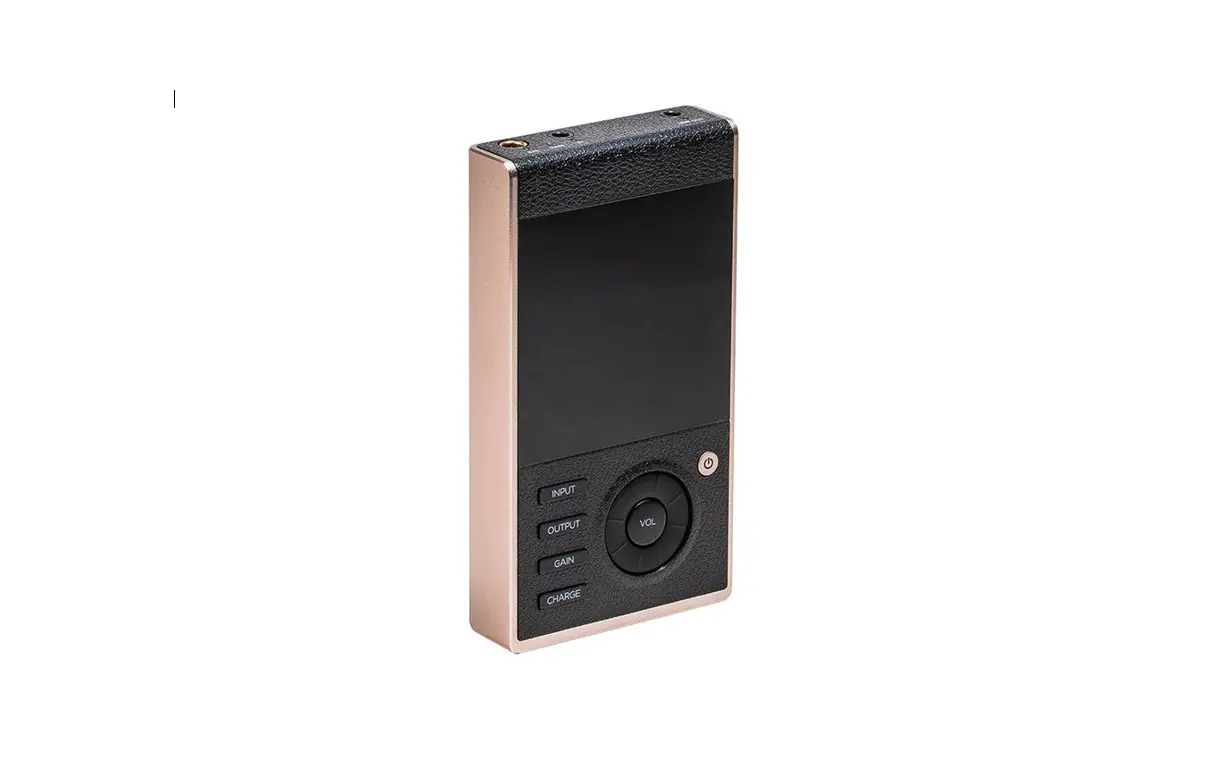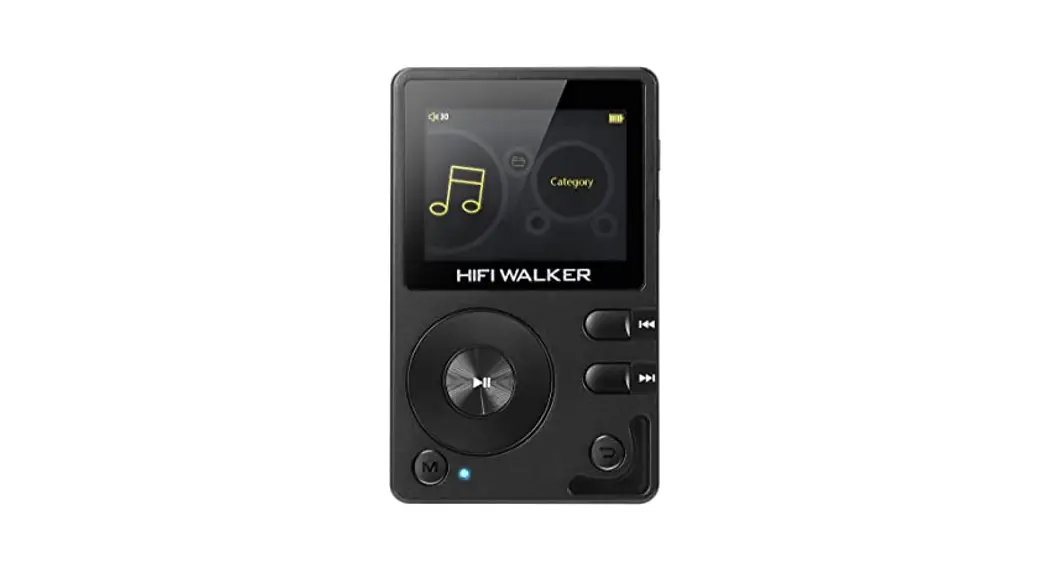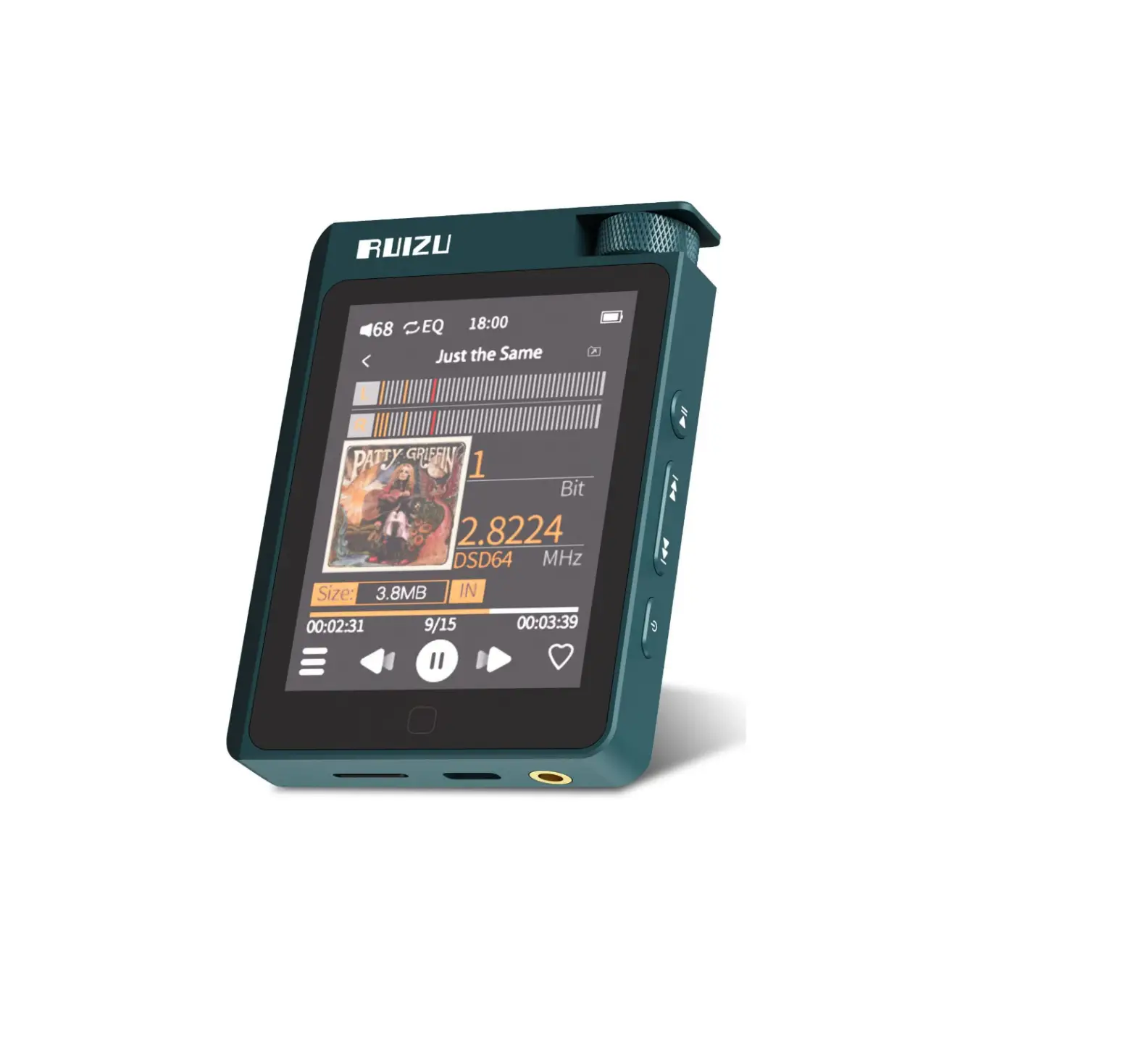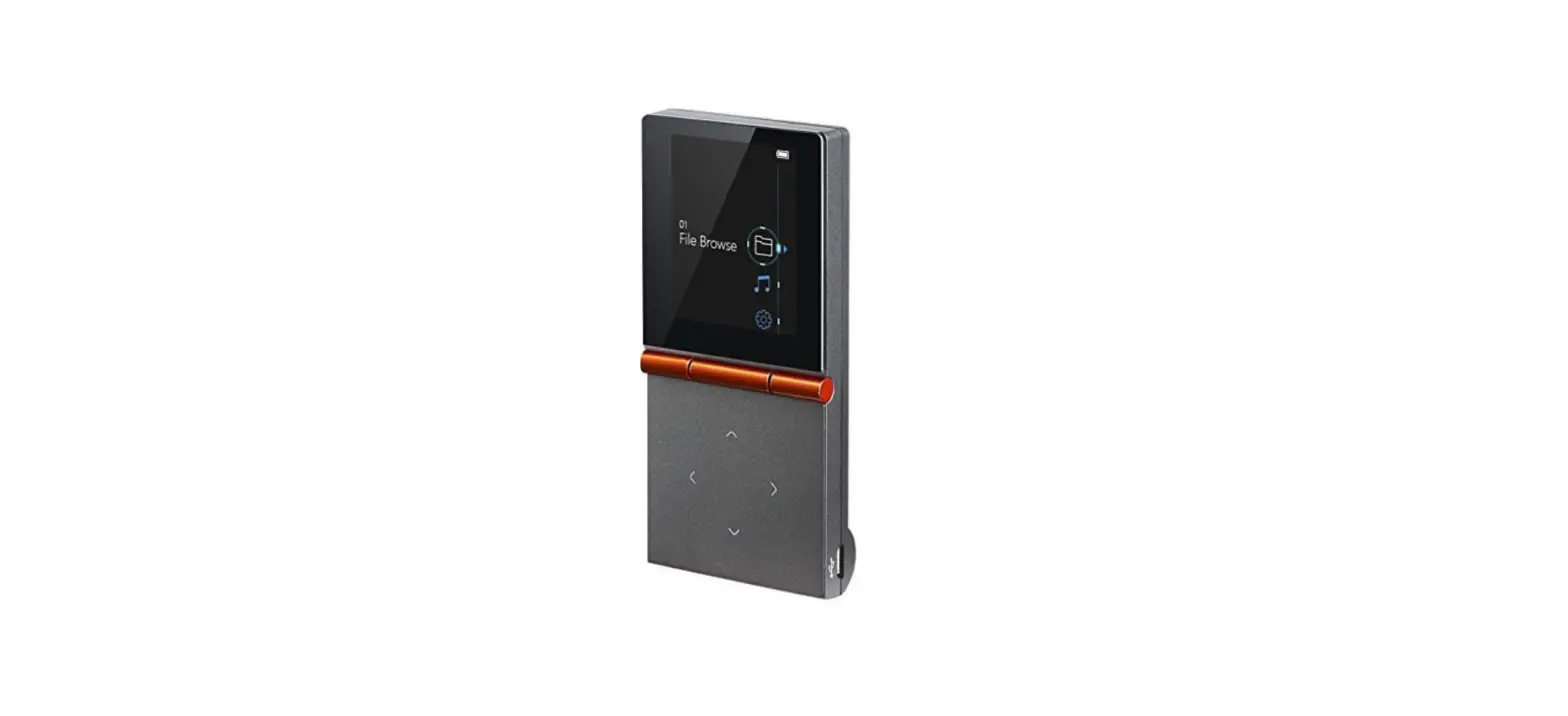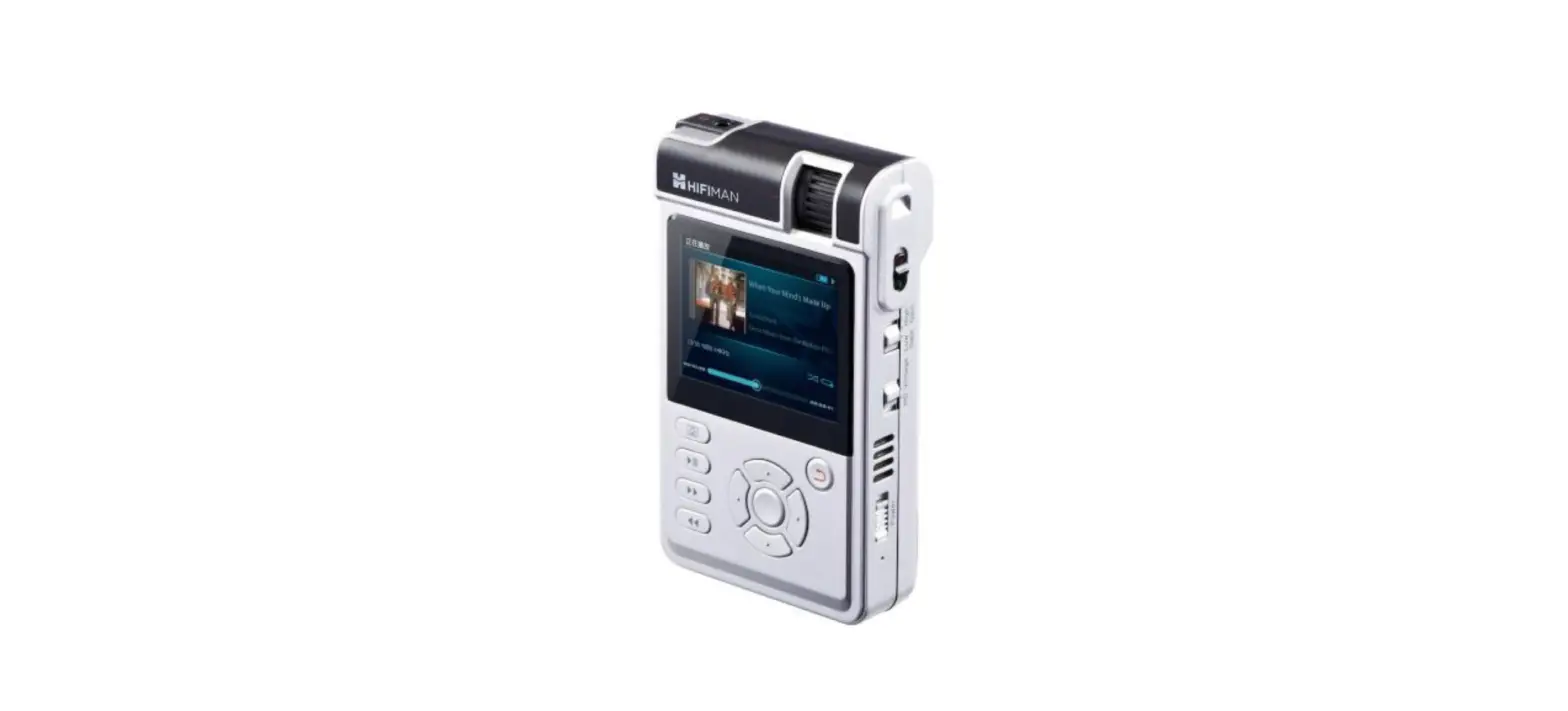

HIFIMAN HM650 High-Fidelity Portable Music Player

IMPORTANT INSTRUCTION
Warning:
- Please read instructions carefully. Store and retain the operations guide for future reference.
- Pay attention to all warning information and operate in accordance with the instructions.
- Avoid high ambient temperature use. Do not operate the amplifier in a room temperature over 40℃ or 104℉. Please allow the heat to fully dissipate after use.
- Grasp the plug firmly when the power cable is being unplugged. Do not pull the cable to unplug.
- This product should not be placed in a dusty, dirty environment or be exposed to very high humidity (sauna, bathroom etc.)
- The plug should be unplugged if the product will not be used for a long time.
- Air ventilation should not be blocked or obstructed.
- Nothing should be dropped into the amplifier. This could cause damage, especially to the fragile tubes on top.
- Do not expose the product to chemicals such as pesticides, benzene, acids or alkaline.
- This product should not be disassembled or refitted by anyone other than HIFIMAN.
- To avoid fire, while the amplifier is working, vacuum tubes and air vents should not be obstructed with papers, tablecloth, curtains or any other items.
- Open flames such as candles should not be placed on or near the amplifier.
- Highly flammable, liquids should not be dropped or sprayed on the amplifier.
- To avoid fire hazard, items containing liquids such as vases or glasses should not be placed on the amplifier.
- Do no operate with wet or oily hands.
- There is high output on the output terminal of front panel of the amplifier.
- To avoid shock hazard, nothing should be inserted in the output port of the amplifier except a suitable headphone jack.
- The power cable should not be trampled on or be a trip hazard.
- Accessories and spare parts used should be specified by HIFIMAN only.
- In case of storms please remove the plug from the power socket
Headphone
- To avoid risk of electric shock and to protect the diaphragm from being damaged, nothing should be inserted into the grill on the headphone.
- As with the amplifier, the headphone should be kept away from a high temperature environment ( ambient temperature should not exceed 40℃ or 104℉. )
- Keep the headphone away from substances such as alcohol, gasoline, acetone, other solvents, sulfuric acid, sodium hydroxide or any other corrosive substances.
- Do not treat the headphone violently as this may cause permanent damage to the internal structure and invalidate the warranty.
- If the headphone should get wet, do not use a heat gun or hairdryer on the product as this could permanently damage the headphone’s diaphragm. Allow to dry naturally in a warm but dry environment such as an airing cupboard.
- Do not use the headphone with wet hair.
- If the product is to be left unused for a long time, please keep in the storage box and seal with a moisture-proofing agent to prevent mold or corrosion.
Specifications
- Headphone
- Frequency Response: 7Hz -120kHz
- Bias Voltage: 550V-650V
- Weight: 13.2oz (374g)
- Amplifier
- Weight: 11 kg (24 lb)
- Dimensions: 400 x 265 x 108 mm3 (15.7″ x 10.4″ x 4.2″)
Accessories
| No. | Items | Quantity |
| 1 | Power Cable | 1pc |
| 2 | Electrostatic Headphone (in a box) | 1pc |
| 3 | Headphone Stand | 1pc |
| 4 | 6SN7 Vacuum Tube | 4pcs |
| 5 | User Guide | 1pc |
SHANGRI-LA jr Electrostatic Headphone
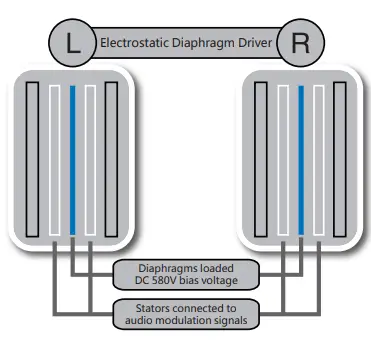
- Nano-particle coated sub-micrometer thickness diaphragm provides unsurpassed high frequency response.
- The highly resolving audio and extremely high frequency range allows the soundstage to be dramatically open and expansive compared to a traditional “moving coil”type headphone.
- Metal mesh stators working in proximity to the ultra-thin diaphragm provide superior openness and less distortion than other headphones.
- Nanometer grade dust cover helps prevent dust and other pollutants from settling and avoid ensuing distortion caused by electrostatic dust.
- Lightweight (only 13.2oz or 374g) and ergonomic design provides superb comfort for extending listening.
- Sturdy and durable, the outer covering is made of 6-series aluminum alloy with an anodized finish.

SHANGRI-LA jr Electrostatic Amplifier
- Four custom designed 6SN7 vacuum tubes, acknowledged to be the finest available
- Relay-based attenuator with a 24-step level of volume control and a total of 23 separate resistors for a more pure listening experience
- Made of aviation grade aluminum alloy, the advanced industrial design is from the HIFIMAN
- US design team in Boston
- Tempered glass top panel
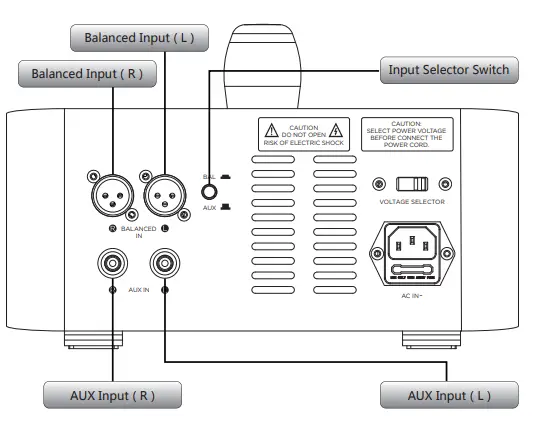
- XLR balanced audio input and AUX source input port
- Equipped with two headphone output ports
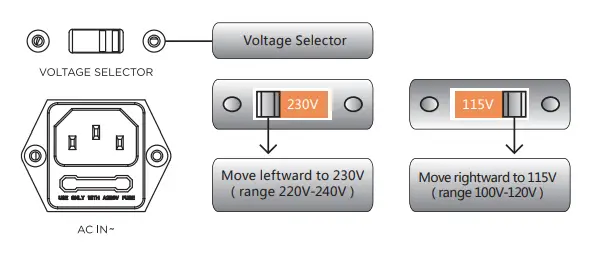
- AC 115V / 230V power selector
Warning:
Please read the following instructions before connecting this product to a power source for the first time. Power voltage might vary in different countries and areas. Please make sure the rated voltage ( for instance, alternating current AC 230V 50Hz or alternating current AC 115V 60Hz ) on the panel corresponds to local mains voltage. If not, the power supply should be turned off and the power cable should be disconnected, adjust the voltage selector with a flat head screwdriver. Make sure the power supply corresponds to the local mains voltage before reconnecting
Panel
Front Panel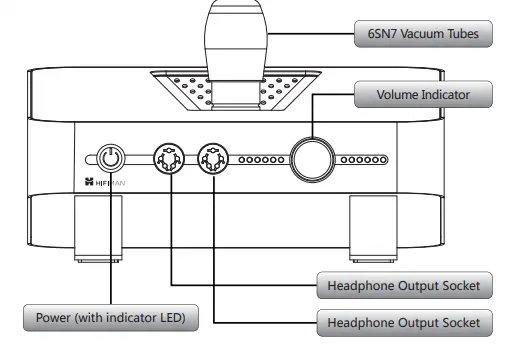
Rear Panel
Top Panel
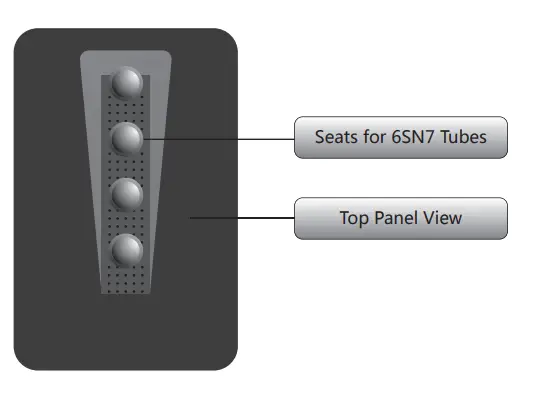
Preparatory Work
- Open the package box, remove the amplifier and power cable carefully.
- Put the device on a stable surface, then remove the protective film from the top panel.
- Open the box, remove the vacuum tubes, headphone stand, headphone (separately packed) .
- Take out the tubes carefully. Arrange the tubes in order according to the markings on them
Installation of Vacuum Tubes
- Vacuum tube matching has been carried out when manufactured for optimum working status. For convenience during installation, please use the tubes in accordance with their numbers.
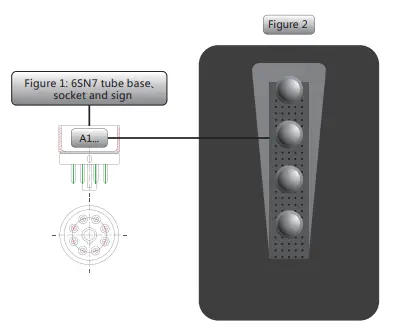
- The tubes have been marked A1~A4(6SN7). Please insert according to Figure 2 as below.
Note: The base on the 6SN7 should be inserted precisely into the tube socket. (Figure 1)
- To install: Grasp the tube base, insert gently into the tube socket until it reaches the bottom of the socket.

Connection to Audio Input Source and Power Source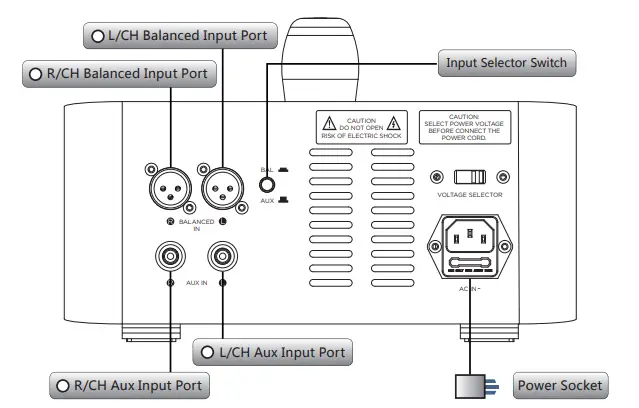
Two pairs of electrostatic headphones can be connected to the amplifier and operated at the same time.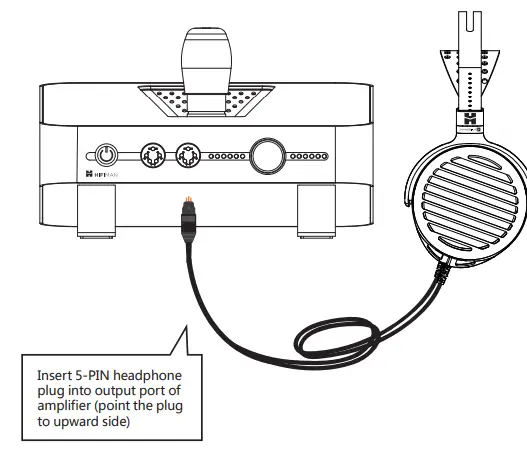
Intial Use
- When the “POWER” switch on the front panel is pushed on, the red LED on the front panel blinks for 30 seconds. When the LED lights up continuously, the unit is ready to operate.
- Plug the headphone into one of the sockets on the front panel.
- Select the connected input signal using the“INPUT”selector switch beside the input connector.
- Turn the volume potentiometer clockwise to set optimal volume level. Output sound level can be read from indicators around the knob.
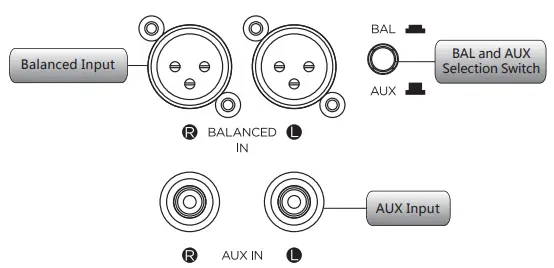
Balanced Input and AUX Input
- Press the switch to select the Balanced Input source.
- Press the switch again (the switch will reset) to select the AUX Input source.

The Bias Adjustment
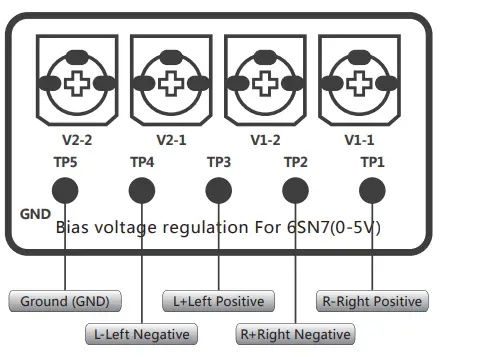
- Turn on the amplifier for 10-20 minutes.
- Set the volume to 0 and disconnect headphones and audio inputs.
- Connect TP5 with the black probe of a multimeter and measure the DC voltage of the TP1-TP4 terminals in turn. It should read between 5-10V. If the deviation is too large, please adjust the potentiometer TP1, and then repeat for TP2 – TP4 until the voltage to ground is equal.
- Once completed, please wait 10 minutes and test each channel again to ensure voltage stability.
- Place the cover back onto the amplifier and turn off the power. You may then reconnect the audio inputs and the headphones.
- Should you find anything unusual or are not able to replace/adjust the 6SN7 tubes, please contact your local distributor or HIFIMAN customer service.

Please check the following possible issues:
- Are the connections correct?
- Has the device been operated in accordance with the manual?
- Are the connecting devices working properly?
- If the product is not operating properly, please check for the following problems.
- If you require assistance please contact the distributor from whom this product has
- been purchased or contact HIFIMAN customer service.
HIFIMAN provides a five-year warranty on the SHANGRI-LA jr system. However, both the tubes and the cable are warranted for one year only. For further support and service if needed, please contact HIFIMAN at [email protected]
- Customer Service Tel: +1 201-443-4626
- E-mail: [email protected]
- Website:www.hifiman.com
FAQS
Is hi-res better than CD?
When comparing bitrate, or the amount of data transferred per second, High-Resolution Audio’s bitrate (9,216 kbps) is nearly seven times higher than that of CDs (1,411 kbps) and almost 29 times higher than that of MP3s (320 kbps). And the higher the bitrate, the more accurately the signal is measured
High resolution (and DSD) puts the roll off outside of the area of audibility. Dr. Aix, who SELLS high resolution audio, has explained that there is actually very little difference. IN PRACTICE, when you buy or stream CDs versus buy or stream High-Res, the HIGH RES SOUNDS BETTER BECAUSE IT IS A DIFFERENT MIX
Yes, people still use MP3 players, and it isn’t just a whim. Many of us actually prefer having a device dedicated to audio playback, mostly because we want a more faithful sound than that usually offered by cell phones. This is particularly true for music lovers and audiophiles
At home, I like to use one so my music doesn’t get interrupted by notifications or calls. Plus, it’s handy for exercising because I don’t have to use data to stream or only have part of my music collection clogging my phone storage. I’d much rather run the risk of my player dying on me than my phone
Despite streaming services taking over how we listen to music, the MP3 player is still alive and well in 2019, in concept if not name (portable music player makes more sense). But this once-ubiquitous device from the early aughts is now niche, to put it mildly
A 16-bit digital audio has a maximum dynamic range of 96dB while a 24-bit depth will give us a maximum of 144dB. CD quality audio is recorded at 16-bit depth because, in general, we only want to deal with sound that’s loud enough for us to hear but, at the same time, not loud enough to damage equipment or eardrums.
MP3 is an abbreviation for MPEG-1 Audio Layer 3, a data compression format for encoding digital audio, most commonly music
The MP3 file format, the one that helped the iPod become a mainstream and iconic device, is now officially dead. According to a new report via NPR, the Fraunhofer Institute for Integrated Circuits has stopped providing licenses for MP3 technology, noting that more superior audio formats have rendered the MP3 obsolete.
In 1997 the first MP3 Player was released giving a lite and portable way to listen to music. With the release of smart phones the MP3 Player slowly died down. Most believe that in the 2010 is when the MP3 Player became obsolete.
Inside an MP3 file, music is stored as long strings of bits (binary numbers, zeros and ones) in a series of chunks called frames. Each frame starts with a short header (a kind of table of contents), followed by the music data itself
An MP3 player may freeze up due to a bad file that has been uploaded onto the player, or because of an internal software error caused by no fault of your own. Until you unfreeze the MP3 player, you cannot stop or manually change the music being played on the player, and the device is rendered essentially useless.
Although it’s true that most modern smartphones can easily handle audio playback, an MP3 player is still a worthy purchase even in 2020. If, like me, you enjoy listening to music while you workout, an MP3 player is a great option
If your MP3 player is locked up, try to reset it. Players that have a removable battery require only that you remove the battery for several seconds and then reinsert it. Other players have a reset hole on the device and pressing this with a paper clip or other small pointed object will reset the device.
Locate the Reset button on the player. It will likely be on the back of the MP3/MP4 player, and it will most likely be no bigger than a pinhole.
In terms of data usage, 320 Kbps translates to approximately 2.40 MB per minute of audio or 115.2 MB per hour. So, streaming music for an entire 8-hour workday would chew through nearly 1 GB of data.