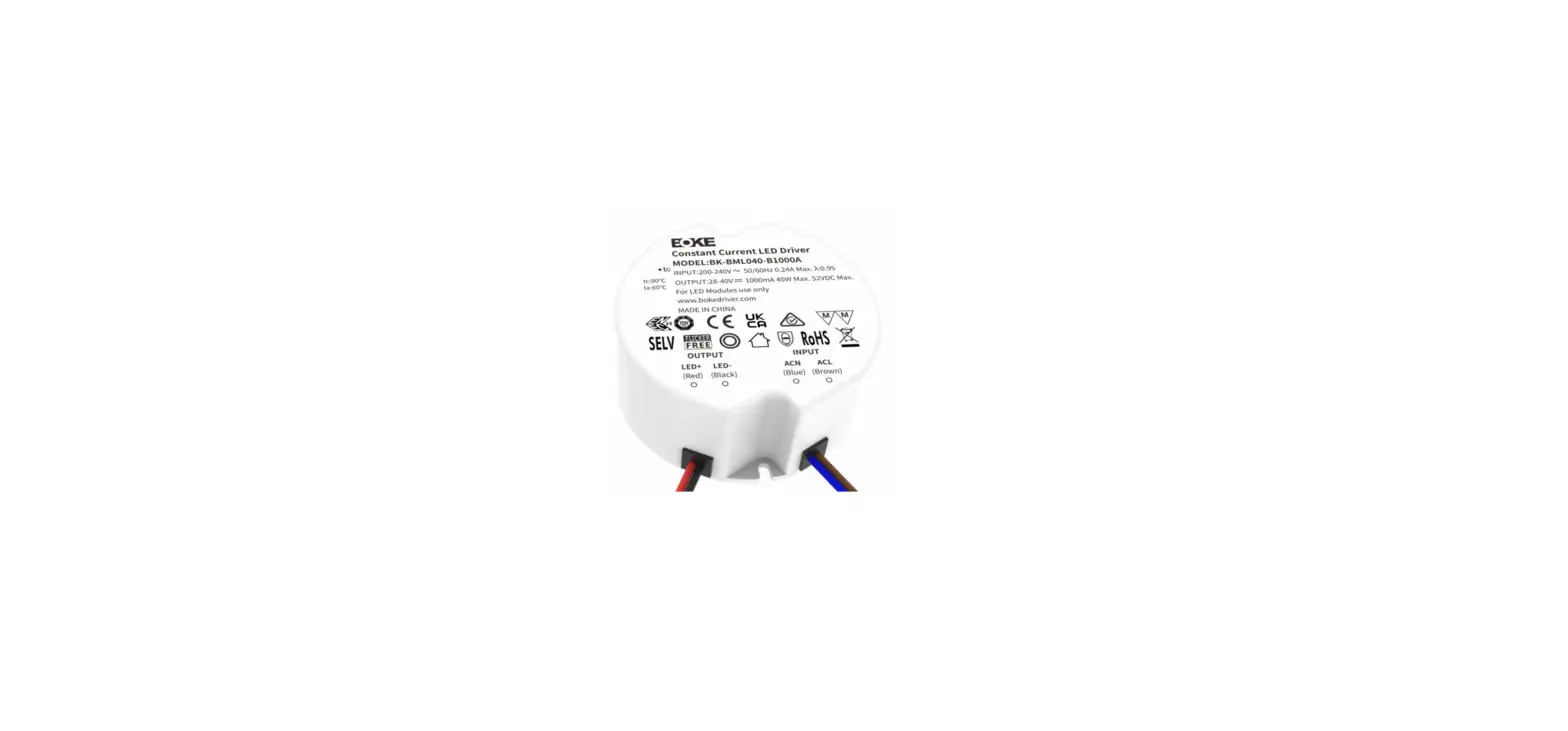
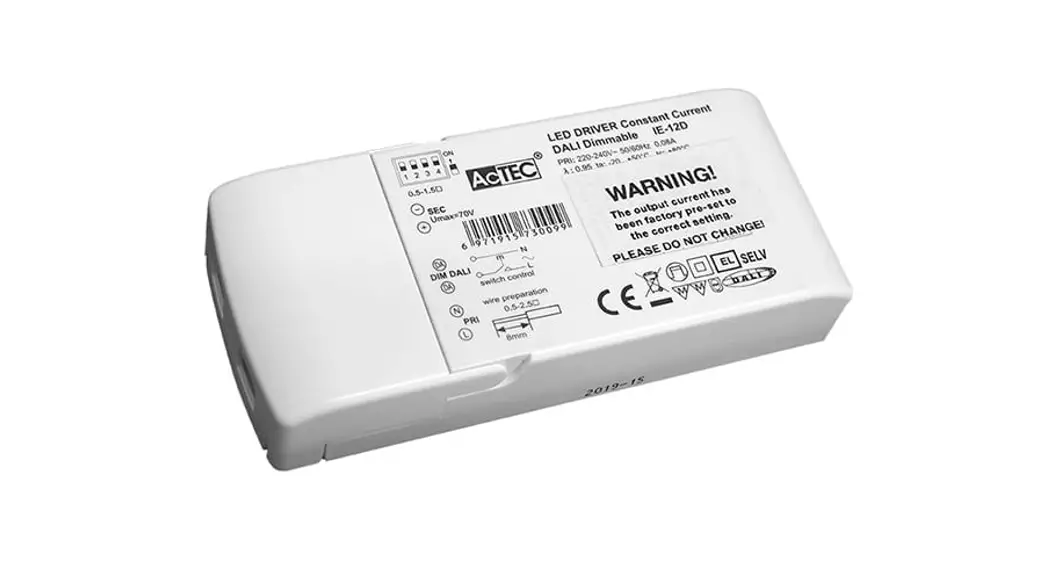
BK-DLL042 Dimmable LED Driver
Product Information
Product Name: BOKE Drivers Co.,Ltd.
Constantcurrentindependentdimmabledriver DLLSeriessuffixDB
Supported Dimming Modes: DALI-2, pushDIM, 1-10V / 10V PWM, Rx,
EL, CLO
Advanced Functions: corridorDIM, EL, CLO
Output Current Programming: Configurable through the DALI
interface
Output Interface: Wieland (gesis) pluggable quick connector
Current Output Levels: 16-levels adjustable using DIP-switch
Flicker-free Output: Meets flicker-free standard
requirements
Brightness Control: Utilizes HPC patented technology to maintain
consistent brightness at any dimming level
Dimming Range: 2% to 100%
Output Current Accuracy: 1%
Standby Power Input: Supported
Product Usage Instructions
- Connect the BOKE Drivers Co.,Ltd.
Constantcurrentindependentdimmabledriver to the power supply. - Connect the desired lighting fixtures to the output interface
using the Wieland (gesis) pluggable quick connector. - If necessary, configure the output current programming through
the DALI interface. Refer to the product manual for detailed
instructions on programming. - To adjust the dimming level, use one of the supported dimming
modes:
- DALI-2: Use a DALI-compatible control system to send dimming
commands to the driver. - pushDIM: Use a push-button or switch to control the dimming
level. - 1-10V / 10V PWM: Connect an external 1-10V or 10V PWM dimming
signal to the driver. - Rx: Receive dimming commands from a compatible wireless remote
control.
or CLO. Refer to the product manual for instructions on enabling
and configuring these functions.
the product manual for the specific DIP-switch positions
corresponding to each output level.
is observed, double-check the connections and ensure compatibility
with the lighting fixtures.
within the range of 2% to 100%.
level.
power source to the driver.
BOKE Drivers Co.,Ltd.
Constantcurrentindependentdimmabledriver DLLSeriessuffixDB(DALI-2+pushDIM+1-10V/10VPWM/Rx+EL+CLO+corridorDIM+
DALIPROG+Wielandquickinstallconnector)
Features – Support DALI-2+pushDIM+1-10V /10V PWM+100K potentiometer dimming mode – Support advanced functions such as corridorDIM,EL, CLO – The output current programming configuration of the driver can be
realized through the DALI interface – The output interface is Wieland (gesis) pluggable quick connector – 16-level current output can be realized by DIP-switch – Flicker-free output,which meets the requirement of flicker-free standard – Using HPC patented technology, at any dimming level, the brightness of
the lights is the same – Dimming range 2~100%, output current accuracy 1% – Standby power input<0.5W, meets the requirements of ErP certification – Excellent pushDIM software processing,good synchronization effect, suppore small gap switch action – Intelligent LED hot-plug protection function – SELV and Class II design, suitable for use inside of the light – Passed CE,ENEC,UKCA,RCM,DALI-2,EL and other certifications – IP20 protection grade, indoor use – Nominal life-time up to 100,000 h – 5-year guarantee
Interfaces – DALI-2(DALI-2 DT6) – PUSH(pushDIM) – 1-10V 3in1(1-10V/10V PWM/Rx) Functions – Support central emergency application (dimming normal
or fixed output of programming under in DC input – Support self-contained emergency application – Emergency lighting(EL) – Constant light output function(CLO) – Corridor dimming (corridorDIM) – Configure via DALI (PROG) – Protective features (short-circuit, overload,no-load, hot plug-in protection ) Suitableforlights – Suitable for lights with independent drivers such as
downlights, spotlights, panel lights, etc – Not suitable for lights with built-in drivers Typicalapplications – LED indoor lighting – LED office lighting – LED architectural lighting – LED commercial lighting
tuvsud .com / ps – cert
PROG
EL
corridorDIM
CLO
www.bokedriver.com
REV 1.0 2022-5-13 P1
BOKE Drivers Co.,Ltd.
Modelcodingrulesof DLLseries BK – D L L X X X – X X X X z
DB
Type code(A:Screwless Terminals, B:Wieland quick install connector, C:WAGO quick install connector
Function mode(D: DALI-2+pushDIM+1-10V/10V PWM/Rx+EL+CLO+corridorDIM+DALI PROG) Output load voltage range identification code Output current
Product series
BOKE
Functionlist
Model
Suffix
Wired dimming DALI-2 pushDIM 1-10V 3in1 AOC
Advanced functions
Device Configuration
EL
CLO corridorDIM DALI interfaces
BK-DLL042
DA
BK-DLL052
DB
DC
* The description in this specification is only applicable to the products with the suffix DC and the model are DLL042 and DLL052 . Modellist
Model
Input voltage Output power
Output voltage
Output current Dimension
Certification
BK-DLL042-1050BDA 200-240VAC/DC BK-DLL052-1300BDA 200-240VAC/DC BK-DLL042-1050BDB 200-240VAC/DC BK-DLL052-1300BDB 200-240VAC/DC BK-DLL042-1050BDC 200-240VAC/DC BK-DLL052-1300BDC 200-240VAC/DC
44.1W MAX. 6-42/44/46/49/52/54VDC 54W MAX. 6-40/42/44/46/48/50/54VDC 44.1W MAX. 6-42/44/46/49/52/54VDC 54W MAX. 6-40/42/44/46/48/50/54VDC 44.1W MAX. 6-42/44/46/49/52/54VDC 54W MAX. 6-40/42/44/46/48/50/54VDC
0.3-1.05A 0.55-1.3A 0.3-1.05A 0.55-1.3A 0.3-1.05A 0.55-1.3A
L133*W75*H30mm CE,ENEC,UKCA,RCM,DALI-2,EL L133*W75*H30mm CE,ENEC,UKCA,RCM,DALI-2,EL L133*W75*H30mm CE,ENEC,UKCA,RCM,DALI-2,EL L133*W75*H30mm CE,ENEC,UKCA,RCM,DALI-2,EL L133*W75*H30mm CE,ENEC,UKCA,RCM,DALI-2,EL L133*W75*H30mm CE,ENEC,UKCA,RCM,DALI-2,EL
* The description in this specification is only applicable to the products with the suffix DC and the model are DLL042 and DLL052 .
www.bokedriver.com
REV 1.0 2022-5-13 P2
BOKE Drivers Co.,Ltd.
Technical data
Product model Output parameters Regulation method Rated output current range Rated output voltage range Rated output power Output current adjustment Output current ripple LF Output current accuracy
BK-DLL042-1050BDB
Constant Current 0.3-1.05A
6- 42/44/46/49/52/54VDC 44.1W Max
DIP S.W(16 levels) ±2% ±1%
Linear regulation
±1%
Load regulation No load output voltage
±1% 63VDC
Flicker-free(typical) Input parameters
Flickering percent(IEEE 1789)=0.138%, Flicker index(IEEE 1789)=0.001, Pst LM = 0.000, SVM = 0.003, (The above parameters are obtained from testing the panel lights)
Rated input voltage range Input votage range Input votage shock Input current Input frequency
200-240VAC 200-240VDC 180-264VAC 180-264VDC <380 V AC <0.28A (Rated input voltage input) 0/50/60Hz
Input PF/Input DF Input THD Efficiency(typical)
PF>0.95 (230V AC & Full load), DF>0.98 (230V AC & Full load) 10% (230V AC & Full load) 88.5% (230V AC & Full load)
In-rush current Start/Switchover/Turn off
10.7A peak ,179us duration(50 % Ipeak), see the description below for details <0.7s(AC start),<0.7s(DC start),<0.3s(AC/DC switchover),<0.5s(Turn off )
Switching cycles Power consumption Safety Withstand voltage Mains surge capability Leakage current
> 50,000 switching cycles Full load(Pin):49.5W, No load(Pno): N/A, On stand-by(Psb) : <0.5W, Network stand-by(Pnet) : N/A
I/P-O/P(LED):3750V AC, I/P-DALI: 1500V AC,O/P-DALI: 1500VAC L-N:2KV(Performance criterion:A) 0.2mA (230V AC & Full load)
Isolation resistance Control interface DALI dimming port pushDIM dimming port 1-10V 3in1 dimming port
I/P-O/P:100M/500Vdc/25/70% RH
Voltage range: 9.5-22.5V, typical 16V, interface current consumption: 1.8mA Voltage range: 180-264V 50/60Hz Voltage range: 0-10V,Maximum output current: 0.3mA
Auxiliary power supply Dimming range
N/A 2-100%
Dimming drive mode
AM(amplitude modulation)
Emergency support
Central emergency system Supported(dimming normal or fixed output of programming under in DC input)
Self-contained emergency Supported
Environment & Life time
Operating temperature Case temperature Operating humidity Storage temp./humidity
Ta=-20-45 Tc=85 5-85% RH, not condensed -40-80, 5-85% RH, not condensed
IP grade MTBF
IP20 500,000H,MIL-HDBK-217F(25)
Life-time Vibration resistant Acoustic Noise Environmental protection
Nominal life-time up to 100,000 h, see the description below for details 10~500Hz,5G 12min./1cycle,period for 72min. each along X,Y,Z axes <25dB(30cm, Full load) RoHS
Certifications and standards
Certified Safety EMC
CE,ENEC,UKCA,RCM,DALI-2,EL EN61347-1, EN61347-2-13, EN62384 EN55015, EN61000-3-2 , EN61000-3-3, EN61000-4-2,3,4,5,6,8,11, EN61547
DALI-2
IEC 62386-101(DALI-2), IEC 62386-102(DALI-2), IEC 62386-207(DALI-2)
EL RF
Remarks
Compatible IEC 61347-2- 13 Annex J , compatible with EN 60598-2-22 and EN 50172 N/A
1.By default, all parameter are measured at 230VAC input, full load and 25 of ambient temperature. 2.The driver can not be installed inside the light. when the driver is used with the light, the EMC of the whole light needs to be tested.
www.bokedriver.com
REV 1.0
2022-5-13 P3
BOKE Drivers Co.,Ltd.
Technical data
Product model Output parameters Regulation method Rated output current range Rated output voltage range Rated output power Output current adjustment Output current ripple LF Output current accuracy
BK-DLL052-1300BDB
Constant Current 0.55-1.3A
6- 40/42/44/46/48/50/54VDC 54W Max
DIP S.W(16 levels) ±2% ±1%
Linear regulation
±1%
Load regulation No load output voltage
±1% 63VDC
Flicker-free(typical) Input parameters
Flickering percent(IEEE 1789)=0.173%, Flicker index(IEEE 1789)=0.000, Pst LM = 0.000, SVM = 0.004, (The above parameters are obtained from testing the panel lights)
Rated input voltage range Input votage range Input votage shock Input current Input frequency
200-240VAC 200-240VDC 180-264VAC 180-264VDC <380 V AC <0.32A (Rated input voltage input) 0/50/60Hz
Input PF/Input DF Input THD Efficiency(typical)
PF>0.95 (230V AC & Full load), DF>0.98 (230V AC & Full load) 10% (230V AC & Full load) 88.5% (230V AC & Full load)
In-rush current Start/Switchover/Turn off
11.4A peak ,190us duration(50 % Ipeak), see the description below for details <0.7s(AC start),<0.7s(DC start),<0.3s(AC/DC switchover),<0.5s(Turn off )
Switching cycles Power consumption Safety Withstand voltage Mains surge capability Leakage current
> 50,000 switching cycles Full load(Pin):60W, No load(Pno): N/A, On stand-by(Psb) : <0.5W, Network stand-by(Pnet) : N/A
I/P-O/P(LED):3750V AC, I/P-DALI: 1500V AC,O/P-DALI: 1500VAC L-N:2KV(Performance criterion:A) 0.26mA (230V AC & Full load)
Isolation resistance Control interface DALI dimming port pushDIM dimming port 1-10V 3in1 dimming port
I/P-O/P:100M/500Vdc/25/70% RH
Voltage range: 9.5-22.5V, typical 16V, interface current consumption: 1.8mA Voltage range: 180-264V 50/60Hz Voltage range: 0-10V,Maximum output current: 0.3mA
Auxiliary power supply Dimming range
N/A 2-100%
Dimming drive mode
AM(amplitude modulation)
Emergency support
Central emergency system Supported(dimming normal or fixed output of programming under in DC input)
Self-contained emergency Supported
Environment & Life time
Operating temperature Case temperature Operating humidity Storage temp./humidity
Ta=-20-45 Tc=85 5-85% RH, not condensed -40-80, 5-85% RH, not condensed
IP grade MTBF
IP20 500,000H,MIL-HDBK-217F(25)
Life-time Vibration resistant Acoustic Noise Environmental protection
Nominal life-time up to 100,000 h, see the description below for details 10~500Hz,5G 12min./1cycle,period for 72min. each along X,Y,Z axes <25dB(30cm, Full load) RoHS
Certifications and standards
Certified Safety EMC
CE,ENEC,UKCA,RCM,DALI-2,EL EN61347-1, EN61347-2-13, EN62384 EN55015, EN61000-3-2 , EN61000-3-3, EN61000-4-2,3,4,5,6,8,11, EN61547
DALI-2
IEC 62386-101(DALI-2), IEC 62386-102(DALI-2), IEC 62386-207(DALI-2)
EL RF
Remarks
Compatible IEC 61347-2- 13 Annex J , compatible with EN 60598-2-22 and EN 50172 N/A
1.By default, all parameter are measured at 230VAC input, full load and 25 of ambient temperature. 2.The driver can not be installed inside the light. when the driver is used with the light, the EMC of the whole light needs to be tested.
www.bokedriver.com
REV 1.0
2022-5-13 P4
BOKE Drivers Co.,Ltd.
Electricalvalues
BK-DLL042-1050BDB Efficiency vs load
Eficiency (%)
91.00 89.00 87.00 85.00 83.00 81.00 79.00 77.00 75.00 73.00 71.00 69.00 67.00 65.00 63.00 61.00 59.00 57.00 55.00
10%
1.05A 0.65A
20% 30% 40% 50%
1A 0.6A
0.95A 0.55A
0.9A 0.5A
60% 70% 80% 90%
0.85A 0.8A 0.45A 0.4A
0.75A 0.35A
100%
0.7A 0.3A
Load(%)
Power factor vs. Load
1.000 0.950 0.900 0.850 0.800 0.750 0.700 0.650 0.600 0.550 0.500 0.450 0.400
10%
20%
1.05A 0.65A
1A 0.6A
30% 40% 50% 60%
0.95A 0.55A
0.9A 0.5A
0.85A 0.45A
70%
0.8A 0.4A
80% 90% 100%
0.75A 0.35A
0.7A 0.3A
Load(%)
PF
Expectedlife-time Life-time vs. case temperature
Life-time(H)
110,000 100,000
90,000 80,000 70,000 60,000 50,000 40,000 30,000 20,000
50
55
60
65
70
75
80
85
90
Case temperature(Tc)
THD
DF
THD vs. Load
85 80 75 70 65 60 55 50 45 40 35 30 25 20 15 10 5
10%
1.05A 0.65A
20% 1A 0.6A
30% 40% 50% 0.95A 0.9A 0.55A 0.5A
60% 0.85A 0.45A
70% 80% 90% 100%
0.8A
0.75A 0.7A
0.4A
0.35A 0.3A
Load(%)
Displacement factor vs. Load
1.000 0.950 0.900 0.850 0.800 0.750 0.700 0.650 0.600 0.550 0.500 0.450
10%
20%
1.05A 1A 0.65A 0.6A
30% 40% 50% 60%
0.95A 0.55A
0.9A 0.5A
0.85A 0.45A
70% 80% 90% 100%
0.8A 0.4A
0.75A 0.7A 0.35A 0.3A
Load(%)
-The life-time of the LED driver is shown in the figure above (calculated based on the 90% survival rate). – The relation of tc to ta temperature depends also on the luminaire design.
www.bokedriver.com
REV 1.0 2022-5-13 P5
BOKE Drivers Co.,Ltd.
Electricalvalues
Eficiency (%)
BK-DLL052-1300BDB Efficiency vs load
92.00 90.00 88.00 86.00 84.00 82.00 80.00 78.00 76.00 74.00 72.00 70.00 68.00
10% 20% 30%
1.3A 0.9A
1.25A 0.85A
40%
1.2A 0.8A
50%
1.15A 0.75A
60% 70% 80%
1.1A 1.05A 0.7A 0.65A
90%
1.0A 0.6A
100%
0.95A 0.55A
Load(%)
Power factor vs. Load
1.000 0.950 0.900 0.850 0.800 0.750 0.700 0.650 0.600 0.550 0.500 0.450
10% 20% 30% 40% 50%
1.3A 0.9A
1.25A 0.85A
1.2A 0.8A
1.15A 0.75A
60% 70% 80% 90% 100%
1.1A 0.7A
1.05A 0.65A
1.0A 0.6A
0.95A 0.55A
Load(%)
PF
Expectedlife-time
Life-time vs. case temperature
Life-time(H)
110,000 100,000
90,000 80,000 70,000 60,000 50,000 40,000 30,000 20,000
50
55
60
65
70
75
80
85
90
Case temperature(Tc)
THD
DF
THD vs. Load
55
50
45
40
35
30
25
20
15
10
5 10% 20% 30% 40% 50% 60% 70% 80% 90% 100%
1.3A 1.25A 0.9A 0.85A
1.2A 0.8A
1.15A 0.75A
1.1A 0.7A
1.05A 0.65A
1.0A 0.6A
0.95A 0.55A
Load(%)
Displacement factor vs. Load
1.000 0.950 0.900 0.850 0.800 0.750 0.700 0.650 0.600 0.550 0.500 0.450
10%
1.3A 0.9A
20% 30% 40% 50%
1.25A 0.85A
1.2A 0.8A
1.15A 0.75A
60% 70% 80% 90% 100%
1.1A 0.7A
1.05A 0.65A
1.0A 0.6A
0.95A 0.55A
Load(%)
-The life-time of the LED driver is shown in the figure above (calculated based on the 90% survival rate). – The relation of tc to ta temperature depends also on the luminaire design.
www.bokedriver.com
REV 1.0 2022-5-13 P6
BOKE Drivers Co.,Ltd.
Surge
Model
Ipeak Twidth Condition
Relative number of MCB/pcs B10 B13 B16 B20 B25 C10 C13 C16 C20 C25 D10 D13 D16 D20 D25
BK-DLL042-1050BDB 10.7A
179us
AC 230V,Full load, Cold start,Ta30,
32
41
50
63
79
32
41
50
63
79
32
41
50
63
79
MCB is not installed
BK-DLL052-1300BDB 11.4A 190us side by side
26
33
41
51
64
26
33
41
51 64
26
33
41
51
64
Ipeak
Twidth
50% Ipeak
Remarks
– The number of drives mounted under different MCBs in the table is the maximum value. Please do not exceed this number during installation.
– Calculation uses typical values from ABB series S200 as a reference. – Different brands and models of miniature circuit breakers, the number of drives
mounted will be slightly different. – If the ambient temperature of the MCB installation exceeds 30°C or multiple MCBs
are installed side by side, the number of drives mounted will be reduced and the
calculation needs to be recalculated. – Electrician’s usually consider Type B for household lighting and Type C for commercial
lighting application.
Functions Output short-circuit behaviour – In case of a short-circuit at the LED output ,the LED output is switched off. – After restart of the LED driver ,the output will be activated again. Output no-load operation – The LED driver will not be damaged in no-load operation. – The output will be deactivated and is therefore free of voltage. – If a LED load is connected , the device has to be restarted before the output
will be activated again. Output overload protection – If the output voltage range is exceeded the LED driver turns off the LED output. – After restart of the LED driver the output will be activated again. Output hot plug-in In the following two cases,the LED driver will automatically turn off the output to protect the LED – When the driver is powered on first and the LED is connected later. – When the driver is powered on,disconnected and connecred again. – After restart of the LED driver the output will be activated again. Driver restart method There are two ways to restart the device: – Through the AC input portr:disconnect the AC of the driver and power it again. – Through dimming interface. DALI:send”OFF”command first,then send “MAX”command. pushDIM:short press PUSH switch two times,then long press PUSH switch. 1-10V:first adjust the output voltage of the dimmer to 0.9v or below, then adjust it to 1V or above.
Insulationbetweencircuits
Adjustable output current (AOC) – The output current of the driver can be adjusted within a certain range, and 2 options can be selected through the device configuration software. Setting 1 (default): DIP-switch The output current is determined by the selection of the DIP-switch. Setting 2: Programming The output current is determined by the programming setting.
Corridor dimming (corridorDIM) – Please see the “corridorDIM dimming” section.
Constant light output (CLO) – The luminous flux of a LED decreases constantly over the life-time. – The CLO function ensures that the emitted luminous flux remains stable.For
that purpose the LED current will increase continuously over the LED life-time. – In device configuration it is possible to select a start value(in percent) and an expected life-time.The LED Driver adjusts the current afterwards automatically.
Emergency lighting(EL)
– The driver works normally under DC input.
– When the driver is applied in DC input, the positive pole of the DC cable should be connected to the ACL/DC+ terminal, and the negative pole of the DC cable should be connected to the ACN/DC- terminal. If the connection is reversed, the driver will not be damaged, but it will affect the EL function normal work. – The output response action after DC input can be set through device configuration software. Setting (default): When DC input, the output of the driver remains unchanged, and the dimming function responds normally. Setting : When DC input, the output of the driver jumps to the set brightness, and the dimming function is invalid. Programming(PROG) -Connect the “DALI Programmer” programmer to the DALI port of the driver and use the”device configuration” software to configure the functions of the driver.
Device configuration(EasySet)
– Please see the”Device configuration” section. – For further information see device configuration instruction manual.
Isolation Input Output Case
Input –
Double Double
Output Double
Basic
Case Double Basic
–
DALI Basic Double Double
PUSH –
Double Double
DIM Double
Basic
PWM Double
Basic
www.bokedriver.com
REV 1.0 2022-5-13 P7
Label
BOKE Drivers Co.,Ltd.
DIP-switch&outputcurrent
Pin(w)
Output
typ. Prated(w) Irated(mA) Voltage(Vdc) 1
2
3
4
19.5 16.2 300
6-54
ON ON ON ON
21.5 18.9 350 24.5 21.6 400 27.5 24.3 450 30.5 27.0 500
6-54
— ON ON ON
6-54
ON — ON ON
6-54
— — ON ON
6-54
ON ON — ON
33.5 29.7 550
6-54
— ON — ON
36.5 32.4 600 39.5 35.1 650
6-54
ON —
— ON
6-54
– –
– –
— ON
42.5 37.8 700
45.5 40.5 750
.
41.6
6-54
ON ON ON —
6-54
— ON ON —
–
ON — ON —
.
41.6
–
— — ON —
.
41.4
.
41.8
–
ON ON —
– –
–
— ON —
– –
.
42.0
.
44.1
–
ON —
– –
– –
–
– –
– –
– –
– –
Pin(w)
Output
typ. Prated(w) Irated(mA) Voltage(Vdc) 1
2
3
4
33.5 29.7 550
6-54
ON ON ON ON
36.5 32.4 600
6-54
— ON ON ON
39.0 35.1 650 42.5 37.8 700 45.0 40.5 750
6-54
ON — ON ON
6-54
— — ON ON
6-54
ON ON — ON
48.5 43.2 800
6-54
— ON — ON
51.5 45.9 850 54.5 48.6 900
6-54
ON —
— ON
6-54
– –
– –
— ON
58.0 51.3 950 60.0 54.0 1000 59.0 52.5 1050
6-54 6-54 6-50
ON ON ON — ON ON -ON — ON —
59.5 52.8 1100
6-48
— — ON —
60.0 52.9 1150 59.5 52.8 1200
6-46
ON ON —
– –
6-44
— ON —
– –
59.5 52.5 1250 59.0 52.0 1300
6-42
ON —
– –
– –
6-40
– –
– –
– –
– –
Remarks: 1. It means that this item is the factory default current.
— 2. It means that this channel is OFF.
www.bokedriver.com
REV 1.0 2022-5-13 P8
BOKE Drivers Co.,Ltd.
DALIdimmingapplication
Wiring diagram
FG N L DA DA Optioal
DA DA
ACN/DCACL/DC+
DLL driver
LED+ LEDDIM+ DIM-
DA DA
ACN/DCACL/DC+
DLL driver
LED+ LEDDIM+ DIM-
Max. x64
ActivatingDALIdimmingmode
Please refer to the table below
– After installation according to the wiring diagram of DALI dimming application, the driver will automatically switch to the DALI control mode after receiving any DALI command.
Remarks:
– Standard DALI control line voltage range:9.5V to 22.5V ,type 16V.
– The two DALI control lines polarity-reversible.
– Max. 64 DALI drivers per DALI control line. – The maximum distance length of the DALI control line is 300m at 2×1.5mm2.
– DALI bus can be wired together with any mains voltage cables, but separate wiring is recommended.
– The configuration parameters of the driver can be set through the DALI configuration tool or DALI application controller during installation, such as setting device address, group address, power-on level, bus-failure level, scene level, fade time, dimming curve, etc.
Power-onlevel: When the driver is in DALI- dimming mode, the factory default level after each power-on is the brightest. The power-on level can be set through the DALI configuration tool or DALI application controller during installation, and can be set to memory or fixed any brightness (such as off, darkest, %, etc.). Note: The recommended setting for the default factory power-on level of the DALI- driver is the brightest in the DALI- standard.
Output current(%)
Cable size 2×0.50mm2 2×0.75mm2 2×1.00mm2 2×1.50mm2
Distance max.100m max.150m max.200m max.300m
100% 90% 80% 70% 60% 50% 40% 30% 20% 10% 0%
0
Logarithmic dimmer curve 50 100 150 200 254
dimming level
Remarks: The dimming curve can be selected by DALI configuration. The default is logarithmic dimming curve.
www.bokedriver.com
REV 1.0 2022-5-13 P9
BOKE Drivers Co.,Ltd.
pushDIMdimmingapplication Wiring diagram
L N FG Optioal
pushbuttom
DA DA
ACN/DCACL/DC+
DLL driver
LED+ LEDDIM+ DIM-
DA DA
ACN/DCACL/DC+
DLL driver
LED+ LEDDIM+ DIM-
Max. x50
ActivatingpushDIMdimmingmode – After installation according to the wiring diagram of pushDIM dimming application, short press the pushbuttom 5 times within 3 seconds, the driver will automatically switch to pushDIM dimming mode. – After activating pushDIM control mode, CorridorDIM mode will be automatically closed. Remarks: Max. 50 drivers per pushDIM control line. Turn on or turn off:short press pushbuttom for 0.2-1s. Dimming: long press push buttom for 1-5s. Power on status: after power on,the light state will be the same as the lighting on state.
If the light is on before power on,the light will be on after power on again,brightness will be the same as the last lighting on brightness. If the light is off before power off,the light will be off after power on again,short press the pushbuttom,then the light will be on,the brightness will be the same as the last brightness.
A%(Last)
before power off
Power off then power on
A%(Last)
After power on
A%(Last)
before power off
Dim
0%(OFF)
before power off
Power off then power on
0%(OFF)
after power on
Short press pushbuttom
A%(Last)
after press buttom
Multiplelightssynchronizecontroloperation
method 1 Step 1:long press the pushbuttom,confirm each light is on. Step 2:short press the pushbuttom,confirm each light is off. Step 3:long press the pushbuttom,confirm each light is from darkest to brightest and all the lights are synchronous. method 2 – Long press the pushbuttom 15s,all lights output to the brightest state.
www.bokedriver.com
REV 1.0 2022-5-13 P10
BOKE Drivers Co.,Ltd.
corridorDIMdimming
Wiring diagram
Optioal FG
N L
Lout sensor
DA DA
ACN/DCACL/DC+
DLL driver
LED+ LEDDIM+ DIM-
DA DA
ACN/DCACL/DC+
DLL driver
LED+ LEDDIM+ DIM-
ActivatingthecorridorDIMdimmingmode
– Method 1: Activating by sensor. After installation according to the wiring diagram of corridorDIM dimming application, you can use the following two methods to activate.
Method 1: Keep the movement in the effective sensing area for 5 minutes, the corridorDIM dimming function of the drive will be activated and light up 100% (under the default setting).
Method 2: Activate by Hold-time Set the hold-time of the sensor to more than 5 minutes. When the motion sensor detects a person and turns on the output for 5 minutes, the corridorDIM dimming function will be activated and the light will be on 100% (Default), finally restore the hold-time that the sensor actually needs.
-Method 2: Activate by normal switch After installation according to the wiring diagram of the corridorDIM dimming application, first replace the sensor with a normal switch, and then turn on the normal switch for 5 minutes, and the driver will automatically switch to corridorDIM dimming mode, then remove the normal switch and replace it with the sensor.
– After activating the corridorDIM dimming mode, the pushDIM dimming mode will be automatically deactivate .
Remarks
– During normal working,It is recommended to set the hold-time of the motion sensor to the minimum.
– Need to use a motion sensor with AC switch.
corridorDIMworkingprocess Brightness level PL
AL
I II
F1
T1
III IV
T
F
V
Time
T
F3
– The parameters of corridorDIM can be set through the configuration tool. – corridorDIM is not activated by default.
Name Fade-in time Presence level Hold-on time Run-on time Fade-out time Absence level Stand-by Time Fade-off time
Symbol Factory setting
Settable range
F1
1s
0-100s
PL
100%
0-100%
T1
By sensor setting
T2
180s
F2
5s
0-60000s 0-100s
AL
10%
0-100%
T3
unlimited
0-59999s,60000s(unlimited)
F3
0s
0-100s
www.bokedriver.com
REV 1.0 2022-5-13 P11
BOKE Drivers Co.,Ltd.
1-10V/10VPWMdimmingapplication Wiring diagram
L
DA
Optioal FG
DA
LED+
DLL driver
LED-
DIM+
N
ACN/DC-
DIM-
ACL/DC+
FG N
DA DA
ACN/DCACL/DC+
DLL driver
LED+ LEDDIM+ DIM-
Lout DIM+ DIMActivating1-10V/10VPWMdimmingmode
x30
-Method 1: After installation according to the wiring diagram of the 1-10V / 10V PWM dimming application, adjust the dimmer to the minimum and then to the maximum, the driver will automatically activate the 1-10V control mode.
-Method 2: Short-circuit the DIM+ and DIM- ports for 2s, the driver will automatically activate the 1-10V control mode. Remarks:
– Dimming interface characteristics: 0.9V and below are closed, 1V is the darkest, 10V is the brightest,1-10V is the dimming range. – The dimming interface distinguishes between positive and negative, DIM is positive, GND is negative, please do not reverse. – Dimming interface does not support voltage access higher than 20V, otherwise it will cause damage to the internal components. – When the dimming interface is open, the driver outputs the maximum current. When the interface is short-circuited, the current output is closed. – When multiple synchronous dimming is required, the positive poles of the dimming interface of each driver are connected together, and the
negative poles are connected together. – Support passive dimmer or isolated active dimmer dimming, does not support non-isolated active dimmer dimming. – In general, it is recommended that the number of mounted drives does not exceed 30pcs, and the wiring length does not exceed 100m. – It is recommended that the dimming wires should not be lower than the 22AWG wire. – Do not put the dimming wires with high voltage or interference sources. If it is unavoidable, please use the shielded wires. – It is recommended to conduct sample test first and confirm the dimming effect before bulk purchase. – If you need a drive with 0-10V dimming characteristics, please contact BOKE.
Dimmingcurve
Output current Output current
Output current vs.Dimming Voltage(Typical)
100% 90%
80% 70%
60% 50%
40% 30%
20%
10%
1%
0 0.9 1
2
3
4
5
6
78
9 9.7 10
Dimming Voltage(Vdc)
Output current 10V PWM Duty Cycle(Typical)
100% 90% 80% 70% 60% 50% 40% 30% 20% 10% 1% 0 9% 10% 20% 30% 40% 50% 60% 70% 80% 90% 97%100%
10V PWM Duty Cycle *Frequency range:100Hz-3KHz
www.bokedriver.com
REV 1.0 2022-5-13 P12
BOKE Drivers Co.,Ltd.
100Kpotentiometerdimmingapplication Wiring diagram
FG N L Optioal
DA DA
ACN/DCACL/DC+
DLL driver
LED+ LEDDIM+ DIM-
DIM+ DIM-
100K Potentiometer
– Only one driver can be mounted in the potentiometer dimming mode. – Dimming interface does not support voltage access higher than 20V, otherwise it will cause damage to the internal components. – When the dimming interface is open, the driver outputs the maximum current. When the interface is short-circuited, the currentoutput is closed. – It is recommended that the dimming wires should not be lower than the 22AWG wire. – Do not put the dimming wires with high voltage or interference sources. If it is unavoidable, please use the shielded wires. – It is recommended to conduct sample test first and confirm the dimming effect before bulk purchase. – If you need a drive with 0-10V dimming characteristics, please contact BOKE.
Dimmingcurve
Output current(%)
Compatible with 100K potentiometer
100% 90% 80% 70% 60% 50% 40% 30% 20% 10% 0%
0K 5K 10K
20K
30K
40K
50K
60K
70K
80K
90K 100K
Adjustable resistance
www.bokedriver.com
REV 1.0 2022-5-13 P13
BOKE Drivers Co.,Ltd. Device configuration
USB EasySet
USB
12 3
Switch
USB DALI OK
NG DALI Programmer
ERR
DA1 DA2 DA1 DA2
DALI Programmer
DA
DA
Optioal
FG
ACN
ACN/DC-
ACL
ACL/DC+
DLL driver
LED+ LEDDIM+ DIM-
Need to be powered
Configure tools and software Name DALI Configurator PC Software
Parameters configure Configuration items Product information Adjustable output current(AOC) PUSH dimming function(pushDIM) 1-10V dimming (1-10V) Corridor dimming (corridorDIM) Emergency lighting(EL) Constant light output function(CLO) Hot plug-in protection(HPP) Run time Other parameters
Brand BOKE BOKE
Name DALI Programmer
EasySet
Minimum version V1.0.0 V1.0.0
Factory settings –
Activated Activated Activated Activated Activated(setting 1) Deactivated Activated
Parameter configuration NO YES YES YES YES YES YES YES NO YES
Read/Wirte Read Only Read/Wirte Read/Wirte Read/Wirte Read/Wirte Read/Wirte Read/Wirte Read/Wirte Read Only
www.bokedriver.com
REV 1.0 2022-5-13 P14
BOKE Drivers Co.,Ltd.
Optionalaccessories Pluggable strain relief, 5Pole (Wieland)
Model: BK-BAS005B2(Optional accessories) Pluggable connector Wieland(92.953.5453.0)
Applicationdiagram
Model: BK-BAS005B1(Factory default) Pluggable connector Wieland(92.052.8658.0)
www.bokedriver.com
REV 1.0 2022-5-13 P15
BOKE Drivers Co.,Ltd.
Installation Mechanicaldimensions Unit:mm BK-DLL042-1050BDB/BK-DLL052-1300BDB
.
4.2
135.5 .
.
64.0
.
INPUT Numbering 1 2
3 4 5
function DA DA FG
ACN/DCACL/DC+
OUTPUT
Numbering 1 2 3 4
function LED+ LEDDIM+ DIM-
colour red
black green black
Output wire 0.75-1.5mm2
8-9mm
Installationnote
Hotplug-in
– Hot plug-in is not supported due to residual output voltage of > 0 V. – If a LED load is connected the device has to be restarted. – Restart can be achieved by re-powering the driver or executing a on/off command (action) through the control interface (DALI, pushDIM,1-10V)
Wiringguidelines
– All connections must be kept as short as possible to ensure good EMI behaviour. – Mains leads should be kept apart from LED Driver and other leads (ideally 5 10 cm distance) – Max. lenght of output wires is 2 m. – Incorrect wiring can damage LED modules.
Mountingscrewspecificationsandtorque
– Max. torque at the clamping screw: 0.5 Nm / M4
ReplaceLEDmodule
1. Mains off 2. Remove LED module 3. Wait for 5 seconds 4. Connect LED module again
Installation requirements -Thedrivershouldbeinstalledinadry,acid-free,oil-free,fat-freeenvironment. – The installation ambient temperature of the drive shall not exceed the value of Ta at any time. – The temperature of the mounting surface of the driver should be lower than -Thedrivershouldkeepacertaindistancefromtheheatingstuff(suchastheluminaireradiator). – If the driver is used externally (it needs to be used with the accessories),
the installation of the driver should also meet the following conditions: 1.The driver should be a certain distance between the drivers, as shown in Figure 1. 2.The driver keeps a certain distance from surrounding objects, as shown in Figure 2.
15cm
10mm
15cm 15cm
15cm
70mm
20mm
Figure 1
Figure 2
www.bokedriver.com
REV 1.0 2022-5-13 P16
Packaging
BOKE Drivers Co.,Ltd.
Product
Packaging
16pcs×2layer=32pcs/CIN
Model BK-DLL – BDB BK-DLL052-1300BDB
Product size L *W *H mm
Weight g
Packaging size L *W *H mm L
Carton size
Qty/carton
*W *H mm
pcs
N.W . kg
L198*W75*H30mm 287g L225*W38*H82mm L465*W325*H185mm 32pcs
9.18kg
G.W . kg 10.3kg
Additional information 1. The life and MTBF of the product are for reference only, and do not represent a warranty statement. 2. For more information, please send an email to [email protected].
www.bokedriver.com
REV 1.0 2022-5-13 P17