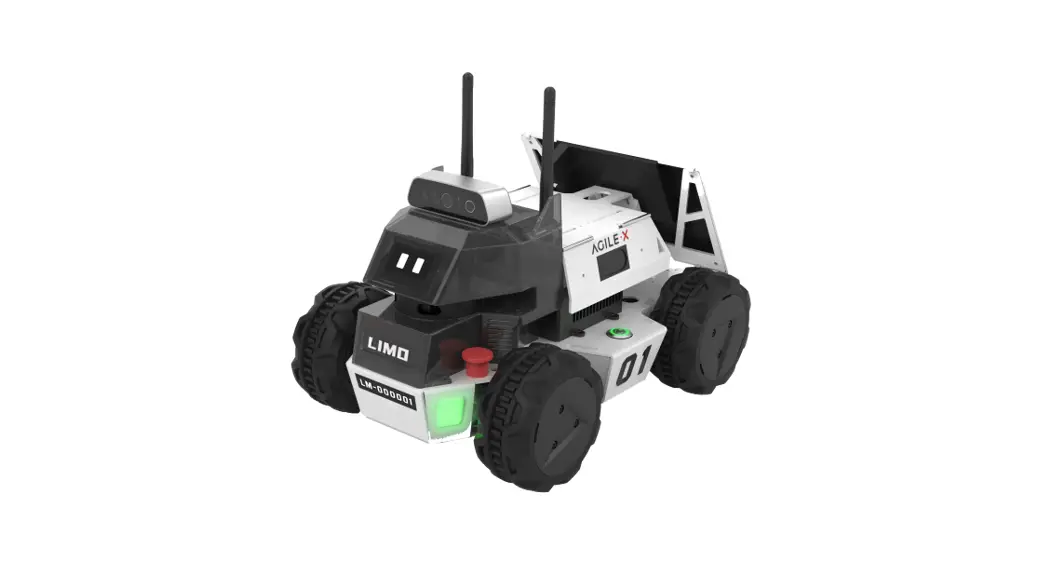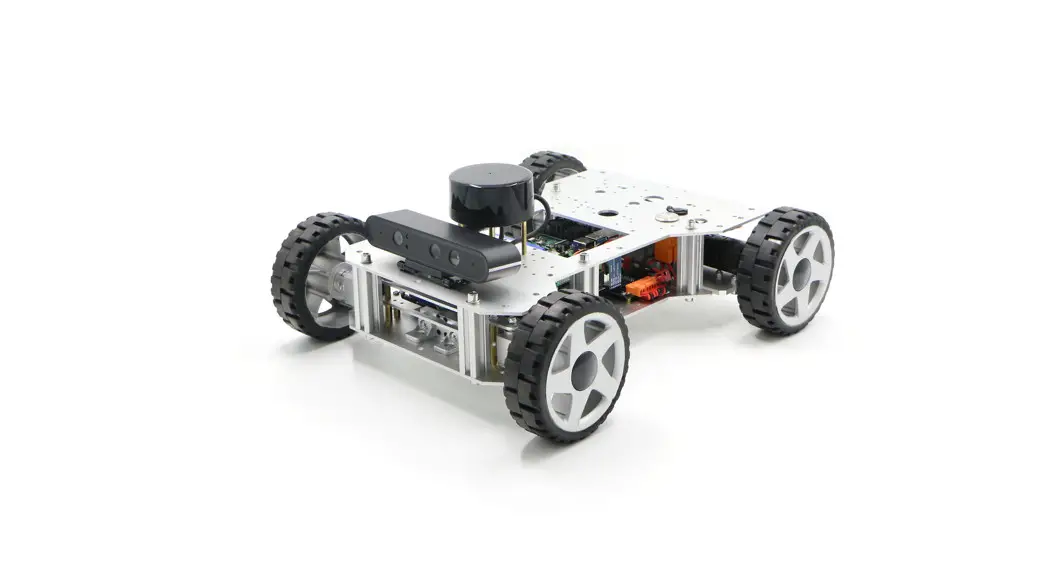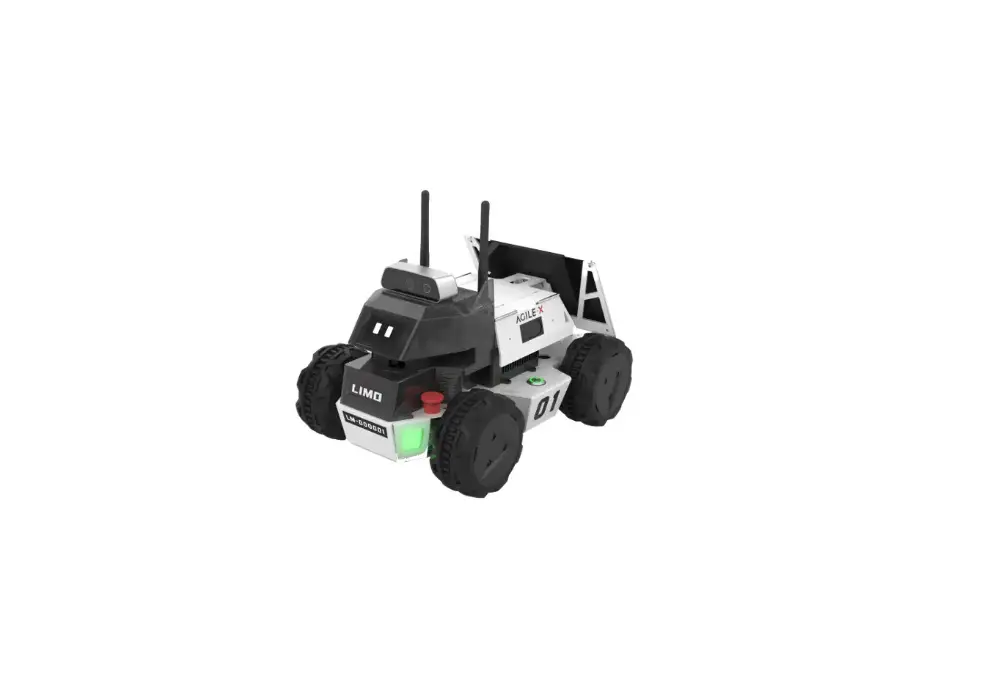
AGILEX Robotics LIMO ROS Mobile Robot User Guide

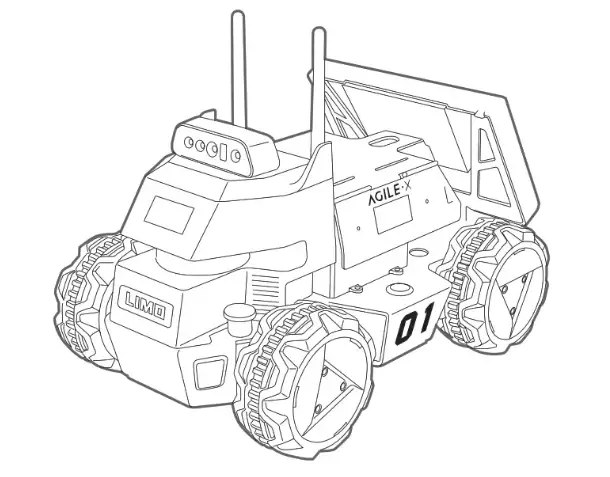
Operation
Long press the button to turn on or turn off the LIMO. (Short press the button to stop the LIMO while using).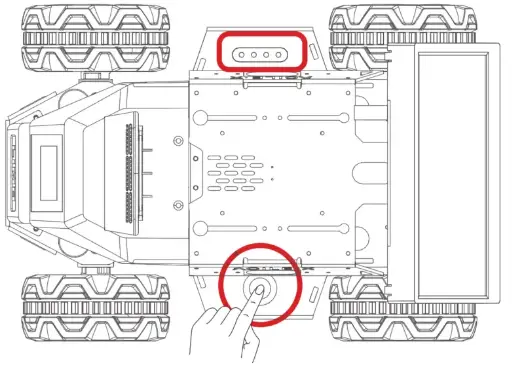
Description Oof battery indicator
| Light Status | Meaning |
| Solid Green /flashing | Sufficient battery |
| Red light hashing | Low battery |
Check the current drive mode of LIMO by observing the status of the front latch and the indicators.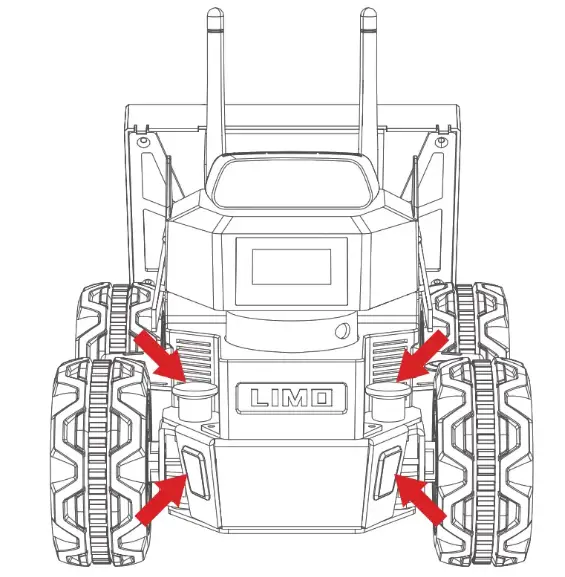
Description of latch status and front indicator color
| Latch status | Indicator color | Current mode |
| Blinking red | Low battery/main controller alarm | |
| Solid red | LIMO stops | |
| Inserted | Yellow | Four-wheel differential/tracked mode |
| Blue | Mecanum wheel mode | |
| Released | Green | Ackermann mode |
APP Instructions
Scan the QR code below to download the App, IOS APP can be downloaded from the AppStore by searching for

AgileX.https://testflight.apple.com/join/10QNJGtQhttps://www.pgyer.com/lbDi
Open the APP and connect to Bluetooth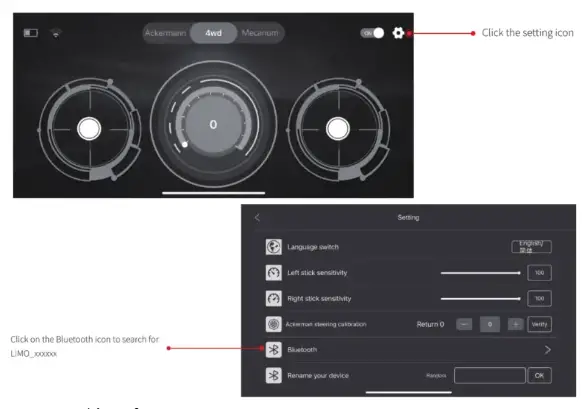
Instructions on the remote control interface
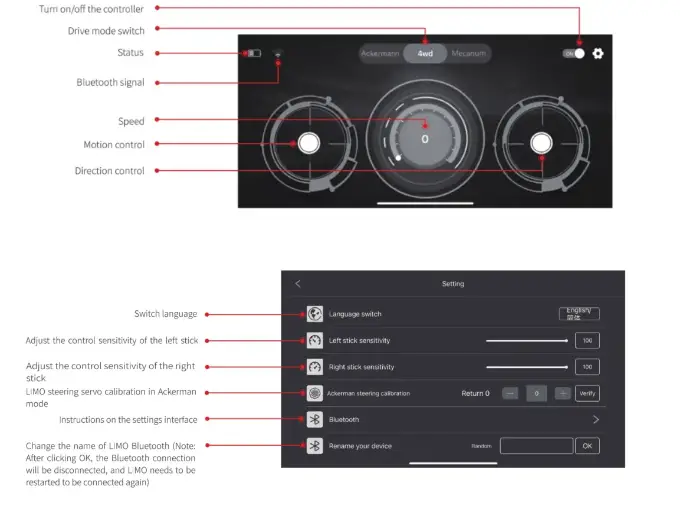
Settings
Instructions on mode switching through APP
- Ackermann: manually switch to the Ackermann mode through the latches on the LIMO, the APP will automatically recognize the mode and the latches are released.
- Four-wheel differential: manually switch to the Four-wheel differential mode through the latches on the LIMO, the APP will automatically recognize the mode and the latches are inserted.
- Mecanum: switch to the Mecanum mode through APP at the requisite of latches inserted and the Mecanum tiers are installed.
Drive mode switching
Switch to Ackermann mode(green light):
Release the latches on both sides, and turn 30 degrees clockwise to make the long line on the two latches point to the front of the LIMO. When the LIMO indicator light turns green, the switch is successful;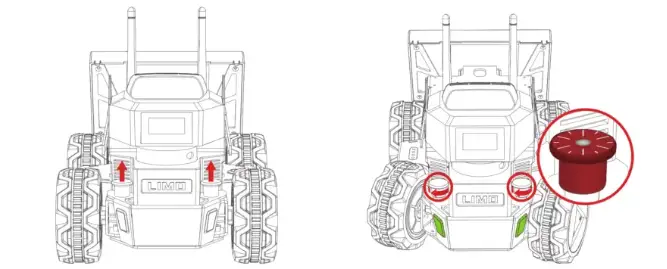
Switch to four-wheel differential mode(yellow light):
Release the latches on both sides, and turn 30 degrees clockwise to make the shorter line on the two latches points to the front of the vehicle body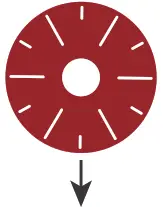 . Fine-tune the tire angle to align the hole so that the latch is inserted. When the LIMO indicator light turns yellow, the witch is successful.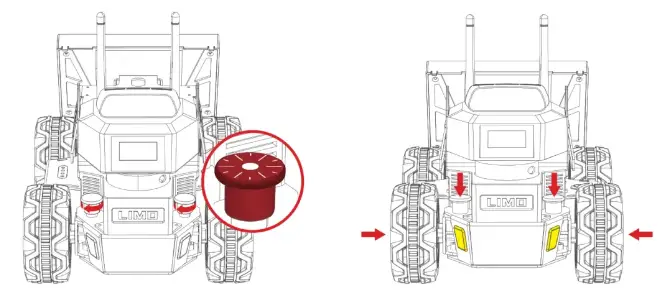
Switch to track mode(yellow light):
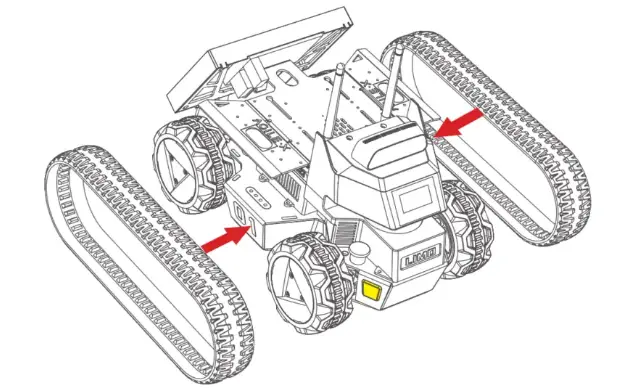
In the four-wheel differential mode, just put the tracks on to switch to the tracked mode. It is recommended to put the tracks on the smaller rear wheel first. In the tracked mode, please lift the doors on both sides to prevent scratches;
Switch to Mecanum mode(blue light):
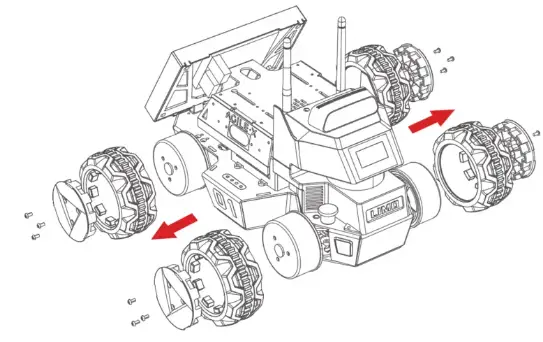
- When the latches are inserted, first remove the hubcaps and tires, leaving only the hub motors;

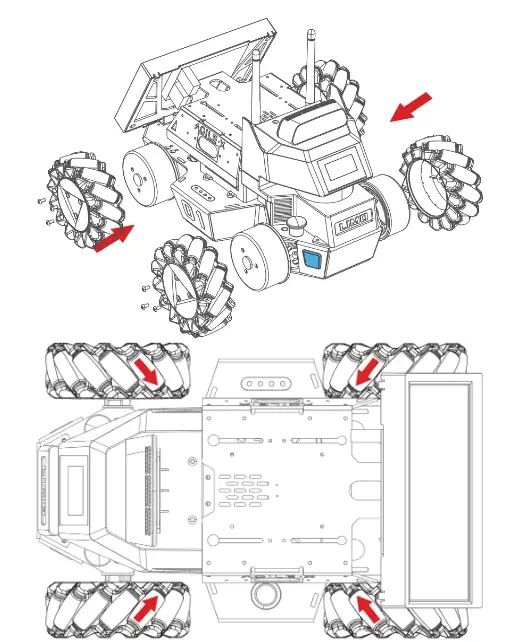
- Install the Mecanum wheels with the M3’5 screws in the package. Switch to the Mecanum mode through APP, when the LIMO indicator light turns blue, the switch is successful

.Note: Make sure that each Mecanum wheel is installed at the right angle as shown above.
Rubber tire installation
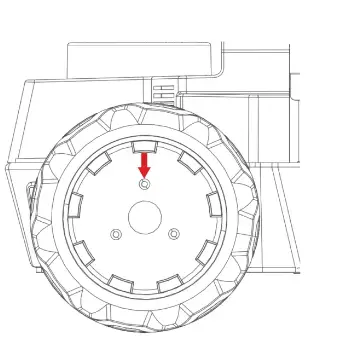
- Align the screw holes in the middle of the rubber tire

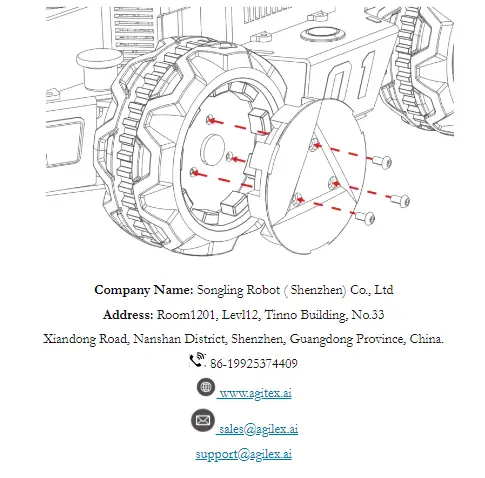
- Align the holes to install the hubcap, tighten the mounting gear, and wear the tire on; M3’12mm screws.

 Robotic arm, mobile robot, autonomous robots, ROS robot