 Education Robot User Manual
we build human friendly robots for developer, educator and students
HWZ020 Robot ROS Education Robot
Codebtor for education
- Educational robots based on ROS.
- Ideal for educators and students.
- Affordable, compact and functional.
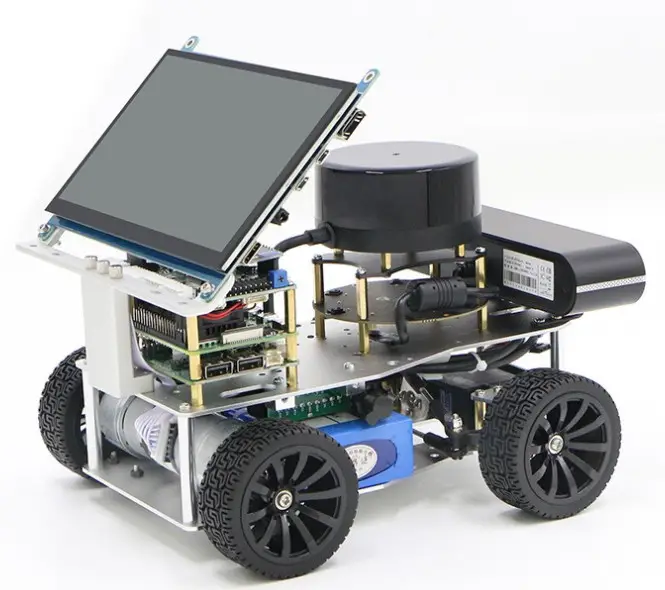
Product Family
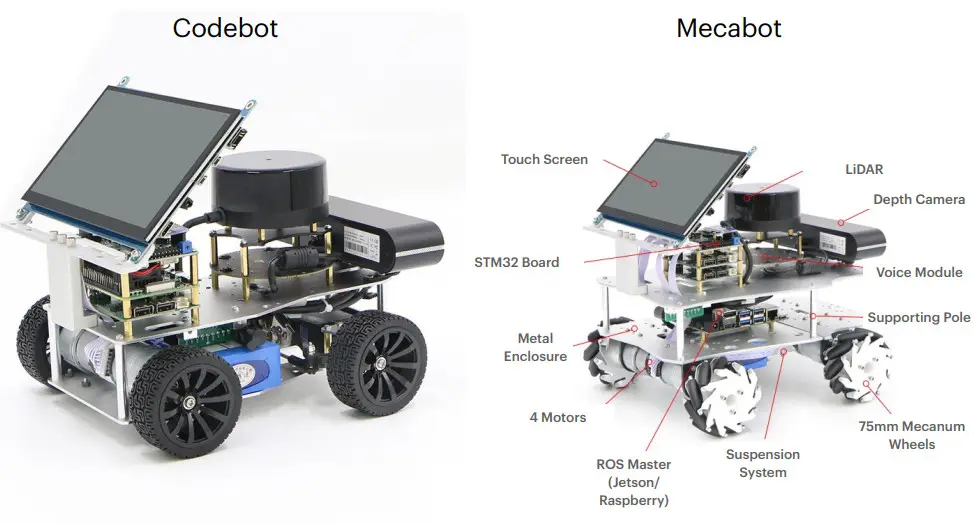
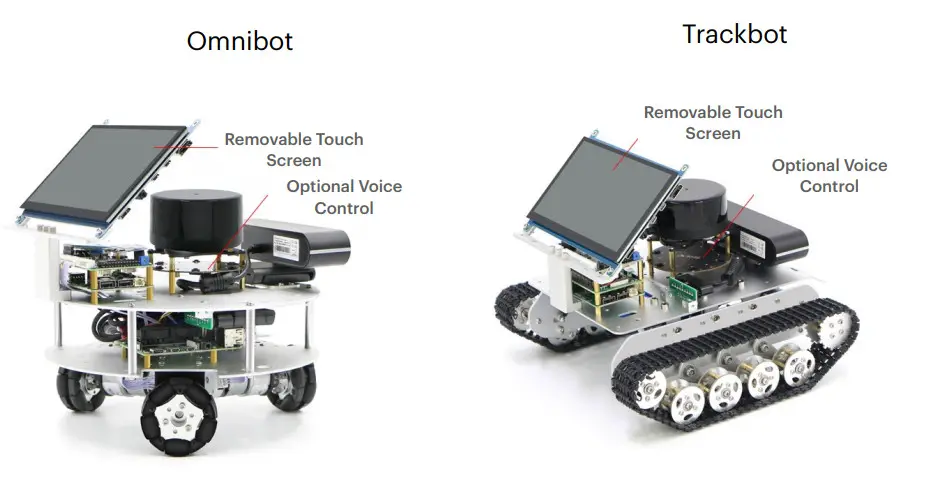
Hardware Components
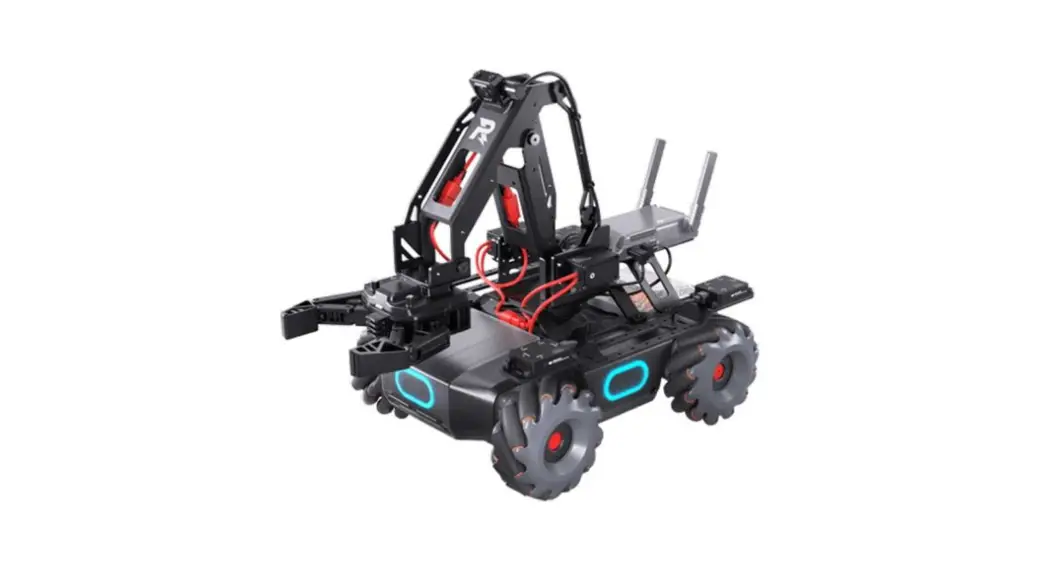
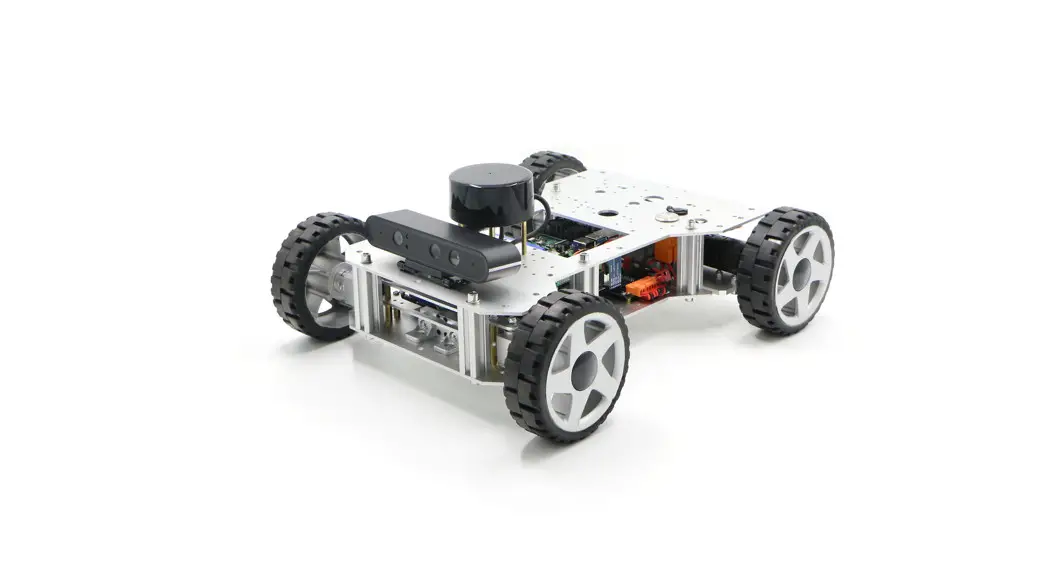
Chassis
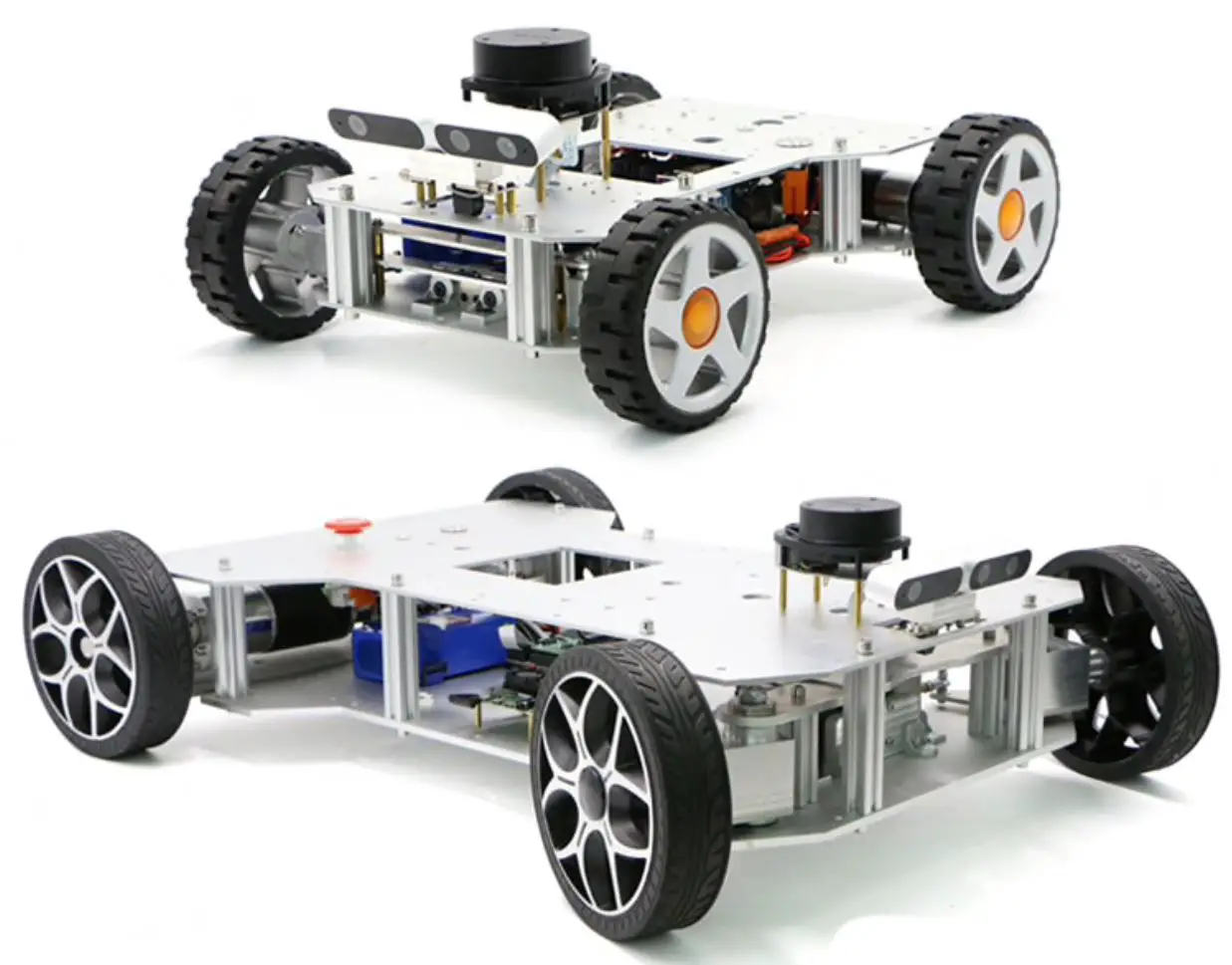
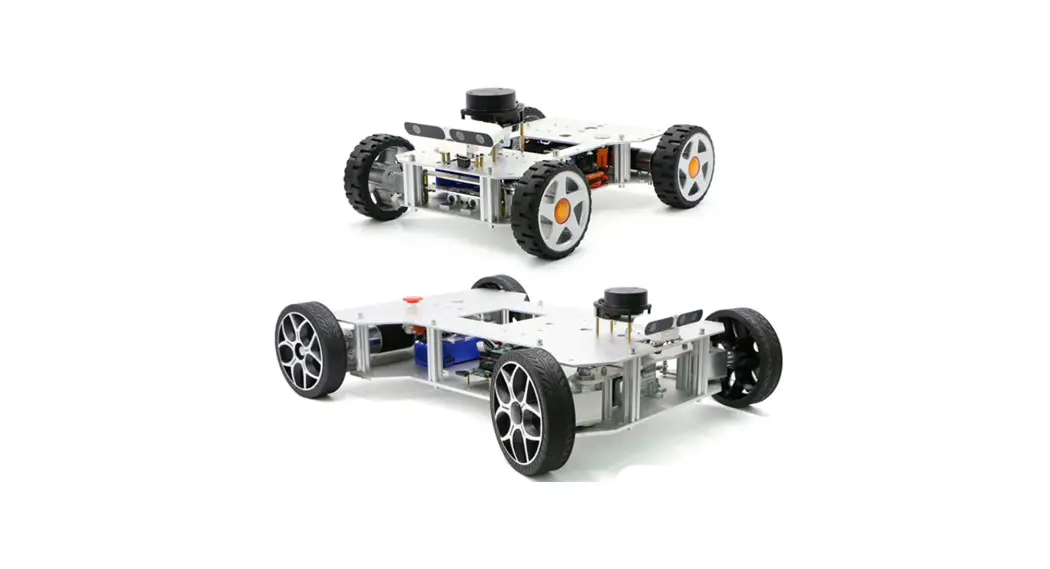
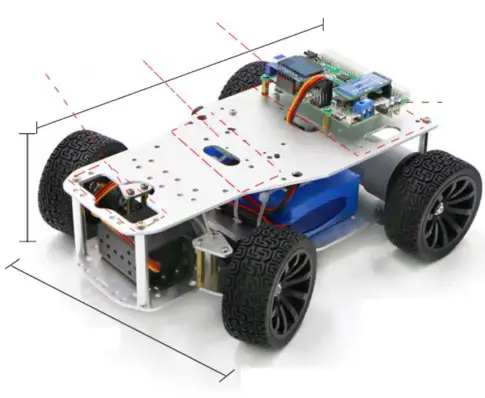
- Robotic chassis ready for ROS development.
- Ready to plug slots for ROS controller, LiDAR and Camera.
- Remote controlled by mobile app.
- Driving systems:
- Ackerman wheels
- Meconium wheels
- Omni-directional wheels
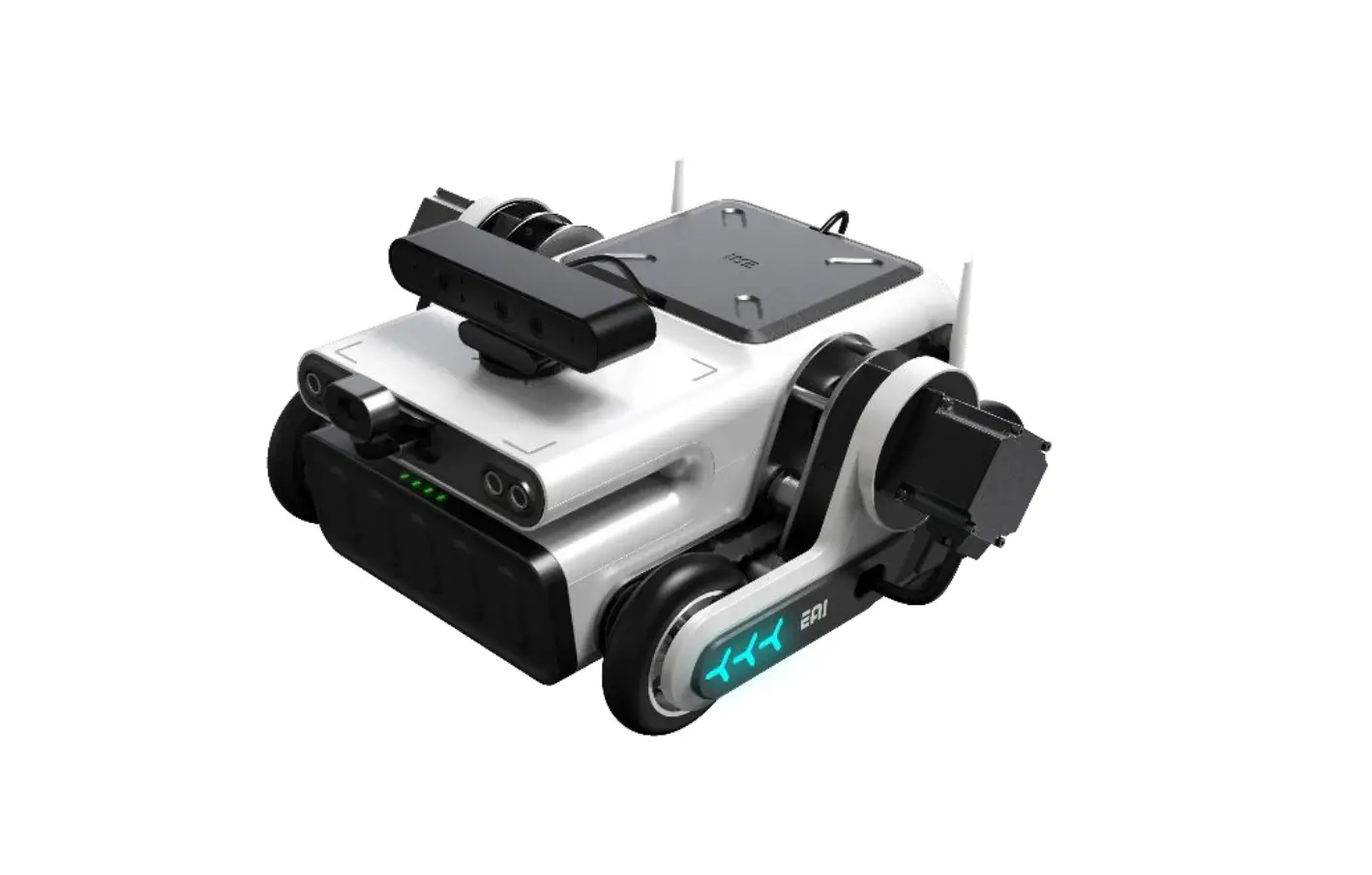
- Track-based
SLAMTEC RPLIDAR Al Series
Equipped with new genuine Lidar
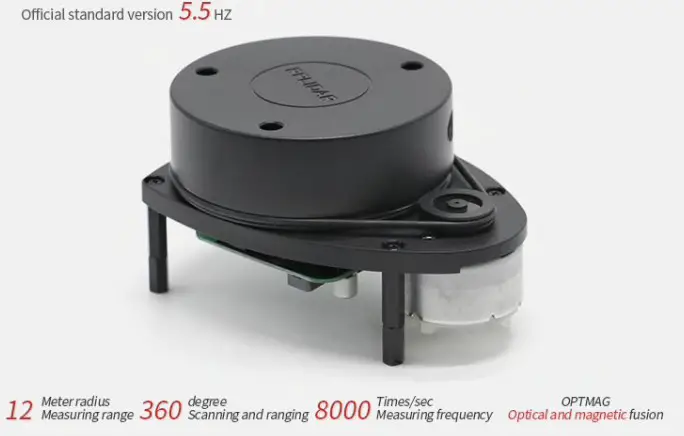
Based on our excellent and concise mechanical design, the lidar can be 360° unobstructed Make the robot have a better effect when following and navigating
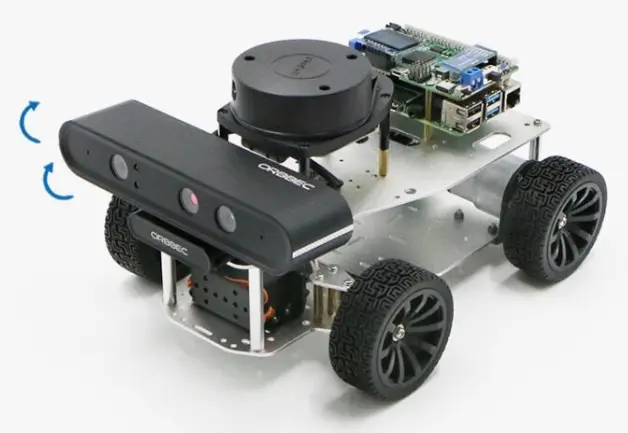
The camera angle can be adjusted greatly
Whether it is patrolling, following, visual slam, etc., it can be adjusted to a suitable angle, and the camera is placed on the front of the car without obstruction
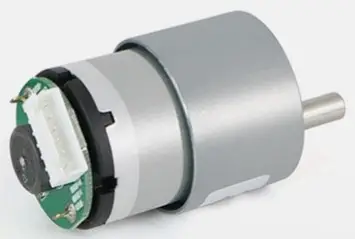
Hall encoder
The encoder has a pull-up output, which is pulled up to the power supply VCC pin by default, which can be directly collected by the single-chip microcomputer
| Types of | Magnetic induction |
| Number of lines | 13ppr |
| Supply voltage | 5V |
| Encoder protection | Bare drain (relatively stable without back cover) |
| Adapt to MCU | Almost all microcontrollers |
Listing show
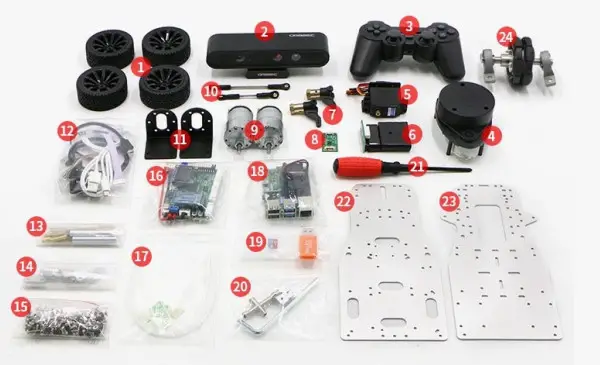
- Black rubber wheels
- ORBBEC Astra Series Depth Camera
- PS2 wireless controller
- RPLIDARA1
- Steering gear + multi-function support
- Remote control receiver
- Turn to the horn floor
- Radar adapter board
- 12V30F MG513 motor
- Ball head pull rod is long/short
- 37 Motor bracket
- Certain wire rods
- The pillars
- Steering plate + hex coupling + Angle press plate
- Screw and nut package
- STM32F407VET6 integrated master control board
- Strap bag
- Raspberry pie
- 32G memory card card reader
- Assemble the kit
- Cross screwdriver
- Aluminum alloy top plate
- Aluminum alloy base plate
- Omnidirectional wheel set module
Hardware inventory
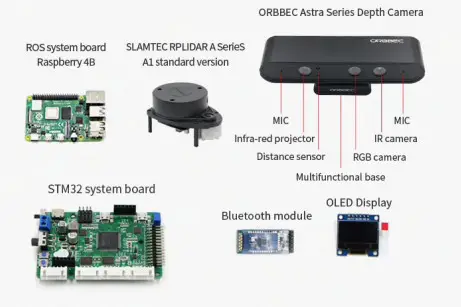
 ORBBEC Astra series depth camera parameter table
| Depth resolution | Up to 640 x480 |
| Depth frame rate | Up to 640 x480 at 30fps |
| RGB resolution | Up to 640 x480 |
| RGB frame rate | Up to 640 x480 at 30fps |
| RGB sensor field of view (H x V) | 66.1° x 40.2° |
| Depth sensor field of view (H x V) | 58.4° x45.5° |
| Depth range | 0.6m to 4m |
| Dimensions (diameter) | 165 x 40 x 30mm |
| Data transmission interface | USB2.0 and above |
| Whether single/binocular structured light | Monocular structured light + monocular RGB |
Hardware Specs
ROS Controller Specs
| ROS | 4B | Jetson Nano | Jetson TX1 |
| CPU | ARM Cortex-A72 64- [email protected] | ARM Cortex-A57 64- [email protected] | ARM.Cortexe-A57 MP Core [email protected] |
| GPU | Broadcom Vida Core VI(32-bit) | 128-core Maxwell @921MHz | 256-core NVIDIA Maxwell’ GPU |
| RAM | 4GB | 4GB 64-bit LPDDR4 @ 1600MHz 125.6 GB/s | 4GB 64-bit LPDDR4 Memory |
| USB port | 2*USB3.0+2*USB2.0 | 4*USB3.0 | 1’USB3.0, l*Micro USB |
| Video Input | MIPI CSI | ||
| Video Output | Micro-HDMI (2t) 4Kp60 | 2*HDMI 2.0 / DP 1.2 / esp. 1.212-MIPI DSI | l’HDM12.0 |
| video Encoding | H.264(1080p30) | H.264/H.265(4Kp30) | H.264/H265(4Kp30) |
| video Decoding | H.264(1080p60) H.265 (4Kp60) | H.264/H.265(4Kp60,2*4K p30) | H.264/H265(4Kp60) |
| Storage | 32G MicroSD | 64G MicroSD-P. | 16GB eMMC 5.1 |
| Network Interface | Gigabit Ethernet/Wifi802.11.ac | Gigabit Ethernet/M.2 Key E | 10/100/1000 BASE-T Ethernet |
| GPIO Pinz | 40 | ||
| Rated Power | 15W(5V/3A) | I 5W/101M1 | 15W |
| Power Input | 5V | DC12-24V±10% | |
Product Family Specs
| Models | Ackerman | Meconium | Omni | Track | 4WD |
| Drive Structure | Switchable Acker man, Anti-Ackerman, Differential | 4WD with I Suspends ion | 3 wheel Omni. directional | Track with Suspension | 4WD with I Suspension |
| Wheels | Driving: 65mm Rubber Driven: 60mm Metal | 75mm Aluminum Alloy Meconium | 60mm Metal Omni- Directional | Aluminum Alloy Track | 65mm Rubber |
| Steering Gear | HWZ020 20KG High Torque Digital Gearing | None | None | None | None |
| Size (mm) | 240.5’191.146 | 270’222’187 | 240’240’183 | 270’270’160 | 270’222’187 |
| Weight | 1.8kg | 2.9kg | 2.18kg | 2.54kg | 2.68kg |
| Payload | 3kg | 6kg | 3kg | 4kg | 6kg |
| Max Speed | 1.2m/s | 1.4m/s | 0.84m/s | lm/s | 1.2m/s |
| Light Load Battery Life | 5.5h | 4h | 5h | 5.5h | 4h |
| 1kg Load Battery Life | 4h | 2.5h | 3h | 4h | 2.5h |
| Motor | M0313 motor | ||||
| Encoder | 300 Line AS mon Resolution Photoelectric Encoder | ||||
| Control. | Mobile App. P52. CAN. Serial | ||||
| STM32 . | STM32F407VET6 | ||||
| 140AR | L013. SI4mtec MIO | ||||
| ROS Control | Raspberry Pi 4GB Jetson Nano 4GB, Jetson TX1 | ||||
| Depth Canna | Astra RGBD Depth Camera | ||||
| MU | IC M20948 (3 Axis in Gyroscope, Accelerometer, Magnetometer) | ||||
| OS | Ferrets on STM32, Ubuntu 18.04, ROS Melodic | ||||
| Materials | Developer Manuals, Video Tutorials, ROS & STM32 Source Codes, ROS Image | ||||
BATTERY DESCRIPTION
Due to overseas shipment issues, no batteries are prepared Please prepare 11.1V lithium battery by yourself
| Capacity range | 2600-12000mah |
| Power supply range | 10-12.6V |
| Rated voltage | 11.1V |
INTERFACE DESCRIPTION
CAN: The mobile platform can receive commands from the CAN port and send its own data (odometer and IMU) through the CAN port.
Serial port: The mobile platform can receive commands from the serial port, or send its own data (odometer and IMU) through the serial port.
USB interface: used to connect to a computer, download the program with one key, receive command control sent by the computer, and send its own data (odo meter and IMU) to the serial port.
Bluetooth (or WiFi): can send its own information to APP, can receive APP remote control commands, and can adjust PID parameters.
PS2 interface: Provide PS2 handle socket, provide code plug and play.
SWD interface: SWD interface is provided for online debugging.
Software & Tutorials
Key function introduction
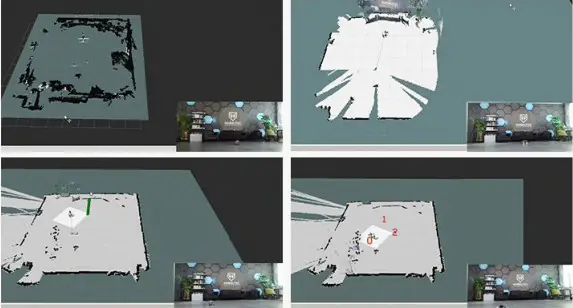
RTABMAP VISION AND LIDAR MAPPING NAVIGATION
Support visual SLAM, gapping, hector, carto, Google Cartographer and other algorithms to build maps, support fixed-point navigation, multi-point navigation
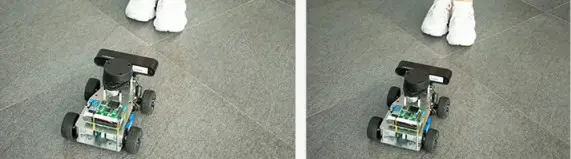
LIDAR FOLLOW
Lidar can follow any object including people in all directions
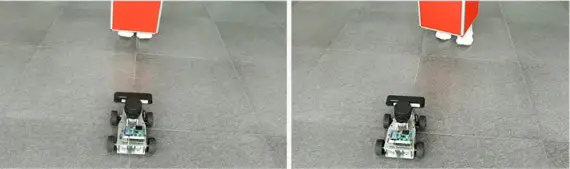
DEPTH CAMERA FOLLOW
Through the RGBD depth camera, you can measure the distance to the front object and follow
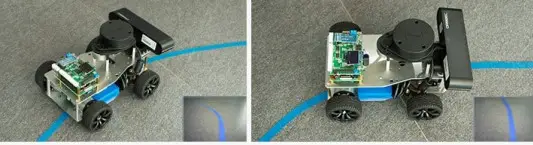
VISUAL PATROL
The camera can be navigated by sticking lines, and the general electrical glue can be used. The color of the line patrol is blue, black, red, green, yellow, etc. adjustable
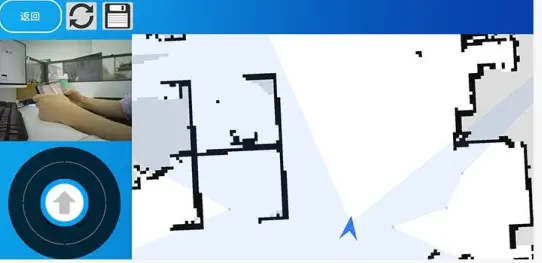
SUPPORT APP CONTROL, VIEW IMAGES, MAP CREATION, NAVIGATION
Realize car mapping and 2D navigation functions through Android ROSAPP
 RRT AUTONOMOUS EXPLORATION AND MAPPING
No need to manually control the car, use the RRT algorithm to autonomously complete the exploration map, save the map, and return to the starting point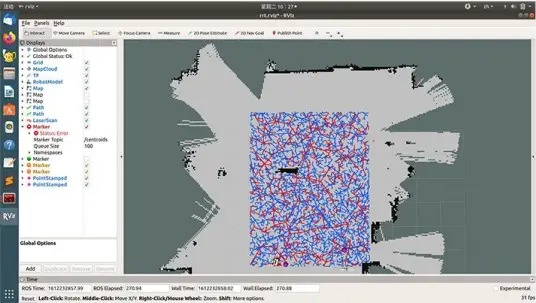 MULTI-AIRCRAFT FORMATION
Multi-machine coordinated operation, distributed formation control, support single-point and multi-point navigation functions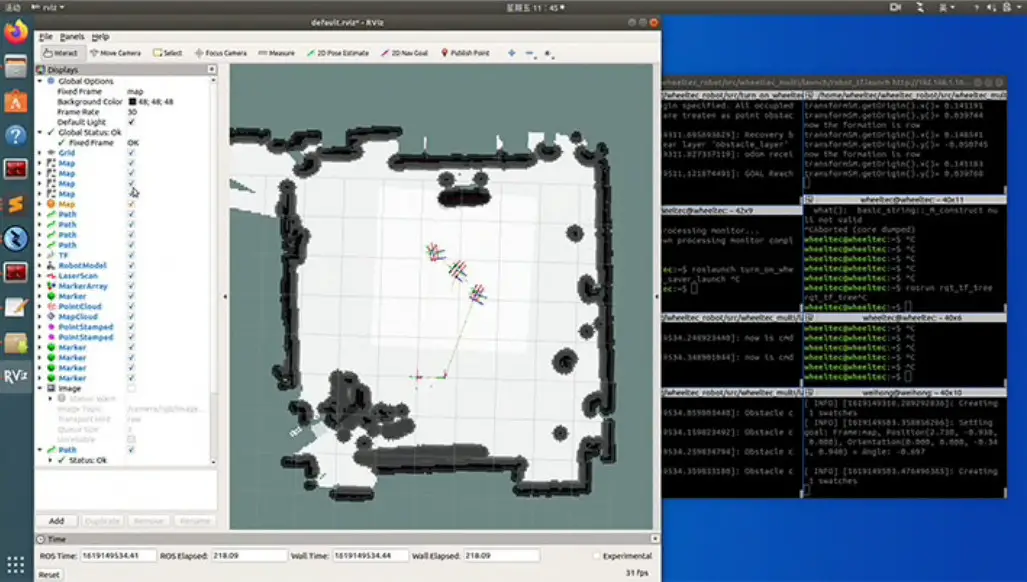
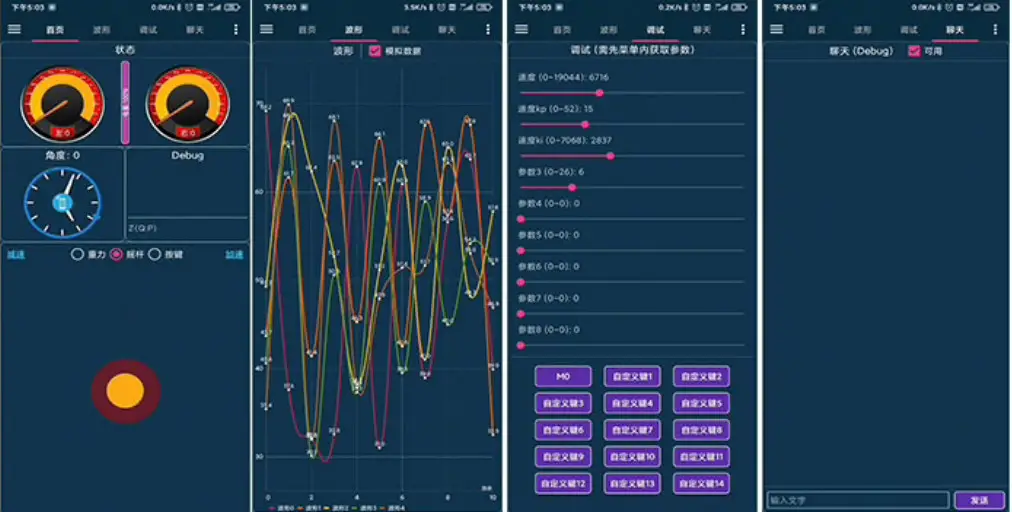
Provide Bluetooth & WIFI version APP
Support Android and IOS
- Support gravity sensor remote control and two-hand button remote control mode
- Supports 5-channel waveform display interface, you can view the waveform at any time without a data line
- Support 9-channel parameter adjustment interface and online adjustment of PID parameters
- Optimize the battery alarm mechanism, APP accurately pushes low-voltage alarm notifications
- Support for BLE Bluetooth 4.0 module
Information Description
In addition to information related to Raspberry and jets on Nano, we also present information such as Xavier NX, industrial computer, etc., so that you can continue to update the functions and information of this product from scientific research to application. The updated information will be provided to users free of charge for life
THE DATAIS COMPLETELY OPEN SOURCE, SUPPORTING SECONDARY DEVELOPMENT
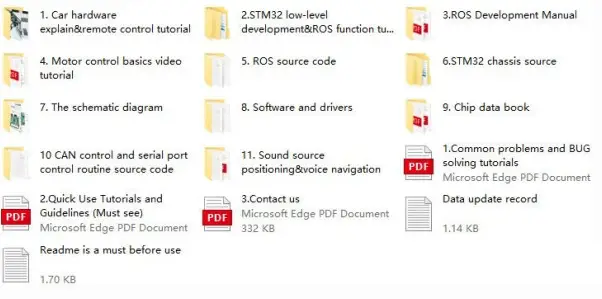 Provide ROS source code package
The ROS source code can quickly help you connect the car to the ROS system, and provide technical support for STM32, ROS, Linux, and SLAM
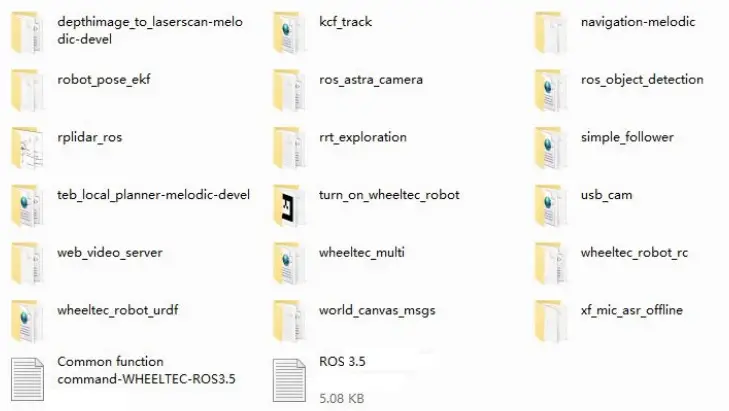
Provide a rich ROS development manual
1.ROS development tutorial
The Preface
- Fix Raspberry Pi peripheral serial port number
- SLAM car ROS source code analysis
- File system preview
- Code composition
- Serial communication with the lower computer
- ROS topics and sensor data release
- Robot node analysis
- Parameter analysis of robot
- Analysis of robot TF coordinate transformation
- Start the robot through the launch file
- Laser radar mapping
- Start the mapping node
- Map preservation
- Robot navigation
- Start the navigation node
- wiz navigation goal setting
- Multi-point navigation
- Navigation parameter setting
- Navigation status monitoring and custom goals
- Common navigation fault troubleshooting
2.Ubuntu configuration tutorial
The Preface
- Install Ubuntu and ROS on the virtual machine
- Ubuntu Installation on the Virtual Machine and Utility Plug-in Installation
- ROS installation with Ubuntu
- Establish the ROS workspace
- Configure static IP address with Ubuntu on the Virtual Machine
- Configure Ubuntu and ROS on Raspberry Pi
- Configure Ubuntu on Raspberry Pi
- Install ROS on Ubuntu of Raspberry Pi
- Environmental configuration of Jetson Nano
- Configure Ubuntu in Jetson Nano
- Install ROS in Jetson Nano
- Configure Ubuntu and ROS In Jetson TX2
- Flash the Jetson TX2
- Install ROS on Jetson TX2
- Configure Ubuntu and ROS on the IPC
- Install Ubuntu on the IPC
- Install ROS in IPC
- Configure wireless WIFI and static IP with Ubuntu on IPC
- Configure Ubuntu and ROS in Jetson Xavier NX
- Install Ubuntu in Jetson Xavier NX
- Install ROS in Jetson Xavier NX
- Configure wireless WIFI and static IP with Ubuntu
- Configure wireless WIFI with Ubuntu
- Ubuntu configures static IP
- The NFS mount
- Execute the script at boot time
- SSH remote login
- ROS multi-machine communication setup
- Raspberry Pi image backup and recovery
- Raspberry Pi image backup
- Raspberry Pi image recovery
- Jetson Nano image backup and recovery
- Jetson Nano image backup
- Jetson Nano image recovery
- Jetson TX2 Image backup and recovery
- IPC Image backup and recovery
- Jetson Xavier NX image backup and recovery
- The basics of Ubuntu
3.STM32 Moving Chassis Development Manual
The Preface
- Robot control mode
- Robot movement speed unit
- ROS ( serial port 3) control
- APP control
- PS2 control
- Hot-RC remote control
- CAN control
- Serial port 1 control
- OLED display content
- OLED specific content
- OLED universal display content
- car self-inspection
- Elimination of gyroscope zero drift
- Robot kinematics analysis
- Two-wheel differential ( tracked vehicle ) car
- Ackerman car
- Meconium wheel card
- Omni wheel car
- Four-wheel drive car
- Pl control program source code
- Wiring instructions
- Control flow chart
- Control flowchart of robot motor
- Robot STM32 program structure diagram
- Robot controller connection diagram
- Matters needing attention
- About the code
- About the power interface on the adapter board
- About the motor
- About the battery
- How to download program to STM32 controller
- Serial download
- SWD download
Standard paper format, easy to understand, covering ROS basics, STM32 low-level control, ROS development, UBUNTU tutorials, etc.
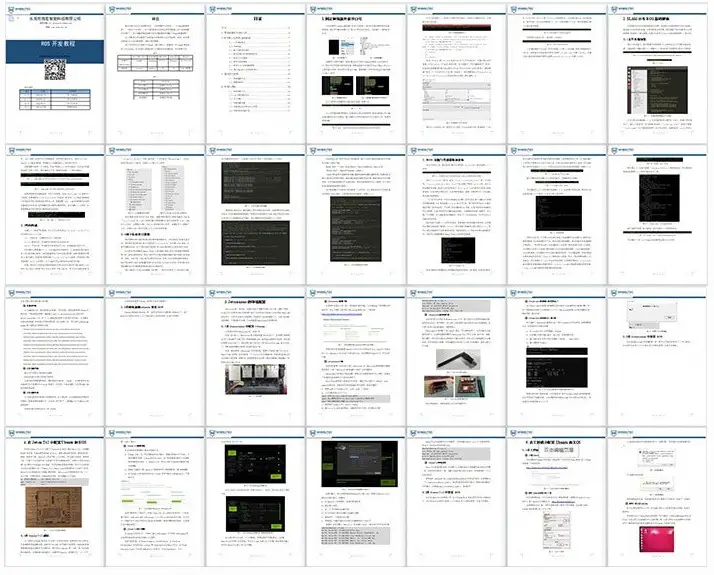
Provide code-level video tutorials, senior engineers will teach you how to learn ROS, and refuse to bea “tuner” ROS related video tutorials are equipped with bilingual subtitles in both Chinese and English. We make the video tutorials according to the standards and investment of making movies.
moveit robotic arm video tutorial
Streamline code routines, rviz visual interface, take you into the learning world of moveout robotic arm
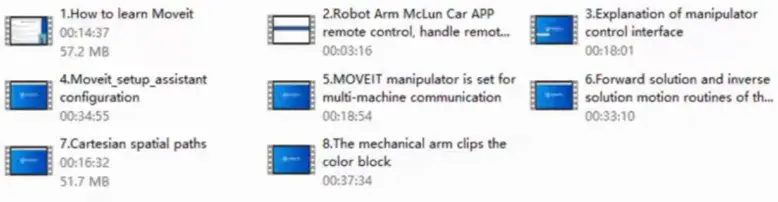
ROS SLAM principle and algorithm detailed video tutorial
This series of video tutorials explain the principles of SLAM in an easy-to-understand manner through the form of playing games while explaining the principles.
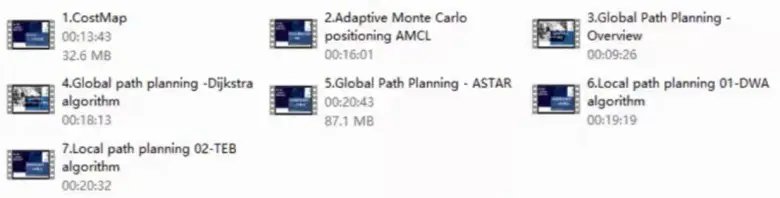
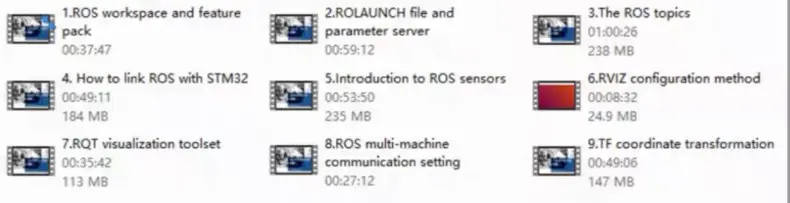
ROS basic dry goods special video tutorial
This series of videos will take about 1 hour for a single part. Knock on the code to teach you to quickly enter ROS.
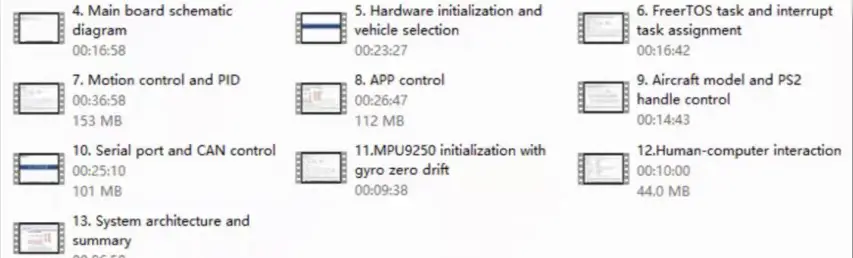
STM32 bottom source code and ROS communication video tutorial
From the underlying STM32 code analysis to the ROS basic communication framework to build code-level analysis

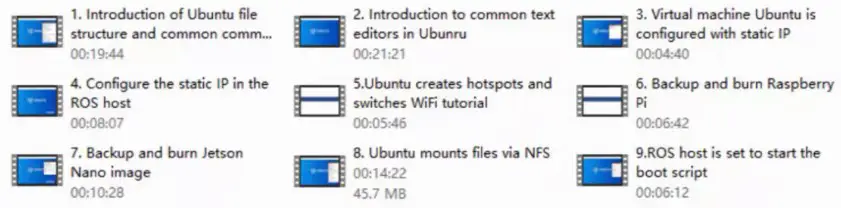
ROS-related ubuntu basic tutorial
Quickly grasp the ubuntu basics related to ROS, and improve the backup and burning process of raspberry pi/jets on Nano, etc.
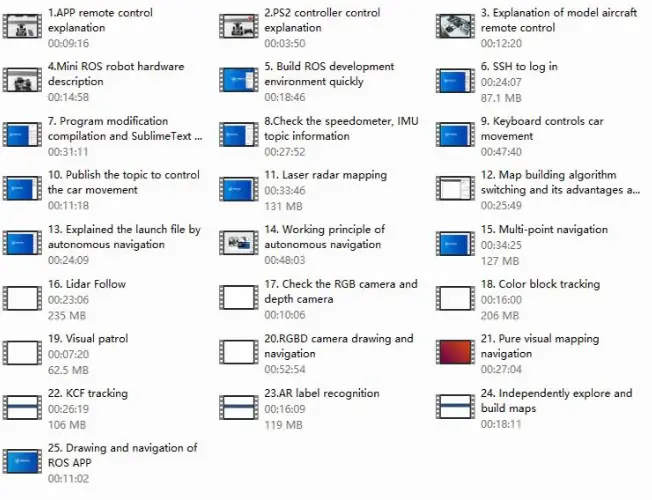
ROS function development code-level video tutorial
Code analysis of core functions such as ROS mapping and navigation
ROS Voice Special Video Tutorial
Provide basic application tutorials and code analysis combining ROS voice and iFlytek

More video tutorials are under intense recording and will be launched soon, So stay tuned!
Shipping & Packaging
Shipping list
CHASSIS PART
| 12V30F MG513 motor X2 Hexagonal coupling-6mm X2 Trolley aluminum alloy floor Xlpcs Omni-directional wheel module Xlpcs Black rubber wheels X4 Steering Claw Pressing Plate X2 Servo multi-function bracket Xlpcs Trolley aluminum alloy upper plate X1pcs Several standard parts and their connecting parts | servo Xl Tie rod short X1 37 Motor bracket X2 Tie rod length X1 Rudder wheel X1 Steering claw assembly X2 Steering gear rocker arm X1 |
ELECTRONIC CONTROL AND ROS PART
Electronic control part:
STM32F407VET6 integrated main control board Bluetooth module X1
OLED display X1
Data download line X1
ROS part:
Raspberry 4B X1
Lidar X1
32G high speed memory card and card reader X1
PS2 wireless controller X1
Dual fan heat sink X1
Several wires
Depth camera and its angle adjustment mechanism
PEARL COTTON PACKAGING
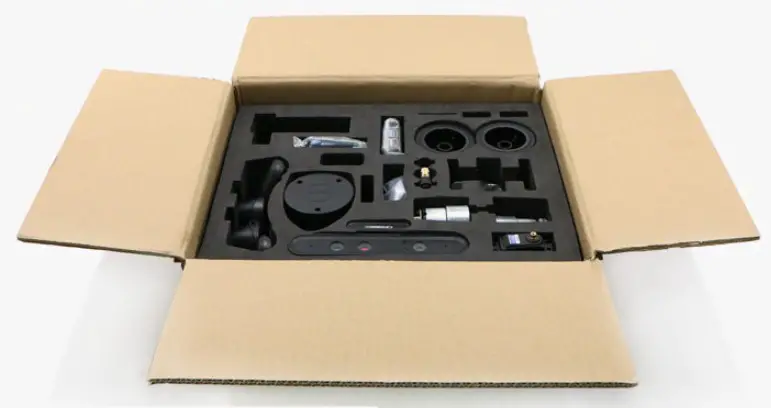
The following is the quality and volume of the packaged product:
Volume: 370*300*170mm
Weight: 3kg
we build human friendly robots