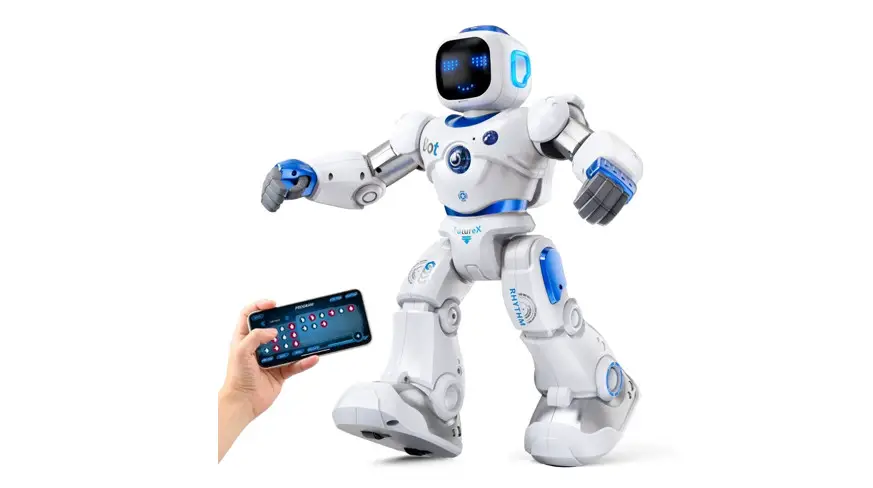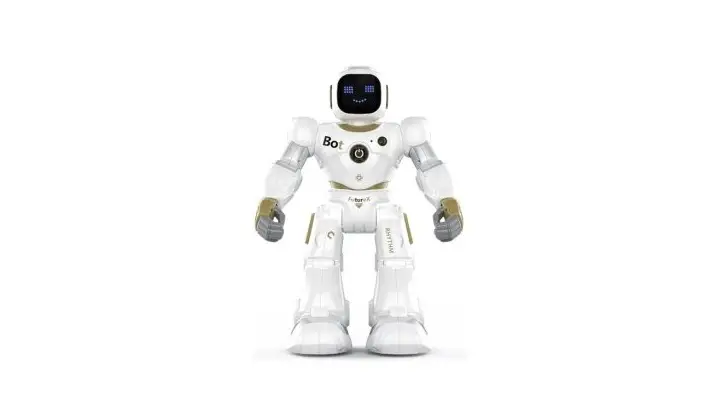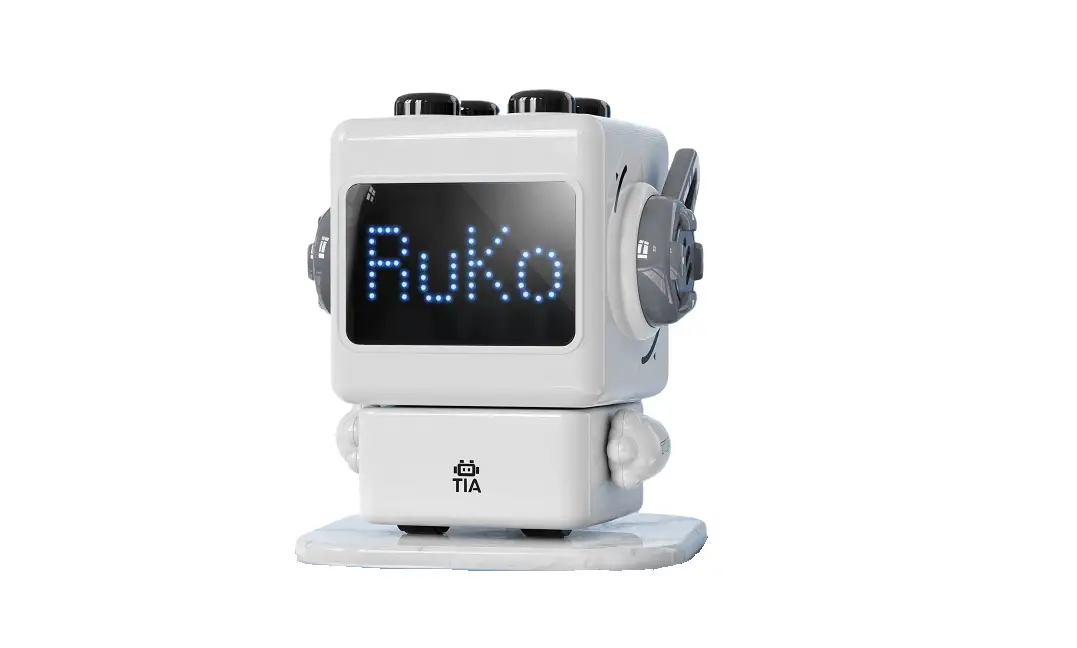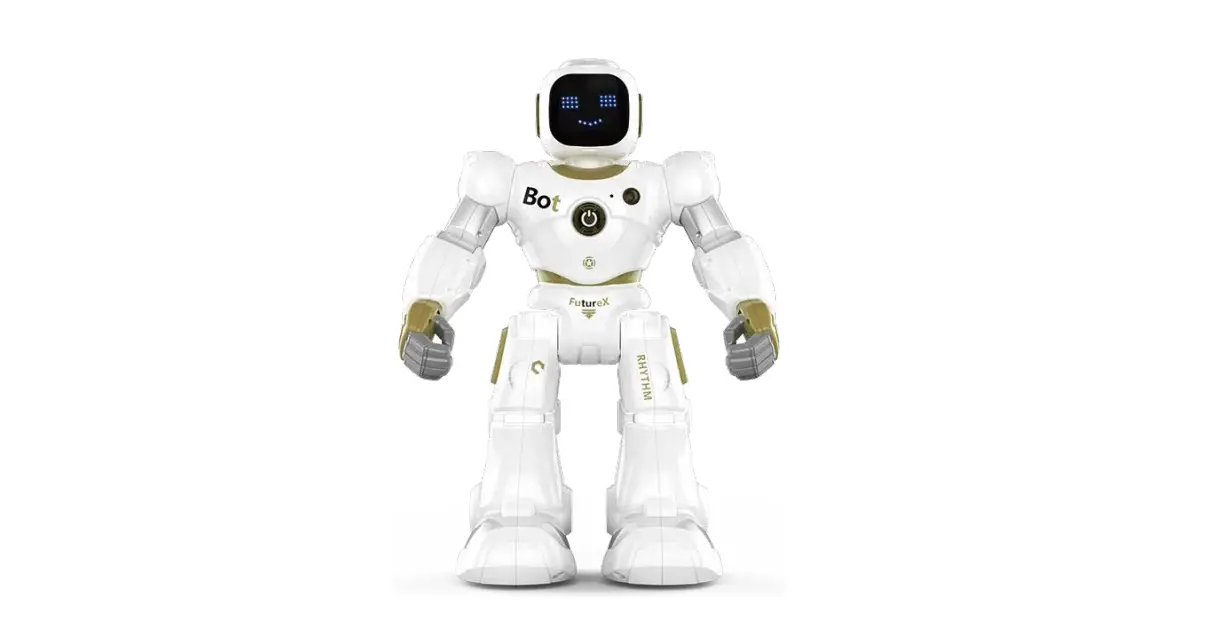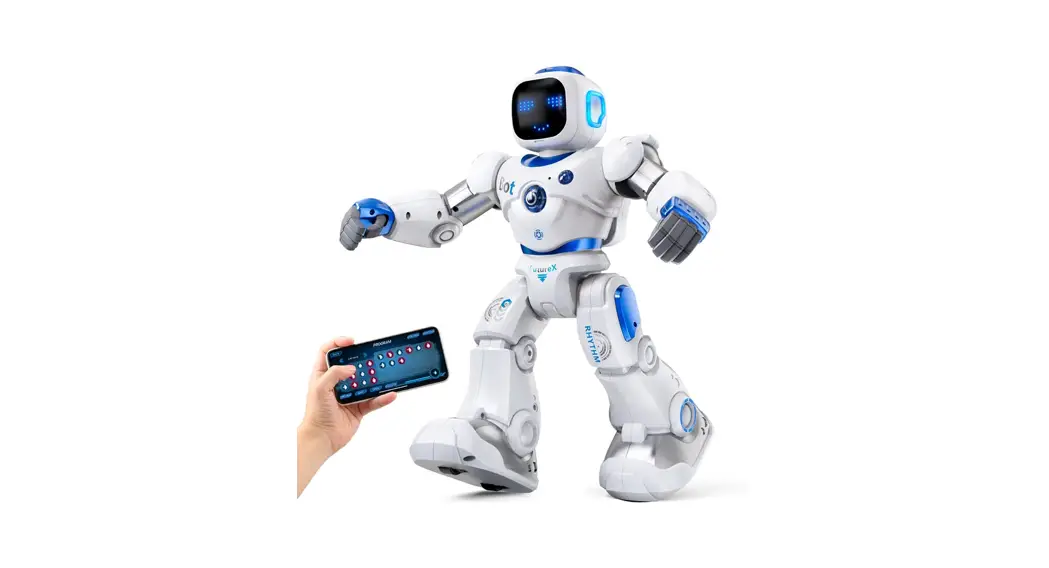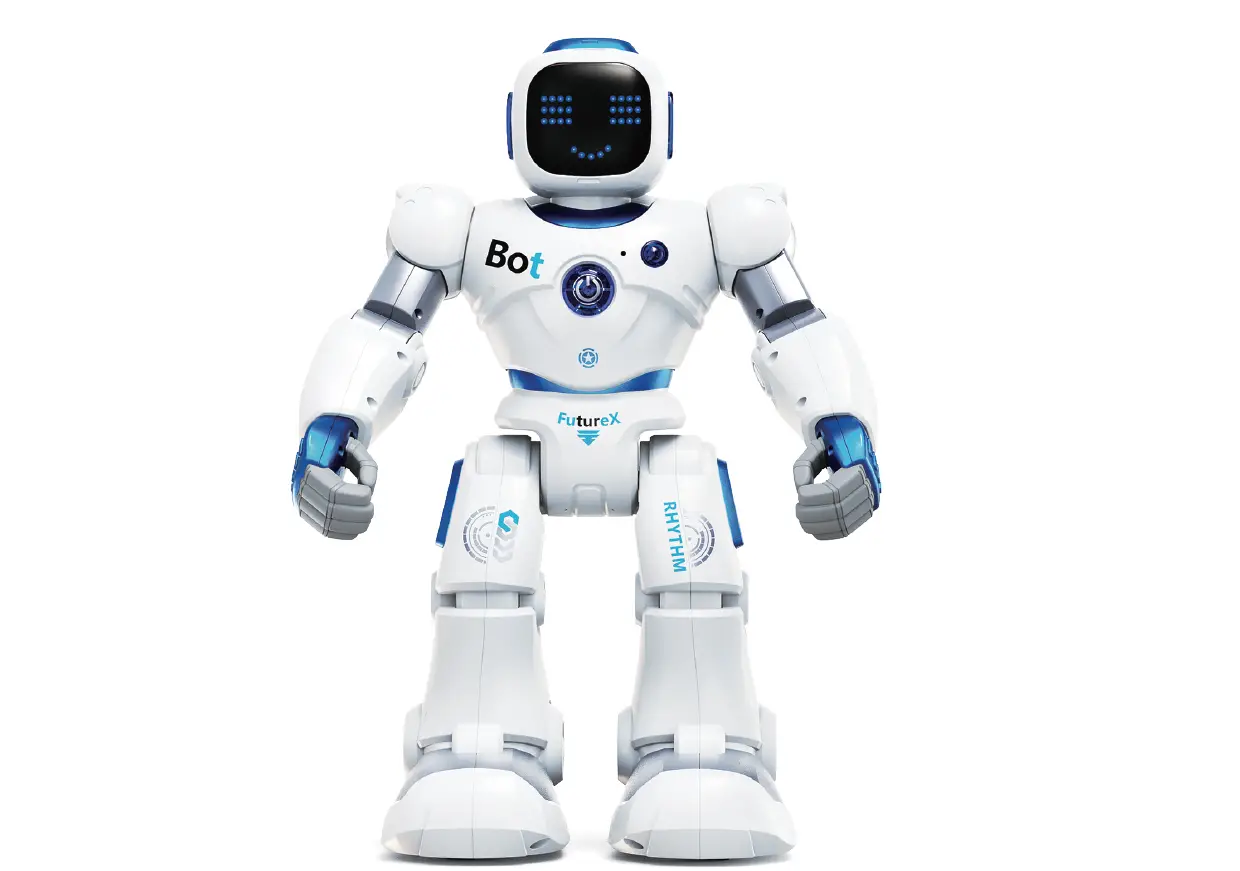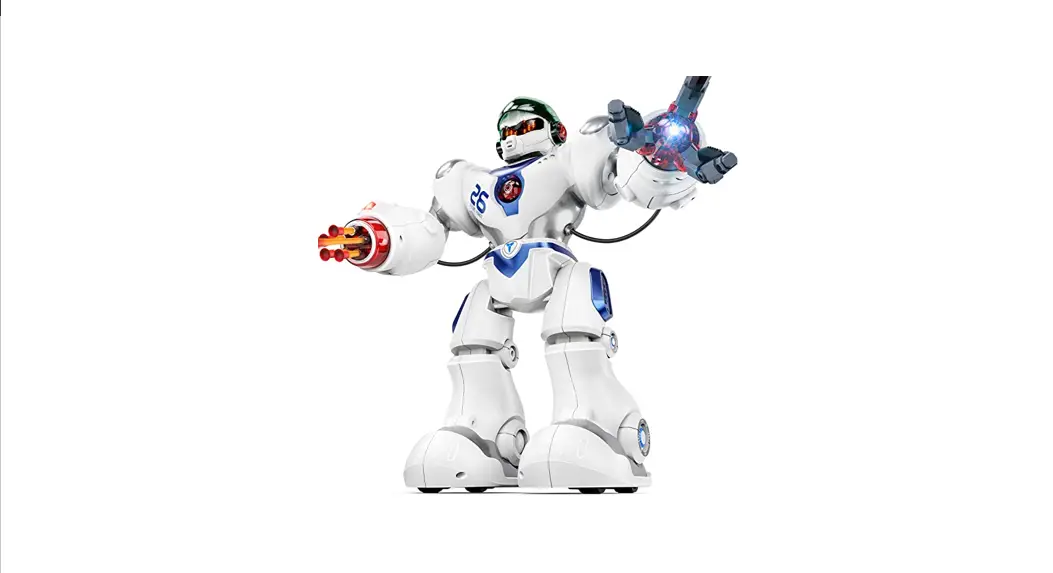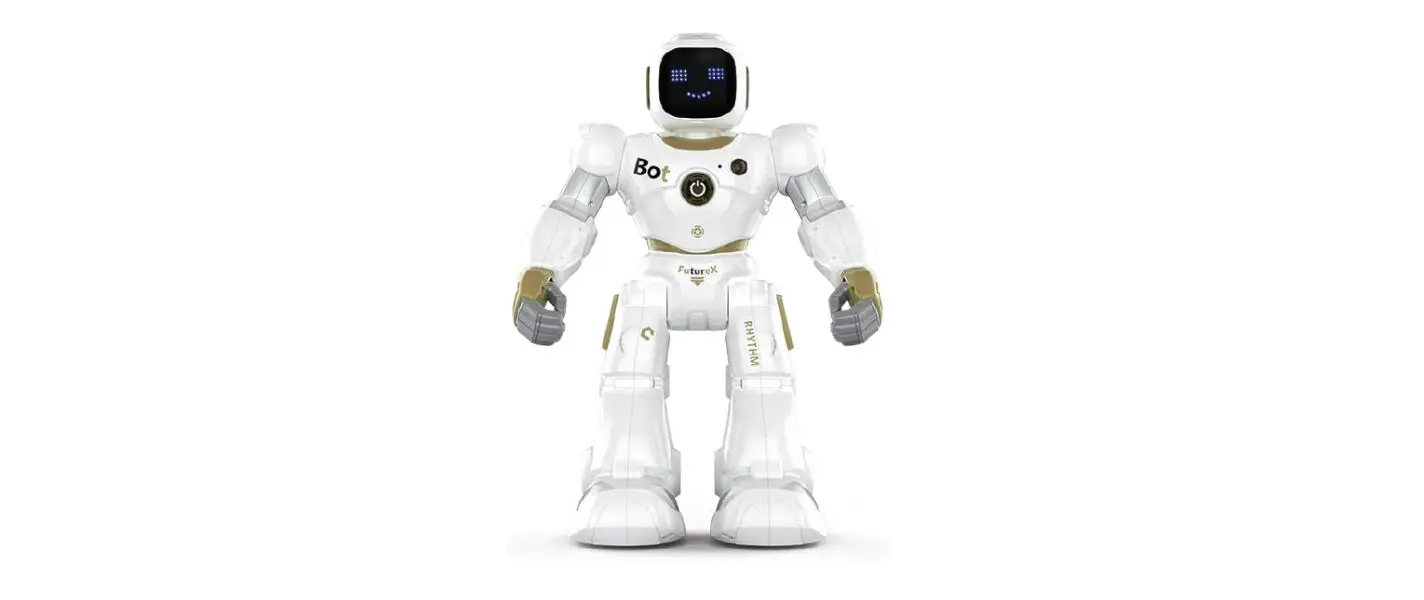

User Manual
v2.0 2021.08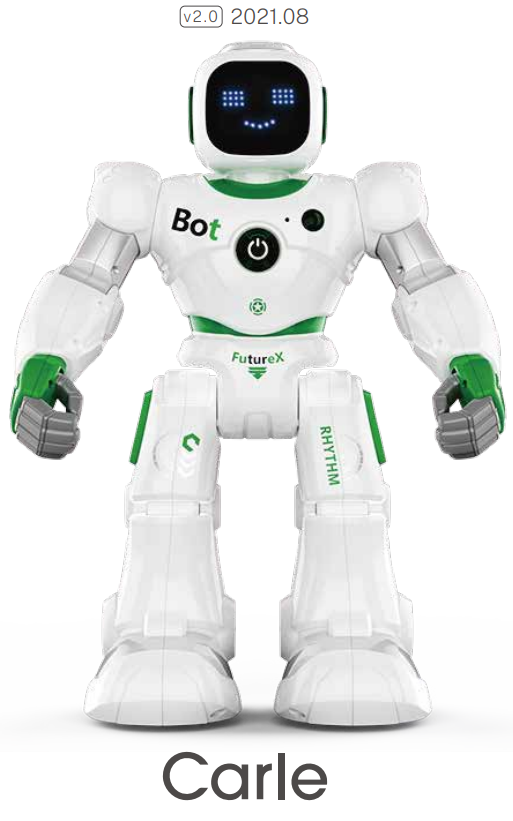
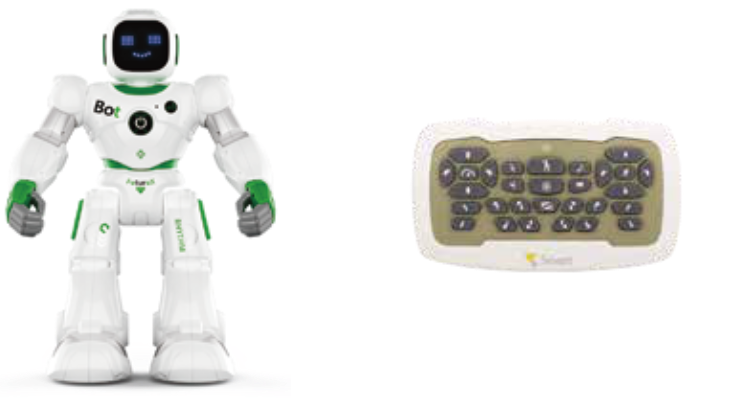
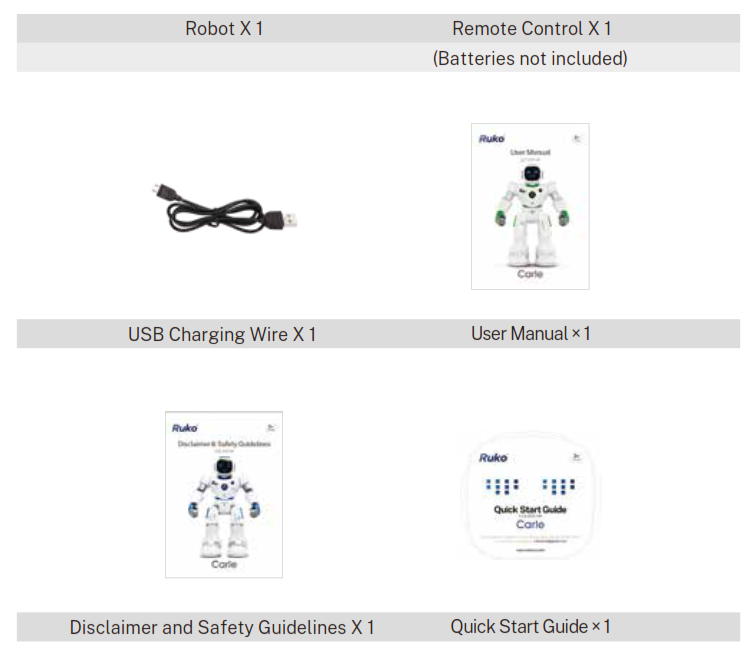
Package Contents
Cautions And Advice
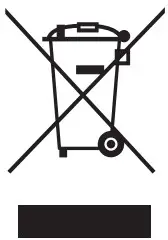
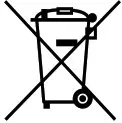 The crossed-out dustbin symbol indicates that batteries, rechargeable batteries, button cells, battery packs, etc. must not be put in the household waste. Batteries are harmful to health and the environment. Please help to protect the environment from health risks. If the toy is out of use, please use a hammer to break the product to retrieve the battery-operated toy or unscrew the battery door for a replaceable battery-operated toy, then take the battery out from the toy. Dispose of the battery in accordance with your local battery recycling or disposal laws.
 WEEK
WEEK
When this appliance is out of use, please remove all batteries and dispose of them separately. Bring electrical appliances to the local collecting points for waste electrical and electronic equipment. Other omponents can be disposed of in domestic refuse.
2.1 Care And Maintenance
- Always remove batteries from the transmitter when it is not being used for a long period of time.
- To clean, wipe the toy gently with a clean cloth.
- Keep the toy away from direct heat.
- Do not submerge the toy into water, this can damage the electricity.
2.2 Special Notes To Adults
- Before first use, read the user’s information, and review with your child.
- This toy is intended to be used in domestic areas (house and garden) only.
- Assembly should be performed under adult supervision changing batteries/ spare parts, trimming, etc.)
- Parental guidance is recommended when installing or replacing batteries.
- Do not change or modify anything on the toy.
2.3 Battery Warnings
- Non-rechargeable batteries are not to be recharged.
- Rechargeable batteries are to be removed before being charged. (Transmitter only)
- Rechargeable batteries are only to be charged under adult supervision.
- Different types of batteries or new and used batteries are not to be mixed (Transmitter
only). - Only batteries of the same or equivalent type as recommended are able to be used.
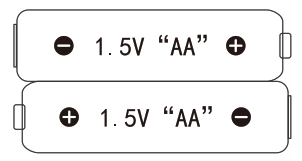
- Batteries are to be inserted with the correct polarity.
- Exhausted batteries are to be removed from the toy and recycled (Transmitter only).
- The supply terminals are not to be short-circuited.
- Do not mix old and new batteries. (Transmitter only).
- Do not mix alkaline, standard (carbon-zinc), or rechargeable (nickel-cadmium) batteries (Transmitter only).
2.4 Pay Attention To Safe Use
- Do not dispose of the battery in fire or heat.
- Do not use or leave the battery near a heat source such as a fire or heater.
- Do not strike or throw the battery against a hard surface.
- Do not immerse the battery in water, and keep the battery in a cool dry environment.
- When recharging, only use the battery charger specifically for that purpose.
- Do not over-discharge the battery.
- Do not connect the battery to an electrical outlet.
- Do not directly solder the battery or pierce the battery with a nail or other sharp object.
- Do not transport or store the battery together with metal objects such as necklaces, hairpins etc.
- Do not disassemble or alter the battery.
- The battery inside the toy can’t be replaced by the user.
- Charge the battery every 6 months.
 Notes:
The toy may malfunction under electrostatic discharge interference. If the toy does not respond, reset it. Use new alkaline batteries in this toy to obtain the best performance. This toy must only be used with the recommended charger.
Battery Safety
3.1 Batteries Requirements (Transmitter)
Power supply:
Characteristics: DC 3V
Quality and type: 2 x1.5V “AA”/LR6 (not included)
3.2 Battery Guidelines
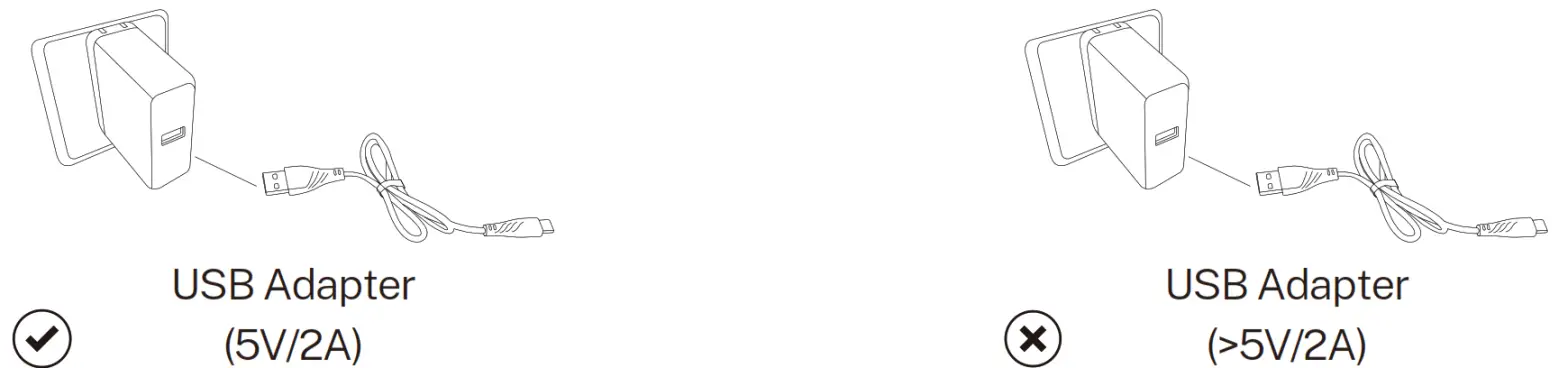
- Precautions for charging: Use 5V/2A charging plugs. Fast charging plug exceeding 5V/2A is prohibited.
• It is forbidden to overcharge the battery, please remove the charging cable in time after fully charged to avoid damage due to overcharge.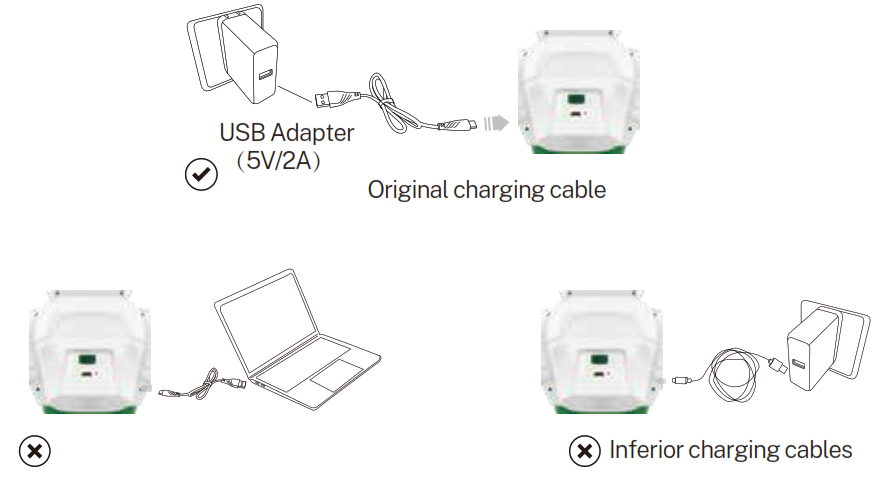
Charging Introductions
4.1 In The Transmitter
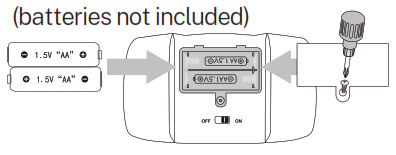
Use a Philips head screw to open the battery compartment lid of the controller.
Put 2X1.5V AA batteries inside the battery compartment.
Put the lid back and use a screwdriver to tighten it.
Switch on the on/off button on the back of the transmitter before using it.
 4.2 In The Robot
The robot battery is located in the back of the Robot to charge the battery, please insert the robot battery is contained and is not replaceable the provided USB charging cable to the robot with any USB port of a power bank, mobile charger, car charger, or computer. Switch off the robot before charging. A light in the robot will be turned on during the charging process; when the robot is fully charged the light will turn off. The charging time is about 2 hours and the playing time is about 2 hours.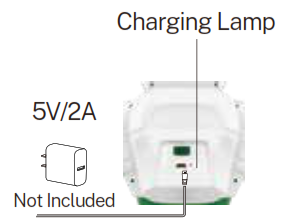
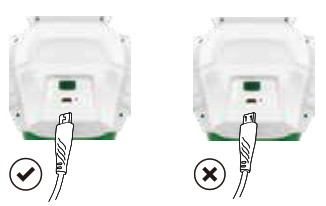
Use the charging cable correctly.
Remote Controls And Robot
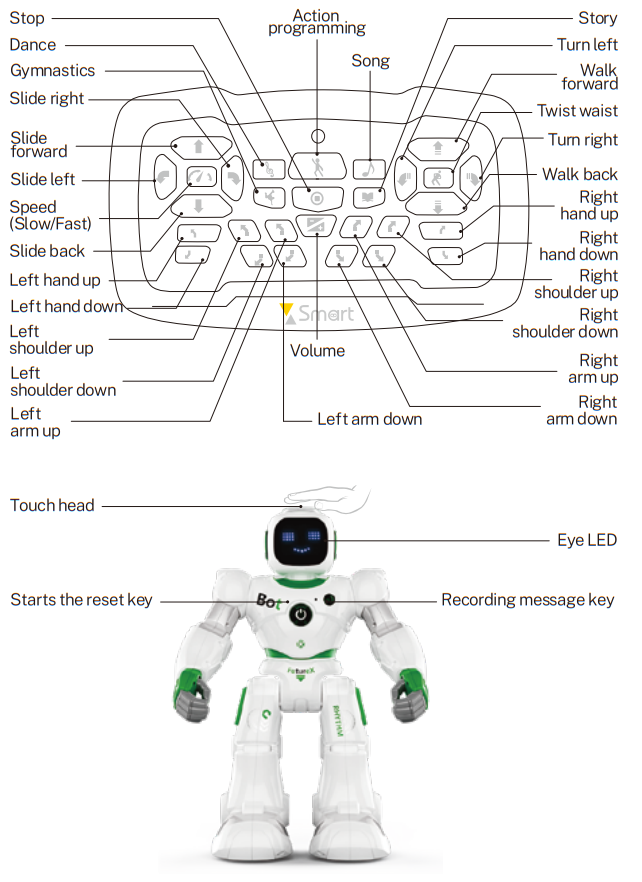
- Turn-ON/OFF
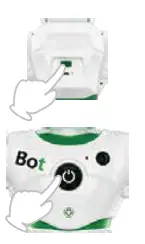
Switch on the ON/OFF button on the back of the robot to start the robot. The robot introduces himself while performing some movements and sounds.
The robot should remain on the floor.
- Standby
The Standby button wakes up the robot or places it into Standby mode.
- Recording/Message
Long press the Recording button on the robot and the robot will start recording after “beep”. You can record whatever you want to say, short press the Recording button to end the recording, 15 seconds is the maximum recording time. Press the Message button to play the message recorded. - Touch Sensitive
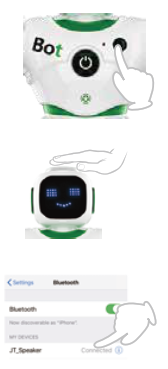
When you touch the head of the robot, the robot will play for several sound effects for a total of five sound effects. - Bluetooth Playback
Open the Bluetooth settings and connect your phone to the device, “JT_Speaker”. The robot will then function as a Bluetooth speaker.
Remote Control Function
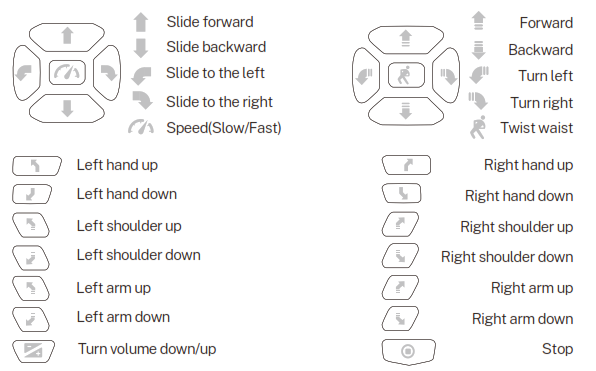
6.1 Basic Function
- Music
Press the “music” button and the robot will perform a dance with music.
There are 8 dances in total. - Gymnastics
By pressing the “Gymnastics” button, the robot moves around while making sounds. There are two different gymnastics routines. To switch between them, press the “gymnastics” button again.
- Action Programming
Press the “Action programming” button until hearing a “beep” sound. Up to 50 functions can be programmed. You can move forward/backward, turn left /right, twist waist, hand up/down, music, gymnastics, song, story. Press the “Action programming” button to perform programmed functions again. Programming is not enough for 50 functions, wait for 5 seconds or press
the “Actions programming” button to enter directly. Three buttons in the middle of the remote control are not included in the programming operation.
 - Song
Press the “song” button and the robot will sing a song while moving.
- Story
Press the “story” button, the robot tells a story, there are four stories in all.


Smart Dialogue
- When the robot is in standby mode, the Voice Dialogue function will be turned on automatically. (Voice commands are available only in standby mode.) The robot will automatically respond to the following commands.
| VOICE COMMAND | ROBOT RESPONSE |
| 1. Hello | Hello guys+Left hand up |
| Mikalita+Spread out its arms | |
| You are so cute+Turn around | |
| 2. You are so cool! | Makesilo+Twist waist |
| Haha, the same to you+turn around | |
| Thank you+turn around | |
| 3. Where are you from | It’s a secret+walking |
| Venus Pologulu+walking | |
| A distant Planet+walking | |
| 4.1 love you | Abubabu, lalatala- |
| I love you, too | |
| Abubu | |
| 5. Let’s do sports! | OK |
| Abubabu, lalalala+do sports with music | |
| Come on! | |
| 6. Go forward Walk forward | W |
| Yes, sir+Slide forward | |
| 7. Go backward | W Walk backward |
| Yes, sir+Slide backward | |
| 8.Turn left | Slide to the left |
| Got it+Turn left | |
| 9. Turn right | Slide to the right |
| Got it+Turn right | |
| 10Twist your waist | Twist waist with music 1 |
| Twist waist with music 2 | |
| 11.Move your shoulders | Moving shoulders |
| Moving shoulders | |
| 12.Sing a song | No problem+song 1 |
| Aha, It’ s show time+song 2 | |
| Bulubabulagu+song 3 | |
| 13. Dance for me | Great! Here we gol+dance 1 |
| Music+dance 2 | |
| Hah, good idea+dance 3 | |
| 14. Goodbye | Bye-bye+Go into sleep mode |
| OK, see you+Go into sleep mode | |
| Salala+Go into sleep mode | |
| Hu—I-Go into sleep mode |
Play With The APP
8.1 Download
Scan the applicable QR code for your operating system, download and install the application.APP is compatible with Android 4.3 or IOS 8.0 and up.

8.2 Basic Icons
- SETTING
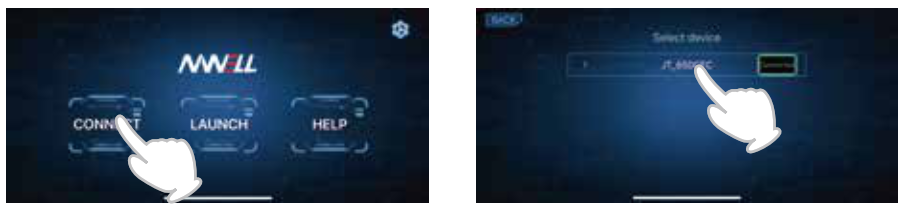
Open Carle APP, click the Settings button at the top right of the screen to select the languages. - CONNECT
Turn on Bluetooth in your mobile phone then switch on the robot. Click CONNECT and connect a Bluetooth device named “JT_XXXX”. Bluetooth Playback cannot be used when this Bluetooth is connected. - LAUNCH
Click LAUNCH, there has three modes: CONTROL, PROGRAM, and CONTENT, you can use your mobile phone as if you’re a controller. - HELP
Below you may find a quick guide for the main functions.
8.3 Control
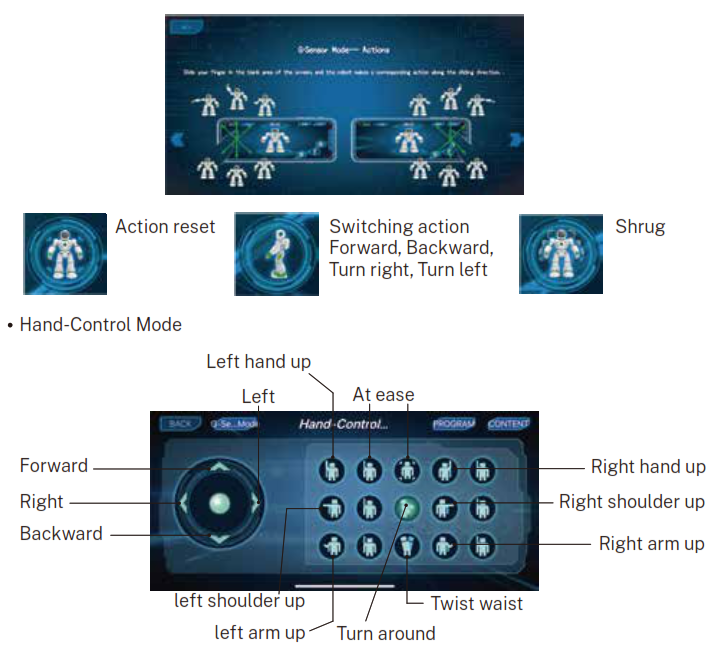
G-Sensor Mode
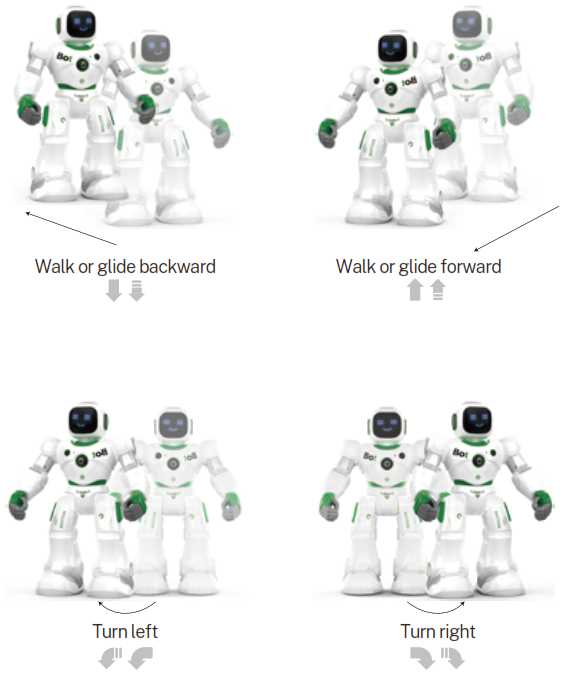
You can steer the robot by tilting the device in the desired direction. On both sides of the sliding direction, as shown in the robot, the robot will make the corresponding action.
- PROGRAM
There are 58 actions to choose from. When you choose the actions in a blue background, the robot will perform them one by one; When you choose the actions in red background, the robot will perform them at the same time. Click one of the selected actions on the right, and then select the new actions to insert on the left.
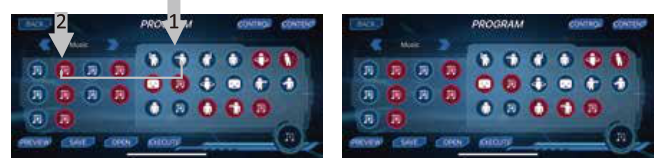
- By pressing a selected action on the right for a few seconds, you can delete the actions you don’t need.
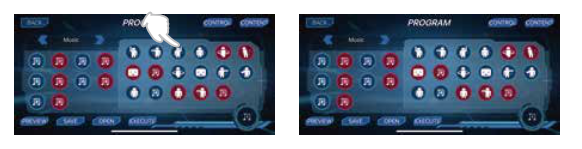
 Left or right switch action programming: Left hand, Right hand, Move, Expression, Music.
 Click this option to preview the selected actions in the lower right corner.
 Click this option to save the selected actions in memory.
 Click this option to select or delete the saved program.
 Click this option to perform actions.
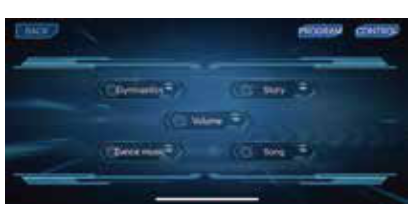
- CONTENT
GYMNASTICS: There are two different gymnastics.
STORY: There are 4 different stories in total.
VOLUME: There are three levels of volume.
DANCE MUSIC: There are 8 different dances.
MUSIC: There are 10 different music.
Safety Precautions With Batteries
- The battery cannot be removed or replaced.
- 1t is recommended to use a 5V 2A rated charger. or it may shorten the lifespan of the batteries
- Please regularly check the charger wire, plug, shell, and other parts to see if these parts are damaged. When the damage is found, please stop using it.
- Avoid short circuits and do not disassemble or throw the battery into fire.
- This product contains electronic components. please do not place it near humid. high-temperature environment and flammable objects.
- The exhausted battery should be taken out of the toy
- When not using the machine for a long time. please turn off the power switch after the battery is fully charged
Tips
- This product is not suitable for children under 3 years old.
- The battery must be charged under adult supervision.
- All pictures shown are for illustration purposes only. The actual product may vary due to product enhancement.
UK • 1088 robot: 3.7V 6001.1ah lip° battery (included ): Controller: AA • 2 battery (not included)
• Please do not use products of the same frequency band at close range at the same time to avoid radio signals from interfering with oath Mbar and ratocinn Ince of rt.& and

Common Issue & Solutions
| Problem cause | Solution |
| Remote control cannot control the robot | 1. Check if the remote control has power 2. Can not be used under strong light 3. Need to aim at the robot head to control 4.0nly be controlled at a distance of 3-5meterswithout any obstructions |
| Automatic shutdown sleep | 1. Robot will be reminded if the battery is low. lease charge it in time Please 2. Robot will automatically sleep if it hasn’t been operated for a long time |
| Can not charge | Use the correct data cable and charger |
| Voice can not be recognized | 1Voice commands that did not follow the instructions 2. Voice pronunciation is not standard or speaking speed is too fast 3The robot is running (need to stop to recognize voice commands) 4. Noisy environment |
| Wheel unable to walk | 1Whether there is any foreign matter (leir, dust etc.) on the bottom of the wheel 2. Whether it can be turned, check whether the gear is faulty |
| Can not connect to APP | 1.8luetooth is not turned on, APP is Bluetooth connection, “not WiFi 2. Whether it is connected to the wrong Bluetooth, one is a Bluetooth Playback (named “.IT Speaker” ), and the other is a Bluetooth APP (named “JT XXXX” ) control 3. Need to wake up and connect the app again |
| Can not recording | 1. Did not hold down the record button 2. Did not follow the playback instructions |
| *Do not play with robots in high places (tables, sofas, beds, uneven places, etc.) | |
If you have any questions about this product, please contact Ruko by sending a message to
[email protected] +1 (626) 215 4337 ( Available from 6 pm to 3 am PST )