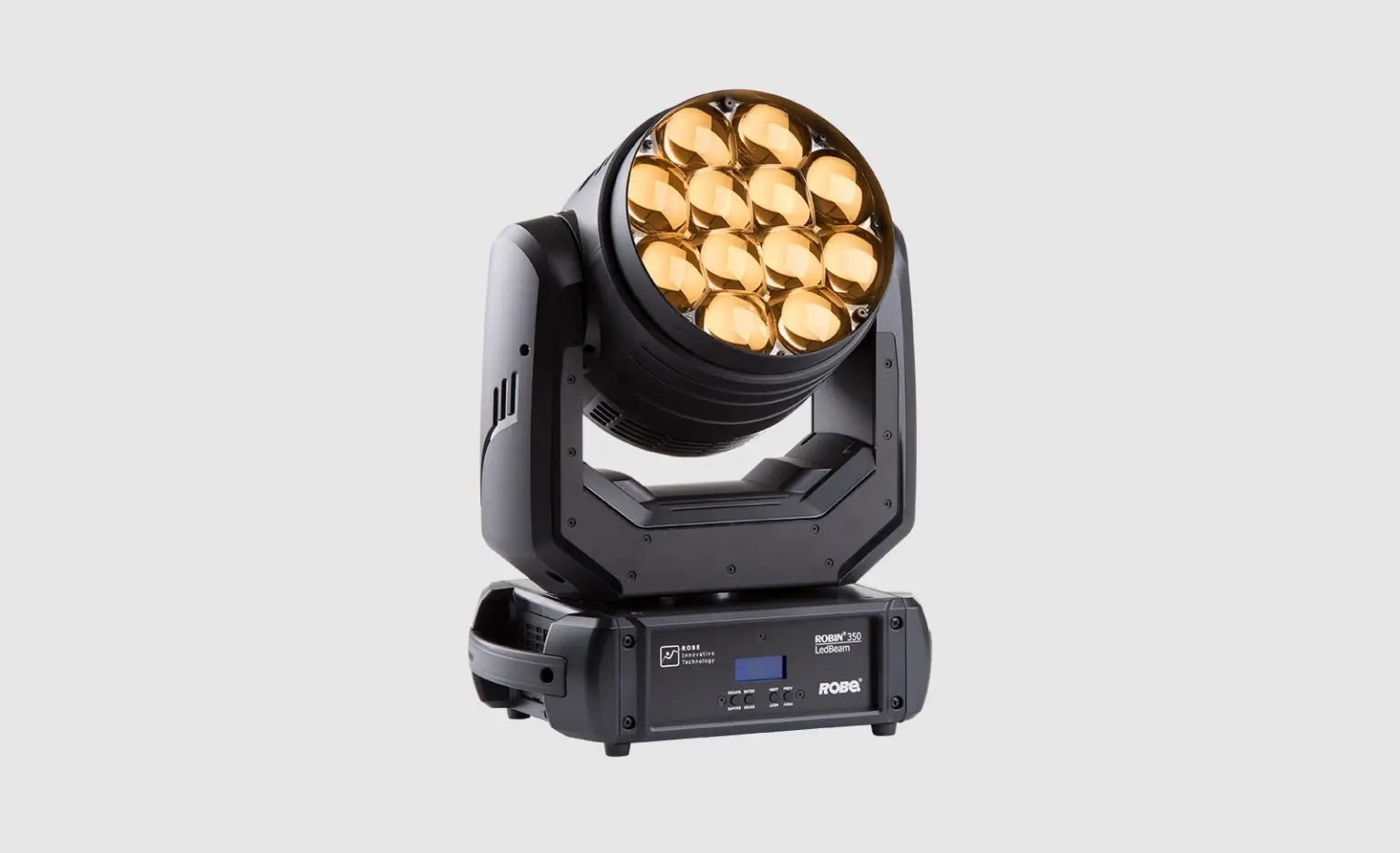
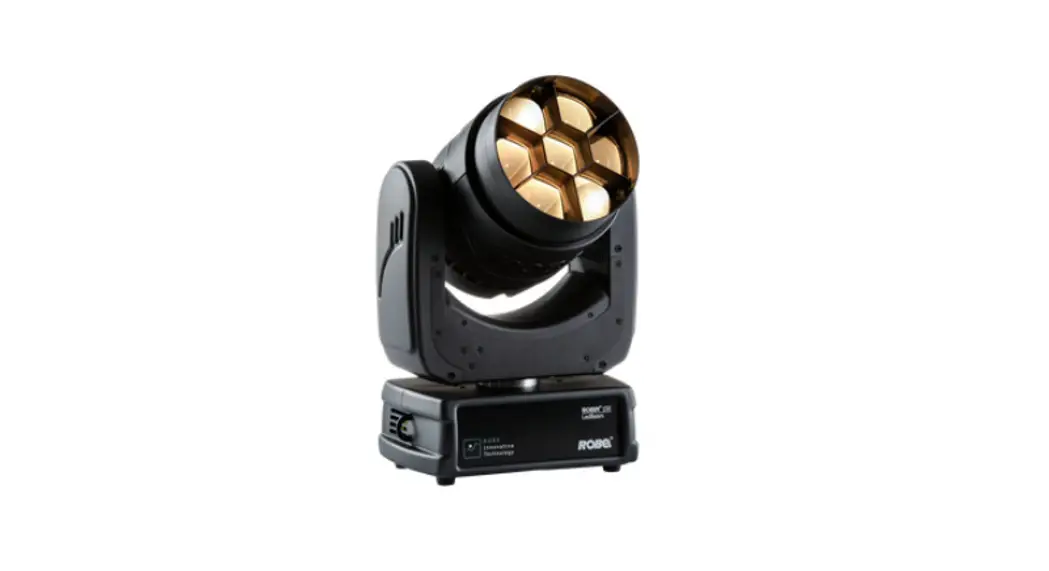
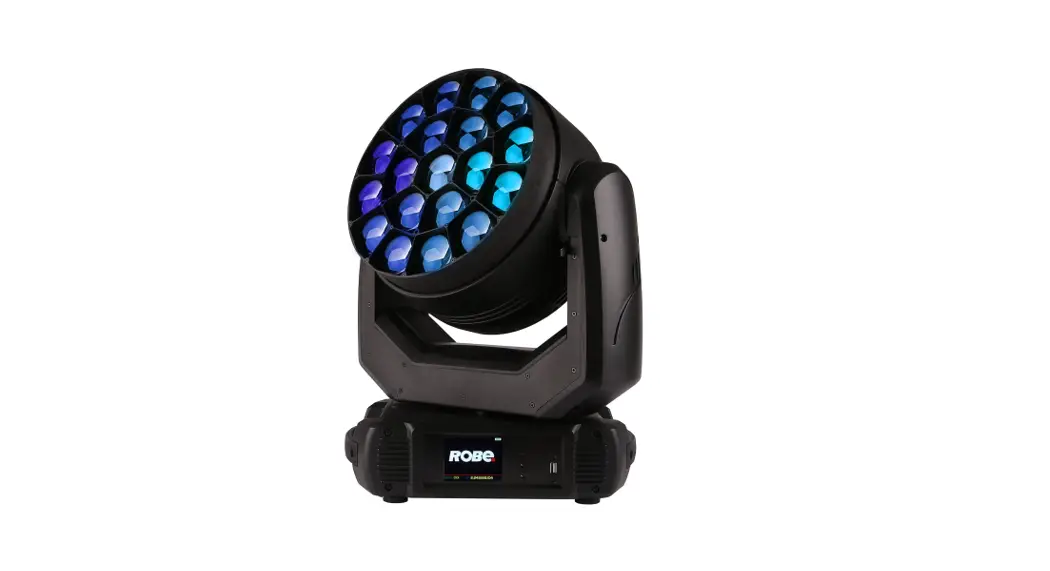
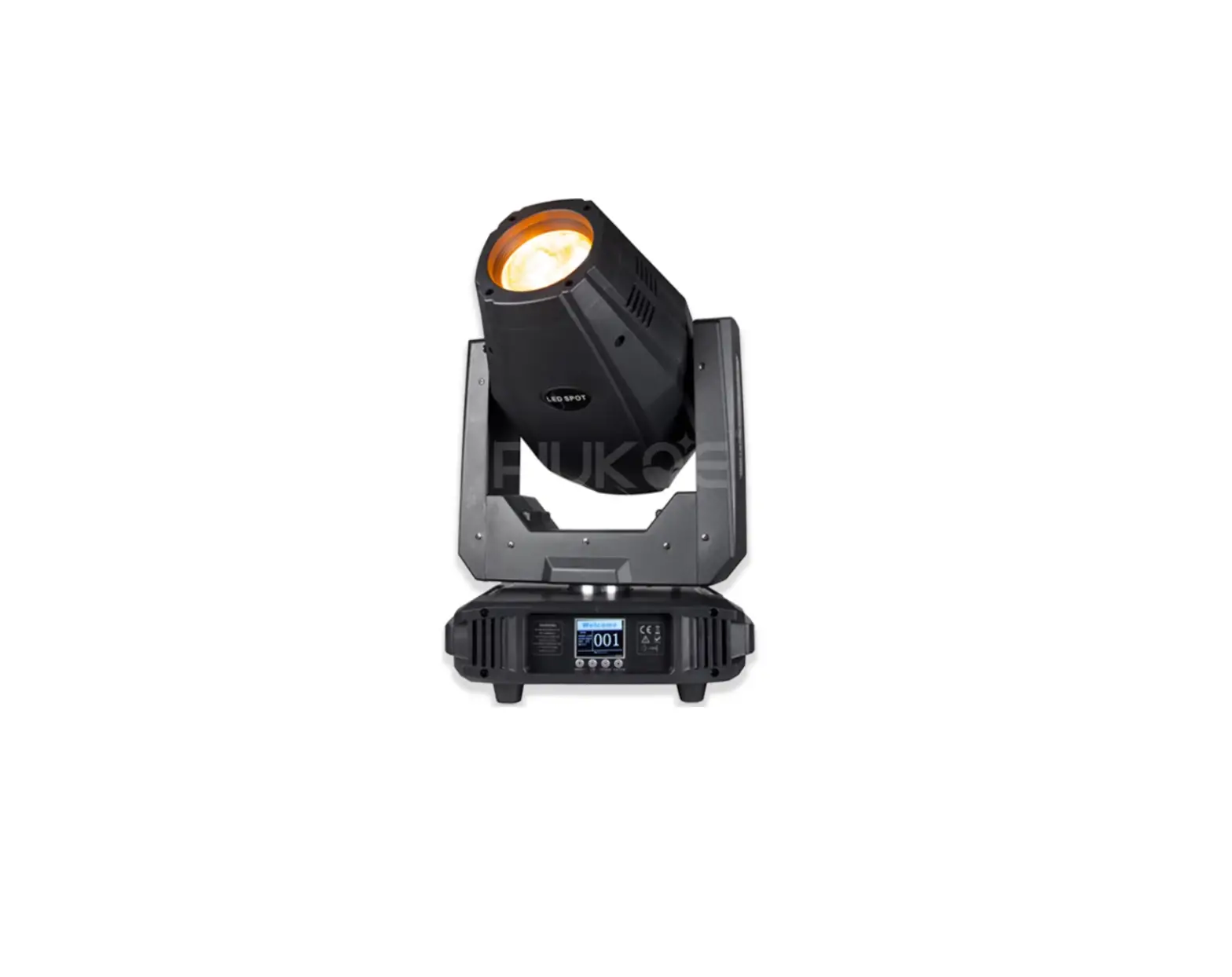
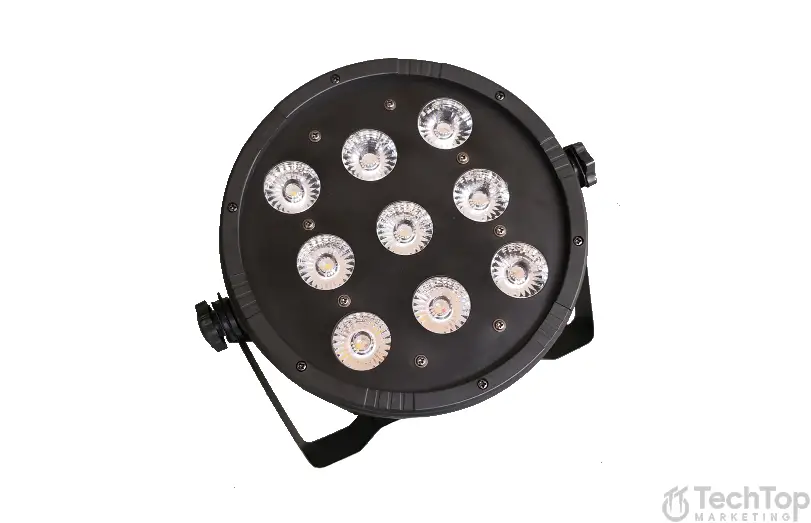
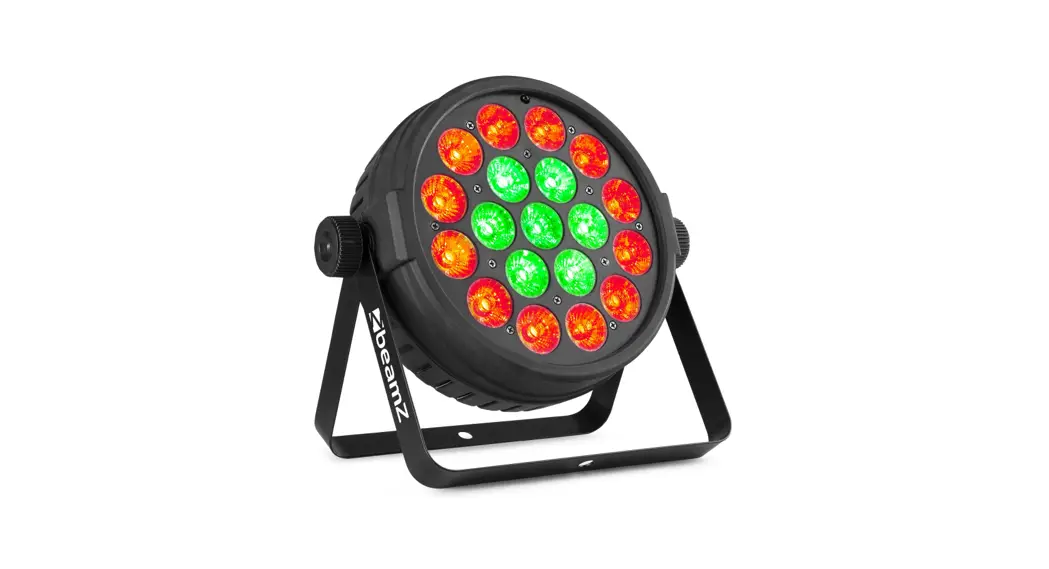
LEDBeam 150Q LED Stage Light
Product Information:
The ROBIN LEDBeam 150 is a professional lighting fixture
designed for indoor use. It is intended for professional
applications and not for household use. This fixture is equipped
with blue LEDs and falls under protection class I, requiring it to
be connected to a mains socket outlet with a protective earthing
connection.
It is important to note that dangerous voltage constituting a
risk of electric shock is present within the unit. The available
voltage should not exceed the stated value on the rear panel of the
fixture. The fixture should only be operated from the specified
power source indicated on the marking label.
The manufacturer emphasizes the importance of following the
safety instructions and warning notes provided in the user manual
to ensure safe operation. Any unauthorized modifications to the
device may result in damages for which the manufacturer will not
accept liability. Damages caused by manual modifications are not
covered under warranty.
When installing or operating the fixture, it is advised to avoid
brute force and ensure that the power cord is never crimped or
damaged by sharp edges. The fixture should not be connected to a
dimmer pack.
It is also worth noting that the fixture belongs to Risk Group 2
LED product according to EN 62471, which means there is a risk of
eye injury from LED light emission. Users should avoid looking
directly into the beam at short distances and refrain from viewing
the light output with optical instruments or devices that may
concentrate the beam.
To prevent damage from condensation water, it is recommended not
to switch on the fixture immediately after exposure to drastic
temperature fluctuations. The device should be left switched off
until it reaches room temperature.
Finally, this fixture should not be exposed to rain or used near
water. Extreme heat, moisture, and dust should also be avoided when
choosing the installation spot.
Product Usage Instructions:
- Ensure that the available voltage does not exceed the value
stated on the rear panel of the fixture. - Operate the fixture only from the specified power source
indicated on the marking label. If unsure, consult your authorized
distributor or local power company. - Always disconnect the fixture from AC power before cleaning,
removing, or installing any part of the fixture. - Ensure that the power plug remains accessible after installing
the fixture. Avoid overloading wall outlets and extension cords to
prevent fire or electric shock. - Avoid placing any objects on the power cord and ensure it is
not damaged by people walking on it. Regularly check the fixture
and power cord for any signs of damage. - If servicing is required, refer to qualified service
personnel. - Connect the fixture to a mains socket outlet with a protective
earthing connection due to its protection class I designation. - Do not connect the fixture to a dimmer pack.
- Avoid looking directly into the beam at short distances and do
not view the light output with optical instruments or devices that
may concentrate the beam. - If the fixture has been exposed to drastic temperature
fluctuations, allow it to reach room temperature before switching
it on to prevent damage from condensation water. - During installation and operation, handle the fixture with care
and avoid using excessive force. - Ensure the fixture is installed in an indoor location that is
not exposed to rain, extreme heat, moisture, or dust.
Version 2.0 Version 1.0
1
ROBIN LEDBeam 150
ROBIN LEDBeam 150Q
Table of contents
1. Safety instructions …………………………………………………………………………………………… 3 2. Fixture exterior view ………………………………………………………………………………………… 5 3. Installation……………………………………………………………………………………………………….. 6
3.1 Connection to the mains ……………………………………………………………………………….. 6 3.2 Rigging the fixture ………………………………………………………………………………………… 7 3.3 Eggcrate installation……………………………………………………………………………………….8 3.4 Diffuser 2°installation………………………………………………………………………………………9 3.5 DMX-512 connection…………………………………………………………………………………… 10 3.6. Wireless DMX operation …………………………………………………………………………….. 11 4. Control menu map………………………………………………………………………………………….. 12 5. Control menu ………………………………………………………………………………………………… 14 5.1 Addressing (DMXA)…………………………………………………………………………………….. 14 5.2 Fixture information (Info) ……………………………………………………………………………… 14 5.3 Personality (Pers)……………………………………………………………………………………….. 15 5.4 Manual Control (Manual)……………………………………………………………………………… 16 5.5 Test program (Test Prg)……………………………………………………………………………….. 16 5.6 Stand-alone (St Alone) ………………………………………………………………………………… 16 5.7 Reset………………………………………………………………………………………………………… 17 5.8 Special functions (Special)…………………………………………………………………………… 17 6. RDM ………………………………………………………………………………………………………………. 19 7. Error and information messages …………………………………………………………………….. 20 8. Technical Specifications…………………………………………………………………………………. 21 9. Maintenance and cleaning………………………………………………………………………………. 23 9.1 Replacing fuse …………………………………………………………………………………………… 24 10. Photometric diagrams…………………………………………………………………………………… 25 11. ChangeLog …………………………………………………………………………………………………… 30
2
FOR YOUR OWN SAFETY, PLEASE READ THIS USER MANUAL CAREFULLY BEFORE POWERING OR INSTALLING YOUR ROBIN LEDBeam 150 !
Save it for future reference.
This device has left our premises in absolutely perfect condition. In order to maintain this condition and to ensure a safe operation, it is absolutely necessary for the user to follow the safety instructions and warning notes written in this manual.
The manufacturer will not accept liability for any resulting damages caused by the non-observance of this manual or any unauthorized modification to the device.
Please consider that damages caused by manual modifications to the device are not subject to warranty.
The ROBIN LEDBeam 150 was designed for indoor use and it is intended for professional application only. It is not for household use.
1. Safety instructions
DANGEROUS VOLTAGE CONSTITUTING A RISK OF ELECTRIC SHOCK IS PRESENT WITHIN THIS UNIT!
Make sure that the available voltage is not higher than stated on the rear panel of the fixture. This fixture should be operated only from the type of power source indicated on the marking label. If you are not sure of the type of power supplied, consult your authorized distributor or local power company.
Always disconnect the fixture from AC power before cleaning, removing or installing any part of the fixture.
The power plug has to be accessible after installing the fixture. Do not overload wall outlets and extension cords as this can result in fire or electric shock.
Do not allow anything to rest on the power cord. Do not locate this fixture where the cord may be damaged by persons walking on it.
Make sure that the power cord is never crimped or damaged by sharp edges. Check the fixture and the power cord from time to time.
Refer servicing to qualified service personnel.
This fixture falls under protection class I. Therefore this fixture has to be connected to a mains socket outlet with a protective earthing connection.
Do not connect this fixture to a dimmer pack.
Warning! Risk Group 2 LED product according to EN 62471. LED light emission. Risk of eye injury. Do not look into the beam at short distance of
the of the product. Do not view the light output with optical instruments or any device that may
conncentrate the beam. The light source contains blue LEDs.
If the fixture has been exposed to drastic temperature fluctuation (e.g. after transportation), do not switch it on immediately. The arising condensation water might damage your device. Leave the device switched off until it has reached room temperature.
Avoid brute force when installing or operating the fixture.
3
This fixture was designed for indoor use only, do not expose this unit to rain or use near water. When choosing the installation spot, please make sure that the fixture is not exposed to extreme heat, moisture or dust.
Do not block the lens array with any object when the fixture is under operation.
The cooling openings in head and base of the fixture should never be covered with cloth or other materials, and never must be blocked. This fixture should not be placed in a built-in installation unless proper ventilation is provided. Only operate the fixture after having checked that the housing is firmly closed and all screws are tightly fastened. Always use a secondary safety wire for overhead installation of the fixture. Make sure that the area below the installation place is blocked when rigging, derigging or servicing the fixture. The fixture becomes hot during operation. Allow the fixture to cool approximately 15 minutes prior to manipulate with it. Operate the fixture only after having familiarized with its functions. Do not permit operation by persons not qualified for operating the fixture. Most damages are the result of unprofessional operation! Please use the original packaging if the fixture is to be transported. Please consider that unauthorized modifications on the fixture are forbidden due to safety reasons! If this device will be operated in any way different to the one described in this manual, the product may suffer damages and the guarantee becomes void. Furthermore, any other operation may lead to dangers like short-circuit, burns, electric shock, crash etc.
Potential foggy front lens array does not influence function of the fixture and does not subject to complaint. To avoid damage of an internal optical system of the fixture, never let the sunlight (or other light source) lights directly to the lens array, even when the fixture is not working
Potential colour non-uniformity of the front lens array may occur, it does not influence colour output from the fixture and is not considered a fault.
4
2. Fixture exterior view
1 – Moving head 2 – Attachment point for safety cable 3 – Base
1 – Lens array 2 – Yoke 3 – Mains IN 4 – Attachment point
for a safety wire 5 – Mains OUT 6 – Control panel 7 – DMX IN 8 – DMX OUT 9 – Base 10 – Slots for mounting
bracket omega CL
5
3. Installation
Fixtures must be installed by a qualified electrician in accordance with all national and local electrical and construction codes and regulations.
3.1 Connection to the mains
For protection from electric shock, the fixture must be earthed!
The ROBIN LEDBeam 150 is equipped with auto-switching power supply that automatically adjusts to any 5060Hz AC power source from 100-240 Volts.
If you install a cord cap on the power cable to allow connection to power outlets, install a grounding-type (earthed) plug, following the plug manufacturer’s instructions. If you have any doubts about proper installation, consult a qualified electrician.
Core (EU) Brown Light blue Yellow/Green
Core (US) Black White Green
Connection Plug Terminal Marking
Live
L
Neutral
N
Earth
The device falls under class one and must be earthed (grounded)!
Design of the ROBIN LEDBeam 150 allows to connect several fixtures to AC mains power in one interconnected
daisy chain using power input and throughput connectors. Needed daisy chain cords are stated in the chapter
“Technical specifications ”
The max. number of connected fixtures depends on the AC mains power voltage:
CE:
ETL:
15 fixtures at power supply= 230V
9 fixtures at power supply= 230V
13 fixtures at power supply= 208V
8 fixtures at power supply= 208V
7 fixtures at power supply= 120V
4 fixtures at power supply= 120V
Actual numbers of fixtures may differ from values stated above as you have to take into account the length of
supply cables, circuit breaker etc. at projecting of the fixtures installation Do not overload the supply line and
the connecting leads.
Do not overload the supply line and the connecting leads.
Wiring and connection work must be carried out by qualified staff! 6
3.2 Rigging the fixture
The installation of the fixture has to be built and constructed in a way that it can hold 10 times the weight for 1 hour without any harming deformation.
The installation must always be secured with a secondary safety attachment, e.g. an appropriate catch net. This secondary safety attachment must be constructed in a way that no part of the installation can fall down if the main attachment fails.
When rigging, derigging or servicing the fixture staying in the area below the installation place, on bridges, under high working places and other endangered areas is forbidden.
The operator has to make sure that safety-relating and machine-technical installations are approved by an expert before taking into operation for the first time and after changes before taking into operation another time.
The operator has to make sure that safety-relating and machine-technical installations are approved by an expert after every four year in the course of an acceptance test.
The operator has to make sure that safety-relating and machine-technical installations are approved by a skilled person once a year.
The fixture should be installed outside areas where persons may walk by or be seated.
IMPORTANT! OVERHEAD RIGGING REQUIRES EXTENSIVE EXPERIENCE, including (but not limited to) calculating working load limits, installation material being used, and periodic safety inspection of all installation material and the projector. If you lack these qualifications, do not attempt the installation yourself, but instead use a professional structural rigger. Improper installation can result in bodily injury or damage to property. The fixture has to be installed out of the reach of people.
If the fixture shall be lowered from the ceiling or high joists, professional trussing systems have to be used. The fixture must never be fixed swinging freely in the room.
Caution: Fixture may cause severe injuries when crashing down! If you have doubts concerning the safety of a possible installation, do not install the moving head!
Before rigging make sure that the installation area can hold a minimum point load of 10 times the fixture’s weight.
When installing the device, make sure there is no highly inflammable material (decoration articles, etc.) in a distance of min. 0.4 m.
.
CAUTION!
Use an appropriate clamp to rig the fixture on the truss.
Follow the instructions mentioned at the bottom of the base.
Make sure that the device is fixed properly! Ensure that the
structure (truss) to which you are attaching the fixtures is secure.
The fixture can be placed directly on the stage floor or rigged on a truss without altering its operation characteristics .
For securing the fixture to the truss, install a safety wire which can hold at least 10 times the weight of the fixture. Use only the safety wire with a snap hook with screw lock gate. Fasten the safety cable in the attachment point and around the truss as shown on the picture below.
7
Rigging via omega bracket:
1-Omega bracket 2-Clamp 3-Truss 4-Attachment point 5-Safety chain
When installing fixtures side-by-side, avoid illuminating one fixture with another!
3.3 Eggcrate installation
Disconnect the fixture from mains before installing the eggcrate .
Screw the eggcrate (1) on the lens array module via the three screws (2).
8
3.4 Diffuser 2° installation
Disconnect the fixture from mains before installing the diffuser.
1. Unscrew three screws (1) from fixture head and remove the plastic lens (2). 2. Place the diffuser 2° (3) to the fixture head, glossy side towards LEDs (correctly aim apertures (4) for screws). 3. Screw the diffuser 2° (3) back to the head by means of the three screws (1)
Warning Installation of the Diffuser 2° is one-time matter as the screws (1) are screwed into
the plastic. You cannot install and uninstall the Diffuser 2° several times.
9
3.5 DMX-512 connection
The fixture is equipped with 5-pin XLR sockets for DMX input and output. Only use a shielded twisted-pair cable designed for RS-485 and 5-pin XLR-plugs and connectors in order to connect the controller with the fixture or one fixture with another.
DMX output XLR socket:
DMX input XLR plug:
1 – Shield 2 – Signal (-) 3 – Signal (+) 4 – Used for wireless DMX 5 – Used for wireless DMX
1 – Shield 2 – Signal (-) 3 – Signal (+) 4 – Used for wireless DMX 5 – Used for wireless DMX
If you are using the standard DMX controllers, you can connect the DMX output of the controller directly with the DMX input of the first fixture in the DMX-chain. If you wish to connect DMX-controllers with other XLR-outputs, you need to use adapter-cables.
Building a serial DMX-chain:
Connect the DMX-output of the first fixture in the DMX-chain with the DMX-input of the next fixture. Always connect one output with the input of the next fixture until all fixtures are connected. Up to 32 fixtures can be interconnected. Caution: At the last fixture, the DMX-cable has to be terminated with a terminator. Solder a 120 resistor between Signal () and Signal (+) into a 5-pin XLR-plug and plug it in the DMX-output of the last fixture.
10
3.6. Wireless DMX operation
The external ROBE Wireless CRMX Dongle allows receiving wireless DMX. This device is equipped with the Lumen Radio CRMX module and antenna for receiving DMX signal. CRMX module operates on the 2.4 GHz band.
ROBE Wireless CRMX Dongle
1 – 5-pin XLR (female) 2 – Locating pin 3 – Lock
Push in the 5-pin XLR plug (1) into 5-pin XLR sockit (4) and simultaneously locating pin (2) into hole (5) in the fixture. In this way the wireless DMX module is connected with the fixture. NOTE: when you disconnect the DMX wireless module from fixture, press and hold lock (5) during getting the wireless module out. To link the fixture with DMX transmitter. The fixture can be only linked with the transmitter by running the link procedure at DMX transmitter . After linking , the level of DMX signal ( 0-100 %) is displayed in the menu item “Stat” (Special –>Vireless –>Stat). To unlink the fixture from DMX transmitter. The fixture can be unlinked from receiver via the menu item ” Unlink” (Special–>Vireless –>Unlink.).
11
4. Control menu map
Default settings=Bold print
Level 1
Level 2
Level 3
DMXA
Set DMXA DMX Pres
001-512 Mode 1 Mode 2
Level 4
Info Pers
Manual
POn Time DMX In
Hea Temp
Sw Ver
DMX Pres Pan Rev Tilt Rev P/T Mode P/T Feed Display
BLC DMC BLC P/T Mic Sens Fans C Mix M White P Dimmer C LED Freq LED Fadj Temp Uni I Ef Pos
Defaults Pan : Dimm F
Total Reset Pan : Dimm F Current Highest High Res IC-1 IC-2 IC-3
0-255 0-255
Mode 1 Mode 2 On, Off On, Off Speed Time On, Off Turn On/Off T Contrast Backlight On, Off On, Off 0…10…19 Auto, High,Quiet RGBW, CMY On, Off Square, Linear Stand High -06,-05..00..05, 06 °C, °F Pan : Dim F Store
On, Off 0-100% 0-100%
0-255 0-255
Test Prg
Static
Pan
Tilt
Run
0-255 0-255
12
Level 5
Level 6
Level 7
Level 1 Sta Alone
Level 2 Dynamic Music T Auto Run
Pr Play Pr Edit
Level 3
On, Off Off Test Prog 1 Prog 2 Prog 3 Test Prg Prog 1 Prog 2 Prog 3 Prog 1 Prog 2 Prog 3
Reset Special
RDM Low RDM Hight Wireless
Adjust
Stat Unlink DMX Val
Clalib
Sw Upd
On, Off
Level 4
Level 5
Step 1 : Step 40
Pan : F.Tim S.Tim COPY Prg End
Pan : Dimm F Cal Mech
Cal Col
Cal Load
0-255
0-255
Pan C Tilt C Zoom C Store Red C Gre C Blu C Whi C Store
Level 6
Level 7
0-25.5 0-25.5 1-40
0-255 0-255 0-255 0-255 0-255 0-255 0-255
13
5. Control menu
The ROBIN LEDBeam 150 is equipped with 2-row LCD display which allows to set the fixture´s behaviour according to your needs, obtain information on its operation, test its various parts and lastly program it, if it has to be used in a stand-alone mode.
Control panel: [ESCAPE] button used to leave the menu without saving changes. [NEXT] , [PREV] buttons for moving between menu items and for value adjusting.
[ENTER] button used to enter the selected menu (menu item) and to confirm adjusted value.
After switching the fixture on, display shows current DMX address.
5.1 Addressing (DMXA)
Set DMXA- Use this menu item to set the DMX start address of the fixture, which is defined as the first channel from which the ROBIN LEDBeam 150 will respond to the controller. If you set, for example, the address 23, the ROBIN LEDBeam 150 will use channels 23 – 44 for control (if Mode 1 is selected). Please, be sure that you do not have any overlapping channels in order to control each ROBIN LEDBeam 150 correctly and independently from any other fixture on the DMX data link. If there is no data received at the DMX input, the display will start to flash “0001” with actually stored DMX address.
DMX Pres – DMX preset. Use the menu to select desired channel mode. Mode 1 – 22 control channels (default) Mode 2 – 16 control channels
5.2 Fixture information (Info)
POn Time – Power on time. Select this menu to read the number of fixture operation hours. Total – The item shows the total number of the operation hours since the ROBIN LEDBeam 150 has been fabricated. Reset – The item shows the number of the operation hours that the ROBIN LEDBeam 150 has been powered on since the counter was last reset. In order to reset this counter to 0, press and hold both [NEXT] and [PREV] buttons and the [Enter] button at the same time.
DMX In – DMX readout. The menu is used to read DMX values of each channel received by the fixture.
Hea Temp – Hhead Temperature. The menu shows temperature on the LED module. Current – A current temperature of the LED module. Highest – A maximum temperature of the the LED module since the fixture has been fabricated. High Res – A maximum temperature of the the LED module since the counter was last reset. In order to reset this counter, press and hold both [NEXT] and [PREV] buttons and the [Enter] button at the same time.
Sw Ver – Software versions. Select this item to read the software version of the fixture modules. IC-1 – A pan/Tilt processor. IC-2 – A display processor. IC-3 – LED control processor.
14
5.3 Personality (Pers)
DMX Pres – DMX preset. Use the menu to select desired channel mode. Mode 1 – 22 control channels Mode 2 – 16 control channels
Pan Rev – Pan reverse. The item allows to invert pan movement.
Tilt Rev – Tilt reverse. The item allows to invert tilt movement.
P/T Mode – Pan and Tilt movement mode. Use this menu to set mode of the pan/tilt movement. Speed – Both Pan and tilt will move with the same speed as adjusted at the channel 5 “Pan/Tilt speed, Pan/Tilt time”. Time The pan and tilt will move with different speeds and they will come at the same time to the end point of their tracks (pan and tilt use their optimal speeds). Time of the pan/tilt movement (25.5 sec. max.) is set by the channel “Pan/Tilt speed, Pan/Tilt time”.
P/T Feed – Pan and Tilt Feedback. The menu item allows to return the mowing head to the required pan/tilt position after changing the position by an external force if this option is set on. Note. The Pan/Tilt Feedback should be permanent On, the option Off is not suitable for standard operation and the head of the fixture can be damaged!
Display – Display adjusting. This menu allows you to adjust the display behaviour. Turn – This function turns the display by 180°. On/Off T – This function allows you to keep the display permanent on or turn it off two minutes after last pressing any button on the control panel. Contrast- Use this function to adjust contrast of the display (0-100%). Backlight- Use this function to adjust backlight of the display (0-100%).
BLC DMC – Blackout during movement correction. Set this option on if you wish to close light output during the time when the head goes to its correct position, which has been changed by an external force.
BLC P/T – Active blackout. The menu item allows to close light output while the pan/tilt DMX values are changing.
C Mix M – Colour mixing mode. This item allows switching into RGBW or CMY mode. In the CMY mode, the white(8bit)/white (16) bit channels are not active.
White P – White Point 8000K. If the function is on, the CTC channel allows to set desired white in range of 8000K-2700K (0 DMX=8000K, 255 DMX=2700K). Necessary condition is , that RGBW channels have to be full or set at the same DMX values, e.g. 150. If this function is off, the range of whites is not uniform and may be different for each fixture.
Mic Sens – Microfon sensitivity. Enter the menu if you want to adjust the microphone sensitivity ( 1-max., 19-min.).
Fans – Fans mode. Use the menu to set the fixture fans to the max. power (“High”) ,auto-control mode (“Auto”) and quiet mode (“Quiet”).
Dimmer C – Dimmer curve. Use the menu to select desired dimmer curve. Linear – a linear curve. Square – a square law curve.
LED Freq – LEDs frequency setup. The function allows you to set the PWM (Pulse Width Modulation) output frequency of LEDs to Standard or High.
Stand – a standard frequency (300Hz), deffault setting. High – a high frequency (600Hz)
LED Fadj – LEDs frequency fine adjustment. The function allows you to change the selected PWM output frequency of LEDs in 6 levels up and down around the selected frequency in the menu “LED Freq”.
15
-06…-01 – Frequence levels 1-6 under selected frequency. 00 – Selected frequency (Standard or High) 01…06 – Frequence levels 1-6 above selected frequency.
Temp Uni – Temperature unit. Use the menu item to change temperature unit from °C to °F.
I Ef Pos – Init effect positions. Use the menu to set all effects to the desired positions at which they will stay after switching the fixture on without DMX signal connected. Defaults – The menu item allows to set all fixture parameters to the default (factory) values.
5.4 Manual Control (Manual)
Use the menu to control all fixture channels by means of the control panel.
5.5 Test program (Test Prg)
Use this menu to to run a special demo-test sequences without an external controller, which will show you some possibilities of using ROBIN LEDBeam 150.
Static – Static mode. This mode is suitable for projections on the wall, ceiling or ground without any head movement. Dynamic – Dynamic mode. This mode uses all ROBIN LEDBeam 150 functions including
pan/tilt movement and therefore is good for a complete introduction of the fixture.
5.6 Stand-alone (St Alone)
Music T – Music trigger. Select this function to enable the sound control of the running program via the built-in microphone. Auto Run – Presetting playback. This function allows you to select the program which will be played in the stand-alone mode after switching the fixture on. Selected program will be played continuously in a loop.
Off – The option disables ,,Auto Run” function. Test – The option will start built-in test program. Prog 1 – The option will start user-created program 1 Prog 2 – The option will start user-created program 2 Prog 3 – The option will start user-created program 3
Pr Play – Playing program. Select this menu to run a user-created program in a loop. Test Prg – The option runs built-in test program. Prog 1 – The option runs user-created program 1 Prog 2 – The option runs user-created program 2 Prog 3 – The option runs user-created program 3
Select the program you wish and press [ENTER]. The selected program starts running. By Pressing [ENTER] again, program pauses running.
Pr Edit – Editing program. Select this menu to edit or create the program. The ROBIN LEDBeam 150 has one
built-in program and one user-editable program up to 40 steps. Each program step has a step time – during
which effects last in the current step and a fade time- during which effects move to new positions.
To edit program:
Procedure:
1. Press [NEXT] or [PREV] to select the menu “Edit” and press [ENTER].
2. Press [NEXT] or [PREV] to select the desired program step and press [ENTER] button.
3. Press [NEXT] or [PREV] to select the desired item and press [ENTER] button. Now you can edit by [NEXT]
or [PREV] buttons the DMX value (0-255) for selected item:
Prg End.
a total number of the program steps (value 1-40). This value you should be set before
starting of programming (e.g. if you want to create program with the 10 steps,
set Prg End=10).
PAn
a coarse pan movement
PAn F
a fine pan movement
Tilt
a coarse tilt movement
Tilt F
a fine tilt movement
P/T Sp
a pan/tilt speed
Powr
power/special functions
16
Virt C Red Red F Green Green F Blue Blue F White White F CTC C Mix C Zoom Zoom F Stro Dimm Dim F F.Tim S.Tim COPY
a virtual colour wheel a red colour coarse a red colour fine a green colour coarse a green colour fine a blue colour coarse a blue colour fine a white colour a white colour fine a colour temperature correction a colour mix control a zoom function a zoom function fine a strobe/shutter function a dimmer function coarse a dimmer function fine a fade time (0-25.5 sec) a step time (0-25.5 sec) copying the current prog. step to the next prog. step
4. Press [ENTER] button to confirm adjusted value . 5. Press [ESCAPE] button, select next prog. step, press [ENTER] button and repeat steps 3 – 5).
5.7 Reset
This option enables the ROBIN LEDBeam 150 to index all effects and return to their standard positions.
5.8 Special functions (Special)
RDM Low – This menu item shows the first part of the RDM identification code.
RDM High – This menu item shows the second part of the RDM identification code.
Wireless – Wireless DMX information. The menu allows to read some information about Wireless DMX operation Stat – Wireless status. Use the menu to read wireless DMX status. Unlink – use this item to unlink fixture from wireless DMX.
Adjust – Adjustment. The menu allows the fine adjustment of effects. DMX Val- DMX values. Use the menu to set DMX values of fixture´s channels. Calib – calibration of white colour. Cal Mech – Use this menu to calibrate pan/tilt/zoom position. Cal Col – Use this menu to set white colour 5600K.
Calibration of the pan/tilt/zoom via the control board 1. Disconnect DMX controller from the fixture and enter the “Cal Mech” menu. 2. Use the [PREV] and [NEXT] to find “Pan C” and press [ENTER]. 3. Set desired value and save it by pressing [ENTER]. 4. Repeat steps 2 and 3 for “Tilt C” and “Zoom C”. 5. After calibrating both effects, find item “Store” and press [ENTER]. to save all adjusted values and reset the fixture.
Calibration of the white 5600K via the control board 1. Disconnect DMX controller from the fixture , set the shutter, dimmer and RGBW channels at 255 DMX, zoom at 128 DMX and the CTC channel at DMX=64 (white 5600K). Aim the light beam on the lux meter (e.g. Minolta CL-500 A Chroma meter) which is placed cca 5m from the fixture. 2. Set the menu items Colour Mix Mode to RGBW and “White Point 8000K to On (Pers-> C Mix M -> RGBW, Pers-> White P -> On). 3. Enter the menu “Cal Col”. 4. By means of the “Red C, Gre C, Blu C and Whi C” items adjust the 5600K colour temperature
17
as exactly as possible (u´v´= 0). 5. After adjusting 5600K colour temperature, select item Store and press the [ENTER] button to save all
adjusted values . Note: you can also use DMX controler for both calibrations stated above, calibration protocol is the following:
Effect
Mode 1
Pan-fine adjustment channel 23
Tilt – fine adjustment channel 24
Zoom -fine adjustment channel 25
Red – red saturation channel 26
Green- green saturation channel 27
Blue – blue saturation channel 28
White – white saturation channel 29
Mode 2 channel 17 channel 18 channel 19 channel 20 channel 21 channel 22 channel 23
Cal Load – Loads default (factory) calibration.
Sw Upd – Software update. The menu item allows you to update software in the fixture via either serial or USB port of PC. The following items are required in order to update software: – PC running Windows or Linux or macOS – DSU file – Flash cable RS232/DMX, P/N13050624 (if you want to use a serial port of PC) – Robe Universal Interface or Robe Universal interface WTX (if you want to use an USB port of PC)
After the software updating the fixture will be set to default (factory) values.
To update software in the fixture: 1. DSU file is available from Robe web site at WWW.robe.cz.
File with extension zip is intended for Windows (used and tested from XP to W10 on 32/64bit systems). File with extension tbz is intended for Linux (used and tested on Debian and Ubuntu 32/64bit). File with extension dmg is intended for macOS (used and tested on OSX up to Sierra) XQuartz required, install it from https://www.xquartz.org/ Save the download file to a folder on your computer. In case that you use windows, extract files in the zip file (e.g. DSU_RobinLedBeam150_18041738.zip) 2. Disconnect the fixture from DMX controller. 3. If you use the flash cable RS232/DMX, connect a serial port of your computer with DMX input of the fixture by means of the cable. If you use the Robe Universal Interface, connect a USB port of your computer with the Robe Universal Interface by means of the USB cable and DMX input of the fixture with the DMX output of the Robe Universal Interface via a DMX cable. 4. Switch the fixture to the update mode (Special –> SW Upd). Note: If you do not want to continue in the software update, you have to switch off and on the fixture to escape from the updating mode. We recommend to cancel all running programs on your computer before starting the software update. 5. Double-click the software uploader file (e.g. DSU_RobinLedBeam150_18041738.exe) in the extracted files. The Software Uploader program will start running.
18
6. Select correct “COM ” number if you use a Flash cable RS232/DMX or select “Robe Universal Interface 1 ” if you use the Robe Universal Interface/Robe Universal Interface WTX and then click on the “Connect” button.
7. If the connection is OK, click the “Start Uploading” button to start software uploading. It will take several minutes to perform software update. If the option “Incremental Update” is not checked, all processors will be updated (including processors with the same software version). If you wish to update only processors with new version of software, check the “Incremental Update box”. Avoid interrupting the process. Update status is being displayed in the “Info Box” window. When the update is finished, the line with the text “Fixture is successfully updated” will appear in this window.
In case upload process is interrupted (e.g. power loss), the fixture stays in “Updating mode” and you will have to repeat the software update again.
Another way, how to update software in the fixtures (especially large installation of fixtures) is to use the ROBE Uploader. It is a software for automatized software update of Robe fixtures. It takes advantage of RDM support). For more information please see https://www.robe.cz/robe-uploader/.
6. RDM
This fixture supports RDM operation. RDM (Remote Device Management) is a bi-directional communications protocol for use in DMX512 control systems, it is the new open standard for DMX512 device configuration and status monitoring. The RDM protocol allows data packets to be inserted into a DMX512 data stream without adversely affecting existing non-RDM equipment. By using a special ,,Start Code,” and by complying with the timing specifications for DMX512, the RDM protocol allows a console or dedicated RDM controller to send commands to and receive messages from specific moving lights. RDM allows explicit commands to be sent to a device and responses to be received from it. The list of commands for ROBIN LEDBeam 150 is the following.
Parameter ID
Discovery command SET command
GET command
DISC_UNIQUE_BRANCH
*
DISC_MUTE
*
DISC_UN_MUTE
*
DEVICE_INFO
*
SUPPORTED_PARAMETERS
*
SOFTWARE_VERSION_LABEL
*
DMX_START_ADDRESS
*
*
IDENTIFY_DEVICE
*
*
DEVICE_MODEL_DESCRIPTION
*
MANUFACTURER_LABEL
*
DEVICE_LABEL
*
*
SENSOR_DEFINITION
*
SENSOR_VALUE
*
DISPLAY_INVERT
*
*
DISPLAY_LEVEL
*
*
PAN_INVERT
*
*
TILT_INVERT
*
*
DEVICE_RESET
*
DMX_PERSONALITY
*
*
DMX_PERSONALITY_DESCRIPTION
*
STATUS_MESSAGES
*
STATUS_ID_DESCRIPTION
*
19
DEVICE_HOURS PARAMETER_DESCRIPTION ROBE_DMX_INPUT ROBE_WIRELESS_UNLINK
RDM model ID for the ROBIN LEDBeam 150 is 0x00db.
*
*
*
*
*
7. Error and information messages
Short Err The message informs you that short circuit has occured on the LED PCB.
Tilt Err This message will appear after the reset of the fixture if the head´s magnetic-indexing circuit malfunctions (sensor failed or magnet is missing) or the stepping motor is defective or its driving IC on the PCB. The head is not located in the default position after the reset.
20
8. Technical Specifications
Electrical
Power supply:…………………….electronic auto-ranging Input voltage range:…………… supply 100-240V, 50-60Hz Fuse:…………………………………T 3.15A
Max. power consumption ……..220W (I=0.98A, power factor=0.97 at 230V) Mains input: CE – max. 16A
ETL – max. 10A Mains output: CE – max. 15A
ETL – max. 9A
Optic
Light source: 7 x high power RGBW multichip LEDs Min LED life expectancy: 20.000 hours RGBW/CMY colour mixing Variable CTO 2700K-8000K
Virtual colour wheel
66 preset colours Halogen lamp effect at whites 2700K and 3200K Rainbow effect with in both directions with variable speed
Zoom range 3.8°-60°
Strobe
Strobe effect with variable speed (0.3 – 20Hz) Random strobe pulse-effect with variable speed Opening/closing pulse effect with variable speed
Dimmer
Smooth dimmer from 0 – 100 %
Pan/Tilt
Max. pan movement range: 450° Max. tilt movement range: 228° 16 bit movement resolution Automatic Pan/Tilt position correction Remotely controllable speed of pan/tilt movement for easy programming
Control
2-row LCD display & 4 buttons Readout fixture usage, receiving DMX values, temperatures, etc Built-in analyzer for easy fault finding, error messages Built-in demo sequences Silent fans cooling, Stand-alone operation 3 user editable programs, each up to 40 steps Supported protocols: USITT DMX 512, RDM, Support of RDM (Remote Device Management) 2 DMX modes (22, 16 control channels)
External Wireless DMX/RDM module (optional) Compliance with USITT DMX-512 (1986 & 1990) and 512-A
Full DMX fidelity and frame integrity
21
Auto sensing of DMX frame rate and frame size <5ms DMX latency Operational frequency range of 2402-2480 MHz Producer: LumenRadio
Connection
DMX data in/out: Locking 5-pin XLR AC power input: Chassis connector Neutrik PowerCon, A-type, NAC3MPA AC power output: Chassis connector Neutrik PowerCon, B-type, NAC3MPB
Rigging
Mounting points: pair of 1/4-turn locks Mounting horizontally or vertically via Omega bracket
Temperatures
Maximum ambient temperature : 45° C Maximum housing temperature : 80° C
Distances
Min. distance from flammable surfaces: 0.4 m Min. distance of illuminated objects: 0.8 m
Total heat dissipation 750 BTU/h (calculated)
Weight:
5.7 kg
Dimensions (mm)
22
Accessories 1x Mounting bracket Omega CL assembled (P/N 99010420)
Optional accessories (P/N 10980127) ROBE Wireless CRMX Dongle (P/N1305 1731) Mains Cable PowerCon In/open ended, 2m (P/N 1305 1724) Mains Cable PowerCon In/Schuko, 2m (P/N 1305 1725) Mains Cable PowerCon In/CEE 16A, 2m (P/N 1305 1726) Mains Cable PowerCon In/US, 2m (P/N 1305 1727) Daisy Chain PowerCon In/Out, EU, 2m (P/N 1305 1728 ) Daisy Chain PowerCon In/Out, US, 2m (P/N 10980346 ) EggCrate for Robin LEDBeam 150 (P/N 10980496) EggCrate for Robin LEDBeam 150 RAL9003 glossy (P/N 10980445) EggCrate for Robin LEDBeam 150, ParFect 150 white (P/N 10980423) Diffuser 2° for Robin LEDBeam 150 (P/N 17030386) Doughty Trigger Clamp (P/N 99011963) Safety wire 35 kg
9. Maintenance and cleaning
It is absolutely essential that the fixture is kept clean and that dust, dirt and smoke-fluid residues must not build up on or within the fixture. Otherwise, the fixture`s light output will be significantly reduced. Regular cleaning will not only ensure the maximum light output, but will also allow the fixture to function reliably throughout its life. A soft lint-free cloth moistened with any weak detergent solution is recommended for cleaning fixture´s covers, under no circumstances should alcohol or solvents be used!
DANGER ! Disconnect from the mains before starting any
maintenance and cleaning work
The interior of the fixture should be cleaned at least annually using a vacuum cleaner or compressed air. The cooling fans should be cleaned at least twice a year.
Important! Never use alcohols (ethanol, methanol, isopropyl alcohol), acetone and another aggressive solvents for cleaning the front lens array.
Recommended steps for cleaning the front lens array: 1. Use low-pressure compressed air to remove coarse dust from lenses. 2. Use distilled water with weak detergent solution and lint-free small cloth for further cleaning of lenses. 3. Use an antistatic, alcohol-free screen cleaner (we recommend the Lyreco Screen Cleaner) and polish lenses
until they are dry. 4. Check the lenses are dry before reapplying power.
Note: potential foggy front lens array does not influence function of the fixture and does not subject to complaint
More complicated maintenance and service operations are only to be carried out by authorized distributors.
23
9.1 Replacing fuse
1.Replace the fuse by a fuse of the same type and rating only.
Before replacing the fuse, unplug mains lead!
2. Remove the plastic covers of the base (3) by unscrewing 5 fastening screws (1) and (2) on each cover.
3. Unscrew four screws (4) on the top chassis (5). Lay down the fixture and unscrew four screws (6) on the bottom plate (9) to push out inside module of the base. 4. Unscrew two screws (8) on the bottom plate to remove rear panel of the fixture (7).
5. Now you have access for the fuse holder (10) in the inside module of the base. 6. Remove the old fuse from the fuseholder. 7. Install the new fuse into the fuseholder. 8. Assemble the base of the fixture.
24
10. Photometric diagrams
Robin LED Beam 150 without diffuser 2°
25
26
27
28
Robin LED Beam 150 with Diffuser 2°
April 1, 2022 Copyright © 2017-2022 Robe Lighting – All rights reserved All Specifications subject to change without notice Made in ROBE Lighting s.r.o., Palackého 416, 757 01 Valasské Meziící, Czech Republic
29
11. ChangeLog
This section summarizes all types of changes in the user manual.
V. of the manual Date of issue
Description of changes
1.1
05/05/2017
EggCrate installation added, DMX protocol ver.1.1
1.2
07/06/2017
Quiet mode for fan in menu Personality, DMX protocol ver. 1.2
1.3
18/01/2018
Optional accessories changed, Dmx protocol ver. 1.3,diffuser 2°installation
1.4
27/04/2018
DMX protocol ver.1.4
1.5
15/04/2019
DMX protocol ver. 1.5
1.6
18/09/2019
DMX protocol ver. 1.6
1.7
12/11/2019
Description of lenses cleaning added
1.8
15/10/2019
Added information about foggy lens array
1.9
24/02/2022
Q- version added
2.0
01/04/2022
Safety instructions changed
30
DMX protocol
Robin LEDdBeam 150/LEDBeam 150 FW/LEDBeam 150Q/LEDBeam 150 FWQ – DMX protocol
Version: 1.7 Mode 1-Standard 16-bit, Mode 2 -Reduced 8-bit
Mode/channel
1
2
1
1
DMX Value
Pan (8 bit)
Function
Type of control
0 – 255 Pan movement by 450° (128=default)
2
2
Pan Fine (16 bit)
proportional
0 – 255 Fine control of pan movement (0=default)
proportional
3
3
Tilt (8 bit)
0 – 255 Tilt movement by 228° (128=default)
proportional
4
4
Tilt fine (16 bit)
0 – 255 Fine control of tilt movement (0=default)
proportional
5
5
Pan/Tilt speed , Pan/Tilt time
0 Standard mode (0=default)
step
1 Max. Speed Mode
step
Pan/Tilt speed mode
2 – 255 Speed from max. to min.
proportional
Pan/Tilt time mode
2 – 255 Time from 0.2 sec. to 25.5 sec.
proportional
6
6
Power/Special functions
0 -19
Reserved (0=default) To activate following functions, stop in DMX value for at least 3 s and shutter must be closed at least 3 sec. (,,Shutter,Strobe” channel 20/15 must be at range: 0-31 DMX). Corresponding menu items are temporarily overriden.
20-24 Display ON
step
25-29 Display OFF
step
30-34 RGBW colour mixing mode
step
35-39 CMY colour mixing mode
step
40-44 Pan/Tilt speed mode
step
45 – 49 Pan/Tilt time mode
step
50 -54 Blackout while pan/tilt moving
step
55 -59 Disabled blackout while pan/tilt moving
step
60 – 64 Dimmer curve – square law
step
65 – 69 Dimmer curve – linear
step
70 – 74 Fans mode: Auto
step
75 – 79 Fans mode: High
step
80-84 White point 8000K ON
step
85-89 White point 8000K OFF
step
90-94 Fans mode: Quiet
step
95 -129 Reserved
To activate following functions, stop in DMX value for at least 3 seconds. Corresponding menu items are temporarily overriden.
130 – 139 Reserved
140 – 149 Pan/Tilt reset
step
150 – 159 Zoom reset
step
160 – 169 Reserved
step
Tungsten effect simulution for whites 2700K and 3200K
170-171 Tungsten effect simulation (750W) On
step
172-173 Tungsten effect simulation (1000W) On
step
Page 1
DMX protocol
Mode/channel
1
2
7
7
DMX Value
Function
174-175 Tungsten effect simulation (1200W) On
176-177 Tungsten effect simulation (2000W) On
178-179 Tungsten effect simulation (2500W) On
180-181 Tungsten effect simulation Off
182-184 Reserved
185 PWM output frequency of LEDS: Standard (300Hz)**
186 PWM output frequency of LEDS: High (600Hz)**
** You can adjust selected frequency in 6 steps Up or Down around selected frequency – see table below . Default value of PWM frequency set in the fixture is Standard.
187 LED Frequency (step -6)
188 LED Frequency (step -5)
189 LED Frequency (step -4)
190 LED Frequency (step -3)
191 LED Frequency (step -2)
192 LED Frequency (step -1)
193 LED Frequency (Standard or High)
194 LED Frequency (step +1)
195 LED Frequency (step +2)
196 LED Frequency (step +3)
197 LED Frequency (step +4)
198 LED Frequency (step +5)
199 LED Frequency (step +6)
200 – 209 Total fixture reset
210 – 218 Reserved
The following RoboSpot related commands are only applicable when the RoboSpot is connected:
219 – 220 RoboSpot enabled
221 – 222 RoboSpot disabled – except handle faders and pan/tilt
223 – 224 RoboSpot fully disabled
225 – 255 Reserved
Virtual colour wheel
0 No function (0=default)
1-2 Filter 4 (Medium Bastard Amber)
3-4 Filter 25 (Sunset Red)
5-6 Filter 19 (Fire)
7-8 Filter 26 (Bright Red)
9-10 Filter 58 (Lavender)
11-12 Filter 68 (Sky Blue)
13-14 Filter 36 (Medium Pink)
15-16 Filter 89 (Moss Green)
17-18 Filter 88 (Lime Green)
19-20 Filter 90 (Dark Yellow Green)
21-22 Filter 49 (Medium Purple)
23-24 Filter 52 (Light Lavender)
25-26 Filter 102 (Light Amber)
27-28 Filter 103 (Straw)
29-30 Filter 140 (Summer Blue)
31-32 Filter 124 (Dark Green)
33-34 Filter 106 (Primary Red)
35-36 Filter 111 (Dark Pink)
Page 2
Type of control
step step step step
step step
step step step step step step step step step step step step step step
step step step
step step step step step step step step step step step step step step step step step step step
DMX protocol
Mode/channel
1
2
DMX Value
Function
37-38 Filter 115 (Peacock Blue)
39-40 Filter 126 (Mauve)
41-42 Filter 117 (Steel Blue)
43-44 Filter 118 (Light Blue)
45-46 Filter 122 (Fern Green)
47-48 Filter 182 (Light Red)
49-50 Filter 121 (Filter Green)
51-52 Filter 128 (Bright Pink)
53-54 Filter 131 (Marine Blue)
55-56 Filter 132 (Medium Blue)
57-58 Filter 134 (Golden Amber)
59-60 Filter 135 (Deep Golden Amber)
61-62 Filter 136 (Pale Lavender)
63-64 Filter 137 (Special Lavender)
65-66 Filter 138 (Pale Green)
67-68 Filter 798 (Chrysalis Pink)
69-70 Filter 141 (Bright Blue)
71-72 Filter 147 (Apricot)
73-74 Filter 148 (Bright Rose)
75-76 Filter 152 (Pale Gold)
77-78 Filter 154 (Pale Rose)
79-80 Filter 157 (Pink)
81-82 Filter 143 (Pale Navy Blue)
83-84 Filter 162 (Bastard Amber)
85-86 Filter 164 (Flame Red)
87-88 Filter 165 (Daylight Blue)
89-90 Filter 169 (Lilac Tint)
91-92 Filter 170 (Deep Lavender)
93-94 Filter 172 (Lagoon Blue)
95-96 Filter 194 (Surprise Pink)
97-98 Filter 180 (Dark Lavender)
99-100 Filter 181 (Congo Blue)
101-102 Filter 197 (Alice Blue)
103-104 Filter 201 (Full C.T. Blue)
105-106 Filter 202 (Half C.T. Blue)
107-108 Filter 203 (Quarter C.T. Blue)
109-110 Filter 204 (Full C.T. Orange)
111-112 Filter 219 (Fluorescent Green)
113-114 Filter 206 (Quarter C.T. Orange)
115-116 Filter 247 (Filter Minus Green)
117-118 Filter 248 (Half Minus Green)
119-120 Filter 281 (Three Quarter C.T. Blue)
121-122 Filter 285 (Three Quarter C.T. Orange)
123-124 Filter 352 (Glacier Blue)
125-126 Filter 353 (Lighter Blue)
127-128 Filter 507 (Madge)
129-130 Filter 778 (Millennium Gold)
131-132 Filter 793 (Vanity Fair)
133-235 Raw DMX
Page 3
Type of control
step step step step step step step step step step step step step step step step step step step step step step step step step step step step step step step step step step step step step step step step step step step step step step step step proportional
DMX protocol
Mode/channel
1
2
8
8
9
*
10
9
11
*
12
10
13
*
14
11
15
*
16
12
17
13
18
14
19
*
DMX Value 236-245 246-255 0 – 255 0 – 255 0 – 255 0 – 255 0 – 255 0 – 255
0-255 0 – 255 0 – 255
0-255
0-255
0-9 10-19 20-29 30-39 40-49 50-59 60-69 70-128 129 130-254 255 0-255 0-255
Function
Rainbow effect (with fade time) from slow-> fast Rainbow effect (without fade time) from slow-> fast
Red/Cyan (8 bit)*
Colour saturation control – coarse 0-100% (255=default)
Red/Cyan (16bit)*
Colour saturation control – fine (255=default)
Green/Magenta (8 bit) *
Colour saturation control – coarse 0-100% (255=default)
Green/Magenta (16bit) *
Colour saturation control – fine (255=default)
Blue/Yellow (8 bit) *
Colour saturation control – coarse 0-100% (255=default)
Blue/ Yellow (16bit) *
Colour saturation control – fine (255=default)
White (8 bit)
If RGBW mode is selected: Colour saturation control – coarse 0-100% (255=default) If CMY mode is selected: No function
White (16 bit)
Colour saturation control – fine (255=default)
CTC
If function “White Point 8000K” is ON
Col. temperature correction from 8000K to 2700K -for whites only (0=8000K, 64=5600K, 128=4200K, 192=3200K, 255=2700K) To get colour temperatures stated above, RGBW channels have to be set at the same value e.g. 255DMX (0=default) (To activate Tungsten effect at 2700K and 3200K , set DMX value at “Power/Special functions” channel) If function “White Point 8000K” is OFF Colour temperature correction for from cool white to 2700K
Colour Mix control
Defines relation between colour channels “Virtual” = Virtual Colours (Virtual Colour Wheel) “Colour mix” = Colour channels (RGBW/CMY) Virtual colors (“Virtual” has priority) Maximum mode (highest values have priority) Minimum mode (lowest values have priority) Multiply mode (multiply Virtual and Colour Mix) Addition mode (Virtual + Colour mix) (45=default) Subtraction mode (Virtual Colour mix) Inverted Subtraction mode (Virtual Colour mix) Reserved Virtual colors (virtual has priority) Crossfade (crossfade between Virtual and Colour mix) Colour channels (“Colour mix” has priority)
Zoom
Zoom from max. to min.beam angle (128=default)
Zoom – fine
Fine zooming (0=default)
Type of control proportional proportional
proportional proportional proportional proportional proportional proportional
proportional
proportional
proportional
proportional
step step step step step step step step proportional step proportional proportional
Page 4
DMX protocol
Mode/channel
1
2
20
15
21
16
22
*
DMX Value
Function
Shutter/ strobe
0 – 31 Shutter closed
32 – 63 Shutter open (32=default)
64 – 95 Strobe-effect from slow to fast
96 – 127 Shutter open
128 – 143 Opening pulse in sequences from slow to fast
144 – 159 Closing pulse in sequences from fast to slow
160 – 191 Shutter open
192 – 223 Random strobe-effect from slow to fast
224 – 255 Shutter open
Dimmer intensity (8 bit)
0 – 255 Dimmer intensity from 0% to 100% (0=default)
Dimmer intensity – fine (16 bit)
0 – 255 Fine dimming (0=default)
*Select RGB or CMY mixing mode on channel “Power/Special functions” .
Copyright © 2017-2022 Robe Lighting s.r.o. – All rights reserved All Specifications subject to change without notice
Type of control
step step proportional step proportional proportional step proportional step
proportional
proportional
Page 5
Colours on Virtual Colour Wheel
Colour name
Red (DMX)
Green (DMX)
Filter 4 (Medium Bastard Amber)
255
118
Filter 25 (Sunset Red)
255
47
Filter 19 (Fire)
255
13
Filter 26 (Bright Red)
255
0
Filter 58 (Lavender)
117
0
Filter 68 (Sky Blue)
31
219
Filter 36 (Medium Pink)
255
74
Filter 89 (Moss Green)
69
245
Filter 88 (Lime Green)
187
226
Filter 90 (Dark Yellow Green)
2
255
Filter 49 (Medium Purple)
255
0
Filter 52 (Light Lavender)
232
88
Filter 102 (Light Amber)
223
164
Filter 103 (Straw)
191
144
Filter 140 (Summer Blue)
0
149
Filter 124 (Dark Green)
29
255
Filter 106 (Primary Red)
242
1
Filter 111 (Dark Pink)
255
67
Filter 115 (Peacock Blue)
0
255
Filter 126 (Mauve)
255
0
Filter 117 (Steel Blue)
179
255
Filter 118 (Light Blue)
0
255
Filter 122 (Fern Green)
98
255
Filter 182 (Light Red)
255
16
Filter 121 (Filter Green)
165
255
Filter 128 (Bright Pink)
255
0
Filter 131 (Marine Blue)
73
245
Filter 132 (Medium Blue)
0
230
Filter 134 (Golden Amber)
166
83
Filter 135 (Deep Golden Amber)
255
50
Filter 136 (Pale Lavender)
140
101
Filter 137 (Special Lavender)
110
60
Filter 138 (Pale Green)
241
255
Filter 798 (Chrysalis Pink)
49
0
Filter 141 (Bright Blue)
0
225
Filter 147 (Apricot)
190
107
Filter 148 (Bright Rose)
255
3
Filter 152 (Pale Gold)
179
119
Filter 154 (Pale Rose)
214
118
Filter 157 (Pink)
255
56
Filter 143 (Pale Navy Blue)
0
193
Filter 162 (Bastard Amber)
211
153
Filter 164 (Flame Red)
255
27
Filter 165 (Daylight Blue)
23
236
Filter 169 (Lilac Tint)
185
123
Filter 170 (Deep Lavender)
235
123
Filter 172 (Lagoon Blue)
0
255
Blue (DMX)
0 0 0 0 97 105 8 0 0 0 27 6 0 0 3 0 1 11 29 39 14 76 0 2 0 13 27 120 0 0 25 45 4 98 62 0 0 0 0 5 67 6 0 93 0 41 63
White (DMX)
109 3 0 0
155 6
24 3 0 0 0
166 0
28 220
12 0
49 43
0 197
30 4 0 0
32 30
0 0 0 40 102 48 26 5 15 37 39 48 43 148 36 4 81 109 37 5
1
Colour name
Filter 194 (Surprise Pink) Filter 180 (Dark Lavender) Filter 181 (Congo Blue) Filter 197 (Alice Blue) Filter 201 (Full C.T. Blue) Filter 202 (Half C.T. Blue) Filter 203 (Quarter C.T. Blue) Filter 204 (Full C.T. Orange) Filter 219 (Fluorescent Green) Filter 206 (Quarter C.T. Orange) Filter 247 (Filter Minus Green) Filter 248 (Half Minus Green) Filter 281 (Three Quarter C.T. Blue) Filter 285 (Three Quarter C.T. Orange) Filter 352 (Glacier Blue) Filter 353 (Lighter Blue) Filter 507 (Madge) Filter 778 (Millennium Gold) Filter 793 (Vanity Fair)
Red (DMX)
110 136
24 79 153 255 245 230 99 199 255 255 225 181
0 0 255 255 255
Green (DMX)
0 43
0 193 223 248 213 131 148 152
79 138 255 121 161 115
31 65
0
Blue (DMX)
21 181 255 154
66 34 14
3 16
0 0 0 99 0 49 21 0 0 13
White (DMX)
255 120
9 36 156 116 147
3 50 60 187 112 189 15 90 97
0 0 16
2
 Home | ROBE Lighting
 XQuartz