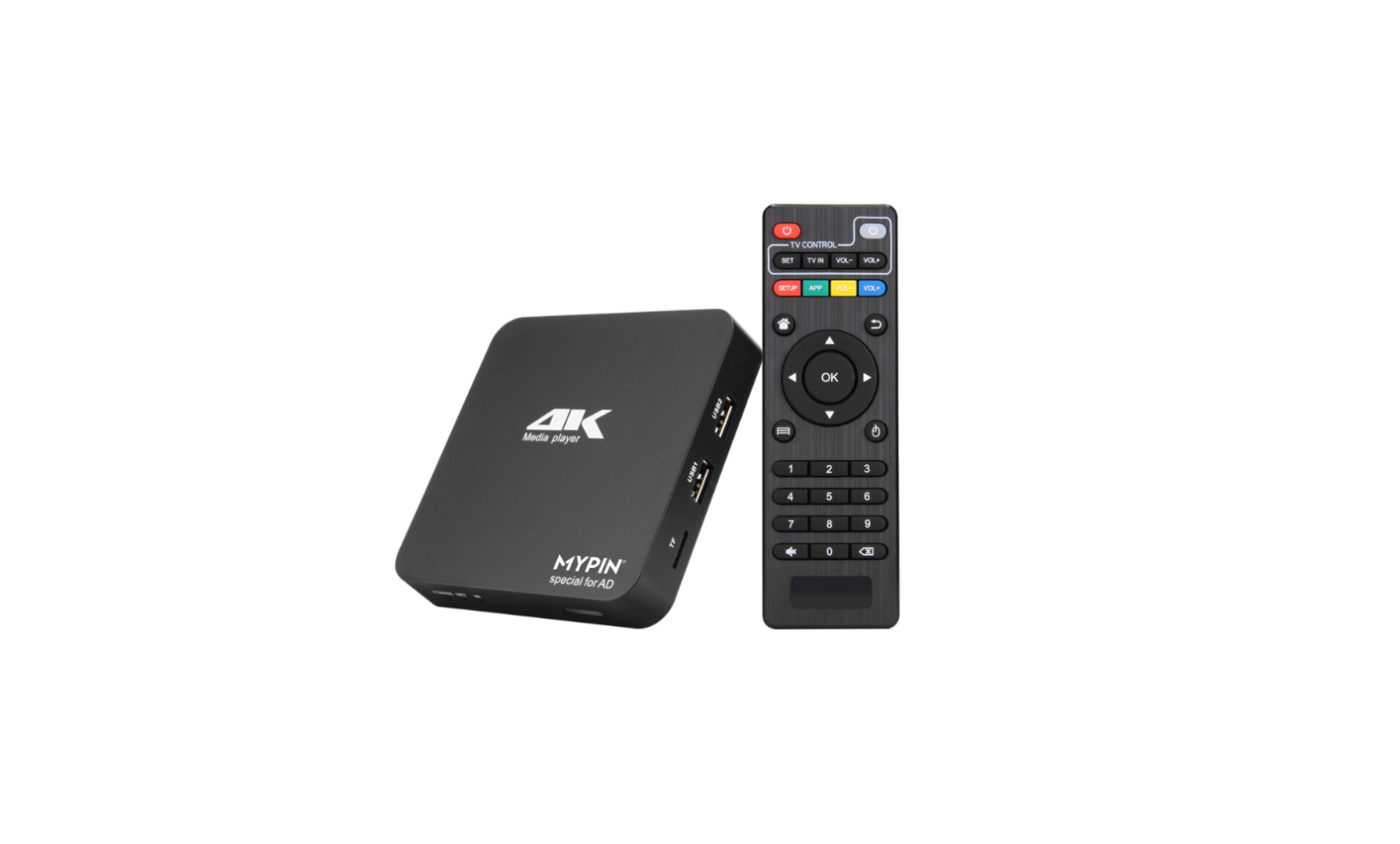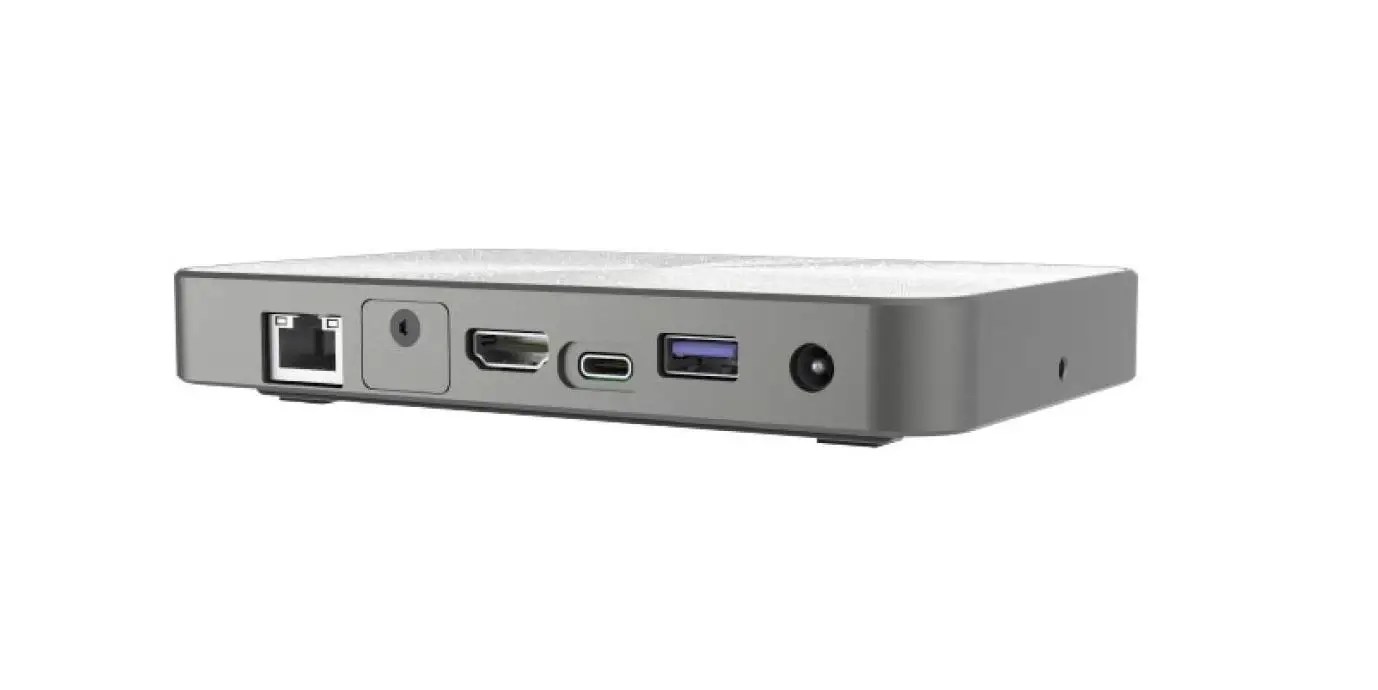

MicroTouch MP-000-AA2 Android Media Player
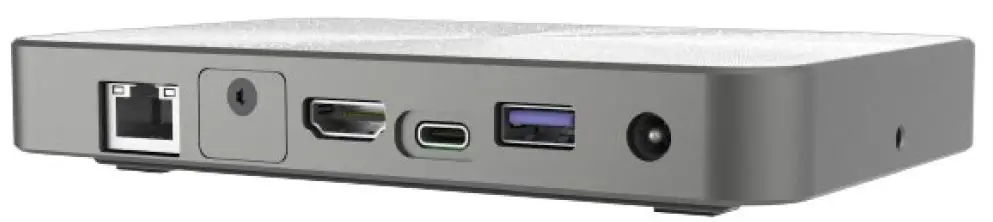
Overview
The versatility, reliability, and performance of MP-000-AA2 makes it an exceptional choice for applications in all business sectors.
Feature
- Support Rockchip RK3399 processor.
- USB Type C with DP ALT Mode Support.
- Ideal for Signage and Interactive Media Solutions.
Specifications
| System | |
| CPU | Rockchip RK3399, Dual-core Cortex-A72 up to 1.8GHz, Quad-core Cortex-A53 up to 1.4GHz |
| GPU | Mail-T860 MP4 |
| Memory | 4GB dual channel LPDDR4 |
| Storage | 32GB eMMC |
| Input Power | DC in 12V/3A 2PIN |
| Network | Gigabit Ethernet Wi-Fi 802.11a/b/g/n/ac Bluetooth 4.0 (Support BLE) |
|
External IO Ports | 1 x TF slot (Support SDHC 2.0) 1 x Micro SIM 1 x LAN (Support 10/100/1000Mbps) 1 x HDMI (Main display, Support 4K@60Hz) 1 x Earphone 2 x USB2.0 Type-A 1 x USB3.0 Type-A 1 x USB3.0 Type-C OTG (Support DP1.2, 5V/1A) 1 x GPIO |
| OS version | Android 9.0 or later | AOSP only |
| Operation temp. | 0~40°C |
| Storage temp. | -20°C to 60°C |
| Operation humidity | 20~80% |
| Storage humidity | 10~90% |
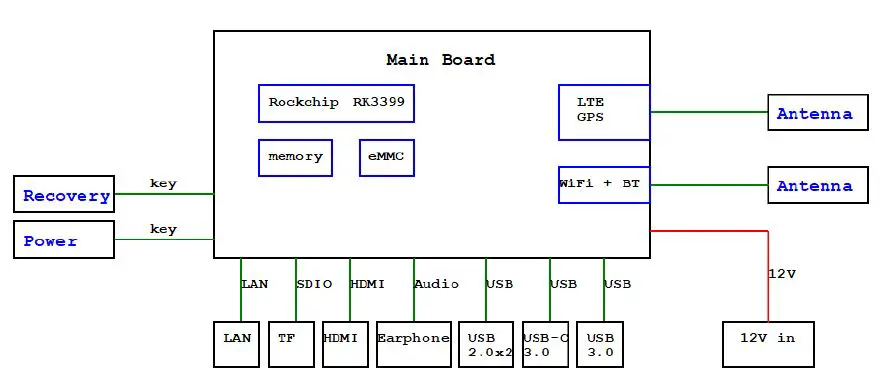
Block Diagram
User Controls and Indicators
| Function | Description |
| Power on | Press the power button 3~5 sec |
| Sleep | Press the power button to enter sleep mode, and press again to resume from sleep |
| Power off | Press the power button 2 sec and click power off. |
Interface Connectors
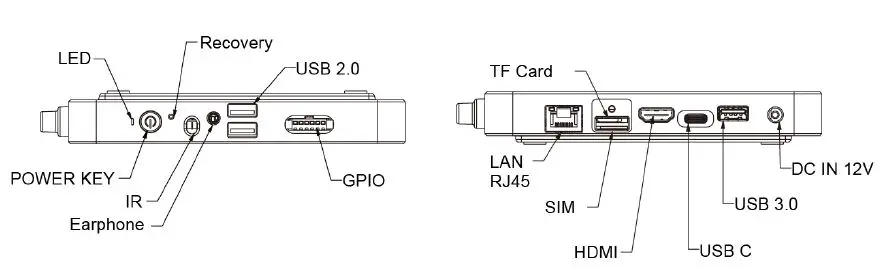
12V DC in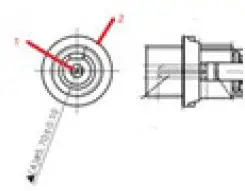
| Pin # | Signal Name | Pin # | Signal Name |
| 1 | 12V | 2 | GND |
RJ45 for LAN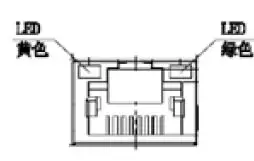
| RJ45 for LAN | Pin # | Signal Name | Pin # | Signal Name |
| 1 | TP1+ | 2 | TP1- | |
| 3 | TP2+ | 4 | TP3- | |
| 5 | TP3+ | 6 | TP2- | |
| 7 | TP4+ | 8 | TP4- | |
| LED | Function | Color | ||
| Left | Active | Yellow (Blink) | ||
| Right | 10M/100M/1000M | Green | ||
USB2.0 Dual x 2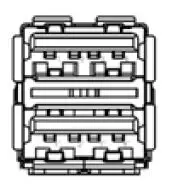
| Pin # | Signal Name | Pin # | Signal Name |
| 1 | USB5V | 2 | D- |
| 3 | D+ | 4 | GND |
USB3.0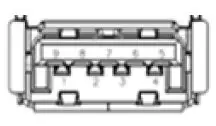
| Pin # | Signal Name | Pin # | Signal Name |
| 1 | USB5V | 2 | D- |
| 3 | D+ | 4 | GND |
| 5 | SSRX- | 6 | SSRX+ |
| 7 | GND_DRAIN | 8 | SSTX- |
| 9 | SSTX+ |
USB-C
| USB-C | Pin # | Signal Name | Pin # | Signal Name |
|
| A1 | GND | B12 | GND |
| A2 | SSTXp1 | B11 | SSRXp1 | |
| A3 | SSTXn1 | B10 | SSRXn1 | |
| A4 | VBUS | B9 | VBUS | |
| A5 | CC1 | B8 | SBU2 | |
| A6 | Dp1 | B7 | Dn2 | |
| A7 | Dn1 | B6 | Dp2 | |
| A8 | SBU1 | B5 | CC2 | |
| A9 | VBUS | B4 | VBUS | |
| A10 | SSRXn2 | B3 | SSTXn2 | |
| A11 | SSRXp2 | B2 | SSTXp2 | |
| A12 | GND | B1 | GND |
HDMI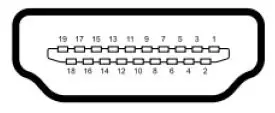
| Pin # | Signal Name | Pin # | Signal Name |
| 1 | TMDS Data2+ | 2 | TMDS Data2 Shield |
| 3 | TMDS Data2- | 4 | TMDS Data1+ |
| 5 | TMDS Data1 Shield | 6 | TMDS Data1- |
| 7 | TMDS Data0+ | 8 | TMDS Data0 Shield |
| 9 | TMDS Data0- | 10 | TMDS Clock+ |
| 11 | TMDS Clock Shield | 12 | TMDS Clock- |
| 13 | CEC(N.C on device) | 14 | Reserved(N.C. on device) |
| 15 | SCL | 16 | SDA |
| 17 | DDC/CEC Ground | 18 | +5V Power |
| 19 | Hot Plug Detect |
TF card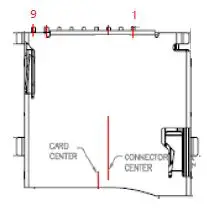
| Pin # | Signal Name | Pin # | Signal Name |
| 1 | DAT2 | 2 | DAT3 |
| 3 | CMD | 4 | VCC |
| 5 | CLK | 6 | GND |
| 7 | DAT0 | 8 | DAT1 |
| 9 | CD |
GPIO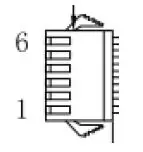
| Pin # | Signal Name | Pin # | Signal Name |
| 1 | GND | 2 | 3.3V |
| 3 | G2_B1 | 4 | G2_B2 |
| 5 | G2_B3 | 6 | G2_B4 |
Package Overview


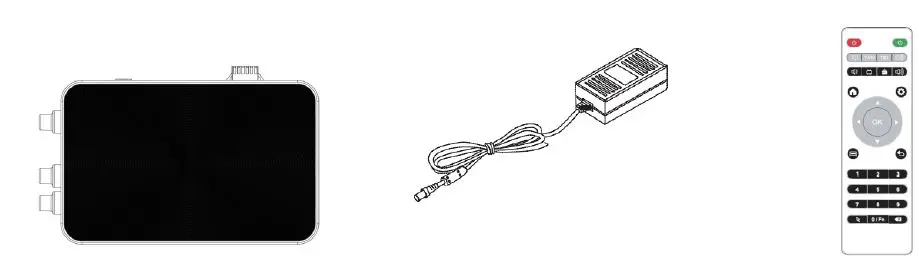
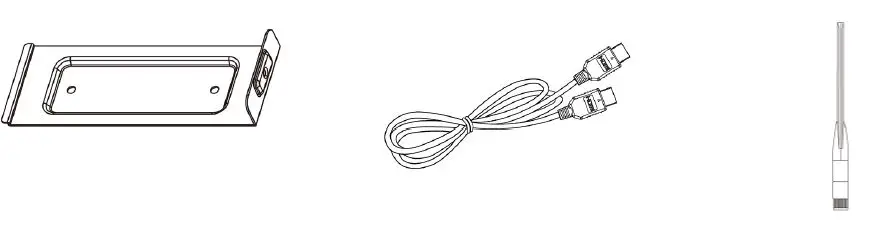
- Media Box
- DC Power Supply
- IR Remote key
- Wall Mount
- HDMI Cable
- Antenna
- Battery x 2
Warming!
Thi s product is intended to be supplied by a UL Listed Power Adapter, rated 12V dc, 2A maximum. (complied with LPS or PS2) Tma = 40 degree C minimum, and the altitude of operation = 3048m minimum. If it needs further assistance wi th purchasing the power source, please contact to MicroTouch for further inf ormation.
Dimension
Front View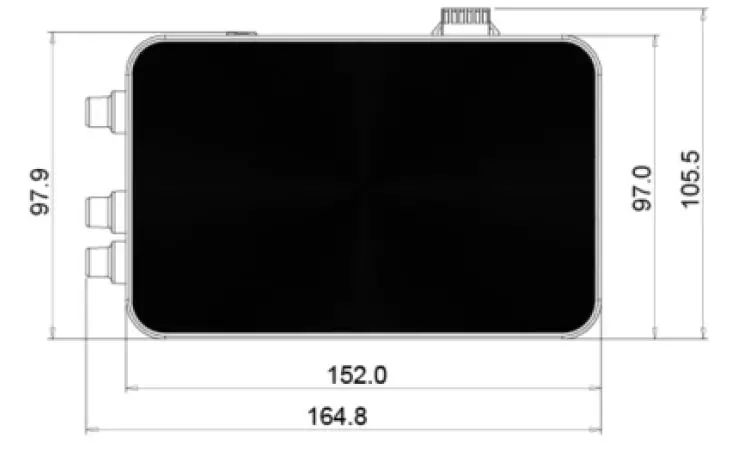
Side View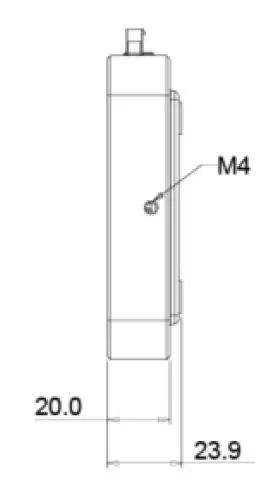
Rear View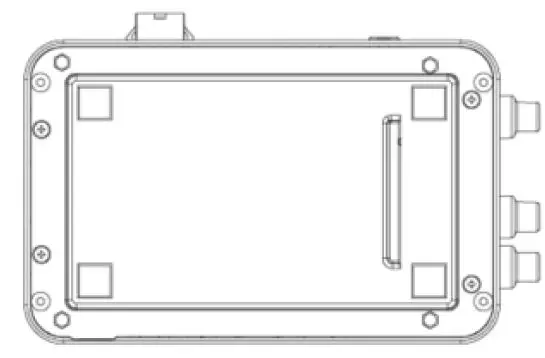
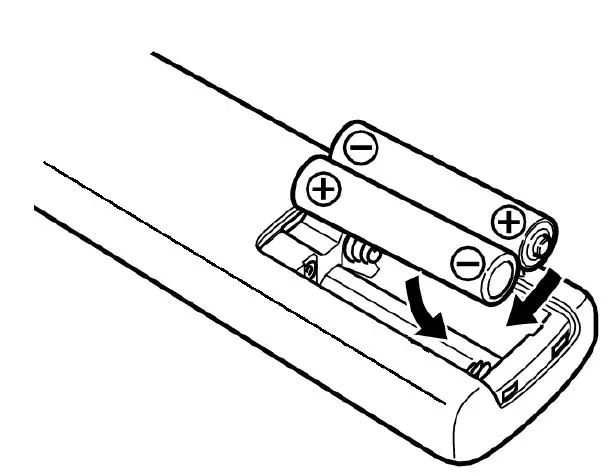
Battery installation for Remote key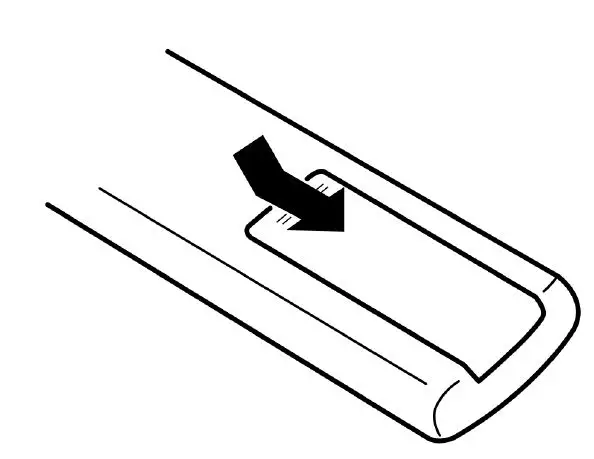
- Lift and remove the back cover in the direction shown by the arrow.

- Insert the two batteries after removing the battery cover.
Side Mount for Your Monitor
This media player can be mounted to the wall with the first bracket and screw system. *Ensure the bracket is fastened to a secured and supported structure. Wall mount is included in MP-000-AA2 packaging | MP-BRKT-A1
Step1: Secure the bracket on the wooden or concrete wall.
Step2: Assembly MP-000-AA2 into the wall hole and insert the screw(M4*6mm).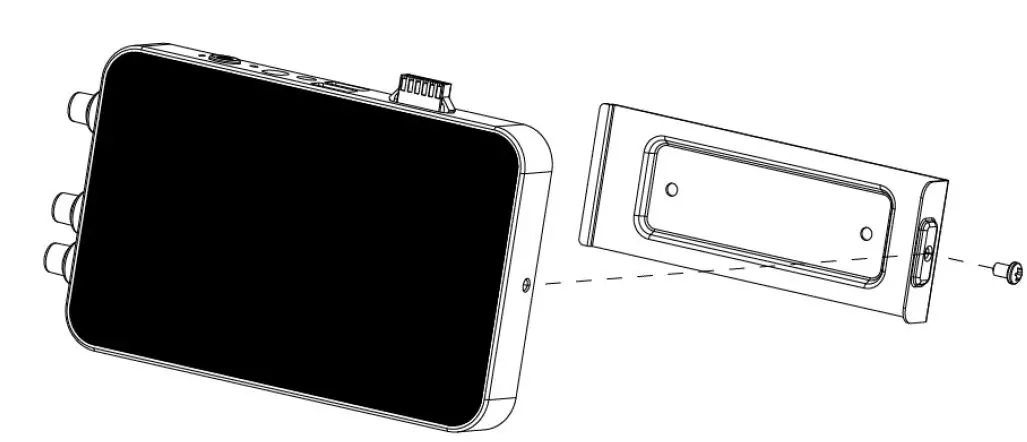
Installation | DS-320P-A1, DS-430P-A1(A2), DS-550P-A1
MP-000-AA2 signage bracket, MP-BRKT-B1* “B1” Bracket Sold Separately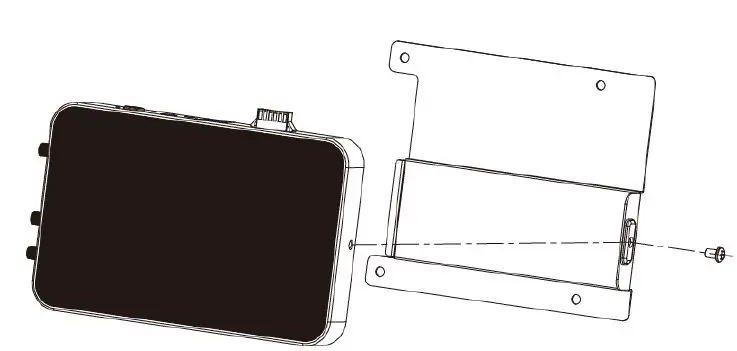
Step 1. DS-550P-A1
Fix the Media Player bracket to the rear cover with 4pcs M4*8 screws.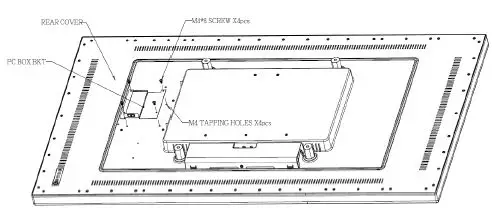
Step 2.
Lock the Media Player into the bracket and fix it with M4*6 star socket screw on the side.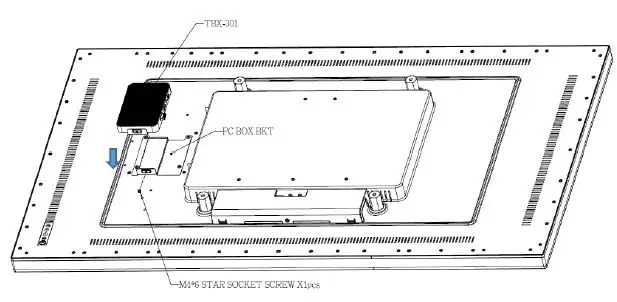
Step 3.
Complete the assembly of MP-000-AA2 and fix it on the DS-550P-A1.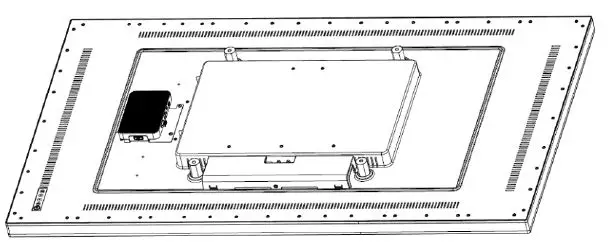
DS-430P-A1(A2)
Step 1.
Fix the Media Player bracket to the rear cover with 4pcs M4*8 screws. 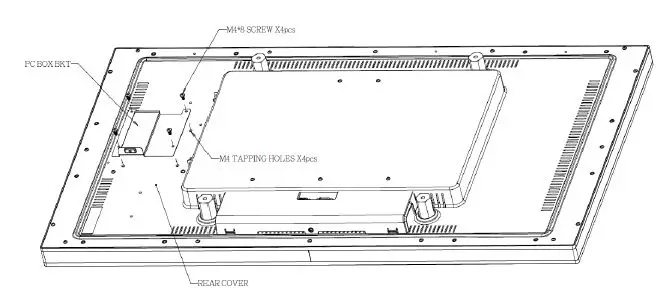 Step 2.
Lock the Media Player into the bracket and fix it with M4*6 star socket screw on the side.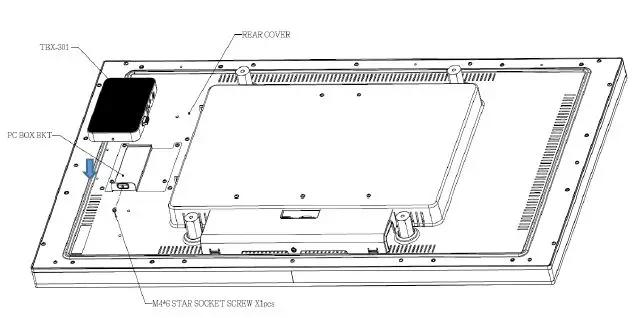
Step 3.
Complete the assembly of MP-000-AA2 and fix it on the DS-430P-A1(A2).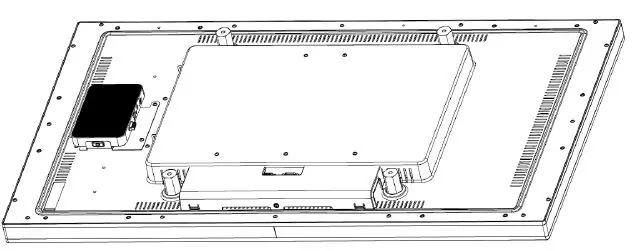
OF-320P-A1
*Check with your sales representative to ensure your OF-320P-A1 housing is compatible will work with MP-BRKT-B1
Step 1.
Fix the Media Player bracket to the rear cover with 4pcs M4*8 screws.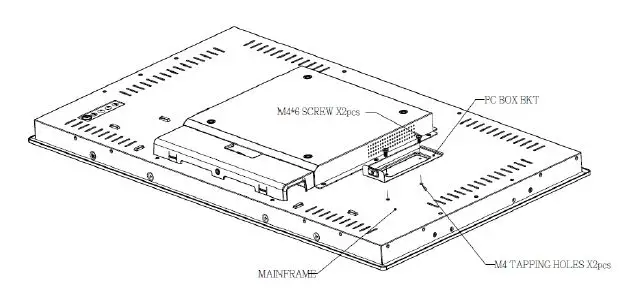
Step 2.
Lock the Media Player into the bracket and fix it with M4*6 star socket screw on the side.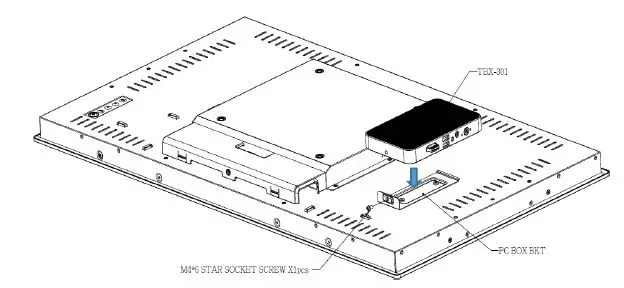
Step 3.
Complete the assembly of MP-000-AA2 and fix it on the OF-320P-A1.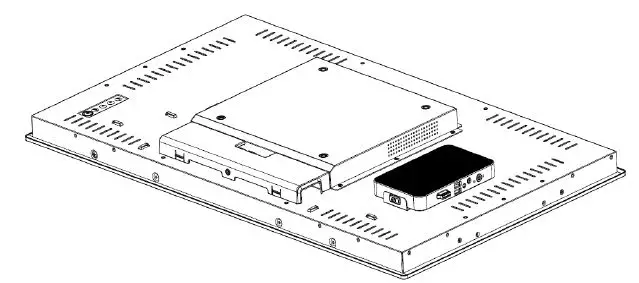
DS-320P-A1
Step 1.
Fix the Media Player bracket to the rear cover with 2pcs M4*8 screws.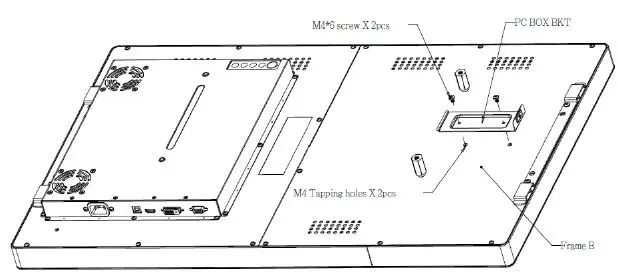
Step 2.
Lock the Media Player into the bracket and fix it with M4*6 star socket screw on the side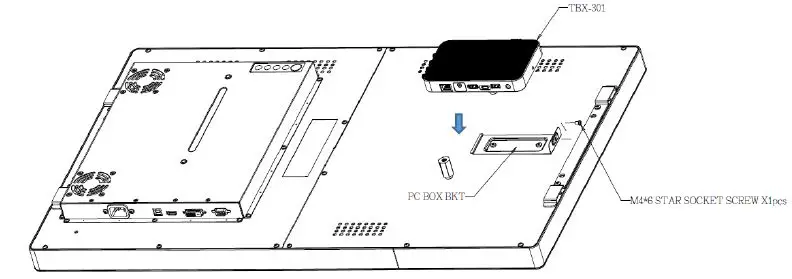
Step 3.
Complete the assembly of MP-000-AA2 and fix it on the DS-320P-A1.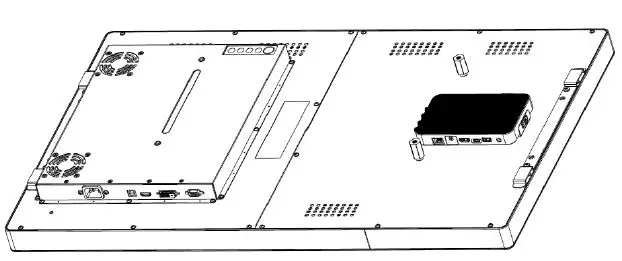
Compliance Information
For FCC (USA)
This equipment has been tested and fund to comply with the limits for a Class A digital device, pursuant to part 15 of the FCC Rules. There limits are designed to provide reasonable protection against harmful interference when the equipment is operated in a commercial environment. This equipment generates, uses, and can radiate radio frequency energy and, if not installed and used in accordance with the instruction manual, may cause harmful interference to radio communications. Operation of this equipment in a residential area is likely to cause harmful interference in which case the user will be required to correct the interference at his own expense. This device complies with part 15 of the FCC Rules. Operation is subject to the following two conditions: (1) this device may not cause harmful interference, and (2) this device must accept any interference received, including interference that may cause undesired operation.
For IC (Canada) CAN ICES-3(A)/NMB-3(A) For CE (EU) The device complies with the EMC Directive 2014/30/EU and Low Voltage Directive 2014/35/EU
Disposal Information
Waste Electrical and Electronic Equipment This symbol on the product indicates that, under the European Directive 2012/19/EU governing waste from electrical and electronic equipment, this product must not be disposed of with other municipal waste. Please dispose of your waste equipment by handing it over to a designated collection point for the recycling of waste electrical and electronic equipment. To prevent possible harm to the environment or human health from uncontrolled waste disposal, please separate these items from other types of waste and recycle them responsibly to promote the sustainable reuse of material resources.
For more information about recycling of this product, please contact your local city office or your municipal waste disposal service.