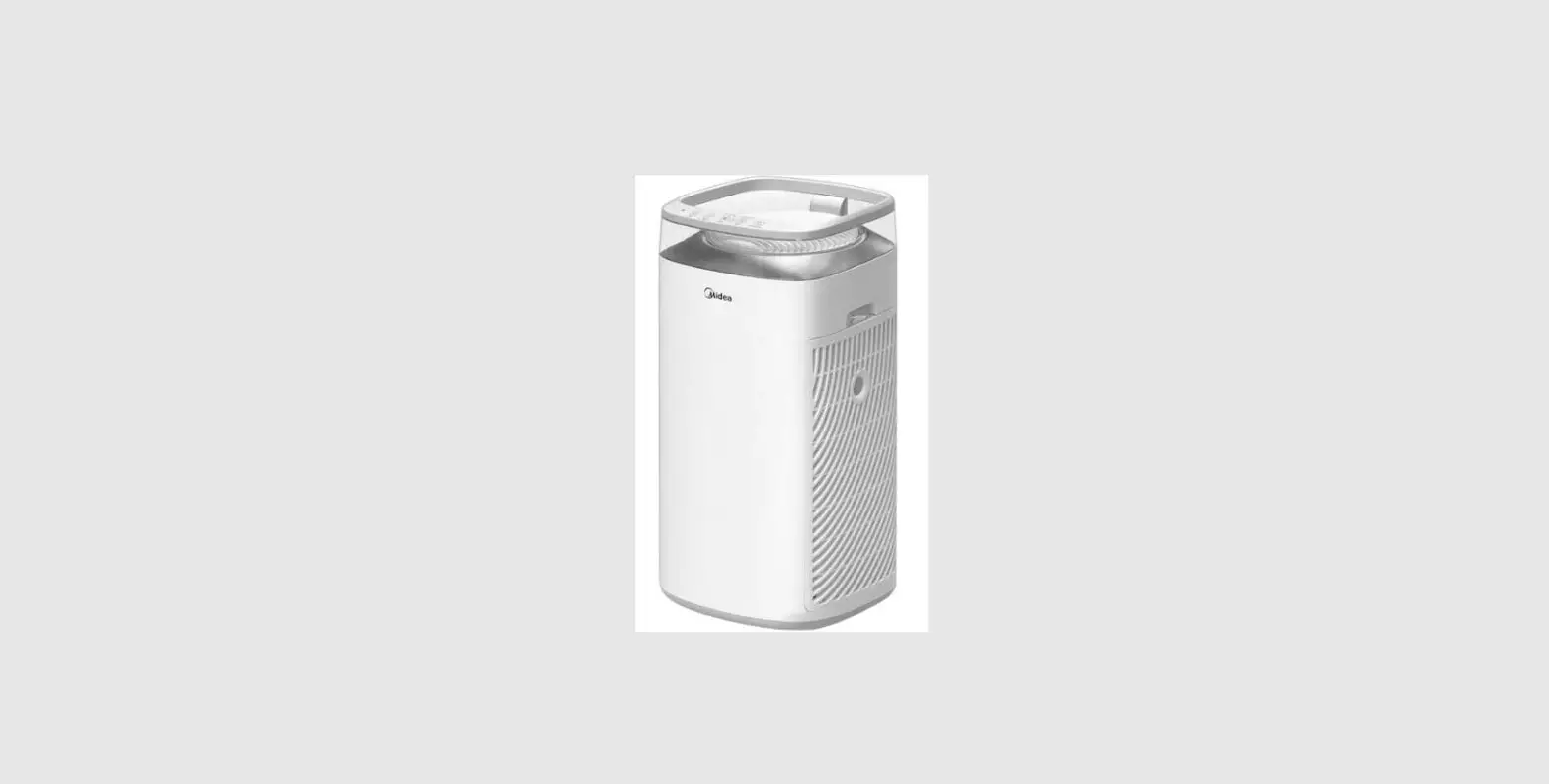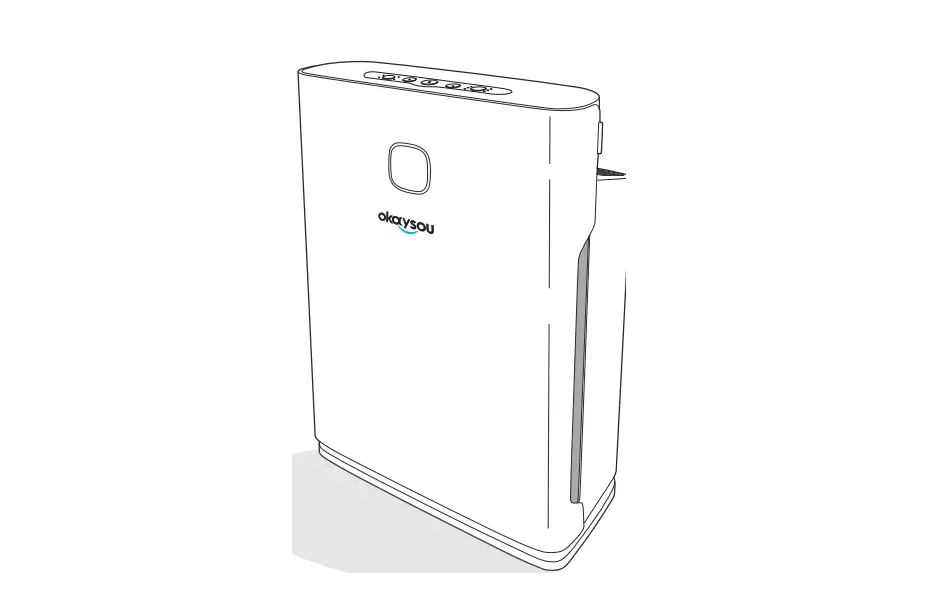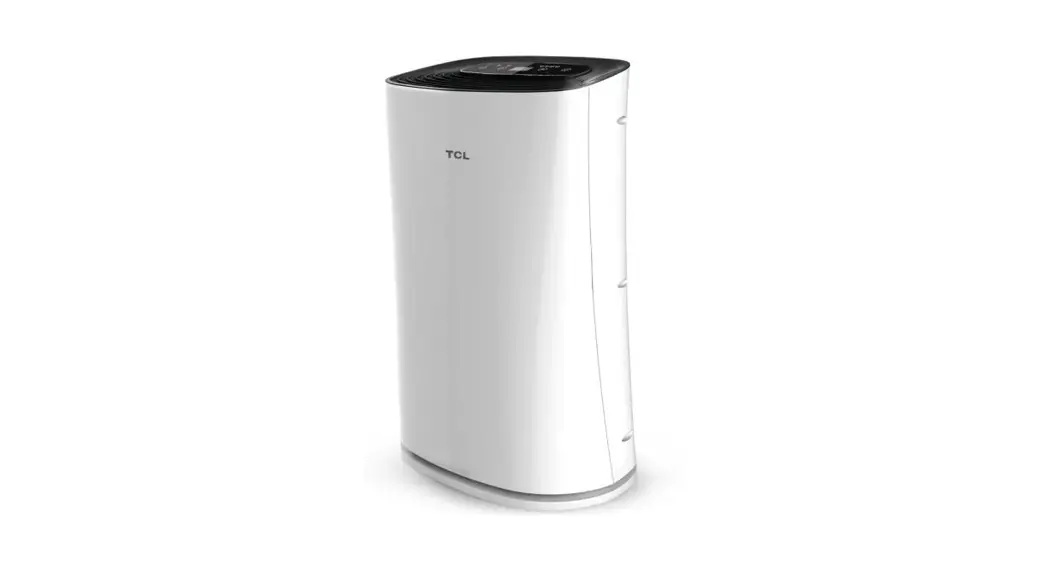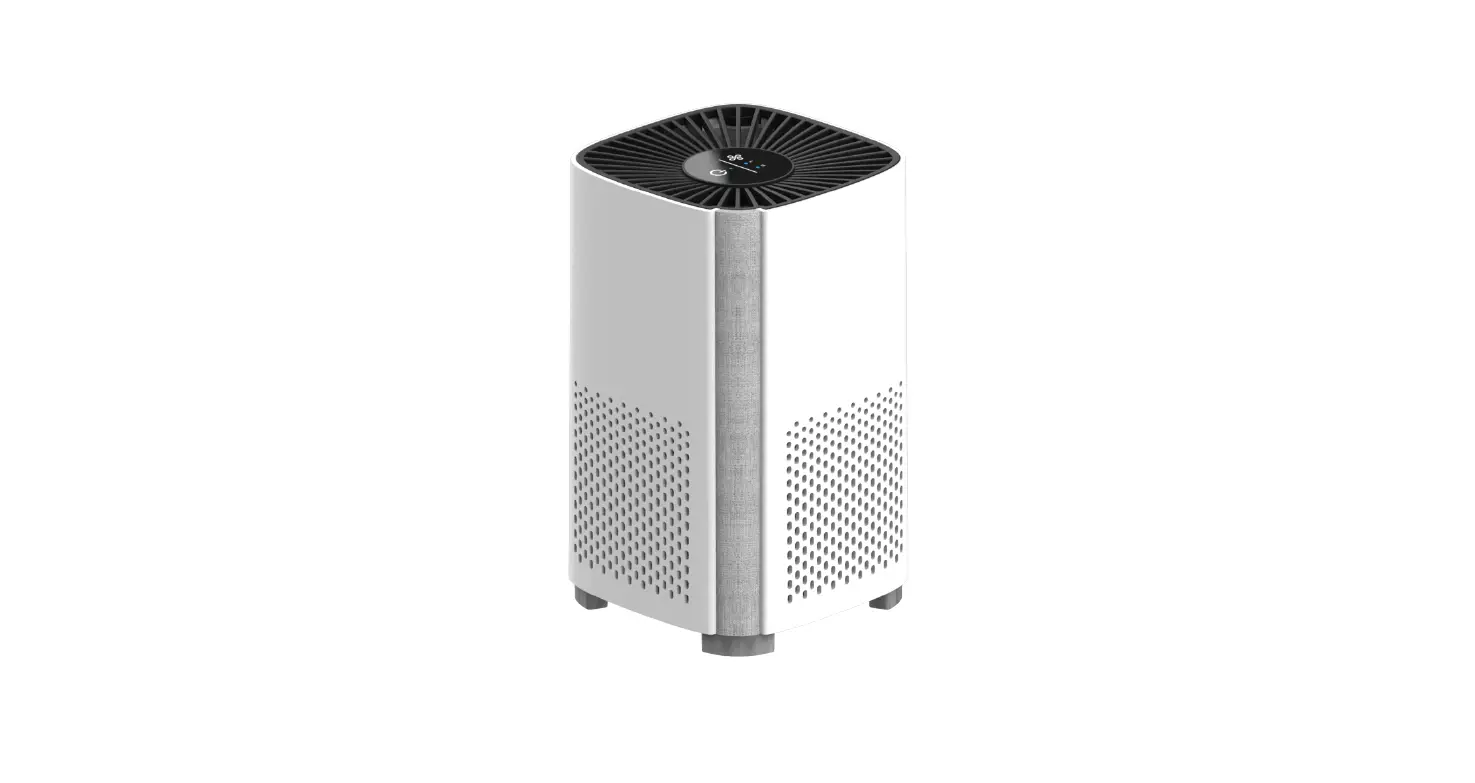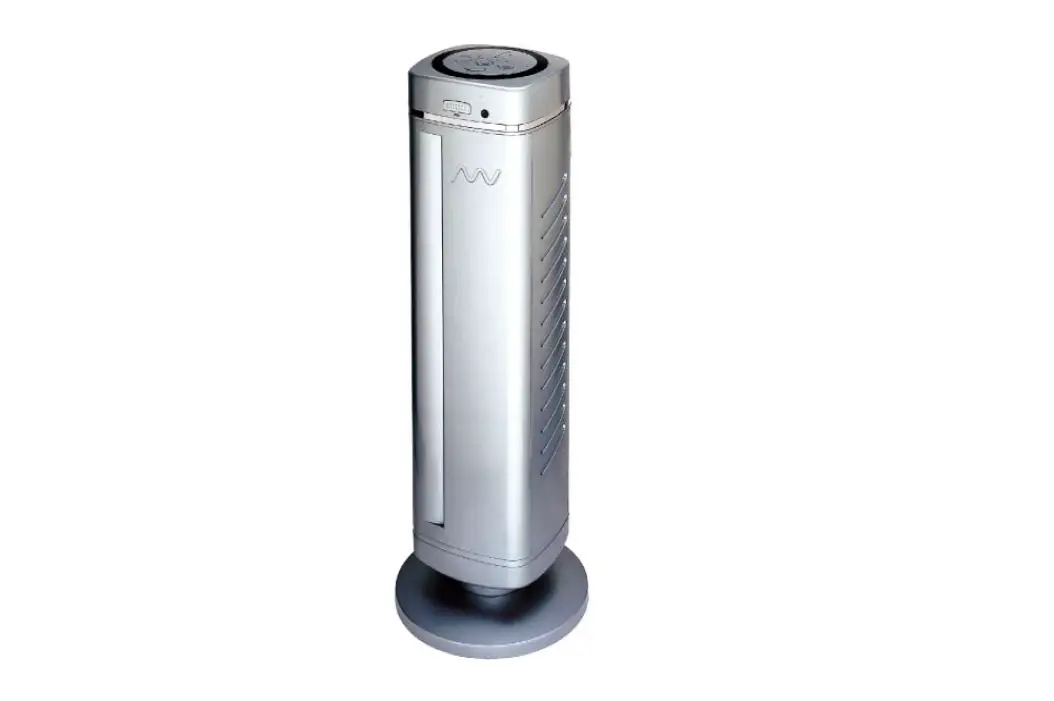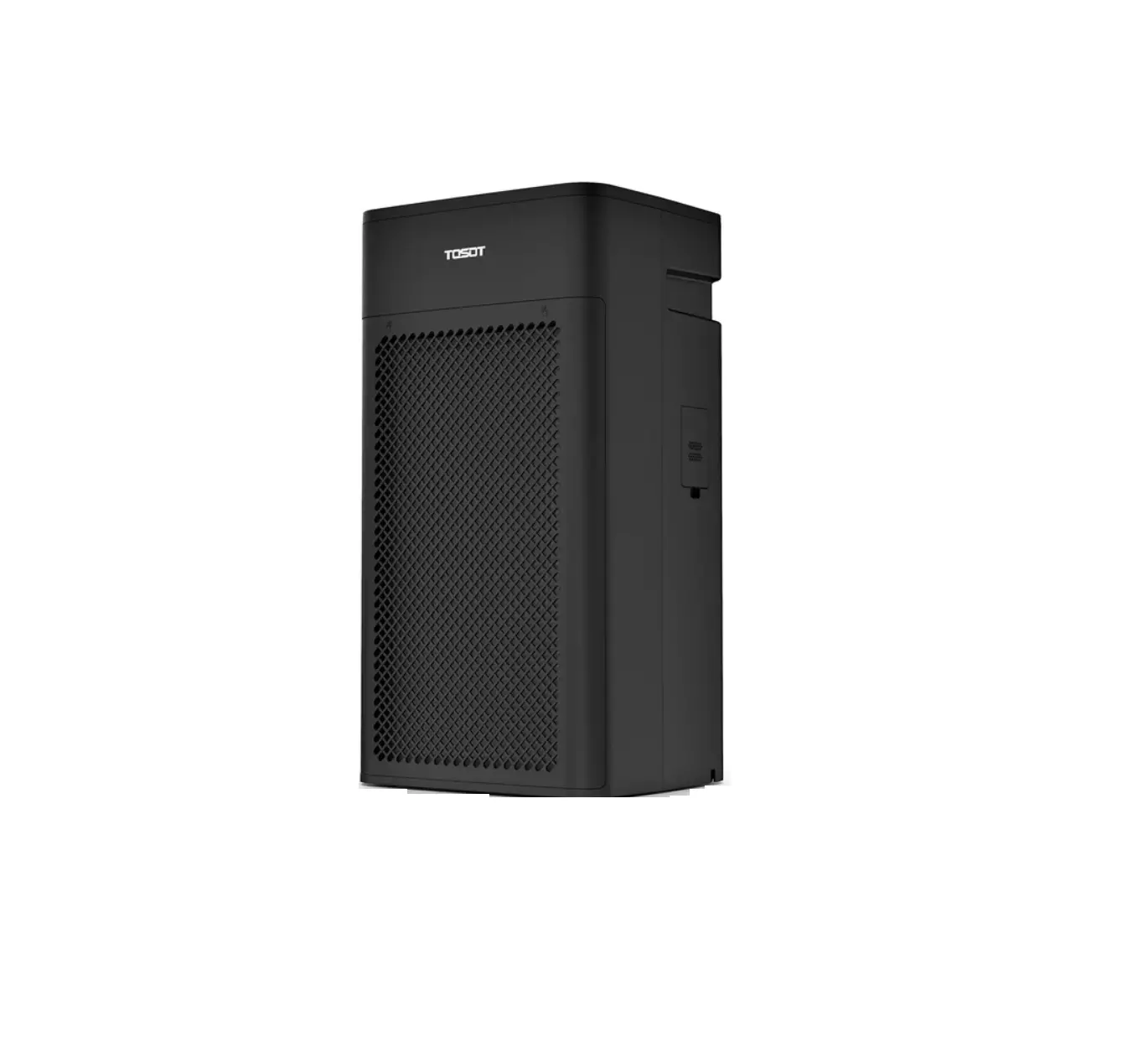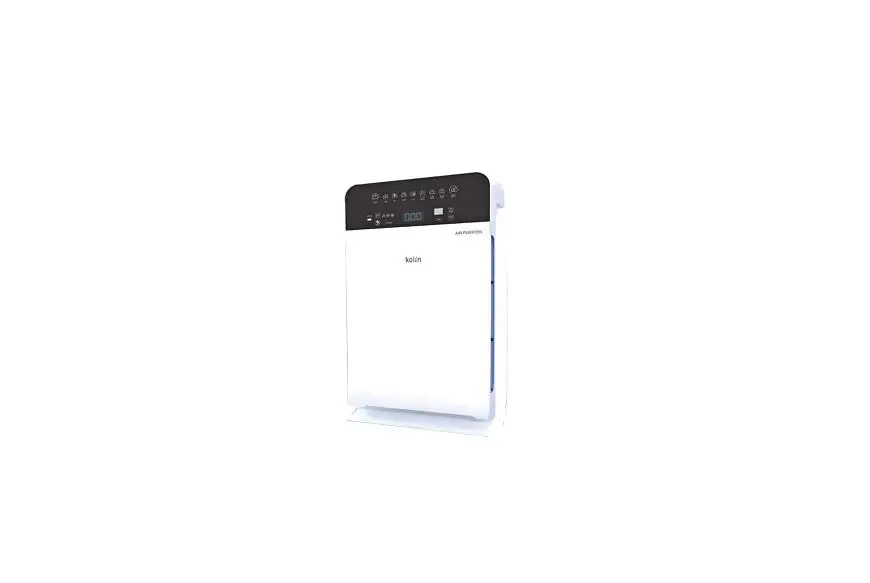

kolin KAP-500CHCPUV Air Purifier
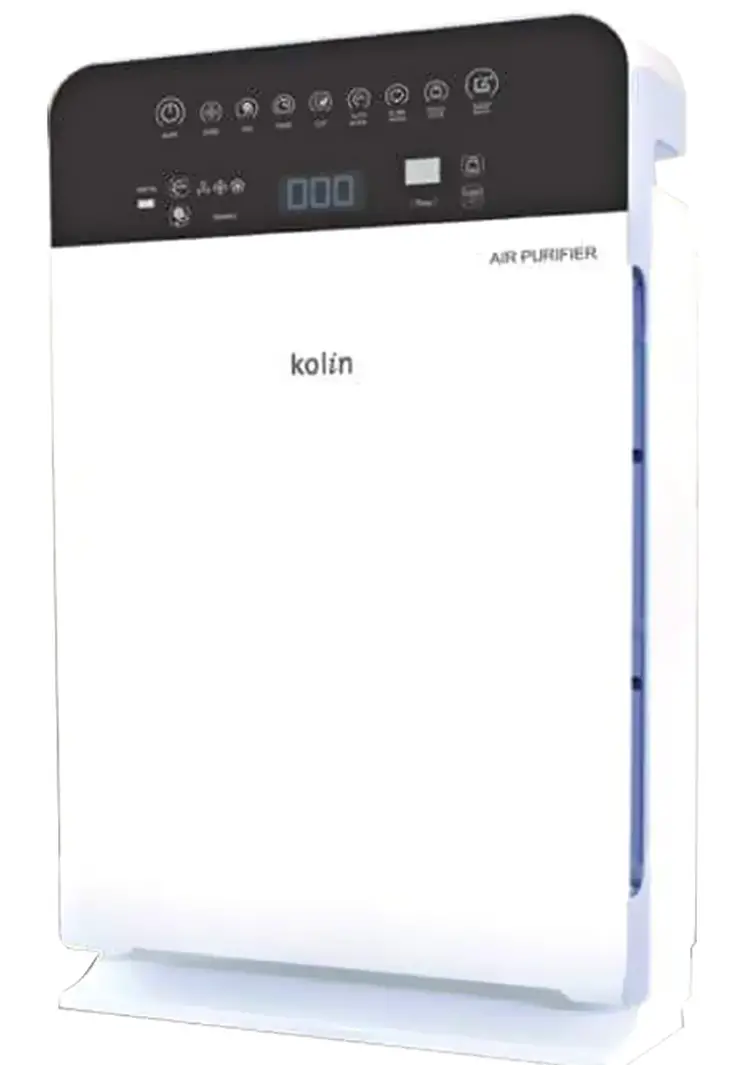
Thank you for choosing our product. Please read this user manual before operation and retain for future references. If you have lost this manual, please contact our service centers or visit our website at www.kolinphil.com.ph.
Before use
Thank you for purchasing our air purifier.
Please spend some time carefully reading this manual before use!
The living environment health is increasingly concerned with
life quality.
The indoor air pollution degree may be above the outdoor air sometimes. Our air purifier can effectively remove some microorganisms, particulate matters and harmful gases, reduce peculiar smell,remove passive smoking and bring you with clean and fresh air by means of high efficiency filtration technology combined with Pre-filter,carbon filter and HEPA filter,negative ion purification technology.
Protect our earth
- Do your bit for environmental protection
- Classify the waste and do not discard the purifier with other wastes
- Bring the purifier to the nearby professional recovery center
Basic parameters
| Product model | KAP-500CHCPUV |
| Rated voltage | 220V~ |
| Rated frequency | 60Hz |
| Rated power | 80W |
| Clean air delivery rate (particle CADR) | 500m3/h |
| Maximum noise | 67dB(A)(sound power level) |
| Recommended room area | 40m2 – 57m2 |
To improve the product quality, the product design and configuration may be changed without prior notice and the company reserves the right of final explanation.
Important
Dangerous:
- Do not let water enter the machine.
- Do not use the machine in humid areas, such as bathroom, laundry room and other places in which the machine may contact water.
- Do not clean the product with water and any other liquid or inflammable detergent to avoid electric shock and/or fire.
Warning:
- Confirm whether the voltage marked in the rear part of the product is consistent with local voltage before switching on the product.
- If the power cord is damaged,it must be replaced by the manufacturer or its maintenance department or the professionals in similar department to avoid danger. The product is an electrical appliance and shall not be played with by a child.
- People without complete limbs, with sensory or metal disturbance or lacking relevant experience and knowledge (including children) are not recommended to use this product, unless otherwise supervised or guided by the personnel responsible for such people.
- Do not block the air inlet or air outlet. For example, do not place the object in the air outlet or air inlet.
- Unplug the power cable if not using the machine for a long time.
Attention:
- This product is researched and designed for domestic consumers and shall not be used outdoors or other inappropriate environment.
- Make sure that all filters have been correctly installed before turning on the product power.
- Do not put any object on the top of the product or sit on the product.
- At least 20cm space shall be left in the rear and on both sides of the product and at least 30cm is left above the product.
- Use the original filter designed exclusively for this product and do not use any other filter.
- Always use the lifting handles on both sides of the product to lift or move the product.
- Do not insert the fingers or other objects into the air inlet or air outlet, as the machine will be damaged or serious safety risks will be caused.
- Do not use this product when using the indoor spray type insect repellant or in the places filled with inflammable gas.
- Do not use this product near gas appliances, heating units or stoves.
- Keep stable air flow and temperature in the machine work environment to ensure normal work of the machine sensor. Do not use perfume, floral water, liquid vaporizer and other objects with strong smell during the machine running. Do not place the machine at the air conditioner air outlet or other environment affecting the air flow stability and temperature change.
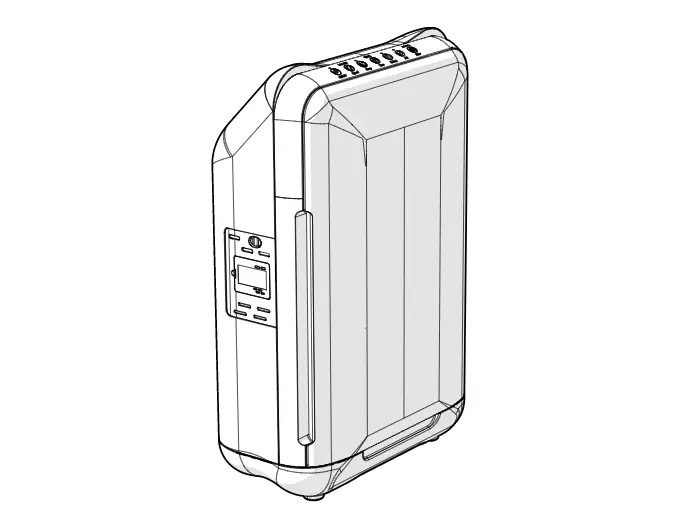
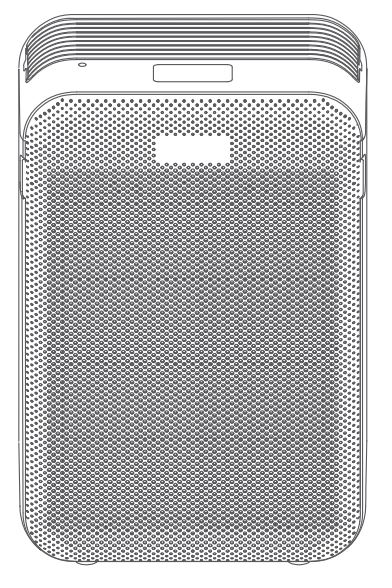
Product appearance description
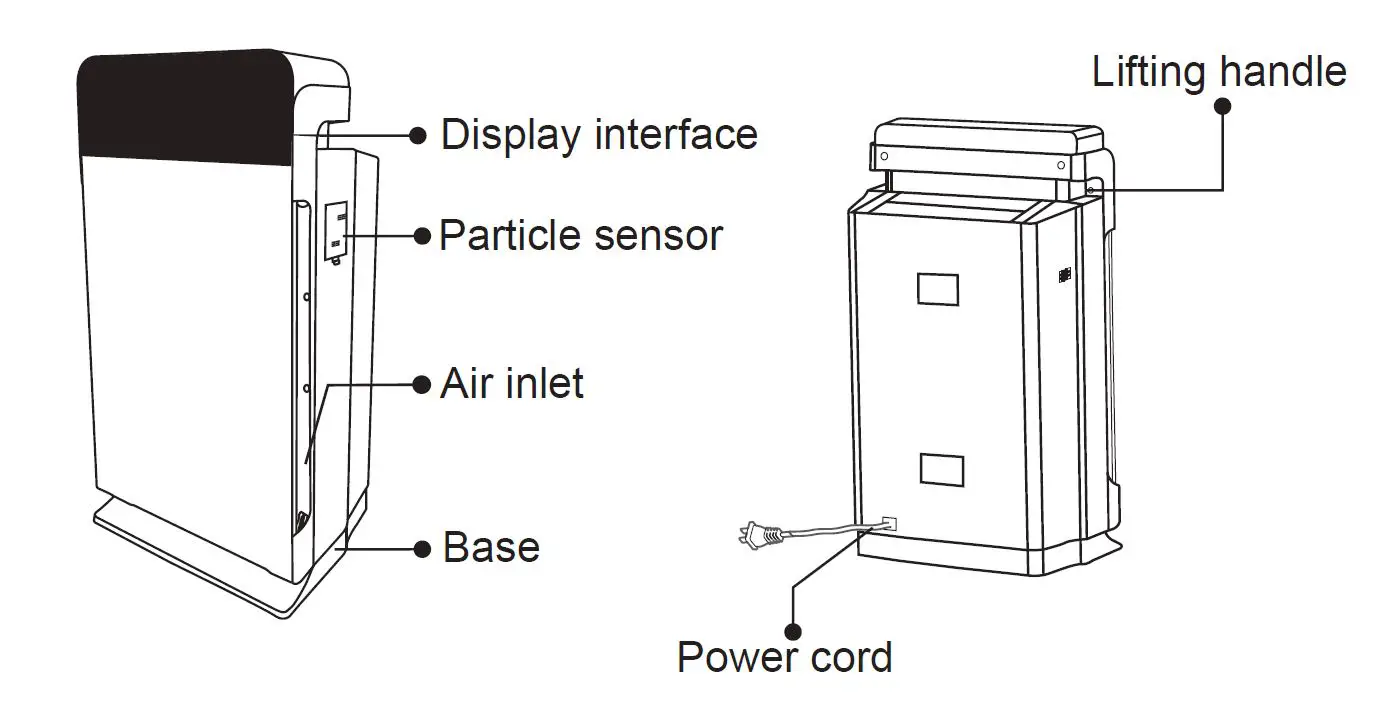
How to use
Before first use (install filter)
This product is attached with standard filter. Before using the product, be sure to remove the filter package. Remove and unpack all filters according to the following instructions and re-place in the product.
Prompt: Check that the filters have been firmly placed in correct manner when taking out or loading the filters.
Note: Be sure to install the filters in correct position.
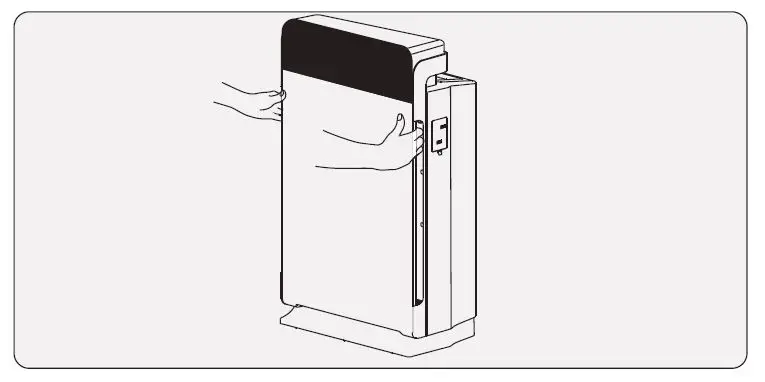 | 1. Put the fingers at the recession of the side panel and gently pull out the upper half part of the front towards your direction. Lift the hook at the bottom of the panel and pull it out from the bottom of the product. |
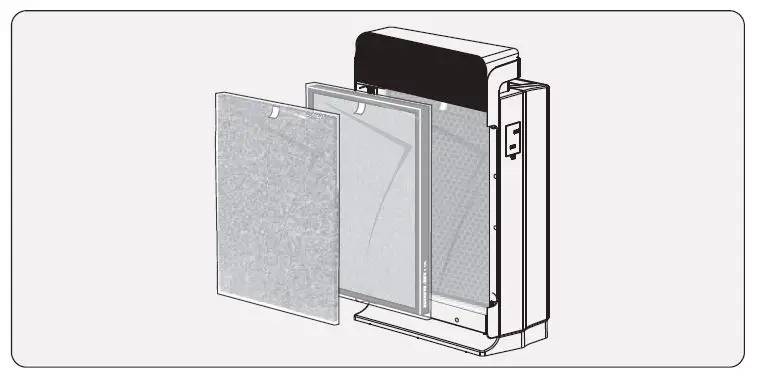 | 2. Remove all filters in the product. |
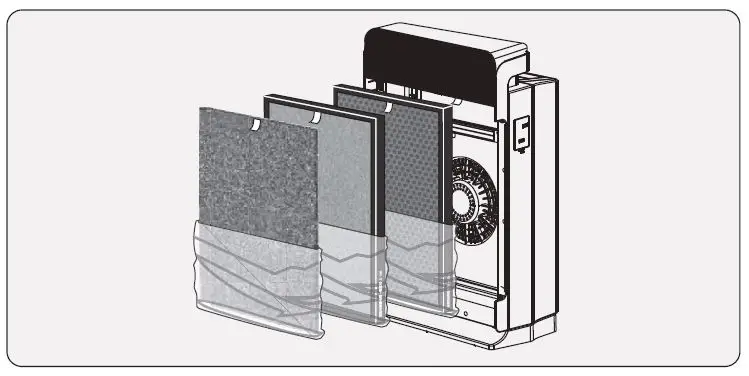 | 3. Remove all packages of the filters. |
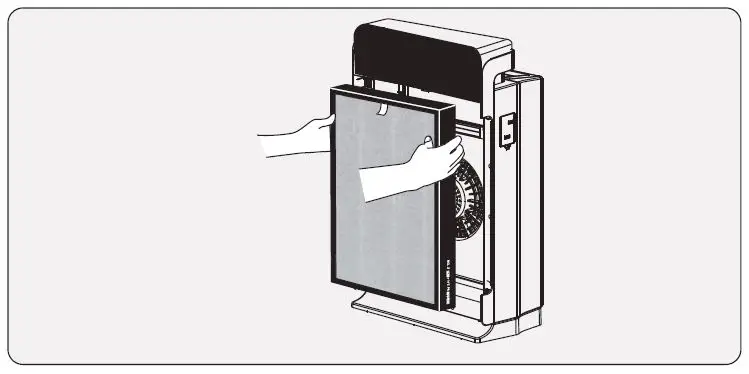 | 4. Put back the HEPA filter inside the product. Note: Make ensure that the side with drawstring is towards you. |
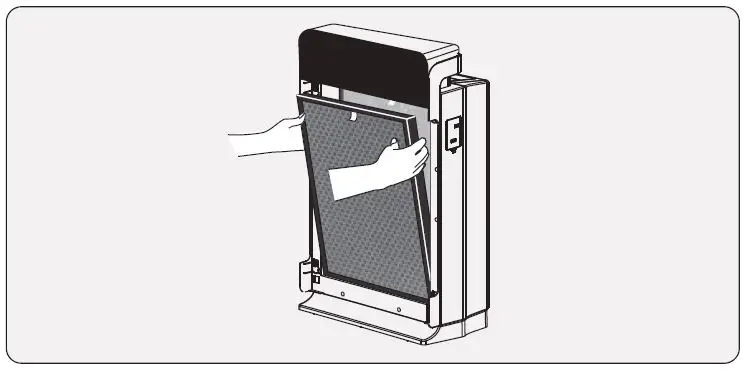 | 5. Put the modified activated carbon filter inside the product. Note: Make ensure that the side with drawstring is towards you. |
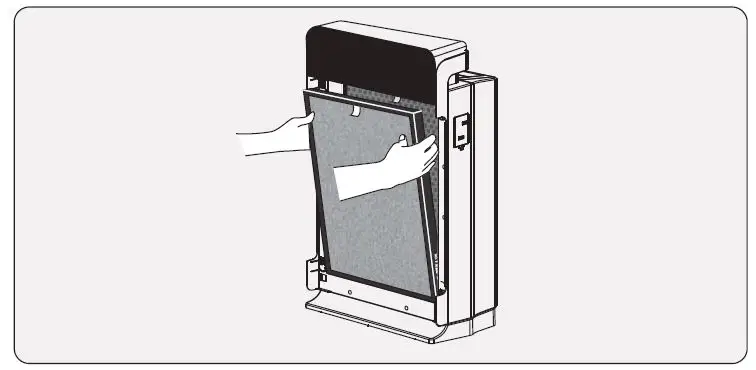 | 6. Put back the Aluminum Prefilter inside the product. Note: Ensure that the side with drawstring towards you. |
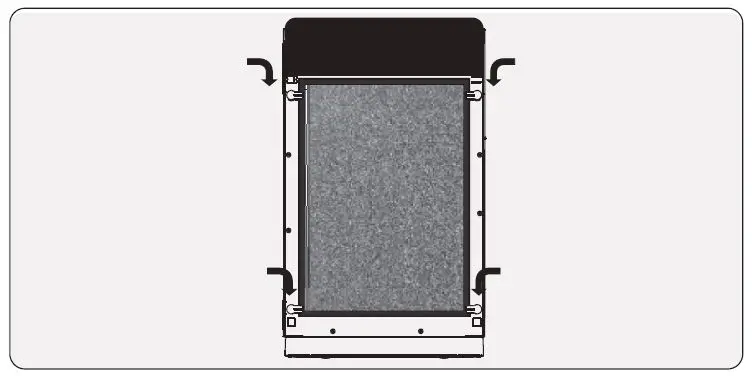 | 7. Turn four rotating buckles to horizontal position. |
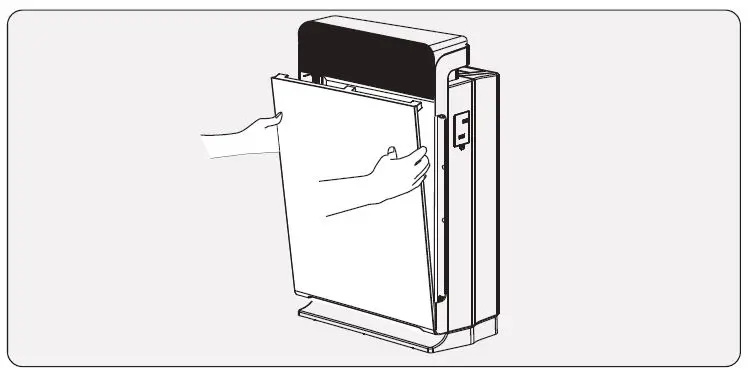 | 8. Load back the front panel and install the bottom hook in place and then push the panel to the machine body. |
Switch on
Insert the plug into the socket.
All key indicator lights will be on successively when you hear ting sound.
Then, all indicator lights other than the indicator light of the on-off key will be off again.
Use method
Description of touch key operations
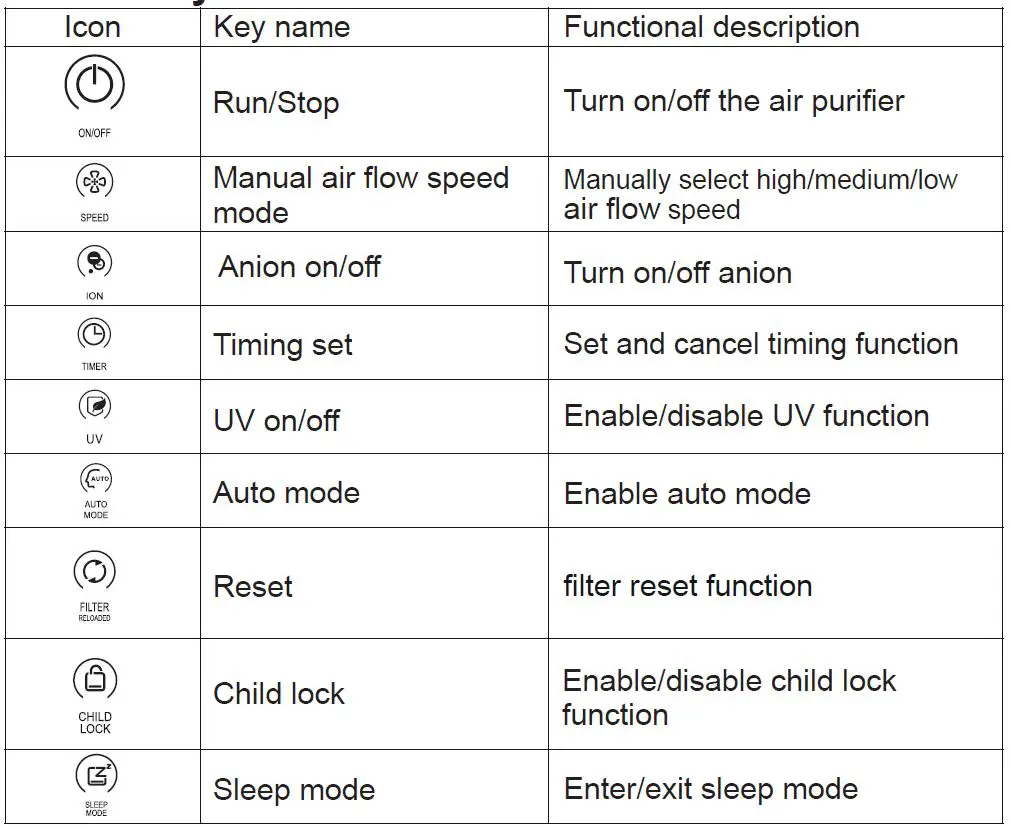
ON/OFF
Press “On/Off” once. The product starts and enters the auto mode. The user may make corresponding operation according to desired mode.
SPEED
Press “Air flow speed” to manually select high, medium and low;
ION
This function may be enabled only after “Air flow speed” mode is manually selected.
Note: The anion function manually enabled is automatically disabled at most 1h after working.
TIMER
Timing set: increase timing by 0.5h and set timing for at most 8h. Long press “Timing” to quickly increase the time. Stop pressing, the displayed time is flashing three times and the set timing is determined.
Timing cancel: press “Timing” once after the timing is set to cancel the timing function.
UV
This function may be enabled only after “Air flow speed” mode is manually selected.
Note: The UV function manually enabled is automatically disabled at most 1h after working.
AUTO MODE
Detect the air quality and peculiar smell, automatically adjust the air flow speed and clean the air when the product is running in “Auto” mode.
FILTER RELOADED
Long press “Reset” 3s in the on status after filter replacement. The indicator light is flashing three times and then off after reset.
Note: If the filter is replaced before the filter replacement indicator light is on, the filter timer will not be reset and will continue to calculate the service life of previous filter. Therefore, the filter replacement indicator light may be on soon.
CHILD LOCK
Long press “Child lock” key 3s to enable the child lock function. Long press “Child lock” key 3s again to disable child lock.
Note: The other key operations are invalid after the child lock function is enabled.
SLEEP MODE
Press “Sleep” once and the equipment enters sleep mode.
Press “Sleep” again to exit the sleep mode.
Note: The timing, anion and UV functions are automatically disabled after the sleep mode is enabled.
Digital Display Mode
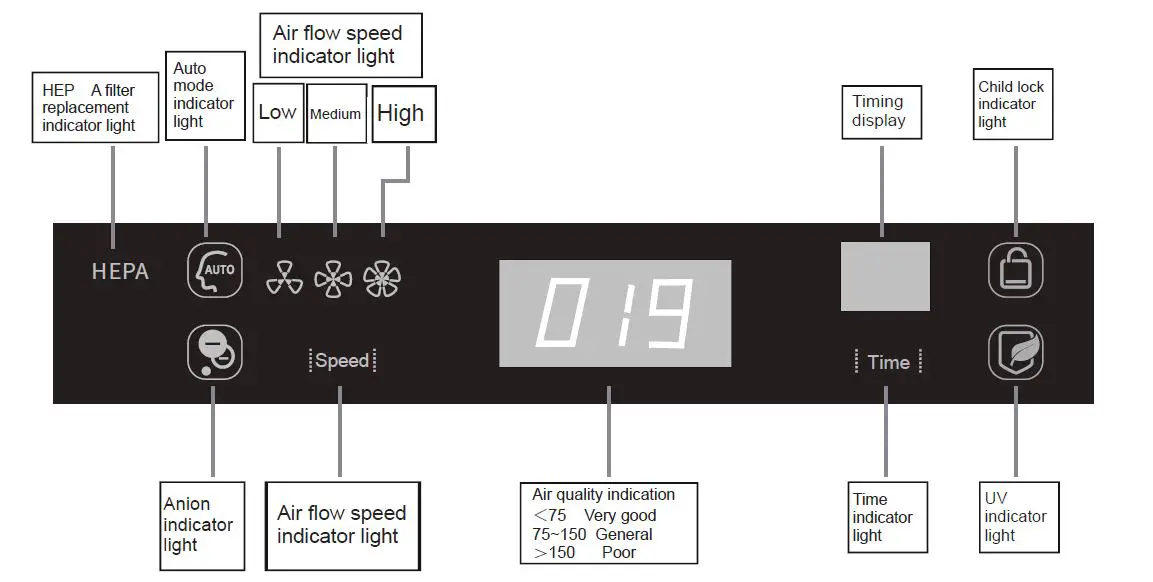
The air quality indication value only represents the air quality relative status rather than actual pollutant content.
Remote control
The functions are the same with touch keys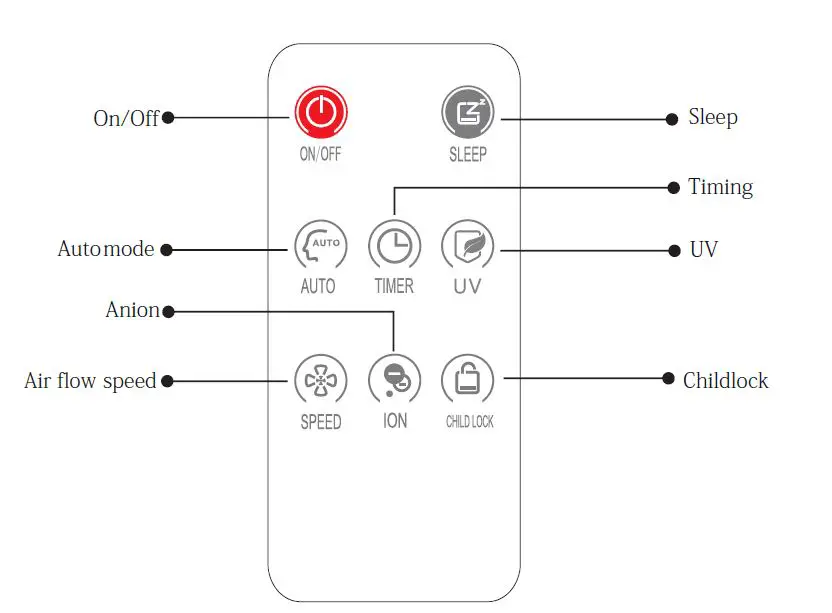
Daily care and maintenance
To keep the machine running in best status, you are recommended to regularly clean the machine.
- Be sure to cut off the power when cleaning, maintaining and replacing the filter.
- Wipe the outside of the machine with clean and soft towel. Open the front panel, take out the filter and use the soft brush to clean the air inlet grid.
- Do not clean any part of the product with gasoline, alcohol, bleach and other chemical solvents and corrosive cleaners.
Clean the particle sensor
It is recommended to clean the particle sensor every two months. Properly increase the cleaning times if the local air quality is very severe.
Note: In case of large changes in the indoor temperature and humidity or high humidity, the condensate water may be formed on the air quality sensor, resulting in sensor misoperation.
Even though the air quality is high at this time, the display panel may also display general or poor air quality. In this case, clean the air quality sensor and it is recommended to set the wind speed in manual mode.
STEP 1 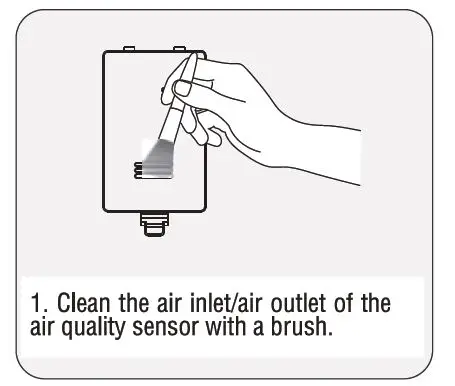 STEP 2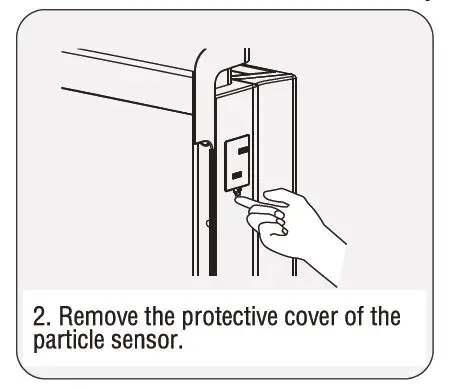
STEP 3 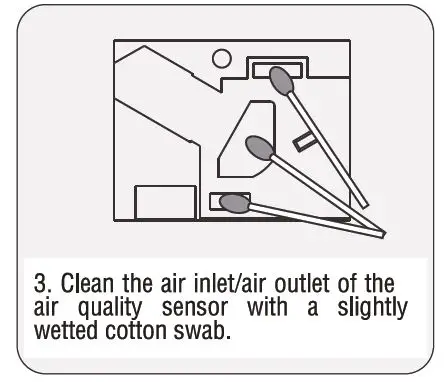 STEP 4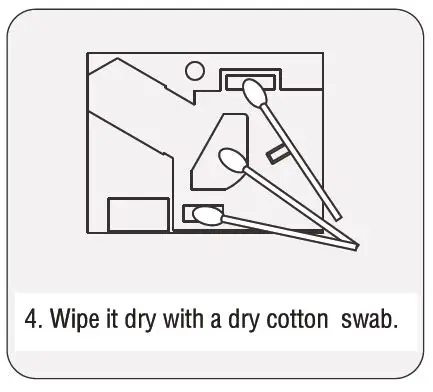
STEP 5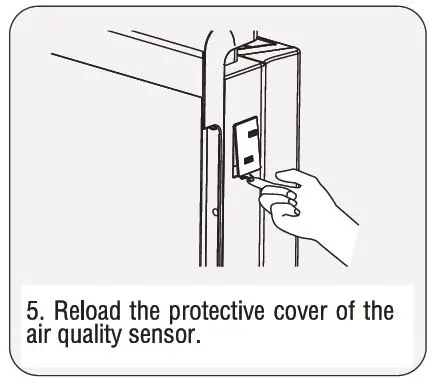
Refer to “Reset” function to reset the filter timer after filter replacement.
The filters other than primary filter shall not be washed.
Consult the local dealer to purchase supporting filter materials for timely replacement according to your actual situation, the needs of each customer and different use frequencies of the machine in various occasions.
Digital Display Mode Common trouble shooting
Confirmation matters before fault declaration
Confirm the following matters before the product is entrusted to the customer service center for repair due to exception.
| Status | Confirmation matter | Measure |
| The product cannot be started | Is the power cut? | Re-operate after confirming the power |
| Does the power plug fall off? | Re-operate after inserting the power plug | |
| Is the power socket connected? | Re-operate after replacing the socket | |
| Is the front panel not closed tightly? | Confirm that the front panel has been closed according to instructions | |
| Red HEPA indicator light is normally on | Is the reset button pressed for more than 3s in the reset after filter replacement? | Press the reset button for more than 3s to reset after filter replacement. |
| The product has peculiar smell | Is the primary filter polluted? | Clean the primary filter |
| Does the filter have peculiar smell? | Purchase and replace the filter | |
| There is abnormal sound | Is there “peep” sound? | “Peep” sound will be generated when the anion is released. It is normal sound in product operation. Please rest assured. |
| Excessive product sound | Are all packages of the filters removed? | Ensure that all packages have been removed. |
| The air quality indication is always more than 150 | Is there unfound dust or peculiar smell inducing substance indoors? Is the color changed after the machine is moved to a clean room? Are the air quality sensor and smell sensor regularly cleaned? | Clean the particle or smell sensor. If the red light is still always on after the dust/smell sensor is cleaned and moved to a clean room, the sensor/line may be abnormal. Please contact the customer service center. |
| The air quality indicator light is above 74, but the air volume is still unchanged | Is it in auto mode status? | Set to auto mode. The air volume will not be changed automatically in manual wind speed mode. |
KOLIN PHILIPPINES INT’L., INC.
HEAD OFFICE:
1854 Sta. Rita St., Guadalupe Nuevo, Makati City
Tel.:
(632) 8851-2711
(632) 8851-2712
(632) 8851-2715
Fax:
(632) 8852-2170
PLANT:
Block 3 Lot 5 Main Drive
First Cavite Industrial Estate Brgy. Langkaan 1, Damariñas City Cavite
Tel.: (632) 749-2118
Fax: (046) 402-0793