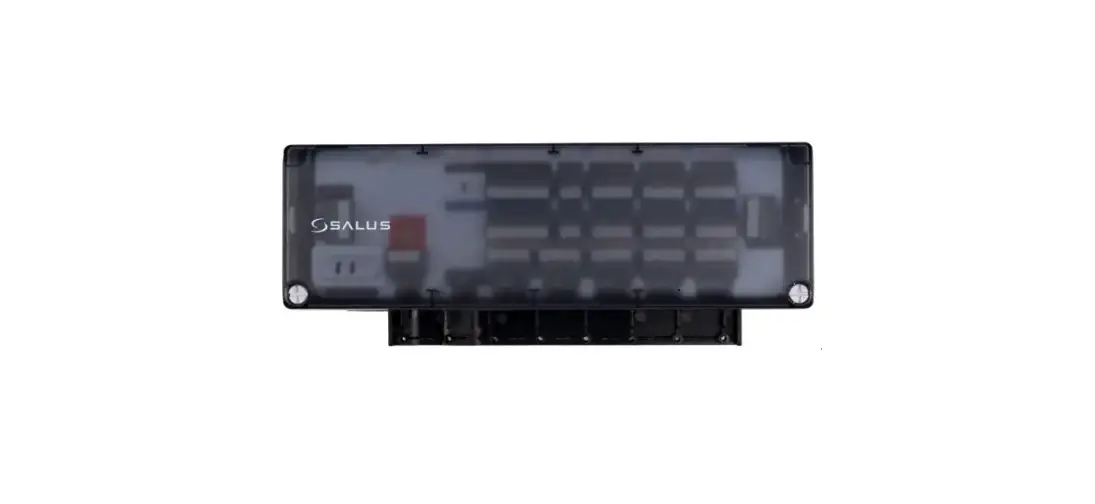
DEE1010B Access Control Extension
Product Information
The Access Control Extension Module is a device that provides
additional functions and networking capabilities to enhance the
access control system. It is designed to work in conjunction with
an existing access control system and expand its capabilities.
Foreword
This user manual serves as a guide to understanding the
functions, networking, and frequently asked questions related to
the Extension Module. It is essential to read this manual carefully
before using the device and keep it safe for future reference.
Safety Instructions
The manual uses signal words to indicate different levels of
potential hazards or important information:
- DANGER: Indicates a high potential hazard
which, if not avoided, will result in death or serious injury. - WARNING: Indicates a medium or low potential
hazard which, if not avoided, could result in slight or moderate
injury. - CAUTION: Indicates a potential risk which, if
not avoided, could result in property damage, data loss, reductions
in performance, or unpredictable results. - TIP: Provides methods to help you solve a
problem or save time. - NOTE: Provides additional information as a
supplement to the text.
Revision History
The current version of the manual is V1.0.1, which was updated
in January 2023. The initial release was V1.0.0 in March 2022.
Privacy Protection Notice
When using the device, as the user or data controller, you may
collect personal data of others such as their face, fingerprints,
and license plate number. It is important to comply with local
privacy protection laws and regulations. This includes providing
clear and visible identification to inform people of the
surveillance area’s existence and providing required contact
information.
About the Manual
The manual is for reference purposes only. Slight differences
might exist between the manual and the actual product. It is
crucial to operate the product in compliance with the manual to
avoid any losses. The manual will be updated according to the
latest laws and regulations, and for detailed information, refer to
the paper user’s manual, CD-ROM, QR code, or the official website.
Any designs or software mentioned are subject to change without
prior notice. Contact customer service for the latest program and
supplementary documentation. In case of any doubts or disputes, the
manufacturer reserves the right of final explanation. Upgrade the
reader software or use alternative mainstream reader software if
the manual (in PDF format) cannot be opened. All trademarks,
registered trademarks, and company names mentioned in the manual
are properties of their respective owners. For any problems
encountered while using the device, visit the website or contact
the supplier or customer service.
Product Usage Instructions
Important Safeguards and Warnings
This section provides guidelines for handling the Extension
Module, preventing hazards, and avoiding property damage. It is
essential to read and follow these guidelines when using the
Extension Module:
- Handle the Extension Module with care to avoid physical
damage. - Follow all safety precautions mentioned in this manual.
- Do not use the Extension Module in ways that could result in
property damage. - Comply with guidelines and regulations related to the use of
the Extension Module. - If any doubts or uncertainties arise, refer to this manual or
contact customer service for clarification.
Access Control Extension Module
User’s Manual
V1.0.1
Foreword
General
This manual introduces the functions, networking and FAQ of the Access Control Extension Module (hereinafter referred to as “the Extension Module”). Read carefully before using the device, and keep the manual safe for future reference.
Safety Instructions
The following signal words might appear in the manual.
Signal Words
Meaning
Indicates a high potential hazard which, if not avoided, will result in death or serious injury.
Indicates a medium or low potential hazard which, if not avoided, could result in slight or moderate injury.
Indicates a potential risk which, if not avoided, could result in property damage, data loss, reductions in performance, or unpredictable results.
Provides methods to help you solve a problem or save time.
Provides additional information as a supplement to the text.
Revision History
Version V1.0.1 V1.0.0
Revision Content Updated the manual. First Release.
Release Time January 2023 March 2022
Privacy Protection Notice
As the device user or data controller, you might collect the personal data of others such as their face, fingerprints, and license plate number. You need to be in compliance with your local privacy protection laws and regulations to protect the legitimate rights and interests of other people by implementing measures which include but are not limited: Providing clear and visible identification to inform people of the existence of the surveillance area and provide required contact information.
About the Manual
The manual is for reference only. Slight differences might be found between the manual and the product.
We are not liable for losses incurred due to operating the product in ways that are not in compliance with the manual.
The manual will be updated according to the latest laws and regulations of related jurisdictions. For detailed information, see the paper user’s manual, use our CD-ROM, scan the QR code or visit our official website. The manual is for reference only. Slight differences might be found between the electronic version and the paper version.
All designs and software are subject to change without prior written notice. Product updates might result in some differences appearing between the actual product and the manual. Please
I
contact customer service for the latest program and supplementary documentation. There might be errors in the print or deviations in the description of the functions, operations
and technical data. If there is any doubt or dispute, we reserve the right of final explanation. Upgrade the reader software or try other mainstream reader software if the manual (in PDF
format) cannot be opened. All trademarks, registered trademarks and company names in the manual are properties of their
respective owners. Please visit our website, contact the supplier or customer service if any problems occur while
using the device. If there is any uncertainty or controversy, we reserve the right of final explanation.
II
Important Safeguards and Warnings
This section introduces content covering the proper handling of the Extension Module, hazard prevention, and prevention of property damage. Read carefully before using the Extension Module, and comply with the guidelines when using it.
Transportation Requirement
Transport, use and store the Extension Module under allowed humidity and temperature conditions.
Storage Requirement
Store the Extension Module under allowed humidity and temperature conditions.
Installation Requirements
Do not connect the power adapter to the Extension Module while the adapter is powered on. Strictly comply with the local electric safety code and standards. Make sure the ambient voltage
is stable and meets the power supply requirements of the Extension Module. Do not connect the Extension Module to two or more kinds of power supplies, to avoid damage
to the Extension Module. Improper use of the battery might result in a fire or explosion.
Personnel working at heights must take all necessary measures to ensure personal safety including wearing a helmet and safety belts.
Do not place the Extension Module in a place exposed to sunlight or near heat sources. Keep the Extension Module away from dampness, dust, and soot. Install the Extension Module on a stable surface to prevent it from falling. Install the Extension Module in a well-ventilated place, and do not block its ventilation. Use an adapter or cabinet power supply provided by the manufacturer. Use the power cords that are recommended for the region and conform to the rated power
specifications. The power supply must conform to the requirements of ES1 in IEC 62368-1 standard and be no
higher than PS2. Please note that the power supply requirements are subject to the Extension Module label. The Extension Module is a class I electrical appliance. Make sure that the power supply of the Extension Module is connected to a power socket with protective earthing.
Operation Requirements
Check whether the power supply is correct before use. Do not unplug the power cord on the side of the Extension Module while the adapter is powered
on. Operate the Extension Module within the rated range of power input and output.
III
Use the Extension Module under allowed humidity and temperature conditions. Do not drop or splash liquid onto the Extension Module, and make sure that there is no object
filled with liquid on the Extension Module to prevent liquid from flowing into it. Do not disassemble the Extension Module without professional instruction.
IV
Table of Contents
Foreword ………………………………………………………………………………………………………………………………………………………………………………..I Important Safeguards and Warnings………………………………………………………………………………………………………………………….. III 1 Product Introduction …………………………………………………………………………………………………………………………………………………….. 1
1.1 Product Overview …………………………………………………………………………………………………………………………………………………. 1 1.2 Networking Diagram …………………………………………………………………………………………………………………………………………… 1 2 Ports Description ……………………………………………………………………………………………………………………………………………………………. 2 3 FAQ …………………………………………………………………………………………………………………………………………………………………………………….. 3 4 Packing List……………………………………………………………………………………………………………………………………………………………………….4 Appendix 1 Cybersecurity Recommendations ………………………………………………………………………………………………………….. 5
V
1 Product Introduction
1.1 Product Overview
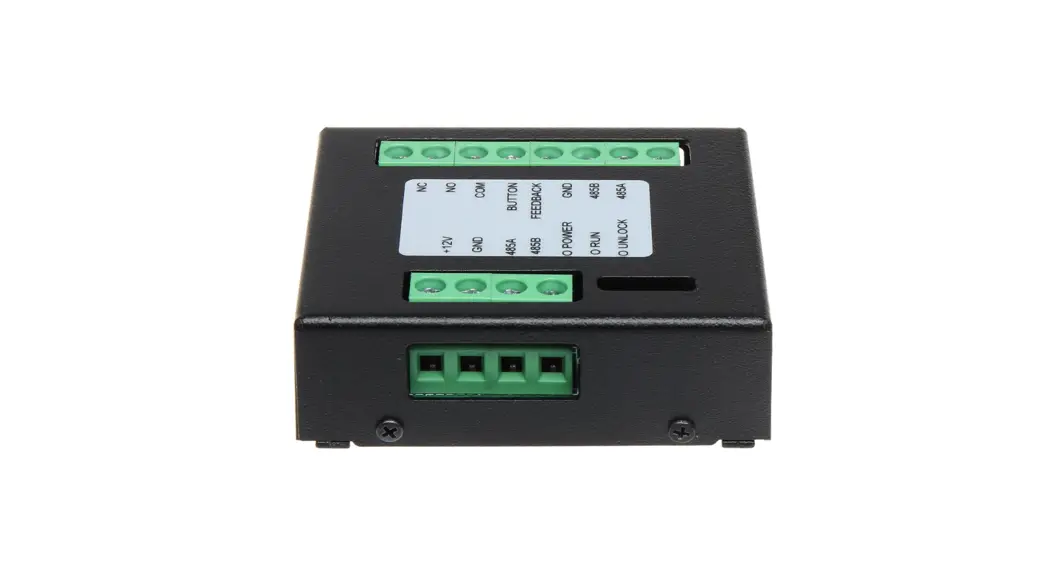
The Access Control Extension Module can work with the access control terminal or door station. The Extension Module communicates with the access control terminal or door station through RS-485 BUS, and connects with door detector, exit button, card reader and lock. The Extension Module transmits card information, door open information and alarms to the access control terminal or door station, improving the access control security.
1.2 Networking Diagram
Figure 1-1 Networking diagram
1
2 Ports Description
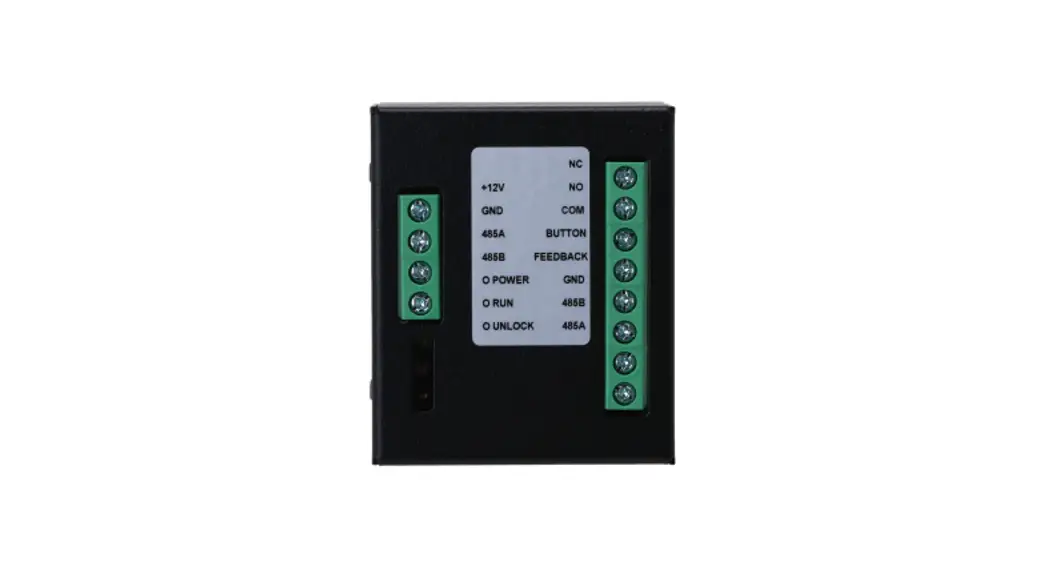
Figure 2-1 Ports
2
3 FAQ
1: The door can not open when I swipe card. Check the card information on the management platfrom. Your card might be expired or not
authorized, or card swiping is only allowed in the defined time schedules. The card is damaged. The Extension Module is not properly connected to the card reader. The door detector of the device is damaged. 2. The Extension Module can not work properly after networking. Check whether the security module fucntion is turned on the web interface of the access control terminal, or check whether the second lock function is turned on on web interface of the door station. 3. The door can not open by the exit button. Check whether the exit button and the Extension Module are well connected. 4. The lock remains open for a long time after the door opens. Check whether the door is closed. Check whether the door detector is well connected. If there is no door detector, check whether
the door detector function is turned on. 5: I have other problems that remain unsolved. Ask the technical support for help.
3
4 Packing List
Check the items in the packaging box according to the packing list.
Table 4-1 Packing list
Item
Quantity
Access control extension module
1
User’s manual
1
4
Appendix 1 Cybersecurity Recommendations
Mandatory actions to be taken for basic equipment network security: 1. Use Strong Passwords
Please refer to the following suggestions to set passwords: The length should not be less than 8 characters. Include at least two types of characters; character types include upper and lower case letters,
numbers and symbols. Do not contain the account name or the account name in reverse order. Do not use continuous characters, such as 123, abc, etc. Do not use overlapped characters, such as 111, aaa, etc. 2. Update Firmware and Client Software in Time According to the standard procedure in Tech-industry, we recommend to keep your
equipment (such as NVR, DVR, IP camera, etc.) firmware up-to-date to ensure the system is equipped with the latest security patches and fixes. When the equipment is connected to the public network, it is recommended to enable the”auto-check for updates” function to obtain timely information of firmware updates released by the manufacturer. We suggest that you download and use the latest version of client software. “Nice to have” recommendations to improve your equipment network security: 1. Physical Protection We suggest that you perform physical protection to equipment, especially storage devices. For example, place the equipment in a special computer room and cabinet, and implement welldone access control permission and key management to prevent unauthorized personnel from carrying out physical contacts such as damaging hardware, unauthorized connection of removable equipment (such as USB flash disk, serial port), etc. 2. Change Passwords Regularly We suggest that you change passwords regularly to reduce the risk of being guessed or cracked. 3. Set and Update Passwords Reset Information Timely The device supports password reset function. Please set up related information for password reset in time, including the end user’s mailbox and password protection questions. If the information changes, please modify it in time. When setting password protection questions, it is suggested not to use those that can be easily guessed. 4. Enable Account Lock The account lock feature is enabled by default, and we recommend you to keep it on to guarantee the account security. If an attacker attempts to log in with the wrong password several times, the corresponding account and the source IP address will be locked. 5. Change Default HTTP and Other Service Ports We suggest you to change default HTTP and other service ports into any set of numbers between 102465535, reducing the risk of outsiders being able to guess which ports you are using. 6. Enable HTTPS We suggest you to enable HTTPS, so that you visit Web service through a secure communication channel. 7. MAC Address Binding We recommend you to bind the IP and MAC address of the gateway to the equipment, thus reducing the risk of ARP spoofing. 8. Assign Accounts and Privileges Reasonably According to business and management requirements, reasonably add users and assign a
5
minimum set of permissions to them. 9. Disable Unnecessary Services and Choose Secure Modes
If not needed, it is recommended to turn off some services such as SNMP, SMTP, UPnP, etc., to reduce risks. If necessary, it is highly recommended that you use safe modes, including but not limited to the following services: SNMP: Choose SNMP v3, and set up strong encryption passwords and authentication
passwords. SMTP: Choose TLS to access mailbox server. FTP: Choose SFTP, and set up strong passwords. AP hotspot: Choose WPA2-PSK encryption mode, and set up strong passwords. 10. Audio and Video Encrypted Transmission If your audio and video data contents are very important or sensitive, we recommend that you use encrypted transmission function, to reduce the risk of audio and video data being stolen during transmission. Reminder: encrypted transmission will cause some loss in transmission efficiency. 11. Secure Auditing Check online users: we suggest that you check online users regularly to see if the device is
logged in without authorization. Check equipment log: By viewing the logs, you can know the IP addresses that were used to
log in to your devices and their key operations. 12. Network Log
Due to the limited storage capacity of the equipment, the stored log is limited. If you need to save the log for a long time, it is recommended that you enable the network log function to ensure that the critical logs are synchronized to the network log server for tracing. 13. Construct a Safe Network Environment In order to better ensure the safety of equipment and reduce potential cyber risks, we recommend: Disable the port mapping function of the router to avoid direct access to the intranet devices
from external network. The network should be partitioned and isolated according to the actual network needs. If
there are no communication requirements between two sub networks, it is suggested to use VLAN, network GAP and other technologies to partition the network, so as to achieve the network isolation effect. Establish the 802.1x access authentication system to reduce the risk of unauthorized access to private networks. Enable IP/MAC address filtering function to limit the range of hosts allowed to access the device.
6