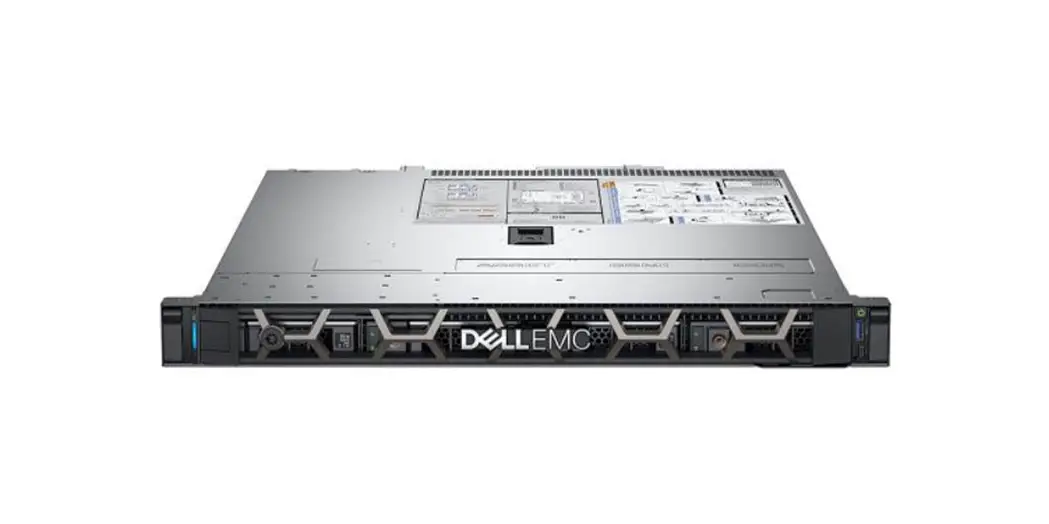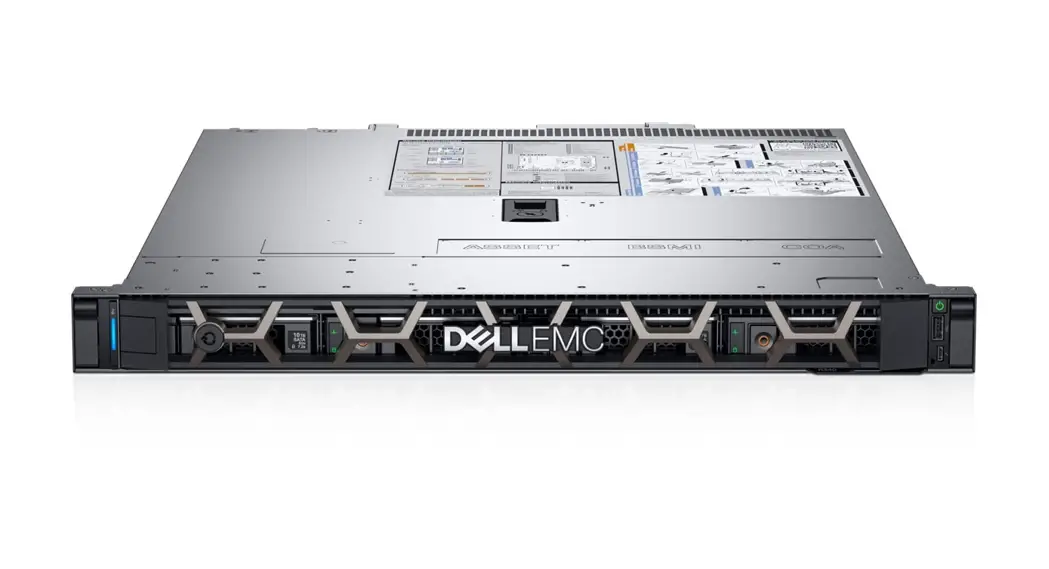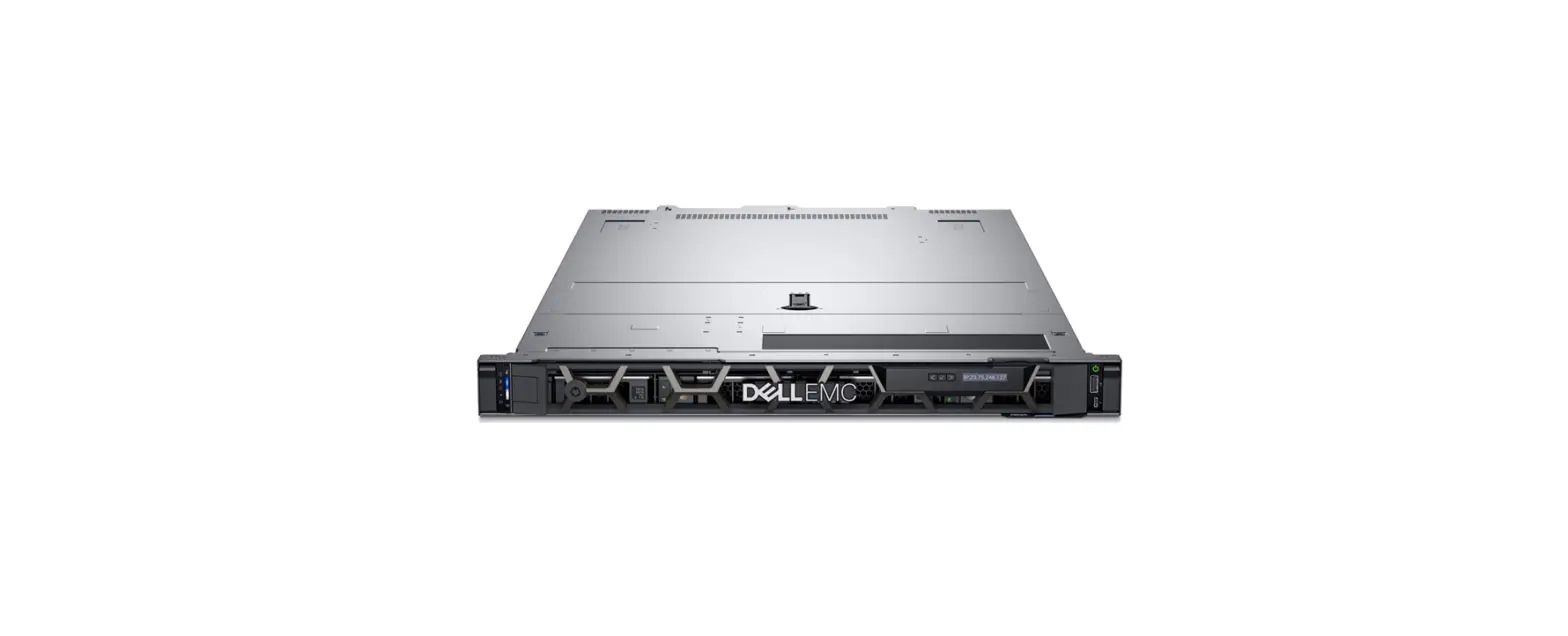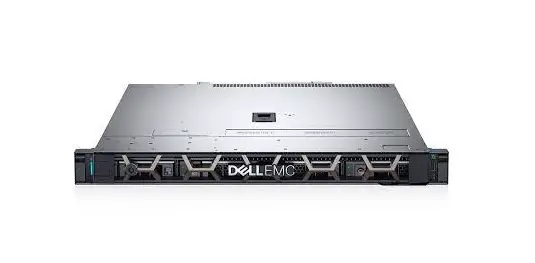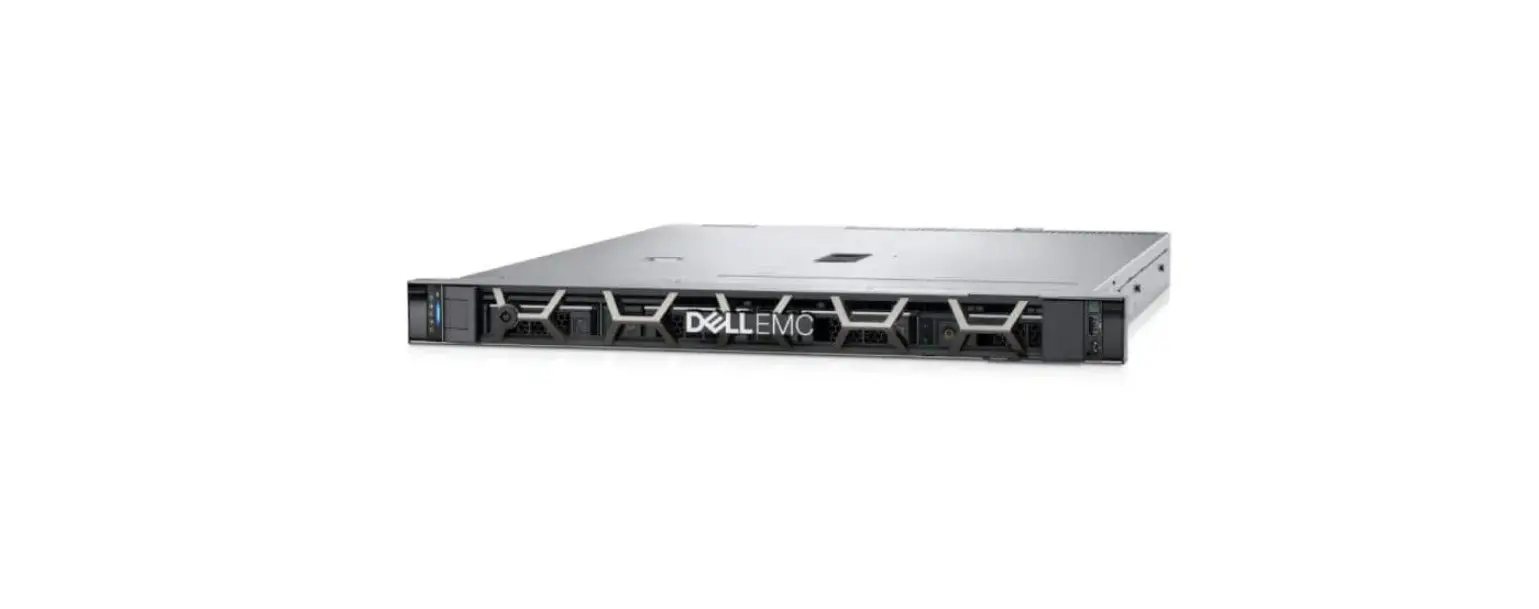

Dell E74S001 PowerEdge R450
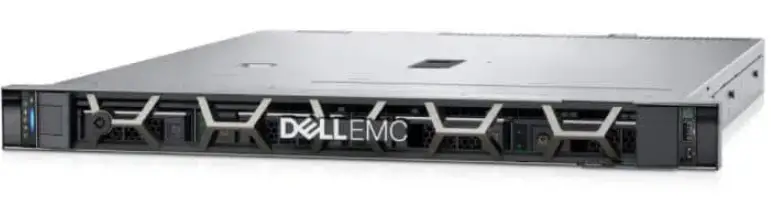
The Dell EMC PowerEdge R450 is a powerful system that supports a variety of operating systems and configurations. Below are the technical specifications:
Chassis Dimensions:
- Drives: 4 x 3.5-inch or 8 x 2.5-inch
- Xa: 482 mm (17.08 inches)
- Xb: 434 mm (18.976 inches)
- Y: 42.8 mm (1.685 inches)
- Za: 22 mm (0.866 inches) without bezel
- Zb: 35.84 mm (1.41 inches) with bezel, 677.8 mm (26.685 inches) ear to PSU surface, and 691.07mm (27.207 inches) ear to butterfly L bracket housing
- Zc: 712.95 mm (28.069 inches) ear to PSU handle without velcro strap and 662.19 mm (26.070 inches) ear to PSU handle without velcro strap
System Weight:
- 4 x 3.5-inch system: Maximum weight (with all drives/SSDs/bezel) is 18.62 kg (41.05 pound)
- 8 x 2.5-inch system: Maximum weight (with all drives/SSDs/bezel) is 16.58 kg (36.55 pound)
Processor Specifications:
- Supported processor: 3rd Generation Intel Xeon Scalable processors with up to 24 cores
- Number of processors supported: Up to two
PSU Specifications:
The PowerEdge R450 system supports up to two AC or DC power supply units (PSUs).
- PSU Class: 1100 W DC, 800 W Platinum Mixed Mode, 600 W Platinum Mixed Mode
- Heat dissipation (maximum): 4265 BTU/hr, 3000 BTU/hr, 2250 BTU/hr
- Frequency Voltage: NA 50/60 Hz
- Current: 27 A, 9.2 A-4.7 A, 3.8 A, 7.1 A-3.6 A, 2.9 A
Supported Operating Systems:
The PowerEdge R450 system supports the following operating systems:
- Canonical Ubuntu Server LTS
- Citrix Hypervisor
- Microsoft Windows Server with Hyper-V
- Red Hat Enterprise Linux
- SUSE Linux Enterprise Server
- VMware ESXi
Notes, Cautions, and Warnings:
- Note: A NOTE indicates important information that helps you make better use of your product.
- Caution: A CAUTION indicates either potential damage to hardware or loss of data and tells you how to avoid the problem.
- Warning: A WARNING indicates a potential for property damage, personal injury, or death.
Product Usage Instructions
Follow the below instructions to use Dell EMC PowerEdge R450:
- Install the system in an environment with a phase-to-phase voltage not exceeding 240 V.
- Select or upgrade the system configuration based on Dell Energy Smart Solution Advisor available at Dell.com/ESSA to ensure optimum power utilization.
- Connect up to two AC or DC power supply units (PSUs) to the system.
- Install the supported operating system from Canonical Ubuntu Server LTS, Citrix Hypervisor, Microsoft Windows Server with Hyper-V, Red Hat Enterprise Linux, SUSE Linux Enterprise Server, or VMware ESXi.
- Refer to the technical specifications for information on chassis dimensions, system weight, processor specifications, and PSU specifications.
- Read the notes, cautions, and warnings to avoid potential problems.
Notes, cautions, and warnings
- NOTE: A NOTE indicates important information that helps you make better use of your product.
- CAUTION: A CAUTION indicates either potential damage to hardware or loss of data and tells you how to avoid the problem.
- WARNING: A WARNING indicates a potential for property damage, personal injury, or death.
Technical specifications
The technical and environmental specifications of your system are outlined in this section.
Topics:
- Chassis dimensions
- System weight
- Processor specifications
- PSU specifications
- Supported operating systems
- Cooling fans specifications
- System battery specifications
- Expansion card riser specifications
- Memory specifications
- Storage controller specifications
- Drives
- Ports and connectors specifications
- Video specifications
- Environmental specifications
Chassis dimensions
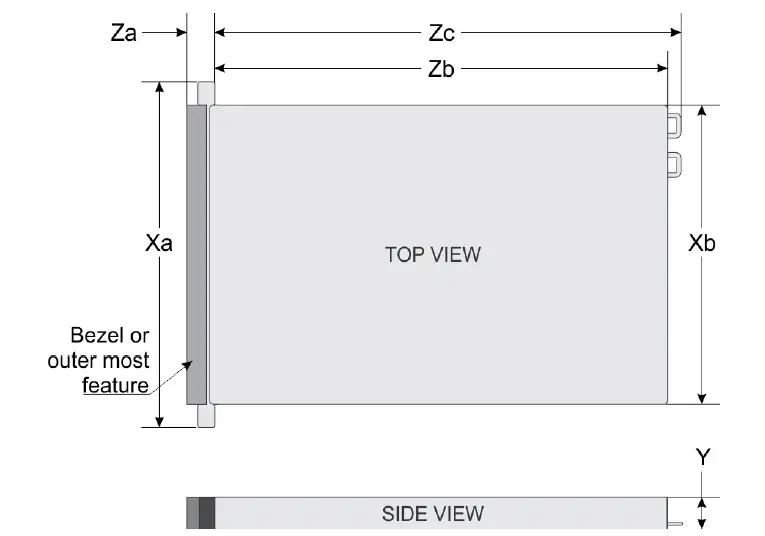
| Drives | Xa | Xb | Y | Za | Zb | Zc |
| 4 x 3.5-inch | 482 mm (18.976 inches) | 434 mm (17.08 inches) | 42.8 mm(1.68 5 inches) | 22 mm (0.866 inches) without bezel 35.84 mm (1.41 inches) with bezel | 677.8 mm (26.685 inches) (Ear to PSU surface) 691.07mm (27.207 inches) (Ear to butterfly L bracket housing) | 712.95 mm (28.069 inches) (Ear to PSU handle without velcro strap) |
| 8 x 2.5-inch | 482 mm (18.976 inches) | 434 mm (17.08 inches) | 42.8 mm(1.68 5 inches) | 22 mm (0.866 inches) without bezel 35.84 mm (1.41 inches) with bezel | 627.03 mm (24.686 inches) (Ear to PSU surface) 640.3 mm (25.209 inches) (Ear to butterfly L bracket housing) | 662.19 mm (26.070 inches) (Ear to PSU handle without velcro strap) |
NOTE: Zb is the nominal rear wall external surface where the system board I/O connectors reside.
System weight
| System configuration | Maximum weight (with all drives/SSDs/bezel) |
| 4 x 3.5-inch system | 18.62 kg (41.05 pound) |
| 8 x 2.5-inch system | 16.58 kg (36.55 pound) |
Table 2. PowerEdge R450 system weight
Processor specifications
| Supported processor | Number of processors supported |
| 3rd Generation Intel Xeon Scalable processors with up to 24 cores | Up to two |
Table 3. PowerEdge R450 processor specifications
PSU specifications
The PowerEdge R450 system supports up to two AC or DC power supply units (PSUs).
Table 4. PowerEdge R450 PSU specifications
| PSU | Class | Heat dissipation (maximum) | Frequency | Voltage | AC | DC | Current | |
| High line 200–240 V | Low line 100–120 V | |||||||
| 1100 W DC | NA | 4265 BTU/ hr | NA | -48–(-60) V | NA | NA | 1100 W | 27 A |
| 800 W Mixed Mode | Platinum | 3000 BTU/ hr | 50/60 Hz | 100–240 V AC, autoranging | 800 W | 800 W | NA | 9.2 A-4.7 A |
| NA | 3000 BTU/ hr | NA | 240 V DC, autoranging | NA | NA | 800 W | 3.8 A | |
| 600 W Mixed Mode | Platinum | 2250 BTU/ hr | 50/60 Hz | 100–240 V AC, autoranging | 600 W | 600 W | NA | 7.1 A-3.6 A |
| NA | 2250 BTU/ hr | NA | 240 V DC, autoranging | NA | NA | 600 W | 2.9 A | |
- NOTE: This system is also designed to connect to the IT power systems with a phase-to-phase voltage not exceeding 240 V.
- NOTE: Heat dissipation is calculated using the PSU wattage rating.
- NOTE: When selecting or upgrading the system configuration, to ensure optimum power utilization, verify the system power consumption with the Dell Energy Smart Solution Advisor available at Dell.com/ESSA.
Supported operating systems
The PowerEdge R450 system supports the following operating systems:
- Canonical Ubuntu Server LTS
- Citrix Hypervisor
- Microsoft Windows Server with Hyper-V
- Red Hat Enterprise Linux
- SUSE Linux Enterprise Server
- VMware ESXi
For more information, go to www.dell.com/ossupport.
Cooling fans specifications
The PowerEdge R450 system supports Standard (STD) fans, and High performance SLVR fans .
NOTE: For more information about the fan support configuration or matrix, see Thermal restriction matrix.
Table 5. PowerEdge R450 cooling fan specifications
| Fan type | Abbreviation | Also known as | Label color | Label image |
|
Standard fan |
STD |
STD |
No label | 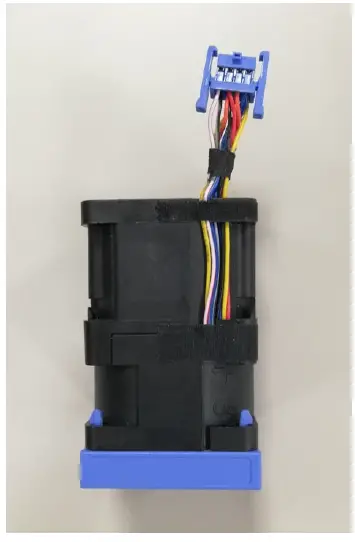 Figure 2. Standard fan |
| High-performance (Silver grade) fan | HPR (SLVR) | HPR | Silver | NOTE: New cooling fans comes with the High-Performance Silver Grade label. While the older cooling fans has the High-Performance label. |
| Fan type | Abbreviation | Also known as | Label color | Label image |
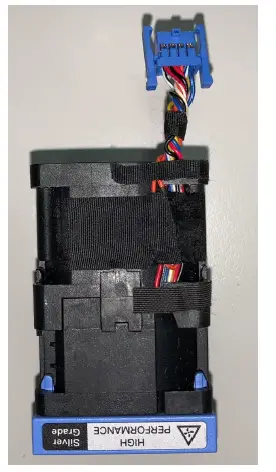 Figure 3. High performance (Silver grade) fan |
System battery specifications
The PowerEdge R450 system supports CR 2032 3.0-V lithium coin cell system battery.
Expansion card riser specifications
The PowerEdge R450 system supports up to two PCI express (PCIe) Gen 4 expansion cards.
Table 6. Expansion card slots supported on the system board
| PCIe slot | Riser | PCIe slot height | PCIe slot length | PCIe slot width |
| Slot 1 | Riser 1 | Low Profile | Half-length | x16 |
| Slot 3 | Riser 2c | Low Profile | Half-length | x16 |
NOTE: For information on the expansion card installation guidelines, see the system-specific Installation and Service
Manual available at https://www.dell.com/poweredgemanuals.
Memory specifications
The PowerEdge R450 system supports the following memory specifications for optimized operation.
| DIMM type | DIMM rank | DIMM capacity | Single processor | Dual processors | ||
| Minimum DIMM capacity | Maximum DIMM capacity | Minimum DIMM capacity | Maximum DIMM capacity | |||
|
RDIMM | Single rank | 8 GB | 8 GB | 64 GB | 16 GB | 128 GB |
| Dual rank | 16 GB | 16 GB | 128 GB | 32 GB | 256 GB | |
| 32 GB | 32 GB | 256 GB | 64 GB | 512 GB | ||
| 64 GB | 64 GB | 512 GB | 128 GB | 1 TB | ||
Storage controller specifications
The PowerEdge R450 system supports the following controller cards:
Table 9. PowerEdge R450 storage controller cards
| Internal controllers | External controllers |
| ● PERC H345 | ● HBA355e |
| ● PERC H355 | ● PERC H840 |
| ● PERC H745 | |
| ● PERC H755 | |
| ● HBA355i | |
| ● S150 | |
| ● Boot Optimized Storage Subsystem (BOSS-S1): HWRAID 2 x M.2 SSDs |
Drives
The PowerEdge R450 system supports:
- 4 x 3.5-inch Chip SATA (HDD/SSD) drives.
- 4 x 3.5-inch hot-swappable SAS, SATA (HDD/SSD) drives.
- 8 x 2.5-inch SAS, SATA (HDD/SSD) drives.
Ports and connectors specifications
USB ports specifications
Table 10. PowerEdge R450 USB ports specifications
| Front | Rear | Internal (Optional) | |||
| USB port type | No. of ports | USB port type | No. of ports | USB port type | No. of ports |
| USB 3.0- compliant port | One | USB 2.0- compliant port | One | Internal USB 3.0- compliant port | One |
| Front | Rear | Internal (Optional) | |||
| USB port type | No. of ports | USB port type | No. of ports | USB port type | No. of ports |
| Micro-USB 2.0- compliant port for iDRAC Direct | One | USB 3.0- compliant port | One | ||
NOTE: The micro USB 2.0 compliant port can only be used as an iDRAC Direct or a management port.
NIC port specifications
The PowerEdge R450 system supports up to two 10/100/1000 Mbps Network Interface Controller (NIC) ports embedded on the LAN on Motherboard (LOM) and integrated on the optional Open Compute Project (OCP) cards.
Table 11. NIC port specification for the system
| Feature | Specifications |
| LOM card | 1 GbE x 2 |
| OCP card (OCP 3.0) | 1 GbE x 4, 10 GbE x 2, 25 GbE x 2, 25 GbE x 4 |
Serial connector specifications
The PowerEdge R450 system supports one optional card type serial connector on rear of the system, which is a 9-pin connector, Data Terminal Equipment (DTE), 16550-compliant .
The process to install the optional serial connector card is similar to an expansion card filler bracket.
VGA ports specifications
The PowerEdge R450 system supports two DB-15 VGA ports, one each on the front and rear panels of the system.
| Resolution | Refresh rate (Hz) | Color depth (bits) |
| 1024 x 768 | 60 | 8, 16, 32 |
| 1280 x 800 | 60 | 8, 16, 32 |
| 1280 x 1024 | 60 | 8, 16, 32 |
| 1360 x 768 | 60 | 8, 16, 32 |
| 1440 x 900 | 60 | 8, 16, 32 |
| 1600 x 900 | 60 | 8, 16, 32 |
| 1600 x 1200 | 60 | 8, 16, 32 |
| 1680 x 1050 | 60 | 8, 16, 32 |
| 1920 x 1080 | 60 | 8, 16, 32 |
| 1920 x 1200 | 60 | 8, 16, 32 |
IDSDM
The PowerEdge R450 system supports Internal Dual SD module (IDSDM).
The IDSDM supports two SD cards and is available in the following configurations:
Table 12. Supported SD card storage capacity
- NOTE: One IDSDM card slot is dedicated for redundancy.
- NOTE: Use Dell EMC branded SD cards that are associated with the IDSDM configured systems.
Video specifications
The PowerEdge R450 system supports integrated Matrox G200 graphics controller with 16 MB of video frame buffer
Environmental specifications
NOTE: For additional information about environmental certifications, refer to the Product Environmental Datasheet located with the Documentation > Regulatory Information on www.dell.com/support/home.
| Temperature | Specifications |
| Allowable continuous operations | |
| Temperature ranges for altitudes <= 900 m (<= 2953 ft) | 10–35°C (50–95°F) with no direct sunlight on the equipment |
| Humidity percent ranges (non-condensing at all times) | 8% RH with -12°C minimum dew point to 80% RH with 21°C (69.8°F) maximum dew point |
| Operational altitude de-rating | Maximum temperature is reduced by 1°C/300 m (1.8°F/984 Ft) above 900 m (2953 Ft) |
| Temperature | Specifications |
| Allowable continuous operations | |
| Maximum temperature gradient (applies to both operation and non-operation) | 20°C in an hour* (36°F in an hour) and 5°C in 15 minutes (9°F in 15 minutes), 5°C in an hour* (9°F in an hour) for tape NOTE: * – Per ASHRAE thermal guidelines for tape hardware, these are not instantaneous rates of temperature change. |
| Non-operational temperature limits | -40 to 65°C (-40 to 149°F) |
| Non-operational humidity limits | 5% to 95% RH with 27°C (80.6°F) maximum dew point |
| Maximum non-operational altitude | 12,000 meters (39,370 feet) |
| Maximum operational altitude | 3,048 meters (10,000 feet) |
| Maximum vibration | Specifications |
| Operating | 0.26 Grms at 5 Hz to 350 Hz (all operation orientations) |
| Storage | 1.88 G rms at 10 Hz to 500 Hz for 15 minutes (all six sides tested) |
| Maximum shock pulse | Specifications |
| Operating | Six consecutively executed shock pulses in the positive and negative x, y, and z axis of 6 G for up to 11 ms |
| Storage | Six consecutively executed shock pulses in the positive and negative x, y, and z axis (one pulse on each side of the system) of 71 G for up to 2 ms |
Table 14. Operational climatic range category A2
Particulate and gaseous contamination specifications
The following table defines the limitations that prevent the damage to the IT equipment and/or, or both failure from particulate and gaseous contamination. If the levels of particulate or gaseous pollution exceed the specified limitations and results in equipment damage or failure, you must rectify the environmental conditions. Remediation of environmental conditions is the responsibility of the customer.
| Particulate contamination | Specifications |
| Air filtration | Data center air filtration as defined by ISO Class 8 per ISO 14644-1 with a 95% upper confidence limit. NOTE: This condition applies to data center environments only. Air filtration requirements do not apply to IT equipment designed to be used outside a data center, in environments such as an office or factory floor. NOTE: Air entering the data center must have MERV11 or MERV13 filtration. |
| Conductive dust | Air must be free of conductive dust, zinc whiskers, or other conductive particles. NOTE: This condition applies to data center and non-data center environments. |
| Corrosive dust | ● Air must be free of corrosive dust. ● Residual dust present in the air must have a deliquescent point less than 60% relative humidity. NOTE: This condition applies to data center and non-data center environments. |
Table 18. Particulate contamination specifications
| Gaseous contamination | Specifications |
| Copper Coupon Corrosion rate | <300 Å/month per Class G1 as defined by ANSI/ ISA71.04-2013 |
| Silver Coupon Corrosion rate | <200 Å/month as defined by ANSI/ISA71.04-2013 |
NOTE: Maximum corrosive contaminant levels measured at ≤50% relative humidity.
Thermal restrictions
Table 20. Thermal restriction matrix for processor and fans
| Configuration / Processor TDP | 4 x 3.5-inch configuration | 8 x 2.5-inch SAS/SATA configuration | Maximum Ambient Temperature |
| Rear Storage | Rear 3 LP | Rear 3 LP | N/A |
| 105 W | STD fan | STD fan | 40°C |
| Configuration / Processor TDP | 4 x 3.5-inch configuration | 8 x 2.5-inch SAS/SATA configuration | Maximum Ambient Temperature |
| STD HSK | STD HSK | ||
| 120 W | STD fan STD HSK | STD fan STD HSK | 40°C |
| 135 W | STD fan STD HSK | STD fan STD HSK | 40°C |
| 150 W | STD fan STD HSK | STD fan STD HSK | 40°C |
| 165 W | STD fan STD HSK | STD fan STD HSK | 35°C |
| 165 W 8 cores, 3.6 GHz | HPR (SLVR) fan HPR HSK | HPR (SLVR) fan HPR HSK | 35°C |
| 185 W / 190 W | HPR (SLVR) fan HPR HSK | HPR (SLVR) fan HPR HSK | 35°C |
- Processor blank is required for single processor configuration.
- Two fan blanks are required to be installed on fan slot 1 and fan slot 2 for 5 fans configuration
| Label | Description |
| LP | Low Profile |
| HPR (SLVR) | High performance (silver grade) |
| HPR | High Performance |
| HSK | Heat sink |
NOTE: DIMM blank is not required.
Table 22. Thermal restriction matrix for ASHRAE A2, A3 and A4
| Dell EMC PowerEdge Server Standard Operating Support (ASHRAE A2 compliant) NOTE: All options supported unless otherwise noted. | Dell EMC PowerEdge Server Extended Inletient 40 ° C Operating Support (ASHRAE A3 compliant) | Dell EMC PowerEdge Server Extended Inletient 45 ° C Operating Support (ASHRAE A4 compliant) |
| ● HPR Silver Fan is required for CPU >165 W ● The following OCP3.0 NIC only support optic cable with thermal Spec 85 °C and power <=1.2 W Intel Columbiaville DP 25 GbE SFP28 in 8×2.5-inch SAS/SATA configuration only Broadcom Thor QP 25 G SFP28 in both configurations. Mellanox CX5 DP 25 GbE SFP28 in both configurations. Solarflare Medford2 DP 25 GbE SFP28 in both configurations. ● The following PCIe NIC only support optic cable with thermal spec 85°C and power <= 1.2 W: | ● Processor TDP greater than 150 W are not supported. ● BOSS M.2 is not supported. ● Non-Dell qualified peripheral cards are not supported. ● NIC consuming power >= 25 W. Example: CX6 card is not supported. ● Configuration with RM is not supported. ● OCP transfer rate >25 G or cooling tier > 10 is not supported. ● Optic cable with spec 85 °C power < 1.2 W is required. | ● Does not support A4 environment. |
| Dell EMC PowerEdge Server Standard Operating Support (ASHRAE A2 compliant) NOTE: All options supported unless otherwise noted. | Dell EMC PowerEdge Server Extended Inletient 40 ° C Operating Support (ASHRAE A3 compliant) | Dell EMC PowerEdge Server Extended Inletient 45 ° C Operating Support (ASHRAE A4 compliant) |
| ○ Solarflare Medford2 DP 25 GbE SFP28 in 8×2.5- inch SAS/SATA configuration. ○ Broadcom 100 G 2P QSF in both configurations. ○ Mellanox CX6 DP 25 G SFP28 in both configurations. ● The following PCIe NIC only supports optic cable with thermal spec 85°C and power <= 2.5 W ○ Mellanox CX6 DP 100 GbE in both configurations ○ Intel Columbiaville 100 G 2P Q28 in both configurations ● PCIe SSD: Intel P4800X 750 G and 375 G are only supported in PCIe slot2 and PCIe slot3 in 4×3.5-inch configuration. No restriction in 8×2.5-inch SAS/SATA configuration. | ● Two PSUs are required. System performance may be reduced in the event of a PSU failure. |
 Server Operating Systems | Dell US