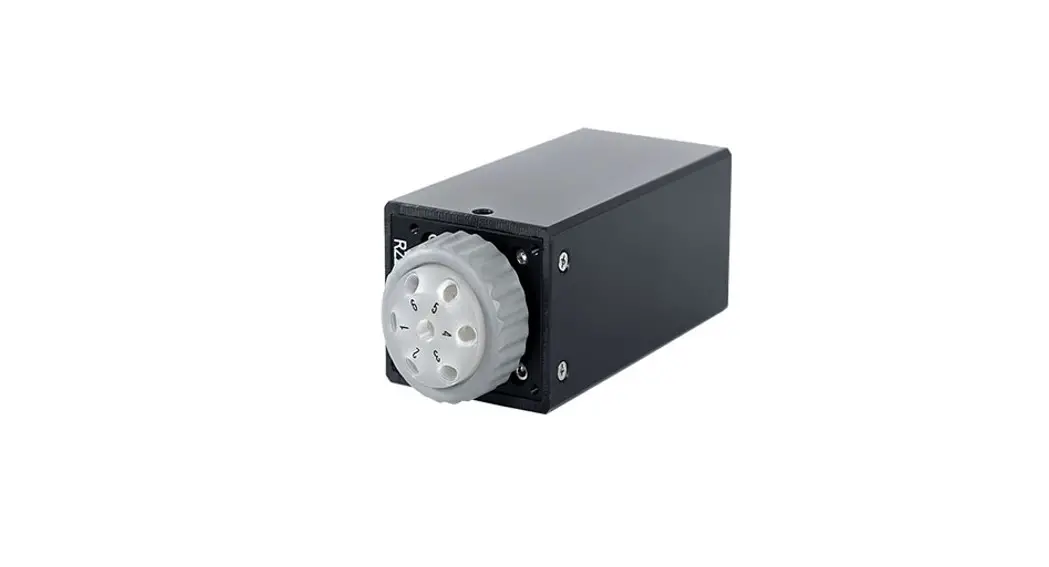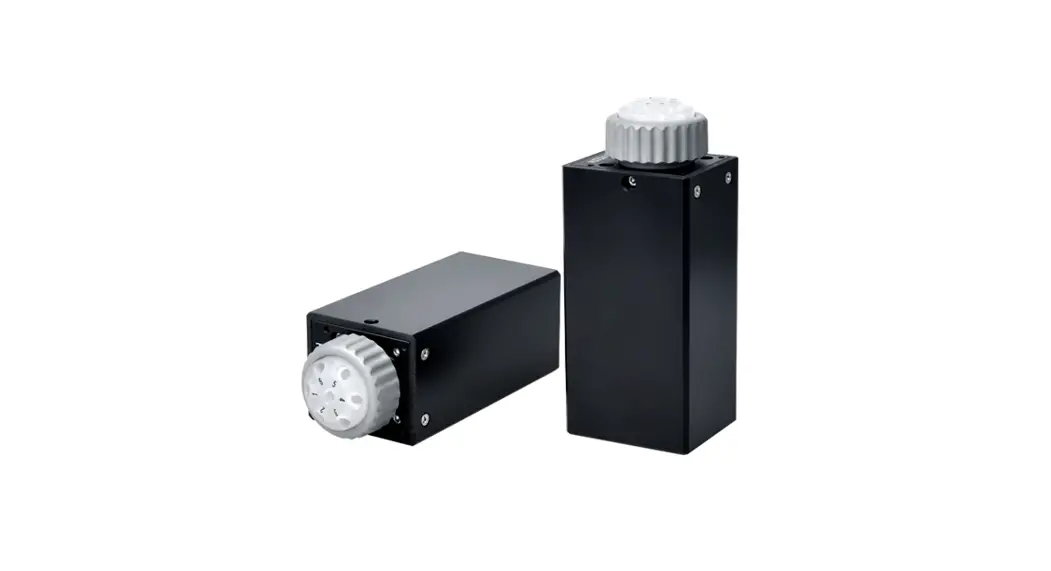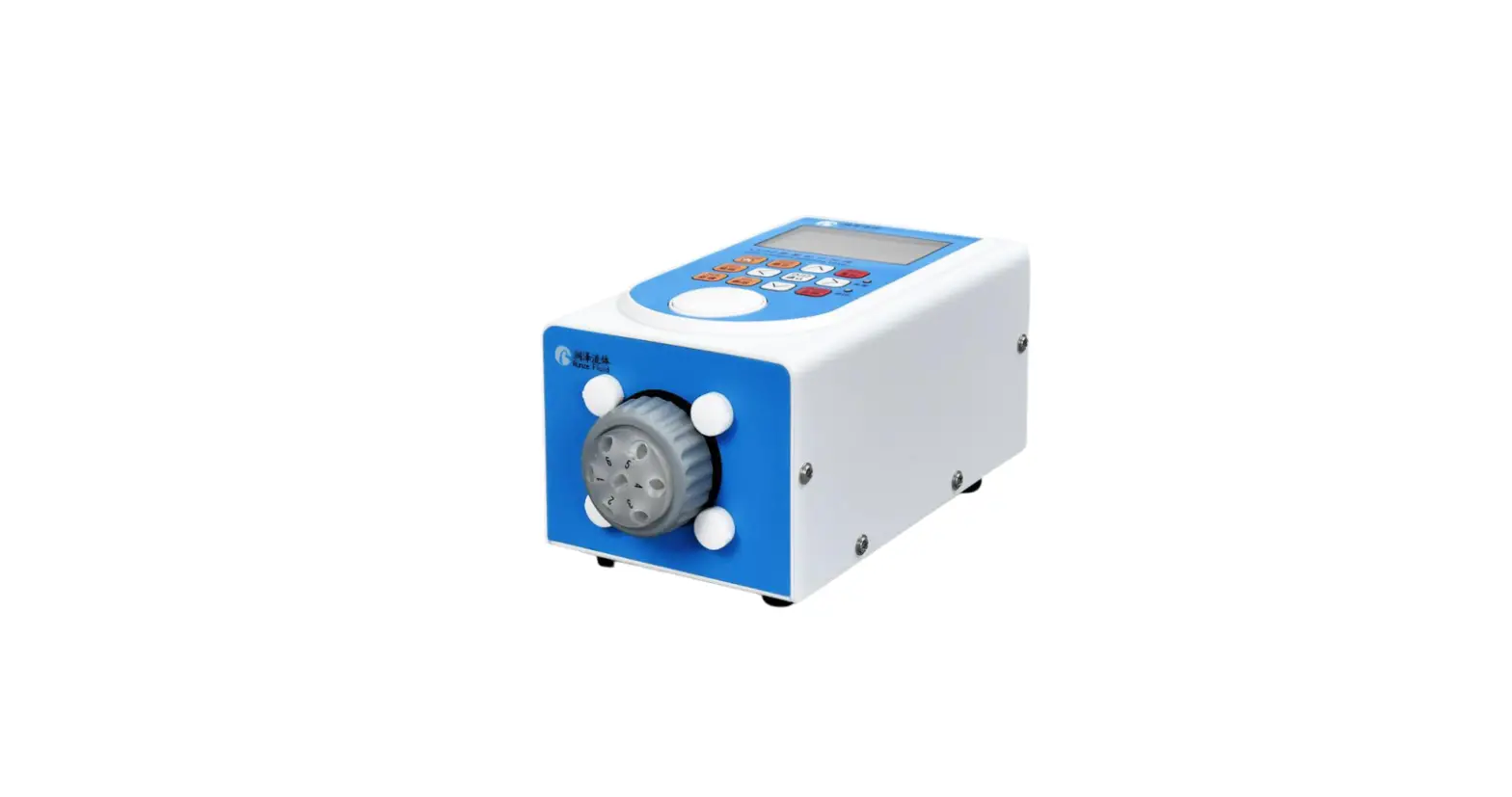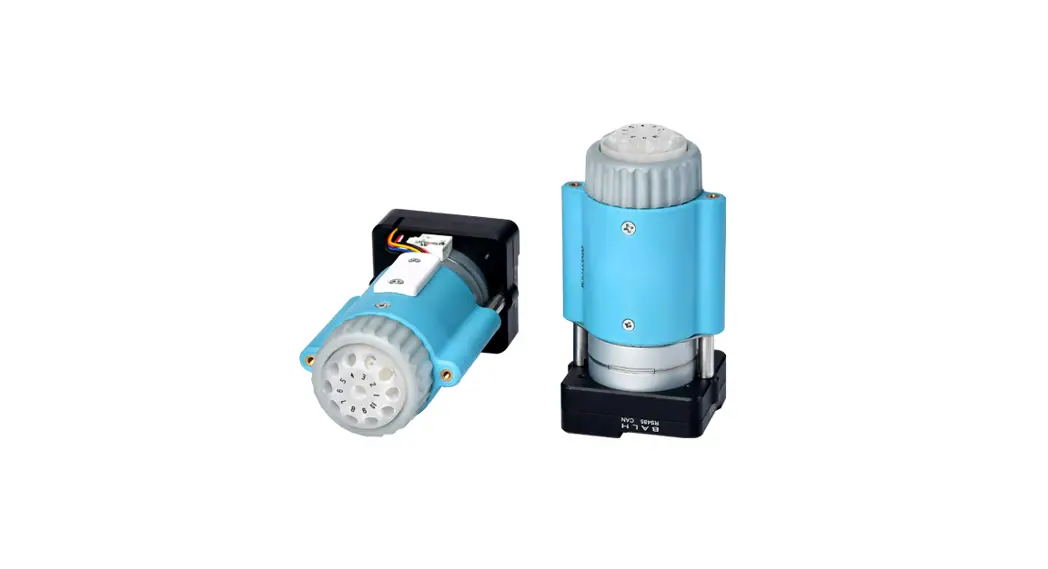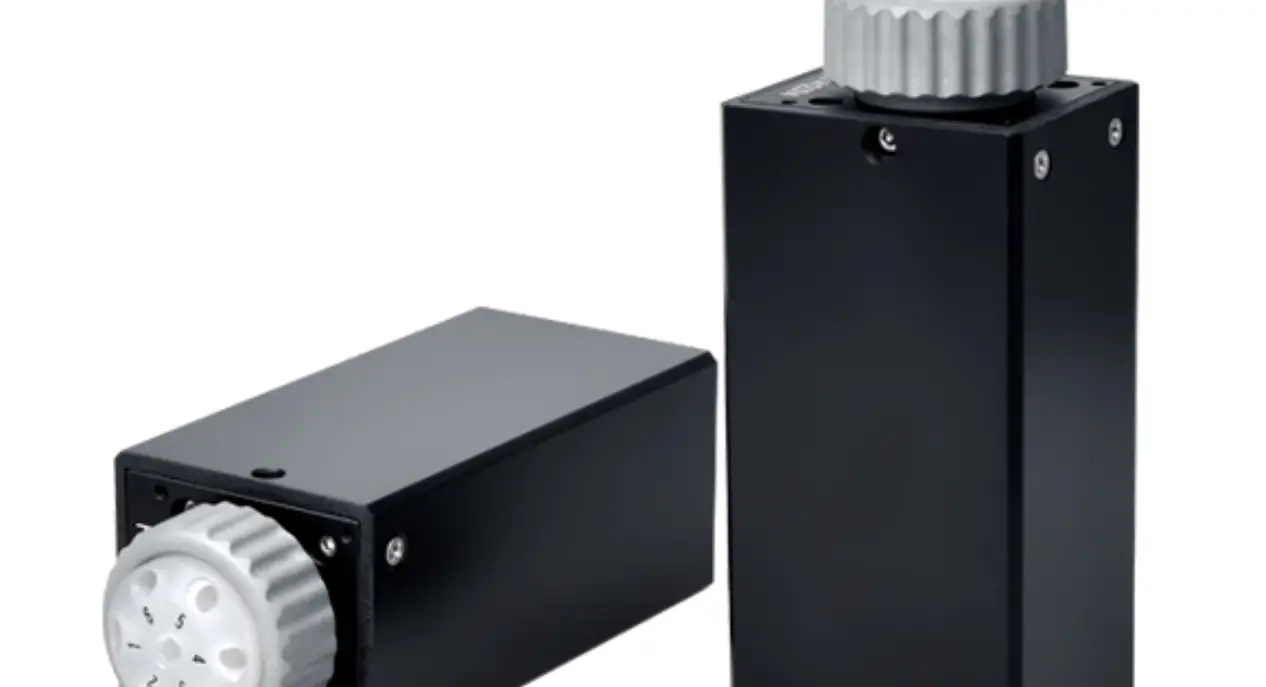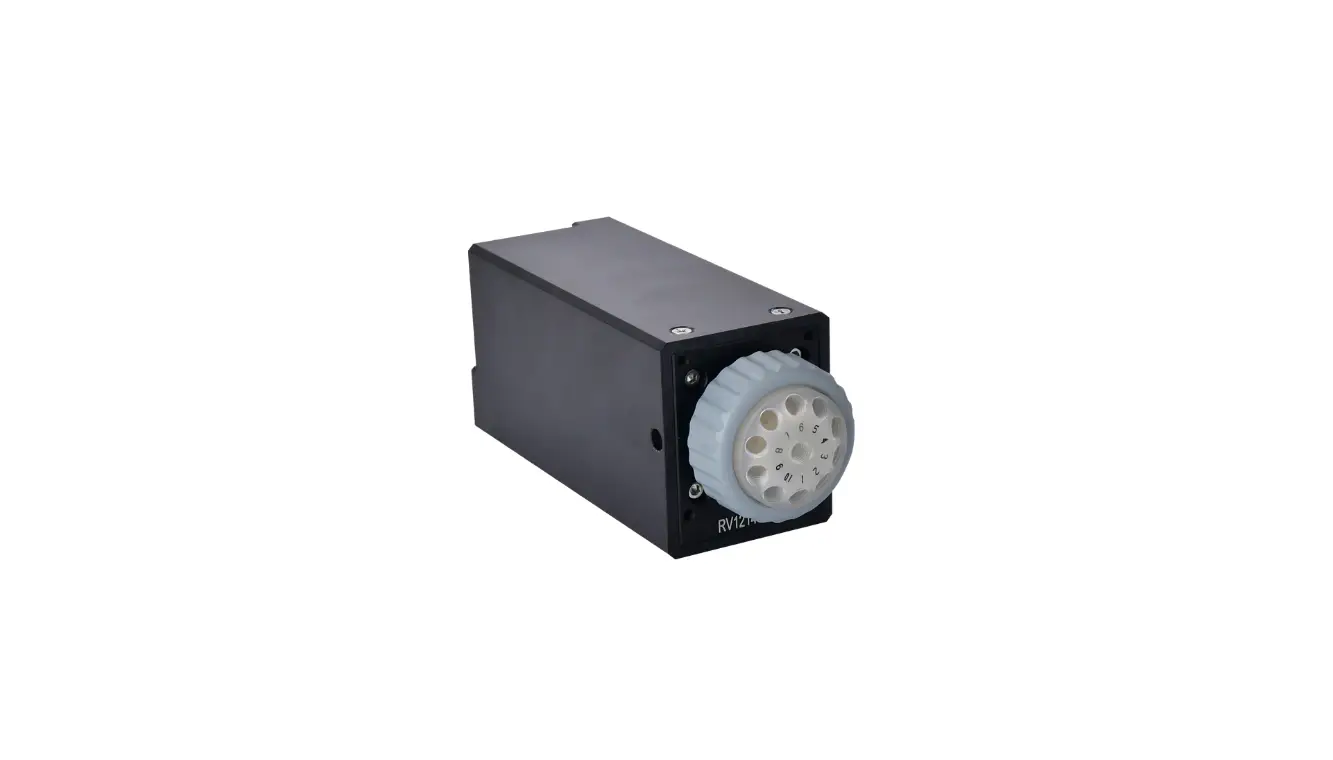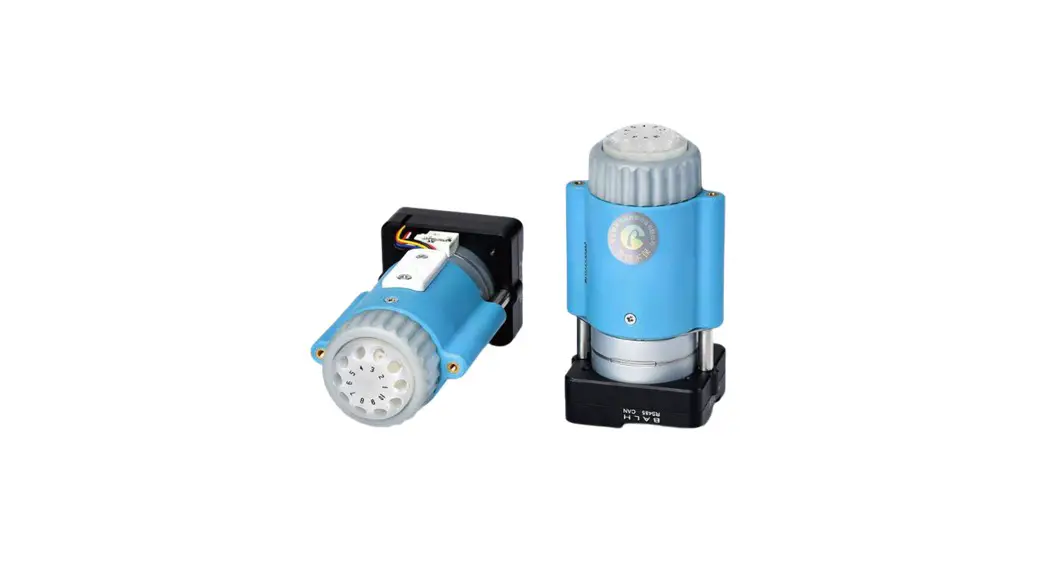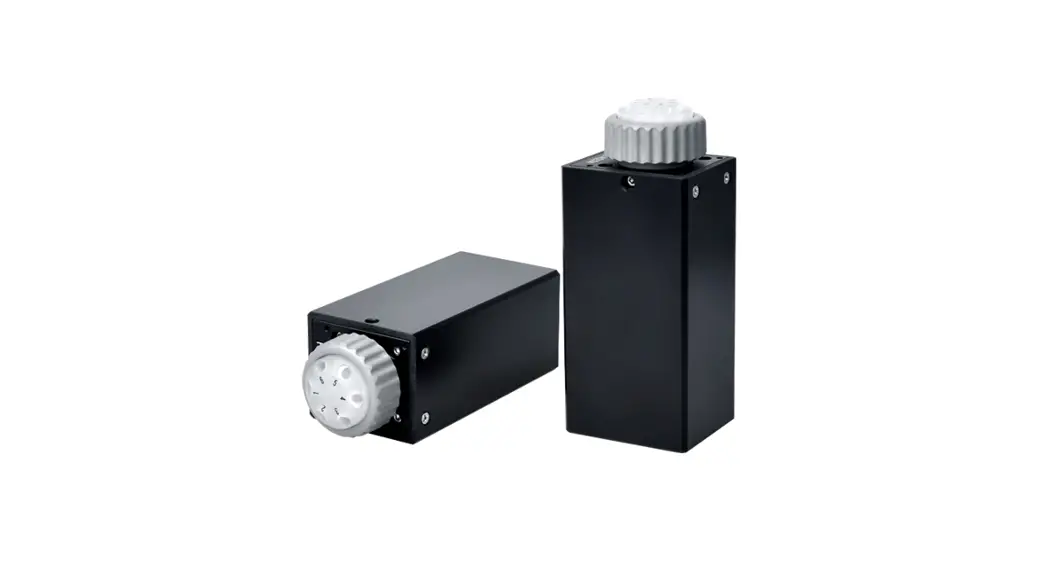
 PSV-10 Cross Contamination Free Switching Valve
Instruction Manual
Thank you for choosing our product, please read and keep this manual carefully before use
Chapter 1 Introduction
1.1 Company Profile
Nanjing Runze Fluid Control Equipment Co., Ltd. was established in 2014, We are a national high-tech enterprise focusing on R&D and production of fluid accessories for numerous analytical instruments. We engineer, manufacture and market differentiated standard products such as syringe pumps, multiport valves, peristaltic pumps, gastight syringes, plastic fittings, etc.. We persevere in providing our customers with best quality and service in the fields of environmental monitoring, biopharmaceuticals, medical equipment, industrial automation and laboratory instruments, etc. Since its establishment, RUNZER has passed the ISO9001 certification, and has been certified as “National High-tech Enterprise” and “Private Technology Enterprise of Jiangsu Province”, and has been rated as 5A grade credit user by Bank of Nanjing. With the pursuit of high technology, after years of R&D investment and accumulation, the company has obtained 38 patent technologies and several software copyrights in the field of fluid, including 8 invention patents, 17 utility model patents and 13 design patents.
RUNZE Technology Center has a reliable EMC laboratory and a series of advanced processing equipment and testing instruments, such as imported white light interferometer, Keens plane rapid detector, five-axis machining center, high-precision nano-grinding machine, etc., Continuous and substantial investment in research and development, which enabled the company to obtain a huge advantage in the manufacture and sales of analytical instrument accessories.
Chapter 2 Product Description
2.1 Product Features
- Name: PSV-10 Cross-Contamination-Free Switching Valve is an electric injector valve independently developed by RUNZE Fluid Control Equipment Co., Ltd., also known as electric rotary valve;
- Control: By receiving instructions from the host computer to control the operation of the stepper motor to make the rotor turn to the specified port position to achieve the switching of the flow path. Serial communication protocol supports RS232/RS485/CAN bus.
- Corrosion Resistance: This type of switch valve adopts sapphire valve core, which can be applied to various corrosive liquids. The valve head are made of PCTFE (polychlorotrifluoroethylene), maintenance-free;
- Valve Core Structure: The valve core adopts a multi-directional self-adaptive plane fitting method, which can extend the service life of the product effectively. (This structure has been applied for utility patent, patent number: CN204852471U)
- Motive power: The rotation of the valve body adopts the imported NMB planetary gearbox motor as the power plant, which is highly reliable.
- Orientation: The valve hole is oriented by optical encoder, which can effectively solve the problem of inaccurate positioning after the gearbox is worn down.
- Driver: The two-phase bipolar stepper drive module is a constant current drive chip, which can control the motor current with high efficiency. It has a built-in error detection circuit and error detection (TSD/ISD) signal output function;
- Control Unit Interface: XH terminal with 2.54mm pitch
- Usage: Widely used in the collection and distribution of fluid samples
- Application: Environmental testing devices, experimental analysis instruments, medical analyzers, chromatographic instruments, etc. Before using the injector valve, please read the “Instruction Manual” carefully and follow the provisions in it.
2.2 Naming Rules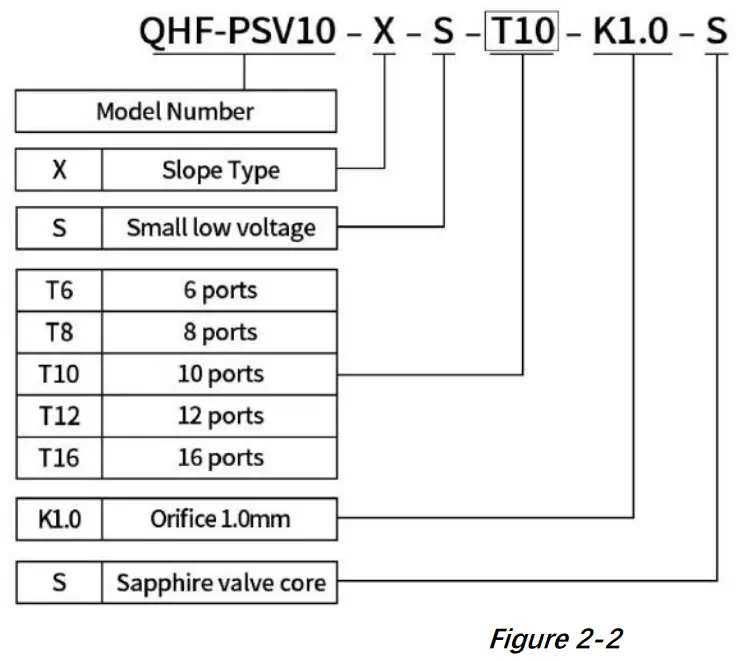
Example: Slope type 10-ports sapphire switching valve, naming: QHF-PSV10-X-S -T10-K1.0-S
2.3 Product Specification
PSV-10 Cross-Contamination-Free Switching Valve can be divided into 6 ports, 8 ports, and 10 ports in accordance with the number of channels, as shown in the figure below: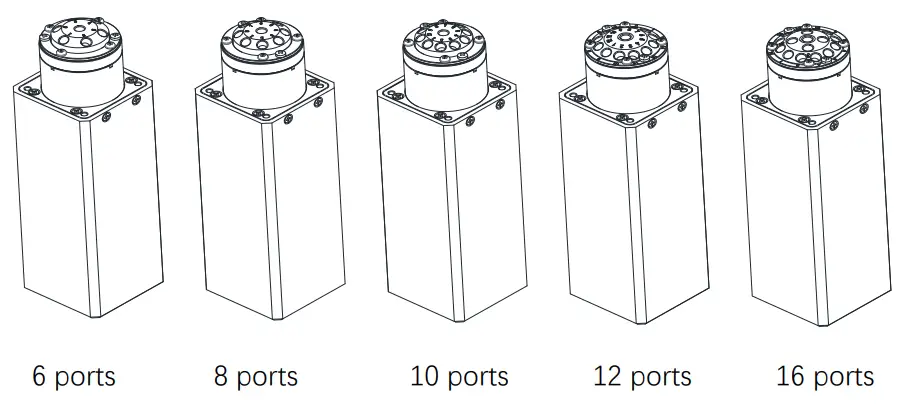
2.4 Internal Structure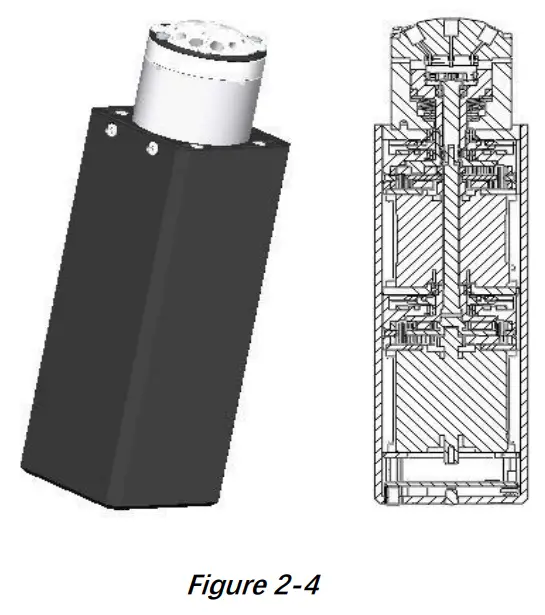
2.5 Dimension (unit: mm)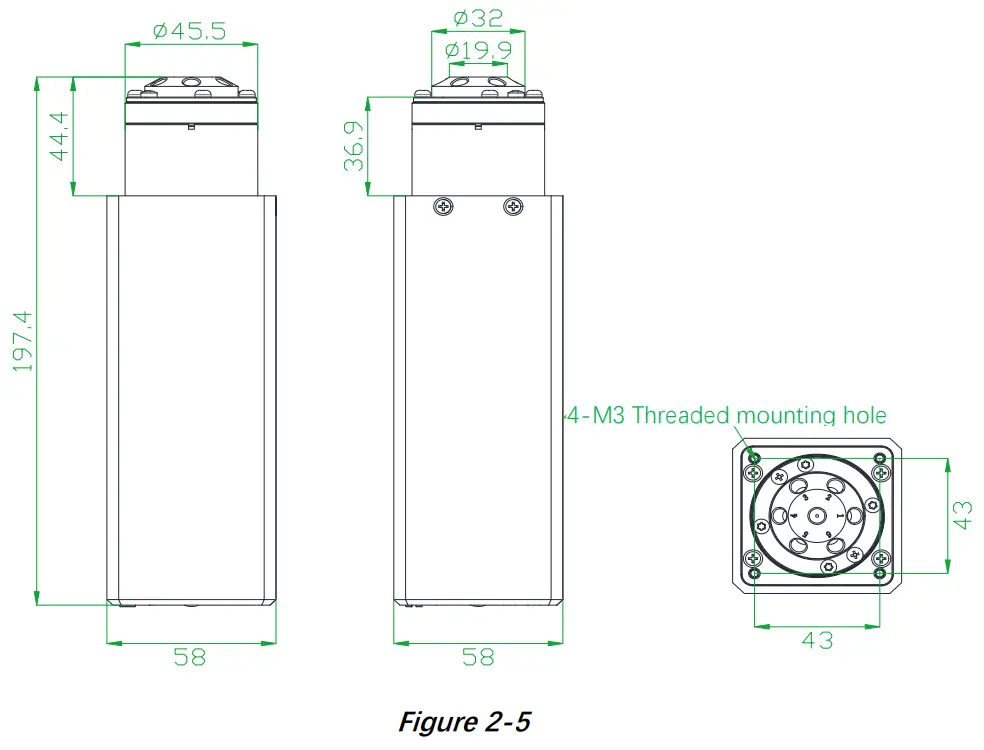
Note: 6 ports/8ports/10ports valve share the same dimension.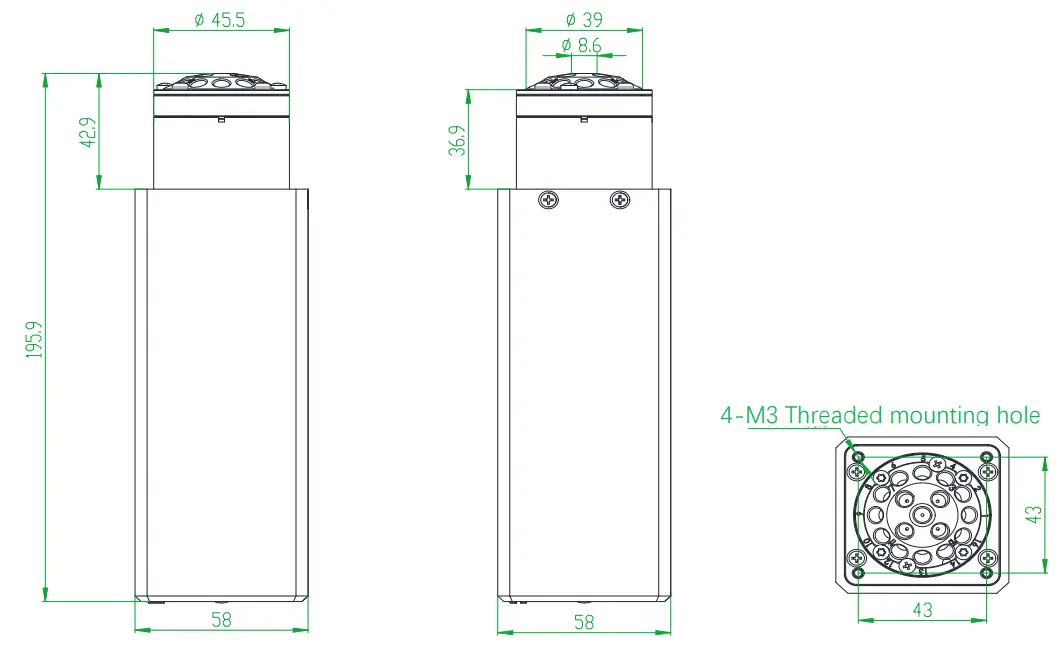
2.6 Technical Parameters
| Description | Parameter | ||
| Ports | 6/8/10 | 12 | 16 |
| Configuration | 1.0mm | ||
| Wetted material | PCTFE valve head, Sapphire rotor/stator | ||
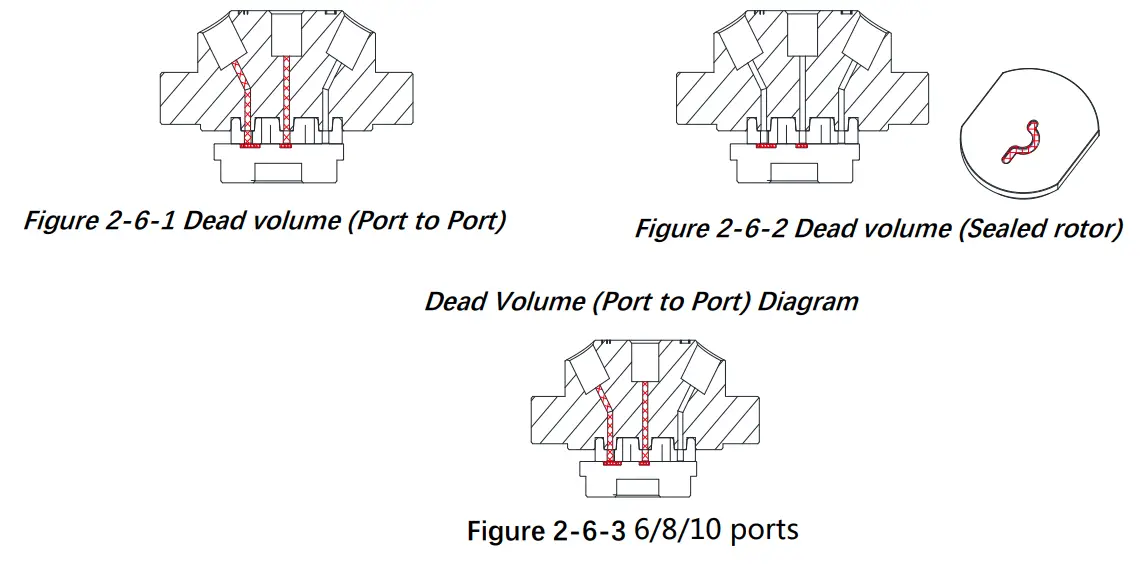
| Dead volume (Port to Port) | 29.8μl | 25.5μl | 25.5/25.9μl |
| Dead volume (Sealed rotor) | 7.3μL | ||
| Pressure rating | 0-0.5Mpa (air) / 0-0.8Mpa (water) | ||
| Origin detection | Auto reset to initial position when powered on (this function can be opened or closed) | ||
| Liquid temperature | 0-150℃ | ||
| Connection | 1/4-28UNF Thread | ||
| Replaceable parts | Stator replaceable, sealed rotor irreplaceable | ||
| Transposition | Random start to any specific port | ||
| Driver | Non-optional | ||
| Valve switching time | ≤4s/circle | ||
| Max. torque | 6N/m | ||
| Communication | RS232/RS485/CAN | ||
| Baud rate | RS232/RS485: 9600bps, 19200bps, 38400bps, 57600bps, 115200bps CAN: 100Kbps, 200Kbps, 500Kbps, 1Mbps | ||
| Address & Parameter setting | Via communication |
| Power supply | DC24V/3A |
| Max. power | 24W |
| Operating temperature | 0℃-50℃ |
| Operating humidity | ≤80% relative humidity, non-condensing |
| Dimension (L*W*H) | 58*58*195.9mm |
| Net weigh | 1.36kg |
2.7 Flow configuration
Center port is the public port, valve can switch to any specific port by programmable control via RS232/RS485/CAN communication. Flow configuration is shown as below: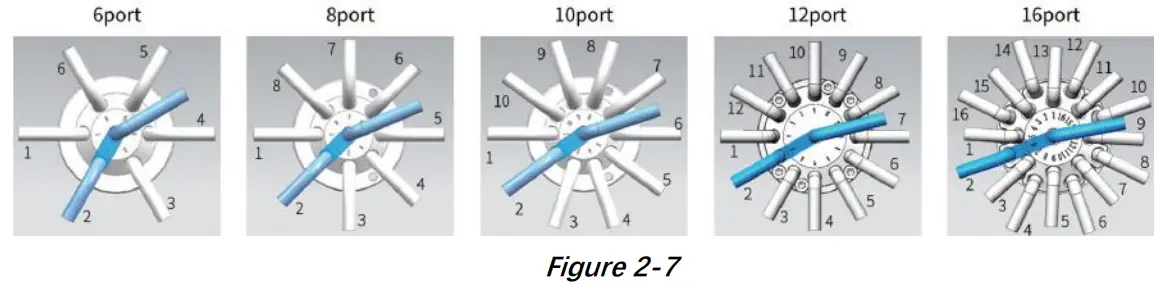
Reset direction: Clockwise
Reset position: Port 1
2.8 Port Definition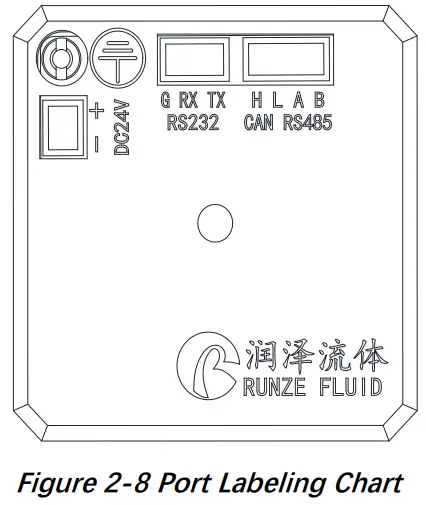
| Description | Port | Description | Port |
| + | DC24V positive | H | CANH |
| – | DC24V negative | L | CANE |
| TX | RS232 TX | A | RS485 A |
| RX | RS232 RX | B | RS485 B |
| GND | GND |
Figure 2-9 Port Definition of Driver Board
Chapter3 Description of Control Code
3.1 Overview
The data transmission between the switching valve and the host device (computer, single-chip computer, PLC, etc.) adopts serial communication (eg: RS-232/RS-485/CAN bus), the following describes the communication format: the communication adopts asynchronous serial communication, Commands and data frames use sum check, and the sum check is two bytes (2Byte). Commands and data in communication are in hexadecimal number, parameters are stored in little-endian mode.
Other instructions:
Communication interface: RS-232, RS-485, CAN bus;
Communication mode: two-way asynchronous, master-slave mode;
Baud rate: RS-232/RS-485: 9600bps, 19200bps, 38400bps, 57600bps, 115200bps; CAN: 100Kbps, 200Kbps, 500Kbps, 1Mbps;
Data bits: 8 bits;
Parity: none check.
Response time <1 second after receiving the command.
3.2 Installation and Debugging
(1) Installation and debugging tools, see 《Instructions for Debugging Tools》for details
(2) Instructions for use, see 《 PSV-10 Cross-Contamination-Free Switching Valve Quick Use Guide》for details
3.3 Code Instructions
3.3.1 Control Command Format
a: Valve parameter setting command (factory command)
b: Valve parameter query command (common command)
c: Valve action command (common command)
Figure3-3-1 Send Command (common command)
Interpretation of 0xXX: 0x means hexadecimal, XX is a two-digit hexadecimal number. The value inputted into the software all should be XX.
The message frame of “Send Command” is 8 bytes, and the complete format is as follows:
| Start code | Address code | Function code | Parameters | End code | Sum check | ||
| BO | B1 | B2 | B3 | B4 | B5 | B6 | B7 |
| STX | ADDR | FUNC | 1-8 bit | 9-16 bit | ETX | Low byte | High byte |
1st byte “STX” :Start code (0XCC)
2nd byte “ADDR” : Address of slave device (0x00~0x7F) Multicast Address (0x80~0xFE) Broadcast Address (0xFF)
3rd byte “FUNC” : Function code
4th and 5th byte: Parameters of function code
6th byte ETX: End code (0xDD) 7th and 8th byte = Sum check code from byte 1 to 6
Note: The above command format refers to the common command. In particular, if a password bit is added to the factory command and the parameter bit has also changed, from the original 2 bytes to 4 bytes, the command format is as follows:
The message frame of “Factory Command” is 14 bytes, and the complete format is as follows:
Figure3-3-2 Send Command (Factory Command)
| Start code | Address code | Function code | Password | Parameters | End code | Sum check | ||||
| B0 | B1 | B2 | B3.B4.B5.B6 | B7 | B8 | B9 | B10 | B11 | B12 | B13 |
| STX | ADDR | FUNC | PWD | 1-8 bit | 9-16 bit | 17-24 bit | 25-32 bit | ETX | Low byte | High byte |
Figure3-3-3 Response Command
| Start code | Address code | Status code | Parameters | End code | Sum | check | |
| B0 | B1 | B2 | B3 | B4 | B5 | B6 | B7 |
| STX | ADDR | STATUS | 1-8 bit | 9-16 bit | ETX | Low byte | High byte |
Note: The send command & response command format for the common commands are the same, and all the message frames of response command are 8 bytes.
3.3.2 Command Format Instructions
Definition of Start Code & End Code BO,B5(B11)
| Item | Code | Remark |
| Start code B0 | 0XCC | |
| End code B5 (B11) | 0xDD |
Note: The send command & response command of the common command are the same. The start and the end code are B0 and B5 respectively. The factory command is B11.
Definition of Address Bit B1:
| Item | Instruction | Code B1 | Remark |
| Address Bit | Address | 0xXX |
Note: 1. The send command is the same as the response command
2 The XX in “0xXX” means that it can be set, the factory default is 0x00, and the parameter value range is 0x00~0x7F.
Figure3-3-4 Control Command Instructions(B2~B10)
a: Valve parameter setting command (factory command) (B2~B10)
| Command Code B2 | Command Instruction | Code (B3, B4, B5, B6) | Parameters Instructions (B7, B8, B9, B10) |
| 0x00 | Set address | B3=0xFF B4=0xEE B5=0xBB B6=0xAA | B7=0xXX (B8=0x00 B9=0x00 B10=0x00) The value range of XX is 00~7F, default value is 00 |
| 0x01 | Set RS232 Baud rate | B3=0xFF B4=0xEE B5=0xBB B6=0xAA | Totally 5 baud rates: the factory default is 9600bps (B8=0x00 B9=0x00 B10=0x00) B7=0x00 corresponds to a baud rate of 9600bps B7=0x01 corresponds to a baud rate of 19200bps B7=0x02 corresponds to a baud rate of 38400bps B7=0x03 corresponds to a baud rate of 57600bps B7=0x04 corresponds to a baud rate of 115200bps |
| 0x02 | Set RS485 Baud rate | B3=0xFF B4=0xEE B5=0xBB B6=0xAA | |
| 0x03 | Set CAN Baud rate | B3=0xFF B4=0xEE B5=0xBB B6=0xAA | Totally 4 baud rates: the factory default is 100K (B8=0x00 B9=0x00 B10=0x00) B7=0x00 corresponds to a baud rate of 100Kbps B7=0x01 corresponds to a baud rate of 200Kbps B7=0x02 corresponds to a baud rate of 500Kbps B7=0x03 corresponds to a baud rate of 1Mbps |
| 0x10 | Set CAN destination address | B3=0xFF B4=0xEE B5=0xBB B6=0xAA | B7=0xXX (B8=0x00 B9=0x00 B10=0x00) The value range of XX is 00~FF, and the default is 00 |
| 0x50 | Set address of multicast channel 1 | B3=0xFF B4=0xEE B5=0xBB B6=0xAA | B7=0xXX (B8=0x00 B9=0x00 B10=0x00) The value range of XX is 80~FE, and the default is 00 |
| 0x51 | Set address of multicast channel 2 | B3=0xFF B4=0xEE B5=0xBB B6=0xAA | B7=0xXX (B8=0x00 B9=0x00 B10=0x00) The value range of XX is 80~FE, and the default is 00 |
| 0x52 | Set address of multicast channel 3 | B3=0xFF B4=0xEE B5=0xBB B6=0xAA | B7=0xXX (B8=0x00 B9=0x00 B10=0x00) The value range of XX is 80~FE, and the default is 00 |
| 0x53 | Set address of multicast channel 4 | B3=0xFF B4=0xEE B5=0xBB B6=0xAA | B7=0xXX (B8=0x00 B9=0x00 B10=0x00 The value range of XX is 80~FE, and the default is 00 |
| 0xFC | Parameter lock | B3=0xFF B4=0xEE B5=0xBB B6=0xAA | All the parameters are 0x00 |
| 0xFF | Restore factory settings | B3=0xFF B4=0xEE B5=0xBB B6=0xAA | All the parameters are 0x00 |
Example: Use the 0x50/51/52/53 command to set the multicast address (only uses 0x50/51/52 three commands in this example)
Use three sets of Cross-Contamination-Free Switching Valve with the same software version. In the RS485 communication mode, set their addresses to 00, 01, 02 and make a mark. Firstly, Set parameter 0x81 of PSV-10 multicast channel 1 address marked as 00 to 81 by the command 0x50, set parameter 0x83 of multicast channel 3 address to 83 by command 0x52; Set parameter 0x81 of the multicast channel 1 address of PSV-10 marked as 01 to 81 by command 0x50, and the parameter 0x82 of multicast channel 2 address is set to 82 by command 0x51. Set parameter 0x82 of PSV-10 multicast channel 2 address marked as 02 to 82 by command 0x51, and the parameter 0x83 of multicast channel 3 address to 83 by command 0x52 (See the table below for details)
| Device Item | Device1 (address 0) | Device2 (address 1) | Device3 (address 2) |
| Multicast address | 81 | 81 | |
| 82 | 82 | ||
| 83 | 83 | ||
| Broadcast address | FF | FF | FF |
After the setting is completed, connect the three devices in parallel to the serial debugging tool, and use our debugging tool MotorTest V0.8 for debugging. In MotorTest V0.8, set the address to 0x81, the command to 0x44 and the parameter to 0x01,click to send and then the device 1 and device 2 will have port switching action; Set the address to 0x82 ,the command to 0x44 and the parameter to 0x03, click to send and then the device2 and device 3 will have port switching action; Set the address to 0x83, the command to 0x44, and the parameter to 0x05, click send and then the device 1 and device 3 will have port switching action; Set the address to 0xFF, the command to 0x44, and the parameter to 0x03 , click to send and then the device1.2 3 will all have port switching action;
The newly added command to set the multicast address greatly meets the needs of customer groups, making it easier and more convenient for customers. You can choose the device you want to control so that you can complete your work more efficiently and quickly during usage.
b: Valve parameter query command (common command) (B2~B4)
| Command Code B2 | Command Instruction | Response Parameter (B3, B4) | |
| 0x20 | Query Address | B3=0x00 | B4=0x00 |
| 0x21 | Query RS232 baud rate | B3=0x00 | B4=0x00 |
| 0x22 | Query RS485 baud rate | B3=0x00 | B4=0x00 |
| 0x23 | Query CAN baud rate | B3=0x00 | B4=0x00 |
| 0x30 | Query CAN destination address | B3=0x00 | B4=0x00 |
| 0x70 | Query multicast channel 1 address | B3=0x00 | B4=0x00 |
| 0x71 | Query multicast channel 2 address | B3=0x00 | B4=0x00 |
| 0x72 | Query multicast channel 3 address | B3=0x00 | B4=0x00 |
| 0x73 | Query multicast channel 4 address | B3=0x00 | B4=0x00 |
| 0x3E | Query current channel address | B3=0x00 | B4=0x00 |
| 0x3F | Query current version | B3=0x01 B4=0x09, above is just an example, if the response parameter is the same as above parameter, it means the current version is V1.1, see the version number on the label for details | |
| 0x4A | Query motor status | B3=0x00 | B4=0x00 |
c: Valve action command (common command) (B2~B4)
| Command Code B2 | Command Instruction | Parameter Instructions (B3, B4) |
| 0x44 | The motor rotates through the code disc, and select the best path automatically | According to the actual number of ports of the switch valve, such as a 10-ports switching valve, B3=0xXX B4=0x00,the value range of XX is 01~0A, |
| 0x45 | Reset | B3=0x00 B4=0x00 switching valve turns to optocoupler position and stop |
| 0x4F | Reset on origin position | B3=0x00 B4=0x00 Switching valve runs to the encoder origin position, overlaps the position reset by the 0x45 command |
| 0x49 | Forced stop | B3=0x00 B4=0x00 |
Sum check (B6, B7)
| Item | Instruction | Code (B6 B7) | Remark |
| Sum check | Sum check | 0xXX 0xXX | The sum of the header to the end of the package |
Note: The sum check bit of the factory command is B12, B13 Response parameters are B2 B3 B4
Figure3-2-5 Response Parameters
| Command Code B2 | Command Instruction | Parameter Description= B3, B4 | |
| 0x00 | Normal state | B3=0x00 B4=0x00 Example: When using the query command “0x3E”, the response command Of B3 B4 =0x01 0x00 ~ 0x0a 0x00 Indicates multi-port 1-10 | |
| 0x01 | Frame error | B3=0x00 | B4=0x00 |
| 0x02 | Parameter error | B3=0x00 | B4=0x00 |
| 0x03 | Optocoupler error | B3=0x00 | B4=0x00 |
| 0x04 | Motor busy | B3=0x00 | B4=0x00 |
| 0x05 | Motor stalled | B3=0x00 | B4=0x00 |
| 0x06 | Unknown position | B3=0x00 | B4=0x00 |
| 0xFE | Task is being executed | B3=0x00 | B4=0x00 |
| 0xFF | unknown error | B3=0x00 | B4=0x00 |
Note: In RS485 communication, when sending an action command, when code B2 received FE byte means the command is received and is being executed
Note: ⑴ The code B2 in the response command indicates the current running state of the motor. Only when B2=0x00, the motor is in normal operation, other parameters are as shown in the above table, corresponding to different abnormal states respectively. In principle, the motor should be sent the 0X4A command to query the motor status at the end of the motor operation. Only when the B2 parameter in the response command is 00, other commands can be executed correctly.
Note: The code parameters of all the above commands are set in little-endian mode. low data stored in the low bit of the address, high data is stored in the high bit of the address.
Chapter4 Common Problems & Solutions
| Phenomenon | Possible problem | Solution |
| Not working when powered on | Working voltage is not within the specified range | Check whether the voltage is within the specified range |
| The power connection is loose or disconnected | Check the power connection | |
| Working current is not within the specified range | Check whether the current is within the specified range | |
| Not aspirating after switching | The channel is blocked by particles | Take out the pump tube and check for blocked particles |
| Liquid has bubbles | The connector interface is not tight | Replace suitable connector |
| No communication | The TX and RX lines of RS232 are connected reversely or RS485 phase A & phase B are connected reversely | Exchange the TX and RX line sequence of RS232, exchange the A B phase sequence of RS485 |
| The communications sent and received are consistent in RS232 | TX & RX are in short circuit | Check if there is a short circuit, if yes, replace the cable |
Application Notice:
- Please ensure that the voltage matches the standard voltage of the instrument.
- Please use original serial port wires
- Communication RS232, RS485, CAN are under non-isolation mode, hot swapping unsupported.
- Please cover the unused ports with suitable coned plugs when laid aside to avoid impurity substance and air
- Do not disassemble the product parts at will. The tamper-evident label is not guaranteed.
- Please read above operation instructions and communication protocols carefully, do not input data randomly.
- Discard the instrument should be in line with the regulations on the disposal. Dispose of the waste in accordance with national environmental protection requirements. Users should not throw away at will.
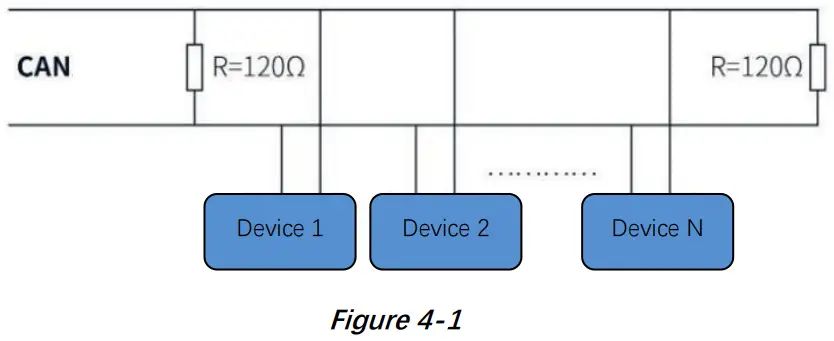
- When using CAN bus protocols to connect multiple devices, please refer to the connection method shown in Figure 4-1 below.
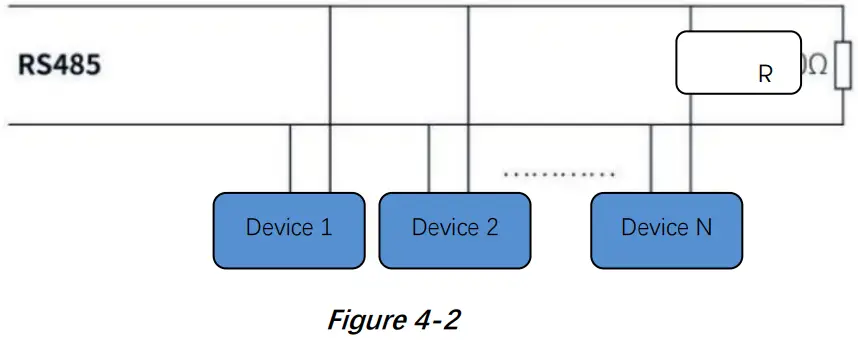
- When using RS485 protocol to connect multiple devices, please refer to the connection method shown in Figure 4-2 below (CAN resistance is removed), However, the resistance value depends on the number of devices the user hangs.
Chapter 5 Technical Service

Tel : 025-51197362 Phone : 138 5195 4068
Fax : 025-51197362 Technical support : 183 5195 5944
Official URL : http://www.runzeflulid.com
Alibaba Store URL : https://runzeliuti.en.alibaba.com
Sales Email : [email protected]
Address : NO.9 Tianxing West Road, Dongshan Street, Jiangning District,
Nanjing, Jiangsu, China
 |  |  |
| http://www.runzefluidsystem.com | https://runzeliuti.en.alibaba.com/?spm=a2700.7756200.0.0.52dd71d2bqp0I8 |
 工业注射泵_多通道切换阀_鲁尔接头_南京润泽流体控制设备有限公司