CISCO Finesse 11.6 Desktop User Guide


Preface
- Change History, on page i
- About This Guide, on page ii
- Audience, on page ii
- Related Documents, on page iii
- Communications, Services, and Additional Information, on page iii
- Field Notice, on page iii
- Documentation Feedback, on page iv
- Conventions, on page iv
Change History
The following table lists changes made to this guide for Cisco Finesse 11.6(1) release version:
About This Guide
| Change | See | Date |
| Initial release of the document for Release 11.6(1) | August, 2017 | |
| Supervisors can view the recent call history of an agent. | View Recent Call History | |
| Supervisors can view the recent state history of an agent. | View Recent State History | |
| Agents and Supervisors can make calls from Ready State. | Make a Call | |
| An Agent or Supervisor can view their call history by clicking on the ‘My History’ tab. Also, can initiate a call back using the Make Call icon. | View My History | |
| Few behavioral changes in Wrap Up state. | Apply Wrap-Up Reason | |
| Queue Statistics gadget is enabled by default as part of Cisco Finesse new installation. | Finesse Agent Desktop | |
About This Guide
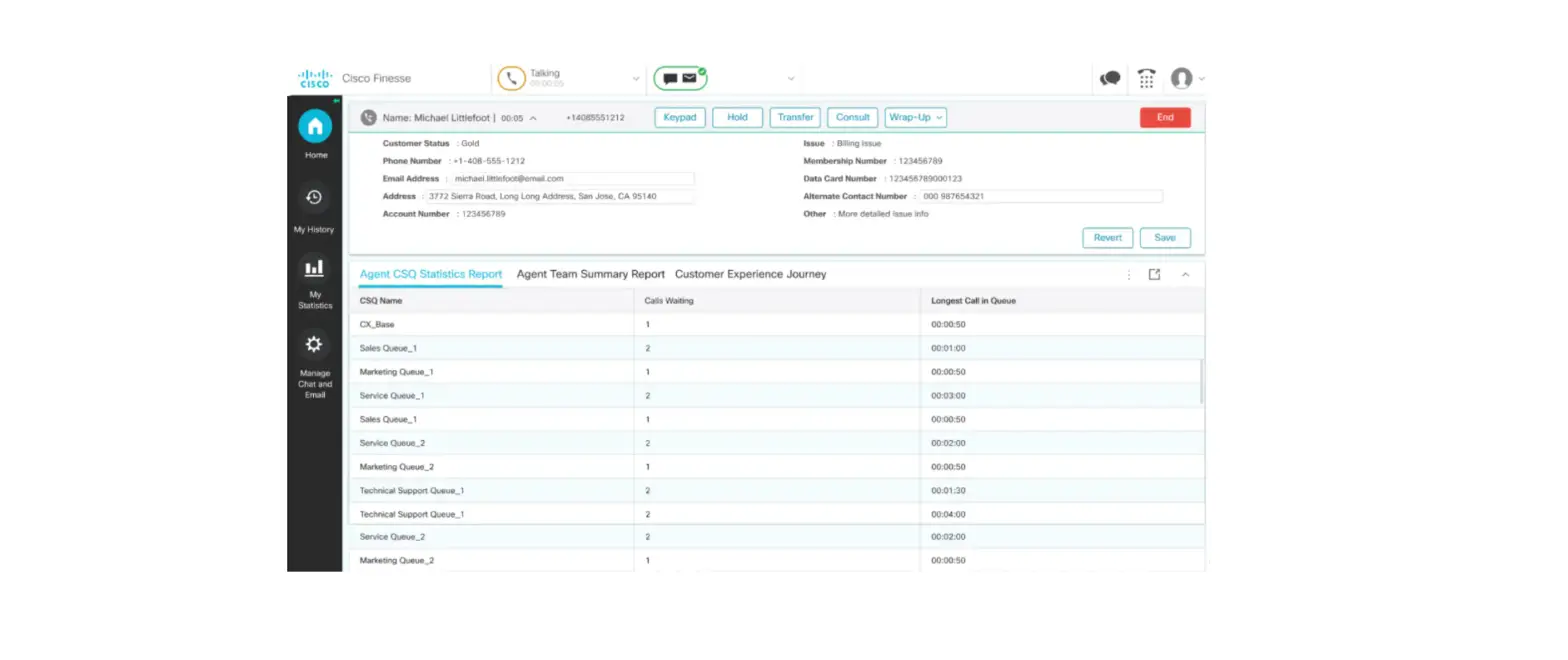
Cisco Finesse has undergone a user experience refresh in release 12.0(1). This guide documents the new look and feel of the Agent and Supervisor desktop layouts along with release specific features.
The Cisco Finesse Desktop User Guide for Unified Contact Center Enterprise describes how to use the Finesse agent and supervisor desktop.
Audience
This guide is intended for Unified Contact Center Enterprise (Unified CCE), Packaged Contact Center Enterprise (Packaged CCE), and Hosted Collaboration Solution(HCS) for Contact Center agents and supervisors who use the Finesse desktop.
| Document or resource | Link |
| Cisco Finesse Documentation Guide | https://www.cisco.com/en/US/partner/products/ps11324/products_ documentation_roadmaps_list.html |
| Configure SNMP Trap in Cisco Finesse | https://www.cisco.com/c/en/us/support/docs/contact-center/finesse/ 214387-configure-snmp-trap-in-cisco-finesse.html |
| Cisco.com site for Finesse documentation | https://www.cisco.com/en/US/partner/products/ps11324/tsd_products_ support_series_home.html |
Communications, Services, and Additional Information
- To receive timely, relevant information from Cisco, sign up at Cisco Profile Manager.
- To get the business impact you’re looking for with the technologies that matter, visit Cisco Services.
- To submit a service request, visit Cisco Support.
- To discover and browse secure, validated enterprise-class apps, products, solutions and services, visit Cisco Marketplace.
- To obtain general networking, training, and certification titles, visit Cisco Press.
- To find warranty information for a specific product or product family, access Cisco Warranty Finder.
Cisco Bug Search Tool
Cisco Bug Search Tool (BST) is a web-based tool that acts as a gateway to the Cisco bug tracking system that maintains a comprehensive list of defects and vulnerabilities in Cisco products and software. BST provides you with detailed defect information about your products and software.
Field Notice
Cisco publishes Field Notices to notify customers and partners about significant issues in Cisco products that typically require an upgrade, workaround, or other user action. For more information, see Product Field Notice Summary at https://www.cisco.com/c/en/us/support/web/tsd-products-field-notice-summary.html.
You can create custom subscriptions for Cisco products, series, or software to receive email alerts or consume RSS feeds when new announcements are released for the following notices:
- Cisco Security Advisories
- Field Notices
- End-of-Sale or Support Announcements
- Software Updates
Documentation Feedback
To provide comments about this document, send an email message to the following address: [email protected]
We appreciate your comments.
Conventions
This document uses the following conventions:
| Convention | Description |
| boldface font | Boldface font is used to indicate commands, such as user entries, keys, buttons, folder names, and submenu names. For example: • Choose Edit > Find. • Click Finish. |
| italic font | Italic font is used to indicate the following: • To introduce a new term. Example: A skill group is a collection of agents who share similar skills. • A syntax value that the user must replace. Example: IF (condition, true-value, false-value) • A book title. Example: See the Cisco Unified Contact Center Enterprise Installation and Upgrade Guide. |
| window font | Window font, such as Courier, is used for the following: • Text as it appears in code or that the window displays. Example: <html><title>Cisco Systems, Inc. </title></html> |
| < > | Angle brackets are used to indicate the following: • For arguments where the context does not allow italic, such as ASCII output. • A character string that the user enters but that does not appear on the window such as a password. |