
Calix Broadband Academy Access
If you are new to Calix University, use this guide to help you access and learn about Broadband Services. Existing customers can access Broadband Academy by logging into My Calix and clicking the Calix University image
Accessing Broadband Academy
To access Broadband Academy courses:
- Go to https://learn.calix.com/broadbandacademy
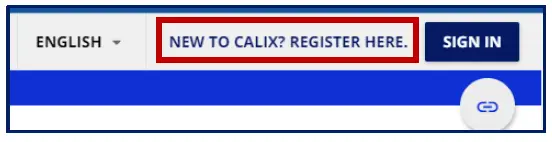
- New learners must register first. Click the NEW TO CALIX? REGISTER HERE link located in the top right of the page

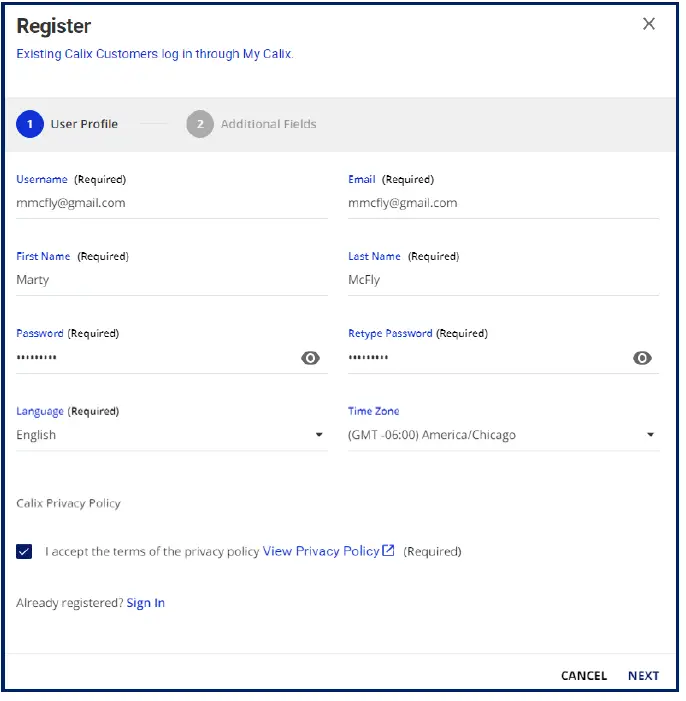
- Fill out the form.
- a. Username: Enter your email address for the username
- b. Email: Enter your email address
- c. Enter your first and last name
- d. Create a password
- e. Select your language
- f. Select your time zone
- g. Check and accept the terms of privacy
- h. Click NEXT at the bottom right of the form

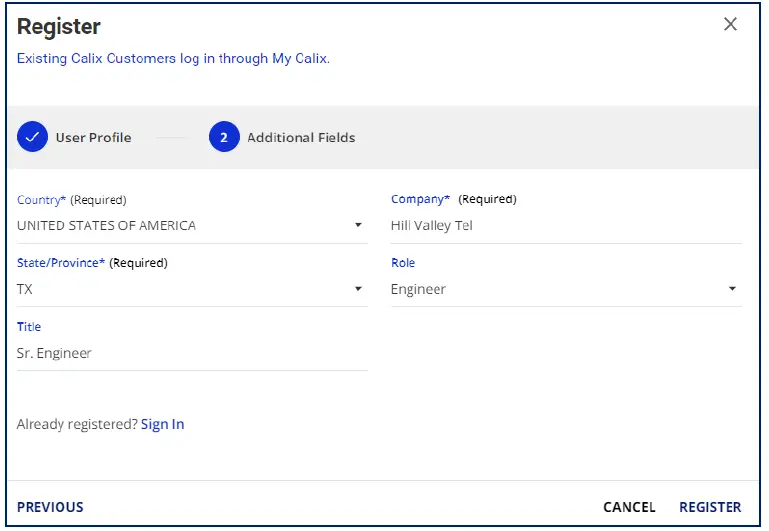
- Fill out the Additional Fields section.
- a. Country
- b. Company
- c. State/Province
- d. Role
- e. Title
- f. Click REGISTER

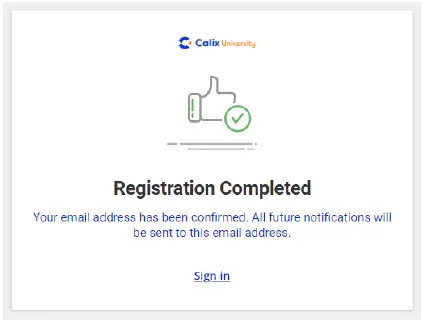
- Confirm your registration. Look for an email with a verification link and click the link. Check your spam folder if you do not see the email in your inbox

- After clicking the registration link from the email, click the sign-in link. You can also return to https://learn.calix.com/broadbandacademy and click the sign-in button in the top right corner of the page.


Enroll in a Course
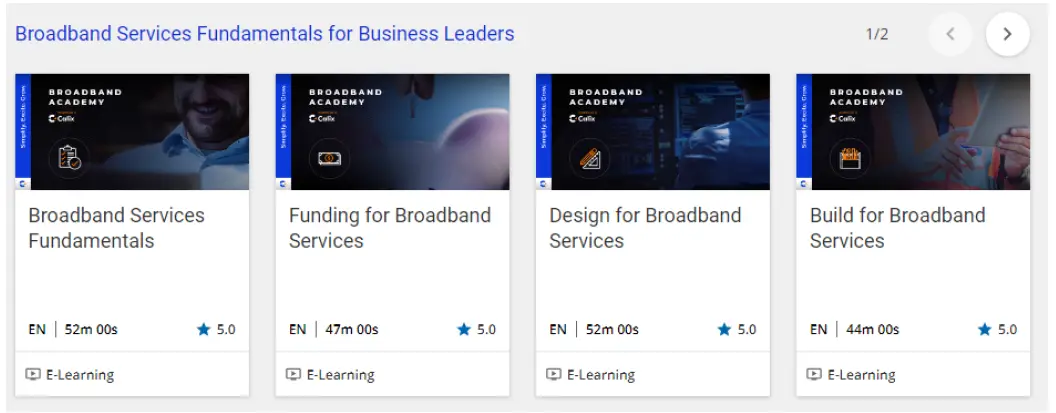
For the best learning experience, please take a moment to register before enrolling. Once you are signed in to Broadband Academy, click the course.
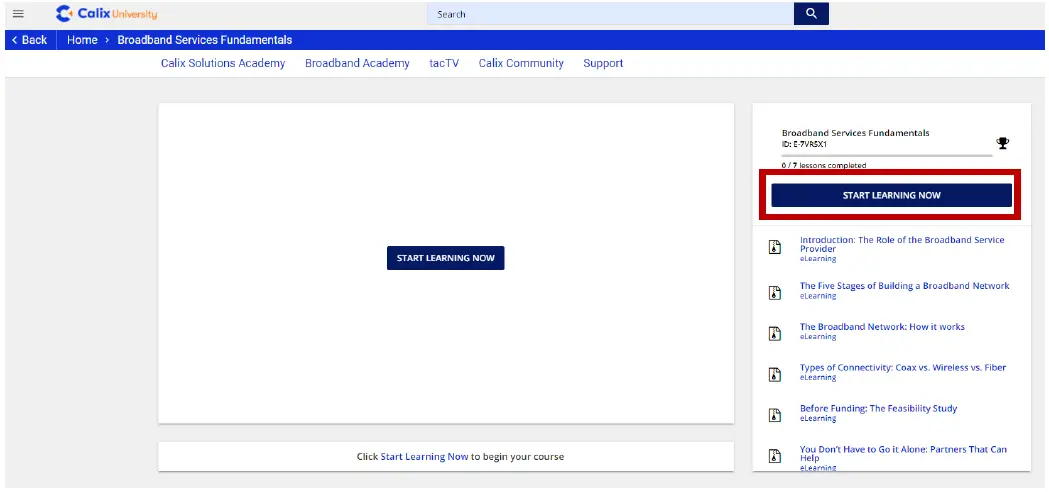
Begin a Course
Click START LEARNING NOW to begin.
How to Access Calix Solutions Training
Contact a Calix sales representative to gain access to Calix solutions training.
Get Help
Contact [email protected] if you need assistance.
Copyright © 2023 Calix, Inc. | 2777 Orchard Parkway, San Jose, CA 95134 | [email protected]
 Loading