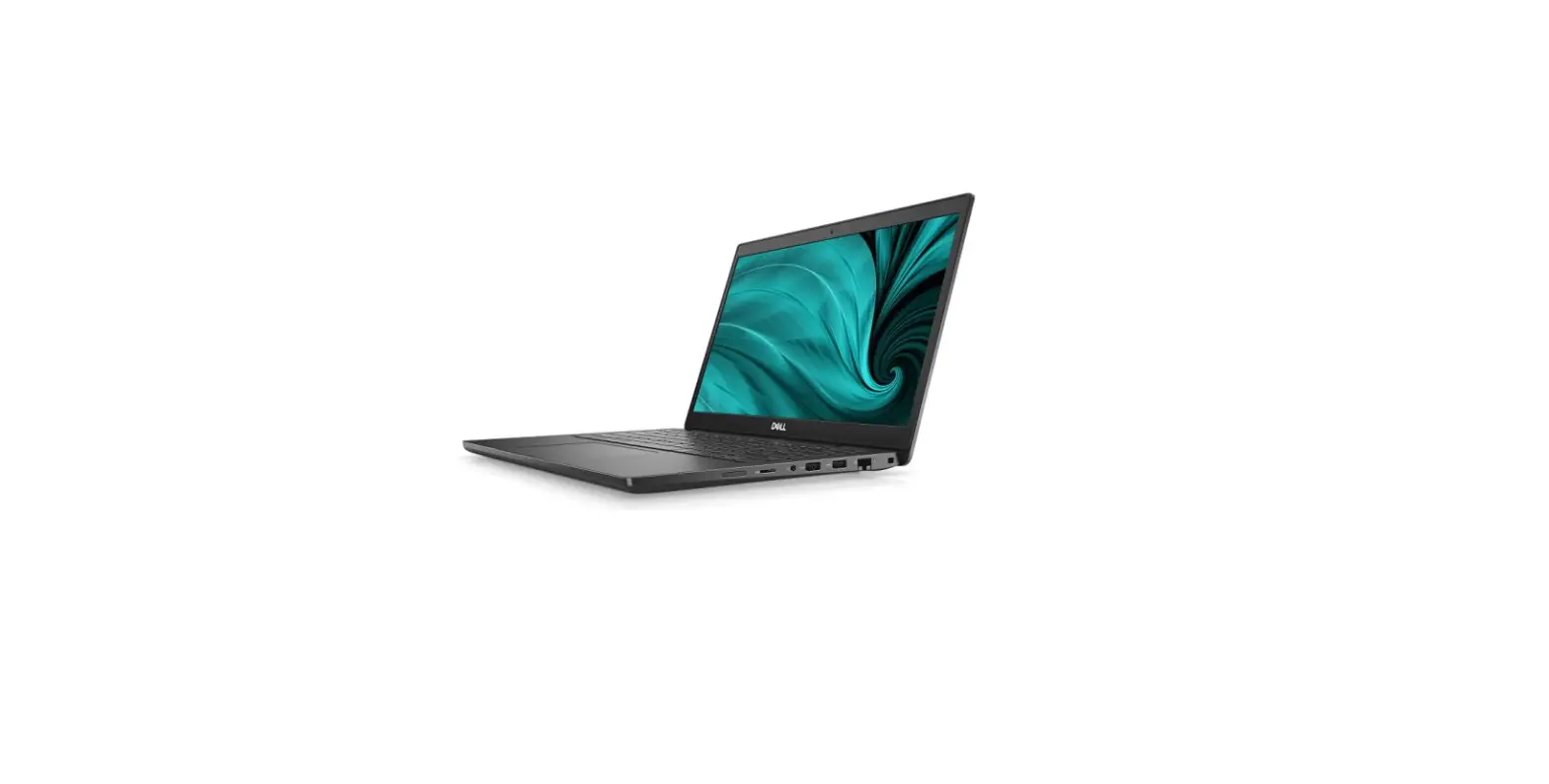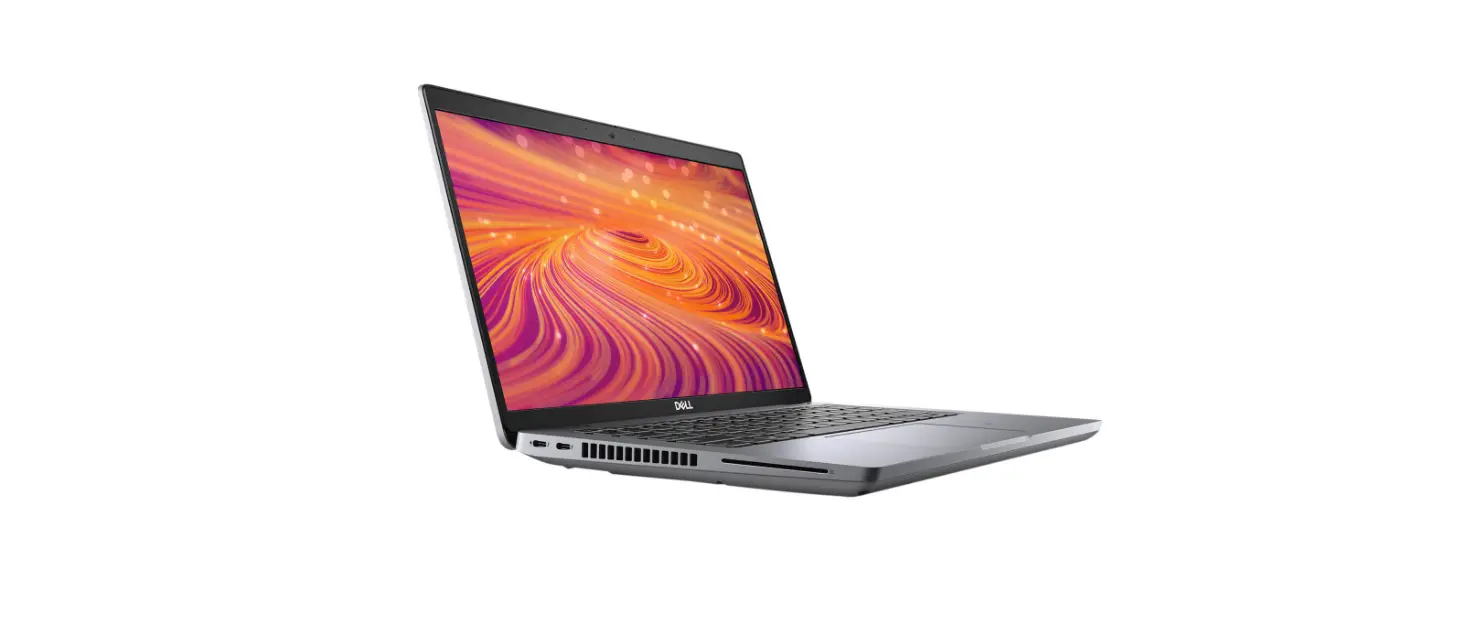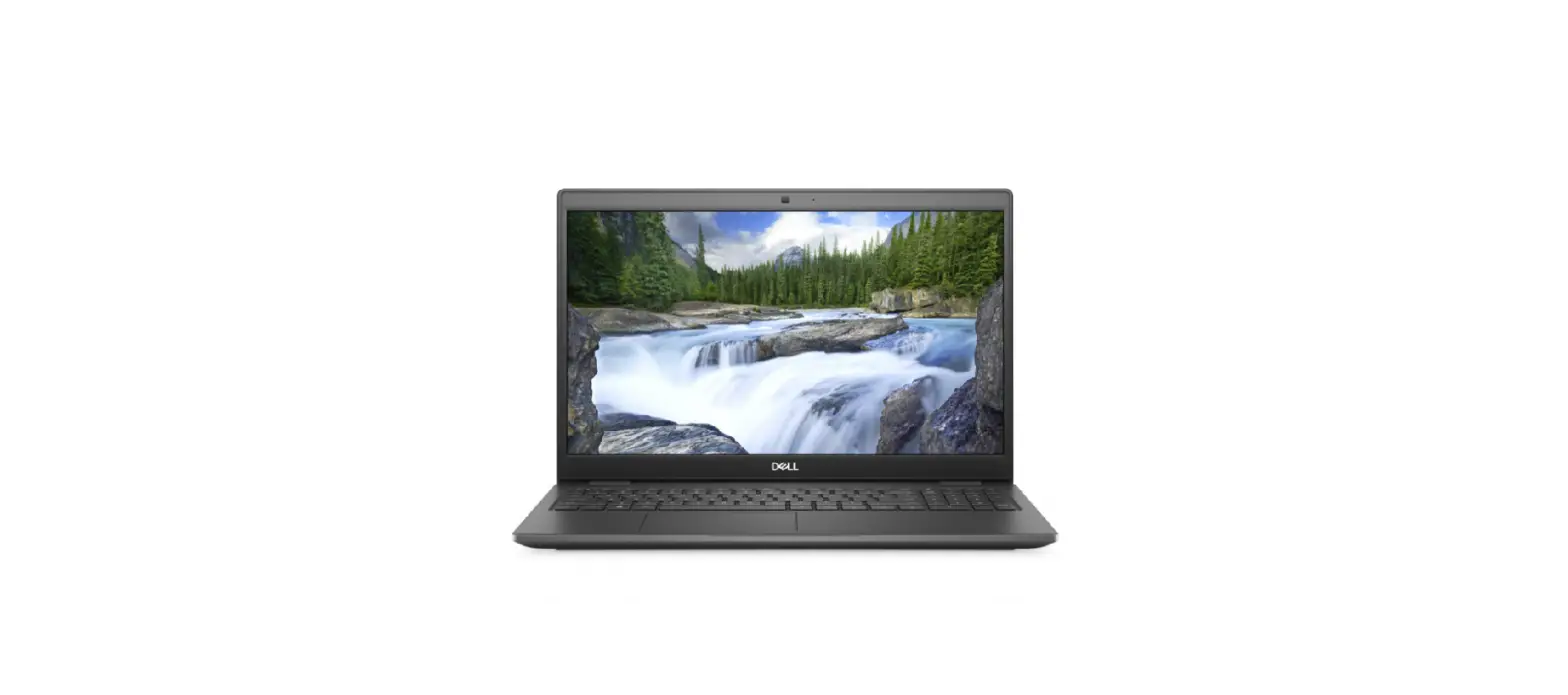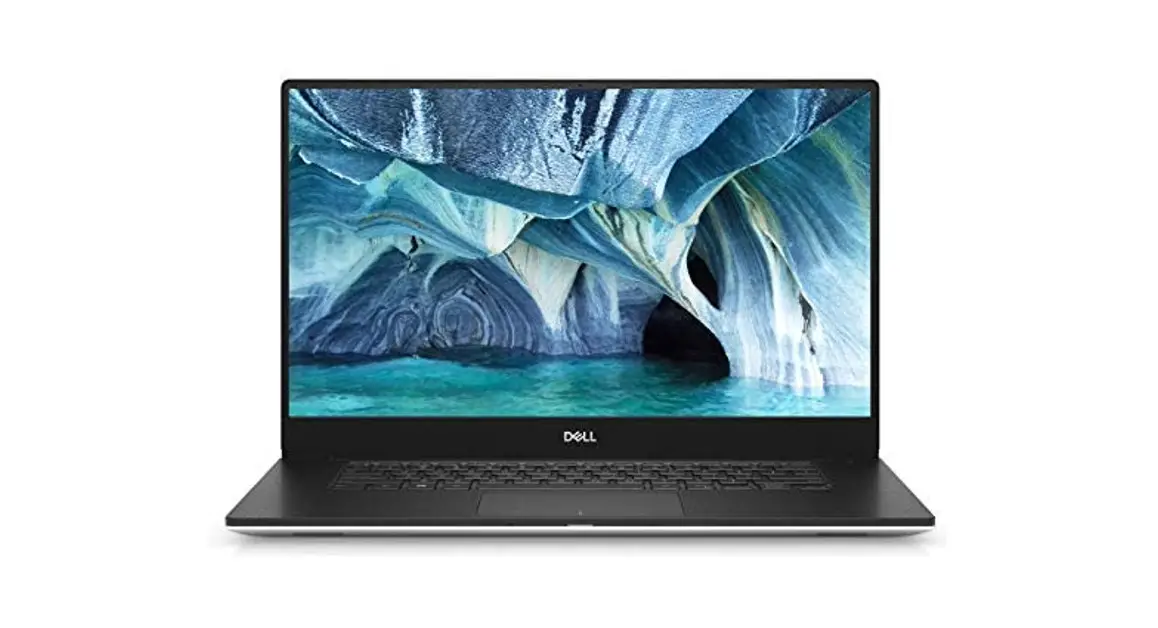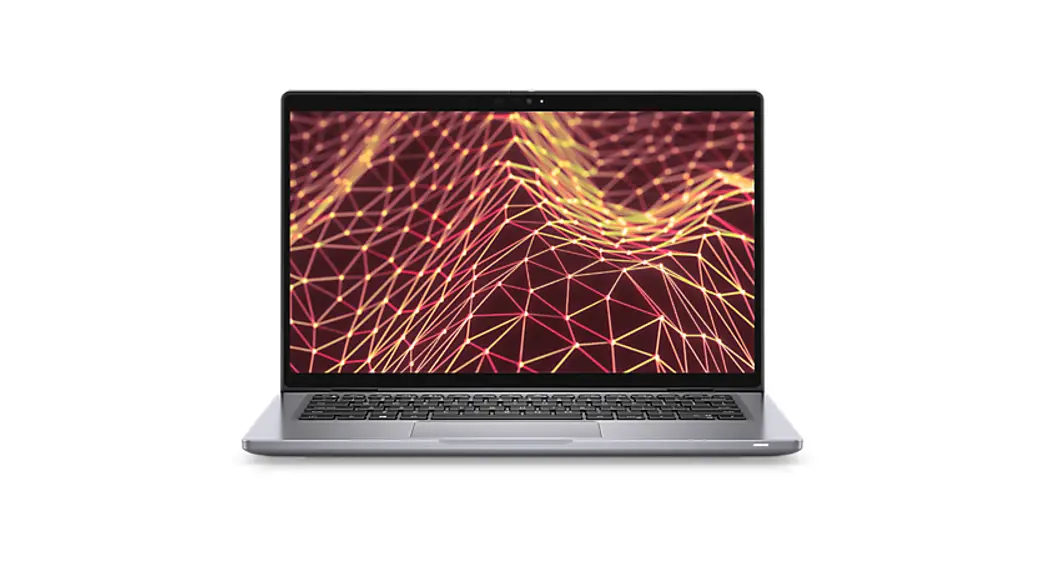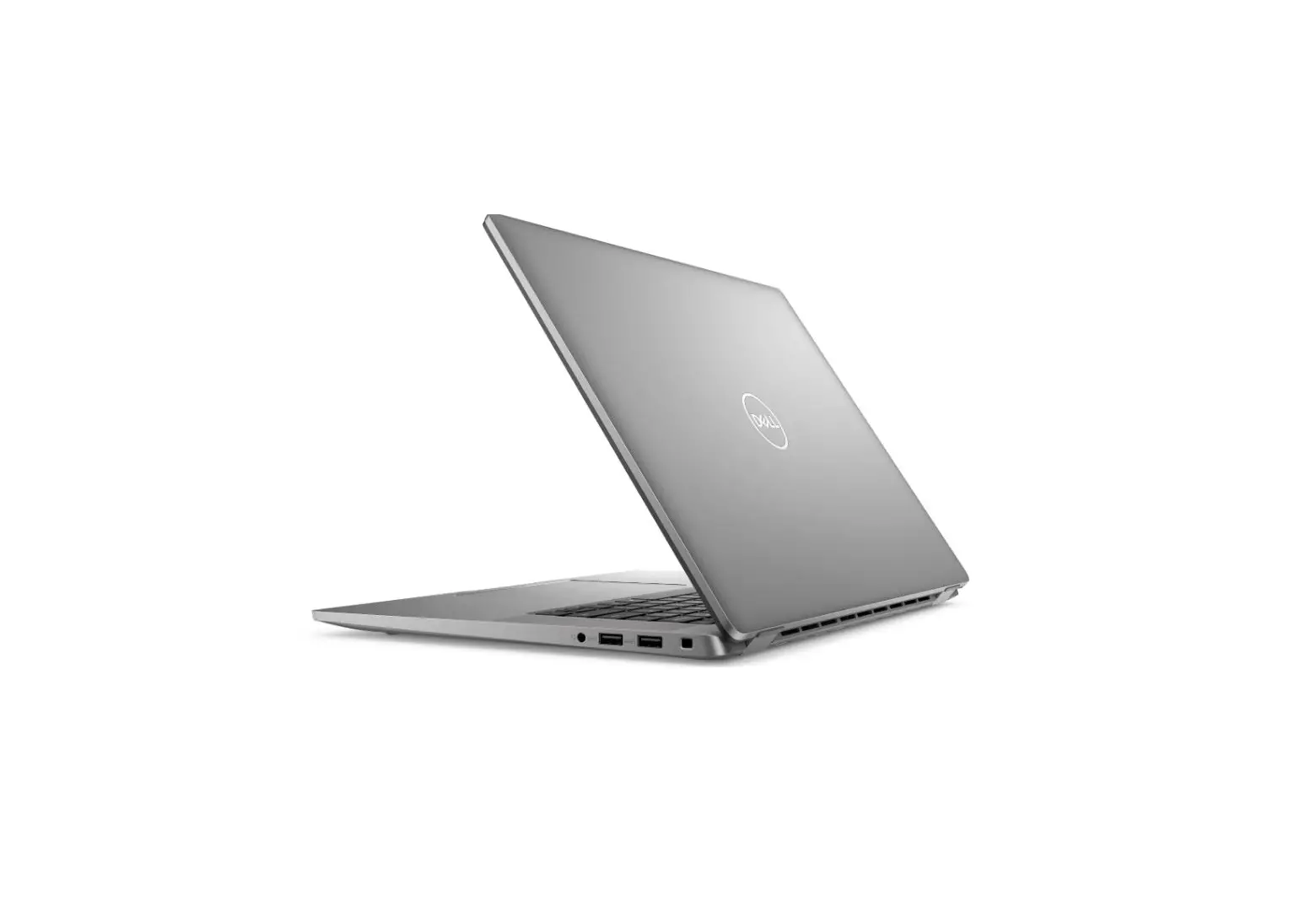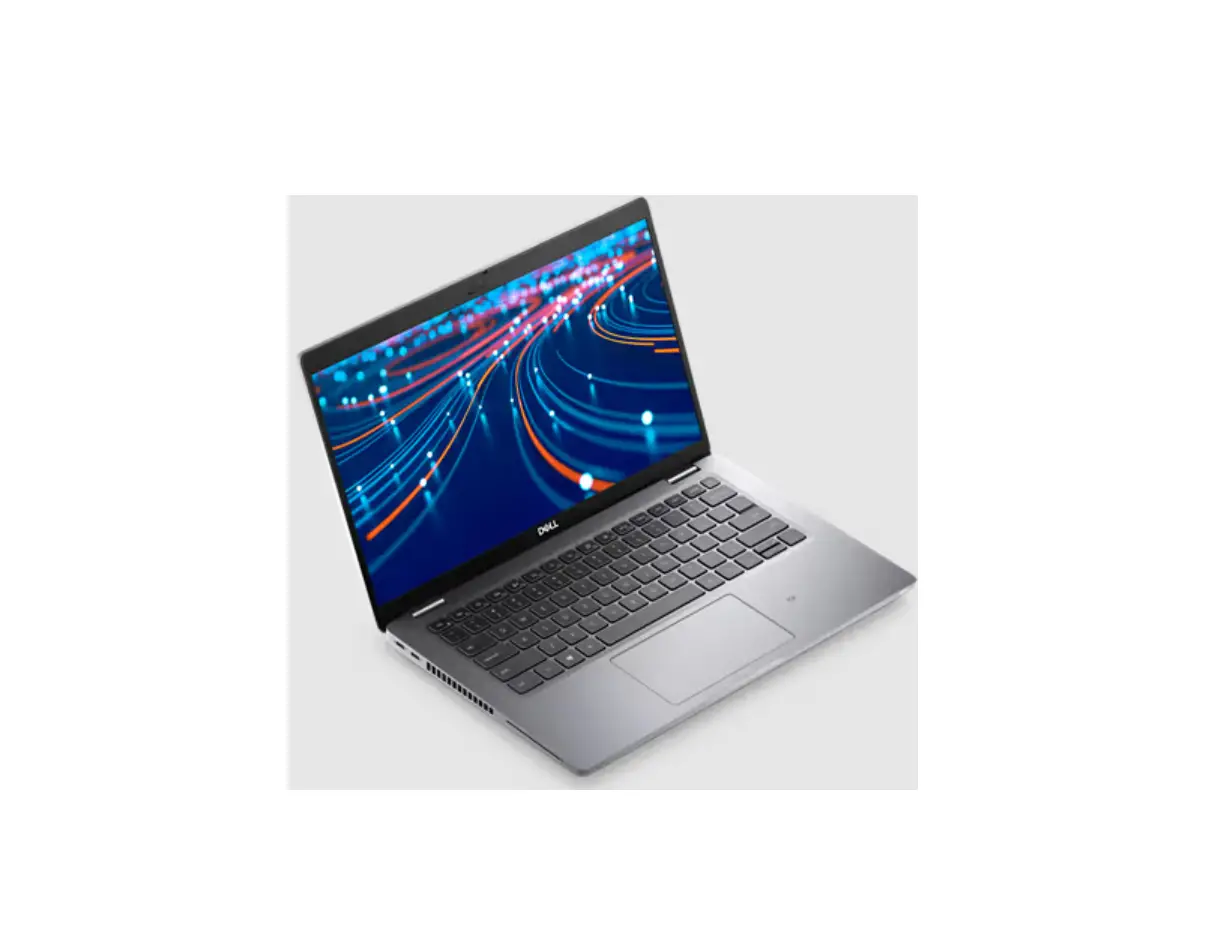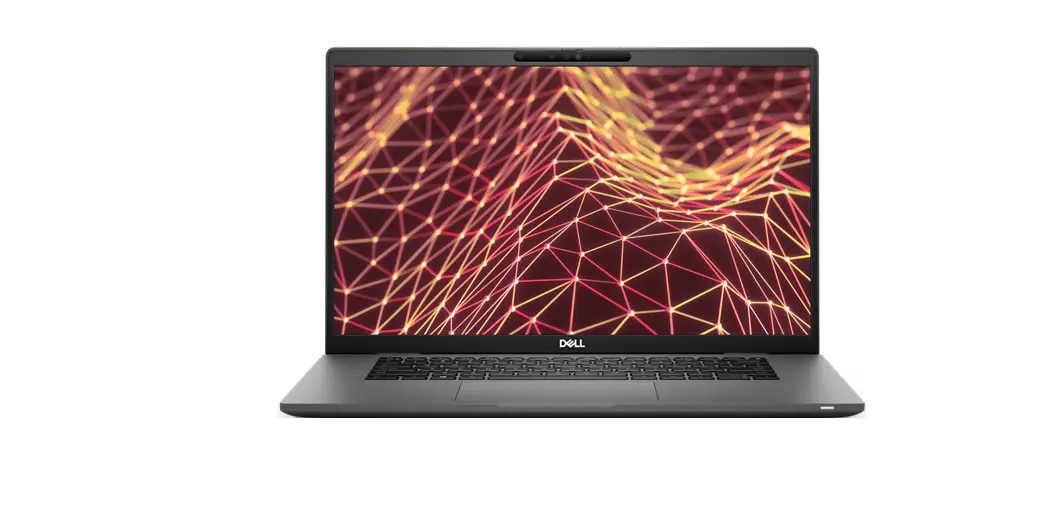

DELL Latitude 7530 Laptop
NOTE: A NOTE indicates important information that helps you make better use of your product.
CAUTION: A CAUTION indicates either potential damage to hardware or loss of data and tells you how to avoid the problem.
WARNING: A WARNING indicates a potential for property damage, personal injury, or death.
Set up your Latitude 7530
NOTE: The images in this document may differ from your computer depending on the configuration you ordered.
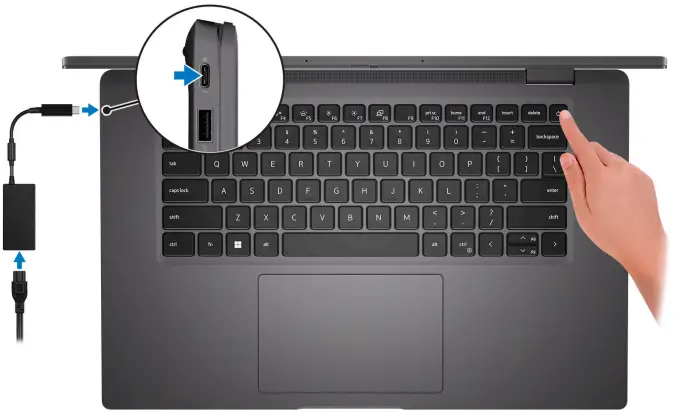
- Connect the power adapter and press the power button.

NOTE: To conserve battery power, the battery might enter power saving mode. Connect the power adapter and press the power button to turn on the computer. - Finish operating system setup.
- For Ubuntu:
Follow the on-screen instructions to complete the setup. For more information about installing and configuring Ubuntu, search in the Knowledge Base Resource at www.dell.com/support. - For Windows:
Follow the on-screen instructions to complete the setup. When setting up, Dell recommends that you:- Connect to a network for Windows updates.
NOTE: If connecting to a secured wireless network, enter the password for the wireless network access when prompted. - If connected to the internet, sign-in with or create a Microsoft account. If not connected to the internet, create an offline account.
- On the Support and Protection screen, enter your contact details.
- Connect to a network for Windows updates.
- For Ubuntu:
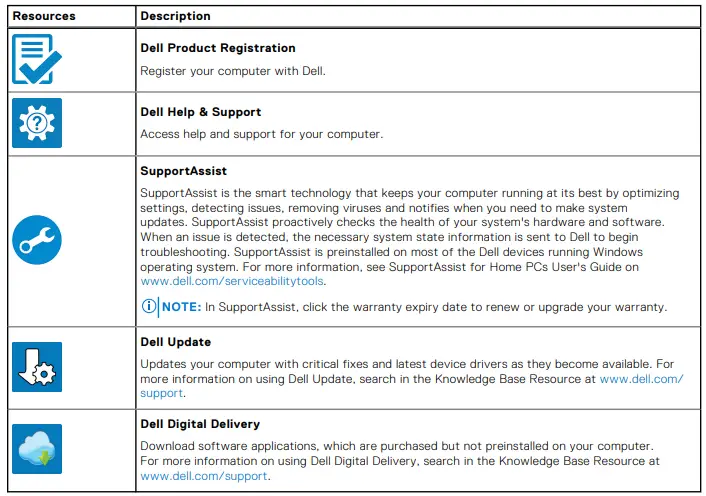
- Locate and use Dell apps from the Windows Start menu—Recommended.
Table 1. Locate Dell apps
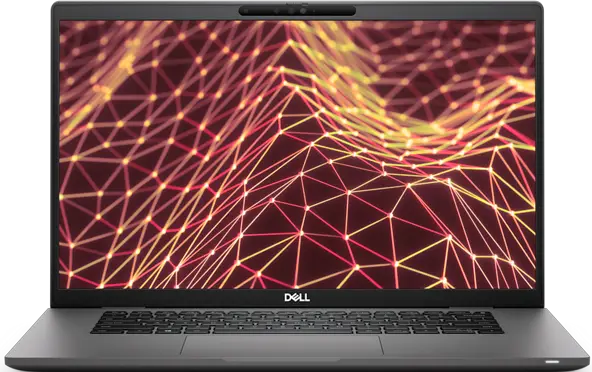
Views of Latitude 7530
Right

- micro SIM card slot (optional with WAN configuration only)
- Thunderbolt 4.0 port with Power Delivery and Display Port 1.4 Alt mode
- USB 3.2 Gen 1 port with Power Share
- HDMI 2.0 port
- Wedge-shaped lock slot
Left

- Thunderbolt 4.0 port with Power Delivery and DisplayPort 1.4 Alt mode
- USB 3.2 Gen 1 port (optional)
- Air vents
- Universal audio port
- Smart-card reader slot (optional)
Top
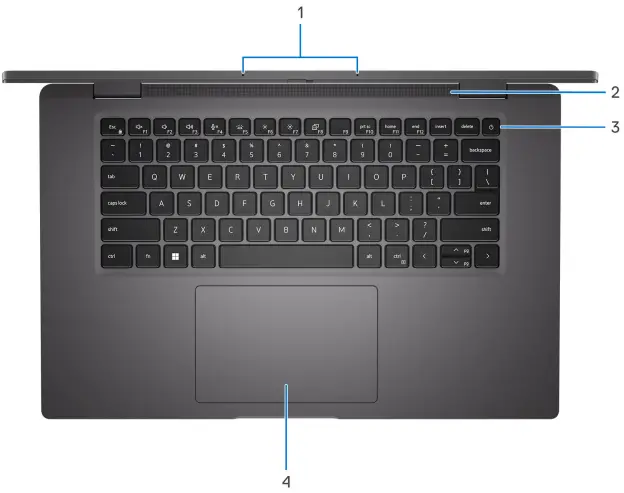
- Microphone array
- Speaker
- Power button with optional fingerprint reader
- Touch pad
Front
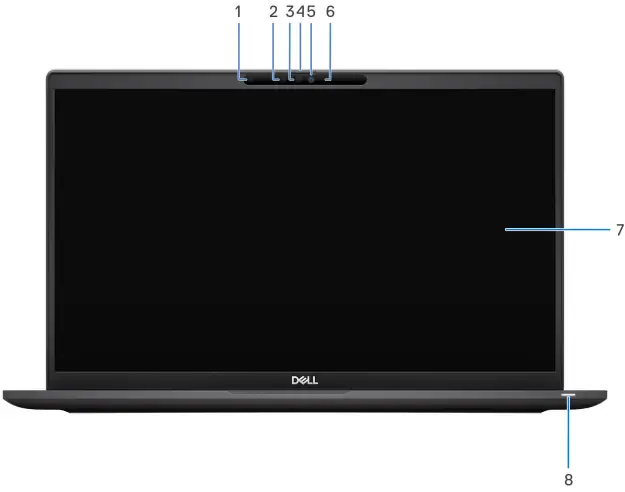
- Ambient Light Sensor (ALS)
- IR emitter (optional)
- IR camera (optional)
- Camera shutter
- RGB camera
- Camera indicator LED
- LCD panel
- Battery indicator/diagnostic LED
Bottom
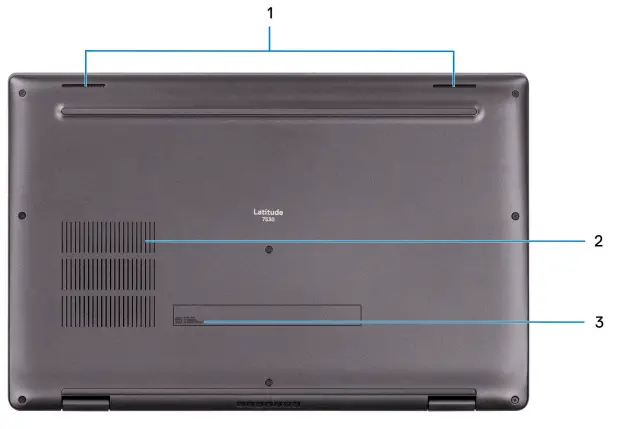
- Speakers
- Air vents
- Service Tag and regulatory labels
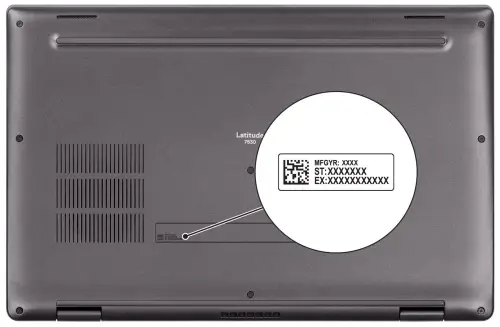
Service Tag
The service tag is a unique alphanumeric identifier that allows Dell service technicians to identify the hardware components in your computer and access warranty information.
Battery charge and status light
The following table lists the battery charge and status light behavior of your Latitude 7530. Table 2. Battery charge and status light behavior
| Power Source | LED Behavior | System Power State | Battery Charge Level |
| AC Adapter | Off | S0 – S5 | Fully Charged |
| AC Adapter | Solid White | S0 – S5 | < Fully Charged |
| Battery | Off | S0 – S5 | 11-100% |
| Battery | Solid Amber (590+/-3 nm) | S0 – S5 | < 10% |
- S0 (ON) – System is turned on.
- S4 (Hibernate) – The system consumes the least power compared to all other sleep states. The system is almost at an OFF state, expect for a trickle power. The context data is written to hard drive.
- S5 (OFF) – The system is in a shutdown state.
Specifications of Latitude 7530
Dimensions and weight
The following table lists the height, width, depth, and weight of your Latitude 7530.
Table 3. Dimensions and weight
| Description | Carbon Fiber (U15) | Carbon Fiber (P28) | Aluminum Titan Gray | |
| Height: | ||||
| Front height | 17.73 mm (0.698 in.) | 18.23 mm (0.72 in.) | 17.50 mm (0.69 in.) | |
| Rear height | 18.90 mm (0.74 in.) | 19.40 mm (0.76 in.) | 18.40 mm (0.72 in.) | |
| Width | 357.70 mm (14.08 in.) | 357.70 mm (14.08 in.) | 357.70 mm (14.08 in.) | |
| Depth | 229.75 mm (9.05 in.) | 229.75 mm (9.05 in.) | 229.75 mm (9.05 in.) | |
| Weight (minimum) | 1.54 kg (3.39 lb) | 1.55 kg (3.43 lb) | 1.76 kg (3.89 lb) | |
| NOTE: The weight of your computer depends on the configuration ordered and manufacturing variability. | NOTE: The weight of your computer depends on the configuration ordered and manufacturing variability. | NOTE: The weight of your computer depends on the configuration ordered and manufacturing variability. | ||
Processor
The following table lists the details of the processors that are supported by your Latitude 7530 .
Table 4. Processor
| Description | Option one | Option two | Option three | Option four | Option five | Option six | Option seven |
| Processor type | 12th Generation Intel Core i5-1235U | 12th Generation Intel Core i7-1255U | 12th Generation Intel Core i5-1240P | 12th Generation Intel vPro Enterprise with Intel Core i5-1245U | 12th Generation Intel vPro Enterprise with Intel Core i7-1265U | 12th Generation Intel vPro Enterprise with Intel Core i5-1250P | 12th Generation Intel vPro Enterprise with Intel Core i7-1270P |
| Processor wattage | 15 W | 15 W | 28 W | 15 W | 15 W | 28 W | 28 W |
| Processor core count | 10 | 10 | 12 | 10 | 10 | 12 | 12 |
| Processor thread count | 12 | 12 | 16 | 12 | 12 | 16 | 16 |
| Processor speed | Up to 4.40 GHz | Up to 4.70 GHz | Up to 4.40 GHz | Up to 4.40 GHz | Up to 4.80 GHz | Up to 4.40 GHz | Up to 4.80 GHz |
| Description | Option one | Option two | Option three | Option four | Option five | Option six | Option seven |
| Processor cache | 12 MB | 12 MB | 12 MB | 12 MB | 12 MB | 12 MB | 18 MB |
| Integrated graphics | Intel Iris Xe Graphics | Intel Iris Xe Graphics | Intel Iris Xe Graphics | Intel Iris Xe Graphics | Intel Iris Xe Graphics | Intel Iris Xe Graphics | Intel Iris Xe Graphics |
Chipset
The following table lists the details of the chipset supported by your Latitude 7530.
Table 5. Chipset
| Description | Values |
| Chipset | Intel PCH-LP |
| Processor | 12th Generation Intel Core i5/i7 processors |
| DRAM bus width | Dual channel, 64-bit |
| Flash EPROM | 32 MB + 16 MB |
| PCIe bus | Up to Gen 4.0 |
Operating system
Your Latitude 7530 supports the following operating systems:
- Windows 11 Pro
- Windows 11 Pro Downgrade (Windows 10 Image Factory Installed)
- Ubuntu Linux 20.04 LTS, 64-bit
Memory
The following table lists the memory specifications of your Latitude 7530.
Table 6. Memory specifications
| Description | Values |
| Memory | Integrated on the system board NOTE: You cannot upgrade the memory on your Latitude 7530 |
| Memory type | ● DDR4 available on 12th Generation Intel Core U15 processors ● LPDDR5 available on 12th Generation Intel Core P28 processors |
| Memory speed | ● 3200 MHz available on 12th Generation Intel Core U15 processors ● 4800 MHz available on 12th Generation Intel Core P28 processors |
| Description | Values |
| Maximum memory configuration | ● DDR4: 32 GB ● LPDDR5: 32 GB |
| Minimum memory configuration | ● DDR4: 8 GB ● LPDDR5: 16 GB |
| Memory size | ● DDR4: 8 GB, 16 GB and 32 GB ● LPDDR5: 16 GB and 32 GB |
| Memory configurations supported | DDR4: ● 8 GB, DDR4, 3200 MHz, integrated, dual-channel ● 16 GB, DDR4, 3200 MHz, integrated, dual-channel ● 32 GB, DDR4, 3200 MHz, integrated, dual-channel LPDDR5: ● 16 GB, LPDDR5, 4800 MHz, integrated, dual-channel ● 32 GB, LPDDR5, 4800 MHz, integrated, dual-channel |
External ports
The following table lists the external ports on your Latitude 7530.
Table 7: External ports
| Description | Values |
| USB ports | ● Two USB Type-C Thunderbolt 4.0 ports with Power Delivery and DisplayPort 1.4 Alt mode ● Two USB 3.2 Gen 1 ports, one port with PowerShare (available only for 12th Generation Intel Core U15 processors) ● One USB 3.2 Gen 1 port with PowerShare (available only for 12th Generation Intel Core P28 processors) |
| Audio port | One universal audio port |
| Video port/ports | One HDMI 2.0 port |
| SIM-card slot | One microSIM-card slot (optional) |
| Power-adapter port | Power Delivery (PD) supported by two USB Type-C Thunderbolt 4.0 ports |
| Security-cable slot | One wedge-shaped lock slot |
Internal slots
The following table lists the internal slots of your Latitude 7530.
Table 8. Internal slots
| Description | Values |
| M.2 | ● One M.2 3042 Key-B slot for WWAN (optional) ● One M.2 2230/2280 slot for solid-state drive |
| Description | Values |
| NOTE: To learn more about the features of different types of M.2 cards, search in the Knowledge Base Resource at www.dell.com/support. |
Wireless module
The following table lists the Wireless Local Area Network (WLAN) module supported on your Latitude 7530.
Table 9. Wireless module specifications
| Description | Values |
| Model number | Intel AX211 NOTE: Built on system board and not replaceable as a standalone part |
| Transfer rate | Up to 2400 Mbps |
| Frequency bands supported | 2.40 GHz/5 GHz/6 GHz |
| Wireless standards | ● WiFi 802.11a/b/g ● Wi-Fi 4 (WiFi 802.11n) ● Wi-Fi 5 (WiFi 802.11ac) ● Wi-Fi 6E (WiFi 802.11ax) |
| Encryption | ● 64-bit/128-bit WEP ● AES-CCMP ● TKIP |
| Bluetooth | Bluetooth 5.2 |
WWAN module
The following table lists the Wireless Wide Area Network (WWAN) module supported on your Latitude 7530.
WWAN module specifications
| Description | Option one | Option two |
| Model number | Qualcomm Snapdragon X20 LTE-A CAT16 (DW5821e) | Qualcomm Snapdragon X20 LTE-A CAT9 (DW5829e) |
| Transfer rate | Up to 1 Gbps DL/150 Mbps UL (Cat 16) | Up to 450 Mbps DL/50 Mbps UL (Cat 9) |
| Frequency bands supported | ● LTE (1, 2, 3, 4, 5, 7, 8, 12, 13, 14, 17, 18, 19, 20, 25, 26, 28, 29, 30, 32, 38, 39, 40, 41, 42, 43, 46, 66) ● HSPA+ (1, 2, 4, 5, 6, 8, 9, 19) | ● LTE (1, 2, 3, 4, 5, 7, 8, 12, 13, 14, 17, 18, 19, 20, 25, 26, 28, 29, 30, 32, 38, 39, 40, 41, 66) ● HSPA+ (1, 2, 4, 5, 8) |
| Wireless standards | ● LTE FDD/TDD ● WCDMA/HSPA+ | ● LTE FDD/TDD ● WCDMA/HSPA+ |
| Description | Option one | Option two |
| Encryption | AECS | AECS |
| Global Navigation Satellite System (GNSS) | GPS/GLONASS/Beidou/Galileo | GPS/GLONASS/Beidou/Galileo |
| NOTE: For instructions on how to find your computer’s IMEI (International Mobile Station Equipment Identity) number, search in the Knowledge Base Resource at www.dell.com/support. | ||
Audio
The following table lists the audio specifications of your Latitude 7530.
Table 10. Audio specifications
| Description | Values | |
| Audio controller | Realtek ALC3281-CG | |
| Stereo conversion | Supported | |
| Internal audio interface | High definition audio interface with Realtek ALC1309D Waves Maxx Audio Smart Amp | |
| External audio interface | One universal audio port | |
| Number of speakers | Four isolated mounted speakers (Two speakers are top firing) | |
| Internal-speaker amplifier | Not supported | |
| External volume controls | Keyboard shortcut controls | |
| Speaker output: | ||
| Average speaker output | 2 W | |
| Peak speaker output | 2.5 W | |
| Subwoofer output | Not supported | |
| Microphone | Dual-array microphones | |
Storage
This section lists the storage options on your Latitude 7530. Your computer supports the following storage configurations:
- One M.2 2230/2280 solid-state drive
- The M.2 2230/2280 solid-state drive is the primary drive of your computer.
Table 11. Storage specificationsStorage type Interface type Capacity M.2 2230, Class 35 solid-state drive PCIe NVMe Gen3 x4 Up to 512 GB M.2 2230, Class 35 solid-state drive PCIe NVMe Gen4 x4 Up to 512 GB M.2 2280, Class 40 solid-state drive PCIe NVMe Gen4 x4 Up to 1 TB Storage type Interface type Capacity M.2 2230, Class 35 solid-state drive, self-encrypting drive PCIe NVMe Gen3 x4 256 GB M.2 2230, Class 35 solid-state drive, self-encrypting drive PCIe NVMe Gen4 x4 256 GB M.2 2280, Class 40 solid-state drive, self-encrypting drive PCIe NVMe Gen4 x4 512 GB
Keyboard
The following table lists the keyboard specifications of your Latitude 7530.
Table 12. Keyboard specifications
| Description | Values |
| Keyboard type | ● Standard backlit keyboard ● Standard non-backlit keyboard |
| Keyboard layout | QWERTY/KANJI |
| Number of keys | ● United States and Canada: 79 keys ● United Kingdom: 80 keys ● Japan: 83 keys |
| Keyboard size | X = 19.05 mm key pitch Y = 18.05 mm key pitch |
| Keyboard shortcuts | Some keys on your keyboard have two symbols on them. These keys can be used to type alternate characters or to perform secondary functions. To type the alternate character, press Shift and the desired key. To perform secondary functions, press Fn and the desired key. NOTE: You can define the primary behavior of the function keys (F1–F12) changing Function Key Behavior in BIOS setup program. |
Camera
The following table lists the camera specifications of your Latitude 7530.
Table 13. Camera specifications
| Description | Option one | Option two |
| Number of cameras | There is one camera option: ● HD RGB camera | There are two camera options: ● FHD RGB camera ● IR camera |
| Camera type | 2.7 mm HD RGB webcam | 6 mm FHD RGB/IR webcam with camera proximity detection and ALS |
| Camera location | Front camera | Front camera |
| Description | Option one | Option two | |
| Camera sensor type | CMOS sensor technology | CMOS sensor technology | |
| Camera resolution: | |||
| Still image | 0.92 megapixel | 2.00 megapixel | |
| Video | 1280 x 720 (HD) at 30 fps | 1920 x 1080 (FHD) at 30 fps | |
| Infrared camera resolution: | |||
| Still image | NA | 0.23 megapixel | |
| Video | NA | 640 x 360 (VGA) at 15 fps | |
| Diagonal viewing angle: | |||
| Camera | 74.9 degrees | 87.6 degrees | |
| Infrared camera | NA | 87.6 degrees | |
Touchpad
The following table lists the touchpad specifications of your Latitude 7530.
Table 14. Touchpad specifications
| Description | Values | |
| Touchpad resolution: | ||
| Horizontal | >= 300 dpi | |
| Vertical | >= 300 dpi | |
| Touchpad dimensions: | ||
| Horizontal | 125 mm (4.92 in.) | |
| Vertical | 80 mm (3.14 in.) | |
| Touchpad gestures | For more information about touchpad gestures available on Windows, see the Microsoft knowledge base article at support.microsoft.com. | |
Power adapter
The following table lists the power adapter specifications of your Latitude 7530.
Table 15. Power adapter specifications
| Description | Option one | Option two | Option three | |
| Type | 60 W AC adapter, USB-C, Small form factor | 65 W AC adapter, USB-C | 90 W AC adapter, USB-C | |
| Power-adapter dimensions: | ||||
| Height | 22.00 mm (0.866 in.) | 28.00 mm (1.10 in.) | 22.00 mm (0.87 in.) | |
| Description | Option one | Option two | Option three | |
| Width | 66.00 mm (2.598 in.) | 112.00 mm (4.41 in.) | 130.00 mm (5.12 in.) | |
| Depth | 55.00 mm (2.165 in.) | 51.00 mm (2.01 in.) | 66.00 mm (2.60 in.) | |
| Weight | 0.105 kg (0.231 lb) | 0.201 kg (0.443 lb) | 0.291 g (0.641 lb) | |
| Input voltage | 100 VAC – 240 VAC | 100 VAC – 240 VAC | 100 VAC – 240 VAC | |
| Input frequency | 50 Hz – 60 Hz | 50 Hz – 60 Hz | 50 Hz – 60 Hz | |
| Input current (maximum) | 1.70 A | 1.70 A | 1.50 A | |
| Output current (continuous) | ● 5 V/3 A ● 9 V/3 A ● 15 V/3 A ● 20 V/3 A | ● 5 V/3 A ● 9 V/3 A ● 15 V/3 A ● 20 V/3.25 A | ● 5 V/3 A ● 9 V/3 A ● 15 V/3 A ● 20 V/4.50 A | |
| Rated output voltage | ● 5 VDC ● 9 VDC ● 15 VDC ● 20 VDC | ● 5 VDC ● 9 VDC ● 15 VDC ● 20 VDC | ● 5 VDC ● 9 VDC ● 15 VDC ● 20 VDC | |
| Temperature range: | ||||
| Operating | 0°C to 40°C (32°F to 104°F) | 0°C to 40°C (32°F to 104°F) | 0°C to 40°C (32°F to 104°F) | |
| Storage | -20°C to 70°C (-4°F to 158°F) | -40°C to 70°C (-40°F to 158°F) | -40°C to 70°C (-40°F to 158°F) | |
| CAUTION: Operating and storage temperature ranges may differ among components, so operating or storing the device outside these ranges may impact the performance of specific components. | ||||
Battery
The following table lists the battery specifications of your Latitude 7530.
NOTE: Dell recommends that you charge the battery regularly for optimal power consumption. If your battery charge is completely depleted, connect the power adapter, turn on your computer and then restart your computer to reduce the power consumption.
Table 16. Battery specifications
| Description | Option one | Option two | |
| Battery type | 3-cell, 41 Wh “smart” lithium-ion | 4-cell, 58 Wh “smart” lithium-ion | |
| Battery voltage | 11.25 VDC | 15.20 VDC | |
| Battery weight (maximum) | 0.19 kg (0.41 lb) | 0.24 kg (0.54 lb) | |
| Battery dimensions: | |||
| Height | 5.70 mm (0.22 in.) | 5.70 mm (0.22 in.) | |
| Width | 89.40 mm (3.52 in.) | 89.40 mm (3.52 in.) | |
| Description | Option one | Option two | |
| Depth | 205.10 mm (8.07 in.) | 242.00 mm (9.53 in.) | |
| Temperature range: | |||
| Operating | ● Charge: 0°C to 45°C (32°F to 113°F) ● Discharge: 0°C to 70°C (32°F to 158°F) | ● Charge: 0°C to 45°C (32°F to 113°F) ● Discharge: 0°C to 70°C (32°F to 158°F) | |
| Storage | -20°C to 65°C (-4°F to 149°F) | -20°C to 65°C (-4°F to 149°F) | |
| Battery operating time | Varies depending on operating conditions and can significantly reduce under certain power-intensive conditions. | Varies depending on operating conditions and can significantly reduce under certain power-intensive conditions. | |
| Battery charging time (approximate) NOTE: Control the charging time, duration, start and end time, and so on using the Dell Power Manager application. For more information on the Dell Power Manager see, Me and My Dell on www.dell.com. | ● ExpressCharge Boost (0% up to 35% ): 20 minutes ● Express charge: 2 hours ● Standard charge: 3 hours | ● ExpressCharge Boost (0% up to 35% ): 20 minutes ● Express charge: 2 hours ● Standard charge: 3 hours | |
| Coin-cell battery | Rechargeable RTC coin-cell battery | Rechargeable RTC coin-cell battery | |
| CAUTION: Operating and storage temperature ranges may differ among components, so operating or storing the device outside these ranges may impact the performance of specific components. CAUTION: Dell recommends that you charge the battery regularly for optimal power consumption. If your battery charge is completely depleted, connect the power adapter, turn on your computer, and then restart your computer to reduce the power consumption. | |||
Display
The following table lists the display specifications of your Latitude 7530.
Table 17. Display specifications
| Description | Option one | Option two | Option three | Option four | |
| Display type | 15.6-inch, Full High Definition (FHD) | 15.6-inch, Full High Definition (FHD), Super Low Power (SLP), ComfortView Plus | 15.6-inch, Full High Definition (FHD) | 15.6-inch, Ultra High Definition (UHD), Super Low Power (SLP), ComfortView Plus | |
| Display-panel technology | Thin Film Transistor (TFT), Wide-viewing angle (WVA) | Thin Film Transistor (TFT), Wide-viewing angle (WVA) | Thin Film Transistor (TFT), Wide-viewing angle (WVA) | Thin Film Transistor (TFT), Wide-viewing angle (WVA) | |
| Display-panel dimensions (active area): | |||||
| Height | 193.59 mm (7.62 in.) | 193.59 mm (7.62 in.) | 193.59 mm (7.62 in.) | 193.59 mm (7.62 in.) | |
| Width | 344.16 mm (13.55 in.) | 344.16 mm (13.55 in.) | 344.16 mm (13.55 in.) | 344.16 mm (13.55 in.) | |
| Description | Option one | Option two | Option three | Option four | |
| Diagonal | 396.24 mm (15.60 in.) | 396.24 mm (15.60 in.) | 396.24 mm (15.60 in.) | 396.24 mm (15.60 in.) | |
| Display-panel native resolution | 1920 x 1080 | 1920 x 1080 | 1920 x 1080 | 3840 x 2160 | |
| Luminance (typical) | 250 nits | 400 nits | 250 nits | 400 nits | |
| Megapixels | 2.07 | 2.07 | 2.07 | 8.30 | |
| Color gamut (typical) | 45% NTSC | 100% sRGB | 72% NTSC | 100% sRGB | |
| Pixels Per Inch (PPI) | 141 | 141 | 141 | 283 | |
| Contrast ratio (typical) | 700:1 | 700:1 | 700:1 | 1000:1 | |
| Response time (maximum) | 25 ms | 25 ms | 25 ms | 25 ms | |
| Refresh rate | 60 Hz | 60 Hz | 60 Hz | 60 Hz | |
| Horizontal view angle | ● 80/80 +/- degrees (min.) ● 85/85 +/- degrees (typ.) | ● 80/80 +/- degrees (min.) ● 85/85 +/- degrees (typ.) | ● 80/80 +/- degrees (min.) ● 85/85 +/- degrees (typ.) | ● 80/80 +/- degrees (min.) ● 85/85 +/- degrees (typ.) | |
| Vertical view angle | ● 80/80 +/- degrees (min.) ● 85/85 +/- degrees (typ.) | ● 80/80 +/- degrees (min.) ● 85/85 +/- degrees (typ.) | ● 80/80 +/- degrees (min.) ● 85/85 +/- degrees (typ.) | ● 80/80 +/- degrees (min.) ● 85/85 +/- degrees (typ.) | |
| Pixel pitch | 0.17925 mm x 0.17925 mm | 0.17925 mm x 0.17925 mm | 0.17925 mm x 0.17925 mm | 0.08964 mm x 0.08964 mm | |
| Power consumption (maximum) | 4.60 W | 4.50 W | 4.60 W | 4.50 W | |
| Anti-glare vs glossy finish | Anti-glare | Anti-glare | Anti-glare | Anti-glare | |
| Touch options | Non-touch | Non-touch | Touch | Non-touch | |
Fingerprint reader (optional)
The following table lists the specifications of the optional fingerprint reader of your Latitude 7530.
NOTE: The fingerprint reader is located on the power button.
Table 18. Fingerprint reader specifications
| Description | Values |
| Fingerprint-reader sensor technology | Capacitive |
| Fingerprint-reader sensor resolution | 500 dpi |
| Fingerprint-reader sensor pixel size | 108 x 88 |
Sensor
The following table lists the sensor of your Latitude 7530.
Table 19. Sensor
| Sensor support |
| Ambient Light Sensor |
| IR User Proximity Detection |
| Digital Compass (Magnetometer) |
| Accelerometer |
| Gyrometer |
| Adaptive Thermal Performance (Laptop vs. Desktop mode) requires Gyrometer/Accelerometer NOTE: This is for thermal only. |
| Proximity for SAR compliance (for the WWAN module) Near Field Proximity Sensor |
| Hall Effect Sensor |
GPU—Integrated
The following table lists the specifications of the integrated Graphics Processing Unit (GPU) supported by your Latitude 7530.
Table 20. GPU—Integrated
| Controller | Memory size | Processor |
| Intel Iris Xe Graphics | Shared system memory | 12th Generation Intel Core i5/i7 processors |
Multiple display support matrix
The following table lists the multiple display support matrix for your Latitude 7530.
Table 21. Multiple display support matrix
| Graphics Card | Direct Graphics Controller Direct Output Mode | Supported external displays with computer internal display on | Supported external displays with computer internal display off |
| Intel Iris Xe Graphics | Not applicable | 4 | 3 |
Hardware security
The following table lists the hardware security of your Latitude 7530.
Table 22. Hardware security
| Hardware security |
| Trusted Platform Module (TPM) 2.0 discrete |
| FIPS 140-2 certification for TPM |
| Trusted Computing Group (TCG) Certification for TPM |
| Hardware security |
| Contacted smart card and Control vault 3 |
| Contactless smart card, NFC, and Control vault 3 |
| SED SSD NVMe, SSD and HDD (Opal and non-Opal) per SDL |
| Fingerprint reader in power button tied to Control vault 3 |
| One wedge-shaped lock slot |
| SED (Opal 2.0 only – PCIe Interface) |
| Windows Hello – Fingerprint Reader (optional) |
| Mechanical privacy shutter for camera (only for metal laptops) |
Smart-card reader
Contacted smart-card reader
The following table lists the contacted smart-card reader specifications of your Latitude 7530.
Table 23. Contacted smart-card reader specifications
| Title | Description | Dell ControlVault 3 smart-card reader |
| ISO 7816 -3 Class A Card Support | Reader capable of reading 5V powered smart mcard | Yes |
| ISO 7816 -3 Class B Card Support | Reader capable of reading 3V powered smart card | Yes |
| ISO 7816 -3 Class C Card support | Reader capable of reading 1.8V powered smart card | Yes |
| ISO 7816-1 Compliant | Specification for the reader | Yes |
| ISO 7816 -2 Compliant | Specification for smart card device physical characteristics (size, location of connection points, etc.) | Yes |
| T=0 support | Cards support character level transmission | Yes |
| T=1 support | Cards support block level transmission | Yes |
| EMVCo Compliant | Compliant with EMVCo (for electronic payment standards) smart card standards as posted to www.emvco.com | Yes |
| EMVCo Certified | Formally certified based on EMVCO smart card standards | Yes |
| PC/SC OS interface | Personal Computer/Smart Card specification for integration of hardware readers into personal computer environments | Yes |
| CCID driver compliance | Common driver support for Integrated Circuit Card Interface Device for OS level drivers. | Yes |
| Windows Certified | Device certified by WHCK | Yes |
| Title | Description | Dell ControlVault 3 smart-card reader |
| FIPS 201 (PIV/HSPD-12) Compliant via GSA | Device compliant with FIPS 201/PIV/ HSPD-12 requirements | Yes |
| FIDO2 compliance | Dell ControlVault 3 Smart-card reader is compliant with the FIDO SPEC | Yes |
Operating and storage environment
This table lists the operating and storage specifications of your Latitude 7530. Airborne contaminant level: G1 as defined by ISA-S71.04-1985
Table 24. Computer environment
| Description | Operating | Storage |
| Temperature range | 0°C to 35°C (32°F to 95°F) | -40°C to 65°C (-40°F to 149°F) |
| Relative humidity (maximum) | 10% to 90% (non-condensing) | 0% to 95% (non-condensing) |
| Vibration (maximum)* | 0.66 GRMS | 1.30 GRMS |
| Shock (maximum) | 110 G† | 160 G† |
| Altitude range | -15.2 m to 3048 m (-49.899 ft to 10000 ft) | -15.2 m to 10668 m (-49.899 ft to 35000 ft) |
| CAUTION: Operating and storage temperature ranges may differ among components, so operating or storing the device outside these ranges may impact the performance of specific components. | ||
* Measured using a random vibration spectrum that simulates user environment.
† Measured using a 2 ms half-sine pulse.
Comfort View Plus
WARNING: Prolonged exposure to blue light from the display may lead to long-term effects such as eye strain, eye fatigue, or damage to the eyes.
- Blue light is a color in the light spectrum which has a short wavelength and high energy. Chronic exposure to blue light, particularly from digital sources, may disrupt sleep patterns and cause long-term effects such as eye strain, eye fatigue, or damage to the eyes.
- The display on this computer is designed to minimize blue light and complies with TÜV Rheinland’s requirement for low blue light displays.
- Low blue light mode is enabled at the factory, so no further configuration is necessary.
- To reduce the risk of eye strain, it is also recommended that you:
- Position the display at a comfortable viewing distance between 20 and 28 inches (50 and 70 cm) from your eyes.
- Blink frequently to moisten your eyes, wet your eyes with water, or apply suitable eye drops.
- Look away from your display, and gaze at a distant object at 20 ft (609.60 cm) away for at least 20 seconds during each break.
- Take an extended break for 20 minutes every two hours.
Keyboard shortcuts of Latitude 7530
NOTE: Keyboard characters may differ depending on the keyboard language configuration. Keys used for shortcuts remain the same across all language configurations.
- Some keys on your keyboard have two symbols on them. These keys can be used to type alternate characters or to perform secondary functions. The symbol shown on the lower part of the key refers to the character that is typed out when the key is pressed. If you press shift and the key, the symbol shown on the upper part of the key is typed out. For example, if you press 2, 2 is typed out; if you press Shift + 2, @ is typed out.
- The keys F1-F12 at the top row of the keyboard are function keys for multi-media control, as indicated by the icon at the bottom of the key. Press the function key to invoke the task represented by the icon. For example, pressing F1 mutes the audio (refer to the table below).
- However, if the function keys F1-F12 are needed for specific software applications, multi-media functionality can be disabled
by pressing Fn + Esc. Subsequently, multi-media control can be invoked by pressing Fn and the respective function key. For example, mute audio by pressing Fn + F1.
NOTE: You can also define the primary behavior of the function keys (F1–F12) by changing Function Key Behavior in BIOS setup program.Function key Primary behavior F1 Mute audio F2 Decrease volume F3 Increase volume F4 Mute mic F5 Click keyboard backlight (optional). NOTE: Non-backlight keyboards have F5 function key without the backlight icon and do not support toggle keyboard backlight function.
NOTE: Toggle to cycle the keyboard backlight status through off, low- backlight, and high-backlight
F6 Decrease brightness F7 Increase brightness F8 Switch to external display F10 Print Screen F11 Home F12 End The Fn key is also used with selected keys on the keyboard to invoke other secondary functions.
Table 26. Secondary behaviorFunction key Secondary behavior Fn + F1 Operating system and application specific F1 behavior Fn + F2 Operating system and application specific F2 behavior Fn + F3 Operating system and application specific F3 behavior Fn + F4 Operating system and application specific F4 behavior Function key Secondary behavior Fn + F1 Operating system and application specific F1 behavior Fn + F2 Operating system and application specific F2 behavior Fn + F3 Operating system and application specific F3 behavior Fn + F4 Operating system and application specific F4 behavior
Getting help and contacting Dell
Self-help resources
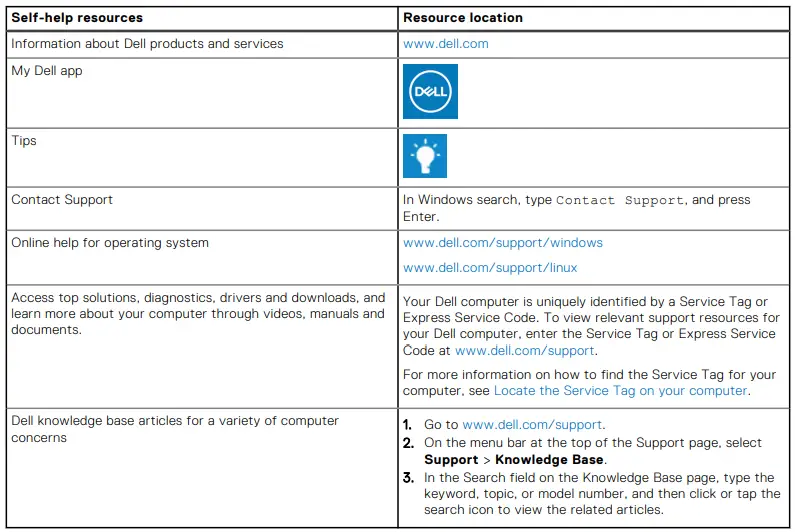
You can get information and help on Dell products and services using these self-help resources:
Table 27. Self-help resources
Contacting Dell
To contact Dell for sales, technical support, or customer service issues, see www.dell.com/contactdell.
NOTE: Availability varies by country/region and product, and some services may not be available in your country/region.
NOTE: If you do not have an active Internet connection, you can find contact information about your purchase invoice, packing slip, bill, or Dell product catalog.