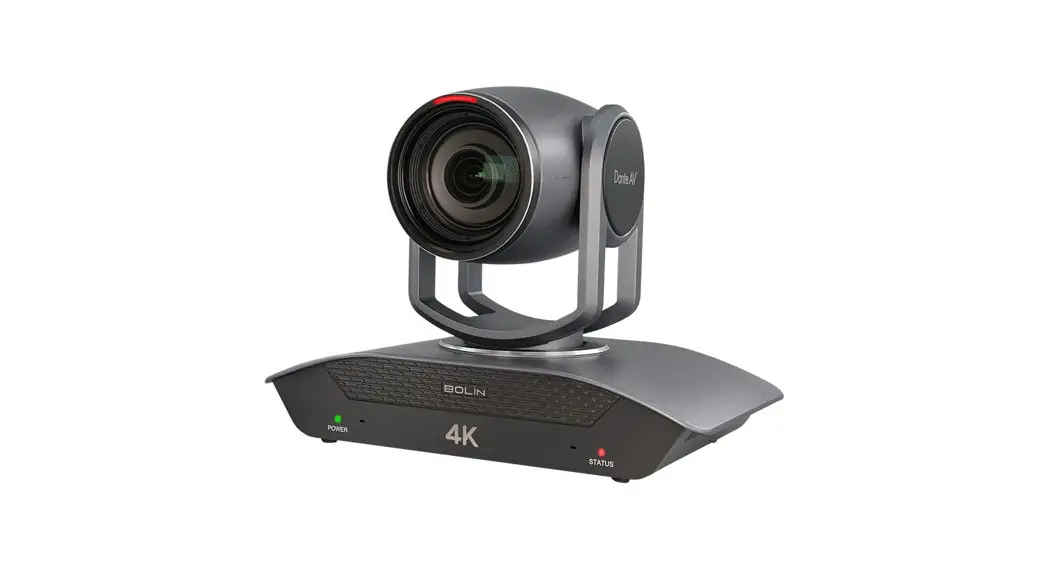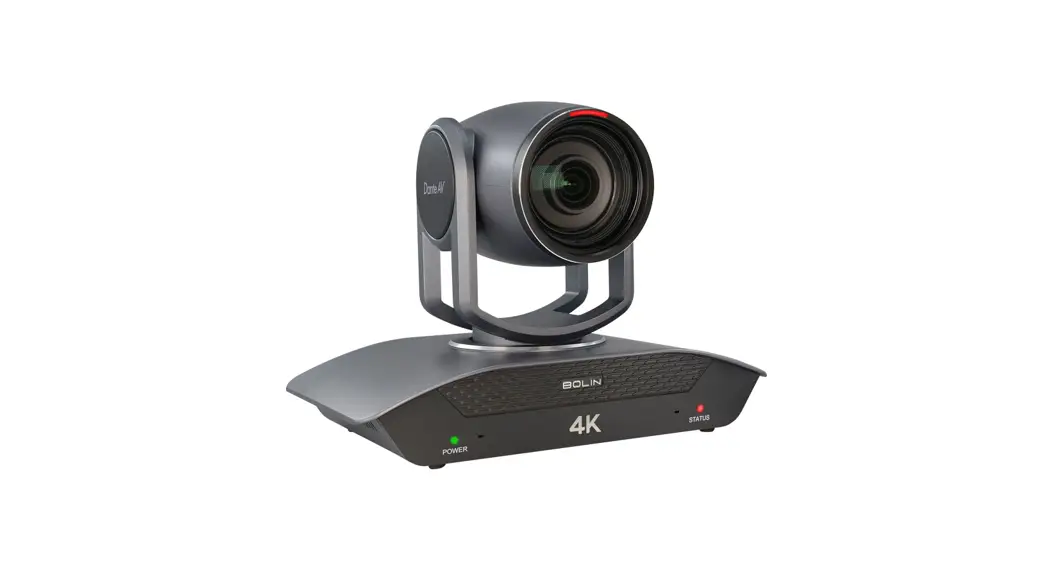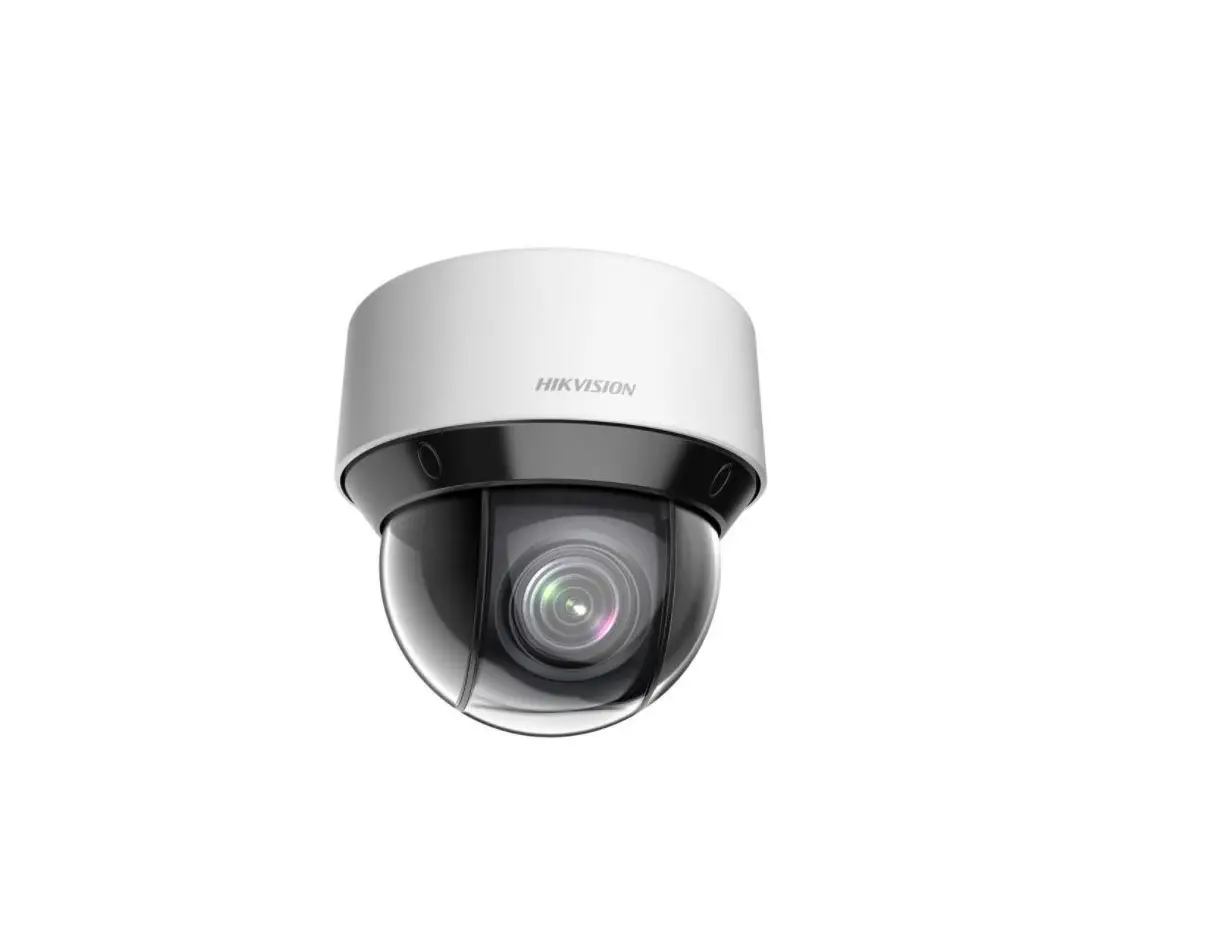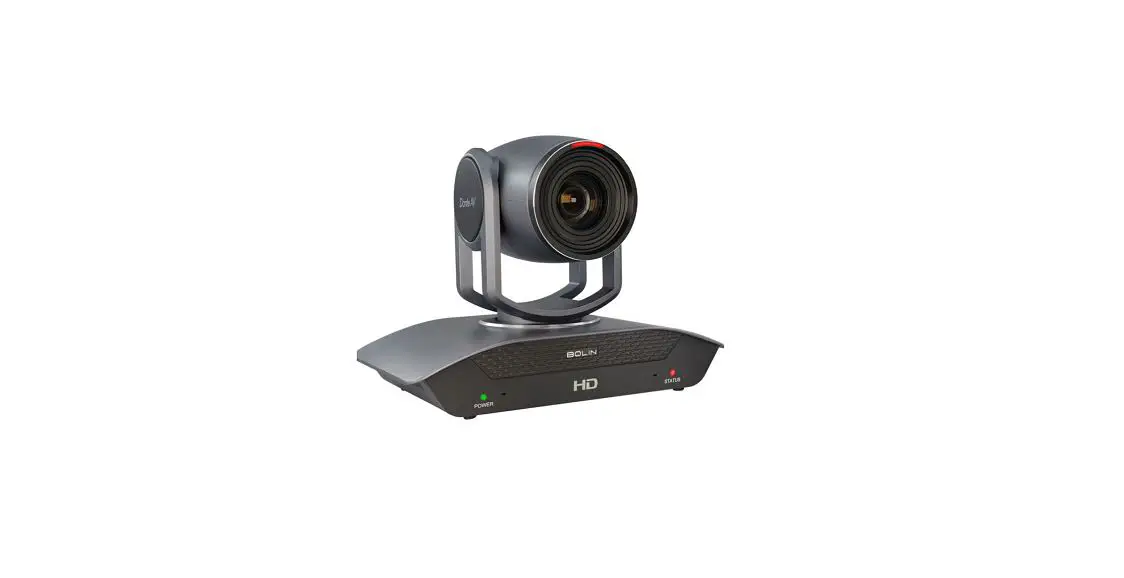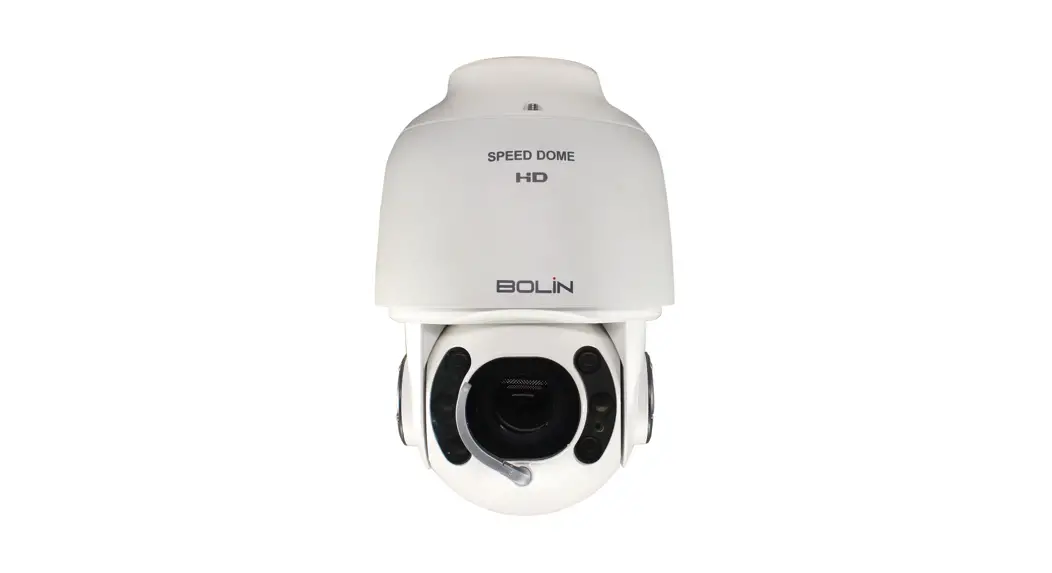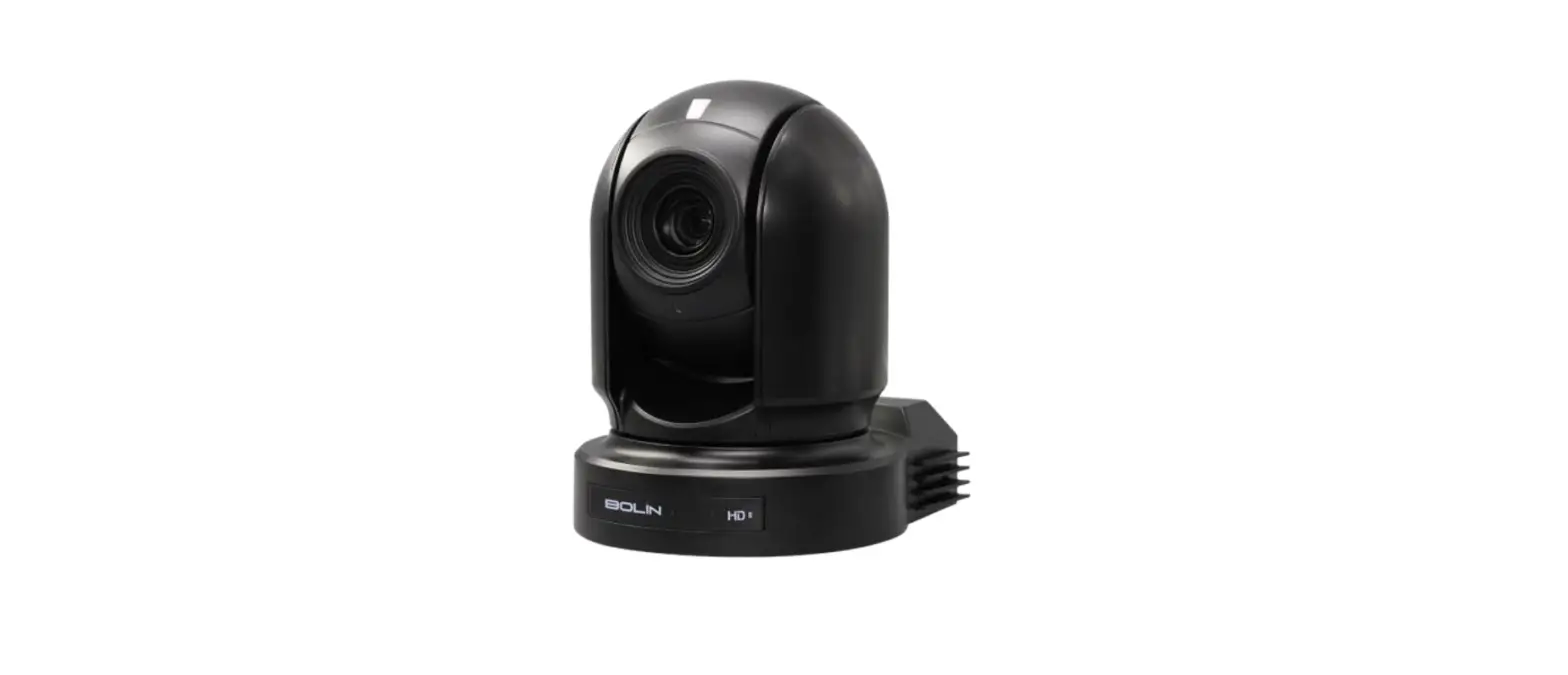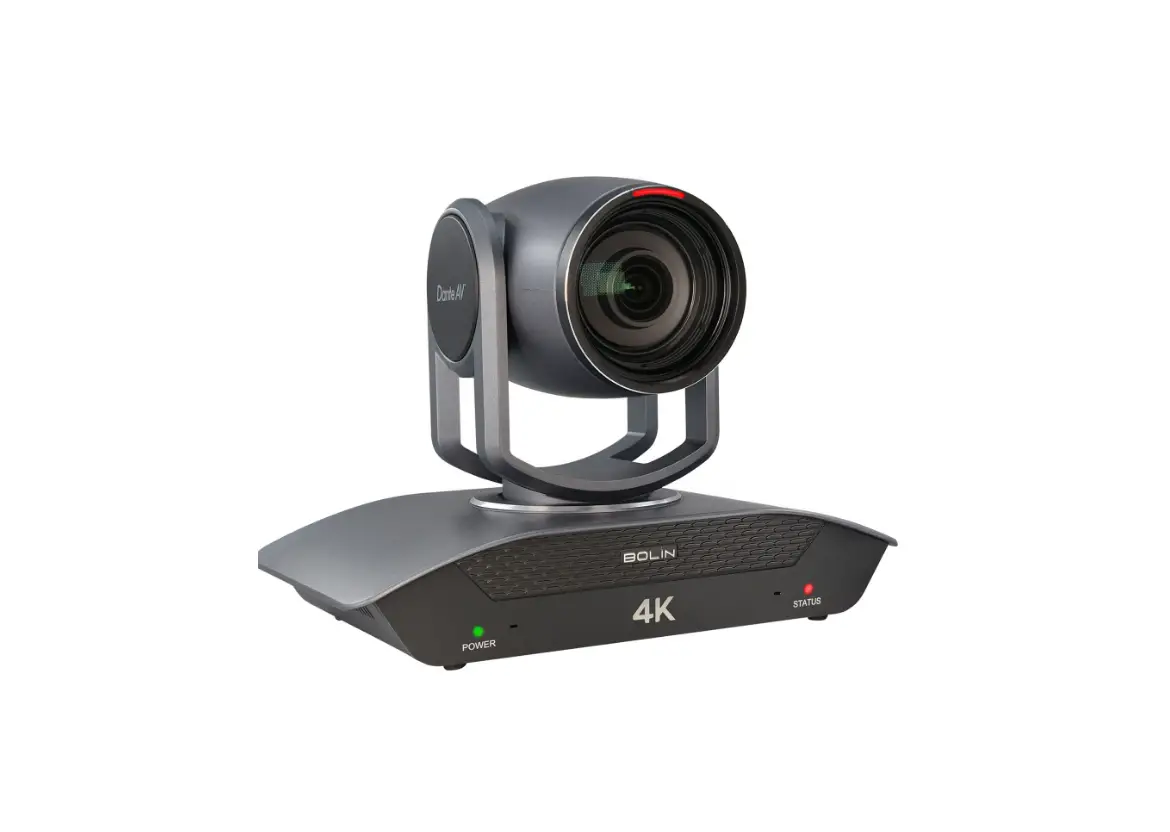

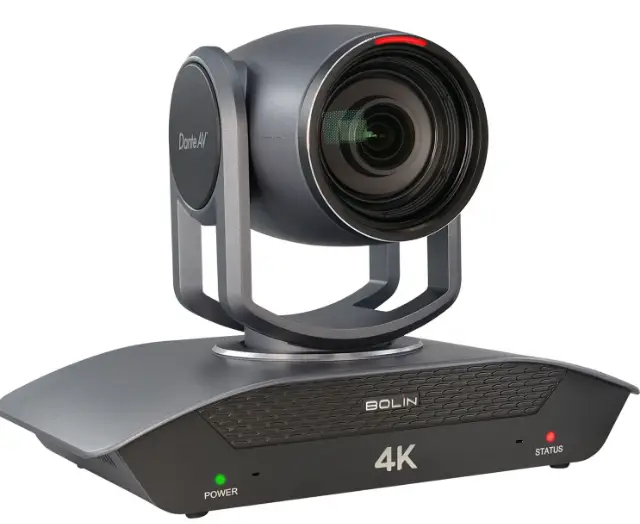
BOLIN TECHNOLOGY D412 Dante AV 4K60 HDMI/IP PTZ Camera with 12x Optical Zoom
Whats inbox?
This quick start guide applies to the following models:D412/ D220/D10H / D20S
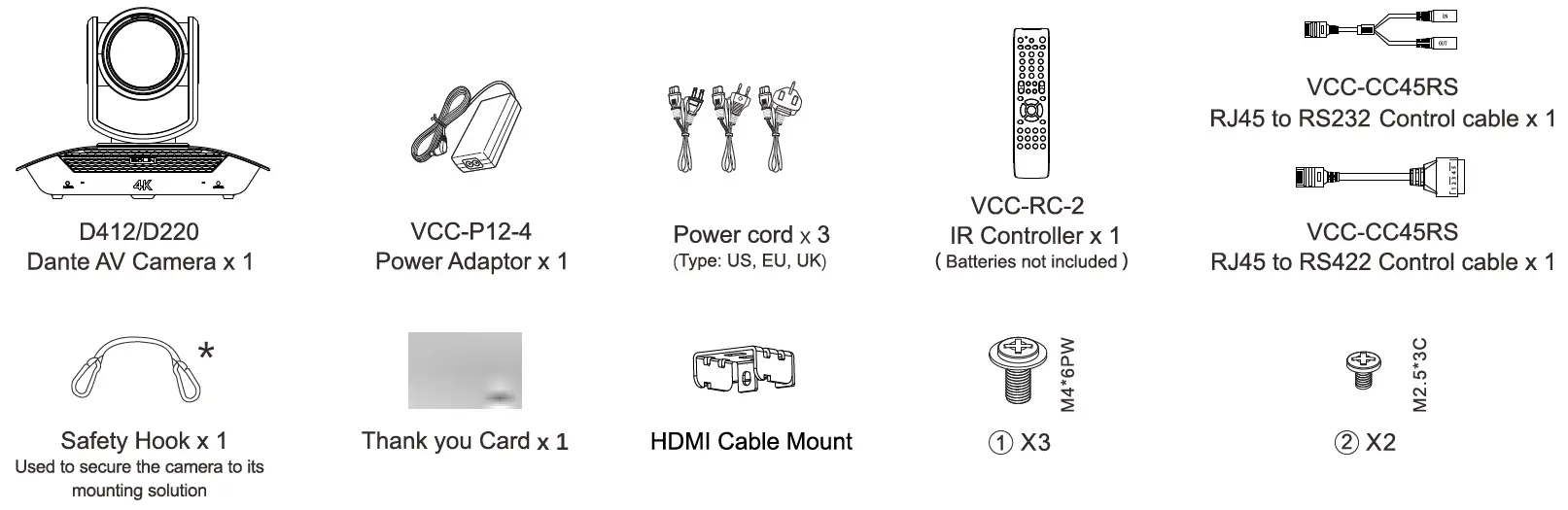
Items included with camera purchase
Items included with decoder purchase
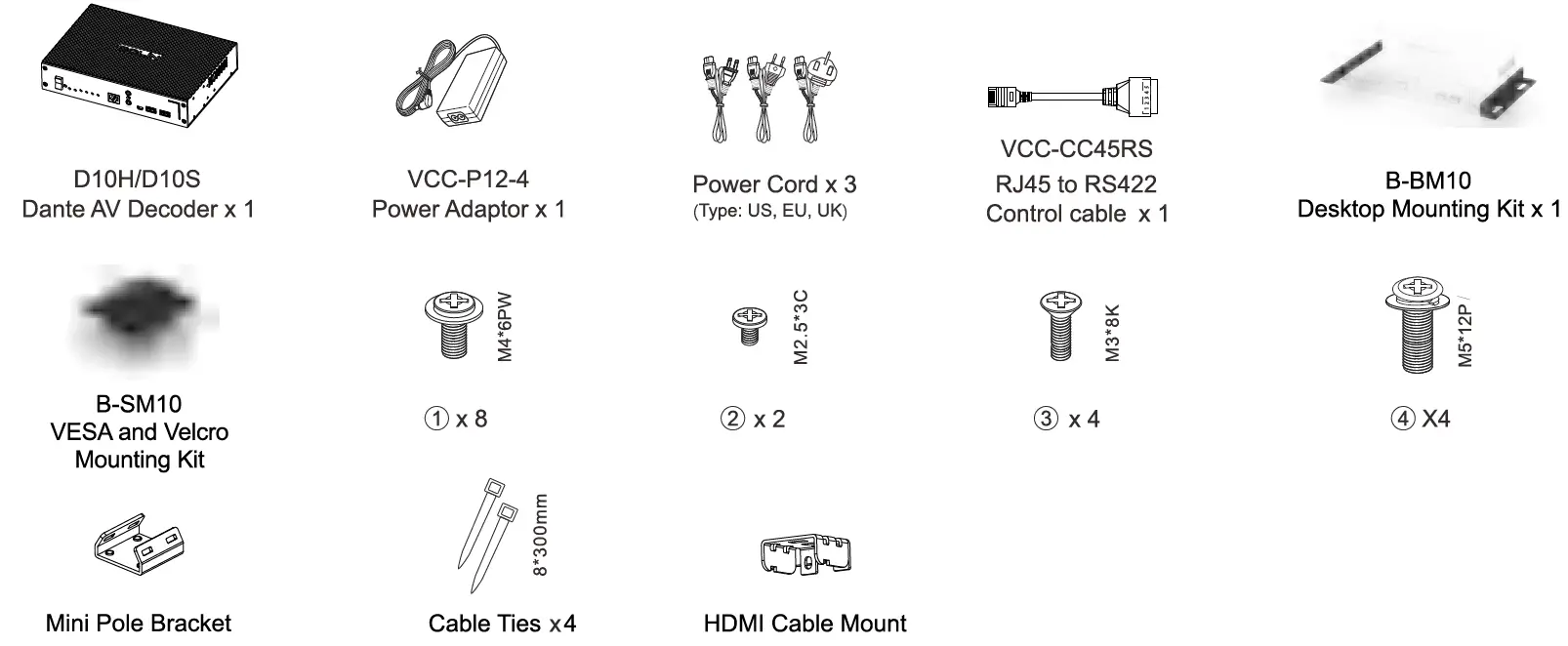
Note: The Dante AV Decoder (D10H or D10S) is mandatory for Dante AV video output.
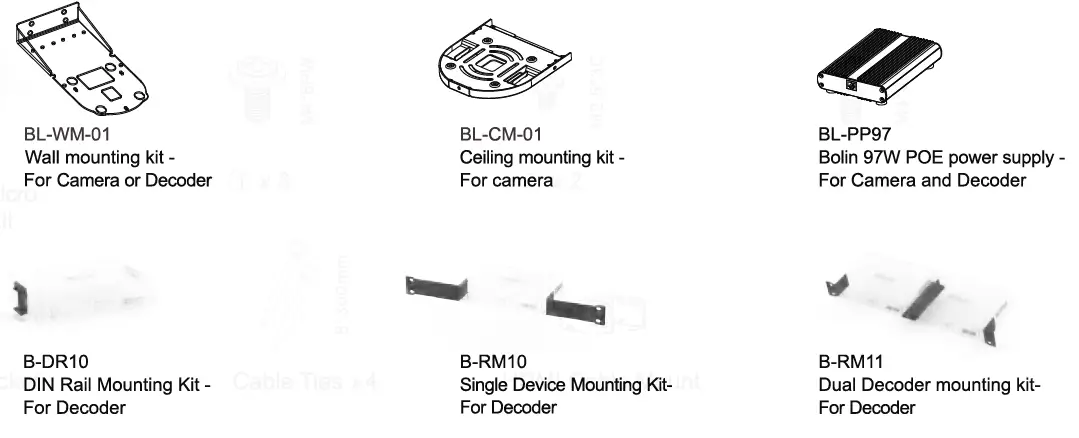
Optional Accessories
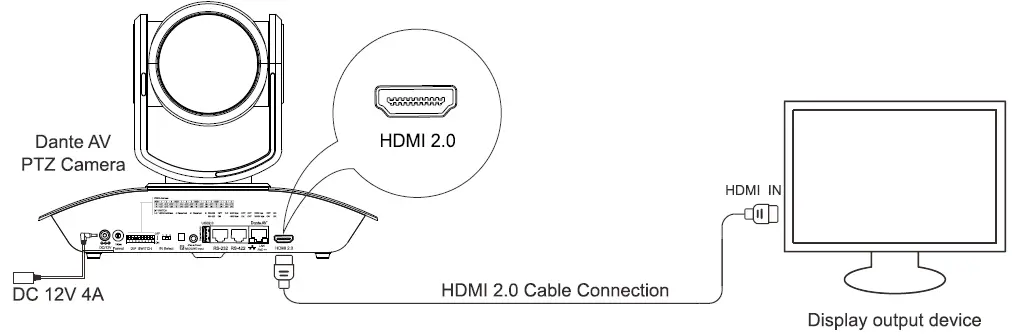
Camera HDMI output Setup
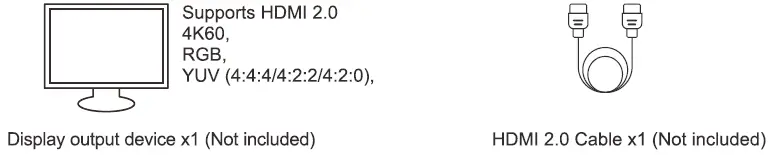
- Item List

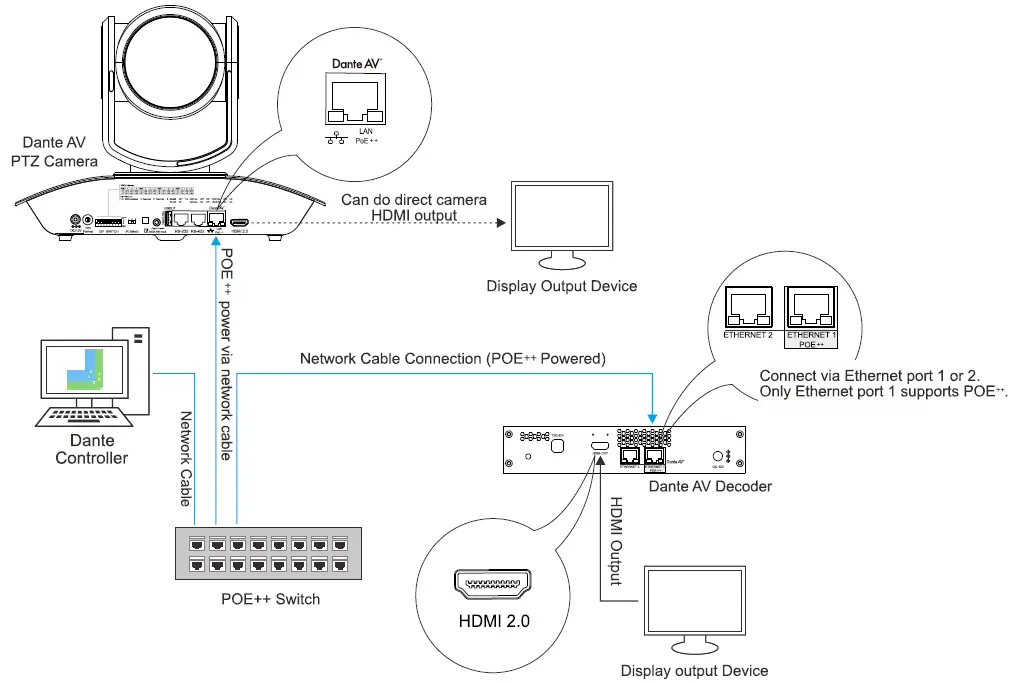
- Connection Diagram

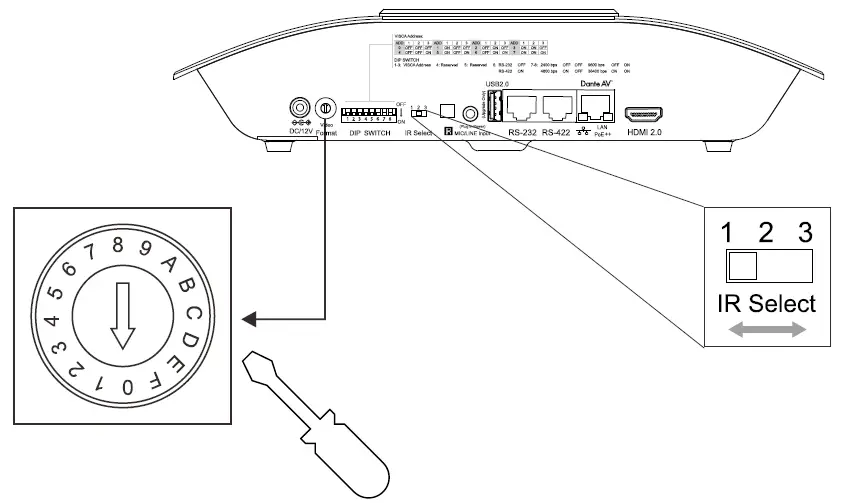
- Resolution Dial Configuration
Use a flat screwdriver to set the circular speed dial to the desired resolution. Refer to the table below. Use the IR select dial to select the desired IR ID to reference the camera.NO Video Format 0 720p50 1 720p60 2 1080p23.98 3 1080p25 4 1080p29.97 5 1080p30 6 1080p50 7 1080p59.94 8 1080p60 9 2160p23.98 A 2160p25 B 2160p29.97 C 2160p30 D 2160p50 E 2160p59.94 F 2160p60 
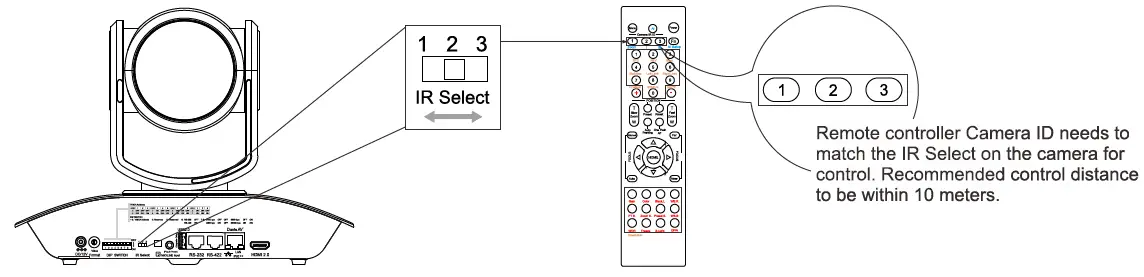
Infrared Remote control ID, please dial it to the desired location.(When using only one camera, dial to the “1” position)
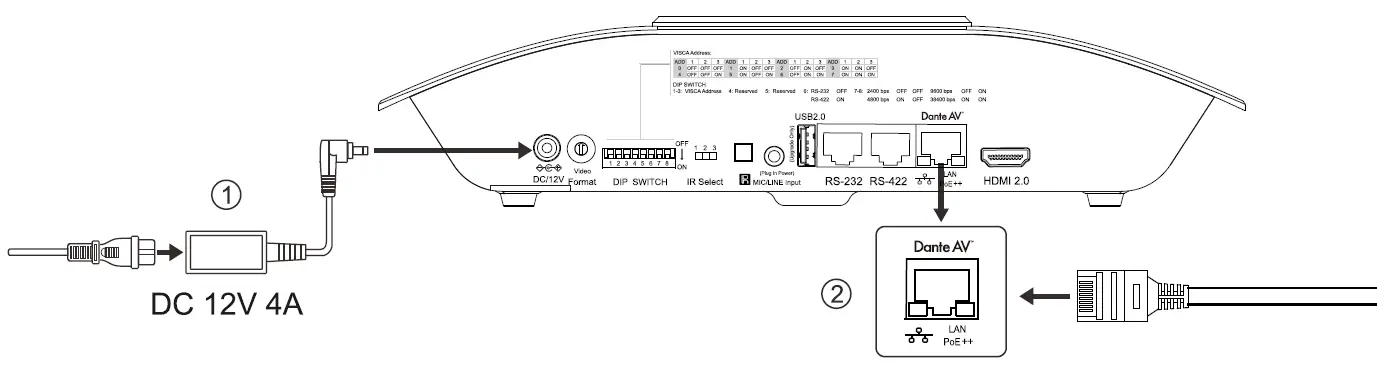
Note: Power off the camera prior to changing dial settings. Resolution can also be changed via OSD menu once the camera is powered on. Camera will follow the last configured resolution. Refer to the camera manual for further detail. - Power On the Camera
When powering via both DC 12V and POE++ DC 12V takes precedence. Recommend using only one powering method to power the camera.- Power Adaptor (DC 12V 4A) to power the camera.
- When using POE+t use IEEE802.3bt certified switch to power this camera.

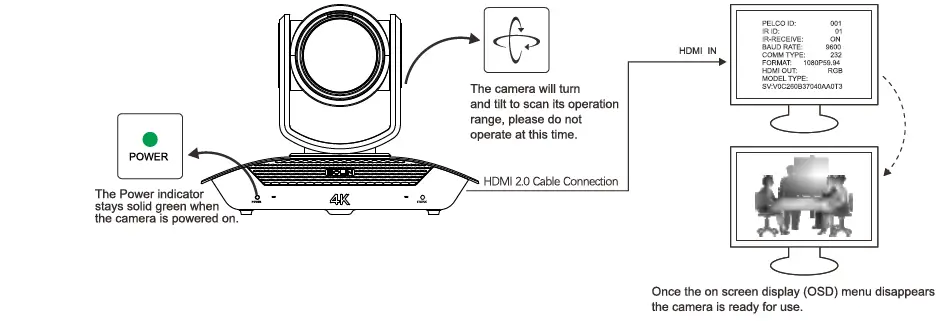
- Dante AV Camera Startup Tips

- Camera Control via IR Remote

 | Open/Close Camera OSD menu |  | For slow zooming of camera |
 | Directional control of camera |  | For fast zooming of camera |
Note: For detailed IR remote operation instruction please refer to camera product manual.
Dante AV Video Output Setup
- Item List

- Install Dante Controller Software
Dante Controller Download URL:https://my.audinate.com/support/downloads/download-latest-dante-software?lang=zh-hans
Dante Controller Harcware Requirements:- CPU: Minimum of 1GHz processor
- Storage: At least 512MB
Network Card: Ethernet connectivity port (1000 Mbps)
Dante Controller OS Requirements: - Windows: Windows 7/8/10
- Mac OSX: 10.13.6 I 10.14.6/ 10.15 Note: Does not support PPC.
- Connection Diagram

Note:- Recommend using DHCP network configuration.
- If network does not support DHCP, please manually configure the IP details on the camera and decoder to match the same gateway.
- Switch Requirement:
- Nonblocking Layer 2
- Green Ethernet must be OFF (Recommend not using Green Ethernet capable switches)
- Use reputable “Managed” switches
- Support QoS with strict priority and 4 queues
- IGMP Snooping ON
- Please refer to product manual located at www.bolintechnology.com for IP configuration instructions.
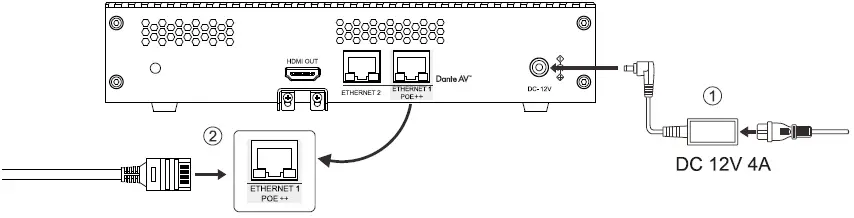
- Power on the Decoder
When powering via both DC 12V and POE, DC 12V takes precedence. Recommend using only one powering method to power the decoder.- Power Adaptor (DC 12V 4A) to power the decoder.
- When using POE*, use IEEE802.3bt certified switch to power this decoder

Note: For Dante AV camera startup tips, please refer to its respective diagram.
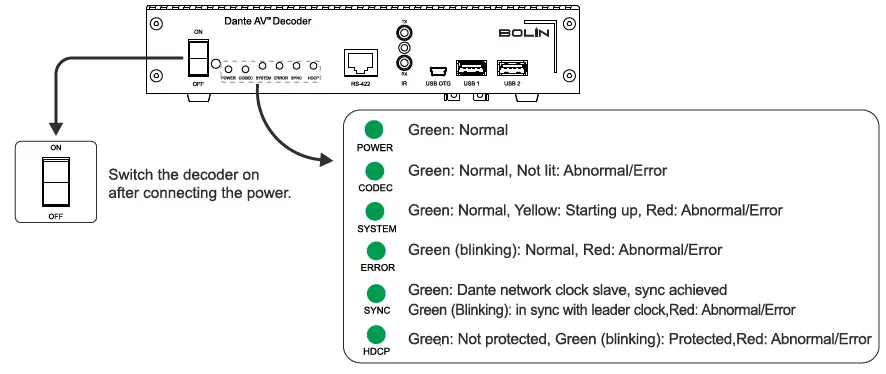
- Dante AV Decoder Startup Tips

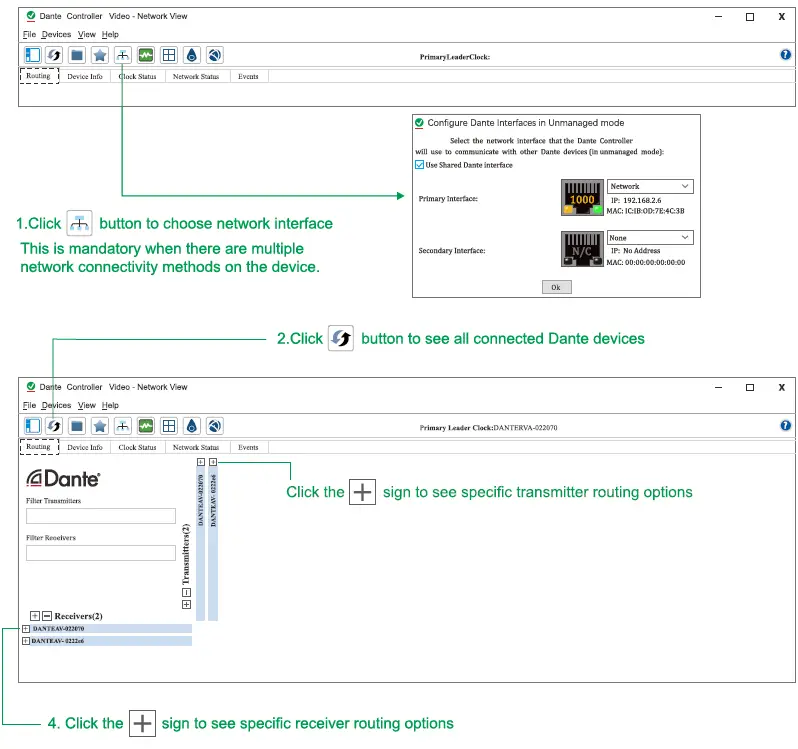
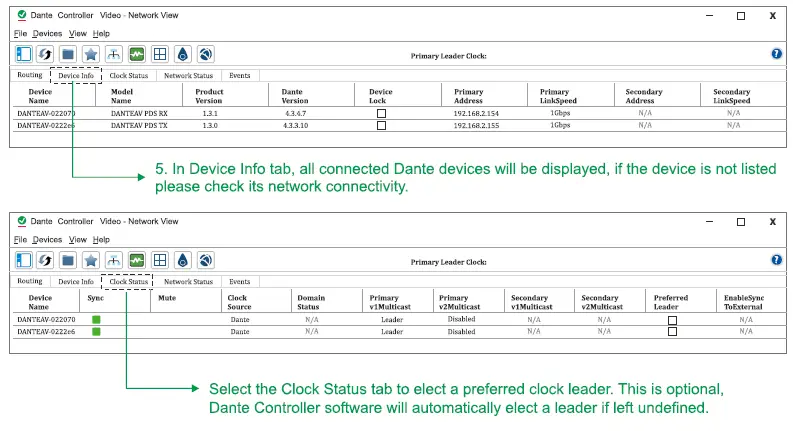
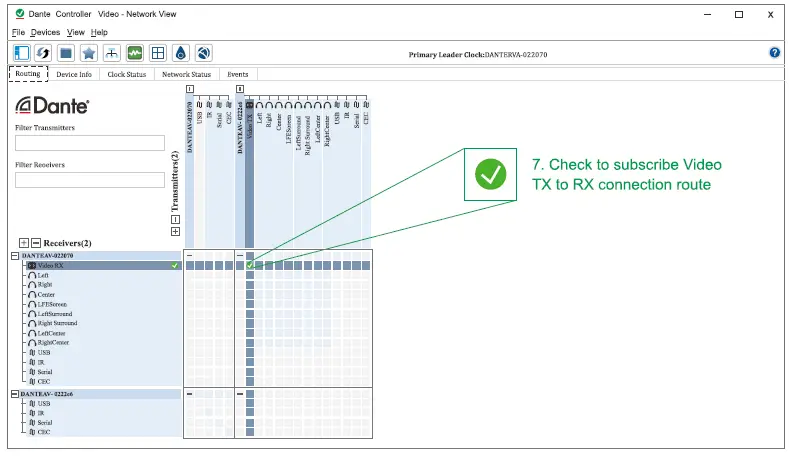
Note: For Dante AV camera startup tips, please refer to its respective diagram. - Steps to subscribing Camera to Decoder for Video Output via Dante Controller


- Camera Remote Control Setup
- Connection Diagram

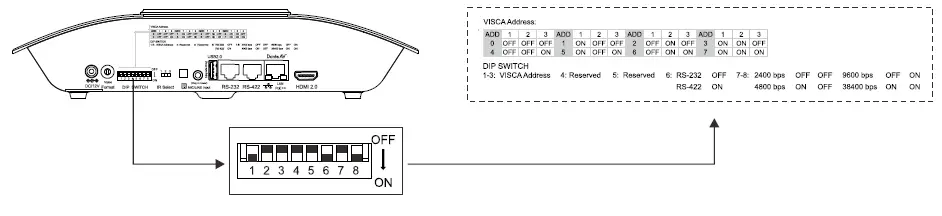
- Camera VISCA Address, Communication Protocol, and Baud Rate Settings

NOTE
The camera should be powered off prior to changing the DIP switch setting. When there are multiple DanteAV cameras involved, reference the table above to assign unique VISCA address to each camera. Up to seven unique address can be assigned to cameras at any given time. - Subscribe Serial channel on Dante Controller

- Connection Diagram

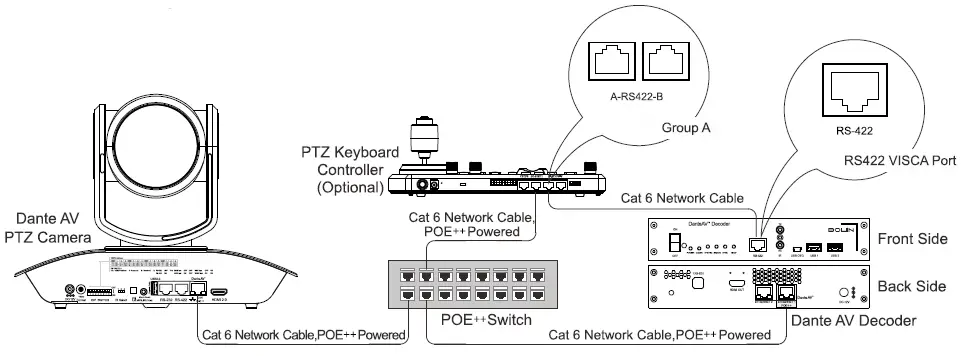
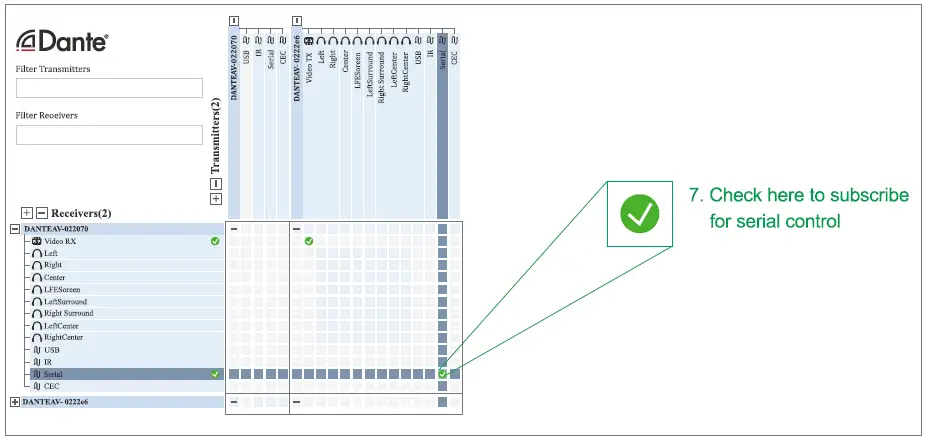
Note: Serial channel needs to be subscribed in the Dante controller for remote control of Dante AV camera.
Please refer to the keyboard controller’s product manual for detailed operation instructions and setup.
2082 TECHNOLOGY LLC dba
BOLIN TECHNOLOGY