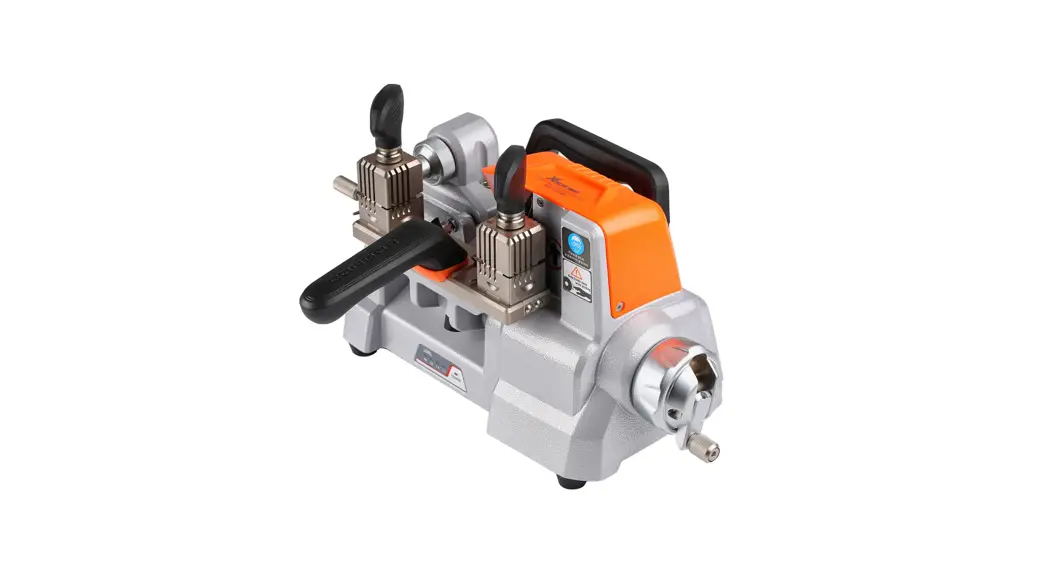
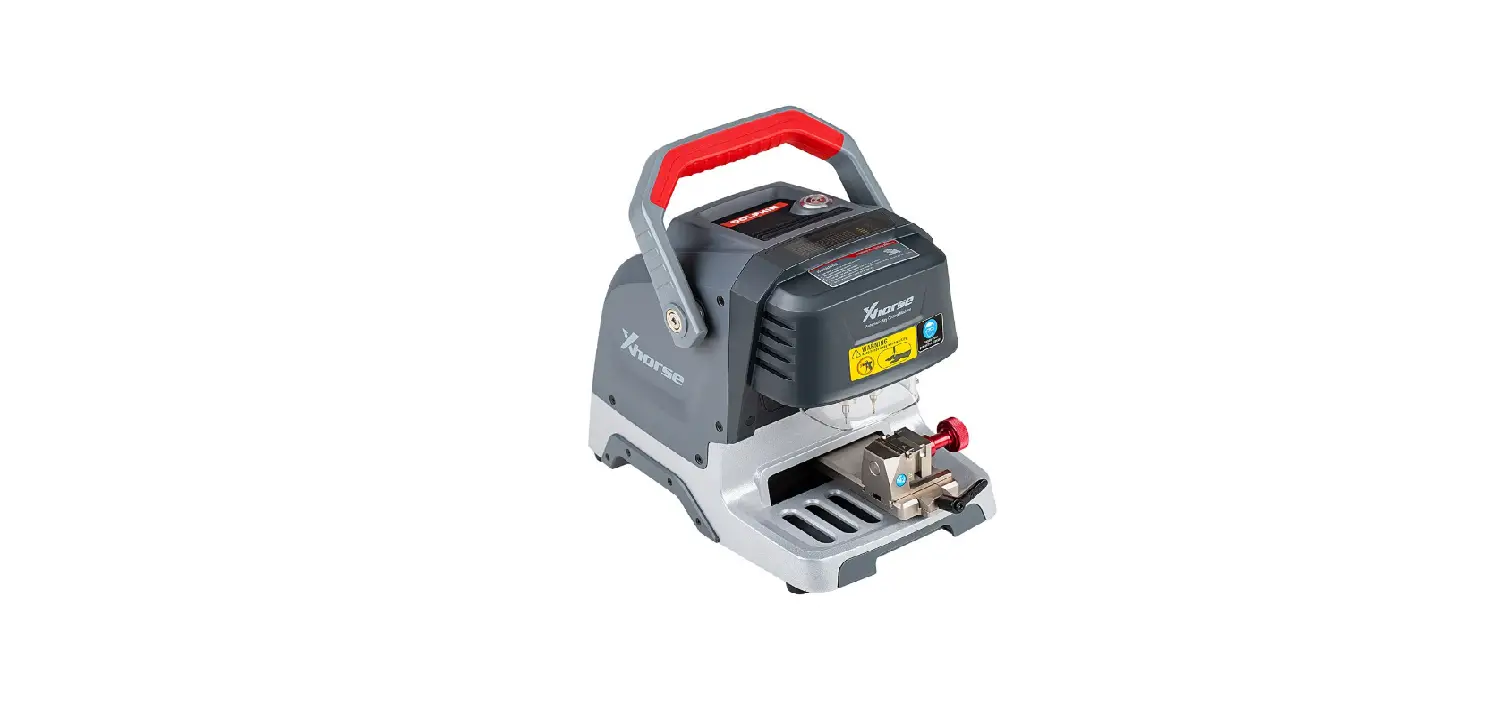
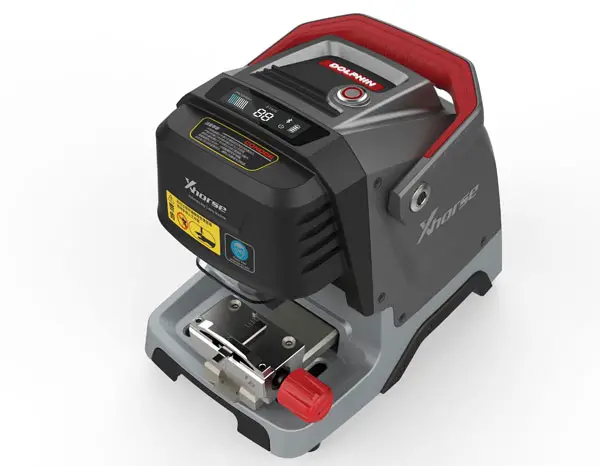
Mechanical Key Cutting Machine
Product Information
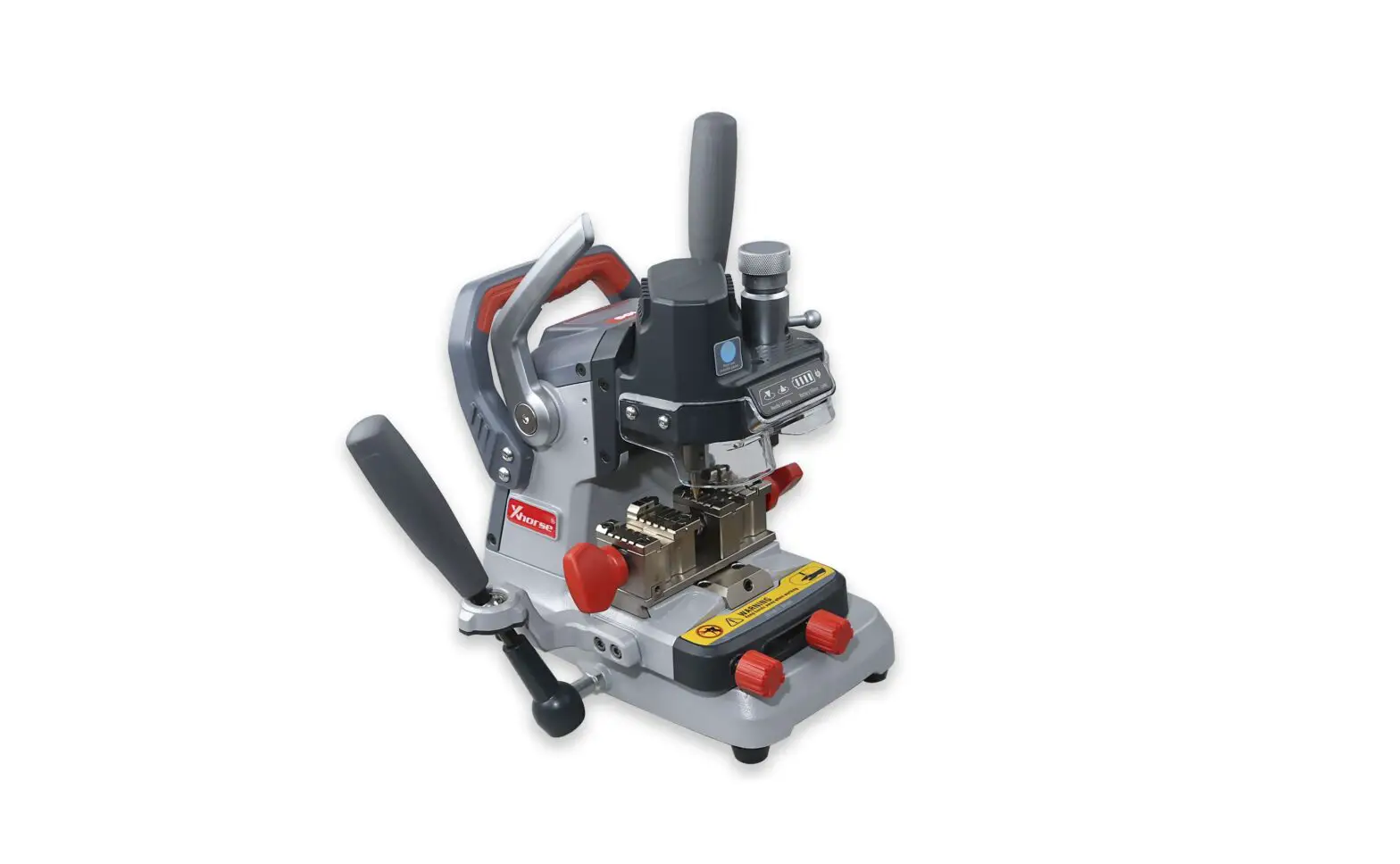
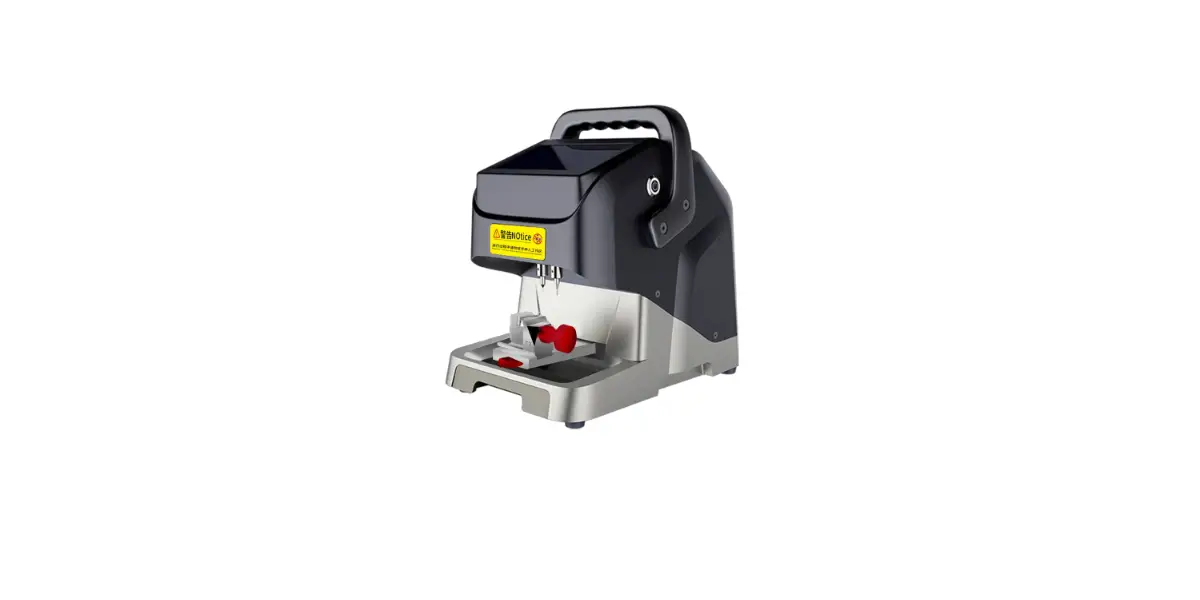
The CONDOR XC-002 Mechanical Key Cutting Machine is a
professional device designed for locksmiths to copy and process
keys more efficiently and accurately for vehicles or civil use. It
features an ergonomic design for better user experience, an
aluminum-casting body for reliability and durability, and an
adjustable high-speed motor for stable and fluent operation. The
machine also has built-in indicator lights for easier height level
adjustment, a cross rail for accuracy, and supports track and
dimple cutting for processing special keys. With its 4-side rotary
clamp, it can accommodate a wide range of key types.
Product Usage Instructions
- Ensure the machine is placed on a firm horizontal surface.
- Avoid exposing the machine to direct sunlight or placing it in
wet, oily, or dusty areas. - Keep the machine clean and dry, maintaining at least 30cm
distance to the wall for ventilation. - Wear safety glasses that meet ANSI standard while operating the
machine. - Keep clothing, hair, hands, tools, and test equipment away from
moving parts. - Do not leave the machine unattended while it is operating.
- Avoid placing any objects on the machine during operation.
- Connect the machine to a grounded power outlet. Do not use a
broken, loose, or substandard power outlet. - Unplug the machine during maintenance or when it is idle.
- Immediately shut down the machine if any exceptions occur. The
power switch is located near the power cord connector at the lower
rear part of the machine. - Keep the machine out of the reach of children.
For detailed instructions on using the machine, refer to the
user manual provided. It is important to read and understand the
manual before using the CONDOR XC-002 Mechanical Key Cutting
Machine for safety purposes. Keep the user manual in a safe place
for occasional reference.
Mechanical Key Cutting Machine CONDOR XC-002
CONDOR
Mechanical Key Cutting Machine XC-002
User Manual
Mechanical Key Cutting Machine CONDOR XC-002
TABLE OF CONTENTS
1SAFETY PRECAUTIONS AND WARNINGS—————————————–01 2GENERAL INFORMATION——————————————-02
2.1BRIEF INTRODUCTION—————————————————02 2.2CHARACTERISTICS——————————————————02 3PRODUCT PACKAGING CHECKLIST———————————————-03 4OVERVIEW 4.1 SCHEMATIC——————————————————06 4.2 SPECIFICATIONS AND PARAMETERS—————————————–07 4.3 MAIN COMPONENTS AND FUNCTION INSTRUCTION———————-08 5MACHINE INSTALLATION AND PREPARATION 5.1 INSTALLING THE MAIN HANDLE——————————————–15 5.2 INSTALLING THE SUB HANDLE———————————————16 5.3 INSTALLING AND REMOVING PROBE/CUTTER—————————17 5.4 CLAMP INSTALLATION—————————————————18 5.5 PROBE/CUTTER HEIGHT LEVEL ADJUSTMENT—————————-19 5.6 ROTATION ADJUSTMENT—————————————————-20 6OPERATING INSTRUCTIONS 6.1 KEY ALIGNMENT————————————————–21 6.2 SELECTION RULES OF CLAMP SIDES———————————-22 7MAINTE NANC E- — – — – — — – — — – — – — – — – — — – — – — – — — – — – — – — — -23 8WARRANTY AND AFTER SALESSERVICE—————————————–24 9A P P E N D I X – – – – – – – – – – – – – – – – – – – – – – – – – – – – – – – – – – – – – – – – – – – – – – – – – – – – – – – – – – – – – – 2 5
Mechanical Key Cutting Machine CONDOR XC-002
1SAFETY PRECAUTIONS AND WARNINGS
To prevent personal injury or machine damage, users should carefully observe the instructions in this operation manual and adopt following safety precautions:
Always operate the machine under a safe condition. Place the machine on a horizontal surface, which should be firm
enough to carry. Do not explore the machine to the direct sunlight, or place the machine
in any wet, oily, or dusty area. Please keep the machine clean and dry, and maintain at least 30cm
distance to the wall for ventilation. Please wear the safety glasses that meets ANSI standard. Keep clothing, hair, hands, tools, test equipment, etc. away from all
moving parts. Do not leave the machine while it is operating, and someone
specifically for monitoring is also required. Do not place any object on the machine during running. Must connect to the grounded power outlet, please do not use the
power outlet if it is broken, loosen or with substandard power. Please unplug the machine during maintenance or it is idle. Immediately shut down the machine if any exception occurs. The power
switch locates near the power cord connector, at the lower rear part of the machine. Please place the machine out of the reach of children.
2GENERAL INFORMATION
2.1 BRIEF INTRODUCTION
1
Mechanical Key Cutting Machine CONDOR XC-002
Thank you for choosing CONDOR XC-002 Mechanical Key Cutting Machine. XC-002 Mechanical Key Cutting Machine is a professional device. It enables locksmiths to copy and process keys more efficiently and accurately for vehicles or civil use. The careful reading of this manual before use is a quite crucial precondition for safety. For occasional reference, please keep this user manual properly.
2.2 CHARACTERISTICS
CONDOR XC-002 Mechanical Key Cutting Machine contains following characteristics:
Ergonomic design provides better user experience Aluminum-casting body make it more reliable and durable Adjustable high-speed motor ensures the stability and fluency of
operation. Built-in indicator lights make the height level adjustment easier Cross rail guarantees the accuracy Supporting track and dimple cutting, that can process special keys More key types are available because of 4-side rotary clamp
2
Mechanical Key Cutting Machine CONDOR XC-002
3. PRODUCT PACKAGING CHECKLIST
The whole package covers all following items, if missing, please contact your dealer.
Name
Schema
Quantity
Description
Main body
Upper rubber mat
Multi-functional clamp
Key alignment block blade
2.5mm cutter (Ø2.5×Ø6×40L )
1.5mm cutter (Ø1.5×Ø6×40L )
Tracer (Ø 1.5×Ø 2.5×Ø 6×
45L)
1
Key machine body
Temporarily carry light 1
items
Key carrier, can rotates in 1
four sides
1
Use in key alignment
Available for most 1
mechanical keys
Available for elaborate 1
cutting
1
The tool for detection
3
Mechanical Key Cutting Machine CONDOR XC-002
Main handle
Sub-handle
Power cord(1.5m)
Power cord(1.5m) optional
Power cord(1.5m) optional
Power cord(1.5m) optional Brush
2.5mm Allen wrench 4mm Allen wrench Product packaging
checklist
User manual
Control the height of 1
tracer and cutter Control the position of 1
working bench Connect to power outlet 1
(Chinese Standard)
Connect to power outlet 0
(British Standard)
Connect to power outlet 0
(European Standard)
Connect to power outlet 0
(American Standard)
1
For clean
Tool for the installation of 1
tracer and cutter
1
Tool to tighten the clamp
Product Delivery
1
Inspection Certificate
Product Packaging check
Machine installation and 1
operating instruction
4
Mechanical Key Cutting Machine CONDOR XC-002
Note For the product improvement, color, design and structure may be different, please in kind prevail. The cutter should be replaced timely to maintain the cutting effectiveness. Please use 3A fuse.
4. OVERVIEW
4.1 SCHEMATIC
Sub-handle Micro-adjuster
Tracer Sub-clamp Main clamp
Limitation knob 1
Main handle
Indicator light for height level adjustment
Cutter Rotation speed adjuster
Key tighten knob
Cutting bench Limitation knob 2
Storage box
5
Mechanical Key Cutting Machine CONDOR XC-002
4.2 SPECIFICATIONS AND PARAMETERS
Input Voltage Input Frequency Power Consumption
Motor Rotation Speed
220VAC 50Hz 200W
MAX 10000rpm 1st gear6000rpm 2nd gear8000rpm
Motor Torque
Working Temperature Humidity
Travel of Spindle Travel of Cutting Bench
Decibel Net Weight Gross Weight Machine Dimension Package Dimension
1st geartorque 0.4N 2nd geartorque 0.3N
0~50 10~90% 27mm Horizontal38mm Vertical50mm
77dB 23KG 28KG L 298mm×W 445mm×H 525mm L 595mm×W 550mm×H 375mm
6
Mechanical Key Cutting Machine CONDOR XC-002
525mm 445mm 298mm MACHINE DIMENSION
7
Mechanical Key Cutting Machine CONDOR XC-002
PACKAGE DIMENSION 4.3 MAIN COMPONENTS AND FUNCTION INSTRUCTION
4.3.1 SUB-HANDLE
Ensure cutting bench’s horizontal movement is in a specified area.
8
Mechanical Key Cutting Machine CONDOR XC-002 4.3.2 MAIN HANDLE
1) Pull or push the handle up and down to adjust the height of tracer and cutter. When releasing the handle, tracer will back to the original position.
2) Tighten the handle in the clockwise direction can fix the position of tracer and cutter.
3) The operation strength should be proper to avoid damage.
9
Mechanical Key Cutting Machine CONDOR XC-002
4.3.3 ROTATION SPEED ADJUSTER
There are four gears to control rotation speed – neutral, OFF, 1 and 2, respectively, means motor turnoff, standby, low speed and high speed four running modes. 4.3.4 INDICATOR LIGHT OF HEIGHT LEVEL ADJUSTMENT
1) If the heights of tracer and cutter are the same, two indicator lights will be both on when tracer and cutter’s tops have contacted with the clamp by main handle.
2) If trace is higher than cutter, the left indicator light will be on, means “Lower “.
3) If trace is lower than cutter, the right indicator light will be on, means “Raise”.
10
Mechanical Key Cutting Machine CONDOR XC-002 4.3.5 MICRO-ADJUSTER
It is used to adjust the height of tracer, until its top is at the same height level as cutter’s. (Clockwise rotating will raise the tracer and counterclockwise will lower it)
11
Mechanical Key Cutting Machine CONDOR XC-002 4.3.6 CUTTING BENCH
The sliding base is for the horizontal movement of clamp. (The maximum slide distance is 38mm laterally and 50mm longitudinally.) 4.3.7 CLAMP
This is the key carrier (the left one is sub-clamp for original key and the right one is main clamp for key blank). Four sides A, B, C and D are rotary, and each of them has the place for key alignment. Please select the corresponding side in terms of key type and bitting. NOTE: When cutting, the side of both two clamps must be the same.
12
Mechanical Key Cutting Machine CONDOR XC-002 4.3.8 KEY TIGHTNESS KNOB
Put the original key and key blank into clamp spot and tighten, that to ensure the position shifting will not happen during the process. Please first loosen knobs, and then both clamps should be turn to the same side, 4.3.9 LIMITATION KNOB
1) Knob 1 on the left is used to adjust cutting bench’s left and right moving. When this knob is tightened, bench can only move backwards and forwards.
Knob 2 on the right is used to adjust cutting bench’s sliding range. When this knob is tightened, the distance of bench’s left-to-right sliding is limited.
13
Mechanical Key Cutting Machine CONDOR XC-002 4.3.10 STORAGE BOX
To place tracer, cutter, key blank, brunch and other materials and tools. 4.3.11 POWER CONTROL MODULE The power connector, fuse and power switch are all located at the lower back of the machine.
1) Insert the power cord into left port, then link to the grounded power outlet.
2) When switch the power to “ON”, machine enters into “Standby” mode.
3) To replace the fuse, please remove the box first, then change a new one and put the box back.
14
Mechanical Key Cutting Machine CONDOR XC-002 Please use 3A fuse. When the machine is idle or maintaining, please turn off the power and unplug the power outlet.
15
Mechanical Key Cutting Machine CONDOR XC-002
5. MACHINE INSTALLATION AND PREPARATION
5.1 INSTALLING MAIN HANDLE
1) Insert the bottom of main handle into installing hole, which is by the right side of the machine body. Then cover the screw cap and rotate the handle clockwise until tightened.
2) If fully tightened, the main handle should be fix at a certain position and unable to move up or down.
3) If rotate the handle 180 degrees counterclockwise, the height of tracer and cutter can be changed freely.
16
Mechanical Key Cutting Machine CONDOR XC-002
5.2 INSTALLING SUB-HANDLE
4) Insert the bottom of sub-handle into the installing hole, which is by the left side of the machine body. Put on the protective bushing and then plug in the lower bearing bore to avoid moving. Cover the screw cap and rotate the handle clockwise until tightened.
17
Mechanical Key Cutting Machine CONDOR XC-002
5.3 INSTALLING AND REMOVING PROBE/CUTTER
1) The left one is tracer and the right one is cutter. Put the tracer and cutter into the hole and to the top limit position. Then use 2.5mm Allen wrench to turn the lock screw clockwise respectively till the tracer and cutter are both tightened.
NOTE: When using 1.5mm cutter and 2.5mm cutter, tracer and cutter must select the top with the same diameter for processing.
18
Mechanical Key Cutting Machine CONDOR XC-002
2) Insert the wrench into the hole, turn the lock screw counterclockwise, and then remove trace and cutter.
5.4 CLAMP INSTALLATION
Aim the bump (A1: underneath the clamp) at the cutting bench’s groove (A2), push toward the left until A1 and A2 (shown above) are fully overlapped. Then use 4mm Allen wrench to tighten the screw.
19
Mechanical Key Cutting Machine CONDOR XC-002
5.5 PROBE/CUTTER HEIGHT LEVEL ADJUSTMENT
1) When the installation finished, push the main handle. If the tracer is higher than cutter, the indicator light on the left will turn on.
2) If the tracer is lower than cutter, the indicator light on the right will turn on.
20
Mechanical Key Cutting Machine CONDOR XC-002
3) According to the signal of indicator light, rotate the Micro-adjuster until tracer and cutter’s tops have both touched the clamp. In other words, they are at the same height. Then two indicator lights will on, adjustment finished.
NOTE During the height level adjustment, main clamp and sub-clamp must at the same side. 5.6 ROTATION SPEED ADJUSTMENT Rotation adjustment knob locates at the right side of the machine. There are two gears to control the rotating speed of motor.
21
Mechanical Key Cutting Machine CONDOR XC-002
1) When the adjuster is at the neutral gear, motor stays at “Turnoff” mode; when it points to “OFF”, the light will be on, means the machine is ready to work
2) When the adjuster points to “1”, the motor rotates at a low speed, about 6000rpm; when it points to “2”, the rotation speed is higher, about 8000rpm.
22
Mechanical Key Cutting Machine CONDOR XC-002
6. OPERATING INSTRUCTIONS
6.1 KEY ALIGNMENT
There are two ways to align the key: shoulder alignment and head alignment 1) Shoulder alignment as shown below
Adjustment line 2) The position of head alignment as shown below, and 1, 2, 3 are the
block blades for different key types.
23
Mechanical Key Cutting Machine CONDOR XC-002 Key should align to block blade
24
Mechanical Key Cutting Machine CONDOR XC-002
6.2 SELECTION RULES OF CLAMP SIDES
Key Type
Schema
Clamp side
2 Track External
A/B A/C
Illustration
4 Track External
Channel Track
4 Track Internal
A/D A/D A/D A/B A/C A/D
1) The key type available for side A and D are the same, please make the selection according to the cutting depth.
2) When cutting dimple key,
please use the specific cutter.
25
Mechanical Key Cutting Machine CONDOR XC-002
Dimple
A/D
7. MAINTENANCE
Before cutting, please use a brush to clean up the operating area. Since inclusions may cause corrosion or damages, and would eventually impact the accuracy of key cutting.
Do not use any oily product or detergent to clean the components, because it may also lead to some damages or corrosion.
Neither direct water rinse nor wet cloth wipe can be used on machine. Otherwise, electric leakage or metal rustiness will probably happen.
Under no circumstance can cleaning equipment be used for operating area, such as air gun, blower etc. It is to avoid inclusions blowing into the machine and raise the unsafety of daily use.
26
Mechanical Key Cutting Machine CONDOR XC-002
8. WARRANTY AND AFTER SALES SERVICE
CONDOR XC-002 contains one-year warranty and the start date of period is subject to invoice; if with no invoice or has lost, then the date recorded by manufacturer shall prevail. Following circumstances are not included in free maintenance: The malfunction caused by the operation not followed with user
manual. The malfunction and damage caused by unauthorized repairs and
alteration. The malfunction caused by fall, crash or improper voltage. Damage due to force majeure. Long time used in harsh places or vehicles, or the failure and damage
caused by ship carrying. The malfunction arisen from everyday use, such as dirt or normal losses
of shell and protective shield is excluded either.
To achieve more information about product’s after sales service and technical support, please contact dealer or scan the QR code below, and follow Xhorse official account (WeChat ID: SZ-Xhorse).
27
Mechanical Key Cutting Machine CONDOR XC-002
Xhorse
All rights reserved. Without permission, all copies or transmissions of any parts of this publication by any individuals or organizations in any ways are forbidden. Due to the continuous improvement, the content in this manual is subject to change without prior notice.
28
Mechanical Key Cutting Machine CONDOR XC-002
9. APPENDIX
29