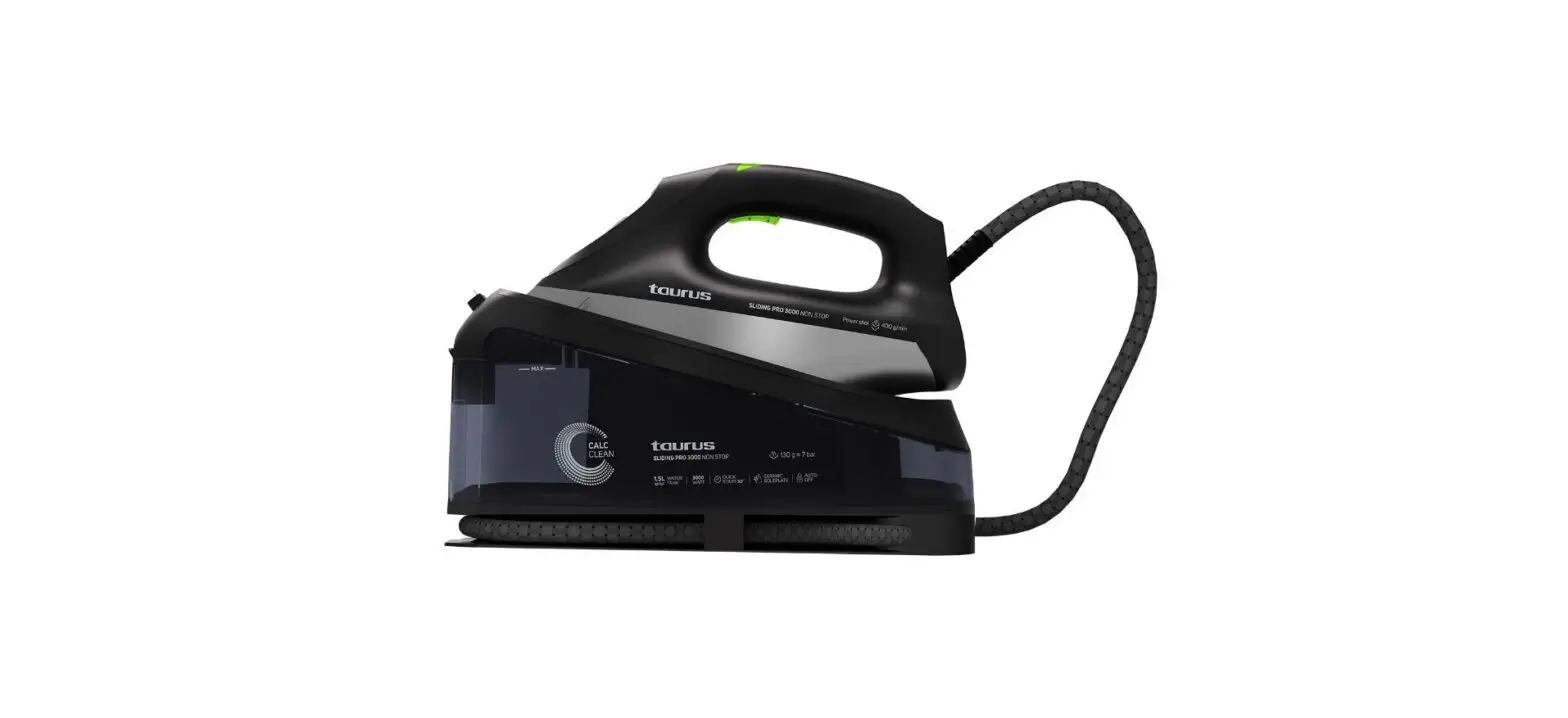

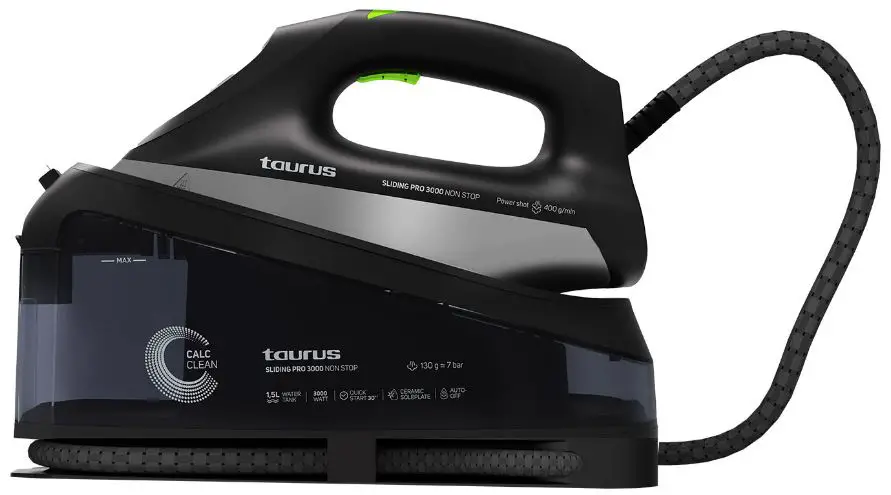
taurus 918693 Sliding Pro 3000 Steam Station
Product Information
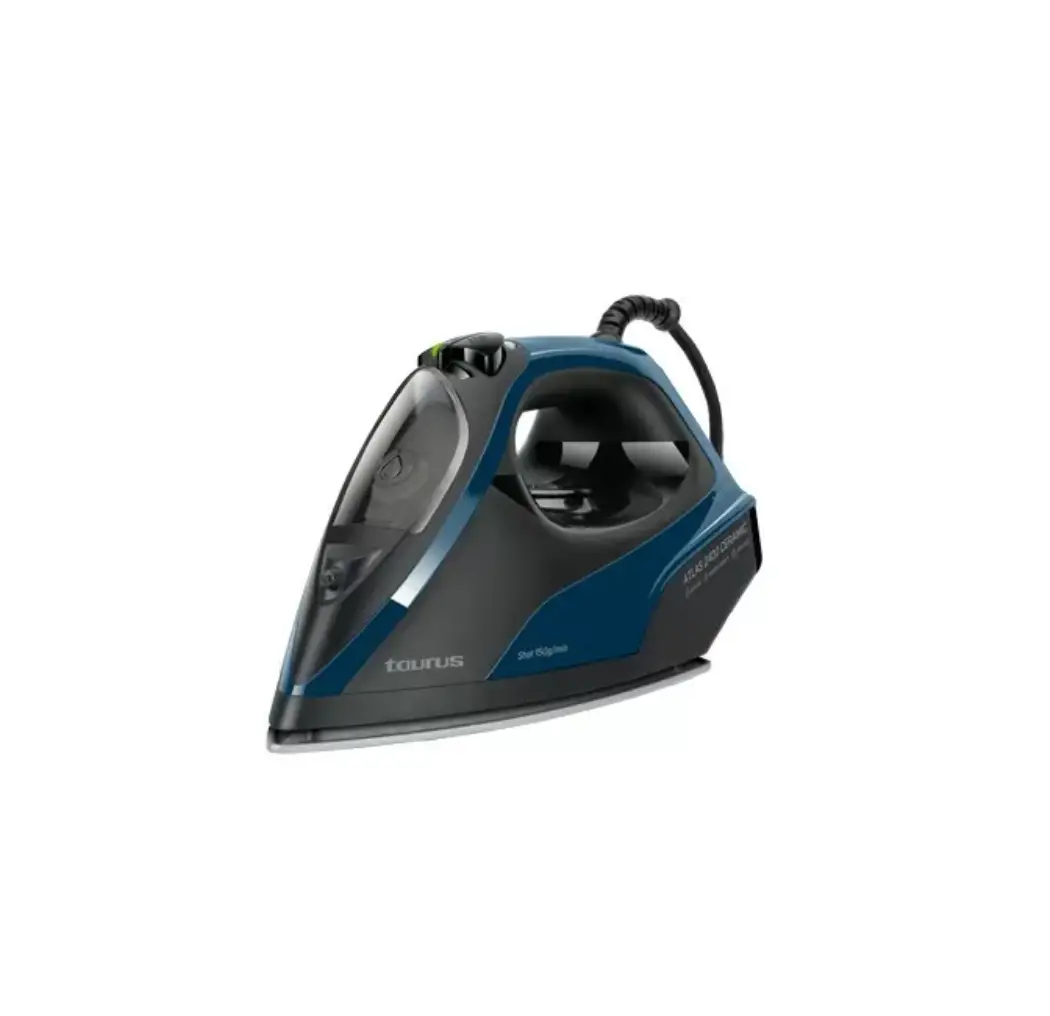
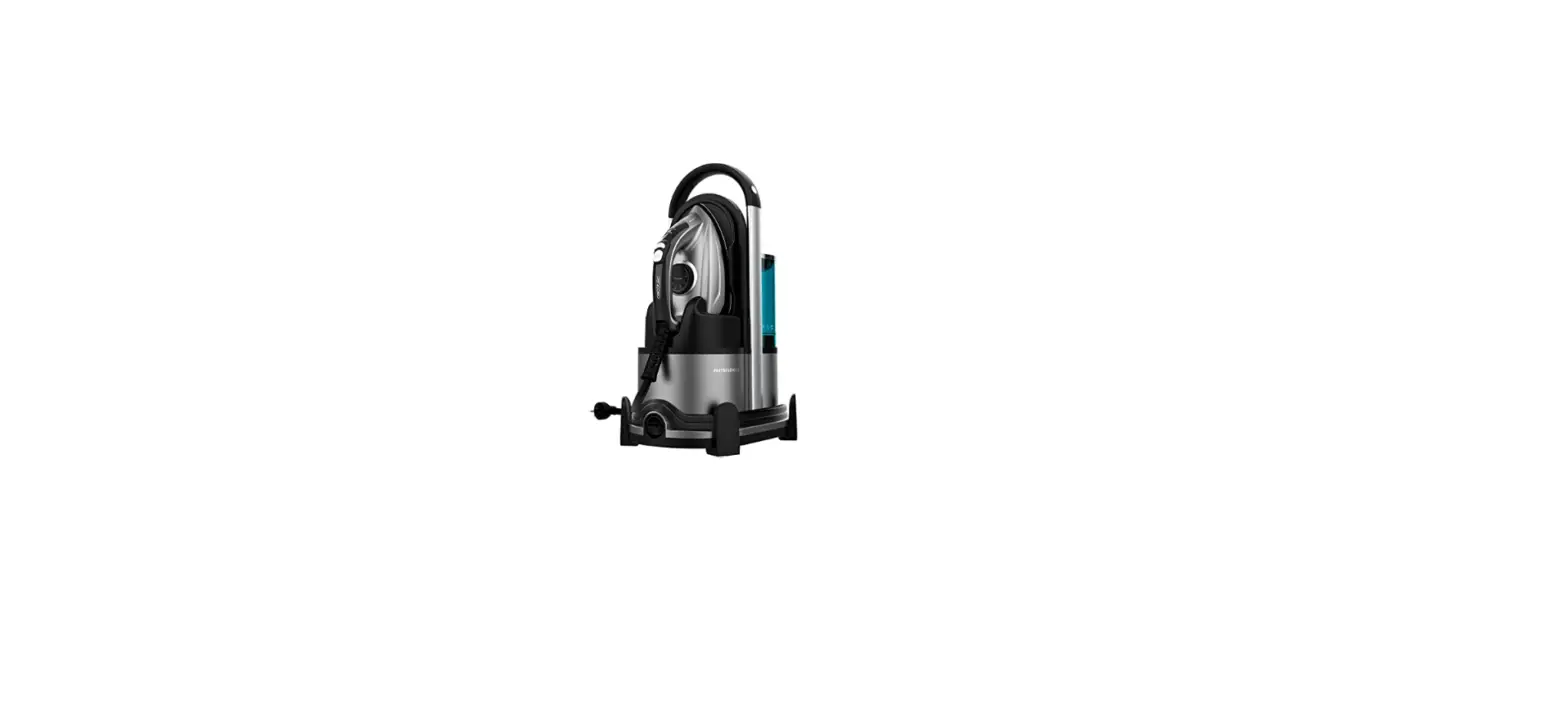
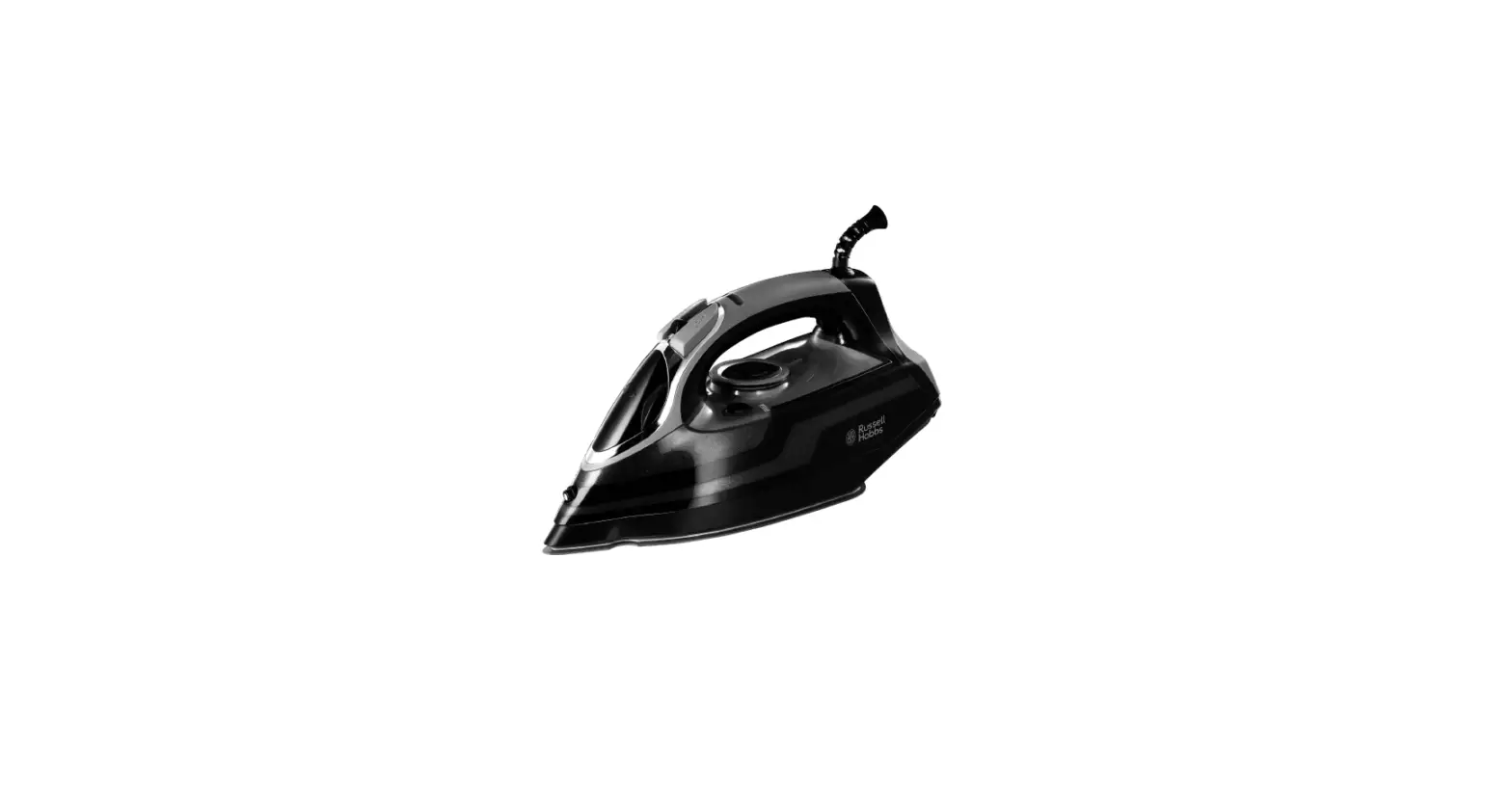
The Steam Station SLIDING PRO 3000 NON-STOP is a high-quality ironing appliance that is designed to provide efficient and effective ironing. The product comes with a water tank, a water tank cap, a locker button, a lampshade, a steam adjustment button, a calc cleaning button, a continuous steam button, a soleplate, and a clamp for cord storage. The appliance is equipped with various features such as electronic temperature control, auto shut-off indicator, and eco mode with lower steam.
Product Usage Instructions
- Suggestions before using the iron for the first time: Before using the iron for the first time, remove the plastic protector from the base (if it has one) and clean the base with a soft cloth. Keep the base very smooth. Do not run it over metal objects (such as against the ironing board, buttons, zips, etc.). Pure wool fibers (100% wool) can be ironed with the appliance in the steam position. By preference, select a high steam position and use a dry ironing cloth.
- Steady Temperature: Check the ironing instructions on the garment to be ironed. Electronic temperature control eliminates the need to manually adjust the temperature.
- How to fill the water tank:
- Disconnect the iron power supply.
- Open the water cap.
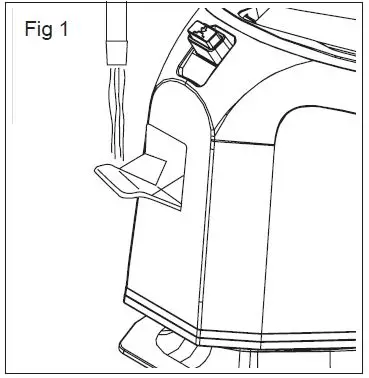
- Fill the water tank to the MAX water level and close the cap. Fig.1
- If you have hard water, it is advisable to use only distilled or demineralized water.
- Planchado con vapor: When the indicator stops flashing, it means the soleplate has heated up. Follow the ironing instructions on the garment label. Certain parts of the iron have been lightly greased, therefore the iron could give off a little smoke when plugged in for the first time. This will cease after a short while.
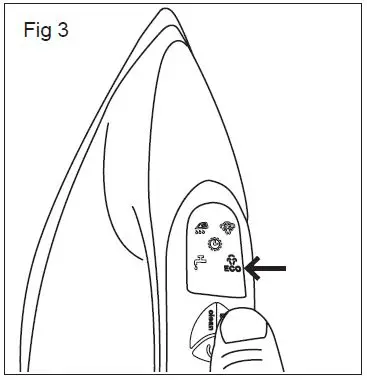
- Vapor Fijo: When the heating is completed, the temperature is stabilized. Press the steam button to choose high or eco mode of steam level, both options can be selected at any time. Fig.3
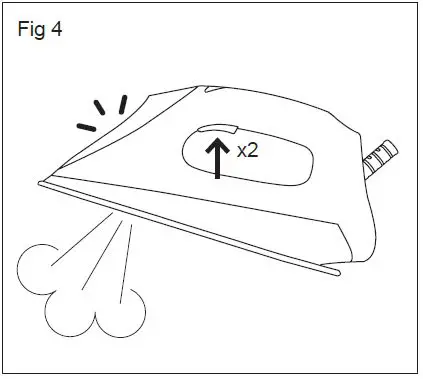
- Golpe de Vapor: When the heating is completed, the temperature is stabilized. Use the steam button to give a boost of steam to remove stubborn wrinkles.
- Autolimpieza: Once the heating is complete, keep the cleaning button pressed for 3 seconds to activate the self-cleaning mode. If you wish to stop the process, unplug the appliance.
- Antigoteo: The appliance is equipped with an anti-drip feature to prevent dripping when ironing at low temperatures.
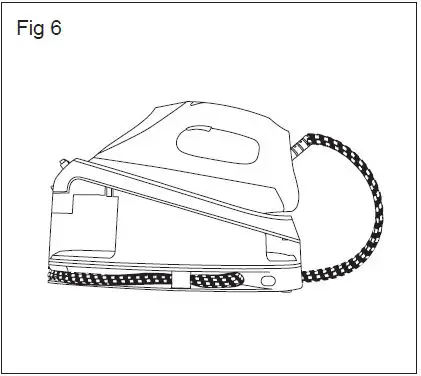
- Recogecables: The hose can be wrapped around the base for easy storage. Fig.6
- The iron emits odor or smoke: This is normal during initial use. If it persists, unplug it and allow the appliance to cool down before cleaning.
- The iron does not generate steam: The temperature setting may be too low. If you have used the steam boost too often, allow the iron to heat up before using it again.
- The iron leaks water: The appliance is equipped with an anti-drip feature to prevent dripping when ironing at low temperatures.
- The iron does not heat up: Connect the appliance to a 230-volt power supply.
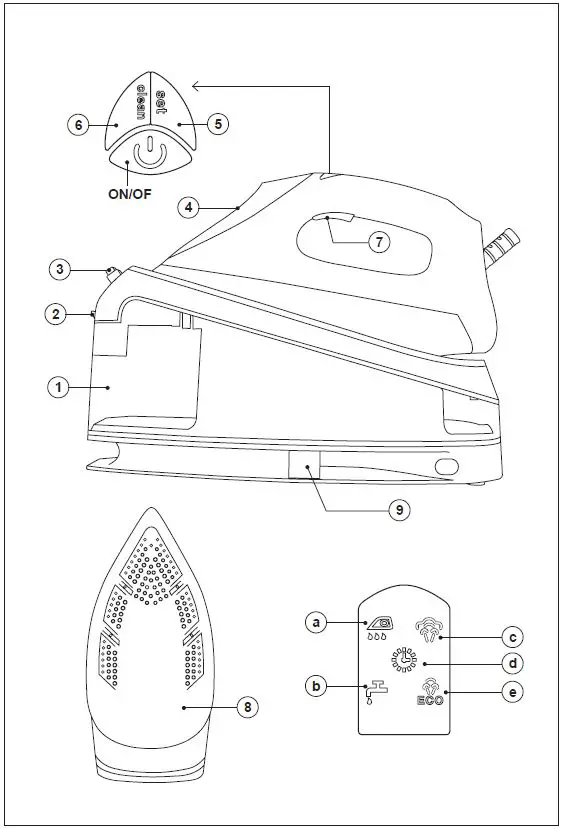
DESCRIPTION
- Water tank
- Water tank cap
- Locker button
- Lampshade
- Steam adjustment button
- Calc cleaning button (Self-cleaning)
- Continuous steam button
- Soleplate
- Clamp for cord storage
- a. Calc cleaning indicator
- b. No water warning
- c. MAX steam
- d. Auto shut-off indicator
- e. Eco mode with lower steam

BEFORE USING
SUGGESTIONS BEFORE USING THE IRON FOR THE FIRST TIME
- Certain parts of the iron have been lightly greased therefore the iron could give off a little smoke when plugged in for the first time. This will cease after a short while.
- Before using the iron for the first time, remove the plastic protector from the base (if it has one) and clean the base with a soft cloth.
- Keep the base very smooth. Do not run it over metal objects (such as against the ironing board, buttons, zips, etc.)
- Pure wool fibers (100% wool)can be ironed with the appliance in the steam position .by preference, select a high steam position and use a dry ironing cloth.
STEADY TEMPERATURE
- Check the ironing instructions on the garment to be ironed.
- Electronic temperature control, no need to manually adjust the temperature
HOW TO FILL THE WATER TANK.
- Disconnect the iron power supply
- Open the water cap
- Fill the water tank to the MAX water level and close the cap. Fig.1

- If you have hard water, it is advisable to use only distilled or demineralized water.
- Do not use chemically deemed water or perfume
STEAM IRONING
- Fill the iron as described in the section “How to fill the water tank”.
- Plug the iron into the mains.
- Steam ironing is possible only when heating is complete. Otherwise, water may escape through the soleplate.
- Wait until the indicator does not flicker to prove that the bottom plate has been heated.
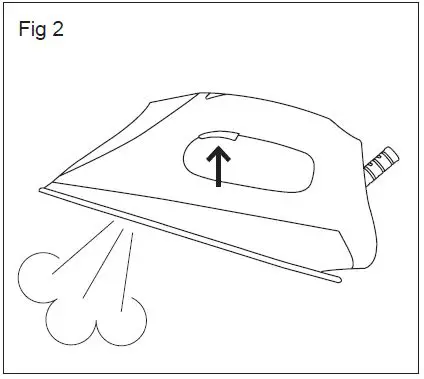
- Press the Steam switch to realize Steam ironing. Fig. 2

- When the iron is finished, place the iron in an upright position or on the base when the iron is interrupted
- Disconnect the iron from the main supply. Pour off any remaining water and leave the iron to cool off.
CONTINUOUS STEAM
- Heating completed, temperature stabilized
- Start the steam switch, can choose large steam or ECO steam at the same time, the two stalls can be switched at any time. Fig. 3

SHOT OF STEAM
- When the heating is completed, the temperature is stable.
- Press the steam in two seconds quicker, and the steam will start to explode in two seconds, while the steam will flash for 2 seconds. Fig.4

SELF CLEANING
- Please make sure there is enough water in the tank before cleaning
- Please put the iron in a safe position before cleaning to prevent people from being injured by hot water during cleaning
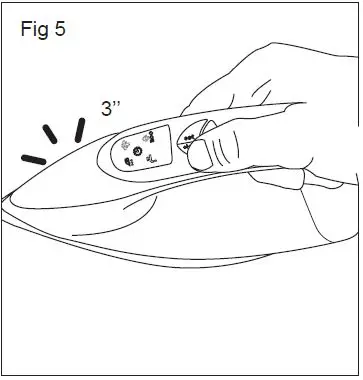
- After the heating is complete, long press the cleaning switch for 3 seconds, and the iron enters the cleaning mode. The display on the screen flashes and goes with the 3 sounds of bees. Fig. 5

- Two minutes later, the buzzer rang three times, indicating that the cleaning was complete.
AUTO SHUT OFF
- When the iron is stationary for more than 7 minutes, the iron goes out of power mode
- The power of the sign flashed on the display, accompanied by six buzzing sounds
- Press the steam switch to restore the power
- Irons will not be cut off during steam discharge
- If you need to stop the process switches off the item
ANTI-DRIP
- This iron is equipped with a drip-stop function: the iron automatically stops steaming when the temperature is too low to prevent water from dripping out of the soleplate.
ANHYDROUS DETECTION (NO WATER DETECTION)
- In the course of working, if there is no water in the water tank, the pump will automatically stop working to protect the life of the pump
DEFECTS AND REPAIRS
- Do not attempt to replace a defective mains lead. The appliance has to be returned to an authorized service center for repair.
CORD STORAGE
- Follow Fig. 6

FAULTSREASONS AND SOLUTIONS
IRON EMITS AN ODOR OR SMOKE
- Iron gives off an odor when turned on for the first time. Oils used during manufacture need to be burnt off and allow ten minutes for the odor to disappear.
IRON DOES NOT HEAT
- The iron should be plugged into a 230 Volt, Whether the power switch is turned on
IRON DOES NOT STEAM
- The water tank may be empty. Turn off the steam regulator and add water. Allow the iron to heat, and then set the turn-on to the steam setting.
IRON IS LEAKING
- The temperature setting is too low to produce steam. A shot of steam is used too much, allowing the iron to reheat.
Contact Information
| COUNTRY | ADDRESS | PHONE |
| Algeria | Zone d’Activite, Nº 62, Constantine | 213770777756 |
| Argentina | Av. del Libertador 1298,(B1638BEY), Vicente López (Pcia. Buenos Aires) | 541153685223 |
| Belgium | Mariëndonkstraat 5, 5154 EG, Elshout | 31620401500 |
| Benin | 359 Av. Steinmetz, 1930, Cotonou | 0299-21313798 |
| Bulgaria | 265,Okolovrasten Pat, Mladost 4, 1766, Sofia | 35929211120 / 35929211193 |
| Burkina Faso | Avenue Bassawarga, 01 BP915, Ouagadougou | 226 25301038 |
| Congo (Republic of) | 98 Blvd General Charles de Gaulle, Pointe Noire | 242066776656 |
| Cyprus | 20, Bethlehem Str. / P.O.Box 20430, 2033, Strovolos | 35722711300 |
| Czech Republic | Milady Horakove 357/4, 568 02, Svitavy | 420 461 540 130 |
| Democratic Republic | AV. Pont Canale Nº 3440, Kinshasa | 00243-991223232 |
| of the Congo | ||
| Equatorial Guinea | SN Av Patricio Lumumba y C/ Jesus B, Bata | 00240 333 082958 / 00240 333 |
| 082453 | ||
| Equatorial Guinea | Calle de las Naciones Unidas, PO box 762, Malabo | 240333082958 / 240333082453 |
| España | Avda Barcelona, S/N, 25790 Oliana (Lleida) [email protected] | 902 118 050 |
| Ethiopia | Lideta Sub City Kebele 10 H.NO 124, Addis Ababa | +251 11 5518300 |
| France | Za les bas musats 18, 89100, Malay-le-Grand | 03 86 83 90 90 |
| Gabon | BP 574, Port-Gentil Centre-ville | 24101552689 / 24101560698 |
| Ghana | Ederick Place, Accra-Ghana | 302682448 / 302682404 |
| Gibraltar | 11 Horse Barrack Lane, 54000, Gibraltar | 00350 200 75397 / 00350 200 |
| 41023 | ||
| Greece | Sapfous 7-9, 10553, Athens | +30 21 0373 7000 |
| Guinea | BP 206, GN, Conakry | (224) 622204545 |
| Hong Kong | Unit H,13/F., World Tech Centre, Hong Kong | (852) 2448 0116 / 9197 3519 |
| Hungary | Késmárk utca 11-13, 1158, Budapest | +36 1 370 4519 |
| India | C-175, Sector-63, Noida, Gautam Budh Nagar – 201301, Delhi | (+91) 120 4016200 |
| Ivory Coast | 01 Rue Des Carrossiers-Zone 3, B.P 3747, Abidjan 01 (RCI) | 22521251820 / 225 21 353494 |
| Jordan | 28 Basman St Downtown, Amman | +962 6 46 222 68 |
| Kuwait | P.O. BOX 3379 Hawally, 32034, Hawally | +965 2200 1010 |
| Lebanon | Damascus Highway; Sciale Building, Jamhour | 9615922963 |
| Luxembourg | Mariëndonkstraat 5, 5154 EG, Elshout | 31620401500 |
| Mali | BP E2900, Dravela Bolibana | 223227216 / 223227259 |
| Marruecos | Big distribution society 4 Rue 13 Lot. Smara Oulfa, Casablanca | (+212) 522 89 40 21 |
| Mauritania | 134 Avenue Gamal Abdener Ilot D, Nouakchott | 2225254469 / 2225251258 |
| Mexico | Rosas Moreno Nº 4-203 Colonia de San Rafael C.P. 06470 – Delegación Cuauhtémoc, Ciudad de México | (+52) 55 55468162 |
| Montenegro | Rastovac bb, 81400, Niksic | +382 40 217 055 |
| Netherlands | Mariëndonkstraat 5, 5154 EG, Elshout | 31620401500 |
| Nigeria | 8, Isaac; John Str,G.R.A Ikeja Lagos | 23408023360099 |
| Paraguay | Denis Roa 155 c/ Guido Spano, Asunción | 21665100 |
| Peru | Calle los Negocios 428, Surquillo, Lima | (511) 421 6047 |
| Portugal | Avenida Rainha D. Amélia, nº12-B, 1600-677, Lisboa | +351 210966324 |
| Romania | Dudesti Pantelimon 23, 410554, Bucharest | 031.805.49.58 |
| Serbia | Rastovac bb, 81400, Niksic | +382 40 217 055 |
| Slovakia | Milady Horakove 357/4, 568 02, Svitavy | 420 461 540 130 |
| Southafrica | Unit 25 & 26, San Croy Office Park, Die Agora Road, Croydon, Kempton Park, 1619, Johan- nesburg | (+27) 011 392 5652 |
| Tunisia | 2, Rue de Turquie, Tunis | 21671333066 |
| Ukraine | Block 6, Ap Housing Estate Topol-2, B, 49000, Dnepropetrovsk | 380563704161/380563704161 |
| United Arab Emirates | P.O.BOX 8543, Dubai | 14506246200 |
| Uruguay | Luis Alberto de Herrera 3468, 11600, Montevideo | 598 2209 28 00 |
| Vietnam | Lot 7 Ind. Zone for, Ha Noi | 84437658111 / 84437658110 |
 Fairway Independent Mortgage Corporation
 Electrodomésticos | Electrodomésticos Taurus | Hogar y Cocina