
PCDM
INSTALLATION INSTRUCTIONS
PRODUCT SAFETY
When using electrical equipment, basic safety precautions should always be followed, including the following:
 READ THESE INSTRUCTIONS BEFORE USING THIS PRODUCT.
- Do not let power supply cords touch hot surfaces.
- Do not mount near gas or electric heaters.
- Equipment should be mounted in locations and at heights where it will not readily be subjected to tampering by unauthorized personnel.
- The use of accessory equipment is not recommended by Encelium as it may cause an unsafe condition.
- Do not use this equipment for anything other than the intended use.
SAVE THESE INSTRUCTIONS.
GETTING STARTED
Overview
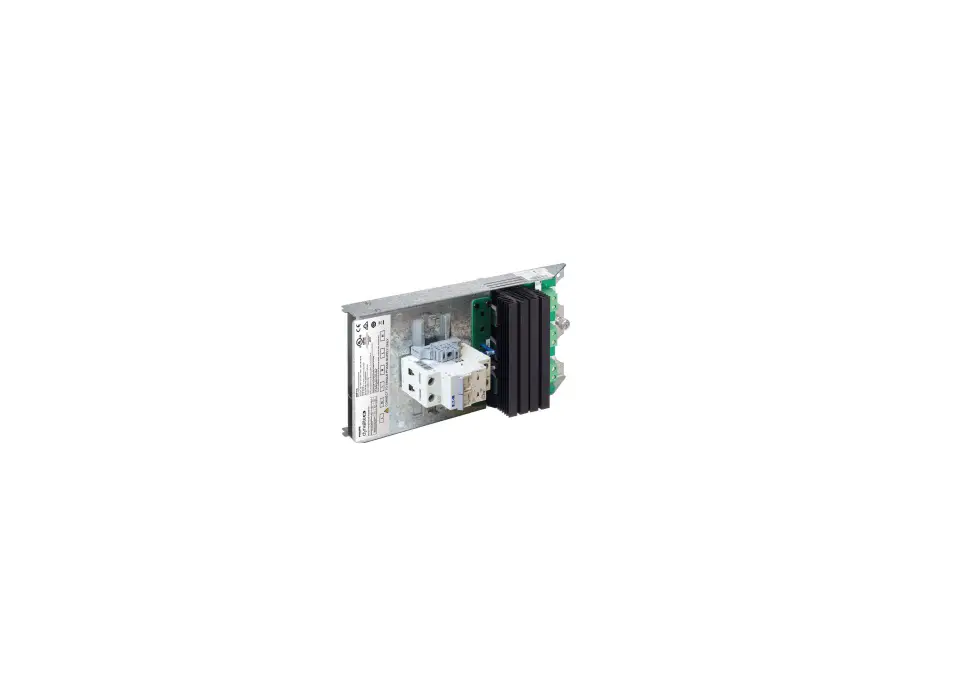
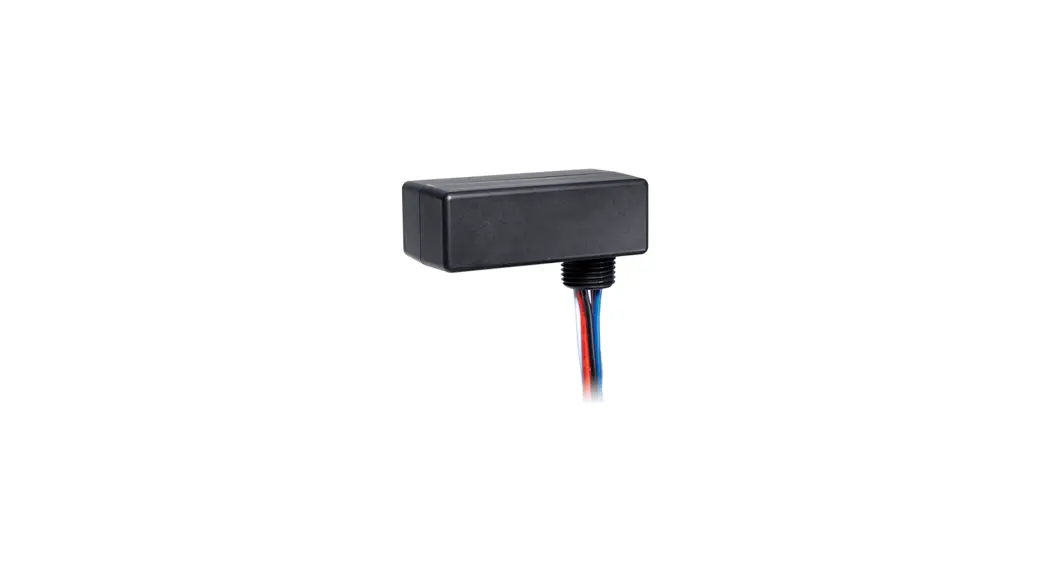
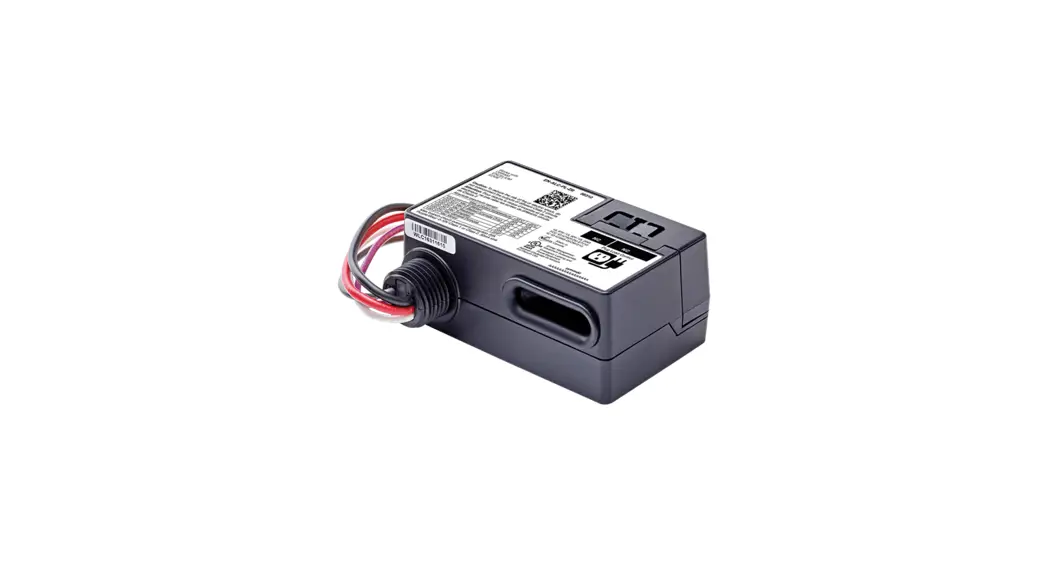
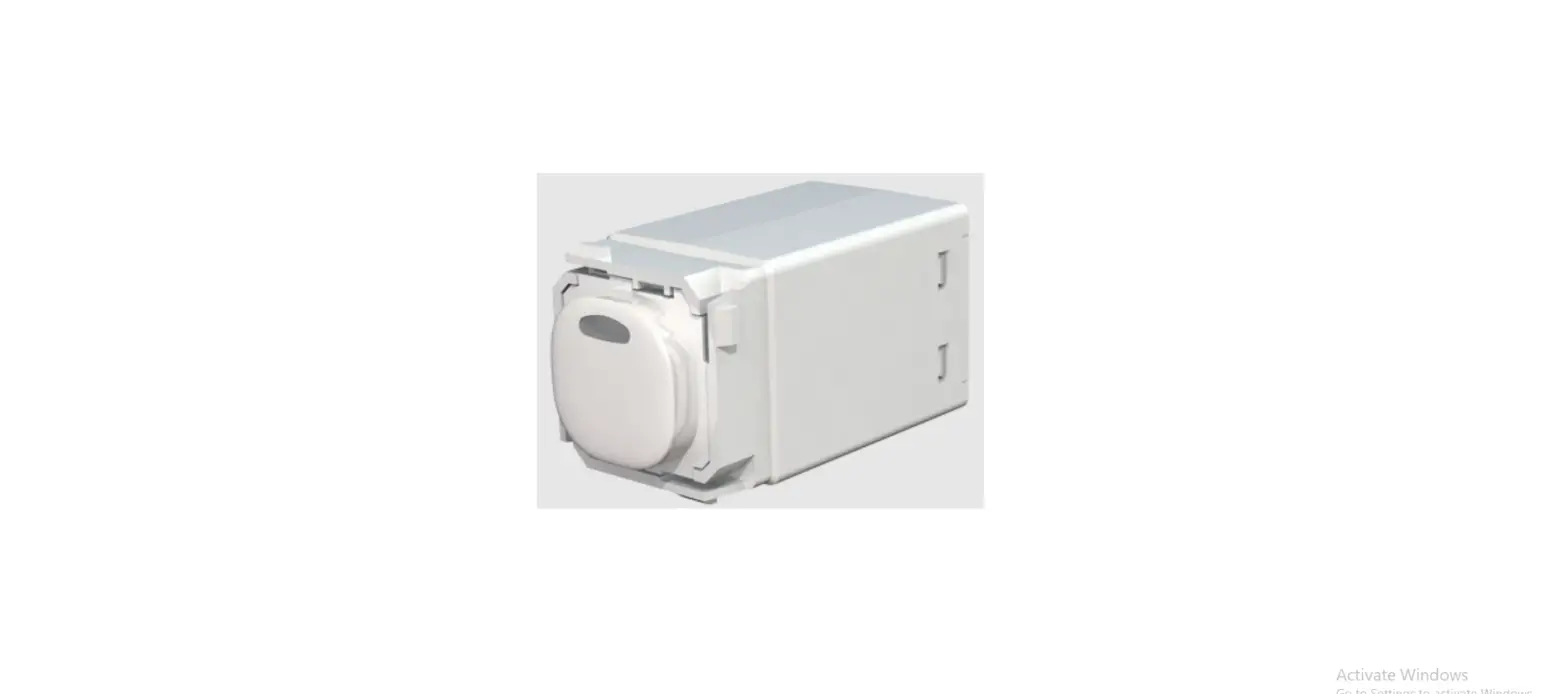
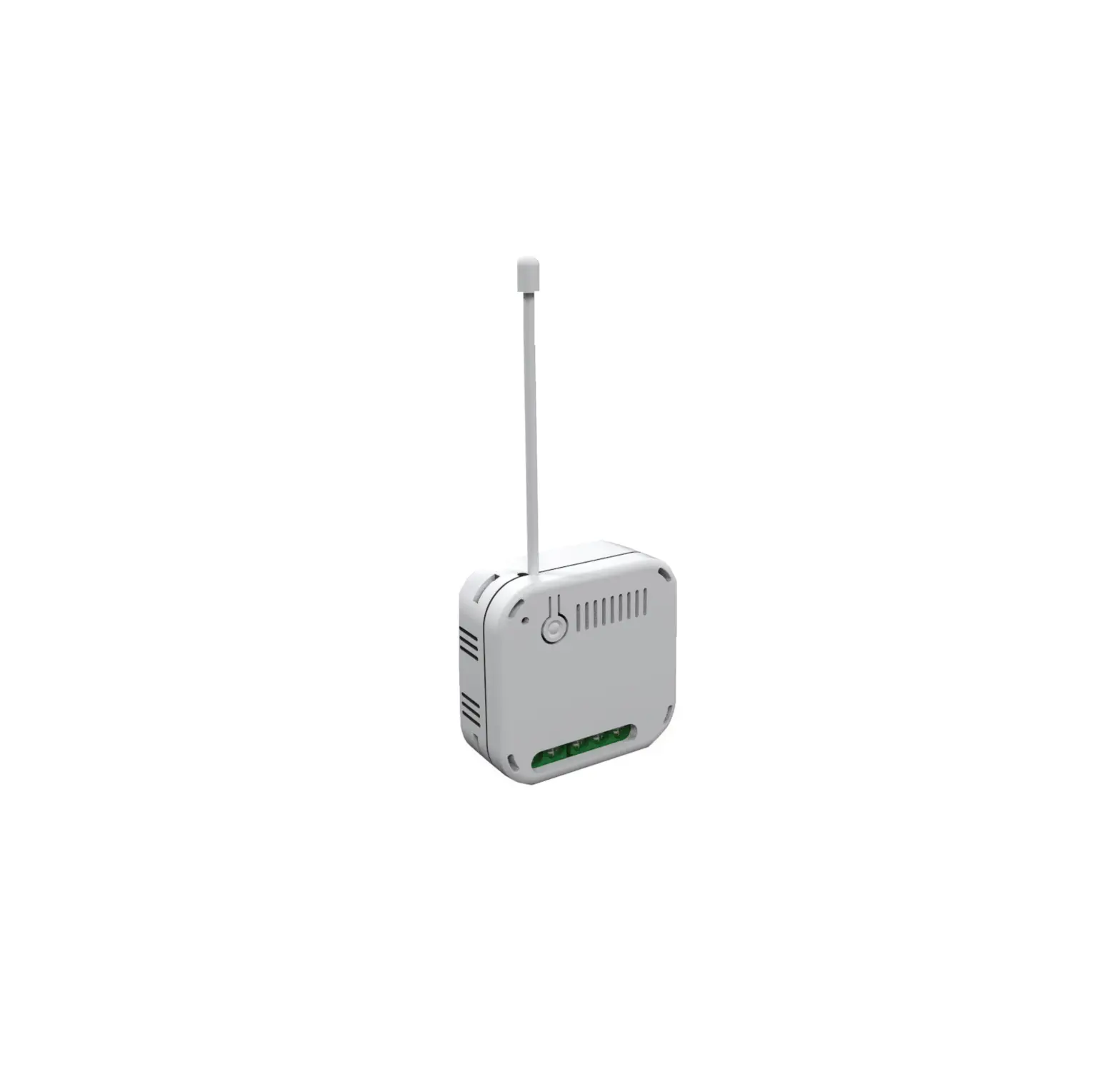
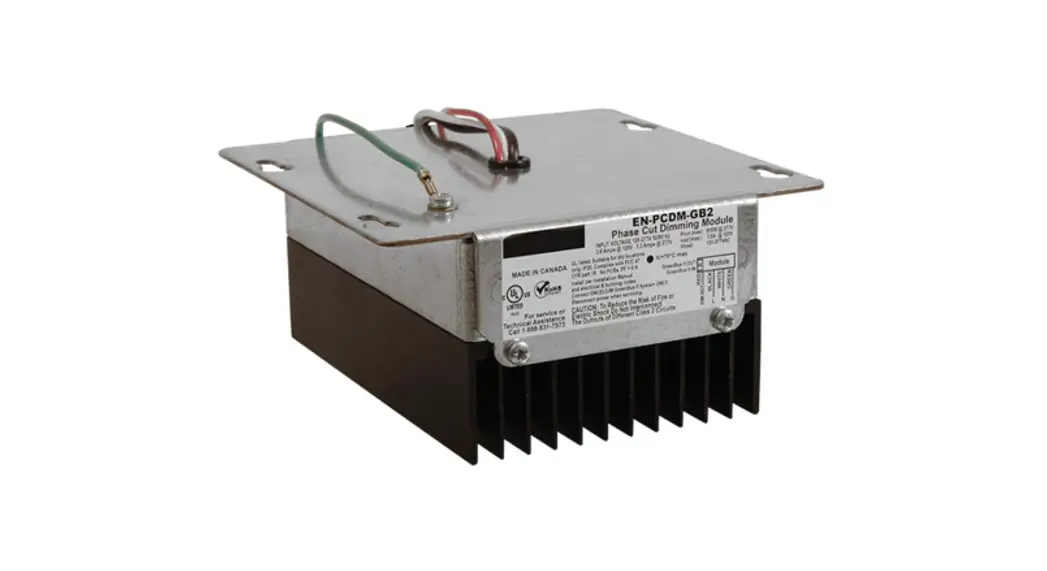
The Phase-Cut Dimming Module (PCDM) provides an interface between the phase-cut dimmable (forward- and reverse-phase) ballasts/LED drivers and the Encelium X Lighting Control System. The PCDM is automatically addressed as soon as it is connected to the GreenBus network. Individually addressable, the PCDM enables each group or zone of fixtures to be independently controlled and configured to best meet the needs of the facility.
VISIT OUR HELP CENTER
For step-by-step instructions on how to test installations and gain basic lighting control, please scan the QR code.

https://help.encelium.com/category/zo5v0jr3ss-installation-and-site-readiness
INSTALLATION INSTRUCTIONS
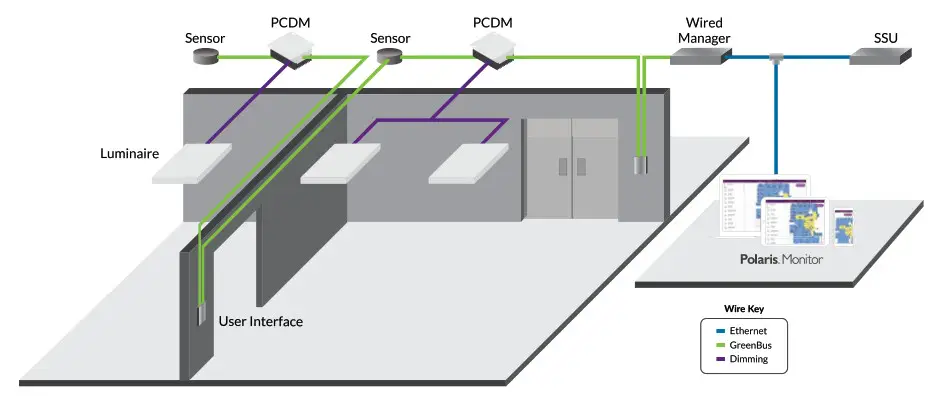
WIRED SYSTEM OVERVIEW
GreenBus technology makes wiring fast and error-free since it’s intuitive to install. With Encelium X, you can control DALI devices exclusively or a mixture of GreenBus and DALI.
INSTALLATION
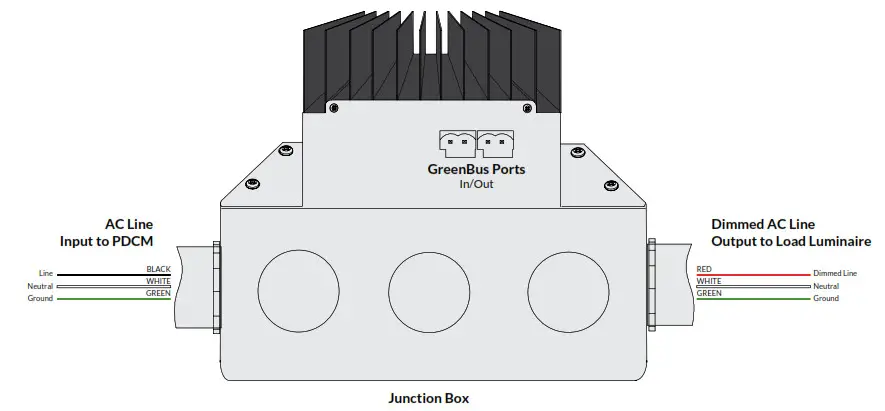
1. The mechanical construction allows for simple installation of the PCDM on top of a standard square 4.6875 inch (119.1 mm) junction box.
Notes: The PCDM is to be installed in dry, indoor locations ONLY.
Compatible Load Types
The PCDM is compatible with incandescent/Halogen lamps and ELV LED lamps or LED drivers.
It is not compatible with ELV/MLV transformers or MLV LED drivers. The below parts are identified as incompatible loads.
| Manufacturer | Item Number | Part Number/Description |
| Luminis | PSD Series | Class 2 |
| Luminance | L7510-1 A19 | Dimmable LED Light Bulb |
2. Wire Length Consideration
The maximum combined length of the dimmed line (Red) from the PCDM to the load must be less than 50 ft (15.2 m).
For specialty applications such as chandeliers, the wiring within the luminaire to the load must be accounted within the 50 ft (15.2 m) limit. Exceeding this limit can cause stress to the PCDM components and lead to failure.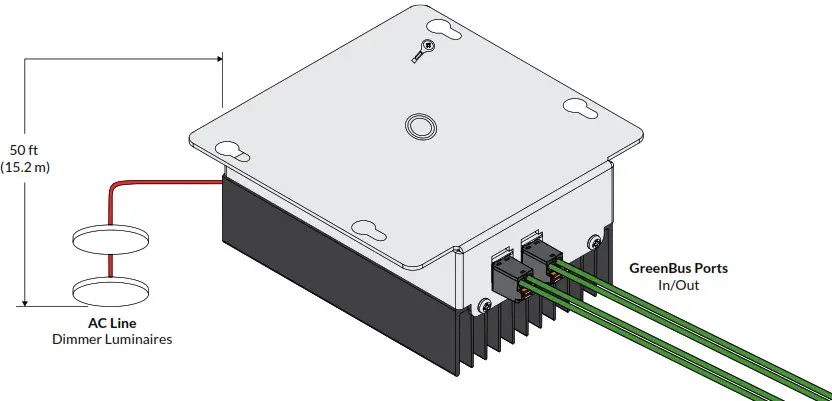
Notes: 50 ft (15.2 m) maximum distance from PCDM to the last luminaire Absolute maximum load ratings: 120 VAC: 450 W, 3.8A maximum | 277 VAC: 900 W, 3.3A maximum Due to the internal relay, the power feed to the module may be live even if the lights are off. Turn off power at circuit breaker or fuse before installing or servicing module. Observe lockout procedures.
ELECTRICAL CONNECTIONS
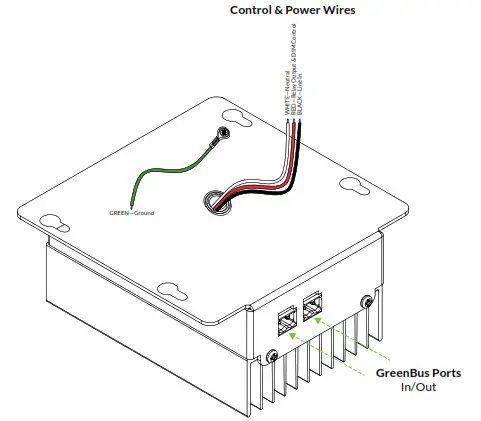
1. PCDM Wiring
2. GreenBus
GreenBus is a low-cost, high-reliability communication means to report information back to the Encelium X and Encelium Edge Lighting Control Systems.
The GreenBus wiring can originate at the Wired Manager and propagates in a daisy-chain from module to module (or other compatible equipment). When tethering the GreenBus wiring can also originate from a GB port on a Wireless Area Lighting Control Module (WALC) or a Wireless Control Module (WCM).
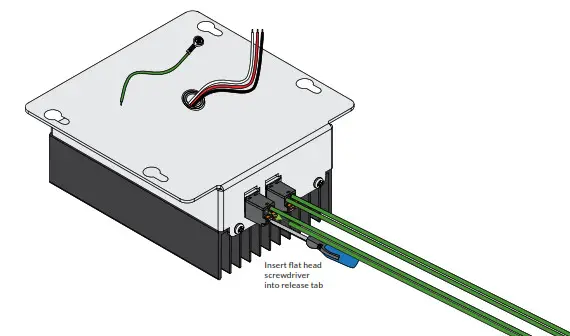
The GreenBus wires must be used with proprietary connectors supplied. Insert the connectors to the PCDM GB ports. GreenBus must be laid out as per supplied system layout drawing. If changes are required, determine an optimum wiring path utilizing the supplied cables, based on the position of the devices.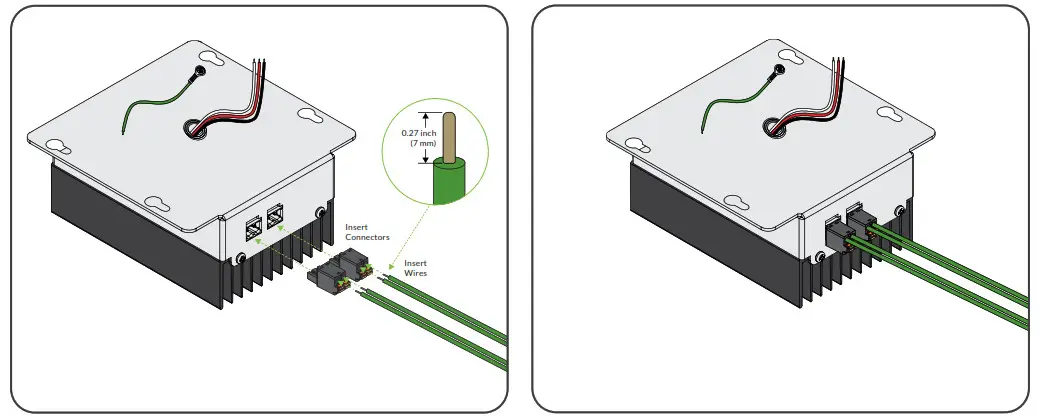 To remove the wires, use a flat head screwdriver to release the wires from the terminal blocks.
Notes: Relay Contact; recommended relay switching capacity 120 VAC, 450 W or 277 VAC, 900 W maximum.
If the devices are connected with a method other than daisy-chain, this must be indicated to an Encelium Representative for approval before wiring. GreenBus uses proprietary connectors and jacks for ease of installation only. GreenBus is a proprietary standard.
Connect to Encelium Lighting Control System only. Do not connect to other circuits.
VISIT OUR HELP CENTER
For step-by-step instructions on how to test installations and gain basic lighting control, please scan the QR code.

https://help.encelium.com/category/zo5v0jr3ss-installation-and-site-readiness
TROUBLESHOOTING
There are no user-serviceable parts inside. For detailed information about how to set up, install, use, and maintain Encelium hardware and software, please visit: help.encelium.com
Copyright © 2021 Digital Lumens, Incorporated. All rights reserved. Digital Lumens, the Digital Lumens logo, We Generate Facility Wellness, SiteWorx, LightRules, Lightelligence, Encelium, the Encelium logo, Polaris, GreenBus, and any other trademark, service mark, or tradename (collectively “the Marks”) are either trademarks or registered trademarks of Digital Lumens, Inc. in the United States and/or other countries, or remain the property of their respective owners that have granted Digital Lumens, Inc. the right and license to use such Marks and/or are used herein as nominative fair use. Due to continuous improvements and innovations, specifications may change without notice.
DOC-000441-00 Rev A 11-21
encelium.com