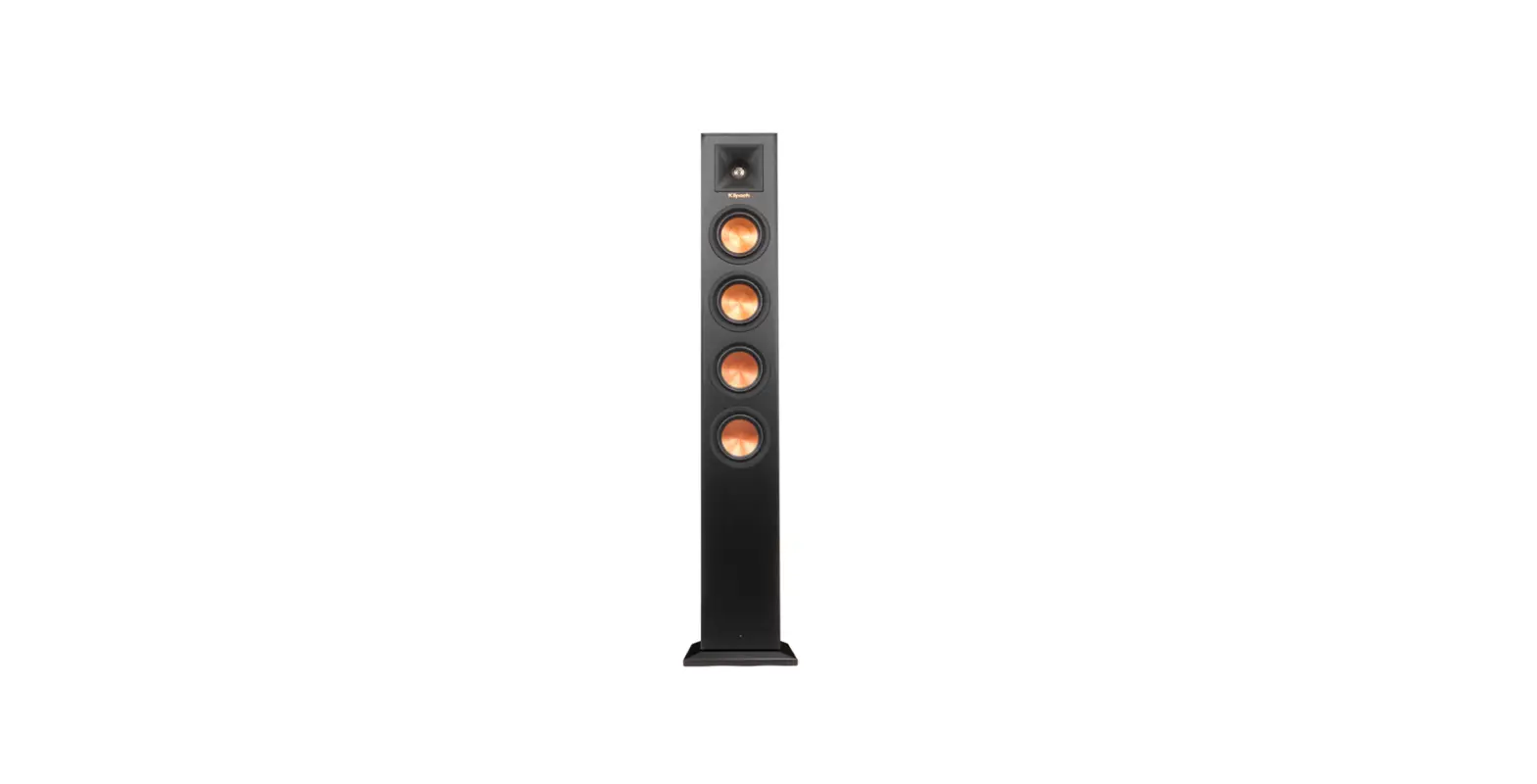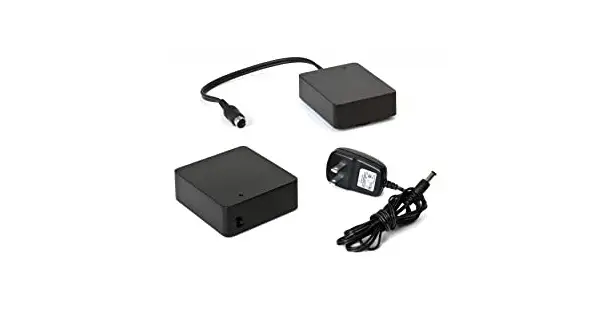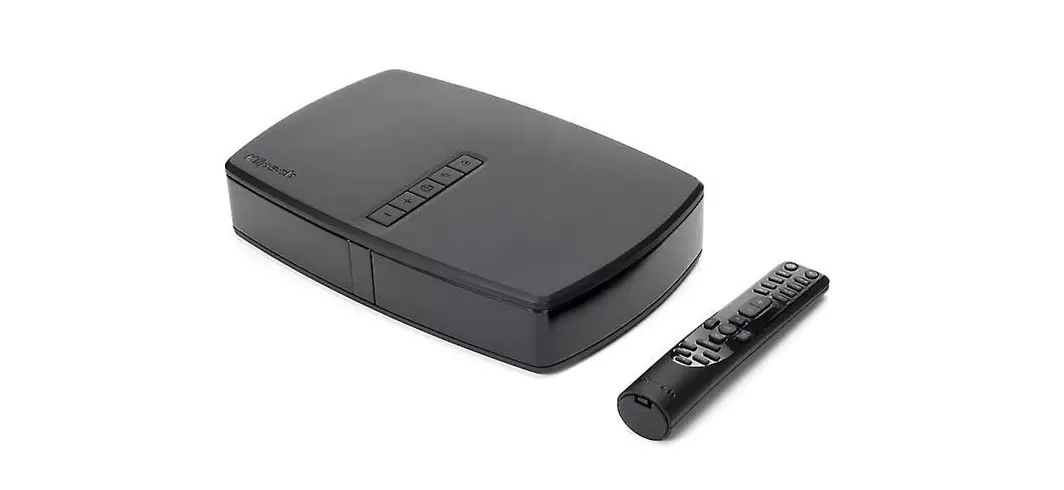

Klipsch RP-Hub1 HD Control Center HD WIRELESS
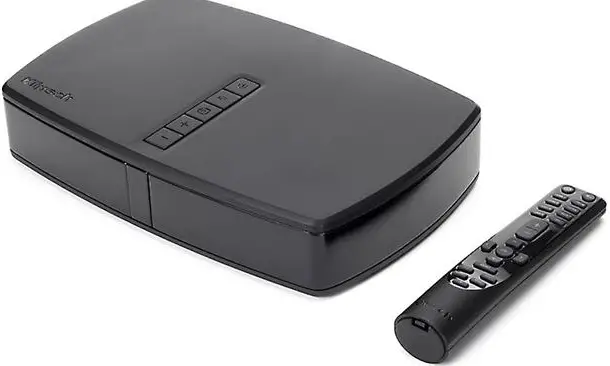
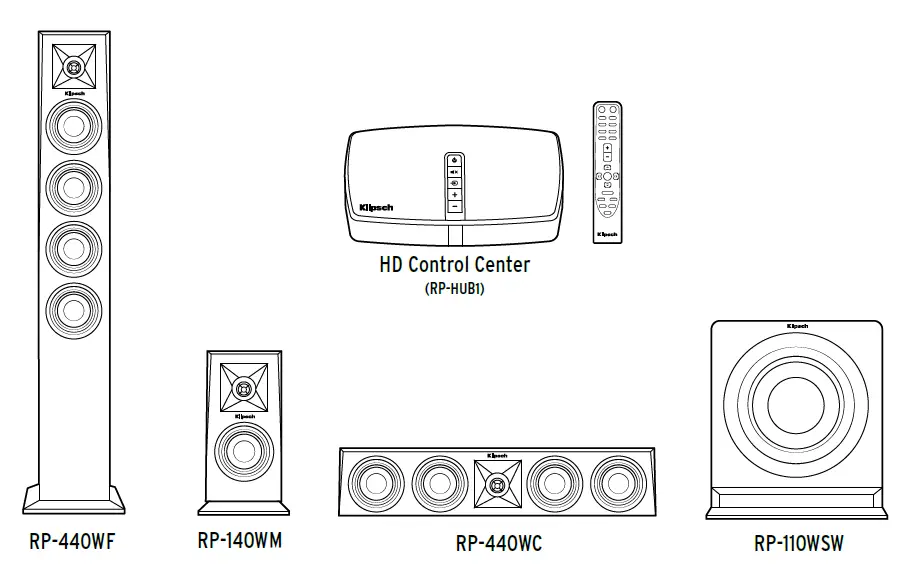
REFERENCE PREMIERE | HD WIRELESS
HD CONTROL CENTER
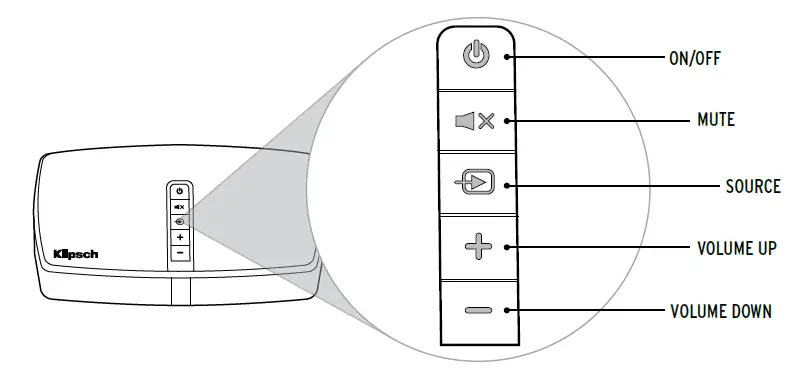
- ON /OFF
- MUTE
- SOURCE
- VOLUME UP
- VOLUME DOWN

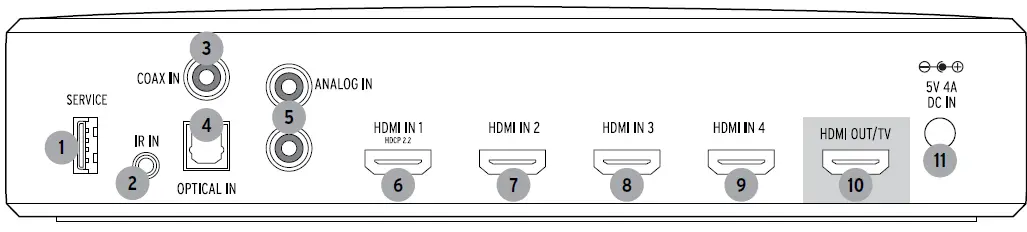
- Service Port
- 3.5mm IR Input
- Coaxial Input
- Optical Input
- RCA Analog Inputs
- HDMI Input 1
- HDMI Input 2
- HDMI Input 3
- HDMI Input 4
- HDMI OUT / TV
- Power Input DC 5V
HD CONTROL CENTER
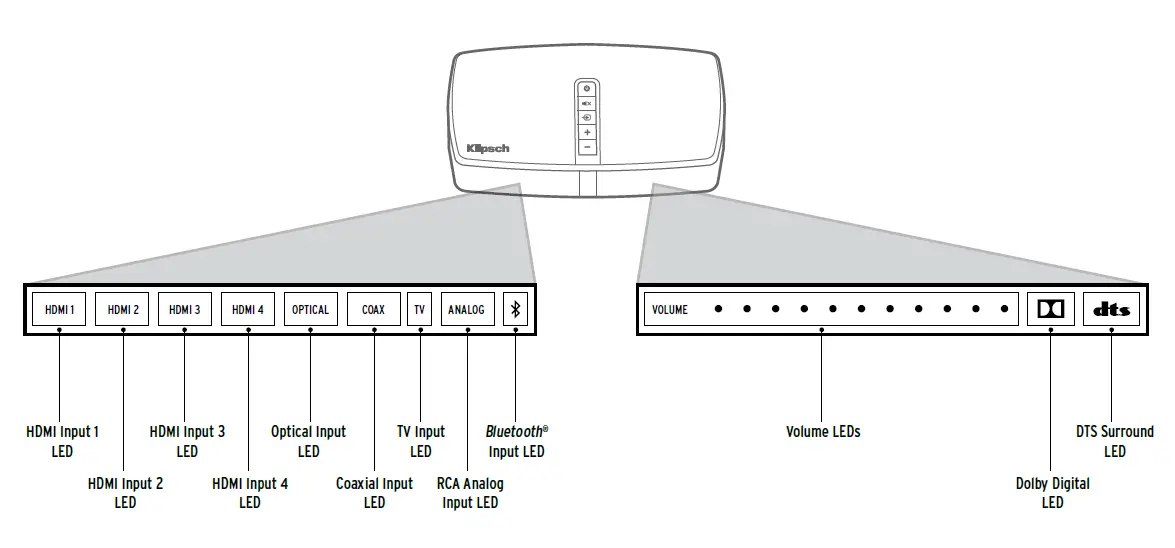
SETUP
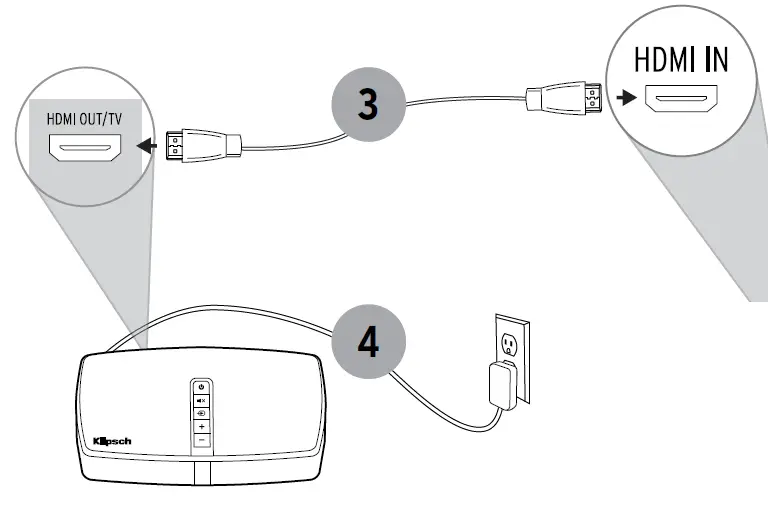
INSTALLATION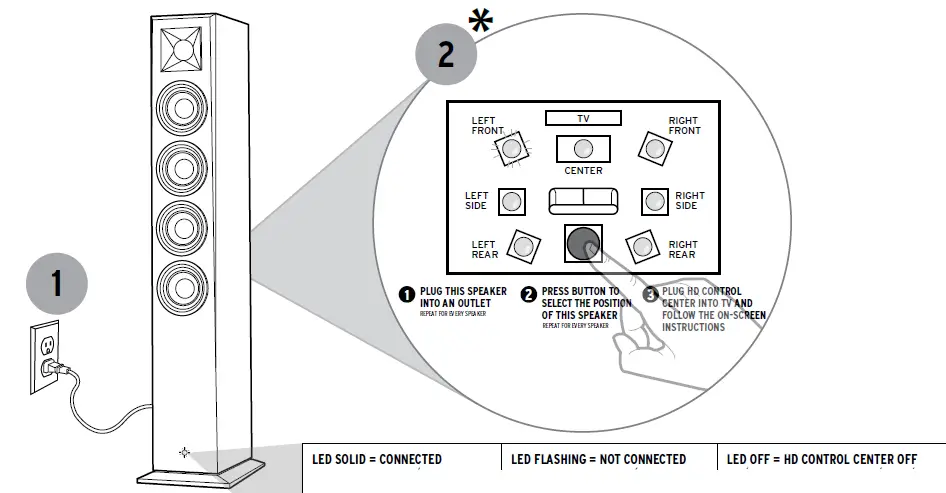
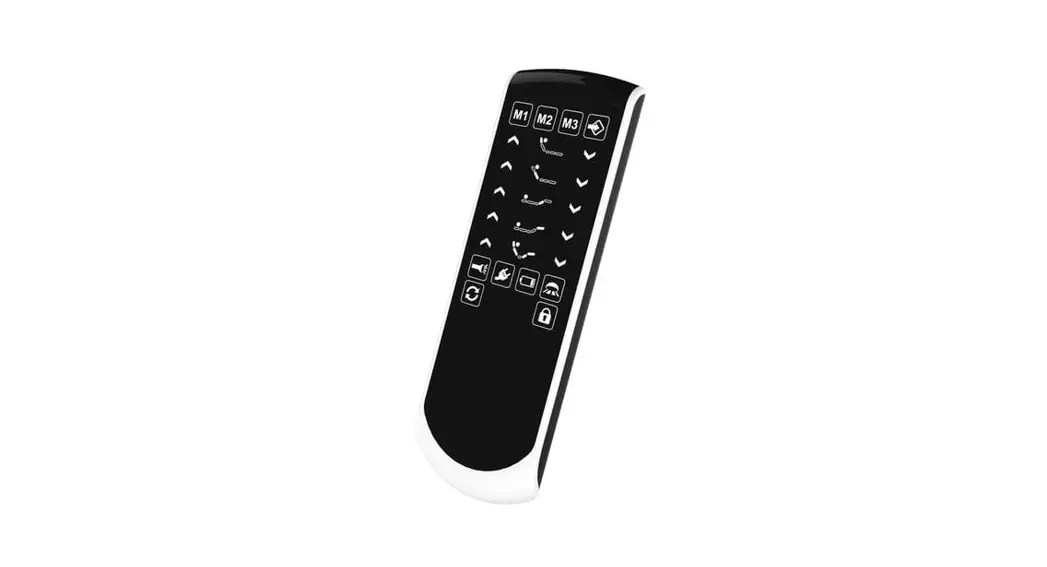
REMOTE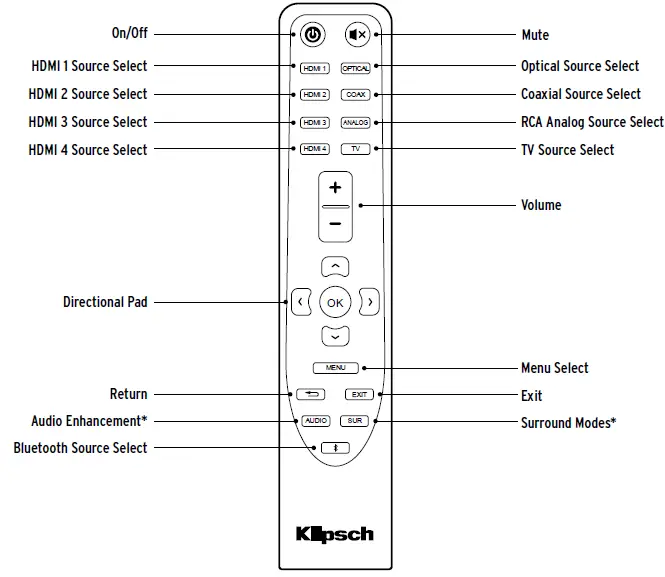
To learn more about Sound Modes, EQ Adjustments, and Surround Effect Modes please see the extended manual at Klipsch.com/RP-HD-WIRELESS-MANUAL
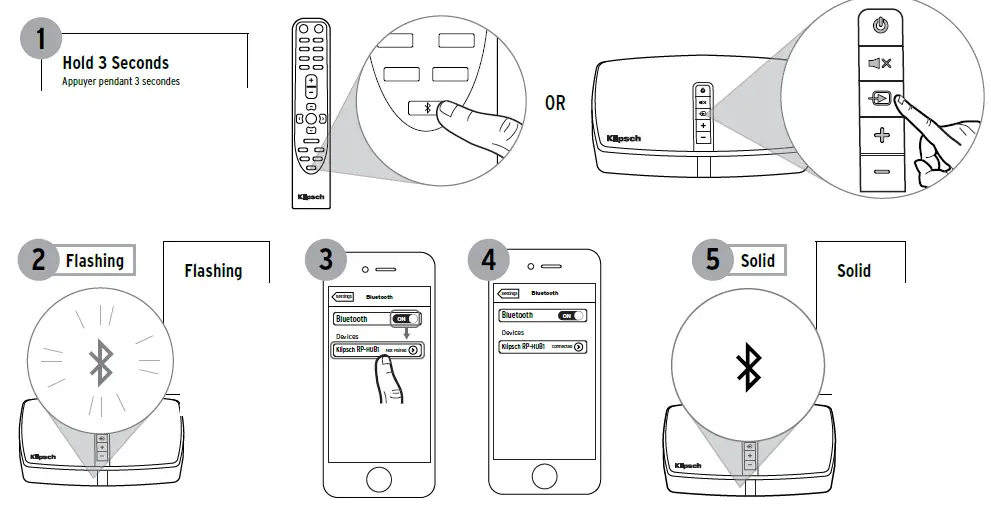
BLUETOOTH ® WIRELESS TECHNOLOGY
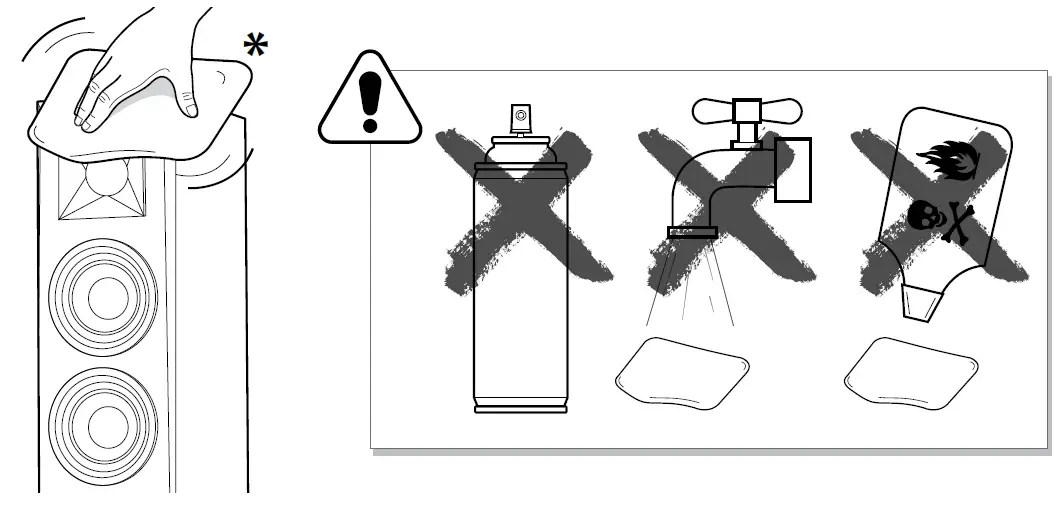
CARE AND CLEANING
For more in-depth information and troubleshooting, instructions visit KLIPSCH.COM/RP-HD-WIRELESS
FAQS
Can i use an optical out from my tv to connect this to my tv? i only have two hdmi 2.0’s on my tv, with one being the arc. my tv has 5.1 pass thru.
Yes. I have optical set up for my receiver.
Which type of wireless speakers does this control center hub work with?
RP-HUB1 was designed to be used with the HD Wireless speakers and can also be used with our newer Reference Wireless speakers.
Is the Bluetooth with apt x?
According to Adorama it supports apts. I’m not near the box but I will check later. Great choice though. Great sound and easy to set up
What is the maximum power of the Hub1 Control Center?
The control has not power, the Speakers are active means that they have their own power
Does this have expandibility for dolby atmos?
No it doesn’t. They have hinted that could come in the future but at present its 7.2 capable, which is still honestly amazing sound for the home or really at all. It rocks!
Can I calibrate audio parameters in this system in a way like YPAO ?
Yamaha’s YPAO does NOT work via an HDMI connection. I had to send back a Yamaha RX-A760 for this reason. The manual adjustments in this Hub are a greatly inferior substitution.
Will this work with klipsch rw-34c ?
Yes ! this work with klipsch rw-34c
I want to take it overseas is it 220/240v compatible.
I do not Know – We use 110V – Klipsch has a chat on their support site, and will be able to answer this question.
Is it possible to connect a R-10SW subwoofer (wireless version) to the hub of this product?
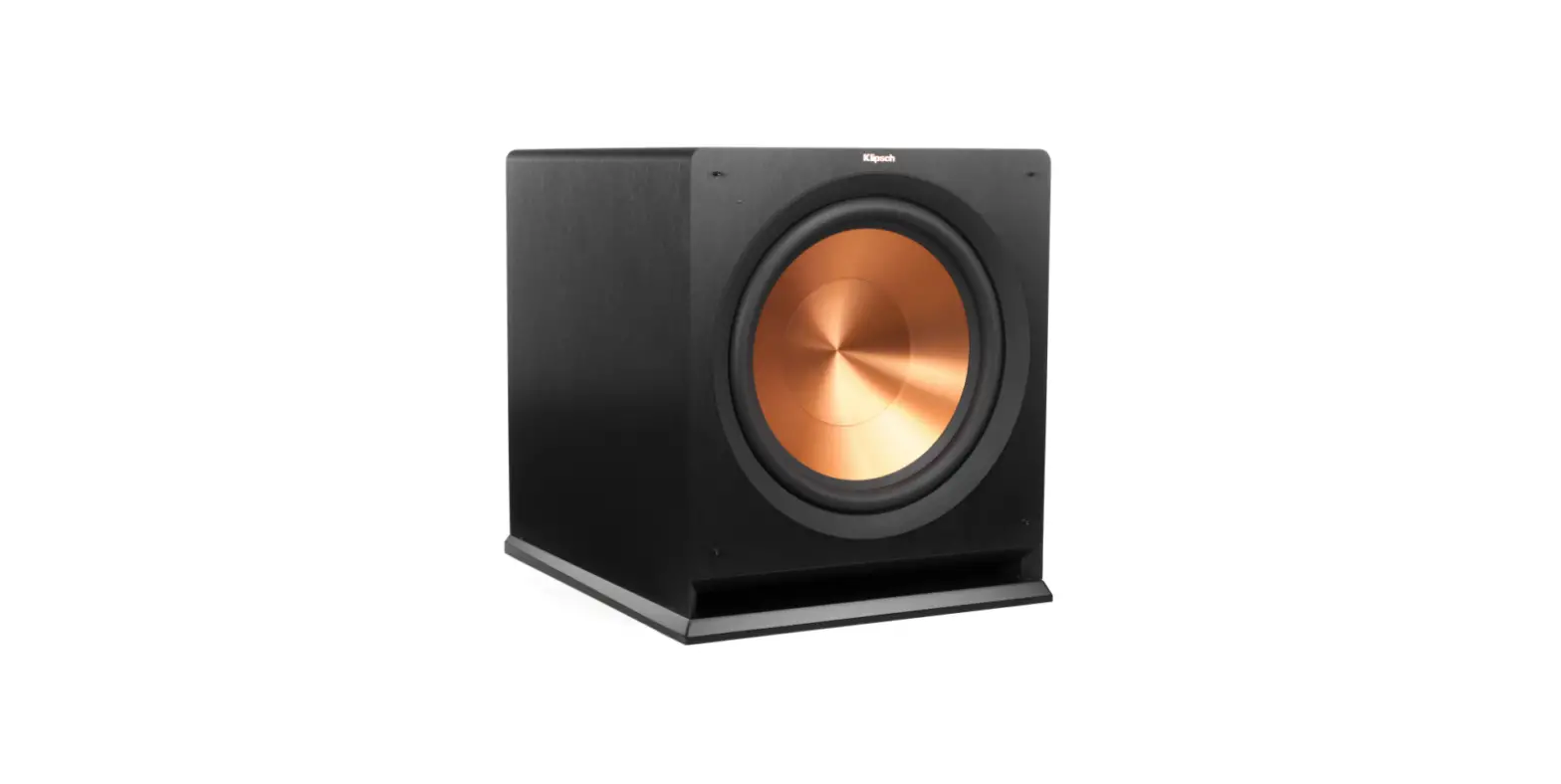
This system will only work with the RP110WSW wireless sub.
I was told by a distributed that he can’t get any more controllers because they’re going to make a new one altogether. Is this true and if so when.?
Yes its out already , i have a hd-1 still in box
Is this hub needed to make the klipsch rp-440wc work?
A WiSA enabled hub, such as the RP-Hub1, will be necessary to utilize the RP-440WC speaker.
Can I use a soundsend instead of this klipsch hub to connect to RP440wf standing speakers?
Yes! Please make sure your WiSA speaker have the latest updates and firmwares. This can be downloaded on the Klipsch firmware page!
Will the klipsch rp-440wc work without this rp-hub1 module?
A WiSA enabled hub, such as the RP-Hub1, will be necessary to utilize the RP-440WC speaker.
does this hub work with other speakes such as the rw-51
The RP-HUB-1 will work with the Reference Wireless WiSA speakers that include this model RW-51M.
Is it possible to connect a svs pb13-ultra subwoofer to the hub of this product?
Have not tried any external devices this was designed to function with WISA speakers and as such they must be wireless and to the wisa standard. Not much help but thought I would shout out to you.