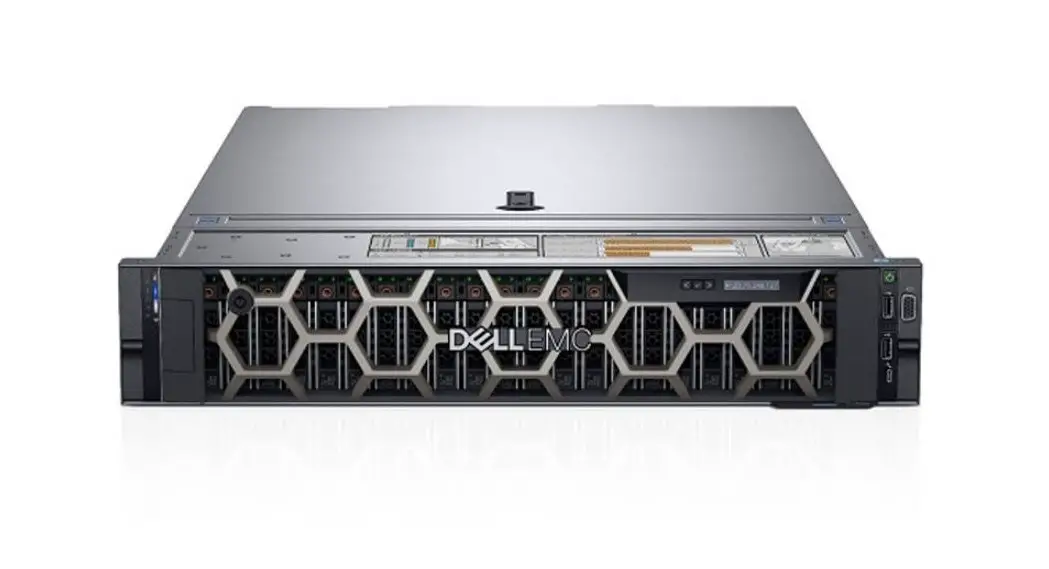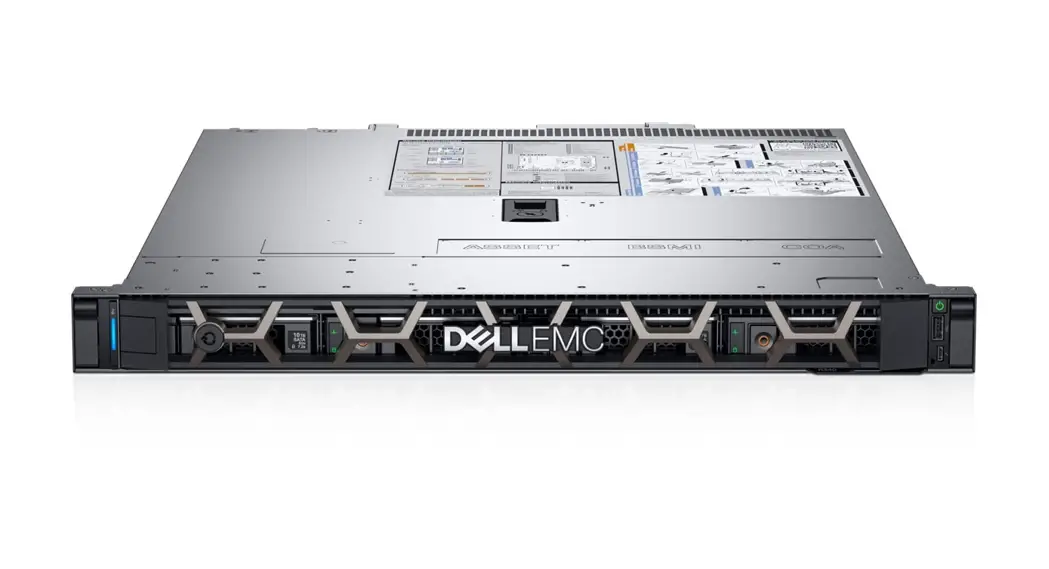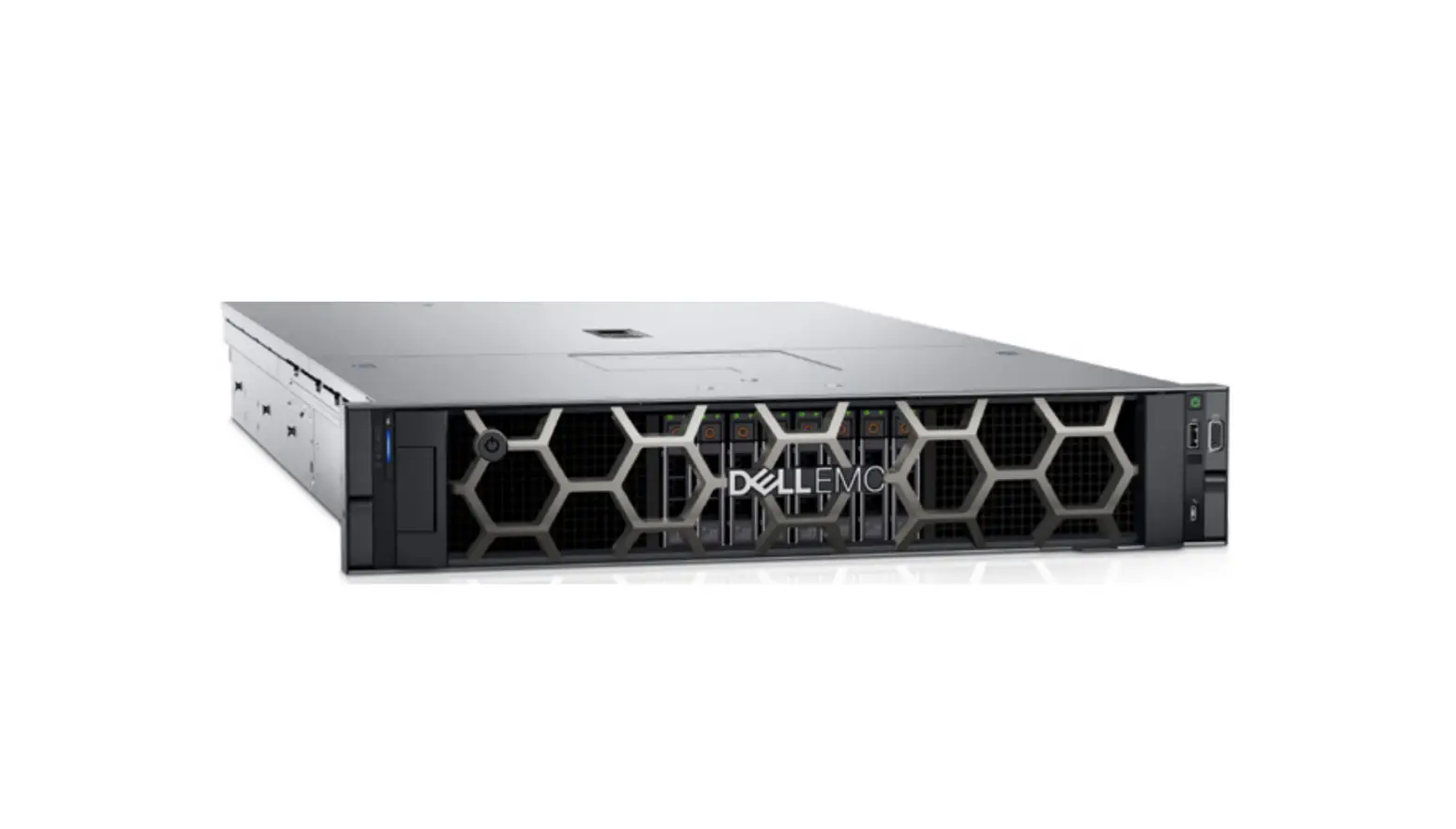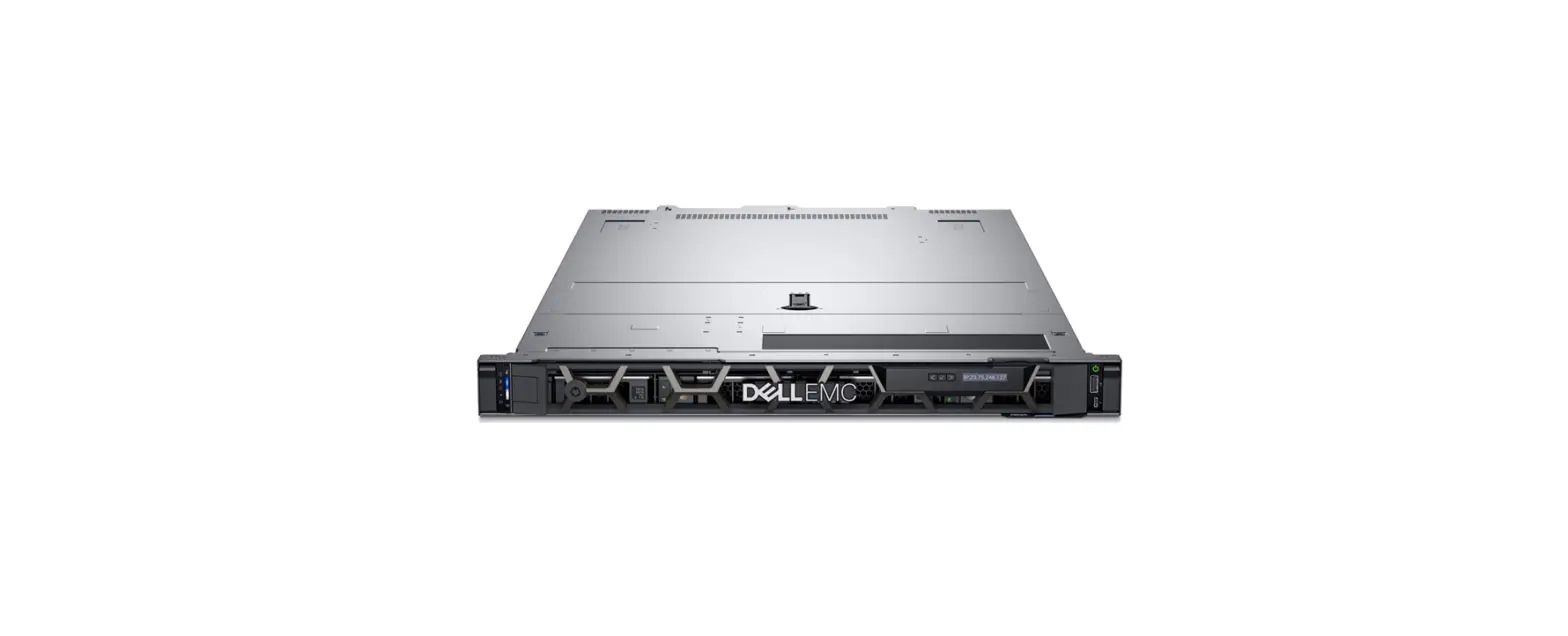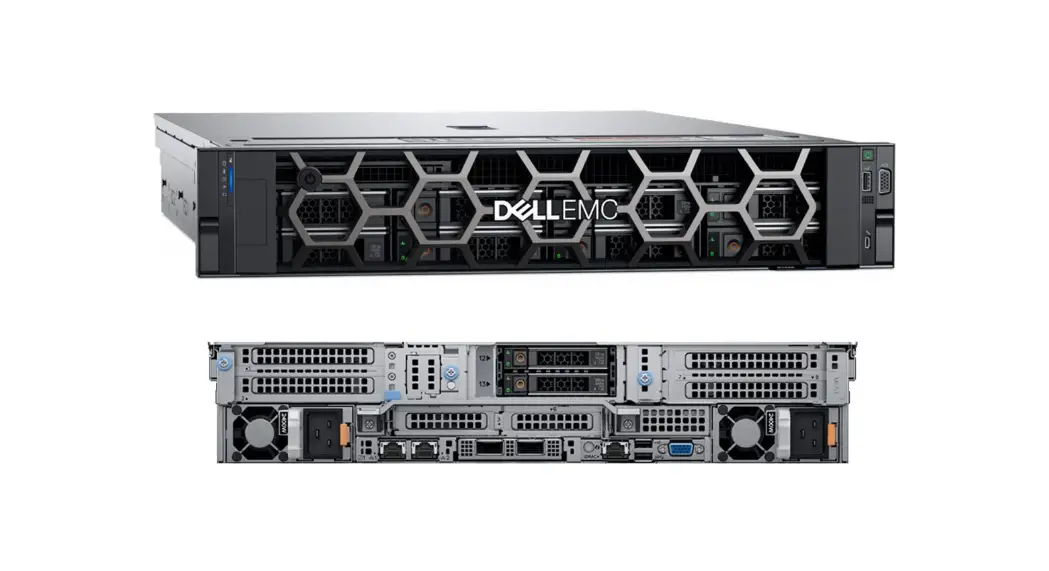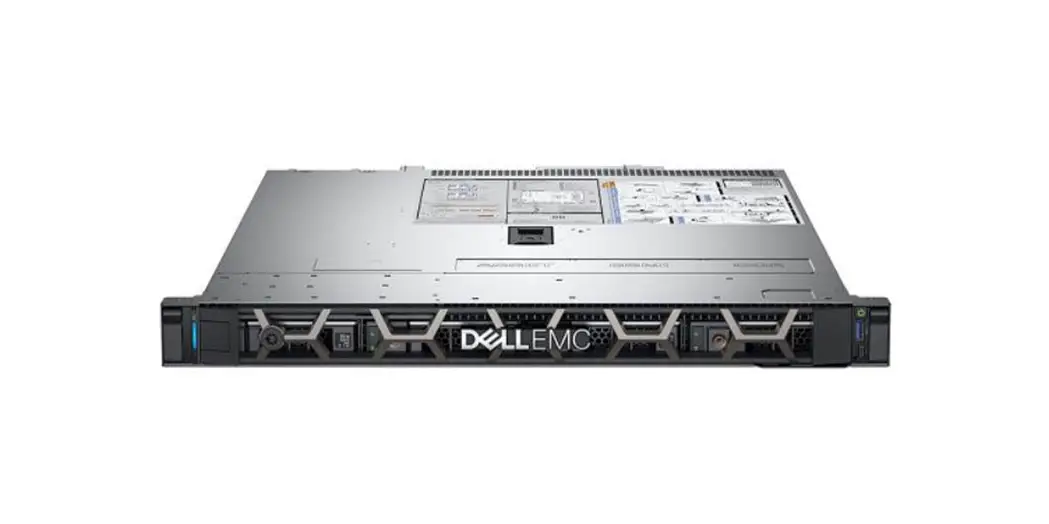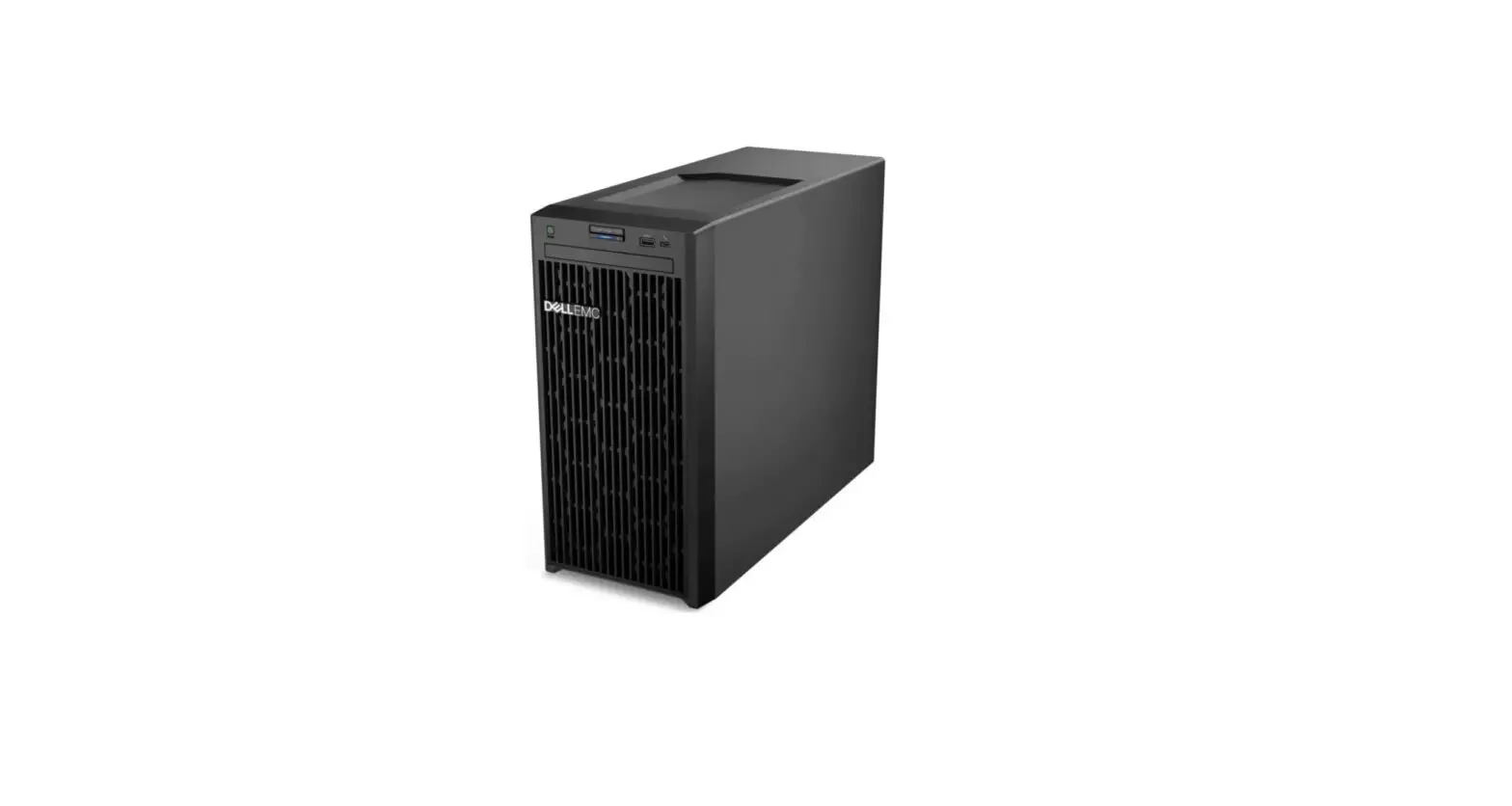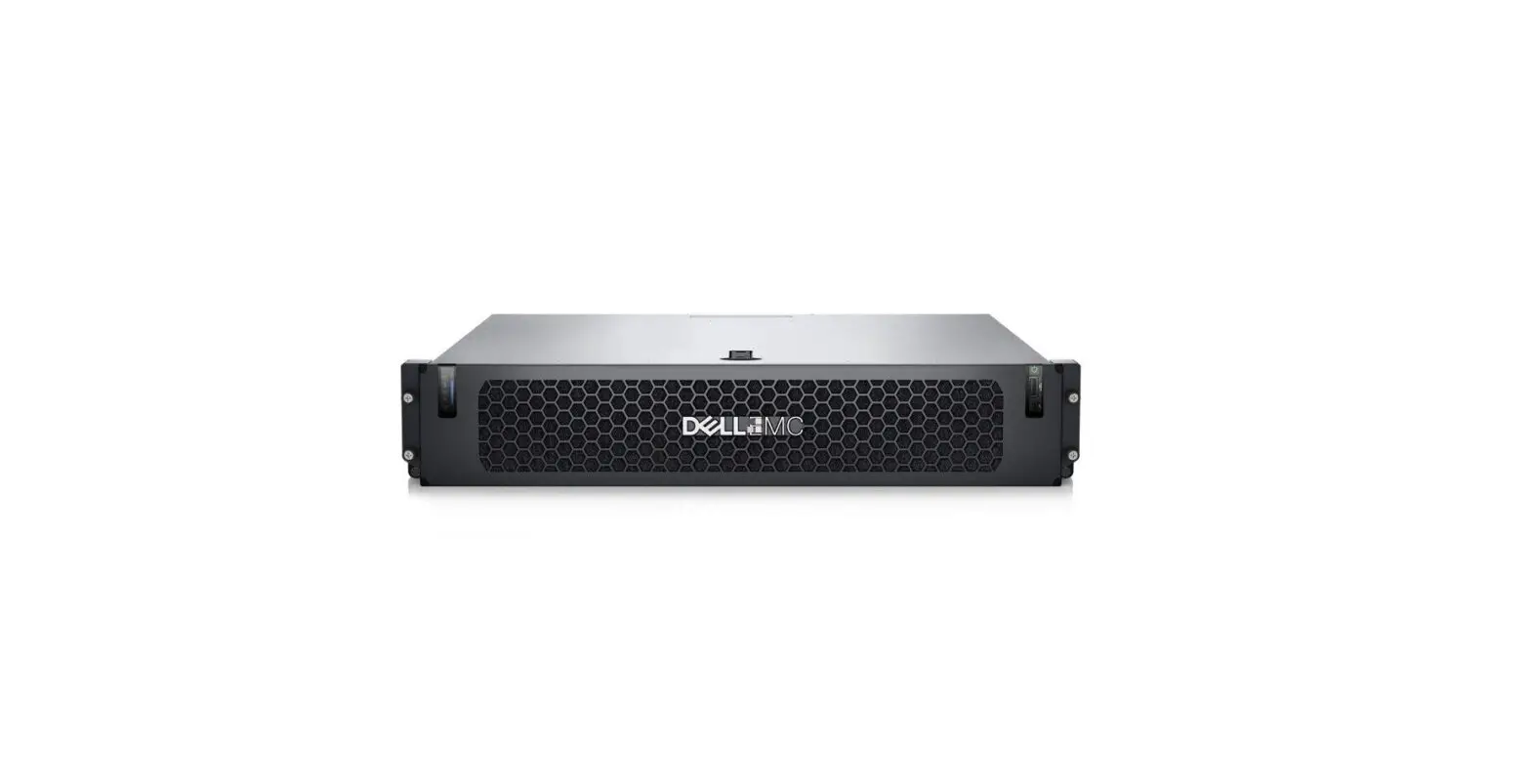

DELL EMC PowerEdge XR12 Rack Server
Product Information
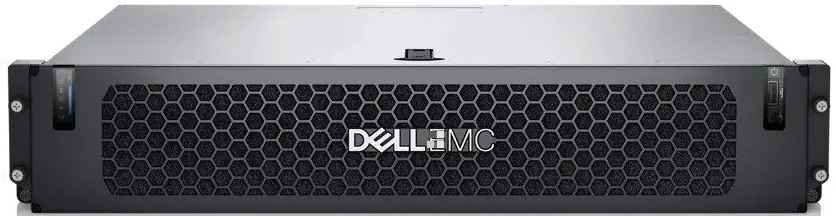
The Dell EMC PowerEdge XR12 is a server system designed for high-performance computing. It supports up to 6 x 2.5-inch drives for both rear-accessed and front-accessed configurations. The system supports 3rd Generation Intel Xeon Scalable processor with up to 36 cores and up to two AC or DC power supply units (PSUs). It supports Canonical Ubuntu Server LTS, VMware ESXi, Microsoft Windows Server with Hyper-V, Red Hat Enterprise Linux, SUSE Linux Enterprise Server, VMware ESXi, and RHEL Realtime operating systems. The system has six Very High-Performance fans for cooling.
Product Usage Instructions
Before using the Dell EMC PowerEdge XR12 system, it is important to review the technical specifications and environmental requirements outlined in the user manual. Here are some instructions on how to use the product:
- Ensure that the system is placed on a stable and flat surface.
- Connect the AC or DC power supply units (PSUs) to the system.
- Install the supported operating system of your choice.
- Insert up to 6 x 2.5-inch drives for either rear-accessed or front-accessed configurations.
- Install the processor and ensure that it is properly seated.
- Ensure that all six Very High-Performance fans are installed for proper cooling.
- Connect any necessary peripherals such as a keyboard, mouse, and monitor.
- Power on the system and follow the prompts to complete the setup process.
- Use the Dell Enterprise Infrastructure Planning Tool available at Dell.com/ESSA to verify the system power consumption and ensure optimum power utilization.
It is important to note the cautions and warnings outlined in the user manual to avoid potential damage to hardware, loss of data, or personal injury. If you experience any issues with the system, refer to the user manual or contact Dell EMC support for assistance.
Notes, cautions, and warnings
- NOTE: A NOTE indicates important information that helps you make better use of your product.
- CAUTION: A CAUTION indicates either potential damage to hardware or loss of data and tells you how to avoid the problem.
- WARNING: A WARNING indicates a potential for property damage, personal injury, or death.
The technical and environmental specifications of your system are outlined in this section.
Chassis Dimensions
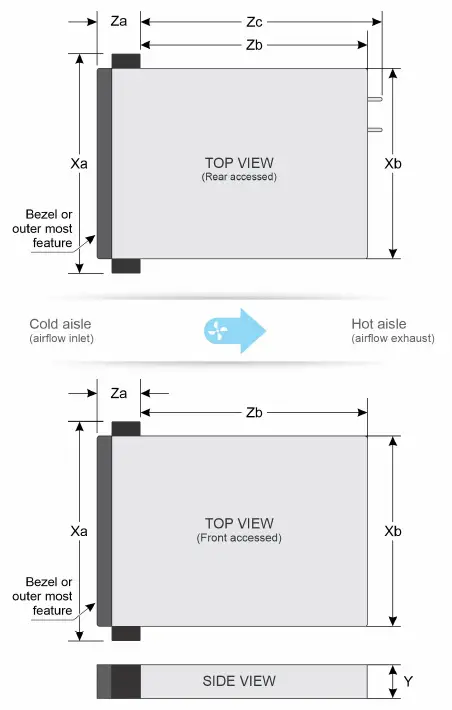
| Drives | Xa | Xb | Y | Za | Zb | Zc |
| 6 x 2.5-inch drives for Rear Accessed configuration | 482.6 mm (19 inches) | 434 mm (17.08 inches) | 86.8 mm (3.41 inches) | 31 mm (1.22 inches) Without bezel 45.0 mm (1.77 inches) With bezel | 400 mm (15.74 inches) Ear to rear wall | 432 mm (17 inches) Ear to rear wall |
| 6 x 2.5-inch drives for Front Accessed configuration | 482.6 mm (19 inches) | 434 mm (17.08 inches) | 86.8 mm (3.41 inches) | 63 mm (2.48 inches) Without bezel 153 mm (6.02 inches) | 400 mm (15.74 inches) Ear to rear wall | N/A |
System weight
PowerEdge XR12 system weight
| System configuration | Maximum weight (with all drives/SSDs/bezel) |
| 6 x 2.5-inch system with Rear Accessed configuration | 19.5 kg (43.00 pound) |
| 6 x 2.5-inch system with Front Accessed configuration | 20.5 kg (45.2 pound) |
Processor specifications
PowerEdge XR12 processor specifications
| Supported processor | Number of processors supported |
| 3rd Generation Intel Xeon Scalable processor with up to 36 cores | One |
PSU specifications
The PowerEdge XR12 system supports up to two AC or DC power supply units (PSUs).
| PSU | Class | Heat dissipation (maximum) | Frequency | Voltage | AC | DC | Current | |
| High line 200–240 V | Low line 100–120 V | |||||||
| 1400 W Mixed Mode | Platinum | 5459 BTU/ hr | 50/60 Hz | 100–240 V AC, autoranging | 1400 W | 1050 W | NA | 12 A–8 A |
| NA | 5459 BTU/ hr | NA | 240 V DC | NA | NA | 1400 W | 6.6 A | |
| 1100 W | NA | 4266 BTU/ hr | NA | -48-(-60) V DC, autoranging | NA | NA | 1100 W | 27 A |
| 800 W Mixed Mode | Platinum | 3139 BTU/ hr | 50/60 Hz | 100–240 V AC, autoranging | 800 W | 800 W | NA | 9.2 A–4.7 A |
| NA | 3139 BTU/ hr | NA | 240 V DC | NA | NA | 800 W | 3.8 A | |
- NOTE: This system is also designed to connect to the IT power systems with a phase-to-phase voltage not exceeding 240V.
- NOTE: Heat dissipation is calculated using the PSU wattage rating.
- NOTE: When selecting or upgrading the system configuration, to ensure optimum power utilization, verify the system power consumption with the Dell Enterprise Infrastructure Planning Tool available at Dell.com/ESSA.
Supported operating systems
The PowerEdge XR12 system supports the following operating systems:
- Canonical Ubuntu Server LTS
- VMware ESXi
- Microsoft Windows Server with Hyper-V
- Red Hat Enterprise Linux
- SUSE Linux Enterprise Server
- VMware ESXi
- RHEL Realtime
For more information, go to www.dell.com/ossupport.
Cooling fans specifications
The PowerEdge XR12 system supports six Very High-Performance fans and requires all six fans to be installed.
NOTE: For more information about the fan support configuration or matrix, see the Thermal restriction matrix.
System battery specifications
The PowerEdge XR12 system supports CR 2032 3.0-V lithium coin cell system battery.
Expansion card riser specifications
The PowerEdge XR12 system supports up to five PCI express (PCIe) Gen 4 expansion cards.
Expansion card slots supported on the system board
| PCIe slot | Risers | PCIe slot height | PCIe slot length | PCIe lane slot width |
| Slot 2 | Riser 2A | Full height | Full length | x16 |
| Slot 1/2 | Riser 2B* | Full height | Full length | x8+x8 |
| Slot 3 | Riser 1A** | Low Profile | Half Length | x16 |
| Slot 3 | Riser 1B* | Low Profile | Half Length | x8 |
| Slot 4 | Riser 3A | Full height | Full length | x16 |
| Slot 4/5 | Riser 3B* | Full height | Full length | x8+x8 |
- NOTE: * indicates that the PCIe connectors on Riser 1B, Riser 2B, Riser 3B are mechanically x16 slots.
- NOTE: ** indicates that the Riser 1A is supported only on Front Accessed configuration.
- CAUTION: Do not install GPUs, network cards, or other PCIe devices on your system that are not validated and tested by Dell. Damage caused by unauthorized and invalidated hardware installation will null and void the system warranty.
- WARNING: Consumer-Grade GPU should not be installed or used in the Enterprise Server products.
Memory specifications
The PowerEdge XR12 system supports the following memory specifications for optimized operation:
| DIMM type | DIMM rank | DIMM capacity | Single processor | |
| Minimum RAM | Maximum RAM | |||
| RDIMM | Single rank | 8 GB | 8 GB | 64 GB |
| Dual rank | 16 GB | 16 GB | 128 GB | |
| 32 GB | 32 GB | 256 GB | ||
| 64 GB | 64 GB | 512 GB | ||
| LRDIMM | Quad rank | 128 GB | 128 GB | 1024 GB |
| 256 GB | 256 GB | 2048 GB | ||
| Intel Optane PMem 200 Series | Single rank | 128 GB | 128 GB | 512 GB |
| 256 GB | 256 GB | 1024 GB | ||
Memory module sockets
| Memory module sockets | Speed |
| 8, 288-pin | 3200 MT/s |
Supported Intel Optane PMem 200 Series for processor configurations
| Configuration | Description | Memory population rules | ||
| RDIMMs | LRDIMM | Intel Optane PMem 200 Series | ||
| Configuration 1 | 4 x RDIMMs, 4 x Intel Optane PMem 200 Series | Processor1 {A1, A2, A3, A4} | – | Processor1 {A5, A6, A7, A8} |
| 4 x LRDIMMs, 4 x Intel Optane PMem 200 Series | – | Processor1 {A1, A2, A3, A4} | Processor1 {A5, A6, A7, A8} | |
| Configuration 2 | 6 x RDIMMs, 1 x Intel Optane PMem 200 Series | Processor1 {A1, A2, A3, A4, A5, A6} | – | Processor1 {A7} |
| 6 x LRDIMMs, 1 x Intel Optane PMem 200 Series | – | Processor1 {A1, A2, A3, A4, A5, A6} | Processor1 {A7} | |
NOTE: Memory DIMM slots are not hot-pluggable.
Storage controller specifications
PowerEdge XR12 storage controller specifications
| Internal controllers | External controllers |
| ● PERC H755 | ● PERC H840 |
| ● PERC H345* | ● HBA355e |
| ● PERC PERC H355* | |
| ● HBA355i | |
| ● S150 | |
| ● Boot Optimized Storage Subsystem (BOSS-S1): HWRAID 2 x M.2 SSDs |
NOTE: * indicates the H355 will replace H345 from Dec’21.
Drives specifications
The PowerEdge XR12 system supports 6 x 2.5-inch hot-swappable SAS, SATA, or NVMe SSDs.
NOTE: NVMe drives are not supported for Front Accessed configurations with Riser 1A.
Ports and connectors specifications
USB ports specifications
PowerEdge XR12 USB ports specifications for Rear Accessed configuration
| Front | Rear | Internal | |||
| USB port type | No. of ports | USB port type | No. of ports | USB port type | No. of ports |
| USB 2.0- compliant port | One | USB 2.0- compliant port | One | Internal USB 3.0- compliant port. | One |
| Micro-USB 2.0- compliant port for iDRAC Direct | One | USB 3.0- compliant ports | One | ||
PowerEdge XR12 USB ports specifications for Front Accessed configuration
| Front | Internal | ||
| USB port type | No. of ports | USB port type | No. of ports |
| USB 2.0-compliant port | Two | Internal USB 3.0-compliant port | One |
| USB 3.0-compliant ports | One | ||
| Micro-USB 2.0-compliant port for iDRAC Direct | One | ||
- NOTE: Internal USB port is available on Riser 1B and USB memory key is supported..
- NOTE: USB memory key is not supported on Riser 1A.
GPU specifications
The PowerEdge XR12 system supports up two 70 W or 150 W (Single Width/ Full Height/ Full Length) GPU or two 300 W (Double Width/ Full Height/ Full Length) GPU based on riser configuration.
Serial connector specifications
The PowerEdge XR12 system supports one 9-pin connector Data Terminal Equipment (DTE) 16550-compliant serial connector located on the rear of the Rear Accessed configuration and on the front of the Front Accessed configuration.
NIC port specifications
- The PowerEdge XR12 system supports 4 embedded LOM ports that provide 4x 25GbE SFP+. These ports support 10GbE and 25GbE.
- There is also a dedicated iDRAC management port that supports 1GbE.
VGA port specification
The PowerEdge XR12 system supports one DB-15 Video Graphics Array (VGA) port on the rear of the Rear Accessed configuration and one DB-15 VGA port on the front of the Front Accessed configuration.
Video specifications
The PowerEdge XR12 system supports integrated Matrox G200 graphics controller with 16 MB of video frame buffer.
Supported video resolution options for the system
| Resolution | Refresh rate (Hz) | Color depth (bits) |
| 1024 x 768 | 60 | 8, 16, 32 |
| 1280 x 800 | 60 | 8, 16, 32 |
| 1280 x 1024 | 60 | 8, 16, 32 |
| 1360 x 768 | 60 | 8, 16, 32 |
| 1440 x 900 | 60 | 8, 16, 32 |
| 1600 x 900 | 60 | 8, 16, 32 |
| 1600 x 1200 | 60 | 8, 16, 32 |
| 1680 x 1050 | 60 | 8, 16, 32 |
| 1920 x 1080 | 60 | 8, 16, 32 |
| 1920 x 1200 | 60 | 8, 16, 32 |
Environmental specifications
The PowerEdge XR12 system operates in these environmental categories: ASHRAE A2/A3/A4 and Rugged.
NOTE:
For additional information about environmental certifications, refer to the Product Environmental Datasheet located with the Documentation > Regulatory Information on www.dell.com/support/home.
Continuous operation specifications for ASHRAE A2
| Allowable continuous operations | |
| Temperature range for altitudes <= 900 m (<= 2953 ft) | 10–35°C (50–95°F) with no direct sunlight on the equipment |
| Humidity percent range (non-condensing at all times) | 8% RH with -12°C minimum dew point to 80% RH with 21°C (69.8°F) maximum dew point |
| Operational altitude de-rating | Maximum temperature is reduced by 1°C/300 m (33.8°F/984 Ft) above 900 m (2953 Ft) |
Continuous operation specifications for ASHRAE A3
| Allowable continuous operations | |
| Temperature range for altitudes <= 900 m (<= 2953 ft) | 5–40°C (41–104°F) with no direct sunlight on the equipment |
| Humidity percent range (non-condensing at all times) | 8% RH with -12°C minimum dew point to 85% RH with 24°C (75.2°F) maximum dew point |
| Operational altitude de-rating | Maximum temperature is reduced by 1°C/175 m (33.8°F/574 Ft) above 900 m (2953 Ft) |
Continuous operation specifications for ASHRAE A4
| Allowable continuous operations | |
| Temperature range for altitudes <= 900 m (<= 2953 ft) | 5–45°C (41–113°F) with no direct sunlight on the equipment |
| Humidity percent range (non-condensing at all times) | 8% RH with -12°C minimum dew point to 90% RH with 24°C (75.2°F) maximum dew point |
| Operational altitude de-rating | Maximum temperature is reduced by 1°C/125 m (33.8°F/410 Ft) above 900 m (2953 Ft) |
Continuous operation specifications for Rugged
| Allowable continuous operations | |
| Temperature range for altitudes <= 900 m (<= 2953 ft) | (-5)–55°C (23–131°F) with no direct sunlight on the equipment |
| Humidity percent range (non-condensing at all times) | 8% RH with -12°C minimum dew point to 90% RH with 24°C (75.2°F) maximum dew point |
| Operational altitude de-rating | Maximum temperature is reduced by 1°C/80 m (33.8°F/410 Ft) above 900 m (2953 Ft) |
Common environmental specifications for ASHRAE A2, A3, A4 and Rugged
| Allowable continuous operations | |
| Maximum temperature gradient (applies to both operation and non-operation) | 20°C in an hour* (36°F in an hour) and 5°C in 15 minutes (41°F in 15 minutes), 5°C in an hour* (41°F in an hour) for tape NOTE: * – Per ASHRAE thermal guidelines for tape hardware, these are not instantaneous rates of temperature change. |
| Non-operational temperature limits | -40 to 65°C (-104 to 149°F) |
| Non-operational humidity limits | 5% to 95% RH with 27°C (80.6°F) maximum dew point |
| Maximum non-operational altitude | 12,000 meters (39,370 feet) |
| Maximum operational altitude | 3,048 meters (10,000 feet) |
Maximum vibration specifications for the system
| Maximum vibration | Specifications |
| Operating | MIL-STD-810H, Method 514.8, 1.04 Grms, 2-500Hz, Random Vibration, Figure 514.8D-11 |
| Storage | ● MIL-STD-810H, Method 514.8, Category 4, Figure 514.8C-2, 5-500 Hz, 60 minutes/axis ● MIL-STD-810H, Method 514.8, Category 24, Figure 514.8E-1, 20-2000Hz, 60 minutes/axis |
Maximum shock pulse specifications for the system
| Maximum shock pulse | Specifications |
| Operating | ● MIL-STD-810H, Method 516.8, Procedure I, 11ms, 20G ● MIL-STD-810H, Method 516.8, Procedure I, 11ms, 40G (SSD) |
| Operating (Navy) | MIL-DTL-901E, Grade A, Class 2, Type A, in approved military transit case |
| Storage | ● MIL-STD-810H, Method 516.8, Procedures I, 11 ms, 40G (with SSD) ● MIL-STD-810H, Method 516.8, Procedures I, 11 ms, 40G |
Particulate and gaseous contamination specifications
The following table defines the limitations that prevent any equipment damage or failure from particulate and gaseous contamination. If the levels of particulate or gaseous pollution exceed the specified limitations and results in equipment damage or failure, you must rectify the environmental conditions. Remediation of environmental conditions is the responsibility of the customer.
Particulate contamination specifications
| Particulate contamination | Specifications |
| Air filtration | Data center air filtration as defined by ISO Class 8 per ISO 14644-1 with a 95% upper confidence limit. NOTE: This condition applies to data center environments only. Air filtration requirements do not apply to IT equipment designed to be used outside a data center, in environments such as an office or factory floor. NOTE: Air entering the data center must have MERV11 or MERV13 filtration. |
| Conductive dust | Air must be free of conductive dust, zinc whiskers, or other conductive particles. NOTE: This condition applies to data center and non-data center environments. |
| Corrosive dust | ● Air must be free of corrosive dust. ● Residual dust present in the air must have a deliquescent point less than 60% relative humidity. NOTE: This condition applies to data center and non-data center environments. |
Gaseous contamination specifications
| Gaseous contamination | Specifications |
| Copper Coupon Corrosion rate | <300 Å/month per Class G1 as defined by ANSI/ ISA71.04-2013 |
| Silver Coupon Corrosion rate | <200 Å/month as defined by ANSI/ISA71.04-2013 |
NOTE: Maximum corrosive contaminant levels measured at ≤50% relative humidity.
Rugged certifications and specifications
The PowerEdge XR12 support the rugged environment space for temperatures up to 55°C through custom configurations. These configurations are geared for the Telecom (or Telco) and Military industries and hence meet industry-specific standards in addition to the maximum temperature requirement of 55°C. The Telco configurations will be tested to the NEBS requirements outlined in the GR-63 and GR-1089 Telcordia specifications. The Military configurations will be tested to: MIL-STD-810H, MIL-DTL-901E and MIL-STD-461G.
Rugged certifications and specifications
| Certifications | Specifications |
| Operational Temperature | -5°C to 55°C 55°C continuous operation per MIL810H Method 501.7 Proc II -5°C continuous operation per MIL 810H Method 502.7 Proc II |
| Operational Shock | MIL-STD-810H, Method 516.8, Procedure I, 11ms, 40 G (SSD) |
| Operational Shock (Navy) | MIL-DTL-901E, Grade A, Class 2, Type A, in approved military transit case |
| Certifications | Specifications |
| Non-Operational Shock | MIL-STD-810H, Method 516.8, Procedures V, 11 ms, 40 G (with SSD) |
| Operational Vibration | MIL-STD-810H, Method 514.8, 1.04 Grms, 2-500Hz, Random Vibration, Figure 514.8D-11 with SSD |
| Non-Operational Vibration | MIL-STD-810H, Method 514.8, Category 4, Figure 514.8C-2, 5-500 Hz, 60 minutes/ axis with SSD MIL-STD-810H, Method 514.8, Category 24, Figure 514.8E-1, 20-2000 Hz, 60 minutes/axis with SSD |
| Operational Altitude | MIL-STD-810H, Method 500.6, Proc.II (Operational, Air carriage) 15,000 ft for 1 hour after stabilization |
| Non-Operational Altitude | MIL-STD-810H, Method 500.6, Proc. I (Storage, Air transport), 40 Kft for 1 hour after stabilization |
| Conductive/Radiative Immunity | MIL-STD-461G |
| Sand and Dust (tested with filtered bezel) | MIL-STD-810H, Method 510.7, Procedure I, Blowing dust at 25oC for 6 hours , and an additional 6 hours at 49oC (Climatic Category A1) MIL-STD-810H, Method 510.7, Procedure II, Blowing sand at 49oC (Climatic Category A1), wind velocity of 29 m/s, sand concentration of 2.2 g/m3, 6 hours |
| NEBS Level 3 | GR-63-CORE and GR-1089-CORE |
Thermal restriction matrix
Thermal restriction matrix for processor and fans
| Configuration / Processor TDP | Front and Rear Accessed configuration with filtered bezel | Maximum Ambient Temperature |
| 105 W | VHP fan Ext. HSK | 55°C |
| 120 W | VHP fan Ext. HSK | 55°C |
| 135 W | VHP fan Ext. HSK | 55°C |
| 140 W | VHP fan Ext. HSK | 55°C |
| 150 W | VHP fan Ext. HSK | 55°C |
| 165 W | VHP fan Ext. HSK | 35°C |
| 185 W | VHP fan Ext. HSK | 35°C |
| 205 W | VHP fan Ext. HSK | 35°C |
| 225 W | VHP fan | 35°C |
| Ext. HSK |
NOTE: A few specific processors having TDP greater than 150 W, can support ambient temperatures greater than 35°C.
Label reference
| Label | Description |
| VHP fan | Very High-Performance fan |
| Ext. | Extended |
| HSK | Heat sink |
Thermal restriction matrix for GPUs
| Rear Accessed Configuration | Front Accessed Configuration | |
| GPU | Maximum Ambient Temperature | Maximum Ambient Temperature |
| Nvidia T4 | 50C | 55C |
| Nvidia A40 | 35C | 35C |
| Nvidia A100 | 35C | 35C |
| Nvidia A10 | 45C | 50C |
| Nvidia A30 | 35C | 35C |
| Nvidia A2 | 50C | 55C |
| Nvidia A100 80GB | 50C | 50C |
Thermal restriction for ASHRAE A3 for Rear Accessed configuration
- Do not perform a cold startup below 5°C
- Processor TDP greater than 150 W is not supported except for the following list:
- 6334, 8 core, 165W
- 6338T, 24 core, 165W
- 6330N, 28 core, 165W
- 6338N, 32 core, 185W
- 128 GB or greater capacity DIMMs and Intel Optane PMem 200 Series are not supported.
- Non-Dell-qualified peripheral cards are not supported.
- PCIe SSD is not supported.
- BOSS M.2 is not supported.
- High-temperature spec 85°C active optics cables are required.
- PERC adapter with battery is not supported except for H755.
- NVMe drive is not supported.
Thermal restriction for ASHRAE A4 for Rear Accessed configuration
- Do not perform a cold startup below 5°C
- Processor TDP greater than 150 W is not supported except for the following list:
- 6334, 8 core, 165W
- 6338T, 24 core, 165W
- 6330N, 28 core, 165W
- 6338N, 32 core, 185W
- 128 GB or greater capacity DIMMs and Intel Optane PMem 200 Series are not supported.
- Non-Dell-qualified peripheral cards are not supported.
- PCIe SSD is not supported.
- BOSS M.2 is not supported.
- High-temperature spec 85°C active optics cables are required.
- PERC adapter with battery is not supported.
- NVMe drive is not supported.
- Thermal restriction for Rugged for Rear Accessed configuration
- Do not perform a cold startup below 5°C
- Processor TDP greater than 150 W are not supported except for the following list:
- 6338T, 24 core, 165W
- 6330N, 28 core, 165W
- 128 GB or greater capacity DIMMs and Intel Optane PMem 200 Series are not supported.
- Two PSUs are required in redundant mode. System performance may be reduced in the event of a PSU failure.
- Non-Dell-qualified peripheral cards are not supported.
- PCIe SSD is not supported.
- BOSS M.2 is not supported.
- High-temperature spec 85°C active optics cables are required.
- PERC adapter with battery is not supported.
- NVMe drive is not supported.
Thermal restriction for ASHRAE A3 for Front Accessed configuration
- Do not perform a cold startup below 5°C
- Processor TDP greater than 150 W is not supported except for the following list:
- 6334, 8 core, 165W
- 6338T, 24 core, 165W
- 6330N, 28 core, 165W
- 6338N, 32 core, 185W
- 128 GB or greater capacity DIMMs and Intel Optane PMem 200 Series are not supported.
- Non-Dell-qualified peripheral cards are not supported.
- PCIe SSD is not supported.
- BOSS M.2 greater than 480 GB is not supported.
- NVMe drive is not supported.
- Thermal restriction for ASHRAE A4 for Front Accessed configuration
- Do not perform a cold startup below 5°C
- Processor TDP greater than 150 W is not supported except for the following list:
- 6334, 8 core, 165W
- 6338T, 24 core, 165W
- 6330N, 28 core, 165W
- 6338N, 32 core, 185W
- 128 GB or greater capacity DIMMs and Intel Optane PMem 200 Series are not supported.
- Non-Dell-qualified peripheral cards are not supported.
- PCIe SSD is not supported.
- BOSS M.2 greater than 480 GB is not supported.
- NVMe drive is not supported.
Thermal restriction for Rugged for Front Accessed configuration
- Do not perform a cold startup below 5°C
- Processor TDP greater than 150 W are not supported except for the following list:
- 6338T, 24 core, 165W
- 6330N, 28 core, 165W
- 6338N, 32 core, 185W
- 128 GB or greater capacity DIMMs and Intel Optane PMem 200 Series are not supported.
- Non-Dell-qualified peripheral cards are not supported.
- PCIe SSD is not supported.
- BOSS M.2 greater than 480 GB is not supported.
- NVMe drive is not supported.
- PERC adapter with battery is not supported except for H755.
Other Thermal Restrictions
- DIMM blanks are required on empty slots.
- HDD blanks are required on empty slots.
- PCIe blank is required on empty slot 3.
- Processor TDP greater than 150 W are not supported for Riser 1A configuration except for 6338N, 32 core, 185W processor.
© 2022 Dell Inc. or its subsidiaries. All rights reserved. Dell, EMC, and other trademarks are trademarks of Dell Inc. or its subsidiaries. Other trademarks may be trademarks of their respective owners.
www.dell.com/ossupport.
 Server Operating Systems | Dell US