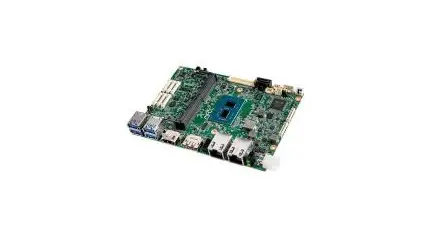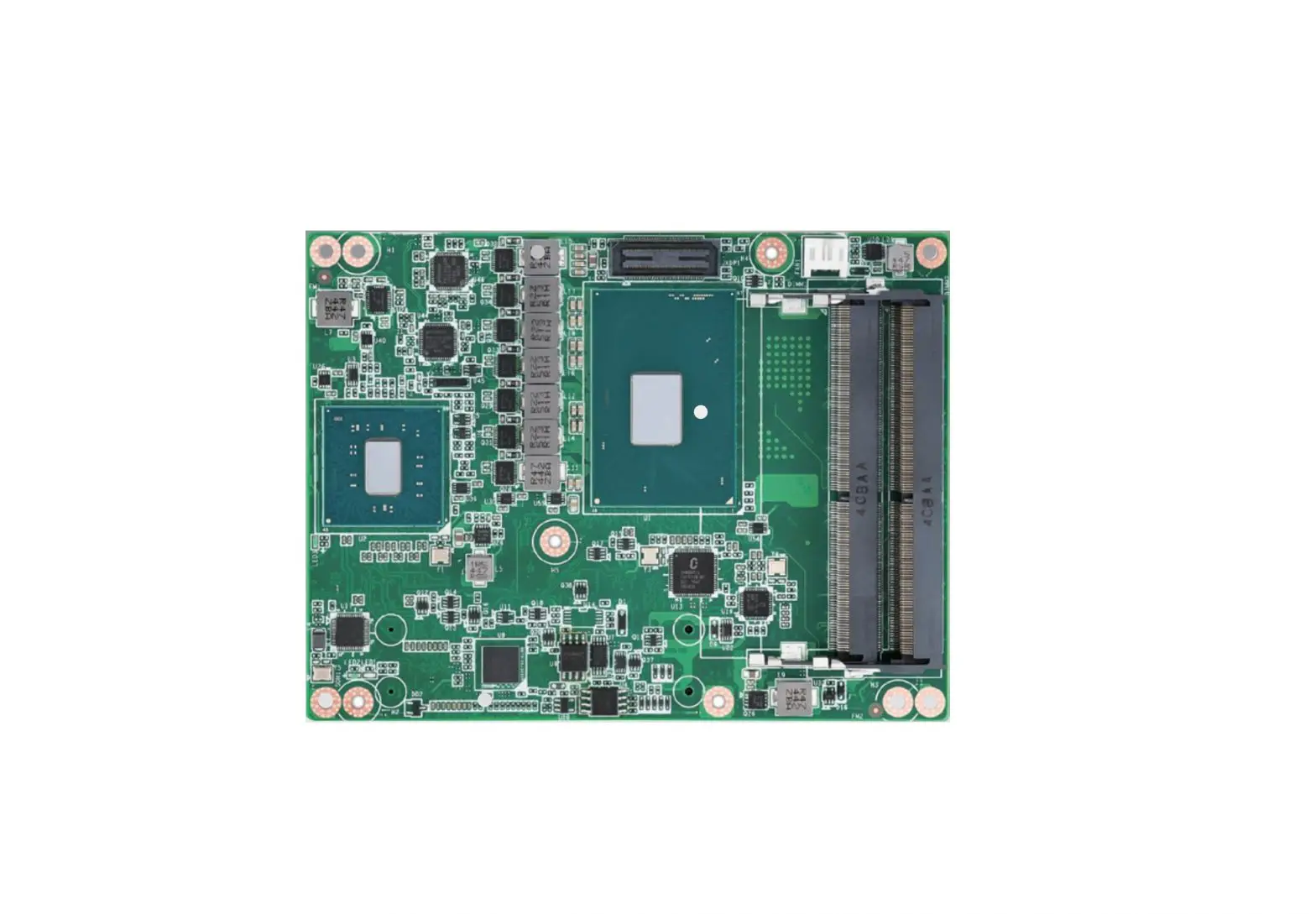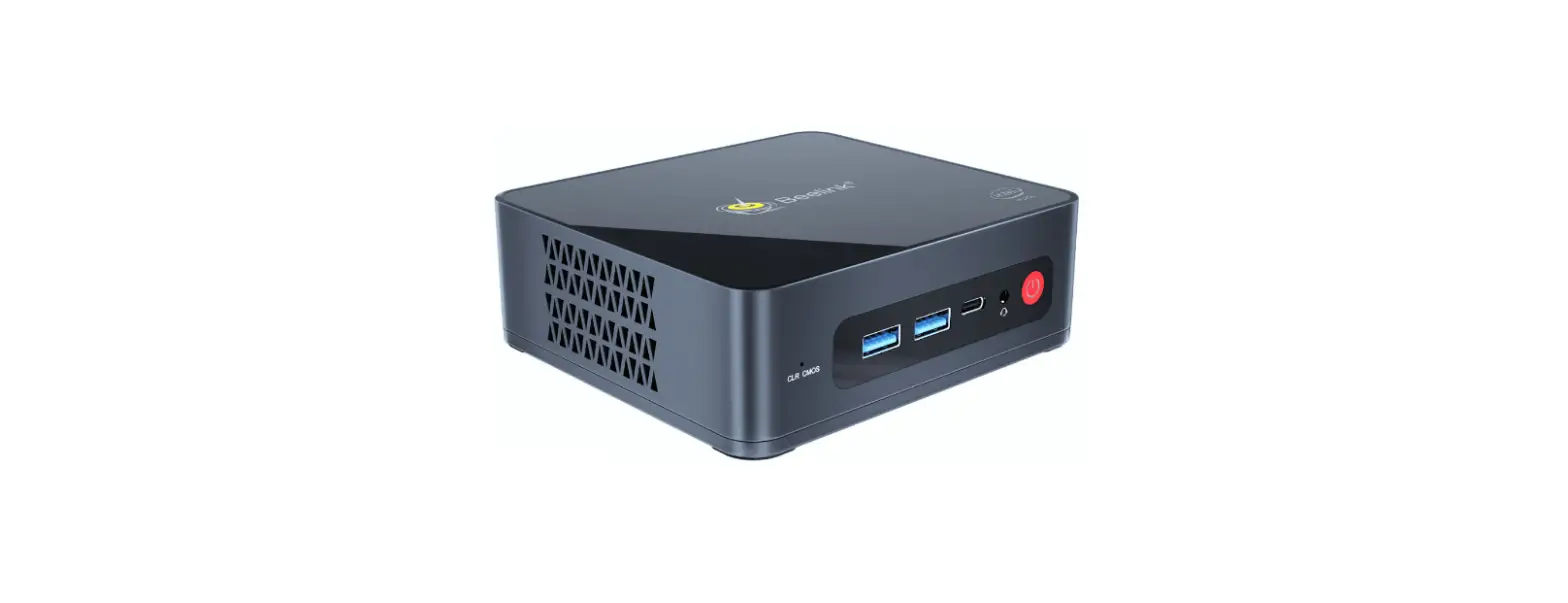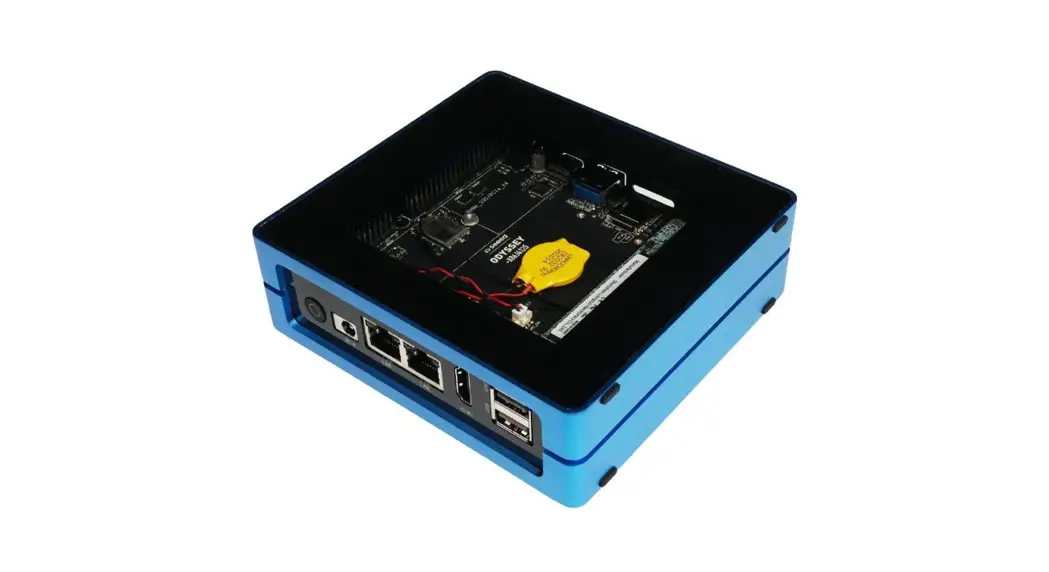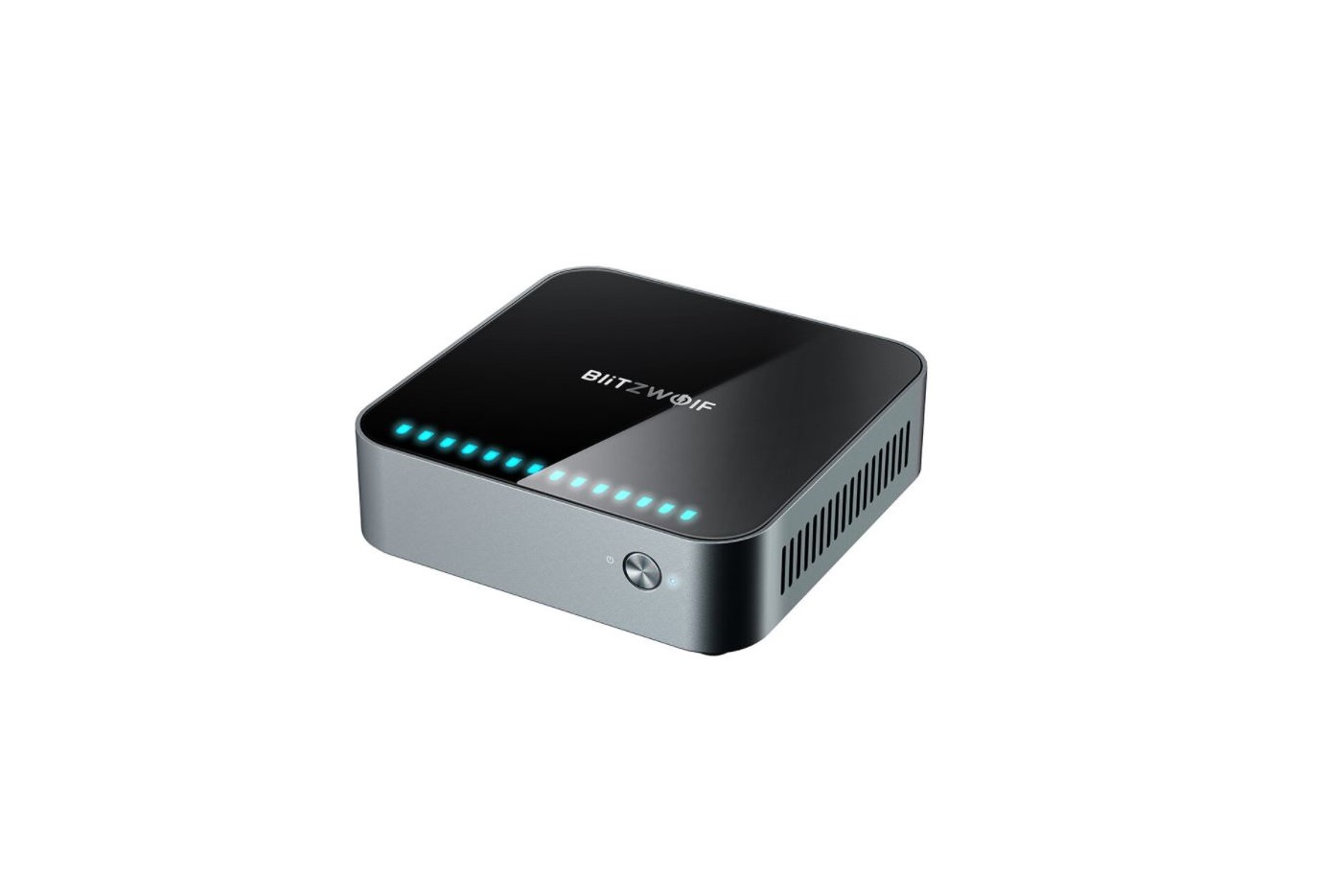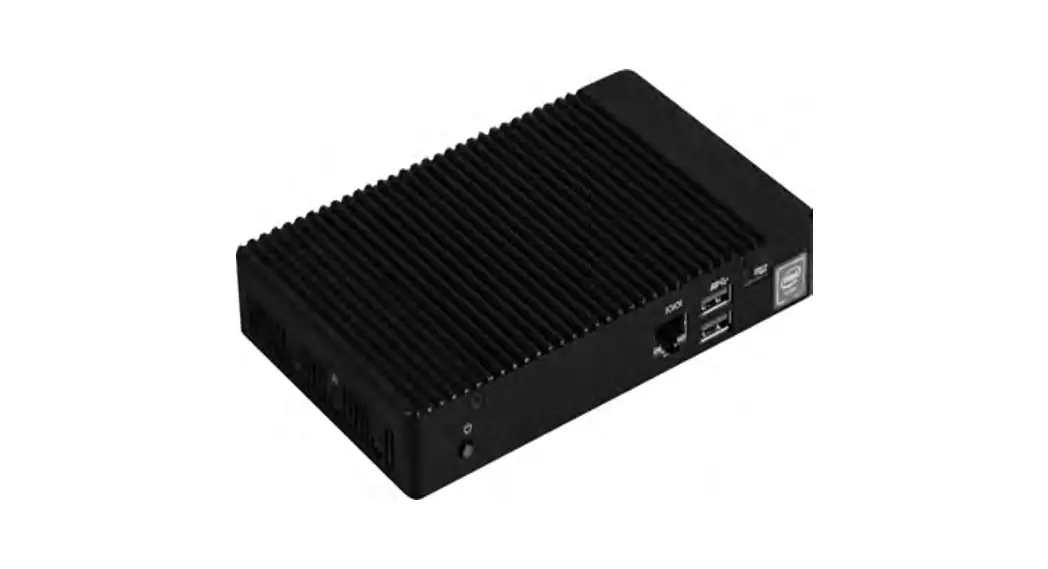

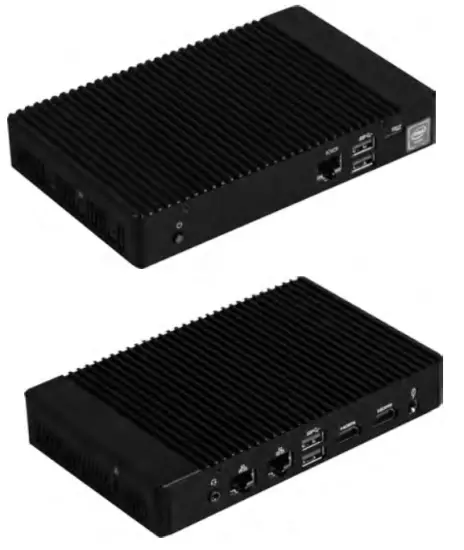
QBiX-Plus-APLA3450-A1
An industrial system with Intel® Celeron® N3450 Processor
Quick Start Guide
Getting Familiar with Your Unit
Package Contents
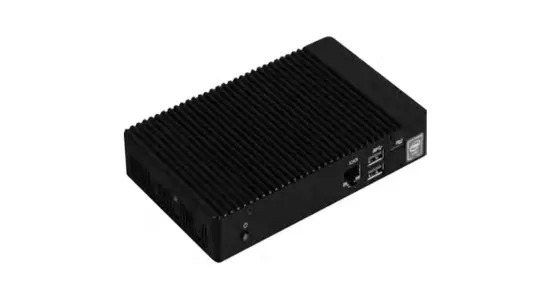
QB1x-Plus-AP1A3450-A1 Bare-bone
• NOT Include any of the following: M.2 (2280), 3G module, SIM card, SO-DIMM memory
WIFI antenna, and 1 x 3G antenna (optional)
•Qffix-Plus-APLA3450-Al Full-System (Include memory and storage) order by customers request.
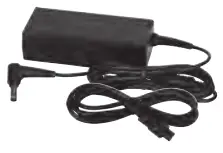
1 x 65W Adapter 8 Power Cord, • Power input: DC 19V, 3.42A
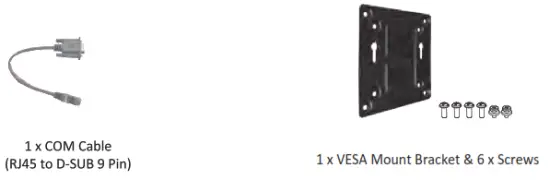
Optional Kit
- Internal Antenna 90mm : 25CA0-090003-A5S
- Internal Antenna 120mm : 25CA0-120002-ASS
- Internal Antenna 120mm : 25CA0-120003-ASS
- WiFi module : 25FC7-3165N0-10R

- Antenna_WiFlx 2: 25CA0-111000-A55
- Antenna_36 x 1 :25CA0-111001-ASS

Getting Familiar with Your Unit
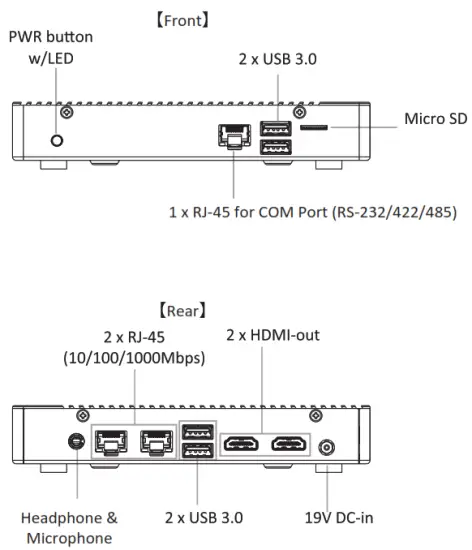
Before opening the case, make sure to unplug the power cord.
* Before Connecting the power, make sure to fasten the case securely.
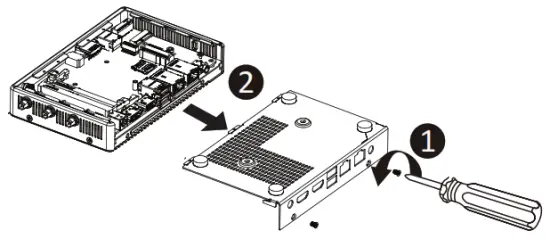
Note: Wireless module inclusion may vary based on local distribution.
Operating Temperature:
O’C to +40’C : With standard temperature WEI module / 36 module / M.2(2280)/ DDR3L SO-DIMM
O’C to +50’C : With extended temperature Wirt module/ 3G module/ M.2(2280) / DDR3L SOOIMM.
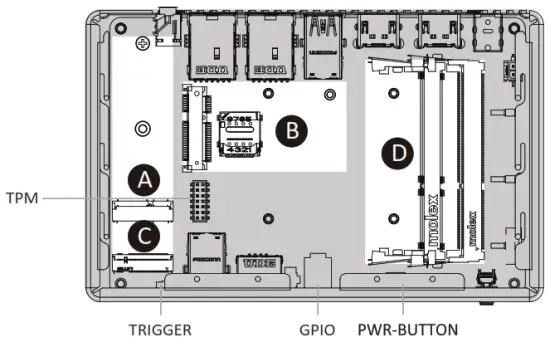
| A) WiFi module connector | C) M.2 2280 SSD connector (SATA only) |
| B) 3G module connector | D) 2 x DDR3L SO-DIMM sockets |
PIN Definition
TRIGGER_PIN :
Trigger Pin
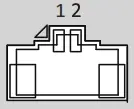
| 1Trigger |
| 2 Ground |
PWR–BT:
Power Button
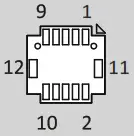
| 1 Power Switch |
| 2 Ground |
| 3 Power LED (+) |
| 4 Power LED (-) |
| 5 NC |
| 6 SATA LED |
| 7 NC |
| 8 NC |
| 9 3.3V |
| 10 NC |
| 11 Ground |
| 12 Ground |
GPIO–CNT :
GPIO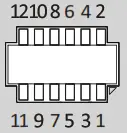
| 1 GPO1 |
| 2 GPI1 |
| 3 GP02 |
| 4 GPI2 |
| 5 GP03 |
| 6 GPI3 |
| 7 GPO4 |
| 8 GPI4 |
| 9 SMB_CLK |
| 10 SMB_DATA |
| 11 SV |
| 12 Ground |
TPM–LPC:
TPM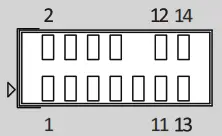
| 1 NC |
| 2 3.3V (Stand by) |
| 3 PLTRST_N |
| 4 3.3V |
| S LADO |
| 6 SERIRQ3.3 |
| 7 LAD1 |
| 8 TPM_DET |
| 9 tAD2 |
| 10 NC |
| 11 LAD3 |
| 12 Ground |
| 13 LEFtAMER |
| 14 Ground |
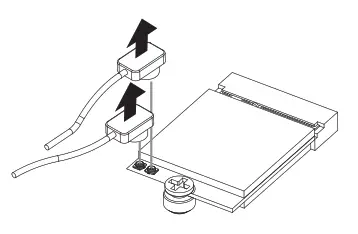
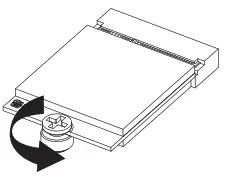
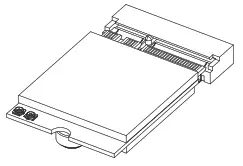
A) Wireless Module: How to Safely Remove the Module
- Disconnect the two antennas by manually lifting off the clips that hold them in place.

- Remove the screw in the middle.

- Carefully pull the wireless module from the slot.
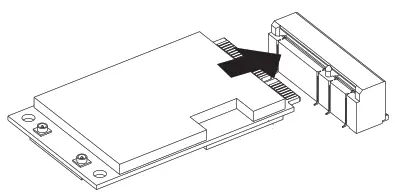
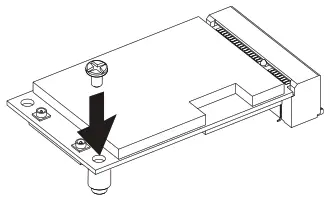
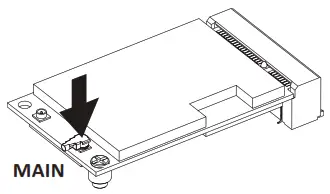
B) Optional 3G Module Installation: How to Safely Install a 3G Module
- Carefully insert the 3G module into slot B.

- The module is secured in place with a small screw in the right corner.

- Plug the antenna into the 3G module.

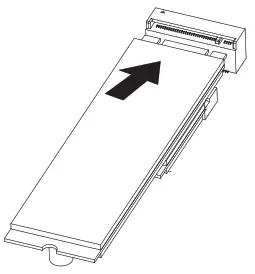
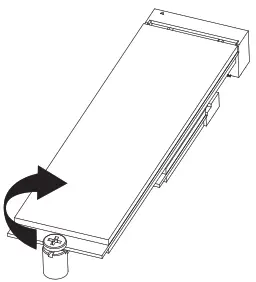
C) M.2 SSD: How to Install the M.2 2280 SSD
- Carefully insert the M.2 SSD into slot C.

- The M.2 SSD Is secured in place with a small screw.

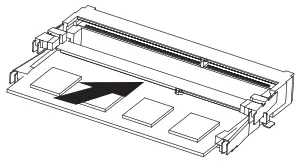
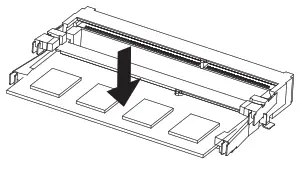
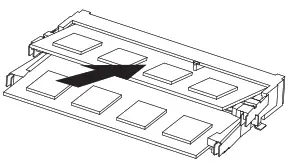
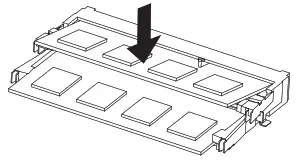
D) Memory Installation: DDR3L 5O-DIMM sockets
- Carefully insert SO-DIMM memory modules.

- Push down until the modules click into place.

- Carefully Insert SO-DIMM memory modules.

- Push down until the modules click into place.
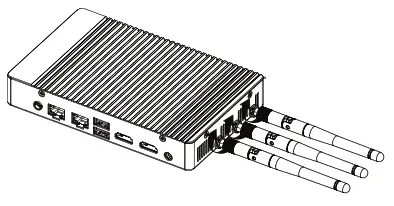
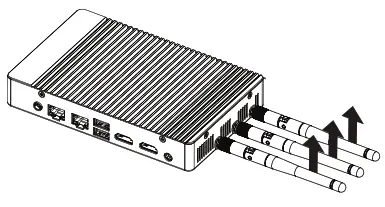
Antenna Installation (Antenna is an optional part)
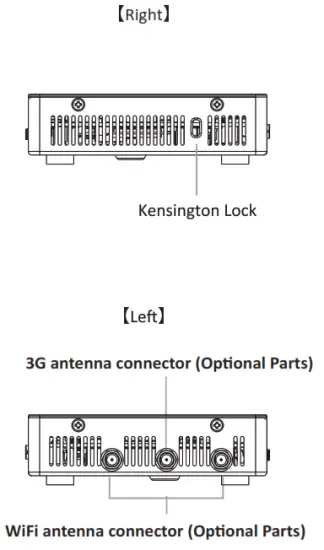
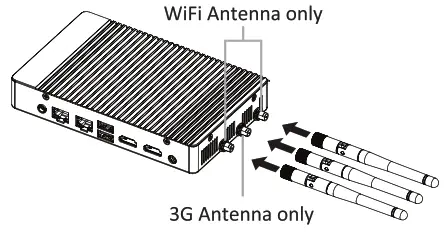
- Carefully insert the antennas into the connectors. Ensure that the WiFi antennas are inserted into the left and right connectors and the 3G antenna is inserted Into the middle connector.

- Turn the antennas clockwise until they are completely secure on the connectors.

- Flip-up the antenna heads so that they are perpendicular to the machine.
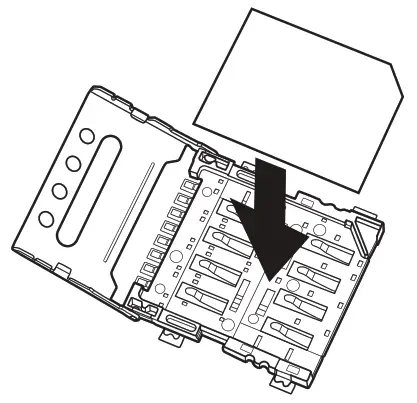
SIM Card Installation
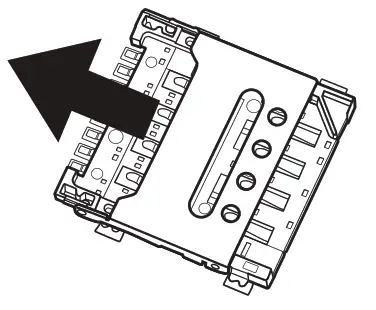
- Carefully push the SIM card slot cover outwards.

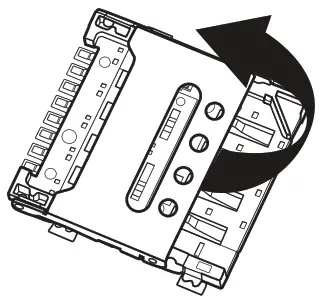
- Flip open the SIM card slot cover.

- Place the SIM card into the slot and resecure the SIM card slot cover.

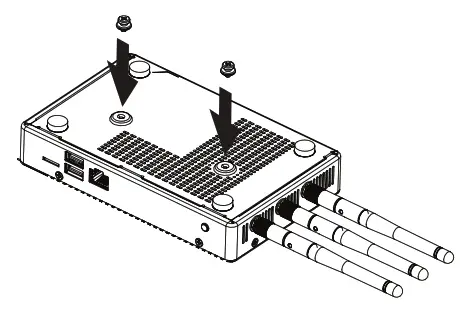
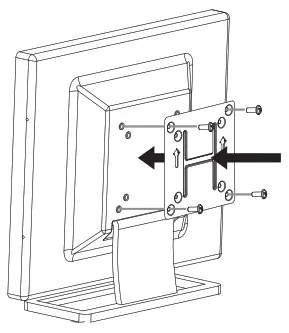
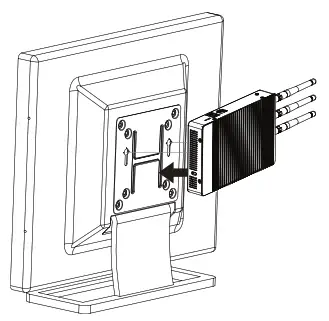
VESA Bracket
- Attach the screws provided on the underside of the QBiX-Plus

- Attach the VESA mounting plate to the rear of a compatible CiB display using the screws provided.

- They can now be mounted by sliding the device into place.

USB Power On Function: Allows Device Power-on Via USB. Useful When Mounted Behind a Display or TV
- Press “Der during device startup to enter BIOS.

- Select “Chipset from the menu.

- Configure the “USB 55 Wakeup Support” setting to “Enable”.

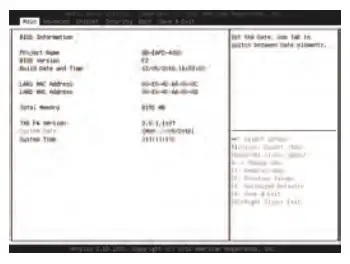
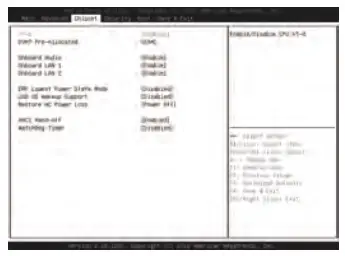
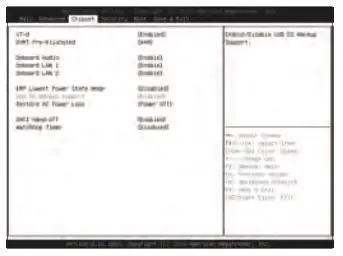
Select “Save and Exit” from the menu, and press “Save Changes and Reset”.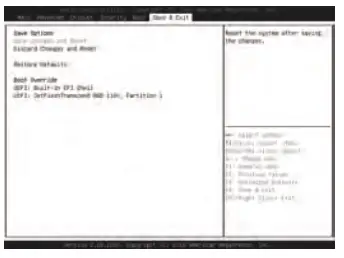
System Requirements – Windows 10
Note: ‘USB Power On’ functionality in Windows 10 requires an additional Windows patch. This is provided on GIGAIPC’5 official website labeled ‘USB Power-On Patch’. Your GIGAIPC offing Plus can be powered on via a connected USB device such as a keyboard or mouse, offering greater convenience when mounted behind a display or monitor.
Support
Please visit http://www.gigafpc.com to find laBIX-Plus warranty Information from the drop-down list.
• for a list of tested memory, M.2 SSD, 36 modules, wireless adapters, and OS supported, go to: http://www.glgalpc.com
• To download the latest drivers and BIOS updates, go to: http://svww.gigaipc.com
• For product support, go to:http://www.glgalpc.com
Safety and Regulatory Information
Risk of explosion if the battery is replaced with an incorrect type. Batteries should be recycled where possible. Disposal of used batteries must be in accordance with local environmental regulations.
Dimension
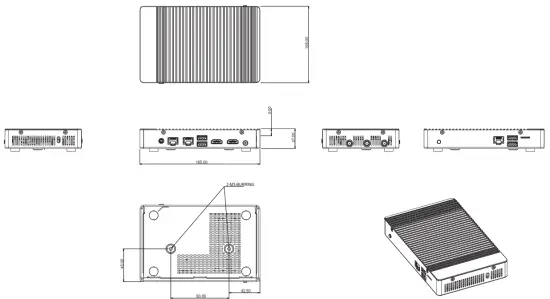
* WiFi/ 3G Antenna connectors are an optional part.
 In the end c4 its serviceable life, this product should not be treated n household or general waste. It should be handed over to the applicable collection point for the recycle% c4 electrical and electronic equipment or returned to the supplier for disposal.
B1-A, No.205, Sec. 3, Beixin Rd., Xindian Dist., New Taipei City 23143, Taiwan (R.O.C) http://www.gigaipc.com
GIGAIPC Co., LTD.
© 2018 GIGAIPC Co., Ltd. All rights reserved. The marks mentioned herein are trademarks or registered trademarks of GIGAIPC Co., Ltd. or its affiliantes. All other product names mentioned herein are trademarks or registered trademarks of their respective owners.
The terms HDMI and HDMI High-Definiton Multimedia Interface, and the HDMI Logo are trademarks or registered trademarks of HDMI Licensing LCC in The United States and other countries.
 Made in China
 技宸GIGAIPC|專業工業電腦品牌