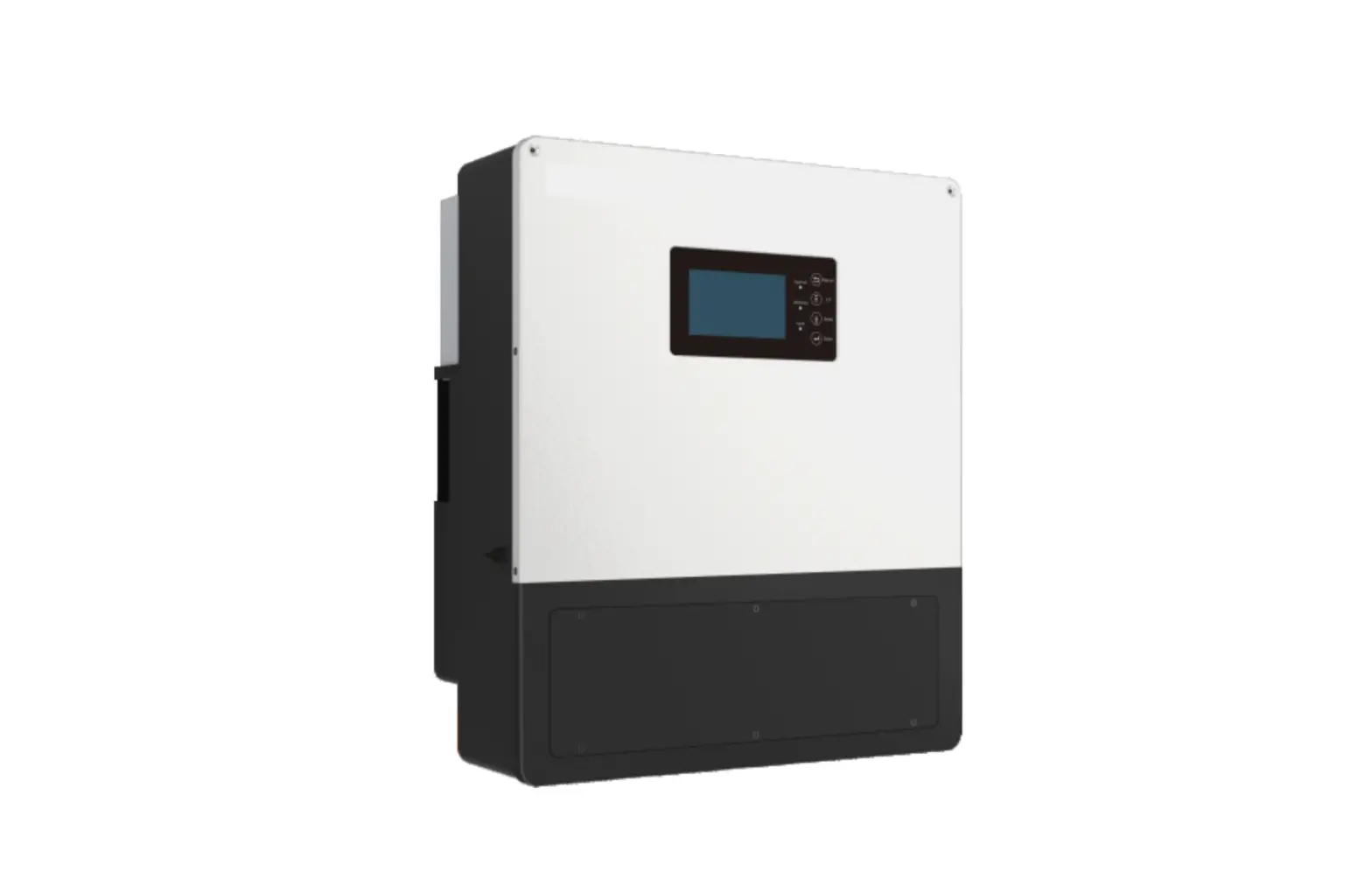
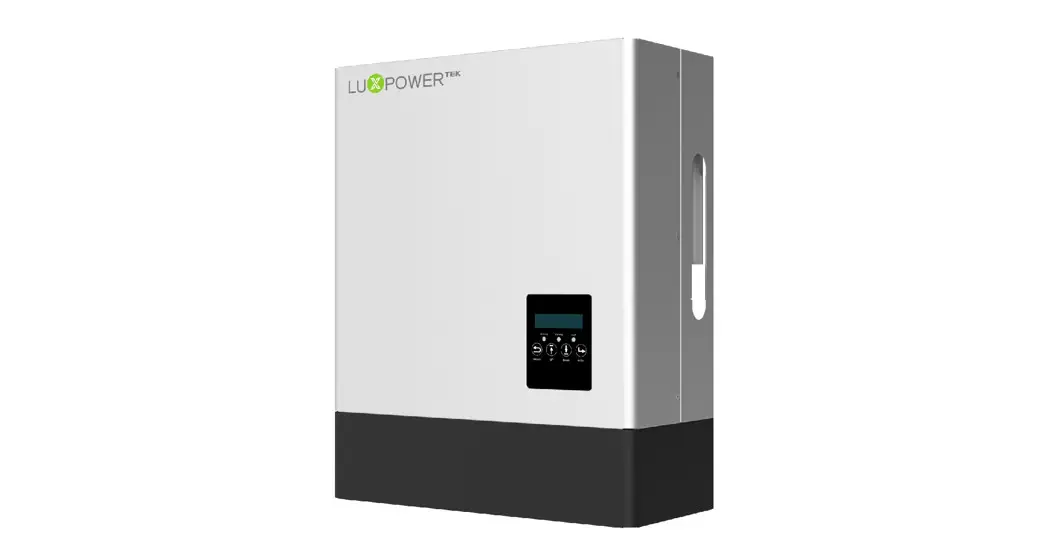
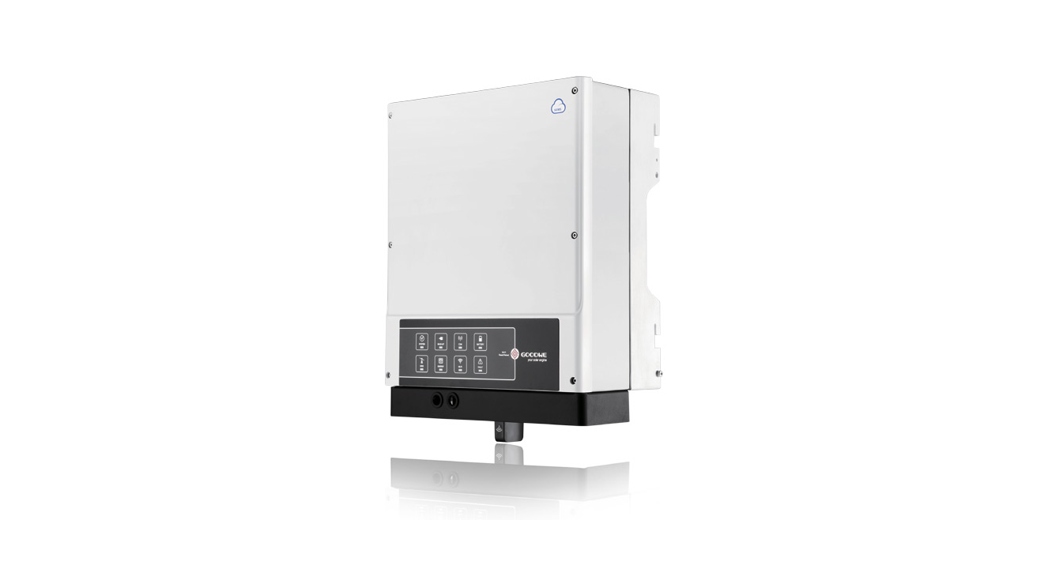
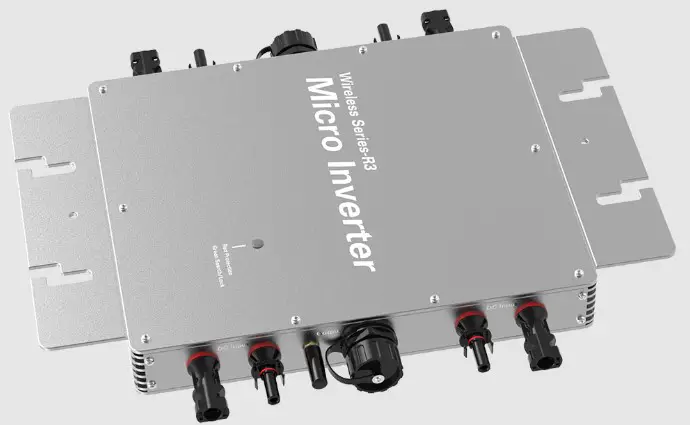
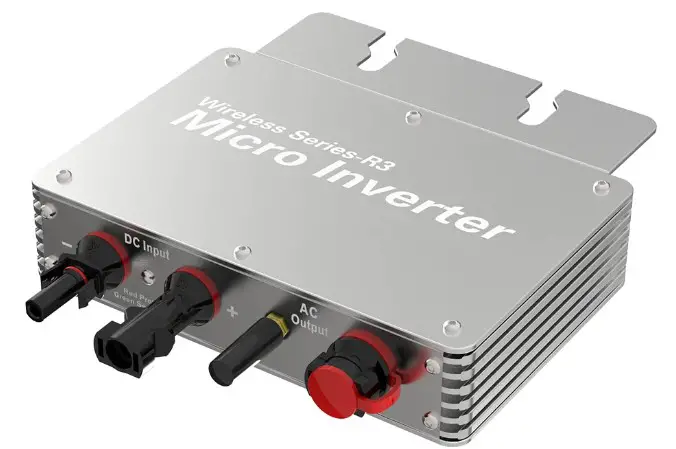
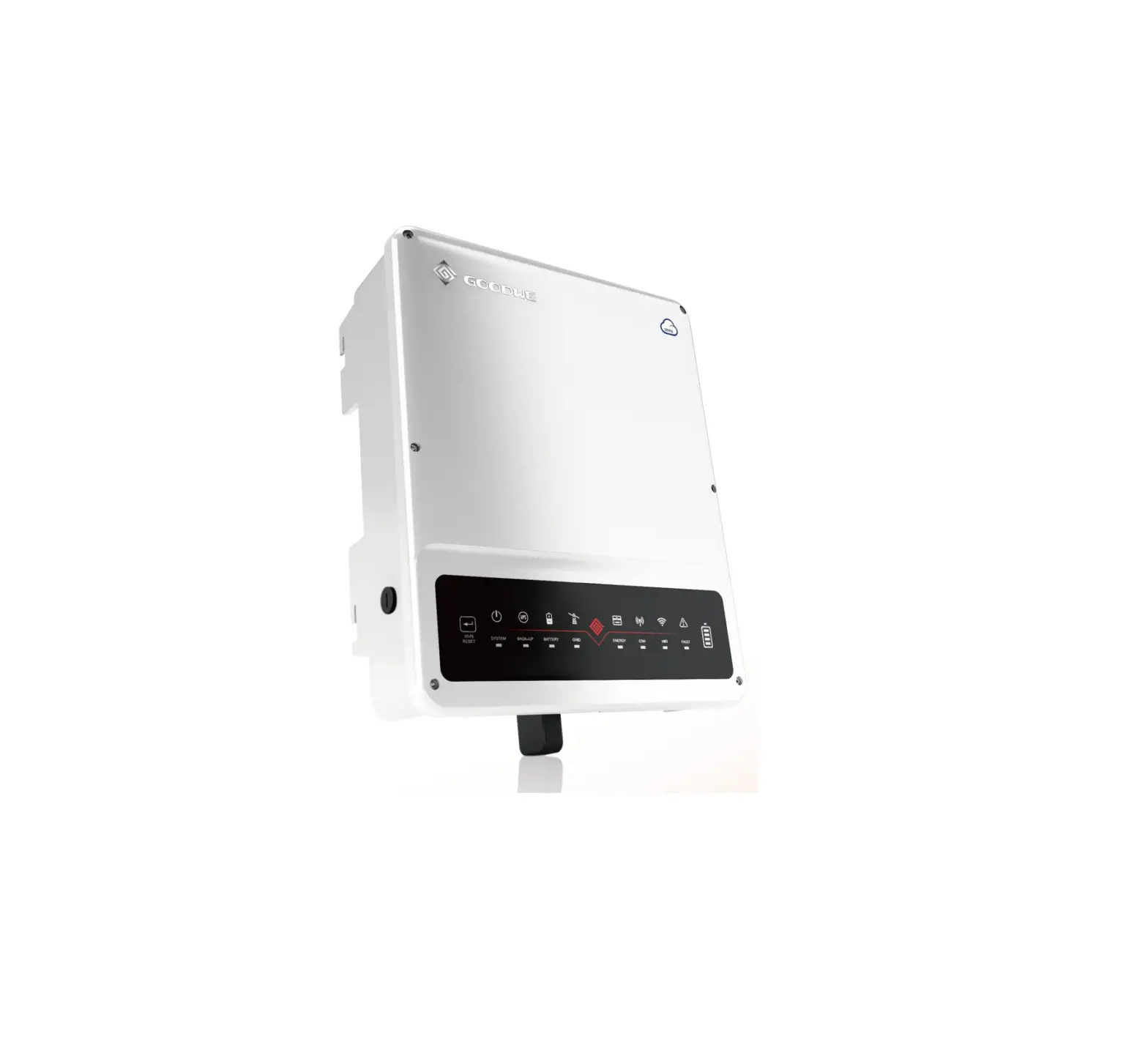
SNA3000 WPV ECO Hybrid Inverter
Product Information
The ECO Hybrid Inverter SNA3000 WPV, SNA4000 WPV, and SNA5000
WPV are products of Lux Power Technology Co., Ltd. These inverters
are designed to provide uninterrupted power supply for residential
and commercial use. The inverter has a parallel function, enabling
multiple inverters to be connected in parallel for increased power
output.
Features of the Inverter
- Hybrid solar inverter
- Off-grid and grid-tied modes
- Battery charging and discharging management
- Parallel operation function
- AC/DC input/output connection
- PV and generator connection
- Dry contact signal control
- LCD display and settings
- Monitor system for off-grid mode
Interface of the Inverter
The inverter has an LCD display that shows the system status,
power output, battery level, and other information. It also has AC
and DC input/output ports, PV and generator connectors, and dry
contact signal control.
Packing List
- Inverter
- User manual
- AC input/output cable
- PV connector
- Battery power cable
- Dry contact signal cable
- Installation kit
Specifications
| Model | SNA3000 WPV | SNA4000 WPV | SNA5000 WPV |
|---|---|---|---|
| Rated Power | 3 kW | 4 kW | 5 kW |
| Max. PV Power | 4.2 kW | 5.6 kW | 7 kW |
| Max. PV Voltage | 500 VDC | 500 VDC | 500 VDC |
| Battery Voltage | 48 VDC | 48 VDC | 48 VDC |
| AC Output Voltage | 220/230 VAC | 220/230 VAC | 220/230 VAC |
Product Usage Instructions
Installation
The installation of the inverter should be done by a qualified
person with knowledge of electrical safety standards and local
regulations. Before installation, read the user manual carefully
and follow the instructions provided.
Preparation
Before installing the inverter, check the packing list to ensure
all components are available. Choose a suitable location for the
inverter, keeping in mind the ventilation requirements and the
distance from other electrical devices. Ensure the installation
site is dry and not exposed to direct sunlight.
Mounting the Unit
Mount the inverter on a solid and flat surface using the
installation kit provided. Ensure that the inverter is securely
attached and does not move or vibrate during operation.
Battery Connection
Connect the battery to the inverter using the battery power
cable provided. Ensure that the battery is fully charged and has
the correct voltage rating.
Battery Power Cable Connection
Connect the battery power cable to the positive and negative
terminals of the battery. Ensure that the cable is securely
attached and does not touch any other metal objects.
Lithium Battery Connection
If using a lithium battery, connect it to the inverter according
to the manufacturer’s instructions. Ensure that the battery has the
correct voltage rating and is compatible with the inverter.
AC Input/Output Connection
Connect the AC input/output cable to the inverter and ensure
that it is securely attached. The AC input/output cable should be
connected to a suitable power source, such as a generator or
utility grid.
PV Connection
Connect the PV connector to the inverter and ensure that it is
securely attached. The PV connector should be connected to a solar
panel or array with the correct voltage rating.
Generator Connection
Connect the generator to the inverter using the AC input/output
cable provided. Ensure that the generator is compatible with the
inverter and has the correct voltage rating.
Dry Contact Signal Control
Connect the dry contact signal cable to the inverter and ensure
that it is securely attached. The dry contact signal cable is used
to control the inverter using an external signal.
Parallel Function
If using multiple inverters in parallel, follow the instructions
provided in the user manual for connecting the inverters. Ensure
that the inverters are compatible and have the same
specifications.
Power ON/OFF
To turn on the inverter, press the power button located on the
front panel. To turn off the inverter, press and hold the power
button for 3 seconds.
Working Modes
The inverter has off-grid and grid-tied modes, which can be
selected using the LCD display. The off-grid mode is used when
there is no power supply from the utility grid, while the grid-tied
mode is used when there is a power supply from the utility
grid.
Offgrid Modes Introduction
The off-grid mode has several sub-modes, including battery
first, PV first, and AC first. The battery first mode uses the
battery as the primary power source, while the PV first mode uses
solar power as the primary source. The AC first mode uses the
utility grid as the primary source.
The working modes can be configured using the LCD display.
Follow the instructions provided in the user manual for setting up
the working modes.
LCD Display and Settings
The inverter has an LCD display that shows the system status,
power output, battery level, and other information. The LCD
settings can be configured using the buttons located on the front
panel.
LED Display
The LED display shows the system status, indicating whether the
inverter is on or off, and whether there is a fault or error.
LCD Display
The LCD display shows more detailed information about the
system, including the power output, battery level, and working
mode.
Inverter Status Display
The inverter status display shows the status of the inverter,
including the input/output voltage and frequency, and the power
output.
LCD Settings
The LCD settings can be configured using the buttons located on
the front panel. Follow the instructions provided in the user
manual for setting up the LCD display.
Monitor System for Offgrid
The inverter has a monitor system for off-grid mode, which can
be accessed using the monitor app. Download the app from the Lux
Power website and follow the instructions provided in the user
manual for setting up the monitor system.
Trouble Shooting & Error List
If there is a fault or error with the inverter, refer to the
error list provided in the user manual for troubleshooting steps.
If the issue cannot be resolved, contact Lux Power customer support
for assistance.
Where sun shined Power always on
Version: SNA-EN-UM-1.0-05 SN:092.0004904
USER MANUAL
ECO Hybrid Inverter SNA3000 WPV SNA4000 WPV SNA5000 WPV
www.luxpowertek.com
Monitor APP Download
Android
LUX POWER TECHNOLOGY CO., LTD
IOS
Table Of Contents
Information on this Manual
Validity Scope Target Group Safety Instructions
1. Brief Introduction
1.1 Features of the inverter 1.2 Interface of the inverter 1.3 Packing list
2. Installation
2.1 Preparation 2.2 Mounting the Unit 2.3 Battery Connection
2.3.1 Battery Power Cable Connection 2.3.2 Lithium Battery Connection 2.4 AC Input/Output Connection 2.5 PV Connection 2.6 Generator Connection 2.7 Dry Contact Signal control 2.8 Parallel function 2.9 Power ON/OFF
01
3. Working Modes
15
01
3.1 Offgrid modes introduction
15
01
3.2 Working modes related setting description
17
01
4. LCD Display and settings
20
01
4.1 LED Display
20
02
4.2 LCD Display
21
02
4.3 Inverter Status Display
22
03
4.4 LCD Settings
23
04
5. Monitor System for Offgrid
31
05
6. Specifications
32
05
7. Trouble Shooting & Error List
35
07
08
08
08
09
10
10
12
12
14
Information on this Manual
Validity
This manual is valid for the following devices:SNA3000 WPV/SNA4000 WPV/SNA5000 WPV
Scope
This manual provides the installation, operation and troubleshooting of this unit, please read this manual carefully before installations and operations.
Target Group
For qualified persons and end users. Qualified persons and end users must have the following skills: Knowledge about this unit operation Training in deal with the security issues associated with installations and electrical safety Training in the installation and commissioning of electrical devices and installations Knowledge of the applicable local standards and directives
Safety Instructions
WARNING: This chapter contains important safety and operating instructions. Read and keep this manual for future reference.
All the operation and connection need to be operated by qualified persons. Before using the unit, read all instructions and cautionary marking on the unit. Any damage caused by inappropriate operation is not warranted by Luxpower .
All the electrical installation must comply with the local electrical safety standards. Do not disassemble the unit. Take it to a qualified service center when service or repair is required, incorrect re-assembly may result in a risk of electric shock or fire. Do not open inverter cover or change any components without Luxpower’s authorization, otherwise the warranty commitment for the inverter will be invalid.
To reduce risk of electric shock, disconnect all wirings before attempting any maintenance or cleaning, turning off the unit will not reduce this risk.
CAUTION-To reduce risk of injury, charge only deep-cycle lead-acid type rechargeable batteries and lithium batteries, other types of batteries may burst, causing personal injury and damage. NEVER charge a frozen battery. For optimum operation of this unit, please follow required spec to select appropriate cable size and breaker. Please strictly follow installation procedure when you want to disconnect AC or DC terminals, please refer to INSTALLATION section of this manual for the details.
GROUNDING INSTRUCTIONS -This unit should be connected to a permanent grounded wiring system, be sure to comply with local requirements and regulation to install this inverter.
NEVER cause AC output and DC input short circuited. Do not connect to the mains when DC input short circuits. 01
1. Brief Introduction
1.1 Features of the inverter
Wifi / 4G
Internet
Luxpower View
LOGIN
Solar Panel
Luxpower Server
Utility Grid
Home Loads
Generator
Battery
SONAR series is a multifunctional, high frequency pure sine wave ECO Hybrid inverter solar inverter, features:
Applicable for pure off grid inverter/ backup power / self-consumption / on grid situation Integrated with 2 MPPT solar charge controllers, MPPT ranges 120V~385V Rated power 5KW, power factor 1 Be able to run with or without battery in ongrid and offgrid mode With separated generator input interface, able to control generator remotely Solar and utility grid can power loads at the same time With integrated advanced parallel function, up to 10pcs max paralleling Support CAN/RS485 for Li-ion battery BMS communication WIFI/ GPRS remote monitoring , setting and firmware update, support website, free IOS/Android APP
02
1.2 Interface of the inverter
1.3 Packing List
Before installation, please inspect the unit. Be sure that nothing inside the package is damaged. You should have received the following items in the package:
LCD display
Function buttons Fault/Warning Status indicator Normal Status indicator
BAT+
BAT-
PVA+ PVA- PVB+ PVB- L
N PE L N L N
AC INPUT
AC OUTPUT GEN
ECO Hybrid inverter X1 User Manual X1
Expansion Screw and Tube X4
Wi-Fi Module X1
Cross Head ScrewX5 / NutX2
Storing the Inverter The inverter must be stored appropriately if not installed immediately, refer to below figure.
CAUTION !
a) The inverter and its components must be stored in its original packaging.
b) The storage temperature should be within -25~60 and humidity within 0~85%. c) The packing should be upright and maximum stacked layers is 6 . d) Do not directly exposed the inverter and its packaging to sunshine, raindrops and keep away from corrosion.
MPPT485
WIFI
Li-ion CAN/RS485
NTC
Dry Port GEN No2 COM2 Nc2 No1 COM1 Nc1
Parallel BAT+
BAT-
OFF
ON EPS Output
PVA
PVB
AC INPUT
AC OUTPUT
GEN OFF
ON Power
WiFi/GPRS
Dry contacts
Acid NTC port
Power on/off switch Circuit breaker
EPS on/off switch
Parallel communication Resistor switch
Parallel communication ports
Battery CAN /RS485
03
04
2. Installation
2.1 Preparation
The system connection is as below:
600V, 2*10AWG
L
AC Input
N PE
L
AC Output
N
PE
L
GEN
N
BAT
PV
600V, 4*12AWG
600V, 2*10AWG QF 1
QF 1
QF 2
QF 1
Grid PE
LOAD EPS
G Generater
MAX:140A 100V, 2*4AWG
QF 3
QF 1 QF 2 QF 3
In63A In63A In140A
QF 2 is Double interlock switch or Dual Power Switch In63A
2. AC connection: Please install a separate AC breaker between inverter and AC input power source, inverter and AC output load. This will ensure the inverter can be securely disconnected during maintenance and fully protected from over current of AC input. The recommended spec of AC breaker is 32A. Recommended AC input/ AC output /GEN cable size for each inverter.
Model SNA5000WPV
Gauge 10AWG
Cable (mm2) 6
Torque Value 1.2 Nm
3. PV Connection: Please install separately a DC circuit breaker between inverter and PV modules. The recommended of DC breaker is 600V/20A. It’s very important for system safety and efficient operation to use appropriate cable for PV module connection. To reduce risk of injury, please use the proper recommended cable size as below:
Model SNA5000WPV
Gauge 1x12AWG
Cable (mm2) 4
Torque Value 1.2 Nm
4. Before connecting all wiring, please take off bottom cover by removing 3 screws as shown below.
Please prepare the breakers and cables in advanced before installation.
1. Battery connection: For safety operation and regulation compliance, it’s requested to install a separate DC over-current protector or disconnect device between battery and inverter. The recommend battery capacity is 150AH-200AH, the recommended spec of DC breaker is 150A/60V. Recommended battery cable and terminal size:
Model
Maximum Battery Amperage capacity Wire Size
SNA5000WPV 110A
200AH
1*2AWG 2*6AWG
Ring Terminal
Cable
Dimensions
mm2 D (mm) L (mm)
38
6.4 39.2
28
6.4 33.2
Torque value 2~ 3 Nm
05
06
2.2 Mounting the Unit
Notice: Consider the following points before selecting where to install: Mount on a solid surface Do not mount the inverter on flammable construction materials. For proper air circulation to dissipate heat, allow a clearance of approx. 20 cm to the side and approx. 50 cm above and below the unit. The ambient temperature should be between 0°C and 55°C to ensure optimal operation. The recommended installation position is to be adhered to the wall vertically.
Steps to mounting the unit Step1. Use the wall-mounting bracket as the template to mark the position of the 4 holes, then drill 8 mm holes and make sure the depth of the holes is deeper than 50mm. Step2. Install the expansion tubes into the holes and tight them, then use the expansion screws (packaged together with the expansion tubes) to install and fix the wall-mounting bracket on the wall. Step3. Install the inverter on the wall-mounting bracket and lock the inverter using the security screws.
180 mm
519 mm 500mm
200mm
200mm
500mm
07
2.3 Battery Connection
2.3.1 Battery Power Cable Connection
Note: for lead acid battery, the recommended charge current is 0.2C( C to battery capacity)
1. Please follow below steps to implement battery connection: 2. Assemble battery ring terminal based on recommended battery cable and terminal size. 3. Connect all battery packs as units requires. It’s suggested to connect at least 200Ah capacity battery for SNA5000 WPV. 4. Insert the ring terminal of battery cable flatly into battery connector of inverter and make sure the bolts are tightened with torque of 2 ~3Nm. Make sure polarity of the battery is correctly connected and ring terminals are tightly screwed to the battery terminals.
2.3.2 Lithium Battery Connection
If choosing lithium battery for SNA5000 WPV, please make sure the battery BMS is compatible with Luxpower inverter. Please check the compatible list in the Luxpower website.
Please follow below steps to implement lithium battery connection:
1. Connect power cable between inverter and battery
2. Connect the CAN or RS485 communication cable between inverter and battery. If you do not get the communication cable from inverter manufacturer or battery manufacturer, please make the cable according to the PIN definition
3. Lithium battery configuration, in order to communicate with battery BMS, you should set the battery
type to “Li-ion” in Program “03” by LCD and choose the right battery brand (for details, please check the
LCD setting chapter), users can also choose the battery type and brand by monitor system.
MPPT485
ON
ON
Red Color Switch 12
Blue Color Switch 12
Pin RS 485 port CAN port Pin RS 485 port CAN port
Parallel
1 2 3 4 5 6/7/8
RS 485B RS 485A
– – – – – – – – –
– – – – –
CANL
CANH – – – – –
1 2 3 4 5 6/7/8
RS 485B RS 485A
– – – – – – – – –
– – – – – – –
CANH CANL
– – –
MPPT485
Battery Pack NTC
Parallel Inverter
08
2.4 AC Input/Output Connection
CAUTION!!
– There are two terminal blocks with “IN” and “OUT” markings. Please do NOT mis-connect input and output connectors. – Be sure to connect AC wires with correct polarity. If L and N wires are connected reversely, it may cause utility short-circuited when these inverters are worked in parallel operation.
Please follow below steps to implement AC input/output connection: 1. Before making AC input/output connection, be sure to open DC protector or disconnected first.
2. Remove insulation sleeve 10mm for six conductors. And shorten phase L and neutral conductor N 3 mm. 3. Insert AC input wires according to polarities indicated on terminal block and tighten the terminal screws. Be sure to connect PE protective conductor first. 4. Insert AC output wires according to polarities indicated on terminal block and tighten terminal screws. Be sure to connect PE protective conductor first.
5. Make sure the wires are securely connected.
Ground (yellow-green) LLINE (brown or black) NNeutral (blue)
10
3 10
3
2.5 PV Connection
Please follow below steps to implement PV module connection: 1. Remove insulation sleeve 10 mm for positive and negative conductors.
2. Check correct polarity of connection cable from PV modules and PV input connectors.
3. Connect positive pole (+) of connection cable to positive pole (+) of PV input connector. Connect negative pole (-) of connection cable to negative pole (-) of PV input connector. 4. Make sure the wires are securely connected. 5. Finally, after connecting all wiring, please put bottom cover back by screwing two screws as shown below.
BAT+
BAT-
PVA+ PVA- PVB+ PVB- L
N PE L N L N
AC INPUT
AC OUTPUT GEN
2.6 Generator Connection
LLINE (brown or black) NNeutral (blue)
1. Before making Generator connection, be sure to open DC protector or disconnected first. 2. Remove insulation sleeve 10mm for 2 conductors. 3. Insert L and N wires according to polarities indicated on terminal block and tighten the terminal screws
BAT+
BAT-
PVA+ PVA- PVB+ PVB- L
N PE L N L N
AC INPUT
AC OUTPUT GEN
BAT+
BAT-
PVA+ PVA- PVB+ PVB- L
N PE L N L N
AC INPUT
AC OUTPUT GEN
09
10
All lux units can work with generator. Users can connect the generator output to ECO Hybrid inverters. GEN input terminal. The generator will be automatically started when battery voltage is lower than the cut-off value or there is charge request from BMS. When voltage is higher than AC charge setting value, it will stop the generator Battery will get charged when the generator is turned on, and the generator is bypassed to AC output to take all loads .
Generator
MPPT485
WIFI
Li-ion CAN/RS485
NTC
Dry Port GEN No2 COM2 Nc2 No1 COM1 Nc1
Parallel BAT+
BAT-
OFF
ON EPS Output
PVA
PVB
AC INPUT
AC OUTPUT
GEN OFF
ON Power
N L
In63A
In140A
PV BATTERY
PE N
N L
L HOUSE Essential LOAD
Double interlock switch or Dual Power Switch In63A
NL
PE
N L
In63A
Grid
The system will use AC first if there is both utility input and generator input.
The capacity of the generator is recommended
Number of the single parallel inverter Single inverter 2 parallel
Capacity >10KW >15KW
It is supported to parallel 2~3 PCS inverter with single phase in single phase parallel system and three phase parallel system to charge battery with Generator! And it is depends on the load performance of the generator too.
11
2.7 Dry Contact Signal control
The Dry port(NO2,COM2,NC2) could be used to deliver signal to external device when battery voltage reaches warning level. The GEN port(NO1,COM1,NC1) could be used to wake-up the Generator and then the generator can charge the battery.
Dry port GEN
NO2 COM2 NO1 COM1
Dry port GEN
NO2 COM2 NO1 COM1
Unit Status
Condition
NO2 & COM2
NO1 & COM1
Power Off Inverter is off and no output is powered.
Open
Open
Battery voltage < Low DC warning voltage Without Grid Battery voltage > Setting value or battery charging reaches floating stage
Power On
With Grid
Battery voltage < Low DC warning voltage
Battery voltage > Setting value or battery charging reaches floating stage
Close Open Close Open
Close Open Open Open
Notice: NO—Normal open
2.8 Parallel function
Dry Port Relay Maximum Specification: 250VAC 5A Gen Port Relay Maximum Specification: 250VAC 5A
SNA series inverter support up to 10 units to composed single phase parallel system or three phase parallel system, for parallel system setup Step1. Cable connection: the system connection is as below:
Inverter 1 L
PV
AC Input
N PE
CAN 1
L
Parallel line 1
CAN 2 AC Output BAT
N PE
AC
Grid Bus-Bar(L,N)
AC
Cannot share PV input at any time!
DC
+
EPS Bus-Bar(L,N)
Inverter 2 L
AC
Parallel line 3
PV
AC Input
N PE
+
CAN 1
L
AC
Parallel line 2
CAN 2 AC Output BAT
N PE
AC Input Grid Bus-Bar(L,N)
PE
Grid
DC
+
Inverter 3 L
AC
PV
AC Input
N PE
CAN 1
L
AC
CAN 2 AC Output N
BAT
PE
DC
AC Output EPS Bus-Bar(L,N)
PE
EPS LOAD
12
Cannot share PV input at any time!
Inverter 1
PV
AC Input
Parallel line 1
CAN 1 CAN 2
AC Output
BAT
DC
Inverter 2
PV
AC Input
Parallel line 2
CAN 1 CAN 2
AC Output
BAT
DC
L
AC
N PE
L
AC
N
PE
EPS Bus-Bar(L,N)
L
AC
N
PE
L
AC
N PE
Inverter 3
L
AC
PV
AC Input
N PE
CAN 1
L
AC
CAN 2 AC Output BAT
N PE
DC
Phase L1 Grid or Generater
Phase L1 EPS
Phase L2 Grid or Generater
Phase L2 EPS
Phase L3 Grid or Generater
Phase L3 EPS
Parallel line 3
Step2. Please put the CAN communication PIN to on status for the first and the end inverter
11
1 0
ON 12
3
00
1 ON 0 12
3
00
1 ON
3
0 12
No.1
No.2
No.n-1
No.n
11
1 ON 0 12
3
Parallel
Parallel
Parallel
Parallel
4 Parallel line1
4
Parallel line2
4
Parallel line(n-1 to n)
4
Parallel line(n to 1)
The max parallel quantity is 10, so 2<n<10
13
Step3. Setup the monitor for the system, add all datalogs in one station. Users can login to the visit interface of monitor system, Configuration->station->Plant Management->add datalog to add the datalogs.
Monitor
Data
Overview
Maintain
Aspergo User Center
Stations Datalogs Inverters Users
+ Add Station
Plant name 1 Genesis 2 Butler Home 3 Office 4 Cronje Home
Installer Elangeni Broomhead
End User Aspergo Install johnbutler
cronje
Country South Africa South Africa South Africa South Africa
Timezone GMT+2 GMT+2 GMT+2 GMT+2
Search by station name
Daylight saving time Create date
No
2019-03-14
No
2019-03-25
No
2019-06-03
No
2019-07-16
Action Plant Management Plant Management Plant Management Plant Management
Step4. Enable share battery for the system if the system share one battery bank, otherwise disable the shared battery function
Step5. Set the system as a parallel group in the monitor system
Monitor
Data
Overview
Maintain
Aspergo User Center
Stations Overview
Station Name
Search by inverter SN
Device Overview
Serial number Status Solar Power Charge Power Discharge Pow Load Solar Yielding Battery Dischar Feed Energy Consumption E Plant name Parallel Action
1 0272011008
Normal 228 W
42 W
0 W
182 W 215.3 kWh
39.6 kWh
0 kWh
551.2 kWh
Dragonview A-1 Parallel
2 0272011011
35 W
32 W
0 W
0 W
158.7 kWh
21.1 kWh
0 kWh
160.5 kWh
Dragonview A-2 Parallel
3 0272011012
1 kW
129 W
0 W
1 kW 170.3 kWh
49.9 kWh
0 kWh
434.5 kWh
Dragonview A-3 Parallel
4 0272011017
79 W
48 W
0 W
106 W 99 kWh
85.6 kWh
0 kWh
257.1 kWh
Dragonview A-4 Parallel
For more detailed guidance for paralleling system, please visit https://www.luxpowertek.com/download/ And download the guidance
2.9 Power and EPS ON/OFF
MPPT485
WIFI
Li-ion CAN/RS485
NTC
Dry Port GEN No2 COM2 Nc2 No1 COM1 Nc1
Parallel BAT+
BAT-
OFF
ON EPS Output
PVA
PVB
AC INPUT
AC OUTPUT
GEN OFF
ON Power
1.Power Switch: Control power supply for the unit
2.EPS Output Switch: Use to control the AC output After connection, please turn on both switch. Users can turn off the EPS output switch to turn off power supply in some emergency case
14
3. Working modes
3.1 ECO Hybrid inverter modes introduction:
Bypass Mode
AC is used to take the load
PV Charge Bypass
PV charge the battery while the AC power the load
BAT Grid off
Battery is used to take the load
AC Charge PV+AC charge
PV Grid off
PV+BAT Grid off PV Charge
PV Charge+Grid off
PV+Battery power the load together
1.When the EPS key off, the inverter charge the battery only 2.When the battery is power off, the PV can wake up the battery automatically
PV charge the battery and power the load
PV charge Gridon PV+BAT Gridon
PV Gridon
15
1. AC charge the battery from AC Input or GEN Input 2. When the battery is power off, the AC can wake up the battery automatically
PV+AC charge the battery AC is from AC Input or GEN Input
NOTE: The output power depends on the PV energy input, if the PV energy is unstable, witch will influence the output power When setting without battery, the PV can power the load .
PV charge battery and power the load *The rest power from PV can feed in Grid
PV+Battery power the load , and the AC can power the load if PV+Battery power not enough
PV power the load, the rest power feed in Grid
16
3.2 Working Modes related setting description
Situation
Setting 1
Setting 2
AC abnormal
NA
NA
In the AC first time
AC normal
PV&AC Take Load Jointly Enable
Enable AC charge and in the AC charge time
1. Not in the AC first time and 2. Disable AC charge or not in the AC charge time In the AC first time
PV&AC Take Load Jointly Disable
Enable AC charge and in the AC charge time
1. Not in the AC first time and 2. Disable AC charge or not in the AC charge time
17
Setting 3
Working modes and Description
off grid inverter mode
if P_Solar>=P_load, solar is used to take load and charge battery
NA
if P_Solar<P_load, solar and battery take the load together, system
will discharge until battery lower than the Cut Off Voltage/SOC
Hybrid Mode 1(charge first)
Solar power will used to charge battery first,
1.The solar power will be used to charge the battery first. AC will take load.
NA
2.if solar power is higher than power need to charge the battery, the
extra power will used to take load togther with grid
3.If there is still more energy after charge battery and take the load,
it will feed enegry into grid if export to grid function is enabled
AC charge accroding to Time
Hybrid Mode 1(charge first)+AC charge battery if solar power is not enough to charge battery
AC charge accroding to battery voltage or SOC
Hybrid Mode 1(charge first)+AC charge battery if solar power is not enough to charge battery and the battery voltage/SOC is lower than AC start charge voltage/SOC, the AC will stop charging when the battery Voltage/SOC is higher than AC end charge battery voltage/SOC
Hybrid Mode 2(load first)
Solar power will used to take load first,
1.if solar power is lower than load, battery will discharge together to
NA
take load until battery lower than EOD voltage/SOC
2.if solar power is higher than load, the extra power will used to charge
battery, if there is still more energy, it will feed into grid if enable export
Bypass Mode
NA
AC will take the load and Solar is used to charge battery
AC charge accroding to Time
Bypass Mode+AC charge battery Solar is used to charge battery AC will take load and also charge battery during AC charge time if solar power is not enough
AC charge accroding to SOC/Battery voltage
Bypass Mode+AC charge battery Solar is used to charge battery AC will take load and also charge battery when battery SOC/Volage is lower than start SOC/Voltage, and the AC will stop charging when the battery Voltage/SOC is higher than AC end charge battery voltage/SOC
off grid inverter mode
if P_Solar>=P_load, solar is used to take load and charge battery
NA
if P_Solar<P_load, solar and battery take the load together, system will
discharge until battery lower than EOD Voltage/SOC
18
1. SONAR can work as traditional off grid inverter or as a hybrid inverter. When disable PV&AC Take load Jointly, it will work as a traditional off grid inverter, otherwise it will work as a hybrid
Hybrid Setting
PV&AC Take Load Jointly Enable Disable
Discharge Current Limit 300
Set
Export to Grid Enable Disable
Export Power Percent(%) 0
Set
2. Working as a traditional off grid inverter. In this situation, inverter either use (solar+battery) to take load or use AC take load. Related settings
Application Setting
EPS Voltage Set(V) 230
Set
EPS Frequency Set(Hz) 50
Set
AC Input Range 0: APL(Utility Range90
AC First AC first Start Time 1 00 : 00 Set
Set AC first Start Time 2 14 : 30 Set
AC first Start Time 3 16 : 30 Set
AC first End Time 1 12 : 00 Set
AC first End Time 2 15 : 00 Set
AC first End Time 3 16 : 40 Set
AC First: During the setting time, system will use AC to take load first, use solar power to charge the battery. If the battery is full, solar power may be wasted. When out of the setting time, system will use battery and solar to take load until battery voltage/SOC is lower than cut off voltage/SOC
Discharge Setting
Discharge Control According to SC
Set
Battery Warning Voltage 44
Set
Battery Warning SOC 20
Set
Battery Warning Recovery Voltage 46
Set
Battery Warning Recovery SOC 60
Set
Discharge Cut-off Voltage 45
Set
Discharge Cut-off SOC 15
Set
On Grid EOD Voltage(V) 56
Set
On Grid EOD SOC(%) 30
Set
3. Working as a hybrid inverter. Related settings Application Setting
EPS Voltage Set(V) 230
Set
EPS Frequency Set(Hz) 50
AC Input Range 0: APL(Utility Range90
AC First AC first Start Time 1 00 : 00 Set
Set AC first Start Time 2 14 : 30 Set
AC first End Time 1 12 : 00 Set
AC first End Time 2 15 : 00 Set
Set
AC first Start Time 3 16 : 30 Set AC first End Time 3 16 : 40 Set
3.1 AC First: During this setting time, system will use AC to take load, use solar power to charge the battery first. If there is extra solar power, extra solar power will take the load. When out of the setting time, system will use solar and battery to take load first until the battery voltage/SOC is lower than On Grid EOD settings, then it will use AC to take the load.
19
Discharge Setting
Discharge Control According to SC
Set
Battery Warning Voltage 44
Set
Battery Warning SOC 20
Set
Battery Warning Recovery Voltage 46
Set
Battery Warning Recovery SOC 60
Set
Discharge Cut-off Voltage 45
Set
Discharge Cut-off SOC 15
Set
On Grid EOD Voltage(V) 56
Set
On Grid EOD SOC(%) 30
Set
3.2 Export to Grid/Export Power percent: Users can also enable export function, it is allowed and set export power percent
AC Charge
AC Charge According to 8
Set
AC Charge Battery Current(A) 30
Set
Disable AC Charge Start Time 1 00 : 0A0ccordSientg to Time AC Charge Start Time 2 00 : 00 Set
According to Battery Voltage when no solar
AC Charge End Time 1 23 : 0A0ccordSientg to BatterAy SCOCChwarhgeen nEondsoTlaimr e 2 00 : 00 Set
AC Charge Start Time 3 16 : 30 Set AC Charge End Time 3 16 : 40 Set
AC Charge Start Battery Voltage(V) 46.4
Set
AC Charge End Battery Voltage(V) 48
Set
AC Charge Start Battery SOC(%) 20
Set
AC Charge End Battery SOC(%) 100
Set
3.3 AC Charge function Disable: The system will not use AC to charge the battery(except Li ion BMS set force charge flag )
According to Time: During the setting time, system will use AC to charge the battery until battery full and battery will not discharge during the setting time.
According to Battery Voltage: During the setting time, system will use AC to charge the battery if battery voltage is lower than AC Charge Start Battery Voltage and will stop when Voltage is higher than AC Charge End Battery Voltage. And battery will not discharge during the setting time.
According to Battery SOC: During the setting time, system will use AC to charge the battery if battery SOC is lower than AC Charge Start Battery SOC and will stop when Voltage is higher than AC Charge End Battery SOC. And battery will not discharge during the setting time.
4. LCD display and settings
4.1 LED Display
LED Indicator
Solid On 1 Green
Flashing
2 Red Flashing
Messages
Working normal
fast: Warning slow: Firmware update
Fault condition occurs in the inverter
1
2
20
4.2 LCD Display
4.3 Inverter Status Display
Normal status, running status 40
Warning Status, warning 29
No.
Description
1
Generally Information Display Area
2
On-grid solar inverter output power and energy data
3 Battery information and data
System working status 4 / setting code
Remarks
Display the currently time/date by default(year/month/day/ hour/ minute” switching automatically). When press Up or Down buttons, this area will display the firmware version information, serial number etc. Display the setting selection information when entering settings
This area shows the data of PV voltage, power and the setting of PV input connection information
This area shows the battery type, battery brand(lithium battery), the lead-Acid battery setting of CV voltage, Floating charging voltage, Cut off voltage, Discharge end voltage . And display the voltage, SOC and power in turns of period of 1 seconds
There are three type of working status- normal, warning and fault, in right side of this area, there are code display, it will display different type of code -the system working mode code, warning code, fault code and setting code
5
UPS/EPS output information and data
When UPS function is enabled, this area will display UPS voltage, frequency, power etc. in turns of periods of 1s
6
Programming & the percentage of AC output power
When firmware updating in process, it will display relevant information When in grid off, this area will display the Percentage of the maximum AC output power
7 Loads consumption
Display the power consumption by the loads in on grid model
8 Grid information and Generator information
Display the grid(GRIDA) information of voltage, frequency, input or output power, the Generator (GRIDB) information of voltage, frequency, input power ,switch period of 1s
9 Working mode settings area
When make settings on the SNA5000 inverter through the LCD, this area will display the AC Charge, Force Discharge, Charge First option for setting on those working modes. It will not display those information unless in the setting process.
21
22
4.4 LCD Settings
There are four buttons on the LCD. Step for settings by the display: Step1: After touch Enter button for about 2 seconds , the unit will enter setting mode. The setting icon and index will flashing. Step2:Touch UP or Down button to select setting index from 1 to 19. Step3: Then touch Enter button to set this item Step4: Touch UP or Down button to change the settings Step5: Touch Enter to confirm the setting or Return the setting list is as below
Index
Description
Setting Option
Setting Year/Month/day
1
Date& time
Setting hour/minute/second
2
PV input mode
Default: S S: two independent Strings input
P:Same string input for 2 MPPTs
dc: DC source input
3
Battery
Run with No Battery: Step1:Choose battery type first, when no flashing, select Enter to choose Run with No battery
For Lead Acid: Step1:Choose battery type first, when Lead-Acid flashing, select Enter to choose Lead-acid battery Step2:Then choose battery capacity
For Lithium battery
Step1:Choose battery type first, when Li-ion
flashing, select Enter to choose Li-ion battery
Step2:Choose battery brand
0-> Standard Battery
2->Pylon Battery
6->Luxpower protocol Battery 8->Dyness Battery
AC Output voltage 208Vac/220Vac/ 230Vac(Default)/240Vac
UPS Output voltage 4 and frequency
AC Output frequency 50Hz (Default)/60Hz
5 Buzzer enable
Buzzer enable(Default) Buzzer Disable
Ic: Maximum charge current 6 (utility charge current + solar charge current)
Totoal charge current setting Setting range :10A~140A Default: 110A
23
24
ConChr:
7
CV voltage setting (Only in Lead-acid
battery type)
FloChr: Floating charging 8 voltage setting (Only in Lead-acid battery type)
Id: Maximum 9 discharge current
10
TEOd: Discharge control
type: VOLT/SOC
25
Setting range: 50.0-59.0Vdc Default: 56.4V
CutOFF: Cut off Voltage 11 or SOC, depend on TEOd
Setting range: 50.0-56.0Vdc Default: 54.0V
Eod: 12 Discharge end
voltage or soc with grid, depend on TEOd
Totoal discharge current setting Setting range :10A~140A Default: 110A
Eod: Discharge end 12 voltage or soc with grid, depend on TEOd
Setting Range: VOLT/SOC
13
AcIn: AC voltage range setting
Setting range: VOLT: 40.0-OnGrid EOD Volt Default: 42V
SOC: 0-OnGrid EOD SOC Default: 15%
Setting range: VOLT: Cut off Volt-56V Default: 42V
SOC: Cut off SOC -90 Default: 15%
Setting range: VOLT: Cut off Volt-56V Default: 42V
SOC: Cut off SOC -90 Default: 15%
Unity AC Input voltage range : 90Vac~280Vac
AC Output voltage range : 170Vac~280Vac
26
AC charge setting (The setting process must enable the AC charging function, confirm the full battery SOC value, and set the confirmation time period 1, 2, 3 to truly complete the AC charging function setting)
14
AC Charge function: Disable(Default) Enable (Touch “Enter” button to set ac charge parameter )
Setting AC Charge current: 30A(Default) 40A / 50A / 60A
Setting AC Charge to battery SOC:
Range:0%~100%
Default:100%
Similar to set time2 and time3
start
Setting AC Charge time of 1 start: Setting AC Charge time of 1 end:
Range:00:00~23:59
Range:00:00~23:59
start
Default:00:00~00:00
Default:00:00~00:00
start
end
Utility source 15 (AC Input) to take
Load time setting
Setting time of 1 start: Range:00:00~23:59 Default:00:00~00:00
start
Setting time of 1 end: Range:00:00~23:59 Default:00:00~00:00
end
Similar to set time 2 and time3 start
start
16 Hybrid enable/ disable
Setting Range: Hybrid Disable (default)
Hybrid Enable
Feed-In Enable/disable Only valid when Hybrid is enabled
16
Maximum Feed-In percent Only valid when Feed-In is enabled Power percent can be set larger than 100% in case of there is other generating device in the system
Battery Wakeup 17 Enable/disable
(Not for No Battery type)
18
Max Generator
Input Power
19
PV Off Grid enable/disable
27
Setting Range: Feed-In Disable (default) Feed-In Enable
Setting Range:0-100% 0% (default)
Enable wakeup battery
Setting Range:0-7369W 7369W (default)
Power
Setting Range: PV Off Grid Enable (default) PV Off Grid Disable
28
Green Function
20
enable/disable
Setting Range: ECO Mode Disable (default)
Setting Range: Green Function Disable (default)
Green Function Enable
ECO Mode Enable
21
Parallel setting
Parallel type setting
Setting Range: NoPL (not Parallel)/1PH (Single phase)/3PH (Three phase)
NoPL (default)
Parallel phase setting
Setting Range: P1 ( Rphase)/ P2(Sphase) /P3(Tphase) P1 (default)
Bat Share enable/disable
Setting Range: Disable (default) Enable
22
Error/Alarm
Record
Error Record ->Record Index ->>Record Msg: (Year: Month:Day; Hour: Min:Sec; Error code)
Alarm Record->Record Index->>Record Msg: (Year:Month:Day; Hour:Min:Sec; Alarm code)
29
23
CT Offset
Setting Range:-200~200W 20W (default)
24 Fan speed setting
Fan1 Speed Percent Setting Range: 20-100% 70% (default)
Fan1 Speed New Slope Setting Range: Disable (default) Enable
Fan2 Speed Percent Setting Range: 20-100% 70% (default)
Fan1 Speed New Slope Setting Range: Disable (default) Enable
25 Generator charge setting
Generator charge setting ->charge control type Setting Range: 1.VOL (default) 2.SOC
->control type ->>control value Setting Range: VOL : 1.Start Voltage:38.4-52V; 2.End Voltage:48-59V; SOC: 1.Start Soc:1-90%; 2.End Soc:20-100%;
Start v
30
5. Monitor System for ECO Hybrid inverter
Users can use wifi dongle / WLAN dongle / 4G dongle (Avaiblable from 2021 March for some countries) to monitor the energy storage system, The monitor website is: server.luxpowertek.com
The APP is also available in the google play and apple APP store(Scan two code bar to download the APP).
Please download the introduction of guidance by website: https://www.luxpowertek.com/download/ Document Reference:
1. Wifi Quick Guidance Quick guidance for setting password for wifi module, the paper is also available in the wifi box 2.Monitor system setup for Distributors and Monitor system setup for endusers, Monitor system registration, wifi password setting, and wifi local monitor and setting 3.Lux_Monitor_UI_Introduction Introduction of monitor interface 4. WebsiteSettingGuidance Introduction of website settings for offgrid inverter
Local Monitor
BA 19310175
9532004127
Solar Yielding 0.0 kWh
300.8 kWh
Battery Discharging
0.0 kWh
+
Today Discharging
50.1 kWh Total Discharging
Feed-in Energy
0.0 kWh Today Export
77.1 kWh Total Export
Consumption
0.0 kWh Today Usage
255.3 kWh Total Usage
0 W Battery Power
0 W PV Power
Notice 0 W
0 W Battery Level(SOC)
Standby Backup Power(EPS)
0 W Consumption
Overview
Set
31
6. Specifications
Table 1 Line Mode Specifications
INVERTER MODEL Input Voltage Waveform Nominal Input Voltage Low Loss Voltage Low Loss Return Voltage High Loss Voltage High Loss Return Voltage Max AC Input Voltage Nominal Input Frequency
Output Short Circuit Protection
Transfer Time Output power derating: When AC input voltage drops to 170V, the output power will be derated.
SNA5000WPV/SNA4000WPV/SNA3000WPV Sinusoidal (utility or generator) 230Vac 170Vac±7V (UPS); 90Vac±7V (Appliances) 180Vac±7V (UPS); 100Vac±7V (Appliances) 280Vac±7V 270Vac±7V 280Vac 50Hz / 60Hz (Auto detection) Software protect when GridOff discharge Circuit Breaker protect when GridOn Bypass <20ms @ Single <30ms @ Parallel Output Power Rated Power 20% Power
Charge power derating: When AC input voltage drops to 170V depending on models, the charge power will be derated.
Output Power Rated Power
50% Power
90V 170V
Output power derating: When AC input voltage drops to 200V, the output power will be derated.
Max inv curren: 25A; Max inv Power: 5kW;
Table 2 Inverter Mode Specifications
Input Voltage 280V
Rated Output Power Output Voltage Waveform Output Voltage Regulation Output Frequency Peak Efficiency Overload Protection Surge Capacity
5KVA/5KW 4KVA/4KW Pure Sine Wave
3KVA/3KW
208Vac/220Vac/230Vac/240Vac±5%
50Hz / 60Hz
93%
5s@150% load; 10s@110%~150% load
2* rated power within 5 seconds
32
Battery Voltage Range High DC Cut-off Voltage High DC Recovery Voltage
46.4V-60V(Li) 38.4V-60V(Lead_Acid)
59VDC(Li)
60VDC(Lead_Acid)
57.4VDC(Li)
58VDC(Lead_Acid)
Low DC Warning Voltage
load < 20% 20% load < 50%
44.0Vdc(Settable) Warning Voltage @load < 20% -1.2V
load 50%
Warning Voltage @load < 20% -3.6V
Low DC Warning Return Voltage Low DC Warning Voltage@Different load +2V
Low DC Cut-off Voltage
load < 20% 20% load < 50% load 50%
42.0Vdc(Settable) Cut-off Voltage @load < 20% -1.2V Cut-off Voltage @load < 20% -3.6V
Low DC Cut-off Return Voltage
Cut-off Voltage@load<20%45V
Low DC Cut-off Voltage @load<20%+3V
Low DC Warning SOC
Cut-off Voltage@load<20%<45V
48V
20% SOC ( Settable )
Low DC Warning Return SOC
Low DC Warning SOC +10%
Low DC Cut-off SOC
15% SOC (Grid on) ( settable) 15% SOC (Grid off ) ( settable)
Low DC Cut-off Return SOC
Low DC Cut-off SOC +10%
Charge Cut-off Voltage
58.4Vdc
No Load Power Consumption
<60W
Table 3 Charge Mode Specifications
Utility Charging Mode Lead_Acid Battery Charging Algorithm
3-Step
Max. AC Charging Current
Bulk Charging Voltage
Flooded Battery AGM / Gel Battery
Floating Charging Voltage
60Amp(@VI/P=230Vac) 58.4Vdc 56.4Vdc 54Vdc
Battery Voltage, per cell
2.43Vdc(2.35Vdc) 2.25Vdc
Charging Current
Voltage
100%
Charging Curve
T0
T1
T1=10*T0, minimun 10mina, maxmum 8hour
Bulk (Constant Current)
MPPT Solar Charging Mode
Max. PV Array Power Start-up Voltage
PV Array MPPT Voltage Range
Max. PV Array Open Circuit Voltage Max. PV Charging Current Max. Charging Current (AC Charger Plus Solar Charger)
Absorption (Constant Voltage)
3200W*2 100Vdc±10Vdc 120Vdc~385Vdc 480Vdc 110A
110A
Current
Maintenance (Floating)
50% Time
Table 4 General Specifications
INVERTER MODEL Safety Certification Operating Temperature Range Storage temperature
SNA5000WPV/SNA4000WPV/SNA3000WPV CE 0°C to 50°C -15°C~ 60°C
Humidity
Altitude Dimension(D*W*H) Net Weight
5% to 95% Relative Humidity (Non-condensing)
<2000m 505*330*135mm
14.5Kg
33
34
7. Trouble Shooting & Error List
The failures mainly divided into 5 categories, for each category, the behavior is different:
Code E000 E002 E003 E008
E009
Description Internal communication fault1
Bat On Mos Fail CT Fail
CAN communication error in Parallel System
No master in parallel system
Trouble shooting
Restart inverter, if the error still exist, contact us (DSP&M3)
Restart inverter, if the error still exist, contact us (DSP&M3)
Restart inverter, if the error still exist, contact us (DSP&M3)
Check CAN cable connection is connected to the right COM port
Check parallel setting for master/Slave part, there should be one master in the system
E010
Multi master in parallel system
Check parallel setting for master/Slave part, there should be one master in the system
E011
AC inconsistent in parallel system
Check if AC Connection is same for all inverters in parallel system
E012 E013 E015
UPS output short circuit
UPS reserve current Phase Error in three phase parallel system
Check if the load is short circuit, try to turn off the load and restart inverter
Restart inverter, if the error still exist, contact us
Check if the AC connection is right for three phase system, there should one at least one inverter in each phase
E016 E017 E018 E019 E020
E021
Relay fault Internal communication fault2 Internal communication fault3
Bus voltage high EPS connection fault
PV voltage high
Restart inverter, if the error still exist, contact us Restart inverter, if the error still exist, contact us (DSP&M8) Restart inverter, if the error still exist, contact us (DSP&M3) Check if PV input voltage is higher than 480V Check if EPS and AC connection is in wrong terminal
Check PV input connection and if PV input voltage is higher than 480V
E022 E024
E025
E026 E031
Over current internal PV short
Temperature over range
Internal Fault Internal communication fault4
Restart inverter, if the error still exist, contact us
Check PV connection
The internal temperature of inverter is too high, turn off the inverter for 10minutes, restart the inverter, if the error still exist, contact us Restart inverter, if the error still exist, contact us (Bus sample)
Restart inverter, if the error still exist, contact us (DSP&M8)
35
Code
W000
W001 W002
W004 W008 W009 W012 W013 W018 W025 W026
W027 W028 W029 W031
Description
Communication failure with battery
Battery temperature high
Battery temperature low
Battery failure
Software mismatch Fan Stuck Bat On Mos
Over temperature AC Frequency out of range
Battery voltage high Battery voltage low
Battery open EPS Over load EPS voltage high EPS DCV high
Trouble shooting
Check if you have choose the right battery brand and communication cable is right, if the warning still exist, contact us
Check battery temperature sensor is right connected and the battery temperature is not too high
Check battery temperature sensor is right connected and the battery temperature is not too low
Inverter get battery fault info from battery BMS, restart battery, if the warning still exist, contact us or battery manufacture Please contact Luxpower for firmware update
Check if the fan is OK
Restart inverter, if the error still exist, contact us The temperature is a little bit high inside inverter
Check AC frequency is in range
Check if battery voltage is in normal range
Check if battery voltage is in normal range, need to charge the battery if battery voltage is low
Check if there is output from the battery and battery connection with inverter is OK
Check if EPS load is too high
Restart inverter, if the error still exist, contact us
Restart inverter, if the error still exist, contact us
36
 server.luxpowertek.com
 Solar Power Inverters Manufacturer | Solar Inverter Factory | LuxpowerTek