 USER GUIDE

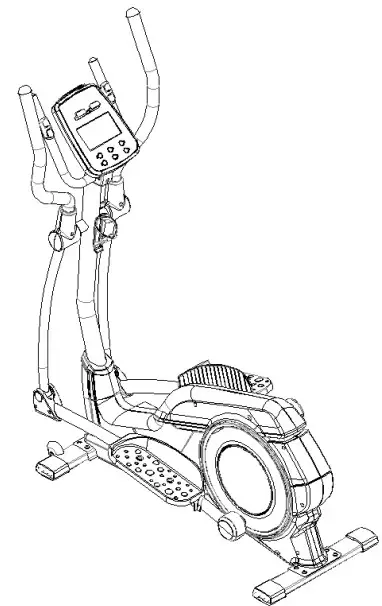
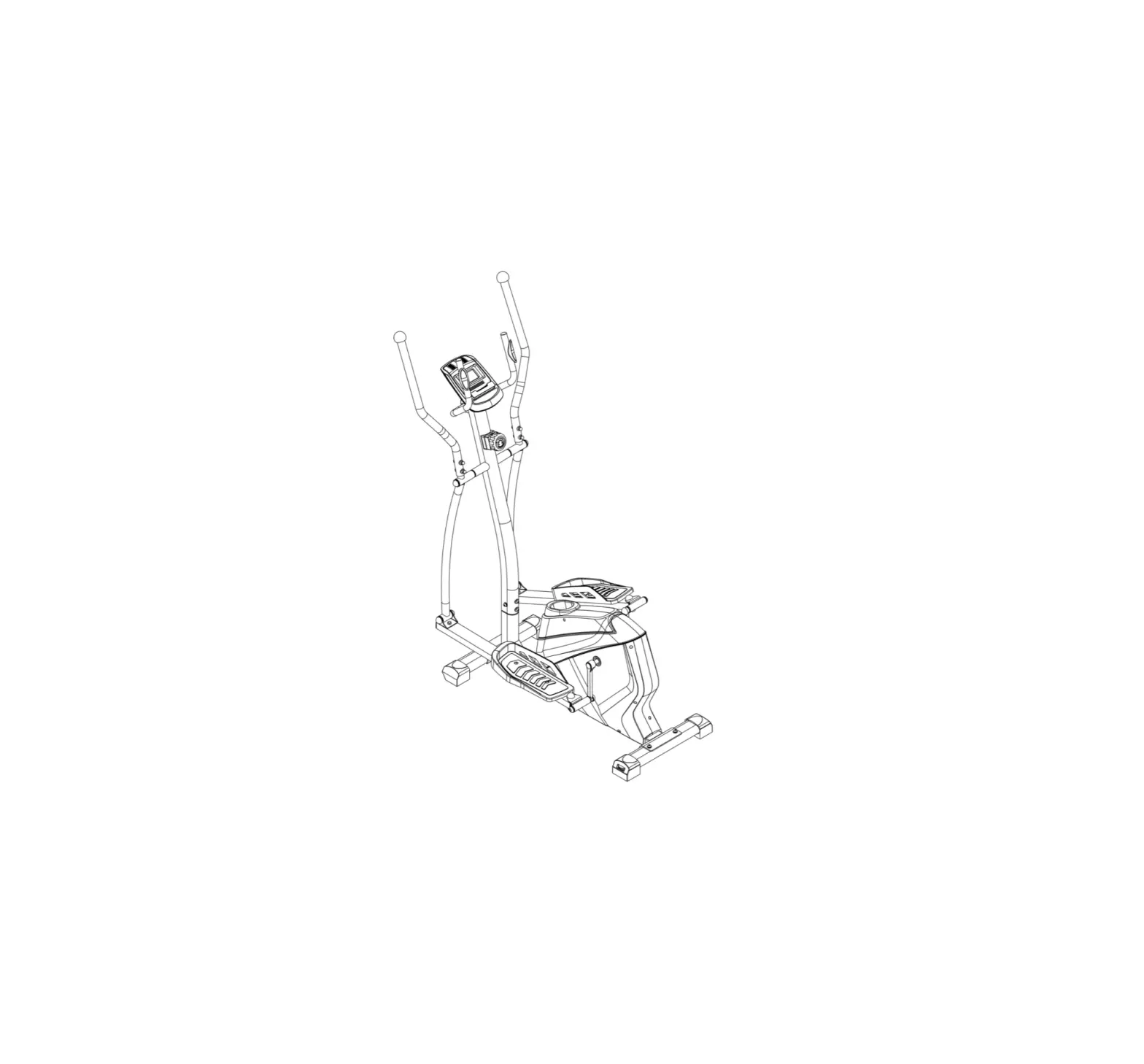
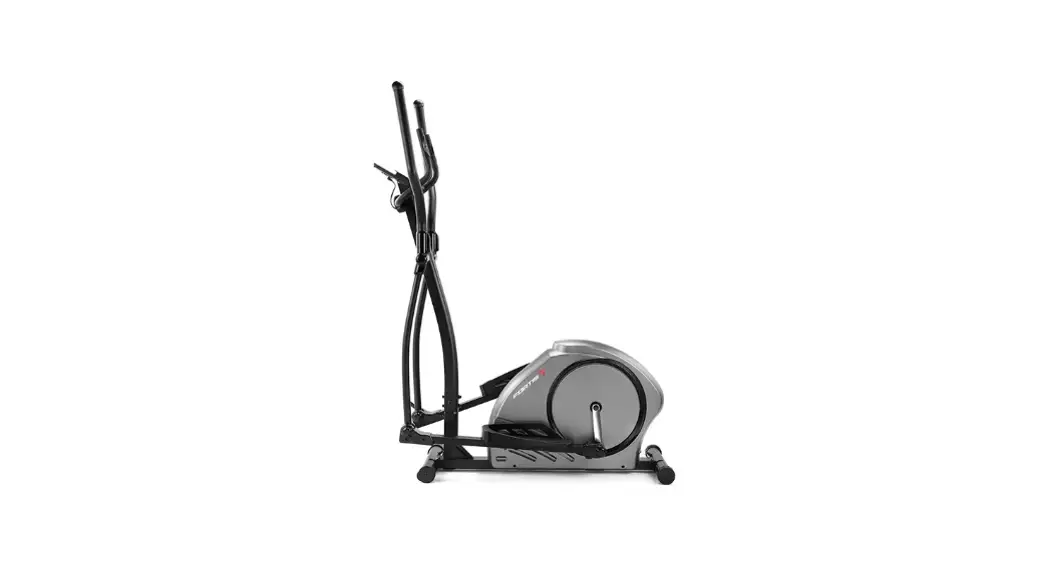
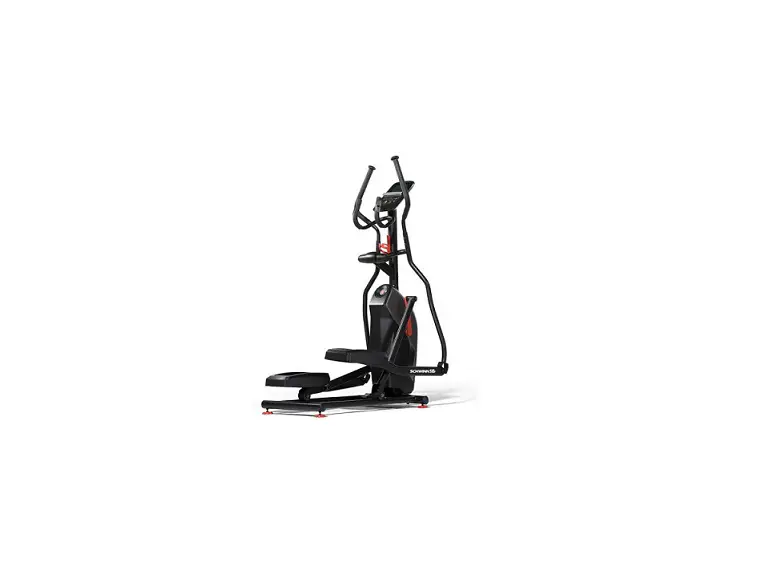
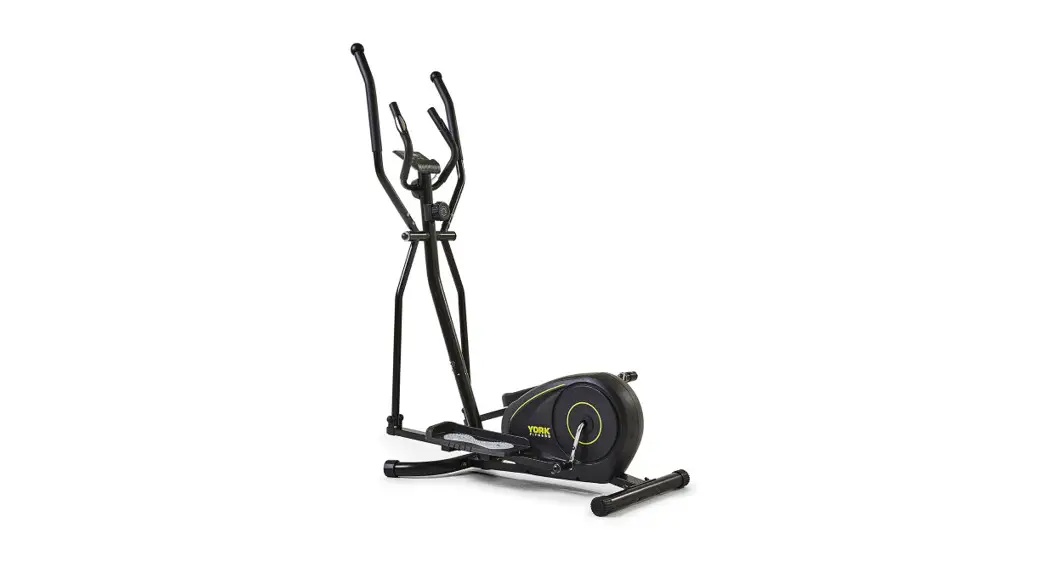
AUTOMATIC VARIABLE RESISTANCE MAGNETIC FLYWHEEL ELLIPTICAL CROSS TRAINER
(FXT-380A)
FSAEXT380AA
SAFETY & WARNINGS
Important safety information
Read all of the instructions in this guide before using this product. Retain this guide for future reference. Do not skip, substitute or modify any steps or procedures in this guide, as doing so could result in personal injury or product damage.
- Before starting any exercise program, consult your physician to determine if you have any medical or physical conditions that could put your health and safety at risk or prevent you from using the equipment properly. Your physician’s advice is essential if you are taking any medication that may affect your heart rate, blood pressure or cholesterol level.
- Incorrect or excessive exercise can damage your health. Stop exercising if you experience any of the following symptoms: pain, tightness in your chest, irregular heartbeat, shortness of breath, lightheadedness, dizziness or feelings of nausea. If you experience any of these conditions, you should consult your physician before continuing with your exercise program.
- This equipment is intended for adult use only. Keep children and pets away from the machine. DO NOT leave children unattended in the same room with the equipment.
- This appliance is designed for consumer use. Follow directions and use only as described.
- Once fully assembled, inspect to ensure all hardware parts such as bolts, nuts and washers are positioned correctly and tightly secured.
- It is recommended to lubricate all moving parts on a monthly basis.
- Do not wear loose clothing while operating.
- Do not remove feet from the equipment while it is in motion. Wear running shoes or other footwear suitable for exercise.
- Dry after each use to remove moisture. Wipe regularly with a mild, non-abrasive cleaner and water solution. To avoid damaging the finish, never use a petroleum-based solvent.
- Do not dismount the equipment until it is at a complete stop.
- Use the equipment on a solid, flat-level surface with a protective cover for your floor or carpet. To ensure safety, the equipment should have at least 2 feet (approximately 60 cm) of free space on each side.
- Prior to assembly, ensure you have all the components and tools listed. Some components are pre-assembled to help with the assembly process.
- Always use the equipment as intended. If you find any defective components while assembling or checking the equipment, or if you hear any unusual noises coming from the equipment during exercise, cease use immediately and contact help.kogan.com for
assistance. Do not use until resolved. - Do not place fingers or any other objects into moving parts of the exercise equipment.
- Do not exceed the maximum user weight of 100 KG.
- Be careful when lifting and moving the equipment. Always use proper lifting techniques and seek assistance if necessary.
- Your equipment is intended for use in cool, dry conditions. You should avoid storage in extreme cold, hot or damp areas as this may lead to corrosion and other related problems.
- Operating temperature: 0 – 40 °C
- Storage temperature: -10 – 60°C
- This appliance contains no user-serviceable parts. If it suffers any failure or damage, cease use immediately and contact help.kogan.com
- This equipment is designed and intended for indoor use only.
OVERVIEW
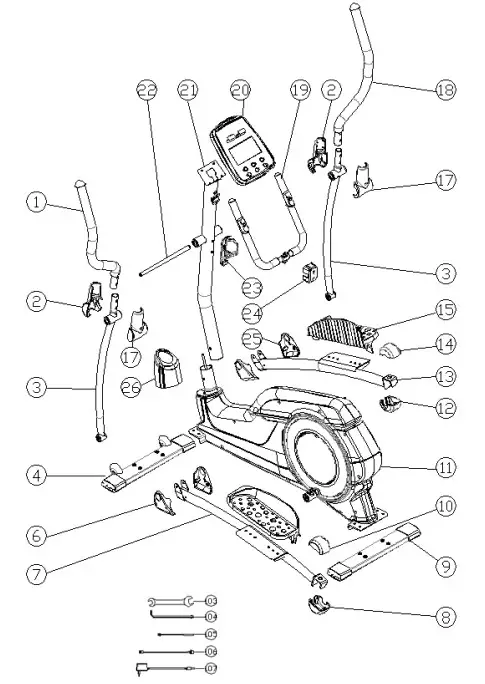
Parts List and Tools
| No | Description | Qty |
| 1 | Left handlebar | (xl) |
| 2 | Handlebar cover (1) | (x2) |
| 3 | Handlebar arms | (x2) |
| 4 | Front stabilizer | (xl) |
| 6 | Left pedal supporting rail cover | (xl) |
| 7 | Left pedal supporting a rail | (xl) |
| 8 | Left pedal supporting rail cover | (xl) |
| 9 | Rear stabilizer | (xl) |
| 10 | Left pedal supporting rail cover | (xl) |
| 11 | Mainframe | (x1) |
| 12 | Right pedal supporting rail cover | (x1) |
| 13 | Right pedal supporting a rail | (xl) |
| 14 | Right pedal supporting rail cover | (x1) |
| 15 | Foot pedals | (x2) |
| 17 | Handlebar cover | (x2) |
| 18 | Right handlebar | (xl) |
| 19 | Stationary handlebars, | (xl) |
| 20 | Console | (xl) |
| 21 | Upper frame | (xl) |
| 22 | Handlebar axle | (xl) |
| 23 | Bottle holder | (x1) |
| 24 | Stationary handlebar cover | (x1) |
| 25 | Right pedal supporting rail cover | (x1) |
| 26 | Frame joint cover | (x1) |
| 103 | Spanner | (x1) |
| 104 | Allen key | (x1) |
| 105 | Assembly wiring (1) | (x1) |
| 106 | Assembly wiring (2) | (xl) |
| 107 | AC Adapter | (xl) |
ASSEMBLY
Step 1:
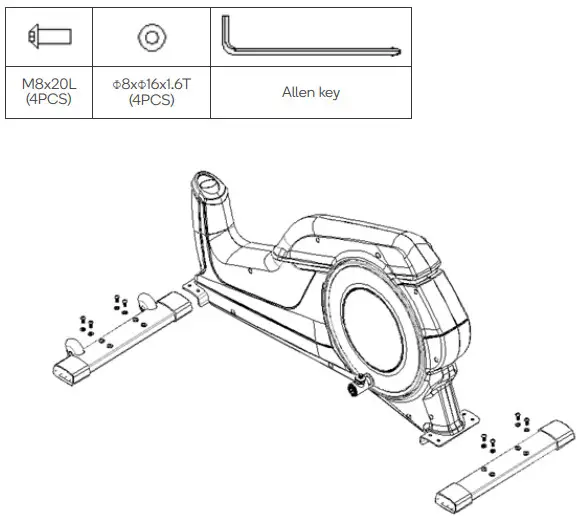
Step 2:
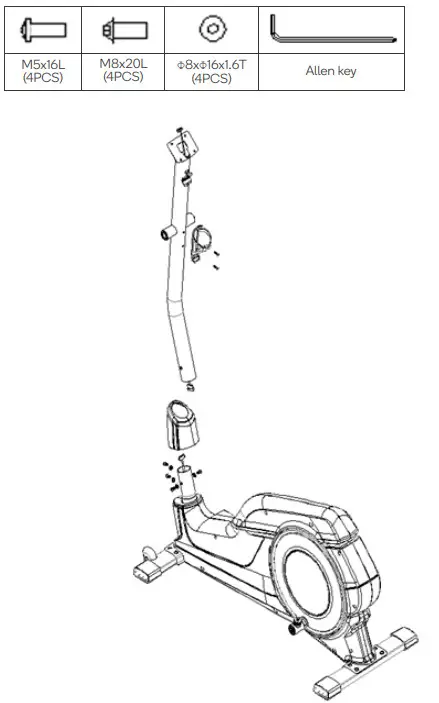
Step 3:
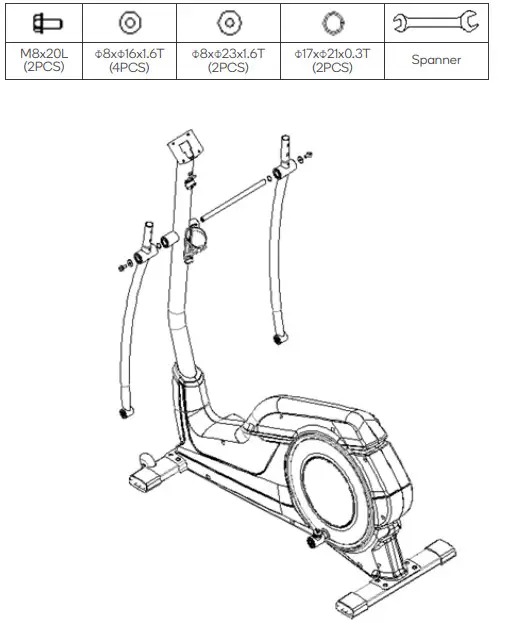
Step 4:
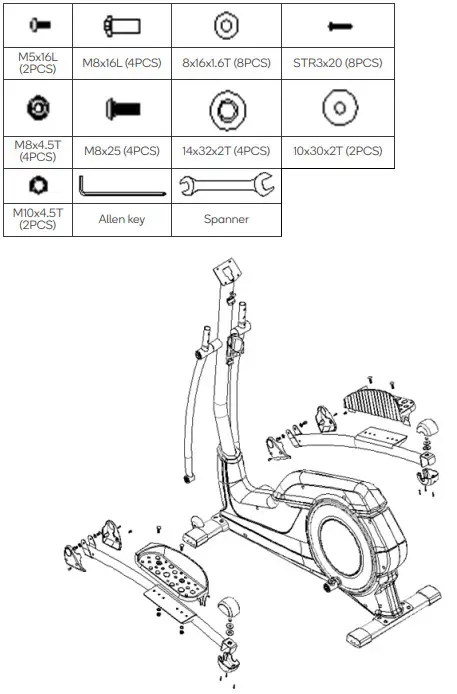
Step 5:
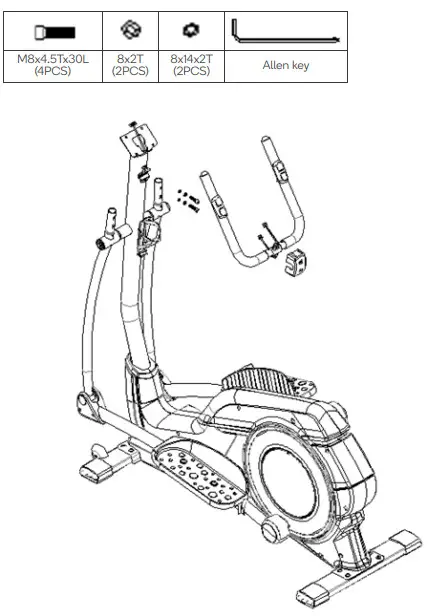
Step 6:
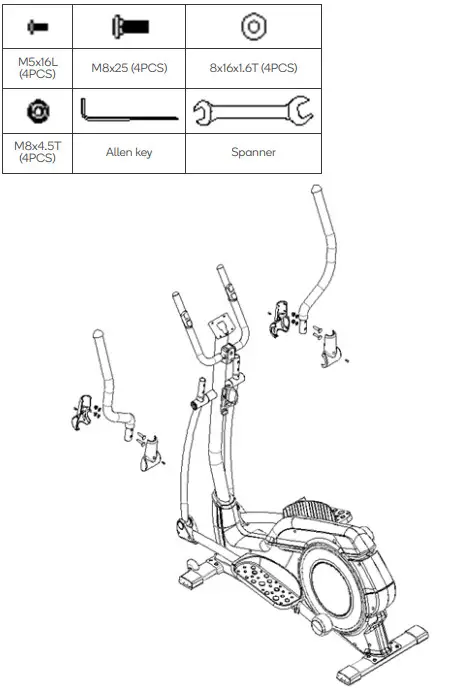
Step 7:
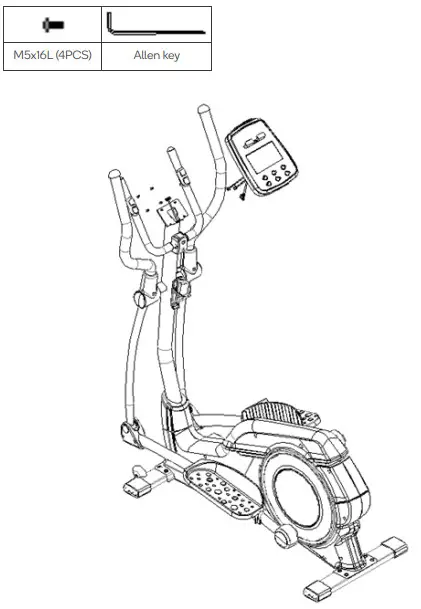
Step 8:
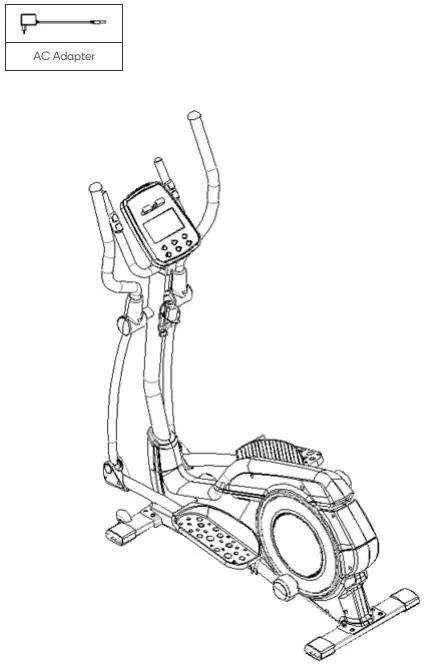
OPERATION
Button function
| START/STOP | Start or stop exercising |
| RESET | In stop mode, press this button to return to the main menu; Long press this button for 2 seconds. The display restarts. |
| UP (+) | Adjust the selected training mode to go up. Rise of adjustment value. |
| MODE | In stop mode, the button is used to confirm all motion data Settings and enter the program. |
| DOWN (-) | Adjust the decrease of training methods. Adjust the drop of the value. |
| RECOVERY | Test heart rate recovery. |
Data Display Range
| TIME | Display range 0:00 – 99:99; Set the range from 0:00 to 99:00 minutes |
| DISTANCE | Display range 0 – 99.99; The setting range is 0 – 99.90 km |
| CALORIES | Display range 0 – 9999; Set the range 0 to 9990 calories |
| PULSE | Display range p-30 – 230; Set the range 0-30 – 230 |
| WATT | Display range 0 – 999 watts; Set the range from 10 to 350 watts |
| SPEED | 0.0-99.9 km/h |
| RPM | 0-999times |
Operation Function
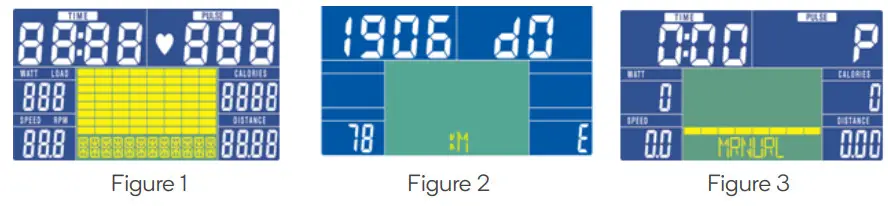
- After connecting to a power supply, press the RESET KEY for 2 seconds, you will hear a buzzer beep for 1 second and full LCD display for 2 seconds.
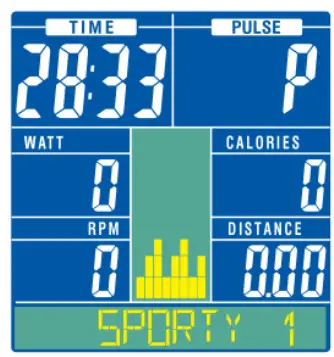
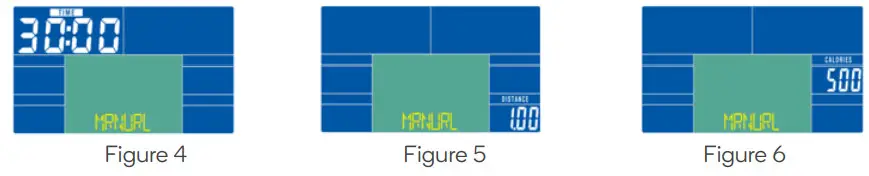
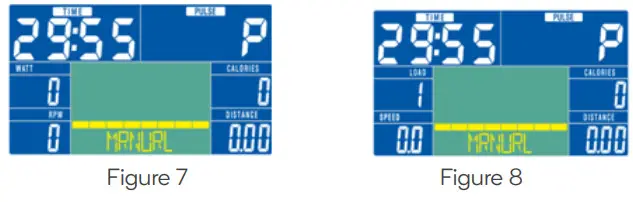
- After displaying the wheel diameter, Eurasian gauge/fat symbol E and unit KM for 1 second (as shown in Figure 2), the console will enter the motion standby screen (see Figure 3). The values must be reset to 0, then go to LOAD=1 and choose each setting.

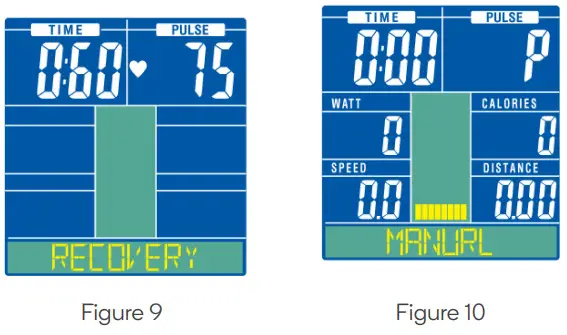
- Press MODE key, then press the UP/DOWN key to set a time as shown in figure 4. Press the MODE key, then press the UP/DOWN key to set distance as shown in figure 5. Press the MODE key, then press the UP/DOWN key to set the calories as shown in figure 6.

- Press the START/STOP key to start the bike. Press the UP/DOWN to view the LOAD section as shown in figure 8. Press the START/STOP to stop the bike. Press the RESET button for to reset the values. Long press the RESET button for 3 seconds to restart.
- The selection sequence is MANUAL > BEGINNER > ADVANCE > SPORTY > CARDIO > WATT and other exercise patterns (in a cycle).

- Repeat the steps in this section to adjust BEGINNER, ADVANCE, SPORTY, CARDIO AND WATT modes.
Key function description
A. UP or DOWN
(with quick adjustment function, hold 1.5 seconds for each advance and retreat step 8 and stop when put DOWN).
- Select MANUAL, BEGINNER, ADVANCE, SPORTY, CARDIO, WATT, etc.
• After entering the setting mode, press UP or DOWN to make a cyclic selection. If not, press START directly
• The key goes straight to START.
• When you press UP or DOWN, follow MANUAL, BEGINNER, ADVANCE, SPORTY, CARDIO, and WATT Iso-motion pattern (recyclable). - Adjust the LEVEL of QUICK START
Under the START state, MANUAL LEVEL can be adjusted and the LOAD text and its number can be displayed. It does not press UP or DOWN for 3 seconds and the display WATT value is restored. It presses UP or DOWN for each carrying or desktop. - Adjust the set value (such as TIME, DISTANCE, and DISTANCE)
• When selecting TIME, DISTANCE, DISTANCE, PULSE from the MANUAL function, press the UP or DOWN key to adjust the set value of each function, with cycle function.
• Only TIME may be set in BEGINNER, ADVANCE, SPORTY, WATT, HRC.
• Press UP or DOWN to carry or abdicate one step at a time. Hold for 1.5 seconds, then +/-8 steps per second. - Select from the CARDIO (H.R.C) options
If CARDIO (H.R.C) is selected, click MODE to determine, and the preset values by age are displayed in the PULSE window;
If you select TARGET, the PULSE window displays the TARGET value after selection and flashes to set by pressing UP or DOWN
TARGET, set the time, age, and heart rate according to the MODE cycle.
Value, UP or DOWN key with loop function. - Select WATT
When entering, the WATT value flashes and waits for setting (preset value, 30 minutes, WATT 120). The user presses UP or DOWN to set the WATT value and sets it according to the MODE loop.
After START, automatically adjust the LEVEL value according to the user’s input WATT value and practice status.
B. The MODE key
- Select configurable functions (such as TIME, DST, CAL)
• Press this KEY to select MANUAL for TIME, DST and CAL in turn. When you select a function, then
• The number of the function displayed on LCD flashes at 1Hz to indicate that the function is currently configurable. - Functions of this KEY and ENTER:
• After selecting or setting, press this KEY to proceed to the next operation. After pressing this KEY, the previous function will no longer work
• Select Settings. - The above actions can only be performed under the state of STOP.
- Pressing this KEY when START has no effect.
C. RESET button
- General RESET: Press this key once in the system STOP state and then go back to MANUAL
- Press UP or DOWN to select→BEGINNER→ADVANCE→SPORTY→CARDIO→WATT and all values of set TIME, DISTANCE, PULSE, and (WATT) are cleared.
D.START/STOP KEY
- Press this KEY to START the operation of the system and then press this KEY to STOP the operation.
- If in MANUAL mode, only press STRAT to start the exercise or RESET to return to the first-page option.
E. The RECOVERY key
- If no PULSE input is available, press The RECOVERY key to disable the function.
- Press this KEY once after the PULSE value is displayed;
• The TIME and PULSE functions of RECOVERY are enabled, while the remaining functions are enabled and not displayed (See Figure 9).
• The TIME window displays “0:60” seconds and begins the countdown (the countdown does not affect the TIME when PULSE is automatically shut down without input), the PULSE window displays the actual heartbeat, and when the countdown to zero, “FX” is displayed (Figure 26, X value 1~6) and “Beep” and in the big 8 areas, the heartbeat value will be displayed continuously. Then press RECOVERY to jump to normal Display (motor returns to zero and moves LEVEL 1, waiting for each setting). - After “FX” is displayed, press this KEY to restore the general display. If this KEY is
pressed again, it will be executed from the first item (As shown in Figure 10). - During the RECOVERY period, the RECOVERY can be restored by pressing this key.
Heart rate sensing
This product is compatible with Polar wireless heart rate monitors, and other 5.3kHz wireless heart rate monitors. The PULSE meter will automatically show the heart rate reading when a wireless monitor is detected.
There is no heart rate sensor built into the product’s handlebars.
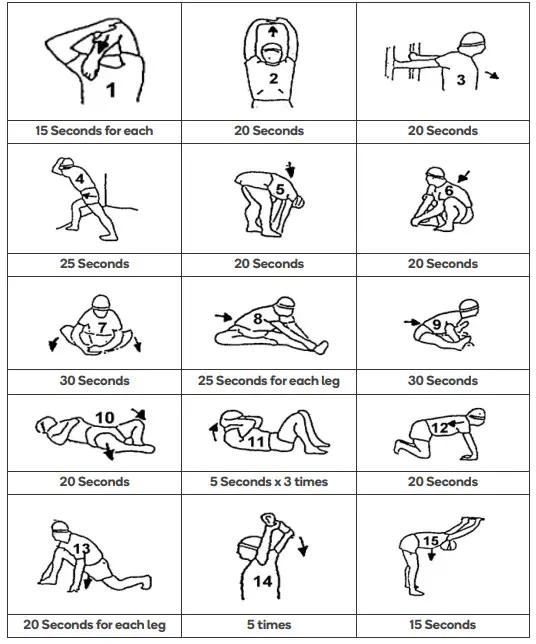
WARMING UP BEFORE USE
CLEANING & CARE
- Examine the equipment periodically in order to detect any damage or wear which may have been produced.
- Lubricate moving parts with light oil periodically to prevent premature wear.
- Inspect and tighten all parts before using the equipment, replace any defective parts immediately and do not use the equipment again until it is in perfect working order.
- The equipment can be cleaned using a damp cloth and mild non-abrasive detergent. Do not use solvents.
- Do not attempt to repair this equipment yourself. Should you have any difficulty with assembly, operation or use of your exercise product or if you think that you may have parts missing, contact Kogan.com for support.
NOTES
___________________________
___________________________
___________________________
___________________________
Need more information?
We hope that this user guide has given you the assistance needed for a simple setup. For the most up-to-date guide for your product, as well as any additional assistance you may require head online to help.kogan.com
 Kogan.com | Australia's Premier Shopping Destination