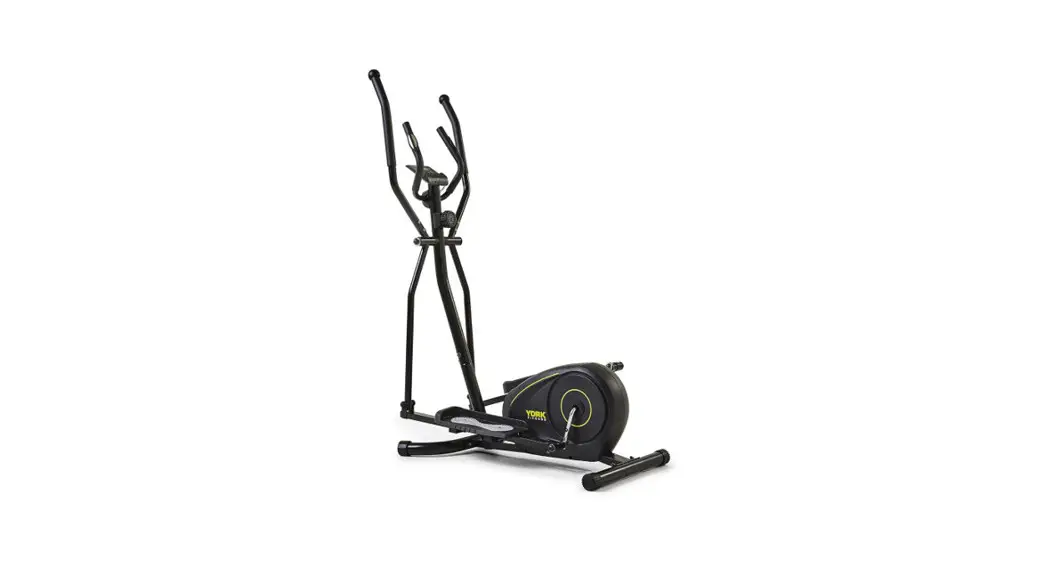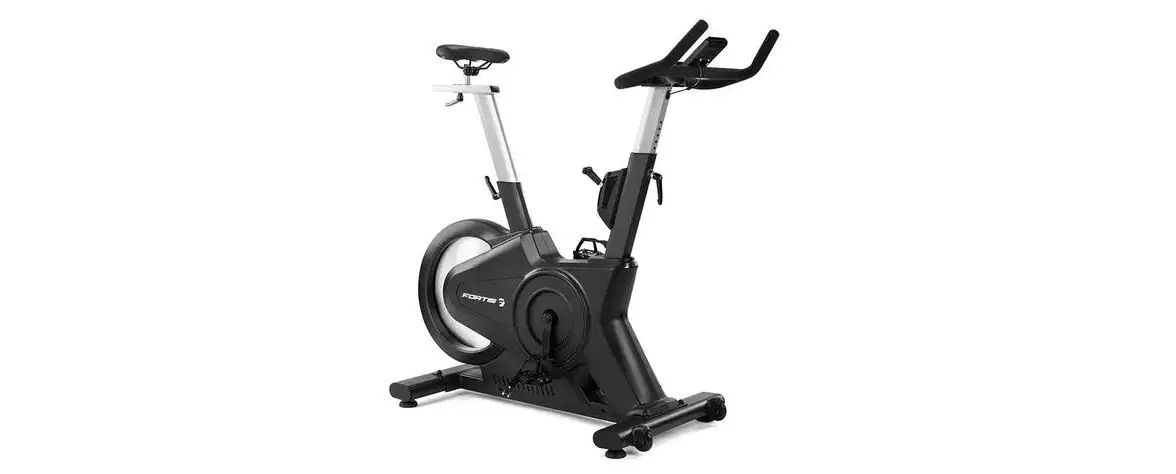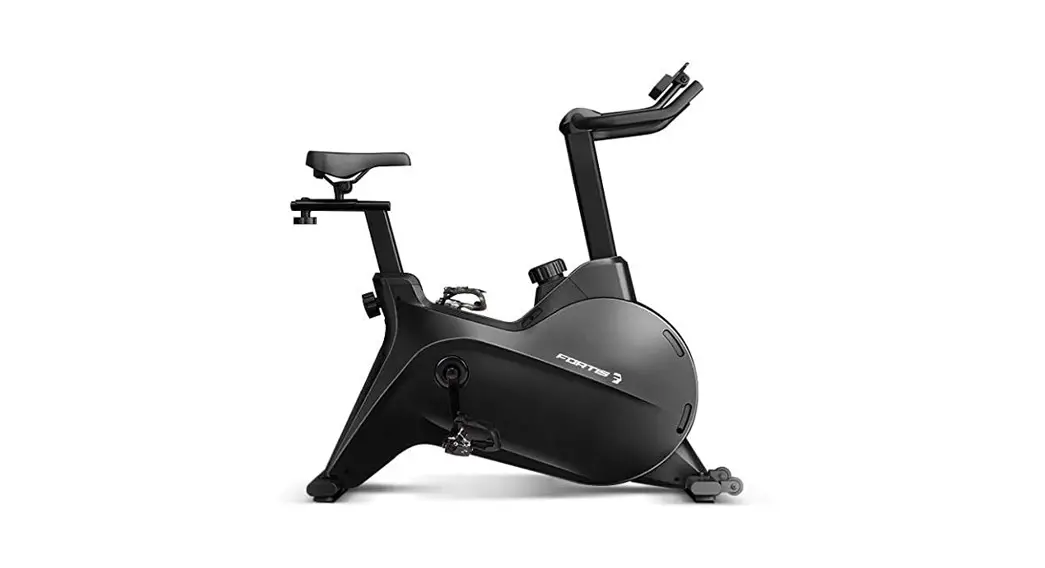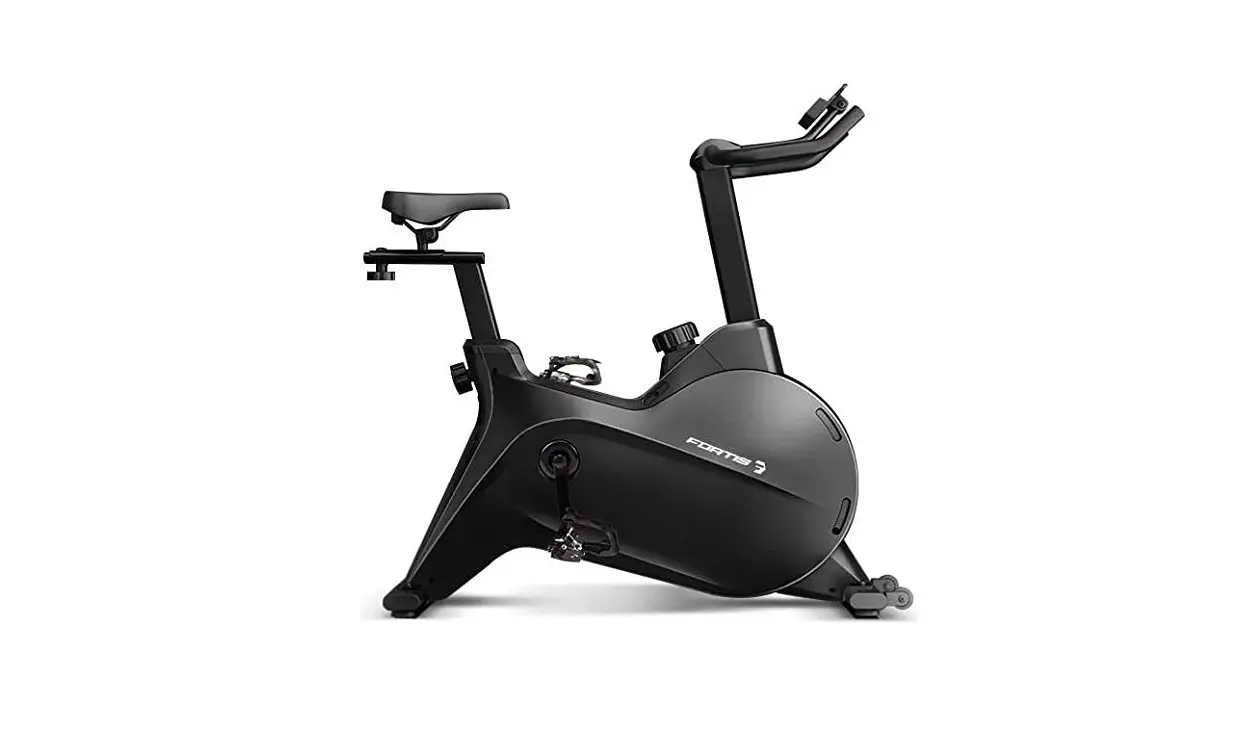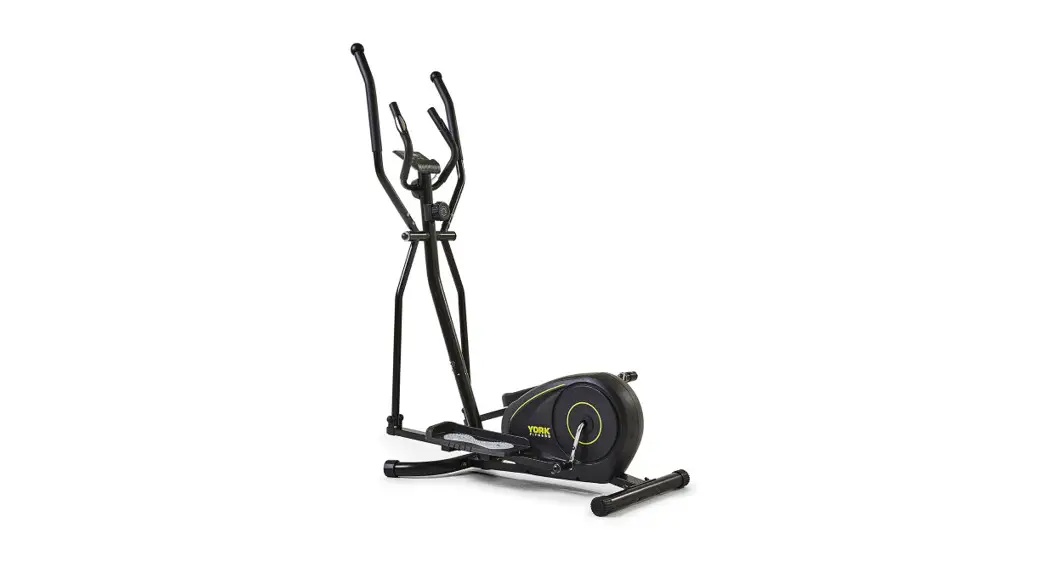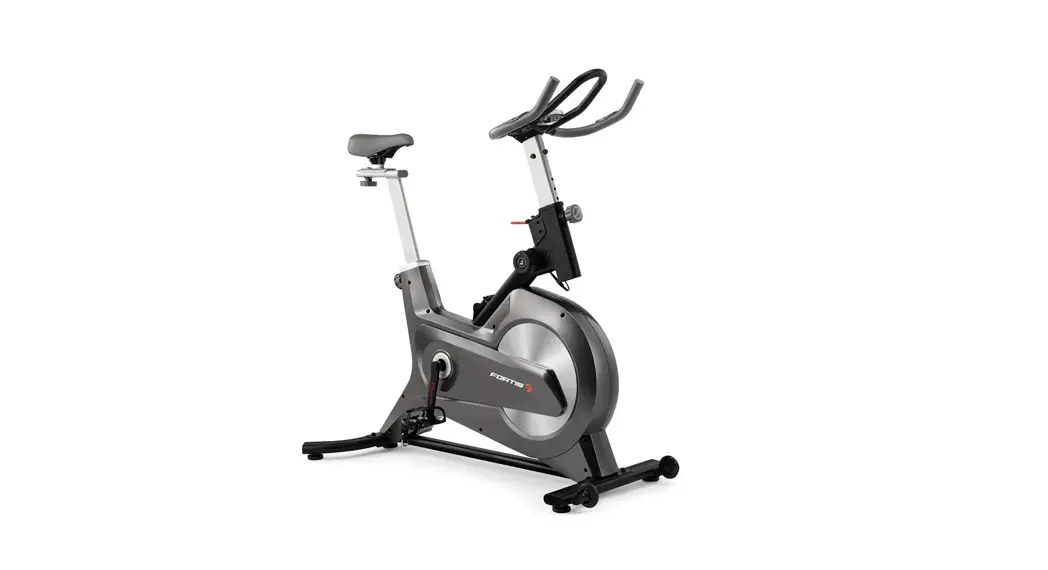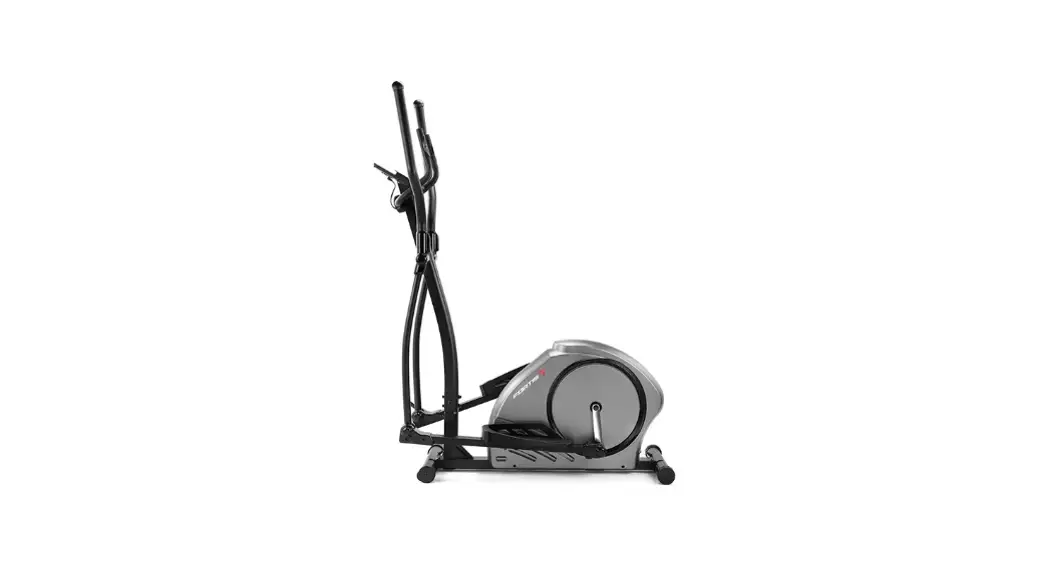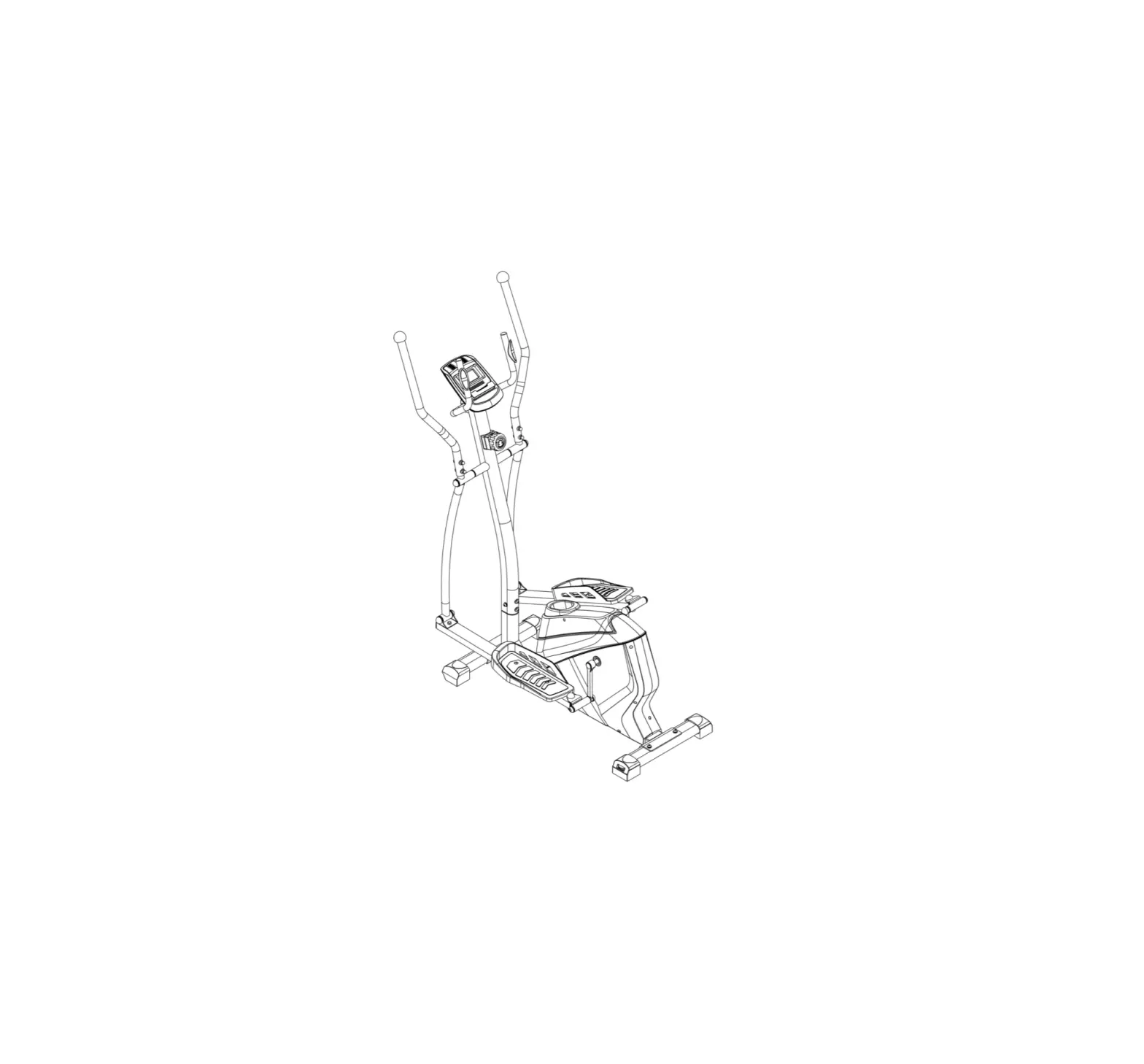
FORTIS FSMFEXT330A Magnetic Flywheel Elliptical Cross Trainer
SAFETY & WARNINGS
Read all of the instructions in this guide before using this product. Retain this guide for future reference. Do not skip, substitute or modify any steps or procedures in this guide, as doing so could result in personal injury or product damage.
- Before starting any exercise program, consult your physician to determine if you have any medical or physical conditions that could put your health and safety at risk or prevent you from using the equipment properly. Your physician’s advice is essential if you are taking any medication that may affect your heart rate, blood pressure or cholesterol level.
- Incorrect or excessive exercise can damage your health. Stop exercising if you experience any of the following symptoms: pain, tightness in your chest, irregular heartbeat, shortness of breath, light headedness, dizziness or feelings of nausea. If you experience any of these conditions, you should consult your physician before continuing with your exercise program.
- This equipment is intended for adult use only. Keep children and pets away from the machine. DO NOT leave children unattended in the same room with the equipment.
- This appliance is designed for consumer use. Follow directions and use only as described.
- Once fully assembled, inspect to ensure all hardware parts such as bolts, nuts and washers are positioned correctly and tightly secured.
- Always inspect the safety chain guard that protects the moving parts of the bike to be in safe and good order.
- Always inspect the seat, seat slider and grips to make sure they are in safe and stable position before using the rower.
- It is recommended to lubricate all moving parts on a monthly basis.
- Do not wear loose clothing while rowing.
- Dry after each use to remove moisture. Wipe regularly with a mild, non-abrasive cleaner and water solution. To avoid damaging the finish, never use a petroleum-based solvent.
- Use the equipment on a solid, flat level surface with a protective cover for your floor or carpet. To ensure safety, the equipment should have at least 2 feet (approximately 60 cm) of free space on each side.
- Prior to assembly, ensure you have all the components and tools listed. Some components are pre-assembled to help with the assembly process.
- Always use the equipment as intended. If you find any defective components while assembling or checking the equipment, or if you hear any unusual noises coming from the equipment during exercise, cease use immediately and contact help.kogan.com for assistance. Do not use until resolved.
- Do not place fingers or any other objects into moving parts of the exercise equipment.
- Do not exceed the maximum user weight of 120 KG.
- Be careful when lifting and moving the equipment. Always use proper lifting technique and seek assistance if necessary.
- Your equipment is intended for use in cool, dry conditions. You should avoid storage in extreme cold, hot or damp areas as this may lead to corrosion and other related problems.
● Operating temperature: 0 – 40 °C
● Storage temperature: -10 – 60°C - This appliance contains no user-serviceable parts. If it suffers any failure or damage, cease use immediately and contact help.kogan.com
- This equipment is designed and intended for indoor use only.
OVERVIEW
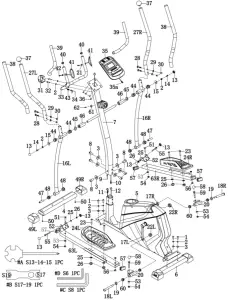
| Part | Description | Qty. |
| 1 | Bolt M8 x 20 x S6 | 4 |
| 2 | Spring washer d8 | 14 |
| 3 | Washer d8 x Φ20 x 2 | 4 |
| 4 | Front stabiliser | 1 |
| 5 | Main frame | 1 |
| 6 | Rear stabiliser | 1 |
| 7 | Handlebar post | 1 |
| 8 | Bolt M8 x 16 x S6 | 4 |
| 9 | Tension control | 1 |
| 10 | Trunk wire | 1 |
| 11 | Tension control wire | 1 |
| 12 | Sensor wire | 1 |
| 13 | End cap S13 | 6 |
| 14 | Bolt M8 x 16 x S14 | 2 |
| 15 | Washer d8 x Φ32 x 2 | 2 |
| 16 | Swing rod (L/R) | 2 |
| L/R | ||
| 17 | Crank | 2 |
| L/R | ||
| 18 | Bolt | 2 |
| L/R | ||
| 19 | Wave washer d17 x Φ22 x 0.3 | 2 |
| 20 | Universal joint | 2 |
| 21 | Washer d5 x Φ10 x 1.0 | 2 |
| 22 | Nut 9/16 x 20 x H9 x S19 | 2 |
| 23 | Bolt M8 x 45 x 20 x S14 | 2 |
| 24 | Pedal (L/R) | 2 |
| L/R | ||
| 25 | Washer d8 x Φ16 x 1.5 | 6 |
| 26 | Nut M8 x H7.5 x S13 | 6 |
| 27 L/R | Handlebar (L/R) | 2 |
| 28 | Bolt M8 x 43 x 20 x H5 | 2 |
| 29 | Arc washer d8 x Φ20 x 2 x R16 | 4 |
| 30 | Nut M8 x H16 x S13 | 4 |
| 31 | Cover 71 x 58 x 40 | 1 |
| 32 | Bolt M8 x 30 x S6 | 2 |
| 33 | Middle handlebar | 1 |
| 34 | Handle pulse wire | 1 |
| 35 | Console | 1 |
| 36 | Screw M5 x 10 x φ10 | 4 |
| 37 | End cap Φ32 x 46 x Φ50 | 2 |
| 38 | Foam gripΦ30 x 5 x 630 | 2 |
| 39 | Foam gripΦ23 x 3 x 420 | 2 |
| 40 | End cap Φ25 x 16 | 2 |
| 41 | Handle pulse | 2 |
| 42 | Screw ST4 x 19 x Φ7 | 2 |
| 43 | Plug Φ12 x 11 x Φ3 | 1 |
| 44 | Bushing 4Φ32 x 3.5 x Φ28 x 20.5 x Φ19.1 | 4 |
| 45 | Wave washer d19 x Φ25 x 0.3 | 2 |
| 46 | Bushing Φ31.8 x Φ19.2 x 77.9 | 2 |
| 47 | Bushing Φ14 x Φ8.3 x 59.5 | 2 |
| 48 | Bushing 1 Φ32 x 3 x Φ28 x 16 x Φ14.3 | 4 |
| 49 | End cap | 2 |
| L/R | ||
| 50 | Screw ST4.2 x 25 x Φ10.5 | 2 |
| 51 | Bolt M10 x 45 x 20 x S14 | 2 |
| 52 | U plate t3 x 58 x 136 | 2 |
| 53 | Washer d10 x Φ20 x 2 | 4 |
| 54 | Nut M10 x H9.5 x S17 | 4 |
| 55 | Bolt M8 x 75 x 13 x S14 | 2 |
| 56 | Plug Φ18 x 3 x Φ14 x 7 x Φ10.1 | 4 |
| 57 | End cap J60 x 30 x 15 | 4 |
| 58 | End cap S16 | 2 |
| 59 | Bolt M10 x 55 x 20 x 17 | 2 |
| 60 | Bushing Φ28 x 4 x Φ24 x 12 x Φ16.2 | 4 |
| 61 | Arc washer d5 x Φ20 x 1.5 x R30 | 1 |
| 62 | Screw M5 x 20 x Φ8 | 1 |
| 63L/R | Pedal supporting rod | 2 |
| A | Spanner S13-14-15 | 1 |
| B | Spanner S17-19 S17 | 1 |
| C | Spanner S8 | 1 |
| D | Spanner S6 | 1 |
ASSEMBLY
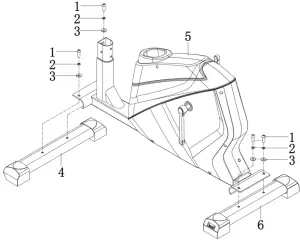
Step 1:
Secure front stabiliser (4) and rear stabiliser (6) to the mainframe (5) with bolt (1), spring washer (2) and washer (3).
Step 2:
Remove the pre-installed bolt (8) and washer (3) from the mainframe (5), please reserve for upcoming step.
Connect the wire of tension control (9) with Tension control wire (11).
Connect trunk wire (10) with sensor wire (12).
Secure the handlebar post (7) to the mainframe (5) with bolt (8), spring washer (2) and washer (3).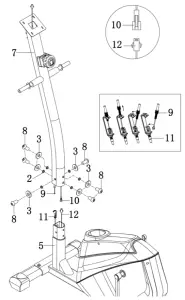
Step 3:
Insert the swing rod (16L/R) to the hand bar post (7) separately. Fix them with bolt (14), spring washer (2) and washer (15), then attach end cap (13);
Put the bolt (18L/R) and wave washer (19) through the Universal joint (20), fix them to the crank (17L/R) with nut (22L/R) separately.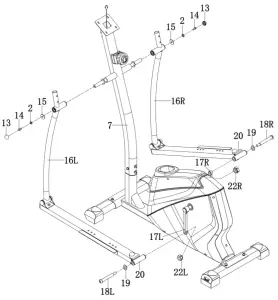
Step 4:
Secure pedal (24L/R) to pedal supporting rod (63L/R) with bolt (23), washer (25) and nut (26) separately.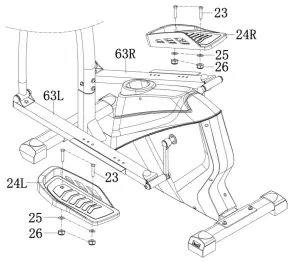
Step 5:
Insert handlebar (27L/R) to swing rod (16L/R) separately. Secure the handlebar (27L/R) with bolt (28), arc washer (29) and nut (30).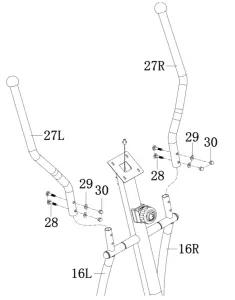
Step 6:
Connect Console wire (35a) with trunk wire (10) and then secure Console (35) to the handlebar post (7) with bolt (36).
Remove the pre-installed bolt (32) and spring washer (2) from the handlebar post (7). Reserve them for the next step.
Secure middle handlebar (33) to handlebar post (7) with bolt (32) and spring washer (2).
Insert handle pulse wire (34) into the hole on the back of the console (35). Then attach the cover (31).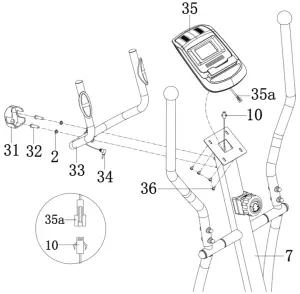
FUNCTIONS
1. SCAN
Press MODE button until “SCAN” appears, the computer will rotate through all the 5 functions: Time, Speed, Distance, Calorie and pulse. Each display will be held for 6 seconds.
2. SPEED
Display instantaneous speed and the range is 0.0~999.9km/h.
3. TIME
- Count the total time from exercise start to the end and the range is 0 ~ 99 minutes
- Exercise time can be set in advance, when it approaches the preset time, the monitor will alarm 4 seconds. The maximum pre-set time is 99 minutes.
4. DISTANCE
- Count the total distance from exercise start to the end and the range is 0.0 ~ 999.9km.
- Exercise distance can be set in advance, when it approaches the preset distance, the monitor will alarm 4 seconds. The maximum pre-set distance is 999.0km.
5. CALORIES
- Count the total calories consumed from exercise start to the end and the range is 0.0 ~ 999.9 KCAL.
- The calorie value can be set in advance, when it approaches the preset calorie, the monitor will alarm 4 seconds. The maximum pre-set calories are 999.0KCAL.
6. PULSE
- Hold the pulse sensor and read your heart rate per minute. The range is 40 ~ 240bpm.
- It will display “P” to pause the pulse test if there is no pulse signal over 4 seconds.
7. AUTO START/STOP
- Without any signal of exercise or operation for 4minutes, the power will turn off automatically.
- Once receive exercise or operation signal, the monitor will turn on automatically
1. MODE
- Press this button to changeover display or choose the window needs to be set.
2. SET
- In setting status, press this button to increase setting value in relevant flashing window for TIME, DIST, CAL and PULSE.
3. RESET
- In setting status, press this button to reset the value in relevant flashing window for TIME, DIST and CAL, PULSE.
- In monitor status, hold this button for 3 seconds to reset all value to zero.
Need more information?
We hope that this user guide has given you the assistance needed for a simple set-up. For the most up-to-date guide for your product, as well as any additional assistance you may require, head online to help.kogan.com