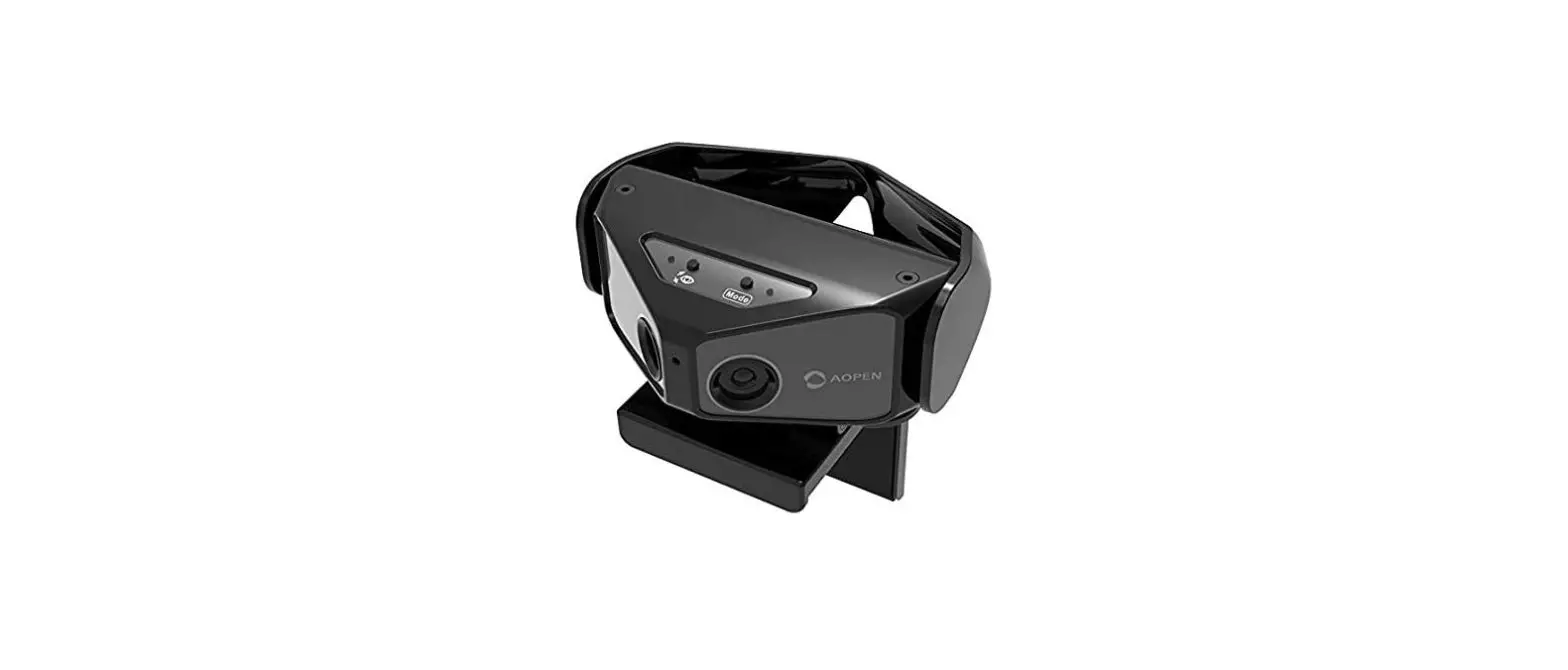
E4110300 K-SCAN Scalp Camera
Product Information
The K-SCAN Scalp Camera Model E4110300 is an optical device
designed for capturing images of the scalp. It features a camera
button, power on/off button, mode button, indication lamp,
ventilation holes, and a USB-C charging port. The camera controls
allow users to turn the device on/off and indicate its status
through LED colors and behaviors. The device also supports Wi-Fi
connection for seamless integration with tablets or phones using
the companion application.
Product Usage Instructions
- To turn on the device, press and hold the power on/off button
for 2 seconds. The indication lamp will start flashing green to
indicate that the camera is on and ready. - To establish a Wi-Fi connection, follow these steps:
- Go to the “Settings” menu of your tablet/phone and select
Wi-Fi. - Choose the device SSID (KSCANXXXXXX) from the available Wi-Fi
networks. - Enter the password of the Wi-Fi module when prompted.
- Verify the connection.
- Launch the companion application on your device.
- Go to the “Settings” menu of your tablet/phone and select
- Ensure safety while using the device by following these
instructions:- Read all instructions provided in the user manual before using
the device. - Do not attempt to disassemble the device as it may void the
warranty. Authorized after-sales service should handle any
repairs. - Power the device with a safety extra-low voltage of 5V 1A.
- Regularly check the condition of the USB cable and power
supply. If any damage occurs, discontinue use and return the device
to a service center for examination and repair. - Remove the battery before disposing of the device. Disconnect
it from the power supply first and dispose of it safely.
- Read all instructions provided in the user manual before using
- Follow the setup instructions provided in the companion
application on your cell phone/tablet. - Dispose of the device separately from household waste at a
specific center for waste electrical and electronic appliances to
prevent environmental and health hazards.
For additional information on service and warranty, FCC
compliance, or local laws regarding disposal, please refer to the
user manual or contact your local municipal facility.
K-SCAN
Scalp Camera Model E4110300
User Care Guide Manual de uso Manual de Cuidados do Utilizador Manual do usuário
Customer service and limited warranty information Información sobre la garantía limitada y el servicio de
atención al cliente Informações sobre o apoio ao cliente e a garantia limitada Informações sobre a garantia limitada e atendimento ao
consumidor
K-SCAN SCALP CAMERA
Optical part
Camera Button
Power On/Off Light Button mode
Button
Indication Lamp
Ventilation holes
USB-C Charging port
UK/US/CA
CAMERA CONTROLS
Turn On/Off
1. Press and hold Power On/Off button for 2 seconds to turn on the device. 2. `Indication lamp’ will turn flashing GREEN when camera is ON & ready.
Indication lamp
LED colour
LED behaviour
Green
Solid
Green Blue Blue Red None
Flashing Blink blue Breathing Flashing None
Status
System preparation ON & ready Sleep mode Charging Low Battery OFF
Wi-Fi Connection
1. Go to `Setting’ menu of the tablet/ phone > Wi-Fi and among the Wi-Fi networks select the device SSID (KSCANXXXXXX). 2. Enter the password of the Wi-Fi module. 3. Check the connection. 4. Run the companion application.
UK/US/CA
IMPORTANT SAFETY INSTRUCTIONS
For your convenience and safety when using the electrical device, read all instructions before using this device and follow product use as described. Failure to follow the warnings and instructions may endanger the safety of users.
READ ALL INSTRUCTIONS BEFORE USING 1. Do not attempt to disassemble the device. Unauthorised opening of the device automatically voids the warranty. Repairs must only be carried out by the authorized after-sales service. 2. WARNING: The device must be powered by safety extra-low voltage 5V 1A.
UK/US/CA
3. Frequently check the condition of the USB cable & power supply. Discontinue use if any damage occurs. Never operate this device if it has a damaged cord or plug, or if it has been dropped, damaged, or dropped into water. Return the device to a service centre for examination and repair.
4. WARNING – Do not use this device near bathtubs, shower, washbowls, or vessels containing water. Do not leave the device plugged in proximity to water. Do not get the wall adaptor or USB cable wet. Do not place or store the device where it can fall or be pulled into a tub or sink. 5. If water gets into the inner part of the device, unplug the power supply immediately, turn off the device by pressing the button until the indicator light is off, and contact our after-sales service. Do not attempt to switch the device back on due to electrical injury risk.
UK/US/CA
6. WARNING – Do not use or hold the device with wet or damp hands. Do not expose the device to water and prevent any water from splashing onto the device. 7. In case of unusual smells or sounds, stop use immediately, disconnect the power supply, turn off the device by pressing the button until indicator light is off, and contact our after-sales service. 8. DANGER – To reduce the risk of fire, explosion, or injury to persons, always unplug the power supply for this device immediately after using. 9. WARNING – To reduce the risk of burns, fire, or injury to persons: keep the cord away from heated surfaces. Do not wrap the cord around the device.
UK/US/CA
10. Do not expose the device to fire or excessive temperature. Keep away from heat sources and high temperature (direct sunlight, radiator, heater). Exposure to fire or temperatures above 260°F may cause explosion. 11. Recommended ambient temperature range is 40-105°F for usage and charging this device. Store the device in a dry place. 12. Clean the camera with rubbing alcohol or alcohol wipes. Alternative cleaning methods may damage the material and system. 13. Never drop or insert any object into the camera optical part opening. 14. For Professional Use Only.
UK/US/CA
– The battery must be removed from the device before it is scrapped; – The device must be disconnected from the power supply when removing the battery; – The battery is to be disposed of safely.
SAVE THESE INSTRUCTIONS Follow setup instructions on the cell phone/tablet application.
This product is subject to separate collection of electrical and electronic equipment.
At the end of its life, the device must be processed separately from household waste. This will prevent any harmful impact on the environment or on human health due to the uncontrolled disposal of waste that can contain dangerous substances. User is responsible for returning the device to a specific center for waste electrical and electronic appliances. For additional information regarding applicable local laws, please contact your local municipal facility.
UK/US/CA
KÉRASTASE K-SCAN CUSTOMER
SERVICE AND LIMITED
WARRANTY INFORMATION
We value our customers and aim to provide the highest quality products to ensure customer satisfaction. Please use this as your reference for customer service or warranty questions you may have in the future. Kérastase warranty obligations are limited to the terms set out below. 1. Limited Warranty Coverage – For the duration of the Warranty Period. Kérastase warrants the Product against defects in materials and workmanship arising from Normal Use of the Product. – If there is a defect in the Product that is covered by this Limited Warranty, Kérastase agrees to exchange the Product for a new equivalent Product. This is the sole remedy available for breach of warranty. 2. This Limited Warranty is exclusive of all other warranties, whether oral or written, express or implied. There are no implied warranties created by the manufacture, sale, or use of the Product. If Kérastase cannot lawfully disclaim implied warranties under this Limited Warranty, all such warranties, including warranty of merchantability and fitness for a particular purpose, are limited in duration of this Limited Warranty. 3. How to get warranty service or for general customer service inquiries. In order to receive service under this Limited Warranty, please call your regional Customer Care Service. 4. Exclusions Kérastase is not responsible for any indirect, incidental, special or consequential damages arising out of the use of the Product, whether arising from an electrical issue, water ingress or otherwise.
UK/US/CA
5. Validity This Limited Warranty is valid for a period of 2 years starting from the date of purchase. You may have different or additional rights depending on the region in which you live so the limitations in the document above may not apply to you. Refer to the regional Kérastase website for more information. 6. Limitations – This warranty is limited and may be relied upon only: · by the professional user of this Kérastase Product; · where the Product was manufactured by or for Kérastase and sold by an authorized distributor. – To obtain service under this Limited Warranty, you will be required to provide Kérastase with original proof of purchase date. – This Limited Warranty does not apply where the Product is subjected to use that does not constitute Normal Use, including but not limited to personal injury or property damage arising from misuse of the Product. 7. Definitions – “Normal Use” means ordinary consumer use under normal professional conditions according to the instruction manual included with the Product. – “Product” means K-SCAN.
UK/US/CA
FCC compliance statement
This device complies with Part 15 of the FCC Rules. Operation is subject to the following two conditions: (1) this device may not cause harmful interference, and (2) this device must accept any interference received, including interference that may cause undesired operation.
Changes or modifications not expressly approved by the party responsible for compliance could void the user’s authority to operate the equipment.
This equipment has been tested and found to comply with the limits for a Class B digital device, pursuant to Part 15 of the FCC Rules. These limits are designed to provide reasonable protection against harmful interference in a residential installation. This equipment generates, uses and can radiate radio frequency energy and, if not installed and used in accordance with the instructions, may cause harmful interference to radio communications. However, there is no guarantee that interference will not occur in a particular installation.
If this equipment does cause harmful interference to radio or television reception, which can be determined by turning the equipment off and on, the user is encouraged to try to correct the interference by one or more of the following measures:
— Reorient or relocate the receiving antenna.
— Increase the separation between the equipment and receiver.
— Connect the equipment into an outlet on a circuit different from that to which the receiver is connected.
— Consult the dealer or an experienced radio/TV technician for help.
UK/US/CA
FCC Radiation Exposure statement
This equipment complies with FCC radiation exposure limits set forth for an uncontrolled environment. This transmitter must not be co-located or operating in conjunction with any other antenna or transmitter.
FCC SAR statement
This equipment complies with FCC radiation exposure limits set forth for an uncontrolled environment. End user must follow the specific operating instructions for satisfying RF exposure compliance. This transmitter must not be co-located or operating in conjunction with any other antenna or transmitter.
The portable device is designed to meet the requirements for exposure to radio waves established by the Federal Communications Commission (USA). These requirements set a SAR limit of 4 W/kg averaged over ten gram of tissue. The highest SAR value reported under this standard during product certification for use when properly worn on the extremity.
ISED compliance statement
This device contains licence-exempt transmitter(s)/receiver(s) that comply with Innovation, Science and Economic Development Canada’s licence-exempt RSS(s). Operation is subject to the following two conditions: (1) This device may not cause interference; (2) This device must accept any interference, including interference that may cause undesired operation of the device.
L’émetteur/récepteur exempt de licence contenu dans le présent appareil est conforme aux CNR d’Innovation, Sciences et Développement économique Canada applicables aux appareils
UK/US/CA
radio exempts de license. L’exploitation est autorisée aux deux conditions suivantes : (1) L’appareil ne doit pas produire de brouillage; (2) L’appareil doit accepter tout brouillage radioélectrique subi, même si le brouillage est susceptible d’en compromettre le fonctionnement.
ISED Radiation Exposure statement
This equipment complies with IC RSS-102 radiation exposure limits set forth for an uncontrolled environment. This transmitter must not be co-located or operating in conjunction with any other antenna or transmitter.
Cet équipement est conforme aux limites d’exposition aux radiations IC CNR-102 établies pour un environnement non contrôlé. Cet émetteur ne doit pas être colocalisé ou fonctionner en conjonction avec une autre antenne ou un autre émetteur.
IC SAR statement
This equipment complies with ISED radiation exposure limits set forth for an uncontrolled environment. End user must follow the specific operating instructions for satisfying RF exposure compliance. This transmitter must not be co-located or operating in conjunction with any other antenna or transmitter.
The portable device is designed to meet the requirements for exposure to radio waves established by the ISED.
These requirements set a SAR limit of 4 W/kg averaged over ten gram of tissue. The highest SAR value reported under this standard during product certification for use when properly worn on the extremity.
UK/US/CA
Cet équipement est conforme aux limites d’exposition aux rayonnements ISED établies pour un environnement non contrôlé. L’utilisateur final doit suivre les instructions spécifiques pour satisfaire les normes. Cet émetteur ne doit pas être co-implanté ou fonctionner en conjonction avec toute autre antenne ou transmetteur.
Le dispositif portatif est conçu pour répondre aux exigences d’exposition aux ondes radio établie par l’ISED.
Ces exigences fixent une limite de SAR de 4 W/kg en moyenne sur dix grammes de tissu. La valeur SAR la plus élevée rapportée en vertu de cette norme lors de la certification du produit pour l’utilisation lorsqu’il est correctement porté sur l’extrémité.
CÁMARA PARA EL CUERO CABELLUDO K-SCAN
Pieza óptica
Botón de la cámara
Botón de
encendido/apagado
Botón del
Indicador
modo luz
Orificios de ventilación
Puerto de carga USB-C
ES
MANDOS DE LA CÁMARA
Encendido/Apagado
1. Pulse y mantenga pulsado el botón de encendido/apagado durante 2 segundos para encender el dispositivo. 2. El indicador se iluminará y parpadeará una luz VERDE cuando la cámara esté encendida y lista.
Indicador
Color del LED Verde
Verde Azul Azul Rojo Ninguno
Comportamiento del LED Luz fija
Parpadeo Parpadeo en azul Parpadeo lento Parpadeo Ninguno
Estado
Preparación del sistema Encendido y listo Modo de reposo
Cargando Batería baja
Apagado
Conexión wifi
1. Vaya al menú Ajustes > Wifi del teléfono o tableta y
seleccione el dispositivo SSID (KSCANXXXXXX). 2. Introduzca la contraseña del módulo wifi.
3. Compruebe la conexión.
4. Ejecute la aplicación complementaria.
ES
INSTRUCCIONES DE SEGURIDAD IMPORTANTES
Para garantizar su seguridad durante el uso de este dispositivo eléctrico, lea las instrucciones completas antes de utilizarlo y use el producto del modo indicado. Ignorar los avisos y las instrucciones puede comprometer la seguridad del usuario.
LEA LAS INSTRUCCIONES COMPLETAS ANTES DE USAR EL DISPOSITIVO 1. No intente desmontar el dispositivo. La apertura no autorizada del dispositivo invalida automáticamente la garantía. Solo el servicio posventa autorizado puede hacer reparaciones.
ES
2. AVISO: Este dispositivo debe usar una fuente de alimentación de muy baja tensión de seguridad de 5 V 1 A. 3. Compruebe periódicamente el estado del cable USB y de la fuente de alimentación. Interrumpa el uso si detecta algún daño. No encienda el dispositivo si el enchufe o el cable están dañados o si se ha caído, deteriorado o mojado. Remita el dispositivo a un centro de servicio para que lo examinen y reparen.
ES
4. AVISO – No use este dispositivo cerca de la bañera, la ducha, el lavabo o recipientes con agua. No deje el dispositivo enchufado cerca del agua. Evite que se mojen el adaptador mural y el cable USB. No guarde el dispositivo en ningún sitio del que pueda caerse a la bañera o el lavabo. 5. Si entra agua dentro del dispositivo, desenchúfelo inmediatamente de la alimentación, apáguelo pulsando el botón hasta que el indicador deje de lucir y póngase en contacto con nuestro servicio posventa. No intente volver a encender el dispositivo ya que pueden producirse lesiones eléctricas.
ES
6. AVISO – No use ni manipule el dispositivo con las manos húmedas o mojadas. No acerque el dispositivo al agua y evite cualquier salpicadura. 7. Si detecta algún olor o sonido inusual, deje de usar el dispositivo inmediatamente, desconéctelo de la alimentación, apáguelo pulsando el botón hasta que el indicador deje de lucir y póngase en contacto con nuestro servicio posventa. 8. PELIGRO – Para reducir el riesgo de incendio, explosión o lesiones personales, desenchufe siempre el dispositivo de la fuente de alimentación inmediatamente después de usarlo. 9. AVISO – Para reducir el riesgo de quemaduras, incendio o lesiones personales: Mantenga el cable alejado de superficies calientes. No enrolle el cable alrededor del dispositivo.
ES
10. No exponga el dispositivo al fuego ni a temperaturas excesivas. Manténgalo alejado de fuentes de calor y zonas a temperaturas altas (sol directo, radiadores, calefacción). La exposición al fuego o a temperaturas superiores a 130 °C puede provocar una explosión. 11. El rango de temperatura ambiente recomendado para el uso y la carga de este dispositivo es de 5-40 °C. Guárdelo en lugar seco. 12. Limpie la cámara con alcohol isopropílico o toallitas desinfectantes. Otros métodos de limpieza pueden dañar el material y el sistema. 13. No introduzca ni deje que entre ningún objeto en la apertura de la parte óptica de la cámara. 14. Solo para uso profesional.
ES
– Hay que quitar la batería del dispositivo antes de desecharlo. – El dispositivo debe estar desconectado de la corriente cuando se extraiga la batería. – La batería debe eliminarse de forma segura.
GUARDE ESTAS INSTRUCCIONES Siga las instrucciones de configuración en la aplicación del móvil o la tableta.
Este producto está sujeto a las normas de recogida selectiva de residuos para equipos eléctricos y electrónicos. Al final de su vida útil, este dispositivo debe procesarse por separado de los residuos domésticos. De ese modo se evitará cualquier posible efecto nocivo en el medio ambiente o la salud humana debido al vertido incontrolado de residuos que pueden contener sustancias peligrosas. El usuario es el responsable de depositar el dispositivo en un centro específico para residuos de equipos eléctricos y electrónicos. Para obtener más información sobre la legislación local aplicable, póngase en contacto con su institución municipal.
ES
INFORMACIÓN SOBRE LA GARANTÍA LIMITADA Y EL SERVICIO
DE ATENCIÓN AL CLIENTE KÉRASTASE K-SCAN
Valoramos a nuestros clientes y aspiramos a suministrar productos de la mayor calidad para garantizar su satisfacción. Use este documento como referencia para resolver cualquier duda que pueda tener en un futuro sobre la garantía o el servicio al cliente.
Las obligaciones de la garantía Kérastase se limitan a las condiciones expuestas a continuación.
1. Cobertura de la garantía limitada – Durante todo el Periodo de Garantía. Kérastase garantiza el Producto frente a defectos materiales y de fabricación que se deriven del Uso Normal del Producto. – Si el Producto presenta un defecto cubierto por esta Garantía Limitada, Kérastase acuerda cambiar el Producto por un Producto nuevo equivalente. Es la única solución disponible en caso de incumplimiento de la garantía.
2. Esta Garantía Limitada excluye cualquier otra garantía, ya sea verbal o escrita, expresa o implícita. Ni la fabricación ni la venta o uso del Producto dan lugar a garantías implícitas. En caso de que el marco legal no permita que Kérastase deniegue las garantías implícitas en esta Garantía Limitada, dichas garantías, incluidas las de comerciabilidad o de idoneidad para un fin determinado, se limitarán a la duración de esta Garantía Limitada.
ES
3. ¿Cómo hacer uso del servicio de garantía o plantear consultas generales de atención al cliente? Para hacer uso de esta Garantía Limitada, llame a su Servicio de Atención al Cliente regional.
4. Exclusiones Kérastase no asume ninguna responsabilidad por daños indirectos, incidentales, especiales o consecuenciales que no se deriven del uso normal del producto, ya se deban a un problema eléctrico, a la entrada de agua o a incidencias de otra naturaleza.
5. Validez Esta Garantía Limitada es válida durante un periodo de 2 años a contar desde la fecha de compra. Usted puede tener derechos distintos o adicionales en función de la región en la que resida, por lo que las limitaciones expuestas en este documento pueden no ser de aplicación en su caso. Consulte el sitio web regional de Kérastase para obtener más información.
6. Limitaciones – Esta garantía está limitada y solo tendrá validez: · si hace uso de ella un usuario profesional del Producto Kérastase; y · cuando el Producto haya sido fabricado por o en nombre de Kérastase y vendido por un distribuidor autorizado. – Para hacer uso de esta Garantía Limitada, deberá facilitar a Kérastase el comprobante original de la fecha de compra. – Esta Garantía Limitada no se aplicará si el Producto se utiliza de un modo distinto a lo que supone un Uso Normal, incluidos, entre otros, lesiones personales o daños a la propiedad derivados de un mal uso del Producto.
7. Definiciones – «Uso Normal» significa un uso ordinario por parte del consumidor, en condiciones profesionales comunes y de acuerdo con el manual de instrucciones que acompaña al Producto. – «Producto» hace referencia a K-SCAN.
CAMÊRA DE DIAGNÓSTICO CAPILAR K-SCAN
Parte ótica
Botão da câmera
Botão Power Ligar / Desligar
Botão de ativação da luz
Indicador Luminoso
Orifícios de aeração
Entrada de recarga USB-C
PT/BR
BOTÕES DE CONTROLE E UTILIZAÇÃO
Ligar / Desligar o aparelho
1. Segure o botão do Power ON/OFF por 2 segundos para ligar o aparelho 2. O “indicador luminoso” ficará piscando na cor verde quando a câmera estiver ligada (ON) e pronta para o uso.
Indicador luminoso
Cor do LED Verde
Verde
Azul Azul
Exibição do LED Contínua
Piscando
Piscando Piscando lentamente
Status do LED
Preparação do sistema em andamento
Ligado e pronto para o uso
Modo Inativo
Carregando
Vermelha Nenhuma cor
Piscando
Nenhuma exibição
Bateria fraca Desligado
Conexão Wi-Fi
No menu “Configurações” do tablet/smartphone > vá em Wi-Fi e na lista de redes disponíveis, selecione o respectivo aparelho (KSCANXXXXXX). 2. Insira a senha do Wi-Fi. 3. Verifique a conexão. 4. Execute o aplicativo correspondente.
PT/BR
IMPORTANTE: INSTRUÇÕES DE SEGURANÇA
Para sua comodidade e segurança ao utilizar um dispositivo elétrico, leia atentamente todas as instruções antes de usar este aparelho e utilize-o conforme a descrição. O não cumprimento das instruções de uso e segurança podem ser nocivas para seus usuários.
LEIA INTEGRALMENTE AS INSTRUÇÕES ANTES DO USO 1. Não desmonte o aparelho. A garantia do aparelho é automaticamente anulada em caso de abertura não autorizada. Os reparos devem ser efetuados unicamente por agentes autorizados pelo serviço de atendimento pós-venda.
PT/BR
2. ATENÇÃO: Por questões de segurança, o aparelho deve ser ligado unicamente em extra baixa tensão 5V 1A. 3. Verifique regularmente se o cabo USB e a fonte de alimentação elétrica estão em boas condições. Interrompa o uso em caso de danos. Não coloque o aparelho em operação caso o cabo ou a tomada estiverem danificados, ou se o aparelho estiver avariado ou após uma queda no chão ou dentro d’água. Envie o aparelho para o serviço pós-venda para verificação e eventuais reparos.
PT/BR
4. ATENÇÃO – Não utilize este aparelho próximo de banheiras, chuveiros, lavatórios ou qualquer outro recipiente contendo água. Não deixe o dispositivo ligado próximo à água. Proteja a tomada e o cabo USB de serem molhados. Não coloque ou guarde o aparelho em um local onde ele possa cair em um lavatório ou recipiente com água. 5. Caso as partes internas do aparelho se molhem, desligue-o imediatamente da tomada, desligue o aparelho pressionando o botão Power até que o indicador luminoso esteja apagado e entre em contato com o serviço de atendimento pós-venda. Não tente ligar o aparelho novamente devido ao risco de choques elétricos.
PT/BR
6. ATENÇÃO – Não utilize ou segure o aparelho com as mãos molhadas ou úmidas. Não aproxime o aparelho da água e evite qualquer possibilidade de molhá-lo. 7. Em caso de barulhos ou odores estranhos, interrompa o uso imediatamente, desligue a fonte de energia, desligue o aparelho pressionando o botão Power até que o indicador luminoso esteja apagado e entre em contato com o serviço de atendimento pós-venda. 8. PERIGO – Para reduzir o risco de incêndio, explosão ou ferimentos, sempre desligue o aparelho da tomada imediatamente após seu uso. 9. ATENÇÃO – Para reduzir o risco de incêndio, queimaduras ou ferimentos: Mantenha o cabo afastado de fontes de calor. Não enrole o cabo no aparelho.
 Extreme Agency