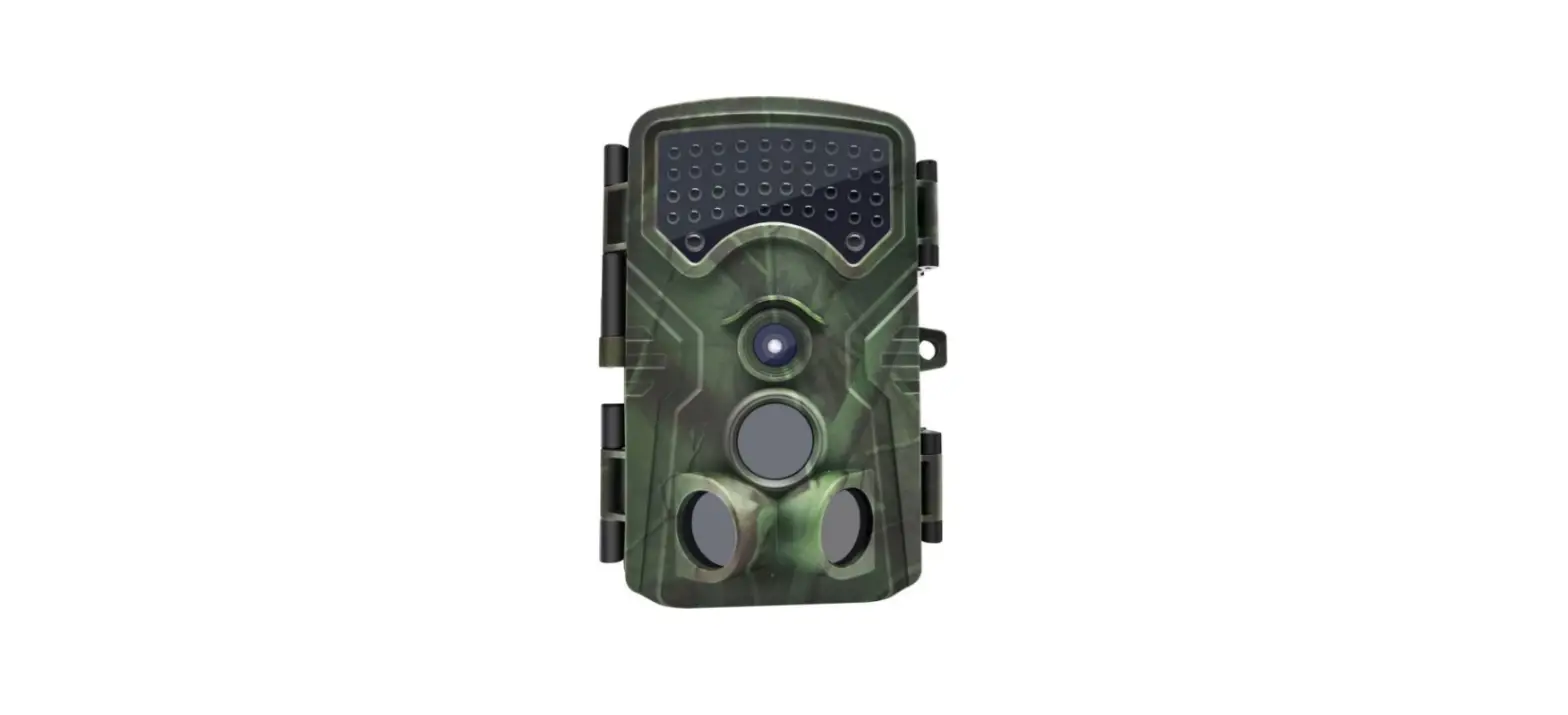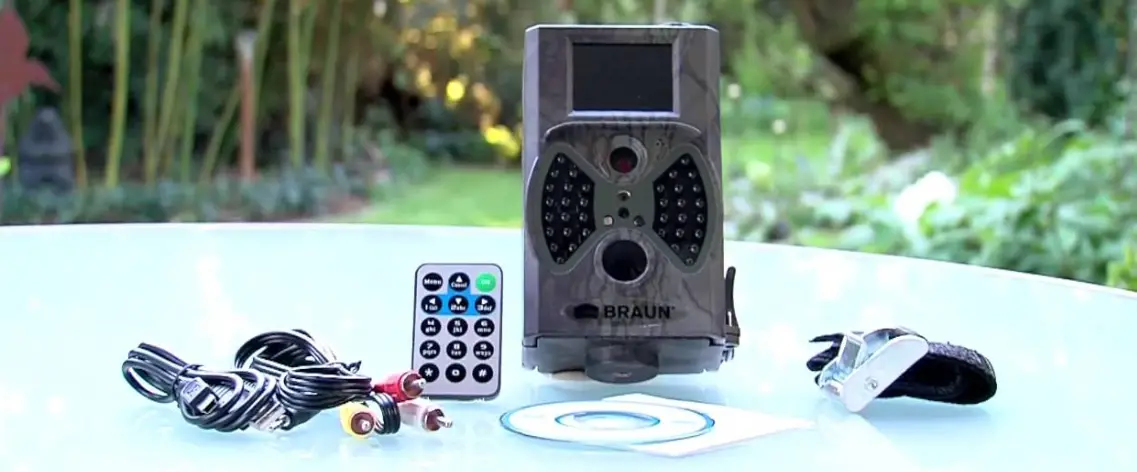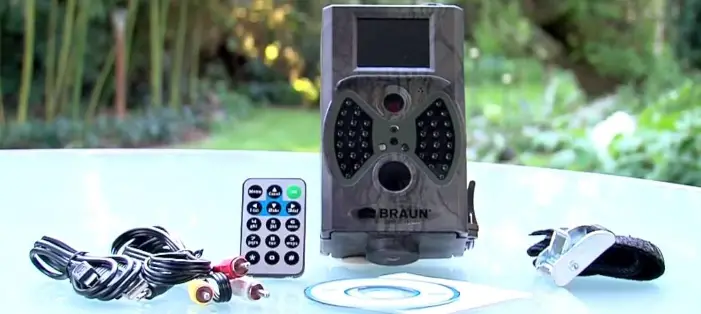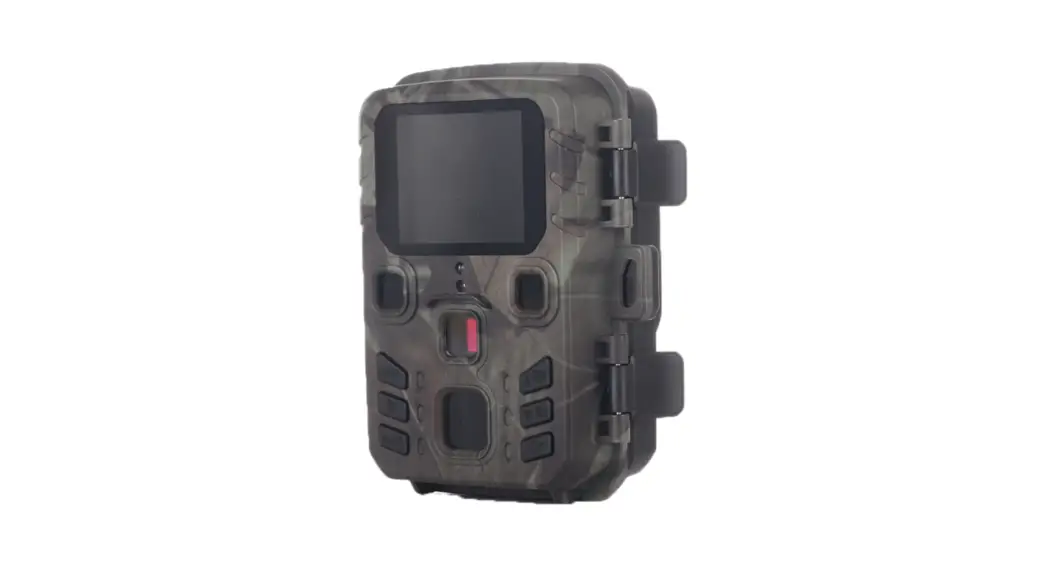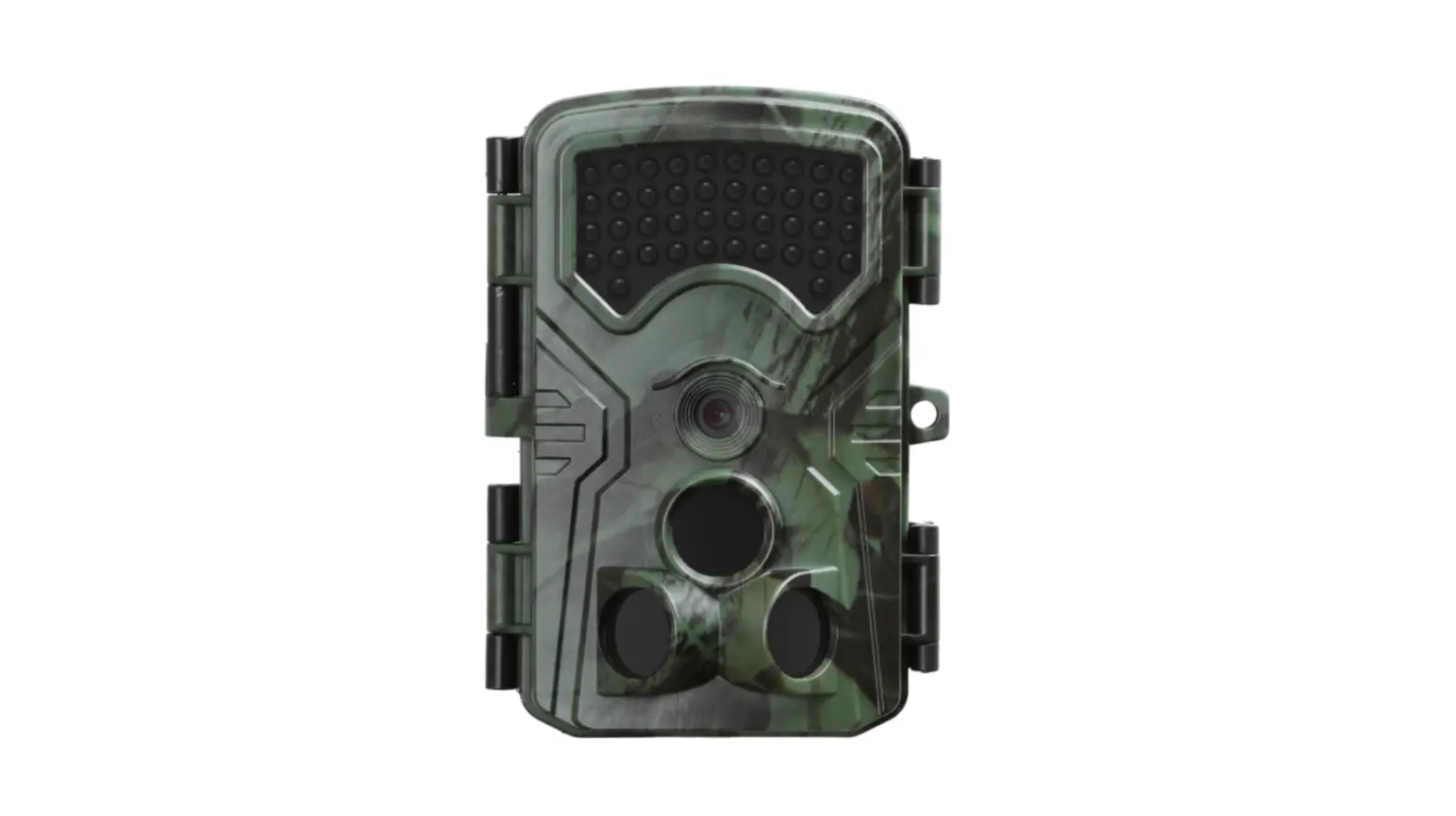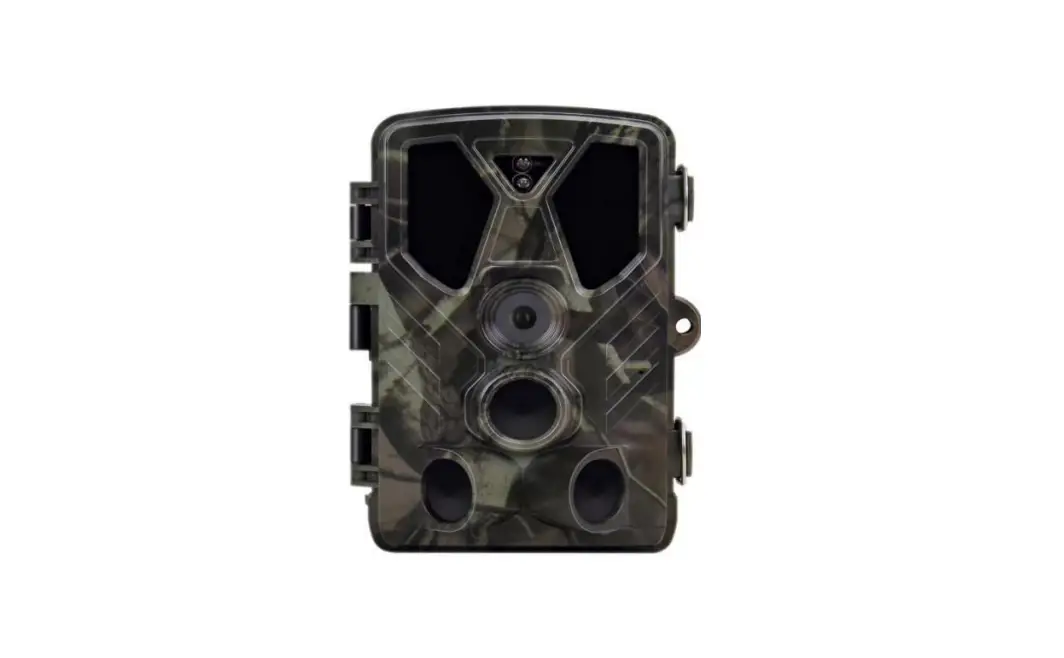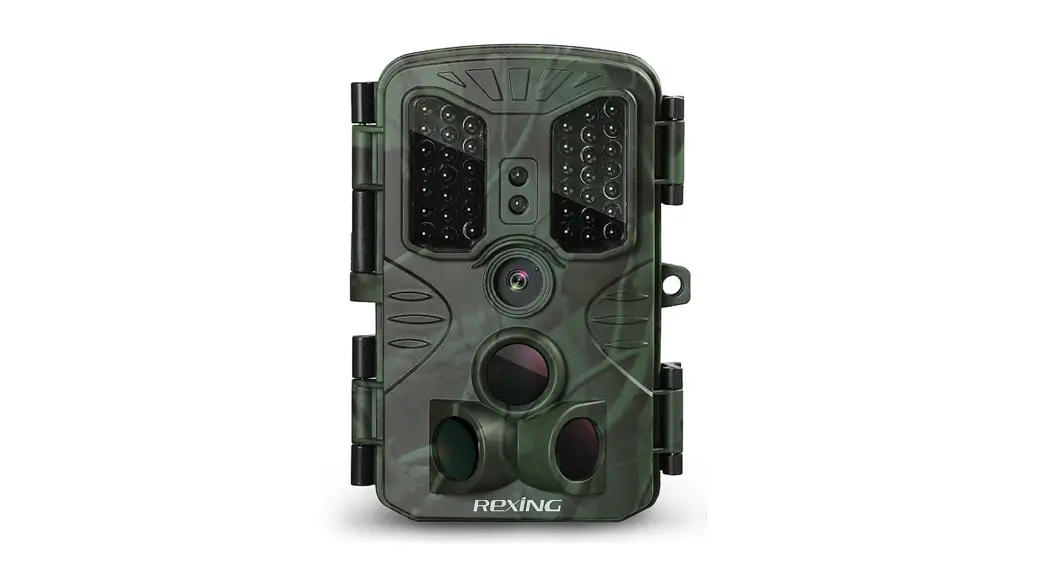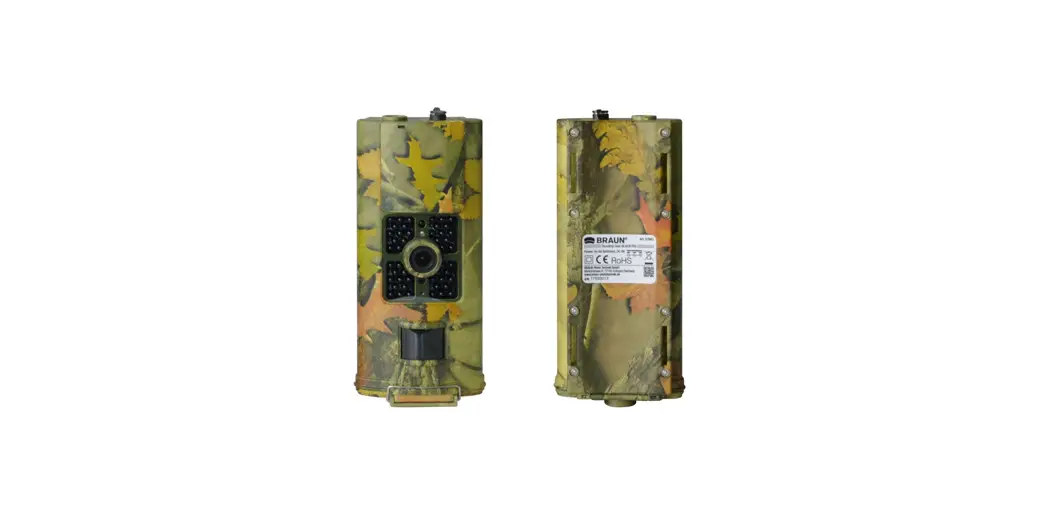
 BLACK700 Scouting Camera
User Guide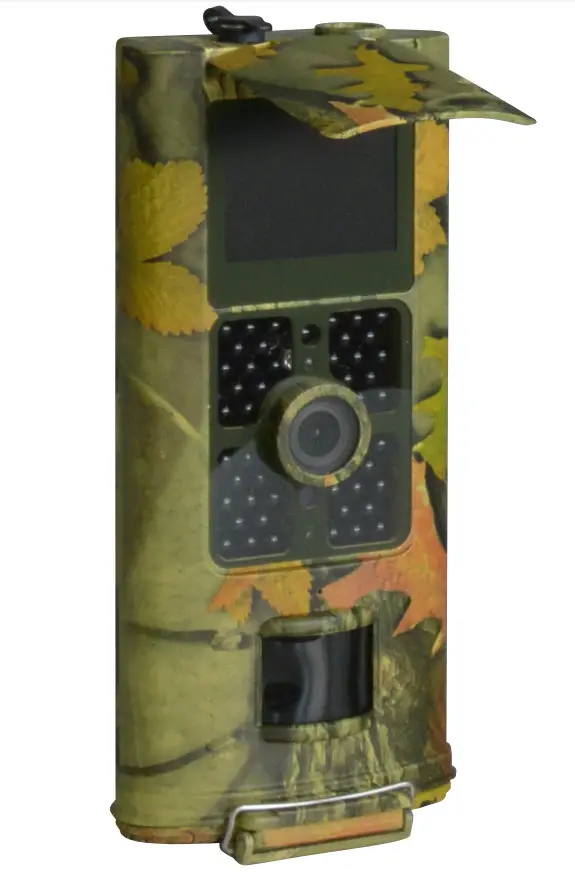
Introduction
Thank you for choosing one of our highly qualified 16MP night vision Scouting Trail Camera.
This digital camera was totally R&D by our diligent and smart engineers based on feedback and requirements from customers globally.
1.1 Application
This digital camera is an ideal product for housing security, warehouse surveillance, and monitoring wild animals with its camouflage appearance and nice shape. It is convenient to install or fasten, could be used to take photographs manually and carry on long-time videos in Test mode.
a) Instant surveillance camera for home, office, construction site, and warehouse, etc
b) Motion-triggered infra-red night vision surveillance;
c) Animal observation and hunting;
1.2 Power supply
a) AA Alkaline batteries
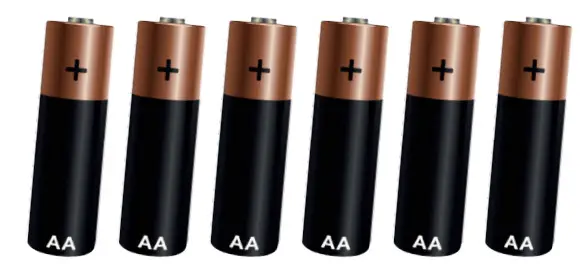
This camera can either work with 6pcs AA Alkaline batteries.
Please note that the voltage of rechargeable AA batteries (1.5V) is insufficient to power this device. Batteries should be inserted as indicated inside the battery case.
b) Power Adapter
This camera can also be powered by an external 9V DC adapter. Recommend to remove the alkaline batteries when power adapter is used, to avoid surcharging.
1.3 Caution
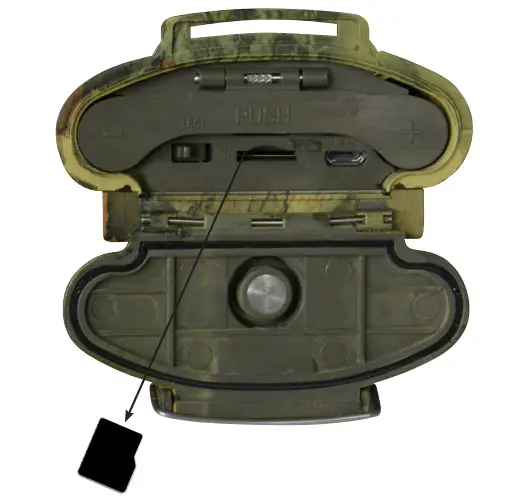
a) Please insert the Micro SD Card when the power switch is on OFF position before testing the camera.
b) Please do not insert or take out the Micro SD Card when the power switch is on ON position.
c) It is recommended to format the Micro SD Card by the camera when used at the first time.
d) The camera will be in USB mode when connected to a USB port of a computer.
In this case, the Micro SD Card functions as a removable disk.
e) Please ensure sufficient power when having firmware upgrade, otherwise the upgrade process could be interrupted incorrectly. If any fault occurs after improper upgrading process, the camera may stop function properly.
1.4 Privacy Policy
ATTENTION! Legal and privacy protection:
Please inform yourself carefully about the legal regulations in your country concerning to data protection, personal identification, copyright, duty of notification and privacy laws before using this device.
BRAUN Photo Technik GmbH assumes no liability for violations against the Federal Data Protection Act and other legal regulations!
Privacy of individuals must be preserved.
Prepare your camera only at places where this is guaranteed.
Recordings with people have to be deleted, if there is no agreement for publishing.
The area of recording has to be displayed clearly to all public entry points.
1.5 Key Features
- Built-in 2.0″ TFT color screen to review photos and videos on camera
- 48 pcs IR LEDs for flash range as 20 meters
- Programmable 8/12/16 Megapixel high-quality resolution
- Color pictures during daylight; black and white at night
- Adjustable PIR sensitivity; HIGH, MID, LOW
- Impressive quick trigger time: 0.5s
- Multi-shot pictures; 1,3,6,9
- Adjustable delay between motions; 1/5/10/30 seconds/minutes
- Adjustable video length: 10/30/60/90 seconds
- With 6pcs AA alkaline batteries, the longest standby time is up to 6 months
- Available operation temperature: -20°C to 60C
- With specified Timer, camera can be programmed to work only during preset time period every day
- Stamp the date, time, temperature and moon phase on each picture
- Sound Recording
Whole View and Details of Camera
2.1 Front View of Camera
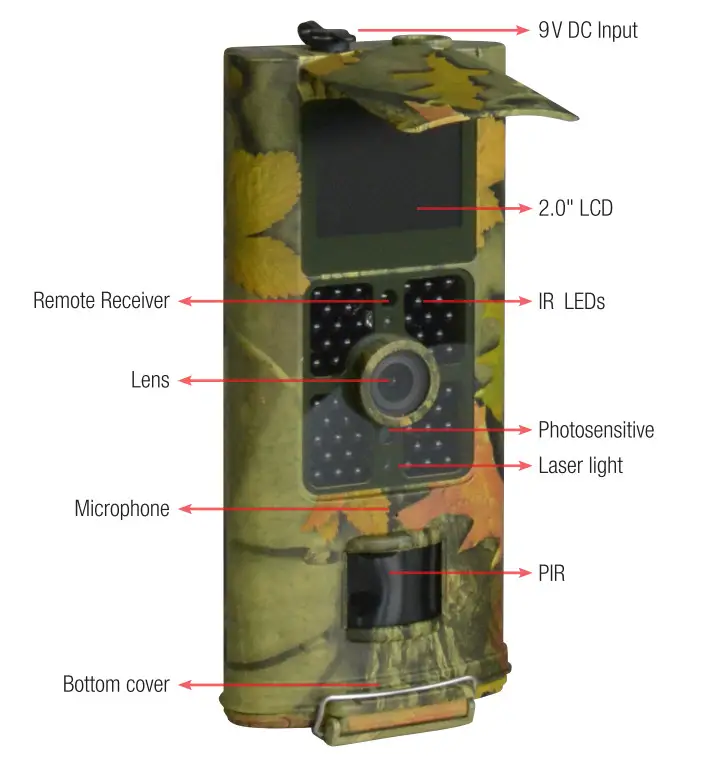
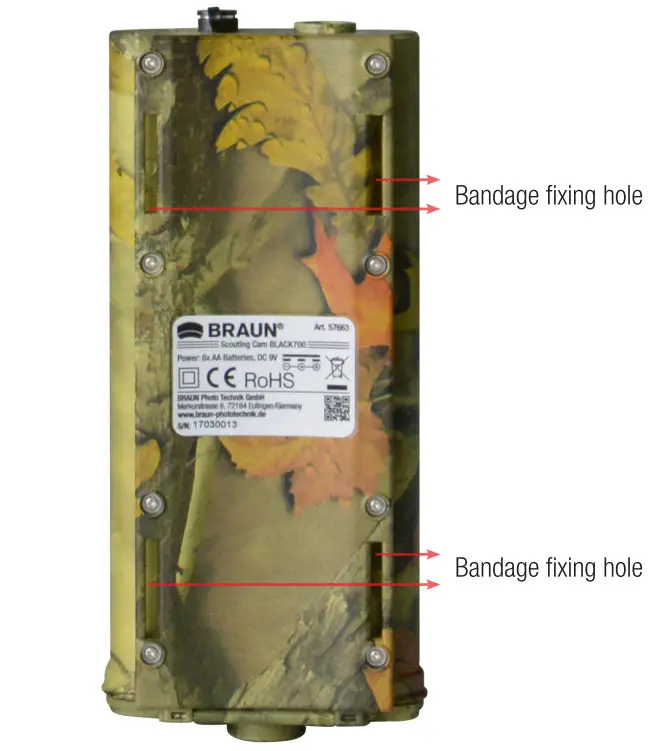
2.3 Bottom View of Camera
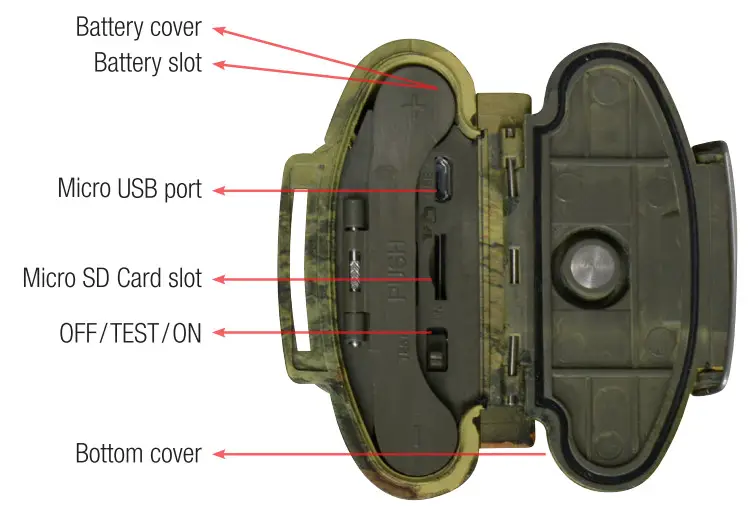
3.1 Insert Batteries
3.2 Insert Micro SD Card
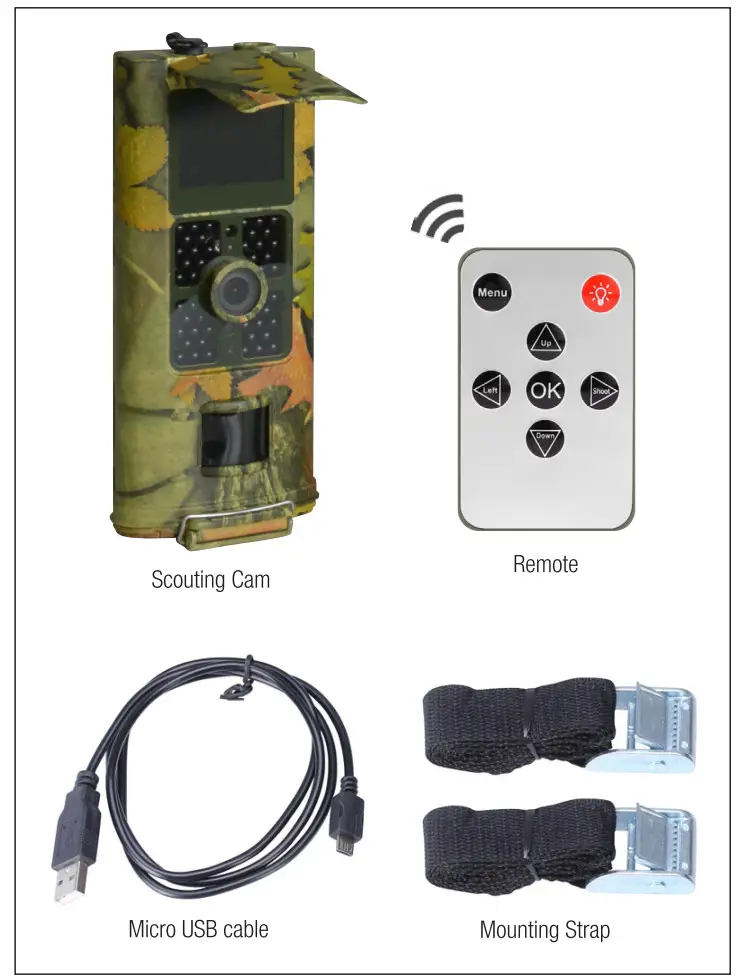
3.3 Remoter
The infrared remoter is an input device of the camera and primarily used for custo mer settings. Its maximum remote distance is 9 meters.
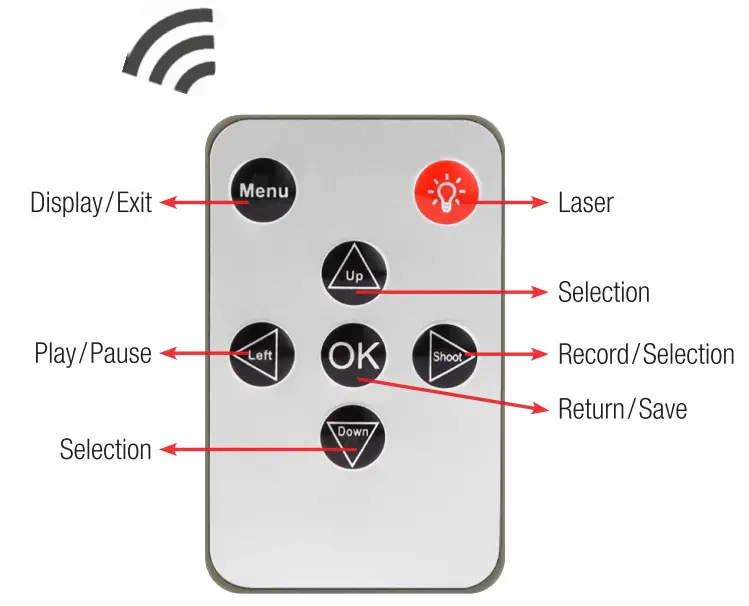
Note: Press for laser light.
(Under TEST mode) Note:
- Press “Shot” directly, the camera will take picture or video directly.
- Press “OK” directly, the picture or video recorded can be viewed.
- Viewing picture, press “Up” or “Down”.
- Viewing video, press “Left” to start, again to stop, press “OK” to return.
Slide Power Switch from OFF to Test(for setting) then to ON position, the camera powers on.
(Please don’t slide the power switch from OFF to ON directly.) 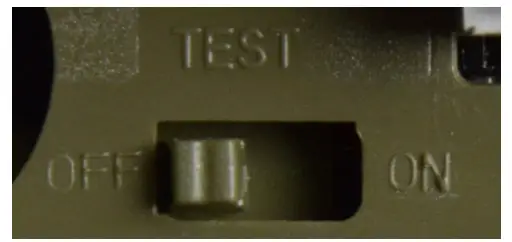
3.4.1 TEST
In TEST mode, the screen lights up. User can do the below operations by remoter:
a) Setting Camera Menu, working mode includes camera, video and system setting
b) Take picture or video (press Shot)
c) View picture or video (press OK)
3.4.2 ON
In this mode, the screen lights off and remoter is useless. The camera works automatically. Will capture and send picture out if detected any motions by PIR.
3.5 Screen Information Display 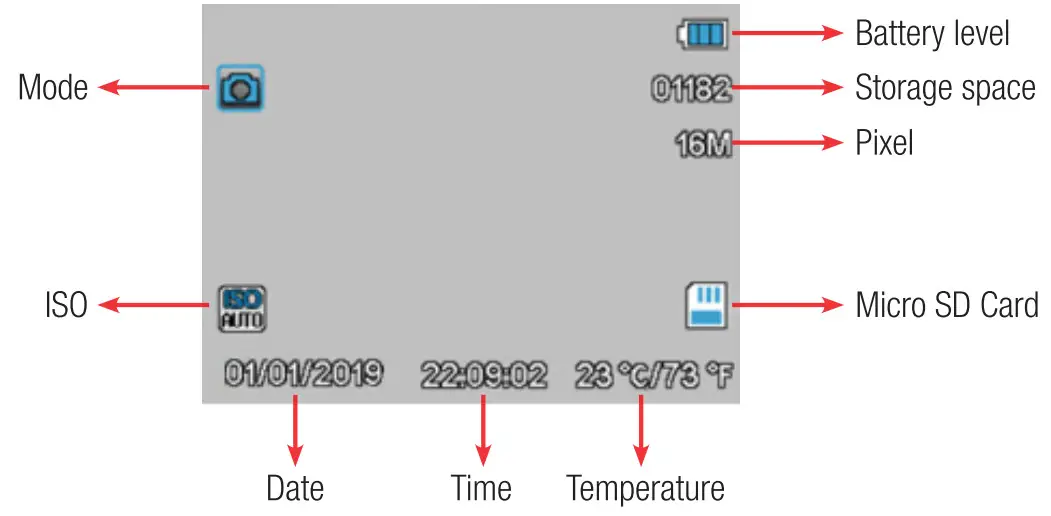
3.6 Settings Menu
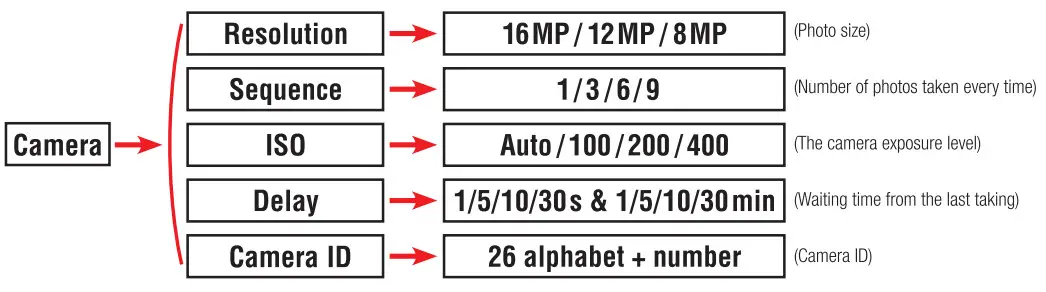
There are three parts setting of the camera, user can fix Camera, Video and Setup menu setting by remoter.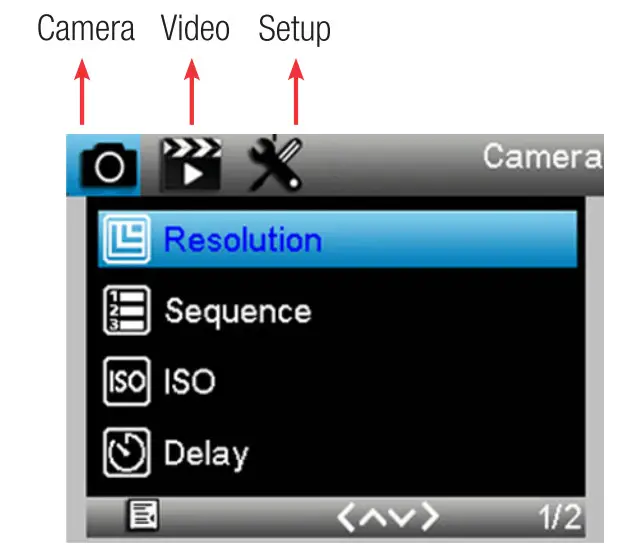
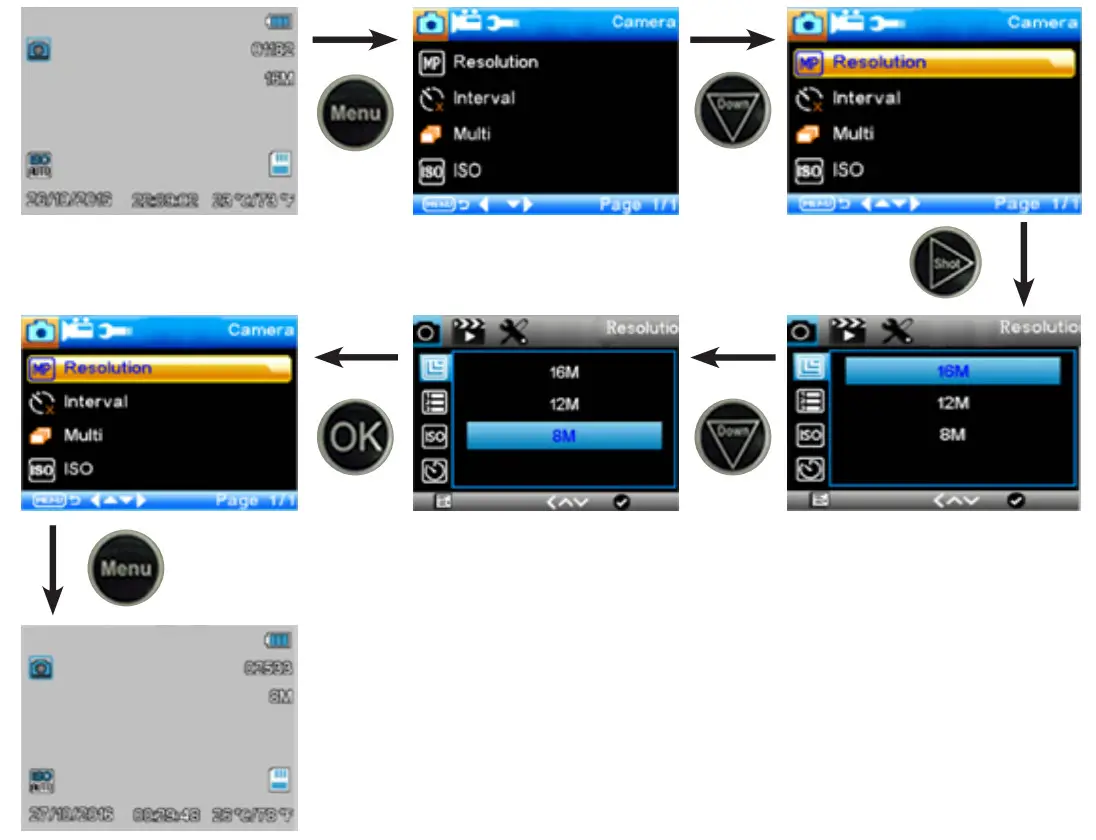
To change 16MP to 8MP Resolution, the remoter operations are:
Note:
- The mode is Camera, Video, Camera & Video or Time lapse.
- Delay, Sequence and ISO setting operations are the same.


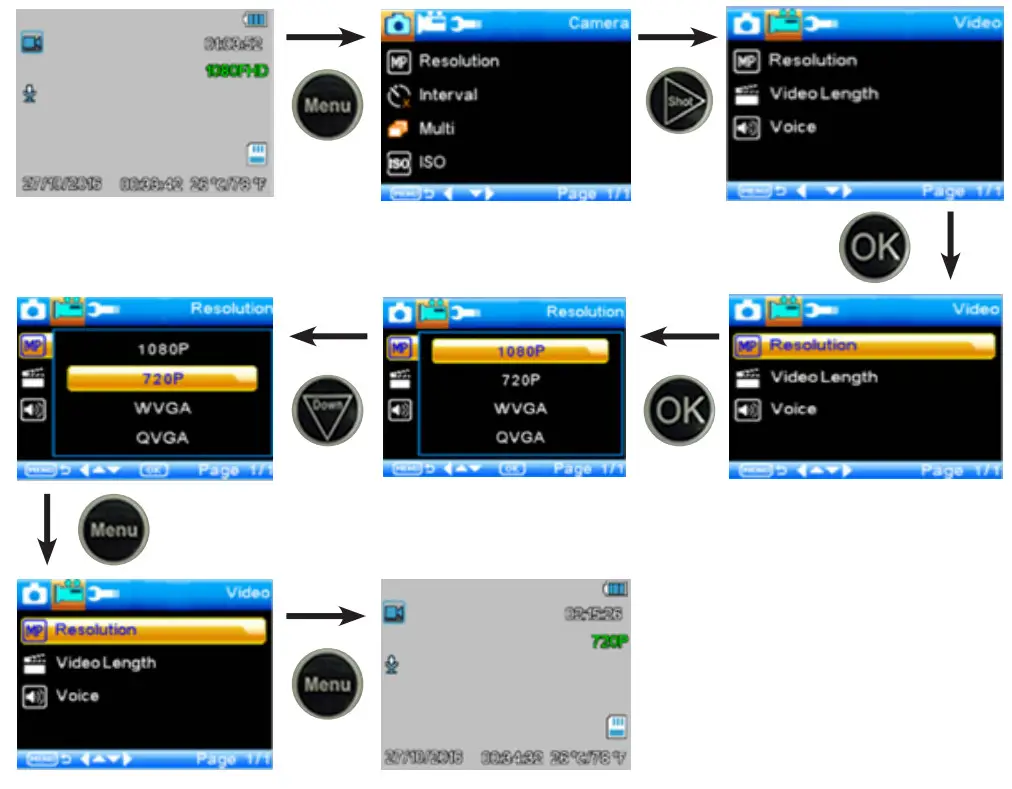
Change 1080P to 720P Resolution, the remoter operations are:
Note:
- The mode is 1080P video mode.
- Video length and Voice setting operations are same.
 Note: Default Password (****) = 1314
 Note: Default Password (****) = 1314
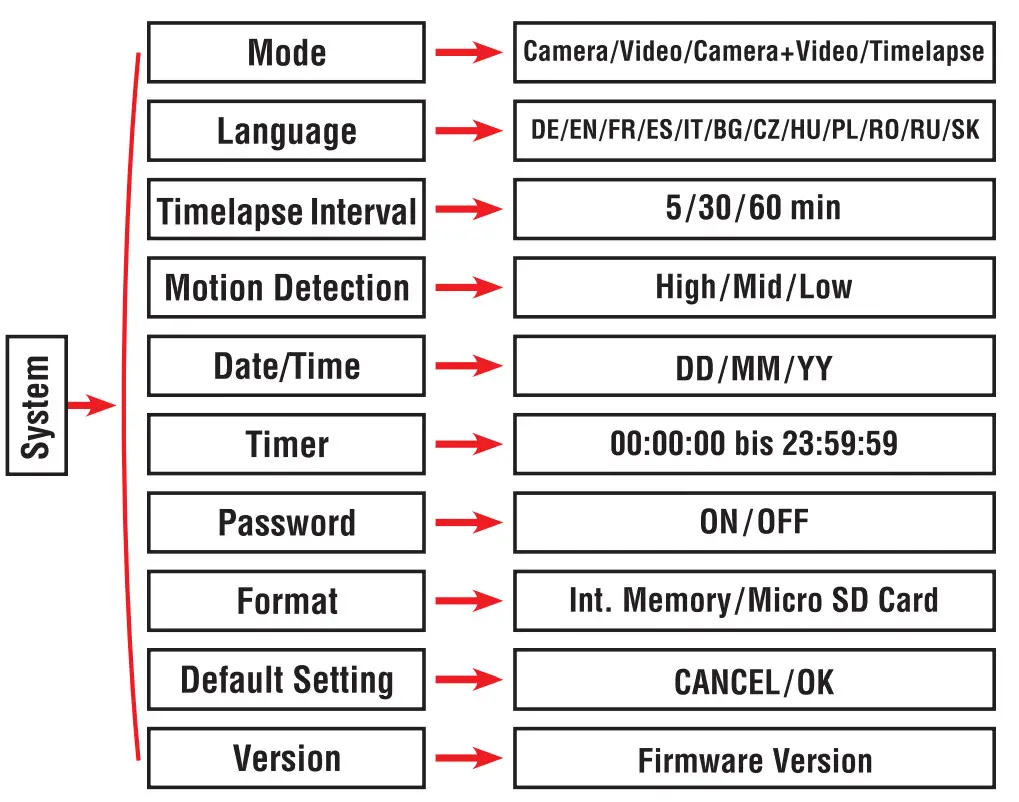
3.6.3 System Menu
To change Camera to Video mode, the remoter operations are:
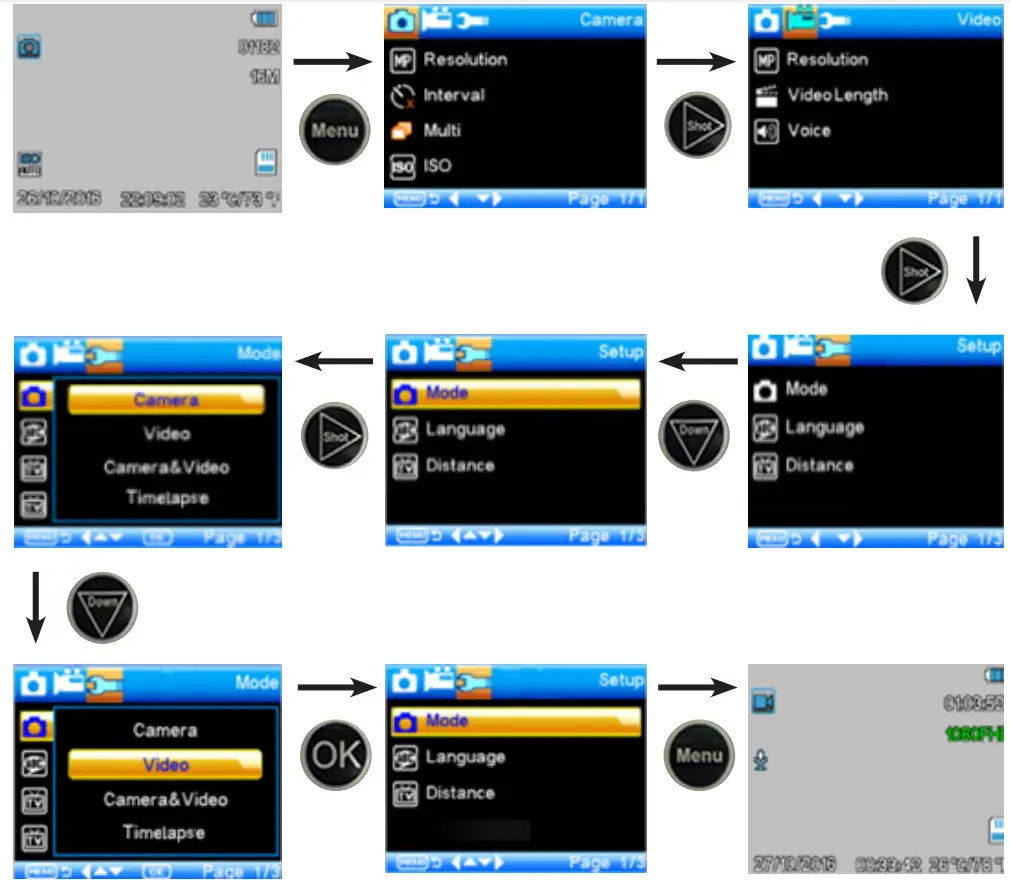
Note:
- Language, Distance, Format and Default setting operations are same.
- In Date/Time, Timer and Password setting:
a. Press “Up” or” Down” to select number
b. Press “Left” to enter into next menu
This camera is equipped with an automatic upgrade function for you.
Upgrading is needed only when an improved firmware is available.
The operations are as following:
- Unzip the update file.
- Copy the FWR801.bin to Micro SD Card.
- Insert the Micro SD Card into the camera.
- Power on the camera (Test Mode).
- The camera will read it and update itself automatically. When updating the camera, its screen is black and the indicator light will flash approx 10s.
- It will come to the menu surface after upgrade successfully.
- Delete the firmware from the Micro SD Card.(lf you don’t do this, the camera will upgrade every time when power on).
- Insert the Micro SD Card into the camera for its working.
Technical Specifications
| Image Sensor | 5 Mega Pixels Color CMOS |
| Memory | Micro SD Card up to 32 GB |
| Lens | F=3,1; F0V=90° |
| Size | 172 mm x 80 mm x 43,5 mm |
| TFT Display Screen | 2,0 Inch |
| LED | Black, Invisible 940 nm |
| PIR Distance | High/Normal/Low |
| PIR Sensor Sight Angle | 120° |
| Number of IR LED | 48 LEDs |
| max. Night Vision Lighting Distance | 65 ft/ 20 meters |
| Trigger Speed | 0,5 seconds |
| Triggering Interval | 1 / 5 /10 / 30 sec/min (standard 1 sec) |
| Selectable Image Resolution | 16MP /12MP /8MP |
| Multiple Photo on one detection | 1 /3/6/9 |
| Video Resolution | 1080p/720p/VGA/WVGA |
| File Format | JPG/MOV |
| Date/Time Imprint | Yes |
| Timelapse | Yes |
| Password Security | 4-digits PIN-Code |
| Stand-by current. | 0,2 mA |
| Stand-by time | 6 months |
| Power Supply | 6 AA batteries |
| Water proof | IP 65 |
| Security authentication | FCC, CE, RoHS |
BRAUN Photo Technik GmbH
Merkurstraße 8
72184 Eutingen (Germany)
www.braun-phototechnik.de
Artikel-Nr.
57663