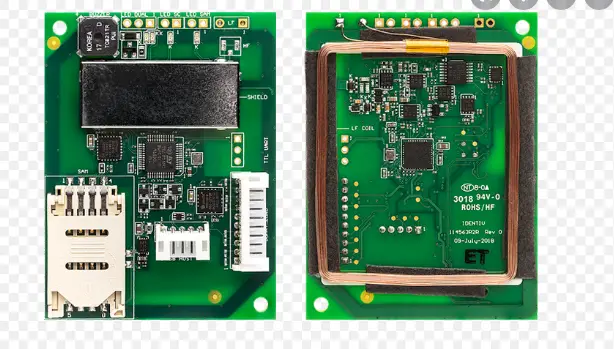
PN5190 NFC Frontend Controller
Product Information
The PN5190 NFC frontend controller is a next generation
controller that allows for communication with the host controller
via HDLL-based communication and TLV command-response-based
communication. The instruction layer commands and responses
described in this user manual are relevant for customers who wish
to evaluate the operation of the PN5190 NFC frontend controller.
The document provides information on the logical layer, instruction
code, APIs and physical host interface used in the documentation
which is SPI. The HDLL-based communication is used for packet
exchange format to work with Secure firmware download mode
(SFWU).
Product Usage Instructions
Before using the PN5190 NFC frontend controller, it is
recommended to refer to the data sheet and complementary
information for more information on its operation. The following
instructions should be followed:
- Ensure that the host controller is compatible with the PN5190
NFC frontend controller and supports HDLL-based communication or
TLV command-response-based communication. - Connect the PN5190 NFC frontend controller to the host
controller using the physical host interface, which is SPI. - If using HDLL-based communication, ensure that the device is
triggered to enter Secure firmware download mode (SFWU). - Send instruction layer commands and receive responses from the
PN5190 NFC frontend controller as described in this user
manual. - Follow the frame separation and flow control guidelines
provided in this document to ensure reliable communication between
the host controller and the PN5190 NFC frontend controller.
It is important to note that all information provided in this
document is subject to legal disclaimers.
UM11942
PN5190 instruction layer
Rev. 3.7 — 25 May 2023
User manual
Document Information
Information
Content
Keywords
PN5190, NFC, NFC frontend, controller, instruction layer
Abstract
This document describes the instruction layer commands and responses to work from a host controller, for evaluating the operation of NXP PN5190 NFC frontend controller. PN5190 is a next generation NFC frontend controller. The scope of this document is to describe the interface commands to work with PN5190 NFC frontend controller. For more information on the operation of PN5190 NFC frontend controller, refer to the data sheet and its complementary information.
NXP Semiconductors
UM11942
PN5190 instruction layer
Revision history
Revision history Rev Date
3.7
20230525
3.6
20230111
3.5
20221104
3.4
20220701
3.3
20220329
3.2
20210910
3.1
20210527
3.0
20210118
Description
· Document type and title changed from product data sheet addendum to user manual · Editorial cleanup · Updated editorial terms for SPI signals · Added command GET_CRC_USER_AREA in Table 8 in Section 4.5.2.3 · Updated various differentiated details for PN5190B1 and PN5190B2 in Section 3.4.1 · Updated response of Section 3.4.7
Enhanced Check Integrity response description in Section 3.4.7
Section 4.5.4.6.3 “Event”: added
· Added command CONFIGURE_MULTIPLE_TESTBUS_DIGITAL in Table 8 in Section 4.5.9.3
· Updated Section 4.5.9.2.2
Hardware description improved in Section 4.5.12.2.1 “Command” and Section 4.5.12.2.2 “Response”
Firmware version numbers updated from 2.1 to 2.01 and 2.3 to 2.03
RETRIEVE_RF_FELICA_EMD_DATA command description added
First official released version
UM11942
User manual
All information provided in this document is subject to legal disclaimers.
Rev. 3.7 — 25 May 2023
© 2023 NXP B.V. All rights reserved.
2 / 79
NXP Semiconductors
UM11942
PN5190 instruction layer
1 Introduction
1.1 Introduction
This document describes the PN5190 Host Interface and the APIs. The physical host interface used in the documentation is SPI. SPI physical characteristic is not considered in the document. Frame separation and flow control are part of this document.
1.1.1 Scope The document describes the logical layer, instruction code, APIs which are relevant for the customer.
UM11942
User manual
All information provided in this document is subject to legal disclaimers.
Rev. 3.7 — 25 May 2023
© 2023 NXP B.V. All rights reserved.
3 / 79
NXP Semiconductors
UM11942
PN5190 instruction layer
2 Host communication overview
PN5190 has two main modes of operation to communicate with the host controller.
1. HDLL-based communication is used when the device is triggered to enter: a. Encrypted Secure download Mode to update its firmware
2. TLV command-response-based communication (given as an example).
2.1 HDLL mode
HDLL mode is used for packet exchange format to work with below IC operating modes: 1. Secure firmware download mode (SFWU), see Section 3
2.1.1 Description of HDLL
HDLL is the link layer developed by NXP to ensure a reliable FW download. An HDLL message is made of a 2 byte header, followed by a frame, comprising the opcode and the Payload of the command. Each message ends with a 16-bit CRC, as described on the picture below:
HDLL header
Frame
End
5-bit
1bit
10-bit
8-bit
(L-1) Bytes
16-bit
RFU
Ch unk
M S B
Packet Length (L)
L S B
Byte 0
Byte 1
MSB
LSB
Op Code Byte 2
Payload Byte 3 … Byte [1+L]
CRC
Byte [2+L]
Byte [3+L]
Figure 1.HDLL Frame
The HDLL header contains:
· A chunk bit. Which indicates if this message is the only or last chunk of a message (chunk = 0). Or if, at least, one other chunk follows (chunk = 1).
· The length of the Payload coded on 10 bits. So, the HDLL Frame Payload can go up to 1023 Bytes.
The byte order has been defined as big-endian, meaning Ms Byte first.
The CRC16 is compliant to X.25 (CRC-CCITT, ISO/IEC13239) standard with polynomial x^16 + x^12 + x^5 +1 and pre-load value 0xFFFF.
It is calculated over the whole HDLL frame, that is, Header + Frame.
Sample C-code implementation:
static uint16_t phHal_Host_CalcCrc16(uint8_t* p, uint32_t dwLength)
{
uint32_t i ;
uint16_t crc_new ;
uint16_t crc = 0xffffU;
for (I = 0; i < dwLength; i++)
{
crc_new = (uint8_t)(crc >> 8) | (crc << 8 );
UM11942
User manual
All information provided in this document is subject to legal disclaimers.
Rev. 3.7 — 25 May 2023
© 2023 NXP B.V. All rights reserved.
4 / 79
NXP Semiconductors
UM11942
PN5190 instruction layer
crc_new ^= p[i]; crc_new ^= (uint8_t)(crc_new & 0xff) >> 4; crc_new ^= crc_new << 12; crc_new ^= (crc_new & 0xff) << 5; crc = crc_new; } return crc; }
2.1.2 Transport mapping over the SPI For every NTS assertion, the first byte is always a HEADER (flow indication byte), it can be either 0x7F/0xFF with respect to write/read operation.
2.1.2.1 Write Sequence from the host (direction DH => PN5190)
NTS COTI
Host performs chipselect
Possible gap
HDLL Header Byte 0
HDLL Header Byte 1
HDLL OpCode
HDLL Payload Byte 0
HDLL Payload Byte n
HDLL CRC 2
HDLL CRC 1
CITO
Figure 2.SPI Write sequence
2.1.2.2 Read Sequence from the host (Direction PN5190 => DH)
NTS COTI
CITO
Host performs chip-select
HDLL Header Byte 0
HDLL Header Byte 1
HDLL OpCode
HDLL Payload Byte 0
Figure 3.SPI Read sequence
HDLL Payload Byte n
HDLL CRC 2
HDLL CRC 1
UM11942
User manual
All information provided in this document is subject to legal disclaimers.
Rev. 3.7 — 25 May 2023
© 2023 NXP B.V. All rights reserved.
5 / 79
NXP Semiconductors
UM11942
PN5190 instruction layer
2.1.3 HDLL protocol
HDLL is a command-response protocol. All the operations mentioned above are triggered through a specific command and validated based on the response. Commands and responses follow HDLL message syntax, the command being sent by the device host, the response by the PN5190. The opcode indicates the command and response type. HDLL-based communications, only used when the PN5190 is triggered to enter the “Secure firmware download” mode.
2.2 TLV mode
TLV stands for Tag Length Value.
2.2.1 Frame definition
A SPI frame starts with the falling edge of NTS and ends with the rising edge of NTS. SPI is per physical definition full duplex but PN5190 uses SPI in a half-duplex mode. SPI mode is limited to CPOL 0 and CPHA 0 with a max clock speed as specified in [2]. Every SPI frame is composed of a 1 byte header and n-bytes of body.
2.2.2 Flow indication
NTS COTI CITO
WRITE request via SPI
SOF=0 0xxxxxxx
0xFF
byte 0xFF
byte 0xFF
READ request via SPI
0xFF 0xFF
dummy
dummy
1st byte
2nd byte
INVALID access
Invalid byte
10xxxxxx
0xFF
byte 0xFF
byte 0xFF
Figure 4.Flow indication The HOST always sends as a first byte the flow indication byte, whether it wants to write or read data from the PN5190. If there is a read request and no data is available, the response contains 0xFF. The data after the flow indication byte is one or several messages. For every NTS assertion, the first byte is always a HEADER (flow indication byte), it can be either 0x7F/0xFF with respect to write/read operation.
2.2.3 Message type
A host controller shall communicate with PN5190 using messages which are transported within SPI frames. There are three different message types: · Command · Response · Event
UM11942
User manual
All information provided in this document is subject to legal disclaimers.
Rev. 3.7 — 25 May 2023
© 2023 NXP B.V. All rights reserved.
6 / 79
NXP Semiconductors
UM11942
PN5190 instruction layer
Figure 5.Communication of host controller
The communication diagram above shows the allowed directions for the different message types as below:
· Command and response. · Commands are only sent from host controller to PN5190. · Responses and events are only sent from PN5190 to host controller. · Command responses are synchronized using the IRQ pin. · Host can send the commands only when IRQ is low. · Host can read the response/event only when IRQ is high.
2.2.3.1 Allowed sequences and rules
Host Controller
PN5190
Command Response
Event
Command Response
Command Event
Figure 6.Allowed sequences and rules
Allowed sequences of command, response, and events
· A command is always acknowledged by a response, or an event, or both. · Host controller is not allowed to send another command before have not received a response to the previous
command. · Events may be sent asynchronously at any time (NOT interleaved within a command/response pair). · EVENT messages are never combined with the RESPONSE messages within one frame.
UM11942
User manual
All information provided in this document is subject to legal disclaimers.
Rev. 3.7 — 25 May 2023
© 2023 NXP B.V. All rights reserved.
7 / 79
NXP Semiconductors
UM11942
PN5190 instruction layer
Note: The availability of a message (either RESPONSE or EVENT) is signalized with the IRQ going high, from low. IRQ stays high until all the response or event frame is read. Only after IRQ signal is low, the host can send the next command.
2.2.4 Message format
Each message is coded in a TLV structure with n-bytes payload for each message except for SWITCH_MODE_NORMAL command.
Figure 7.Message format Each TLV is composed of:
Figure 8.TLV format
Type (T) => 1 byte Bit[7] Message Type 0: COMMAND or RESPONSE message 1: EVENT message Bit[6:0]: Instruction code Length (L) => 2 bytes (should be in big-endian format) Value (V) => N bytes of value/data of the TLV (Command Parameters / Response data) based on Length field (big-endian format)
2.2.4.1 Split frame COMMAND message must be sent in one SPI frame. RESPONSE and EVENT messages can be read in multiple SPI frames, e.g. to read out the length byte.
NTS COTI CLK
HEADER
TYPE
LENGTH
CLOCK
Figure 9.Reading response/events in multiple SPI frames
HEADER
VALUE
CLOCK
UM11942
User manual
All information provided in this document is subject to legal disclaimers.
Rev. 3.7 — 25 May 2023
© 2023 NXP B.V. All rights reserved.
8 / 79
NXP Semiconductors
UM11942
PN5190 instruction layer
RESPONSE or EVENT messages can be read in single SPI frame but delayed by NO-CLOCK in between, e.g., to read out the length byte.
NTS COTI CLK
HEADER
TYPE
LENGTH
CLOCK
Figure 10.Reading of response/events in single SPI frame
VALUE CLOCK
UM11942
User manual
All information provided in this document is subject to legal disclaimers.
Rev. 3.7 — 25 May 2023
© 2023 NXP B.V. All rights reserved.
9 / 79
NXP Semiconductors
UM11942
PN5190 instruction layer
3 IC operating boot mode – secured FW download mode
3.1 Introduction
Part of the PN5190 firmware code is permanently stored in the ROM, while the rest of the code and the data are stored in the embedded flash. User data is stored in flash and is protected by anti-tearing mechanisms that ensure the integrity and availability of the data. In order to provide NXPs’ customers with features that are compliant with the latest standards (EMVCo, NFC Forum, and so on), both the code and user data in FLASH can be updated.
The authenticity and integrity of the encrypted firmware is protected by asymmetric/symmetric key signature and reverse chained hash mechanism. The first DL_SEC_WRITE command contains the hash of the second command and is protected by an RSA signature on the payload of first frame. PN5190 firmware uses the RSA public key to authenticate the first command. The chained hash in each command is used to authenticate the subsequent command, to ensure that the firmware code and data are not accessed by third parties.
The payloads of the DL_SEC_WRITE commands are encrypted with an AES-128 key. After authentication of each command, the payload content is decrypted and written to flash by PN5190 firmware.
For NXP firmware, NXP is in charge of delivering new secure firmware updates, together with new User data. The update procedure is equipped with a mechanism to protect the authenticity, integrity, and confidentiality of NXP code and data.
HDLL-based frame packet schema is used for all command and responses for secured firmware upgrade mode. The Section 2.1 provides the overview of HDLL frame packet schema used.
PN5190 ICs supports both legacy encrypted secured FW download and hardware crypto assisted encrypted secure FW download protocol depending upon the variant used.
The two types are:
· Legacy secure FW download protocol that works with PN5190 B0/B1 IC version only. · Hardware crypto assisted secure FW download protocol that works with PN5190B2 IC version only, that uses
the on-chip hardware crypto blocks
The following sections explain the commands and responses of Secure firmware download mode.
3.2 How to trigger the “Secured firmware download” mode
Below diagram, and subsequent steps, show on how to trigger Secured firmware download mode.
UM11942
User manual
All information provided in this document is subject to legal disclaimers.
Rev. 3.7 — 25 May 2023
© 2023 NXP B.V. All rights reserved.
10 / 79
NXP Semiconductors
UM11942
PN5190 instruction layer
PN5190 Hard Reset
Get session
no Session == Closed
yes Get FW version
OK Version checking rules
NOK
Load new FW binary Perform authentification Write new FW to PN5190
Get Integrity Check Integrity Check OK
PN5190 Hard Reset
Figure 11.Procedure to enter Secured firmware download mode
Pre-condition: PN5190 is in Operation state.
Main scenario:
1. Entry condition where DWL_REQ pin is used to enter “Secured firmware download” mode. a. Device host pulls DWL_REQ pin high (valid only if secure firmware update through DWL_REQ pin) OR b. Device host performs a hard-reset to boot the PN5190
2. Entry condition where DWL_REQ pin is not used for entering into “Secured firmware download” mode (pinless download). a. Device host performs a hard-reset to boot the PN5190 b. Device host sends SWITCH_MODE_NORMAL (Section 4.5.4.5) to enter into normal application mode. c. Now when IC is in normal mode of application, Device host sends SWITCH_MODE_DOWNLOAD (Section 4.5.4.9) to enter into secure download mode.
3. Device host sends DL_GET_VERSION (Section 3.4.4), or DL_GET_DIE_ID (Section 3.4.6), or DL_GET_SESSION_STATE (Section 3.4.5) command.
4. Device host reads the current hardware and firmware version, session, Die-id from the device. a. Device host checks session status if last download was completed b. Device host applies the version checking rules to decide whether to start the download or exit download.
5. Device host loads from a file the firmware binary code to be downloaded 6. Device host provides a first DL_SEC_WRITE ( Section 3.4.8) command that contains:
a. The version of the new firmware, b. A 16-byte nonce of arbitrary values used for encryption key obfuscation c. A digest value of the next frame, d. The digital signature of the frame itself
UM11942
User manual
All information provided in this document is subject to legal disclaimers.
Rev. 3.7 — 25 May 2023
© 2023 NXP B.V. All rights reserved.
11 / 79
NXP Semiconductors
UM11942
PN5190 instruction layer
7. The device host loads the secure download protocol sequence to the PN5190 with DL_SEC_WRITE (Section 3.4.8) commands
8. When the last DL_SEC_WRITE (Section 3.4.8) command has been sent, the device host executes the DL_CHECK_INTEGRITY (Section 3.4.7) command to check if the memories have been successfully written.
9. Device host reads the new firmware version and checks the session status if closed for reporting to the upper layer
10. Device host pulls the DWL_REQ pin to low (if DWL_REQ pin is used to enter download mode) 11. Device host performs hard reset (toggling VEN pin) on the device to reboot the PN5190
Post-condition: The firmware is updated; new firmware version number is reported.
3.3 Firmware signature and version control
In the PN5190 firmware download mode, a mechanism ensures that only a firmware signed and delivered by NXP will be accepted for NXP firmware.
Following is applicable only for the encrypted secure NXP firmware.
During a download session, a new 16 bits firmware version is sent. It is composed of a major and a minor number:
· Major number: 8 bits (MSB) · Minor number: 8 bits (LSB) The PN5190 checks if the new major version number is bigger or equal to the current one. If not, the secured firmware download is rejected, and the session is kept closed.
3.4 HDLL commands for legacy encrypted download and hardware crypto assisted encrypted download
This section provides the information about the commands and responses that were used for both types of downloads for NXP firmware download.
3.4.1 HDLL Command OP codes
Note: HDLL command frames are 4 bytes aligned. Unused payload bytes are left nil.
Table 1. List of HDLL command OP codes
PN5190 B0/ PN5190 B2
Command Alias
B1 (Legacy (Crypto assisted
download) download)
0xF0
0xE5
DL_RESET
0xF1
0xE1
DL_GET_VERSION
0xF2
0xDB
DL_GET_SESSION_STATE
0xF4
0xDF
DL_GET_DIE_ID
0xE0
0xE7
DL_CHECK_INTEGRITY
0xC0
0x8C
DL_SEC_WRITE
Description
Performs a soft reset Returns the version numbers Returns the current session state Returns the die ID Checks and return the CRCs over the different areas as well as pass/fail status flags for each Writes x bytes to memory starting at absolute address y
UM11942
User manual
All information provided in this document is subject to legal disclaimers.
Rev. 3.7 — 25 May 2023
© 2023 NXP B.V. All rights reserved.
12 / 79
NXP Semiconductors
UM11942
PN5190 instruction layer
3.4.2 HDLL Response Opcodes
Note: HDLL response frames are 4 bytes aligned. Unused payload bytes are left nil. Only DL_OK responses can contain payload values.
Table 2. List of HDLL response OP codes
Opcode
Response Alias
0x00
DL_OK
0x01
DL_INVALID_ADDR
0x0B
DL_UNKNOW_CMD
0x0C
DL_ABORTED_CMD
0x1E
DL_ADDR_RANGE_OFL_ERROR
0x1F
DL_BUFFER_OFL_ERROR
0x20
DL_MEM_BSY
0x21
DL_SIGNATURE_ERROR
0x24
DL_FIRMWARE_VERSION_ERROR
0x28
DL_PROTOCOL_ERROR
0x2A
DL_SFWU_DEGRADED
0x2D
PH_STATUS_DL_FIRST_CHUNK
0x2E
PH_STATUS_DL_NEXT_CHUNK
0xC5
PH_STATUS_INTERNAL_ERROR_5
Description Command passed Address not allowed Unknown command Chunk sequence is too large Address out of range Buffer is too small Memory busy Signature mismatch Current version equal or higher Protocol error Flash data corruption First chunk received Wait for the next chunk Length mismatch
3.4.3 DL_RESET command
Frame exchange: PN5190 B0/B1: [HDLL] -> [0x00 0x04 0xF0 0x00 0x00 0x00 0x18 0x5B] PN5190 B2: [HDLL] -> [0x00 0x04 0xE5 0x00 0x00 0x00 0xBF 0xB9] [HDLL] <- [0x00 0x04 STAT 0x00 CRC16] The reset prevents the PN5190 from sending the DL_STATUS_OK answer. Therefore, only erroneous status can be received. STAT is the return status.
3.4.4 DL_GET_VERSION command
Frame exchange: PN5190 B0/B1: [HDLL] -> [0x00 0x04 0xF1 0x00 0x00 0x00 0x6E 0xEF] PN5190 B2: [HDLL] -> [0x00 0x04 0xE1 0x00 0x00 0x00 0x75 0x48] [HDLL] <- [0x00 0x08 STAT HW_V RO_V MODEL_ID FM1V FM2V RFU1 RFU2 CRC16] The payload frame of the GetVersion response is:
Table 3. Response to the GetVersion command
Field
Byte
STAT
1
Status
Description
UM11942
User manual
All information provided in this document is subject to legal disclaimers.
Rev. 3.7 — 25 May 2023
© 2023 NXP B.V. All rights reserved.
13 / 79
NXP Semiconductors
UM11942
PN5190 instruction layer
Table 3. Response to the GetVersion command …continued
Field
Byte
Description
HW_V
2
Hardware version
RO_V
3
ROM code
MODEL_ID
4
Model ID
FMxV
5-6
Firmware version (used for download)
RFU1-RFU2
7-8
–
Expected values of different fields of response and their mapping is as below:
Table 4. Expected values of the response of the GetVersion command
IC Type
HW Version (hex)
ROM Version (hex) Model ID
(hex)
PN5190 B0
0x51
0x02
0x00
PN5190 B1
0x52
0x02
0x00
PN5190 B2
0x53
0x03
0x00
FW Version (hex)
xx.yy xx.yy xx.yy
3.4.5 DL_GET_SESSION_STATE command
Frame exchange: PN5190 B0/B1: [HDLL] -> [0x00 0x04 0xF2 0x00 0x00 0x00 0xF5 0x33] PN5190 B2: [HDLL] -> [0x00 0x04 0xDB 0x00 0x00 0x00 0x31 0x0A] [HDLL] <- [0x00 0x04 STAT SSTA RFU CRC16] The payload frame of the GetSession response is:
Table 5. Response to the GetSession command
Field
Byte
Description
STAT
1
Status
SSTA
2
Session state
· 0x00: closed
· 0x01: open
· 0x02: locked (download no more allowed)
RFU
3-4
3.4.6 DL_GET_DIE_ID command
Frame exchange: PN5190 B0/B1: [HDLL] -> [0x00 0x04 0xF4 0x00 0x00 0x00 0xD2 0xAA] PN5190 B2: [HDLL] -> [0x00 0x04 0xDF 0x00 0x00 0x00 0xFB 0xFB] [HDLL] <- [0x00 0x14 STAT 0x00 0x00 0x00 ID0 ID1 ID2 ID3 ID4 ID5 ID6 ID7 ID8 ID9 ID10 ID11 ID12 ID13 ID14 ID15 CRC16] The payload frame of the GetDieId response is:
UM11942
User manual
All information provided in this document is subject to legal disclaimers.
Rev. 3.7 — 25 May 2023
© 2023 NXP B.V. All rights reserved.
14 / 79
NXP Semiconductors
UM11942
PN5190 instruction layer
Table 6. Response to the GetDieId command
Field
Byte
Description
STAT
1
Status
RFU
2-4
DIEID
5-20
ID of the die (16 bytes)
3.4.7 DL_CHECK_INTEGRITY command
Frame exchange: PN5190 B0/B1: [HDLL] -> [0x00 0x04 0xE0 0x00 0x00 0x00 CRC16] PN5190 B2: [HDLL] -> [0x00 0x04 0xE7 0x00 0x00 0x00 0x52 0xD1] [HDLL] <- [0x00 0x20 STAT LEN_DATA LEN_CODE 0x00 [CRC_INFO] [CRC32] CRC16] The payload frame of the CheckIntegrity response is:
Table 7. Response to the CheckIntegrity command
Field
Byte
Value/Description
STAT
1
Status
LEN_DATA
2
Total number of data sections
LEN_CODE
3
Total number of code sections
RFU
4
Reserved
[CRC_INFO]5-8
32 bits (little-endian). If a bit is set, the CRC of the corresponding section is OK, otherwise Not OK.
Bit
Area integrity status
[31:28] Reserved [3] [27:23] Reserved [1] [22]Reserved [3] [21:20] Reserved [1] [19]
RF configuration area (PN5190 B0/B1) [2]
Reserved (PN5190 B2) [3] [18]
Protocol configuration area (PN5190 B0/B1) [2]
RF configuration area (PN5190 B2) [2] [17]
Reserved (PN5190 B0/B1) [3]
User configuration area (PN5190 B2) [2] [16:6]
Reserved [3] [5:4]
Reserved For PN5190 B0/B1 [3]
Reserved For PN5190 B2 [1] [3:0]
Reserved [1] [CRC32]
9-136
CRC32 of the 32 sections. Each CRC is of 4 bytes stored in little-endian format.
First 4 bytes of CRC is of bit CRC_INFO[31], next 4 bytes of CRC is of bit CRC_ INFO[30] and so on.
Notes:
UM11942
User manual
All information provided in this document is subject to legal disclaimers.
Rev. 3.7 — 25 May 2023
© 2023 NXP B.V. All rights reserved.
15 / 79
NXP Semiconductors
UM11942
PN5190 instruction layer
· [1] This bit must be 1 for the PN5190 to function properly (with features and or encrypted FW download). · [2] This bit is set to 1 by default, but user modified settings invalidate the CRC. No effect on PN5190
functionality..
· [3] This bit value, even if it is 0, is not relevant. This bit value can be ignored..
3.4.8 DL_SEC_WRITE command
The DL_SEC_WRITE command is to be considered in the context of a sequence of secure write commands: the encrypted “secured firmware download” (often referred to as eSFWu).
The secure write command first opens the download session and passes the RSA authentication. The next ones are passing encrypted addresses and bytes to write into the PN5190 Flash. All but the last one contains the next ones hash, therefore informing they are not the last, and cryptographically bonding the sequence frames together.
Other commands (except DL_RESET and DL_CHECK_INTEGRITY) can be inserted between the secured write commands of a sequence without breaking it.
3.4.8.1 First DL_SEC_WRITE command
A secured write command is the first one if and only if:
1. The frame length is 312 bytes 2. No secured write command has been received since last reset. 3. The embedded signature is successfully verified by the PN5190.
The response to the first frame command would be as below:
[HDLL] <- [0x00 0x04 STAT 0x00 0x00 0x00 CRC16]
STAT is the return status.
Note: At least one chunk of data must be written during a eSFWu even though the data written may only be one-byte long. Therefore, the first command will always contain the hash of the next command, since there will at least be two commands.
3.4.8.2 Middle DL_SEC_WRITE commands
A secured write command is a `middle one’ if and only if:
1. The opcode is as described in Section 3.4.1 for DL_SEC_WRITE command. 2. A first secured write command has already been received and successfully verified before 3. No reset has occurred since receiving the first secured write command 4. The frame length is equal to the data size + header size + hash size: FLEN = SIZE + 6 + 32 5. The digest of the whole frame is equal to the hash value received in the previous frame
The response to the first frame command would be as below:
[HDLL] <- [0x00 0x04 STAT 0x00 0x00 0x00 CRC16]
STAT is the return status.
3.4.8.3 Last DL_SEC_WRITE command
A secured write command is the last one if and only if: 1. The opcode is as described in Section 3.4.1 for DL_SEC_WRITE command. 2. A first secured write command has already been received and successfully verified before
UM11942
User manual
All information provided in this document is subject to legal disclaimers.
Rev. 3.7 — 25 May 2023
© 2023 NXP B.V. All rights reserved.
16 / 79
NXP Semiconductors
UM11942
PN5190 instruction layer
3. No reset has occurred since receiving the first secured write command 4. The frame length is equal to the data size + header size: FLEN = SIZE + 6 5. The digest of the whole frame is equal to the hash value received in the previous frame
The response to the first frame command would be as below:
[HDLL] <- [0x00 0x04 STAT 0x00 0x00 0x00 CRC16]
STAT is the return status.
UM11942
User manual
All information provided in this document is subject to legal disclaimers.
Rev. 3.7 — 25 May 2023
© 2023 NXP B.V. All rights reserved.
17 / 79
NXP Semiconductors
UM11942
PN5190 instruction layer
4 IC operating boot mode – Normal Operation mode
4.1 Introduction
Generally PN5190 IC must be in normal mode of operation to get the NFC functionality from it. When PN5190 IC boots, it is always waiting for commands to be received from a host to perform operation, unless events generated within PN5190 IC resulted in PN5190 IC boot.
4.2 Commands list overview
Table 8.PN5190 command list
Command code
Command name
0x00
WRITE_REGISTER
0x01
WRITE_REGISTER_OR_MASK
0x02
WRITE_REGISTER_AND_MASK
0x03
WRITE_REGISTER_MULTIPLE
0x04
READ_REGISTER
0x05
READ_REGISTER_MULTIPLE
0x06
WRITE_E2PROM
0x07
READ_E2PROM
0x08
TRANSMIT_RF_DATA
0x09
RETRIEVE_RF_DATA
0x0A
EXCHANGE_RF_DATA
0x0B
MFC_AUTHENTICATE
0x0C
EPC_GEN2_INVENTORY
0x0D
LOAD_RF_CONFIGURATION
0x0E
UPDATE_RF_CONFIGURATION
0x0F
GET_ RF_CONFIGURATION
0x10
RF_ON
0x11
RF_OFF
0x12
CONFIGURE TESTBUS_DIGITAL
0x13
CONFIGURE_TESTBUS_ANALOG
0x14
CTS_ENABLE
0x15
CTS_CONFIGURE
0x16
CTS_RETRIEVE_LOG
0x17-0x18
RFU
0x19
up to FW v2.01: RFU
from FW v2.03 onwards: RETRIEVE_RF_FELICA_EMD_DATA
0x1A
RECEIVE_RF_DATA
0x1B-0x1F
RFU
UM11942
User manual
All information provided in this document is subject to legal disclaimers.
Rev. 3.7 — 25 May 2023
© 2023 NXP B.V. All rights reserved.
18 / 79
NXP Semiconductors
UM11942
PN5190 instruction layer
Table 8.PN5190 command list…continued
Command code
Command name
0x20
SWITCH_MODE_NORMAL
0x21
SWITCH_MODE_AUTOCOLL
0x22
SWITCH_MODE_STANDBY
0x23
SWITCH_MODE_LPCD
0x24
RFU
0x25
SWITCH_MODE_DOWNLOAD
0x26
GET_DIEID
0x27
GET_VERSION
0x28
RFU
0x29
up to FW v2.05: RFU
from FW v2.06 onwards: GET_CRC_USER_AREA
0x2A
up to FW v2.03: RFU
from FW v2.05 onwards: CONFIGURE_MULTIPLE_TESTBUS_DIGITAL
0x2B-0x3F
RFU
0x40
ANTENNA_SELF_TEST (Not Supported)
0x41
PRBS_TEST
0x42-0x4F
RFU
4.3 Response status values
Following are the response status values, that are returned as part of the response from PN5190 after the command is operationalized.
Table 9.PN5190 response status values Response status
PN5190_STATUS_SUCCESS PN5190_STATUS_TIMEOUT
PN5190_STATUS_INTEGRITY_ERROR
PN5190_STATUS_RF_COLLISION_ERROR
PN5190_STATUS_RFU1 PN5190_STATUS_INVALID_COMMAND
PN5190_STATUS_RFU2 PN5190_STATUS_AUTH_ERROR
PN5190_STATUS_MEMORY_ERROR
Response status value 0x00 0x01
0x02
0x03
0x04 0x05
0x06 0x07
0x08
Description
Indicates that operation completed successfully
Indicates that the operation of the command resulted in timeout
Indicates that the operation of the command resulted in RF data integrity error
Indicates that the operation of the command resulted in RF collision error
Reserved
Indicates that the given command is invalid/not implemented
Reserved
Indicates that MFC authentication failed (permission denied)
Indicates that the operation of the command resulted in a programming error or internal memory error
UM11942
User manual
All information provided in this document is subject to legal disclaimers.
Rev. 3.7 — 25 May 2023
© 2023 NXP B.V. All rights reserved.
19 / 79
NXP Semiconductors
UM11942
PN5190 instruction layer
Table 9.PN5190 response status values…continued
Response status
Response status value
PN5190_STATUS_RFU4
0x09
PN5190_STATUS_NO_RF_FIELD
0x0A
PN5190_STATUS_RFU5 PN5190_STATUS_SYNTAX_ERROR
0x0B 0x0C
PN5190_STATUS_RESOURCE_ERROR PN5190_STATUS_RFU6 PN5190_STATUS_RFU7 PN5190_STATUS_NO_EXTERNAL_RF_FIELD
0x0D 0x0E 0x0F 0x10
PN5190_STATUS_RX_TIMEOUT
PN5190_STATUS_USER_CANCELLED
PN5190_STATUS_PREVENT_STANDBY
PN5190_STATUS_RFU9 PN5190_STATUS_CLOCK_ERROR PN5190_STATUS_RFU10 PN5190_STATUS_PRBS_ERROR PN5190_STATUS_INSTR_ERROR
0x11
0x12
0x13
0x14 0x15 0x16 0x17 0x18
PN5190_STATUS_ACCESS_DENIED PN5190_STATUS_TX_FAILURE PN5190_STATUS_NO_ANTENNA PN5190_STATUS_TXLDO_ERROR
0x19 0x1A 0x1B 0x1C
PN5190_STATUS_RFCFG_NOT_APPLIED
0x1D
PN5190_STATUS_TIMEOUT_WITH_EMD_ERROR 0x1E
PN5190_STATUS_INTERNAL_ERROR PN5190_STATUS_SUCCSES_CHAINING
0x7F 0xAF
Description
Reserved
Indicates that there no or error in internal RF field presence (applicable only if initiator/reader mode)
Reserved
Indicates that invalid command frame length is received
Indicates that an internal resource error occurred
Reserved
Reserved
Indicates that no external RF field is present during the execution of the command (Applicable only in card/target mode)
Indicates that data is not received after RFExchange is initiated and RX is timed out.
Indicates that the present command in-progress is aborted
Indicates that PN5190 is prevented to go into Standby mode
Reserved
Indicates that clock to the CLIF did not start
Reserved
Indicates that the PRBS command returned an error
Indicates that operation of the command is failed (it may include, the error in instruction parameters, syntax error, error in operation itself, pre-requirements for the instruction is not met etc.)
Indicates that access to internal memory is denied
Indicates that TX over RF is failed
Indicates that no antenna is connected/present
Indicates that there is an error in TXLDO when the VUP is not available and RF is switched ON.
Indicates that RF configuration is not loaded when RF is switched ON
up to FW 2.01: not expected
from FW 2.03 onwards: Indicates that during Exchange with LOG ENABLE BIT is set in FeliCa EMD register, FeliCa EMD Error was observed
Indicates that the NVM operation failed
Indicates that, furthermore data is pending to be read
UM11942
User manual
All information provided in this document is subject to legal disclaimers.
Rev. 3.7 — 25 May 2023
© 2023 NXP B.V. All rights reserved.
20 / 79
NXP Semiconductors
UM11942
PN5190 instruction layer
4.4 Events Overview
There are two ways events are notified to the host.
4.4.1 Normal events over IRQ pin
These events are categories as below:
1. Always enabled Host is always notified 2. Controlled by Host Host is notified, if the respective Event Enable bit is set in the register
(EVENT_ENABLE (01h)).
Low-level interrupts from the peripheral IPs including the CLIF shall be completely handled within the firmware and host shall be notified only of the events listed in the events section.
Firmware implements two event registers as RAM registers that can be written / Read using Section 4.5.1.1 / Section 4.5.1.5 commands.
The register EVENT_ENABLE (0x01) => Enable specific/all event notifications.
The register EVENT_STATUS (0x02) => Part of the Event message payload.
Events shall be cleared by the host once the event message is read-out by the host.
Events are asynchronous in nature and are notified to the host, if they are enabled within the EVENT_ENABLE register.
Following is the list of events that shall be available to the host as part of event message.
Table 10.PN5190 events (contents of EVENT_STATUS)
Bit – Range
Field [1]
31
12 RFU
11
11 CTS_EVENT [2]
10
10 IDLE_EVENT
9
9 LPCD_CALIBRATION_DONE_EVENT
8
8 LPCD_EVENT
7
7 AUTOCOLL_EVENT
6
6 TIMER0_EVENT
5
5 TX_OVERCURRENT_EVENT
4
4 RFON_DET_EVENT [2]
3
3 RFOFF_DET_EVENT [2]
2
2 STANDBY_PREV_EVENT
1
1 GENERAL_ERROR_EVENT
0
0 BOOT_EVENT
Always Enabled (Y/N) NA N Y Y Y Y N N N N Y Y Y
[1] Note that no two events are clubbed except in case of errors. In case of errors during the operation, functional event (e.g. BOOT_EVENT, AUTOCALL_EVENT etc.) and GENERAL_ERROR_EVENT will be set.[2] This event will automatically be disabled after it is posted to the host. The host should enable again these events if it wishes to get these events notified to it.
UM11942
User manual
All information provided in this document is subject to legal disclaimers.
Rev. 3.7 — 25 May 2023
© 2023 NXP B.V. All rights reserved.
21 / 79
NXP Semiconductors
UM11942
PN5190 instruction layer
4.4.1.1 Event message formats
The event message format differs depending upon the occurrences of an event and different state of the PN5190.
Host must read tag (T) and length of the message (L) and then read the corresponding number of bytes as value (V) of the events.
In general, the event message (see Figure 12) contains the EVENT_STATUS as defined in Table 11 and event data corresponds to the respective event bit set in EVENT_STATUS.
Note: For some events, payload does not exist. For e.g. If TIMER0_EVENT is triggered, only EVENT_STATUS is provided as part of the event message. The Table 11 also details out whether the event data is present for the corresponding event in the event message.
Figure 12.Event message format when no errors occurred
GENERAL_ERROR_EVENT may also occur with other events.
In this scenario, the event message (see Figure 13) contains the EVENT_STATUS as defined in Table 11 and GENERAL_ERROR_STATUS_DATA as defined in Table 14 and then the event data corresponds to the respective event bit set in EVENT_STATUS as defined in Table 11.
Figure 13.Event message format when an error occurred
Note: Only after the BOOT_EVENT or after POR, STANDBY, ULPCD, the host will be able to work in the normal operation mode by issuing the commands listed above. In case of aborting an existing running command, only after IDLE_EVENT, the host will be able to work in the normal operation mode by issuing the commands listed above.
4.4.1.2 Different EVENT status definitions
4.4.1.2.1 Bit definitions for EVENT_STATUS
Table 11.Definitions for EVENT_STATUS bits
Bit (To Event From)
Description
31 12 RFU
Reserved
Event data of the corresponding event (if any)
UM11942
User manual
All information provided in this document is subject to legal disclaimers.
Rev. 3.7 — 25 May 2023
© 2023 NXP B.V. All rights reserved.
22 / 79
NXP Semiconductors
UM11942
PN5190 instruction layer
Table 11.Definitions for EVENT_STATUS bits…continued
Bit (To Event From)
Description
Event data of the corresponding event (if any)
11
11 CTS_EVENT
This bit is set, when CTS event is generated.
Table 86
10 10 IDLE_EVENT
This bit is set, when the ongoing command is canceled due to issue of SWITCH_MODE_NORMAL command.
No event data
9
9 LPCD_CALIBRATION_DONE_ This bit is set when the LPCD calibration- Table 16
EVENT
done event is generated.
8
8 LPCD_EVENT
This bit is set, when the LPCD event is generated.
Table 15
7
7 AUTOCOLL_EVENT
This bit is set, when the AUTOCOLL operation is completed.
Table 52
6
6 TIMER0_EVENT
This bit is set, when the TIMER0 event is No event data occurred.
5
5 TX_OVERCURRENT_ERROR_ This bit is set, when the current on the TX No event data
EVENT
driver is higher than the defined threshold
in the EEPROM. Upon this condition, the
field is automatically switched OFF before
the notification to the host. Please refer to
Section 4.4.2.2.
4
4 RFON_DET_EVENT
This bit is set, when the external RF field No event data is detected.
3
3 RFOFF_DET_EVENT
This bit is set, when already existing external RF field disappears.
No event data
2
2 STANDBY_PREV_EVENT
This bit is set, when standby is prevented Table 13 because of prevention conditions exist
1
1 GENERAL_ERROR_EVENT
This bit is set, when any general error conditions exist
Table 14
0
0 BOOT_EVENT
This bit is set, when PN5190 is booted with POR/Standby
Table 12
4.4.1.2.2 Bit definitions for BOOT_STATUS_DATA
Table 12.Definitions for BOOT_STATUS_DATA bits
Bit to
Bit From
Boot status
31
27
RFU
26
26
ULP_STANDBY
25
23
RFU
22
22
BOOT_ RX_ULPDET
21
21
RFU
20
20
BOOT_SPI
19
17
RFU
Boot reason due to
Reserved Bootup Reason due to exiting from ULP_STANDBY. Reserved RX ULPDET resulted in boot in ULP-Standby mode Reserved Bootup Reason due to SPI_NTS signal being pulled low Reserved
UM11942
User manual
All information provided in this document is subject to legal disclaimers.
Rev. 3.7 — 25 May 2023
© 2023 NXP B.V. All rights reserved.
23 / 79
NXP Semiconductors
UM11942
PN5190 instruction layer
Table 12.Definitions for BOOT_STATUS_DATA bits…continued
Bit to
Bit From
Boot status
Boot reason due to
16
16
BOOT_GPIO3
Bootup Reason due to transitioning of GPIO3 from low to high.
15
15
BOOT_GPIO2
Bootup Reason due to transitioning of GPIO2 from low to high.
14
14
BOOT_GPIO1
Bootup Reason due to transitioning of GPIO1 from low to high.
13
13
BOOT_GPIO0
Bootup Reason due to transitioning of GPIO0 from low to high.
12
12
BOOT_LPDET
Bootup Reason due to external RF field presence during STANDBY/SUSPEND
11
11
RFU
Reserved
10
8
RFU
Reserved
7
7
BOOT_SOFT_RESET
Bootup Reason due to soft reset of IC
6
6
BOOT_VDDIO_LOSS
Bootup Reason due to loss of VDDIO. Refer to Section 4.4.2.3
5
5
BOOT_VDDIO_START
Bootup Reason if STANDBY entered with VDDIO LOSS. Refer to Section 4.4.2.3
4
4
BOOT_WUC
Bootup Reason due to wake-up counter elapsed during either STANDBY operation.
3
3
BOOT_TEMP
Bootup Reason due to IC temperature is more than the configured threshold limit. Please refer to Section 4.4.2.1
2
2
BOOT_WDG
Bootup Reason due to watchdog reset
1
1
RFU
Reserved
0
0
BOOT_POR
Bootup Reason due power-on reset
4.4.1.2.3 Bit definitions for STANDBY_PREV_STATUS_DATA
Table 13.Definitions for STANDBY_PREV_STATUS_DATA bits
Bit to Bit From Standby prevention
Standby prevented due to
31 26
RFU
RESERVED
25 25
RFU
RESERVED
24 24
PREV_TEMP
ICs operating temperature is out of threshold
23 23
RFU
RESERVED
22 22
PREV_HOSTCOMM
Host interface communication
21 21
PREV_SPI
SPI_NTS signal being pulled low
20 18
RFU
RESERVED
17 17
PREV_GPIO3
GPIO3 signal transitioning from low to high
16 16
PREV_GPIO2
GPIO2 signal transitioning from low to high
15 15
PREV_GPIO1
GPIO1 signal transitioning from low to high
14 14
PREV_GPIO0
GPIO0 signal transitioning from low to high
UM11942
User manual
All information provided in this document is subject to legal disclaimers.
Rev. 3.7 — 25 May 2023
© 2023 NXP B.V. All rights reserved.
24 / 79
NXP Semiconductors
UM11942
PN5190 instruction layer
Table 13.Definitions for STANDBY_PREV_STATUS_DATA bits…continued
Bit to Bit From Standby prevention
Standby prevented due to
13 13
PREV_WUC
Wake-up counter elapsed
12 12
PREV_LPDET
Low-power detection. Occurs when an external RF signal is detected in the process of going into standby.
11 11
PREV_RX_ULPDET
RX ultra-low power detection. Occurs when RF signal is detected in the process of going to ULP_STANDBY.
10 10
RFU
RESERVED
9
5
RFU
RESERVED
4
4
RFU
RESERVED
3
3
RFU
RESERVED
2
2
RFU
RESERVED
1
1
RFU
RESERVED
0
0
RFU
RESERVED
4.4.1.2.4 Bit definitions for GENERAL_ERROR_STATUS_DATA
Table 14.Definitions for GENERAL_ERROR_STATUS_DATA bits Bit to Bit from Error status
31 6
RFU
5
5
XTAL_START_ERROR
4
4
SYS_TRIM_RECOVERY_ERROR
3
3
SYS_TRIM_RECOVERY_SUCCESS
2
2
1
1
0
0
TXLDO_ERROR CLOCK_ERROR GPADC_ERROR
Description
Reserved
XTAL start failed during boot
Internal system trim memory error occurred, but recovery is failed. System works in downgraded mode.
Internal system trim memory error occurred, and recovery was successful. Host must perform reboot of the PN5190 for the recovery to take effect.
TXLDO error
Clock error
ADC error
4.4.1.2.5 Bit definitions for LPCD_STATUS_DATA
Table 15.Definitions for LPCD_STATUS_DATA bytes
Bit to Bit From Status bits applicability as per the underlying operation Description for the corresponding bit
of LPCD or ULPCD
is set in status byte.
LPCD
ULPCD
31 7
RFU
Reserved
6
6
Abort_HIF
Y
N
Aborted due to HIF activity
5
5
CLKDET error
N
Y
Aborted due to CLKDET error occurred
4
4
XTAL Timeout
N
Y
Aborted due to XTAL Timeout occurred
3
3
VDDPA LDO Overcurrent N
Y
Aborted due to VDDPA LDO overcurrent
occurred
UM11942
User manual
All information provided in this document is subject to legal disclaimers.
Rev. 3.7 — 25 May 2023
© 2023 NXP B.V. All rights reserved.
25 / 79
NXP Semiconductors
UM11942
PN5190 instruction layer
Table 15.Definitions for LPCD_STATUS_DATA bytes…continued
Bit to Bit From Status bits applicability as per the underlying operation Description for the corresponding bit
of LPCD or ULPCD
is set in status byte.
2
2
External RF field
Y
Y
Aborted due to external RF field
1
1
GPIO3 Abort
N
Y
Aborted due to GPIO3 level change
0
0
Card Detected
Y
Y
Card is detected
4.4.1.2.6 Bit definitions for LPCD_CALIBRATION_DONE Status data
Table 16.Definitions for LPCD_CALIBRATION_DONE status data bytes for ULPCD
Bit to Bit From Status of LPCD_CALIBRATION DONE event
Description for the corresponding bit is set in status byte.
31 11
Reserved
10 0
Reference value from ULPCD calibration
The measured RSSI value during ULPCD calibration which is used as reference during ULPCD
Table 17.Definitions for LPCD_CALIBRATION_DONE status data bytes for LPCD
Bit to Bit From Status of LPCD_CALIBRATION DONE event
Description for the corresponding bit is set in status byte.
31 16
Channel 1 reference
The measured channel 1 values during LPCD calibration
15 0
Channel 0 reference
The measured channel 0 values during LPCD calibration
4.4.2 Handling of different boot scenarios The PN5190 IC handles different error conditions related to IC parameters as below.
4.4.2.1 Handling of over temperature scenario when PN5190 is under operation
Whenever the PN5190 IC’s internal temperature is reaching to the threshold value as configured in the EEPROM field TEMP_WARNING [2], the IC enters into the standby. And consequently if EEPROM field ENABLE_GPIO0_ON_OVERTEMP [2] is configured to raise a notification to the host, then GPIO0 will be pulled high to notify the IC over temperature.
As and when the IC temperature falls below the threshold value as configured in the EEPROM field TEMP_WARNING [2], the IC will bootup with BOOT_EVENT as in Table 11 and BOOT_TEMP boot status bit is set as in Table 12 and GPIO0 will be pulled low.
4.4.2.2 Handling of overcurrent
If PN5190 IC senses the overcurrent condition, the IC switches off RF power and sends the TX_OVERCURRENT_ERROR_EVENT as in Table 11.
The duration of the overcurrent condition can be controlled by modifying the EEPROM field TXLDO_CONFIG [2].
For information on IC over current threshold, refer to document [2].
Note:
UM11942
User manual
All information provided in this document is subject to legal disclaimers.
Rev. 3.7 — 25 May 2023
© 2023 NXP B.V. All rights reserved.
26 / 79
NXP Semiconductors
UM11942
PN5190 instruction layer
If there are any other pending events or response, they will be sent to the host.
4.4.2.3 Loss of VDDIO during operation
If PN5190 IC encounters that there is no VDDIO (VDDIO loss), the IC enters into standby. IC boots only when the VDDIO is available, with BOOT_EVENT as in Table 11 and BOOT_VDDIO_START boot status bit is set as in Table 12. For information on PN5190 IC static characteristics, refer to document [2].
4.4.3 Handling of abort scenarios
The PN5190 IC has a support of aborting the present executing commands and the behavior of the PN5190 IC, when such abort command such as Section 4.5.4.5.2 is sent to PN5190 IC is as shown in Table 18.
Note:
When PN5190 IC is in ULPCD and ULP-Standby mode, it cannot be aborted either by sending a Section 4.5.4.5.2 OR by starting a SPI transaction (by pulling low on SPI_NTS signal).
Table 18.Expected event response when different commands terminated with Section 4.5.4.5.2
Commands
Behavior when Switch Mode Normal command is sent
All commands where low power is not entered
EVENT_STAUS is set to “IDLE_EVENT”
Switch Mode LPCD
EVENT_STATUS is set to “LPCD_EVENT” with “LPCD_ STATUS_DATA” indicating status bits as “Abort_HIF”
Switch Mode Standby
EVENT_STAUS is set to “BOOT_EVENT” with “BOOT_ STATUS_DATA” indicating bits “BOOT_SPI”
Switch Mode Autocoll(No Autonomous mode, autonomous EVENT_STAUS is set to “AUTOCOLL_EVENT” with mode with standby and autonomous mode without standby) STATUS_DATA bits indicating command was user canceled.
4.5 Normal Mode Operation Instruction Details
4.5.1 Register Manipulation Instructions of this section are used to access the logical registers of PN5190.
4.5.1.1 WRITE_REGISTER This instruction is used to write a 32-bit value (little-endian) to a logical register.
4.5.1.1.1 Conditions
The address of the register must exist, and the register must either have the READ-WRITE or WRITE-ONLY attribute.
4.5.1.1.2 Command
Table 19.WRITE_REGISTER command value Write a 32-Bit value to a register.
Payload Field
Length
Value/Description
Register Address
1 Byte
Address of the register.
UM11942
User manual
All information provided in this document is subject to legal disclaimers.
Rev. 3.7 — 25 May 2023
© 2023 NXP B.V. All rights reserved.
27 / 79
NXP Semiconductors
UM11942
PN5190 instruction layer
Table 19.WRITE_REGISTER command value…continued Write a 32-Bit value to a register.
Payload Field
Length
Value/Description
Value
4 Bytes
32-Bit register value which must be written. (Little-endian)
4.5.1.1.3 Response
Table 20.WRITE_REGISTER response value
Payload Field
Length
Value/Description
Status
1 Byte
Status of the operation [Table 9]. Expected values are as below:
PN5190_STATUS_SUCCESS
PN5190_STATUS_INSTR_ERROR
4.5.1.1.4 Event There are no events for this command.
4.5.1.2 WRITE_REGISTER_OR_MASK
This instruction is used to modify the content of register using a logical OR operation. The content of the register is read and a logical OR operation is performed with the provided mask. The modified content is written back to the register.
4.5.1.2.1 Conditions The address of the register must exist, and the register must have the READ-WRITE attribute.
4.5.1.2.2 Command
Table 21.WRITE_REGISTER_OR_MASK command value Perform a logical OR operation on a register using provided mask.
Payload field
Length
Value/description
Register Address
1 Byte
Address of the register.
Mask
4 Bytes
Bitmask used as operand for logical OR operation. (Little-endian)
4.5.1.2.3 Response
Table 22.WRITE_REGISTER_OR_MASK response value
Payload Field
Length
Value/Description
Status
1 Byte
Status of the operation [Table 9]. Expected values are as below:
PN5190_STATUS_SUCCESS
PN5190_STATUS_INSTR_ERROR
4.5.1.2.4 Event There are no events for this command.
UM11942
User manual
All information provided in this document is subject to legal disclaimers.
Rev. 3.7 — 25 May 2023
© 2023 NXP B.V. All rights reserved.
28 / 79
NXP Semiconductors
UM11942
PN5190 instruction layer
4.5.1.3 WRITE_REGISTER_AND_MASK
This instruction is used to modify the content of register using a logical AND operation. The content of the register is read and a logical AND operation is performed with the provided mask. The modified content is written back to the register.
4.5.1.3.1 Conditions The address of the register must exist, and the register must have the READ-WRITE attribute.
4.5.1.3.2 Command
Table 23.WRITE_REGISTER_AND_MASK command value Perform a logical AND operation on a register using provided mask.
Payload field
Length
Value/description
Register Address
1 Byte
Address of the register.
Mask
4 Bytes
Bitmask used as operand for logical AND operation. (Little-endian )
4.5.1.3.3 Response
Table 24.WRITE_REGISTER_AND_MASK response value
Payload Field
Length
Value/Description
Status
1 Byte
Status of the operation [Table 9]. Expected values are as below:
PN5190_STATUS_SUCCESS
PN5190_STATUS_INSTR_ERROR
4.5.1.3.4 Event
There are no events for this command.
4.5.1.4 WRITE_REGISTER_MULTIPLE
This instruction functionality is similar to the Section 4.5.1.1, Section 4.5.1.2, Section 4.5.1.3, with the possibility to combine them. In fact, it takes an array of register-type-value set and performs appropriate action. The type reflects the action which is either write register, logical OR operation on a register or logical AND operation on a register.
4.5.1.4.1 Conditions
The respective logical address of the register within a set must exist. The register access attribute must allow execution of required action (type): · Write action (0x01): READ-WRITE or WRITE-ONLY attribute · OR mask action (0x02): READ-WRITE attribute · AND mask action (0x03): READ-WRITE attribute The size of `Set’ array must be in the range from 1 43, inclusive. Field `Type’ must be in the range of 1 3, inclusive
UM11942
User manual
All information provided in this document is subject to legal disclaimers.
Rev. 3.7 — 25 May 2023
© 2023 NXP B.V. All rights reserved.
29 / 79
NXP Semiconductors
UM11942
PN5190 instruction layer
4.5.1.4.2 Command
Table 25.WRITE_REGISTER_MULTIPLE command value Perform a write register operation using a set of Register-Value pairs.
Payload field
Length
Value/description
Set [1…n]
6 Bytes
Register Address 1 Byte
Type
1 Byte
Value
4 Bytes
Logical address of the register.
0x1 Write Register
0x2 Write Register OR Mask
0x3 Write Register AND Mask
32 Bite register value which must be written, or bitmask used for logical operation. (Little-endian)
Note: In case of an exception the operation is not rolled-back, i.e. registers which have been modified until exception occurs remain in modified state. Host must take proper actions to recover to a defined state.
4.5.1.4.3 Response
Table 26.WRITE_REGISTER_MULTIPLE response value
Payload Field
Length
Value/Description
Status
1 Byte
Status of the operation [Table 9]. Expected values are as below:
PN5190_STATUS_SUCCESS
PN5190_STATUS_INSTR_ERROR
4.5.1.4.4 Event There are no events for this command.
4.5.1.5 READ_REGISTER
This instruction is used to read back the content of a logical register. The content is present in the response, as 4-byte value in little-endian format.
4.5.1.5.1 Conditions
The address of the logical register must exist. The access attribute of the register must either be READ-WRITE or READ-ONLY.
4.5.1.5.2 Command
Table 27.READ_REGISTER command value Read back content of a register.
Payload Field
Length
Value/Description
Register Address
1 Byte
Address of the logical register
UM11942
User manual
All information provided in this document is subject to legal disclaimers.
Rev. 3.7 — 25 May 2023
© 2023 NXP B.V. All rights reserved.
30 / 79
NXP Semiconductors
UM11942
PN5190 instruction layer
4.5.1.5.3 Response
Table 28.READ_REGISTER response value
Payload Field
Length
Status
1 Byte
Register Value
4 Bytes
Value/Description
Status of the operation [Table 9]. Expected values are as below:
PN5190_STATUS_SUCCESS PN5190_STATUS_INSTR_ERROR (No further data is present)
32-Bit register value which has been read out. (Little-endian)
4.5.1.5.4 Event There are no events for this command.
4.5.1.6 READ_REGISTER_MULTIPLE
This instruction is used to read multiple logical registers at once. The result (content of each register) is provided in the response to the instruction. Register address itself is not included in the response. The order of the register contents within the response corresponds to the order of the register addresses within the instruction.
4.5.1.6.1 Conditions
All register addresses within the instruction must exist. The access attribute for each register must either be READ-WRITE or READ-ONLY. The size of `Register Address’ array must be in the range from 1 18, inclusive.
4.5.1.6.2 Command
Table 29.READ_REGISTER_MULTIPLE command value Perform a read register operation on a set of registers.
Payload Field
Length
Value/Description
Register Address[1…n] 1 Byte
Register Address
4.5.1.6.3 Response
Table 30.READ_REGISTER_MULTIPLE response value
Payload field
Length
Value/description
Status
1 Byte
Status of the operation [Table 9]. Expected values are as below:
PN5190_STATUS_SUCCESS PN5190_STATUS_INSTR_ERROR (No further data is present)
Register Value [1…n] 4 Bytes
Value
4 Bytes
32-Bit register value which has been read out (little-endian).
4.5.1.6.4 Event There are no events for this command.
UM11942
User manual
All information provided in this document is subject to legal disclaimers.
Rev. 3.7 — 25 May 2023
© 2023 NXP B.V. All rights reserved.
31 / 79
NXP Semiconductors
UM11942
PN5190 instruction layer
4.5.2 E2PROM Manipulation
The accessible area in E2PROM is as per EEPROM map and addressable size. Note: 1. Wherever the `E2PROM Address’ is mentioned in the below instructions, shall refer to the size of the
addressable EEPROM area.
4.5.2.1 WRITE_E2PROM
This instruction is used to write one or more values to E2PROM. The field `Values’ contains the data to be written to E2PROM starting at the address given by field `E2PROM Address’. The data is written in sequential order.
Note:
Note that this is a blocking command, this means the NFC FE is blocked during the write operation. This can take several milliseconds.
4.5.2.1.1 Conditions
`E2PROM Address’ field must be in the range as per [2]. The number of bytes within `Values’ field must be in the range from 1 1024 (0x0400), inclusive. Write operation must not go beyond EEPROM address as mentioned in [2]. Error response shall be sent to the host if address exceeds the EEPROM address space as in [2].
4.5.2.1.2 Command
Table 31.WRITE_E2PROM command value Write given values sequentially to E2PROM.
Payload field
Length
E2PROM Address
2 Byte
Values
1 1024 Bytes
Value/description
Address in EEPROM from which write operation shall start. (Littleendian )
Values which must be written to E2PROM in sequential order.
4.5.2.1.3 Response
Table 32.WRITE_EEPROM response value
Payload Field
Length
Status
1 Byte
Value/Description
Status of the operation [Table 9]. Expected values are as below:
PN5190_STATUS_SUCCESS PN5190_STATUS_INSTR_ERROR PN5190_STATUS_MEMORY_ERROR
4.5.2.1.4 Event There are no events for this command.
4.5.2.2 READ_E2PROM
This instruction is used to read back data from E2PROM memory area. The field `E2PROM Address’ indicates the start address of the read operation. The response contains the data read from E2PROM.
UM11942
User manual
All information provided in this document is subject to legal disclaimers.
Rev. 3.7 — 25 May 2023
© 2023 NXP B.V. All rights reserved.
32 / 79
NXP Semiconductors
UM11942
PN5190 instruction layer
4.5.2.2.1 Conditions `E2PROM Address’ field must be in a valid range. `Number of bytes’ field must be in the range from 1 256, inclusive. Read operation must not go beyond the last accessible EEPROM address. Error response shall be sent to the host, if address exceeds the EEPROM address space.
4.5.2.2.2 Command
Table 33.READ_E2PROM command value Read out values from E2PROM sequentially.
Payload field
Length
E2PROM Address
2 Byte
Number of Bytes
2 Byte
Value/description
Address in E2PROM from which read operation shall start. (Littleendian )
Number of bytes to be read out. (Little-endian)
4.5.2.2.3 Response
Table 34.READ_E2PROM response value
Payload Field
Length
Status
1 Byte
Values
1 1024 Bytes
Value/Description Status of the operation [Table 9]. Expected values are as below: PN5190_STATUS_SUCCESS PN5190_STATUS_INSTR_ERROR (No further data is present) Values which have been read out in sequential order.
4.5.2.2.4 Event There are no events for this command.
4.5.2.3 GET_CRC_USER_AREA
This instruction is used to calculate the CRC for the complete user configuration area including the protocol area of PN5190 IC.
4.5.2.3.1 Command
Table 35.GET_CRC_USER_AREA command value Read out CRC of user configuration area including protocol area.
Payload Field
Length
Value/Description
–
–
No data in payload
4.5.2.3.2 Response
Table 36.GET_CRC_USER_AREA response value
Payload field
Length
Value/description
Status
1 Byte
Status of the operation [Table 9]. Expected values are as below:
UM11942
User manual
All information provided in this document is subject to legal disclaimers.
Rev. 3.7 — 25 May 2023
© 2023 NXP B.V. All rights reserved.
33 / 79
NXP Semiconductors
UM11942
PN5190 instruction layer
Table 36.GET_CRC_USER_AREA response value…continued
Payload field
Length
Value/description
PN5190_STATUS_SUCCESS
PN5190_STATUS_INSTR_ERROR (No further data is present)
Values
4 Bytes
4 bytes of CRC data in little-endian format.
4.5.2.3.3 Event
There are no events for this command.
4.5.3 CLIF data Manipulation
The instructions described within this section describe the commands for RF transmission and reception.
4.5.3.1 EXCHANGE_RF_DATA
The RF exchange function performs a transmission of the TX data and is waiting for the reception of any RX data. The function returns in case of a reception (either erroneous or correct) or a timeout happened. The timer is started with the END of TRANSMISSION and stopped with the START of RECEPTION. Timeout value preconfigured in EEPROM shall be used in case timeout not configured before execution of Exchange command. If transceiver_state is · in IDLE the TRANSCEIVE mode is entered. · In WAIT_RECEIVE, the transceiver state is reset to TRANSCEIVE MODE in case of initiator bit is set · In WAIT_TRANSMIT, the transceiver state is reset to TRANSCEIVE MODE in case initiator bit is NOT set The field `Number of valid bits in last Byte’ indicate the exact data length to be transmitted.
4.5.3.1.1 Conditions
Size of `TX Data’ field must be in the range from 0 1024, inclusive. `Number of valid bits in last Byte’ field must be in the range from 0 7. The command must not be called during an ongoing RF transmission. Command shall ensure the right state of the transceiver for transmitting the data. Note: This command is valid only for Reader mode and P2P” Passive/Active initiator mode.
4.5.3.1.2 Command
Table 37.EXCHANGE_RF_DATA command value Write TX data to internal RF transmission buffer and starts transmission using transceive command and wait until reception or Time-Out to prepare a response to the host.
Payload Field
Length
Value/Description
Number of valid bits in 1 Byte last Byte
0
All bits of last byte are transmitted
1 7 Number of bits within last byte to be transmitted.
RFExchangeConfig 1 Byte
Configuration of the RFExchange function. Details see below
UM11942
User manual
All information provided in this document is subject to legal disclaimers.
Rev. 3.7 — 25 May 2023
© 2023 NXP B.V. All rights reserved.
34 / 79
NXP Semiconductors
UM11942
PN5190 instruction layer
Table 37.EXCHANGE_RF_DATA command value…continued Write TX data to internal RF transmission buffer and starts transmission using transceive command and wait until reception or Time-Out to prepare a response to the host.
Payload Field
Length
Value/Description
TX Data
n bytes
TX data which must be sent out via CLIF using transceive command. n = 0 1024 bytes
Table 38.RFexchangeConfig Bitmask b7 b6 b5 b4 b3 b2 b1 b0
X X X X
Description Bits 4 7 are RFU Include RX Data in response based on RX_STATUS, if bit set to 1b. Include EVENT_STATUS register in response, if bit set to 1b. Include RX_STATUS_ERROR register in response, if bit is set to 1b. Include RX_STATUS register in response, if bit is set to 1b.
4.5.3.1.3 Response
Table 39.EXCHANGE_RF_DATA response value
Payload Field
Length
Value/Description
Status
1 Byte
Status of the operation [Table 9]. Expected values are as below:
PN5190_STATUS_INSTR_SUCCESS PN5190_STATUS_INSTR_ERROR (No further data is present) PN5190_STATUS_TIMEOUT PN5190_STATUS_RX_TIMEOUT PN5190_STATUS_NO_RF_FIELD PN5190_STATUS_TIMEOUT_WITH_EMD_ERROR
RX_STATUS
4 Bytes
If RX_STATUS is requested (little-endian)
RX_STATUS_ERROR 4 Bytes
If RX_STATUS_ERROR is requested (little-endian)
EVENT_STATUS
4 Bytes
If EVENT_STATUS is requested (little-endian)
RX Data
1 1024 Bytes
If RX data is requested. RX data received during RF reception phase of RF exchange.
4.5.3.1.4 Event
There are no events for this command.
4.5.3.2 TRANSMIT_RF_DATA
This instruction is used to write data into the internal CLIF transmission buffer and start transmission using transceive command internally. The size of this buffer is limited to 1024 bytes. After this instruction has been executed, an RF reception is started automatically. The command returns immediately after Transmission is complete not waiting for the reception completion.
UM11942
User manual
All information provided in this document is subject to legal disclaimers.
Rev. 3.7 — 25 May 2023
© 2023 NXP B.V. All rights reserved.
35 / 79
NXP Semiconductors
UM11942
PN5190 instruction layer
4.5.3.2.1 Conditions The number of bytes within the `TX Data’ field must be in the range from 1 1024, inclusive. The command must not be called during an ongoing RF transmission.
4.5.3.2.2 Command
Table 40.TRANSMIT_RF_DATA command value Write TX data to internal CLIF transmission buffer.
Payload Field
Length
Value/Description
Number of valid bits in 1 Byte last Byte
0 All bits of last byte are transmitted 1 7 Number of bits within last byte to be transmitted.
RFU
1 Byte
Reserved
TX Data
1 1024 Bytes
TX data which shall be used during next RF transmission.
4.5.3.2.3 Response
Table 41.TRANSMIT_RF_DATA response value
Payload Field
Length
Value/Description
Status
1 Byte
Status of the operation [Table 9]. Expected values are as below:
PN5190_STATUS_INSTR_SUCCESS PN5190_STATUS_INSTR_ERROR PN5190_STATUS_NO_RF_FIELD PN5190_STATUS_NO_EXTERNAL_RF_FIELD
4.5.3.2.4 Event There are no events for this command.
4.5.3.3 RETRIEVE_RF_DATA
This instruction is used to read data from the internal CLIF RX buffer, which contains the RF response data (if any) posted to it from the previous execution of Section 4.5.3.1 with option not to include the received data in the response or Section 4.5.3.2 command.
4.5.3.3.1 Command
Table 42.RETRIEVE_RF_DATA command value Read RX data from internal RF reception buffer.
Payload Field
Length
Value/Description
Empty
Empty
Empty
4.5.3.3.2 Response
Table 43.RETRIEVE_RF_DATA response value
Payload Field
Length
Value/Description
Status
1 Byte
Status of the operation [Table 9]. Expected values are as below:
UM11942
User manual
All information provided in this document is subject to legal disclaimers.
Rev. 3.7 — 25 May 2023
© 2023 NXP B.V. All rights reserved.
36 / 79
NXP Semiconductors
UM11942
PN5190 instruction layer
Table 43.RETRIEVE_RF_DATA response value…continued
Payload Field
Length
Value/Description
PN5190_STATUS_INSTR_SUCCESS PN5190_STATUS_INSTR_ERROR (No further data is present)
RX Data
1 1024 Bytes
RX data which has been received during last successful RF reception.
4.5.3.3.3 Event There are no events for this command.
4.5.3.4 RECEIVE_RF_DATA
This instruction waits for the data received through RF Interface of the reader.
In reader mode, this instruction returns either if there is a reception (either erroneous or correct) or an FWT timeout occurred. The timer is started with the END of TRANSMISSION and stopped with the START of RECEPTION. The default timeout value preconfigured in EEPROM shall be used in case timeout not configured before execution of Exchange command.
In target mode, this instruction returns either in case of reception (either erroneous or correct) or External RF error.
Note: This instruction shall be used with TRANSMIT_RF_DATA command to perform TX and RX operation…
4.5.3.4.1 Command
Table 44.RECEIVE_RF_DATA command value
Payload Field
Length
Value/Description
ReceiveRFConfig
1 Byte
Configuration of the ReceiveRFConfig function. See Table 45
Table 45.ReceiveRFConfig bitmask b7 b6 b5 b4 b3 b2 b1 b0
X X X X
Description Bits 4 7 are RFU Include RX Data in response based on RX_STATUS, if bit set to 1b. Include EVENT_STATUS register in response, if bit set to 1b. Include RX_STATUS_ERROR register in response, if bit is set to 1b. Include RX_STATUS register in response, if bit is set to 1b.
4.5.3.4.2 Response
Table 46.RECEIVE_RF_DATA response value
Payload field
Length
Value/description
Status
1 Byte
Status of the operation [Table 9]. Expected values are as below:
PN5190_STATUS_INSTR_SUCCESS PN5190_STATUS_INSTR_ERROR (No further data is present) PN5190_STATUS_TIMEOUT
UM11942
User manual
All information provided in this document is subject to legal disclaimers.
Rev. 3.7 — 25 May 2023
© 2023 NXP B.V. All rights reserved.
37 / 79
NXP Semiconductors
UM11942
PN5190 instruction layer
Table 46.RECEIVE_RF_DATA response value…continued
Payload field
Length
Value/description
PN5190_STATUS_NO_RF_FIELD
PN5190_STATUS_NO_EXTERNAL_RF_FIELD
RX_STATUS
4 Bytes
If RX_STATUS is requested (little-endian)
RX_STATUS_ERROR 4 Bytes
If RX_STATUS_ERROR is requested (little-endian)
EVENT_STATUS
4 Bytes
If EVENT_STATUS is requested (little-endian)
RX Data
1 1024 Bytes
If RX data is requested. RX data received over RF.
4.5.3.4.3 Event There are no events for this command.
4.5.3.5 RETRIEVE_RF_FELICA_EMD_DATA (FeliCa EMD Configuration)
This instruction is used to read data from the internal CLIF RX buffer, which contains a FeliCa EMD response data (if any) posted to it from the previous execution of EXCHANGE_RF_DATA command returning with Status `PN5190_STATUS_TIMEOUT_WITH_EMD_ERROR’.
Note: This command is available from PN5190 FW v02.03 onwards.
4.5.3.5.1 Command
Read RX data from internal RF reception buffer.
Table 47.RETRIEVE_RF_FELICA_EMD_DATA command value
Payload Field
Length
Value/Description
FeliCaRFRetrieveConfig
1 Byte
00 – FF
configuration (bitmask) description
Configuration of the RETRIEVE_RF_FELICA_ EMD_DATA function
bit 7..2: RFU
bit 1: Include RX_STATUS_ ERROR register in response, if bit is set to 1b.
bit 0: Include RX_STATUS register in response, if bit is set to 1b.
4.5.3.5.2 Response
Table 48.RETRIEVE_RF_FELICA_EMD_DATA response value
Payload field Length
Value/description
Status
1 Byte
Status of the operation. Expected values are as below: PN5190_STATUS_INSTR_SUCCESS PN5190_STATUS_INSTR_ERROR (No further data is present)
RX_STATUS
4 Byte
If RX_STATUS is requested (little-endian)
RX_STATUS_ ERROR
4 Byte
If RX_STATUS_ERROR is requested (little-endian)
UM11942
User manual
All information provided in this document is subject to legal disclaimers.
Rev. 3.7 — 25 May 2023
© 2023 NXP B.V. All rights reserved.
38 / 79
NXP Semiconductors
UM11942
PN5190 instruction layer
Table 48.RETRIEVE_RF_FELICA_EMD_DATA response value…continued
Payload field Length
Value/description
RX Data
1…1024 Byte
FeliCa EMD RX data which has been received during last unsuccessful RF reception using Exchange Command.
4.5.3.5.3 Event There are no events for this command.
4.5.4 Switching Operation Mode PN5190 supports 4 different operation modes:
4.5.4.1 Normal This is the default mode, where all instructions are allowed.
4.5.4.2 Standby PN5190 is in standby/sleep state to save power. Wake-up conditions must be set to define when to leave standby again.
4.5.4.3 LPCD PN5190 is in low-power card detection mode, where it tries to detect a card which is entering the operating volume, with lowest possible power consumption.
4.5.4.4 Autocoll PN5190 is acting as RF listener, performing target mode activation autonomously (to guarantee real-time constraints)
4.5.4.5 SWITCH_MODE_NORMAL The Switch Mode Normal command has three use-cases.
4.5.4.5.1 UseCase1: Enter normal operation mode upon power up (POR) Use to reset to Idle state for receiving / processing the next command by entering normal operation mode.
4.5.4.5.2 UseCase2: Terminating already running command to switch to normal operation mode (abort command) Use to reset to Idle state for receiving / processing the next command by terminating the already running commands. Commands such as standby, LPCD, Exchange, PRBS, and Autocoll shall be possible to be terminated using this command. This is the only special command, that does not have a response. Instead, it has an EVENT notification. Refer to Section 4.4.3 for more information on the type of events occur during different underlying command execution.
UM11942
User manual
All information provided in this document is subject to legal disclaimers.
Rev. 3.7 — 25 May 2023
© 2023 NXP B.V. All rights reserved.
39 / 79
NXP Semiconductors
UM11942
PN5190 instruction layer
4.5.4.5.2.1 UseCase2.1: This command shall reset all the CLIF TX, RX, and Field Control Registers to Boot state. Issuing this command shall turn OFF any existing RF Field.
4.5.4.5.2.2 UseCase2.2: Available from PN5190 FW v02.03 onwards: This command shall not modify CLIF TX, RX, and Field Control Registers but shall only move the transceiver to IDLE state.
4.5.4.5.3 UseCase3: Normal operation mode upon soft-reset/exit from standby, LPCD In this case, the PN5190 directly enters into the normal operation mode, by sending the IDLE_EVENT to the host (Figure 12 or Figure 13) and “IDLE_EVENT” bit is set in Table 11. There is no requirement to send SWITCH_MODE_NORMAL command. Note: After the IC is switched to normal mode, all the settings of RF are modified to default state. It is imperative that, respective RF configuration and other related registers must be loaded with appropriate values before performing an RF ON or RF Exchange operation.
4.5.4.5.4 Command frame to send for different use-cases
4.5.4.5.4.1 UseCase1: Command enter normal operation mode upon power up (POR) 0x20 0x01 0x00
4.5.4.5.4.2 UseCase2: Command to terminating already running commands to switch to normal operation mode Use case 2.1: 0x20 0x00 0x00 Use case 2.2: (From FW v02.02 onwards): 0x20 0x02 0x00
4.5.4.5.4.3 UseCase3: Command for normal operation mode upon soft-reset/exit from standby, LPCD, ULPCD None. PN5190 enters normal operation mode directly.
4.5.4.5.5 Response None
4.5.4.5.6 Event A BOOT_EVENT (in EVENT_STATUS register) is set indicating that the normal mode is entered and is sent to the host. Refer to Figure 12 and Figure 13 for the event data.
UM11942
User manual
All information provided in this document is subject to legal disclaimers.
Rev. 3.7 — 25 May 2023
© 2023 NXP B.V. All rights reserved.
40 / 79
NXP Semiconductors
UM11942
PN5190 instruction layer
VBAT power up
PN5190 state from customer perspective
PN5190 internal state
BOOT phase boot
NORMAL operation full power
EVT switch mode Normal
PN5190 à HOST communication
HOST à PN5190 communication
no allowance of SPI comm
SPI comm allowed
CMD switch mode Normal (usecase 1)
Figure 14. UseCase1: Event for Normal Operation mode upon power up (POR, Cold Boot)
An IDLE_EVENT (in EVENT_STATUS register) is set indicating the normal mode is entered and is sent to the host. Refer to Figure 12 and Figure 13 for the event data.
PN5190 state from customer perspective
PN5190 internal state
From earlier boot process
…
NORMAL operation full power
AUTOCOLL mode
stby
boot
NORMAL operation Full Power
RSP swich mode autocoll
PN5190 à HOST communication
HOST à PN5190 communication
SPI comm allowed
CMD switch mode Normal (usecase 2)
EVT switch mode normal
CMD switch mode autocoll
Figure 15. UseCase2: Event sent for terminating already running commands to switch to Normal Operation mode (Abort command)
A BOOT_EVENT (in EVENT_STATUS register) is set indicating the normal mode is entered and is sent to the host. Refer to Figure 12 and Figure 13 for the event data.
UM11942
User manual
All information provided in this document is subject to legal disclaimers.
Rev. 3.7 — 25 May 2023
© 2023 NXP B.V. All rights reserved.
41 / 79
NXP Semiconductors
UM11942
PN5190 instruction layer
VEN (WarmBoot)
VBAT power up
PN5190 state from customer perspective
PN5190 internal state
BOOT phase boot
NORMAL operation full power
BOOT phase boot
NORMAL operation full power
EVT switch mode Normal
EVT switch mode Normal
PN5190 à HOST communication
HOST à PN5190 communication
no allowance of SPI comm
SPI comm allowed
no allowance of SPI comm
SPI comm allowed
CMD switch mode Normal (usecase 1)
Figure 16. UseCase3: Event for Normal Operation mode upon Warm Boot/Soft-reset of PN5190
4.5.4.6 SWITCH_MODE_AUTOCOLL
The Switch Mode Autocoll automatically performs the card activation procedure in target mode. Field `Autocoll Mode’ must be in the range from 0 2, inclusive. In case if field `Autocoll Mode’ is set to 2 (Autocoll): Field `RF Technologies’ (Table 50) must contain a bitmask indicating the RF Technologies to support during Autocoll. No instructions must be sent while being in this mode. Termination is indicated using an interrupt.
4.5.4.6.1 Command
Table 49.SWITCH_MODE_AUTOCOLL command value
Parameter
Length
Value/Description
RF Technologies
1 Byte
Bitmask indicating the RF technology to listen for during Autocoll.
Autocoll Mode
1 Byte
0
No Autonomous mode, i.e. Autocoll terminates when external
RF field is not present.
Termination in case of
· NO RF FIELD or RF FIELD has disappeared
· PN5190 is ACTIVATED in TARGET mode
1
Autonomous mode with standby. When no RF field is
present, Autocoll automatically enters Standby mode. Once
RF external RF field is detected, PN5190 enters again Autocoll
mode.
Termination in case of
· PN5190 is ACTIVATED in TARGET mode
From PN5190 FW v02.03 onwards: If EEPROM Field “bCard ModeUltraLowPowerEnabled” at address `0xCDF’ is set to `1′,
then PN5190 enters Ultra low-power standby.
2
Autonomous mode without standby. When no RF field is
present, PN5190 waits until RF field is present before starting
Autocoll algorithm. Standby is not used in this case.
Termination in case of
UM11942
User manual
All information provided in this document is subject to legal disclaimers.
Rev. 3.7 — 25 May 2023
© 2023 NXP B.V. All rights reserved.
42 / 79
NXP Semiconductors
UM11942
PN5190 instruction layer
Table 49.SWITCH_MODE_AUTOCOLL command value…continued
Parameter
Length
Value/Description
· PN5190 is ACTIVATED in TARGET mode
Table 50.RF Technologies Bitmask b7 b6 b5 b4 b3 b2 b1 b0 0 000
X X X X
Description RFU If set to 1b, listening for NFC-F Active is enabled. (Not available). If set to 1b, listening for NFC-A Active is enabled. (Not available). If set to 1b, listening for NFC-F is enabled. If set to 1b, listening for NFC-A is enabled.
4.5.4.6.2 Response
The response only signalizes that the command has been processed.
Table 51.SWITCH_MODE_AUTOCOLL response value
Payload Field
Length
Value/Description
Status
1 Byte
Status of the operation [Table 9]. Expected values are as below:
PN5190_STATUS_INSTR_SUCCESS
PN5190_STATUS_INSTR_ERROR (Switch mode is not been entered due to wrong settings)
4.5.4.6.3 Event
The event notification is sent when the command has finished, and the normal mode is entered. Host shall readout the response bytes based on the event value.
Note: When the status is not “PN5190_STATUS_INSTR_SUCCESS”, then further “Protocol” and “Card_Activated” data bytes are not present. Technology information is retrieved from the registers using Section 4.5.1.5, Section 4.5.1.6 commands. Following table shows the event data which is sent as part of the event message Figure 12 and Figure 13.
Table 52.EVENT_SWITCH_MODE_AUTOCOLL AUTOCOLL_EVENT data Switch operation mode Autocoll event
Payload Field Length Value/Description
Status
1 byte
Status of the operation
PN5190_STATUS_INSTR_SUCCESS
PN5190 is ACTIVATED in TARGET mode. Further data in this event are valid.
PN5190_STATUS_PREVENT_STANDBY
Indicates that PN5190 is prevented to go into Standby mode. This status is valid only when the Autocoll mode is selected as “Autonomous mode with standby”.
UM11942
User manual
All information provided in this document is subject to legal disclaimers.
Rev. 3.7 — 25 May 2023
© 2023 NXP B.V. All rights reserved.
43 / 79
NXP Semiconductors
UM11942
PN5190 instruction layer
Table 52.EVENT_SWITCH_MODE_AUTOCOLL AUTOCOLL_EVENT data…continued Switch operation mode Autocoll event
Payload Field Length Value/Description
PN5190_STATUS_NO_EXTERNAL_RF_ Indicates that no external RF field is present
FIELD
during the execution of Autocoll in Non-
Autonomous mode
PN5190_STATUS_USER_CANCELLED Indicates that the present command in-progress is aborted by the switch mode normal command
Protocol
1 byte
0x10
Activated as Passive TypeA
0x11
Activated as Passive TypeF 212
0x12
Activated as Passive TypeF 424
0x20
Activated as Active TypeA
0x21
Activated as Active TypeF 212
0x22
Activated as Active TypeF 424
Other values
Invalid
Card_Activated 1 byte
0x00
No card activation process as per ISO 14443-3
0x01
Indicates that device is activated in Passive mode
Note: After reading the event data, data received from the card/device that was activated (such as `n’ bytes of ATR_REQ/RATS as per ISO18092/ISO1443-4), shall be read using Section 4.5.3.3 command.
4.5.4.6.4 Communication example
Card activation done
RF field detected
PN5190 state from customer perspective
PN5190 internal state
From earlier boot process
…
PN5190 à HOST communication
HOST à PN5190 communication
NORMAL operation full power
RSP swich mode autocoll
AUTOCOLL operation
stby
boot
NORMAL operation Full Power
EVT switch mode autocoll
SPI comm allowed
CMD switch mode autocoll
Figure 17.Communication example
4.5.4.7 SWITCH_MODE_STANDBY
The Switch Mode Standby automatically sets the IC into Standby mode. The IC will wake up after configured wake-up sources meeting the wake-up conditions.
Note: Counter expiry for ULP STANDBY and HIF abort for STANDBY are available by default to exit standby modes.
UM11942
User manual
All information provided in this document is subject to legal disclaimers.
Rev. 3.7 — 25 May 2023
© 2023 NXP B.V. All rights reserved.
44 / 79
NXP Semiconductors
UM11942
PN5190 instruction layer
4.5.4.7.1 Command
Table 53.SWITCH_MODE_STANDBY command value
Parameter
Length
Value/Description
Config
1 Byte
Bitmask controlling the wake-up source to be used and the Standby mode to enter. Refer to Table 54
Counter Value
2 Bytes
Used value for wake-up counter in milliseconds. Maximum supported value is 2690 for standby. Maximum supported value is 4095 for ULP standby. The value to be provided is in little-endian format. This parameter contents are valid only if the “Config Bitmask” is enabled for wake-up on counter expire.
Table 54.Config Bitmask b7 b6 b5 b4 b3 b2 b1 b0 Description
X
Enter ULP standby if bit is set to 1b
Enter standby if bit is set to 0b.
0
RFU
X
Wake-up on GPIO-3 when it is high, if bit is set to 1b. (Not applicable for ULP
standby)
X
Wake-up on GPIO-2 when it is high, if bit is set to 1b. (Not applicable for ULP
standby)
X
Wake-up on GPIO-1 when it is high, if bit is set to 1b. (Not applicable for ULP
standby)
X
Wake-up on GPIO-0 when it is high, if bit is set to 1b. (Not applicable for ULP
standby)
X
Wake-up on wake-up counter expires, if bit is set to 1b. For ULP-Standby, this
option is by default enabled.
X Wake-up on external RF field, if bit is set to 1b.
Note: From PN5190 FW v02.03, if EEPROM Field “CardModeUltraLowPowerEnabled” at address `0xCDF’ is set to `1′, ULP standby configuration cannot be used with SWITCH_MODE_STANDBY Command.
4.5.4.7.2 Response
The response only signalizes that the command has been processed and the standby state will be entered only after the response is fully read by the host.
Table 55.SWITCH_MODE_STANDBY response value Switch operation mode standby
Payload Field
Length
Value/Description
Status
1 Byte
Status of the operation [Table 9]. Expected values are as below:
PN5190_STATUS_INSTR_SUCCESS
PN5190_STATUS_INSTR_ERROR (Switch mode has not been entered due to wrong settings)
UM11942
User manual
All information provided in this document is subject to legal disclaimers.
Rev. 3.7 — 25 May 2023
© 2023 NXP B.V. All rights reserved.
45 / 79
NXP Semiconductors
UM11942
PN5190 instruction layer
4.5.4.7.3 Event
The event notification is sent when the command has finished, and the normal mode is entered. Refer to the format of the event that will be sent after completion of the command as in Figure 12 and Figure 13. In case if PN5190 is prevented to go in Standby mode, then the event “STANDBY_PREV_EVENT” bit set in EVENT_STATUS as mentioned Table 11 is sent to the host along the reason of standby prevention as mentioned in Table 13.
4.5.4.7.4 Communication Example
RF field detected/NSS transition / Wakeup counter elapsed
PN5190 state from customer perspective
PN5190 internal state
From earlier boot process
…
PN5190 à HOST communication
HOST à PN5190 communication
NORMAL operation full power
STANDBY operation
Boot Process
stby
boot
RSP swich mode standby
SPI comm allowed
no allowance of SPI comm
EVT switch mode Standby
NORMAL operation Full Power
SPI comm allowed
CMD switch mode standby
Figure 18.Communication example
4.5.4.8 SWITCH_MODE_LPCD
The Switch Mode LPCD performs a detuning detection on the antenna due to changing environment around the antenna.
There are 2 different modes of LPCD. The HW-based (ULPCD) solution offers a competitive power consumption with a reduced sensitivity. The FW-based (LPCD) solution offers a best-in-class sensitivity with an increased power consumption.
In the Single Mode of FW based(LPCD), there is no calibration event sent to host.
When Single mode is invoked, calibration and successive measurements are all done after exiting standby.
For calibration event in single mode, first issue single mode with calibration event command. After calibration, an LPCD calibration event is received after which the single mode command must be sent with the reference value obtained from the previous step as the input parameter.
The configuration of the LPCD is done in the EEPROM/Flash Data settings before the command is called.
Note: GPIO3 abort for ULPCD, HIF abort for LPCD are available by default to exit low-power modes. Wake-up due to counter expire is always enabled. For ULPCD, DC-DC configuration should be disabled in EEPROM/Flash Data settings and should provide VUP supply through VBAT. The necessary jumper settings should be made. For EEPROM/Flash Data settings, refer to document [2]. If the command is for LPCD/ULPCD calibration, the host still has to send the complete frame.
UM11942
User manual
All information provided in this document is subject to legal disclaimers.
Rev. 3.7 — 25 May 2023
© 2023 NXP B.V. All rights reserved.
46 / 79
NXP Semiconductors
UM11942
PN5190 instruction layer
4.5.4.8.1 Command
Table 56.SWITCH_MODE_LPCD command value
Parameter
Length Value/description
bControl
1 Byte 0x00
Enter ULPCD calibration. Command stops after calibration and an event with reference value is sent to the host.
0x01
Enter ULPCD
0x02
LPCD calibration. Command stops after calibration and an event with reference value is sent to the host.
0x03
Enter LPCD
0x04
Single mode
0x0C
Single mode with calibration event
Other Values RFU
Wake-up Control 1 Byte Bitmask controlling the wake-up source to be used for LPCD/ULPCD. Content of this field is not considered for calibration. Refer to Table 57
Reference Value 4 Bytes
Reference value to be used during ULPCD/LPCD. For ULPCD, Byte 2 which holds the HF Attenuator value is used during both the calibration and measurement phase. For LPCD, Content of this field is not considered for calibration and Single mode. Refer to Table 58 for the correct info on all the 4 bytes.
Counter Value
2 Bytes
Value for wake-up counter in milliseconds. Maximum supported value is 2690 for LPCD. Maximum supported value is 4095 for ULPCD. The value to be provided is in little-endian format. Content of this field is not considered for LPCD calibration. For single mode and single mode with calibration event, the duration of standby before calibration can be configured from the EEPROM configuration: LPCD_SETTINGS->wCheck Period. For single mode with calibration, WUC value to be non-zero.
Table 57.Wake-up Control Bitmask b7 b6 b5 b4 b3 b2 b1 b0 0 000000
X
Description RFU Wake-up on external RF field, if bit is set to 1b.
Table 58.Reference Value byte info
Reference value bytes
ULPCD
Byte 0
Reference Byte 0
Byte 1
Reference Byte 1
Byte 2
HF Attenuator value
Byte 3
NA
LPCD Channel 0 Reference Byte 0 Channel 0 Reference Byte 1 Channel 1 Reference Byte 0 Channel 1 Reference Byte 1
UM11942
User manual
All information provided in this document is subject to legal disclaimers.
Rev. 3.7 — 25 May 2023
© 2023 NXP B.V. All rights reserved.
47 / 79
NXP Semiconductors
UM11942
PN5190 instruction layer
4.5.4.8.2 Response
Table 59.SWITCH_MODE_LPCD response value
Payload Field
Length
Value/Description
Status
1 Byte
Status of the operation [Table 9]. Expected values are as below:
PN5190_STATUS_INSTR_SUCCESS
PN5190_STATUS_INSTR_ERROR (Switch mode has not been entered due to wrong settings)
4.5.4.8.3 Event
The event notification is sent when the command has finished, and the normal mode is entered with the following data as part of the event mentioned in Figure 12 and Figure 13.
Table 60.EVT_SWITCH_MODE_LPCD
Payload field
Length
LPCD Status
4 bytes
Value/description Refer to Table 15
4.5.4.8.4 Communication Example
Card is detected and activated/NSS
transition / Wakeup counter elapsed
PN5190 state from customer perspective
PN5190 internal state
From earlier boot process
…
PN5190 à HOST communication
HOST à PN5190 communication
NORMAL operation full power
Low power operation
Low-power poll
Boot Process
boot
RSP swich mode LPCD
SPI comm allowed
no allowance of SPI comm
EVT switch mode LPCD
NORMAL operation Full Power
SPI comm allowed
CMD switch mode LPCD
Figure 19.Communication example
4.5.4.9 SWITCH_MODE_DOWNLOAD The Switch Mode Download command enters the Firmware download mode. Only way to come out download mode, is to issue a reset to PN5190.
4.5.4.9.1 Command
Table 61.SWITCH_MODE_DOWNLOAD command value
Parameter
Length
Value/Description
–
–
No value
UM11942
User manual
All information provided in this document is subject to legal disclaimers.
Rev. 3.7 — 25 May 2023
© 2023 NXP B.V. All rights reserved.
48 / 79
NXP Semiconductors
UM11942
PN5190 instruction layer
4.5.4.9.2 Response
The response only signalizes that the command has been processed and the Download mode shall be entered after the response is read by the host.
Table 62.SWITCH_MODE_DOWNLOAD response value Switch operation mode Autocoll
Payload Field
Length
Value/Description
Status
1 Byte
Status of the operation [Table 9]. Expected values are as below:
PN5190_STATUS_SUCCESS PN5190_STATUS_INSTR_ERROR (Switch mode has not been entered)
4.5.4.9.3 Event No event generation.
4.5.4.9.4 Communication Example
4.5.5 MIFARE Classic Authentication
4.5.5.1 MFC_AUTHENTICATE
This instruction is used to perform a MIFARE Classic Authentication on an activated card. It takes the key, card UID, and the key type to authenticate at given block address. The response contains one byte indicating the authentication status.
4.5.5.1.1 Conditions
Field Key must be 6 bytes long. Field Key Type must contain the value 0x60 or 0x61. Block address may contain any address from 0x0 0xff, inclusive. Field UID must be bytes long and should contain the 4byte UID of the card. An ISO14443-3 MIFARE Classic product-based card should be put into state ACTIVE or ACTIVE* prior to execution of this instruction.
In case of a runtime error related to the authentication, this field `Authentication Status’ is set accordingly.
4.5.5.1.2 Command
Table 63.MFC_AUTHENTICATE Command Perform authentication on an activated MIFARE Classic product-based card.
Payload Field
Length
Value/Description
Key
6 Bytes
Authentication key to be used.
Key Type
1 Byte
0x60 Key Type A
0x61 Key Type B
Block Address
1 Byte
The address of the block for which the authentication must be performed.
UID
4 Bytes
UID of the card.
UM11942
User manual
All information provided in this document is subject to legal disclaimers.
Rev. 3.7 — 25 May 2023
© 2023 NXP B.V. All rights reserved.
49 / 79
NXP Semiconductors
UM11942
PN5190 instruction layer
4.5.5.1.3 Response
Table 64.MFC_AUTHENTICATE Response Response to MFC_AUTHENTICATE.
Payload Field
Length
Status
1 Byte
Value/Description
Status of the operation [Table 9]. Expected values are as below:
PN5190_STATUS_INSTR_SUCCESS PN5190_STATUS_INSTR_ERROR PN5190_STATUS_TIMEOUT PN5190_STATUS_AUTH_ERROR
4.5.5.1.4 Event There is no event for this instruction.
4.5.6 ISO 18000-3M3 (EPC GEN2) Support
4.5.6.1 EPC_GEN2_INVENTORY
This instruction is used to perform an inventory of ISO18000-3M3 tags. It implements an autonomous execution of several commands according to ISO18000-3M3 in order to guarantee the timings specified by that standard.
If present in payload of the instruction, first a Select command is executed followed by a BeginRound command. If there is a valid response in the first timeslot (no timeout, no collision), the instruction sends an ACK and saves the received PC/XPC/UII. The instruction then performs an action according to the field `Timeslot Processed Behavior’:
· If this field is set to 0, a NextSlot command is issued to handle the next timeslot. This is repeated until the internal buffer is full
· If this field is set to 1, the algorithm pauses · If this field is set to 2, a Req_Rn command is issued if, and only if, there has been a valid tag response in this
timeslotCommand
Field `Select Command Length’ must contain the length of the field `Select Command’, which must be in the range from 1 39, inclusive. If `Select Command Length’ is 0, the fields `Valid Bits in last Byte’ and `Select Command’ must not be present.
The field Bits in last Byte should contain the number of bits to be transmitted in the last byte of the `Select Command’ field. The value must be in the range from 1 7, inclusive. If the value is 0, all bits from last byte from `Select Command’ field are transmitted.
The field `Select Command’ should contain a Select command according to ISO18000-3M3 without trailing CRC-16c and must have the same length as indicated in field `Select Command Length’.
Field `BeginRound Command’ should contain a BeginRound command according to ISO18000-3M3 without trailing CRC-5. The last 7 bits of the last byte of `BeginRound Command’ are ignored as the command has an actual length of 17 bits.
`Timeslot Processed Behavior’ must contain a value from 0 2, inclusive.
Table 65.EPC_GEN2_INVENTORY command value Perform an ISO 18000-3M3 Inventory
Payload field
Length
Value/description
ResumeInventory
1 Byte
00 Initial GEN2_INVENTORY
UM11942
User manual
All information provided in this document is subject to legal disclaimers.
Rev. 3.7 — 25 May 2023
© 2023 NXP B.V. All rights reserved.
50 / 79
NXP Semiconductors
UM11942
PN5190 instruction layer
Table 65.EPC_GEN2_INVENTORY command value…continued Perform an ISO 18000-3M3 Inventory
Payload field
Length
Value/description
01 Resume the GEN2_INVENTORY command the remaining fields below are empty (any payload is ignored)
Select Command Length
1 Byte
0
No Select command is set prior to BeginRound command. `Valid
Bits in last Byte’ field and `Select command’ field shall not be
present.
1 – Length (n) of the `Select command’ field. 39
Valid Bits in last Byte 1 Byte
0
All bits of last byte of `Select command’ field are transmitted.
1 Number of bits to be transmitted in the last byte of `Select
7
command’ field.
Select Command
n Bytes
If present, this field contains the Select command (according to ISO18000-3, Table 47) which is sent prior to BeginRound command. CRC-16c shall not be included.
BeginRound Command 3 Bytes
This field contains the BeginRound command (according to ISO18000-3, Table 49). CRC-5 shall not be included.
Timeslot Processed Behavior
1 Byte
0
Response contains max. Number of timeslots which may fit in
response buffer.
1
Response contains only one timeslot.
2
Response contains only one timeslot. If timeslot contains valid
card response, also the card handle is included.
4.5.6.1.1 Response
The length of the Response might be “1” in case of resume Inventory.
Table 66.EPC_GEN2_INVENTORY response value
Payload Field
Length
Value/Description
Status
1 Byte
Status of the operation [Table 9]. Expected values are as below:
PN5190_STATUS_SUCCESS (Read Timeslot status in next byte for Tag response)
PN5190_STATUS_INSTR_ERROR (No further data is present)
Timeslot [1…n]
3 69 Bytes
Timeslot Status 1 Byte 0
Tag response available. `Tag Reply Length’ field, `Valid bits in last byte’ field, and `Tag reply’ field present.
1
Tag response available.
2
No tag replied in timeslot. `Tag
Reply Length’ field and `Valid bits
in last byte’ field, shall be set to
zero. `Tag reply’ field shall not be
present.
3
Two or more tags responded in
the timeslot. (Collision). `Tag Reply
Length’ field and `Valid bits in last
byte’ field, shall be set to zero. `Tag
reply’ field shall not be present.
UM11942
User manual
All information provided in this document is subject to legal disclaimers.
Rev. 3.7 — 25 May 2023
© 2023 NXP B.V. All rights reserved.
51 / 79
NXP Semiconductors
UM11942
PN5190 instruction layer
Table 66.EPC_GEN2_INVENTORY response value…continued
Payload Field
Length
Value/Description
Tag Reply Length 1 Byte
0-66 Length of `Tag Reply’ field (i). If Tag Reply Length is 0, then the Tag Reply field is not present.
Valid bits in last 1 Byte 0 Byte
All bits of last byte of `Tag reply’ field are valid.
1-7 Number of valid bits of last byte of `Tag reply’ field.
If Tag Reply Length is zero, the value of this byte shall be ignored.
Tag Reply
`n’ Bytes Reply of the tag according to ISO180003_2010, Table 56.
Tag Handle
0 or 2 Bytes
Handle of the tag, in case field `Timeslot Status’ is set to `1′. Otherwise field not present.
4.5.6.1.2 Event
There are no events for this command.
4.5.7 RF configuration management
Refer to the Section 6, for TX and RX configuration for different RF technologies and data rates supported by PN5190. The values are not present in the range mentioned below, should be considered as RFU.
4.5.7.1 LOAD_RF_CONFIGURATION
This instruction is used to load the RF configuration from EEPROM into internal CLIF registers. RF configuration refers to a unique combination of RF Technology, mode (target/initiator) and baud rate. RF configuration can be loaded separately for the CLIF receiver (RX configuration) and transmitter (TX configuration) path. The value 0xFF must be used if the corresponding configuration for a path shall not be changed.
4.5.7.1.1 Conditions
Field `TX Configuration’ must be in the range from 0x00 0x2B, inclusive. If the value is 0xFF, TX configuration is not changed. Field `RX Configuration’ must be in the range from 0x80 0xAB, inclusive. If the value is 0xFF, RX configuration is not changed. A special configuration with TX Configuration = 0xFF and RX Configuration = 0xAC is used to load the Boot-up registers one time. This special configuration is required to update the register configurations (both TX and RX) that are different from the IC reset values.
UM11942
User manual
All information provided in this document is subject to legal disclaimers.
Rev. 3.7 — 25 May 2023
© 2023 NXP B.V. All rights reserved.
52 / 79
NXP Semiconductors
UM11942
PN5190 instruction layer
4.5.7.1.2 Command
Table 67.LOAD_RF_CONFIGURATION command value Load RF TX and RX settings from E2PROM.
Payload Field
Length
Value/Description
TX Configuration
1 Byte
0xFF
TX RF Configuration not changed.
0x0 0x2B Corresponding TX RF Configuration loaded.
RX Configuration
1 Byte
0xFF
RX RF Configuration not changed.
0x80 0xAB Corresponding RX RF Configuration loaded.
4.5.7.1.3 Response
Table 68.LOAD_RF_CONFIGURATION response value
Payload Field
Length
Value/Description
Status
1 Byte
Status of the operation [Table 9]. Expected values are as below:
PN5190_STATUS_SUCCESS PN5190_STATUS_INSTR_ERROR
4.5.7.1.4 Event
There are no events for this command.
4.5.7.2 UPDATE_RF_CONFIGURATION
This instruction is used to update the RF configuration (see definition in Section 4.5.7.1) within E2PROM. The instruction allows updating at register granularity value, i.e. not the complete set needs to be updated (though, it is possible to do it).
4.5.7.2.1 Conditions
The size of the field array Configuration must be in the range from 1 15, inclusive. The field array Configuration must contain a set of RF Configuration, Register Address and Value. The field RF configuration must be in the range from 0x0 0x2B for TX Configuration and 0x80 0xAB for the RX configuration, inclusive. The address within field Register Address must exist within the respective RF configuration. Field Value should contain a value which has to be written into the given register and must be 4 bytes long (little-endian format).
4.5.7.2.2 Command
Table 69.UPDATE_RF_CONFIGURATION command value Update the RF configuration
Payload Field
Length
Value/Description
Configuration[1…n] 6 Bytes
RF
1 Byte
Configuration
Register Address
1 Byte
Value
4 Bytes
RF Configuration for which the register must be changed.
Register Address within the given RF technology.
Value which must be written into the register. (Little-endian)
UM11942
User manual
All information provided in this document is subject to legal disclaimers.
Rev. 3.7 — 25 May 2023
© 2023 NXP B.V. All rights reserved.
53 / 79
NXP Semiconductors
UM11942
PN5190 instruction layer
4.5.7.2.3 Response
Table 70.UPDATE_RF_CONFIGURATION response value .
Payload Field
Length
Value/Description
Status
1 Byte
Status of the operation [Table 9]. Expected values are as below:
PN5190_STATUS_SUCCESS PN5190_STATUS_INSTR_ERROR PN5190_STATUS_MEMORY_ERROR
4.5.7.2.4 Event
There are no events for this command.
4.5.7.3 GET_ RF_CONFIGURATION
This instruction is used to read out an RF configuration. The register address-value-pairs are available in the response. In order to know how many pairs are to be expected, first size information can be retrieved from the first TLV, which indicates the total length of the payload.
4.5.7.3.1 Conditions
The field RF configuration must be in the range from 0x0 0x2B for TX Configuration and 0x80 0xAB for the RX configuration, inclusive.
4.5.7.3.2 Command
Table 71.GET_ RF_CONFIGURATION command value Retrieve the RF configuration.
Payload Field
Length
Value/Description
RF Configuration
1 Byte
RF Configuration for which the set of register value pairs must be retrieved.
4.5.7.3.3 Response
Table 72.GET_ RF_CONFIGURATION Response value
Payload Field
Length
Value/Description
Status
1 Byte
Status of the operation [Table 9]. Expected values are as below:
PN5190_STATUS_SUCCESS PN5190_STATUS_INSTR_ERROR (No further data is present)
Pair[1…n]
5 Bytes
Register Address 1 Byte
Register Address within the given RF technology.
Value
4 Bytes 32-Bit register value.
4.5.7.3.4 Event There is not event for the instruction.
UM11942
User manual
All information provided in this document is subject to legal disclaimers.
Rev. 3.7 — 25 May 2023
© 2023 NXP B.V. All rights reserved.
54 / 79
NXP Semiconductors
UM11942
PN5190 instruction layer
4.5.8 RF Field Handling
4.5.8.1 RF_ON
This instruction is used to enable the RF on. The DPC regulation at initial FieldOn shall be handled in this command.
4.5.8.1.1 Command
Table 73.RF_FIELD_ON command value Configure RF_FIELD_ON.
Payload Field
Length
RF_on_config
1 Byte
Value/Description
Bit 0
0 Use collision avoidance
1 Disable collision avoidance
Bit 1
0 No P2P active
1 P2P active
4.5.8.1.2 Response
Table 74.RF_FIELD_ON response value
Payload Field
Length
Status
1 Byte
Value/Description
Status of the operation [Table 9]. Expected values are as below:
PN5190_STATUS_SUCCESS PN5190_STATUS_INSTR_ERROR PN5190_STATUS_RF_COLLISION_ERROR (RF field is not switched on due to RF collision) PN5190_STATUS_TIMEOUT (RF field is not switched on due to timeout) PN5190_STATUS_TXLDO_ERROR (TXLDO error due to VUP is not available) PN5190_STATUS_RFCFG_NOT_APPLIED (RF configuration is not applied prior to this command)
4.5.8.1.3 Event There is no event for this instruction.
4.5.8.2 RF_OFF This instruction is used to disable the RF Field.
4.5.8.2.1 Command
Table 75.RF_FIELD_OFF command value
Payload Field
Length
Empty
Empty
Value/Description empty
UM11942
User manual
All information provided in this document is subject to legal disclaimers.
Rev. 3.7 — 25 May 2023
© 2023 NXP B.V. All rights reserved.
55 / 79
NXP Semiconductors
UM11942
PN5190 instruction layer
4.5.8.2.2 Response
Table 76.RF_FIELD_OFF response value
Payload Field
Length
Status
1 Byte
Value/Description Status of the operation [Table 9]. Expected values are as below: PN5190_STATUS_SUCCESS PN5190_STATUS_INSTR_ERROR (No further data is present)
4.5.8.2.3 Event There is no event for this instruction.
4.5.9 Test bus configuration
The available test bus signals on the selected PAD configurations are listed in Section 7 for the reference. These must be referred for providing the configuration for test bus instructions as mentioned below.
4.5.9.1 CONFIGURE _TESTBUS_DIGITAL This instruction is used to switch available digital test bus signal on selected pad configurations.
4.5.9.1.1 Command
Table 77.CONFIGURE_TESTBUS_DIGITAL command value
Payload field
Length
Value/description
TB_SignalIndex
1 Byte
Refer to Section 7
TB_BitIndex
1 Byte
Refer to Section 7
TB_PadIndex
1 Byte
The pad index, on which the digital signal to be output
0x00
AUX1 pin
0x01
AUX2 pin
0x02
AUX3 pin
0x03
GPIO0 pin
0x04
GPIO1 pin
0x05
GPIO2 pin
0x06
GPIO3 pin
0x07-0xFF
RFU
4.5.9.1.2 Response
Table 78.CONFIGURE_TESTBUS_DIGITAL response value
Payload Field
Length
Value/Description
Status
1 Byte
Status of the operation [Table 9]. Expected values are as below:
PN5190_STATUS_SUCCESS PN5190_STATUS_INSTR_ERROR (No further data is present)
UM11942
User manual
All information provided in this document is subject to legal disclaimers.
Rev. 3.7 — 25 May 2023
© 2023 NXP B.V. All rights reserved.
56 / 79
NXP Semiconductors
UM11942
PN5190 instruction layer
4.5.9.1.3 Event There is no event for this instruction.
4.5.9.2 CONFIGURE_TESTBUS_ANALOG This instruction is used to get available analog test bus signal on selected pad configurations. The signal on analog test bus can be obtained in different modes. They are:
4.5.9.2.1 RAW mode
In this mode, the signal chosen by TB_SignalIndex0 is shifted by Shift_Index0, masked with Mask0 and output on AUX1. Similarly, the signal chosen by TB_SignalIndex1 is shifted by Shift_Index1, masked with Mask1 and output on AUX2.
This mode offers flexibility for the customer to output any signal that is 8 bits wide or lesser and not requiring sign conversion to be output onto the analog pads.
4.5.9.2.2 COMBINED mode
In this mode, analog signal will be the 10 bit signed ADCI/ADCQ/pcrm_if_rssi value converted to an unsigned value, scaled back to 8 bits and then output on either AUX1 or AUX2 pads. Only one of either ADCI/ADCQ (10-bit) converted values can be output to AUX1/AUX2 at any time. If the Combined_Mode Signal payload field value is 2 (Analog and Digital Combined), then analog and digital test bus is routed on AUX1(Analog Signal) and GPIO0(Digital Signal). The signals to be routed are configured in the EEPROM address mentioned below: 0xCE9 TB_SignalIndex
0xCEA TB_BitIndex
0xCEB Analog TB_Index
The test bus Index and test bus bit have to be configured in EEPROM before we issue the combined mode with option 2. Note: The host shall provide all the fields, regardless of field applicability in “raw” or “combined” mode. The PN5190 IC only considers the applicable field values.
4.5.9.2.3 Command
Table 79.CONFIGURE_TESTBUS_ANALOG command value
Payload field
Length
Value/description
bConfig
Combined_Mode Signal
1 Byte 1 Byte
UM11942
User manual
0 ADCI/ADCQ
1 pcrm_if_rssi
2 Analog and Digital Combined
3 – 0xFF Reserved
Configurable bits. Refer to Table 80
All information provided in this document is subject to legal disclaimers.
Rev. 3.7 — 25 May 2023
Field applicability for combined mode Yes Yes
© 2023 NXP B.V. All rights reserved.
57 / 79
NXP Semiconductors
UM11942
PN5190 instruction layer
Table 79.CONFIGURE_TESTBUS_ANALOG command value…continued
Payload field
Length
Value/description
TB_SignalIndex0 1 Byte
TB_SignalIndex1 1 Byte
Shift_Index0
1 Byte
Shift_Index1
1 Byte
Mask0 Mask1
1 Byte 1 Byte
Signal index of the analog signal. Refer to Section 7
Signal index of the analog signal. Refer to Section 7
DAC0 input shift positions. Direction will be decided by bit in bConfig[1].
DAC1 input shift positions. Direction will be decided by bit in bConfig[2].
DAC0 mask
DAC1 mask
Field applicability for combined mode Yes
Yes
No
No
No No
Table 80.Config bitmask b7 b6 b5 b4 b3 b2 b1 b0 Description
XX
DAC1 output shift Range 0, 1, 2
XX
DAC0 output shift Range 0, 1, 2
X
In combined mode, signal on AUX1/AUX2 pin
0 Signal on AUX1
1 Signal on AUX2
X
DAC1 input shift direction
0 Shift right
1 Shift left
X
DAC0 input shift direction
0 Shift right
1 Shift left
X Mode. 0 Raw mode 1 Combined mode
Applicable to mode Raw Raw Combined
Raw
Raw
Raw/Combined
4.5.9.2.4 Response
Table 81.CONFIGURE_TESTBUS_ANALOG response value
Payload Field
Length
Value/Description
Status
1 Byte
Status of the operation [Table 9]. Expected values are as below:
PN5190_STATUS_SUCCESS PN5190_STATUS_INSTR_ERROR (No further data is present)
4.5.9.2.5 Event There is no event for this instruction.
UM11942
User manual
All information provided in this document is subject to legal disclaimers.
Rev. 3.7 — 25 May 2023
© 2023 NXP B.V. All rights reserved.
58 / 79
NXP Semiconductors
UM11942
PN5190 instruction layer
4.5.9.3 CONFIGURE_MULTIPLE_TESTBUS_DIGITAL This instruction is used to switch multiple available digital test bus signal on selected pad configurations. Note: If this length is ZERO then a Digital test bus is RESET.
4.5.9.3.1 Command
Table 82.CONFIGURE_MULTIPLE_TESTBUS_DIGITAL command value
Payload field
Length
Value/description
TB_SignalIndex #1 1 Byte
Refer to 8 below
TB_BitIndex #1
1 Byte
Refer to 8 below
TB_PadIndex #1
1 Byte
The pad index, on which the digital signal to be output
0x00
AUX1 pin
0x01
AUX2 pin
0x02
AUX3 pin
0x03
GPIO0 pin
0x04
GPIO1 pin
0x05
GPIO2 pin
0x06
GPIO3 pin
0x07-0xFF
RFU
TB_SignalIndex #2 1 Byte
Refer to 8 below
TB_BitIndex #2
1 Byte
Refer to 8 below
TB_PadIndex #2
1 Byte
The pad index, on which the digital signal to be output
0x00
AUX1 pin
0x01
AUX2 pin
0x02
AUX3 pin
0x03
GPIO0 pin
0x04
GPIO1 pin
0x05
GPIO2 pin
0x06
GPIO3 pin
0x07-0xFF
RFU
4.5.9.3.2 Response
Table 83.CONFIGURE_MULTIPLE_TESTBUS_DIGITAL response value
Payload Field
Length
Value/Description
Status
1 Byte
Status of the operation [Table 2]. Expected values are as below:
PN5190_STATUS_SUCCESS PN5190_STATUS_INSTR_ERROR (No further data is present)
UM11942
User manual
All information provided in this document is subject to legal disclaimers.
Rev. 3.7 — 25 May 2023
© 2023 NXP B.V. All rights reserved.
59 / 79
NXP Semiconductors
UM11942
PN5190 instruction layer
4.5.9.3.3 Event There is no event for this instruction.
4.5.10 CTS Configuration
4.5.10.1 CTS_ENABLE This instruction is used to enable/disable the CTS logging feature.
4.5.10.1.1 Command
Table 84.CTS_ENABLE command value
Payload Field
Length
Enable/Disable
1 Byte
Value/Description
Bit 0
0 Disable the CTS Logging Feature
1 Enable the CTS Logging Feature
Bit 1-7
RFU
4.5.10.1.2 Response
Table 85.CTS_ENABLE response value
Payload Field
Length
Status
1 Byte
Value/Description Status of the operation [Table 9]. Expected values are as below: PN5190_STATUS_SUCCESS PN5190_STATUS_INSTR_ERROR (No further data is present)
4.5.10.1.3 Event
Following table shows the event data which will be sent as part of the event message as shown in Figure 12 and Figure 13.
Table 86.This informs the host that data had been received. EVT_CTS_DONE
Payload Field
Length
Value/Description
Event
1 byte
00 … TRIGGER has occurred, data is ready for reception.
4.5.10.2 CTS_CONFIGURE
This instruction is used to configure all the required CTS registers such as triggers, test bus registers, sampling configuration etc.,
Note: [1] provides a better understanding of CTS configuration. The captured data to be sent as part of the response to Section 4.5.10.3 command.
UM11942
User manual
All information provided in this document is subject to legal disclaimers.
Rev. 3.7 — 25 May 2023
© 2023 NXP B.V. All rights reserved.
60 / 79
NXP Semiconductors
UM11942
PN5190 instruction layer
4.5.10.2.1 Command
Table 87.CTS_CONFIGURE command value
Payload Field
Length
Value/Description
PRE_TRIGGER_SHIFT
1 Byte
Defines the length of the after-trigger acquisition sequence in 256 bytes units.
0 means no shift; n means n*256 bytes block shift.
Note: Valid only if TRIGGER_MODE is “PRE” or “COMB” trigger mode
TRIGGER_MODE
1 Byte
Specifies Acquisition mode to be used.
0x00 – POST mode
0x01 – RFU
0x02 – PRE Mode
0x03 – 0xFF – Invalid
RAM_PAGE_WIDTH
1 Byte
Specifies the amount of on-chip memory that is covered by an acquisition. Granularity is chosen by design as 256 Bytes (i.e. 64 32-bits words). Valid values are as below: 0x00h – 256 bytes 0x02h – 768 bytes 0x01h – 512 bytes 0x03h – 1024 bytes 0x04h – 1280 bytes 0x05h – 1536 bytes 0x06h – 1792 bytes 0x07h – 2048 bytes 0x08h – 2304 bytes 0x09h – 2560 bytes 0x0Ah – 2816 bytes 0x0Bh – 3072 bytes 0x0Ch – 3328 bytes 0x0Dh – 3584 bytes 0x0Eh – 3840 bytes 0x0Fh – 4096 bytes 0x10h – 4352 bytes 0x11h – 4608 bytes 0x12h – 4864 bytes 0x13h – 5120 bytes 0x14h – 5376 bytes 0x15h – 5632 bytes 0x16h – 5888 bytes 0x17h – 6144 bytes 0x18h – 6400 bytes 0x19h – 6656 bytes 0x1Ah – 6912 bytes 0x1Bh – 7168 bytes 0x1Ch – 7424 bytes 0x1Dh – 7680 bytes 0x1Eh – 7936 bytes 0x1Fh – 8192 bytes
UM11942
User manual
All information provided in this document is subject to legal disclaimers.
Rev. 3.7 — 25 May 2023
© 2023 NXP B.V. All rights reserved.
61 / 79
NXP Semiconductors
UM11942
PN5190 instruction layer
Table 87.CTS_CONFIGURE command value…continued
Payload Field
Length
Value/Description
Note: if values provided is more than 0x1F, the value will be masked with 0x1F and resultant value will be considered.
SAMPLE_CLK_DIV
1 Byte
The decimal value of this field specifies the clock rate division factor to be used during acquisition. CTS clock = 13.56 MHz / 2SAMPLE_CLK_DIV
00 – 13560 kHz 01 – 6780 kHz 02 – 3390 kHz 03 – 1695 kHz 04 – 847.5 kHz 05 – 423.75 kHz 06 – 211.875 kHz 07 – 105.9375 kHz 08 – 52.96875 kHz 09 – 26.484375 kHz 10 – 13.2421875 kHz 11 – 6.62109375 kHz 12 – 3.310546875 kHz 13 – 1.6552734375 kHz 14 – 0.82763671875 kHz 15 – 0.413818359375 kHz
SAMPLE_BYTE_SEL
1 Byte
These bits are used to specify which bytes of the two 16-bits input buses contribute to the interleave mechanism that generates data to be transferred to the on-chip memory. The meaning and usage of them is depending from the SAMPLE_MODE_SEL values.
Note: Given value is always masked with 0x0F and then effective value is considered.
SAMPLE_MODE_SEL
1 Byte
Selects the sampling interleave mode as described by the CTS design specs. Decimal value 3 is reserved and will be treated as 0.
Note: Given value is always masked with 0x03, and then effective value is considered.
TB0
1 Byte
Selects which test bus to be connected to TB0. Refer to Section 7 (TB_
Signal_Index value)
TB1
1 Byte
Selects which test bus to be connected to TB1. Refer to Section 7 (TB_
Signal_Index value)
TB2
1 Byte
Selects which test bus to be connected to TB2. Refer to Section 7 (TB_
Signal_Index value)
TB3
1 Byte
Selects which test bus to be connected to TB3. Refer to Section 7 (TB_
Signal_Index value)
TTB_SELECT
1 Byte
Selects which TB to be connected to the trigger sources. Refer to Section 7 (TB_Signal_Index value)
RFU
4 Bytes
Send always 0x00000000
MISC_CONFIG
24 Bytes
Trigger occurrences, polarity etc. Refer to [1] for understanding of CTS configuration to use.
UM11942
User manual
All information provided in this document is subject to legal disclaimers.
Rev. 3.7 — 25 May 2023
© 2023 NXP B.V. All rights reserved.
62 / 79
NXP Semiconductors
UM11942
PN5190 instruction layer
4.5.10.2.2 Response
Table 88.CTS_CONFIGURE response value
Payload Field
Length
Status
1 Byte
Value/Description Status of the operation [Table 9]. Expected values are as below: PN5190_STATUS_SUCCESS PN5190_STATUS_INSTR_ERROR
4.5.10.2.3 Event There is no event for this instruction.
4.5.10.3 CTS_RETRIEVE_LOG This instruction retrieves the data log of the captured test bus data samples stored in the memory buffer.
4.5.10.3.1 Command
Table 89.CTS_RETRIEVE_LOG command value
Payload Field
Length
Value/Description
ChunkSize
1 byte
0x01-0xFF
Contains the number of bytes of data expected.
4.5.10.3.2 Response
Table 90.CTS_RETRIEVE_LOG response value
Payload Field Length
Value/Description
Status
1 Byte
Status of the operation [Table 9]. Expected values are as below:
PN5190_STATUS_SUCCESS PN5190_STATUS_INSTR_ERROR (No further data is present) PN5190_STATUS_SUCCSES_CHAINING
Log Data [1…n] CTSRequest Captured Samples Data chunk
Note: Maximum size of `Log Data’ is depended upon the `ChunkSize’ that has been provided as part of the command. Total Log size shall be available in the TLV header response.
4.5.10.3.3 Event There is no event for this instruction.
4.5.11 TEST_MODE Commands
4.5.11.1 ANTENNA_SELF_TEST This instruction is used to verify if the antenna is connected and the matching components are populated / assembled. Note:
UM11942
User manual
All information provided in this document is subject to legal disclaimers.
Rev. 3.7 — 25 May 2023
© 2023 NXP B.V. All rights reserved.
63 / 79
NXP Semiconductors
UM11942
PN5190 instruction layer
This command is not yet available. See the release notes for the availability.
4.5.11.2 PRBS_TEST
This instruction is used to generate the PRBS sequence for the different configurations of the Reader mode protocols and bit-rates. Once the instruction is executed, the PRBS test sequence will be available on RF.
Note: Host should make sure that appropriate RF technology configuration is loaded using Section 4.5.7.1 and RF is switched ON using Section 4.5.8.1 command before sending this command.
4.5.11.2.1 Command
Table 91.PRBS_TEST command value
Payload Field
Length
prbs_type
1 Byte
Value/Description 00 01 02-FF
PRBS9(default) PRBS15 RFU
4.5.11.2.2 Response
Table 92.PRBS_TEST response value
Payload Field
Length
Status
1 Byte
Value/Description
Status of the operation [Table 9]. Expected values are as below:
PN5190_STATUS_SUCCESS PN5190_STATUS_INSTR_ERROR PN5190_STATUS_NO_RF_FIELD
4.5.11.2.3 Event There is no event for this instruction.
4.5.12 Chip Info Commands
4.5.12.1 GET_DIEID This instruction is used to read-out the die ID of the PN5190 chip.
4.5.12.1.1 Command
Table 93.GET_DIEID Command value
Payload Field
Length
–
–
Value/Description No data in payload
UM11942
User manual
All information provided in this document is subject to legal disclaimers.
Rev. 3.7 — 25 May 2023
© 2023 NXP B.V. All rights reserved.
64 / 79
NXP Semiconductors
UM11942
PN5190 instruction layer
4.5.12.1.2 Response
Table 94.GET_DIEID response value
Payload field
Length
Status
1 Byte
Values
16 Bytes
Value/description Status of the operation [Table 9]. Expected values are as below: PN5190_STATUS_SUCCESS PN5190_STATUS_INSTR_ERROR (no further data is present) 16 bytes die ID.
4.5.12.1.3 Event There are no events for this command.
4.5.12.2 GET_VERSION This instruction is used to read-out the HW version, ROM version, and the FW version of the PN5190 chip.
4.5.12.2.1 Command
Table 95.GET_VERSION command value
Payload Field
Length
–
–
Value/Description No data in payload
There is a command DL_GET_VERSION (Section 3.4.4) available in download mode that can be used to readout HW version, ROM version, and FW version.
4.5.12.2.2 Response
Table 96.GET_VERSION response value
Payload Field
Length
Status
1 Byte
HW_V RO_V FW_V RFU1-RFU2
1 byte 1 byte 2 bytes 1-2 bytes
Value/Description Status of the operation [Table 9]. Expected values are as below: PN5190_STATUS_SUCCESS PN5190_STATUS_INSTR_ERROR (No further data is present) Hardware version ROM code Firmware version (used for download) –
The expected response for different version of PN5190 IC is mentioned in (Section 3.4.4)
4.5.12.2.3 Event There are no events for this command.
UM11942
User manual
All information provided in this document is subject to legal disclaimers.
Rev. 3.7 — 25 May 2023
© 2023 NXP B.V. All rights reserved.
65 / 79
NXP Semiconductors
UM11942
PN5190 instruction layer
5 Appendix (Examples)
This appendix consists of the examples for the above mentioned commands. The examples are only for illustrative purpose to show the contents of command.
5.1 Example for WRITE_REGISTER
Following sequence of data sent from host to write a 0x12345678 value into register 0x1F. Command frame sent to PN5190: 0000051F78563412 Host to wait for an interrupt. When host reads the response frame received from PN5190 (indicating successful operation): 00000100
5.2 Example for WRITE_REGISTER_OR_MASK
Following sequence of data sent from host to perform logical OR operation on register 0x1F with a mask as 0x12345678 Command frame sent to PN5190: 0100051F78563412
Host to wait for an interrupt. When host reads the response frame received from PN5190 (indicating successful operation): 01000100
5.3 Example for WRITE_REGISTER_AND_MASK
Following sequence of data sent from host to perform logical AND operation on register 0x1F with a mask as 0x12345678 Command frame sent to PN5190: 0200051F78563412
Host to wait for an interrupt. When host reads the response frame received from PN5190 (indicating successful operation): 02000100
5.4 Example for WRITE_REGISTER_MULTIPLE
Following sequence of data sent from host to perform logical AND operation on register 0x1F with a mask as 0x12345678, and on logical OR operation on register 0x20 with a mask as 0x11223344, and a write to register 0x21 with a value as 0xAABBCCDD. Command frame sent to PN5190: 0300121F03785634122002443322112101DDCCBBAA
Host to wait for an interrupt. When host reads the response frame received from PN5190 (indicating successful operation): 03000100
5.5 Example for READ_REGISTER
Following sequence of data sent from host to read the contents of register 0x1F and assuming the register has the value of 0x12345678 Command frame sent to PN5190: 0400011F
Host to wait for an interrupt.
When host reads the response frame received from PN5190 (indicating successful operation): 0400050078563412
UM11942
User manual
All information provided in this document is subject to legal disclaimers.
Rev. 3.7 — 25 May 2023
© 2023 NXP B.V. All rights reserved.
66 / 79
NXP Semiconductors
UM11942
PN5190 instruction layer
5.6 Example for READ_REGISTER_MULTIPLE
Following sequence of data sent from host to read the contents of registers 0x1F that contain the value of 0x12345678, and register 0x25 that contain the value of 0x11223344 Command frame sent to PN5190: 0500021F25 Host to wait for an interrupt. When host read the response, frame received from PN5190 (indicating successful operation): 050009007856341244332211
5.7 Example for WRITE_E2PROM
Following sequence of data sent from host to write to E2PROM locations 0x0130 to 0x0134 with the contents as 0x11, 0x22, 0x33, 0x44, 0x55 Command frame sent to PN5190: 06000730011122334455 Host to wait for an interrupt. When host reads the response, frame received from PN5190 (indicating successful operation): 06000100
5.8 Example for READ_E2PROM
Following sequence of data sent from host to read from E2PROM locations 0x0130 to 0x0134 where the contents stored are: 0x11, 0x22, 0x33, 0x44, 0x55 Command frame sent to PN5190: 07000430010500 Host to wait for an interrupt. When host read the response, frame received from PN5190 (indicating successful operation): 070006001122334455
5.9 Example for TRANSMIT_RF_DATA
Following sequence of data sent from host to send a REQA command (0x26), with number of bits to be transmitted as `0x07′, assuming that required registers are set before and RF is switched ON. Command frame sent to PN5190: 0800020726 Host to wait for an interrupt. When host reads the response, frame received from PN5190 (indicating successful operation): 08000100
5.10 Example for RETREIVE_RF_DATA
Following sequence of data sent from host to receive the data received/stored in the internal CLIF buffer (assuming that 0x05 was received), assuming that a TRANSMIT_RF_DATA is already sent after RF is switched ON. Command frame sent to PN5190: 090000 Host to wait for an interrupt. When host reads the response, frame received from PN5190 (indicating successful operation): 090003000400
UM11942
User manual
All information provided in this document is subject to legal disclaimers.
Rev. 3.7 — 25 May 2023
© 2023 NXP B.V. All rights reserved.
67 / 79
NXP Semiconductors
UM11942
PN5190 instruction layer
5.11 Example for EXCHANGE_RF_DATA
Following sequence of data sent from host to transmit a REQA (0x26), with number of bits in last byte to send set as 0x07, with all status to be received along with the data. Assumption is that required RF registers are already set and RF is switched ON. Command frame sent to PN5190: 0A0003070F26 Host to wait for an interrupt. When host read the response, frame received from PN5190 (indicating successful operation): 0A000 F000200000000000200000000004400
5.12 Example for LOAD_RF_CONFIGURATION
Following sequence of data sent from host to set the RF configuration. For TX, 0x00 and for RX, 0x80 Command frame sent to PN5190: 0D00020080 Host to wait for an interrupt. When host reads the response, frame received from PN5190 (indicating successful operation): 0D000100
5.13 Example for UPDATE_RF_CONFIGURATION
Following sequence of data sent from host to update the RF configuration. For TX, 0x00, with register address for CLIF_CRC_TX_CONFIG and value as 0x00000001 Command frame sent to PN5190: 0E0006001201000000 Host to wait for an interrupt. When host read the response, frame received from PN5190 (indicating successful operation): 0E000100
5.14 Example for RF_ON
Following sequence of data sent from host to switch ON the RF field using collision avoidance and No P2P active. It is assumed, the corresponding RF TX and RX configuration are already set in PN5190. Command frame sent to PN5190: 10000100 Host to wait for an interrupt. When host reads the response, frame received from PN5190 (indicating successful operation): 10000100
5.15 Example for RF_OFF
Following sequence of data sent from host to switch OFF the RF field. Command frame sent to PN5190: 110000 Host to wait for an interrupt. When host reads the response, frame received from PN5190 (indicating successful operation): 11000100
UM11942
User manual
All information provided in this document is subject to legal disclaimers.
Rev. 3.7 — 25 May 2023
© 2023 NXP B.V. All rights reserved.
68 / 79
NXP Semiconductors
UM11942
PN5190 instruction layer
6 Appendix (RF protocol configuration indexes)
This appendix consists of the RF protocol configuration indexes supported by the PN5190. The TX and RX config settings have to be used in Section 4.5.7.1, Section 4.5.7.2, Section 4.5.7.3 commands.
Figure 20.RF Protocol configuration indexes
UM11942
User manual
All information provided in this document is subject to legal disclaimers.
Rev. 3.7 — 25 May 2023
© 2023 NXP B.V. All rights reserved.
69 / 79
NXP Semiconductors
UM11942
PN5190 instruction layer
7 Appendix (CTS and TESTBUS signals)
Below table specifies the different signals available from PN5190 to capture using CTS instructions (Section 4.5.10) and TESTBUS instructions.
Figure 21.CTS and TESTBUS signals These have to be used for Section 4.5.9.1, Section 4.5.9.2, Section 4.5.10.2 command.
UM11942
User manual
All information provided in this document is subject to legal disclaimers.
Rev. 3.7 — 25 May 2023
© 2023 NXP B.V. All rights reserved.
70 / 79
NXP Semiconductors
UM11942
PN5190 instruction layer
8 Abbreviations
Table 97.Abbreviations
Abbr.
Meaning
CLK
Clock
DWL_REQ
Download Request pin (also called DL_REQ)
EEPROM
Electrically Erasable Programmable Read Only Memory
FW
Firmware
GND
Ground
GPIO
General Purpose Input Output
HW
Hardware
I²C
Inter-Integrated Circuit (serial data bus)
IRQ
Interrupt Request
ISO/IEC
International Standard Organization / International Electrotechnical Community
NFC
Near Field Communication
OS
Operating System
PCD
Proximity Coupling Device (Contactless reader)
PICC
Proximity Integrated Circuit Card (Contactless card)
PMU
Power Management unit
POR
Power-on reset
RF
Radiofrequency
RST
Reset
SFWU
secure firmware download mode
SPI
Serial Peripheral Interface
VEN
V Enable pin
UM11942
User manual
All information provided in this document is subject to legal disclaimers.
Rev. 3.7 — 25 May 2023
© 2023 NXP B.V. All rights reserved.
71 / 79
NXP Semiconductors
UM11942
PN5190 instruction layer
9 References
[1] CTS configuration part of NFC Cockpit, https://www.nxp.com/products/:NFC-COCKPIT [2] PN5190 IC data sheet, https://www.nxp.com/docs/en/data-sheet/PN5190.pdf
UM11942
User manual
All information provided in this document is subject to legal disclaimers.
Rev. 3.7 — 25 May 2023
© 2023 NXP B.V. All rights reserved.
72 / 79
NXP Semiconductors
UM11942
PN5190 instruction layer
10 Legal information
10.1 Definitions
Draft — A draft status on a document indicates that the content is still under internal review and subject to formal approval, which may result in modifications or additions. NXP Semiconductors does not give any representations or warranties as to the accuracy or completeness of information included in a draft version of a document and shall have no liability for the consequences of use of such information.
10.2 Disclaimers
Limited warranty and liability — Information in this document is believed to be accurate and reliable. However, NXP Semiconductors does not give any representations or warranties, expressed or implied, as to the accuracy or completeness of such information and shall have no liability for the consequences of use of such information. NXP Semiconductors takes no responsibility for the content in this document if provided by an information source outside of NXP Semiconductors. In no event shall NXP Semiconductors be liable for any indirect, incidental, punitive, special or consequential damages (including – without limitation lost profits, lost savings, business interruption, costs related to the removal or replacement of any products or rework charges) whether or not such damages are based on tort (including negligence), warranty, breach of contract or any other legal theory. Notwithstanding any damages that customer might incur for any reason whatsoever, NXP Semiconductors’ aggregate and cumulative liability towards customer for the products described herein shall be limited in accordance with the Terms and conditions of commercial sale of NXP Semiconductors.
Right to make changes — NXP Semiconductors reserves the right to make changes to information published in this document, including without limitation specifications and product descriptions, at any time and without notice. This document supersedes and replaces all information supplied prior to the publication hereof.
Suitability for use — NXP Semiconductors products are not designed, authorized or warranted to be suitable for use in life support, life-critical or safety-critical systems or equipment, nor in applications where failure or malfunction of an NXP Semiconductors product can reasonably be expected to result in personal injury, death or severe property or environmental damage. NXP Semiconductors and its suppliers accept no liability for inclusion and/or use of NXP Semiconductors products in such equipment or applications and therefore such inclusion and/or use is at the customer’s own risk.
Applications — Applications that are described herein for any of these products are for illustrative purposes only. NXP Semiconductors makes no representation or warranty that such applications will be suitable for the specified use without further testing or modification. Customers are responsible for the design and operation of their applications and products using NXP Semiconductors products, and NXP Semiconductors accepts no liability for any assistance with applications or customer product design. It is customer’s sole responsibility to determine whether the NXP Semiconductors product is suitable and fit for the customer’s applications and products planned, as well as for the planned application and use of customer’s third party customer(s). Customers should provide appropriate design and oper
 Automotive, IoT & Industrial Solutions | NXP Semiconductors